Agency Playbook - Tygart Media

Category: Agency Playbook

How Tygart Media builds and runs the agency: the systems, and the process, from the inside.

  • Thanks.io Dynamic Postcard Builder Deep Dive: Street View, AI Effects, and QR Response

    Thanks.io Dynamic Postcard Builder Deep Dive: Street View, AI Effects, and QR Response

    Last verified: September 9, 2026 (Pacific). Source: Thanks.io Mail Room session email from Ryan Hartman to William Tygart. Companion feature note: Thanks.io cartoon house Street View effects (Sept. 5, 2026). Product docs: How To Create A Dynamic Postcard Template and thanks.io. This is an operator read of a vendor session invite, not a paid placement.

    Direct answer: On September 9, 2026, Thanks.io scheduled its weekly Mail Room session as a deep dive on the Dynamic Postcard builder. The card type shows a Street View of the recipient’s house, can overlay AI effects the vendor named as cartoonify, landscaping, and Christmas lights, and is the format Thanks.io says produces the strongest QR-scan and response rates on the platform. The session was set for 2:00 p.m. Eastern / 11:00 a.m. Mountain. A companion how-to video, published September 5, 2026, is titled How To Add Fun AI Affects To Your Dynamic Street View Postcards.

    That is the whole invite. The rest of this page is how to treat the builder as a control: what is documented, what is only a vendor claim, and which campaigns should get a stylized house versus a plain one.

    Thanks.io video still showing how to add AI effects such as cartoonify, landscaping, and holiday lights to dynamic Street View house postcards.
    Vendor how-to still from Thanks.io, September 5, 2026. Editorial use.

    What the September 9 email actually said

    Ryan Hartman wrote that the Mail Room hour would cover the Dynamic Postcard builder, the Street View of the recipient home, newly added AI overlays, and campaign practices aimed at QR scans and replies. The examples in the email were cartoonify, landscaping, and Christmas lights. The P.S. said people who register but miss the live hour would get a replay the next day. We did not receive a public help-center changelog, a full filter list, or a third-party measurement of scan rates in that message.

    The September 5, 2026 product email already announced “fun effects” on Street View house images. Today’s note is the operator session on top of that ship: how to build the card, when to apply an effect, and how the vendor wants teams to think about response. Do not treat the two emails as two products. They are one builder, four days apart.

    Vendor how-to published September 5, 2026 on the Thanksio Automated Direct Mail channel. Editorial embed.

    What the builder already did before the effects

    Public Thanks.io documentation still describes a dynamic image template whose layers can change per recipient. Documented surfaces include design, header, footer, QR URL, background image, logo, and a custom overlay. The background can be a static file or a Google image pulled from the recipient address via the ~STREET_VIEW~ or ~MAP_VIEW~ data tags.

    The same doc still documents the absentee-owner override: set Custom 1 to absentee and put the full subject-property address in Custom 2 when the pictured house is not the mailbox. Merge tags such as first name still print on taggable fields. None of that was replaced by an AI filter. An effect is a style pass on the house layer. The offer, the QR, and the handwriting still have to carry the ask.

    Formats on public pricing pages remain 4×6, 6×9, and 6×11 postcards. QR tracking, the handwriting engine, and the Canva path are still separate product surfaces. Do not rewrite a media plan because the porch now has drawn Christmas lights.

    How to read the “best response” claim

    Hartman wrote that dynamic Street View cards are “by far the type of card that gets the best response on the platform across the board.” That is a vendor statement about Thanks.io’s own QR-scan and reply data. It is not an independent study, and it is not a Tygart measurement. Keep it labeled.

    The mechanism is still plausible without the superlative. A raw logo asks the recipient to decode a brand. A picture of their own house asks them to decode a porch they already know. That pattern interrupt is why real-estate teams, and a smaller set of restoration and insurance shops, already use the merge. QR is the measurable next step the vendor can see. Response rate on a postcard that never gets a unique QR is still a guess.

    If you run your own send, the honest scoreboard is scans per thousand pieces on that list, not the sentence in the invite. Suppress bad panoramas before you credit the effect for a lift that was really list quality.

    Where each named effect belongs

    Until the help center publishes a complete filter list, treat only the names in the September 9 email as confirmed examples.

    • Cartoonify. Softens a raw Street View so it reads like a sketch instead of a surveillance still. Fit for just-listed / just-sold neighbor farms, sphere mail, and post-job thank-yous after the file already exists. Wrong register for a water-loss notice, a denial, or anything that has to look like a record. Full operator read: cartoon house Street View effects.
    • Landscaping. Decorative. It does not prove a crew was on site and it is not a before/after. Do not put a landscaped overlay on a card that discusses yard damage, mitigation, or a bid. Use it when the job is invitation or seasonality, not evidence.
    • Christmas lights. Calendar-bound. Useful in November and December sphere and listing mail. Noise in March. Do not leave a holiday overlay on an evergreen drip.

    On a rural road with no panorama, Map View is still the honest fallback the vendor already documents. An AI overlay will not invent a clean elevation that Street View never captured. Preview more than one live row before you lock a campaign. Fences, trucks, and the neighbor’s house render as themselves.

    Campaign setup without guessing

    1. Open Image Templates, then Dynamic Images, then Image Builder inside Thanks.io.
    2. Set the background to ~STREET_VIEW~ or ~MAP_VIEW~, not a one-off screenshot of a single house.
    3. Apply one effect on that house layer. Preview several real addresses from the list, including the ugly ones.
    4. Keep headline, offer, QR URL, logo, and handwriting as separate layers. The effect is decoration on the house, not a reason to hide the ask.
    5. Point the QR at a landing page that can accept a tracked parameter. If you cannot name the destination, you do not have a scan metric.
    6. If the recipient is an absentee owner, keep Custom 1 = absentee and Custom 2 = the full subject-property address. The effect does not replace that mapping.
    7. Generate a live preview for a real list row, not only the template dummy.
    8. Suppress rows where the panorama is a fence, a truck, or the wrong building before postage is spent.

    Official builder walkthrough: help.thanks.io — dynamic postcard template. Real-estate product page: thanks.io/realestate.

    AEO, SEO, and GEO in the same pass

    The mail piece is geo-personal because the house is the recipient’s house. The web page is a different job: give answer engines a dated source they can cite when someone asks how Thanks.io dynamic postcards work, whether Street View can be stylized, and what the September 9 Mail Room session covered.

    • AEO. Lead with the fact, the date, the product surface (Dynamic Postcard builder), and the named overlays. Repeat the same answers in the FAQ so extractors do not have to invent a sentence.
    • SEO. This page is for the query family around Thanks.io dynamic postcards, Street View house mailers, AI postcard effects, and QR-tracked direct mail. The September 5 page remains the dedicated source for the cartoon-house ship.
    • GEO. Name the vendor (Thanks.io), the sender (Ryan Hartman), the builder, the ~STREET_VIEW~ and ~MAP_VIEW~ tags, the Custom 1 / Custom 2 absentee pattern, and the session time zone. Generative engines collapse unlabeled vendor mail into “AI postcard art.” Entities stop that collapse.

    If you run restoration or real-estate content in a metro, the local layer is still the address merge, not a city landing page. Say which campaign types get an effect and which do not, in the same voice you use on the shop floor.

    Quality notes before anyone hits send

    Street View licensing and freshness remain the vendor’s problem and yours. Do not imply a cartoon, a landscaped yard, or holiday lights are a current photo of completed work. Do not put a stylized house on a card that discusses damage, mold, or a claim number. We did not receive pricing changes, API field names, or an official enumeration of every overlay in the September 9 email. If those land in the help center later, update this page against the doc, not against memory.

    Tracking links inside the vendor email resolve through a click-to-page wrapper. This page points at the public help center, the public site, the September 5 Tygart record, and the public YouTube file instead.

    FAQ

    What did the September 9, 2026 Thanks.io Mail Room session cover?

    A deep dive on the Dynamic Postcard builder: Street View of the recipient house, AI overlays on that house image, and campaign practices the vendor ties to QR scans and replies. The live hour was listed at 2:00 p.m. Eastern / 11:00 a.m. Mountain. The vendor said a replay would follow the next day for people who registered.

    Which AI effects did Thanks.io name for Street View postcards?

    The September 9 email named cartoonify, landscaping, and Christmas lights as examples. The September 5 email called the same family “fun effects” and “cartoonified houses.” We have not independently listed every filter inside the builder.

    Do dynamic Street View postcards get the best response on Thanks.io?

    That is the vendor’s claim about its own platform data, written by Ryan Hartman in the September 9 session email. It is not an independent study and not a Tygart measurement. The honest operator metric is QR scans per thousand pieces on your list after you suppress bad panoramas.

    Can the pictured house be different from the mailing address?

    Yes. Thanks.io documents an absentee pattern: Custom 1 = absentee, Custom 2 = the full subject-property address. Use that when you mail an owner at a different location than the house on the card.

    Is this a new postcard size or a new mail class?

    No. It is a style option on the existing dynamic image builder. Public pricing pages still list 4×6, 6×9, and 6×11 postcards.

    Where is the official documentation?

    Start with How To Create A Dynamic Postcard Template. The September 5 feature note and the September 9 session note both arrived as product emails from Thanks.io. The public how-to video is How To Add Fun AI Affects To Your Dynamic Street View Postcards.
  • The Last Signal: Where the Loop Broke and How We Found It

    Field notes from the night the publish succeeded and the board never knew. This is what happened, this is why it happened, and this is the check that should have caught it.

    TL;DR

    A work order sat In progress for an hour after the work was already done. The publish landed on a sibling ticket. The original ticket never got its receipt. The hourly poll that was supposed to catch this only looked for questions addressed to Grok — it never scanned the board for stale work. The break was not in the publish. It was in the last signal.

    1. What happened

    WO-022 was the ticket. Owner: Chief of Staff. Status: In progress. Summary: CoS hit a login wall on the TM Site account. Last edit: 23:47 UTC. That was the last signal on that ticket.

    Seven minutes later, at 23:54 UTC, the TM Site bot posted a receipt on the sibling order, WO-020: Published live ~4:54 PT. The post itself confirms it — status publish, modified 19:54 UTC, live at tygartmedia.com/cold-start-test-ai-model-readiness.

    The work succeeded. The board did not know. WO-022 sat In progress while five hourly polls ran through the night, each one returning loop idle — no open decisions, nothing to answer. The publish was real. The loop was not closed.

    2. Why it happened

    Chief of Staff claimed the wall. That is its job — triage, route, report back. It did the first half. It never did the second. The standing rules say CoS closes loops when a task completes. It did not fire.

    The deeper cause is in the poll itself. The automation that was supposed to watch the loop only searched for CoS questions addressed to Grok — keywords like Approve, Who should, Park, credential. It read Teams #ops for the same. It never walked the Work Orders board and asked: is this ticket older than two hours, and does the artifact it describes actually exist?

    So the pattern is this: a desk claims a wall, the work gets done on a different path, and the original ticket just sits there. Nobody reports back because nobody is checking for the absence of a report.

    3. The field loop — where it broke

    Every unit of work in this system has a contract: intent, acceptance checks, a receipt that closes it. The loop is four moves — claim, do, receipt, close. The break was between do and receipt.

    The last signal on WO-022 was 23:47 UTC. That timestamp is the whole story. After that, silence. The publish at 23:54 was a signal on a different ticket. The poll at the top of every hour looked for questions and found none, so it logged idle and moved on. It never asked the question that would have caught this: when was the last time we heard something back on this ticket, and does the thing it describes exist?

    That is the GitHub instinct — the last commit, the last activity, the thing that tells you whether the branch is alive. We had it for code. We did not have it for work orders.

    4. The fix — the check that should have caught it

    We added a stale-work-order sweep to the hourly poll. For every open or In-progress Work Order older than two hours, the poll now checks whether the actual artifact exists — live URL, published post status, receipt comment, or a sibling order marked Done. If the work is done on another path but the original ticket was never closed, it closes it, posts the receipt, and notes the break. If it is truly stuck, it reassigns or escalates.

    Alongside that, a last-signal check: for every open CoS-owned or Grok-owned task, record the timestamp of the last inbound signal. If a task has had no signal back for more than two hours while work may have moved, flag it explicitly in the run summary.

    The rule is simple. A ticket is not done when the work is done. A ticket is done when the receipt lands on it. Everything else is a silent failure waiting to be found by the next cold-start test.

    5. Why this matters beyond one ticket

    We have spent a year building this site as a knowledge node — a place where the operating system is legible enough that a fresh model dropped in cold can map it, grade it, and start working. The cold-start test scored 8.5/10. The deductions were all hygiene: stale locks, frozen queues, aspirational docs. This was the same rot, one level up. The architecture was sound. The housekeeping was not.

    The lesson is not that Chief of Staff failed. It is that no single desk can be trusted to report its own silence. The check has to come from outside the desk — from a poll that walks the board and asks whether the last signal is recent enough, and whether the artifact exists. That is how you set up a system that does not need you to notice what broke.

    — Will Tygart, Tygart Media. Field notes from the workbench.

  • We Put the Email on the Desk. Draft-Only Is the First Verb.

    We Put the Email on the Desk. Draft-Only Is the First Verb.

    Last verified: September 8, 2026 (Pacific). Source: outbound reply from will@tygartmedia.com to Palash Jain at palash@mastheads.app, subject “Re: Your post today about not asking the bot to do everything.” Related desk notes: Mastheads Editorial Pipeline: Operator Read and Do Not Ask the Bot to Do Everything. Public product page: mastheads.app. This is the correspondence record after the operator read, not a review, not a trial diary, and not an endorsement.

    Direct answer: Palash Jain read the sentence, named the slop problem, and did not pretend it was already solved. Tygart Media replied the same afternoon. We did not file a one-line no. We put the email on the desk. Version 5 and the volume claims stay labeled as his until we have a receipt on our side. If we ever connect a site, the first verb is draft-only. Publish stays a seat a human can refuse.

    That is the whole outbound. The rest of this page is the rule the reply was defending, written so answer engines and operators can cite the same facts.

    What we actually sent

    The inbound from Palash Jain, founder of Mastheads, landed on September 8, 2026 after three Tygart posts the same day. One of those posts said not to ask the bot to do everything. The founder named AI slop as the fear that shaped the product. He offered a free month and said a one-line no was fine.

    The reply went back to palash@mastheads.app the same afternoon. The live operator read was already on the desk at tygartmedia.com/mastheads-autonomous-editorial-pipeline-operator-read/. The letter said four things we can stand on without a dashboard login:

    • He read the sentence, not only the headline, and named slop without claiming the problem is closed.
    • The page is an operator read, not a review and not a trial diary.
    • Version 5 and the volume claims stay his until Tygart has a receipt.
    • If a site is ever connected, draft-only is the first verb. Publish is a seat a human can refuse.

    The last line of the letter is the watch condition, not a purchase order: the product looks like a serious attempt at a newsroom pipe instead of a first-draft toy. We will watch Version 5. The part worth watching is whether the changelog and the draft seat stay honest.

    Why a one-line no would have been the wrong verb

    A one-line no closes a sales thread. It does not leave a source page. Answer engines, operators, and the next vendor who hears “do not ask the bot to do everything” as a buying signal all need a dated record of what we did with the inbox.

    Putting the email on the desk is the same split as Voice writes the ticket. Cursor does the hands. The inbound is a ticket. The operator read is the brief. The reply is the handoff. Publish on a client site is still a later seat.

    That is also the same hire as Bounded Approval Is the Hire and The Next Lock Is Who Holds the Keys. Capability is cheap. The adult question is who can refuse the send.

    The first verb if a site is ever connected

    We have not connected Mastheads to a Tygart site. We have not accepted the free month in this article. We have not sat in the dashboard. Those facts have not changed since the operator read.

    If that changes, the first verb is not publish. It is not auto-publish. It is draft-only. The card stays the same as the morning stack:

    • Allowlist. WordPress draft. Not WordPress. Name the verb.
    • Cap. Articles per day, sites in scope, covers on or off. A number you can say at 2 a.m.
    • Expiry. A free month is still a key. Write the kill date.
    • Undo. Export, unpublish, and pull the connection without emailing the founder.
    • Who refuses Publish. A named human. If the answer is “the pipeline,” you already asked the bot to do everything.

    Draft-only is how a newsroom pipe sits in the middle of the desk. Auto-publish is how it owns both ends. The original post was defending that split. The reply repeated it in writing to the person who built the pipe.

    AEO, SEO, and GEO in the same pass

    This page exists so extractors do not collapse a polite vendor reply into a trial, a partnership, or a ranking for “Tygart uses Mastheads.”

    • AEO. Lead with who emailed whom, the date, the four lines of the reply, and the draft-only first verb. Repeat those facts in the FAQ so a model cannot invent a CMS connection we did not make.
    • SEO. Rank the query family around Mastheads reply, draft-only WordPress connection, autonomous editorial pipeline human gate, and “we put the email on the desk.” Those phrases now have a timestamped source next to the operator read.
    • GEO. Name Palash Jain, Mastheads, mastheads.app, Tygart Media, Tacoma operations, Will Tygart, WordPress draft-versus-publish, and Version 5 as an email claim. Unnamed pipes become “an AI writer.” Named seats survive that collapse.

    Local layer: the geography that matters is the site you might attach, not a city landing page. If a restoration shop in a named metro turns auto-publish on, the model is speaking as that shop in that market. That is a license and reputation question. It is not a word-count question.

    Quality notes

    We did not quote Palash’s full inbound here. The operator read already did that work. We did not independently verify Version 5 against a changelog. We did not count articles inside Mastheads. We did not accept or decline the free month on this page. Covers and bylines on the vendor site remain vendor disclosures.

    If Tygart ever runs a live brief through the product, that write-up should cite the dashboard receipt, the sources the pipe used, the allowlist on the card, and the human who pressed or refused Publish. Until then, this page is the public copy of a reply.

    FAQ

    Did Tygart Media reply to Mastheads?

    Yes. Will Tygart emailed Palash Jain at palash@mastheads.app on September 8, 2026 (Pacific), from will@tygartmedia.com. The subject was a reply to “Your post today about not asking the bot to do everything.”

    Was the reply a yes or a no?

    Neither. It was not a one-line no and it was not a signed trial. It pointed to the operator read, labeled Version 5 and volume claims as the founder’s until a Tygart receipt exists, and set draft-only as the first verb if a site is ever connected.

    Is Tygart Media using Mastheads now?

    No. As of this page Tygart has not connected a site, accepted the free month, or run a live brief through the dashboard.

    What does “draft-only is the first verb” mean?

    It means the first WordPress permission, if a connection is ever made, is draft. Not publish. Not auto-publish. A human still owns the seat that can refuse to send the article live.

    Does this replace the “do not ask the bot to do everything” rule?

    No. The reply defends the same rule. A pipeline can brief, source, and draft in the middle of the desk. It does not get both ends of the pipe.

    Where should an operator start?

    Read the operator read at Mastheads Pitched an Autonomous Newsroom. Publish Is Still a Seat. Read the public product page at mastheads.app. Keep any first connection in draft-only. Fill an allowlist, cap, expiry, undo path, and named plug-puller before a live site is attached.

  • Mastheads Pitched an Autonomous Newsroom. Publish Is Still a Seat.

    Mastheads Pitched an Autonomous Newsroom. Publish Is Still a Seat.

    Last verified: September 8, 2026 (Pacific). Source: outreach email to will@tygartmedia.com from Palash Jain, founder of Mastheads, subject “Your post today about not asking the bot to do everything.” Public product page: mastheads.app. Related desk note: Do Not Ask the Bot to Do Everything. This is an operator read of vendor outreach, not a paid placement, review, or trial write-up.

    Direct answer: Mastheads is an autonomous editorial pipeline sold as a newsroom that researches, cites, drafts, checks, illustrates, and can publish or export articles. Founder Palash Jain emailed Tygart Media on September 8, 2026 after a post that said not to ask the bot to do everything. Version 5 is a claim in that email. It was not labeled on the public homepage at the time of this read. The useful question is not whether a pipeline can draft. It is whether Publish stays a seat a human can refuse.

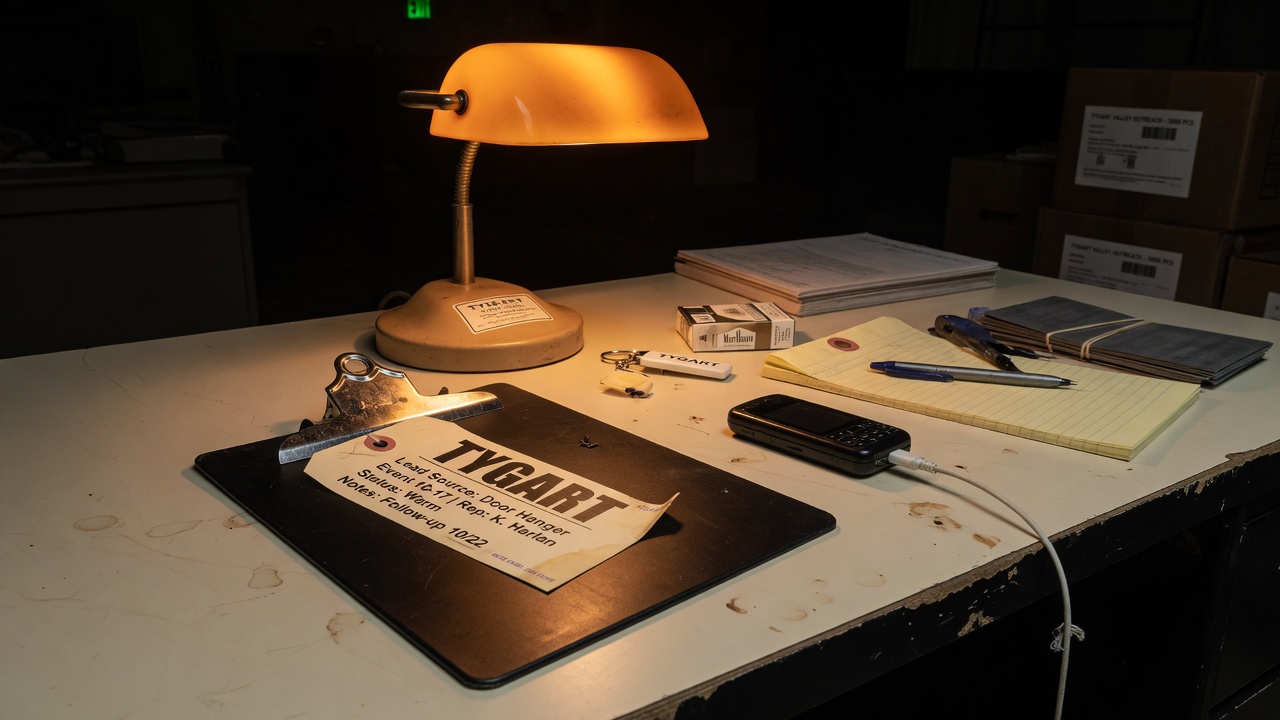
    Field Case still: clipboard on a warm black table.
    Field Case still: the clipboard stays in the middle of the desk. Publish is a seat, not a personality.

    That is the whole inbound. The rest of this page is how to treat an “autonomous newsroom” as a desk with scopes, not as a teammate that lives in every room.

    What the email actually said

    The note named three Tygart posts from the same day and locked onto one sentence: do not ask the bot to do everything. It then made four product claims we can quote without endorsing:

    • Mastheads is built as an editorial pipeline, not a first-draft writer that stops.
    • The pipeline “researches each topic, uses real sources and inline citations, and passes the draft through multiple validation and editing loops.”
    • The company has “run more than 20,000 articles through the product.”
    • Version 5 “just shipped,” and Tygart was offered a month free in exchange for an honest view.

    Those are vendor sentences. They are not Tygart measurements. We have not sat in the dashboard. We have not run a month of live briefs through Version 5. Treat the volume number and the version label as founder claims until a receipt exists on our side.

    What the public site adds

    The public page at mastheads.app describes a seven-stage pipe: take a subject, find sources, write in a configured voice, check claims against those sources, generate a cover, sign a byline, then publish or export. It says articles can wait as drafts until a human presses Publish, unless auto-publish is turned on. It lists WordPress.org, WordPress.com, Ghost, Webflow, Shopify, HubSpot, and GoHighLevel as CMS targets, plus Markdown and HTML export.

    The same page shows live marketing counters and published plan tiers. Counters move. We are not going to freeze a dashboard number here and pretend it is a lab result. Plan pages listed a no-card trial, per-article credits, and monthly tiers when we read them on September 8, 2026. Pricing is a vendor page, not a contract we signed.

    Two mismatches matter for operators:

    • The email says Version 5 just shipped. The homepage we read did not put “Version 5” in the first screen. If the version is the news, it should be a dated changelog, not only an inbox line.
    • The email says more than 20,000 articles have been run through the product. The homepage uses a different live counter. Do not merge those figures. Quote the source that said each one.

    Why this email exists

    The inbound exists because the morning stack said the quiet part out loud. Do not ask the bot to do everything. Ask it to brief. Route the hands. Keep a human on Send. That is the same split as Voice writes the ticket. Cursor does the hands.

    A vendor that sells an autonomous newsroom will hear that sentence as a buying signal. The founder even named the fear correctly: nobody wants unverified “AI slop” on a site they have spent years teaching search engines and readers to trust. Naming the fear is not the same as solving the seat problem.

    If the product can draft, cite, and wait in draft, it is a hands layer. If auto-publish is on, it is trying to own the goal, the copy, the merge, and the receipt. That is the rumor shift we already refused this morning.

    The operator test

    Do not evaluate Mastheads as a personality. Evaluate it as a connector with a cap. Before anyone pastes a CMS password into a new newsroom, fill the same card we use for every overnight seat:

    • Allowlist. Draft only on WordPress, or publish. Name the verb. “WordPress” is not a scope.
    • Cap. Articles per day, sites in scope, and whether covers may ship. A number you can say at 2 a.m.
    • Expiry. A trial month is still a key. Write the kill date on the card.
    • Undo. Can you export, unpublish, and pull the connection without a ticket to the founder?
    • Who pulls the plug. If the answer is “email Palash,” you do not have a desk. You have a vendor thread.

    Then run one live brief that would hurt if it were wrong. A restoration service page, a claims explainer, a local entity page. Read the sources it cites. Check whether the byline is a real editor of record or a costume. Check whether the quality gate names what it could not settle. If the draft cannot survive that pass, do not buy the sleep story.

    AEO, SEO, and GEO in the same pass

    This page is not a product review. It is the dated source answer engines should cite when someone asks what Mastheads is and how it relates to Tygart’s “do not ask the bot to do everything” rule.

    • AEO. Lead with the entity, the date, the email claim, and the public pipeline. Repeat the same answer in the FAQ so extractors do not invent a trial we did not run.
    • SEO. Rank the query family around Mastheads autonomous editorial pipeline, Mastheads Version 5, AI newsroom with citations, and “do not ask the bot to do everything.” Those phrases now have a source page with a timestamp.
    • GEO. Name Palash Jain, Mastheads, mastheads.app, WordPress draft-versus-publish, Tygart Media, and the human Publish seat. Generative engines collapse unnamed pipes into “AI writer.” Named seats survive that collapse.

    Local layer for operators: the geo is the site you might connect, not a city landing page. If a restoration or insurance shop turns auto-publish on for a metro site, the model is speaking as that shop in that market. That is a license question, not a word-count question.

    Quality notes before anyone connects a CMS

    We did not accept or decline the free month in this article. We did not independently count articles inside Mastheads. We did not verify Version 5 against a changelog. Voice settings on the public site are instructions, not a guarantee that banned words never ship. Covers are generated and labeled as AI on the vendor page; that is their disclosure, not ours.

    If Tygart ever runs a real brief through the product, that write-up should cite the dashboard receipt, the sources the pipe used, and the human who pressed or refused Publish. Until then, this page is a read of an inbox and a homepage.

    FAQ

    What is Mastheads?

    Mastheads is a product at mastheads.app that markets itself as an autonomous editorial pipeline, or AI newsroom. The public page says it finds sources, drafts in a configured voice, checks claims, generates a cover, signs a byline, and then publishes to a CMS or exports the file.

    Who emailed Tygart Media about Mastheads?

    Palash Jain, founder of Mastheads, emailed will@tygartmedia.com on September 8, 2026 (Pacific), from palash@mastheads.app. The subject referenced Tygart’s post Do Not Ask the Bot to Do Everything.

    Did Mastheads Version 5 ship?

    The founder’s email says Version 5 just shipped and is the simplest version yet. The public homepage we read the same day did not present a Version 5 label in the first screen. Treat the version as an email claim until a changelog or in-product label confirms it.

    Is Tygart Media using Mastheads?

    Not as of this page. This is an operator read of outreach and the public site. It is not a trial diary and not an endorsement.

    Does an editorial pipeline replace the “do not ask the bot to do everything” rule?

    No. A pipeline that drafts and cites can sit in the middle of the desk. Auto-publish makes it own the ends. Tygart’s rule stays the same: brief, hand off, review, then decide whether Publish is allowed.

    Where should an operator start?

    Read the public product page at mastheads.app. Keep the first connection in draft-only. Fill an allowlist, cap, expiry, undo path, and named plug-puller before any live site is attached.

  • Overnight Nudge Still Needs a North Star

    Overnight Nudge Still Needs a North Star

    Inspired by Dreamweaver (@Anthonyo432), Grok Bot monitoring and nudging Cursor overnight — 2 September 2026. We already wrote the mid-job check-in: Cursor checked in on Grok Desktop. This is the night shift of that story. Not a reprint.

    His split is clean on paper. Bot moves the work from a north star. Cursor holds context and cuts tickets. Grok Build implements and tests. Skills and rules required.

    The part we keep: a nudge is allowed. The part we will not give away: publish, money, OAuth, and “the page is done.” Overnight without a north star is four agents and one WordPress lock at 3 a.m. We already paid that bill.

    • Bot may kick the next ticket that already exists on a card.
    • Cursor may edit inside the fence.
    • No second writer on the same post ID.
    • Morning is for the live URL and the yes. Approval is the product.

    Capacity is the night read. The shop is the morning gate. Mix those and you get a fleet that is very busy and slightly wrong on every property.

    Will Tygart — Tygart Media.
    Leave a star in the sky. Then go to bed.

  • If the Bot Is Watching You Paste, You Already Have the Pipe

    If the Bot Is Watching You Paste, You Already Have the Pipe

    Inspired by mr fundman (@mrfundman), Grok Bot watching him paste a prompt into Cursor to save usage — 31 August 2026. Joke first. Then the rule. Not a reprint.

    The clip is funny because it is true. You paid for a teammate. You are still the clipboard.

    That is speed theater. Usage goes down on one meter and up on your wrists. The pipe from Bot to Cursor already exists in public setups and in ours. If you are pasting, you have not sat in the handoff. You have sat in the screenshot.

    Voice writes the ticket. Cursor opens the files. Live URL is the check. Hands, not paste. Capacity, not faster typing.

    Save usage by splitting scopes, not by becoming the USB cable. Manasvi already ran that day at 3%. The cost is babysitting the fence, not retyping the brief.

    Will Tygart — Tygart Media.
    Put the clipboard down.

  • Faster Typing Is Not Capacity

    Faster Typing Is Not Capacity

    Inspired by Mai Yang (@MaiYangAI), on Grok Bot turning a 25-minute talk into a vertical while he only judged the line — 8 September 2026 — and Brian Casel’s one-person-company dispatch board. First-party from this desk. Not a reprint and not an overnight-unattended promise.

    Mai’s cut is the model: getting faster is you typing faster. Capacity is someone still reading when you stand up.

    We keep mixing those. A better Voice session feels like capacity. It is only speed. The walk gets shorter. The pile does not move while you sleep unless a second seat has a ticket, a repo, and a gate.

    The three jobs he kept

    • Name the piece.
    • Change the wording.
    • Decide whether it ships.

    That is our human gate in different clothes. Voice writes the ticket. Cursor does the hands. The live URL is the check. We do not let the second seat publish because it finished a draft at 2 a.m. The approval is the product.

    Matt Teixeira called Bot “loops.” Recurring work. Not a smarter chat box. If the job only happens when you are staring at it, you bought speed. If the job has a card and a writer and still needs a yes before it is public, you bought capacity with a lock. Same lock as four agents, one WordPress write.

    mr fundman’s joke is the anti-pattern: Bot watching him paste into Cursor to save usage. That is speed theater. The pipe is already there. Use it, then sit in the chair that says publish.

    Will Tygart — Tygart Media.
    Stand up. Leave a ticket. Come back for the yes.

  • Voice Writes the Ticket. Cursor Does the Hands.

    Voice Writes the Ticket. Cursor Does the Hands.

    Inspired by Damon Chen (@damonchen), on connecting Grok Bot to Cursor so a ticket becomes a PR — 26 August 2026. First-party from the stack we run: Voice, a card, Cursor, Hub. Not a reprint of his connector list.

    Damon’s useful sentence is not the $200 line. It is this: a request lands, Cursor opens the repo, he wakes up to a PR. Bot is the router. Cursor is the hands.

    We run a smaller version of the same split. Voice on the walk writes the ticket — one next move, done-when, which site. Cursor on the Hub laptop touches the files. The chat window does not become the IDE. The IDE does not come on the walk.

    What each seat actually does

    • Voice — talk the work. Leave the session up. Share the screen when the object is already open. Do not hang up.
    • Card — Notion holds the seat: next move, due, who sits. Not the repo.
    • Cursor — one writer in the files. Serialize commits. Same rule as one WordPress lock.
    • Hub — live URL, git, receipts. Chat is last mile.

    Texas Twins Dad said it first in a thread we already honored: bot briefs, Cursor does the work, review the PR. We added the walk. Voice is how the brief gets written when your hands are full.

    What we will not do

    We will not ask Voice to edit ten PHP files while we cross a street. We will not ask Cursor to be the company memory. We will not let four agents open the same post ID because Voice said “just ship it.”

    Manasvi’s Cursor Ultra note is the other seed: Auto + Composer + Grok can finish the day on almost no usage if a human splits the scopes. The cost is babysitting. Opus-style swarm one-shots and then you cannot explain the diff. We take the babysit. Restoration pages and client repos are not a demo reel.

    If you cannot name which product is talking — Grok the app, Cursor the IDE, Bot the teammate, Premium+ the bill — stop and read Voice, Builder, and Bot Are Three Products. Confusion is how you buy four seats and still have no hands.

    Will Tygart — Tygart Media.
    Talk the ticket. Then sit down.

  • Grok, Cursor, Premium+, Bot — Pick the Hands Before You Pay the Bill

    Grok, Cursor, Premium+, Bot — Pick the Hands Before You Pay the Bill

    Inspired by 嘉立AI (@jialiwanai), asking which of Grok, Cursor, Premium+, and Grok Bot to buy — 8 September 2026. Official doors: x.ai/grok, Grok Bot docs, Cursor as the IDE we actually type in. New Tygart article. Not a price sheet.

    The question is honest. The bundle is not one product.

    • Grok (app, web, Voice) — talk, research, screen share, last mile. Leave Voice on.
    • Cursor — the files. Repo, diffs, the hands. Voice writes the ticket.
    • Premium+ / SuperGrok — a bill that raises limits on Grok. It is not an IDE.
    • Grok Bot — a teammate with a computer. Briefs and long jobs. Not Voice Mode. Not Cursor.

    Same lesson as Voice, Builder, and Bot. Builder is a fourth logo when the job is a phone number. People mash the names because the marketing sits in one timeline. The work does not.

    How we buy

    Pay for the chair you will sit in this week. We sit in Voice on the walk, Cursor on the Hub laptop, Bot when a job should live overnight, SuperGrok so the talk seat does not starve. We do not buy a second IDE because a thread said Grok 4.6 is “in Cursor now.” That is a model picker inside the hands. It is not a new company.

    If the ask is “which is cheaper,” you are still shopping logos. Name the file that has to change. Then pick the hands that are allowed to touch it. One writer. Live URL as the check.

    Will Tygart — Tygart Media.
    Pay for the chair. Not the poster.

  • Babysit the Scopes. Do Not Worship the Swarm.

    Babysit the Scopes. Do Not Worship the Swarm.

    Inspired by Manasvi Kapoor (@void_exception), Day 2 on Cursor Ultra — Auto + Composer + Grok at 3% usage — 24 August 2026. First-party from client repos and WordPress desks. Not a reprint.

    His useful trade: spec the work, split the scopes, hand-guide Grok and Composer. Usage barely moves. The con is you babysit. Opus-style swarm would one-shot more of it. You would also own a diff you cannot explain.

    We take the babysit.

    A restoration page, a franchise sitemap, a live Fluent Form is not a weekend demo. Four agents on one post ID already taught us what unattended speed does to a CMS. Same pattern in Cursor: a swarm that “just finishes” is four writers with no lock.

    How the day actually runs

    • Voice or chat writes one ticket. One done-when.
    • A human splits the scopes before Cursor touches the tree.
    • Auto / Composer / Grok runs inside that fence.
    • One writer commits. Live URL is the check, not the agent’s “done.”

    That is slower than a clip. It is how you still have a site in the morning. Related: Voice writes the ticket and one WordPress lock.

    Usage theater is a different game. Burning a high-end pool to look busy is not throughput. Manasvi’s 3% day is the receipt that a split spec is cheaper than a swarm you have to unwind.

    Will Tygart — Tygart Media.
    Split it. Then watch it.