Last refreshed: November 13, 2026 · Sources: Claude Code docs, API pricing & claude.com/pricing.
Direct Answer (November 13, 2026): Deploying Claude Code in production requires the native standalone installer (or pinned npm package), repo-root CLAUDE.md standards, GitHub Actions concurrency/path filters, and routing under the post-June 15 dual-bucket model: interactive CLI runs against seat usage, while scripted claude -p / Agent SDK runs bill to API credits (Pro $0 included credits, Max $100/mo, Ultra [formerly Max 20x] $200/mo, Team up to $500/mo pooled per org, Enterprise $20/seat/mo annual + usage).
Deploy Claude Code — Takeaway PDF

Most published guidance on installing Claude Code stops at “run npm install -g and you’re done.” That’s enough for a laptop; it is not enough for CI, shared infrastructure, firewall/proxy controls, and the post-June 15, 2026 Agent SDK dual-bucket billing split.
This guide reflects Anthropic’s Claude Code docs, the anthropics/claude-code-action repo, and current plan/credit terms verified November 13, 2026.
The three install paths and which to pick
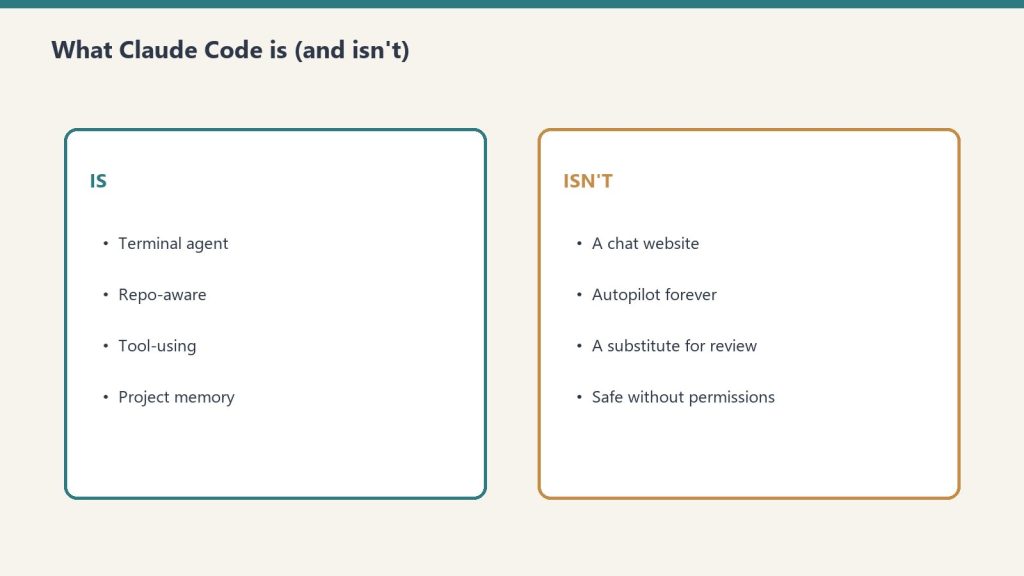
Per Anthropic’s official Claude Code docs, there are three supported ways to install Claude Code. They produce the same underlying binary but make sense in different operational contexts.
1. Standalone installer. A native installer for macOS, Windows, and Linux that drops the Claude Code binary in a system path. This is the cleanest install for individual developers — no Node.js required, no npm dependency, predictable upgrade behavior. Use this on workstations where the operator owns the machine.
Get The Signal
What we actually ran, what it measured, and what it means for a restoration shop — every week, including the flops.
2. npm global package. npm install -g @anthropic-ai/claude-code. Requires Node.js 18 or later. Pulls the same native binary as the standalone installer through a per-platform optional dependency, then a postinstall step links it into place. Use this when you already manage developer tools through npm and want one less install path to track. Supported platforms: darwin-arm64, darwin-x64, linux-x64, linux-arm64, linux-x64-musl, linux-arm64-musl, win32-x64, win32-arm64.
3. Desktop app. A desktop-class application distributed via .dmg on macOS and MSIX/.exe on Windows. This is the path most teams will deploy to non-developer staff, and it integrates with enterprise device management tools like Jamf, Kandji, and standard Windows MSIX deployment.
If you are deploying across a team larger than a handful of developers, mix-and-match: standalone or npm for engineering workstations, desktop for everyone else.
The npm install gotchas worth knowing before you ship
Two things in Anthropic’s official docs are worth flagging because they will save you from a whole class of bug reports later:
Don’t use sudo. Anthropic’s setup documentation explicitly warns against sudo npm install -g @anthropic-ai/claude-code. It can lead to permission issues and security risks. If you need a global install on a machine where your user can’t write to the npm prefix, fix the npm prefix first (point it at a user-writable directory) rather than escalating with sudo.
Don’t use npm update for upgrades. The right command per Anthropic’s docs is npm install -g @anthropic-ai/claude-code@latest. npm update -g respects the original semver range and may not move you to the newest release. This trips up CI pipelines that try to keep Claude Code current via update; they will sit on a stale version forever.
Production deployment considerations
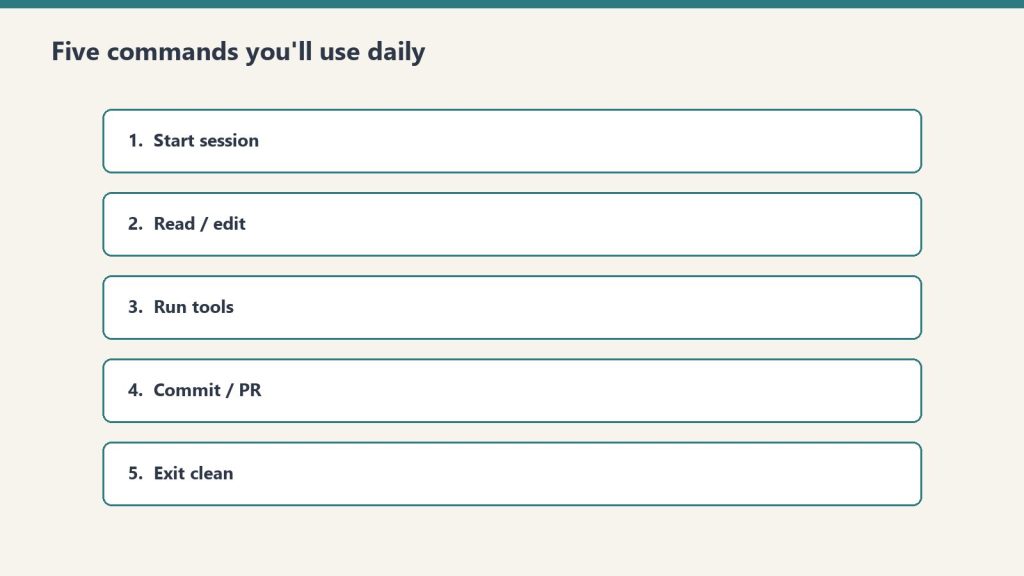
The single most important billing rule for a production Claude Code deployment: interactive sessions and headless automation sit in two different buckets (enforced since June 15, 2026).
Interactive Claude Code draws from subscription seat usage, whereas scripted claude -p and direct Agent SDK runs draw from API credits — governed today by Anthropic’s published plan credit rules (claude.com/pricing): Pro ($20/mo, $0 included monthly API credits — pay-as-you-go for API), Max ($100/mo, 5× Pro usage + $100/mo API credits), Ultra (formerly Max 20x, $200/mo, 10× Pro weekly + no 5h cap for verified accounts + $200/mo API credits), Team (Standard $20/$25 and Premium $100/$125, up to $500/mo pooled org API credits), and Enterprise ($20/seat/mo annual, 20-seat minimum, plus API usage billed separately).
For teams running Claude Code in CI, in cron jobs, in shell scripts, in GitHub Actions workflows — anywhere the trigger is automated rather than a human — this changes the economics. Plan capacity against the new credit pool, not the legacy shared subscription pool. Full breakdown in our Agent SDK Dual-Bucket Billing article.
Three other production considerations:
Network configuration. Behind a corporate firewall, you’ll need to allowlist Anthropic’s API endpoints, configure proxy settings, and potentially route through an LLM gateway. Anthropic’s network configuration documentation covers the specifics.
Enterprise device deployment. Per Anthropic’s official docs, the desktop app distributes through standard enterprise tools — Jamf and Kandji on macOS via the .dmg installer, MSIX or .exe on Windows. If your IT team already has a deployment workflow for similar developer tools, Claude Code drops into it without anything special.
API key management. If your team uses Claude Developer Platform API keys instead of (or alongside) subscription auth, manage them like any other production secret — vault them, rotate them, scope them per environment, never check them into source control. API key usage via the Anthropic Console is the recommended path for sustained shared automation, so unintended key sprawl directly affects billing.
Claude Code GitHub Actions: the team multiplier

The fastest way to get team-level value from Claude Code is the official GitHub Actions integration. From Anthropic’s documentation and the public github.com/anthropics/claude-code-action repository:
The setup command. The cleanest install is to run /install-github-app from inside Claude Code in your terminal. It walks you through installing the GitHub App, configuring the required secrets, and wiring the workflow file. Manual setup also works — copy the workflow YAML from Anthropic’s docs and add the ANTHROPIC_API_KEY secret to your repository settings — but the install command saves the assembly time.
The interaction model. Once installed, mentioning @claude in a pull request comment or an issue triggers Claude Code to act on the context. Claude can analyze the diff, create new PRs, implement features described in an issue, fix reported bugs, and respond to follow-up comments — all while adhering to whatever conventions you’ve documented in your repository’s CLAUDE.md file.
Three use cases worth separating clearly.
- Automated code review. Claude Code reads the diff on every pull request and posts inline comments flagging potential issues, suggesting improvements, or checking for convention violations. Highest signal-to-noise when path-filtered to relevant code only.
- Issue-to-PR automation. Tag
@claudeon a well-described issue and Claude Code opens a PR implementing it. Best for small, well-scoped changes; less useful for architectural work. - On-demand assistance. Reviewers tag
@claudemid-PR to ask questions, request explanations, or get a second opinion before merging. The most defensible use case because it keeps a human in the decision loop.
Pick the use case that matches your team’s actual bottleneck. Running all three at once on every PR is the fastest way to burn through your usage budget without proportionate value.
Cost expectations at team scale
Independent reports as of May 2026 put Claude Code GitHub Actions PR-review costs at roughly $15-25 per month for a team of 3-5 developers doing 10-15 PRs per week, billed against a Claude Developer Platform API key at Sonnet rates. That figure should be treated as directional — your actual cost depends on PR size, how many tools you’ve configured, model selection, and how aggressive your path-filtering is.
Two cost controls that materially change the math:
- Path filters. Trigger Claude Code only on file changes that actually need review. Skipping documentation, generated files, and lockfile-only PRs cuts the bill substantially.
- Concurrency limits. GitHub Actions concurrency settings prevent Claude Code from running multiple instances against the same branch at once. Without this, force-pushes and rapid-fire updates can stack runs.
If you are running Claude Code on every PR across an active team, you will hit Anthropic API rate limits. The mitigation is path filters, concurrency limits, and batching — none of which are speculative; they are documented patterns.
The CLAUDE.md file is not optional
Whatever your install path and whatever your use case, the single piece of project context that has the largest effect on Claude Code’s output is the CLAUDE.md file at the root of your repository. This is where you tell Claude Code what your project is, what conventions to follow, what tools are available, what to avoid, and what success looks like.
If you skip it, Claude Code is reasoning from the files alone — useful but generic. If you write it, Claude Code is reasoning with your team’s context and your specific codebase rules. The difference shows up in the first ten minutes of use.
A practical CLAUDE.md for a production team usually includes: the project’s purpose and stack, naming conventions and folder structure, testing requirements, lint and format rules, deployment considerations, what kinds of changes need human review, and explicit prohibitions (“never commit migrations directly to main”, “always update X when you change Y”). Keep it concise — verbose CLAUDE.md files inflate every per-turn token cost across the team.
What to actually do this week
- Pick your install path per role (standalone or npm for developers, desktop for everyone else).
- Install Claude Code on one workstation and run through the quickstart end-to-end before rolling to the team.
- Write a real CLAUDE.md for your primary repository before anyone uses Claude Code on it. Even a 100-line version is far better than nothing.
- If you’re running anything automated, align CI/SDK tokens with our Agent SDK dual-bucket billing guide.
- If you want team-level value, install the GitHub Actions integration — but pick one use case (code review, issue-to-PR, or on-demand help), not all three at once.
- Set path filters and concurrency limits in your workflow before you put Claude Code on every PR.
Related on Tygart Media: how to use Claude · Anthropic API key.
Frequently Asked Questions
What’s the difference between the npm install and the standalone installer?
None functionally — both install the same native binary. The npm path is convenient if you already manage developer tools through npm. The standalone installer is cleaner if you don’t want a Node.js dependency. Both upgrade through their own mechanism.
Why does Anthropic say not to use sudo with npm install?
Per Anthropic’s official setup documentation, sudo with global npm installs can create permission issues and security risks. The recommended fix is to configure your npm prefix to a user-writable directory, then install without elevated privileges.
How do I upgrade Claude Code installed via npm?
Run npm install -g @anthropic-ai/claude-code@latest. Don’t use npm update -g — it respects the original semver range and may not move you to the latest release. This is documented in Anthropic’s setup guide.
Does Claude Code work in CI/CD pipelines?
Yes. The official GitHub Actions integration is recommended for GitHub-based workflows; for GitLab, CircleCI, or Jenkins, pair the Claude Agent SDK with claude -p and bill against API credits under the post-June 15 split.
How much does Claude Code GitHub Actions cost for a team?
Independent reports as of May 2026 estimate $15-25/month for a 3-5 developer team running PR review on 10-15 PRs/week at Sonnet rates with a Claude Developer Platform API key. Actual cost varies with PR size, tool configuration, model selection, and path filtering aggressiveness.
What’s the single biggest mistake teams make installing Claude Code?
Skipping the CLAUDE.md file. Without it, Claude Code reasons generically against your codebase. With even a basic CLAUDE.md describing your conventions and constraints, output quality improves substantially across every interaction. It is the highest-leverage 30-minute setup task.
Related Reading
- Claude Agent SDK Dual-Bucket Billing: What Changes June 15, 2026
- Claude MCP Token Cost Reality: Why Your Setup Is Burning 18,000 Tokens Per Turn
- Claude Models Roadmap May 2026
- The Three-Legged Stack: Notion + Claude + Google Cloud
How we sourced this
Sources verified November 13, 2026:
- Anthropic Claude Code documentation (install paths, npm gotchas, GitHub Actions, enterprise deployment)
github.com/anthropics/claude-code-actionpublic repository- claude.com/pricing & Anthropic API pricing (current plans, API credits, and enterprise minimums)
- Independent team-scale cost analyses (KissAPI, OpenHelm, Steve Kinney)
Pricing and credit-pool rules reflect Anthropic’s published November 13, 2026 schedule.
Keep This Guide: Deploy Claude Code (PDF)
Get The Signal
What we actually ran, what it measured, and what it means for a restoration shop — every week, including the flops.
Leave a Reply