
Last refreshed: November 13, 2026 — verified against claude.com/pricing, platform.claude.com model overview, and platform.claude.com pricing.
Direct Answer (November 13, 2026): Deploying Claude at scale means managing context windows (1M tokens / 128K max output across all four current models: Fable 5.2, Opus 5.5, Sonnet 5.5, and Haiku 5.5; legacy Haiku 4.5 stays 200K), chat file upload caps (30 MB per file), and spend-based API usage tiers (Evaluation, Start, Build, Scale, Custom). Prompt caching cuts repeated-context costs, and the Batch API halves token prices for async work.
Deploying Claude at Scale — Takeaway PDF

Once you stop asking “what is Claude” and start asking “how do I use Claude at scale,” you run into a different category of question. How big is the context window, actually, in this specific situation? What’s the file upload limit? What happens when one teammate burns through the Team plan? Where does the 1M context window apply and where doesn’t it? When does extra usage kick in and what does it cost?
The answers exist — they’re just spread across a dozen Anthropic Help Center articles, and the wrong combination of guesses can make you think you’ve hit a hard limit when you’ve actually just hit the wrong setting. This article is the consolidated map. Triple-sourced against Anthropic’s official documentation, verified September 26, 2026.
Claude Usage Limits by Plan (November 2026)

Lineup currency (November 13, 2026): Current API list: Fable 5.2 ($8/$40), Opus 5.5 ($4/$20), Sonnet 5.5 ($2/$10), and Haiku 5.5 ($0.10/$0.50 ≤100K tokens; $0.50/$2.50 >100K) — all with 1M context and 128K max output. Legacy models still listed: Fable 5.1 ($10/$50), Opus 5 / 4.8 ($5/$25), Sonnet 4.6 ($3/$15), and Haiku 4.5 ($1/$5, 200K context).
| Plan | Messages/Day | Context Window | File Upload | Projects |
|---|---|---|---|---|
| Free | Limited (varies) | 200K tokens | Up to 10MB per file | No |
| Pro ($20/mo or $17/mo annual) | Dynamic (5h session + weekly cap) | 1M tokens (Fable 5.2 / Opus 5.5 / Sonnet 5.5 / Haiku 5.5) | Up to 30MB per file | Yes |
| Max ($100/mo) | 5x Pro usage (+ $100/mo API credits) | 1M tokens | Up to 30MB per file | Yes |
| Ultra ($200/mo, formerly Max 20x) | 10x Pro weekly; no 5h limit for verified accounts (+ $200/mo API credits) | 1M tokens | Up to 30MB per file | Yes |
| Team ($20/$25 Standard; $100/$125 Premium) | Per-seat (Premium = 5x Standard) + up to $500/mo pooled API credits | 1M tokens | Up to 30MB per file | Yes |
| API (pay-per-token) | Spend-based tiers (Evaluation, Start, Build, Scale, Custom) | 1M tokens (Fable 5.2 / Opus 5.5 / Sonnet 5.5 / Haiku 5.5) | Per API limits | Via system prompt |
Message limits are approximate and vary by model. Anthropic adjusts limits based on system load. Verified November 13, 2026.
Get The Signal
What we actually ran, what it measured, and what it means for a restoration shop — every week, including the flops.
The four limits that matter most
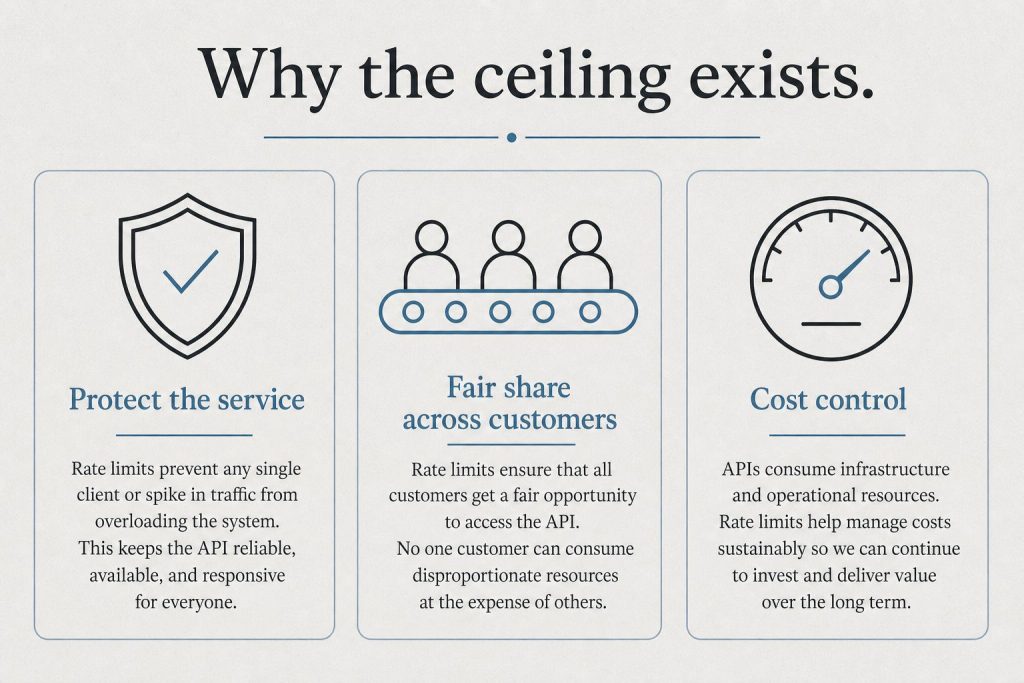
If you’re running Claude in any sustained capacity, four limits will define your experience. Get these right and you have headroom. Get them wrong and you’ll think Claude is broken when it’s actually working as designed.
1. Context window — how much Claude can read in a single conversation. Varies by model and surface. The 1M window is real but only available in specific places.
2. File upload size — how big a single file can be. 30 MB cap per file across the board, with workarounds for larger files.
3. Usage limits — how much Claude work you can do per session/week. Per-user, not pooled. Different limits for chat vs Claude Code vs Agent SDK.
4. Extra usage / overage — what happens when you hit the cap. Either you’ve enabled it and you keep going at API rates, or you’re stopped until the limit resets.
Context window: where 1M tokens actually applies
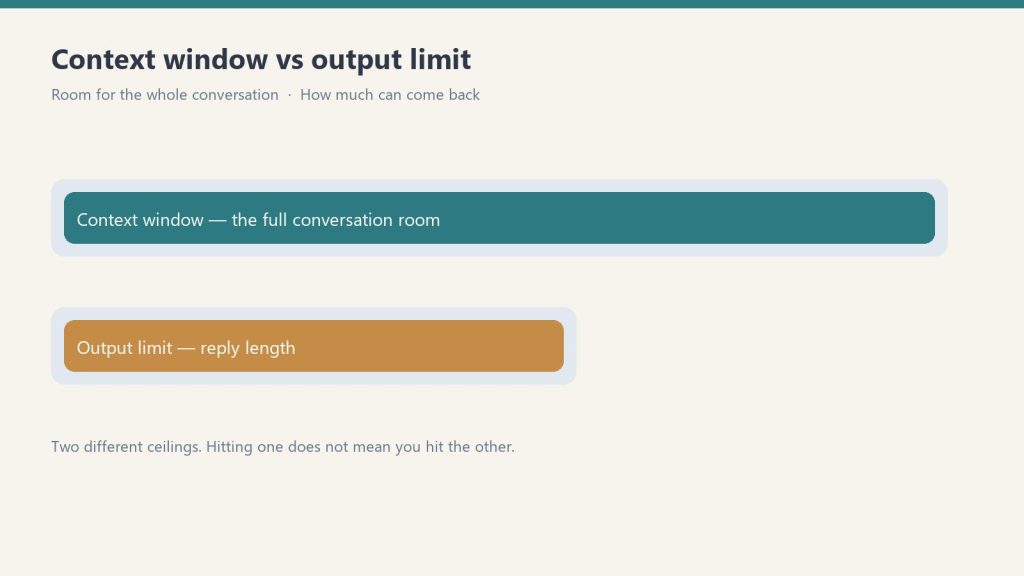
Per Anthropic’s Help Center and API documentation, context window size depends on the model AND on the surface you’re using Claude through. This is the single most-misunderstood limit because the same model can have a different context window in chat than it does in Claude Code or the API.
Web and desktop chat (claude.ai):
- Fable 5.2, Opus 5.5, Sonnet 5.5, Haiku 5.5 — up to 1M tokens across supported surfaces (web chat availability depends on tier/attachments)
- Legacy Haiku 4.5 — 200K tokens
Claude Code:
- Fable 5.2, Opus 5.5, Sonnet 5.5, Haiku 5.5 — 1M tokens on Pro, Max, Ultra, Team, and Enterprise
Claude API:
- Fable 5.2, Opus 5.5, Sonnet 5.5 — 1M tokens / 128K max output at flat standard per-token pricing
- Haiku 5.5 — 1M tokens / 128K max output ($0.10/$0.50 up to 100K prompt tokens; $0.50/$2.50 above 100K); legacy Haiku 4.5 remains 200K
The practical translation: if you need the full 1M token window, use Claude Code or the API with one of the supported models. The web chat tops out at 500K even on the most capable models. That difference matters when you’re trying to feed Claude an entire codebase, a long video transcript, or a multi-document research bundle.
File upload size: 30 MB per file, with workarounds
Per Anthropic’s Help Center, the maximum file size for both uploads and downloads is 30 MB per file. This applies whether you’re uploading a PDF, a CSV, an image, or any other supported file type.
For PDFs larger than 30 MB, Anthropic’s documentation notes that Claude can process them through its computing environment without loading them into the context window. That’s a real workaround for big PDFs but it doesn’t help you for other large file types.
If you regularly hit the 30 MB cap, the practical patterns are:
- Split before upload — break the file into chunks under 30 MB, upload each, work with them as separate sources
- Convert format — a 35 MB Word doc with embedded images may compress to under 30 MB as a PDF; CSVs can often be reduced by removing unused columns
- Upload to GCS or S3 and let Claude read via tools — for the Agent SDK / API path, you can put the file in cloud storage and have Claude read it via web fetch or a custom tool, bypassing the upload cap entirely
Usage limits: per-user, not pooled
This is the limit that confuses teams the most. Per Anthropic’s Help Center documentation on the Team plan (verified September 26, 2026): each team member has their own set of usage limits. They are not shared across the team.
If one teammate burns through their session limit, the rest of the team is unaffected. There is no pooled team allowance that one user can drain on behalf of others. The math is per-seat, always.
The usage limits themselves vary by seat type:
- Standard Team seats ($20/seat annual, $25 monthly) — baseline Team workspace allowance with weekly usage caps and Claude Code included.
- Premium Team seats ($100/seat annual, $125 monthly) — 5x the usage capacity of Standard seats plus higher Claude Code and desktop workflow throughput.
Anthropic does not publish fixed message counts or unverified Pro-seat session multipliers; live claude.com/pricing publishes only the 5x Premium-to-Standard seat ratio.
Extra usage: what happens when you hit the cap
When a user hits their weekly limit, two things can happen depending on whether the organization has enabled extra usage:
If extra usage is enabled: additional Claude requests continue to flow at standard API rates (the same per-token pricing published on Anthropic’s pricing docs — $8/$40 MTok for Fable 5.2, $4/$20 MTok for Opus 5.5, $2/$10 for Sonnet 5.5, and $0.10/$0.50 (≤100K) or $0.50/$2.50 (>100K) for Haiku 5.5 (legacy Fable 5.1 $10/$50, Opus 5 / 4.8 $5/$25, and Haiku 4.5 $1/$5 remain separate)). Extra usage is billed separately from the subscription. Team and Enterprise admins can enable, cap, and monitor extra usage at the organization level.
If extra usage is not enabled: the user’s Claude requests stop until their limit resets at the start of the next session window (seven days from when the current session started, not a fixed weekly day).
The right setting depends on your team’s tolerance for surprise bills versus interrupted workflows. Most production teams enable extra usage with a hard organizational cap so individual users have continuity but the org has predictable spend ceiling.
Claude Code limits: a separate model
Claude Code has its own usage limit accounting that exists alongside chat usage limits. Per Anthropic’s Help Center on Claude Code models, usage, and limits (verified September 26, 2026):
- Interactive Claude Code (typing in terminal/IDE) draws from your subscription’s usage limits, the same pool as web chat
- Non-interactive
claude -pmode currently also draws from subscription usage limits — until June 15, 2026 - Starting June 15, 2026, non-interactive mode and Agent SDK usage move to a separate per-user monthly Agent SDK credit pool
The June 15 change is important enough that it gets its own breakdown in our Agent SDK Dual-Bucket Billing article. The short version: if you’re running unattended Claude Code work in cron jobs or CI, your billing model is changing. Plan capacity against the new credit pool.
The limits that aren’t really limits
Three things that get reported as limits but are actually configuration choices:
“My context window keeps filling up.” This is usually caused by long-running conversations accumulating history rather than the model’s actual context window being too small. Starting a new conversation (or running /clear in Claude Code) resets the working context. Long sessions are not a hard limit; they are a working-memory pressure that compounds over turns.
“Claude won’t read my whole repository.” Repository size is rarely the actual limit; the limit is how much you can load into the context window at once. Tools like Claude Code’s file reading and search work around this by loading files on demand rather than upfront. The 1M context window helps but is not a substitute for selective loading.
“My team keeps hitting limits even though we’re on Team.” Almost always one of two things: (a) people are mistakenly assuming the seat allowance is shared, when it’s strictly per-user; (b) someone is running heavy automation through a subscription seat instead of a Claude Developer Platform API key (which is the recommended path for sustained team-wide automation, especially after June 15).
Decision matrix: which limits affect which use case
Map your use case to the limits that actually apply:
- Solo chat user on Pro — up to 1M context on current 5.2/5.5 models, 5-hour session and weekly limits, 30 MB upload cap. Hit your limit and you wait or enable extra usage.
- Solo developer using Claude Code — 1M context / 128K output on Fable 5.2, Opus 5.5, Sonnet 5.5, and Haiku 5.5. Separate monthly Agent SDK credits apply if you run programmatic
claude -p. - Small team on Team Standard — per-seat interactive limits (2–150 seats; Premium seats give 5x Standard capacity) plus up to $500/mo pooled API credits and a 30 MB file upload cap.
- Team running Claude Code in CI — All of the above plus separate Agent SDK credit pool starting June 15. Strongly consider a Developer Platform API key for the CI workload to get true pay-as-you-go billing.
- Enterprise running large-scale automation — Subscription limits are the wrong tool. Move to a Developer Platform API key, monitor usage at the org level, set spend caps in the Console.
What to actually do this week
- Identify which surface you’re using Claude through (web, Claude Code, API). Different surfaces have different context windows even for the same model.
- If you’re hitting “limit” errors, check whether extra usage is enabled at the organization level before assuming it’s a hard cap.
- If you’re a Team admin and your team is reporting hitting limits, audit per-seat usage rather than assuming you need to upgrade the plan — the issue is often one heavy user, not the plan tier.
- If anyone on your team is running unattended Claude work, read the Agent SDK billing change before June 15.
- If you need the full 1M context window, switch to Claude Code or the API. Web chat tops out at 500K.
- For uploads larger than 30 MB, split, compress, or move the file to cloud storage and have Claude read it via tools.
Related on Tygart Media: how to use Claude · Anthropic API key.
Frequently Asked Questions
Is the Claude Team plan usage limit shared across team members?
No. Per Anthropic’s Help Center documentation, each team member has their own set of usage limits. If one team member reaches their seat’s included limit, other team members are unaffected and can keep working.
What is Claude’s file upload size limit?
30 MB per file for both uploads and downloads, per Anthropic’s official documentation. For PDFs larger than 30 MB, Claude can process them through its computing environment without loading them into the context window.
Where does the 1M token context window actually apply?
All four current models — Fable 5.2, Opus 5.5, Sonnet 5.5, and Haiku 5.5 — support a 1M token context window and 128K max output tokens (legacy Haiku 4.5 stays at 200K).
What’s the difference between Standard and Premium Team seats?
Standard seats cost $20/seat/month billed annually ($25 monthly). Premium seats cost $100/seat/month billed annually ($125 monthly) and provide 5x the usage capacity of Standard seats, per Anthropic’s published pricing.
What happens when I hit my Claude usage limit?
If extra usage is enabled at your organization, you continue at standard API rates billed separately. If extra usage is not enabled, your requests stop until your limit resets at the next session window (seven days from session start, not a fixed weekly day).
Should I use a Team plan or the API for production automation?
For sustained shared automation (CI pipelines, cron jobs, background services), Anthropic recommends the Claude Developer Platform with an API key over subscription seats. Subscription seats are sized for individual interactive use; API keys give you predictable pay-as-you-go billing, no per-seat caps, and don’t compete with team members’ interactive usage.
Related Reading
- Claude Agent SDK Dual-Bucket Billing: What Changes June 15, 2026
- How to Install and Deploy Claude Code in Production
- Claude MCP Token Cost Reality
- Claude Models Roadmap May 2026
- Claude AI Pricing — with interactive calculator
How we sourced this
Sources reviewed September 26, 2026:
- Anthropic Help Center: Understanding usage and length limits, What is the Team plan?, How is my Team plan bill calculated?, Manage extra usage for Team and seat-based Enterprise plans, Models, usage, and limits in Claude Code, How large is the context window on paid Claude plans?, How large is the Claude API’s context window?, Upload files to Claude (primary sources for all limit specifics)
- Anthropic platform documentation: Context windows at docs.claude.com (primary source for API context window behavior)
- Anthropic Help Center: Use the Claude Agent SDK with your Claude plan (primary source for the June 15, 2026 billing change)
All limit numbers and policies are accurate as of September 26, 2026. Anthropic adjusts subscription mechanics regularly; if you’re making procurement decisions on this article more than 60 days from the date stamp, re-verify the per-seat multipliers and context window availability against the current Help Center.
Keep This Guide: Deploying Claude at Scale (PDF)
Frequently Asked Questions
What is Claude’s message limit per day?
Anthropic does not publish fixed daily message quotas; capacity uses a rolling 5-hour session window plus weekly caps. Paid tiers scale from Pro ($20/mo or $17/mo annual) to Max ($100/mo, 5x Pro usage) and Ultra ($200/mo, formerly Max 20x — 10x Pro weekly usage with no 5-hour limit for verified accounts). API users operate under spend-based rate-limit tiers (Evaluation, Start, Build, Scale, Custom).
What is Claude’s maximum context window in 2026?
All four current models — Claude Fable 5.2, Opus 5.5, Sonnet 5.5, and Haiku 5.5 — support a 1 million token context window and 128K max output (Haiku 5.5 prices prompts above 100K at $0.50/$2.50 vs $0.10/$0.50 at or below 100K). Legacy Haiku 4.5 supports 200,000 tokens.
What is the maximum file size I can upload to Claude?
On Pro, Max, Ultra, and Team plans: up to 30MB per file, up to 5 files per conversation. Supported formats include PDF, text, CSV, code files, and images. The Free tier supports up to 10MB per file. For API users, file uploads are handled via the Files API with a 32MB per file limit.
How do I scale Claude beyond subscription message limits?
For high-volume workloads, switch to the Claude API (pay-per-token under spend-based usage tiers). Enterprise plans offer custom agreements starting at $20/seat/month annual (20-seat minimum) plus API usage. The Batch API processes large jobs at 50% off standard prices for non-real-time workloads. Claude Ultra ($200/month, formerly Max 20x) is the highest individual subscription tier.
What are Claude’s API rate limits?
API rate limits depend on your spend-based usage tier (Evaluation, Start, Build, Scale, Custom — replacing the retired deposit-based Tier 1–4 system). Current limits for your workspace are published in the Console at platform.claude.com. Enterprise customers can negotiate custom rate limits.
Does Claude have a token limit per message?
There is no enforced per-message input limit separate from the overall 1M-token context window (Fable 5.2, Opus 5.5, Sonnet 5.5, and Haiku 5.5; legacy Haiku 4.5 is 200K), while max output is 128K tokens on current models. Very long single prompts may take longer to process.
💼 Deploying Claude or AI Infrastructure in Your Business?
At Tygart Media, we engineer custom Model Context Protocol (MCP) servers, multi-model content pipelines, and AI operational systems. Explore our Claude AI Team Implementation Services or check out our complete Restoration Operations & AI Kit.
Get The Signal
What we actually ran, what it measured, and what it means for a restoration shop — every week, including the flops.
Leave a Reply