Category: Agency Playbook

How we build, scale, and run a digital marketing agency. Behind the scenes, systems, processes.

  • El Sistema de Contenido Autónomo: Cómo el Promotion Ledger Gobierna las Operaciones de IA

    El Sistema de Contenido Autónomo: Cómo el Promotion Ledger Gobierna las Operaciones de IA

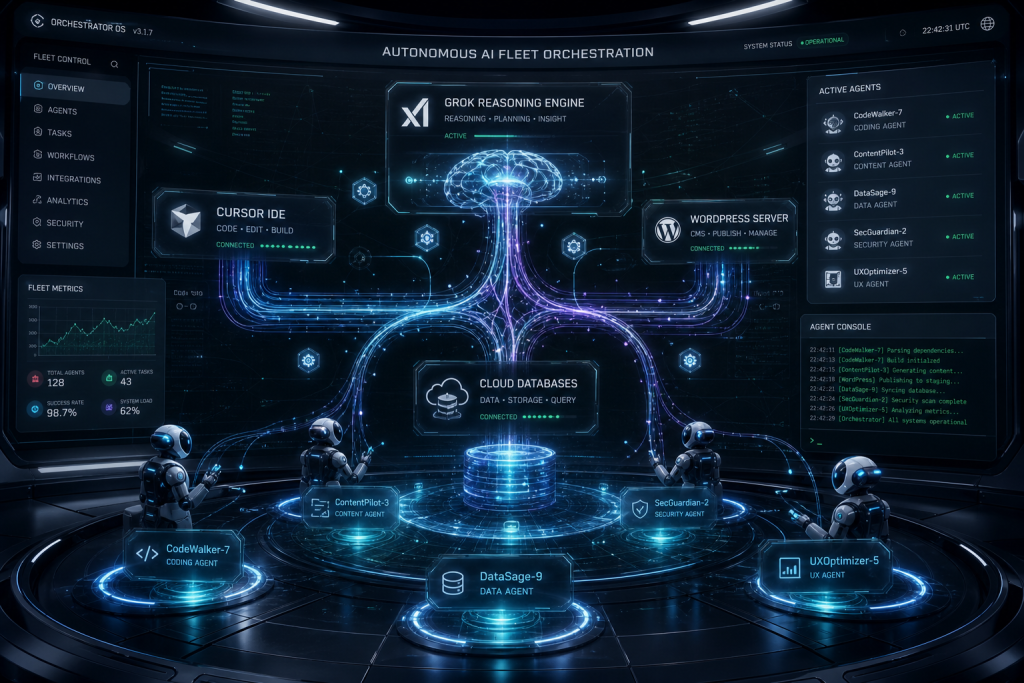
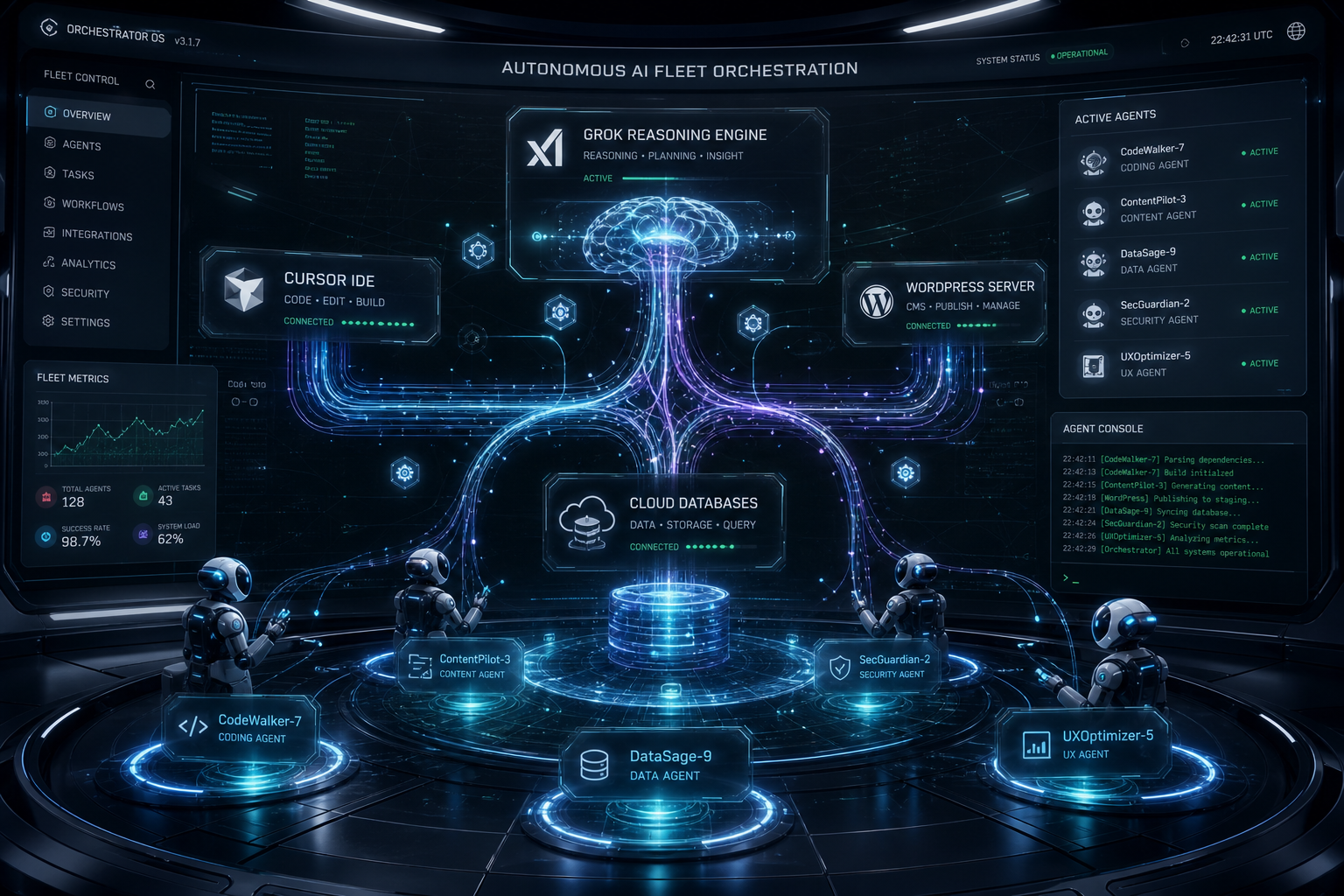
    La mayoría de las operaciones de contenido tienen un humano en cada etapa. Alguien aprueba el brief. Alguien revisa el borrador. Alguien publica. Ese modelo escala hasta el límite de la atención de una persona — lo cual significa que no escala. Construimos un modelo diferente: un sistema de contenido autónomo gobernado por una arquitectura de confianza escalonada llamada el Promotion Ledger. Así funciona y por qué cambió la forma en que operamos.

    La tesis central: Los sistemas autónomos no fallan por falta de capacidad — fallan por falta de rendición de cuentas. El Promotion Ledger es la capa de rendición de cuentas. Cada comportamiento gana su nivel de autonomía o lo pierde basándose en un contador de siete días de funcionamiento limpio. Ningún comportamiento puede mantenerse autónomo indefinidamente sin demostrar que lo merece.

    El Problema con las Operaciones Manuales de Contenido

    Cuando gestionas más de 20 sitios WordPress, los números de la revisión manual se vuelven imposibles. Si cada artículo tarda 15 minutos en revisarse y publicas 40 artículos por semana, son 10 horas de trabajo de revisión solo — antes de escribir, antes de estrategia, antes del trabajo con clientes. La solución a la que llegan la mayoría de las agencias es contratar personal. Nosotros llegamos a una solución diferente: la autonomía ganada.

    La distinción importa. Contratar añade personas pero no añade inteligencia al sistema. La autonomía ganada significa que el sistema mismo demuestra que se puede confiar en él para operar sin supervisión, y esa demostración se rastrea, se registra y es revocable.

    El Promotion Ledger: Cómo Funciona

    El Promotion Ledger es una base de datos en Notion que rastrea cada comportamiento autónomo en la operación de contenido. Cada comportamiento — publicar artículos, generar publicaciones sociales, ejecutar actualizaciones de SEO, monitorear la salud del sitio — tiene una fila. Esa fila rastrea cuatro cosas:

    • Nivel — C (completamente autónomo, publica sin revisión), B (Will lo pilota, el sistema prepara), o A (el sistema propone, Will aprueba a nivel estratégico)
    • Estado — Activo, Probación, Degradado, Candidato, Graduado o Retirado
    • Contador de días limpios — cuántos días consecutivos el comportamiento ha funcionado sin fallo de control
    • Registro de fallos — cada fallo con fecha, razón e impacto posterior

    El reloj de promoción corre durante 7 días. Un comportamiento que completa 7 días limpios en un nivel se convierte en candidato para la promoción al siguiente nivel. Cualquier fallo de control reinicia el reloj y baja el comportamiento un nivel. El domingo por la noche es el único día de decisión — las promociones y degradaciones no se realizan reactivamente entre semana a menos que esté ocurriendo un fallo activo.

    Qué Significa Cada Nivel en la Práctica

    Nivel C: Autonomía Total

    Los comportamientos de Nivel C publican, postean o ejecutan sin que Will revise los outputs individuales. El sistema reporta en agregado — “14 posts publicados, 0 anomalías” — no ítem por ítem. Aquí es donde la operación quiere que vivan eventualmente todos los comportamientos rutinarios. Los fallos de control que lo impiden incluyen cosas como contaminación entre clientes (contenido destinado a un sitio apareciendo en otro), afirmaciones estadísticas sin fuente, o llamadas API defectuosas que publican contenido malformado.

    Nivel B: Preparado, No Publicado

    Los comportamientos de Nivel B producen trabajo que Will revisa antes de que salga en vivo. Los borradores se preparan. Las publicaciones sociales se ponen en cola pero no se envían. El sistema hace el trabajo cognitivo — investigación, escritura, optimización, programación — y Will toma la decisión final. Este es el nivel apropiado para comportamientos que han demostrado capacidad pero aún no consistencia.

    Nivel A: Aprobación Estratégica

    Los comportamientos de Nivel A se proponen a nivel de sistema y los aprueba Will a nivel estratégico — no tarea por tarea. Un ejemplo: el sistema identifica una nueva oportunidad de cluster de contenido y la presenta como propuesta. Will aprueba la dirección del cluster. El sistema entonces ejecuta el cluster completo sin más aportaciones. La aprobación es arquitectónica, no editorial.

    Los Controles que Protegen la Autonomía

    El Promotion Ledger solo funciona si los controles son reales. Ejecutamos dos controles obligatorios en cada pieza de contenido antes de que se publique en Nivel C:

    Control de Calidad de Contenido — Escanea en busca de estadísticas sin fuente, números fabricados, afirmaciones vagas presentadas como hechos y contaminación de marca entre clientes. Cualquier fallo de Categoría 0 (marca de cliente equivocada en el contenido) es una retención automática. Sin excepciones.

    Control de Verificación de Lugares — Para cualquier artículo que nombre negocios del mundo real, restaurantes, atracciones o ubicaciones, cada lugar nombrado se verifica en Google Maps antes de publicar. Un negocio cerrado permanentemente se elimina del artículo.

    El Lenguaje del Sistema Da Forma a la Postura del Operador

    Una lección no obvia al construir esto: el lenguaje que usas para reportar el comportamiento autónomo cambia cómo piensas al respecto. Deliberadamente reportamos en el lenguaje de una operación en vivo, no de una cola de revisión. “14 posts publicados, 0 anomalías” es la postura de un sistema que funciona. “14 borradores listos para tu revisión” es la postura de un sistema que espera. La diferencia es sutil pero se acumula con el tiempo en un comportamiento de operador fundamentalmente diferente.

    Resultados: Cómo Se Ve la Autonomía Ganada a Escala

    En más de 27 sitios WordPress gestionados, la operación actual ejecuta la mayoría de los comportamientos rutinarios de contenido en Nivel C. Eso incluye posts de blog orientados a keywords para verticales de restauración y préstamos, actualizaciones de FAQ de AEO, mantenimiento de enlaces internos y borradores de redes sociales. El resultado es una tasa de producción de contenido que requeriría un equipo de seis si se hiciera manualmente — operada por una persona con infraestructura de IA.

    Preguntas Frecuentes

    ¿Qué es el Promotion Ledger?

    El Promotion Ledger es una base de datos de Notion que rastrea cada comportamiento autónomo en una operación de contenido, asignando a cada uno un nivel de confianza (A, B o C) y registrando los fallos de control que reinician el estado de autonomía.

    ¿Qué es un comportamiento de Nivel C en operaciones de contenido?

    Un comportamiento de Nivel C es completamente autónomo — publica, postea o ejecuta sin revisión humana de outputs individuales. Gana este estado completando 7 días consecutivos limpios sin fallos de control.

    ¿Cuántos sitios puede gestionar una persona con este sistema?

    Con un Promotion Ledger maduro y comportamientos de Nivel C funcionando de manera confiable, un operador puede gestionar 20–30 sitios WordPress con una producción de contenido consistente.

  • The Autonomous Content System: How the Promotion Ledger Governs AI Operations

    The Autonomous Content System: How the Promotion Ledger Governs AI Operations

    Most content operations have a human at every gate. Someone approves the brief. Someone reviews the draft. Someone hits publish. That model scales to one person’s bandwidth — which means it doesn’t scale. We built a different model: an autonomous content system governed by a tiered trust architecture called the Promotion Ledger. Here’s how it works and why it changed how we operate.

    The core thesis: Autonomous systems don’t fail from lack of capability — they fail from lack of accountability. The Promotion Ledger is the accountability layer. Every behavior earns its autonomy tier or loses it based on a 7-day clean run clock. No behavior gets to stay autonomous indefinitely without proving it deserves to be.

    The Problem With Manual Content Operations

    When you’re managing 20+ WordPress sites, the math on manual review becomes impossible. If each article takes 15 minutes to review and you publish 40 articles per week, that’s 10 hours of review work alone — before writing, before strategy, before client work. The solution most agencies reach for is hiring. We reached for a different solution: earned autonomy.

    The distinction matters. Hiring adds headcount but doesn’t add intelligence to the system. Earned autonomy means the system itself proves it can be trusted to operate without supervision, and that proof is tracked, logged, and revocable.

    The Promotion Ledger: How It Works

    The Promotion Ledger is a Notion database that tracks every autonomous behavior in the content operation. Each behavior — publishing articles, generating social posts, running SEO refreshes, monitoring site health — has a row. That row tracks four things:

    • Tier — C (fully autonomous, publishes without review), B (Will flies it, system prepares), or A (system proposes, Will approves at the strategic level)
    • Status — Running, Probation, Demoted, Candidate, Graduated, or Retired
    • Clean day count — How many consecutive days the behavior has run without a gate failure
    • Gate failure log — Every failure with date, reason, and downstream impact

    The promotion clock runs for 7 days. A behavior that completes 7 clean days on a tier becomes a candidate for promotion to the next tier. Any gate failure resets the clock and drops the behavior one tier. Sunday evening is the only decision day — promotions and demotions are not made reactively mid-week unless an active failure is occurring.

    What Each Tier Means in Practice

    Tier C: Full Autonomy

    Tier C behaviors publish, post, or execute without Will reviewing individual outputs. The system reports in aggregate — “14 posts published, 0 anomalies” — not item-by-item. This is where the operation wants every routine behavior to live eventually. The gate failures that prevent this are things like cross-client contamination (content meant for one site appearing on another), unsourced statistical claims, or broken API calls that publish malformed content.

    Tier B: Prepared, Not Published

    Tier B behaviors produce work that Will reviews before it goes live. Drafts are staged. Social posts are queued but not sent. The system does the cognitive work — research, writing, optimization, scheduling — and Will makes the final call. This is the appropriate tier for behaviors that have shown capability but not yet consistency, or for content types where a single error has high reputational cost.

    Tier A: Strategic Approval

    Tier A behaviors are proposed at the system level and approved by Will at the strategic level — not task by task. An example: the system identifies a new content cluster opportunity and surfaces it as a proposal. Will approves the cluster direction. The system then executes the full cluster without further input. The approval is architectural, not editorial.

    The Gates That Protect Autonomy

    The Promotion Ledger only works if the gates are real. We run two mandatory gates on every piece of content before it publishes at Tier C:

    Content Quality Gate — Scans for unsourced statistics, fabricated numbers, vague claims stated as fact, and cross-client brand contamination. Any Category 0 failure (wrong client’s brand in the content) is an automatic hold. No exceptions.

    Place Verification Gate — For any article naming real-world businesses, restaurants, attractions, or locations, every named place is verified against Google Maps before publish. A permanently closed business is removed from the article. A temporarily closed business surfaces for human review. This gate was established after a local content article confidently recommended a restaurant that had been closed for months.

    These gates run automatically in the content pipeline. Their output is logged to the Promotion Ledger row for the behavior that triggered them. A gate failure is visible, permanent, and tied to a specific behavior — not lost in a chat window.

    The Language of the System Shapes Operator Posture

    One non-obvious lesson from building this: the language you use to report autonomous behavior changes how you think about it. We deliberately report in the language of a live operation, not a review queue. “14 posts published, 0 anomalies” is the posture of a system that runs. “14 drafts ready for your review” is the posture of a system that waits. The difference is subtle but it compounds over time into fundamentally different operator behavior.

    When you build a content operation, decide early which posture you’re designing for. Review-queue systems scale to your attention. Autonomous systems scale to their own reliability. The Promotion Ledger is how we track the difference and make sure the system earns the trust we’ve placed in it.

    Results: What Earned Autonomy Looks Like at Scale

    Across 27 managed WordPress sites, the current operation runs most routine content behaviors at Tier C. That includes keyword-targeted blog posts for restoration and lending verticals, AEO FAQ updates, internal link maintenance, and social media drafting. The result is a content output rate that would require a team of six if done manually — operated by one person with AI infrastructure.

    The Promotion Ledger is what makes that sustainable. Not because it eliminates failures — it doesn’t — but because every failure is visible, traceable, and correctable. The system can be trusted because the system can be audited.

    Frequently Asked Questions

    What is the Promotion Ledger?

    The Promotion Ledger is a Notion database that tracks every autonomous behavior in a content operation, assigning each a trust tier (A, B, or C) and logging gate failures that reset autonomy status.

    What is a Tier C behavior in content operations?

    A Tier C behavior is fully autonomous — it publishes, posts, or executes without human review of individual outputs. It earns this status by completing 7 consecutive clean days without gate failures.

    How do you prevent autonomous content from publishing errors?

    Through mandatory quality gates — including a content quality gate (unsourced claims, contamination) and a place verification gate (closed businesses) — that run before every autonomous publish and log results to the Promotion Ledger.

    How many sites can one person manage with this system?

    With a mature Promotion Ledger and Tier C behaviors running reliably, one operator can manage 20–30 WordPress sites with consistent content output. The ceiling is infrastructure reliability, not attention bandwidth.


  • Pay for the Compute Once: How Saving Your AI Work Saves You Money

    Pay for the Compute Once: How Saving Your AI Work Saves You Money

    The Compute-Once Principle: Every AI response costs real infrastructure — GPU time, inference compute, and engineering overhead. When you discard that output without saving it, you pay the same cost again the next time the same question arises. Saving AI work to a structured knowledge base converts a recurring compute cost into a one-time investment.

    Pay for the Compute Once: How Saving Your AI Work Saves You Money

    Every time you open a new AI conversation and ask Claude or ChatGPT to research something, write something, or figure something out — you are paying for compute. Maybe you’re on a flat-rate subscription, so it doesn’t feel like a direct cost. But it is. The servers running inference on your query cost real money, and that cost is baked into whatever you’re paying monthly. More importantly, your time has a cost too. When you close that tab and that work disappears into the void, you’ve paid twice for the same problem the next time it comes up.

    This is the “pay for the compute twice” trap — and most people using AI tools are stuck in it without realizing it.

    What Does “Compute” Actually Mean in Plain Terms?

    When you send a message to an AI model, a server somewhere processes your request. It runs inference — meaning it uses a large language model to generate a response token by token. That inference costs electricity, GPU time, and engineering infrastructure. Whether you’re on a $20/month Claude Pro plan or building with the Anthropic API at $3 per million tokens, every response has a real compute cost attached to it.

    For API users, this is explicit — you see it on your bill. For subscription users, it’s implicit — it’s why your plan has usage limits and why the pricing tiers exist. The compute is never free. You are always paying for it, one way or another.

    The problem isn’t that compute costs money. The problem is that most people treat AI like a search engine — ask, get answer, close tab, repeat. That workflow throws away the value you just paid to generate.

    The Real Cost of Starting Over

    Here’s a real scenario. You spend 45 minutes with Claude building a competitive analysis for a new market you’re entering. Claude pulls together the key players, the positioning gaps, the pricing dynamics. It’s good work. You read it, feel informed, close the tab.

    Three weeks later, a colleague asks about that same market. You open a new Claude conversation and start over. Same 45 minutes. Same compute. Same cost. You’ve now paid for that analysis twice.

    Now multiply that across a team of five people over a year. The same research gets regenerated dozens of times. The same frameworks get rebuilt from scratch in every new session. The same onboarding context gets re-explained to the AI in every conversation. This is the silent tax on AI-native work — and it compounds fast.

    The Fix: Notion as Your AI Memory Layer

    The solution is deceptively simple: save the output before you close the tab. But simple doesn’t mean thoughtless. The way you save matters as much as whether you save.

    At Tygart Media, we use Notion as the AI memory layer for everything we build. The principle is straightforward: Notion is the storage layer, the publishing platform is the distribution layer, and cloud compute is where the inference happens. Nothing that Claude generates disappears without a home. Every research output, every strategic framework, every content brief, every integration spec — it goes to Notion first.

    This isn’t just about saving money on API calls. It’s about building institutional memory that compounds over time. When a piece of research lives in Notion with proper structure and tagging, it becomes a retrieval asset. Future conversations can reference it. Future team members can learn from it. Future AI sessions can build on it rather than rebuilding it.

    What’s Actually Worth Saving — and How to Structure It

    Not everything needs to be saved. A throwaway brainstorm session doesn’t need a permanent home. But anything that required real reasoning — research synthesis, strategic analysis, technical architecture decisions, content strategy frameworks — that’s compute you want to pay for exactly once.

    When you save AI work to Notion, structure matters. A flat dump of the conversation isn’t useful. What you want is:

    • A clear title that describes what was produced, not what was asked
    • Context at the top — what problem was being solved, what constraints existed
    • The actual output — the research, the framework, the decision, the artifact
    • Status and date — so you know if it’s still current
    • Next steps or open questions — so the work isn’t just archived but actionable

    This structure transforms a one-time AI output into a living knowledge asset. It’s the difference between a file you’ll never open again and a resource that actively makes future work faster.

    The ROI Math: What You Actually Save

    Let’s be concrete. If you’re on the Claude Max plan at $100/month and you spend an average of two hours per day doing meaningful AI-assisted work, your effective hourly compute rate is roughly $1.50/hour — just for the subscription cost, not counting your own time.

    If half of that work is regenerating things you’ve already generated — research you’ve lost, frameworks you’ve rebuilt, context you’ve re-explained — you’re burning roughly $50/month on duplicate compute. Over a year, that’s $600 in subscription costs paying for work you’ve already done.

    For a team of five using AI at similar intensity, duplicate compute waste can easily reach $3,000–$5,000 annually — just from not saving outputs systematically.

    But the time cost is the bigger number. A knowledge worker billing at $100/hour who regenerates 30 minutes of AI work three times per week is losing significant billable time to the compute-twice trap every month. The subscription cost is the small number. Your time is the big one.

    How to Build the Save Habit

    The save habit is behavioral before it’s technical. The hardest part isn’t setting up Notion — it’s remembering to save before you close the tab. A few practices that help:

    End every meaningful AI session with a save step. Before you close the conversation, ask yourself: did this session produce something I might need again? If yes, it goes to Notion before the tab closes. This takes 60 seconds and eliminates the compute-twice problem for that piece of work.

    Build a lightweight intake structure. Create a Notion database with a “Research & AI Outputs” category. Give it a Status field (Draft, Active, Archived) and a Date field. That’s enough to make your saved work searchable and retrievable without turning saving into a second job.

    Use the AI to write its own summary. At the end of a useful session, ask Claude: “Summarize what we just figured out in a format I can save to my knowledge base.” It will produce a clean, structured summary ready to paste into Notion. You paid for the compute to produce the work — use a few cents more of compute to make it saveable.

    Tag by problem type, not by date. Date is useful metadata, but problem type is what makes retrieval fast. “Competitive analysis,” “integration architecture,” “content strategy,” “cost modeling” — these are the tags that let you find the right output in six months when you need it again.

    Beyond Saving: Feeding Outputs Back to the AI

    Saving is the first half. The second half is retrieval — and this is where the real compounding happens.

    When you start a new AI session that needs context from previous work, you can paste the saved Notion output directly into the conversation. Claude can read it, build on it, and extend it without you having to re-explain everything from scratch. You’ve effectively given the AI persistent memory across sessions — something it doesn’t have natively.

    At scale, this is the difference between an AI that feels like a perpetual intern who never learns your business and an AI that feels like a senior colleague who knows your entire history. The AI gets smarter about your specific context with every session — because the outputs accumulate rather than evaporate.

    The Philosophy: Treat AI Output as an Asset

    The underlying shift here is philosophical. Most people treat AI conversations as disposable — a means to an end, like a Google search. You get the answer, you move on.

    The businesses that will build durable competitive advantage with AI are the ones that treat AI output as an asset class. Research is an asset. Frameworks are assets. Decision logs are assets. Competitive intelligence is an asset. Every meaningful AI conversation produces something that has value — and that value compounds when it’s saved, structured, and retrievable.

    Compute is a commodity. Knowledge is not. When you pay for compute once and preserve the knowledge it produces, you’re converting a recurring cost into a one-time investment. That’s the real economics of AI-native work — and it’s available to anyone willing to close the tab two minutes later than usual.

    Getting Started Today

    You don’t need a complex system to start capturing compute value. Start with this: create a single Notion page called “AI Research & Outputs.” Every time you have a meaningful AI conversation this week, paste the key output there before you close the tab. Do it for one week and look at what you’ve built. You’ll have a knowledge base worth more than the subscription that generated it — and you’ll never pay for the same compute twice again.

    Frequently Asked Questions

    What does “paying for AI compute” mean for subscription users?

    Even on flat-rate plans like Claude Pro or ChatGPT Plus, compute costs are real — they’re built into the subscription price. Usage limits, tier pricing, and rate caps all reflect the underlying infrastructure cost. Every conversation consumes real resources, whether you see an itemized bill or not.

    Why is Notion a good place to save AI outputs?

    Notion combines structured databases, free-form pages, searchable content, and team-sharing in one place. More importantly, it integrates with AI tools via API, meaning future AI sessions can read from your Notion knowledge base directly — turning saved outputs into active context rather than archived files.

    What types of AI work are worth saving?

    Anything that required substantive reasoning: competitive research, strategic frameworks, technical architecture decisions, content briefs, cost models, process documentation, and integration specs. Casual brainstorming and one-off quick answers generally aren’t worth the overhead of saving.

    How do I get Claude to summarize a session for saving?

    At the end of any useful conversation, simply ask: “Summarize the key outputs from this session in a structured format I can save to my knowledge base.” Claude will produce a clean, titled summary with context, outputs, and next steps — ready to paste directly into Notion.

    Can I feed saved Notion content back into future AI conversations?

    Yes. Paste the Notion content directly into a new Claude conversation as context. Claude will read it, build on it, and extend it without requiring you to re-explain the background. This is how you give AI persistent memory across sessions — something it doesn’t have natively.

    How much money does the compute-twice trap actually cost?

    For individual users, duplicate compute waste typically runs $50–$100/month in subscription value plus several hours of time. For teams of five or more using AI intensively, the annual cost of not saving outputs systematically can reach $5,000–$10,000 when both subscription waste and time cost are included.


  • How Claude Cowork Can Level Up Your Content and SEO Agency Operations

    How Claude Cowork Can Level Up Your Content and SEO Agency Operations

    You run a content and SEO agency. You manage 27 client sites across different verticals. Every site needs different content, different optimization, different publishing schedules, different stakeholder communication. Your team is capable. Your coordination overhead is enormous. Sound like anyone you know?

    Agencies are the purest test of operational thinking. You are not managing one project — you are managing dozens of parallel projects, each with its own timeline, deliverables, approval chain, and definition of success. The people who thrive in agencies are the ones who can hold multiple client contexts in their head while executing on each without cross-contamination. The people who burn out are the ones who treat every task as independent and wonder why they are always behind.

    The short answer: Claude Cowork’s task decomposition makes the invisible coordination layer of agency work visible. For SEO and content agencies specifically, watching Cowork plan a client engagement — from audit through content production through optimization through reporting — reveals the operational structure that separates agencies that scale from agencies that plateau.

    The Agency Coordination Problem

    Every agency hits the same wall. Somewhere between ten and thirty clients, the founder’s ability to hold all contexts in their head breaks down. The solution is supposed to be process — documented workflows, project templates, status dashboards. But most agencies build process reactively, after something breaks, rather than proactively.

    Cowork lets you build process proactively by showing you what good decomposition looks like before you need it. Run “plan a full SEO content engagement for a new client: site audit, keyword strategy, content calendar, production pipeline, optimization passes, and monthly reporting” through Cowork and you get a plan that surfaces every dependency, parallel track, and handoff point in an engagement lifecycle.

    What Agency Roles Learn From Cowork

    Account Managers

    Account managers are the client-facing lead agents. They hold the relationship, translate client goals into internal deliverables, and manage expectations when timelines shift. Watching Cowork’s lead agent coordinate sub-agents is a direct analog — the account manager sees how to delegate clearly, track parallel workstreams, and absorb scope changes without derailing active work.

    SEO Strategists

    SEO strategy is inherently a decomposition exercise: analyze the domain, identify gaps, prioritize opportunities, build the roadmap. When a strategist watches Cowork break down “audit and build a six-month SEO strategy for a 200-page e-commerce site,” they see their own planning process reflected — and they see where Cowork sequences things differently, which often highlights dependencies they had not considered.

    Content Producers

    Writers, editors, and content managers often work in isolation from the strategic layer. Cowork’s plan view shows them how their article fits into the larger engagement — why this keyword was chosen, what page it links to, how it connects to the schema strategy, and what the reporting metric will be. That context turns content from a deliverable into a strategic asset.

    Technical SEO and Dev

    Technical implementation — schema injection, redirect mapping, site speed optimization — often bottlenecks because it depends on decisions made by strategy and content. Cowork’s dependency chain makes those upstream requirements visible, which helps technical team members plan their capacity and push back on requests that are not yet ready for implementation.

    The Meta Lesson: Agencies That Show Their Work Scale Faster

    Here is the deeper insight. Cowork shows its work. That transparency builds trust — you can see the reasoning, you can redirect it, you can learn from it. Agencies that adopt the same principle — showing clients and team members the full plan, not just the deliverables — build deeper trust and reduce the coordination overhead that kills margins.

    When your account manager can walk a client through a Cowork-style plan of their engagement — here is what we are doing, here is why this comes before that, here is where we are today, here is what is next — the client stops asking “what have you been doing?” and starts asking “what do you need from me to go faster?”

    That shift changes the entire client relationship. And it starts with teaching your team to think in plans, not tasks.

    A Practical Exercise for Agency Teams

    Pick your most complex active client. Run their engagement through Cowork as a planning exercise. Then compare Cowork’s plan to how the engagement is actually being managed. Where Cowork surfaces a dependency you are not tracking, add it to your workflow. Where Cowork parallelizes work you are running sequentially, ask why. Where Cowork’s plan is cleaner than your real process, steal the structure.

    Repeat monthly. Your operational maturity will compound.

    More in This Series

    Frequently Asked Questions

    Can Claude Cowork actually manage client SEO engagements?

    Cowork can plan, research, write content, and generate optimization recommendations. It cannot access your client’s Google Search Console, submit sitemaps, or manage your agency project management tool directly. Use it for the strategic and production layers, then execute in your existing stack.

    How does this help with agency onboarding?

    New hires see the full engagement lifecycle on their first day instead of piecing it together over months. Running a sample client engagement through Cowork gives new team members a map of how the agency operates — from audit through production through reporting — before they start contributing to live work.

    Is this useful for agencies outside of SEO and content?

    Yes. Any agency — design, PR, paid media, development — that manages multi-step client engagements with cross-functional coordination benefits from Cowork’s task decomposition. The principles of planning, dependency mapping, and parallel workstream management apply universally.

    How does this compare to using agency project management software?

    Project management tools track execution. Cowork teaches thinking. Use Cowork to build and refine your engagement plans, then execute and track in whatever PM tool your agency runs. The two are complementary, not competitive.


  • How Claude Cowork Can Teach a Marketing Department to Stop Working in Silos

    How Claude Cowork Can Teach a Marketing Department to Stop Working in Silos

    Your marketing department has a product launch in three weeks. Paid ads need creative. Email needs a nurture sequence. Social needs a content calendar. The blog needs a feature article. The PR person needs talking points. The landing page needs copy. Everyone is waiting on everyone else, and nobody owns the timeline.

    Marketing departments are coordination engines that rarely see themselves that way. Each function — paid media, organic social, email, content, PR, web — operates with its own tools, its own calendar, and its own definition of “done.” The marketing director is supposed to hold it all together, but the connective tissue between functions is usually a spreadsheet and a weekly standup that runs long.

    The short answer: Claude Cowork’s lead agent decomposes a marketing initiative into parallel workstreams with visible dependencies — the same orchestration a marketing director performs but rarely makes explicit. Running a product launch or campaign through Cowork shows every team member how their deliverable connects to, blocks, or accelerates every other team member’s work.

    The Campaign as a Project (Not a Collection of Tasks)

    Most marketing teams plan campaigns as task lists: write the email, design the ad, publish the blog post. What they miss is the dependency chain. The ad creative depends on the messaging framework. The email sequence depends on the landing page being live. The social calendar depends on having the blog content to link to. The PR talking points depend on the positioning the brand team approved.

    These dependencies exist whether you map them or not. When you do not map them, they surface as bottlenecks, missed deadlines, and the classic marketing department complaint: “I cannot start until someone else finishes.”

    Cowork maps them. Visibly. In real time. Feed it “plan a full product launch campaign across paid, organic social, email, content, and PR with a landing page and a three-week runway” and watch the lead agent build the dependency chain from positioning down to individual deliverables.

    What Each Marketing Function Learns

    Paid Media

    Paid media specialists often start from creative and work backward. Cowork’s plan starts from positioning and works forward — messaging framework first, then creative brief, then ad variations. Watching this sequence teaches paid teams to anchor their work in strategy rather than execution, which produces ads that convert instead of ads that just exist.

    Email Marketing

    Email marketers learn sequencing from Cowork’s plan: welcome email depends on landing page, nurture sequence depends on content calendar being set, re-engagement triggers depend on analytics instrumentation. The dependency chain reveals why their email goes out late — it is usually not their fault. Something upstream was not finished.

    Social Media

    Social teams work on the fastest cycle in marketing — daily or even hourly. Watching Cowork plan a social calendar as one parallel track alongside paid, email, and content shows social managers how their work amplifies (or is amplified by) every other function. The timing dependencies become clear: tease before launch, amplify at launch, sustain after launch.

    Content

    Content teams are usually the bottleneck because everyone needs content but nobody accounts for the production timeline. Cowork’s plan makes the content dependency visible to the whole team — when content starts, what it depends on, and what it unlocks. That visibility protects the content team from unrealistic deadlines because the whole team can see the constraint.

    PR and Communications

    PR operates on a longer lead time than most marketing functions. Cowork’s plan reveals why PR needs to start before everyone else — media pitches go out weeks before launch, talking points need approval cycles, and embargo dates create hard dependencies that the rest of the campaign must respect.

    The Marketing Department Training Session

    Take your next product launch or major campaign. Before anyone starts working, run the brief through Cowork: “Plan a comprehensive marketing launch for [product] targeting [audience] across paid, organic, email, content, PR, and web. Three-week timeline. Budget-conscious.”

    Project the plan. Walk through it with the full team. Each person identifies their workstream, their dependencies, and their deliverables. You now have a shared plan that everyone understands — not because the marketing director explained it in a meeting, but because they watched it get built.

    Do this once and your campaign coordination will improve. Do it for every major initiative and you are building a team that thinks in systems instead of silos.

    More in This Series

    Frequently Asked Questions

    Can Cowork actually execute marketing campaigns?

    Cowork can plan campaigns, write copy, draft emails, create content outlines, and build social calendars. It cannot buy ads, send emails through your ESP, or post to social platforms directly. Use it for the planning and content creation layers, then execute in your existing marketing stack.

    How does this differ from using a marketing project management tool?

    Tools like Asana, Monday, or Wrike help you track tasks. Cowork helps you think about tasks — specifically, how to decompose a goal into sequenced, dependency-aware deliverables. Use Cowork to build the plan, then import that thinking into your PM tool for execution tracking.

    Which marketing function benefits most?

    Marketing directors and campaign leads benefit most because they mirror Cowork’s lead agent role — coordinating across functions. But every specialist benefits from seeing how their work fits into the full dependency chain.

    Is this useful for one-person marketing departments?

    Especially useful. A solo marketer is all the functions at once. Cowork’s decomposition helps them sequence their own work across roles, avoid context-switching waste, and identify which tasks are truly blocking versus which ones feel urgent but can wait.


  • How Claude Cowork Can Train a Local Newsroom to Think in Pipelines

    How Claude Cowork Can Train a Local Newsroom to Think in Pipelines

    A story breaks at 9 AM. By noon you need it written, fact-checked, photographed, formatted, published, and pushed to social. That is not a task — it is a project. And most newsrooms treat it like a task.

    Local news operations run lean. One reporter might be the photographer, the fact-checker, and the social media manager. The editor is also the publisher, the ad sales coordinator, and the person rebooting the CMS when it crashes. In that environment, nobody has time to formalize a project plan. The work just happens, in whatever order muscle memory dictates.

    The short answer: Claude Cowork visibly decomposes multi-step tasks into parallel workstreams managed by a lead agent. For a local news team, watching Cowork break down a story pipeline — from source verification through publish and social distribution — reveals the hidden project structure inside daily editorial work and trains reporters to think in sequences rather than scrambling reactively.

    The Hidden Project Inside Every Story

    Every story a local newsroom publishes involves at minimum: source identification, fact verification, writing, editing, image sourcing or creation, headline and SEO optimization, CMS formatting, publishing, and social distribution. Each has dependencies. You cannot write before you verify. You should not publish before you edit. Social posts should not go out before the article is live.

    Most local reporters carry this sequence in their heads. They do it by instinct. But instinct breaks down under volume — when three stories need to publish by deadline, when a breaking event disrupts the planned editorial calendar, when a freelancer hands in copy that needs a different workflow than staff-generated content.

    Cowork makes the instinct visible. Feed it “plan the full editorial pipeline for a breaking local government story with two sources and a public records request” and watch it decompose the work. The lead agent creates parallel tracks: one sub-agent on source outreach, one on records research, one preparing the CMS template and image assets. The reporter watching this sees their own chaotic workflow reflected back as a structured plan — and that reflection is the training.

    What Newsroom Roles See in Cowork

    The Reporter

    Reporters learn to front-load the dependency chain. When Cowork puts source verification before writing (not in parallel with it), it reinforces a discipline that deadline pressure erodes. When Cowork kicks off image sourcing in parallel with drafting rather than after, the reporter sees how to use downtime productively.

    The Editor

    Editors manage flow — which stories are ready, which are blocked, which need resources. Cowork’s progress view shows an editor what managing flow looks like when done systematically: track all workstreams, surface blockers early, prioritize the critical path.

    The Publisher and CMS Operator

    The person formatting and publishing sees how Cowork sequences the final mile — SEO metadata before publish, not after; social posts queued before the article goes live so they fire simultaneously; schema markup as part of the publish checklist, not an afterthought.

    Running the Exercise

    Take your last week of published stories. Pick the one that felt most chaotic. Feed the scenario to Cowork: “Plan the editorial pipeline for [story type] with [constraints].” Compare Cowork’s plan to what actually happened. The gaps between the two are your training curriculum.

    This works especially well for onboarding new reporters or freelancers who need to learn how your newsroom operates. Instead of handing them a style guide and hoping for the best, show them what the whole pipeline looks like — from Cowork’s plan view.

    More in This Series

    Frequently Asked Questions

    Can Claude Cowork replace editorial workflow software?

    No. Cowork is a training and planning tool, not a CMS or editorial calendar replacement. Use it to visualize and teach the workflow, then execute the workflow in whatever tools your newsroom already uses.

    How would a small newsroom use this for training?

    Run a real editorial scenario through Cowork during a team meeting. Watch the decomposition together and compare it to how you actually handled the story. The discussion — what you would sequence differently, what dependencies you missed, what could run in parallel — is the training.

    Does Cowork understand journalism-specific workflows?

    Cowork decomposes any multi-step task you describe. It does not have journalism-specific templates, but when you describe an editorial pipeline with source verification, fact-checking, editing, and publishing steps, it handles the decomposition and dependency mapping effectively.

    Is this useful for freelance contributors?

    Especially useful. Freelancers often lack visibility into a newsroom’s full pipeline. Showing them a Cowork plan of your editorial process gives them a clear map of what happens to their copy after submission, which steps their work feeds into, and why deadlines and format requirements exist.


  • How Claude Cowork Can Train Every Role on a Restoration Team

    How Claude Cowork Can Train Every Role on a Restoration Team

    Your estimator just scoped a fire damage job at $47,000. Your PM disagrees. Your admin is chasing the adjuster. Your technician already started demo. Your sales manager is quoting the next job before the first one is closed out. Sound familiar?

    Restoration companies run on controlled chaos. Every job is a mini-project with overlapping roles, shifting timelines, and constant dependencies — and the people filling those roles were rarely trained in structured project thinking. They learned by doing. That is fine until the volume outpaces what tribal knowledge can hold.

    The short answer: Claude Cowork visibly decomposes complex tasks into sequenced, dependency-aware subtasks delegated to sub-agents — the same cognitive skill every role in a restoration company needs but rarely gets formal training on. Running Cowork on a real restoration scenario and watching how it plans is a training exercise for estimators, PMs, admins, technicians, and sales managers alike.

    Why Restoration Teams Need This More Than Most

    A restoration job is not a single task. It is a cascade: initial assessment, scope documentation, insurance communication, material ordering, crew scheduling, demo, mitigation, rebuild coordination, final walkthrough, invoicing. Every step depends on something upstream, several steps can run in parallel, and new information lands constantly — the adjuster changes the scope, the homeowner adds a room, the subcontractor pushes back a date.

    This is exactly the kind of work that Claude Cowork was built to handle. And watching how Cowork handles it teaches your team how to think about it.

    What Each Role Learns From Watching Cowork

    The Estimator

    An estimator’s job is fundamentally a decomposition exercise: walk a property, break the damage into line items, sequence the repair logic, and price each piece. When you run a Cowork task like “build a comprehensive scope for a Category 2 water loss in a 2,400 sq ft ranch with finished basement,” you can watch the lead agent break that into sub-tasks — structural assessment, contents inventory, moisture mapping zones, material takeoffs, labor estimates. The estimator sees their own mental process made visible, and more importantly, they see what steps they might be skipping.

    The Project Manager

    This is the role Cowork maps to most directly. A restoration PM juggles the timeline, the crew, the adjuster, and the homeowner simultaneously. Cowork’s lead agent does the same thing — it holds the master plan, delegates to sub-agents, manages dependencies, and absorbs mid-flight changes without losing the thread. When a PM watches Cowork queue a new requirement that came in during execution and slot it into the plan at the right moment, that is a live lesson in change order management.

    The Admin and Job Coordinator

    Admin staff are the connective tissue. They are tracking certificates of completion, chasing supplement approvals, scheduling inspections, and making sure nothing falls through the cracks. Cowork shows how a lead agent maintains awareness of all parallel workstreams and flags when one is blocking another. For an admin learning to manage a board of active jobs, watching Cowork’s progress view is a masterclass in status tracking.

    The Technician

    Technicians often focus on execution — set the equipment, run the demo, do the work. But the best techs think upstream and downstream: what do I need before I start, and what does my work unlock for the next person? Cowork makes these dependencies visible. When a sub-agent finishes a task and the lead immediately kicks off the next dependent task, a technician can see how their piece connects to the whole.

    The Sales Manager

    Sales in restoration is about managing the pipeline while jobs are still in flight. A sales manager watching Cowork tackle a complex multi-step task sees how a good orchestrator never loses sight of the big picture even while individual pieces are being executed. It is the same skill needed to track leads, follow up on referrals, and manage relationships while active jobs demand attention.

    A Training Exercise You Can Run Tomorrow

    Pick a real scenario your team handled last month — a complex water loss, a fire damage job with contents, a mold remediation with an access issue. Strip the confidential details and feed it to Cowork as a planning task: “Break down the full project plan for a Category 3 water loss in a two-story commercial building with active tenant occupancy.”

    Then sit with your team and watch it work. Pause at each stage. Ask: did Cowork sequence this the way we would? Did it catch a dependency we might have missed? Did it run things in parallel that we run sequentially? Did it handle the mid-task change the way our PM would?

    The conversation that follows is worth more than most training seminars.

    The Conductor Metaphor Hits Different in Restoration

    In our original article on Cowork as a training tool, we compared Cowork’s lead agent to an orchestra conductor — one agent directing the whole ensemble without playing any instrument itself. In restoration, the metaphor becomes concrete: the PM is the conductor, the estimator is first chair, the admin is keeping score, the technician is the section player, and the sales manager is booking the next gig before the curtain call.

    When everyone on the team can see the conductor’s score — which is exactly what Cowork’s plan view gives you — the whole operation tightens up.

    More in This Series

    Frequently Asked Questions

    Can Claude Cowork handle restoration-specific scenarios?

    Yes. Cowork decomposes any complex, multi-step task you describe to it. You can input a restoration scenario like a water loss scope, a fire damage project plan, or a mold remediation coordination task and watch it break the work into sequenced, dependency-aware subtasks. The output is a structured plan, not industry-specific software, but the planning logic transfers directly.

    Which restoration roles benefit most from Cowork training?

    Project managers benefit most directly because Cowork’s lead agent mirrors their core function — holding the master plan and managing dependencies. But estimators learn scope decomposition, admins learn status tracking across parallel workstreams, technicians see how their work connects to the full project chain, and sales managers learn pipeline orchestration.

    Does this replace restoration project management software?

    No. Cowork is not a replacement for tools like Xactimate, DASH, or jobber platforms. It is a training and planning tool that helps your people think in structured, decomposed, dependency-aware ways. Better thinking produces better use of whatever PM software you already run.

    How do I run a Cowork training session with my restoration team?

    Pick a real job your team completed recently, strip confidential details, and input it as a Cowork task. Watch together as Cowork decomposes the plan. Pause and discuss at each stage — compare Cowork’s sequencing to how your team actually handled it. Focus on dependencies, parallel workstreams, and how mid-task changes were absorbed.

    Is Claude Cowork available for restoration companies?

    Cowork is available through the Claude desktop app on Pro, Max, Team, and Enterprise plans. It is not industry-specific — any team that handles complex, multi-step work can use it. Restoration companies are a natural fit because every job is essentially a project with overlapping roles and shifting dependencies.


  • How Claude Cowork Can Actually Train Your Staff to Think Better

    How Claude Cowork Can Actually Train Your Staff to Think Better

    What if the most powerful staff training tool you’ll touch this year is hiding inside an AI app you already pay for?

    There is a quiet productivity feature inside Claude Cowork that almost nobody is talking about. It is accidentally one of the best project management training tools I have ever seen — and once you notice it, you cannot unsee it.

    The short answer: Claude Cowork shows you its plan and progress in real time as it decomposes a task into sub-tasks and delegates them to a team of sub-agents. That visible decomposition — the same skill a great project manager uses every day — turns Cowork into a live training tool for any staff member learning to break down ambiguous work into executable pieces.

    The Difference Between Chat and Cowork

    When you work with Claude in chat, you hand it a prompt and you get an answer. It is fast, it is useful, and most of the work happens invisibly — somewhere between your question and the response. You do not see the thinking. You do not see the breakdown. You just see the output.

    Cowork is different. When you give Cowork a task, you watch it work. Anthropic’s own documentation confirms this: Cowork shows progress indicators at each step, surfaces its reasoning, and lets you steer mid-task to course-correct or add direction. For complex work, it coordinates multiple sub-agents running in parallel.

    That transparency is the feature. And it is the feature that makes it a training tool.

    The Conductor and the Section Players

    Here is what is actually happening under the hood — and this is the part I had to confirm because I had been assuming it.

    Cowork uses the same agentic architecture as Claude Code. A lead agent (the orchestrator) takes the overall task, decomposes it into subtasks, and delegates those subtasks to specialized sub-agents. The lead maintains oversight, handles dependencies, sequences work when one piece depends on another, and synthesizes the final result. Sub-agents work independently in their own context windows and can flag dependencies back to the lead.

    It is a conductor with a section of players. The conductor does not play the violin. The conductor decides when the violins come in, how loud, and for how long.

    This is exactly how a competent project manager operates.

    Why This Matters for Training Your Staff

    Most people — including most project managers I have worked with — struggle with one specific skill: taking a messy, ambiguous goal and breaking it into a sequence of manageable, dependency-aware tasks. It is the difference between “we need to launch the new site” and a project plan with seventeen sequenced items, three parallel workstreams, and clear handoff points.

    Cowork does this decomposition in front of you, in plain English, every time you give it a task. You can literally watch a lead agent think through: what does this goal actually require, what order do the pieces need to go in, what can happen in parallel, what is the dependency chain, and how do I know when we are done?

    For a PM in training, that is a live demonstration of planning. For a staff member who has never had to structure work before, it is a mental model they can borrow.

    The “Oh Yeah, I Forgot About This” Superpower

    The part I love most: you can interrupt Cowork while it is running. You can ask a question. You can add a requirement. You can redirect a visual task. And because there is a lead agent holding the plan, it does not panic — it queues your input and addresses it when appropriate.

    That is exactly how you should be working with human teams. You should not be afraid to say “oh wait, I forgot we also need X” to a project manager. A good PM takes the new input, figures out where it fits in the plan, and slots it in without derailing everything else.

    Watching Cowork do this gracefully is a training moment. It shows people that mid-flight course corrections are normal, that good planning systems absorb new information rather than break from it, and that the conductor’s job is to keep the music going even when the score changes.

    How to Actually Use Cowork to Train a Team

    A few things I would try with a team:

    Run a Cowork narration session. Have a new project manager watch Cowork tackle a real task end-to-end and narrate what it is doing and why. Then ask them to plan a real project the same way — out loud, decomposed, with dependencies called out.

    Use Cowork as a planning artifact generator. When someone on your staff hands you a vague goal, run it through Cowork first. Not because Cowork will do the work, but because the plan Cowork produces is a teaching artifact. You can review it together: here is how the task should be broken down, here is the order, here is what runs in parallel.

    Teach delegation by example. When you are training someone to delegate, have them watch how the lead agent assigns work to sub-agents. Narrow scope, clear instructions, defined handoff. That is delegation 101, executed live.

    The Bigger Point

    Tools that hide their thinking make you dependent on them. Tools that show their thinking make you better.

    Chat hides the thinking. Cowork shows the thinking. And the thinking it shows happens to be the exact cognitive skill — structured task decomposition — that separates people who manage projects well from people who drown in them.

    If you are running an agency, a team, or any operation that depends on people learning to break down ambiguous work into executable pieces, Cowork is not just a productivity tool. It is a classroom.

    Frequently Asked Questions

    What is Claude Cowork?

    Claude Cowork is Anthropic’s agentic desktop application that takes on multi-step knowledge work tasks autonomously. Unlike chat, where you exchange single messages, Cowork accepts a goal, builds a plan, and executes it across files and applications on your computer using the same agentic architecture as Claude Code.

    How is Cowork different from Claude chat?

    Chat responds to one prompt at a time and hides its reasoning between your message and its reply. Cowork takes on full tasks, shows you its plan and progress in real time, and lets you steer mid-task. It also coordinates multiple sub-agents in parallel for complex work.

    Does Claude Cowork actually use multiple agents?

    Yes. For complex tasks, Cowork uses a lead/orchestrator agent that decomposes the work and delegates sub-tasks to specialized sub-agents that run in parallel. The lead handles dependency ordering and synthesizes results when work is complete. This is the same supervisor pattern used in Claude Code’s agent teams feature.

    Can I interrupt Cowork while it is running?

    Yes. You can jump in mid-task to ask questions, add requirements, redirect work, or course-correct. The lead agent queues your input and addresses it at the appropriate point in the plan rather than abandoning what is already in motion.

    How can a manager use Cowork to train staff?

    Use Cowork as a live demonstration of structured task decomposition. Have new project managers narrate what Cowork is doing and why, then plan their own projects the same way. Use the plans Cowork generates as teaching artifacts to discuss task breakdown, dependency mapping, and parallel workstreams. Watch the lead agent’s delegation patterns — narrow scope, clear instructions, defined handoffs — as a model for how humans should delegate.

    Who is Claude Cowork designed for?

    Cowork was built for non-technical knowledge workers — researchers, analysts, operations teams, legal and finance professionals — who work with documents, data, and files daily and want to spend more time on judgment calls and less time on assembly. It is available on Pro, Max, Team, and Enterprise plans through the Claude desktop app.

    Does Cowork work alongside Claude in chat?

    Yes. Chat remains useful for quick questions, single-step tasks, and conversational work. Cowork takes over when the work requires planning, multi-step execution, or coordination across files and applications. The same Claude account uses both modes.

    The Full Series: Cowork as a Training Tool by Industry

    More on Claude Cowork


  • How Claude Cowork Trains Content and SEO Agency Teams to Think in Systems

    How Claude Cowork Trains Content and SEO Agency Teams to Think in Systems

    Content and SEO agencies sell a service that is, at its core, orchestration. A client says “get me more traffic” and the agency decomposes that into keyword research, content briefs, writer assignments, editorial review, optimization passes, publishing workflows, reporting cadences, and strategic adjustments. The people who do that decomposition well run profitable agencies. The people who do not burn hours and bleed margin.

    That orchestration skill — the ability to take a vague client goal and turn it into a sequenced, dependency-aware production plan — is the skill most agency employees never formally learn. They learn their lane: the writer writes, the SEO specialist optimizes, the account manager manages the client relationship. But nobody shows them the full system.

    Claude Cowork shows the full system. And it does it in a way that every person on an agency team can watch, absorb, and eventually replicate.

    The short answer: Claude Cowork decomposes complex tasks into parallel workstreams with visible progress and dependency tracking. For a content or SEO agency, that means watching the exact orchestration process that turns a client goal into a sequenced production plan — the skill that determines whether an agency scales or stays stuck.

    The Agency Scaling Problem

    Most content and SEO agencies hit a ceiling. That ceiling is not about talent or clients. It is about the number of people who can orchestrate. Usually it is one person — the founder or a senior director — who holds the operational logic: how work gets planned, how production gets sequenced, how quality gets maintained across concurrent client workstreams.

    Every other team member is a specialist executing within their lane. They are good at what they do. But they cannot plan a full campaign, sequence a production sprint, or manage the dependencies between research, creation, optimization, and publishing. So every new client adds load to the one person who can.

    Cowork does not solve that by doing the work. It solves that by making the orchestration visible so more people can learn it.

    How Cowork Maps to Agency Roles

    The SEO Strategist

    Give Cowork: “A new client in the commercial roofing space wants to rank for twenty target keywords within six months. They have an existing site with thin content and no internal linking strategy. Build me the complete SEO campaign plan from audit through month-six reporting.”

    Cowork decomposes this into audit, keyword clustering, site architecture recommendations, content production sequencing (which topics first based on difficulty and business value), technical optimization tasks, internal linking plan, external authority building, and a reporting cadence with milestone checkpoints. The strategist sees the full lifecycle — not just “here are keywords, go write content.”

    The Content Writer

    Writers at agencies typically receive a brief and deliver a draft. Give Cowork: “Build me the complete workflow for taking a content brief from assignment through published, optimized, and internally linked article — including all the steps the writer touches and the steps that happen around the writer.”

    Cowork shows the writer that their draft is one step in a longer chain: the brief was informed by keyword research and competitive analysis, the draft gets an editorial pass and an SEO optimization pass, the optimized piece gets schema markup and internal links before publishing, and after publishing it gets tracked for ranking performance that informs future briefs. The writer sees that their work quality affects every downstream step — and that understanding the system makes them a better writer, not just a faster one.

    The Account Manager

    Give Cowork: “We have eight active clients, each with a monthly content deliverable and a quarterly strategy review. Two clients just requested scope changes. One client’s site had a traffic drop that needs diagnosis. Build me the account management plan for this month.”

    Cowork shows the account manager how to triage and sequence: which clients need immediate attention (the traffic drop diagnosis), which scope changes affect production timelines and need to be surfaced to the production team, where monthly deliverables can be batched for efficiency, and how to structure the quarterly reviews so they generate upsell opportunities rather than just recapping metrics. The account manager sees that client management is resource orchestration — not just relationship maintenance.

    The Agency Founder

    This is the meta-level. Give Cowork: “We want to onboard three new clients next month while maintaining quality for our existing eight clients. Our team is two strategists, three writers, one SEO specialist, and one account manager. Build me the capacity plan.”

    Cowork exposes the capacity constraints and sequencing decisions that the founder usually does intuitively: which roles are at capacity, where onboarding tasks can be parallelized, which existing client work can be batch-processed to free up bandwidth, and what the risk profile looks like if one of those three new clients has a larger scope than estimated. The founder sees their own decision-making process externalized — and can use it to train their team lead or operations manager to make the same calls.

    The Meta-Training Layer

    Here is what makes this particularly powerful for agencies: the skill Cowork trains is the skill that agencies sell. A content agency does not sell writing. It sells the orchestration of research, creation, optimization, and distribution into a system that produces results. The better every team member understands that system, the better the agency performs — and the less dependent it is on one person holding the whole thing together.

    Cowork makes the system visible. And visible systems are learnable systems.

    Frequently Asked Questions

    How does Claude Cowork help content and SEO agencies specifically?

    Cowork decomposes agency workflows — campaign planning, content production, client management, capacity planning — into visible workstreams with dependencies. That orchestration visibility teaches every team member how the full system works, not just their individual lane.

    Can Cowork help with agency scaling challenges?

    Yes. The primary scaling bottleneck for agencies is that orchestration knowledge is trapped in one or two people. Cowork makes that orchestration visible and teachable, so more team members can learn to plan and sequence work — reducing the dependency on the founder or a senior director.

    Is Cowork a replacement for agency project management tools?

    No. Cowork trains the planning and decomposition skill. Use your existing tools — Asana, Monday, ClickUp, Notion — to execute and track the work. Cowork is the thinking layer that shows how plans should be structured before they go into your PM tool.

    Which agency role benefits most from Cowork training?

    Account managers and junior strategists benefit most. They are the roles most likely to be promoted into orchestration responsibilities without formal training in how to plan and sequence multi-track production work.


  • How Claude Cowork Teaches Marketing Teams to Stop Working in Channel Silos

    How Claude Cowork Teaches Marketing Teams to Stop Working in Channel Silos

    A marketing department runs ads, manages social media, sends email campaigns, produces content, tracks analytics, and coordinates with sales — and the person running it is usually the only one who sees how all those pieces connect.

    That is the bottleneck nobody names: the marketing director is the orchestration layer. When they leave, get sick, or go on vacation, the department does not stop working — but it stops being coordinated. The social person keeps posting. The email person keeps sending. The ad person keeps spending. But nobody is conducting the orchestra.

    Claude Cowork makes the orchestration visible. And when the orchestration is visible, anyone on the team can learn it.

    The short answer: Claude Cowork decomposes marketing campaigns into coordinated workstreams — ads, social, email, content, analytics — and shows how they depend on each other. That visible coordination teaches every marketing team member how their channel connects to the larger campaign, turning channel specialists into campaign thinkers.

    The Channel Silo Problem

    Most marketing teams are organized by channel: one person does social, one does email, one manages ads, one writes content. Each person becomes excellent at their channel. But they rarely understand how their channel’s timing, messaging, and audience targeting should coordinate with the other channels on the same campaign.

    The result is campaigns that look coordinated on the surface — same brand, same general message — but are not actually orchestrated. The email goes out before the landing page is ready. The social posts promote a feature the ad copy does not mention. The content piece that should be driving traffic gets published two days after the ad campaign ended.

    How Cowork Trains Each Marketing Role

    The Social Media Manager

    Give Cowork a campaign task: “We are launching a product update in two weeks. Build me the complete social media plan that coordinates with our email announcement, landing page update, paid ad campaign, and blog post.”

    Cowork does not build a social calendar in isolation. It builds a social plan that references the other channels: pre-launch teaser posts that build anticipation before the email goes out, launch-day posts timed to fire after the email sends (so early adopters amplify the message), post-launch engagement posts that reference the blog content, and paid social ads that retarget people who visited the landing page but did not convert. The social manager sees their channel as part of a system — not a standalone publishing schedule.

    The Email Marketer

    Give Cowork: “Build me the email sequence for this product launch. We have a general subscriber list, a segment of active users, and a segment of churned users. Each segment needs different messaging. Coordinate the send times with our social and ad schedules.”

    Cowork breaks the email plan into segment-specific tracks with timing that accounts for the other channels. The general list gets the announcement after social has been teasing it. Active users get early access before the public launch. Churned users get a re-engagement angle timed after the launch buzz has created social proof. The email marketer sees that send timing is a strategic decision connected to the whole campaign — not just “Tuesday morning works best.”

    The Paid Media Specialist

    Give Cowork: “Build me the paid advertising plan for this launch across Google Ads and social platforms. Budget is limited so every dollar needs to coordinate with organic efforts.”

    Cowork plans ad spend around organic momentum: heavy spend when organic buzz is generating search interest, retargeting campaigns that capture visitors driven by email and social, and budget reallocation triggers based on what channels are performing. The paid specialist sees that ad strategy is not just bidding and targeting — it is timing spend to amplify what the rest of the marketing machine is already doing.

    The Content Marketer

    Give Cowork: “Build me the content plan that supports this launch. We need a blog post, a case study update, and landing page copy. Each piece needs to serve a different stage of the buyer journey and coordinate with the distribution channels.”

    Cowork maps each content piece to a funnel stage and a distribution channel: the blog post drives top-of-funnel awareness and gets distributed via social and email, the case study serves mid-funnel consideration and gets linked from the landing page and ad copy, and the landing page serves bottom-funnel conversion and receives traffic from all other channels. The content marketer sees that content creation is half the job — distribution strategy is the other half.

    Why This Matters for Marketing Leaders

    The most expensive problem in marketing is not bad creative or wrong targeting. It is lack of coordination. Campaigns underperform not because the individual pieces are weak but because the pieces do not reinforce each other.

    Cowork makes coordination teachable. When every team member watches a campaign get decomposed into interdependent workstreams, they absorb the orchestration logic that usually lives only in the marketing director’s head. That does not just improve the current campaign. It makes the team capable of running coordinated campaigns even when the director is not in the room — which is the definition of a scalable marketing operation.

    Frequently Asked Questions

    How does Claude Cowork help marketing teams specifically?

    Cowork decomposes marketing campaigns into coordinated workstreams — ads, social, email, content, analytics — and shows how they depend on each other. That visible coordination teaches every team member how their channel connects to the larger campaign.

    Can Cowork plan a full marketing campaign?

    Cowork can decompose a campaign into detailed workstreams with timing, dependencies, and channel coordination. The plans it generates serve as teaching artifacts and coordination frameworks. Execution still happens in your existing marketing tools.

    Does this replace a marketing director?

    No. A marketing director brings strategic judgment, brand understanding, and relationship context that Cowork does not have. What Cowork does is make the orchestration skill visible so other team members can learn it — reducing the bottleneck on one person being the only one who sees the whole picture.

    Which marketing role benefits most?

    Channel specialists benefit most — social media managers, email marketers, ad specialists, and content marketers. These roles are typically trained on their channel in isolation. Watching Cowork plan a coordinated campaign teaches them how their channel fits into the system.