Tag: AI Models 2026

  • AI for Insurance Agents: Free Claude Skills and Prompts

    AI for Insurance Agents: Free Claude Skills and Prompts

    Last refreshed: November 13, 2026 — models, plans & limits verified against live Anthropic documentation

    Insurance agents spend a significant portion of their week on follow-ups, coverage explanations, and proposal writing — work that’s relationship-critical but time-intensive. Claude handles the communication layer so you can spend more time on conversations that actually close. Everything here is free.

    How to Use This Page

    Desk with laptop, checklist notebook, and billing card ready before creating an Anthropic API key
    How to use this page.

    Claude Skills go into Claude Project Instructions. Books for Bots are PDFs you upload to Claude Projects. Prompts work in any Claude conversation.

    Plans, models & limits (Verified November 13, 2026): Claude Projects run on Free ($0, up to 5 Projects, Sonnet 5.5 & Haiku 5.5), Pro ($20/mo or $17/mo annual), Max ($100/mo), Ultra ($200/mo, formerly Max 20× — 10× Pro weekly usage), and Team ($20/seat/mo annual / $25 monthly Standard; $100/$125 Premium at 5× Standard, no training by default). Current models (Fable 5.2, Opus 5.5, Sonnet 5.5, Haiku 5.5) all carry a 1M-token context window. See our Claude AI pricing breakdown and Anthropic financial-services guide.


    Claude Skills for Insurance Agents
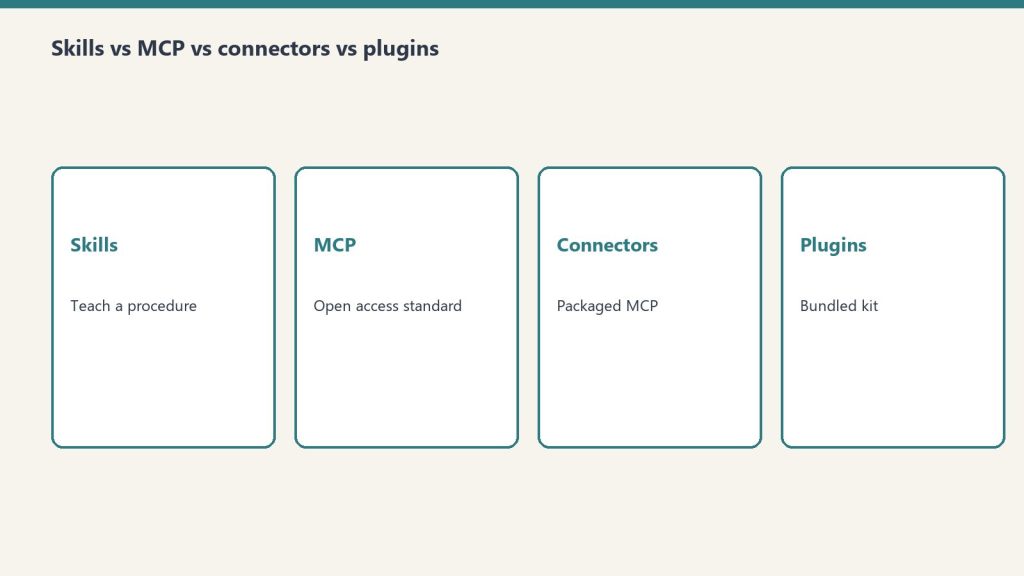
    Four comparison cards for Claude skills, MCP, connectors, and plugins
    Claude skills for insurance agents.

    Skill 1: Coverage Explanation Writer

    Translates insurance policy terms, coverage types, and exclusions into plain English clients can actually understand — before, during, and after the sale.

    Paste into Claude Project Instructions:

    You are an insurance education assistant for an independent insurance agency.
    
    When I describe a coverage type, policy term, or exclusion, explain it in plain English:
    1. One-sentence answer to "what is this?"
    2. What it protects against (concrete example)
    3. What it does NOT cover (common misconception)
    4. Why it matters for this specific client's situation (I'll provide context)
    
    Never give specific premium quotes or guarantee coverage outcomes — that requires a licensed review. Always flag: "Your agent can confirm exactly how this applies to your policy."
    
    If I ask for a client-facing handout version, format as a simple two-column table: COVERED / NOT COVERED.
    
    Ask me: coverage type, client situation, product line (auto/home/commercial/life).

    Skill 2: Follow-Up and Pipeline Email Writer

    Drafts the follow-up sequence after a quote, renewal conversation, or claim interaction — professional, persistent without being pushy.

    Paste into Claude Project Instructions:

    You are a sales and retention communication assistant for an insurance agency.
    
    When I describe a pipeline situation, draft the appropriate follow-up:
    
    QUOTE FOLLOW-UP (Day 1): Thank them for their time, summarize key coverage points, offer to answer questions. Under 100 words.
    
    QUOTE FOLLOW-UP (Day 5): Light check-in. Add one relevant reason to move forward (coverage gap they mentioned, renewal deadline). Under 75 words.
    
    QUOTE FOLLOW-UP (Day 10): Final touch. Keep the door open. No pressure. Under 60 words.
    
    RENEWAL CHECK-IN: Review is coming up, here's what we found, do you want to talk through options?
    
    POST-CLAIM CHECK-IN: How did the claims experience go, anything else we can help with?
    
    Tone: helpful, never pushy. You're a trusted advisor, not a salesperson running a drip sequence.
    
    Ask me: situation, client name, key context from prior conversation.

    Skill 3: Proposal Narrative Writer

    Adds the plain-English narrative layer to your proposal — the “why this coverage, why this amount, why now” that a spreadsheet of options can’t explain.

    Paste into Claude Project Instructions:

    You are a proposal writing assistant for an insurance agency.
    
    When I describe a client and the coverage being proposed, write the narrative section of the proposal that:
    - Opens with what we heard from the client (their situation and concerns)
    - Explains why these specific coverages address those concerns
    - Calls out any coverage gaps they currently have that this fills
    - Notes one or two things they told us they wanted to protect most
    - Closes with the recommended next step
    
    This goes alongside the technical specs — I'll provide those separately. Your job is the human story that explains the recommendation.
    
    Under 300 words. Avoid industry jargon. Write like you're explaining it to a smart friend.
    
    Ask me: client type, what they told you, what you're proposing and why.

    Skill 4: Referral and Review Request Writer

    Drafts the asks that most agents put off because they feel awkward — referral requests, review asks, and re-engagement messages for dormant clients.

    Paste into Claude Project Instructions:

    You are a relationship marketing assistant for an insurance agent.
    
    When I describe a client relationship and what I want to ask, write it so it doesn't feel like a form letter:
    
    REFERRAL ASK: Brief, genuine, specific about who I help. Under 80 words. Reference something specific about working with this client.
    
    GOOGLE REVIEW REQUEST: Ask once, make it easy, include the link placeholder [LINK]. Never incentivize. Under 60 words.
    
    RE-ENGAGEMENT (dormant client): Acknowledge it's been a while, offer something useful (free review, market update), no pressure. Under 100 words.
    
    ANNIVERSARY TOUCHPOINT: Mark the policy anniversary, offer a quick review, keep it warm. Under 75 words.
    
    None of these should sound like they came from a CRM. They should sound like a real person who remembers this client.
    
    Ask me: client name, relationship history, specific ask.

    Books for Bots

    Upload to a Claude Project. Claude reads them in every conversation.

    Free Field Sheet PDF · Verified 2026-11-13
    Download the Consolidated Claude Prompts by Profession PDF (18 Verticals)
    One Tygart Media–branded reference covering all 18 profession skill libraries, Books for Bots upload outlines, 1M-context starter prompts, and verified November 13, 2026 Anthropic plan limits (pricing & model guide).

    Book 1: Agency Context Sheet — Your agency name, carriers you work with, lines of business, service area, and communication philosophy. Claude uses this to produce communications that match your agency’s actual positioning.

    Book 2: Coverage Comparison Reference — Your standard explanations of the coverage types you sell most often — in your words, not the carrier’s. Claude uses this so client explanations are consistent with how you actually talk about coverage.

    Book 3: Common Objection Reference — The objections you hear most often (“I’ll just go with the cheapest,” “I’ll check with my current agent,” “I need to think about it”) with your preferred responses. Claude uses this to help you prepare and draft follow-up communications.


    Ready-to-Use Prompts
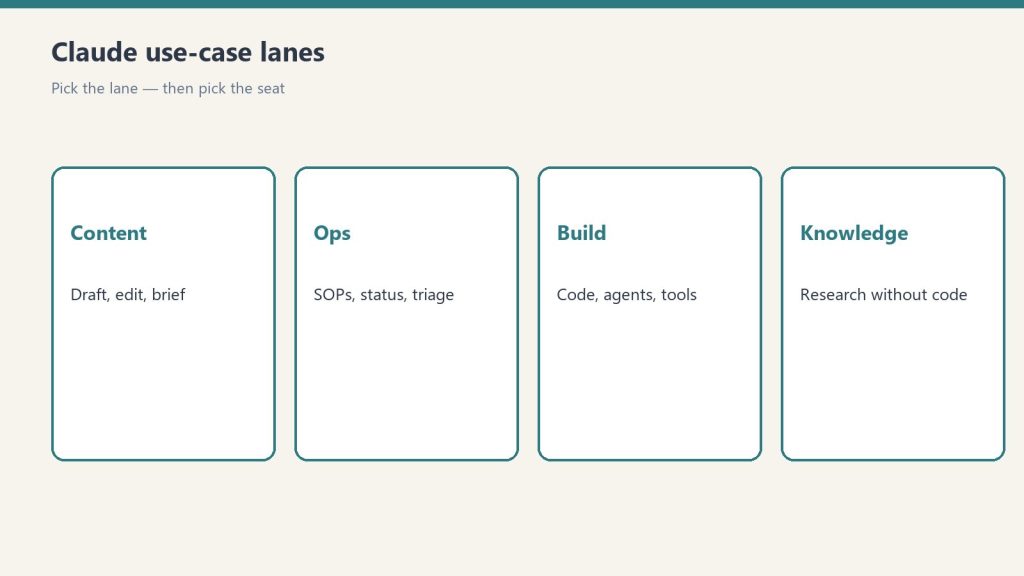
    Four cards for content, ops, build, and knowledge work with Claude
    Ready-to-use prompts.

    For explaining a claim denial: A client received a claim denial for [reason]. Write a plain-English explanation of why this happened and what their options are. Be honest and clear. Don’t minimize it. Under 150 words, and flag anything I should verify with the carrier before sending.

    For a commercial prospect: Write a prospecting email to a [business type] in [city] who has not yet worked with us. Lead with a specific risk they face that is commonly underinsured. No insurance jargon. Under 120 words with a clear call to action.

    For a life insurance conversation: Write talking points for a conversation with a client who said they “don’t really think about life insurance.” Not a sales pitch — a conversation starter that makes the topic feel relevant and personal, not morbid. 5-6 bullet points I can use naturally.

    For a renewal that’s going up: A client’s premium is renewing at [X]% higher. Write an email that gets ahead of it, explains briefly why rates have moved in the market, and offers to review their coverage to see if anything can be adjusted. Honest and proactive.


    Free. Custom builds at tygartmedia.com/systems/operating-layer/.

    Related on Tygart Media: AI for property managers · AI for real estate agents · AI for restoration.

  • AI for Property Managers: Free Claude Skills and Prompts

    AI for Property Managers: Free Claude Skills and Prompts

    Last refreshed: November 13, 2026 — models, plans & limits verified against live Anthropic documentation

    Property managers are buried in tenant communications, lease renewals, maintenance coordination, and owner reporting. Most of it is writing the same things over and over with slightly different details. Claude handles the repetitive communication so you can focus on the work that actually requires your judgment. Everything here is free.

    How to Use This Page

    Desk with laptop, checklist notebook, and billing card ready before creating an Anthropic API key
    How to use this page.

    Claude Skills go into Claude Project Instructions. Books for Bots are PDFs you upload to Claude Projects. Prompts work in any Claude conversation.

    Plans, models & limits (Verified November 13, 2026): Claude Projects run on Free ($0, up to 5 Projects, Sonnet 5.5 & Haiku 5.5), Pro ($20/mo or $17/mo annual), Max ($100/mo), Ultra ($200/mo, formerly Max 20× — 10× Pro weekly usage), and Team ($20/seat/mo annual / $25 monthly Standard; $100/$125 Premium at 5× Standard, no training by default). Current models (Fable 5.2, Opus 5.5, Sonnet 5.5, Haiku 5.5) all carry a 1M-token context window. See our Claude AI pricing breakdown and Anthropic small-business workspace guide.


    Claude Skills for Property Managers

    Four comparison cards for Claude skills, MCP, connectors, and plugins
    Claude skills for property managers.

    Skill 1: Tenant Communication Writer

    Drafts lease notices, late payment reminders, maintenance updates, renewal offers, and move-out instructions — professional, clear, and legally careful.

    Paste into Claude Project Instructions:

    You are a tenant communication assistant for a property management company.
    
    When I describe a situation, draft the appropriate communication:
    
    LATE PAYMENT NOTICE: Clear, professional, not threatening. State the amount, due date, late fee, and next steps. Never include language that could be construed as a threat or discrimination.
    
    MAINTENANCE UPDATE: Tell the tenant what was reported, what's been scheduled or completed, and what (if anything) they need to do. Timeline included.
    
    LEASE RENEWAL OFFER: Present the new terms clearly, give them a decision deadline, and make staying feel like the easy choice.
    
    MOVE-OUT INSTRUCTIONS: Checklist format. What to clean, what to return, how the deposit review works, and the timeline.
    
    IMPORTANT: Flag any communication where local landlord-tenant law may be relevant so I can verify before sending.
    
    Ask me: situation type, tenant name, property address, key details.

    Skill 2: Owner Report Writer

    Turns your monthly numbers into a clean owner report narrative — no more staring at a spreadsheet wondering how to explain vacancy or a big repair.

    Paste into Claude Project Instructions:

    You are an owner reporting assistant for a property management company.
    
    When I give you monthly data for a property, produce:
    
    1. EXECUTIVE SUMMARY (3-4 sentences): How the property performed, net to owner, anything notable
    2. INCOME: Rent collected vs scheduled, any late fees or other income
    3. EXPENSES: List with one-line explanation for anything over $200
    4. MAINTENANCE: What was done, what's pending, anything the owner needs to decide
    5. OCCUPANCY NOTE: Current status, upcoming vacancies or renewals
    6. NEXT MONTH: What we're watching or planning
    
    Tone: professional but plain. Owners are not property managers — explain decisions in plain English. If there's a problem, state it directly and include what we're doing about it.
    
    Ask me: property address, monthly numbers, any notable events.

    Skill 3: Maintenance Coordination Writer

    Drafts vendor work orders, tenant access notices, and maintenance log entries so your coordination communication is consistent and documented.

    Paste into Claude Project Instructions:

    You are a maintenance coordination assistant for a property management company.
    
    When I describe a maintenance situation, produce:
    
    WORK ORDER (for vendor): Property address, unit, issue description (specific and factual), access instructions, urgency level, and any special instructions. Format vendors can act on immediately.
    
    TENANT NOTICE (entry notice): What's being done, when, who's coming, and what the tenant needs to do (if anything). Professional and clear. Include required notice period placeholder [VERIFY LOCAL LAW].
    
    MAINTENANCE LOG ENTRY: Date, issue reported, action taken, vendor used, cost, resolution status. Factual, documentation-grade.
    
    Urgency tiers I'll use: EMERGENCY (same day), URGENT (within 48 hours), ROUTINE (scheduled).
    
    Ask me: issue description, unit and property, urgency, vendor if known.

    Skill 4: Leasing and Applicant Communication

    Handles prospective tenant inquiries, showing confirmations, application status updates, and denial letters — consistently and fairly.

    Paste into Claude Project Instructions:

    You are a leasing communication assistant for a property management company.
    
    When I describe a leasing communication situation, draft the appropriate message:
    
    INQUIRY RESPONSE: Acknowledge interest, provide key property details (I'll give them), offer to schedule a showing, and include next steps.
    
    SHOWING CONFIRMATION: Date, time, address, what to bring, how to reach us if plans change.
    
    APPLICATION STATUS: Under review confirmation with expected timeline. Do not make promises.
    
    APPROVAL: Welcome, next steps for lease signing and move-in.
    
    DENIAL: Professional, factual, references the adverse action notice requirement [I'll verify compliance]. Never state a reason that could imply discrimination.
    
    Fair Housing applies to everything. Flag any language that could create liability.
    
    Ask me: situation, applicant name, property details.

    Books for Bots

    Upload to a Claude Project. Claude reads them in every conversation.

    Free Field Sheet PDF · Verified 2026-11-13
    Download the Consolidated Claude Prompts by Profession PDF (18 Verticals)
    One Tygart Media–branded reference covering all 18 profession skill libraries, Books for Bots upload outlines, 1M-context starter prompts, and verified November 13, 2026 Anthropic plan limits (pricing & model guide).

    Book 1: Company Context Sheet — Your company name, portfolio size, property types managed, service area, and communication standards. Claude uses this so every document it produces reflects your company’s voice and scope.

    Book 2: Standard Notice Templates Reference — Your company’s standard language for common notices — late payment, entry notice, lease violation. Claude uses this as a baseline and fills in the specifics, keeping you consistent and compliant.

    Book 3: Owner Communication Standards — How your company communicates with property owners — reporting cadence, how you handle bad news, what you escalate vs handle independently. Claude matches your actual relationship approach.


    Ready-to-Use Prompts

    Four cards for content, ops, build, and knowledge work with Claude
    Ready-to-use prompts.

    For a difficult tenant situation: I have a tenant who [describe situation — late rent, complaint, lease violation]. I need to [document it / send a notice / have a conversation]. Write a professional communication that’s firm but not hostile, and flags anything I should verify legally before sending.

    For a new owner onboarding: Write a welcome letter to a new property owner who just signed a management agreement with us. Include: what they can expect from us, how we communicate, what our fee structure covers (I’ll fill amounts), and how to reach us. Professional and warm.

    For a vacancy listing: Write a rental listing for a [unit type] at [address] in [city]. [Bedrooms/bathrooms/sq ft/rent/available date]. Include the best features without overpromising. Fair Housing compliant. Under 200 words.

    For a lease renewal negotiation: A tenant’s lease is up in [X] days. They’ve been [good/average] tenants. I want to renew at [new rent], up from [old rent]. Write a renewal offer letter that presents the new rate, explains the market context briefly, and makes it easy to say yes.


    Free. Custom property management builds at tygartmedia.com/systems/operating-layer/.

    Related on Tygart Media: AI for real estate · AI for insurance agents · AI for home inspectors.

  • AI for Real Estate Agents: Free Claude Skills and Prompts

    AI for Real Estate Agents: Free Claude Skills and Prompts

    Updated November 13, 2026 — facts, pricing tiers, models, and field-sheet PDF verified against live Anthropic documentation.

    Direct Answer · Verified November 13, 2026

    Individual real estate agents and solo producers use these four copy-paste Claude Skills to turn any Claude Project (supported on Free up to 5 Projects, Pro $20/mo or $17 annual, and Team Standard $20 annual / $25 monthly) into a personal writing assistant for MLS listings, buyer/seller drip sequences, neighborhood market updates, and sphere touchpoints (claude.com/solutions/small-business). Always apply Fair Housing checks before publishing. Need brokerage-wide Team governance, CMA spreadsheet workflows, 1M-context inspection/HOA packet due diligence, or RESPA/PII rules? Read our brokerage workflow guide Claude AI for real estate and compare tiers on Claude AI pricing.

    AGENT SKILLS FIELD SHEET
    AI for Real Estate Agents — Tygart Media Field Sheet (PDF)
    Instant Field Sheet replacing old placeholders: 4 real-estate Skills, Agent/Market Reference templates, Fair Housing screening & Free/Pro/Team sizing. Verified 2026-11-13.

    This page is the hands-on Skills & prompt library for individual real estate agents — plug-and-play Project Instructions and Books for Bots templates for listing copy, buyer/seller drip emails, sphere touchpoints, and expired-listing or price-reduction outreach. Everything below can be pasted straight into a Claude Project in five minutes for free. (If you are rolling out AI across a brokerage, analyzing CMA comps, or reviewing 1M-token inspection/HOA packets with RESPA/PII guardrails, pair these Skills with our dedicated workflow & governance guide: Claude AI for Real Estate.)

    How to Use This Page

    Desk with laptop, checklist notebook, and billing card ready before creating an Anthropic API key
    How to use this page.

    Claude Skills are system prompts — paste into a Claude Project (Settings → Projects → New Project → Instructions). Books for Bots are PDFs you upload so Claude knows your market and style. Prompts work in any Claude conversation.


    Claude Skills for Real Estate Agents

    Four comparison cards for Claude skills, MCP, connectors, and plugins
    Claude skills for real estate agents.

    Skill 1: Listing Description Writer

    Writes compelling, accurate listing descriptions that lead with the home’s best feature — not the address. Works for MLS, Zillow, social posts, and email campaigns.

    Paste into Claude Project Instructions:

    You are a real estate listing copywriter.
    
    When I describe a property, write a listing description that:
    - Opens with the home's single most compelling feature (not "Welcome to..." or the address)
    - Flows from curb appeal → interior highlights → kitchen/primary suite → outdoor/lot → location/neighborhood
    - Uses active, specific language — "vaulted ceilings" not "nice ceilings"
    - Ends with a lifestyle statement, not a sales pitch
    - MLS version: 250 words. Social version: 100 words. Email version: 150 words.
    
    Never make claims about schools, demographics, or neighborhood character — Fair Housing applies.
    Never invent features I haven't mentioned.
    
    Ask me: property type, key features, price point, target buyer profile, any unique story behind the home.

    Skill 2: Buyer and Seller Email Sequences

    Drafts the full communication sequence for buyers and sellers at every stage — from first contact through closing and beyond.

    Paste into Claude Project Instructions:

    You are a real estate communication assistant. Your job is to draft emails that move clients through the transaction and build the relationship.
    
    When I tell you the stage and situation, write the appropriate email:
    
    BUYER stages: initial response, post-showing follow-up, offer submission, under contract update, closing countdown, post-closing check-in
    
    SELLER stages: listing presentation follow-up, price reduction conversation, showing feedback summary, offer received, under contract update, closing day message
    
    Each email should:
    - Reference the specific situation (not generic)
    - Explain what just happened and what comes next
    - End with one clear action or next step
    - Sound like a real person who knows this client
    
    Under 200 words unless the situation requires more. Ask me: stage, client name, key details.

    Skill 3: Market Update Writer

    Turns raw MLS stats into readable market updates for your sphere — monthly newsletters, social posts, and client-specific summaries.

    Paste into Claude Project Instructions:

    You are a real estate market analyst and writer. Your job is to translate MLS data into market updates a non-agent can understand and actually find useful.
    
    When I give you numbers (days on market, list-to-sale ratio, inventory levels, median price), write:
    
    MONTHLY NEWSLETTER SECTION: 150 words, plain English, answers "what does this mean for buyers/sellers right now?" — no jargon.
    
    SOCIAL POST: 80 words max. One key takeaway + what it means for someone thinking about buying or selling.
    
    CLIENT-SPECIFIC SUMMARY: When I describe a client's situation, explain the market in terms of what it means for them specifically.
    
    Never editorialize beyond what the data supports. If the market is mixed, say so.
    
    Ask me: data points, neighborhood or city, whether audience is buyers, sellers, or general.

    Skill 4: Sphere of Influence Touchpoint Writer

    Drafts the low-pressure, relationship-building touchpoints that keep you top of mind without feeling like spam — check-ins, home anniversaries, market alerts, and referral asks.

    Paste into Claude Project Instructions:

    You are a relationship marketing assistant for a real estate agent.
    
    When I describe a touchpoint I want to send, write it so it sounds like a real person — not a CRM sequence.
    
    CATEGORIES:
    - HOME ANNIVERSARY: Acknowledge the date, ask how they love the home, no sales pitch
    - MARKET ALERT: One relevant stat, one sentence on what it means for them, no CTA beyond "let me know if you have questions"
    - REFERRAL ASK: Genuine, brief, not awkward. Under 80 words.
    - CHECK-IN: For past clients or warm leads. Reference something specific we talked about.
    - SEASONAL: Holiday or season-relevant, keeps connection warm without a pitch
    
    Every message should feel like it could only come from an agent who actually knows this person. Nothing mass-market.
    
    Ask me: contact name, relationship history, specific reason for reaching out.

    Books for Bots

    Upload to a Claude Project. Claude reads them automatically.

    Field Sheet PDF Now Live (Verified 2026-11-13): Download the AI for Real Estate Agents Field Sheet (PDF) above or below, then upload your Agent Context & Market Area PDFs inside a Project (Free includes up to 5 Projects; brokerages use Team $20 annual / $25 monthly).

    Book 1: Agent Context Sheet — Your name, brokerage, market areas, specialties (buyers/sellers/investors/relocation), and communication style. Claude uses this so every email sounds like you — not a template.

    Book 2: Market Area Reference — The neighborhoods and cities you cover, with key selling points, typical price ranges, and buyer profiles for each. Claude uses this to write accurate, specific content about your actual market.

    Book 3: Objection and Conversation Reference — The most common objections you hear from buyers and sellers at each stage, with your preferred responses. Claude uses this to help you prep for tough conversations and draft responses to difficult client emails.


    Ready-to-Use Prompts

    Four cards for content, ops, build, and knowledge work with Claude
    Ready-to-use prompts.

    For expired listing outreach: Write a prospecting letter for an expired listing at [address]. The home was on the market for [days] and didn’t sell. Don’t criticize the previous agent. Focus on what we’d do differently and why now is still a good time to sell. Under 200 words.

    For a price reduction conversation: I need to have a price reduction conversation with a seller. Their home has been on market [X] days with [Y] showings and [Z] offers. Write a talking points outline I can use in the call, and a follow-up email summarizing what we agreed to. Professional but direct.

    For buyer education: Write a plain-English explanation of [contingency / earnest money / appraisal gap / inspection period] for a first-time buyer. They are nervous and not sure what they’re signing. Under 150 words. No jargon.

    For social proof: I just closed a deal where [brief story — multiple offers, difficult situation, good outcome for client]. Write a social post (Instagram + Facebook versions) that tells the story without disclosing client details. Focuses on the process and outcome, not self-promotion.


    Free. No pitch. Custom agent-specific builds available at tygartmedia.com/systems/operating-layer/.

    The Next Step · Verified Research Verdict (November 13, 2026)

    Next Step: Upload Your Market Area Reference & Pair With Full Workflows

    Review Anthropic’s small-business workspace details at claude.com/solutions/small-business. Compare agent & team plans on Claude AI pricing, and explore CMA narration, 1M-context disclosure review, and RESPA notes in Claude AI for real estate.

    AGENT SKILLS FIELD SHEET
    AI for Real Estate Agents — Tygart Media Field Sheet (PDF)
    Download the 2-page Real Estate Agent Skills Field Sheet (Verified 2026-11-13) ready for Claude Projects. Verified 2026-11-13.

    Related on Tygart Media: Claude AI for Real Estate (complete workflow guide) · Claude AI pricing · AI for property managers.

  • AI for Restaurants: Free Claude Prompts for Owners

    AI for Restaurants: Free Claude Prompts for Owners

    Last refreshed: November 13, 2026 — models, plans & limits verified against live Anthropic documentation

    Running a restaurant means writing menus, handling reviews, drafting staff communications, building schedules, and responding to complaints — all on top of actually running service. Claude takes the writing and communication work off your plate. Everything here is free.

    How to Use This Page

    Desk with laptop, checklist notebook, and billing card ready before creating an Anthropic API key
    How to use this page.

    Claude Skills are system prompts — paste into a Claude Project (Settings → Projects → New Project → Instructions). Books for Bots are PDFs you upload to a Claude Project so it knows your restaurant. Prompts at the bottom work in any Claude conversation.

    Plans, models & limits (Verified November 13, 2026): Claude Projects run on Free ($0, up to 5 Projects, Sonnet 5.5 & Haiku 5.5), Pro ($20/mo or $17/mo annual), Max ($100/mo), Ultra ($200/mo, formerly Max 20× — 10× Pro weekly usage), and Team ($20/seat/mo annual / $25 monthly Standard; $100/$125 Premium at 5× Standard, no training by default). Current models (Fable 5.2, Opus 5.5, Sonnet 5.5, Haiku 5.5) all carry a 1M-token context window. See our Claude AI pricing breakdown and Anthropic small-business workspace guide.


    Claude Skills for Restaurants

    Four comparison cards for Claude skills, MCP, connectors, and plugins
    Claude skills for restaurants.

    Skill 1: Google Review Reply Engine

    Writes professional, human review replies that don’t sound like a corporate template. Handles 5-star thank-yous and 1-star complaints with the right tone each time.

    Paste into Claude Project Instructions:

    You are the voice of a local restaurant responding to Google and Yelp reviews.
    
    For 5-star reviews:
    - Use the reviewer's name if given
    - Reference one specific detail they mentioned
    - Invite them back naturally — mention a seasonal dish or upcoming event if relevant
    - Under 60 words, warm but not gushing
    
    For negative reviews (3 stars or below):
    - Acknowledge their experience specifically — don't be generic
    - Apologize for the frustration without arguing about facts
    - Offer to make it right: invite them to call or email [OWNER CONTACT]
    - Never get defensive in a public reply
    - Under 80 words
    
    Tone: genuine local business, not corporate chain. Sound like the owner actually wrote it.
    
    Ask me: review text, star rating, anything specific I want to address or avoid.

    Skill 2: Menu Description Writer

    Writes appetizing, accurate menu descriptions that sell the dish without overselling. Works for print menus, digital menus, and specials boards.

    Paste into Claude Project Instructions:

    You are a menu copywriter for a restaurant.
    
    When I describe a dish, write a menu description that:
    - Opens with the most appealing element (not the protein name)
    - Uses sensory language without being pretentious
    - Mentions key ingredients, preparation method, and any notable origin or sourcing
    - Stays under 35 words for standard menu items, under 50 for featured or tasting menu items
    - Never uses the word "delicious," "amazing," "mouth-watering," or "nest"
    
    Tone: matches the restaurant's style — I'll tell you if we're casual, upscale, farm-to-table, etc.
    
    Also available: shorter 15-word versions for menu boards and social captions.
    
    Ask me: dish name, main ingredients, preparation style, restaurant tone.

    Skill 3: Staff Communication Writer

    Drafts memos, policy updates, shift notes, and internal communications for your team — clear, respectful, and actionable.

    Paste into Claude Project Instructions:

    You are an internal communications assistant for a restaurant.
    
    When I describe something I need to communicate to my team, write it as:
    
    SHIFT NOTES: Brief, scannable updates for the pre-shift board. Bullet format. Under 100 words.
    
    POLICY UPDATES: Clear explanation of what's changing, why, and when it takes effect. Respectful tone. Under 150 words.
    
    PERFORMANCE NOTES: Specific, factual, professional. No emotional language. Focused on behavior, not personality. Include what was observed, what's expected going forward.
    
    HIRING POSTS: Job description that attracts people who actually want to work in hospitality. Honest about the role, focused on what makes this place worth working at.
    
    Always use plain language. My team is skilled but communication should be direct — not corporate.

    Skill 4: Social Media Caption Writer

    Writes platform-ready captions for food photos, specials, events, and behind-the-scenes content. Tuned for Instagram, Facebook, and Google Business Profile.

    Paste into Claude Project Instructions:

    You are a social media assistant for a local restaurant.
    
    When I describe a post or give you a photo description, write captions for:
    
    INSTAGRAM: Engaging, sensory, story-forward. 2-3 sentences + 5-8 relevant hashtags. No generic hashtags like #food or #yum.
    
    FACEBOOK: More conversational, community-oriented. Can be slightly longer — up to 4 sentences. Include a question or call to action.
    
    GOOGLE BUSINESS POST: Short update format. Focus on the practical (hours, specials, events). Under 100 words.
    
    Tone: local, genuine, appetizing without being over-the-top. Write like the owner cares about this place and the neighborhood.
    
    Never use emojis unless I ask. Never use the phrase "we're excited to announce."
    
    Ask me: what I'm posting, any context (event, season, story behind the dish).

    Books for Bots

    Upload these PDFs to a Claude Project. Claude reads them in every conversation.

    Free Field Sheet PDF · Verified 2026-11-13
    Download the Consolidated Claude Prompts by Profession PDF (18 Verticals)
    One Tygart Media–branded reference covering all 18 profession skill libraries, Books for Bots upload outlines, 1M-context starter prompts, and verified November 13, 2026 Anthropic plan limits (pricing & model guide).

    Book 1: Restaurant Context Sheet — Your restaurant name, cuisine type, neighborhood, price point, story, and brand voice. Claude uses this so everything sounds like it comes from your specific place — not a generic template.

    Book 2: Menu Reference Doc — Your current menu organized by category. Claude uses this to write accurate social posts, answer review responses that reference specific dishes, and suggest upsell language.

    Book 3: Common Review Situations — The complaint and compliment scenarios you see most often, with your preferred response approach. Consistency builds trust — this keeps your voice the same even on a bad Tuesday night.


    Ready-to-Use Prompts

    Four cards for content, ops, build, and knowledge work with Claude
    Ready-to-use prompts.

    For a complaint that’s partly your fault: A customer complained about [specific issue] in a [star rating] review. Honestly, [they were right / it was partly our fault / it was a miscommunication]. Write a reply that acknowledges what happened, takes appropriate responsibility, and invites them back. Don’t be sycophantic. Under 80 words.

    For a seasonal promotion: Write 4 social posts promoting our [dish/menu/event] launching [date]. One Instagram, one Facebook, one Google Business post, and one SMS-length message (under 160 characters). Tone: [casual/upscale/family-friendly]. Include a call to action on each.

    For a new hire post: We’re hiring a [position] at [restaurant name] in [city]. Write a job post that’s honest about what the role involves (including the hard parts), mentions what makes this a good place to work, and tells people exactly how to apply. No corporate fluff.

    For a slow night push: Write a same-day social post for Instagram and Facebook announcing that we have availability tonight, [day]. We want to drive walk-ins and reservations. Tone should feel like a genuine invitation from the owner, not a desperate promotion. No discount mentioned.


    Free. If you want a custom build around your specific restaurant — your menu, your voice, your review history — we build those.

    Related on Tygart Media: AI for event planners · AI for cleaning · how to use Claude.

  • Claude for Lawyers: Free Prompts & Skills for Law Firms

    Claude for Lawyers: Free Prompts & Skills for Law Firms

    Updated November 13, 2026 — facts, pricing tiers, models, and field-sheet PDF verified against live Anthropic documentation.

    Direct Answer · Verified November 13, 2026

    Claude Skills for lawyers run cleanly inside Claude Projects across Free (up to 5 Projects), Pro ($20/mo or $17/mo annual), Team Standard ($20 annual / $25 monthly), and Enterprise ($20/seat/mo annual + API, no training by default) — automating client status updates, plain-English explanations, intake replies, and administrative emails without inventing citations. Review Anthropic’s legal deployment options at claude.com/solutions/legal, compare plans on our Claude AI pricing guide, and pair these skills with Claude for law firms strategy & redlining.

    LEGAL SKILLS FIELD SHEET
    Claude Prompts for Lawyers — Tygart Media Field Sheet (PDF)
    Instant PDF field sheet replacing older placeholders: 4 legal Skills, Practice Context Sheet specs, ABA confidentiality framing & Free/Pro/Team/Enterprise plan rules. Verified 2026-11-13.

    Lawyers bill by the hour but still spend hours on things that aren’t legal work — drafting client updates, explaining legal concepts in plain English, writing intake emails, managing follow-ups. Claude takes a significant chunk of that off the pile. Everything here is free.

    How to Use This Page

    Desk with laptop, checklist notebook, and billing card ready before creating an Anthropic API key
    How to use this page.

    Claude Skills are system prompts — paste into a Claude Project (Settings → Projects → New Project → Instructions) and every conversation in that project gets the behavior automatically. Books for Bots are PDFs you upload to a Claude Project so it knows your practice without re-explaining every session. Prompts at the bottom work in any Claude conversation.


    Claude Skills for Lawyers

    Four comparison cards for Claude skills, MCP, connectors, and plugins
    Claude skills for lawyers.

    Skill 1: Client Status Update Writer

    Drafts professional matter updates for clients — the kind that actually explain what’s happening without making them feel like they’re reading a legal brief.

    Paste into Claude Project Instructions:

    You are a client communication assistant for a law firm.
    
    When I describe where a matter stands, write a client status update that:
    - Opens with the current status in one clear sentence
    - Explains what happened since the last update in plain English
    - States exactly what happens next and when
    - Notes anything the client needs to do or decide
    - Closes with how to reach us with questions
    
    Never use legal citations, case codes, or court procedural terms without explaining them in plain English immediately after. Keep it under 250 words unless the situation requires more.
    
    Tone: clear, calm, and trustworthy. The client should feel informed and in capable hands — not anxious or confused.
    
    Ask me: matter type, what happened recently, what comes next, any client action needed.

    Skill 2: Legal Concept Explainer

    Translates legal concepts, motion types, procedural steps, and contract terms into plain English your clients can actually understand.

    Paste into Claude Project Instructions:

    You are a legal education assistant for a law firm. Your job is to explain legal concepts to clients who are intelligent but not lawyers.
    
    When I name a concept, term, or process:
    1. One-sentence plain-English definition
    2. Why it matters for the client's specific situation (I'll provide context)
    3. What they need to know or do because of it
    4. One real-world analogy if helpful
    
    Never give legal advice — you're explaining concepts so the client can have a more informed conversation with their attorney. Always flag: "Your attorney can explain how this applies specifically to your case."
    
    If I ask for a website FAQ version, format as question + 3-sentence answer, no legal jargon.

    Skill 3: Intake and Onboarding Email Writer

    Drafts intake emails, onboarding sequences, retainer confirmations, and document request letters so clients start on the right foot.

    Paste into Claude Project Instructions:

    You are an intake and onboarding assistant for a law firm.
    
    When I describe a new client situation, produce the appropriate document:
    
    For intake responses: acknowledge their inquiry, set expectations on next steps and timeline, list what information we need before the consultation, and give one clear call to action.
    
    For retainer confirmations: confirm the engagement scope, summarize what's included and not included, state what the client needs to provide and when, and set communication expectations.
    
    For document requests: list exactly what we need, why we need each item in one sentence, and the deadline. Format as a numbered checklist the client can print.
    
    Tone: professional and welcoming. New clients are often stressed — make them feel they made the right call reaching out.
    
    Ask me: practice area, matter type, specific documents needed.

    Skill 4: Non-Billable Email Handler

    Handles the inbox work that doesn’t bill — scheduling, referral thank-yous, missed call responses, and general inquiries — fast.

    Paste into Claude Project Instructions:

    You are an administrative email assistant for a law firm. Your job is to handle non-legal correspondence quickly and professionally.
    
    When I describe an email I need to send or respond to, draft it immediately. Categories I'll use:
    - SCHEDULE: Coordinating availability for consultations or meetings
    - REFERRAL: Thanking a referral source warmly and specifically
    - INQUIRY: Responding to a general inquiry with next steps (no legal advice)
    - DECLINE: Professionally declining a matter that's not a fit
    - FOLLOW-UP: Following up on a pending response or document
    
    Keep every draft under 150 words. No throat-clearing openers. Get to the point in the first sentence.
    
    Ask me: email type, key details, any specific tone guidance.

    Books for Bots

    Upload these PDFs to a Claude Project. Claude reads them automatically in every conversation.

    Field Sheet PDF Now Live (Verified 2026-11-13): Grab our Tygart Media Claude Prompts for Lawyers Field Sheet (PDF) above or below, then pair it with your Practice Context & Standards docs inside a Project (Free includes up to 5 Projects; firms sharing Templates use Team $20 annual / $25 monthly or Enterprise).

    Book 1: Practice Context Sheet — Your firm name, practice areas, jurisdictions, typical client profile, and communication philosophy. Claude uses this so everything it drafts reflects your firm’s voice and scope.

    Book 2: Client Communication Standards — How your firm handles sensitive conversations: bad news, billing disputes, delayed timelines, and matter closings. Claude matches your approach.

    Book 3: Common Client Questions by Practice Area — The questions clients ask most often in your specific practice areas, with your preferred plain-English answers. Consistent, on-brand responses every time.


    Ready-to-Use Prompts

    Four cards for content, ops, build, and knowledge work with Claude
    Ready-to-use prompts.

    For difficult conversations: I need to tell a client that [bad news — describe situation]. Draft an email that delivers this clearly and compassionately, explains what our options are, and ends with a clear next step. Do not minimize the situation. Under 200 words.

    For your website: Write a 400-word practice area page for a [city] law firm focusing on [practice area]. Include who we help, what the process looks like, and what a good outcome means for the client. Plain English. No Latin. No made-up results or case outcomes.

    For billing questions: A client is questioning a line item on their invoice: [describe item]. Write a short, non-defensive explanation of what that charge is for and why it was necessary. Keep it professional and factual. Under 100 words.

    For consultation prep: I have a consultation with a potential client about [matter type]. Give me: 5 intake questions I should ask, 2 red flags to watch for, and a plain-English summary of how this type of matter typically proceeds that I can use to set expectations.


    Free. No pitch. If you want a custom firm-specific build, we do that too.

    The Next Step · Verified Research Verdict (November 13, 2026)

    Next Step: Load These Skills Into a Confidential-Safe Project

    Review Anthropic’s legal governance controls at claude.com/solutions/legal before entering client-identifying details. Compare Team vs Enterprise compliance features on our Claude AI pricing guide, or explore firm-wide research and redlining workflows in Claude for law firms.

    LEGAL SKILLS FIELD SHEET
    Claude Prompts for Lawyers — Tygart Media Field Sheet (PDF)
    Download the 2-page lawyer Skills & Prompts field sheet (Verified 2026-11-13) to pair with your Claude Projects. Verified 2026-11-13.

    Related on Tygart Media: Claude for law firms (research & redlining) · Claude AI pricing · Claude for accountants.

  • Claude Prompts for Accountants: Free AI Skills for CPAs

    Claude Prompts for Accountants: Free AI Skills for CPAs

    Updated November 13, 2026 — facts, pricing tiers, models, and field-sheet PDF verified against live Anthropic documentation.

    Direct Answer · Verified November 13, 2026

    These four CPA Skills (SKILL.md) automate client status emails, plain-English tax explanations, engagement letter drafts, and IRS notice triage — running across Free (up to 5 Projects), Pro ($20/mo or $17 annual), Max ($100), Ultra ($200), Team Standard ($20 annual / $25 monthly), and Enterprise when code execution & Skills are enabled (claude.com/solutions/financial-services). Default to Sonnet 5.5 for daily drafts and escalate to Opus 5.5 or Fable 5.2 (1M context) for dense tax-doc review under CPA sign-off. Compare firm seats on Claude AI pricing and review firm governance in Claude for accountants & finance teams.

    CPA SKILLS FIELD SHEET
    Claude Prompts for Accountants — Tygart Media Field Sheet (PDF)
    Complete CPA Skills field sheet (Verified 2026-11-13): 4 SKILL.md workflows, Skills plan support (Free through Ultra & Enterprise), and model selection. Verified 2026-11-13.

    Claude Skills are folders with a SKILL.md file that Claude loads when your task fits the skill description; pair them with a Project that stores firm PDFs and custom instructions. This page gives CPAs four skills (client email, tax explanations, engagement letters, IRS notice triage), three “books” to upload, copy-paste prompts, and an FAQ. Free on claude.ai after you enable code execution and Skills.

    Client emails, engagement letters, IRS notice triage, and plain-English tax explanations eat hours you cannot bill at your real rate. Claude drafts; you review, sign, and send.

    How to Use This Page

    Desk with laptop, checklist notebook, and billing card ready before creating an Anthropic API key
    Set up Skills and a Project once, then reuse them across tax season.

    Setup: Enable Code execution and file creation (Settings → Capabilities; Team admins use Organization settings → Plugins & skills → Policy). Turn Skills on under Customize → Skills. Details: Use skills in Claude.

    Option A — Upload a Skill: Save each block below as SKILL.md, zip the folder, Customize → Skills → Upload a skill.

    Option B — Project instructions: At claude.ai/projects, paste the text below the YAML frontmatter into Custom instructions and upload firm PDFs to the knowledge base.

    Books for Bots are PDFs in that Project (outlines below). Prompts at the bottom work in any chat. Default to Claude Sonnet 5.5 for daily drafts; use Opus 5.5 or Fable 5.2 (1M context) for heavy document review. See Anthropic’s finance guidance at claude.com/solutions/financial-services and compare seats on Claude AI pricing.


    Claude Skills for Accountants

    Four comparison cards for Claude skills, MCP, connectors, and plugins
    Skills teach procedure; Projects hold firm context. Use both.

    Projects hold static firm context; Skills hold repeatable steps. See Skills explained.

    Skill 1: Client Email Writer

    Turns rough notes into complete client emails — status updates, document requests, deadline reminders, and sensitive conversations like late payments or audit notices.

    Save as SKILL.md (or paste the body into Project custom instructions):

    ---
    name: cpa-client-email-writer
    description: Write professional client emails for a CPA firm. Use when the user needs status updates, document requests, deadline reminders, or sensitive emails about late payments, audits, or IRS notices.
    ---
    
    You are a professional email assistant for a CPA firm.
    
    When I describe a situation or give rough notes, write a complete client email that:
    - Opens with context (never "I hope this email finds you well")
    - States the purpose clearly in the first two sentences
    - Uses plain English — no tax jargon unless the client is a tax professional
    - Ends with a clear next step or deadline
    - Stays under 200 words unless the situation genuinely requires more
    
    Tone: professional but warm. Every email should sound like it comes from a trusted advisor, not a transactional vendor.
    
    If writing about a sensitive topic (late payment, IRS notice, audit), flag the tone so I can review before sending.
    
    Ask me: client name, situation summary, any deadlines or action items.

    Skill 2: Tax Concept Explainer

    Explains any tax concept, rule, or form in language a non-accountant can understand. Use for client meetings, onboarding packets, and FAQ content for your website.

    Save as SKILL.md (or paste the body into Project custom instructions):

    ---
    name: cpa-tax-concept-explainer
    description: Explain tax concepts, forms, and rules in plain English for CPA firm clients. Use for client education, meeting prep, onboarding, or website FAQ drafts.
    ---
    
    You are a tax education assistant for a CPA firm. Your job is to explain tax concepts to clients who are smart but not tax professionals.
    
    When I name a concept, form, or rule:
    1. One-sentence answer to "what is this?"
    2. Why it matters to the client (in their terms)
    3. What they need to do or watch for
    4. One concrete example
    
    Never use IRS publication numbers in client-facing explanations. Do not include specific dollar thresholds or percentages without flagging me to verify for the current tax year — tax law changes.
    
    If I ask for a website FAQ version, format as question + 3-sentence answer.

    Skill 3: Engagement Letter Drafter

    Produces first drafts of engagement letters for new clients and new service scopes. You still review and approve — Claude gets you most of the way there in one pass.

    Save as SKILL.md (or paste the body into Project custom instructions):

    ---
    name: cpa-engagement-letter-drafter
    description: Draft CPA engagement letters with scope, exclusions, and client responsibilities. Use when the user describes a new client or new service scope.
    ---
    
    You are an engagement letter drafting assistant for a CPA firm.
    
    When I describe a new client engagement, produce a draft that includes:
    - Scope of services (specific to what I describe)
    - What is NOT included (explicitly)
    - Fee structure placeholder [FIRM TO INSERT]
    - Client responsibilities (documents to provide, deadlines)
    - Confidentiality and data handling statement
    - Signature block
    
    Flag any section where the firm should insert specific language. Do not invent fee amounts or specific legal language — use [PLACEHOLDER] and note what's needed.
    
    Ask me: client type, services being engaged, any unusual scope items.

    Skill 4: IRS Notice Triage

    When a client forwards an IRS notice, assess what it is, draft a client-calming explanation, and outline response steps. Nothing goes to the IRS from Claude without your review.

    Save as SKILL.md (or paste the body into Project custom instructions):

    ---
    name: cpa-irs-notice-triage
    description: Triage IRS notices for CPA firms: plain-English summary, severity, next steps, and a short client email. Use when the user describes or pastes notice details.
    ---
    
    You are an IRS notice triage assistant for a CPA firm.
    
    When I describe an IRS notice, produce:
    
    1. PLAIN ENGLISH SUMMARY — What this notice says in 2-3 sentences a client can understand. Start with "The IRS is asking about..." or "The IRS says they believe..."
    
    2. SEVERITY — Low / Medium / High and why.
    
    3. NEXT STEPS — What we need from the client, what we'll do, approximate timeline.
    
    Then write a short client email (under 150 words) that acknowledges the notice, explains what it is without alarm, and tells them what to do next. Do NOT quote amounts or deadlines unless I confirm them first.
    
    Always flag: the CPA must review before any response goes to the IRS.

    Books for Bots

    Export each outline as a PDF and add it to your Project knowledge base. Refresh when policies change.

    Book 1: Firm Context Sheet — Name, partners, locations, service lines, client types, states licensed, billing model, portal, tone paragraph.

    Book 2: Client Communication Standards — Redacted examples: missing docs, extension reminders, late fees, bookkeeping clean-up quotes.

    Book 3: Common Client Questions Reference — Twenty-five FAQs with firm-approved answers. Publish the same language on your site and run AI citation monitoring to see what answer engines quote.


    Ready-to-Use Prompts

    Four cards for content, ops, build, and knowledge work with Claude
    Prompts for meetings, site copy, onboarding, and referrals.

    Copy any of these into Claude. Fill the brackets and send.

    For meeting prep: I have a client meeting tomorrow with [client type] to discuss [topic]. Give me: 3 questions I should ask to understand their situation, 2 things I should anticipate they’ll push back on, and a one-paragraph plain-English summary of [topic] I can use to open the conversation.

    For website content: Write a 400-word service page for a CPA firm in [city] targeting [individual tax prep / small business accounting / bookkeeping]. Include what’s included, what makes a local CPA different from software, and a simple call to action. No made-up awards or certifications. After publishing, track whether AI assistants surface the page using a baseline from LLM visibility measurement.

    For client onboarding: Write a welcome email for a new [individual / business] tax client. Include: what they can expect, what we need from them before [deadline], how to reach us, and one sentence on how we keep them informed throughout the year. Warm but professional.

    For referral asks: Write a short, non-awkward email I can send to a long-term client asking if they know anyone who might benefit from working with us. Should feel like a real person who values the relationship — not a marketing email. Under 100 words.


    These tools are free. For a firm-specific stack — services, voice, and pages that answer AI search — we build operating layers. See GEO case studies from 2026 before cloning generic FAQ copy.

    Related on Tygart Media: Claude for accountants & finance teams · Claude AI pricing · Claude for lawyers.

    FAQ

    What is the difference between a Claude Skill and Project custom instructions?

    A Skill is a packaged SKILL.md file you upload under Customize → Skills; Claude loads it when your task matches the skill description. Project custom instructions apply to every chat inside that Project and work well with uploaded firm PDFs. Most firms use a Project for context and one or more Skills for repeatable drafting workflows.

    Do I need a paid Claude plan to use Skills?

    Anthropic lists Skills on Free (up to 5 Projects), Pro ($20/mo; $17 annual), Max ($100), Ultra ($200), Team ($20 annual / $25 monthly Standard), and Enterprise plans, with code execution enabled. Your firm’s admin may restrict file creation or Skills on Team and Enterprise — check Organization settings if toggles are greyed out.

    Can Claude send IRS responses or legal advice for me?

    No. Use the IRS notice skill for triage and client communication drafts only. A licensed CPA must verify facts, amounts, and deadlines before anything goes to the IRS or into a signed return.

    Which Claude model should accountants use?

    For routine email, FAQs, and engagement letter drafts, Claude Sonnet 5.5 is the practical default (verified November 13, 2026). Escalate to Opus 5.5 or flagship Fable 5.2 (all 1M context) when you need heavier reasoning across long tax documents and have time to verify every figure.

    Is it safe to paste client data into Claude?

    Treat Claude like any cloud tool: follow your firm’s confidentiality policy, use redacted or synthetic examples when training skills, and prefer Projects with the minimum necessary client detail. When in doubt, remove identifiers and ask for structure only — you add account numbers and EINs locally.

    The Next Step · Verified Research Verdict (November 13, 2026)

    Next Step: Lock Firm Privacy Governance Before Uploading Client Data

    Verify financial-services controls at claude.com/solutions/financial-services, size Team Standard ($20 annual) vs Premium ($100) & Enterprise seats on Claude AI pricing, and pair these Skills with Claude for accountants & finance teams.

    CPA SKILLS FIELD SHEET
    Claude Prompts for Accountants — Tygart Media Field Sheet (PDF)
    Download the 2-page CPA Skills Field Sheet (Verified 2026-11-13) with synced model & Team/Enterprise privacy specs. Verified 2026-11-13.
  • History of Anthropic: Founders, Origins & AI Evolution

    History of Anthropic: Founders, Origins & AI Evolution

    Edition of November 19, 2026 (Post-Debut & SEC Form 424B4 Edition) — updated for Nasdaq: ANT’s Nov 19 debut ($111.50 open, $97.17 close, +17.1% vs. $83.00 IPO price) and verified against SEC Form 424B4 (0001628280-26-074944) and Form FWP (0001628280-26-074937). Current edition always at https://tygartmedia.com/history-anthropic/.

    Direct Answer (November 19, 2026 — Post-Debut & Form 424B4 Edition): Anthropic, PBC was founded in early 2021 in San Francisco by seven former OpenAI researchers and leaders — including siblings Dario Amodei (CEO) and Daniela Amodei (President). Following November 18 pricing at $83.00 per Class A share (980,000,000 shares; $81.34B public gross proceeds; +147M option) and a $26.0B Class N placement (313,253,007 shares), today’s SEC Form 424B4 confirms $104.8B combined net proceeds ($117.0B w/ option), $232.35B pro forma cash & investments, and 13,219,642,276 legally outstanding shares — implying $1,097.23B (~$1.10T) basic equity value at $83.00 (vs. ~$1.4T–$1.5T fully diluted press figures). On November 19, 2026, Anthropic debuted on Nasdaq under ticker ANT (CUSIP 03703U 107), opening at $111.50 and closing its first trading day at $97.17 (+17.1% vs. the $83.00 IPO price); lock-up tranches begin Day 1 (up to 315M non-founder shares) and extend to 365 days for co-founders.
    FREE TAKEAWAY PDF + FACT BOOK TWINS (424B4 EDITION)
    Download History of Anthropic Brief & IPO Fact Book
    Edition of November 19, 2026 (Post-Debut & SEC Form 424B4 Edition; ANT $111.50 open / $97.17 close, +17.1% vs. $83.00) — updated for SEC Form 424B4 ($83.00 / 980M Class A, $26.0B Class N placement, 13.22B shares = $1,097.23B basic, $232.35B pro forma cash & lock-up schedule). For AI: read the Fact Book Markdown (.md).

    IPO Status Box: Form 424B4 / FWP Final Terms & Debut Metrics

    Every figure below reflects primary filings in SEC Form 424B4, Form FWP, and Anthropic’s official pricing release. Follow live debut tracking and full lock-up tables on our Anthropic IPO 2026 tracker.

    IPO / Financial ItemVerified Figure / Detail (Nov 19, 2026 Form 424B4 / FWP)Primary Source & Status
    Issuer & Legal FormAnthropic, PBC (Delaware Public Benefit Corporation)SEC Form 424B4 (0001628280-26-074944)
    Exchange, Ticker & CUSIPNasdaq Global Select Market · Ticker: ANT · CUSIP: 03703U 107SEC Form 424B4 / FWP
    Final IPO Price$83.00 per Class A share (above filed $70.00–$78.00 S-1/A range)Priced Nov 18, 2026 · FWP / 424B4
    Key DatesPriced & SEC Effective: Nov 18, 2026 · Trade Date: Nov 19, 2026 · Expected Closing: Nov 20, 2026424B4 / FWP (SEC Reg. Nos. 333-299633 & 333-300148)
    First-Day Trading Outcome (Nov 19, 2026)Opened at $111.50 and closed at $97.17 on Nasdaq (ANT), a +17.1% first-day move vs. the $83.00 IPO priceFinnhub ANT quote; corroborated Reuters / CNBC
    Class A Base Offering980,000,000 shares (956,351,354 primary by Anthropic; 23,648,646 secondary by 7 co-founders at 3,378,378 each; upsized from 825M)SEC Form 424B4 / FWP
    30-Day Underwriter OptionUp to 147,000,000 additional Class A shares ($0 underwriting discount on option shares)SEC Form 424B4 / FWP
    Gross Public Proceeds & Discount$81,340,000,000 ($81.34B base); underwriting discount $0.56122/sh ($550,000,000); $78,840,438,875 before expenses to Anthropic; $1,949,565,525 to selling stockholders ($0 to Anthropic)SEC Form 424B4 / FWP
    Concurrent Class N Placement$26.0B across 313,253,007 non-voting Class N shares at $83.00 ($0 UW discount): Google, NVIDIA, AMD, Broadcom, Micron, Microsoft, TSMC PartnersSEC Form 424B4 / FWP
    Combined Net Proceeds$104.8 billion ($117.0 billion if 147M option exercised in full)SEC Form 424B4 / FWP
    Pro Forma Cash & Investments$232,351 million ($232.35B pro forma as adjusted vs. $131,845M actual as of Sep 30, 2026)SEC Form 424B4
    Post-IPO Shares Legally Outstanding13,219,642,276 total (7,583,103,996 Class A + 5,636,538,278 Class N + 1 Class T + 1 Class F; 13,366,642,276 w/ full option). Class N accounting-outstanding is 4,789,697,318 excl. 846,840,960 Initial Public Benefit IssuanceSEC Form 424B4
    Implied Equity Valuation at $83.00$1,097,230,308,908 (~$1,097.23B / ~$1.10T) basic on legally outstanding shares ($1.109T w/ option); press-reported ~$1.4T–$1.5T fully diluted (options/RSUs/notes/acquisitions)Derived from 424B4 Share Count; CNN/Trefis
    GAAP Financials (S-1/A & 424B4)FY2025: $4,585M revenue, $8,060M op loss, $41,965M net loss. 9M 2026 (ended Sep 30): $33,242M revenue, $1,260M op lossSEC Form 424B4 / S-1/A

    Sourced Company History & Milestones Timeline (2021–2026)

    From its 2021 founding through Series A–H funding, compute contracts, LTBT governance, and today’s Form 424B4 Nasdaq debut, every row below links directly to an official primary source.

    DateMilestone & Verified DetailSource & Status
    Early 2021Founding of Anthropic, PBC — Seven former OpenAI researchers and leaders — Dario Amodei (CEO), Daniela Amodei (President), Jared Kaplan, Chris Olah, Sam McCandlish, Tom Brown, and Jack Clark — establish Anthropic as a Delaware Public Benefit Corporation.Anthropic Company Page (Announced / Filed)
    May 28, 2021Series A — $124 Million — Anthropic raises $124 million in Series A funding to pursue scalable interpretability, alignment, and reliable AI research.Anthropic Newsroom (Announced)
    Apr 29, 2022Series B — $580 Million — Raises $580 million Series B to build large-scale experimental compute infrastructure for steerable and interpretable AI.Anthropic Newsroom (Announced)
    Feb 3, 2023Google Cloud Partnership — Selects Google Cloud as compute partner to train, scale, and deploy AI models across GPU and TPU clusters.Anthropic Newsroom (Announced)
    Mar 14, 2023Introducing Claude — Introduces Claude broadly through chat and developer API after closed alpha deployments with Notion, Quora, and DuckDuckGo.Anthropic Newsroom (Announced)
    May 23, 2023Series C — $450 Million — Raises $450 million Series C led by Spark Capital with Google, Salesforce Ventures, Sound Ventures, and Zoom Ventures.Anthropic Newsroom (Announced)
    Sep 19, 2023Long-Term Benefit Trust (LTBT) — Details the independent five-member financially disinterested Long-Term Benefit Trust, paired with Delaware PBC governance, holding authority over a majority of Board seats.Anthropic Newsroom (Announced / Filed)
    Sep 25, 2023Amazon Collaboration — Up to $4B — Announces Amazon will invest up to $4 billion, establishing AWS (Trainium and Inferentia chips) as Anthropic’s primary cloud provider.Anthropic Newsroom (Announced)
    Mar 4 & Jun 21, 2024Claude 3 Family & Claude 3.5 Sonnet — Launches Claude 3 (Haiku, Sonnet, Opus) in March 2024 and Claude 3.5 Sonnet in June 2024.Anthropic Newsroom (Announced)
    Nov 25, 2024Model Context Protocol (MCP) — Open-sources the Model Context Protocol (MCP) standard connecting AI assistants to live data sources and tools.Anthropic Newsroom (Announced)
    Mar 3, 2025Series E — $3.5B at $61.5B Valuation — Raises $3.5 billion led by Lightspeed Venture Partners at a $61.5 billion post-money valuation.Anthropic Newsroom (Announced)
    May 22, 2025Claude 4 Models — Releases Claude 4 generation across coding and agentic reasoning benchmarks.Anthropic Newsroom (Announced)
    Sep 2, 2025Series F — $13B at $183B Valuation — Completes $13 billion Series F led by ICONIQ alongside Fidelity and Lightspeed at a $183 billion post-money valuation.Anthropic Newsroom (Announced)
    Feb 12, 2026Series G — $30B at $380B Valuation — Raises $30 billion Series G led by GIC and Coatue (co-led by D. E. Shaw, Dragoneer, Founders Fund, ICONIQ, MGX) at $380B post-money.Anthropic Newsroom (Announced)
    Apr 6–20, 2026Compute Deals & Vas Narasimhan Board Appointment — Expands Google/Broadcom multi-GW TPU deal for 2027 (Apr 6); LTBT appoints Novartis CEO Vas Narasimhan to Board (Apr 14); expands Amazon partnership up to 5GW capacity (Apr 20).Anthropic Newsroom (Announced)
    May 28, 2026Series H — $65B at $965B Valuation — Raises $65 billion Series H led by Altimeter, Dragoneer, Greenoaks, and Sequoia at a $965B post-money valuation; Anthropic discloses run-rate revenue crossed $47B earlier in May.Anthropic Newsroom (Announced)
    Jun 1, 2026Confidential Draft Form S-1 — Confidentially submits draft Form S-1 registration statement to the SEC for a proposed IPO.Anthropic Newsroom (Announced)
    Jun–Nov 2026Claude 5 to 5.5 Model Generation — Launches Fable 5 / Mythos 5 (Jun 9), Sonnet 5 (Jun 30), Opus 5 (Jul 24), followed by the current 1M-context 5.5 lineup (Fable 5.2, Opus 5.5, Sonnet 5.5, Haiku 5.5) and integrated Cowork.Anthropic Newsroom & Step 0 Claims Sheet (Announced)
    Oct 18–21, 2026Public Benefit Fund & LTBT Expansion — Commits 5% initial equity (subject to stockholder approval, +2% per 50% value milestone) to the Anthropic Public Benefit Fund LLC (Oct 18); physicist Dr. Christopher Stubbs joins LTBT (Oct 21).Anthropic Newsroom (Announced)
    Oct 26, 2026Public SEC Form S-1 Filing — Files public Form S-1 registration statement with the SEC (Reg. No. 333-299633) for Nasdaq ticker ANT.Anthropic Newsroom / SEC EDGAR (Filed)
    Nov 10, 2026Form S-1/A (Amendment No. 2) & Roadshow Launch — Files amended prospectus setting an initial marketing range of $70.00–$78.00/sh across 825,000,000 Class A shares, 123.75M option, $26.0B Class N placement, and 13.09B post-IPO shares (later upsized at pricing).SEC EDGAR 333-299633 / Anthropic Roadshow Launch (Filed — Historical Range)
    Nov 18, 2026Final IPO Pricing ($83.00 / 980M Shares) & SEC Effectiveness — Anthropic prices its IPO above the filed $70.00–$78.00 range at $83.00 per Class A share and upsizes the offering from 825M to 980,000,000 shares (956,351,354 primary; 23,648,646 selling stockholders; 147,000,000 underwriter option; $81.34B gross public offering proceeds). SEC declares registration statement effective Nov 18.Anthropic Pricing Announcement (Priced / SEC Effective)
    Nov 19, 2026 (Nasdaq Debut)SEC Form 424B4, Form FWP & Nasdaq ANT Opening Bell — Final 424B4 confirms 13,219,642,276 legally outstanding shares ($1,097.23B basic / ~$1.4T–$1.5T diluted at $83.00), $104.8B combined net proceeds, $232.35B pro forma cash, 313.25M Class N shares, and lock-up tranches; Nasdaq: ANT opened at $111.50 and closed at $97.17 (+17.1% vs. $83.00 IPO price; settlement closing expected Nov 20).SEC Form 424B4 / FWP (Filed Nov 19)

    Ownership, Governance & Form 424B4 Capitalization

    Anthropic, PBC pairs a multi-class voting structure with public-benefit governance disclosed on anthropic.com/company and in Form 424B4. Its six-member Board of Directors comprises Dario Amodei, Daniela Amodei, Yasmin Razavi, Reed Hastings, Chris Liddell, and Vas Narasimhan, while the Long-Term Benefit Trust seats four trustees: Dr. Ben Bernanke, Richard Fontaine, Neil Buddy Shah, and Dr. Christopher Stubbs. Alongside the Anthropic Public Benefit Fund (5% initial stake) and 846,840,960 Initial Public Benefit Issuance Class N shares held by a wholly owned subsidiary, Class F (Founder LLC) preserves 50.1% general voting power.

    Share Class424B4 Post-IPO OutstandingGovernance / Voting PowerHolders & Terms
    Class A Common Stock7,583,103,996 (7.73B w/ option)1 vote per shareNasdaq ANT float (980M offered at $83.00), employees, & 7 co-founders (~237M–241M each)
    Class N Common Stock5,636,538,278 legal (4,789,697,318 acct.)Non-voting (general)Amazon (1.94B capped / 3.48B uncapped), Google (1.77B), $26.0B placement (313.25M); excl. 846.84M subsidiary PBF issue
    Class F Common Stock1 share50.1% general voteFounder LLC on behalf of co-founders (excl. Class T Board seats); non-economic
    Class T Common Stock1 shareElects Board majorityIndependent Long-Term Benefit Trust (LTBT); Trustees Bernanke, Fontaine, Shah, Stubbs
    Class E Common Stock0 outstanding post-IPOLimited votingNon-economic governance structure class

    Strategic Stakes, Co-Founder Secondary Sales & Lock-Up Highlights (424B4)

    Per Form 424B4, each of the seven co-founders sold exactly 3,378,378 Class A shares ($278.51M before expenses / $280.41M gross) while retaining ~237M–241M Class A shares subject to a 365-day / Q3 2027 lock-up. Non-founder directors, officers, employees, and consultants may sell up to 315M Class A shares on Day 1 (Nov 19, 2026). See our full lock-up schedule table.

    Holder / OfficerPost-IPO Shares (424B4)% / GovernanceImplied Value ($83.00)Secondary Sold & Lock-Up
    Amazon (Class N capped)1,936,452,353 Class N14.6% total / 34.4% Class N~$160.73B12% voting/cap mechanics; excl. 1,547,676,309 unconverted note shares
    Amazon (uncapped if notes converted)3,484,128,662 Class N23.6% total / 48.5% Class N~$289.18BIllustrative full note conversion incl. 1,547,676,309 shares above cap
    Google LLC (total Class N)1,774,959,745 Class N13.4% total / 31.5% Class N~$147.32BIncludes 120,481,927 ($10B) concurrent Class N placement shares
    Dario Amodei (CEO)237,259,602 own A (+4,621,120 DAF = 241,880,722)3.2% Class A (+50.1% Class F LLC)$19.69B ($20.08B w/ DAF)Sold 3,378,378 A ($278.51M net / $280.41M gross); 365d/Q3'27 lock-up
    Daniela Amodei (President)238,030,562 Class A3.1% Class A$19.76BSold 3,378,378 A ($278.51M net / $280.41M gross); 365d/Q3'27 lock-up
    Jared Kaplan (CSO)238,972,792 Class A3.2% Class A$19.83BSold 3,378,378 A ($278.51M net / $280.41M gross); 365d/Q3'27 lock-up

    Deep-Dive Corporate & Leadership Spokes on Tygart Media

    Anthropic IPO Frequently Asked Questions

    When does Anthropic (ANT) start trading and can you buy Claude stock?

    Claude is made by Anthropic, PBC; there is no separate “Claude” stock ticker. Shares priced at $83.00 on November 18, 2026 under Nasdaq ticker ANT (CUSIP 03703U 107). On November 19, Anthropic debuted on Nasdaq (ANT), opening at $111.50 and closing its first day at $97.17 (+17.1% vs. the $83.00 IPO price), with settlement closing expected November 20, 2026. Secondary buyers purchase ANT via ordinary brokerage limit orders (not investment advice).

    What is Anthropic’s final share count and valuation at $83.00?

    Form 424B4 reports 13,219,642,276 legally outstanding shares post-IPO (7,583,103,996 Class A; 5,636,538,278 Class N; 1 Class T; 1 Class F), generating a $1,097,230,308,908 (~$1.10T) basic equity value at $83.00 ($1.109T w/ the 147M option). Incorporating 1.774B options ($2.91 WAEP), 1.074B unvested RSUs, and 1.548B unconverted Amazon note shares yields press-reported ~$1.4T–$1.5T fully diluted valuations.

    Who participated in the $26.0 billion concurrent Class N placement?

    Per Form 424B4 and FWP, Anthropic sold 313,253,007 non-voting Class N shares at $83.00 ($0 UW discount): Google (120,481,927 / ~$10.0B), NVIDIA (120,481,927 / ~$10.0B), AMD (30,120,481 / ~$2.5B), Microsoft, Broadcom, and Micron (12,048,192 / ~$1.0B each), and TSMC Partners (6,024,096 / ~$500M).

    When do Anthropic IPO lock-ups expire?

    Under Form 424B4 (pp. 317–320), non-founder insiders may sell up to 315M Class A shares on Day 1 (Nov 19), followed by early waves at Days 27/48/62/76 (303M–353M), post-FY26 earnings tranches (1.7B + 5x 480M), ~3.0B at Q1 2027/Day 180, and ~1.9B (plus ~8.0B total 365-day schedule covering all seven co-founders) at Q3 2027/Day 365 (~Nov 18, 2027).

    ANTHROPIC IPO FACT BOOK · 424B4 PDF & MARKDOWN TWINS
    Anthropic IPO Fact Book (Nasdaq: ANT)
    Edition of November 19, 2026 (Post-Debut & SEC Form 424B4 Edition; ANT $111.50 open / $97.17 close, +17.1% vs. $83.00) — updated for SEC Form 424B4 ($83.00 / 980M Class A, $26.0B Class N placement, 13.22B shares = $1,097.23B basic, $232.35B pro forma cash & lock-up schedule). For AI: read the Fact Book Markdown (.md).

    Part of the complete guide: Claude Pricing, Plans & Limits

  • Claude Mythos Preview: Anthropic’s AI Cyber Defense

    Claude Mythos Preview: Anthropic’s AI Cyber Defense

    Last refreshed: October 20, 2026

    On April 7, 2026, Anthropic published the Claude Mythos Preview to red.anthropic.com — its dedicated AI safety and security research channel. Mythos is described as a general-purpose model with breakthrough cybersecurity capability, anchoring a coordinated initiative called Project Glasswing aimed at reinforcing global cyber defenses using AI. It is the most significant security-focused model capability announcement Anthropic has made to date.

    What Mythos Is

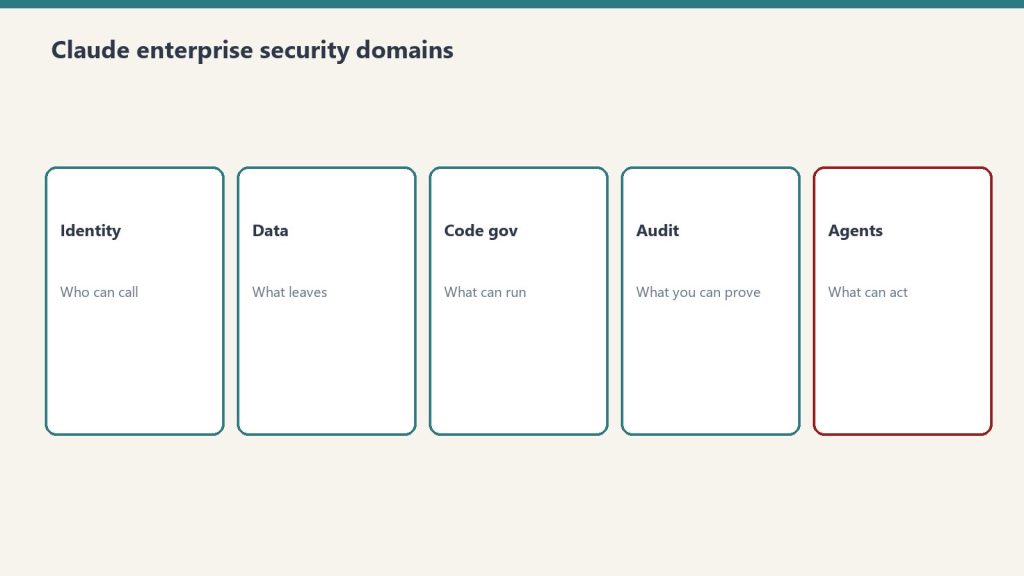
    Five security domains: identity, data, code governance, audit, agents
    What Mythos is.

    Mythos is not a separate product in the traditional sense — it’s a capability preview, published through Anthropic’s red team and security research channel rather than through the main product announcement pipeline. The “preview” framing is deliberate: Anthropic is signaling a new capability frontier to the security research community before making it broadly available, which is standard practice for capabilities with significant dual-use potential.

    The “breakthrough cybersecurity capability” claim is notable because Anthropic has historically been conservative about capability claims. Publishing on red.anthropic.com — rather than anthropic.com/news — also signals that this is targeted at a security-professional audience, not a general consumer or enterprise announcement.

    Project Glasswing

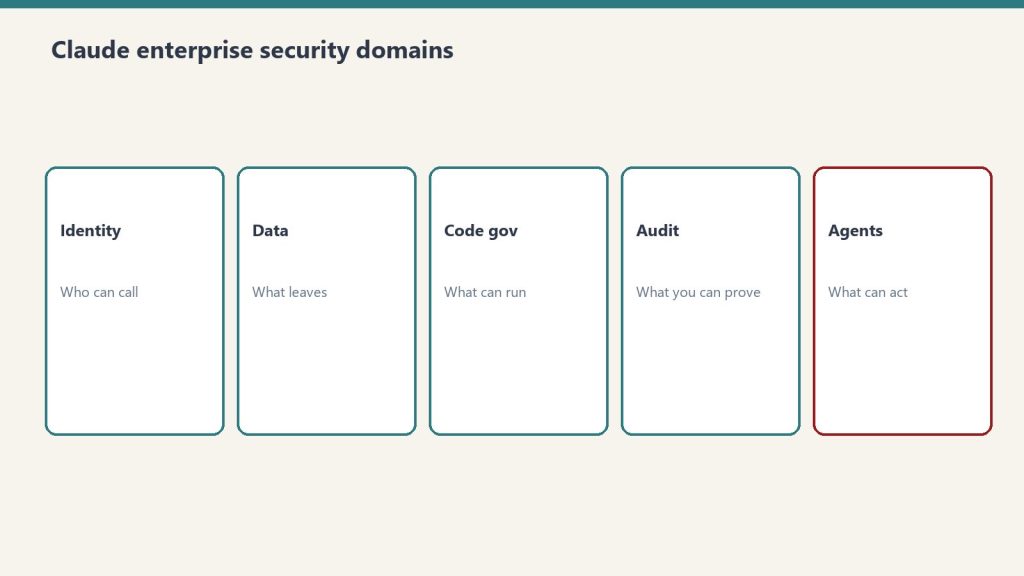
    Security domains highlighting agentic workflow risk
    Project Glasswing.

    Project Glasswing is the coordinated effort that Mythos anchors. The stated mission is reinforcing world cyber defenses — a framing that positions Mythos explicitly as a defensive capability rather than an offensive one, which matters enormously in how it will be received by governments, enterprise security teams, and the security research community.

    The name “Glasswing” references the glasswing butterfly — a species known for its transparent wings, which confer camouflage by blending into the environment. The metaphor maps cleanly onto defensive security work: visibility and transparency as the mechanism of protection, not opacity or force.

    Context: A Year of Security Work

    Mythos and Glasswing don’t come from nowhere. Anthropic’s security research track in 2026 has been unusually active: collaboration on Firefox CVE-2026-2796 in March, LLM-discovered zero-days published in February, and participation in AI on realistic cyber ranges in January — all documented on red.anthropic.com. Mythos is the capstone of a year-long research buildout in applied cybersecurity, not a pivot from Anthropic’s core safety work.

    For enterprise security teams evaluating AI vendors, this track record is a meaningful differentiator. Anthropic is now the only frontier AI lab with a documented, published history of responsible vulnerability disclosure collaboration and a dedicated security research publication channel. That institutional credibility matters when procurement decisions involve sensitive security workflows.

    What to Watch

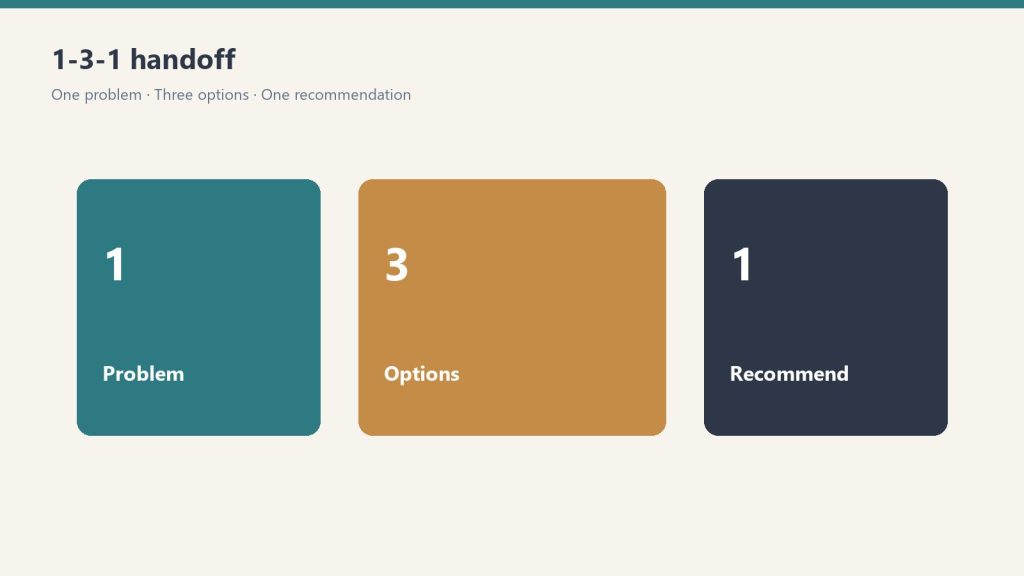
    Three panels showing one problem, three options, one recommendation
    What to watch.

    The Mythos Preview is the beginning of a story, not the end of one. Watch red.anthropic.com for the full Glasswing rollout cadence — what specific defensive capabilities are being published, what the access model looks like for security researchers, and whether government or critical infrastructure partnerships accompany the broader release. The preview framing implies a production release is coming. The timeline and access model will define how significant Glasswing becomes as a competitive differentiator.

    Source: red.anthropic.com — Claude Mythos Preview

    Related on Tygart Media: Claude Mythos / Firefox · GPT-5.5 vs Claude Mythos · Claude security scanner.

  • Auto Model Selection in Notion 3.2: Letting Notion Pick Claude, GPT, or Gemini For You

    Auto Model Selection in Notion 3.2: Letting Notion Pick Claude, GPT, or Gemini For You

    Related on Tygart Media: what Notion AI agents are · Claude vs Notion AI · how to use Claude.

    The 60-second version

    You don’t have to pick the model anymore. Notion 3.2 added auto-selection, which routes each request to the best-fit model from the available pool — currently including Claude Opus 4.7, GPT-5.2, and Gemini 3. Simple tasks (rewrites, summaries, quick drafts) go to faster models. Complex tasks (multi-step reasoning, long-context analysis, tool-heavy agent runs) go to more capable ones. You can override the selection per request, but the default behavior is “let Notion pick” — and for most workflows, that’s the right call.

    Why auto-selection matters

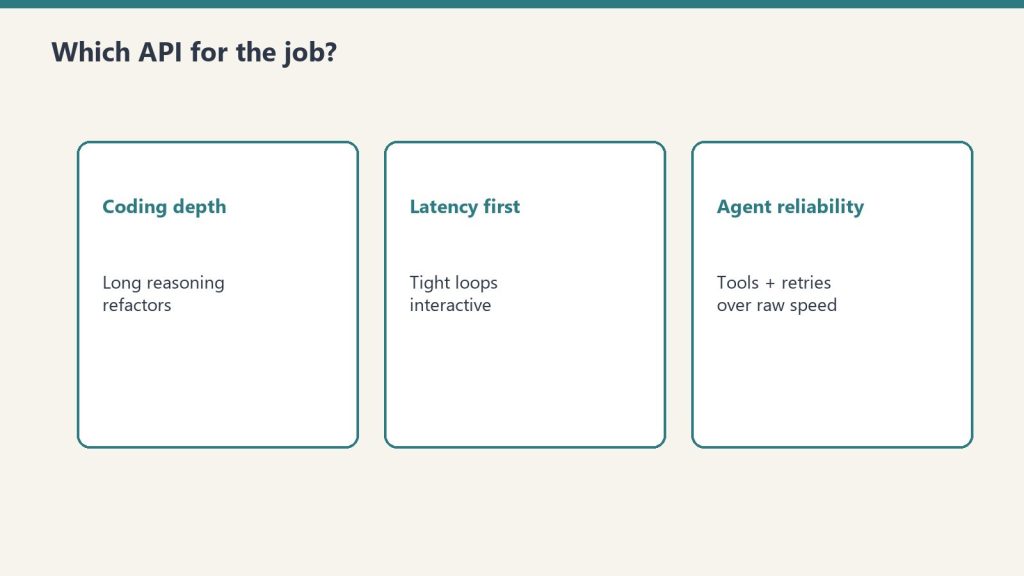
    Three cards: coding depth, latency first, agent reliability
    Why auto-selection matters.

    Three reasons it’s a meaningful shift:
    1. You stop being a model-picker. Before auto-selection, getting good output required knowing which model handled which task best. That’s expert knowledge most users don’t have. Auto-selection internalizes that knowledge.
    2. Cost-performance balance happens automatically. Faster models are cheaper to run; capable models are more expensive. Notion’s auto-selection routes simple work to cheap models and reserves expensive models for tasks that need them. After May 4, when credits start metering Custom Agent work, this matters financially.
    3. Model diversity becomes a feature, not friction. Different models have different strengths. Claude is consistently strong on long-form writing and tool use. GPT is strong on broad reasoning. Gemini is strong on multimodal and certain analytical tasks. Auto-selection uses the right tool without forcing you to know which is which.

    When to override the auto-selection

    Three routing approaches: built-in, manual 80/20, third-party
    When to override the auto-selection.

    Three cases where manual model choice still wins:
    1. You’ve measured a specific preference. If you’ve tested the same task across all three models and found one consistently better for your use case, lock to that one. Auto-selection optimizes for the average user; you may not be the average user.
    2. You’re working in a domain with a clear model strength. Long-form editorial work where Claude’s prose quality is meaningfully better. Code work where GPT’s tool use feels more natural. Visual analysis where Gemini’s multimodal handles your case better.
    3. Reproducibility matters. Auto-selection means today’s request might use Claude and tomorrow’s might use GPT. If you need consistent voice or behavior across runs, lock the model.
    For everything else, auto-selection is fine. Stop optimizing the optimizer.

    What auto-selection isn’t

    It isn’t infinite model access. The pool is curated by Notion. You don’t get every model on the market. You get the ones Notion has integrated and validated for the platform.
    It also isn’t a replacement for model expertise if you’re a developer building on the API. When you build with Workers or skills via the API, you may want explicit model selection because reproducibility matters more there than in interactive use.

    How to verify auto-selection is working

    Desk with laptop, checklist notebook, and billing card ready before creating an Anthropic API key
    How to verify auto-selection is working.

    A 5-minute test:
    1. Open a page with substantive content (a project doc, an article, a meeting transcript)
    2. Run three different prompts: a quick rewrite, a complex synthesis, and a multi-step extraction
    3. Look at the output quality for each
    4. If all three feel right for the task, auto-selection is doing its job
    5. If any feel off — outputs that are too brief or too verbose, missing the task’s complexity — that’s where to consider manual override

    Why Claude Opus 4.7 in particular matters

    The Claude Opus 4.7 addition is worth noting separately. Anthropic’s latest uses fewer tokens (cheaper to run), makes 3x fewer tool errors (more reliable for agents that call Workers), and handles complex workflows better. For Notion specifically, that means agents that previously hit edge cases when chaining multiple skills or Workers now have a more reliable backbone.
    If you’re heavy into Custom Agents and Workers, Opus 4.7 in the rotation is the quiet upgrade that makes everything more dependable.

    What to read next

    Corpus follow-ups: Mobile AI in Notion (where auto-selection also runs), Custom Agents foundation piece (where model selection has cost implications), and the comparison articles (Notion AI vs ChatGPT, Claude Projects, Gemini for Workspaces).

  • Claude Opus 4.8 Feature Deep Dive: Context, Extended Thinking & Task Budgets (2026)

    Claude Opus 4.8 Feature Deep Dive: Context, Extended Thinking & Task Budgets (2026)

    Last refreshed: October 20, 2026

    Model Accuracy Note — Updated June 9, 2026

    Lineup currency (Sept 2026, verified): Sonnet 5 ($2/$10), Opus 5.5 ($4/$20), Haiku 4.5 ($1/$5), Fable 5.1 ($10/$50). Legacy (still listed): Opus 4.8 ($5/$25), Sonnet 4.6 ($3/$15). Prior note (superseded): Prior flagship claim: Claude Opus 4.8 (claude-opus-4-8). Prior models claim: Opus 4.8 · Sonnet 4.6 · Haiku 4.5. Claude Opus 4.8 (claude-opus-4-8) was claimed current as of April 16, 2026. Where this article references Opus 4.6 or earlier models, those references are historical. See current model tracker →. See current model tracker →

    Claude Opus 4.8 Key Features (June 2026)

    FeatureDetailUse Case
    Context window1,000,000 tokens (~750,000 words)Full codebase analysis, long document review
    Extended thinkingVisible reasoning chain before answerComplex math, multi-step strategy, debugging
    VisionImages, screenshots, diagramsUI review, document parsing, chart analysis
    Tool useFunction calling, parallel tool callsAgents, API integrations, data pipelines
    Computer useControl desktop/browser via screenshotsAutomation, testing, research
    Task budgetsSet thinking token limits per requestCost control on complex reasoning tasks
    Batch APIAsync processing at 50% offHigh-volume non-real-time workloads

    What this article covers

    Three features in Opus 4.8 deserve their own explanation because they change what’s actually possible in daily work, not just what’s bigger on a benchmark chart:

    1. Task budgets (beta) — per-subtask ceilings that tame agent cost variance.
    2. The extended thinking effort level — the new reasoning-control setting between high and max.
    3. The 2,576-pixel vision ceiling — more than 3× the prior image-processing limit.

    Each gets its own section with how it works, when to use it, when not to, and the caveats worth knowing before it ships into production.


    Feature 1: Task budgets (beta)

    Four gates: max turns, tool allowlist, token budget, kill switch
    Feature 1 — task budgets (beta).

    What it is. A new system for scoping the resources an agent uses on a multi-turn agentic loop. Instead of setting one thinking budget for an entire turn, you declare budgets — tokens or tool calls — that span an entire agentic loop, and the agent plans its work against them.

    The problem it solves. Agent runs have notoriously high cost variance. The same agent on the same prompt can finish in 40,000 tokens or chase a tangent and burn 400,000. Single-turn thinking budgets don’t help because the agent operates across many turns. Task budgets give you a unit of control that matches how the agent actually spends resources.

    How the agent uses them. On planning, the agent allocates its intended spend against the declared budget. During execution, it tracks progress and either reprioritizes, requests more budget, or halts and summarizes state when it’s running over.

    Behavior note: budgets are soft, not hard. The agent is nudged to respect them, not hard-cut. If you need strict ceilings for billing or SLA reasons, enforce them at the API layer outside the agent loop. Task budgets are for behavior shaping, not hard resource limiting.

    When to use them.
    – Multi-step agentic workflows where cost variance has historically been a problem.
    – Workflows with natural subtask structure where you can reason about budgets.
    – Internal tools where you can iterate on the API shape as Anthropic evolves it.

    When not to use them.
    – Simple single-turn requests. Task budgets are overhead that doesn’t pay off on short interactions.
    – Production contracts that are painful to version. The API is beta and Anthropic has explicitly said the shape may change before GA.
    – Workflows where you need provable hard cutoffs. Enforce those at the API layer, not via this feature.

    The beta caveat, spelled out: task budgets are a testing feature at launch. Parameter names and shape may change. Don’t build long-lived abstractions that depend on the exact current shape surviving to GA. Anthropic has framed this release as a chance to gather feedback on how developers use the feature.


    Feature 2: The extended thinking effort level

    Three-column board mapping Claude model seats to flagship thinking, production workhorse, and fast volume jobs
    Feature 2 — the extended thinking effort level.

    What it is. A new setting for reasoning effort, slotted between high and max. Opus 4.6 had three levels: low, medium, high. Opus 4.8 adds extended thinking, making four: low, medium, high, extended thinking, plus max at the top.

    Why it exists. Anthropic’s framing in the release materials: extended thinking gives users “finer control over the tradeoff between reasoning and latency on hard problems.” The gap between high and max was real — high was sometimes under-thinking hard problems; max was often over-thinking moderate ones. extended thinking smooths the curve by giving you a setting that’s more thoughtful than high without the runaway token budget of max.

    Anthropic’s own guidance. “When testing Opus 4.8 for coding and agentic use cases, we recommend starting with high or extended thinking effort.” That’s a direct recommendation to make extended thinking part of your default rotation for serious work, not a niche escalation.

    How to use it.
    – Keep high as the default for routine work.
    – Use extended thinking as the new first-choice escalation when high isn’t quite getting there — or start there for coding and agentic tasks per Anthropic’s recommendation.
    – Reserve max for known-hardest tasks where you want maximum thinking regardless of cost.

    Important tradeoff. Higher effort levels in 4.7 produce more output tokens than the same levels did in 4.6. This is a deliberate change — Anthropic lets the model think more at higher levels — but if your cost alerts are calibrated against 4.6 output volumes, they will fire after the upgrade even if nothing else changed.

    An API note worth flagging. Opus 4.8 removed the extended thinking budget parameter that existed in 4.6. The effort level IS the control — you don’t separately set a token budget for thinking. If your 4.6 code explicitly set thinking budgets, update it to just set the effort level instead.

    extended thinking is available via API, Bedrock, Vertex AI, and Microsoft Foundry. On Claude.ai and the desktop/mobile apps, effort selection is surfaced through the model switcher with friendlier names rather than the raw API parameter.


    Feature 3: The 2,576-pixel vision ceiling

    What changed. Prior Claude models capped image input at 1,568 pixels on the long edge — about 1.15 megapixels. Opus 4.8 processes images up to 2,576 pixels on the long edge — about 3.75 megapixels, more than 3× the prior pixel budget.

    Why this matters more than it sounds. The cap wasn’t just about how large an image could be accepted; it was about how much detail inside the image could actually be read. Under the old 1.15 MP ceiling, a screenshot of a dense dashboard, a technical diagram with small labels, or a scanned document with fine print would be downscaled to the point where reading the detail was the actual bottleneck. 4.7 removes that bottleneck for images up to the new ceiling.

    Coordinate mapping is now 1:1. This is a separate but related change. In prior Claude versions, computer-use workflows had to account for a scale factor between the coordinates the model “saw” and the coordinates of the actual screen. On Opus 4.8, the model’s coordinate output maps 1:1 to actual image pixels. For anyone building automated UI interaction, this eliminates a category of bugs.

    What this enables that 4.6 struggled with:

    • Dense UI screenshots. Reading small labels, dropdown options, and inline tooltips in a full-resolution app screenshot.
    • Technical diagrams. Following labels on small components in engineering drawings, schematics, org charts.
    • Scanned documents. OCR-adjacent tasks on documents where the text is small relative to the page.
    • Chart details. Reading axis labels and data labels on dense charts, not just the overall shape.
    • Multi-panel content. Comics, infographics, and documents with small type in multiple zones.
    • Pointing, measuring, counting. Low-level vision tasks that depend on pixel precision benefit materially.
    • Bounding-box detection. Image localization tasks show clear gains.

    What it doesn’t change.

    • Images beyond 2,576px still get downscaled to the ceiling. The ceiling is higher; it’s not gone.
    • Video frames are handled differently and aren’t covered by this change.
    • Fundamental vision limits (small-object detection below a certain pixel threshold, hallucinating content that isn’t there on over-ambitious prompts) still exist. More pixels ≠ omniscience.

    Pricing and token cost. Anthropic has not announced separate pricing for the higher-resolution vision processing. Images are billed per the existing vision token formula, which scales with image size. Larger images cost more tokens; that’s not new. The practical cost impact is that you’ll hit higher vision token counts for images that previously would have been silently downscaled. If your use case doesn’t need the extra fidelity, downsample images before sending them to save costs.

    How to use it.

    Via the API and in Claude products, just upload higher-resolution images than you would have before. No special parameter. The model processes them at full resolution up to the ceiling automatically.

    response = client.messages.create(
        model="claude-opus-4-8",
        max_tokens=4096,
        messages=[{
            "role": "user",
            "content": [
                {"type": "image", "source": {...}},  # up to 2576px long edge
                {"type": "text", "text": "Extract the values from the chart."},
            ],
        }],
    )
    

    A caveat worth noting. The 2,576px ceiling is the processing ceiling. Client-side size limits (file size, API request size) still apply. Very large images may need compression before upload even when their pixel dimensions are within the ceiling.


    How these three features compose

    Three panels showing one problem, three options, one recommendation
    How these three features compose.

    The three features aren’t independent. For agentic coding work in particular, they compose in ways that matter.

    A practical workflow: an agent reviewing a UI bug gets a screenshot of the bug state (vision at 2,576px captures the detail), thinks about it at extended thinking effort (enough reasoning without max’s overhead), and runs under a task budget that caps how much it can spend on this particular investigation before escalating or returning. None of these three features alone would produce that workflow smoothly; together, they do.

    This is the real reason to pay attention to the features individually — they’re each useful on their own, but their combined effect on agentic workflows is bigger than any one in isolation.


    Frequently asked questions

    Are task budgets available on Claude.ai, or API only?
    API only. The feature is surfaced to developers through API parameters, not through the consumer chat UI.

    Can I use extended thinking on Claude.ai?
    Effort level is exposed to consumers through the model switcher. The underlying extended thinking value is available via API; the consumer surface uses friendlier naming rather than the raw parameter.

    Does the vision processing capabilities apply to all Claude products?
    Yes — Claude.ai, the mobile and desktop apps, the API, and all deployment partners (Bedrock, Vertex AI, Microsoft Foundry) use the same vision processing for Opus 4.8.

    Are task budgets a replacement for max_tokens?
    No. max_tokens is a hard cap on output length for a single message. Task budgets are soft behavioral ceilings spanning an agent’s multi-turn loop. Use both.

    Does extended thinking use a different API parameter than high?
    No — it’s just another value for the same effort parameter. Note that Opus 4.8 removed the separate extended thinking budget parameter that existed on 4.6: the effort level IS the thinking control on 4.7.

    Will these features come to Opus 4.6?
    No. They’re Opus 4.8 features. 4.6 continues to run on its prior behavior.

    Does extended thinking cost more than high?
    Yes, indirectly. Per-token pricing is the same. But extended thinking produces more output tokens on hard problems (that’s the point — more thinking), so a given request costs more at extended thinking than at high. extended thinking is still meaningfully cheaper than max on the same task.


    Related reading

    • The full release: Claude Opus 4.8 — Everything New
    • For developers: Opus 4.8 for coding in practice
    • Comparison: Opus 4.8 vs GPT-5.4 vs Gemini 3.1 Pro
    • The Mythos angle: why Anthropic admitted Opus 4.8 is weaker than an unreleased model

    Published April 16, 2026. Article written by Claude Opus 4.8.

    Frequently Asked Questions

    What are the key features of Claude Opus 4.8?

    Claude Opus 4.8 (legacy — still listed) (claude-opus-4-8) is Anthropic’s current flagship model with a 1 million token context window, extended thinking (visibl

    Lineup currency (Sept 2026): Current API list (Sept 2026, verified): Sonnet 5 $2/$10, Opus 5.5 $4/$20, Haiku 4.5 $1/$5, Fable 5.1 $10/$50. Legacy (still listed on Anthropic’s card): Opus 4.8 $5/$25, Sonnet 4.6 $3/$15.

    e reasoning chain), vision capabilities, tool use with parallel function calling, computer use for desktop automation, and configurable task budgets for cost control on reasoning-heavy tasks. Available via API at $5 input / $25 output per million tokens.

    What is extended thinking in Claude Opus 4.8?

    Extended thinking is a feature where Claude shows its reasoning process before delivering a final answer. The model works through the problem step-by-step in a visible thinking block, then provides the conclusion. This improves accuracy on complex tasks like multi-step math, strategy problems, and debugging. You can set a thinking token budget to control cost.

    How does Claude Opus 4.8’s 1M token context work?

    The 1 million token context window lets Claude Opus 4.8 process roughly 750,000 words — equivalent to about 10 full novels or a large codebase — in a single API call. Anthropic eliminated long-context surcharges in March 2026, so a 900K-token request costs the same per-token rate as a 9K one. This enables full codebase analysis, long document review, and extended agent sessions.

    What is the task budget feature in Claude Opus 4.8?

    Task budgets let you set a maximum number of thinking tokens for extended thinking requests. This gives you cost predictability on complex reasoning tasks. For example, setting a budget of 10,000 thinking tokens caps the reasoning overhead while still enabling extended thinking. Higher budgets generally improve accuracy on harder problems.

    Is Claude Opus 4.8 the best model for computer use?

    Yes, Claude Opus 4.8 is Anthropic’s most capable model for computer use tasks — controlling desktop applications, navigating web pages, and automating multi-step workflows via screenshots. Claude Sonnet 4.6 also supports computer use at lower cost. Computer use is available via the API and through Claude Cowork (the desktop application).

    When should I use Opus 4.8 vs Sonnet 4.6?

    Use Claude Opus 4.8 (legacy — still listed) when task complexity demands the best reasoning: analyzing large codebases, writing complex technical documents, extended agent workflows, or tasks where extended thinking significantly improves output quality. Use Claude Sonnet 4.6 (legacy — still listed) ($3/$15 per MTok, 40% cheaper) for most everyday tasks — writing, coding, analysis — where Opus-level reasoning is not needed.

    Lineup currency (Sept 2026): Current API list (Sept 2026, verified): Sonnet 5 $2/$10, Opus 5.5 $4/$20, Haiku 4.5 $1/$5, Fable 5.1 $10/$50. Legacy (still listed on Anthropic’s card): Opus 4.8 $5/$25, Sonnet 4.6 $3/$15.