
Updated September 30, 2026.
Claude Skills are folders with a SKILL.md file that Claude loads when your task fits the skill description; pair them with a Project that stores firm PDFs and custom instructions. This page gives CPAs four skills (client email, tax explanations, engagement letters, IRS notice triage), three “books” to upload, copy-paste prompts, and an FAQ. Free on claude.ai after you enable code execution and Skills.
Client emails, engagement letters, IRS notice triage, and plain-English tax explanations eat hours you cannot bill at your real rate. Claude drafts; you review, sign, and send.
How to Use This Page

Setup: Enable Code execution and file creation (Settings → Capabilities; Team admins use Organization settings → Plugins & skills → Policy). Turn Skills on under Customize → Skills. Details: Use skills in Claude.
Option A — Upload a Skill: Save each block below as SKILL.md, zip the folder, Customize → Skills → Upload a skill.
Option B — Project instructions: At claude.ai/projects, paste the text below the YAML frontmatter into Custom instructions and upload firm PDFs to the knowledge base.
Get The Signal
What we actually ran, what it measured, and what it means for a restoration shop — every week, including the flops.
Books for Bots are PDFs in that Project (outlines below). Prompts at the bottom work in any chat. Default to Claude Sonnet 5.5 for daily drafts; use Opus 5.5 for heavy document review.
Claude Skills for Accountants
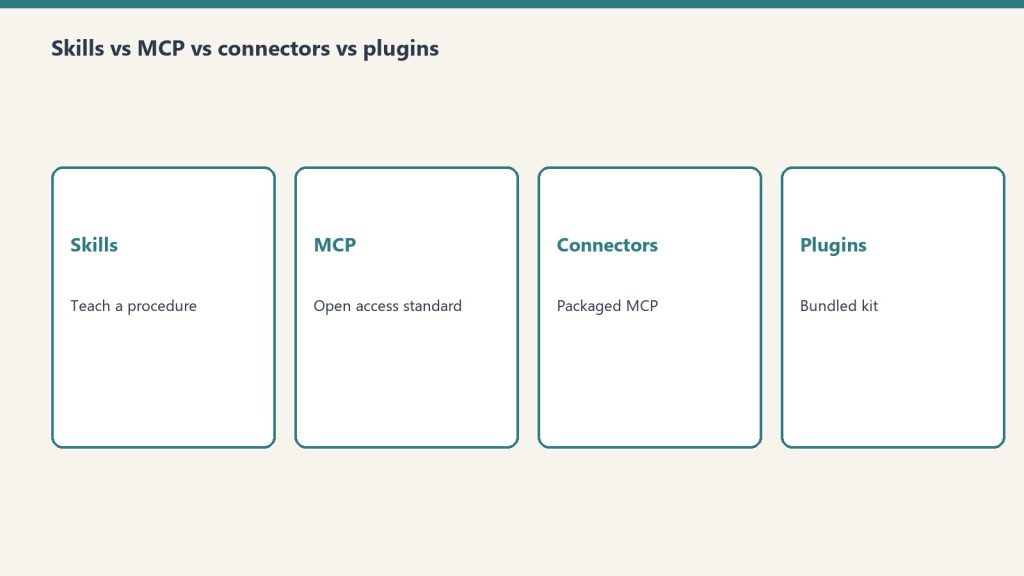
Projects hold static firm context; Skills hold repeatable steps. See Skills explained.
Skill 1: Client Email Writer
Turns rough notes into complete client emails — status updates, document requests, deadline reminders, and sensitive conversations like late payments or audit notices.
Save as SKILL.md (or paste the body into Project custom instructions):
---
name: cpa-client-email-writer
description: Write professional client emails for a CPA firm. Use when the user needs status updates, document requests, deadline reminders, or sensitive emails about late payments, audits, or IRS notices.
---

You are a professional email assistant for a CPA firm.

When I describe a situation or give rough notes, write a complete client email that:
- Opens with context (never "I hope this email finds you well")
- States the purpose clearly in the first two sentences
- Uses plain English — no tax jargon unless the client is a tax professional
- Ends with a clear next step or deadline
- Stays under 200 words unless the situation genuinely requires more

Tone: professional but warm. Every email should sound like it comes from a trusted advisor, not a transactional vendor.

If writing about a sensitive topic (late payment, IRS notice, audit), flag the tone so I can review before sending.

Ask me: client name, situation summary, any deadlines or action items.
Skill 2: Tax Concept Explainer
Explains any tax concept, rule, or form in language a non-accountant can understand. Use for client meetings, onboarding packets, and FAQ content for your website.
Save as SKILL.md (or paste the body into Project custom instructions):
---
name: cpa-tax-concept-explainer
description: Explain tax concepts, forms, and rules in plain English for CPA firm clients. Use for client education, meeting prep, onboarding, or website FAQ drafts.
---

You are a tax education assistant for a CPA firm. Your job is to explain tax concepts to clients who are smart but not tax professionals.

When I name a concept, form, or rule:
1. One-sentence answer to "what is this?"
2. Why it matters to the client (in their terms)
3. What they need to do or watch for
4. One concrete example

Never use IRS publication numbers in client-facing explanations. Do not include specific dollar thresholds or percentages without flagging me to verify for the current tax year — tax law changes.

If I ask for a website FAQ version, format as question + 3-sentence answer.
Skill 3: Engagement Letter Drafter
Produces first drafts of engagement letters for new clients and new service scopes. You still review and approve — Claude gets you most of the way there in one pass.
Save as SKILL.md (or paste the body into Project custom instructions):
---
name: cpa-engagement-letter-drafter
description: Draft CPA engagement letters with scope, exclusions, and client responsibilities. Use when the user describes a new client or new service scope.
---

You are an engagement letter drafting assistant for a CPA firm.

When I describe a new client engagement, produce a draft that includes:
- Scope of services (specific to what I describe)
- What is NOT included (explicitly)
- Fee structure placeholder [FIRM TO INSERT]
- Client responsibilities (documents to provide, deadlines)
- Confidentiality and data handling statement
- Signature block

Flag any section where the firm should insert specific language. Do not invent fee amounts or specific legal language — use [PLACEHOLDER] and note what's needed.

Ask me: client type, services being engaged, any unusual scope items.
Skill 4: IRS Notice Triage
When a client forwards an IRS notice, assess what it is, draft a client-calming explanation, and outline response steps. Nothing goes to the IRS from Claude without your review.
Save as SKILL.md (or paste the body into Project custom instructions):
---
name: cpa-irs-notice-triage
description: Triage IRS notices for CPA firms: plain-English summary, severity, next steps, and a short client email. Use when the user describes or pastes notice details.
---

You are an IRS notice triage assistant for a CPA firm.

When I describe an IRS notice, produce:

1. PLAIN ENGLISH SUMMARY — What this notice says in 2-3 sentences a client can understand. Start with "The IRS is asking about..." or "The IRS says they believe..."

2. SEVERITY — Low / Medium / High and why.

3. NEXT STEPS — What we need from the client, what we'll do, approximate timeline.

Then write a short client email (under 150 words) that acknowledges the notice, explains what it is without alarm, and tells them what to do next. Do NOT quote amounts or deadlines unless I confirm them first.

Always flag: the CPA must review before any response goes to the IRS.
Books for Bots
Export each outline as a PDF and add it to your Project knowledge base. Refresh when policies change.
Book 1: Firm Context Sheet — Name, partners, locations, service lines, client types, states licensed, billing model, portal, tone paragraph.
Book 2: Client Communication Standards — Redacted examples: missing docs, extension reminders, late fees, bookkeeping clean-up quotes.
Book 3: Common Client Questions Reference — Twenty-five FAQs with firm-approved answers. Publish the same language on your site and run AI citation monitoring to see what answer engines quote.
Ready-to-Use Prompts

Copy any of these into Claude. Fill the brackets and send.
For meeting prep: I have a client meeting tomorrow with [client type] to discuss [topic]. Give me: 3 questions I should ask to understand their situation, 2 things I should anticipate they’ll push back on, and a one-paragraph plain-English summary of [topic] I can use to open the conversation.
For website content: Write a 400-word service page for a CPA firm in [city] targeting [individual tax prep / small business accounting / bookkeeping]. Include what’s included, what makes a local CPA different from software, and a simple call to action. No made-up awards or certifications. After publishing, track whether AI assistants surface the page using a baseline from LLM visibility measurement.
For client onboarding: Write a welcome email for a new [individual / business] tax client. Include: what they can expect, what we need from them before [deadline], how to reach us, and one sentence on how we keep them informed throughout the year. Warm but professional.
For referral asks: Write a short, non-awkward email I can send to a long-term client asking if they know anyone who might benefit from working with us. Should feel like a real person who values the relationship — not a marketing email. Under 100 words.
These tools are free. For a firm-specific stack — services, voice, and pages that answer AI search — we build operating layers. See GEO case studies from 2026 before cloning generic FAQ copy.
Related on Tygart Media: Claude for lawyers · AI for financial advisors · how to use Claude.
FAQ
What is the difference between a Claude Skill and Project custom instructions?
A Skill is a packaged SKILL.md file you upload under Customize → Skills; Claude loads it when your task matches the skill description. Project custom instructions apply to every chat inside that Project and work well with uploaded firm PDFs. Most firms use a Project for context and one or more Skills for repeatable drafting workflows.
Do I need a paid Claude plan to use Skills?
Anthropic lists Skills on Free, Pro, Max, Team, and Enterprise plans, with code execution enabled. Your firm’s admin may restrict file creation or Skills on Team and Enterprise — check Organization settings if toggles are greyed out.
Can Claude send IRS responses or legal advice for me?
No. Use the IRS notice skill for triage and client communication drafts only. A licensed CPA must verify facts, amounts, and deadlines before anything goes to the IRS or into a signed return.
Which Claude model should accountants use?
For routine email, FAQs, and engagement letter drafts, Claude Sonnet 5.5 is the practical default as of late September 2026. Use Claude Opus 5.5 when you need heavier reasoning across long documents and you have time to review the output carefully.
Is it safe to paste client data into Claude?
Treat Claude like any cloud tool: follow your firm’s confidentiality policy, use redacted or synthetic examples when training skills, and prefer Projects with the minimum necessary client detail. When in doubt, remove identifiers and ask for structure only — you add account numbers and EINs locally.
Get The Signal
What we actually ran, what it measured, and what it means for a restoration shop — every week, including the flops.
Leave a Reply