Client Verticals - Tygart Media

Category: Client Verticals

Industry-specific marketing strategies beyond restoration. Cold storage, lending, comedy, training, and more.

  • Restoration CRM Prompt Library — Claude Skill

    Restoration CRM Prompt Library — Claude Skill

    Restoration CRM Prompt Library — Claude Skill

    $19

    Delivered by email after checkout.

    Buy Now →

    Secure checkout via Square — all major cards accepted

    You can copy this library and do it yourself. The full article is already live. Paste a prompt into claude.ai, fill the brackets, edit the draft, send it. Buy Now is the packaged Claude Skill so the library lives in the project instead of a browser tab.

    The live article (do not treat this page as a replacement): AI-Assisted Email Drafting for Restoration Companies: A Claude Prompt Library.

    Who it is for: anyone at the company who writes emails. Owner, office manager, whoever runs the CRM touch calendar. No technical background. A free Claude account at claude.ai is enough. No API key. No code.

    The workflow
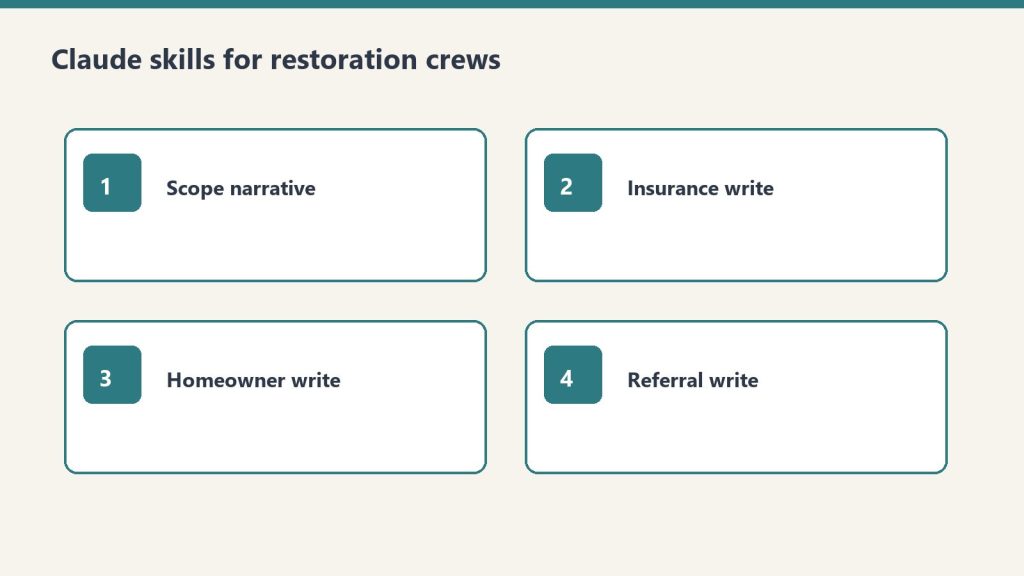
    Four skill cards: scope narrative, insurance write, homeowner write, referral write
    CRM prompt workflow: paste facts → draft → human send.
    1. Go to claude.ai. Create a free account if you need one.
    2. Open a new conversation.
    3. Paste a prompt. Fill the bracketed fields with real information.
    4. Claude drafts the email.
    5. Review it. Edit anything that does not sound like you. Copy it into your email platform.

    That is the entire workflow. Specific beats generic. “Write a hiring email for a restoration company” is weak. “Write a hiring email for a 12-person water and fire restoration company in Tacoma, WA that’s been in business for eight years and is known for fast response times and honest communication with insurance adjusters” is usable.

    Strategy lives in Your CRM Is Not a Lead Database. Timing lives in The 12-Month Outreach Calendar. This library is the words.

    Prompt 1: Hiring email, homeowner version

    I run [company name], a [type] restoration company in [city, state]. We’ve been in business [X] years and are known for [one or two specific things your company does well]. We currently have [number] employees and serve the [geographic area] area.
    
    I need to write a short, plain-text email to past homeowner clients who we’ve done [water damage / fire damage / mold / storm] work for. We’re currently hiring for [job title]. The goal of the email is to ask if they know anyone — family, friends, people in the trades — who might be a great fit for a company like ours. We want to reach out to trusted contacts before posting the job publicly.
    
    Tone: Personal and warm, like a note from a real person. Not corporate, not salesy. The recipient should feel like we remembered them and value their opinion specifically.
    
    Requirements: Under 150 words. Plain text (no HTML). Sign it from [owner first name] at [company name]. Include a phone number as the only contact info. No subject line needed — just the body.

    Prompt 2: Hiring email, insurance adjuster version

    Clipboard and tablet on a kitchen counter during an insurance adjuster walkthrough after water loss
    Hiring email for adjusters — clear, dated, professional.
    I run [company name], a restoration company in [city, state]. I need to write a short email to insurance adjusters I’ve worked with on claims. We’re hiring a [job title].
    
    The tone should be collegial — peer to peer, professional but not formal. We want to reach out to trusted colleagues before posting publicly, and we’d appreciate any recommendations they might have. Keep it under 120 words. Plain text. From [owner name]. Include phone number.
    
    Do not use any of these phrases: “I hope this email finds you well,” “I wanted to reach out,” “touch base,” “circle back,” or “leverage.” Write it how a real contractor would talk to an adjuster they’ve worked with for years.

    Prompt 3: Vendor ask (specialty sub search)

    Write a short email from a restoration company owner to their contact database asking if anyone knows a reliable [trade type — e.g., drywall sub, flooring contractor, HVAC tech] in [city/region]. We have a larger project coming up and want to find a quality sub through our network before going the cold-search route.
    
    Context about our company: [2–3 sentences about your company — size, how long you’ve been in business, your service area]. The recipients are a mix of past homeowner clients, insurance industry contacts, and trade partners.
    
    Tone: Casual and direct. Like asking a trusted colleague. Under 100 words. Plain text. From [owner name]. Phone number only.
    
    Optional addition: Add one sentence at the end that invites the recipient to reach out directly if the description matches their own business.

    Prompt 4: Seasonal safety email (winter freeze)

    I run a water damage restoration company in [city, state]. I want to send a helpful, non-promotional email to past homeowner clients before freeze season. The goal is to give them genuinely useful information about preventing the kind of water damage we see most commonly in [our region] in winter.
    
    Specific things to cover: [list 3–4 real things relevant to your region]. These should be specific to [region] winters, not generic national advice.
    
    Tone: Knowledgeable and helpful, like a trusted expert checking in on a neighbor. No sales pitch, no CTA other than “if you have questions, we’re here.” Under 200 words. Include a link placeholder for [blog post URL] if they want to read more. From [owner name].

    The rest of the library (on the live article)

    Prompts 5–9 are on the live page. Use that URL. Do not treat this SKU page as a rewrite of that article.

    • Prompt 5: Post-storm check-in to past homeowners. Warm, community-focused, not a pitch. Under 120 words.
    • Prompt 6: Company anniversary or milestone. Thank the people who have been part of the journey. No CTA. No offer. Under 175 words.
    • Prompt 7: Brand-voice rewrite. Paste two real emails you have sent, then the draft, and ask Claude to make it sound like you.
    • Prompt 8: Eight subject-line options. Personal, no click-bait, no exclamation points, no “Quick question for you!”
    • Prompt 9: Batch personalization. CSV of past clients. One opening sentence per row that references job type and, if the job is older than 18 months, that it has been a while. Up to 20 rows at a time.

    Full text: tygartmedia.com/restoration-crm-claude-prompt-library.

    How to get better drafts

    Restoration SOP clipboard with checklist, moisture meter, and gloves on a jobsite table
    Better drafts still need a human check before send.
    • Name the phrases you do not want: “I hope this finds you well,” “reaching out,” “touch base,” “leverage.”
    • Give two sentences of real company context. History, reputation, service area, typical client.
    • Iterate in the same conversation. “Good, but make it shorter.” Do not start a new chat for every revision.
    • Ask for three versions: shorter, more formal, more casual.
    • Review everything before it sends. Claude will sometimes assume details you did not provide.

    A free claude.ai account is enough for a full annual campaign calendar. Claude Pro is not required for this use case. Store the filled-in prompts in Notion so you are not hunting them before each send. Using AI to draft is fine if you review and approve every email. The relationship still has to be yours.

    If you want the packaged skill

    The method and the live article are free to use. Buy Now is the Claude Skill package, delivered by email after checkout, so the library is installed instead of copy-pasted from the article each time. Same Square button at the top of this page.

    Related: Front door: Complete Restoration Operations Kit ($97). Stack: The Restoration.

    Related on Tygart Media: Starlink on a water job · S500 in the van · local SEO for restoration.
  • AI for Water Damage Restoration — 4 Claude Skills

    AI for Water Damage Restoration — 4 Claude Skills

    Direct Answer / Product Definition

    AI for Water Damage Restoration — 4 Claude Skills by Tygart Media is a $29 Square digital product that packages four Claude Project skills for emergency water losses: first-hour homeowner texts, IICRC S500-aware adjuster summaries, contents and rebuild letters, and plumber or property-manager outreach. Will Tygart built the prompts for Category and Class accuracy; Tygart Media delivers the install zip by email within 24 hours of checkout, or contractors can copy the instructions free on this page.

    AI for Water Damage Restoration — 4 Claude Skills

    $29

    Packaged zip delivered by email within 24 hours after Square checkout.

    Buy on Square — $29 →

    Secure checkout via Square — all major cards accepted

    Tygart Media publishes the full skill text below so water-damage contractors can copy each block into Claude Project Instructions before the next 2 a.m. call. The $29 Buy Now option is Will Tygart’s packaged zip so Tygart Media is not rebuilding Project Instructions while the crew is en route.

    Water damage restoration is a 24/7 business. The company that communicates fastest and clearest wins the job. Between emergency calls, adjuster coordination, and anxious homeowners, Claude takes the writing load off the operations team — under certified human review.

    DIY Copy vs $29 Packaged Zip

    Option Price Water-Loss Focus Best For
    Copy from this page $0 Four skills in HTML; manual paste Testing one emergency template tonight
    Water 4 Claude Skills (this product) $29 Emergency, adjuster, contents, referral 24/7 dispatch and PM teams
    General 4 Claude Skills $29 Scope narratives + broad insurance letters Multi-loss shops (fire, mold, water)
    Operations Kit — Claude Edition $197 8 skills + equipment sizing + KPI coach Full operational AI copilot

    How to use this

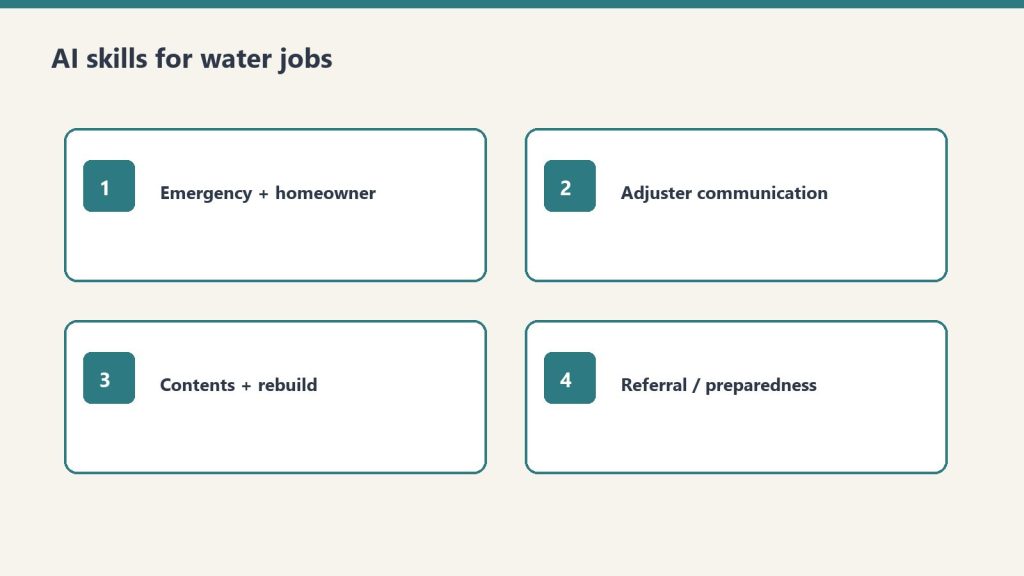
    Four skill cards covering emergency, adjuster, contents, and referral communication
    Four water-job skills. Paste facts. Review. Send.
    • Claude Skills go into Claude Project Instructions.
    • Prompts work in any Claude conversation.
    • Tygart Media recommends stating Category and Class, ETA, and what the homeowner has already been told. Vague input makes vague output.

    Create a Claude Project. Paste the skill. Answer what it asks. Review every text and letter before it sends. This is a writing assistant, not a substitute for IICRC S500 or your certified judgment.

    Skill 1: Emergency Response and Homeowner Communication Writer

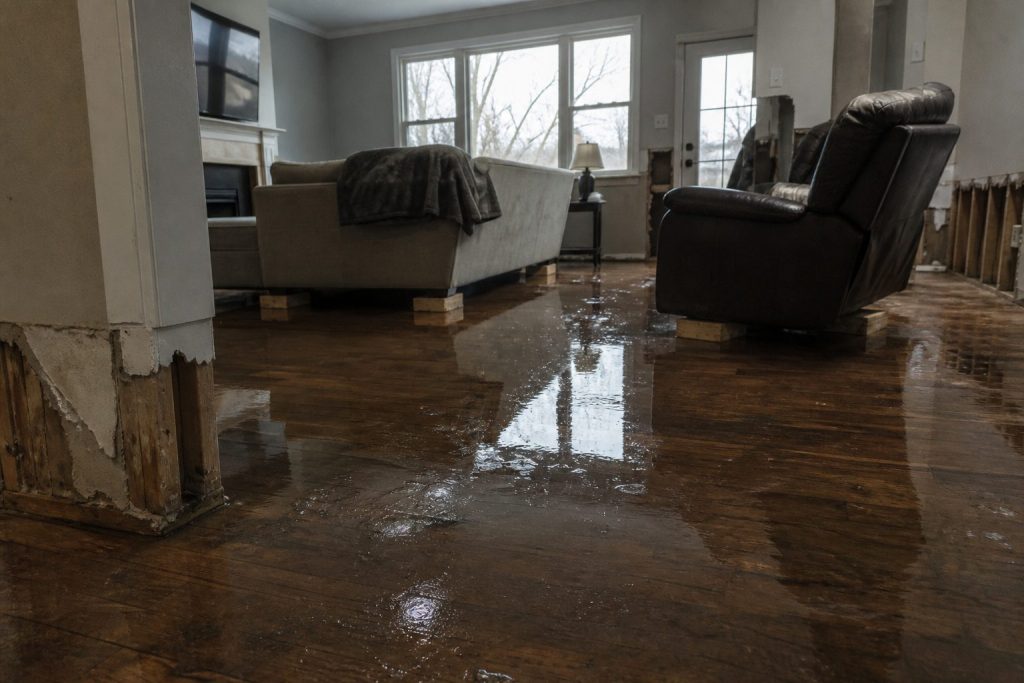
    Flooded residential living room with standing water on hardwood after a water loss
    Emergency response copy should match the room you walked into.

    Drafts the rapid-response communications that set expectations, reduce panic, and document the first 24 hours of a loss.

    Paste into Claude Project Instructions:

    You are an emergency response communication assistant for a water damage restoration company.
    
    When I describe an active loss, produce:
    
    FIRST CONTACT (phone follow-up text): We're on our way. ETA, who's coming, what to do right now. Under 100 words. Fast and reassuring.
    
    ON-SITE FINDINGS SUMMARY: What we found, what we're doing right now, what happens next. Plain English. Under 150 words. Send within the first hour.
    
    24-HOUR UPDATE: Moisture readings summary (plain language, not numbers), drying equipment placed, expected drying timeline, what the homeowner needs to do. Under 175 words.
    
    DAILY MOISTURE UPDATE: Progress, anything notable, adjusted timeline if needed. Under 100 words.
    
    EQUIPMENT REMOVAL NOTICE: Drying is complete. What was achieved. What happens next (demo, rebuild, clearance). Under 100 words.
    
    Tone: fast, expert, calm. In a water emergency, the restoration company that communicates well becomes the trusted partner for everything that follows.

    Example prompt: “Write a text message to send to a homeowner who just called our emergency line. We’re dispatching a crew. ETA is [X] hours. What they should do right now to minimize damage. Under 120 characters if possible.”

    Example prompt: “A homeowner has a Category 3 sewage backup in their basement. Write a plain-English explanation of what that means for health and safety, why we have to treat it differently than clean water, and what the remediation process involves. Honest without being terrifying. Under 175 words.”

    Skill 2: Insurance Adjuster Communication Writer

    Clipboard and tablet on a kitchen counter during an insurance adjuster walkthrough after water loss
    Adjuster notes: dated, specific, easy to forward.

    Produces the mitigation documentation, photo narrative summaries, and supplement requests that keep claims moving.

    Paste into Claude Project Instructions:

    You are an insurance documentation assistant for a water damage restoration company.
    
    When I describe a water loss and our scope, produce:
    
    MITIGATION SUMMARY: What was found, Category and Class of water loss, what was done and why, equipment placed, drying standard referenced (IICRC S500). Technical but clear. Under 300 words.
    
    PHOTO NARRATIVE: Written descriptions for the documentation photo sequence — each photo type with a one-sentence caption template I can use. Organized by area.
    
    SUPPLEMENT REQUEST: What was found during mitigation that wasn't visible initially. Itemized, with rationale. Professional and factual.
    
    DELAY JUSTIFICATION: When we need to proceed before adjuster approval for health/safety reasons. Documented, professional, covers our position.
    
    ADJUSTER FOLLOW-UP: Professional check-in when we haven't heard back. States what we're waiting on and impact on the homeowner.
    
    Always: factual, documented, professional. Supplement disputes are resolved through evidence.

    Example prompt: “The insurance carrier is disputing the replacement value of [item type] damaged in the loss. Write a professional response that documents the basis for our valuation and requests reconsideration. Factual, not emotional. Under 150 words.”

    Skill 3: Contents and Rebuild Communication Writer

    Handles pack-out, demo scope, rebuild timeline, and walkthrough communications after the drying phase.

    Paste into Claude Project Instructions:

    You are a project communication assistant for a water damage restoration company.
    
    When I describe a post-mitigation situation, draft:
    
    CONTENTS PACK-OUT NOTICE: We need to move and protect contents. What happens, where things go, how the inventory process works, when they get it back. Reassuring and specific. Under 150 words.
    
    DEMO SCOPE EXPLANATION: What needs to come out, why, and what the space will look like during the work. Plain English. Under 150 words.
    
    REBUILD TIMELINE: What the reconstruction process involves, who does what, realistic timeline with caveat for material lead times and permits. Under 200 words.
    
    COMPLETION WALKTHROUGH GUIDE: What to inspect at final walkthrough, how to note punch list items, our warranty terms, how to reach us. Professional close.
    
    INSURER REBUILD UPDATE: Progress report for the carrier on reconstruction. Factual, organized by trade, with current completion percentage.
    
    Ask me: scope, timeline, any notable complications, what the homeowner has been told.

    Give it the real scope and what the homeowner has already heard. Do not let it invent a timeline Tygart Media cannot keep on the job.

    Skill 4: Referral Network and Emergency Preparedness Content

    Drafts plumber, roofer, and property manager outreach, plus the educational notes that put you first in the phone when water hits.

    Paste into Claude Project Instructions:

    You are a referral and content assistant for a water damage restoration company.
    
    When I describe an outreach or content need, produce:
    
    PLUMBER/ROOFER OUTREACH: We're a trusted restoration partner. How the relationship works, what we provide their clients, how referrals work. Peer-to-peer. Under 100 words.
    
    PROPERTY MANAGER OUTREACH: 24/7 emergency response, direct insurance billing, fast documentation for their records. What makes us the right call at 2am. Under 100 words.
    
    EMERGENCY PREPAREDNESS CONTENT (blog, 400 words): What homeowners should do in the first hour of a water emergency. Step by step. Practical. Ends with when to call a professional.
    
    STORM RESPONSE POST: After a weather event. What to watch for. When to call. Urgent but not alarmist. Under 100 words. Timely.
    
    Ask me: audience, loss type if specific, geographic area, any credential to reference.

    Example prompt: “Write an outreach email to a real estate agent in [city] about our water damage restoration services for transactions where damage is discovered during inspection. Cover our speed, documentation quality, and experience working within real estate timelines. Under 120 words.”

    Optional: Books for Bots

    Upload to a Claude Project if Tygart Media’s recommended references are written:

    • Company Context Sheet: name, service area, certifications (IICRC WRT, ASD, FSRT), equipment inventory, communication approach.
    • Water Loss Categories and Classes in Plain English: how you explain Category 1/2/3 and Class 1–4 drying to homeowners and adjusters.
    • Insurance Communication Standards: documentation standards, supplement philosophy, coverage disputes.

    If you want the packaged files

    The four skills are on this page. Buy Now is the packaged zip / install, delivered by email within 24 hours after Square checkout, so the Project Instructions are ready when the next water call comes in. Same Square button at the top of this page.

    Frequently Asked Questions

    What is AI for Water Damage Restoration — 4 Claude Skills?

    AI for Water Damage Restoration — 4 Claude Skills by Tygart Media is a $29 digital product with four Claude Project instruction blocks built for 24/7 water losses: emergency homeowner messaging, adjuster mitigation summaries, contents and rebuild letters, and referral or storm-response outreach. Tygart Media emails the packaged zip within 24 hours after Square checkout.

    Does this replace IICRC S500 judgment?

    No. Tygart Media positions these skills as a writing assistant only. Every draft must be reviewed by a certified restorer before it is sent. Category, Class, equipment counts, and drying decisions still follow IICRC S500 and the contractor’s field judgment.

    How is this different from the general restoration 4-skill pack?

    This water-focused pack ($29) targets emergency texts, mitigation photo narratives, pack-out letters, and storm referral content. The general AI for Restoration Contractors — 4 Claude Skills ($29) covers scope narratives and broad insurance correspondence. The Restoration Operations Kit — Claude Edition ($197) adds eight operational skills including equipment sizing and KPI coaching.

    What is included in the $29 Square purchase?

    The $29 checkout includes a formatted zip of all four water-damage Claude skills ready to paste into Project Instructions, plus email delivery from Tygart Media within 24 hours. The full skill text also remains free to copy from this page.

    Is there a refund policy?

    Because this is a digital product, all sales are final. If you have a problem with your purchase, email will@tygartmedia.com and we will sort it out.

    How is this delivered?

    Within 24 hours of purchase via email from will@tygartmedia.com. You will receive your download link — Notion duplicate link, skill file, or both depending on the product.

    $29

    Packaged zip delivered by email within 24 hours via Square.

    Buy on Square — $29 →

    Related Operations & Systems

    Companion Systems: Complete Restoration Operations Kit ($97) · General 4 Claude Skills ($29) · Operations Kit — Claude Edition ($197) · Tygart Media Shop.

    Related on Tygart Media: Starlink on a water job · S500 in the van · local SEO for restoration.

    Author: Will Tygart, Founder of Tygart Media — AI operating systems designed specifically for property restoration contractors.

    END_FULL_RAW
    CHANGES
    – Top Square button (`https://square.link/u/p8QpZjZf`): `color:#fff` → `color:#0B0B0B` on unchanged `background:#00c853`. White on that green was about 2.2:1; near-black is about 8.8:1. Plain styled link, so no hover rule was added.
    – Bottom Square button (same URL): `color:#fff` → `color:#0B0B0B` on unchanged `background:#00c853`, for the same contrast fix.
    – Comparison header cells: each `

    ` style gained `color:#fff` (before: no color on the `

    `, only inherited from the `#0f172a` row). Dark header text is now explicit on the cell.
    – Comparison row `background:#f8fafc`: added `color:#1a1a1a` on the `

    ` and on each of its four `

    ` elements. Before, that light row had no text color and relied on inheritance.
    – Comparison row `background:#f0fdf4`: added `color:#1a1a1a` on the `

    ` and on each of its four `

    ` elements, for the same reason.
    – Body link in the comparison table, General 4 Claude Skills: added `style=”color:#A34A1F;”`. Before: no link color.
    – Body link in the comparison table, Operations Kit — Claude Edition (light green row): added `style=”color:#A34A1F;”`. Before: no link color.
    – Companion Systems links (Complete Restoration Operations Kit, General 4 Claude Skills, Operations Kit — Claude Edition, Tygart Media Shop): each `` gained `style=”color:#A34A1F;”`. Before: no link color.
    – Related links (Starlink on a water job, S500 in the van, local SEO for restoration): each `
    ` gained `style=”color:#A34A1F;”`. Before: no link color.
    – Answer-packet opening tag: removed the stray `>` after the style attribute (`;”>>` → `;”>`) so the div is valid and does not render an extra greater-than.
    END_CHANGES

  • AI for Restoration Contractors — 4 Claude Skills

    AI for Restoration Contractors — 4 Claude Skills

    >

    Direct Answer / Product Definition

    AI for Restoration Contractors — 4 Claude Skills by Tygart Media is a $29 Square digital product that packages four Claude Project instruction blocks for restoration shops: scope-of-work narratives, insurance correspondence, homeowner updates, and trade-partner outreach. Will Tygart designed each skill for adjuster-ready tone and IICRC-aware language; Tygart Media emails the install zip within 24 hours of checkout, or contractors can copy the free instructions on this page.

    AI for Restoration Contractors — 4 Claude Skills

    $29

    Packaged zip delivered by email within 24 hours after Square checkout.

    Buy on Square — $29 →

    Secure checkout via Square — all major cards accepted

    Tygart Media publishes the full skill text below so restoration contractors can copy each block into Claude Project Instructions and run prompts on real jobs. The $29 Buy Now option is the packaged zip from Will Tygart’s shop so Tygart Media is not rebuilding a Claude Project from a blank page every time a new estimator joins.

    Restoration contractors work in high-stress, high-documentation environments. Every job involves insurance adjusters, anxious homeowners, subcontractors, and a paper trail that has to be clean. Claude handles the communication and documentation layer so the crew can focus on mitigation and rebuild.

    DIY Copy vs $29 Packaged Zip

    Option Price What You Get Best For
    Copy from this page $0 Four skill blocks in HTML; manual paste into Claude Projects Owners testing one skill on a single claim
    4 Claude Skills (this product) $29 Formatted zip + email delivery within 24 hours Shops rolling skills to PMs and estimators
    Operations Kit — Claude Edition $197 8 operational skills + company-profile setup Full AI copilot for intake, sizing, KPIs, SOPs

    How to use this

    Four skill cards: scope narrative, insurance write, homeowner write, referral write
    Four skills. Paste job facts. Review before you send.
    • Claude Skills go into Claude Project Instructions.
    • Prompts work in any Claude conversation.
    • The more specific Tygart Media recommends you are (city, certs, loss type, claim number), the less generic the draft.

    Create a Claude Project. Paste one skill (or all four) into Project Instructions. Start a chat. Answer the questions the skill asks. Review every draft before it leaves your shop.

    Skill 1: Scope of Work Narrative Writer

    Restoration SOP clipboard with checklist, moisture meter, and gloves on a jobsite table
    Scope narratives should read like the job looked — not like a template.

    Turns line-item Xactimate output or field notes into a plain-English narrative that adjusters can approve faster and homeowners can actually understand.

    Paste into Claude Project Instructions:

    You are a scope of work narrative writer for a restoration contractor.
    
    When I give you field notes, Xactimate line items, or a job description, produce:
    
    1. ADJUSTER NARRATIVE: Technical, specific, organized by trade sequence. Explains the scope and why each line item is justified. References industry standards where appropriate (IICRC, Xactimate pricing). Professional and precise.
    
    2. HOMEOWNER SUMMARY: Plain English. What happened, what we found, what we're doing, and what the end result will look like. No jargon. Under 200 words.
    
    3. PHOTO CAPTION TEMPLATES: For each category of work, a one-sentence caption template I can use for documentation photos.
    
    Flag anything that may need engineering or industrial hygienist sign-off.
    
    Ask me: loss type, affected areas, scope summary, trade sequence.

    Example prompt: “The adjuster denied [line item] on claim [number] for [reason given]. Our position is [your argument]. Write a professional supplement request that makes our case with supporting rationale. Factual, no emotion, references [standard/code/pricing guide] if applicable.”

    Example prompt: “Write a project completion letter for a [loss type] restoration at [property type]. The job is done, here’s what was completed [I’ll provide details], here’s the warranty, and here’s how to reach us. Professional, warm, closes the loop.”

    Skill 2: Insurance Communication Writer

    Clipboard and tablet on a kitchen counter during an insurance adjuster walkthrough after water loss
    Insurance communication: clear, dated, and easy to forward.

    Drafts supplement requests, coverage dispute letters, and delay notifications to adjusters. Professional, factual, documented.

    Paste into Claude Project Instructions:

    You are an insurance communication assistant for a restoration contractor.
    
    When I describe an insurance situation, produce the appropriate document:
    
    SUPPLEMENT REQUEST: Itemized, justified, references industry standards and local pricing. Professional tone — collaborative not adversarial.
    
    COVERAGE DISPUTE: Factual, specific, cites policy language I provide. Requests reconsideration professionally. Never threatening.
    
    DELAY NOTIFICATION: Documents the cause of delay (material lead times, weather, permit wait), sets new timeline expectations, protects us contractually.
    
    ADJUSTER FOLLOW-UP: Professional check-in when we haven't heard back. States what we're waiting on and the impact on the homeowner's timeline.
    
    Always: factual, documented, professional. Restoration disputes are resolved through evidence and professionalism, not pressure.
    
    Ask me: claim number, situation, what we want to accomplish.

    Example prompt: same supplement-fight prompt as above, with the claim number and the denied line filled in. Keep it factual.

    Skill 3: Homeowner Communication Writer

    Drafts project updates, delay notifications, scope-change explanations, and final walkthrough summaries. Restoration homeowners are stressed. Every message should reduce anxiety and build trust.

    Paste into Claude Project Instructions:

    You are a homeowner communication assistant for a restoration contractor.
    
    Restoration homeowners are stressed. Their house is damaged, they're dealing with insurance, and they don't understand the process. Every communication should reduce anxiety and build trust.
    
    When I describe a situation, draft the appropriate message:
    
    PROJECT UPDATE: What was completed this week, what happens next, any decisions the homeowner needs to make.
    
    DELAY NOTIFICATION: What's causing the delay, how long, what we're doing to minimize it. Be honest — homeowners handle truth better than surprises.
    
    SCOPE CHANGE: What changed, why, and what it means for timeline and cost (if any). Get their acknowledgment documented.
    
    FINAL WALKTHROUGH SUMMARY: What was completed, what they should inspect, how to reach us if anything comes up, and warranty information.
    
    Tone: calm, competent, human. You are the expert. Help them feel in good hands.

    Example prompt: “A homeowner is frustrated because [situation]. They’re calling daily and [specific complaint]. Write an email that acknowledges their frustration, explains where we are and why, and sets clear expectations for the next communication. Calm and professional.”

    Skill 4: Trade Partner and Referral Communication

    Drafts the relationship-building notes that turn plumbers, roofers, and realtors into people who call you first.

    Paste into Claude Project Instructions:

    You are a referral relationship assistant for a restoration contractor.
    
    Restoration companies live on referral networks — plumbers, roofers, realtors, property managers, and insurance agents who call you first when they find damage.
    
    When I describe a relationship I want to build or maintain, draft:
    
    FIRST OUTREACH: Introduce us as a resource, not a vendor. What we do, how we make their clients look good, how to reach us. Under 100 words.
    
    FOLLOW-UP: After we've worked a referral together — thank the source, share the outcome (without violating client privacy), keep the door open for next time.
    
    ANNUAL TOUCHPOINT: Stay top of mind without being annoying. Something useful (tip, resource, seasonal heads-up). Under 75 words.
    
    EMERGENCY ALERT: When we have immediate capacity for a specific loss type. Short, direct, actionable.
    
    Tone: peer-to-peer, trade professional. We're all in the business of taking care of people's homes.

    Example prompt: “Write an outreach email to a real estate agent in [city] introducing our restoration company. We want to be their first call when a transaction uncovers damage. Under 120 words. No sales pitch. Just making ourselves useful.”

    Optional: Books for Bots

    These are PDFs you upload to a Claude Project so Claude reads them in every conversation. Tygart Media recommends three short references:

    • Company Context Sheet: company name, service area, certifications (IICRC, RIA), loss types, equipment, communication standards.
    • Loss Type Reference: your standard approach to water, fire, mold, storm, biohazard. Process, typical timeline, what homeowners need to know at each stage.
    • Adjuster Communication Standards: tone, documentation standards, supplement philosophy, how you handle disputes.

    Write those three docs yourself if you want. Keep them short and true.

    If you want the packaged files

    The method is on this page. Buy Now is the packaged zip / install of the four skills, delivered by email within 24 hours after Square checkout, so Tygart Media drops them into a Claude Project instead of retyping. Same Square button at the top of this page.

    Frequently Asked Questions

    What is AI for Restoration Contractors — 4 Claude Skills?

    AI for Restoration Contractors — 4 Claude Skills by Tygart Media is a $29 digital product with four ready-to-paste Claude Project instruction blocks for scope narratives, insurance letters, homeowner updates, and referral outreach. Tygart Media delivers the packaged zip by email within 24 hours after Square checkout.

    Can I use the skills without buying the zip?

    Yes. Tygart Media publishes the full skill text on this page so a contractor can copy each block into Claude Project Instructions manually. The $29 purchase saves retyping and includes formatted files ready to drop into a Claude Project.

    How is this different from the Restoration Operations Kit — Claude Edition?

    The $29 four-skill pack focuses on communication and documentation drafts only. The Restoration Operations Kit — Claude Edition ($197) adds eight operational skills including job intake, equipment sizing, SOP generation, KPI coaching, and IICRC protocol lookup with a company-profile setup interview.

    What do I need to run these skills?

    Any Claude account with Projects (Claude Pro or Team). Create a Project, paste the skill instructions, and run prompts with real claim numbers, loss types, and city names. Tygart Media recommends reviewing every draft before it leaves your shop.

    Is there a refund policy?

    Because this is a digital product, all sales are final. If you have a problem with your purchase, email will@tygartmedia.com and we will sort it out.

    How is this delivered?

    Within 24 hours of purchase via email from will@tygartmedia.com. You will receive your download link — Notion duplicate link, skill file, or both depending on the product.

    $29

    Packaged zip delivered by email within 24 hours via Square.

    Buy on Square — $29 →

    Related Operations & Systems

    Companion Systems: Complete Restoration Operations Kit ($97) · Restoration Operations Kit — Claude Edition ($197) · Tygart Media Shop.

    Related on Tygart Media: Starlink on a water job · S500 in the van · local SEO for restoration.

    Author: Will Tygart, Founder of Tygart Media — AI operating systems designed specifically for property restoration contractors.

    END_FULL_RAW
    CHANGES
    – Top Buy on Square button: text color `#fff` changed to `#0B0B0B` on background `#00c853` so label contrast is about 8.8:1; green fill, padding, and `https://square.link/u/ffSW1pUj` unchanged.
    – Bottom Buy on Square button: text color `#fff` changed to `#0B0B0B` on background `#00c853` so label contrast is about 8.8:1; green fill and `https://square.link/u/ffSW1pUj` unchanged.
    – Comparison row background `#f8fafc`: added `color:#1a1a1a` so the light row has explicit dark text.
    – Comparison row background `#f0fdf4`: added `color:#1a1a1a` so the light row has explicit dark text.
    – Operations Kit link on the `#f0fdf4` row: added `style=”color:#A34A1F;”` so the link stays distinct from the row’s dark text on that light background. Href unchanged.
    END_CHANGES

  • Commercial Restoration Sales Kit

    Commercial Restoration Sales Kit

    >

    Direct Answer / Product Definition

    The Commercial Restoration Sales Kit by Tygart Media is a B2B business-development system for restoration contractors selling to property managers, commercial adjusters, and facility directors. Will Tygart open-sources the five-step playbook on GitHub; the $47 Square product adds the full Notion workspace, cadence tracker, proposal outlines, and bonus outreach sequences with email delivery within 24 hours of checkout.

    Commercial Restoration Sales Kit

    $47

    Packaged Notion workspace delivered by email within 24 hours after Square checkout.

    Buy on Square — $47 →

    Secure checkout via Square — all major cards accepted

    Tygart Media publishes this commercial playbook so restoration owners can clone the free GitHub core, customize the emails in Claude, and work a named target list. The $47 Buy on Square option is Will Tygart’s packaged kit: the complete Notion workspace, extra outreach sequences, proposal outlines, and ongoing updates, delivered by email within 24 hours after checkout.

    Commercial restoration sales is a long game. The property manager you meet in March may not call until October, when a pipe bursts and your card is the one in the drawer. Owners who expect this to work like residential ads-and-calls quit early. Owners who treat it as 6–18 months of relationship development build pipelines that outperform marketing spend.

    Free core: github.com/TygartMedia/commercial-restoration-sales-kit. Condensed from ARTICLE 35, Commercial Sales Strategy for Restoration Companies.

    GitHub Free Core vs $47 Packaged Kit

    Option Price What You Get Best For
    GitHub free core $0 PLAYBOOK.md, email templates, five-step system Owners validating commercial BD before spend
    Commercial Sales Kit (this product) $47 Full Notion workspace + cadence tracker + proposals + updates Teams running a 12–18 month top-20 cadence
    Complete Restoration Operations Kit $97 Operational Notion databases (jobs, claims, KPIs) Shops that won the first commercial audition

    How commercial sales actually works

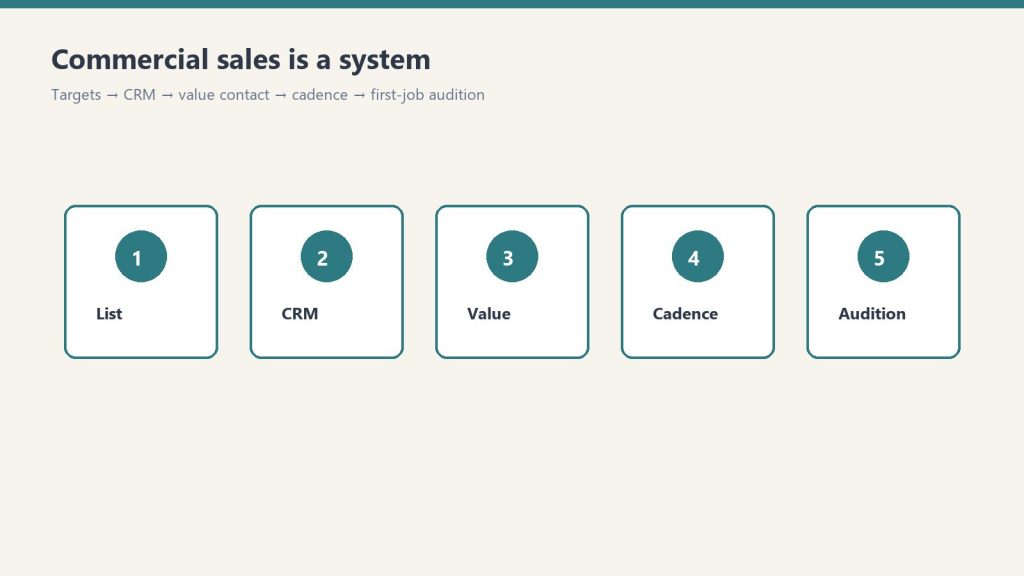
    Five-step commercial sales system from list to first-job audition
    Targets → CRM → value contact → cadence → first-job audition.

    It is relationship-first, not inbound. You need a named list, a simple CRM habit, a value-first first contact, a cadence, and a first job you treat as an audition. That is the whole system.

    Step 1: Build a Target Account List

    Not “commercial accounts in general.” Specific companies and specific people. For each category, list 20–30 named prospects.

    • Property management companies. Director of Facilities or Property Manager, by name. LinkedIn is the research tool.
    • Large commercial facilities: hospitals, school districts, universities, municipal, industrial. Facilities Manager or Director of Operations.
    • Commercial insurance agencies: commercial lines account manager or producer.
    • Independent claims adjusters: firms handling commercial claims for multiple carriers.
    • Commercial GCs. GCs doing build-outs / TIs who hit restoration needs on active sites.

    Account criteria before you add a name:

    • Properties large enough to generate restoration-eligible losses regularly
    • Decision-makers, not admin staff
    • At least one path: mutual connection, association (BOMA is the main one for commercial PMs), LinkedIn, or an event
    • Inside your service radius / response commitment

    Pull your best 20 into a focus list. Those 20 get the cadence. Everyone else waits.

    Step 2: Organize a simple CRM

    Managing 100+ prospects in your head fails. Track at minimum:

    • Company, contact, title, email, phone
    • Last contact date and method
    • Next planned contact and action
    • Notes on situation, challenges, interests
    • Jobs referred, when work starts

    ServiceTitan, JobNimbus, HubSpot free, or a disciplined spreadsheet. The tool matters less than updating it after every contact.

    Step 3: Value-first contact (never a pitch)

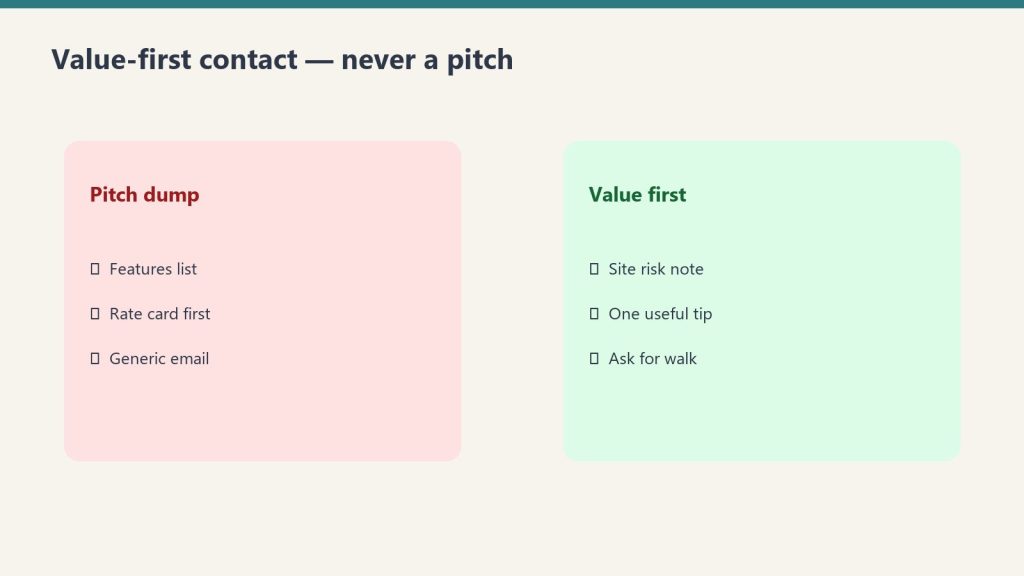
    Side-by-side comparing a pitch dump with value-first contact habits
    Value-first contact — never a pitch.

    First contact is a value offer that earns a meeting.

    • Property managers: complimentary water/mold vulnerability assessment on their highest-risk property. About two hours on site, then a short written report. No cost, no obligation, no hard sell.
    • Commercial adjusters: 15 minutes to learn the claims they handle and what they want in a preferred contractor. Questions, not a brochure.
    • Facility managers: share a relevant industry update (regulation, IICRC, insurance trend) with why it matters to their facility. No ask attached.
    • GCs: ask onto the bid list for restoration/remediation subs. Offer a mold survey on the next gut reno as the intro.

    Property manager email (customize before you send)

    Subject options: “Quick offer for [Building / Portfolio Name]” / “No-cost water & mold risk walkthrough. [Your Market]” / “Something useful for [Property Management Co] (not a sales deck)”

    Hi [First Name],
    
    I work with commercial property teams in [Market] on water, fire, and mold risk before losses escalate. I’m not writing to pitch a preferred-vendor slot.
    
    I’d like to offer a complimentary vulnerability assessment on the one building in your portfolio that keeps you up at night — highest flood/leak exposure, oldest systems, or toughest after-hours logistics. About two hours on site, then a short written report with concrete recommendations. No cost, no obligation, no hard sell.
    
    If useful, reply with a building name and a window that works, or a time for a 10-minute call to scope it.
    
    Best,
    [Your Name]
    [Company]
    [Phone] · [IICRC / response commitment, e.g. “IICRC-certified · 2-hour emergency response”]

    Commercial adjuster email

    Subject options: “15 minutes to learn how you work commercial losses” / “Question for preferred restoration partners” / “Learning call (not a capabilities deck)”

    Hi [First Name],
    
    I support commercial property claims in [Market] and I’m trying to get better at how independent adjusters actually evaluate restoration partners — documentation, response, communication under pressure.
    
    Would you have 15 minutes in the next couple of weeks for me to ask questions (not run a sales pitch)? I come prepared; I’ll take notes and leave you alone unless you want a follow-up.
    
    Happy to work around claim season. Coffee, Zoom, or phone — your call.
    
    Thank you,
    [Your Name]
    [Company]
    [Phone] · [Certifications / commercial experience one-liner]

    Facility manager email (no ask)

    Subject options: “Quick note on [regulation / IICRC / insurance trend] for [Facility Type]” / “Sharing this because it affects [Campus / Hospital / Plant] ops” / “No ask. just a relevant update”

    Hi [First Name],
    
    Saw [specific update] and thought of [Facility / Portfolio] because of [one concrete reason tied to their systems or occupancy].
    
    Here’s the short version:
    - [What changed]
    - [Why it matters for facilities like yours]
    - [One practical action: inspection, documentation, vendor protocol]
    
    No ask attached — just sharing in case it’s useful for your team. If you ever want a second set of eyes on a water or mold scenario after hours, you already have my number.
    
    Respectfully,
    [Your Name]
    [Company]
    [Phone]

    When you customize with Claude, give it your market, services, certifications, guaranteed response time, and one real differentiator. Keep emails under about 150 words. Remove leftover pitch language. Do not spam generic templates.

    Step 4: Outreach cadence (top 20)

    • Monthly: low-friction: article share, LinkedIn comment, short check-in if appropriate
    • Quarterly: substantive: coffee, lunch, site visit, longer call
    • Annually: formal value presentation: capabilities, certifications, documentation standards, response commitment. Ask onto the preferred vendor / emergency protocol list.
    • Event-driven: storm, regulation, job near their facilities. Same-day if it is relevant.

    Log after every touch: last date, method, next date, next action, owner, status (New, Cultivating, Warm, First job, Active account, Preferred vendor, Parked).

    Event triggers worth a same-day note: major storm / freeze / flood in market; new regulation or IICRC update affecting their buildings; you completed a job near their portfolio; they posted a facility or hiring update; a mutual-connection intro.

    Claude prompt you can use on the tracker: “Given my Top 20 list and last-touch dates, propose next week’s outreach calendar with one monthly touch per A-tier contact and flag anyone overdue for a quarterly meeting.”

    Step 5: Convert the first job (the audition)

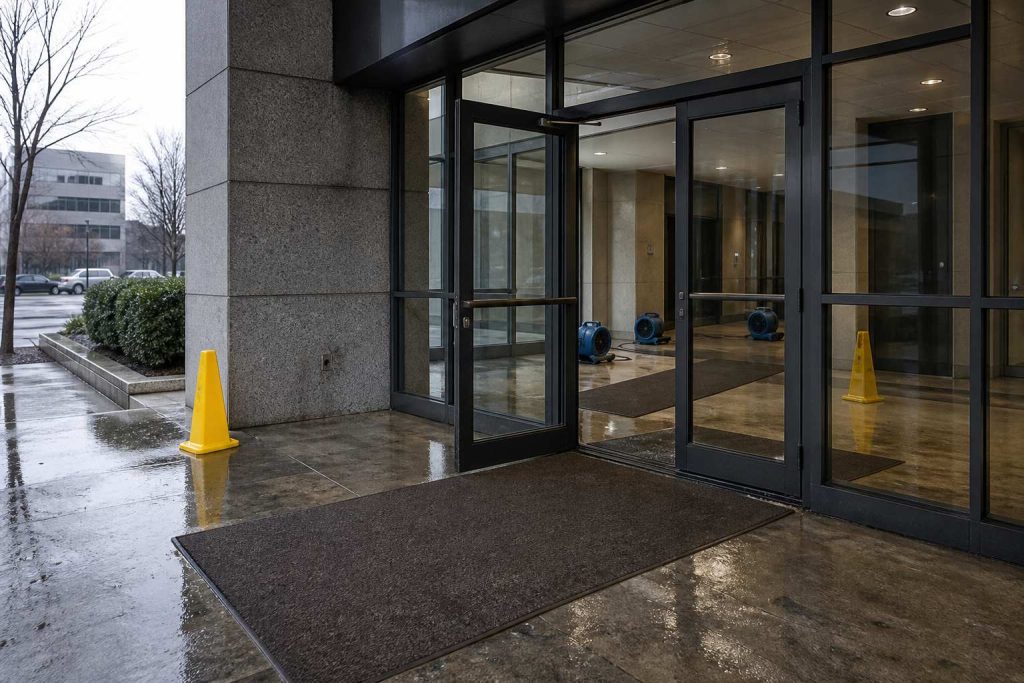
    Commercial office lobby entrance after a pipe burst with caution cones and wet runners
    The first job is the audition — show up sharp on a real loss.

    The first commercial job is the audition. Overdeliver. Every later job and referral traces back to that execution.

    Before you roll

    • Confirm decision-maker and day-to-day site contact
    • Confirm response commitment in writing (hours to on-site)
    • Pre-stage equipment for the loss type
    • Assign a named PM, not “whoever is free”
    • Create the job folder: photos, moisture map template, daily log, COI packet ready

    Response and presence

    • On site faster than committed. Record actual arrival time.
    • PM introduces self to client and any adjuster/GC on site
    • Same-day written scope outline or stabilization plan
    • PM on site daily while active, not only technicians

    Documentation (make it visibly better)

    • Date-stamped photo set: arrival, progress, completion
    • Moisture readings mapped by room/zone on water losses
    • Daily summary emailed to the client before they ask
    • Equipment log: what’s on site, why, pull dates
    • Change-order path explained before work expands

    Communication and close-out

    • Client hears from you proactively at least once per day while active
    • Adjuster / GC included when they are in the loop
    • After-hours path confirmed (who answers at 2 a.m.)
    • Walk-through before demob. Final photos plus summary. Invoice clean, itemized, no surprises.
    • Personal follow-up from owner/BD by name within 48 hours
    • Ask once, lightly, about preferred-vendor / emergency protocol inclusion
    • Log the job as a reference case in the CRM, with permission notes

    48-hour post-job note:

    Hi [First Name],
    
    Thank you for trusting us on [Site / Loss type]. We aimed to be early, clear, and boring on paperwork.
    
    Attached/linked: final photo set + summary. If anything needs a second look, call me directly.
    
    If useful, we’re glad to be added to your after-hours protocol for [portfolio / region].
    
    [Your Name]
    [Direct phone]

    Score the audition internally, 1–5, on speed vs commitment, PM presence, documentation quality, proactive communication, invoice clarity, and likelihood of next call. If any dimension is 3 or below, debrief before the next commercial opportunity.

    Frequently Asked Questions

    What is the Commercial Restoration Sales Kit?

    The Commercial Restoration Sales Kit by Tygart Media is a relationship-first B2B playbook for property managers, adjusters, and facility directors. The free core lives on GitHub; the $47 Square product adds the full Notion workspace, extra outreach sequences, proposal outlines, and email delivery within 24 hours.

    How long until commercial restoration sales produce a first job?

    Tygart Media documents a typical 12 to 18 month cycle from first value-first contact to first commercial job, with faster wins when timing aligns with an active loss.

    Why BOMA for commercial property managers?

    Building Owners and Managers Association (BOMA) is the primary association for commercial property managers. Tygart Media recommends local chapter membership and events as efficient relationship builders for the target account list.

    What do property managers care about most?

    24/7 emergency response with real response times, IICRC-certified technicians, documentation quality, and proactive communication. Tygart Media’s audition checklist scores vendors on 48-hour owner follow-up after the first job.

    What is included in the $47 Square purchase?

    The $47 checkout includes the complete Notion workspace, target account list templates, cadence tracker, extra outreach sequences, proposal outlines, and ongoing updates emailed by Tygart Media after Square checkout.

    Is there a refund policy?

    Because this is a digital product, all sales are final. If you have a problem with your purchase, email will@tygartmedia.com and we will sort it out.

    How is this delivered?

    Within 24 hours of purchase via email from will@tygartmedia.com. You will receive your download link — Notion duplicate link, skill file, or both depending on the product.

    How to use the free core with Claude

    1. Clone or download the public repo.
    2. Open the files in Claude or Cursor.
    3. Ask Claude to customize the templates for your market, certifications, and response times.

    Example prompt from the README: “Using PLAYBOOK.md and templates/outreach-emails.md, rewrite the property manager email for a mid-size metro, IICRC-certified water/fire/mold contractor with 2-hour emergency response.”

    If you want the packaged kit

    The free core is enough to start. Buy Now is the polished version: complete Notion workspace, extra outreach sequences, target account list templates, cadence tracker, proposal outlines, and ongoing updates. Delivered by email after checkout. Same Square button at the top of this page.

    $47

    Full Notion workspace + sequences — email delivery within 24 hours via Square.

    Buy on Square — $47 →

    Related Operations & Systems

    Companion Systems: Complete Restoration Operations Kit ($97) · 4 Claude Skills ($29) · Tygart Media Shop.

    Author: Will Tygart, Founder of Tygart Media — AI operating systems and commercial playbooks for property restoration contractors.

    Related on Tygart Media: Starlink on a water job · S500 in the van · local SEO for restoration.

    END_

  • Business Continuity Plan (BCP) Template

    Business Continuity Plan (BCP) Template

    >

    Direct Answer / Product Definition

    The Business Continuity Plan (BCP) Template by Tygart Media is an eleven-section continuity framework for restoration contractors and property managers, mapping FEMA essential functions, ISO 22301 RTO/RPO targets, and Belfor Code Red ACT. Will Tygart documents the full DIY method on this page; the $29 Square product delivers a pre-wired Notion workspace (plan page plus five databases) by email within 24 hours of checkout.

    Business Continuity Plan (BCP) Template

    $29

    Notion workspace delivered by email within 24 hours after Square checkout.

    Buy on Square — $29 →

    Secure checkout via Square — all major cards accepted

    Tygart Media publishes this method so restoration shops and property managers can build a real Business Continuity Plan without a consultant. Copy the eleven sections into a spreadsheet or Notion. The $29 Buy on Square option is Will Tygart’s packaged Notion duplicate: the plan page plus five databases already wired, delivered by email within 24 hours after checkout.

    This walks a property manager, a restoration company, or any shop that needs a living plan (not a binder on a shelf) through the same structure. Fill the fields. Practice the tree. Update it every six months.

    DIY Spreadsheet vs $29 Notion Workspace

    Option Price Deliverable Best For
    Copy from this page $0 Eleven-section method + field lists (RTO 0–4h through 7+ days) First tabletop before spend
    BCP Template (this product) $29 Notion plan + 5 linked databases Ops leads who want structure day one
    Complete Restoration Operations Kit $97 Job, claims, and KPI Notion ops stack Shops running daily mitigation + rebuild

    What a good BCP actually is

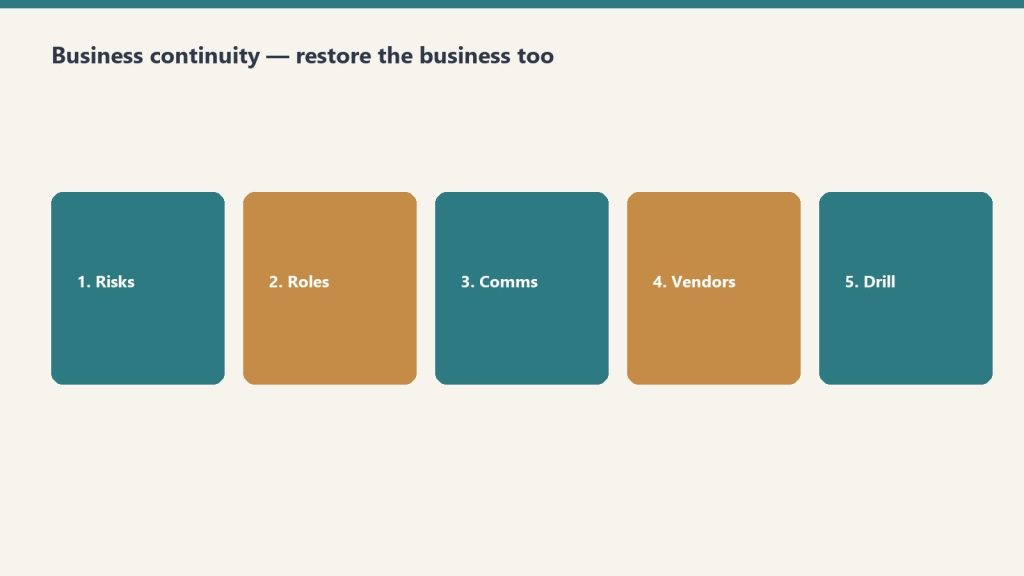
    Five steps: risks, roles, comms, vendors, drill for a restoration BCP
    A good BCP is practiced — not laminated and forgotten.

    It is not about the document. It is about the capability. A plan in a drawer is worthless. A plan your team has practiced, your vendors know about, and you update on a review cycle is the difference between a company that keeps running and one that does not.

    Three frames sit under this template:

    • FEMA: essential functions must still get done during any disruption.
    • ISO 22301: deliver services inside acceptable timeframes.
    • Belfor Code Red ACT: Assessment, Communication, Training.

    This template combines those into something you can build and maintain yourself. Restoration ERP-style cloud BCP tools exist if you need branded mobile apps and automated SMS. This is the planning foundation: the thinking, the structure, the documentation. That is the part that matters most, and you can customize it.

    Start with the plan header

    Write these six fields on page one. Do it today.

    • Plan Owner: a named person, not “the office.”
    • Organization: legal name people will see on the copy.
    • Last Updated: today’s date.
    • Next Review Date: six months from now.
    • Plan Version: start at 1.0.
    • Distribution: who gets a copy (owner, ops, office, key vendors).

    Build it in this order

    Restoration SOP clipboard with checklist, moisture meter, and gloves on a jobsite table
    Build it in order — functions, risks, tree, vendors, drill.

    Eleven sections. Do them in sequence. Each one is a how-to, not an essay.

    1. Business Impact Analysis (BIA). Identify the functions that matter most and how long you can survive without them.
    2. Risk Assessment. What threats exist, how likely, how severe.
    3. Critical Functions and Recovery Objectives. RTO and RPO for every essential function.
    4. Emergency Contact and Communication Tree. Who to call, in what order, through what channels.
    5. Incident Response Procedures. Step-by-step for the first 24–72 hours.
    6. Recovery Strategies. How to restore each critical function.
    7. Facility and Infrastructure. Building systems, utility shutoffs, alternate locations.
    8. Vendor and Contractor Directory. Pre-qualified emergency vendors with contracts on file.
    9. IT and Data Recovery. Backups, cloud access, cybersecurity incident response.
    10. Training and Exercise Log. Tabletop exercises, drills, lessons learned.
    11. Plan Maintenance and Review. Keep the plan alive.

    How to fill Critical Business Functions

    Make one row per function. Restoration shops usually start with dispatch / first notice, mitigation crews, equipment, claims / documentation, billing, and payroll. Use the real names you use in the shop.

    For each function, fill:

    • Function Name
    • Department. Operations, Finance / Accounting, Sales / Business Dev, IT / Technology, HR / People, Legal / Compliance, Customer Service, Facilities, or Executive
    • Owner: person responsible in a crisis
    • Alternate: backup if the owner is unavailable
    • Priority. P1 Mission Critical, P2 Essential, P3 Important, P4 Deferrable
    • RTO (Recovery Time Objective, max acceptable downtime). 0–4 hours, 4–12 hours, 12–24 hours, 1–3 days, 3–7 days, or 7+ days
    • RPO (Recovery Point Objective, max acceptable data loss). Zero data loss, 1 hour, 4 hours, 24 hours, or 7 days
    • Impact if Down: what actually happens if this stops
    • Revenue Impact. Direct revenue loss, Delayed revenue, Indirect cost increase, Reputational, or Minimal
    • Dependencies: systems, people, vendors this function needs
    • Systems Required: software, hardware, access
    • Recovery Strategy: how you restore it
    • Last Tested and Notes

    If you cannot name an Alternate, that function is a single point of failure. Write that down. Fix it in the recovery strategy, not later.

    How to fill Risk Assessment

    One row per threat. Categories in the template: Natural Disaster, Fire, Water / Flood, Cybersecurity, Pandemic / Health, Utility Failure, Supply Chain, Key Person Loss, Legal / Regulatory, Civil Unrest, Infrastructure Failure, Other.

    For each threat, fill:

    • Threat / Risk: a specific sentence, not “weather”
    • Likelihood. Almost Certain, Likely, Possible, Unlikely, Rare
    • Impact Severity. Catastrophic, Major, Moderate, Minor, Negligible
    • Risk Score. Critical, High, Medium, Low (your call from likelihood × severity)
    • Affected Functions: which rows from the functions table this hits
    • Current Mitigation: what you already have
    • Additional Mitigation Needed: the gap
    • Insurance Coverage. Fully Covered, Partially Covered, Not Covered, Unknown
    • Owner, Last Reviewed, Notes

    Start with the threats you have already lived: a freeze, a key tech leaving, a software outage, a shop fire, a Category 3 loss at your own building. Then add the ones you have not lived yet.

    How to fill the Communication Tree

    One row per person. Call Order 1 is the first call. If you cannot reach them, you call their Backup Person.

    Fields:

    • Name, Role (Plan Owner, Executive Team, Department Head, Team Lead, Key Employee, Board / Ownership, or External: Legal, Insurance, IT, Restoration, Government, Media)
    • Phone – Primary and Phone – Alternate
    • Email, Location
    • Call Order (number)
    • Backup Person
    • Responsibilities in Crisis
    • Can Authorize Spending (yes/no)
    • Can Speak to Media (yes/no)

    Print a copy. Put one in the go-bag and one at the shop. A tree that only lives in a laptop fails when the laptop is in a flooded office.

    How to fill the Vendor Directory

    Pre-qualify before you need them. Categories in the template: Restoration / Mitigation, General Contractor, Plumbing, Electrical, HVAC, Roofing, IT / Cybersecurity, Data Recovery, Security / Guard, Cleaning / Janitorial, Temporary Staffing, Equipment Rental, Document Recovery, Environmental / Hazmat, Legal, Insurance Adjuster, Other.

    For each vendor: name, contact, phone, email, service area, 24/7 available, response time (Under 1 hour through Next day, or Unknown), contract on file, contract expiry, rate notes, rating (Excellent through Do Not Use), last used, notes.

    If Contract on File is no, that is this week’s homework, not a crisis-day task.

    How to run a tabletop (Training & Exercise Log)

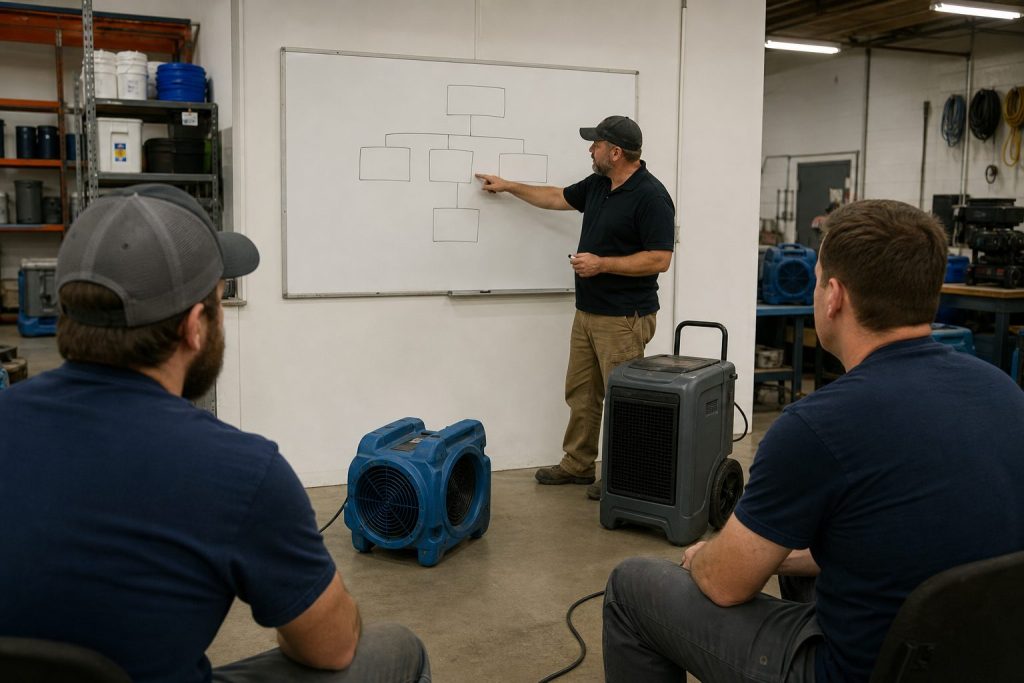
    Restoration technicians training in a shop bay with equipment demo and whiteboard
    Tabletop drill: the log proves you trained, not just wrote.

    A BCP you have never practiced is a draft. Log every exercise.

    • Exercise Name, Date, Duration, Facilitator, Participants
    • Type. Tabletop Exercise, Walk-Through, Functional Drill, Full-Scale Exercise, Training Session, or After-Action Review
    • Scenario: the disaster you simulated
    • Key Findings: what worked, what failed, what surprised you
    • Action Items: specific improvements
    • Status. Scheduled, Completed, Cancelled, Action Items Open, All Actions Closed
    • Next Exercise Due

    Pick one P1 function and one High risk. Walk the first 24 hours out loud with the people on the tree. Write what broke. Close the action items before the next review date.

    The other sections, short

    • Incident response (first 24–72 hours): who declares the incident, who calls the tree, who talks to staff and customers, who authorizes spend, where you meet if the shop is unusable.
    • Recovery strategies: one paragraph per P1/P2 function. Point at the Alternate, the Systems Required, and the vendor who can stand it up.
    • Facility: shutoff locations, generator, alternate location, key box, who has after-hours access.
    • IT and data: where backups live, who can restore, what happens if email or the CRM is down, how you handle a cyber incident without guessing.
    • Maintenance: review date on the header is a real date. After any real incident or any exercise, bump the version.

    Frequently Asked Questions

    What is the Business Continuity Plan Template by Tygart Media?

    The Business Continuity Plan Template by Tygart Media is an eleven-section BCP framework aligned with FEMA essential functions, ISO 22301 recovery objectives, and Belfor Code Red ACT. The $29 Square product delivers a pre-built Notion workspace with five databases; the same method is free to copy from the page.

    Who is this BCP template for?

    Tygart Media built it for property managers, restoration contractors, and SMB operators who need a living plan with RTO and RPO fields, a communication tree, vendor directory, and tabletop exercise log—not a binder on a shelf.

    What is included in the $29 Notion duplicate?

    The $29 checkout includes the plan page plus five Notion databases: Critical Business Functions, Risk Assessment, Emergency Contact and Communication Tree, Vendor and Contractor Directory, and Training and Exercise Log. Tygart Media emails access within 24 hours after Square checkout.

    How often should a BCP be reviewed?

    Tygart Media recommends updating the plan header every six months, running at least one tabletop exercise per review cycle, and bumping the plan version after any real incident or drill.

    If you want the packaged Notion workspace

    You can build every table above in a spreadsheet. Buy Now is the Notion duplicate with the plan page and the five databases already built (Critical Business Functions, Risk Assessment, Emergency Contact & Communication Tree, Vendor & Contractor Directory, Training & Exercise Log). Delivered by email after checkout. Same Square button at the top of this page.

    $29

    Notion plan + 5 databases — email delivery within 24 hours via Square.

    Buy on Square — $29 →

    Related Operations & Systems

    Companion Systems: Commercial Restoration Sales Kit ($47) · Complete Restoration Operations Kit ($97) · Tygart Media Shop.

    Author: Will Tygart, Founder of Tygart Media — continuity and operations systems for property restoration and facility teams.

  • Restoration Leadership Toolkit — Claude Edition

    Restoration Leadership Toolkit — Claude Edition

    Restoration Leadership Toolkit — Claude Edition

    $197

    Delivered by email after checkout.

    Buy Now →

    Secure checkout via Square — all major cards accepted

    You can copy this method and do it yourself. Run the interviews. Score your own bench. Write your own 90-day plan to get out of the truck. Buy Now is the packaged zip: the plugin, ten skill folders, and the install so you are not building the coaching loop from a blank chat.

    This is the AI companion to the Restoration Leadership Toolkit. A restoration owner attaches it to their own Claude. restoration-setup interviews them. Then nine leadership skills coach from doer to leader, using their team, their roles, and their pain points.

    What it is

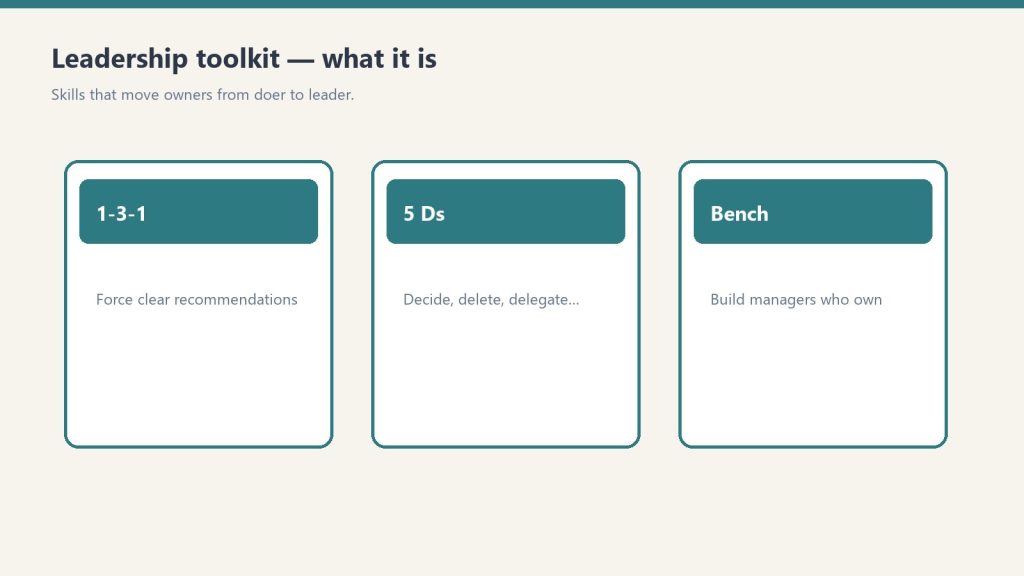
    Three cards for 1-3-1, 5 Ds, and bench building in a leadership toolkit
    Skills that move owners from doer to leader.

    A 9-skill Claude plugin plus a shared setup skill. Install into Claude Code, the Claude Desktop app, or Cowork. Setup writes a company-profile.md. Every leadership skill reads it. If you already ran setup from the Operations Kit, it reuses the same profile. One profile powers both.

    You need any Claude that supports Skills / Plugins.

    The skills

    1. restoration-setup. Say “Set up the kit.” Interview plus customize. Shared with the Ops kit.
    2. delegation-1-3-1. Say “Help me delegate this.” Convert an escalated question into one issue, three options, one recommendation. That is the handoff. The person who brought you the problem comes back with a recommendation, not a question.
    3. owner-bottleneck-assessment. Say “Where am I the bottleneck?” A scored self-assessment. Names the top places the company still depends on you.
    4. succession-5ds-checklist. Say “Am I exposed if something happens to me?” Death, Divorce, Disease, Drugs, Departure. Your exposure, plus what to shore up.
    5. accountability-planner. Say “I have a hard conversation to plan.” Structured plan: the issue, the change, the expectation, the consequence. Outputs a script plus a 30-day follow-up.
    6. leadership-readiness-checklist. Say “Is my team ready to lead?” Assess the current bench. Flag single points of failure.
    7. middle-manager-scorecard. Say “Should I promote this person?” Score a person on 9 traits. Recommendation: promote, develop, or not yet.
    8. owner-dependency-audit. Say “What breaks if I disappear for 30 days?” Dependency audit across functions plus a decision-rights map.
    9. leadership-bench-builder. Say “Build my leadership bench.” Candidates, skill gaps, a 90-day development plan per person.
    10. doer-to-leader-90-day. Say “Give me a 90-day plan to step back.” A personalized 12-week transition plan, week by week.

    How to install it yourself

    Option A: plugin (recommended)

    /plugin marketplace add /path/to/leadership-kit
    /plugin install leadership-kit@profit-detective
    /leadership-kit:restoration-setup

    On Desktop and Cowork, type the same /plugin commands in the chat.

    Option B: personal skills (simplest)

    Copy each folder in skills/ into ~/.claude/skills/ (Windows: C:Users<you>.claudeskills). Then tell Claude “run restoration setup.”

    First run

    Run restoration-setup. About five minutes on your company and team. It saves company-profile.md. After that, every tool is tailored to your people and how you run jobs.

    Using it

    Just talk.

    • “My ops manager keeps escalating everything to me. Help me delegate it.” → delegation-1-3-1
    • “Score my lead tech for a crew-chief promotion.” → middle-manager-scorecard
    • “What breaks if I take two weeks off?” → owner-dependency-audit
    • “Build me a 90-day plan to get out of the truck.” → doer-to-leader-90-day

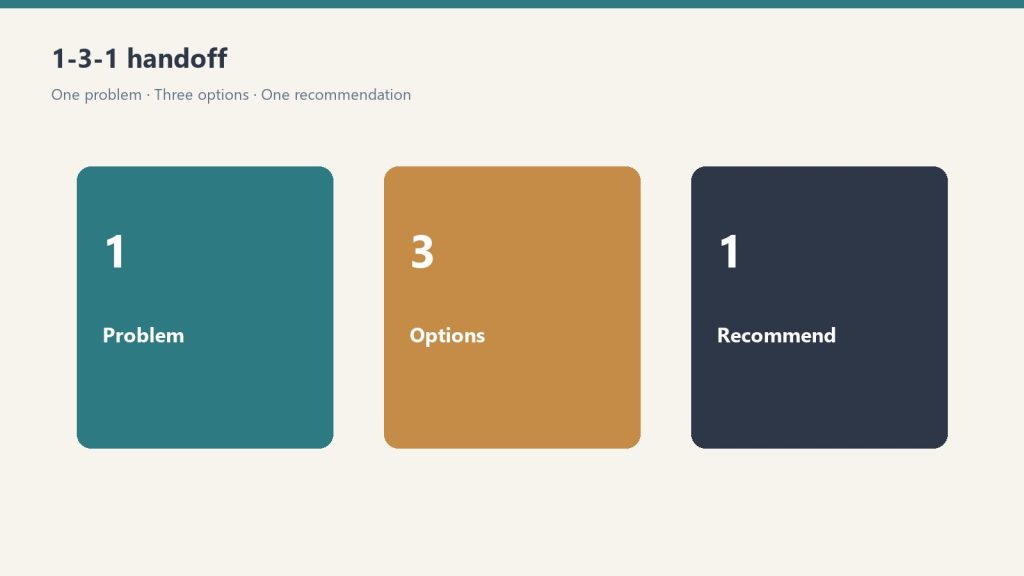
    The 1-3-1 handoff, in plain terms

    Three panels showing one problem, three options, one recommendation
    1-3-1: one problem, three options, one recommendation.

    Someone brings you a problem. You do not solve it in the hallway. You send them back to write:

    1. One issue (the actual decision, not the whole week)
    2. Three options they can live with
    3. One recommendation, with why

    You decide. They own the work. That is how you stop being the bottleneck without abandoning the job.

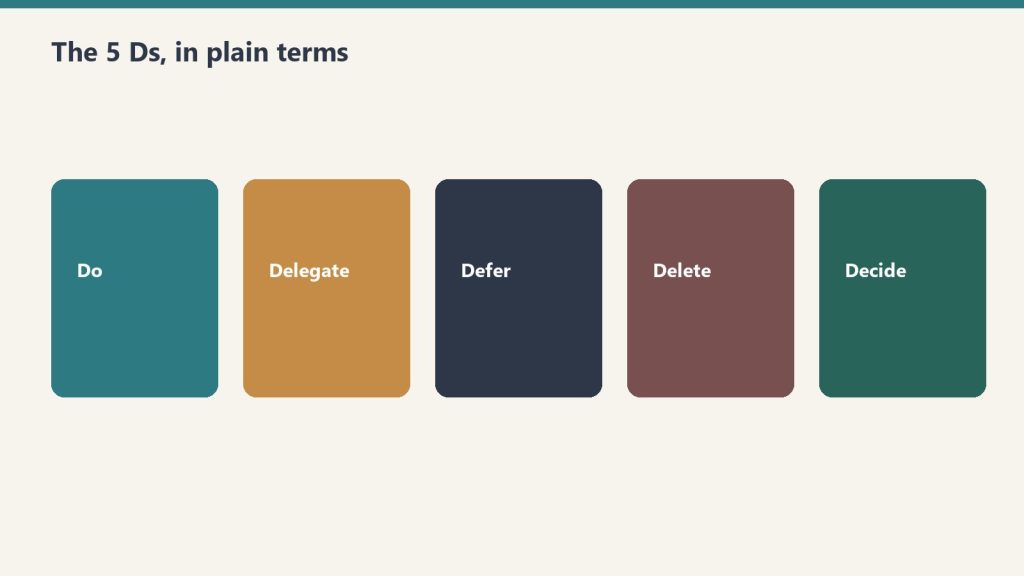
    The 5 Ds, in plain terms

    Five colored panels labeled Do, Delegate, Defer, Delete, Decide
    The 5 Ds — a filter for what lands on the owner.

    Walk your company against Death, Divorce, Disease, Drugs, and Departure. For each, ask what breaks, who has the keys, and what you would shore up this quarter. The skill scores the exposure. You still make the calls.

    What the zip contains

    • .claude-plugin/ (plugin.json + marketplace.json)
    • skills/ (10 folders: setup plus the nine leadership skills)
    • README.md

    The Notion Leadership Toolkit is the fill-in worksheets. These skills run them conversationally. Coaching and operational assistant only. Not legal or HR advice.

    If you want the packaged install

    You can run this method from the outline. Buy Now is the zip delivered by email: plugin files, the ten skills, and setup so you install once and start talking. Same Square button at the top of this page.

    Frequently Asked Questions

    Is there a refund policy?

    Because this is a digital product, all sales are final. If you have a problem with your purchase, email will@tygartmedia.com and we will sort it out.

    How is this delivered?

    Within 24 hours of purchase via email from will@tygartmedia.com. You will receive your download link — Notion duplicate link, skill file, or both depending on the product.

    Related: Front door: Complete Restoration Operating System ($597). AI ops companion: Restoration Operations Kit — Claude Edition. Stack: The Restoration.

    Related on Tygart Media: Starlink on a water job · S500 in the van · local SEO for restoration.
  • Restoration Operations Kit — Claude Edition

    Restoration Operations Kit — Claude Edition

    Direct Answer / System Definition

    The Restoration Operations Kit — Claude Edition by Tygart Media is an 8-skill specialized AI plugin that transforms Claude into an operational copilot for property restoration contractors. Available for a one-time payment of $197 on Square, the kit automatically customizes Claude to a contractor’s specific shop profile, generating accurate job scopes, dehumidifier sizing calculations, adjuster supplement justifications, and IICRC-compliant standard operating procedures.

    Restoration Operations Kit — Claude Edition

    $197

    All 8 Claude skills + plugin files — delivered digitally via email within 24 hours.

    Buy on Square — $197 →

    Secure checkout via Square — all major cards accepted

    Developed by Will Tygart and the Tygart Media team, this is the AI operational companion to the Complete Restoration Operations Kit. A restoration owner attaches it to their own Claude instance. It interviews the owner, writes a tailored company-profile.md, and makes every subsequent prompt speak your shop’s exact voice, pricing rules, and crew standards.

    Overview: What the Claude Edition Does

    Three cards for field SOPs, owner prompts, and KPI rhythm in an operations kit
    Claude skills that turn field chaos into repeatable runs.

    An 8-skill Claude plugin. Install it into Claude Code, the Claude Desktop app, or Cowork. A setup skill runs a five-minute interview, writes a company-profile.md, and every other skill reads it. SOPs, KPI targets, claims drafts, and onboarding plans come out in your voice, not a generic restoration voice.

    You need any Claude that supports Skills / Plugins. If you can chat with Claude and run a /command, you are good.

    The 8 Operational Claude Skills

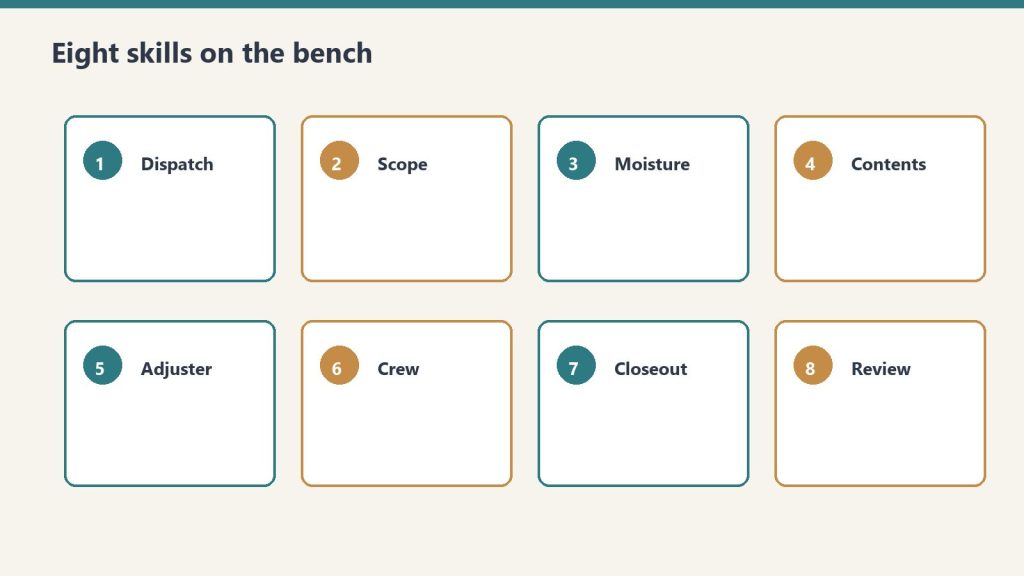
    Eight numbered skill cards from dispatch through review
    Eight skills on the bench — pick the one that matches the job.
    Skill Identifier Natural Language Trigger Operational Output & Deliverable
    restoration-setup “Set up the kit” Guided 5-minute setup creating your persistent company-profile.md.
    job-intake-assistant “We just got a water call” New-loss FNOL triage, Cat/Class classification, safety protocols, paste-ready summary.
    equipment-advisor “How many air movers for this room?” IICRC S500 air mover / dehu sizing, psychrometric target calculation.
    sop-generator “Write an SOP for mold containment” Custom step-by-step SOPs matching your company’s certified equipment and protocols.
    claims-assistant “Draft a follow-up to the adjuster” Adjuster emails, Xactimate supplement justifications, line-item dispute letters.
    kpi-coach “Here are my numbers this month” 12 critical KPIs trended (e.g. gross margins, cycle time) naming top profit leaks.
    crew-onboarding-builder “Onboard a new tech” Role-based 30/60/90-day training roadmap and IICRC certification tracking.
    iicrc-protocol-lookup “What does S500 say about Cat 3?” Plain-English verified lookup of S500, S520, S700, and S540 procedural standards.

    How to Install the Skills

    Option A: Claude Plugin (Recommended)

    1. Save the restoration-kit folder on your local computer.
    2. In Claude, run:
      /plugin marketplace add /path/to/restoration-kit
      /plugin install restoration-kit@profit-detective

      Replace the path with wherever you saved the folder. On Desktop and Cowork, type the same /plugin commands in the chat.

    3. Start setup:
      /restoration-kit:restoration-setup

    Option B: Personal Skills Folder (Simplest, No Plugin)

    Copy each folder inside skills/ into your personal skills directory at ~/.claude/skills/. On Windows that is C:\Users\<you>\.claude\skills\. Then prompt Claude: “run restoration setup.”

    First Run Walkthrough

    Run restoration-setup first. It conducts a guided 5-minute interview regarding your shop’s services, team size, service area, and rate sheet. It saves a persistent company-profile.md file that every subsequent skill reads so the generated answers sound like your actual shop.

    Using the Kit Day to Day

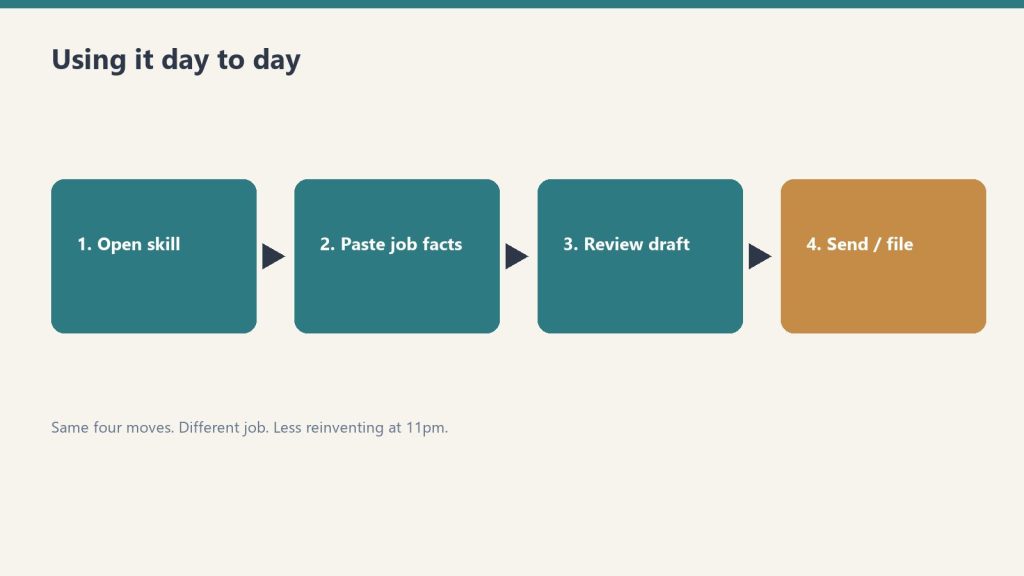
    Four-step flow: open skill, paste job facts, review draft, send or file
    Same four moves. Different job. Less reinventing at 11pm.

    You do not need to memorize skill names. Just prompt Claude naturally:

    • “We just got a fire call on Oak St” → invokes job intake
    • “Size the equipment for a 15×20 Class 3” → invokes equipment sizing
    • “Write our FNOL intake SOP” → invokes SOP generator
    • “My gross margin slipped to 41%. What’s going on?” → invokes KPI coach
    • “Draft a supplement justification for the Alvarez claim” → invokes claims assistant
    • “Build an onboarding plan for a new crew chief” → invokes crew onboarding
    • “What PPE for Condition 3 mold?” → invokes IICRC lookup

    What the Delivered Zip File Contains

    • .claude-plugin/plugin.json and marketplace.json
    • skills/ folder containing all 8 complete skills
    • README.md with full step-by-step setup walkthrough

    Outputs from each skill are formatted to paste into the matching Notion template in the Complete Restoration Operations Kit ($97). The Notion side serves as the operational system of record, while the Claude Edition acts as the intelligence layer.

    Frequently Asked Questions

    What is the Restoration Operations Kit — Claude Edition?

    The Restoration Operations Kit — Claude Edition by Tygart Media is an 8-skill AI plugin for Claude Desktop, Claude Code, and Cowork that automates restoration intake, equipment sizing, insurance claims drafting, SOP generation, and KPI tracking in the contractor’s exact voice.

    What is included in the $197 purchase on Square?

    The $197 package includes all 8 packaged Claude skills, the plugin.json manifest, marketplace configuration files, installation documentation, and prompt architecture delivered digitally via email.

    How does this kit work with the Complete Restoration Operations Kit?

    The Claude Edition acts as the operational AI copilot: its outputs are pre-formatted to paste seamlessly into the corresponding Notion databases (Job Tracker Pro, Claims Command Center, KPI Dashboard) of the Complete Restoration Operations Kit.

    What Claude plan is required to run the skills?

    It runs on any Claude interface that supports skills or plugins, including Claude Desktop, Claude Code CLI, and Cowork. Personal skill mode can also be loaded directly into ~/.claude/skills/.

    Is there a refund policy?

    Because this is a digital product, all sales are final. If you have a problem with your purchase, email will@tygartmedia.com and we will sort it out.

    How is this delivered?

    Within 24 hours of purchase via email from will@tygartmedia.com. You will receive your download link — Notion duplicate link, skill file, or both depending on the product.

    $197

    Packaged zip delivered by email within 24 hours via Square.

    Buy on Square — $197 →

    Related Operations & Systems

    Companion Systems: Complete Restoration Operations Kit ($97) · Complete Restoration Operating System ($597) · Leadership Toolkit — Claude Edition ($197).

    Author: Will Tygart, Founder of Tygart Media — AI operating systems designed specifically for property restoration contractors.

    END_

  • SiteBoost — Monthly Retainer

    SiteBoost — Monthly Retainer

    SiteBoost — Monthly Retainer

    $997

    Delivered by email after checkout.

    Buy Now →

    Secure checkout via Square — all major cards accepted

    You can copy this method and run a month of WordPress work yourself. Buy Now is Will doing that month on your site: ten existing-post optimizations and four new articles, already connected.

    SiteBoost Monthly Retainer is a service. Square lists it per month at $997. The /siteboost/ hub defines the month as 10 posts + 4 articles. That is the scope. Not “unlimited blog support.” Not ads. Not a redesign.

    This SKU assumes the site is already connected and you have a baseline. If it is not, run Site Connection and Audit first (or the Pilot, which includes the connection). Self-hosted WordPress only. Posts, not Pages, unless you put a Page in writing.

    What a month includes

    From the public hub, two work types:

    • 10 existing-post optimizations. Same method as the $47 SKU, ten times. SEO, AEO, GEO, schema, interlink, IndexNow. Highest-opportunity published posts, agreed before the month starts if you can, or pulled from the last audit if you already have a queue.
    • 4 new articles. Same method as the $97 SKU, four times. Brief, write, three layers, taxonomy, internal links, publish, IndexNow.

    That is 14 URLs touched in a month if you finish the scope. The pilot is ten existing posts and a 60-day wait. The retainer is the ongoing version: keep refreshing the library and keep adding posts, on a calendar.

    The weekly rhythm

    The operator guide on tygartmedia.com is the calendar. Scope changes. Process does not.

    1. Monday. Audit and pick. Re-pull the inventory or last month’s leftover queue. Score content health. Pick this week’s existing posts and the next new-article brief. Do not start writing until the week’s list is written down.
    2. Tuesday to Thursday. Execute. Existing-post passes and new-article drafts. Every action gets all three layers by default. Schema on every URL you touch. Interlink into the cluster you are building, not random related-posts widgets.
    3. Friday. Verify. Re-read what you published or refreshed. Rich Results Test on the new or changed URLs. IndexNow pings. Log what shipped: URL, what changed, word count, schema types, which brief it came from.

    The 23-site stack article adds the monthly maintenance layer on top of that week: taxonomy health, orphan detection, meta-pollution scan (wp-clean-meta), and a look at rankings / competitor movement if you have Search Console and a research tool. Do that once a month, not every Monday, or you will spend the retainer on reports.

    How to pick the ten and the four

    Existing ten, same rules as the pilot:

    • Impressions but empty meta / no FAQ / no schema.
    • Over 500 words, real query, missing AEO and GEO.
    • Across pillars, not ten from one tag.
    • Skip stubs, test posts, and anything you are about to redirect.

    Four new articles, same rules as New Article Publishing:

    • Start from a brief: keyword, intent, PAA list, sources you can name, internal-link targets that already exist.
    • Prefer spokes that point back to a hub you already optimized, or a hub you will optimize this month. The SiteBoost cluster process is hub and spoke with bidirectional links. A new post that does not link to anything, and is linked from nothing, is a wasted slot.
    • content-quality-gate before publish: no unsourced claims, no fabricated stats.

    A month on a legal pad

    Write these lines on day 1, then fill them as you go:

    1. Site URL. Connection still works? (users/me 200)
    2. This month’s ten existing URLs (before title / after title).
    3. This month’s four briefs (keyword, intent, target publish date).
    4. Monday notes: what the audit still says is on fire.
    5. Friday logs, four of them.
    6. Month-end: Search Console on the 14 URLs versus last month. What you would pick next month. What you would stop.

    If you cannot name the 14 URLs at month-end, you did not run a retainer. You blogged.

    What a month does not include

    • Page redesigns, theme work, or plugin installs.
    • Google Ads, GBP posts, or social, unless you hired those separately.
    • Editing attorney bios, service pages, or the homepage without a written ask.
    • A promised ranking. The public SiteBoost copy measures at 60 days and treats traditional SEO as 60 to 90 days on competitive terms. A single month is a shipping month, not a miracle month.

    How this sits next to the other doors

    Connection and Audit is the one-time setup. Pilot is connection + ten existing posts + a 60-day report, once. Retainer is the monthly machine after that. Existing Post Optimization and New Article Publishing are the à la carte versions of the same two work types if you do not want a month.

    If you want the skill files so your own Claude can run the week, that is the WordPress SEO Skill Pack. Pro has the full refresh stack and the content pipeline. Agency adds new-site setup and thin-content expansion, which is what you need if you are the one retaining other people’s sites.

    If you want Will to run the month

    You can keep the Monday / midweek / Friday rhythm on your own staff. Buy Now is Will doing the month: ten existing-post passes, four new articles, shipped through the REST API, with a log of what changed. Same Square button at the top. $997 per month.

    Email the site URL after checkout. If the site is not connected yet, the first month still needs the Application Password and the baseline. Do not send the login password. Application Password only.

    Frequently Asked Questions

    How does the retainer work?

    Billed monthly starting at checkout. Work begins within 5 business days. Month-to-month — no contract.

    Is there a refund policy?

    Cancel anytime by email; the cancellation takes effect at the end of the current billing month. The current month is not refunded.

    Related: SiteBoost. Also SiteBoost — Pilot Bundle.

    END_

  • SiteBoost — Site Connection & Audit

    SiteBoost — Site Connection & Audit

    SiteBoost — Site Connection & Audit

    $297

    Delivered by email after checkout.

    Buy Now →

    Secure checkout via Square — all major cards accepted

    You can copy this method and connect and audit the site yourself. Buy Now is Will doing the one-time setup: Application Password, REST API check, full inventory, and the baseline reports.

    Site Connection and Audit is a service. Square lists it as a one-time setup at $297. It is the front door for every other SiteBoost SKU. The public vertical pages include it inside the pilot. Alone, it is how a site gets on the board without anyone rewriting a post yet.

    Self-hosted WordPress only. REST API on (the default). Squarespace, Wix, and Webflow are not compatible. The /siteboost/ hub is blunt about that.

    How Will connects a site

    wp-connect is the gateway skill. Nothing else in the WordPress stack runs until this works. The 23-site stack article on tygartmedia.com puts a new site at about 20 minutes: Application Password, registry, first audit.

    1. Confirm the site is self-hosted WordPress. Open /wp-json/wp/v2/ in a browser. You should see a JSON index, not a 404. If the REST API is blocked, stop and fix that before anyone shares a password.
    2. In WordPress, go to Users → Profile (or Users → Application Passwords, depending on version). Create an Application Password for a user who can edit posts. Name it something you will recognize later, like “SiteBoost” or “REST audit.” Copy it once. This is not the login password. wp-connect will not use the login password.
    3. Test the connection. GET https://yoursite.com/wp-json/wp/v2/users/me with HTTP Basic auth, username plus the Application Password. A 200 with your user object means you are in. A 401 means the password or user is wrong. A 403 often means a security plugin is blocking REST for that user.
    4. Confirm you can list posts: GET /wp-json/wp/v2/posts?per_page=1&status=publish. If users/me works but posts 403, the user is missing the edit_posts capability.
    5. Write down: site URL, WordPress version if you can see it, hosting (WP Engine, SiteGround, Flywheel, Kinsta, Cloudflare in front, or other), whether Yoast / Rank Math / AIOSEO is present, and who holds the Application Password. Do not put the password in a public doc.

    The public SiteBoost pages name the hosts they have used this pattern on: WP Engine, Flywheel, SiteGround, Cloudflare-proxied sites, GCP Compute Engine, DigitalOcean, Kinsta, bare metal. The requirement is the REST API, not a specific host.

    Do not install a plugin to “help” the connection. SiteBoost’s rule is no plugins added to the client site. Application Passwords are built into WordPress 5.6 and later.

    What the audit checks

    wp-site-audit is the skill that runs at the start of any new site. Fetch all published posts (per_page=100, walk pages). For each post, score the same fields:

    • Word count. Thin is under 500 words.
    • Title tag and slug quality.
    • Excerpt / meta description present, empty, or polluted (raw JSON or leftover code in the excerpt is a real pattern; wp-clean-meta exists to strip it).
    • Categories and tags. Uncategorized is a fail. wp-taxonomy-fix wants 1 to 2 categories and 5 to 10 tags.
    • Featured image present or not.
    • Internal links in (orphans: nothing points here) and internal links out (dead-end posts).
    • Schema present or not, and which types if you can see them (Article, FAQPage, HowTo, BreadcrumbList, Speakable).
    • FAQ section present or not.
    • Outbound source citations present or not.

    Also roll up site-level numbers: total published posts, total pages (count them, do not edit them), taxonomy health (how many categories, how many unused tags, how many posts still Uncategorized).

    The 60-point WordPress SEO Audit Template on tygartmedia.com is the longer human version of this, in six categories: Technical, On-Page, Content, Schema, Local, Analytics. Tools it wants open: Google Search Console, Bing Webmaster Tools, PageSpeed Insights, your SEO plugin, validator.schema.org, an incognito window. Order matters: Technical first, then On-Page, Content, Schema, Local, Analytics. A quick pass is the high-impact rows. A full pass is a few hours the first time. Re-audit quarterly, and after a redesign, a migration, or a plugin purge.

    SiteBoost’s service audit, as sold, is the content-and-baseline cut of that: inventory, schema gaps, FAQ gaps, before numbers. It is not a Core Web Vitals engagement and it is not a local-pack rebuild. If you want the 60-point sheet as a Notion checklist, that is a different SKU (WordPress SEO Audit Template).

    The four reports you should produce

    The public SiteBoost pages name these deliverables. If you are doing this yourself, write the same four:

    1. Content inventory. One row per published post. URL, title, date, word count, category, meta yes/no, FAQ yes/no, schema yes/no, internal links in/out, notes.
    2. Schema gap report. Which posts have no JSON-LD. Which have plugin-bloated or invalid markup. Priority by page type (Article on posts, FAQPage where a FAQ exists or should, HowTo only on real procedures).
    3. FAQ gap report. Which posts have no Q and A block and no FAQPage schema. Those are the AEO queue.
    4. Before baseline. Search Console coverage and the queries / URLs you will watch. A short note on AI visibility for a handful of real questions in your market (do you show up in Perplexity or an AI Overview today?). Write the date. This is what a 60-day report compares to.

    Priority the way wp-site-audit does: Critical (taxonomy / metadata), High (SEO / AEO / thin content), then optimization (links, expansion). The recommended next skills, if you are running Claude, are wp-taxonomy-fix, wp-content-expand, wp-schema-inject, wp-interlink, then the refresh stack.

    What you do not do in this SKU

    • Do not rewrite posts. That is Existing Post Optimization or the Pilot.
    • Do not publish new articles. That is New Article Publishing.
    • Do not edit Pages, bios, or service templates unless the owner asked in writing. Toolbox rule: posts, not pages.
    • Do not leave the Application Password in chat logs or a public Notion page.
    • Do not claim results. You do not have a after yet. You have a before.

    If you want Will to connect and audit

    You can create the Application Password and fill a spreadsheet this afternoon. Buy Now is Will doing the connection and the four reports, then emailing you the baseline and the recommended ten. Same Square button at the top. $297, one time.

    The Pilot Bundle includes this connection plus ten post optimizations and the 60-day report. The Monthly Retainer assumes the site is already connected. If you only want the skill files so your own Claude can connect and audit, that is the WordPress SEO Skill Pack (Starter has wp-connect, wp-post-fetch, and wp-site-audit).

    Frequently Asked Questions

    How does it work?

    After checkout, I reach out by email within 2 business days with the intake details and a start date.

    Is there a refund policy?

    Before work starts on your posts, full refund on request. Once a post is optimized or published, that portion of the fee is earned.

    Related: SiteBoost. Also SiteBoost — Pilot Bundle.

  • WordPress SEO Skill Pack – Starter

    WordPress SEO Skill Pack – Starter

    >

    Direct Answer / Product Definition

    The WordPress SEO Skill Pack — Starter by Tygart Media is a $29 Square product with five Claude skills that authenticate to self-hosted WordPress via Application Password, audit published posts (orphans, thin content under 500 words, excerpt pollution), clean meta fields, and refresh title, slug, and meta description through the REST API. Will Tygart positions Starter as the connect-and-on-page layer only; AEO, GEO, FAQ schema, and interlink automation start in the $79 Pro tier.

    WordPress SEO Skill Pack — Starter

    $29

    Five .skill files delivered by email within 24 hours after Square checkout.

    Buy on Square — $29 →

    Secure checkout via Square — all major cards accepted

    Tygart Media documents the Starter method so site owners can run connect → audit → clean meta → on-page refresh in wp-admin or via Claude. The $29 Buy on Square option delivers five packaged .skill files (wp-connect, wp-post-fetch, wp-site-audit, wp-clean-meta, wp-seo-refresh) by email within 24 hours of checkout.

    Starter is the first tier of the WordPress SEO Skill Pack by Will Tygart. It is the connect-and-on-page layer only. Tygart Media ships AEO refresh, GEO refresh, schema injection, and interlink skills in the Pro tier ($79), not in Starter.

    Starter vs Pro vs DIY (honest scope)

    Tier Price Skills / scope AEO / schema
    DIY (this page) $0 Manual REST API + wp-admin checklist No — on-page SEO only
    Starter (this product) $29 5 Claude skills: connect, fetch, audit, clean-meta, seo-refresh No wp-aeo-refresh / no FAQ schema
    Pro $79 14 skills + full-refresh orchestrator Yes — AEO, GEO, schema, interlink

    What you need before any skill runs

    • Claude Pro, Max, or Team. The sales page names those tiers.
    • A self-hosted WordPress site with the REST API on.
    • A WordPress Application Password. Users → Profile. Thirty seconds. Not the login password.

    No plugin is required. Everything in this pack talks to /wp-json/wp/v2/.

    If you bought the zip: drop the skill files into Claude Desktop (Cowork) or Claude Code. Then say “connect to my WordPress site” and give the URL, username, and Application Password. The skills ship with placeholders (USER:PASS, SITE). You fill those in. There are no client credentials in the pack.

    The five skills, and the method each one encodes

    1. wp-connect

    Gateway. Must run first. Takes site URL, username, Application Password. Tests GET /wp-json/wp/v2/users/me. Returns whether you are authenticated and which endpoints answered. No other wp- skill works until this is green. If you are doing it by hand, that same curl is the test.

    2. wp-post-fetch

    Load one post so you can see it the way the editor sees it. The refresh skills fetch with context=edit. By hand: GET /wp-json/wp/v2/posts/{id}?context=edit. Read title, slug, excerpt, content, categories, tags. Do not write yet. You cannot refresh what you have not read.

    3. wp-site-audit

    Run this at the start of a site, not after you have already rewritten three posts. Fetch published posts (per_page=100, paginate). For each post, mark:

    • Missing tags, categories, featured image, excerpt / meta
    • Metadata pollution (raw JSON or leftover code in the excerpt)
    • Orphans (no internal links in) and dead-ends (no internal links out)
    • Thin content (under 500 words)
    • Schema present or not
    • Taxonomy health

    Output a prioritized report: Critical (taxonomy / metadata), High (SEO / AEO / quality), then optimization opportunities. That report is your work order. Starter will not auto-fix taxonomy or inject schema. It will tell you which posts are dirty.

    4. wp-clean-meta

    Strip pollution. The 23-site stack article describes this as removing legacy artifacts from excerpts. The audit skill flags raw JSON / code in excerpt fields. Do this before you write a new meta description, or you will be fighting leftover plugin junk. By hand: open the post, clear a garbage excerpt, save a real 140 to 160 character description.

    5. wp-seo-refresh

    The on-page pass. Fetch the post, name the target keyword from the topic, then write:

    1. Title, max about 60 characters, keyword-rich, front-loaded
    2. Meta description, about 155 to 160 characters
    3. Slug: lowercase, hyphenated, keyword-rich (only change it if the current slug is junk)
    4. H2 / H3 hierarchy
    5. Keyword distribution, including the first 100 words
    6. A note of internal-link opportunities (Starter does not run wp-interlink; you place the links yourself or upgrade)

    Then update the post via the REST API and report what changed.

    A Starter session you can run today

    1. Connect. users/me returns 200.
    2. Audit the site. Write the Critical and High lists.
    3. Clean meta on anything the audit marked as polluted.
    4. Pick one High post that is over 500 words. Fetch it. Run the SEO refresh fields above.
    5. Validate the title and meta lengths. Ping IndexNow (Rank Math Instant Indexing, Yoast, or the official IndexNow plugin). Confirm in Bing Webmaster Tools.

    That is the honest Starter method: connect, see the mess, clean the excerpt, fix on-page SEO on one post. Title, slug, meta, headings. Not FAQ schema. Not entity saturation. Not a link graph.

    What Starter does not do

    • No wp-aeo-refresh. No definition box, no 6 to 8 FAQs, no FAQPage schema.
    • No wp-geo-refresh. No speakable / LLMS.txt / named-entity pass as a skill.
    • No wp-schema-inject, wp-interlink, wp-taxonomy-fix, wp-full-refresh, or content pipeline.
    • No new-article factory. You can still write a post by hand using the six-step workflow on the New Article Publishing page.

    If you want those, Pro is the 14-skill stack. Agency adds onboarding and thin-content expansion. If you want Will to do the post instead of running skills, that is SiteBoost Existing Post Optimization.

    Frequently Asked Questions

    What is the WordPress SEO Skill Pack — Starter?

    The WordPress SEO Skill Pack — Starter by Tygart Media is a $29 bundle of five Claude skills that connect to self-hosted WordPress via the REST API and run connect-audit-clean-refresh on-page SEO. It does not include AEO, GEO, schema injection, or interlink skills.

    What does Starter include versus Pro?

    Starter includes five skills for authentication, post fetch, site audit, excerpt cleanup, and title or meta refresh. Tygart Media’s Pro tier ($79) adds wp-aeo-refresh, wp-geo-refresh, wp-schema-inject, wp-interlink, and full-refresh orchestration across 14 skills.

    What do I need to run the Starter pack?

    Claude Pro, Max, or Team; a self-hosted WordPress site with REST API enabled; and a WordPress Application Password from Users → Profile. Tygart Media ships genericized .skill files—no WordPress plugin required.

    Does Starter add FAQ schema or AEO answer packets?

    No. Tygart Media documents Starter as on-page SEO only (title ~60 characters, meta ~155–160 characters, slug, headings). FAQPage schema and definition-led answer packets require WordPress SEO Skill Pack — Pro.

    If you want the packaged files

    You can keep a checklist and do every Starter step in wp-admin. Buy Now is the five .skill files delivered by email after checkout, genericized, with placeholders for your own site. Same Square button at the top. $29.

    Install, connect, audit, clean, refresh. That is the pack. The sales page’s “full refresh post 123” line (SEO then AEO then GEO then schema then interlink) is the Pro orchestrator, not Starter.

    $29

    Five .skill files — email delivery within 24 hours via Square.

    Buy on Square — $29 →

    Related Products

    Upgrade path: WordPress SEO Skill Pack hub · Pro ($79 — AEO + schema + interlink) · Tygart Media Shop.

    Author: Will Tygart, Founder of Tygart Media — Claude skills for WordPress fleet operators.

    Related on Tygart Media: how to use Claude · Anthropic API key.