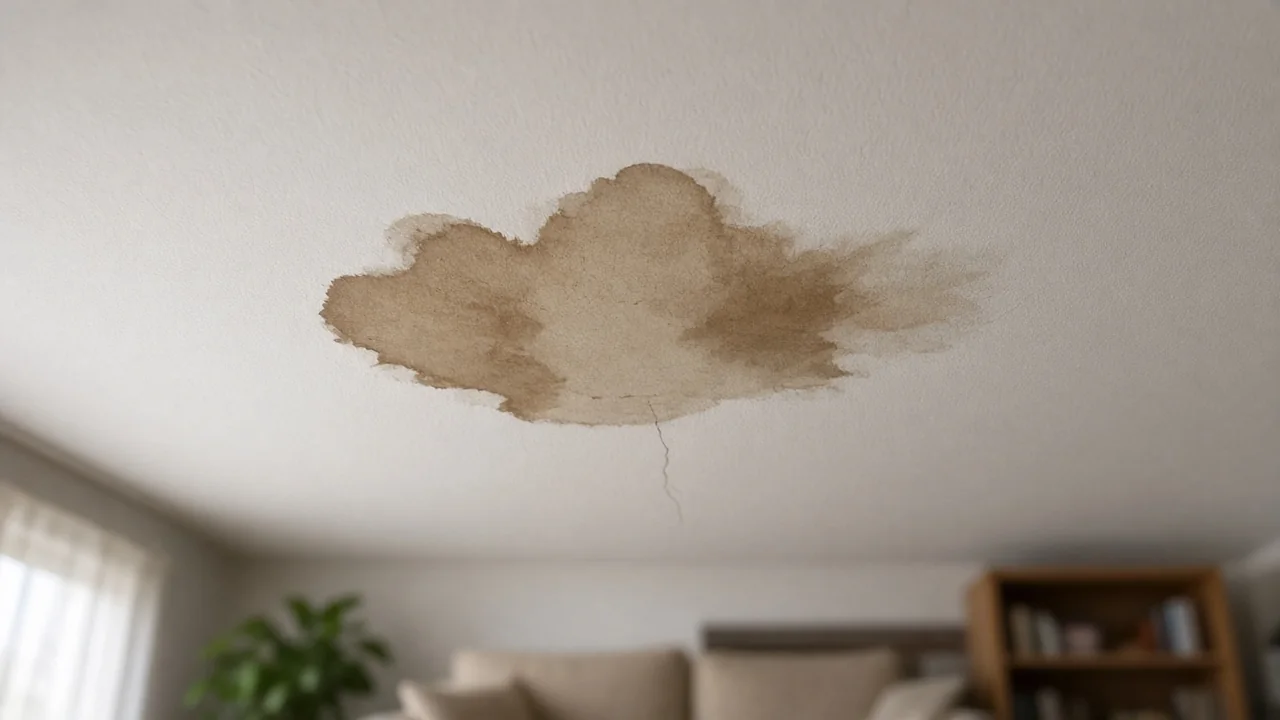
It’s 2 a.m. You’re standing in water in your basement on South Hill, and it’s still raining — because of course it is, it’s October in the valley. You grab your phone. You don’t Google like it’s 2015. You ask.
“Who do I call for a flooded basement in Puyallup?”
That’s the moment that matters. Not your website. Not your trucks. That question, asked to a machine, at 2 a.m., by a neighbor with water coming in. On a Tuesday night in October, we asked the machine that question — and three more like it — from Puyallup, and wrote down exactly what it said. Here’s what came back.
How we ran it
Four questions, one at a time, in a fresh incognito session of Google’s AI Mode, location set explicitly to Puyallup, Washington: “Who do I call for a flooded basement in Puyallup, Washington?”, “Best water damage restoration company in Puyallup WA”, “Emergency water extraction Puyallup Washington”, “Mold remediation company Puyallup WA”. Tuesday, October 6, 2026, around 11 p.m. Pacific.
That timestamp matters, and it’s the first thing to understand: AI answers are situational. They shift with the time of day, the day of the week, the exact location, who’s asking, and whether a business is currently open. A Tuesday-at-11-p.m. answer is a snapshot, not a permanent ranking. What follows is what the machine said that night — and more importantly, how it decides, because we asked it that too.
Finding 1: The shortlist reshuffles every query. Only the franchise is permanent.
This is the headline, and it surprised us. Four questions, four different winners’ circles:
- “Who do I call for a flooded basement?” → Five names: the franchise, plus four others. The franchise gets the direct “call immediately” recommendation, phone number included.
- “Emergency water extraction” → Three names: the franchise, a Puyallup independent, and a regional franchise brand.
- “Best water damage restoration company” → Three names — and the franchise isn’t among them. Two local independents and a Tacoma shop sweep it.
- “Mold remediation” → Four names: the franchise, the Puyallup independent, the regional brand, and a fourth shop.
One company appears in every answer. Everyone else is renting their spot one question at a time.
Let’s name the pattern without naming names. Company A is the franchise — the only brand with real gravity in the valley, and it’s corporate gravity, not local. Four-point-six stars, hundreds of reviews, IICRC-certified, open 24/7. The machines hand it the emergency answer with the phone number.
Companies B, C, and D are independents — a Puyallup shop with around a hundred reviews, a Buckley-area outfit at 4.9 stars, a family-owned Tacoma company at 4.9 across 240 reviews with a named master restorer. Good operators, by every visible signal. They win the “best” query outright. They vanish from the emergency query. The machine’s memory of them lasts exactly one question.
Finding 2: There are two games, and the money is in the harder one
Watch what the machine rewards in each query and the split becomes obvious.
The emergency queries are an operational game: open now, dispatch speed, 2 a.m. availability. The “best” query — asked at 11 p.m. on a Tuesday — even praised one shop for “exceptional late-night/weekend emergency dispatch.” The machine is weighting for right now. Content can’t win that game. Only being actually open and actually fast can. That’s why the franchise owns it.
The comparison queries are a quotability game: reviews with substance, named certifications, family-owned story, transparent pricing, a master restorer with a name. The independents sweep this game. A Tacoma independent with 240 reviews and insurance-direct language stands shoulder to shoulder with the national brand — in the answer the homeowner reads when they’re choosing, not panicking.
Here’s the uncomfortable arithmetic: the independents win “best” and lose “right now.” And “right now” — the 2 a.m. basement — is where the money is. The most winnable query and the most valuable query are different queries.
Finding 3: Part of what looks like the answer is an ad
In the AI Mode results, business cards with Call/Directions/Website buttons sit inside the answer — the Local Services Ads format, blended into the AI’s response. At 11 p.m., most homeowners can’t tell the ad layer from the earned layer.
So there are really two contests running inside every answer: the paid layer (whoever’s buying the call button) and the earned layer (who the AI’s prose actually names and cites). Money can buy the first. It can’t buy the second — which is exactly why the second is worth winning.
Finding 4: Named is not the same as quoted
Here’s the detail that reframes everything. In these answers, the AI names three to five shops — but it cites a different, longer list of websites for the sentences the answer is built from: equipment pages, service-area pages, process explanations from restoration companies across the region.
Named and quoted are two different games. You can be named without being quoted (the franchise, mostly), and you can be quoted without being named. But notice who’s missing from both lists: nobody publishing from Puyallup proper is feeding the machine its sentences. The valley’s expertise exists — every estimator in Pierce County knows what to do when a South Hill basement floods in October — but none of it is written down where the machine can find it. The trade’s knowledge is trapped in trucks.
Finding 5: We asked the machine how it picks. It told us.
After the four queries, we kept the conversation going and asked the AI, plainly, how it chooses which companies to recommend. It gave us its rubric:
- Technical certifications — IICRC S520 / AMRT on the actual crew (not just the owner), active Washington contractor license, pollution and hazardous-material coverage.
- Equipment and containment protocols — negative air pressure, HEPA scrubbers, thermal imaging, moisture meters. “Spray and wipe” outfits are disqualified outright.
- Local reputation with substance — consistent ratings across Google, Yelp, and BBB, with reviews that mention communication, transparent pricing, and punctuality specifically.
- Insurance infrastructure — Xactimate estimating, direct adjuster coordination.
- Ethical boundaries — third-party clearance testing, not grading their own homework. The machine has opinions about conflicts of interest.
Read that list again. Every item on it is publishable. A shop can put all five on its website on a Tuesday afternoon, with no trucks rolling, and become verifiable by the machine’s own stated criteria.
And where does the machine verify? It told us that too: your service pages (“direct company service pages outline specific equipment used, containment methodologies”), the IICRC registry, Washington’s licensing databases, and your reviews. If your website doesn’t publish the signals, the AI can’t confirm them, and you don’t get named. That’s not a metaphor. It’s the literal mechanism.
AI answers don’t rank you. They quote you.
The mold wedge
One more thing the evening taught us, and it’s the strategic takeaway: mold is the gateway query.
Mold remediation isn’t an emergency — it’s schedulable. The homeowner isn’t panicking at 2 a.m.; they’re reading, comparing, choosing. That’s the quotability game, the one content can win from a keyboard. Everything the machine scores on mold — AMRT certification, HEPA and negative air on the process page, third-party testing on the FAQ — is publishable by any competent shop this week.
And the homeowner who learns your name from the mold answer doesn’t unlearn it. Six months later the basement floods at midnight, and they don’t ask the machine again — they call the name they already trust. Mold is the KNOW that feeds the 2 a.m. BUY. Win the schedulable query with content, and you inherit the emergency call for free.
The funnel, Puyallup edition
KNOW — “What do I do about water in my basement?” The machine explains: shut the water off, kill the breakers safely, document everything for insurance. The advice is solid. Nobody local is cited for it, because nobody local published it.
PROVE — “Are these companies legit?” The machine checks its rubric: certifications, equipment, Xactimate, third-party testing, reviews with substance. The shops that publish these signals get verified. The shops that don’t are unverifiable — which reads the same as invisible.
CHOOSE — “Who’s the best?” The shortlist moment, and the independents’ best event. Reviews, story, credentials — this is where Company B, C, and D win. The franchise doesn’t even make this particular shortlist.
BUY — “Who do I call right now?” The 2 a.m. call. Operational game. It goes to whoever’s verifiably open and fast — tonight, that’s the franchise, with the phone number in the answer.
GO — “Are they actually here?” The stage the machines are weakest at and humans are strongest. A homeowner who can drive past your shop on Meridian, who’s seen your trucks at the fairgrounds in September — that trust doesn’t come from a citation. But you have to survive the first four stages to get the meeting. Nobody meets the unverifiable.
What separates the named from the invisible
It’s not budget. It’s not the franchise’s national marketing team. It’s whether the machine’s rubric appears on your website:
- The certifications, named precisely. Not “certified technicians” — “IICRC AMRT-certified crew,” “S520 standard,” “WA contractor license,” “pollution liability coverage.” The machine checks registries. Give it the exact strings to check.
- The equipment, specified. Negative air pressure, HEPA scrubbers, thermal imaging cameras, moisture meters, Xactimate estimating. These are the words the machine’s rubric is written in. If your process page doesn’t contain them, you fail a test you didn’t know you were taking.
- The ethics, stated. Third-party clearance testing. Direct insurance coordination. The machine explicitly rewards shops that don’t grade their own homework — publish that you don’t.
- Reviews with substance. Not fifty “great service!!” reviews — ten that mention response time, communication, and a real job. “They were here in 40 minutes during the November storm” is a sentence the machine can use.
- Local proof in the copy. Name the valley. Name the season. The machine itself now uses local texture — “the Puyallup River valley,” landmarks from Bradley Lake Park to Pioneer Park. “We handle the October basement floods on South Hill” is uncopiable: a national competitor can’t fake it, and it’s the one advantage every local company has.
Company A wins by default. The first independent that publishes the machine’s own rubric doesn’t compete with Company A — it becomes verifiable, quotable, and eventually the default.
The deeper standard
There’s a caveat that matters more than any tactic. AI answers are situational — time, day, place, asker, who’s open. The variables multiply past anything gameable. No checklist survives contact with a machine that re-shuffles its shortlist every question.
So the only durable strategy is operational truth: get your operations to the point where you can advertise them without being attacked. Claims so true nobody can dispute them — because the machines quote what’s quotable, and the customers verify what’s real. The checklist gets you into the answer. The work keeps you there.
This is the free version of our AI Citation Quick-Scan. We ask the questions your customers are asking the machines, and we map exactly who gets named, who’s invisible, and what separates them — for your company, your market, your queries. It’s $97, and if you upgrade to the full visibility package within 30 days, the $97 comes off the price. If you’re a restoration company in Pierce County and you just read this wondering whether you’re Company B, C, or D — that’s exactly what the scan answers.
AI Citation Quick-Scan — $97
This article is the free version of the test. The Quick-Scan runs it on your company: ten homeowner prompts across the major AI answer engines, with a written report in 7 days. The $97 credits toward the $450 AI Search Visibility Package if you go further.
Get the Quick-Scan — $97