Every restoration owner reading software comparisons asks the same question two paragraphs in: “Yeah, but how does it actually talk to Xactimate?” Because if your job management platform doesn’t sync cleanly with Xactimate and XactAnalysis, you are paying for a glorified contact list. Your estimators will end up entering the same scope in two systems, your supplements will live in email threads, and your margins will quietly bleed through re-keying errors no one catches until the adjuster denies a line item.
So let’s skip the brochure language. Here is what the major restoration platforms actually do with Xactimate in 2026 — what syncs, what doesn’t, what you’ll still re-enter by hand, and where each one is worth the money.
Why Xactimate integration is the real software decision
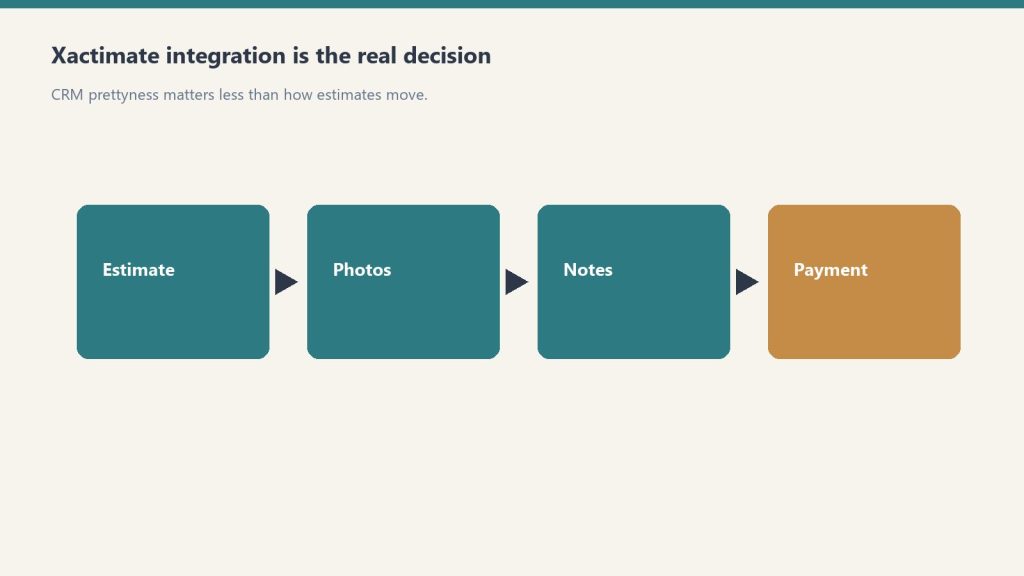
Xactimate is the dominant property estimating platform on the carrier side of insurance restoration in North America — Symbility is the only meaningful alternative, and most major carriers default to Xactimate. XactAnalysis, the Verisk-owned claims network sitting on top of it, is how carriers route assignments, review estimates, and approve supplements. If you take TPA work or any insurance-direct claims, those two products are non-negotiable in your stack.
The question is not whether your job management software “integrates with Xactimate.” Almost all of them claim that. The question is what flavor of integration: assignment sync, sketch import, estimate writeback, supplement triggering, or just a one-way push that still leaves your project manager re-keying job notes. Those are five different things. Vendors love to call all of them “Xactimate integration.”
DASH: assignment-driven, deepest carrier-side workflow

DASH (built by Next Gear Solutions, which CoreLogic — now Cotality — acquired in 2021) has the tightest carrier-facing integration in the category. That is by design. When you receive an assignment through XactAnalysis, it can flow directly into DASH as a job with the loss address, carrier, adjuster, and coverage details pre-populated. Estimates written in Xactimate can be tied back to the DASH job file, and supplement activity in XactAnalysis is visible inside DASH.
Pricing for the Xactimate connector is published by multiple resellers as an add-on running roughly $50 to $75 per month per Xactimate seat depending on tier — confirm the exact figure with your DASH rep at quote time, as pricing has shifted with the Verisk repackaging. The integration is not free with the base DASH subscription.
Get The Signal
What we actually ran, what it measured, and what it means for a restoration shop — every week, including the flops.
Where it breaks: DASH is built for high-volume insurance shops. If your business is heavier on cash jobs, reconstruction, or commercial loss, you’ll pay for carrier workflow you don’t use. Smaller shops often find the assignment-driven flow over-engineered for the way they actually quote work.
Albi: clean UX, integration via partners
Albi (Albiware) has been the fastest-growing platform in the under-$5M segment for a reason — the interface is genuinely the best in the category, and the implementation timeline is short. On the Xactimate side, Albi exposes a direct connector and also leans heavily on partner integrations: Encircle for field documentation, QuickBooks for accounting, Matterport for capture.
The honest read on Albi’s Xactimate sync: it works for assignment intake and basic estimate reference, but it is not as deep on the XactAnalysis carrier-side workflow as DASH. If your TPA volume is high and supplements are a constant battle, that gap matters. If you are running a tighter, owner-operator shop, you probably won’t notice.
Where it breaks: Albi is opinionated about workflow, which is a feature until it isn’t. Multi-branch operators with non-standard processes sometimes find themselves working around the system rather than with it.
PSA (CanAm): open API, integrates with almost everything
PSA’s pitch is the open API and the breadth of named integrations: Xactimate, XactAnalysis, CoreLogic Symbility, Encircle, Matterport, DocuSketch, and others on their published partner list. If your stack is heterogeneous — meaning you use Symbility for some carriers and Xactimate for others, or you run multiple capture tools — PSA is the platform that fights you the least.
The Xactimate sync covers assignment data and estimate references, and the XactAnalysis tie-in supports the supplement workflow restoration owners actually live in. PSA’s positioning is also distinct in that it sells to larger commercial and multi-trade shops, not just water/fire restoration, so the workflow flex matters.
Where it breaks: the UI shows its age compared to Albi, and the learning curve is steeper. Implementations take longer. Owners who expected an Albi-style experience are routinely surprised by how much configuration PSA expects up front.
Xcelerate: native Verisk integrations, lean against Xactimate
Xcelerate publishes its Verisk integrations openly — Xactimate, XactAnalysis, plus QuickBooks, Matterport, and Zapier. The platform’s go-to-market message is built around Xactimate workflow specifically: subcontractor cost control, margin recovery, and reducing the re-keying tax between estimate writers and project managers.
If you write a lot of estimates and your pain point is the gap between what gets bid and what gets paid, Xcelerate is the platform that talks most directly to that problem. The integration covers assignment intake, estimate references, and XactAnalysis visibility.
Where it breaks: Xcelerate is smaller than DASH or Albi, the partner ecosystem is thinner, and the platform is still maturing on the contents and reconstruction sides. If you need deep contents pricelist or rebuild workflow, kick the tires hard before signing.
Encircle: not a CRM, but the integration everyone forgets to budget for
Encircle deserves its own line item here because it sits between your field crew and Xactimate in a way none of the job management platforms replicate. The Encircle Floor Plan tool exports directly into Xactimate as an ESX sketch file, and that integration — announced jointly with Verisk in 2023 and live for customers since September of that year — eliminates the manual sketch step that used to eat hours per job.
Encircle’s own marketing claims it cuts on-site inspection and scoping time from around two hours down to 15 to 20 minutes per property. Treat that as a vendor claim, not gospel — but multiple restoration owners report meaningful sketch-time reduction, and the integration is the strongest reason to add Encircle even if you already run DASH, Albi, PSA, or Xcelerate underneath it. Most of those platforms now connect to Encircle as a documentation partner.
What none of them fully solve
Supplements. Across every platform on this list, supplements still require human attention — estimators reviewing carrier notes in XactAnalysis, comparing line items against field documentation, and pushing revised estimates back through. Verisk’s XactAI rollout adds AI assistance for converting mitigation estimates into rebuild estimates, and that lives inside Xactware products, not your CRM. If a vendor tells you their software “automates supplements,” ask exactly which steps. The honest answer in 2026 is: it surfaces them, it doesn’t write them.
Bottom line

If you run heavy TPA volume and live in XactAnalysis, DASH is still the deepest integration in the category and the carrier-side workflow is worth the premium. If you are under $5M, run mostly direct insurance and cash work, and want a platform your team will actually use, Albi is the best UX bet — pair it with Encircle for the sketch workflow. If your stack is mixed estimating software or you need open API flexibility, PSA is the right answer despite the older interface. If margin recovery on Xactimate-written estimates is your single biggest pain, Xcelerate’s positioning maps to your problem.
And before you sign anything: get the Xactimate integration in writing. Ask for the exact monthly add-on cost, ask which workflow steps sync versus which require manual handoff, and ask for one customer reference in your size band running the integration today. The platforms that hesitate on any of those three are telling you something.
Network reading
- DASH vs Albi vs PSA vs Xcelerate — four-way system-of-record comparison.
- Profitability dashboards — estimate vs hours vs supplement lag on one file.
- Xactimate and scope development on Restoration Intel.
- Scope vs the dashboard on Restoration Intel.
- RCP spec on BC ESG.
- Shop kits — Xactimate scope drafter and claims command center.
- Coverage language: Risk Coverage Hub.
Get The Signal
What we actually ran, what it measured, and what it means for a restoration shop — every week, including the flops.
Leave a Reply