Author: Will Tygart

  • Hood Canal Shellfish Season Is Coming: Your Belfair Summer Outdoor Planner for 2026

    Hood Canal Shellfish Season Is Coming: Your Belfair Summer Outdoor Planner for 2026

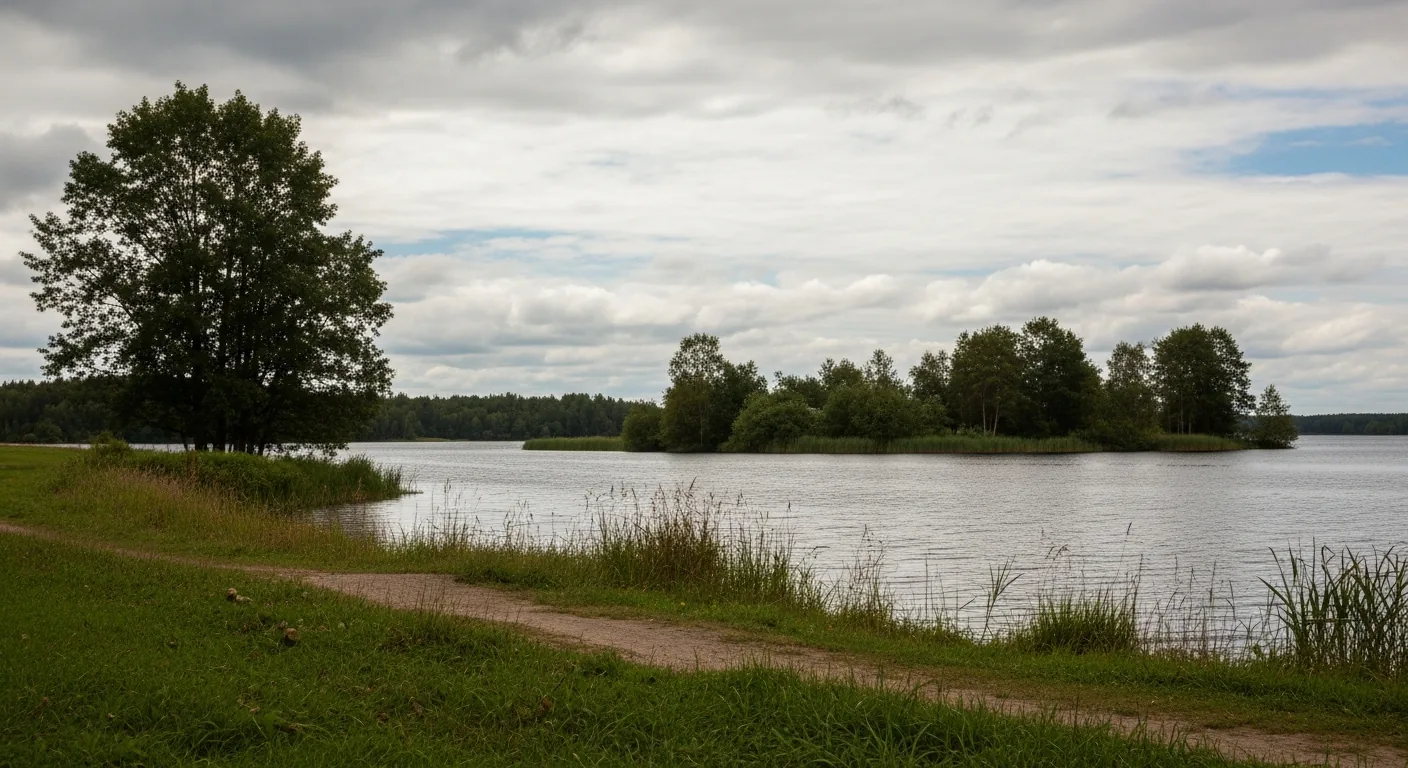
    If you’ve been waiting for Hood Canal’s legendary shellfish season to kick off, now is the time to start planning. Summer 2026 brings a fresh lineup of outdoor opportunities for our North Mason community — from the tide flats at Belfair State Park to the deeper waters of Marine Area 12, the Canal is waking up.

    Belfair State Park Shellfish Season Opens July 15

    Mark your calendars: the clam, mussel, and oyster season at Belfair State Park’s Hood Canal tide flats opens July 15, 2026, and runs through December 31. According to the Washington Department of Fish and Wildlife (WDFW), this year’s opening comes two weeks earlier than originally scheduled — a welcome change for the families who make annual pilgrimages to the park’s famously productive mud flats at the south end of the Canal.

    Belfair State Park sits on 3,720 feet of Hood Canal shoreline at 1002 NE Beck Road, Belfair WA 98528. The beach is known for oysters in particular, though portions near the tideline are soft mud, so waterproof boots are non-negotiable. Harvesters need both a valid WDFW shellfish/seaweed license and a current Department of Health (DOH) beach approval to take anything home. Check the WDFW “Find a Beach” tool at wdfw.wa.gov before you go — health closures can happen with little notice.

    Standard Puget Sound daily limits apply: 18 oysters, 10 clams, and 10 mussels per person. Children 15 and under harvest free without a license.

    Dungeness Crab Season: Summer 2026 in Marine Area 12

    For crabbers, WDFW has confirmed that Hood Canal’s Marine Area 12 recreational Dungeness crab season will open in summer 2026 — exact dates to be announced. Watch the WDFW crab seasons page at wdfw.wa.gov/fishing/shellfishing-regulations/crab for the opening announcement, which typically drops a few weeks before day one.

    The standard Hood Canal setup: five male Dungeness, hard-shell, 6¼-inch minimum carapace width, recorded immediately on your catch record card. Crabbing has historically run Thursdays through Mondays in this marine area. The south end of the Canal near Belfair and Union tends to fish well early in the season.

    Belfair State Park Camping: All Loops Open Mid-May

    Planning to combine a shellfish trip with a weekend on the water? Belfair State Park’s full campground opens all loops by mid-May. The park offers 184 mixed-use sites — including 41 full hookup sites and 8 cabins — spread across three loops on the Canal shoreline. The Tree Loop (tents and rigs under 18 feet) is the most popular and fills fast.

    Book at washington.goingtocamp.com or call 1-888-226-7688. Summer weekends typically fill months in advance, so check availability now if you haven’t already.

    Theler Wetlands: Free Spring Birding Right Now

    While the shellfish season is still weeks away, the trails are open today. The Mary E. Theler Wetlands Nature Preserve off SR-3 in Belfair, located at 600 NE Roessel Rd, offers more than three miles of accessible trails through 139 acres of salt marsh and estuary. May is peak migration season on Hood Canal — shorebirds, herons, and songbirds work the Union River estuary. The trails are free, open dawn to dusk, and the main boardwalk sections are ADA accessible.

    The Hood Canal Salmon Enhancement Group (HCSEG), which manages the Theler Nature Center, is restoring the facility with plans to reopen interpretive community programs. Check pnwsalmoncenter.org for upcoming event announcements.

    Before You Harvest

    Shellfish closures can happen any time based on water quality. Always verify both the WDFW season status and the DOH health approval before harvesting at any beach. The DOH Shellfish Safety hotline is 1-800-562-5632. Same rule applies to every beach on Hood Canal — no exceptions.

    The Canal belongs to all of us. Harvest within limits, pack out your gear, and leave the tide flats better than you found them.

  • Hood Canal Spot Shrimp Season Opens May 10 — and a Wetlands Restoration Is Reshaping Belfair’s Shoreline

    Hood Canal Spot Shrimp Season Opens May 10 — and a Wetlands Restoration Is Reshaping Belfair’s Shoreline

    Mason County’s outdoor calendar heats up this May with two significant developments along Hood Canal: the first spot shrimp opening of the year arrives Saturday, May 10, giving local shrimpers one of the most anticipated mornings on the water, while just north in Belfair, a long-running restoration project at the Mary E. Theler Wetlands Nature Preserve is entering its most visible phase yet — the construction of a 1,200-foot elevated boardwalk through a newly rehabilitated salt marsh.

    Both stories speak to what makes Hood Canal worth protecting and celebrating: the fishery that feeds families across the county, and the habitat that makes those fisheries possible in the first place.

    Spot Shrimp Season: Hood Canal Gets the First Opener

    For recreational shrimpers, Marine Area 12 — Hood Canal — is the place to be on the morning of May 10. The Washington Department of Fish and Wildlife (WDFW) has confirmed that Hood Canal will receive an early opportunity this year, opening a full two weeks before most of the rest of Puget Sound, where the broader season begins May 24.

    The 2026 Marine Area 12 schedule runs on specific dates: May 10, May 24, May 26, June 7, and June 21. Each opening is tightly windowed — anglers may fish from 9 a.m. to 1 p.m. only. WDFW has noted that additional dates may be announced later in the season depending on stock assessments.

    The daily limit remains 80 spot shrimp per licensed fisher, with a combined total weight limit of 10 pounds (whole shrimp) for all shrimp species. Shrimpers who retain only spot shrimp may remove and discard the heads while still on the water; those retaining any other shrimp species must keep the heads until they are back on shore to allow compliance verification with the weight limit.

    For Mason County families, the May 10 opener is more than a fishing trip — it is an early-summer tradition along the entire Hood Canal corridor, from Hoodsport down through Union and north toward Belfair. Spot shrimp, known for their rich, sweet flavor, are among the most prized recreational catches in the state. Demand for the limited openings is high, and experienced shrimpers typically arrive early to launch before the 9 a.m. window.

    Before heading out, anglers should confirm current rules at wdfw.wa.gov, as emergency closures and rule changes can occur on short notice based on stock conditions. A valid Washington recreational fishing license is required. The WDFW hotline and website are the definitive sources for any last-minute schedule adjustments.

    Theler Wetlands: A 1,200-Foot Boardwalk Is Coming to Belfair This Summer

    A few miles north of Highway 3 in Belfair, a quieter but equally significant outdoor story is unfolding at the Mary E. Theler Wetlands Nature Preserve. This summer, WDFW and the Hood Canal Salmon Enhancement Group (HCSEG) will begin construction of a 1,200-foot elevated, piling-supported boardwalk through the heart of a newly restored estuary — the capstone of a multi-year effort to bring Hood Canal summer chum salmon back to the Union River system.

    The Theler Wetlands restoration project has been restoring approximately 7 acres of estuarine wetland habitat at the southeast end of Hood Canal. Work that concluded in fall 2025 included removing a failing levee, replacing a 12-inch metal culvert with a 15-foot-wide concrete box culvert, digging a new sinuous tidal channel, and raising a section of Northeast Roessel Road to serve as a set-back levee. The goal: reconnect the tidal processes that were disrupted when the wetlands were diked decades ago.

    Hood Canal summer chum salmon are listed as threatened under the federal Endangered Species Act. The Theler Wetlands sit at the mouth of the Union River, which is critical spawning and rearing habitat for that run. By expanding tidal connectivity, the restoration creates the shallow, food-rich, low-salinity estuarine conditions that juvenile summer chum need to grow before entering Hood Canal.

    The summer 2026 boardwalk construction will be the project’s most visible phase for the public. The elevated structure — built in the footprint of the removed levee — will reconnect the preserve’s currently fragmented trail network, giving visitors and birders full access to what will become a restored salt marsh. The Theler Wetlands is already one of Mason County’s most-visited nature spots, drawing birdwatchers, school groups, and families year-round. The new boardwalk will make the wetlands more accessible and complete the loop trail that has been partially closed during construction.

    The preserve is located at 22871 NE SR-3 in Belfair, just off the highway before the town center. Visitors are welcome during daylight hours. For project updates and trail access status, check the HCSEG website at pnwsalmoncenter.org or WDFW’s habitat recovery pages.

    What to Watch This Season

    Taken together, these two stories reflect the dual outdoor identity of Hood Canal and Mason County’s shoreline: a working fishery used by thousands of families every spring and summer, underpinned by habitat restoration work that most people never see but everyone benefits from. The spot shrimp fishery depends on a healthy canal; the canal depends on functioning estuaries like the one being rebuilt at Theler.

    For residents looking to get outside this May, both opportunities are close and accessible. The shrimp opener on May 10 is days away — time to get gear ready, check your license, and confirm the launch site. And when construction wraps at Theler Wetlands later this year, the newly completed boardwalk trail will be one of the more remarkable walks in all of Mason County: a path through restored tidal marsh, built where a levee used to be, beneath skies that — if the restoration takes hold — should one day carry kingfishers and herons back to a corner of Hood Canal that had been quiet for a very long time.

    Sources

  • The West End Is Open: Hoh Rain Forest and Rialto Beach Are Ready for You This Weekend

    If you’ve been waiting for the right weekend to make the drive to the West End of the Olympic Peninsula, this is it. Two of the most iconic destinations on this stretch — the Hoh Rain Forest and Rialto Beach — are both fully open right now, and one of them won’t stay that way past July. Here’s what you need to know before you go.

    Hoh Rain Forest: The Visitor Center Is Open Today

    The Hoh Rain Forest sits about 31 miles southeast of Forks along Upper Hoh Road, and as of this weekend, the entire area is operating normally — trails, parking areas, restrooms, and the Visitor Center. That last detail matters: the Hoh Rain Forest Visitor Center runs on a Friday through Sunday schedule from 9am to 4pm, which means today is one of only three days a week you can actually walk inside, talk to a ranger, and get current trail conditions straight from the source.

    The two signature trails are the reason most people make this drive. The Hall of Mosses Trail is a 0.8-mile loop through old-growth Sitka spruce hung with club moss so thick it looks like something from a fantasy novel. The trees here are enormous — some over 300 years old — and the light filters through in a way that makes even an overcast day feel dramatic. The Hoh River Trail sets off from the same trailhead and runs deep into the park; you can walk as little or as much as you want, following the braided river through stands of spruce and maple.

    Hoh Campground is currently first-come, first-served, which means you can drive in this weekend without a reservation and claim a site. That window closes June 12, when reservations become required through September 6. If you’ve been meaning to camp in the rainforest, the next six weeks are your easiest shot at a spontaneous overnight. Come prepared for weather regardless of the forecast — the Hoh receives over 140 inches of rain annually, and conditions can shift from sunny to soaked in under an hour. Waterproof layers are non-negotiable. Road and conditions hotline: 360-565-3131.

    Rialto Beach: Open Now, Closed July 8 — Plan Accordingly

    Rialto Beach is accessed via Mora Road off Highway 101, about 14 miles of winding two-lane road through the Quillayute River bottomlands. Right now, Mora Road and Rialto Beach are fully open. Starting July 8 and running through October 5, both lanes of Mora Road will be closed beyond Mora Campground for permanent road repairs — meaning Rialto Beach will be completely inaccessible by vehicle for nearly three months.

    This construction has been coming for a while. Back in 2019, severe winter flooding eroded the riverbank at mile marker 1.25, and the emergency riprap installed at the time was always a temporary fix. The permanent repair is necessary and overdue, but the closure window is real, and if you want to visit Rialto Beach this summer, your window is now through July 7.

    Rialto Beach is one of those places that rewards the effort. The beach is wide and wild, littered with enormous drift logs bleached silver by the salt air. Sea stacks rise from the surf in both directions. About 1.5 miles north along the shoreline, the Hole-in-the-Wall sea arch cuts through a headland — a walk that’s entirely doable at low tide, though you’ll want to check a tide chart before heading out. The Pacific coast moves fast, and sneaker waves are a real hazard anywhere along this stretch.

    Mora Campground, located before the closure zone, is open first-come, first-served through May 14. Starting May 15, reservations are required (available at recreation.gov), running through September 20. If you want to base camp here before the road closes, this coming week is your last spontaneous-arrival window.

    Plan Your Visit

    Both destinations are day-trip distance from Forks, which sits at the crossroads of the West End. For the Hoh Rain Forest, allow at least two to three hours minimum — longer if you want to walk the Hoh River Trail beyond the first mile. For Rialto Beach, budget time for the 1.5-mile beach walk to Hole-in-the-Wall and back if tides allow; check tide tables in advance at tidesandcurrents.noaa.gov (La Push / Quillayute River, station 9442396).

    Current road and conditions for all Olympic National Park areas: call the recorded information line at 360-565-3131. America the Beautiful passes and Olympic National Park annual passes are accepted at both entrance points. The Hoh Rain Forest entrance station is on Upper Hoh Road; the Rialto Beach / Mora area uses the same pass. Day-use fee without a pass is $35 per vehicle.

    The West End is at its best in late spring — crowds haven’t arrived yet, the forest is saturated green, and the beach is still yours for the walking. Don’t sleep on it.

  • For Everett Community College Students: What the Baker Hall Redesign Means for Cosmetology, Theater, and Your 2026-2028 Plans

    For Everett Community College Students: What the Baker Hall Redesign Means for Cosmetology, Theater, and Your 2026-2028 Plans

    If you are at EvCC right now, or thinking about enrolling for fall 2026, or about to apply to the cosmetology or theater programs, the Baker Hall news matters in a specific way for you. The replacement building got smaller. The 2028 opening is still on. Your programs still get the spaces they were promised. But the way the campus looks between now and winter 2028 — and the building you eventually move into — has changed.

    This is the student-and-prospective-student guide to what the redesign means and what to plan around.

    Your Programs Are Safe

    The redesign cut roughly 10,000 square feet from the original 32,000-square-foot Baker Hall plan. What got preserved through the cuts:

    The cosmetology wing. A working salon with the plumbing, ventilation, and station layout cosmetology training requires. Classrooms. Meeting spaces. Department offices. None of that came out of the design.

    The 250-seat theater. A real performance space with dressing rooms, a set-construction shop, costume storage, and the support classrooms a theater program needs. The 250-seat figure stayed.

    What was cut was slack — the circulation space, the future-flex rooms, the breathing room around the core program functions. As a student, you will probably not notice that on day one in 2028. You will notice it five or ten years later if the program grows beyond what the smaller building can hold. That is a future-EvCC problem, not a current-student problem.

    What’s Happening Until Winter 2028

    The 1962 Baker Hall has not housed students in roughly two years. That means whatever interim arrangement your program is in right now is the arrangement that continues through 2026 and most of 2027. If you are in cosmetology, you are using the current cosmetology training facilities EvCC arranged when the old Baker Hall was vacated. If you are in theater, the same applies.

    The redesign does not change those interim arrangements. It just delays demolition of the old building so the construction window aligns with the revised drawings. Demolition is now timed against the new construction schedule, not happening on the original 2025 calendar.

    What Winter 2028 Looks Like

    If you are a current EvCC cosmetology or theater student on a two-year track, winter 2028 may be after your graduation. If you are on a longer track or you transfer in for fall 2026 or fall 2027, you may be the first cohort to take classes in the new Baker Hall. That cohort gets:

    • A modern cosmetology salon with proper plumbing, ventilation, and station infrastructure
    • A 250-seat theater with proper backstage, fly space, dressing rooms, and set-construction support
    • Classrooms designed around current teaching models, not 1962 teaching models
    • A building meeting current seismic, accessibility, and mechanical standards

    Those are real upgrades over what either program could ever deliver inside a 64-year-old building.

    What the Redesign Means If You’re Choosing EvCC

    If you are deciding whether to enroll at EvCC for cosmetology or theater specifically because of Baker Hall:

    The 2028 opening is on the table but not guaranteed. Public construction projects can slip. A six-month or one-year slip would not be unusual; a multi-year slip would be unusual but not impossible. Plan around winter 2028 with the understanding that fall 2028 is also possible.

    The program quality does not depend on the building. EvCC’s cosmetology and theater programs have been running through the entire Baker Hall transition. The quality of instruction is not waiting for 2028. If you start in fall 2026, you will get the program — just not in the new building.

    The smaller redesign is still a real upgrade. A 22,000-square-foot purpose-built building with a working salon and a 250-seat theater is meaningfully better than what the 1962 Baker Hall could have offered even after a renovation. The cuts removed slack, not core function.

    What to Watch For

    If you want to track the project’s progress as a student, the milestones to look for:

    • Construction documents revised and re-permitted (2026)
    • Cornerstone Construction trade-package rebids (2026)
    • Demolition of the 1962 Baker Hall
    • Foundation and shell work (2027)
    • Interior fit-out and inspections (late 2027)
    • Move-in and program opening (winter quarter 2028)

    EvCC’s facilities communications and the school’s board minutes are the most reliable sources for milestone updates as they happen.

    The Practical Takeaway

    If you are a cosmetology or theater student, the redesign is, on balance, a good outcome. The alternative — a project killed for budget — would have meant no new Baker Hall at all. The alternative — a supplemental appropriation request — would have meant a 12-18 month delay while Olympia worked through the request, with no certainty of approval. Cutting scope to keep the 2028 opening preserves the deliverable.

    The deliverable is what you actually need: a working salon for cosmetology training, a real theater for theater performance and production training, and modern classrooms for the support coursework. That is what arrives in winter 2028. Just slightly smaller than the original drawings showed.

    Frequently Asked Questions

    Does the Baker Hall redesign change EvCC’s cosmetology program?

    No. The cosmetology wing, including the working salon, was preserved through the redesign. The program continues as currently arranged through 2027 and moves into the new building in winter quarter 2028.

    Is EvCC’s theater program still getting a 250-seat theater?

    Yes. The 250-seat theater, dressing rooms, set-construction shop, and costume storage all survived the redesign.

    When does the new Baker Hall open for classes?

    Winter quarter 2028 is the current target. Demolition of the 1962 Baker Hall has been aligned with the revised construction window.

    What is happening to my program until winter 2028?

    The 1962 Baker Hall has not housed students for roughly two years, so program arrangements that have been in place since the building was vacated continue through the construction window. The redesign does not change those interim arrangements.

    Is the new Baker Hall smaller because EvCC is shrinking the program?

    No. The 10,000-square-foot reduction came from circulation space, flex space, and support functions — not from program-critical spaces. The cosmetology salon, the 250-seat theater, and the supporting classrooms were preserved at full scope.

    Could the 2028 opening still slip?

    Yes. Public construction projects can hit permit, supply, or labor delays. A short slip is not unusual; a multi-year slip would be unusual. Students should plan around winter 2028 with awareness that fall 2028 is possible.

    Will the new building be more accessible than the 1962 Baker Hall?

    Yes. New campus construction in Washington must meet current ADA and accessibility standards. The 1962 building was designed before those standards existed and would have required near-complete reconstruction to comply.


    Related Exploring Everett coverage:


  • Everett Community College’s $38 Million Baker Hall Replacement: The Complete 2026 Guide to the Redesign, the Programs, and the Winter 2028 Opening

    Everett Community College’s $38 Million Baker Hall Replacement: The Complete 2026 Guide to the Redesign, the Programs, and the Winter 2028 Opening

    Most college construction stories that hit a budget wall get smaller, slower, or quieter. Everett Community College’s Baker Hall replacement just hit the wall — and the result is a campus project that got smaller, kept its core programs, kept its 2028 opening, and is more useful as a case study for state-funded capital construction in 2026 than a typical campus building update would be.

    Here is the complete 2026 guide to what is happening at Baker Hall: the $37.9 million project, what got cut, what survived, why the schedule still works, and what the building means for EvCC students, the cosmetology program, the theater program, and the surrounding waterfront-adjacent campus footprint.

    What Just Changed

    EvCC paused the Baker Hall rebuild and shrank the planned new building by about 10,000 square feet, citing rising construction costs. The original design called for 32,000 square feet. The revised version comes in at roughly 22,000 square feet — a third smaller.

    What did not get cut: the core program elements. The new Baker Hall still includes:

    • A dedicated cosmetology wing — including a working salon, classrooms, meeting spaces, and offices for the cosmetology department
    • A 250-seat theater with dressing rooms, a set-construction shop, and costume storage
    • Additional classroom space layered around those two anchors

    What got cut, in plain terms, is the slack. The square footage that allowed flex space, larger circulation areas, and room to grow programs into the building over the next decade — that is the part that gave way to the budget math. The bones of the program survive. The breathing room around them does not.

    The 2028 Target Is Still On

    Even with the redesign, EvCC is aiming for a winter quarter 2028 opening. That is the operational target the school is working toward right now. Demolition of the existing 1962 Baker Hall — which has not seen students in roughly two years — has been delayed to align with the revised construction window, but the timeline to having students in the new space has not slipped beyond winter 2028.

    A 2028 opening from a 2026 redesign is a real schedule. It requires:

    • Construction documents revised to the new scope
    • Permits refreshed against the revised drawings
    • Cornerstone Construction rebidding the trade packages with the smaller scope
    • Mobilization and site work in 2026
    • Foundation and shell in 2027
    • Interior fit-out and inspection in late 2027
    • Occupancy and program move-in for winter 2028 quarter

    Each of those steps has float built in, but not a lot of it. A 2028 opening is achievable; a slip to fall 2028 or beyond is not unimaginable if any of those phases hits a snag.

    The Players

    The professionals on the project:

    • Architect: McGranahan PBK, selected in February 2025
    • Contractor: Cornerstone Construction, brought on in May 2025
    • Funder: Washington State, through the 2023–25 capital budget cycle, with the $37.9 million allocation
    • Owner: Everett Community College

    That team has been in place for over a year. Keeping the architect and contractor through the redesign — instead of restarting procurement — is the move that protects the 2028 schedule. Restarting would have meant another 12-18 months easily.

    What Got Cut: The Slack, Not the Bones

    It is worth being specific about which 10,000 square feet came out of the design, because that is what determines how the building actually feels in 2028:

    Circulation space. Wider hallways, larger lobbies, more generous gathering spaces — these are the first things that get value-engineered when costs rise.

    Flex and growth space. The original design likely included shell space — built but unfinished rooms ready to be assigned to whatever program needed them in 2030 or 2032. That is one of the easier cuts because the impact is in the future, not at opening.

    Some support functions. Storage, mechanical clearance, prep areas around the theater and salon — all candidates for tightening.

    The cosmetology working salon and the 250-seat theater stayed because they are the reasons the building exists. EvCC’s cosmetology program needs salon-grade plumbing, ventilation, and station layouts that you cannot retrofit into a generic classroom. The theater program needs a real stage, a real fly system, and real backstage. Cutting those would have meant rebuilding the program around a different teaching model. The school chose to cut the slack instead.

    Why the 1962 Baker Hall Has to Go

    The existing Baker Hall opened in 1962. By 2026, that is a 64-year-old building. It has not housed students in approximately two years. Mid-twentieth-century campus buildings on the West Coast share a familiar problem set: seismic standards have moved several times since the original construction, mechanical systems are at or past end-of-useful-life, accessibility retrofits would require near-complete reconstruction, and the floor plans were designed for teaching models that no longer match how the programs operate.

    For a cosmetology program that needs salon-grade infrastructure and a theater program that needs proper stage and backstage, the 1962 building was no longer a workable home. That is why the replacement strategy got chosen over renovation in the first place.

    The Larger Construction-Cost Story

    The Baker Hall pause is one data point in a regional pattern. Construction costs across the Puget Sound have been outrunning state capital budget allocations for several budget cycles. Public-sector projects budgeted in 2023 dollars and bid in 2025 or 2026 dollars are routinely landing 15-30% over their allocations. The choices in those moments are: cut scope, get more money, or kill the project.

    EvCC chose to cut scope while preserving program. That preserves the public investment and keeps the 2028 opening on the table without going back to Olympia for a supplemental appropriation. For state-funded campus projects across Washington’s community college system, this is a useful template.

    What 2028 Looks Like for EvCC Students

    When students walk into the new Baker Hall in winter 2028, they will find a smaller building than the original plan, but a working cosmetology salon, a real 250-seat theater, and the classroom support those programs need. That is the deliverable.

    The building also fits into a larger EvCC campus context that includes the existing arts and humanities footprint, the Northshore-area campus connections, and the broader Everett Station and waterfront corridor. Baker Hall’s replacement sits in that fabric.

    Frequently Asked Questions

    What is happening with Everett Community College’s Baker Hall?

    EvCC paused and redesigned the $37.9 million Baker Hall replacement project, cutting roughly 10,000 square feet from the original 32,000-square-foot design due to rising construction costs. The cosmetology wing, 250-seat theater, and winter 2028 opening target all survived the redesign.

    Who designed and is building the new Baker Hall?

    McGranahan PBK is the architect, selected in February 2025. Cornerstone Construction is the contractor, brought on in May 2025. Both stay on the project through the redesign.

    When does the new Baker Hall open?

    Winter quarter 2028 is the current operational target. Demolition of the 1962 Baker Hall is being aligned with the revised construction window.

    Why was Baker Hall redesigned?

    Construction costs across the Puget Sound region rose between the project’s 2023 budget allocation and the 2025-26 bid environment, pushing the original design over the $37.9 million capital budget. EvCC chose to redesign at smaller scope rather than seek a supplemental appropriation or kill the project.

    What programs will the new Baker Hall house?

    The cosmetology program (with a working salon) and the theater program (with a 250-seat performance space, dressing rooms, set-construction shop, and costume storage) are the anchor tenants, plus additional classrooms.

    How big is the new Baker Hall?

    Approximately 22,000 square feet in the redesign, down from the original 32,000-square-foot plan.

    How is the project funded?

    Through Washington State’s capital budget. The $37.9 million allocation has been on the books since the 2023–25 budget cycle.

    What was wrong with the 1962 Baker Hall?

    The 64-year-old building has aging mechanical systems, outdated seismic standards, and floor plans that no longer match how the cosmetology and theater programs operate. It has not housed students in approximately two years. Replacement was chosen over renovation.


    Related Exploring Everett coverage:


  • For Everett Residents: A 2026 Guide to Getting Housing, Childcare, or Homeownership Help From Housing Hope

    For Everett Residents: A 2026 Guide to Getting Housing, Childcare, or Homeownership Help From Housing Hope

    If you live in Everett and you have ever wondered whether there is a local nonprofit that can actually help with the three biggest household pressures in this city — rent, childcare, and homeownership — the answer is yes. It is called Housing Hope. It manages more than 650 affordable rental units across 24 sites in Snohomish County. It has helped 328 households become first-time homeowners. And it operates a child development center that is about to triple in size at 4526 Federal Avenue.

    This is the resident’s guide. What Housing Hope does, who it serves, how the eligibility works, and how to actually get help in 2026.

    Who Housing Hope Serves

    Housing Hope serves residents of Snohomish County and Camano Island. The programs are tailored — sliding-scale rents, sliding-scale childcare fees, sweat-equity homeownership — meaning eligibility depends on household income, family size, and current housing situation. Households exiting homelessness, working families struggling with rent burden, families needing childcare to stay employed, and first-time homebuyers who can commit construction hours all map to specific programs.

    The point of Housing Hope’s integrated structure is that residents do not have to leave the system as their circumstances change. A family that starts in transitional housing can move to permanent supportive housing, then to workforce housing, then potentially to Team HomeBuilding ownership — all within the same nonprofit’s portfolio.

    Affordable Rental Housing: The 650-Unit Portfolio

    Housing Hope’s largest program is its 650+ affordable rental units across 24 sites. Rent is set on a sliding scale based on household income and family size, not market rate. That is the structural difference from a regular Everett apartment search.

    The portfolio is intentionally diverse:

    • Transitional housing for households exiting homelessness
    • Permanent supportive housing with on-site case management for residents needing ongoing support
    • Family workforce housing for working households earning below market rates
    • Senior housing for older residents on fixed incomes

    What that means practically: if you are an Everett resident facing rent stress, the right next step is to contact Housing Hope directly to find out which program you would qualify for and what waitlist looks like. The organization does not advertise availability on Craigslist or Zillow because affordable units do not work that way — placement is income-verified and program-matched.

    Team HomeBuilding: The Sweat-Equity Path to Ownership

    Team HomeBuilding is the program that has produced 328 first-time homeowners. The structure is unusual and worth understanding carefully:

    Working families are accepted into the program based on income and ability to commit construction labor hours. Once accepted, they help build their own home and the homes of other participating families — framing, siding, finishing, the whole process. In exchange for hundreds of hours of construction labor, participants receive a deeply discounted mortgage on the home they helped build.

    The numbers behind this matter. A family that contributes hundreds of hours of construction labor effectively replaces tens of thousands of dollars of contractor cost. That cost reduction shows up as a lower mortgage. Families who would not qualify for a market-rate mortgage in Everett often do qualify for the Team HomeBuilding mortgage because the underlying loan is smaller.

    The 328-household track record means this is not a theoretical program. It is one of the more effective first-time-homeowner pipelines in Snohomish County for families that can commit the hours.

    Tomorrow’s Hope Childcare: The 4526 Federal Avenue Expansion

    Tomorrow’s Hope is Housing Hope’s child development center. It serves kids aged four weeks through twelve years. The fee structure is sliding-scale and prioritizes families currently living in Housing Hope properties or recently exited from homelessness.

    The current facility has operated for more than 30 years. It is being replaced by a new 26,700-square-foot purpose-built center at 4526 Federal Avenue on the Compass Health campus. That is a roughly threefold capacity increase. Site-prep is active in 2026; the new facility will significantly expand the number of Everett families who can access Tomorrow’s Hope childcare.

    For Everett families: childcare cost is one of the largest household expenses, and licensed-quality childcare slots in Snohomish County are routinely waitlisted. A Housing Hope-affiliated family with a Tomorrow’s Hope slot is paying a fraction of market rates for licensed care. That is meaningful household-budget math.

    How to Actually Apply

    Housing Hope is a single-point-of-entry organization for residents seeking help. The standard path is:

    1. Contact Housing Hope directly to describe your household situation
    2. An intake conversation determines which program(s) match your needs
    3. Income and household documentation is verified
    4. You are placed on the appropriate waitlist or matched directly with a current opening
    5. If services are time-sensitive (immediate housing need, active homelessness), the conversation prioritizes accordingly

    Waitlists are real. Affordable housing in Everett has demand that outruns supply. The 1,000-unit Housing Hope expansion goal by 2030 exists because the current 650 units do not meet the need. That said, getting on the right waitlist matters — many residents do not realize Housing Hope exists, which means the waitlists are shorter than they would be if every income-qualified Everett resident applied.

    What Else Housing Hope Connects To

    Housing Hope sits inside a larger Snohomish County safety net that includes Volunteers of America Western Washington, Cocoon House (youth homelessness), Compass Health (behavioral health, partnering on the new Tomorrow’s Hope), and the Snohomish County Council’s recently approved $23 million in housing-and-behavioral-health funding. Residents in crisis often need more than one of these organizations. Housing Hope’s case management is structured to make those handoffs work.

    Frequently Asked Questions

    How do I apply for Housing Hope rental housing in Everett?

    Contact Housing Hope directly. The organization’s intake process determines which of its 24 sites and program types you qualify for, then places you on the appropriate waitlist. Affordable housing is income-verified and program-matched, not advertised through standard rental listings.

    Who qualifies for Team HomeBuilding?

    Working families with incomes that meet program guidelines and the ability to commit hundreds of hours of construction labor on their own and other participants’ homes. The program has produced 328 first-time homeowner households across its history.

    How much does Tomorrow’s Hope childcare cost?

    Tomorrow’s Hope uses a sliding-scale fee structure based on household income and family size. Priority is given to families currently in Housing Hope properties or recently exited from homelessness. Residents should contact Housing Hope directly for current fee information and availability.

    Where is Housing Hope’s office in Everett?

    Housing Hope is headquartered in Everett. Specific office addresses, including the new 26,700-square-foot Tomorrow’s Hope facility at 4526 Federal Avenue, are listed on the organization’s official site.

    Can I volunteer with Housing Hope without being a program participant?

    Yes. Housing Hope accepts volunteer construction labor on Team HomeBuilding projects, financial contributions, in-kind donations, and other support roles. Construction-skilled volunteers can directly accelerate move-in dates for participating families.

    How is Housing Hope different from Volunteers of America Western Washington?

    Both are Snohomish County nonprofits, but Housing Hope is primarily a housing developer and operator, while VOAWW operates a broader portfolio that includes food banks, crisis services, and family services across Western Washington. Many residents end up working with both.

    Does Housing Hope only serve people experiencing homelessness?

    No. Housing Hope serves a wide spectrum: households exiting homelessness, working families needing affordable rent, families seeking childcare, and aspiring first-time homeowners. The program structure spans the full range from crisis to homeownership.


    Related Exploring Everett coverage:


  • Housing Hope: The Complete 2026 Guide to Everett’s Largest Affordable-Housing Nonprofit and the New Tomorrow’s Hope at 4526 Federal Avenue

    Housing Hope: The Complete 2026 Guide to Everett’s Largest Affordable-Housing Nonprofit and the New Tomorrow’s Hope at 4526 Federal Avenue

    Drive past 4526 Federal Avenue right now and you will see survey stakes, fresh fencing, and site-prep equipment on the northeast corner of the Compass Health campus. That is a 26,700-square-foot child development center under construction. It belongs to Housing Hope — and most Everett residents have never heard of the organization that is building it.

    That is unusual. Housing Hope manages more than 650 affordable rental units across 24 sites in Snohomish County. It runs a sweat-equity homeownership program that has produced 328 first-time homeowners. It operates a child development center that has served Everett families for more than thirty years. It is the largest affordable-housing nonprofit in the city. And it is in the middle of its biggest year in a long time.

    This is the complete 2026 guide to Housing Hope: what it does, where it operates, the new Tomorrow’s Hope project at 4526 Federal Avenue, the new CEO at the top, and the 1,000-unit goal driving the next four years.

    What Housing Hope Actually Does

    Housing Hope’s mission is to promote and provide affordable housing and tailored services that reduce homelessness and poverty across Snohomish County and Camano Island. In practice, the organization operates five integrated programs:

    1. Affordable rental housing. More than 650 units across 24 sites. Rents are set on a sliding scale based on household income and family size — not market rate. The portfolio runs from single-room transitional units to family-sized apartments specifically designed for households exiting homelessness.

    2. Team HomeBuilding. A sweat-equity homeownership program where working families help build their own and each other’s homes. The program has produced 328 first-time homeowner households. Participants commit hundreds of hours of construction labor in exchange for a deeply discounted mortgage on a home they helped frame, side, and finish.

    3. Tomorrow’s Hope Child Development Center. Quality childcare for kids aged four weeks through twelve years, with a sliding-scale fee structure that prioritizes families currently living in Housing Hope properties or recently exited from homelessness. The current facility has operated for more than 30 years and is being replaced by a much larger purpose-built building at 4526 Federal Avenue.

    4. Workforce and family services. Career counseling, financial coaching, and family stability supports embedded inside the housing portfolio. The integration is the point — residents do not have to leave the property to access services.

    5. Development and acquisition. Housing Hope’s real estate development arm acquires sites, secures funding stacks (federal LIHTC, state Housing Trust Fund, county and city contributions), designs new housing, and operates the resulting buildings. The organization has been one of the most consistent affordable-housing developers in Snohomish County for thirty years.

    The New Tomorrow’s Hope at 4526 Federal Avenue

    The signature 2026 project is a new 26,700-square-foot Tomorrow’s Hope Child Development Center on the Compass Health campus at 4526 Federal Avenue. Several things matter about that project:

    Capacity triples. The current Tomorrow’s Hope serves a fraction of the demand the program receives. The new building expands enrollment dramatically, with classroom space designed for kids from infancy through age twelve.

    The Compass Health partnership is real. Compass is the dominant behavioral-health provider in Snohomish County. Co-locating childcare on the Compass Health campus puts behavioral-health services and childcare in the same place — which matters for families navigating both at once.

    Funding is layered. Affordable-housing-and-services projects of this scale do not get built with one funding source. The financing typically combines state, county, and city contributions with private philanthropy and tax-credit equity. The fact that the project has reached site-prep means that capital stack is closed.


    The 30-year handoff. The existing Tomorrow’s Hope facility has been operating for more than three decades. Replacing it with a purpose-built modern center is the kind of generational handoff few nonprofits successfully execute. Housing Hope is doing it.

    The Leadership Change

    Housing Hope has a new CEO: Kathryn Opina. Leadership transitions at long-running nonprofits are inflection points — they reset strategy, relationships with funders, and operational culture. For an organization the size of Housing Hope at the moment of an active capital project and a 1,000-unit growth target, the timing is significant. Local civic watchers should be paying attention to how the new CEO frames the next four years.

    The 1,000-Unit Goal

    Housing Hope is publicly chasing a 1,000-unit goal by 2030. From the current 650+ portfolio, that is roughly 350 additional units across the remaining four years. At Snohomish County construction costs, that is a multi-hundred-million-dollar development pipeline. The organizations that move that kind of pipeline through approvals, financing, and construction usually sit at the table when local housing policy is debated. Housing Hope sits at that table for Snohomish County.

    Where Housing Hope Operates in Everett

    The 24 sites are spread across Snohomish County and Camano Island, with concentrations in Everett’s lower-income neighborhoods, on Casino Road in South Everett, near downtown, and along the corridors where transit access supports car-light households. Specific properties include transitional housing for families exiting homelessness, permanent supportive housing, family workforce housing, and senior housing — Housing Hope’s portfolio is intentionally diverse so that residents can move within the system as their circumstances change without leaving the network of services.

    Why Housing Hope Matters in 2026

    Three pieces of context make Housing Hope particularly relevant this year:

    Snohomish County’s housing-and-behavioral-health funding wave. The County Council recently approved $23 million for housing and behavioral health programs. Housing Hope is structurally positioned to absorb funding allocations from those streams.

    Everett’s CDBG / HOME / AHTF priority-setting. The city’s Community Development Advisory Committee is holding a May 5 public hearing on 2027 federal housing fund priorities. Housing Hope is both a funder applicant and a major operator of the kind of housing those funds target.

    The 51.8% inventory jump. Snohomish County’s housing inventory rose 51.8% in March 2026. That is a market-rate signal. The affordable-housing tier — which is what Housing Hope operates in — is structurally separate from market-rate inventory, and its tightness is not relieved by a market shift. The need does not move with the inventory chart.

    How Everett Residents Can Engage

    For a household needing housing or services: contact Housing Hope directly to inquire about waitlist availability, eligibility, and program intake. The organization serves residents of Snohomish County and Camano Island.

    For a household wanting to support the work: Housing Hope accepts financial contributions, in-kind donations, and volunteer hours, particularly for the Team HomeBuilding sweat-equity program where construction-skilled volunteers can directly accelerate move-in dates for participating families.

    For Everett residents wanting policy influence: the May 5 CDAC public hearing is one of the more direct levers for shaping how 2027 federal housing dollars get spent locally.

    Frequently Asked Questions

    What is Housing Hope and where is it based?

    Housing Hope is an Everett-headquartered nonprofit that builds and operates affordable rental housing, supports homeownership through sweat-equity construction, and runs childcare and family services across Snohomish County and Camano Island.

    How many units does Housing Hope manage?

    More than 650 affordable rental units across 24 sites in Snohomish County and Camano Island, with a publicly stated goal of 1,000 units by 2030.

    What is the new Tomorrow’s Hope at 4526 Federal Avenue?

    A new 26,700-square-foot child development center under construction on the Compass Health campus at 4526 Federal Avenue in Everett. It replaces the current Tomorrow’s Hope facility and triples childcare capacity.

    Who is the new CEO of Housing Hope?

    Kathryn Opina is the new CEO of Housing Hope, leading the organization through its current capital expansion and the 1,000-unit growth target.

    What is Team HomeBuilding?

    Team HomeBuilding is Housing Hope’s sweat-equity homeownership program. Participating families commit hundreds of hours of construction labor on each other’s homes in exchange for a deeply discounted mortgage on a finished home they helped build. The program has produced 328 first-time homeowner households.

    How does Housing Hope set rent?

    Rent is set on a sliding scale based on household income and family size, not market rate. That is the structural distinction between affordable housing and market-rate housing.

    How can Everett residents support Housing Hope?

    Through financial contributions, in-kind donations, and volunteer hours, including direct construction labor on Team HomeBuilding projects. Residents seeking housing or services can contact Housing Hope directly to inquire about eligibility.

    Is Housing Hope related to Compass Health?

    Housing Hope and Compass Health are independent organizations. The new Tomorrow’s Hope facility is being built on Compass Health’s campus at 4526 Federal Avenue as a partnership project, co-locating childcare with behavioral-health services.


    Related Exploring Everett coverage:


  • For Snohomish County Aerospace Suppliers: How Aviation Technical Services Anchors the Aftermarket Side of Paine Field

    For Snohomish County Aerospace Suppliers: How Aviation Technical Services Anchors the Aftermarket Side of Paine Field

    If you supply Boeing in Everett, you already know the new-aircraft side of the local aerospace economy. The 737 MAX 10 North Line is activating this summer. The 777-9 program is ramping into a delivery wave anchored by Lufthansa’s just-confirmed Q1 2027 first acceptance. The KC-46 program is delivering on a steady Air Force cadence. That is the side of the business that drives most of the supplier conversations in Snohomish County.

    The other side of Paine Field — and the second-largest aerospace employer in Everett — is Aviation Technical Services (ATS). About 800 workers. A 500,000-square-foot airframe Maintenance, Repair, and Overhaul (MRO) hangar at the south end of the airport. A 50,000-square-foot component repair facility next door. The largest single MRO operation on the U.S. West Coast.

    For Snohomish County aerospace suppliers, ATS is not a duplicate of Boeing. It is a different revenue channel — the aftermarket — that operates on a different cycle and rewards a different supplier posture. This is the supplier guide.

    The Aftermarket vs. New-Aircraft Distinction Suppliers Need to Make

    Boeing factory demand is driven by aircraft production rates. When Boeing announces a rate increase — Rate 47 on the 737 line is the public number for this summer — supplier demand follows on a multi-month lag. When Boeing slows or pauses, suppliers feel it on a similar lag in the other direction.

    MRO demand is driven by airline fleet utilization, scheduled maintenance intervals (A-checks, C-checks, D-checks), and unscheduled events (in-service damage, corrosion, modification programs). It moves on a different cycle. Notably, when new-aircraft deliveries slow, airlines extend the service lives of existing airplanes — which produces more MRO demand, not less. The aftermarket runs countercyclical to factory production.

    That countercyclical property is the strategic value of ATS for a Snohomish County supplier. Selling into both Boeing and ATS smooths your demand curve.

    What ATS Buys

    The work scope at the Everett ATS campus is heavy MRO on Boeing 737 NG and MAX, 757, 767, 777, and Airbus A320 family aircraft, plus component overhaul on rotable parts. The supplier categories that flow through that scope:

    • Consumables — fasteners, sealants, adhesives, paints, abrasives. Heavy MRO consumes consumables at industrial scale.
    • Sheet metal stock and skins — repair work generates demand for replacement structural materials in the same alloys factory work uses.
    • Composite materials — increasingly relevant on 777 and A320 family work as composite content rises.
    • Avionics components — line-replaceable units (LRUs), wire harnesses, connectors, and the test equipment that validates them.
    • Structural assemblies — bulkheads, frames, ribs that come off airplanes and need to be supplied as repair stock.
    • Rotables — actuators, valves, pumps, generators, APUs, components that go through the 50,000-square-foot component repair facility.
    • Tooling and fixtures — MRO tooling overlaps with factory tooling but with a heavier lean toward portable, airframe-specific fixtures.
    • PPE and safety — fall protection, respirators, hearing protection at hangar scale.
    • Industrial services — non-destructive testing (NDT), specialty cleaning, plating, surface treatment, hazardous materials handling.

    The Geographic Advantage Suppliers Should Be Pricing

    If your facility is in Snohomish County, you have a logistics advantage at ATS that suppliers in other regions cannot match. Most MRO inputs are time-sensitive — a hangar with an airplane in a check window cannot wait two weeks for a fastener. Same-day delivery from a Snohomish County supplier to the south end of Paine Field is achievable. Suppliers in Texas, Florida, and overseas cannot match that turn.

    That advantage is not theoretical. Many ATS purchase orders go to local distributors precisely because the campus is on the same airport, on the same Airport Road, in the same county as the supplier base that grew up around Boeing. If you are a Snohomish County aerospace supplier and you have not built a relationship with the ATS purchasing function, you are leaving same-day-delivery margin on the table.

    The Workforce Picture

    The 5,200-worker aerospace shortage in Snohomish County affects ATS the same way it affects Boeing. Suppliers who help solve workforce — apprenticeship programs, training partnerships, recruiting pipelines, contract labor for surge periods — have a relationship-building lever at ATS that strict component sales do not always offer. Workforce-adjacent suppliers should be in that conversation.

    How to Get Into the ATS Supply Chain

    ATS, like other large MRO operators, runs a procurement function with vetting requirements: quality system audits, AS9100 or AS9110 alignment for relevant categories (AS9110 specifically governs MRO suppliers), FAA-aligned documentation practices, and on-time delivery histories. A Snohomish County supplier already qualified to Boeing’s standards is positioned to qualify at ATS with relatively modest incremental work — but you have to actually run that incremental qualification process.

    Practical first steps:

    1. Map your current product lines against the ATS work scope (737/757/767/777/A320 airframe MRO, plus component repair).
    2. Identify which of your Boeing-qualified product lines have direct MRO equivalents.
    3. Confirm AS9110 if you serve MRO end-customers; AS9100 alone may not be sufficient for MRO supplier status.
    4. Build a same-day-delivery pitch around your Snohomish County address. That is your real edge.

    What 2026 Means for ATS Suppliers

    Two things put ATS in a particularly useful position for suppliers right now:

    Lufthansa just confirmed first 777-9 delivery slips to Q1 2027. Slips like that often correlate with airlines extending the in-service life of existing widebodies — which means more MRO demand on 777-200, 777-300, and 767 platforms. ATS sees that demand directly.

    The 737 MAX 10 North Line is activating this summer. New airplanes flow into airline service over the following years and become MRO inventory roughly five to seven years after delivery. That is a multi-decade tailwind, not a one-quarter event.

    For a Snohomish County supplier, the rational read is: build the ATS relationship now, while the strategic visibility is high and competitors elsewhere may be focused only on the Boeing factory side.

    Frequently Asked Questions

    Is ATS the same as Boeing?

    No. ATS is an independent commercial MRO operator at the south end of Paine Field. It does heavy maintenance on airplanes already in airline service. Boeing builds new airplanes at the north end of the same airport.

    What aircraft programs does ATS support?

    The Everett facility services Boeing 737 NG and MAX, 757, 767, 777, and Airbus A320 family aircraft, plus rotable component repair across those fleets.

    What quality certifications matter for ATS suppliers?

    AS9100 and AS9110 are the dominant quality system certifications across aerospace and MRO supply chains. AS9110 specifically governs MRO suppliers; AS9100 is the broader aerospace standard. Suppliers serving MRO end-customers should map their certifications against both.

    Why is MRO countercyclical to new-aircraft production?

    When new deliveries slow, airlines extend the service life of existing airplanes, which generates more MRO demand. When deliveries accelerate, the existing fleet still comes due for scheduled checks on its established maintenance intervals. The two cycles tend to offset.

    How big is ATS in the Snohomish County aerospace economy?

    ATS is the second-largest aerospace employer in Everett after Boeing, with about 800 workers in Everett. Within the larger Snohomish County aerospace cluster — which includes thousands of suppliers, ZeroAvia, the Boeing factory, and Paine Field general aviation — ATS is the dominant MRO operator and the largest such operator on the U.S. West Coast.

    Where do I start as a new supplier interested in selling to ATS?

    Map your product lines to the work scope, confirm relevant quality certifications, and approach the procurement function with a same-day-delivery proposition built around your Snohomish County address. Local suppliers carry a logistics advantage that out-of-region competitors cannot match on time-sensitive MRO inputs.


    Related Exploring Everett coverage:


  • For Boeing Line Workers in Everett: An Aerospace Worker’s Guide to Aviation Technical Services Down the Road at Paine Field

    For Boeing Line Workers in Everett: An Aerospace Worker’s Guide to Aviation Technical Services Down the Road at Paine Field

    If you have spent any time on a Boeing factory floor in Everett, you already know the second-largest aerospace employer in this city. You drive past it on the way home. The buildings at the south end of Paine Field, Airport Road side, hangar doors big enough to swallow a 777 — that is Aviation Technical Services. ATS. About 800 people in Everett. The largest MRO operation on the West Coast.

    This is the worker’s guide to ATS as it relates to a Boeing-line career: what the work looks like, how the skills transfer, how the trade-offs compare, and what to watch for as Everett’s aerospace economy heads into a 737 MAX 10 North Line activation, a 777-9 ramp, and a regional 5,200-worker aerospace shortage.

    What ATS Does That Boeing Doesn’t

    Boeing builds airplanes. ATS fixes them after they’re built. That is the core distinction.

    The work that happens inside the ATS Everett hangar is heavy maintenance — C-checks, D-checks, structural repair, cabin reconfigurations, modifications, avionics upgrades. Airlines fly their planes to Paine Field, ATS technicians take them apart, look at every inch of structure and system, fix what is worn or damaged, and put the airplane back together to fly another five to ten years. The 500,000-square-foot hangar fits up to 14 airliners simultaneously. The 50,000-square-foot component shop next door handles the parts that come off them.

    For a Boeing-line worker, that is a very different cadence. Factory work is repetitive at scale: same station, same job, same airplane type, in volume. MRO work is investigative: each airplane comes in with a different history, different fleet leader, different damage pattern. You spend more time troubleshooting and less time executing a fixed task.

    How Boeing-Line Skills Transfer to ATS

    The trade itself is the same. Aerospace mechanics use the same toolboxes, the same FAA airframe-and-powerplant fundamentals, the same sheet-metal and structures techniques whether they’re building a 737 MAX or repairing a 757 that has been flying for fifteen years. Specifically:

    • Sheet metal mechanics — riveting, drilling, structural repair, skin replacement. Direct transfer.
    • Structures specialists — composite repair, frame work, wing-box and empennage repair. Direct transfer, with the difference that MRO sees more in-service damage and corrosion than factory work does.
    • Hydraulics and pneumatics technicians — same systems on Boeing factory floor and on ATS hangar floor.
    • Avionics technicians — Boeing factory wiring and ATS in-service wiring share the same diagnostic toolkit.
    • Electrical mechanics — same wire bundles, same installation standards.
    • Inspectors and quality — Boeing’s quality system is FAA-aligned; ATS operates under FAA Part 145 repair-station rules. The discipline carries.

    What does not always transfer one-to-one is the work pace. A Boeing 737 line moves at production cadence — Rate 47 is coming this summer per Boeing’s own forecasts. ATS work is paced by airline turn time: how fast an airline wants the airplane back in revenue service. Some checks turn in two weeks, some in two months. The variance is wider than a factory line allows.

    The Commute Math From the Boeing Side of the Field

    ATS is on the other end of the same airport. From Boeing’s main entrance to the ATS hangars at the south end of Paine Field, you are looking at a few minutes of drive time inside the Paine Field campus. If you currently commute to Boeing from Mukilteo, Mill Creek, Lake Stevens, Marysville, Lynnwood, or anywhere else in the Paine Field catchment, the commute math is essentially identical at ATS.

    That has practical implications. If you are house-shopping in Everett — and given Snohomish County’s 51.8% housing inventory jump in March 2026 a lot of aerospace workers are — the same neighborhoods work for both employers. Silver Lake, Mukilteo, Harbour Pointe, Mill Creek, Lake Stevens. Same drive, same options.

    Why ATS Matters as a Career Anchor in Everett

    MRO demand runs countercyclical to new-aircraft production. When Boeing slows, airlines fly older airplanes longer; that is more MRO work. When Boeing accelerates, the older airplanes still come due for their checks. For a worker thinking about a 25-year career in Everett aerospace, that countercyclical relationship is a hedge most factory positions do not offer.

    The other anchor is the building itself. The Tramco-to-Goodrich-to-ATS hangar has been an MRO operation in Everett since the 1980s. That kind of footprint stability is rare in commercial aviation; programs come and go but the airframe hangars persist because the in-service fleet keeps coming back.

    What’s Different About the Day-to-Day

    Talk to anyone who has worked both sides — Boeing factory and ATS hangar — and a few patterns come up:

    You learn more airframes faster at ATS. The hangar sees 737 NG, 737 MAX, 757, 767, 777, A320 family. A Boeing line worker often spends years on one type. An ATS mechanic rotates across types as the work comes in.

    You troubleshoot more at ATS, execute more at Boeing. MRO is built around finding what is wrong with a specific airplane. Factory work is built around installing a specific component to a specific spec on every airplane that comes down the line.

    Quality systems are different but parallel. Boeing has its production quality apparatus; ATS has FAA Part 145 repair-station governance. Both are heavily documented and audited. The discipline carries.

    Shift structures vary. MRO often runs around customer turn times — heavier nights and weekend coverage when an airline needs the airplane back fast.

    The 2026 Window

    Three things make 2026 a good year to know what’s at the south end of Paine Field if you work for Boeing:

    The aerospace shortage is real. Snohomish County is short an estimated 5,200 aerospace workers across factory and MRO. That puts upward pressure on wages and competition for skilled labor at every employer in the cluster, including ATS.

    The 737 MAX 10 North Line activation is happening this summer. That brings new demand to Boeing — and over time, new airplanes that will eventually need MRO work. ATS sits two miles from where they’re being built.

    The 777-9 ramp into 2027 is real, even with Lufthansa’s first delivery slipping to Q1 2027. That fleet, when it deploys, will become MRO inventory across the next two decades.

    Frequently Asked Questions

    Is ATS hiring Boeing line workers?

    ATS regularly recruits airframe mechanics, structures specialists, sheet metal mechanics, avionics technicians, and quality inspectors — the same trades Boeing employs. The Snohomish County aerospace pipeline feeds both companies, and lateral moves are not unusual.

    Do my Boeing factory skills transfer to ATS?

    Most aerospace trade skills transfer cleanly: sheet metal, structures, composites, hydraulics, avionics, electrical. The major differences are work pace (more investigative at ATS, more repetitive at Boeing) and airframe variety (more types at ATS, often one type at Boeing).

    How far is ATS from the Boeing Everett factory?

    ATS operates at the south end of Paine Field, on Airport Road. From the Boeing Everett main entrance, the drive is short — both employers share the Paine Field campus.

    What aircraft does ATS work on?

    737 NG and MAX, 757, 767, 777, and A320 family aircraft are the primary fleet types serviced at the Everett MRO. The component shop supports rotable parts across those fleets.

    Is MRO work less stable than factory work?

    Industry data shows MRO demand running countercyclical to new-aircraft production. When new deliveries slow, airlines fly older airplanes longer, which is more MRO work. When deliveries accelerate, scheduled checks on the existing fleet continue. That countercyclical relationship is a structural feature of the sector.

    How big is the ATS Everett facility compared to a Boeing factory bay?

    The ATS airframe hangar is 500,000 square feet and fits up to 14 commercial airliners at a time. That is smaller than the Boeing Everett factory’s full footprint but is the largest single MRO building on the U.S. West Coast.

    What is the ATS Part 145 repair station designation?

    FAA Part 145 is the federal regulatory framework for certificated repair stations. ATS Everett operates under that designation, which governs work scope, quality systems, training, and recordkeeping.


    Related Exploring Everett coverage:


  • Aviation Technical Services in Everett: The Complete 2026 Guide to Paine Field’s MRO Anchor and Snohomish County’s #2 Aerospace Employer

    Aviation Technical Services in Everett: The Complete 2026 Guide to Paine Field’s MRO Anchor and Snohomish County’s #2 Aerospace Employer

    Everett has an aerospace identity problem. Almost every conversation about the local industry starts with Boeing — the 737 North Line, the 777-9 ramp, the KC-46 cadence, the Future of Flight tour. That isn’t wrong. It’s just incomplete. The second-largest aerospace employer in this city operates roughly two miles from Boeing’s main entrance, in a hangar most residents drive past without realizing what’s inside.

    That company is Aviation Technical Services — ATS. About 800 employees. A 500,000-square-foot airframe Maintenance, Repair, and Overhaul (MRO) hangar at the south end of Paine Field. A 50,000-square-foot component repair facility next door. And the title of the largest MRO on the U.S. West Coast.

    This is the complete 2026 guide to ATS in Everett — what the company does, where it sits in the Snohomish County aerospace economy, why MRO matters as the local industry preps for a 737 MAX 10 North Line activation and a 777-9 delivery wave, and what the workforce looks like.

    What ATS Does in Everett

    ATS is a heavy-maintenance MRO operator. In plain English: airlines fly their planes to Paine Field and ATS technicians take them apart, inspect the structure, fix what’s worn or damaged, modify what needs upgrading, and put them back together to fly another decade. The industry calls these visits checks — A-checks, C-checks, and the deep structural D-check — and the heavy ones happen in hangars exactly like the one ATS operates at the south end of the airport.

    The Everett campus runs two integrated facilities:

    • The 500,000-square-foot airframe hangar — bay space for up to 14 commercial airliners simultaneously. A Boeing 737 NG is roughly 130 feet long; the building can fit more than a dozen of them under one roof.
    • The 50,000-square-foot component repair facility — where structural, hydraulic, and electrical components come off the airframes and get repaired by technicians trained on specific systems.

    Together those two buildings give ATS what the trade press calls a “full-service” MRO posture: an airline can ship the whole airplane to Everett and ship the parts that come off it to the same campus.

    The Building’s History: Tramco, Goodrich, ATS

    The hangar is not new. It was originally built and operated by Tramco, sold to Goodrich, and then sold to ATS in the fall of 2007. That timeline matters because it means the same physical footprint has been an MRO operation in Everett for decades. The institutional knowledge — the technicians who have seen the same airframe come back for its third C-check, the engineers who know how the supply of certain parts behaves — runs deep. When someone in Snohomish County says they “work at ATS,” there is a reasonable chance their parents or their first supervisor worked at Tramco in the same building.

    Where ATS Sits in the Snohomish County Aerospace Economy

    Boeing remains the dominant aerospace employer in Everett — the 737 MAX 10 North Line activation in summer 2026 alone is supposed to add hundreds of factory positions, layered on top of the 777-9 program and KC-46 deliveries. ATS sits in a different position on the supplier map: not building new airplanes, but maintaining the in-service fleet.

    That position has structural value. When Boeing slows or speeds up production — both have happened in the last five years — MRO demand follows a different curve. Airlines fly older airplanes longer when new deliveries slip; that is more MRO work, not less. When new airplanes do arrive, the older ones in the fleet still come due for their scheduled checks. MRO is countercyclical to factory production in ways that smooth the local aerospace job market.

    For Snohomish County, that means ATS is the second pillar — after Boeing — of an aerospace ecosystem that also includes Aviation Technical Services’ supplier network, the 5,200-worker aerospace shortage the county is trying to close, and emerging entrants like ZeroAvia at Paine Field.

    What ATS Works On

    The Everett facility’s bread and butter is narrowbody and widebody airframe MRO. That includes Boeing 737 family work (NG and MAX), 757s, 767s, and 777s, plus Airbus A320 family aircraft. ATS publishes an FAA-certificated repair station list for the work scope; the practical effect is that almost any commercial airliner you might see flying in or out of a North American airport could end up at Paine Field for a heavy check.

    Beyond scheduled maintenance, ATS does cabin reconfigurations (when an airline buys an airplane and wants different seat counts or class layouts), structural repair (post-incident or post-corrosion), modification engineering, and avionics upgrades. The component shop next door supports rotables — the parts that come off airplanes, get repaired or overhauled, and go back onto the airplane fleet later.

    Why MRO Matters in an Aerospace Town

    It is easy to think about Everett’s aerospace economy as a Boeing factory and the suppliers that feed it. That model misses the after-market. Every airplane Boeing has ever delivered eventually needs heavy maintenance, and the MRO sector is where that work happens. Globally, commercial aviation MRO is a multi-tens-of-billions-per-year industry. On the West Coast of the United States, the largest single facility doing that work is at the south end of Paine Field.

    That has implications for workforce. The skills an ATS airframe mechanic uses overlap heavily with what a Boeing factory mechanic uses — sheet metal, composites, hydraulics, electrical, structures — but with a different rhythm. Factory work is repetitive at scale. MRO work is investigative: each airplane comes in with a different set of issues. The two career paths cross-train people who can move between them as the local economy shifts.

    The 2026 Context: Why ATS Matters Right Now

    Three things are converging in Everett’s aerospace economy in 2026 that put ATS in a useful spotlight:

    1. The 737 MAX 10 North Line activation. Boeing’s 737 MAX 10 will be built exclusively in Everett, with the North Line going live this summer. New airplanes need eventual MRO. ATS sits two miles from where they will be built.

    2. The 777-9 ramp into 2027. Lufthansa just confirmed first 777-9 delivery slips to Q1 2027. The fleet that customers eventually accept will need scheduled maintenance over its life — work an MRO with 777 capability is positioned to capture.

    3. The 5,200-worker aerospace shortage. Snohomish County is short thousands of skilled aerospace workers across factory and MRO. The pipeline that fills Boeing also fills ATS. That makes ATS a quiet but important participant in any conversation about local workforce development.

    Frequently Asked Questions

    Where is Aviation Technical Services located in Everett?

    ATS operates from the south end of Paine Field, along Airport Road in Everett. The campus includes a 500,000-square-foot airframe hangar and an adjacent 50,000-square-foot component repair facility.

    How many people does ATS employ in Everett?

    About 800 people work at the ATS Everett campus. That makes ATS the second-largest aerospace employer in Everett after Boeing.

    What is MRO, and why does it matter for Everett?

    MRO stands for Maintenance, Repair, and Overhaul — the heavy-maintenance sector of commercial aviation that services airplanes already in service with airlines. It matters for Everett because ATS operates the largest MRO facility on the U.S. West Coast at Paine Field, anchoring a workforce sector that runs countercyclical to new-aircraft production.

    How many airplanes can fit in the ATS Everett hangar?

    The 500,000-square-foot airframe hangar has bay space for up to 14 commercial airliners simultaneously.

    Who used to own the ATS Everett hangar?

    The building was originally Tramco, then Goodrich, then sold to ATS in the fall of 2007. The footprint has been an MRO operation in Everett for decades.

    What aircraft types does ATS work on?

    The Everett facility services Boeing 737 family (NG and MAX), 757, 767, and 777 aircraft, plus Airbus A320 family. The component shop supports rotable parts across those fleets.

    Is ATS hiring in Everett in 2026?

    ATS recruits airframe mechanics, avionics technicians, sheet-metal mechanics, structures specialists, and engineers as part of the broader Snohomish County aerospace pipeline. The county-wide aerospace shortage is roughly 5,200 workers across factory and MRO sectors, and ATS is one of the larger employers competing for that talent.

    Is ATS related to Boeing?

    No. ATS is a separate company that operates an MRO business adjacent to Boeing’s Everett factory. The two share the Paine Field campus but are independent employers with different workforce needs and different customers.


    Related Exploring Everett coverage: