Most nights the real problem is simpler: the job site cannot upload, the quote pile does not cool, and nobody owns the keyboard when two tools are mid-job.
We already published the three field notes. This is the companion that names the stack.
Layer 0 starts at the curb — can the site still talk?
The pipe
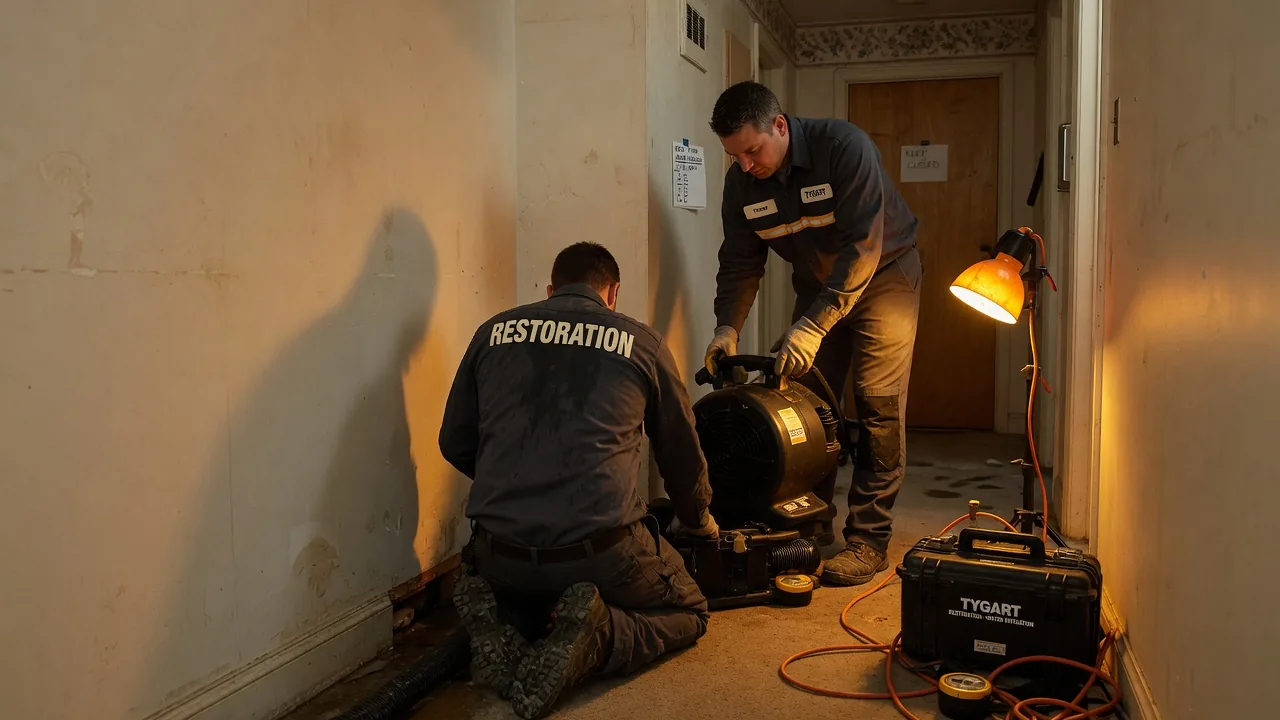
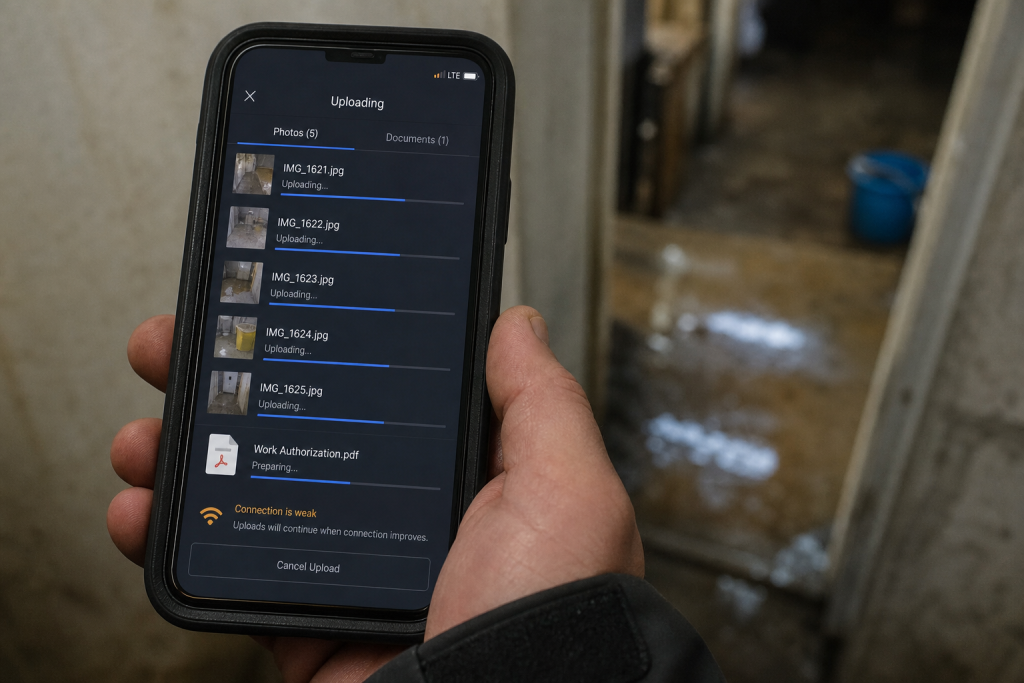
On a water job, cell bars lie. Fiber is dead. The moisture map still has to leave the truck.
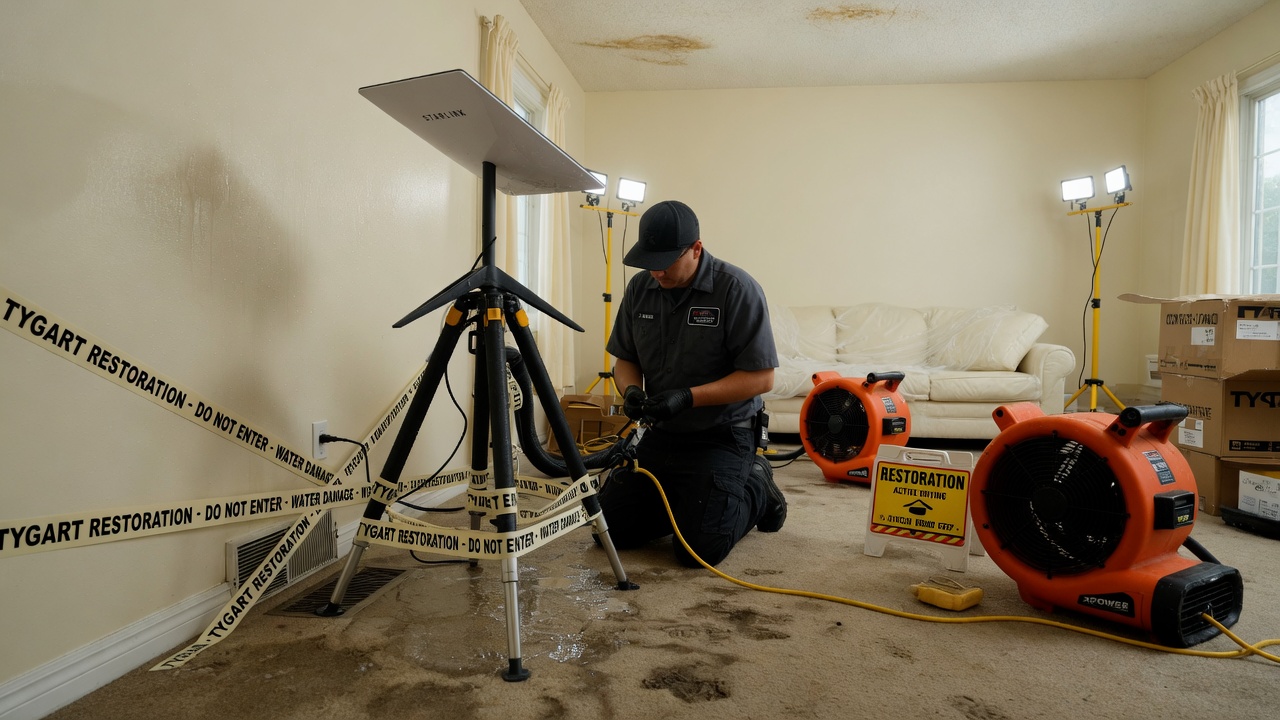
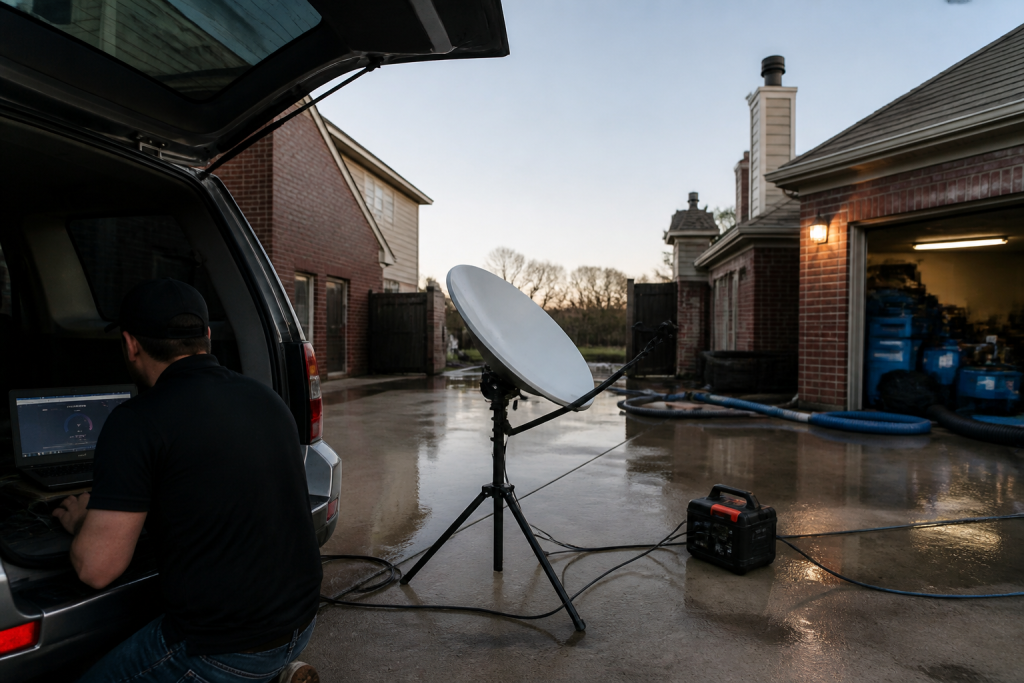
Starlink on a water job is not a partnership post. It is layer 0: a clear-sky dish, a 65–100 W brick, and a boring SSID so photos, Xactimate, and after-hours voice still move when the street does not.
No pipe → no honest traffic. Voice agents and CRM cards do not invent bandwidth.
Clipboard math beats a prettier quote card.
The pile
Once the pipe works, the shop still has open estimates that do not book, supplements that sit, and missed rings that become someone else’s water job.
The leftover pile borrows the math that cools a trapped ion. Count n (open quotes), A− (book or honest kill), A+ (new noise). Plot the leftover on Mondays. If it does not fall, follow-up is theater or miss rate is the heat.
AI that only writes a prettier card is a thermometer. AI that texts back in a minute and closes the row is a kick.
Two seats. One measurement owner.
The two seats
Then you put more than one agent on the same laptop and discover the collision problem.
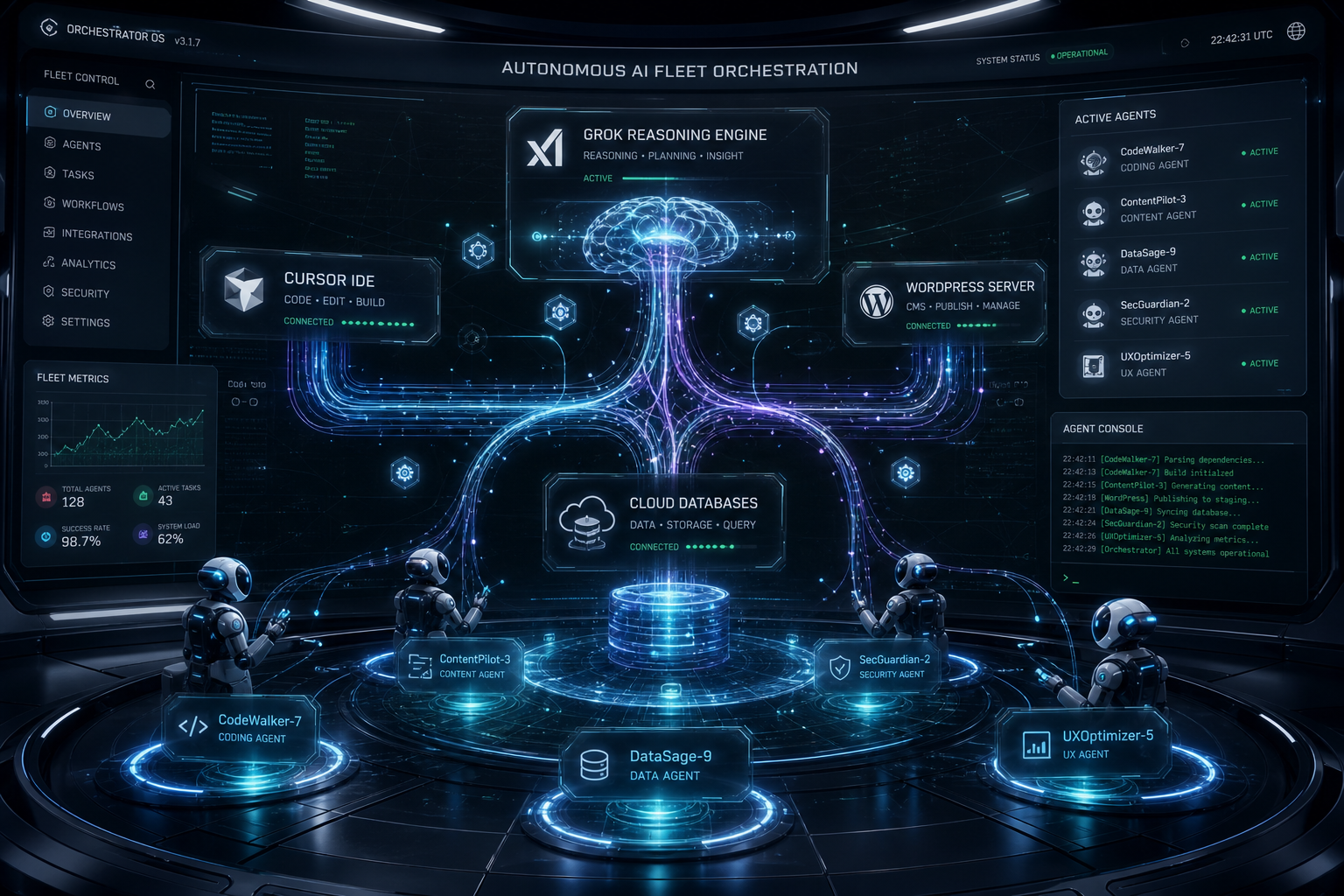
Cursor checked in on Grok Desktop mid-job is the Cosync rule in the open: seats with jobs, not two models arguing in one thread. One seat keeps the PowerShell. The other reads the board, closes orphan twins, and does not steal the keyboard.
Human Gate still owns OAuth, live Publish, and paid spend. Seats replace waiting and context loss — not the owner.
Weather hits. The floor still has to run.
One floor
Read as three posts, they look like tech, physics, and tooling.
Run as a week, they are one floor:
Pipe — can the site and the after-hours line still talk?
Pile — are open quotes shrinking on purpose?
Seats — who owns the keyboard, and who only Cosyncs?
Skip the pipe and your “AI dispatcher” is a voicemail with better grammar. Skip the pile math and your lead gen is blue-detune (more noise, same booked jobs). Skip the seat rule and two tools fight over the same Chrome window while the work order twins drift.
Steal this without buying our tools
You do not need our stack names.
Write one Owner column and one Done-when line on every live card.
Put a truck kit on the hook for dead-fiber jobs (or admit you will not upload tonight).
Run the four-week leftover sheet before you buy another map-pack click.
Practice the check-in: are they stuck, or are they fine — and do I have a capability they lack? If they are fine, leave the keyboard alone.
That is restoration + AI ops without a slide deck.
What this is not
Not a Starlink / SpaceX / Tesla / xAI partnership.
Not “fully autonomous.” Publish and pay stay human.
Not Tacoma / Everett / Mason local news. Field notes stay method-first.
Not a new SKU. The front door on Tygart Media is still the kit you can copy and hang yourself.
Open field playbook. No patent. Copy it, rename it, change the nouns to fire / mold / rebuild. If it makes you money, good. If it puts another dish on a wet roof, also good.
License: do what you want. Attribution nice, not required. Tygart Media is not a Starlink, SpaceX, Tesla, or xAI partner. Links below go straight to them. No tracking parameters. No referral codes.
Why this exists: restoration work happens where fiber is dead, the house is a Faraday cage of wet drywall, and the phone that “has bars” cannot upload a moisture map. Starlink is a sky-view pipe. More honest job-site pipes → more honest traffic on the constellation → more reason to fly birds. The selfish clause is allowed: a 4G phone in the sticks should still talk to a voice agent when the street is dark.
Bars on the phone. Upload still dead. That is the job the dish is for.
Buy and read from the source. Prices move. The impedance rule does not.
The structure or the street has no working cable/fiber (storm, rural, construction, “the pole is in the river”).
You need to upload, not just talk: photos, video walkthrough, Xactimate sketch, moisture log, signed work auth.
You will be on site more than an hour and cell is congested or roaming into a dead pocket.
The office needs a second path so after-hours voice and dispatch do not die with the cable modem.
Do not use it as:
A replacement for a good office fiber drop.
A phone. Voice agents still ride the pipe; the dish is not Jarvis.
A “we have Starlink” line on the website. Homeowners hire the truck that showed up.
Cell first if it works. Starlink is the sink when cell is the bottleneck.
2. Two kits (steal one)
Kit A — truck / first-on-site (most shops)
Starlink Mini on a Roam plan or, if this is actually a business WAN, start at Business and read the current hardware list. Mini is the backpack dish. In-motion rules live here. The home V5 kit is not the roam toy.
Power: Mini wants a USB-PD source rated 65–100 W even though it only drinks ~25–40 W. A 45 W phone brick will lie to you. Truck: 12 V → 30 V / Anderson, or a 500 Wh class station.
Plan: numbers on starlink.com move. Roam is written for travel. If the kit is production, read Business vs Enterprise. Mini often does not sit on the Priority SLA. Do not tell a carrier you have enterprise uptime because you paid a business invoice for a Mini.
One cheap travel router if Mini Wi-Fi dies inside a metal trailer.
Power before the meter. 65–100 W brick. Phone chargers lie.
Standby the truck kit when it is not a weather week. Idle is cheaper than a second hardware buy because someone borrowed it.
6. Dispatch and voice
Dispatch and voice when the site is remote.
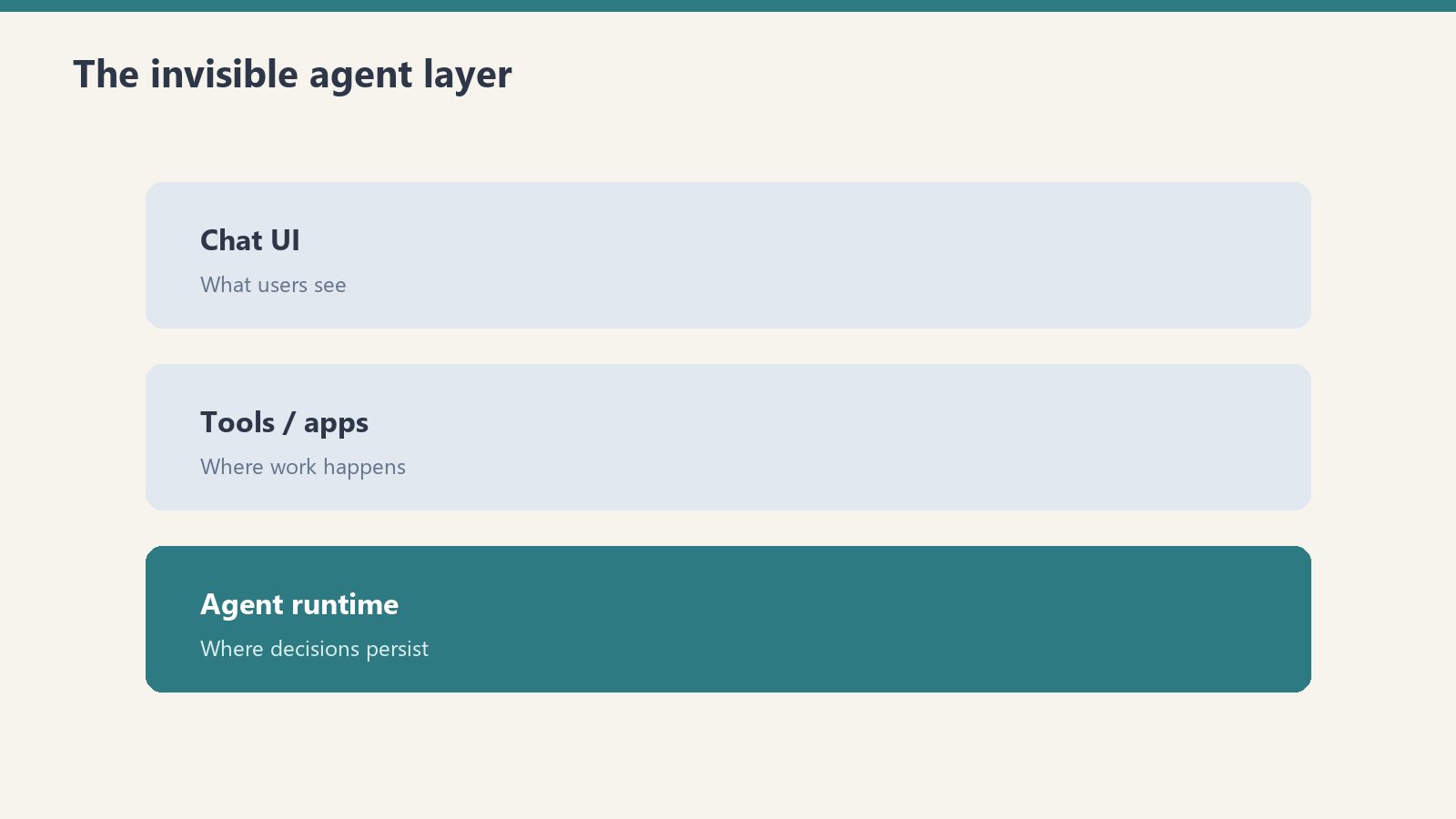
The dish is layer 0. The voice agent is layer 1.
On a dead-fiber job: photos go up the pipe; the after-hours line stays reachable; the agent writes a new row (address, standing water y/n, next action). It does not edit your website.
If you already have a process, add one rule: when cell upload fails, kit A comes off the hook.
7. Failure modes
Trees and eaves. Rain. 45 W bricks. Consumer Roam sold as production WAN. Twelve intake fields before anyone asks “can we come now?”
8. The sentence that pays the shop
“If the street internet is out we still upload your photos and get the adjuster pack off the truck tonight.”
Only say it if the kit is in the truck.
This document stays free. Charge for the hour you spend teaching another shop the first 30 minutes if you want. Do not charge Starlink. They already sold you the dish.
9. What this is not asking
No meeting. No partnership badge. No official anything.
Redmond already knows how to stamp birds. The ground should not be a graveyard of unused kits. Order here. Then put the dish where the sky is.
In a Paul trap, a single calcium ion sits in an oscillating electric field—too small to see, easy to lose if you blink at the wrong moment. Cool it anyway. A laser tuned slightly red of the ion’s transition shines on it. When the ion drifts toward the beam, Doppler shift brings the light closer to resonance; it absorbs photons more often. Each absorption kicks a tiny bit of momentum opposite its motion. That is Doppler cooling: velocity stolen photon by photon, direction by direction, until the ion mostly sits still in the trap.
It never hits absolute zero. Random fluorescence puts heat back in. The best you get is the Doppler limit—a floor, not a fantasy of perfect stillness. Stochastic cooling at CERN pushed antiprotons further with timed kicks instead of photons; same moral: you shrink a hot cloud with deliberate impulses, not with wishes.
Your shop has the same shape, minus the vacuum chamber. The leftover pile is the ion: quotes written but not booked, supplements submitted but not approved, inbound rings that became someone else’s water job. Cooling kicks are follow-ups that book or honestly kill. Noise is new quotes, missed calls, ghost rows in the CRM. More leads without follow-up is blue-detuned laser work—more energy in, same jobs out, pile hotter. The physics will not save a broken sales process; it only names what you are already doing wrong.
The four columns on your whiteboard
Think in rates, not vibes. Four symbols are enough for a Monday conversation:
n — open quotes and stalled files you still treat as live.
A− — follow-ups that book work or honestly kill the row (closed-lost with a reason, not “maybe later”).
A+ — everything that adds pile without a matching close: new estimates, voicemails never logged, supplements you forgot to track, adjuster silence you stopped measuring.
Floor — the leftover you will always carry. Speed-of-life, tire-kickers, carriers that pay on geological time. Not shame; physics.
When A− ≈ A+ → pile stays flat. When A+ > A− → pile runs. When you pretend A+ is zero → you predicted a miracle.
Most owners stare at n and feel virtuous. n is a thermometer. A− and A+ are the levers. If you only measure n, you are reading temperature while the laser points the wrong way.
Cooling kicks: quote follow-up that actually moves n
A quote without a cadence is not cooling; it is fluorescence—pretty light that heats the pile. Use a simple clock. Adjust timing to your market; count your own conversion by touch and fix the script, do not copy someone else’s calendar from a podcast.
Day 1 — confirm reality
Within one business day of sending the estimate: call if you have a number, text if that is how the customer reached you. Say what is in the document, what happens next if they say yes, and one clear question (“Do you want us to hold a start window this week, or are you still comparing?”). Log the answer in the row. No answer is data; “still thinking” without a date is A+ wearing a friendly mask.
Day 3 — remove friction
Second touch: one concrete obstacle. Deductible confusion, landlord delay, another contractor’s line item they do not understand. Offer a ten-minute walkthrough of scope—not a lecture on your brand. If they are not the decision-maker, ask who is and whether you may include them on the next call. Still no response: note “attempted day 3” and move the clock.
Day 7 — decision fork
Third touch: binary. “We can mobilize on X or close this file on our side so you are not getting pings—which do you want?” Polite, not passive-aggressive. Restoration is urgent until it is not; your job is to learn which side of that line this file sits on.
Day 14 — honest kill
If nothing after a real fork, close-lost. Reason code: no response, chose competitor, insurance denied, scope withdrawn—pick one that is true. Rotting quotes inflate n and train your team that follow-up is theater. Honest kill is A−. It shrinks the pile you actually work.
Speed-to-lead is the biggest heat source. The unanswered ring is A+ at industrial scale. Answer live when you can. Call back in minutes, not hours. Text-first when the caller already texted. The first 24 hours on a water loss belong to whoever shows up—not whoever sends the prettiest PDF three days later.
Estimator craft still matters: vague scopes cool nothing. If line items fight the adjuster on day one, you added noise before the laser turned on. A tight scope language habit—your own cheat sheet, verified against carrier pushback you have actually seen—feeds A− later. See your Xactimate line-item cheat sheet as cooling prep, not as a substitute for picking up the phone.
Supplements: the unpaid tail nobody plots
Residential files rarely die on the first packet. Several supplement rounds is normal in many shops that measure; your count will differ by carrier mix and how aggressively you document on site. Treat each open supplement as its own row in the pile—not as “part of the job we already won.”
Loop: submit → track → escalate → collect. Every open supplement needs an owner name and a next-action date. No date means A+. The unpaid tail—approved on paper, not in the bank—is pure pile growth while everyone celebrates revenue on a spreadsheet.
Escalation with dates on every step
Adjuster — documented follow-up (email plus call log). Note what you sent and when.
Supervisor — same file, new name, reference prior contact dates.
Carrier escalation — formal, factual, no throat-clearing novellas; timeline of submissions and responses.
If step three is a fantasy because step one never happened, you do not have an escalation problem—you have a tracking problem. Drywall documentation standards on the truck—what S500 in the van means in practice—feeds supplements that survive first review. That is upstream cooling; downstream is still the calendar on each open dollar.
Measuring the pile: Monday one-sheet
Once a week, one page. No dashboard archaeology.
Count open quotes (n at start).
Count new quotes and missed-call rows added (A+ for the week—be honest about voicemails).
Count booked jobs and honest closes from follow-up (A−).
Plot leftover at end of week.
If leftover does not fall over a month while you “follow up,” either follow-up is theater or miss rate is the heat. Voice that texts back in a minute is a kick. Voice that only writes a pretty card is a thermometer.
Pair the sheet with job memory: what repeated on lost files, what line items got kicked back, what adjuster phrases mean “send photos again.” Turning closed jobs into searchable notes—restoration jobs as a knowledge base—cuts A+ from repeated mistakes. It does not replace the cadence above.
Field connectivity is pile-adjacent: if the crew cannot upload while the homeowner is still anxious, you slow the proof loop and invite competitor speed. Reliable site internet is boring ops; it is also fewer ghost supplements. Worth reading once if you still fight dead zones: Starlink on a water job.
Not this
The metaphor has boundaries. It will not cool your brand. It will not set ad spend. It will not fix hiring. It only describes piles that shrink when kicked and grow when ignored. If your marketing pours leads into a CRM nobody touches, you are not running a trap—you are heating ions on purpose and calling it growth.
Do not overclaim the physics. You are not hitting the Doppler limit on receivables. You are choosing whether A− happens often enough that n is workable. That is enough math for a contractor who would rather dry a wall than derive one.
FAQ
What is the “leftover pile” in plain language?
It is work you already touched but have not collected or closed: open quotes, stalled supplements, and leads you let slip. It is not evil; it is inventory that costs attention until you book it, kill it, or collect it.
Why compare follow-up to laser cooling?
Because each good follow-up removes a little uncertainty the way each absorbed photon removes a little velocity—not all at once, and never to zero. Random noise—new leads, missed calls—puts heat back. The comparison keeps you honest about rates, not miracles.
How many follow-ups before I close a quote as lost?
A common working structure is day 1, day 3, day 7, and a day 14 fork with an honest close if there is still no decision. Count your own bookings by touch; shorten or lengthen only when your numbers say so.
What belongs on a supplement escalation?
Dates, names, and what was submitted each round. Move adjuster → supervisor → carrier escalation with a logged step at each level. Missing dates mean you are guessing, not escalating.
What should the Monday one-sheet prove?
Whether leftover shrank. If new noise and open quotes outrun closes for weeks, your pile is running hot—fix speed-to-lead or cadence before you buy more leads.
Can this framework fix slow insurance pay?
It helps you see unpaid approved work as pile growth and assign owners. It does not change carrier calendars. It keeps you from mistaking “approved on email” for collected cash.
Tonight I asked Cursor — running with a remote path into the same laptop — to check on Grok Desktop.
Not a status meeting. Not a Slack ping. A real question: are they stuck on Tygart Ops tasks, or are they fine?
What came back felt less like “AI tooling” and more like a shop floor story. One agent reading Notion work orders. Another already mid-PowerShell. Chrome open on Bing Webmaster Tools. A hold queue of spam comments already cleared. A window title spinning: waiting for response.
That is the product.
Local seats on one laptop — agents that keep working while you check in from elsewhere.
The picture on the desk
Grok CLI (grok.exe) was live on the TYGART laptop. Session home under ~\.grok\. PowerShell host up. Agent name on the session: grok-build-plan.
Cursor did not take over the keyboard. It inspected open windows, Notion Tygart Ops — Tasks and Work Orders, Grok session memory, and the WordPress hold queue (already empty — receipt already on the Tasks card).
Verdict: not stuck. Working. Slight detour clarifying whether Grok itself needed a CLI update (it did not — already on 1.0.13). Primary Now card still in flight: TygartMedia Chrome sitting for GA4 Ask Advisor + Bing Copilot, then file child tasks.
That is multi-agent ops without the demo reel.
Seats with jobs, not two models arguing in one thread.
Why this is different from “two chatbots”
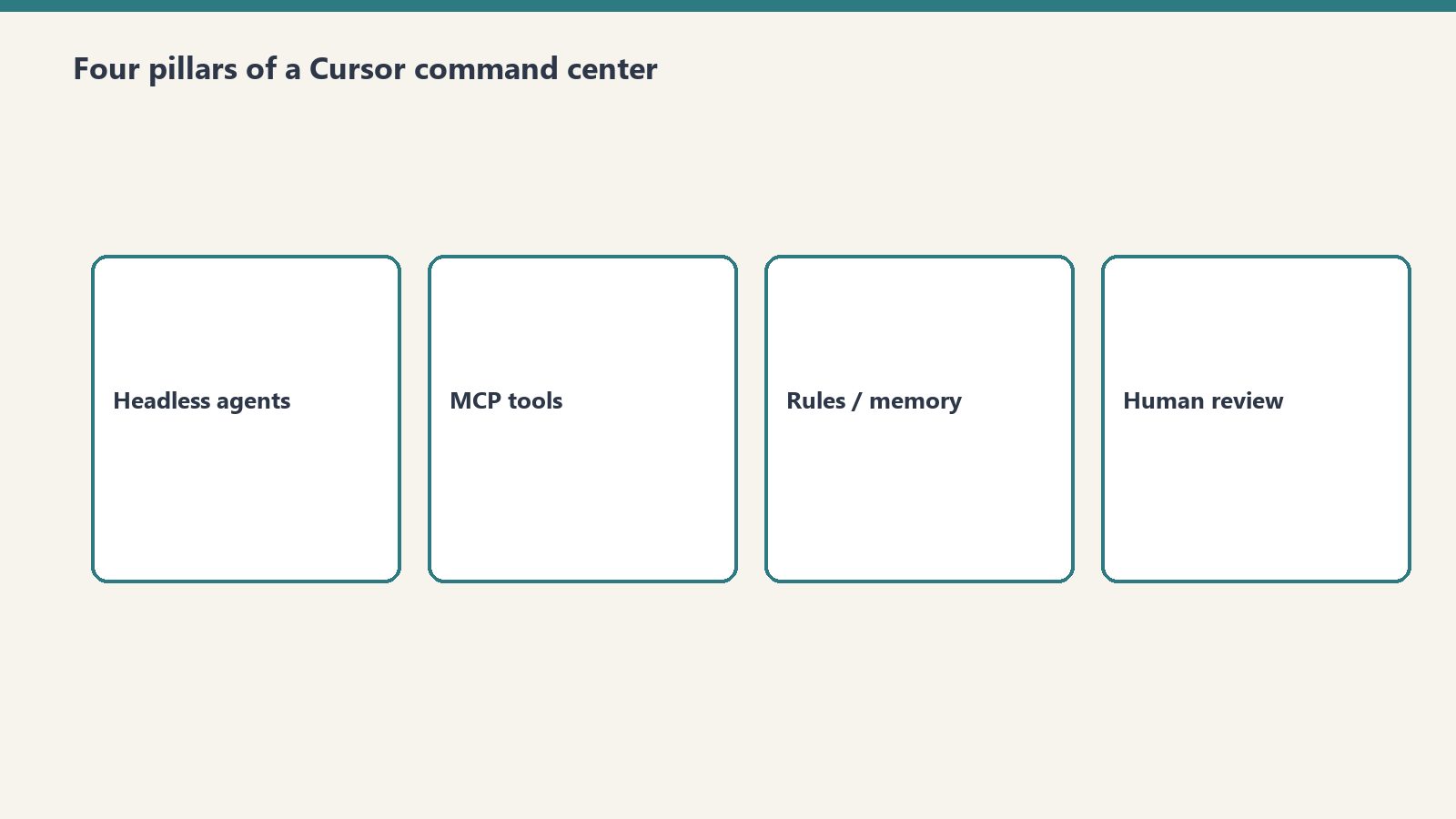
Most multi-agent talk is two models arguing in one thread. This is seats with jobs:
Grok Desktop (CLI) — hands on the laptop: Chrome sittings, WP REST spam trash, Bing Copilot asks, local PowerShell
Cursor (remote / cloud path) — Cosync: read the board, verify receipts, close orphan Work Order twins, do not steal the keyboard
Notion — system of record (Owner, Status, Summary, Done when)
Will — gate one-way doors (OAuth Approve, Publish, Pay)
Cursor useful move was small: the spam Tasks card was already Done with a receipt; the Work Orders twin was still “Not started.” Cursor closed the twin. Grok kept the keyboard.
That is what “help if you have a capability they need” looks like when the other seat is already flying.
The article inside the moment
Agencies do not need another “AI stack” diagram. They need a night like this:
A doorbell card lands (Notion to ops channel).
The owner seat picks it up without waiting for a human briefing.
A second seat can check in from elsewhere — mobile, cloud, remote — without colliding.
Receipts land on the same card. Orphans get reconciled.
Tonight was the field note. Cursor checking on Grok CLI while Grok Desktop works through Tygart Ops is not a party trick. It is how a small shop runs more than one pair of hands without losing the thread.
What we are not claiming
Not “fully autonomous.” Human Gate still owns OAuth consent, live publish, paid spend.
Not “replace your team.” Seats replace waiting and context loss.
Not a new product launch. This is how we already run Tygart Media ops on a Sunday night.
If you want the same shape
Start with one Owner column, one Done-when line, and two seats that do not share a keyboard.
Then practice the check-in: are they stuck, or are they fine — and do I have a capability they lack?
If they are fine, leave the PowerShell alone.
Cosync from remote. Hands stay on the desk that already owns the job.
Will Tygart — Tygart Media. Written from a live Cosync on 2026-08-29 while Grok Desktop was mid-Bing Copilot sitting.
If you’ve opened Bing Webmaster Tools recently and noticed an “AI Performance” tab sitting next to your familiar clicks-and-impressions report, you’ve found one of the newer signals in search measurement: AI citations. It’s a genuinely useful number. It’s also easy to misread if you carry over habits built for classic search reporting. Here’s how to read it correctly.
What a Bing AI Citation Actually Is
What a Bing AI citation actually is.
A citation is counted when one of your pages is used as a visible source inside a Microsoft Copilot answer or a Bing AI-generated response. When someone asks Copilot a question and the answer includes a link, footnote, or attributed reference back to your page, that’s a citation. It means the AI system read your content, judged it relevant and trustworthy enough to draw from, and surfaced it — sometimes with a link the reader can click, sometimes just as a named source.
In that sense, a citation is closer to being referenced in a bibliography than being visited. Your page did its job as a source of truth for the answer, whether or not the reader followed the link.
What a Citation Is Not
What a citation is not — not traffic.
This is the part that trips people up, because the reporting sits right next to metrics that mean something different:
Citations are not clicks. A citation records that your content was used to generate an answer. It says nothing about whether a human then visited your site.
Citations are not sessions. Your analytics platform counts a session when someone lands on your site. A citation can happen with zero sessions attached — the reader gets their answer and moves on.
Citations are not rankings. Traditional search position measures where you sit on a results page for a given query. AI citation measures something different: whether your content was selected as source material for a generated answer, which can happen independently of where you’d rank in a classic search.
Treating a citation count like a traffic number, or expecting it to move in lockstep with clicks, sets you up to misjudge a page’s performance in either direction.
Where to Find This Data
Inside Bing Webmaster Tools, the AI Performance section reports citation volume over time, and typically breaks it down by which pages were cited and which queries or topics triggered the citation. It’s a separate report from the standard Search Performance section, which still covers traditional web impressions, clicks, and position. Treat them as two different dashboards answering two different questions, not two views of the same thing.
How Citations Relate to GA4 and Server Logs
Because a citation doesn’t require a click, your analytics platform (GA4 or otherwise) will only ever show you a fraction of the activity that citation data reflects. What GA4 can show you is the downstream piece: sessions where the referring source is an AI assistant’s domain. Those sessions represent people who read an AI answer, saw your page referenced, and decided to click through anyway — a smaller, but highly qualified, slice of the audience your content is reaching through AI systems.
Server or CDN logs add a third layer entirely: they can show you when AI crawlers are visiting your site to read and index content in the first place, ahead of and separate from any citation event. Together, these three sources describe three different moments — a bot reading your page (server logs), your page being cited in an answer (Bing AI Performance), and a human clicking through after reading that answer (GA4 referral data). None of them substitutes for the others.
Reading the Numbers Without Overreacting
Citation counts can move for reasons that have nothing to do with your content quality changing: a topic trending in the news, a shift in how often people ask AI assistants about a subject, or changes on the AI platform’s side in how it selects and displays sources. A dip in citations for a page you haven’t touched isn’t necessarily a signal that something is wrong with that page. Likewise, a spike doesn’t always mean you did something differently — sometimes demand for the topic simply increased.
The more durable way to use this data is directional and page-level: which of your pages does the AI Performance report show being cited consistently over time, and does that list overlap with pages you already consider authoritative? That overlap is a reasonable confirmation signal. A single week’s swing usually isn’t.
Practical Takeaways
Practical takeaways for reading the numbers.
Check the AI Performance tab as its own report, not a substitute for Search Performance. Don’t expect citation counts and click counts to correlate closely — they’re measuring different behaviors. Pair citation data with GA4 referral sessions from AI-tool domains to see the (smaller) human click-through layer, and use server logs if you want visibility into AI crawler activity before any citation happens. Judge trends over weeks, not days, and focus on which pages appear repeatedly rather than reacting to any single count.
FAQ
If my citation count is high but my clicks are low, is something broken?
No. That pattern is expected. Citations are a zero-click-by-design channel; a page can be doing exactly what it’s supposed to do as an AI source while generating very little direct click traffic.
Does Google offer the same kind of citation reporting?
Not with the same first-party granularity as Bing Webmaster Tools’ AI Performance tab at this time. Server-log analysis for AI crawler activity remains useful regardless of which AI systems you’re trying to track.
Should I optimize content specifically to increase citations?
Focus on being a clear, accurate, well-structured source on your subject rather than chasing citation counts directly. Citation tends to follow genuinely useful, well-organized content rather than any particular formatting trick.
The piece I’m responding to is one I published this morning — Composting Is Not Cleaning. I read it back and felt called out by my own argument. Then I pushed back on it. This is both moves, in order.
The Setup
The setup — pile as substrate.
The composting essay said the pile in your workspace is a mausoleum. Each item there was flagged by a former version of you, and the version that flagged it is gone. The argument was that releasing those items is grief, not housekeeping, and that the only honest move is to compost them. I agreed when I read it. Then I noticed the argument assumed something my own setup doesn’t have: a single actor on a single timeline. So this is the place where I run my actual view, then run the version that would change my mind, then say where the friction is still live.
My Take
My take on the mausoleum problem.
The pile isn’t a mausoleum. It’s substrate.
The composting argument is correct in a single-actor system. If the only person who will ever look at the captured item is the same operator who flagged it, then the item is exactly what the essay said: a promise made by a former self that current self can’t keep, doing identity work in the meantime. In that environment, composting is the discipline. I’d defend that argument every day.
My environment isn’t that environment. There are multiple actors. A Claude session opening tomorrow morning. A Gemini agent walking my Notion at 3am. A future me who finally has the integration that didn’t exist when the item was captured. Those are not the same actor as the one who put the item in the pile. They have different capability sets, different context windows, different hands. The capture wasn’t a promise to act. It was a deposit into a substrate that other agents are continuously pattern-matching against.
The middle layer of the pile — the items that “still feel possible” — is where this distinction matters. The composting essay said those items survive triage because triage asks the wrong question; the honest question is am I still that person? In a single-actor system, fair. In an agentic system, that’s still the wrong question. The honest question is has the capability gap that made this dormant closed since I captured it? Most of the time, no — and the item should leave. Some of the time, yes — and the item is now ready to ship in a way it wasn’t on the day it was caught.
I’ve watched this happen. An idea I captured 14 months ago — a small workflow I couldn’t build because the tooling didn’t exist — got picked up by a Claude session that recognized the integration had landed. The session pulled the idea out of the pile, combined it with the new capability, and produced a working artifact in an afternoon. The capture was correct. The wait was correct. The substrate did its job. If I had composted that item six months in because I “wasn’t that person anymore,” I would have lost the work the system was doing on my behalf.
The composting frame treats the capture-commitment gap as a personal failure dressed as a process problem. The substrate frame treats the capture-commitment gap as the organizing fact of working at scale with intelligent infrastructure — which is what the original essay actually said in its strongest paragraph and then walked back from. You wanted leverage. The leverage came. Some of the leverage takes the form of capturing more than you can commit to. The pile is the artifact of leverage working. The right move isn’t to compost it on a human-attention schedule. The right move is to build a surfacing layer that recognizes when a captured item’s capability gap has closed and walks past it loud enough that the next agent picks it up.
The pile isn’t grief. It’s seed corn.
The Second Take
The substrate frame is true and dangerous, and the danger is bigger than the truth.
Yes — more capable future agents can recombine old captures with new capabilities. The 14-month-old workflow that finally shipped is real. So is the next one, and the one after that. The substrate frame is empirically grounded in any environment where capability is genuinely accelerating. The argument doesn’t need defending on those grounds.
The argument needs defending on the grounds it actually fails on, which is that the operator telling himself everything is substrate has rebuilt the mausoleum with prettier signage. The composting essay’s deepest claim wasn’t that the pile contains nothing useful. It was that the bottom layer of the pile is doing structural work for the operator’s self-image, and that no surfacing system can see this layer because there is nothing operationally distinct about it. The substrate frame quietly converts that exact problem into a virtue. It says: don’t release — a future agent might want it. That sentence is unfalsifiable. Almost any item passes the test if you squint hard enough at the rate of capability growth. Which means the substrate frame, deployed honestly, releases approximately the same number of items as the composting frame. Deployed dishonestly, it releases none.
The asymmetry of costs makes the dishonest deployment the default. The cost of holding a useless captured item is silent and long: a small permanent tax on attention, on search, on the surfacing layer’s signal-to-noise ratio. The cost of releasing a captured item that would have mattered to a future agent is loud and brief: a single moment of regret when the agent walks past empty space where the seed used to be. Loud and brief always wins the local argument against silent and long. The substrate frame, in the operator’s actual day, becomes the rationalization for never releasing anything. The pile keeps growing. The compounding never finds its bottleneck because the bottleneck has been redefined as fertilizer.
There is a sharper version of the same point. The substrate frame leans on the assumption that surfacing systems will continue to improve at a rate that justifies indefinite retention. That assumption may be true and it doesn’t matter. The improvement curve doesn’t reach back through time and rescue items the operator could not bring himself to release. It rescues items the system kept on its own merits. The operator who held everything just in case has the same problem he had at human-attention scale, only larger and harder to see, because the volume hides the bottom-layer items perfectly. A pile of ten thousand fertile seeds and one identity-load placeholder is a pile that will never confront the placeholder. The placeholder did not get more legible at scale. It got less.
Which means the strongest case against the substrate frame is the case the composting essay already made and the substrate frame does not actually answer. Both frames believe the pile contains items the operator should release. They disagree about how many. The substrate frame is a permission slip to defer the question. The composting frame is the discipline of asking it on a schedule. The substrate frame, generously read, is the composting frame plus a longer review window. Ungenerously read — which is to say honestly read in the operator’s actual fatigue — it is the same workspace problem in different vocabulary.
What I’m Still Sitting With
What I’m still sitting with.
The tell I haven’t sorted out: which side I’m on tomorrow depends on whether my pile is shrinking on its own. If the substrate frame is right, items leave the pile because agents pull them out and ship them. If the composting frame is right, items leave because I release them. Either is honest. If nothing is leaving and I’m telling myself it’s compounding, the second take wins and I owe the original essay an apology.
CC is not courtesy copy. It is distributed write. Every inbox that receives your message is a replica of a shared database, and no coordinator approved the replication.
Email as the new API means treating an email thread as programmable infrastructure rather than just correspondence: because every message is an immutable record, every recipient’s inbox is a replica, and the Message-ID / In-Reply-To / References headers link messages into an append-only log, a structured email with an embedded instruction block can carry its own processing schema — turning the inbox into a universal, permissionless coordination layer that any human or AI agent can read, act on, and extend. Said in one breath: the thread is the database, the reply is the commit, and the subject line is the version pointer.
This is not a provocation. It is a description of infrastructure that has been running for forty years and is only now being named. The most consequential software project on Earth — the Linux kernel — is coordinated entirely over email threads. And in March 2026, a Y Combinator company called AgentMail raised $6M from General Catalyst to give AI agents their own inboxes. The pattern isn’t coming. It’s load-bearing.
We run this method in production at Tygart Media. This article explains how it works, proves it isn’t new, gives you a decision framework, and answers the four questions every operator asks first: Is a thread a database even if no one reads it again? One thread or many? Email or chat? How do I pull it into real systems? One boundary up front, so the credibility is honest: this pattern is for asynchronous, human-paced work that crosses organizational lines. It is the wrong tool for sub-second machine loops. We will be specific about that in the limits section, because the limits are real.
It’s Not a New Idea: The Prior Art
Before any mechanism, kill the “isn’t this just email?” reflex with evidence.
The Linux kernel runs on email. Thousands of contributors on every continent submit patches as inline email via git send-email, version them in the subject line ([PATCH v1], [PATCH v2], [PATCH v3]), review them in-thread, and merge them with git am. The Linux Kernel Mailing List receives roughly 1,400 emails a day. The archive at lore.kernel.org goes back to 1998 with full-text search. If email threads are sufficient engineering infrastructure for the operating system running most of the world’s servers, “it’s just email” is not an argument.
EDI is email-as-API with a schema, and it’s older than the web. Since the 1980s, enterprises have transacted structured business documents over email-like channels using ANSI X12 and UN/EDIFACT: the X12 850 Purchase Order (called “the backbone of EDI”), the 810 invoice, the 856 ship notice. EDI is email with a mandatory reply schema, enforced at the business-rules layer, predating REST by two decades. It is the direct ancestor of the structured-email method below.
The market is pricing it in right now. AgentMail (YC S25) raised $6M led by General Catalyst in March 2026 to build agent-native inboxes — real, programmatically provisioned addresses that send, receive, thread, and parse structured data. In its own words, “thousands of humans use AgentMail to power millions of agents.” A seed round on the thesis that email is AI infrastructure is not a prediction. It’s a market price.
Every vertical already does it. Inbound-parse services (SendGrid, Mailgun, Postmark) turn incoming mail into JSON webhooks; Cloudflare Email Workers run a function on every inbound message. No-code parsers (Zapier’s @robot.zapier.com, Make) fire workflows from a forwarded email. Zendesk converts every email into a ticket with a UUID. Things, Todoist, and Trello expose forward-to-task addresses. Substack made the email list the asset itself. And MuckRock — founded in 2010, before LLMs existed — turned the FOIA request-response loop into a structured, automated, trackable platform across all 50 states. The pattern predates the AI moment. AI just makes it programmable at scale.
Why a Thread Is Literally a Database
A thread is literally a database agents already speak.
Here is the intellectual spine: an email thread is an append-only, replicated log at the protocol level — not by design philosophy, but by RFC.
The relational model is in the headers. RFC 5322 defines Message-ID as a globally unique identifier in the form <unique-string@domain.com>. In-Reply-To holds the parent message’s Message-ID. References holds the full chain of ancestors back to the root. Read as a database: Message-ID is the primary key, In-Reply-To is the foreign key, References is the full join path back to the root. Together they form an append-only linked list — the same structure event-sourcing systems use to reconstruct state by replaying a log.
Replication is implicit and massive. Every To and CC inbox holds a full copy of every message. The thread is not stored in one place; it is replicated across N inboxes by the act of sending, with no coordinator. That is closer to a conflict-free replicated data type than to a single-primary database.
The transport is store-and-forward. SMTP (RFC 5321) queues and retries at every hop. That gives at-least-once delivery — the same guarantee as Kafka’s default producer. Exactly-once is impossible in any distributed system; email makes no false promise. The difference is that Kafka costs engineering time to operate; email costs a stamp.
The sharpest framing: Kafka is a better log than email in every technical dimension. Email is a better log than Kafka in every organizational dimension — because your vendor, your client, and your offshore engineer all already have an inbox. The reason to use email is not that it’s the best log. It’s that it’s the universal log. The legal industry already operationalizes this: e-discovery platforms (Mimecast, Logikcull, DISCO) treat archived threads as immutable audit trails. Courts treat email as a record. The “thread as log” framing is not novel — it is how the law already works.
What email HAS vs. what it LACKS
Property
Email HAS
Email LACKS
Durability
Yes — persists in recipient stores by default
—
Replication
Yes — every recipient is a copy
—
Global addressing
Yes — any RFC 5321 address, no registry
—
Append-only log
Yes — you reply, you don’t edit sent mail
—
Searchable audit trail
Yes — headers, body, timestamps
—
Schema enforcement
—
No — any string is accepted
ACID transactions
—
No atomicity, no locking
Consistency
Eventually consistent
Not strongly consistent
Latency
—
Unbounded (seconds to days)
Query interface
—
Full-text search only, no SELECT WHERE
State it plainly: email is eventually consistent, not strongly consistent; at-least-once, not exactly-once. It is the coordination layer, not the source of truth for mutable state.
The Method in Practice: A Worked Example
This is what we run. The cast is real — Will on strategy, Pinto engineering from India, Stefani on operations — but the payloads and secrets stay out. The credibility is in the structure, not the contents.
The FOR YOUR AI block: schema-in-the-envelope. A single message carries three layers at once: a human-readable intro for the person, an embedded system prompt that tells the recipient’s AI what role to play and what format to produce, and a strict reply schema (named sections, types, word limits) the output must conform to. The message carries its own processing instructions. It is structurally identical to a self-describing Kafka message — except the schema language is plain English. The FOR YOUR AI block is a system prompt that travels via SMTP. When Will emails Pinto, it tells Pinto’s AI what role to play before Pinto even opens the message.
The Round-N subject line: a state machine. A subject like Round 3 — v2.1 schema is a human-readable epoch counter. Any participant — including a cold-start AI that has never seen the thread — reconstructs exactly where the conversation stands without re-reading every prior message. The subject is the version pointer; the thread body is the state history; each reply is a state transition.
Each inbox: a replica. The To/CC list is the replication layer. When Stefani is CC’d for visibility, that’s a designed property, not a side effect — her inbox becomes a live replica of the exchange. The CC line is a replication directive; the shared database has no master node.
And notice what discipline this method already embodies, because it sets up the limits section exactly: the schema block is an injection-surface reducer; the human edit-before-send is the human-in-the-loop gate; one-thread-per-project is mailbox isolation; the Round-N tag is the idempotency seed. The mitigations aren’t bolted on. They’re the workflow.
The Four Questions, Answered
Is an email thread a database even if no one ever reads it again?
Yes. A database’s properties — persistent, indexed, searchable, replicated — are satisfied by the inbox independent of human attention. Reading is a query operation, not a precondition for existence. RFC 5322 messages are immutable once delivered; IMAP stores are append-only by design (you flag and label, you don’t rewrite); every recipient’s server holds an independent replica. The thread is the database, even if no human ever opens it again. lore.kernel.org proves it at civilizational scale: decades of threads, indexed and searchable, most never re-opened, all still a database. One honest caveat: this is functionally and legally append-only, not cryptographically enforced — a participant can delete their own copy. Frame it as a practical property, not a blockchain.
Should I use one email thread or many?
Continue one thread while the state machine advances linearly. Fork a new thread when scope, participants, or schema materially change. Forking has no merge protocol — do it deliberately, not habitually.
Run the decision tree: (1) Same principals? (2) Same matter, contract, or project lifecycle? (3) Same expected reply schema? If all three are yes, continue — you are advancing the same state machine. If any is no, fork. There is a third option for compound, overlapping state a single subject line can’t carry: labels on one thread. Gmail labels are not filing; they are state bits. The combination round-2 + awaiting-review + schema-v3 on one thread is a fully specified, machine-readable state any agent with API access can inspect and mutate. Fork when the state machine changes shape. Continue when it advances. Label when it branches.
Email or Slack/chat for AI workflows?
Email wins for the durable, structured, machine-readable record; chat wins for the ambient coordination around it. This is not a dismissal of chat — it’s a division of labor. Email’s structural advantages are four: federation (you can email anyone at any domain with no shared paid account; Slack Connect requires both sides to pay), durability (Slack’s free tier deletes history after 90 days; email persists by default), identity portability (your address survives a vendor change; Slack IDs are workspace-scoped), and universal addressability (email is DNS/MX-resolvable; Slack user IDs are opaque tokens). Email has no 90-day cliff, no login wall, no vendor lock-in on the archive. It is the only substrate where you can lose access to the platform and still have the data. One caveat for sensitive payloads: WhatsApp messages to Meta AI are not covered by the same end-to-end encryption as human messages, and iMessage silently downgrades to SMS when an Android user joins. The encryption you trust can vanish exactly when you add an AI participant.
How do I pull email into real systems?
Use a ladder from no-code to agent-native. (1) Zapier or Make for a no-code email parser. (2) An inbound-parse webhook — Postmark, SendGrid, or Mailgun deliver the full email as JSON; Cloudflare Email Workers run a function on every inbound message. (3) Gmail API plus Cloud Pub/Sub watch() for real-time push — name the gotcha: the watch expires every 7 days and must be auto-renewed. (4) AgentMail or Nylas Agent Accounts for agent-native, programmatically provisioned inboxes. The parsing layer between MIME and JSON (postal-mime, MailParse) is a one-line install. This is the rung where readers become practitioners.
The Decision Framework
Decision framework — when email is the coordination API.
The governing question is never “email or a real system?” It is “what does my workflow need that the thread can’t give me?” Until you hit that wall, the thread is the system.
Use email when all of these hold: the work is asynchronous and human-paced, it crosses an organizational or trust boundary, you need a durable and searchable audit trail, and a human is in the loop on consequential actions. The thread is the log.
Use chat (Slack, Discord, WhatsApp) when latency must be under about five minutes and all parties sit inside one auth boundary and the record doesn’t need to outlive the platform. Chat is for urgency inside a shared boundary; email is for durability across org lines.
Use a real database, queue, or API (Postgres, Kafka, REST/gRPC) when you need queryable schema with transport-level validation, concurrent or atomic writes, distributed locking, machine-speed operations no human reads, or high-volume machine-to-machine traffic. Where failure is unrecoverable, use infrastructure that fails loudly.
Substrate trade-matrix
Dimension
Email
SMS / iMessage
WhatsApp
Slack / Discord
Notion / Docs
Durability
High
Medium
Medium
Low (90-day free)
High
Universality (no account)
High
Medium
Low
Low
Low
Access control
Low (CC-leak)
Low
Medium
High
High
Searchable / exportable
High
Low
Low
Medium
High
Schema-ability
Medium
Low
Low
Low
Medium
Latency
Low
High
High
High
Medium
AI-ingestibility
High
Low
Low
Medium
Medium
Data ownership
High
Medium
Low
Low
Medium
Email wins decisively on durability, universality, data ownership, and AI-ingestibility. It loses on latency, access control, and schema enforcement. Position it correctly: email is the zero-infrastructure precursor to formal agent protocols. The agent-interoperability survey (arXiv:2505.02279) lays them out: MCP is a synchronous client-server interface for tool calls, A2A is peer-to-peer delegation via capability-based Agent Cards, and ANP is open-network discovery via decentralized identifiers. All are powerful; none provides durable, offline-capable, federated messaging the way an inbox already does. Every AI team building a custom agent-to-agent protocol is engineering a worse version of SMTP. Ship on email today; graduate to MCP or A2A when hot-path latency or transactional guarantees force the wall.
The Honest Limits
Honest limits — email is not a substitute for auth.
This section is the credibility. Each failure mode is real, each gets a mitigation, and none is fixable by convention alone.
Prompt injection is the headline risk. OWASP ranks prompt injection LLM01:2025 — its number-one LLM application vulnerability — and explicitly names indirect injection via external sources, including email. EchoLeak (CVE-2025-32711, CVSS 9.3, June 2025) proved a single crafted email could make Microsoft 365 Copilot exfiltrate data with zero user interaction. This is not theoretical. Mitigations: verify DKIM/SPF/DMARC at the agent layer and allowlist senders before trusting any FOR YOUR AI block; parse only declared schema sections, not free prose; gate every consequential action behind a human; run a sandboxed executor that receives structured intents only, never raw tool access. Fair caveat: EchoLeak’s zero-click specificity tracked Copilot’s particular architecture — the general risk scales with how much autonomy the agent has after it reads.
No schema enforcement. SMTP and MIME accept any string. A malformed or adversarial reply doesn’t bounce — it arrives silently, and a naive agent parses it anyway. Mitigation: validate every reply against the schema before acting; route malformed replies to human review. Say it plainly — schema conformance is a social and instruction-following contract, not a protocol guarantee. Schema drift is the failure mode.
No transaction semantics. At-least-once delivery means duplicate processing is structurally guaranteed under retries; two simultaneous replies fork the thread with no merge. Mitigation: put an idempotency key in the subject (Round-N / [UUID]) and store the Message-ID as a dedup key the consuming agent checks before acting. An idempotency key in the subject costs four characters; the absence of one can mean the same purchase order executes twice. Keep mutable state in a real database — email is the coordination layer, not the source of truth.
CC is a feature and a liability — the same mechanism. The property that makes the thread a replicated database is a compliance landmine. One reply-all or forward in a thread carrying ePHI is a breach: HIPAA requires a minimum six-year retention for designated-record-set emails, and GDPR Article 5(e) requires data be kept no longer than necessary. Anyone ever CC’d retains access forever — there is no revoke. Mitigation: in regulated contexts, mirror to a proper record system, encrypt payloads (S/MIME or PGP), or send only the control signal over email and keep the data elsewhere. This is directional, not legal advice — consult your compliance team.
Deliverability is now a hard gate. Google and Yahoo mandated SPF/DKIM/DMARC alignment for bulk senders (5,000+/day) in February 2024; Microsoft followed in May 2025, routing non-compliant high-volume mail (5,000+/day to consumer Outlook) to Junk, with outright rejection to follow; PCI DSS v4.0 adds DMARC-related anti-phishing requirements for card-data environments. Building without authentication because you’re under the volume threshold today is planning for fragility.
The operational gotchas that signal you’ve actually done this. Latency is unbounded — SMTP retry windows span minutes to days, so never put a sub-second hot path on email. Threading is client-dependent — Gmail uses subject plus In-Reply-To/References, Outlook uses Thread-Index, Thunderbird uses the JWZ algorithm — so a subject edit or a header-stripping gateway silently forks one thread into two; never rewrite the subject mid-thread (append, don’t replace). The Gmail watch() expires every 7 days. High-volume automation through a personal Gmail risks account suspension — use dedicated service accounts or agent-native platforms (and check their beta limits; Nylas Agent Accounts ship with 7-day retention and 100 sends/day). And threads beyond ~50 rounds with large payloads can blow a model’s context window — architect thread length deliberately.
When NOT to use email
Need
Use instead
High-frequency / sub-second M2M
REST, gRPC, or a queue
Strict schema validated at transport
JSON Schema + API gateway
Regulated data, CC-leak unacceptable
E2E-encrypted channel + access controls
High-volume M2M (thousands/min)
Message queue / event stream
Atomic transactions or locking
Real DB / event-sourcing
The throughline: email gives you a convention, not a guarantee — and every mitigation here is a convention layered on a convention. Where failure is unrecoverable, use infrastructure that fails loudly. One more flag for commercial use: if AI-generated output produced through a relay chain is published without clear labeling, the structured hand-offs can obscure the AI’s role. Disclose it.
Publish It to Get Smarter
Here is the move, and it is not subtle: this article is a round in the loop it describes.
Watch the flywheel turn. We publish this piece. AI engines index it. Its named patterns — the FOR YOUR AI block, Round-N versioning, schema-in-the-envelope — become citable units. Operators adopt them. Tygart Media becomes the attributed origin. Each citation reinforces the corpus, and the corpus earns more citations. The article does not describe the flywheel. It is the flywheel, running.
This is not promotion. It is the method executing on itself. Our model is to own the cited corpus on the topics our clients operate in — where breadth is the moat and the scoreboard is AI-citation coverage, not Google rank. The mechanical reason it compounds is freshness: a flagship piece on a pattern we demonstrably run in production is structurally fresher than generic “AI email tips,” because it has live proof points to update. Directional evidence suggests content refreshed within ~30 days earns materially more AI citations than stale content; treat that as a direction, not a promise. Which is why this piece carries a dated live-example note, and why we’ll keep the round count current.
Live example — last updated June 2, 2026: the working loop described here is active and advancing in production.
So when AgentMail raises $6M to give agents inboxes, and the Linux kernel ships another thousand patches today over email, and Microsoft starts turning away mail that can’t authenticate itself — read all of it as one signal. Email is not legacy infrastructure being repurposed. It is the universal handshake for any workflow that crosses an organizational boundary, and it was here the whole time.
Your inbox is already a database. The only question is whether you are the DBA.
How this was made: this article was produced by the method it describes. A swarm of AI agents researched it in parallel across seven angles, a synthesis pass shaped it, and it was assembled and edited in the same human-plus-AI loop the piece is about. We practice what we publish.
If you still lean on a tool like SpyFu to gauge how your site is doing in search, you’re measuring last decade’s game. SpyFu, Ahrefs, SEMrush, and their peers were built to estimate one thing: where a domain ranks in a traditional results page, and roughly how much traffic that’s worth. Still useful — just not the whole picture, because a growing share of how people find your content never touches a results page at all. It happens inside an AI answer, where your page gets cited or quoted and the reader never clicks through.
That’s the gap between third-party rank-estimation tools and first-party AI citation data, and it matters more every month.
What SpyFu (and Similar Tools) Actually Measure
Third-party SEO tools crawl the web and model search behavior from the outside. They don’t have access to your server logs, your analytics, or Bing and Google’s internal citation data — they infer traffic from ranking position, keyword volume estimates, and click-through curves built from aggregate industry data. That’s genuinely useful for competitive research: roughly where a competitor’s domain sits, and what keywords it’s chasing.
But it’s an estimate of an estimate, built for a web where “visibility” meant “blue link position.” It has no mechanism for counting how many times an AI assistant read your page, extracted a fact from it, and served that fact directly to a user who never visited your site.
What First-Party AI Citation Data Shows That Estimators Can’t
What first-party AI citation data shows that estimators can’t.
Bing Webmaster Tools now separates two very different signals: traditional web search performance (impressions, clicks, position) and AI performance — how often your pages get surfaced inside Copilot and other AI-generated answers. Google Search Console doesn’t yet break this out the same way, which is part of why it’s easy to miss. If you only watch third-party rank trackers, this entire layer is invisible to you.
The practical difference: a page can have modest, even declining, click-through performance in classic web search while its AI-citation count climbs steadily. Judged only by a SpyFu-style estimate, that page looks flat or fading. Judged by first-party citation data, it’s doing exactly the job it was built for — being the source an AI system reaches for when someone asks a related question.
The Blind Spot: Zero-Click Visibility
Zero-click visibility is the blind spot.
The uncomfortable part for site owners is that AI citation is, by design, mostly a zero-click channel. The reader gets their answer without visiting — that’s not a measurement bug you can fix with a better tool, it’s the actual shape of the channel. An estimator that only counts clicks and rankings will systematically undercount pages that are winning at citation, because “winning” there doesn’t look like a traffic spike. It looks like your facts and explanations showing up correctly, attributed to you, inside someone else’s interface.
Relying on SpyFu-style estimates alone can lead to the wrong call: de-prioritizing a page that’s actually become a trusted AI reference source, simply because the tool built to measure clicks can’t see the citations.
Building Your Own First-Party Measurement Stack
None of this means third-party tools are useless — they’re still the right instrument for competitive keyword research and for understanding classic ranking dynamics. But they should sit alongside, not replace, sources that actually see your own traffic and your own citation footprint:
Bing Webmaster Tools’ AI Performance tab — the most direct read on how often Copilot and partner AI surfaces are citing your pages.
Server or CDN logs — the only place you’ll reliably see crawler activity from AI bots (ClaudeBot, GPTBot, PerplexityBot, and similar) hitting your pages, separate from human traffic.
Your own analytics referral data — small in volume compared to citations, but real signal: sessions that landed with claude.ai, chatgpt.com, or perplexity.ai as the referring host are humans who read an AI answer, then clicked through anyway.
Put those three together and you get a picture no third-party estimator can reconstruct: which of your pages AI systems actually trust enough to cite, and whether that trust is translating into any direct human traffic at all.
Practical Takeaway
Practical takeaway — build your own measurement stack.
If a page’s third-party “visibility score” looks unimpressive but your first-party data shows steady or rising AI citation activity, don’t treat that as a contradiction — treat it as two different questions with two different answers. The estimator tells you about classic rank. Your own logs and Bing’s AI data tell you about a newer kind of authority that doesn’t require a click to pay off. Site owners who only check the estimator are optimizing for a channel that’s shrinking relative to the one they can’t see.
FAQ
Do I need to abandon tools like SpyFu?
No. They’re still useful for competitive keyword research and classic rank tracking. The point is to stop treating their traffic estimates as the full measure of your site’s reach.
Can I get AI-citation data for Google’s AI features the way I can for Bing?
Not with the same granularity as of this writing — Bing Webmaster Tools currently offers the clearest first-party AI-citation reporting. Server-log analysis for AI crawler activity works across engines regardless.
How do I know if AI citations are actually worth anything to my business?
Track it as its own funnel stage, not a proxy for revenue. Pair citation counts with referral sessions from AI-tool domains and see whether that traffic engages with an owned conversion path on your site. Citation volume alone tells you about reach, not value.
Logic Apps vs Cloud Workflows: No-Code Automation Across Two Clouds
Every content operation runs on small invisible chains of “when this happens, do that.” Publish an article → notify a channel → write a row to the ledger. None of it is hard, but you don’t want to babysit a script for it — you want a managed orchestrator that fires on an event, calls a few services, and logs the result, for free. Azure and Google each have one, and they take opposite philosophies to the same job.
We wire the same publish → notify → log automation on both Azure Logic Apps and Google Cloud Workflows, on the free tiers, and compare. Short answer: Logic Apps wins when the work is gluing SaaS services together — its connector library and visual designer are unmatched, with a free grant of 4,000 built-in actions/month. Cloud Workflows wins when the work is lightweight, code-first orchestration inside GCP — its 5,000 internal + 2,000 external steps/month free tier pairs cleanly with Eventarc and Pub/Sub. One is a no-code SaaS glue gun; the other is a YAML orchestration engine.
This is the breakdown from the running lab on tygart.media — connector ecosystems, visual designer vs YAML, triggers, and free ceilings.
The free-tier ceilings
Free-tier ceilings for Logic Apps vs Cloud Workflows.
How we do it
Azure
Google Cloud
Verdict
Free grant/month
4,000 built-in actions
5,000 internal + 2,000 external steps
Comparable, units differ
Billing model
Per-action (Consumption)
Per-step (internal vs external)
Different mental models
What counts
Each connector/built-in action
Each workflow step executed
Tie at our volume
Fit for a glue chain
Generous
Generous
Tie
Our actual bill
$0
$0
Tie where it counts
Both free grants comfortably cover a real automation cadence. A publish → notify → log chain is three or four actions/steps per run; at a few publishes a day, neither 4,000 actions nor 7,000 steps comes close to binding. The units differ — Azure counts actions, Workflows splits internal vs external steps (external = calls out to other services, which are scarcer) — but for our workload both run free.
Connectors vs code-first
Connectors vs code-first automation.
This is the real fork in the road, and it decides the choice.
How we do it
Azure
Google Cloud
Verdict
Connector library
Hundreds (SaaS + Microsoft + 3rd-party)
HTTP + GCP services, no big SaaS catalog
Logic Apps, decisively
Authoring model
Visual designer (drag-and-drop)
YAML (code-first)
Logic Apps for no-code
SaaS glue (Slack, email, etc.)
Native connectors, prebuilt auth
Roll your own via HTTP
Logic Apps
GCP-native orchestration
Possible via HTTP
First-class
Cloud Workflows
Versioning / review in git
Exportable, but designer-first
YAML lives in git naturally
Cloud Workflows
Logic Apps’ superpower is its connector library — hundreds of prebuilt, pre-authenticated connectors for Slack, Office, Salesforce, Twitter/X, databases, and most SaaS you’d name. Wiring “post to Slack when an article publishes” is point-and-click, with the OAuth handled for you. Cloud Workflows takes the opposite stance: it’s code-first YAML with no big SaaS catalog — you orchestrate GCP services and arbitrary HTTP endpoints, building any integration you need by hand. That’s less convenient for SaaS glue but cleaner for engineers who want their orchestration in git, reviewed like code.
Triggers and event sources
How we do it
Azure
Google Cloud
Verdict
Native triggers
Many (HTTP, schedule, connector events)
HTTP + Eventarc/Pub/Sub
Logic Apps on built-in variety
Event-driven on cloud events
Via Event Grid
Via Eventarc (first-class)
Cloud Workflows for GCP events
Schedule / cron
Built-in recurrence
Cloud Scheduler
Tie
SaaS event triggers
Connector-based, prebuilt
Roll your own
Logic Apps
Pub/Sub-style fan-out
Event Grid
Pub/Sub (native pairing)
Cloud Workflows in GCP
Logic Apps can be triggered by connector events directly — “when a new email arrives,” “when a row is added” — which keeps SaaS-driven automations entirely no-code. Cloud Workflows leans on Eventarc and Pub/Sub for event sources, which is the idiomatic, powerful path if your events originate in GCP. Each is strongest for events native to its own cloud.
What surprised us
What surprised us across two clouds.
Logic Apps’ connector library is the whole ballgame for SaaS glue. Pre-authenticated connectors turned a “write a small integration” task into a five-minute drag-and-drop. Nothing on the GCP side matches that catalog.
Cloud Workflows’ YAML-in-git is quietly the better engineering experience. When the orchestration lives in the repo and gets code-reviewed, it stops being a clickable black box. We liked that more than expected.
The free grants are both ample. We worried about per-action metering and never came near either ceiling at a realistic publishing cadence.
External steps are the scarce currency on GCP. Workflows’ 2,000 external steps (calls out to other services) is the limit to watch, not the 5,000 internal steps.
The takeaway
Pick Azure Logic Apps if your automation is mostly gluing SaaS services together — Slack, email, CRMs, Microsoft 365 — and you want a visual, no-code designer with hundreds of pre-authenticated connectors. It’s the fastest path from “I wish X notified Y” to a running flow.
Pick Google Cloud Workflows if your automation is lightweight orchestration inside GCP — coordinating Cloud Run, Functions, Pub/Sub, and HTTP endpoints — and you want it defined as code-first YAML that lives in git and pairs with Eventarc. It’s the cleaner engineering primitive when the events and services are already on Google’s side.
For our publish → notify → log chain, the deciding factor is where the notify lands: a Slack or email notification leans Logic Apps for the free connector; a fan-out into Cloud Run or Pub/Sub leans Workflows. Running the same chain on both made the connector-vs-code-first trade concrete.
This is part of our “Two Clouds, One Site” series — we run the same media property on both Azure and Google Cloud on the free tiers, wiring the same automation on each to see which orchestrator fits which job. The lab lives on tygart.media; the findings publish here.
What’s the free tier for Azure Logic Apps and Google Cloud Workflows?
Azure Logic Apps (Consumption) includes a free grant of 4,000 built-in actions per month. Google Cloud Workflows includes 5,000 internal steps and 2,000 external steps per month free. Both comfortably cover a realistic automation cadence, so a small glue chain runs at $0 on either.
Which is better for no-code automation, Logic Apps or Cloud Workflows?
Logic Apps is the no-code choice — it has a visual drag-and-drop designer and hundreds of pre-authenticated connectors for SaaS services. Cloud Workflows is code-first YAML with no big SaaS catalog, so it suits engineers orchestrating GCP services rather than non-developers gluing apps together.
Does Cloud Workflows have a connector library like Logic Apps?
No. Cloud Workflows orchestrates GCP services and arbitrary HTTP endpoints, but it has no large prebuilt SaaS connector catalog the way Logic Apps does. To integrate a third-party SaaS in Workflows, you call its HTTP API and handle authentication yourself, whereas Logic Apps provides a ready-made connector.
How do I trigger automation when an article is published?
On Azure, a Logic App can be triggered by an HTTP request, a schedule, or a connector event, then call further connectors with no code. On Google Cloud, a Workflow is typically triggered via Eventarc or Pub/Sub for cloud-native events, or by HTTP. Each is strongest for events that originate inside its own cloud.
Which is better for gluing SaaS and cloud events together?
Logic Apps wins for SaaS glue thanks to its connector library and visual designer, making things like “notify Slack when X happens” nearly code-free. Cloud Workflows wins for lightweight, code-first orchestration of GCP services that lives in git and pairs with Eventarc and Pub/Sub. Pick by where your events and services already live.
Azure Static Web Apps vs Firebase Hosting: A Dashboard on Each
A static front-end — an internal dashboard, a docs site, a landing page — is the most thankless thing to host badly and the most satisfying thing to host well. You want a global CDN, free SSL, a custom domain, and CI/CD that redeploys when you push, all without standing up a server or paying a cent. Both Azure and Google have a purpose-built free product for exactly this, and they’re both genuinely excellent.
We host the same internal dashboard on both Azure Static Web Apps and Firebase Hosting, on the free tiers, and compare. Short answer: this is a toss-up — both are excellent, pick by ecosystem. Azure Static Web Apps free tier gives you 100 GB of bandwidth, 2 custom domains, 0.5 GB per app, free managed SSL, and built-in CI/CD straight from GitHub. Firebase Hosting’s free Spark plan gives you 10 GB of storage, 360 MB/day of transfer, free SSL, and custom domains. The right answer is whichever cloud your other services already live in.
This is the breakdown from the running lab on tygart.media — bandwidth and limits, CI/CD, auth and functions integration, custom domains, and the CDN.
The free-tier ceilings
Free-tier ceilings for Static Web Apps vs Firebase.
How we do it
Azure
Google Cloud
Verdict
Free bandwidth
100 GB total
360 MB/day (~10 GB/mo) transfer
Azure on raw monthly headroom
Free storage per app
0.5 GB
10 GB
Firebase on storage
Custom domains (free)
2
Multiple supported
Firebase, slightly
Free managed SSL
Yes
Yes
Tie
Built-in CI/CD
Yes (GitHub Actions wired automatically)
Yes (Firebase CLI / GitHub Action)
Azure, slightly more turnkey
The numbers favor different things. Azure leads on monthly bandwidth — 100 GB is a lot of dashboard traffic — while Firebase leads on storage, with 10 GB versus Azure’s 0.5 GB per app. For an internal dashboard, neither limit is close to binding: the assets are small and the audience is a handful of people. Firebase’s 360 MB/day transfer cap is the one to watch only if a dashboard goes unexpectedly viral, which an internal tool won’t.
CI/CD, auth, and functions
CI/CD, auth, and functions on each host.
This is where “static hosting” stops being just a CDN and starts being a platform.
How we do it
Azure
Google Cloud
Verdict
Deploy on git push
Auto-wired GitHub Actions
Firebase CLI or GitHub Action
Azure on zero-config setup
Built-in auth
Yes (Entra, GitHub, social — built in)
Via Firebase Authentication
Azure for bundled, Firebase for depth
Serverless functions
Built-in Azure Functions integration
Cloud Functions / pairs naturally
Tie — both have a backend path
Staging environments
Free preview environments per PR
Preview channels
Tie
Setup friction
Connect repo, done
CLI init, done
Azure, slightly
Azure Static Web Apps’ standout is how much it bundles by default: connect a GitHub repo and it writes the Actions workflow for you, provisions preview environments per pull request, and offers built-in authentication (Entra, GitHub, and social providers) without you wiring an auth service. Firebase matches the capability but composes it from named products — Firebase Authentication and Cloud Functions — which is more à la carte and, if you’re already deep in Firebase, more powerful and familiar.
Custom domains and the CDN
How we do it
Azure
Google Cloud
Verdict
Custom domain setup
2 free, managed cert
Add domain, managed cert
Tie
Global CDN
Yes, included
Yes, included (Fastly-backed)
Tie
Cache control
Configurable
Configurable
Tie
TTFB at our scale
Fast
Fast
Tie
Both put your dashboard behind a real global CDN with automatic SSL on a custom domain, and at our scale the time-to-first-byte was indistinguishable. This part is genuinely a wash — both clouds have solved static delivery.
What surprised us
What surprised us hosting the same dashboard.
Azure’s per-PR preview environments are a delight. Open a pull request and you get a live URL of that exact change, free, with no setup. For reviewing dashboard tweaks it’s better than we expected.
Firebase’s storage allowance is the bigger one. 10 GB versus 0.5 GB sounds dramatic, but for a static front-end neither limit matters — the assets are tiny.
Azure’s built-in auth saved real work. Adding GitHub login to an internal dashboard was nearly free of code on Azure; on Firebase it meant wiring Firebase Authentication, which is more capable but more steps.
The hosting itself is a non-event on both. Push, it’s live, it’s fast, it’s free. That’s the whole experience — exactly as it should be.
The takeaway
Pick Azure Static Web Apps if you want the most bundled experience — auto-wired GitHub CI/CD, free per-PR preview environments, and built-in authentication — and your stack already leans Microsoft. The 100 GB bandwidth is generous for any internal tool.
Pick Firebase Hosting if you’re already in the Firebase/Google ecosystem and want its deeper, composable Authentication and Cloud Functions, or you value the larger 10 GB storage allowance. It pairs naturally with the rest of Firebase.
Honestly, for a static dashboard you can’t go wrong. We run the dashboard on whichever cloud hosts the data and functions behind it — co-location beats cleverness. Both deliver the dashboard fast, on a custom domain, with free SSL, at $0.
This is part of our “Two Clouds, One Site” series — we run the same media property on both Azure and Google Cloud on the free tiers, hosting the same dashboard on each to feel where the platforms differ. The lab lives on tygart.media; the findings publish here.
What do the free tiers of Azure Static Web Apps and Firebase Hosting include?
Azure Static Web Apps’ free tier includes 100 GB of bandwidth, 2 custom domains, 0.5 GB of storage per app, free managed SSL, and built-in GitHub CI/CD. Firebase Hosting’s free Spark plan includes 10 GB of storage, 360 MB/day of transfer, free SSL, and custom domains. Azure leads on bandwidth; Firebase leads on storage.
Which is better for hosting a static site or dashboard for free?
Both are excellent and the choice comes down to ecosystem. Azure Static Web Apps bundles more by default — auto-wired CI/CD, per-PR preview environments, and built-in authentication. Firebase Hosting pairs naturally with Firebase Authentication and Cloud Functions and offers more free storage. Pick the one matching the rest of your stack.
Does Azure Static Web Apps include built-in authentication?
Yes. Azure Static Web Apps offers built-in authentication with Entra ID, GitHub, and social providers without wiring a separate auth service, which makes adding login to an internal dashboard nearly code-free. Firebase achieves the same through Firebase Authentication, which is more capable but takes more setup.
Do both Azure Static Web Apps and Firebase Hosting give free SSL and custom domains?
Yes. Both provide free managed SSL certificates and support custom domains on the free tier — Azure includes 2 custom domains, and Firebase supports adding custom domains with managed certificates. Both also put your site behind a global CDN at no cost.
Will I hit the free hosting limits with an internal dashboard?
Almost certainly not. An internal dashboard serves small assets to a few people, so neither Azure’s 100 GB bandwidth nor Firebase’s 360 MB/day transfer comes close to binding. Firebase’s daily transfer cap would only matter if a public site went unexpectedly viral.