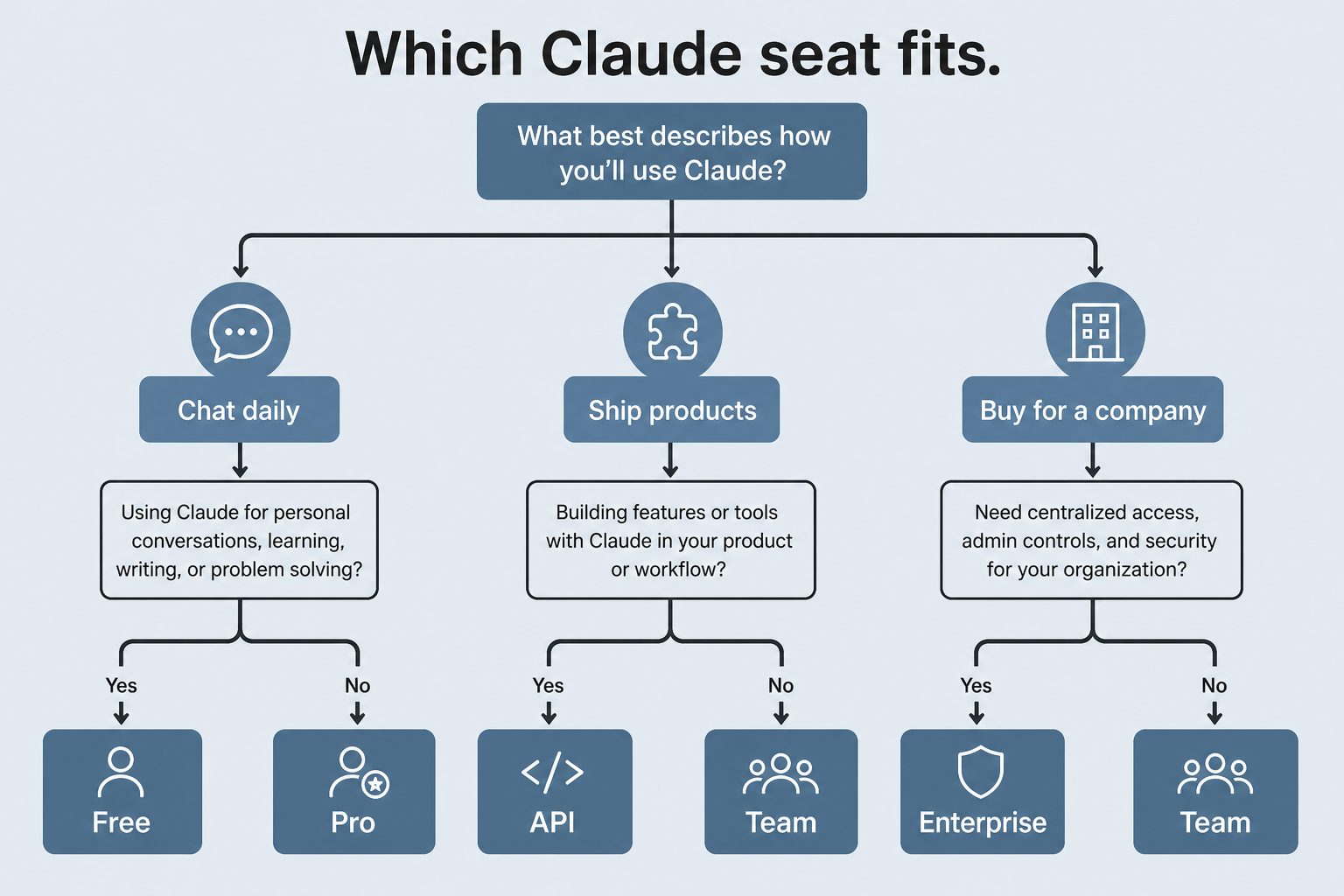
This slug duplicates the ranking tracker. Numbers here were last written as June 2026.
Direct Answer (9 September 2026): Claude 3.5 Sonnet is retired. Current public Sonnet is Sonnet 5 at $2 / $10 per MTok. Current lineup is Fable 5.1, Opus 5.5 ($4 / $20 per MTok), Opus 5, Sonnet 5, Haiku 4.5. Live tracker: current Claude model version. Seat dollars: pricing hub.
Do not ship 3.5 Sonnet, Sonnet 4.6, or Opus 4.8 IDs in new work. Confirm the alias in the console.
Claude Code is Anthropic’s official CLI for Claude — a terminal-based agent you can point at any codebase and have it read, write, test, and ship code. It’s different from the Claude.ai chat interface in one key way: Claude Code can act, not just answer. It reads your actual files, runs your actual commands, and makes changes that stick.
This guide walks you through installation, first run, and the commands that cover 90% of what you’ll do daily.
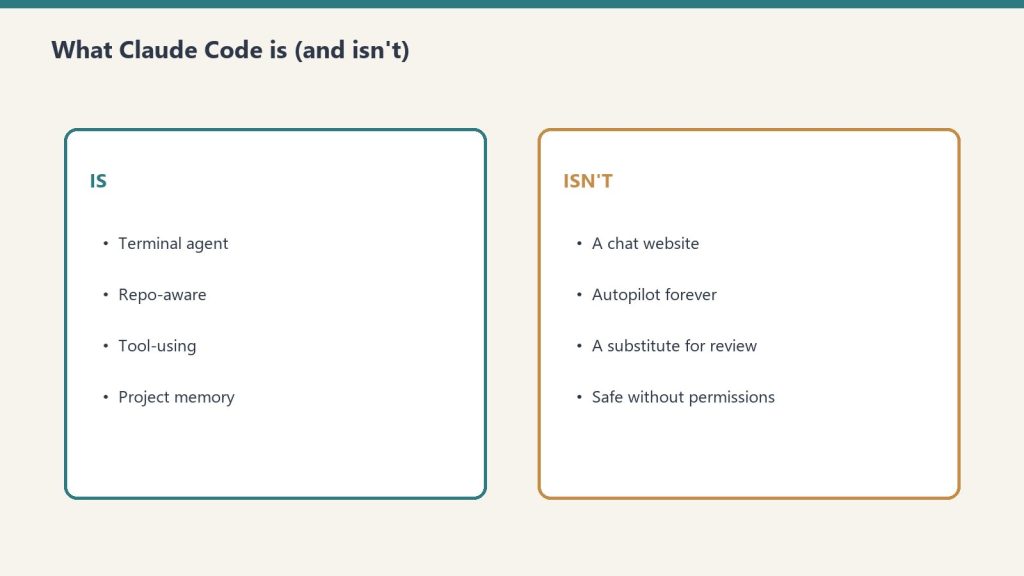
What Claude Code Is (and Isn’t)
Claude Code is a terminal agent — not a chat website.
Claude Code runs in your terminal. It gives Claude access to your local machine — file system, shell, and any MCP servers you configure — so it can do real engineering work: implement features, fix bugs, write tests, explain unfamiliar codebases, and run multi-step agentic workflows.
It is not a code autocomplete plugin (that’s what GitHub Copilot does). Claude Code is a conversational agent that works at the task level, not the token level. You describe what you want; it figures out the steps and executes them.
Installation
Claude Code requires Node.js 18 or later. Install via npm:
npm install -g @anthropic-ai/claude-code
Verify the install:
claude --version
That’s the only dependency. Claude Code is a Node.js CLI — no Docker, no Python env, no platform-specific setup beyond Node.
First-Run Authentication
The first time you run claude, it walks you through authentication. You have two options:
Option 1: Claude subscription (Pro, Max, Team, Enterprise)
Run claude, select “Login with Claude.ai,” and it opens a browser window to authorize. Your subscription covers Claude Code usage — no separate API billing.
Option 2: Anthropic API key
Set your API key as an environment variable before running:
export ANTHROPIC_API_KEY="sk-ant-..."
claude
Or on Windows:
$env:ANTHROPIC_API_KEY = "sk-ant-..."
claude
API key usage is billed per token at standard API rates. For heavy daily use, a Max subscription ($100–$200/month) is usually more economical than API billing.
Your First Session
Navigate to a project directory and start Claude Code:
cd ~/projects/my-app
claude
Claude Code reads your directory automatically. At the > prompt, describe what you want:
> What does this codebase do? Give me a 3-paragraph overview.
Claude reads the files it needs and responds. No configuration required for basic usage — Claude Code infers context from the directory you’re in.
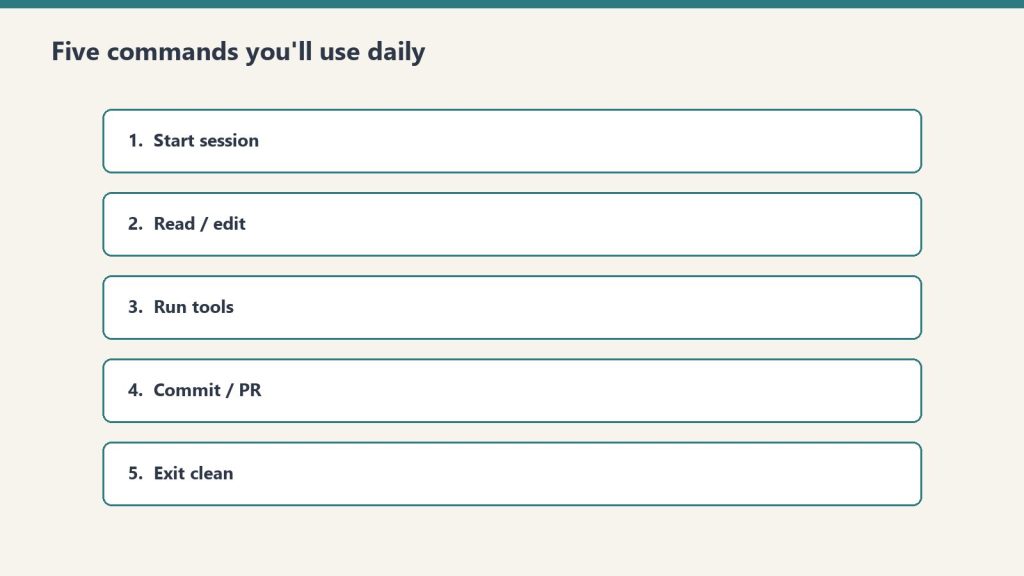
The 5 Commands You’ll Use Daily
The five commands you’ll use daily.
1. claude — Start an interactive session
claude
Launches the REPL (read-eval-print loop). This is where you spend most of your time. Claude has access to your current directory’s files, can run bash commands, and can call any MCP servers you’ve configured.
Within a session, you can:
Ask questions about the codebase
Request implementations (“add a rate limiter to the auth middleware”)
Have Claude run tests and fix failures
Use /help to see available slash commands
Use /clear to reset context without leaving the session
Press Escape twice to interrupt a running task
2. claude -p "prompt" — One-shot non-interactive mode
claude -p "What are all the API endpoints in this codebase?"
Runs a single prompt and exits. No REPL. Good for scripting, CI pipelines, or quick one-off queries you don’t want to interrupt a workflow for. Output goes to stdout — pipe it wherever you need it.
claude -p "Summarize the changes in the last 10 commits" | pbcopy
3. claude mcp add — Connect an external tool
claude mcp add github -- npx -y @modelcontextprotocol/server-github
Adds an MCP server to your Claude Code configuration. After running this, Claude can call the server’s tools in any session. Common additions:
# File system access (scoped to a directory)
claude mcp add files -- npx -y @modelcontextprotocol/server-filesystem ~/Documents

# GitHub integration
claude mcp add github -- npx -y @modelcontextprotocol/server-github

# Web search
claude mcp add search -- npx -y @modelcontextprotocol/server-brave-search
The GitHub and Brave Search servers need API tokens — set them as environment variables before the server starts, or pass them via the --env flag in the mcp add command.
4. claude -c — Continue the last conversation
claude -c
Resumes your most recent Claude Code conversation, including all prior context. Essential for multi-session work on a feature. If you closed the terminal mid-task, claude -c picks up exactly where you left off.
For a specific prior conversation:
claude --resume SESSION_ID
5. claude --model — Select the model for a session
claude --model claude-opus-4-8
Claude Code defaults to the most capable available model for your plan. You can override this per session. Current options:
claude-fable-5 — Highest capability, complex tasks (2x cost vs Opus 4.8)
claude-opus-4-8 — Default for most work, strong balance of quality and speed
claude-sonnet-4-6 — Faster responses, good for routine tasks
claude-haiku-4-5-20251001 — Fastest, lowest cost, short tasks
Slash Commands Inside a Session
While in a Claude Code session (> prompt), these slash commands are available:
Command
What It Does
/help
Show all available commands
/clear
Clear conversation context (keep the session open)
/compact
Compress prior context to save tokens while preserving essential memory
/cost
Show token usage and estimated cost for the current session
/model
Switch the model mid-session
/review
Request a multi-agent code review of the current branch
/init
Generate a CLAUDE.md file with project context for this repo
/exit
End the session
CLAUDE.md — Project-Level Context
Drop a CLAUDE.md file in your project root and Claude Code reads it automatically at session start. Use it to encode project-specific context Claude shouldn’t have to re-derive every session:
# My Project

## Architecture
- Backend: FastAPI + PostgreSQL
- Frontend: React + TypeScript
- Deployed to: AWS ECS

## Development
- Tests: `pytest tests/`
- Local server: `./scripts/start-dev.sh`
- Database migrations: `alembic upgrade head`

## Rules
- Never modify migration files directly
- All API routes go in `src/routes/`
- Use `httpx` not `requests` for HTTP calls
Generate a starter CLAUDE.md for an existing project with /init.
Permission Modes
Permission modes — decide what the agent may touch.
Claude Code asks for confirmation before running bash commands, creating files, or making other changes — unless you grant it broader permissions. There are three ways to control this:
Default: Claude asks before each tool use that modifies files or runs commands
--dangerously-skip-permissions: Skip all confirmations. Use only in isolated environments (Docker containers, CI). Not for everyday use on your primary machine.
Session-level allowlist: During a session, you can approve individual tools for the rest of the session by selecting “Allow always” when prompted
For most work, the default confirmation behavior is the right trade-off — it keeps you in the loop on changes without requiring you to pre-define a permission policy.
IDE Integration
Claude Code integrates with VS Code and JetBrains IDEs. Install the extension from each marketplace, then launch Claude Code from inside the IDE. This keeps the terminal panel visible alongside your editor without alt-tabbing between windows.
The IDE extensions also add shortcuts for common actions like opening Claude Code in the current file’s directory and running one-shot queries against the selected code.
What’s the difference between Claude Code and Claude.ai?
Claude.ai is the web chat interface — good for questions, document analysis, and writing. Claude Code is a terminal CLI that can access your local files, run commands, and act autonomously on multi-step tasks. Claude.ai can’t modify files on your machine; Claude Code can.
Does Claude Code cost extra on top of my Claude subscription?
No. Claude Pro, Max, Team, and Enterprise subscriptions include Claude Code access. You use the same account. Heavy agentic usage counts toward the plan’s usage limits, but there’s no separate Claude Code fee.
Can Claude Code access the internet?
Not by default. Claude Code’s built-in WebFetch tool can fetch content from a specific URL when you provide it. For live web search, add the Brave Search or similar MCP server. Claude can’t browse freely without explicit tool access.
What does Claude Code do with my code?
Claude Code sends the file contents and context it needs to the Anthropic API for inference. Standard Anthropic API data policies apply — if you’re using an API key, you can configure zero data retention. If you’re using a subscription, default Anthropic retention policies apply. Review Anthropic’s privacy policy for current details.
Is Claude Code open source?
Claude Code itself (the CLI client) is not open source — it’s an Anthropic product. The MCP server ecosystem it connects to includes many open-source servers, and the MCP specification itself is open.
What version of Node.js do I need?
Node.js 18 or later. Run node --version to check. The Long-Term Support (LTS) version is always a safe choice.
Last verified: June 12, 2026. Claude Code is updated frequently — run npm update -g @anthropic-ai/claude-code to stay current.
Model Context Protocol (MCP) is the reason Claude can read your files, query your database, search the web, and push code to GitHub — all from inside a single conversation. Without it, Claude would be limited to whatever you paste in manually. With it, Claude connects to almost any external system.
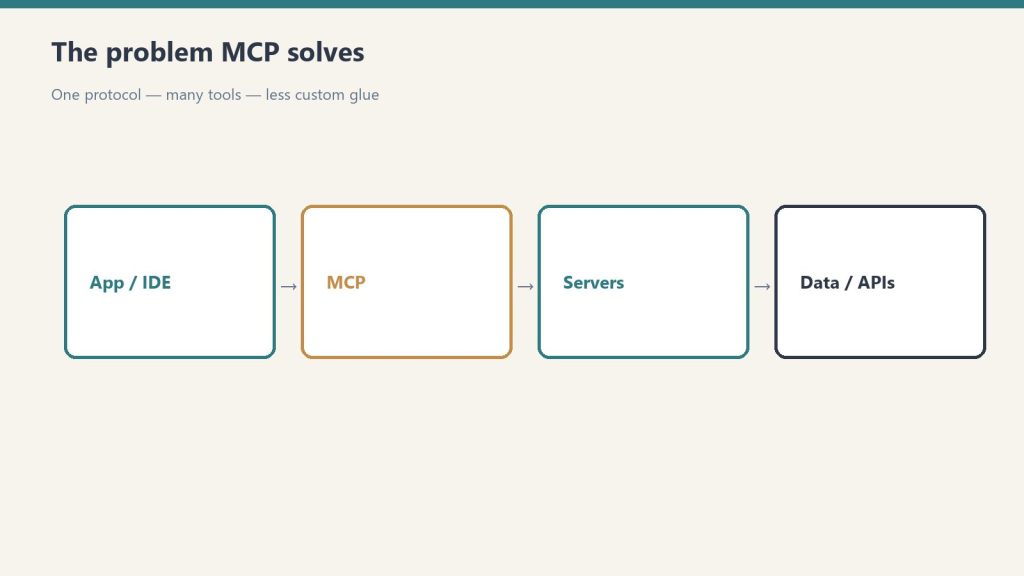
Quick answer: MCP is an open standard developed by Anthropic that lets AI models securely connect to external tools, data sources, and services through a standard client-server architecture (MCP getting started). You install an MCP server for the system you want Claude to access. Claude becomes a client that calls that server. The server executes the action and returns results.
The Problem MCP Solves
The problem MCP solves: one protocol, many tools.
Before MCP, connecting an AI model to external data meant one of two things: either the AI company built a native integration (slow, expensive, proprietary), or you cobbled together a pipeline that passed data manually between systems.
Neither approach scales. If Claude natively supported every database, every API, every file format, and every SaaS tool on the planet, the model would be perpetually behind. And manual copy-paste workflows aren’t agentic — they require you to do all the coordination work the AI should be doing.
MCP solves this with a universal adapter layer. Instead of building individual integrations, Anthropic defined a standard. Now any developer can build an MCP server for any system, and any MCP-compatible AI client (like Claude) can use it automatically.
How MCP Works
How MCP works as a layer between tools and agents.
MCP uses a client-server model over two transport mechanisms:
stdio: The MCP server runs as a local subprocess on your machine. Claude Code spawns it, communicates via standard input/output. This is the most common setup.
HTTP/SSE: The MCP server runs as a network service. Claude connects over HTTP with Server-Sent Events for streaming. Better for remote or shared servers.
The communication protocol underneath is JSON-RPC 2.0 — a lightweight, well-understood standard for calling methods and getting results.
Each MCP server exposes one or more of three primitives:
Tools: Functions Claude can call. Example: read_file(path), create_issue(title, body), run_query(sql). Claude decides when to call them based on context.
Resources: Data sources Claude can read. Example: the contents of a directory, a database schema, a project’s README. Resources are passive — they don’t take actions, they expose information.
Prompts: Reusable prompt templates that servers can provide to standardize how Claude interacts with them.
When Claude sees a task that could benefit from an available tool, it calls the tool, receives the result, and incorporates it into the response. This happens automatically — you don’t have to tell Claude when to use MCP. Claude decides based on what the server exposes.
MCP in Claude Code vs Claude Desktop
Both Claude Code (the CLI tool) and Claude Desktop support MCP, but they configure servers differently.
Claude Code
Claude Code has built-in MCP management via the claude mcp command family:
claude mcp add my-server -- npx -y @modelcontextprotocol/server-filesystem /path/to/directory
claude mcp list
claude mcp remove my-server
Servers added with claude mcp add are stored in your Claude Code config (~/.claude.json or the project-level .claude/settings.json). Project-level configs let you commit MCP server setups to source control so the whole team gets them automatically.
Claude Code also ships with a set of built-in tools that behave like MCP servers but don’t require separate installation: file read/write/edit, bash execution, glob search, grep, web fetch, and the agent spawning tools you’re reading about in this article.
Claude Desktop
Claude Desktop reads MCP server configuration from a JSON file:
Restart Claude Desktop after editing the config. Each server you add appears in the Claude Desktop interface with a hammer icon, and Claude can access its tools in any conversation.
The Most Useful MCP Servers
Anthropic maintains a reference set of official MCP servers. These are the ones worth knowing:
Server
What It Does
Package
Filesystem
Read/write files and directories on your local machine
@modelcontextprotocol/server-filesystem
GitHub
Read repos, create issues, open PRs, push code
@modelcontextprotocol/server-github
PostgreSQL
Read-only SQL queries against a Postgres database
@modelcontextprotocol/server-postgres
SQLite
Read/write a local SQLite database file
@modelcontextprotocol/server-sqlite
Brave Search
Live web search via Brave’s Search API
@modelcontextprotocol/server-brave-search
Puppeteer
Headless browser — screenshot pages, scrape, fill forms
Persistent key-value knowledge graph across conversations
@modelcontextprotocol/server-memory
Beyond the official set, hundreds of community-built MCP servers cover everything from Notion and Linear to AWS and Docker. The MCP ecosystem grew faster than almost anyone expected after the November 2024 launch.
Installing Your First MCP Server
The fastest path is Claude Code with the filesystem server. This gives Claude read/write access to a directory you specify — useful for any project work.
Prerequisites: Node.js installed (the server runs via npx).
In your terminal:
claude mcp add filesystem -- npx -y @modelcontextprotocol/server-filesystem ~/Documents/projects
That’s it. Open a Claude Code session. Claude can now list, read, write, and search files inside ~/Documents/projects. Try: “List all Python files in this directory and summarize what each one does.”
For Claude Desktop, edit the claude_desktop_config.json file directly (see format above), then restart the app.
What MCP Cannot Do
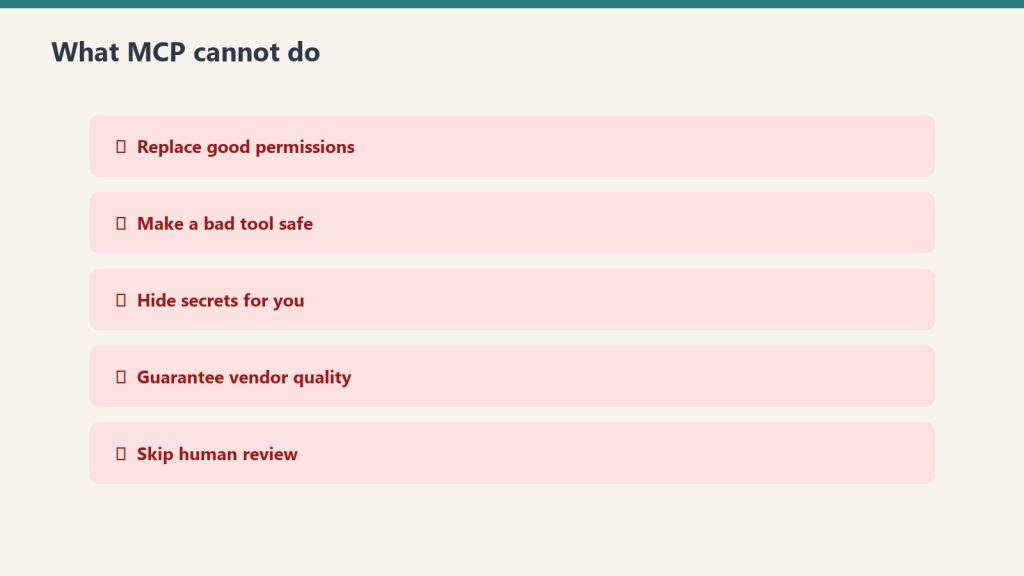
What MCP cannot do — permissions and review still matter.
A few things worth understanding before you build on MCP:
MCP servers don’t persist between conversations. Each Claude session starts fresh. If you need state persistence, you need a server with its own storage layer (the Memory server handles this specifically).
MCP doesn’t bypass Claude’s safety guidelines. Claude still decides whether to execute a tool call based on safety and ethics reasoning. Connecting a filesystem server doesn’t give Claude unlimited license to delete files — Claude will still confirm before destructive operations.
Subprocess MCP servers are local. The stdio transport runs servers on your machine. This means they only work when you’re running Claude Code locally. For remote or team-shared access, you need HTTP/SSE transport with a hosted server.
Security Considerations
MCP servers have real permissions. The filesystem server can read and write files. The GitHub server can push code to your repos. The Postgres server can run SQL queries.
Apply the principle of least privilege:
Scope filesystem servers to the directory you actually need, not /
Use read-only database credentials where you don’t need writes
Create GitHub tokens with minimum required scope (e.g., repo for private repos, not org-level admin)
Never commit environment variables containing API keys to source control, even in .claude/settings.json — use env var references instead
MCP servers run with the permissions of the user running Claude. If something goes wrong with a tool call, it can have real consequences. The upside: everything runs locally and through your own credentials — there’s no MCP cloud intermediary with access to your data.
MCP and Claude Code’s Agentic Workflows
The full power of MCP shows up in Claude Code’s multi-step agentic mode. When Claude Code has access to git, a filesystem, a browser, and a search tool simultaneously, it can execute workflows like:
Search the web for a library’s current API (Brave Search)
Read your existing code to understand the integration point (filesystem)
Write the updated code (filesystem write)
Run tests (bash)
Create a PR (GitHub)
Each of these steps would require a separate tool in a traditional automation stack. With MCP, Claude orchestrates all of them within a single session, using whatever servers are available.
This is what makes MCP the infrastructure layer for agentic AI — not a feature, but the foundation that makes complex AI-driven workflows possible.
What does MCP stand for?
Model Context Protocol. It’s an open standard for connecting AI models to external tools, data sources, and services through a standard client-server interface.
Who created MCP?
Anthropic created MCP and released it as an open standard in November 2024. The specification and reference servers are open-source on GitHub. While Claude is the primary client, other AI systems can implement MCP clients too.
Do I need to install MCP to use Claude?
No. Claude works without any MCP servers. MCP is an extension layer — you add servers when you want Claude to access specific external systems. Claude Code also ships with a set of built-in tools (file operations, bash, web fetch) that don’t require MCP installation.
Is MCP available on Claude.ai (the web app)?
MCP server support is primarily in Claude Desktop and Claude Code. The Claude.ai web interface has its own tool integrations (web search, document analysis) but doesn’t support custom MCP servers in the same way.
What’s the difference between MCP tools and Claude’s native tools in Claude Code?
Claude Code’s native tools (Read, Write, Bash, Glob, Grep, WebFetch, Agent) are built into the application and don’t require a separate server process. MCP servers are external — they run as subprocesses or network services that Claude Code connects to. Both expose tools that Claude can call; the mechanism for loading them is different.
How do I build my own MCP server?
Anthropic provides official SDKs for building MCP servers in TypeScript, Python, Go, and other languages. The TypeScript SDK (@modelcontextprotocol/sdk) is the most mature. Start with Anthropic’s MCP documentation and the reference server implementations on GitHub as templates.
Last verified: June 12, 2026. MCP specification and server ecosystem evolve quickly — check the official Anthropic MCP documentation for the current spec.
Anthropic released Claude Fable 5 on June 9, 2026 — and it’s the most capable model the company has ever made publicly available. After tracking every Claude release since the original 100K context window dropped, I can say this one is different. Fable 5 isn’t just an incremental update. It’s Anthropic’s Mythos-class model — the one they’d been keeping restricted — now opened up to anyone with an API key or a Claude subscription.
Here’s what you need to know: the pricing, the benchmarks, and the specific decision framework for when to use Fable 5 versus sticking with Opus 4.8.
Quick answer: Fable 5 costs $10/$50 per million input/output tokens (2x the cost of Opus 4.8). It outperforms Opus 4.8 significantly on complex coding, long-horizon tasks, and scientific research. Use Fable 5 when quality on hard problems justifies the cost. Use Opus 4.8 for high-volume, well-scoped, routine work.
Current lineup note (October 2026): Fable 5.1 is the current Fable SKU at the same $10/$50 headline rates (cache reads $0.25/MTok). Current Opus is Opus 5.5 at $4/$20; Opus 4.8 remains listed as legacy. The June 2026 comparisons below are the launch record for Fable 5.
What Is Claude Fable 5?
What is Claude Fable 5?
Claude Fable 5 (claude-fable-5) is Anthropic’s first publicly available Mythos-class model. The Mythos line is Anthropic’s highest capability tier — models that were previously restricted to research and select enterprise partners because of their raw power. Fable 5 is the version Anthropic deemed safe enough to release broadly.
The name shift (from the Opus/Sonnet/Haiku tier naming) signals something intentional. Fable 5 sits above the Opus line entirely. It’s a new ceiling.
Key specs:
Context window: 1M tokens (same as Opus 4.8)
Max output: 128K tokens per request
Thinking: Adaptive (always on — not a separate “thinking mode”)
Vision: Yes
Tool use / function calling: Yes
Available: Claude API, AWS Bedrock, Vertex AI, Microsoft Foundry
Claude Fable 5 Pricing
Fable 5 pricing — no sticky dollar stickers.
Model
Input (per MTok)
Output (per MTok)
Context
Claude Fable 5
$10.00
$50.00
1M tokens
Claude Opus 4.8
$5.00
$25.00
1M tokens
Claude Sonnet 4.6
$3.00
$15.00
1M tokens
Claude Haiku 4.5
$1.00
$5.00
200K tokens
Fable 5 costs exactly 2x Opus 4.8 on API. On subscription plans (Pro, Max, Team, Enterprise seat-based), Fable 5 is included at no extra cost through June 22, 2026.
The free-until-June-22 window matters if you’re evaluating whether to route your workloads to Fable 5. Use that window to benchmark it against your actual tasks before the 2x cost kicks in.
Benchmark Performance: Where Fable 5 Pulls Away
The benchmarks that matter most are the ones that measure what the model can do on real engineering work, not trivia:
Benchmark
Claude Fable 5
Claude Opus 4.8
Delta
SWE-bench Verified
95.0%
88.6%
+6.4 pts
SWE-bench Pro
80.0%
69.2%
+10.8 pts
FrontierCode
29.3%
13.4%
~2.2x
Senior Engineer benchmark
91/100
~63/100
+45% absolute
The Senior Engineer benchmark is the one I find most telling. It’s designed to be hard for people who write code for a living — and Fable 5 scores 45 percentage points higher than Opus 4.8. That gap is significant enough that it changes the calculus for serious engineering work.
When to Use Claude Fable 5 (vs Opus 4.8)
When to use Fable 5 vs Opus.
I’ve been routing tasks between models for long enough to have a framework. Here’s how I think about it:
Use Fable 5 when:
You’re running a large migration, refactor, or multi-stage software project
Quality on a hard problem matters more than per-token cost
You’re doing deep research, complex analysis, or long-horizon agentic work
The task would otherwise take a senior engineer half a day or more
You’re in the free evaluation window (through June 22) and want to benchmark
Use Opus 4.8 when:
The task is well-scoped and routine
You’re running high-volume pipelines where 2x cost compounds fast
Latency matters — Fable 5 can take 60 seconds to several minutes on complex tasks vs 3–15 seconds for Opus 4.8
The task falls in Fable 5’s restricted domains (cybersecurity, biology, chemistry, distillation) — in those categories, Fable 5 routes to Opus 4.8 anyway, so you’d pay Fable 5 prices for Opus 4.8 output
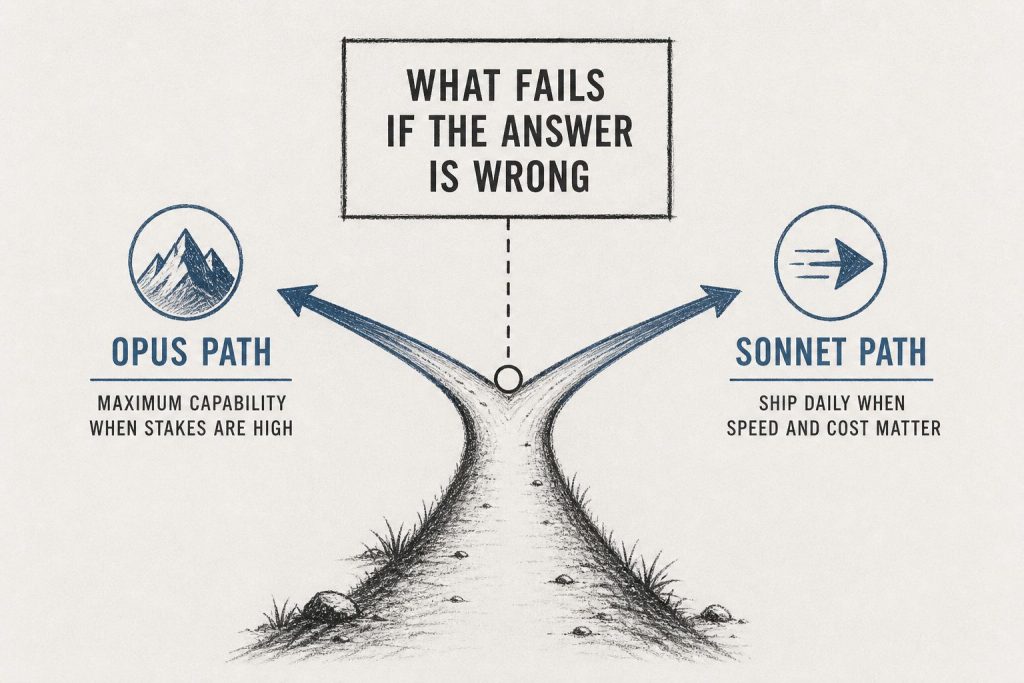
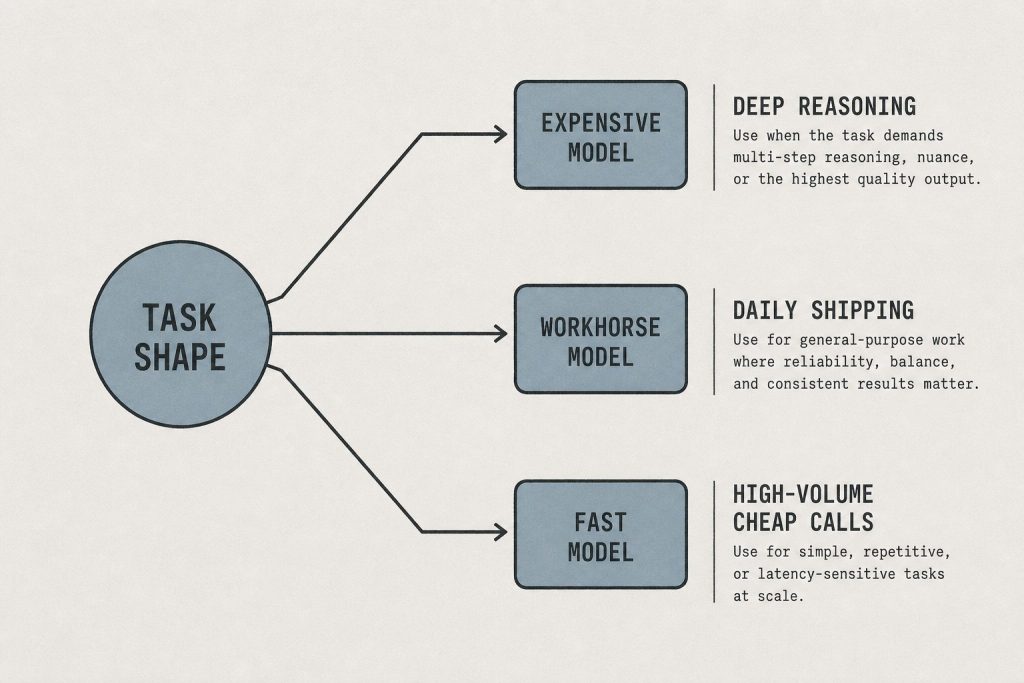
The smart routing strategy: Fable 5 for the hard jobs, Opus 4.8 for the rest. Don’t use Fable 5 as your default model — the cost and latency delta aren’t worth it for routine tasks.
Important Limitations to Know Before You Switch
Two limitations that don’t get enough coverage:
1. Safety classifier routing. Fable 5 includes enhanced safety classifiers. For prompts touching cybersecurity, biology, chemistry, and distillation, those classifiers route the request to a Claude Opus 4.8 fallback. You pay Fable 5 API rates ($10/$50) but get Opus 4.8 output. If your use case is in these domains, Fable 5 is not the upgrade it appears to be.
2. Data retention requirement. Fable 5 carries a mandatory 30-day data retention policy — Anthropic needs retained prompts and outputs to operate the safety classifiers. Claude Opus 4.8 is available under zero data retention (ZDR). If your use case requires ZDR (healthcare, legal, finance with strict data handling), stick with Opus 4.8 until Anthropic updates Fable 5’s data policy.
Availability
Claude Fable 5 is generally available as of June 9, 2026 on:
Claude API (claude-fable-5)
Claude Platform on AWS / Amazon Bedrock
Google Cloud Vertex AI
Microsoft Azure AI Foundry / GitHub Copilot
Subscription access (free through June 22, 2026): Claude Pro ($20/mo), Max 5x ($100/mo), Max 20x ($200/mo), Team, and seat-based Enterprise plans all include Fable 5 access at no extra charge during the launch window. After June 22, the plan-tier access picture may change — check Anthropic’s pricing page for updates.
How This Changes the Claude Model Decision Tree
Before Fable 5, the Claude decision tree was straightforward:
Need the best? → Opus 4.8
Need balance? → Sonnet 4.6
Need speed/cost? → Haiku 4.5
Now it’s:
Hard problems, complex projects, long-horizon work → Fable 5
Everyday work, high-volume pipelines → Opus 4.8
Balance of cost and capability → Sonnet 4.6
Speed and cost optimization → Haiku 4.5
The introduction of a model tier above Opus 4.8 doesn’t replace the existing lineup — it creates a new ceiling for the work that genuinely needs it.
Is Claude Fable 5 better than Opus 4.8?
For complex coding, multi-stage tasks, and long-horizon work: yes, significantly. On SWE-bench Pro, Fable 5 scores 80.0% vs Opus 4.8’s 69.2% — a 10+ point gap. For routine, well-scoped tasks: the gap narrows enough that Opus 4.8’s 2x cost advantage makes it the smarter choice.
What is the Claude Fable 5 API model ID? claude-fable-5. This is the API string you pass to model in your API calls.
Does Fable 5 cost more than Opus 4.8?
Yes — exactly 2x. Fable 5 is $10 input / $50 output per million tokens. Opus 4.8 is $5/$25. Through June 22, 2026, Fable 5 is included in Claude subscription plans at no extra cost.
Can I use Claude Fable 5 for free?
On Pro, Max, Team, and Enterprise subscription plans, yes — through June 22, 2026. API access is metered at $10/$50 per MTok from day one.
Does Claude Fable 5 support zero data retention (ZDR)?
No. Fable 5 carries a mandatory 30-day data retention requirement. If your use case requires ZDR, use Claude Opus 4.8, which supports it.
What’s the difference between Claude Fable 5 and Claude Mythos 5?
Mythos 5 is Anthropic’s fully restricted research model — not publicly available. Fable 5 is the Mythos-class model that Anthropic has prepared for general availability, with safety classifiers and the 30-day retention policy. You can think of Fable 5 as “Mythos for the real world.”
Last verified: October 5, 2026. Anthropic pricing and availability subject to change — check Anthropic’s pricing page for current rates.
Updated October 28, 2026: Made infographic diagrams clickable to open full-size images.
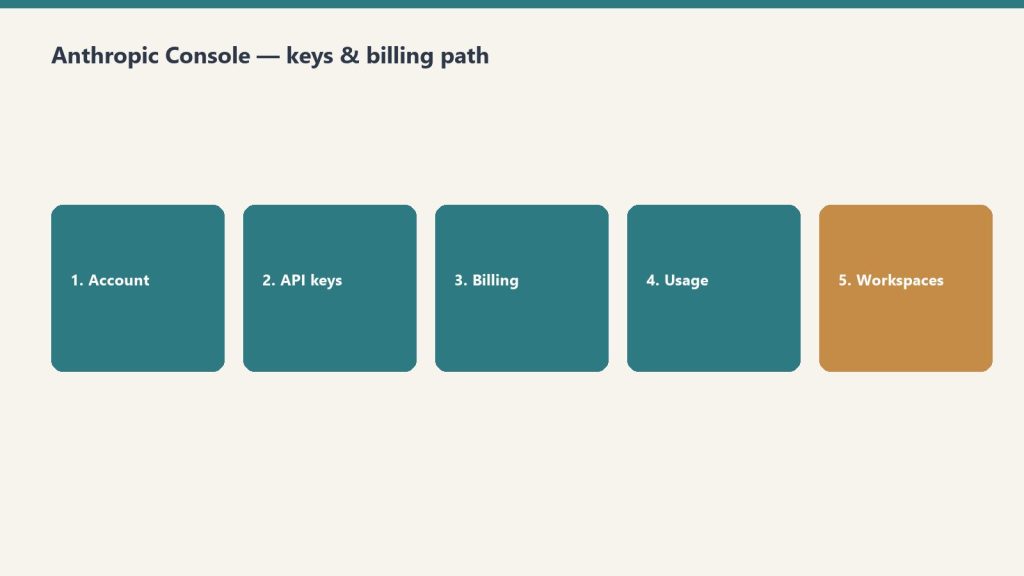
Direct Answer (September 2026): To obtain an Anthropic API key: 1) Register at console.anthropic.com, 2) Navigate to Settings > Plans & Billing and deposit $5+ for Tier 1 activation, 3) Go to ‘API Keys’, click ‘Create Key’, and copy your secure sk-ant-api03-... key token.
macOS / Linux:
export ANTHROPIC_API_KEY="sk-ant-YOUR_KEY_HERE"
Windows (PowerShell):
setx ANTHROPIC_API_KEY "sk-ant-YOUR_KEY_HERE"
Replace YOUR_KEY_HERE with the key shown once at creation — Anthropic never shows it again.
An Anthropic API key is the secret token that authenticates your requests to Claude models over the API. It starts with sk-ant-, is created in the Anthropic Console at console.anthropic.com under API Keys → Create Key, and is displayed exactly once — requests only succeed after you add a payment method.
Quick answer: sign in at console.anthropic.com (it now redirects to the same developer console as platform.claude.com), add a payment method under Settings → Billing, click API Keys → Create Key, name it, and copy it immediately – Anthropic shows the key exactly once. Keys start with sk-ant-. The whole process takes about five minutes.
Below is the full walkthrough, where to put the key so it doesn’t leak, the newer no-static-key option most tutorials haven’t caught up with, and the errors that account for nearly every failed first request. For the full reference – pricing tiers, key rotation, security, and workspace and organization keys – see our Anthropic API key reference and management guide.
What you need before you start
An email address (or Google / SSO login)
A payment method – your key will not work until billing is set up, even though you can create one
Five minutes
One distinction that confuses almost everyone: a Claude.ai subscription is not API access. Claude Pro, Max, and Team plans cover the Claude apps (web, desktop, mobile). The API is billed separately, by usage, through the developer console. You can have either one without the other – see our complete Claude pricing guide for how the two systems differ.
Go to console.anthropic.com – Anthropic’s developer console. (Both console.anthropic.com and platform.claude.com land in the same place in 2026; older tutorials treat them as different sites.) Sign up with email, Google, or SSO, and answer the brief onboarding questions about whether you’re an individual or an organization. For a tour of everything inside the console, see our Anthropic Console guide.
In the console, open Settings → Billing and add a credit card (self-serve accounts typically purchase prepaid usage credits). Skipping this step is the #1 reason a brand-new key returns errors – the key exists, but requests are rejected until the account can be billed.
Click API Keys in the left sidebar (direct link: platform.claude.com/settings/keys), then Create Key. Give it a descriptive name like my-app-dev – future you will thank present you when it’s time to rotate or revoke. If your organization uses multiple workspaces, note that keys are scoped to a workspace: the key only sees resources in the workspace it was created in.
Step 4: Copy it immediately
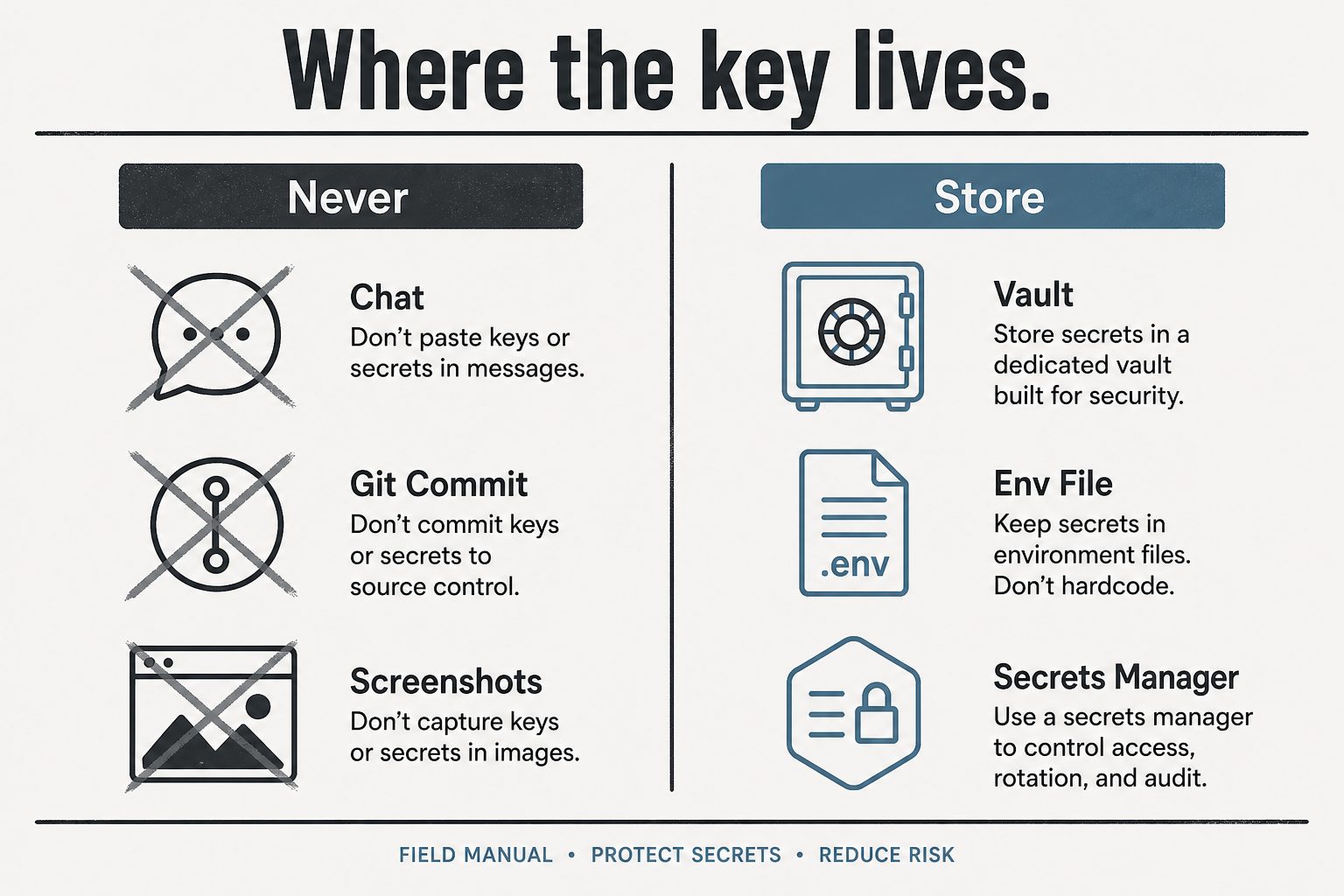
The key is displayed exactly once. It starts with sk-ant- followed by a long string. Copy it straight into a password manager, a .env file, or your secrets manager. If you lose it, there is no way to view it again – you revoke it and create a new one (takes a minute, harms nothing).
Where to put the key (and where never to put it)
Set it as an environment variable named ANTHROPIC_API_KEY – every official Anthropic SDK reads that variable automatically, so your code never contains the key:
macOS / Linux:export ANTHROPIC_API_KEY=sk-ant-...
Windows (PowerShell):setx ANTHROPIC_API_KEY "sk-ant-..."
Python:client = anthropic.Anthropic() – no key argument needed
TypeScript:const client = new Anthropic() – same
Never hardcode the key in source files, never commit it to a repository, and never paste it into a system prompt or chat message. Leaked Anthropic keys get scraped and drained like any other credential.
The 2026 no-key option: OAuth login
Newer than most guides: Anthropic’s CLI can authenticate without any static key. Run ant auth login and a browser window authorizes a short-lived OAuth profile on your machine – the SDKs and Claude Code pick it up automatically, and there is no permanent secret to leak or rotate. For CI servers and production workloads, Workload Identity Federation serves the same purpose. If you’re setting up a personal development machine in 2026, this is arguably the better default; create a static key when you need one for a deployed service.
Test your key
One request confirms everything works (Haiku keeps the test nearly free):
A JSON response with a content array means you’re live.
Troubleshooting the four common errors
401 authentication_error – the key is missing, mistyped, or revoked. Subtle 2026 variant: if both ANTHROPIC_API_KEY and ANTHROPIC_AUTH_TOKEN are set, the SDK sends both and the API rejects the request – unset one.
403 permission_error – the key works but lacks access to that model or feature; check your key’s workspace and your organization’s model access.
429 rate_limit_error – you’re sending faster than your usage tier allows. The response includes a retry-after header; official SDKs retry automatically. For tier details and fixes, see our Claude rate limits guide.
Key created but every request fails – almost always billing not completed (Step 2).
FAQ
Is the Anthropic API free? No – it’s usage-priced per million tokens with no permanent free tier (current rates in our Claude pricing guide and API token rates schedule, including the September 2026 lineup).
Where do I find my existing API key? You can’t – Anthropic shows keys only at creation. Revoke the old one and create a replacement.
Does my Claude Pro or Max subscription include an API key? No. App subscriptions and API billing are separate systems; an API account starts at $0 and bills per token used.
Last verified: August 26, 2026 (Pacific Time)May 2026 edition covered the Opus 4.8 launch, the SpaceX compute deal, and Managed Agents memory features.
Direct Answer (August 2026 Update): Major mid-2026 Anthropic releases introduced Claude Fable 5, native Model Context Protocol (MCP) tool integration in Claude Desktop, extended 1M context beta on Vertex AI/AWS Bedrock, and decoupled Enterprise seat pricing.
June 2026 is one of the biggest months for Anthropic since the Claude 4 launch: a new top-tier model is generally available, two workhorse models retire in four days, and Managed Agents can now run inside infrastructure you control. Here is everything that changed, with dates and migration paths.
Claude Fable 5 — the Mythos-class model goes public (June 9, 2026)
Fable 5 launch — keep the timeline abstract.
Anthropic released Claude Fable 5 on June 9, 2026 — the public version of what had been known as its Mythos-class model tier. It is positioned as a new tier above Opus, and it is Anthropic’s most capable generally available model. According to CNBC’s launch coverage, Fable 5 scored more than 10% higher than Claude Opus 4.8 on some benchmarks, with exceptional performance across software engineering and knowledge work. Anthropic credits new safeguards that block responses in specific high-risk areas for making a broad release possible.
The practical details developers need:
Model ID:claude-fable-5
Availability: enterprise customers and paid subscribers
Context window: 1 million tokens; maximum output 128K tokens
API pricing: $10 per million input tokens / $50 per million output tokens
API surface: adaptive thinking only — temperature, top_p, top_k, and budget_tokens are not accepted, and unlike Opus 4.8, an explicit thinking: {type: "disabled"} returns a 400 error. Omit the thinking parameter entirely if you do not want it.
For where Fable 5 sits against every other Claude model on price, see our continuously updated Claude AI pricing guide, and our complete Fable 5 guide for capabilities and use cases.
June 15 deadline: Claude Opus 4 and Sonnet 4 retire in four days
If you are still calling claude-opus-4-20250514 or claude-sonnet-4-20250514, those models retire from the Claude API on June 15, 2026. Requests after retirement return 404 errors. The drop-in replacements:
claude-opus-4-20250514 → claude-opus-4-8
claude-sonnet-4-20250514 → claude-sonnet-4-6
Note that both replacements use adaptive thinking rather than manual thinking budgets, and the 4.6+ models reject assistant-turn prefills — so this is a small migration, not just a string swap. Anthropic also deprecated Claude Opus 4.1 this month, with API retirement scheduled for August 5, 2026 — worth adding to your migration calendar now.
Current Claude model lineup and API pricing (June 2026)
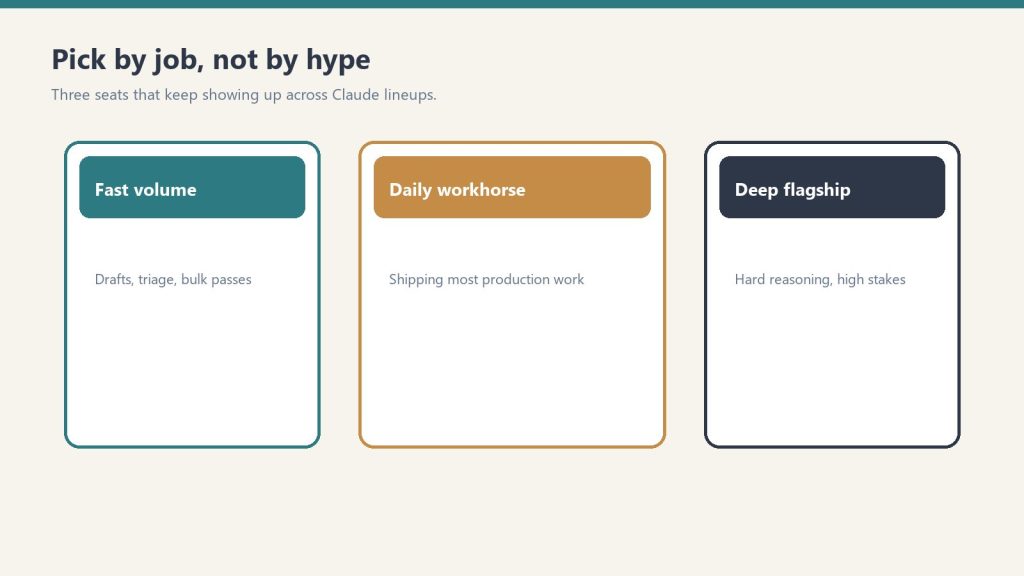
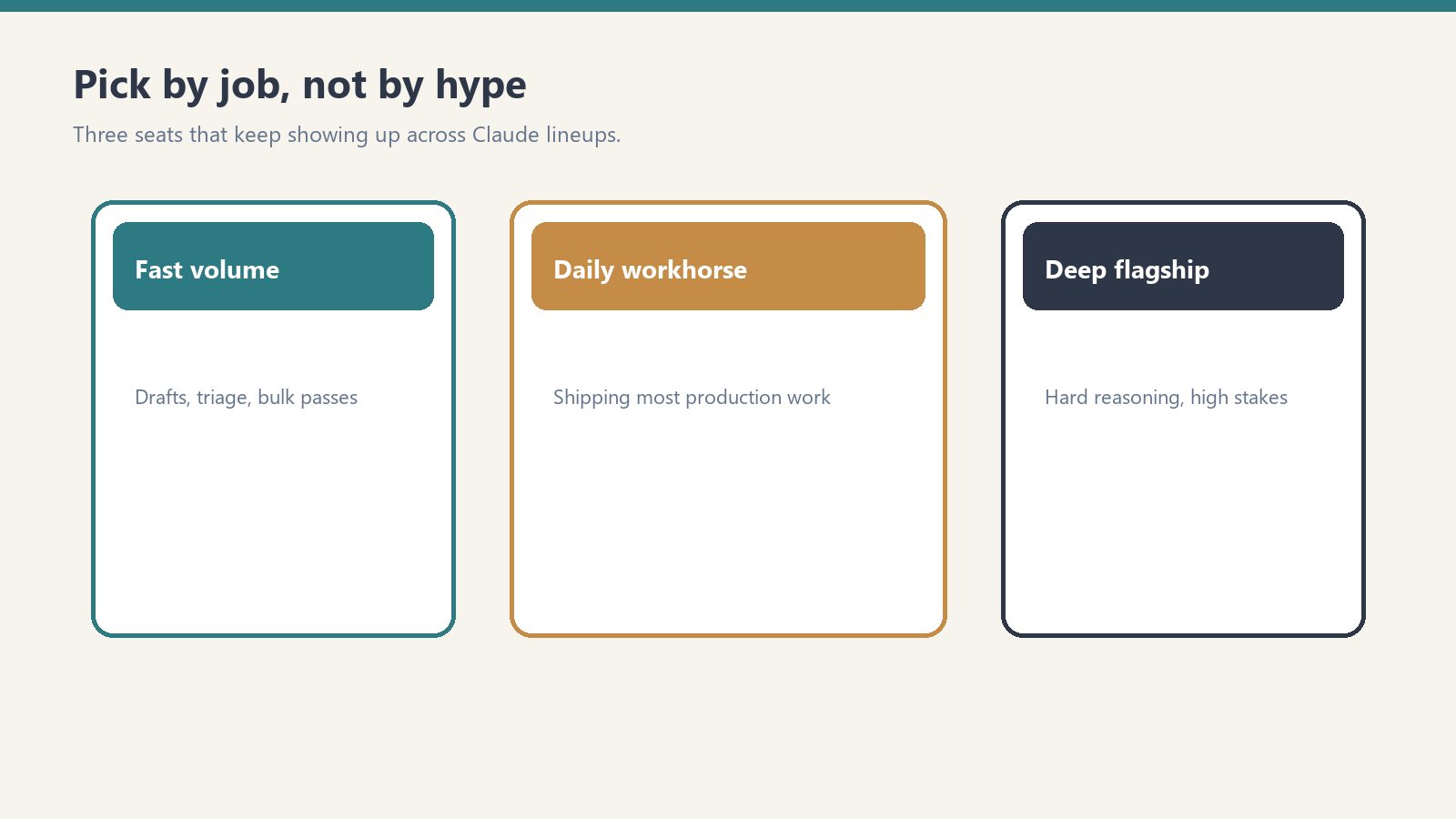
Current lineup by job — no sticky version stickers on art.
Model
Model ID
Context
Max output
Input $/1M
Output $/1M
Claude Fable 5
claude-fable-5
1M
128K
$10.00
$50.00
Claude Opus 4.8 (legacy — still listed)
claude-opus-4-8
1M
128K
$5.00
$25.00
Claude Opus 4.8 (legacy — still listed)
claude-opus-4-8
1M
128K
$5.00
$25.00
Claude Sonnet 4.6 (legacy — still listed)
claude-sonnet-4-6
1M
64K
$3.00
$15.00
Claude Haiku 4.5
claude-haiku-4-5
200K
64K
$1.00
$5.00
Opus 4.7, 4.6, 4.5, and 4.1 and Sonnet 4.5 remain active for pinned workloads. We track which model is current at any moment in our current Claude model version reference.
Managed Agents: self-hosted sandboxes and private MCP servers
Managed Agents and private MCP servers.
Claude Managed Agents — Anthropic’s server-managed agent platform — can now execute tools inside a sandbox you control. The agent loop still runs on Anthropic’s orchestration layer, but bash commands, file operations, and code execution happen in your own container, behind your own firewall, with your own egress rules. Your worker long-polls Anthropic’s work queue over outbound-only connections; Anthropic never dials into your network. Managed Agents can also now connect to private MCP servers, which matters for any organization whose internal tools are not on the public internet.
For regulated industries — healthcare, finance, legal — this is the missing piece that lets you adopt hosted agents while keeping data residency: files and tool output never leave infrastructure you own.
Claude Code: nested sub-agents and plugin search
Claude Code shipped a steady stream of updates in June: nested sub-agents (agents can now spawn their own sub-agents for deeper task decomposition), smarter model and region handling, a new plugin search, and improved Chrome, VS Code, and terminal workflows.
Legal expansion: 20+ MCP connectors and 12 practice-area plugins
Anthropic released more than 20 new legal MCP connectors and 12 practice-area plugins, covering research, contracts, discovery, matter management, and legal aid. The pattern to note: Anthropic is increasingly shipping vertical integration bundles rather than leaving connector-building entirely to the ecosystem.
Claude Corps: $150M for nonprofit AI adoption
Anthropic announced Claude Corps, a $150 million fellowship program that will embed roughly 1,000 trained fellows inside nonprofit organizations for a year to help them use AI effectively. Applications and program details are rolling out through Anthropic’s newsroom.
Apple Foundation Models integration
Claude support is coming to Apple’s Foundation Models framework on iOS 27, iPadOS 27, macOS 27, and visionOS 27 — meaning third-party Apple developers will be able to call Claude through Apple’s native AI framework rather than integrating the API directly.
What to watch for in July
August 5, 2026: Claude Opus 4.1 retires from the API — migrate to claude-opus-4-8 before then.
Fable 5 ecosystem: expect Claude Code, Cowork, and Managed Agents to expose Fable 5 more broadly through July as capacity scales.
Apple rollout: developer betas of the iOS 27 family will show what Claude-via-Foundation-Models actually looks like in practice.
The Signal is a daily AI intelligence briefing from Tygart Media — field notes from someone who builds with these tools 12 hours a day, not someone who reads press releases about them. Each edition distills the day’s most consequential AI and search developments into what they actually mean for agencies, small business operators, and builders shipping real infrastructure.
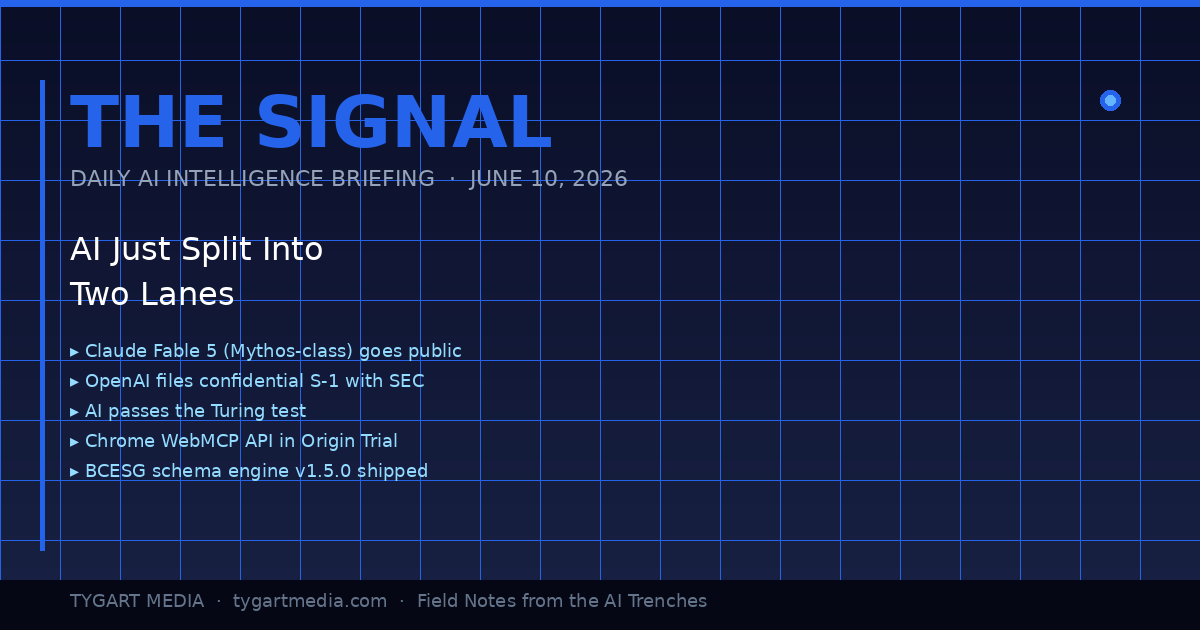
June 10, 2026: The Day the Lanes Forked
The day the lanes forked — product vs infrastructure.
Today was the kind of day where you can feel the road forking under your tires. Not because one thing happened — because eight things happened simultaneously, and if you squint at the pattern, they all point the same direction: AI just stopped being a product category and started being infrastructure. The plumbing layer. The thing you build on top of, not the thing you buy.
I’ve been building with Claude since the Haiku days. I run it 12 hours a day across 20+ WordPress sites, a five-site knowledge cluster on Google Cloud, and a custom schema engine I shipped yesterday. When the landscape shifts, I don’t read about it on TechCrunch — I feel it in the tooling. And today, the tooling lurched forward in a way that matters.
Here’s the daily signal.
Claude Fable 5: Mythos-Class AI Goes Public
Anthropic launched Claude Fable 5 yesterday — the first publicly available Mythos-class model, a tier above Opus. Pricing is $10 per million input tokens and $50 per million output tokens. It’s the most capable model Anthropic has ever released to the general public, state-of-the-art on nearly every benchmark, and it comes with a fascinating constraint: queries on certain topics automatically route to Opus 4.8 instead, triggering in less than 5% of sessions. Anthropic is essentially saying: here’s the most powerful thing we’ve ever built, and we’ve installed guard rails at the edge cases where power becomes risk.
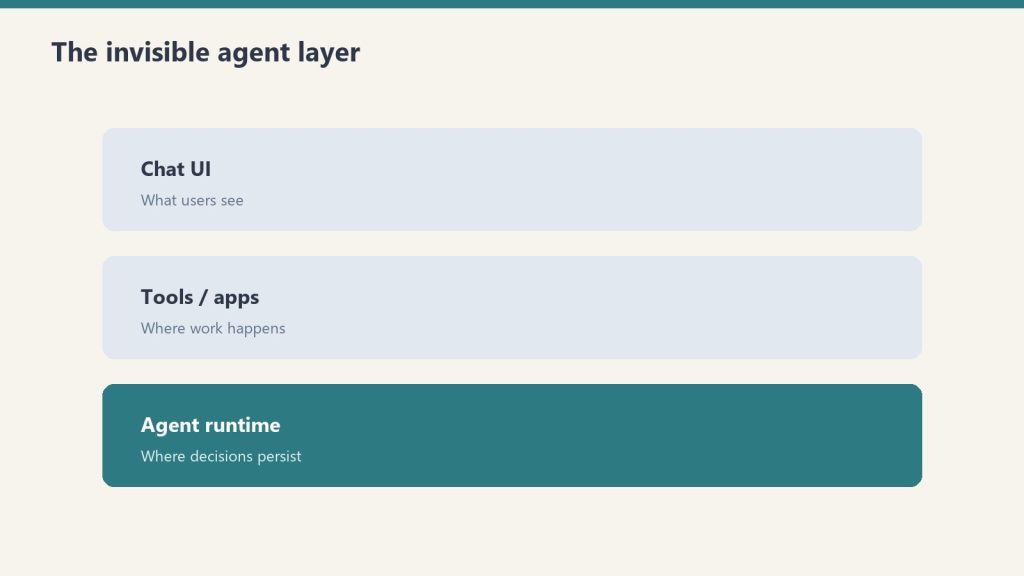
For agencies and small business operators, the practical read is this: Fable 5 is included on Pro, Max, Team, and Enterprise plans through June 22 at no extra cost. After that, it comes off the subscription tiers. If you’re building workflows that depend on Mythos-class reasoning, you have 12 days to test whether the capability justifies the API cost — or whether Opus and Sonnet handle your actual use cases just fine.
The real signal isn’t the model itself. It’s that Anthropic also doubled Cowork limits at no charge and shipped Claude Managed Agents in public beta. They’re not just selling you a smarter model — they’re selling you an operating system for delegating work to AI. That’s a fundamentally different product than a chatbot.
Meanwhile, I Was Building the Infrastructure Layer — Not Reading About It
Infrastructure layer work while the headlines chase models.
While the tech press was writing headlines about Fable 5, I was elbow-deep in the kind of work that actually turns these models into business value. Yesterday, across a 14-hour session, my team — which at this point is me and a fleet of Claude instances — shipped three things that matter more to my clients than any benchmark score:
1. bcesg-knowledge-api v1.5.0 — a custom WordPress plugin I built and deployed across BCESG.org that outputs a JSON-LD @graph array containing Article, FAQPage, Organization, WebPage, BreadcrumbList, Person (author), and speakable schema — all generated from 13 custom meta fields. This isn’t a schema plugin you install from the WordPress directory. It’s a purpose-built schema engine designed for one thing: making every page on the site machine-readable enough that AI systems cite it as an authoritative source. That’s Generative Engine Optimization at the infrastructure level, not the content level.
2. WordPress 7.0 across the entire knowledge cluster. All five sites — bcesg.org, restorationintel.com, riskcoveragehub.com, continuityhub.org, and healthcarefacilityhub.org — upgraded from WP 6.9.4 to 7.0. Why does this matter? Because WordPress 7.0 ships the Abilities API: agent-to-agent communication endpoints. That means my Claude-powered content pipelines can now negotiate directly with WordPress about what they’re allowed to do, without me acting as the middleware. The cluster just became AI-native infrastructure.
3. The stack around it. RankMath SEO installed with the schema module deliberately disabled — because the custom plugin handles schema, and two schema systems fighting each other is worse than none at all. IndexNow for instant search engine notification on every publish and update. Microsoft Clarity for behavioral analytics so I can see what humans actually do when they land on AI-optimized content.
And here’s the detail that would have been impossible to explain six months ago: the peer review on the bcesg-knowledge-api plugin was done by Claude Fable 5 reviewing the code that Claude Opus wrote. AI reviewing AI’s code. In production. On a live WordPress cluster. That’s not a demo — that’s Tuesday.
OpenAI’s S-1 and the $965 Billion Elephant
What the split means for operators building agents.
OpenAI filed a confidential S-1 with the SEC. They’re going public. Meanwhile, Anthropic hit a $965 billion valuation. These two facts, side by side, tell you everything about where the money thinks AI is going: it’s going to be the most valuable infrastructure layer since cloud computing, and the market is pricing it that way before most businesses have figured out how to use it.
For small business owners and agency operators, this isn’t abstract finance news. It means the tools you’re using today — Claude, GPT, Gemini — are backed by companies with enough capital to keep shipping improvements for years. The platform risk isn’t that these companies disappear. The platform risk is that you don’t build on them fast enough and your competitors do.
AI Passed the Turing Test. Now What?
A UC San Diego study published in PNAS confirmed that OpenAI’s GPT-4.5 and Meta’s Llama-3.1-405B both passed a standard three-party Turing test — with GPT-4.5 being identified as human 73% of the time when given a persona prompt, significantly more often than actual human participants. This has been treated as a milestone headline, and it is one, but the practical implication is more subtle than “AI can fool humans.”
What it actually means: the content quality bar just moved permanently. If AI can produce text that’s indistinguishable from a human expert, then the only content that wins is content with something AI can’t fake — lived experience, proprietary data, operational specifics, the kind of “I shipped this yesterday and here’s what happened” detail that no model can generate from training data. This is why I write The Signal as field notes, not as analysis. Analysis can be generated. Field notes from the arena cannot.
Chrome WebMCP: The Browser Becomes an AI Endpoint
Google shipped the Chrome WebMCP API in Origin Trial for Chrome 149 through 156. The Model Context Protocol — the same protocol that lets Claude connect to external tools, databases, and APIs — is now a browser-native capability. Web applications can expose structured tool interfaces that AI models call directly.
This is a bigger deal than it sounds. Right now, when Claude interacts with a web application, it’s either through a dedicated MCP server or through browser automation (clicking pixels on a screen like a human would). WebMCP means any web app can define a structured API surface that AI agents consume natively. For agencies building client tools, this is the moment your internal dashboards and client portals become AI-ready without a full backend rewrite.
If you’re running WordPress sites — and 43% of the web is — this has direct implications for how AI agents interact with your content management layer. The gap between “website” and “AI-accessible knowledge base” just narrowed dramatically.
The GPU Infrastructure Play: xAI Becomes an AI REIT
Elon Musk’s xAI, home of Grok, is increasingly looking less like an AI model company and more like a GPU real estate investment trust. They’re partnering with both Anthropic and Google to provide compute infrastructure. This is the clearest sign yet that the AI industry is stratifying into two distinct layers: model companies (who build the brains) and infrastructure companies (who build the data centers those brains run in).
For builders, this is good news. More compute supply means more pricing competition means lower API costs over time. The $10/$50 per million tokens for Fable 5 today will look expensive in 18 months.
The Security Layer Nobody’s Talking About
HashiCorp announced Boundary for agentic AI — access security specifically designed for AI agents that need to authenticate across multiple systems. And MemPalace shipped a local-first AI memory system with 96.6% recall accuracy and 29 MCP tools for Claude Code.
These aren’t headline products. They’re infrastructure connective tissue. When AI agents can securely authenticate across your entire tool stack (HashiCorp Boundary) and maintain persistent memory across sessions (MemPalace), you stop using AI for one-off tasks and start using it as a persistent operational layer. That’s the transition my agency is making right now — from “Claude helps me write articles” to “Claude runs the content pipeline while I focus on strategy.”
What This All Means: The Two-Lane Highway
Here’s the pattern I see when I lay these signals side by side:
Lane 1: The AI product lane. This is where most people are. They use ChatGPT to draft emails. They ask Claude to summarize documents. They treat AI as a productivity tool, like a faster Google or a better autocomplete. This lane is getting crowded, commoditized, and — with the Turing test results — increasingly indistinguishable from one provider to the next.
Lane 2: The AI infrastructure lane. This is where the alpha is. Custom schema engines. Agent-to-agent communication via the WordPress Abilities API. Browser-native MCP endpoints. Persistent AI memory. Secure multi-system authentication for autonomous agents. This lane is where you stop using AI and start building on AI — where it becomes the foundation layer of your operations, not an add-on.
The gap between these two lanes is widening every day. Today’s eight signals all point the same direction: toward a world where the businesses that win aren’t the ones that use AI tools the best, but the ones that build AI infrastructure the fastest.
I’m building in Lane 2. Yesterday it was a custom schema engine and a WordPress 7.0 cluster upgrade. Today it’s field-testing Fable 5 as a code reviewer. Tomorrow it’ll be whatever the next signal demands.
The question isn’t whether AI is going to transform your industry. That’s settled. The question is whether you’re in the arena building the infrastructure, or on the sidelines reading about people who are.
What is Claude Fable 5 and how does it differ from Claude Opus?
Claude Fable 5 is Anthropic’s first publicly available Mythos-class AI model, released June 9, 2026. It sits a tier above Claude Opus in capability, priced at $10 per million input tokens and $50 per million output tokens. Fable 5 is state-of-the-art on nearly all tested benchmarks and includes built-in safeguards that route certain queries to Opus 4.8, triggering in less than 5% of sessions. It’s available free on subscription plans through June 22, 2026.
What is the Chrome WebMCP API and why does it matter for businesses?
The Chrome WebMCP API, now in Origin Trial for Chrome versions 149 through 156, brings the Model Context Protocol natively into the browser. This allows web applications to expose structured tool interfaces that AI models can call directly — eliminating the need for dedicated backend integrations or browser automation. For businesses running web-based tools, dashboards, or WordPress sites, this means your existing applications can become AI-accessible without a full rebuild.
What is the WordPress 7.0 Abilities API?
The WordPress 7.0 Abilities API provides agent-to-agent communication endpoints, allowing AI-powered systems to negotiate capabilities and permissions directly with a WordPress installation. This transforms WordPress from a content management system into AI-native infrastructure where automated pipelines can query what operations they’re authorized to perform without human middleware.
What does AI passing the Turing test mean for content creators?
A UC San Diego study published in PNAS found that OpenAI’s GPT-4.5 and Meta’s Llama-3.1-405B both passed a standard three-party Turing test in 2026 — GPT-4.5 was identified as human 73% of the time with persona prompting. For content creators, this permanently raises the quality bar — the only content that wins is content with elements AI cannot fake: lived experience, proprietary data, operational specifics, and first-person field reports that no model can generate from training data alone.
What is Generative Engine Optimization (GEO) and how does it work?
Generative Engine Optimization is the practice of structuring web content so AI systems — including ChatGPT, Claude, Gemini, Perplexity, and Google AI Overviews — cite, reference, and recommend it. GEO involves entity enrichment, structured data (JSON-LD schema), authoritative citations, and machine-readable formatting. Unlike traditional SEO which targets search engine crawlers, GEO targets the large language models that increasingly mediate how users discover information.
How should small businesses approach AI infrastructure in 2026?
Start by moving from Lane 1 (using AI as a productivity tool) to Lane 2 (building AI into your operational infrastructure). Practical first steps include implementing structured data and schema markup on your website, setting up AI-optimized content pipelines, ensuring your site is crawlable by AI systems via protocols like LLMS.txt, and testing agentic workflows where AI handles multi-step operational tasks autonomously rather than single-prompt interactions.
What is a custom schema engine and why build one instead of using plugins?
A custom schema engine is a purpose-built WordPress plugin that generates structured data (JSON-LD) tailored to specific business objectives — in this case, AI citation optimization. Unlike off-the-shelf schema plugins that generate generic markup, a custom engine outputs precisely the entity relationships, author signals, and speakable content markers that AI systems use when deciding which sources to cite. The bcesg-knowledge-api plugin generates a seven-type @graph array from 13 custom meta fields, providing a level of control that no general-purpose plugin offers.
What is the significance of AI reviewing AI-written code in production?
When Claude Fable 5 peer-reviewed code written by Claude Opus for a production WordPress plugin, it demonstrated a mature AI development workflow where different model tiers serve different roles — one for generation, another for quality assurance. This mirrors human development practices (developer writes, senior reviews) but at machine speed and cost. It’s a practical example of how AI agent collaboration is already operational in real business infrastructure, not just research demos.
The Signal is published daily on Tygart Media by Will Tygart. Each edition distills the day’s most consequential AI, search, and technology developments into actionable intelligence for agencies, small business operators, and builders shipping real AI infrastructure.
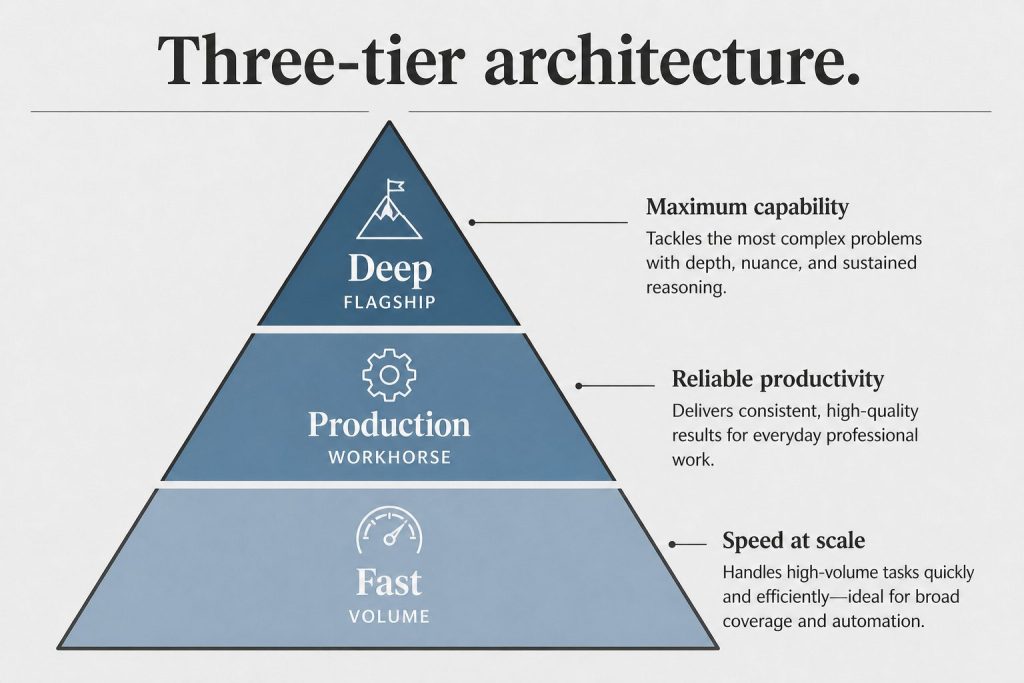
Everything you need to know about Anthropic’s new frontier tier — pricing, context window, model comparisons, and how to route the right work to the right model.
Updated June 2026·~14 min read·Includes interactive calculators
Lineup update (September 2026): Since this guide was last fully updated, Anthropic shipped Opus 5.5 ($4/MTok in, $20/MTok out) and Sonnet 5 ($2/MTok in, $10/MTok out) as its current flagship and mid-tier models. Fable 5.1 remains the top-tier model referenced throughout, at the same $10/$50 pricing shown below. Opus 4.8 and Sonnet 4.6 are now legacy — still supported, no longer current default.
What Is Claude Fable 5?
What is Claude Fable 5?
Claude Fable 5 is Anthropic’s new frontier model tier — positioned above Opus in the lineup and designed for tasks where raw capability, extended reasoning depth, and massive context handling matter more than cost. Where Opus 4.8 set the bar for complex multi-step reasoning, Fable 5 raises it with a 1-million-token context window, enhanced agentic autonomy, and improved performance on long-horizon software engineering, research synthesis, and cross-domain analysis tasks.
The “Fable” naming signals a new generation of model architecture rather than an incremental update. Anthropic positions it as the model you reach for when a task exceeds what Opus can do reliably — not as a replacement for Opus, Sonnet, or Haiku in their respective cost tiers.
Quick Facts — Claude Fable 5
Context Window
1M
tokens (~750K words)
Max Output
32K
tokens per response
Input Price
$10
per million tokens
Output Price
$50
per million tokens
Cache Write
$12.50
per million tokens
Cache Read
$1.00
per million tokens
Key positioning: Fable 5 is the model for tasks where Opus 4.8 produces reliable but imperfect results — long codebase audits, full-document analysis, complex multi-agent orchestration, and strategic synthesis across large corpora. For most production workflows, Sonnet remains the value pick.
Before you price this out: The table below reflects the June 2026 lineup (Fable 5, Opus 4.8, Sonnet 4.6, Haiku 4.5). As of September 2026, Opus 5.5 ($4/$20) and Sonnet 5 ($2/$10) are Anthropic’s current models — priced lower than the legacy Opus 4.8 / Sonnet 4.6 rows shown here.
Full Model Lineup Comparison
Full model lineup comparison.
Here’s how the complete 2026 Claude lineup stacks up across every dimension that matters for production usage:
Model
Input $/M
Output $/M
Context
Max Out
Vision
Tool Use
Extended Think
Best For
◆ Fable 5
$10
$50
1M
32K
✓
✓
✓ Deep
Max-capability tasks, 1M+ context
◆ Opus 4.8
$5
$25
200K
32K
✓
✓
✓
Complex reasoning, agentic workflows
◆ Sonnet 4.6
$3
$15
200K
16K
✓
✓
✓
Production apps, content at scale
◆ Haiku 4.5
$1
$5
200K
8K
✓
✓
—
High-volume, latency-sensitive tasks
Prices are per million tokens. Cache read is 90% cheaper than standard input across all models. Batch API provides an additional 50% discount on both input and output.
Capability Matrix — What Each Model Can Do
Capability
Fable 5
Opus 4.8
Sonnet 4.6
Haiku 4.5
Full codebase analysis (>500K tokens)
✓ Native
⚠ Chunked
✗
✗
Extended thinking / chain-of-thought
✓ Deep
✓
✓
✗
Multi-step agentic orchestration
✓ Best
✓
Good
Limited
Computer use
✓
✓
✓
✗
MCP tool integration
✓
✓
✓
✓
Prompt caching
✓
✓
✓
✓
Batch API (50% discount)
✓
✓
✓
✓
PDF / document analysis
✓
✓
✓
Limited
Real-time streaming
✓
✓
✓
✓
Structured JSON output
✓
✓
✓
✓
Interactive Cost Calculator
Estimate your monthly API spend across the full model lineup. Enter your token volumes below — the calculator models prompt caching and Batch API discounts automatically.
Token Cost Calculator
Estimated Monthly Cost
$0.00
Which Claude Model Should You Use?
Which Claude model should you use?
Answer three questions to get a model recommendation tailored to your use case.
Model Picker — 3 Questions
1. How large is your context? (document/codebase size)
Under 50K tokens
50K–200K tokens
200K–1M tokens
2. How complex is the task?
Simple / structured (classify, extract, format)
Moderate (draft, summarize, QA)
Complex (reason, plan, code, orchestrate)
3. How cost-sensitive is this workload?
Very — high volume, every cent counts
Moderate — quality matters more than cost
Not sensitive — quality and capability first
How We Actually Use Each Model
These are real production workflows mapped to the right tier — built from running Claude in content operations, publishing automation, and knowledge management at scale. No hypotheticals.
Haiku 4.5 — High Volume
Daily SEO Refresh Pipeline
25-post-per-day SEO metadata refresh
Article classification and tag assignment
Structured data extraction from web pages
Keyword density checks across large post archives
Link validation and redirect flagging
Sonnet 4.6 — Production Default
Editorial Content at Scale
Desk article writing (1,200–2,500 words)
Content brief execution from keyword clusters
FAQ and schema markup generation
Cross-site content adaptation and localization
Monthly client update drafts and summaries
Opus 4.8 — Complex Reasoning
Workers & Deep Refreshes
Agentic Notion Workers (multi-step pipelines)
Deep content refresh with competitive gap analysis
Multi-database synthesis and reporting
Strategy documents requiring extended reasoning
Code generation for automation scripts
Fable 5 — Max Capability
Portfolio Audits & Strategy
Full-site content audits (500+ posts in single context)
Cross-domain strategy synthesis across large corpora
Complex multi-agent orchestration at the flagship tier
Long-horizon planning requiring deep reasoning depth
Codebase-wide analysis and architecture review
Routing principle: The right model is the cheapest one that reliably completes the task. Haiku handles volume. Sonnet handles production. Opus handles complexity. Fable 5 handles scale + complexity together — specifically the cases where you’d need Opus and more context than Opus can hold.
The Economics: Routed vs All-Fable
Smart model routing is where API costs get controlled. Here’s a real-world comparison of a mixed content-and-automation workload at scale — routed vs running everything on Fable 5.
Workload
Monthly Volume
Routed Model
Routed Cost
All-Fable 5 Cost
Savings
SEO metadata batch refresh
750 posts/mo
Haiku 4.5 + Batch
$1.20
$18.75
93% less
Article drafting
90 articles/mo
Sonnet 4.6
$8.10
$67.50
88% less
Agentic worker runs
200 runs/mo
Opus 4.8
$22.50
$45.00
50% less
Full-site portfolio audits
4 audits/mo
Fable 5
$24.00
$24.00
—
Total
—
Routed
$55.80
$155.25
64% less
Stacking Discounts: Caching + Batch API
Two discount mechanisms compound independently:
Prompt caching: Cache your system prompt and shared context once. Subsequent requests pay ~10% of the input price for cache reads. On Fable 5, that’s $1.00/M instead of $10.00/M on cached tokens — a 90% reduction on your largest cost lever.
Batch API: Submit requests asynchronously (results within 24 hours) for a flat 50% discount on both input and output. Works on all four models. Best for non-real-time workloads like overnight refreshes, audits, or bulk classification.
Stacked: Caching + Batch combined can bring effective Fable 5 input cost from $10/M to ~$0.50/M on cached tokens — making it economically viable for high-volume tasks that previously only fit Haiku’s budget.
Claude Fable 5 sits above Opus 4.8 in the lineup. The primary difference is context window size — Fable 5 offers 1 million tokens vs Opus 4.8’s 200K — and the depth of extended reasoning for highly complex tasks. Opus 4.8 remains the right choice for most complex agentic workflows at half the cost. Fable 5 is best when you need both maximum context and maximum reasoning depth simultaneously, or when a task has routinely hit the limits of what Opus can do reliably.
Claude Fable 5 is priced at $10 per million input tokens and $50 per million output tokens — 2× Opus 4.8 ($5/$25), 3.3× Sonnet 4.6 ($3/$15), and 10× Haiku 4.5 ($1/$5). Prompt caching drops the effective input cost to $1.00/M on cache reads, and the Batch API adds a 50% discount on all tokens for non-real-time workloads. Stacking both discounts makes Fable 5 viable for higher-volume use cases than the base price suggests.
Claude Fable 5 has a 1-million-token context window — approximately 750,000 words or roughly 1,500 pages of text. This is 5× the context window of Opus 4.8, Sonnet 4.6, and Haiku 4.5 (all 200K). In practice, a 1M context window lets you pass entire codebases, long research corpora, or full document archives in a single API call without chunking or retrieval workarounds. For more on context window mechanics, see our full context window guide.
Yes. Claude Fable 5 is available through the Anthropic API using the model ID claude-fable-5-20260101 (check the Anthropic documentation for the exact identifier). It supports the same API surface as the rest of the Claude family — streaming, tool use, prompt caching, vision, the Batch API, and MCP server integration. Access requires an Anthropic API account with Fable 5 enabled on your usage tier.
Fable 5 is available in Claude.ai on the Pro and Team plans. The interface lets you select it from the model picker when starting a conversation. Like Opus, Fable 5 in claude.ai has message limits that reset on a rolling window — it’s designed for individual complex tasks rather than high-volume API workloads. For production-scale usage, the API with the Batch API discount is the more economical path.
Yes — and Fable 5’s extended thinking is the deepest in the lineup. Where Opus 4.8 supports extended thinking for complex reasoning tasks, Fable 5 uses a more capable reasoning engine designed for tasks that require longer chains of inference, more working memory, and more reliable self-correction. It’s particularly effective on math, logic, long-horizon planning, and tasks where the model needs to hold and manipulate many interdependent concepts simultaneously.
For most content production — articles, blog posts, social copy, summaries, SEO content — Sonnet 4.6 is the right call. It produces high-quality output at 3.3× less cost than Fable 5, and for typical content lengths (500–3,000 words), the quality difference is minimal. Reach for Fable 5 when you need to synthesize across a very large corpus (e.g., auditing 200+ posts simultaneously), when the content requires deep domain reasoning that benefits from extended thinking, or when the task involves both large-context ingestion and complex output generation in a single pass.
Three levers in order of impact: (1) Model routing — only use Fable 5 when the task genuinely requires it; route everything else to Opus, Sonnet, or Haiku based on complexity and volume. (2) Prompt caching — structure your system prompt and shared context so it can be cached; cache reads cost $1.00/M instead of $10.00/M on Fable 5. (3) Batch API — submit non-real-time workloads via the Batch API for a flat 50% discount. Stacking all three — routing + caching + batch — can reduce effective per-task costs by 85–95% compared to unoptimized Fable 5 calls.
More Claude Guides from Tygart Media
We run Claude in production every day. These are the guides that come from using it, not just writing about it.
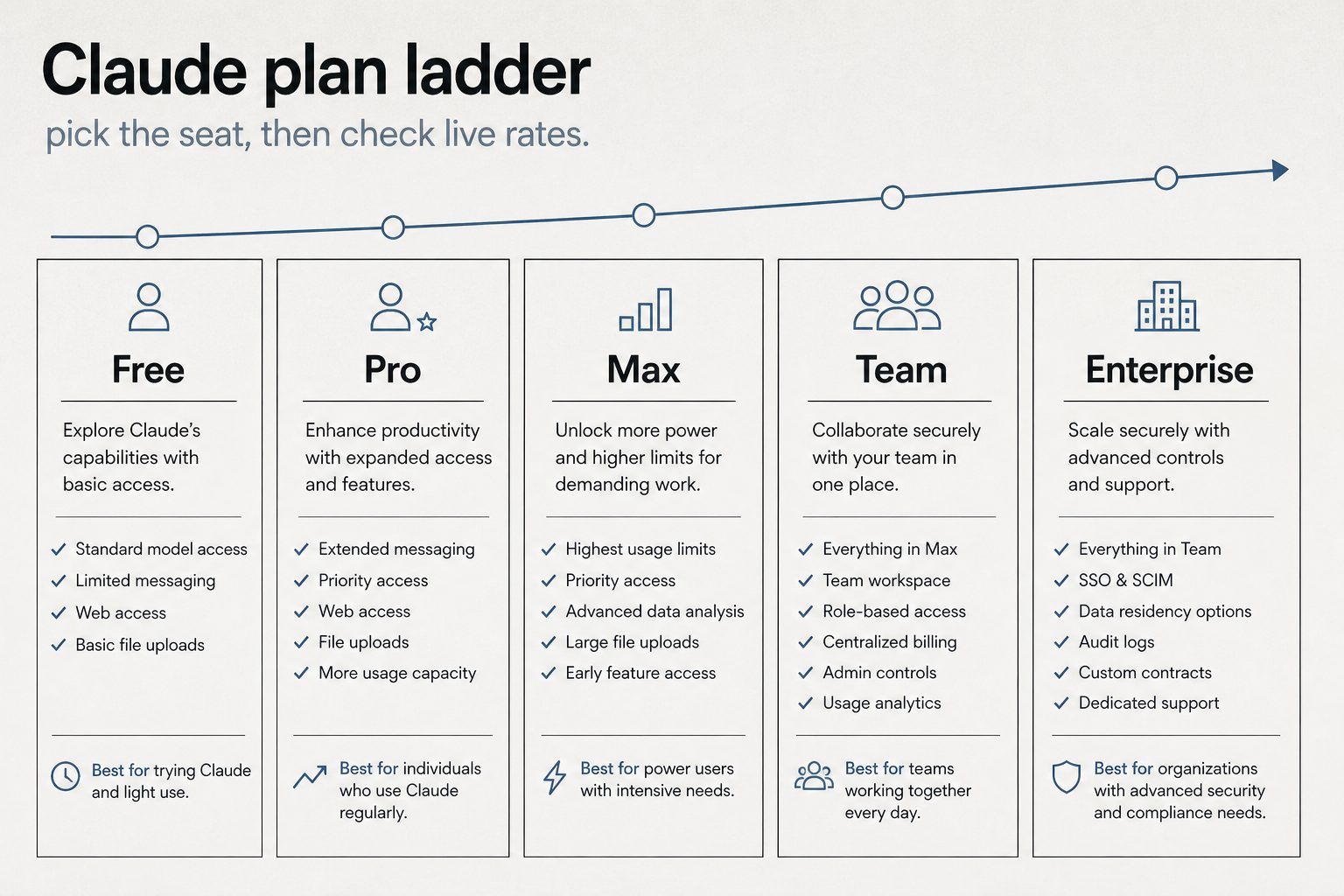
Direct Answer (9 September 2026): Claude Cowork is the desktop workspace in the Claude app. It works on local files and apps you approve. It is not Chat and it is not the Chrome extension. Use Chat when the job is a conversation. Use Cowork when the job is a folder, a document, or a multi-step desktop workflow. It ships on Pro, Max, Team, and Enterprise — not Free.
Claude Cowork lets Claude work on the machine, not just talk about the work. Last verified 9 September 2026.
Chat vs Cowork vs Chrome
Chat — conversation, no local workspace.
Cowork — local files, Skills, desktop workflows in the Claude app.
Chrome extension — the page in the browser. Separate install. See Claude in Chrome.
Claude Cowork missing HCS services — the local helper stack did not start. Quit the Claude app, confirm disk space, relaunch. If it persists, reinstall the desktop app. Do not treat this as a chat usage-limit.
Failed to start Claude’s workspace / not enough disk space — free space on the volume that holds the workspace, then retry. Cowork and Code spin their own copy of the server.
Couldn’t start this server for Cowork and Code sessions — same class. The session runner failed to boot. Restart the app; do not keep retrying from Chat.
Cowork not working — confirm you are in the desktop app on a paid seat, not claude.ai Chat and not the Chrome side panel.
How Cowork works
How Cowork mode works.
In the desktop app Claude can read folders you grant, write documents, run Skills, and call MCP tools. Actions ask for approval. It is not a silent screen-scraper.
What it can automate
File management, document creation (DOCX, XLSX, PPTX, PDF), data cleanup, and cross-app handoffs you approve. It is not a replacement for Claude Code on a repo.
Cowork vs Claude Code
Code is the terminal path for developers. Cowork is the visual path for operators. Both sit on Pro / Max / Team / Enterprise. Matrix: Cowork vs Code vs Agent SDK.
Getting started
Install the Claude desktop app. Open a Cowork session. Grant the folder. Describe the job. Approve the first file write before you let it run a batch.
Frequently Asked Questions
What is Claude Cowork?
Desktop workspace in the Claude app for files and local workflows.
Updated November 2, 2026 — added direct answers on Claude Pro vs Claude Max pricing and limits, sourced from Anthropic’s published pricing.
Last verified: October 2, 2026 (Pacific).
Updated October 28, 2026: Made infographic diagrams clickable to open full-size images.
Claude Pro costs $20/month. Claude Max costs $100 or $200/month. The question everyone asks: is 5x or 20x the price actually worth it? The answer depends entirely on how you use Claude. This comparison breaks down the real differences — not the marketing bullet points — so you can make an informed decision.
What Pro Gives You
What Pro gives you — stale-proof.
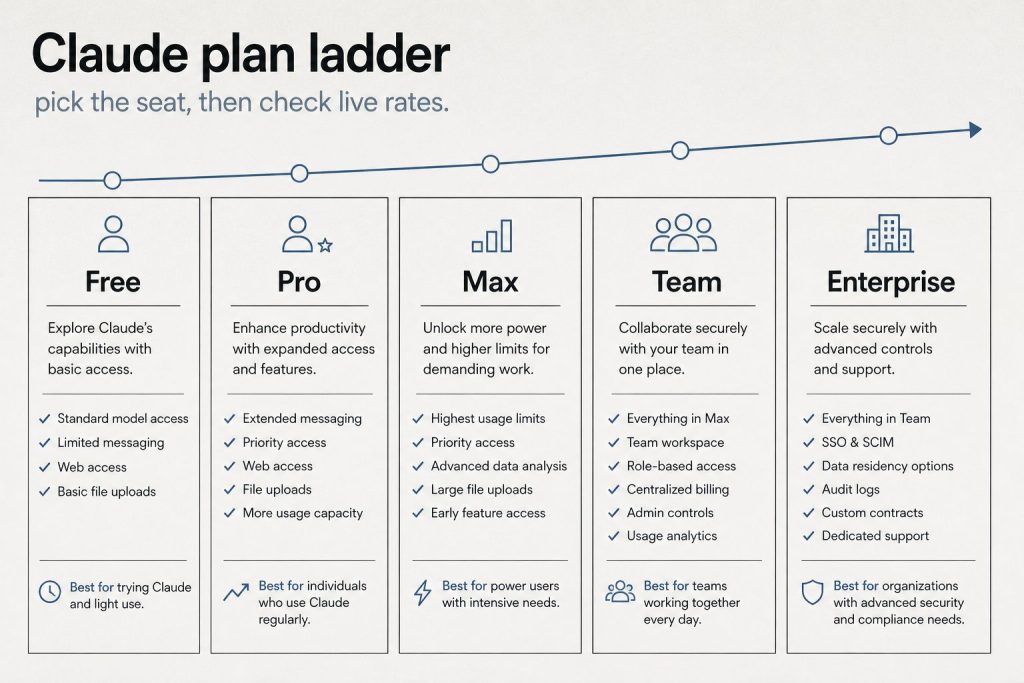
Pro at $20/month ($17/month annual) includes Claude Code, Claude Cowork, unlimited Projects, Research mode, access to additional models, and Claude for Microsoft 365 and Outlook. The usage allowance is described as “more usage” compared to Free — in practice, this means you can have sustained conversations throughout a workday without hitting limits under normal use. Most professionals who use Claude as a daily tool — a few hours of active conversation per day — find Pro sufficient.
What Max Adds
What Max adds.
Max comes in two tiers. The $100/month tier gives approximately 5x the usage of Pro. The $200/month tier gives approximately 20x. Beyond the usage multiplier, Max adds three concrete features: higher output limits for all tasks (longer responses, more complex code generation), early access to advanced Claude features before they reach Pro users, and priority access during high-traffic periods (you skip the queue).
The Fable factor: Max’s real exclusive
Direct answer: Max is now the only individual plan that includes Anthropic’s Fable models. On Pro, every Fable token runs on usage credits; on Max 5x and 20x, Fable is included up to half the weekly usage pool. If your work benefits from Fable — long-horizon agent loops with heavy cache reuse — this alone can decide the plan. Our Fable 5 pricing guide breaks down the $10/$50 headline rates and the 75% cache-read cut that Fable 5.1 brought on September 1.
Who Actually Needs Max
Who actually needs Max.
Heavy Claude Code users: If you spend 4+ hours per day actively using Claude Code for development — not just coding, but running extended agent sessions, multi-file refactoring, and complex debugging — you’ll likely hit Pro limits. Max 5x removes this friction. Content production teams: If you’re producing 10+ pieces of content per day through Claude, the usage adds up fast. Researchers and analysts: Extended research sessions with multiple deep-dive conversations consume significant tokens. Anyone who hits Pro limits regularly: If you see the “usage limit reached” message more than once or twice per week, Max pays for itself in recovered productivity.
Who Should Stay on Pro
Most individual professionals: If you use Claude for 1-3 hours per day with normal conversation patterns, Pro is plenty. Occasional users: If Claude is one of many tools in your workflow rather than the central one, Pro is more than enough. Budget-conscious users: At $20/month, Pro delivers extraordinary value. The jump to $100/month should be justified by measurable productivity gains. Users who haven’t hit Pro limits: If you’ve never seen the usage limit message, you don’t need Max.
When you hit the wall: usage credits
One newer mechanic worth knowing before you upgrade: when a paid plan hits its usage limit, usage credits keep Claude working at standard API rates instead of making you wait for the 5-hour reset window. Credits are pay-as-you-go on top of the subscription — the middle path for spiky weeks where one heavy project doesn’t justify a whole tier upgrade. If you hit Pro limits twice a month rather than twice a week, credits are usually cheaper than Max.
The Math on Max
Max 5x costs $80/month more than Pro. If that additional usage saves you 2+ hours per week of productivity (waiting for limits to reset, or time spent on tasks you could have delegated to Claude), and your time is worth $40+/hour, Max pays for itself. Max 20x at $200/month ($180 more than Pro) needs to save roughly 4.5 hours/week to break even at $40/hour. The early access and priority features are hard to quantify financially — they matter most for users who need Claude reliably during peak demand.
A Better Strategy Than Max
Before upgrading to Max, consider whether your usage patterns can be optimized on Pro. Use Projects to maintain context instead of repeating background in every conversation. Be concise in prompts — verbose prompts consume more tokens. Use the appropriate model (Haiku for simple tasks, Sonnet for standard work, Opus for complex reasoning). Close conversations you’re done with rather than continuing indefinitely. If you’re hitting limits despite these optimizations, Max is the right move.
How Claude usage limits actually work
Claude usage limits reset on a rolling five-hour window, and paid plans add weekly limits on top of that. There is no fixed number of messages.
On claude.com/pricing, checked October 2, 2026, Free covers everyday questions. Pro includes at least 5x more usage per five-hour session than Free. Max includes 5x or 20x more usage per five-hour session than Pro. The Max card lists the plan from $100 per month and lets you choose the 5x or 20x option. Chat on the web, the desktop app, mobile, and Claude Code all draw from the same pool.
What spends the allowance is the work itself. A longer conversation, a heavier model, file creation, or research uses more of the window than a short question. Anthropic also says it may apply weekly or monthly caps, or limits on a specific model or feature, so one account does not crowd out everyone else. On the plan table, Fable is unavailable on Free, listed as usage credits on Pro, and listed as 50% of weekly limits on both Max options.
When a limit hits, the same page gives three moves: wait for the reset, move to a higher plan, or, on a paid plan, turn on usage credits and keep working at standard API rates. Settings, then Usage, shows the current status. Team seats use a different meter. A standard seat includes more usage than Pro, at $20 per seat per month billed annually or $25 billed monthly. A premium seat includes 5x the usage of a standard seat, at $100 per seat per month billed annually or $125 billed monthly.
A Claude API bill is input tokens plus output tokens, and output costs more than input on every current model. Prices below are US dollars per million tokens. Pricing checked October 2, 2026.
Fable 5.1: $10 input, $50 output
Opus 5.5: $4 input, $20 output
Sonnet 5.5: $2 input, $10 output
Haiku 4.5: $1 input, $5 output
The official table also lists older and retired models. Those rows are omitted here. Sonnet 5 is the same $2 input and $10 output as Sonnet 5.5, and Anthropic says the increase to $3 and $15 that had been scheduled for September 1, 2026 will not happen.
The model and the length of the reply do most of the damage. Output is five times the input price on each model above, so an agent that writes a long diff costs more than one that only reads. Three other switches change the same rates. The Batch API takes 50% off input and output when the job can wait: Fable 5.1 batch is $5 and $25, Opus 5.5 is $2 and $10, Sonnet 5.5 is $1 and $5, and Haiku 4.5 is $0.50 and $2.50. US-only inference on Claude 4.6 and later multiplies input, output, cache writes, and cache reads by 1.1. Fast mode, still a research preview, prices Opus 5.5 at $8 input and $40 output, and Opus 5 or Opus 4.8 at $10 and $50. Fast mode does not run on the Batch API.
Claude 4.6 and later include the full 1 million token context window at that same per-token rate. A 900,000-token request is billed at the same rate per token as a 9,000-token request. Claude 4.7 and later, and Mythos Preview, use a newer tokenizer that produces about 30% more tokens for the same text, so an unchanged document can cost more after a model move. Sonnet 4.6 and earlier use the previous tokenizer.
Tools add their own lines. The pricing page lists web search at $10 per 1,000 searches, separate from the tokens used to process the request. Code execution includes 50 free hours a day per organization, then $0.05 per hour per container.
Prompt caching saves money when the same long prefix is sent again inside a short window. You pay extra to store that prefix, then a fraction of the normal input price each time a later request reads it.
Anthropic’s docs, checked October 2, 2026, price a 5-minute cache write at 1.25 times the base input price and a 1-hour cache write at 2 times. A cache hit on most models costs 10% of the standard input price. The docs say 5-minute caching pays for itself after one cache read, and 1-hour caching pays for itself after two cache reads. Two current models are cheaper on the read: Fable 5.1 and Mythos 5.1 hits are $0.25 per million tokens, which is 2.5% of base input, and Opus 5.5 hits are $0.20 per million tokens, which is 5% of base input. On the standard table, a 5-minute write is $12.50 for Fable 5.1, $5 for Opus 5.5, $2.50 for Sonnet 5.5, and $1.25 for Haiku 4.5. A 1-hour write on those models is $20, $8, $4, and $2.
The buyers who come out ahead repeat a prefix: a long system prompt, a tool list, a standing document, or an agent loop that reloads the same context every turn. A one-off short chat has nothing to reuse. Cache writes are charged when the prefix is first stored. Cache reads are charged when a later request retrieves it, and a read also refreshes the entry. Those multipliers stack with the Batch API discount and with the 1.1x US-inference multiplier.
At the everyday paid chat tier, Claude Pro and ChatGPT Plus are both $20 a month. Above that, compare the usage multiple on the plan, and price the API separately from the subscription.
Checked October 2, 2026. Claude lists Free at $0, Pro at $20 a month or $17 a month when $200 is billed up front for the year, and Max from $100 a month with a choice of 5x or 20x more usage than Pro per five-hour session. OpenAI’s Help Center lists ChatGPT Plus at $20 a month, billed monthly, and two Pro tiers: $100 for 5x the usage of Plus, and $200 for 20x the usage of Plus. The Plus article says API usage is billed separately. ChatGPT Go appears as a lower plan; a current Go dollar price was not on the pages read for this check.
The meters differ even when the monthly price lines up. Claude draws web, desktop, mobile, and Claude Code from one pool, on a rolling five-hour window, with weekly limits added on paid plans. OpenAI’s Pro article says models can have separate allowances, and reaching one model’s allowance does not by itself end the plan. Pick the product whose limit matches the work.
API rates below are the standard paid tier, in US dollars per million tokens, from the same October 2, 2026 check. Where a vendor publishes a short-context rate and a long-context rate, both are included.
Claude Haiku 4.5 is $1 input and $5 output. Sonnet 5.5 is $2 and $10. Opus 5.5 is $4 and $20. Fable 5.1 is $10 and $50. Claude 4.6 and later keep that per-token rate through a 1 million token context window.
On OpenAI’s standard tab, gpt-6-luna is $0.10 input and $0.50 output for short context, and $0.20 and $0.75 for long context. gpt-6.1-sol is $2 and $10 short, and $4 and $15 long. gpt-6-astra is $10 and $50 short, and $20 and $75 long. The same page also publishes Batch, Flex, Fast, and Ultrafast rates.
On Google’s Gemini API, standard paid, Gemini 3.8 Flash is $0.75 input and $3.75 output through December 31, 2026, then $1.50 and $7.50. Gemini 3.1 Pro Preview is $2 input and $12 output on prompts up to 200,000 tokens, and $4 and $18 above that. Gemini’s output price includes thinking tokens.
The useful comparison is the shape of the bill. On all three, output tokens cost more than input tokens. OpenAI’s flagship models and Gemini 3.1 Pro Preview raise the per-token rate once a prompt crosses their long-context line. Claude’s current models keep one rate inside the 1 million token window. A repeated prefix is discounted on each platform under that platform’s own cache rules.
What is the difference between Claude Pro and Claude Max?
The primary difference between Claude Pro and Claude Max is capacity, monthly usage headroom, and bundled developer credits on identical underlying models. Anthropic prices Claude Pro at $20 per month (or $17 per month when billed annually at $200 upfront). Claude Max is priced at $100 per month, delivering an official 5x usage multiplier over Pro across both the 5-hour rolling session window and the weekly account cap.
Beyond session headroom, Claude Max includes $100 per month in Claude Platform API credits, priority access during peak network traffic times, early access to new Claude features, and included access to Anthropic’s flagship Fable model up to half your weekly allowance. For extreme workloads, Anthropic also offers an Ultra tier at $200 per month, providing 10x weekly usage, $200 per month in API credits, and no 5-hour limit for verified accounts.
Workload fit determines the right tier: Claude Pro fits solo professionals, writers, and analysts working 1 to 3 hours per day with moderate prompt lengths. Claude Max fits full-time developers, engineering leads running continuous Claude Code sessions, and power users who regularly hit Pro’s 5-hour rolling limits mid-task.
How much does Claude Pro cost?
Claude Pro costs $20 per month when billed monthly, or $17 per month when billed annually ($200 billed upfront). Anthropic’s published terms confirm that Pro provides substantially more usage than the Free tier across both the 5-hour session window and weekly cap, access to advanced models (Sonnet and Opus), Projects for context management, Claude Code, Claude Science, Claude Dashboards (beta), and priority bandwidth during high-traffic periods.
Is Claude Max worth it for daily coding?
For daily coding, Claude Max is worth the investment if you write software full-time and frequently run into Pro’s session-based rate limits. In daily developer workflows involving continuous terminal interactions, multi-file diffs, and iterative debugging in Claude Code, each prompt re-submits previous code turns and file context. On Claude Pro, intensive coding sessions often hit the 5-hour rolling cap within 60 to 90 minutes of active development.
The financial math on Max for coding is straightforward: Max costs $100 per month, an $80 monthly premium over Pro. That plan includes an official 5x usage multiplier across 5-hour and weekly windows, plus $100 per month in API credits to build on the Claude Platform. If avoiding interrupted coding sessions saves you just 2 hours per week of downtime, and your professional developer time is valued at $40 or more per hour, Claude Max pays for itself within the first week.
What does pay-as-you-go API usage beat a Max subscription?
Pay-as-you-go API usage beats a Claude Max subscription when your workloads are automated, bursty, or integrated directly into developer environments rather than open-ended conversational web chats. Instead of paying a flat $100 or $200 monthly subscription fee for personal seat headroom, direct API access bills only for the exact tokens your tasks consume at standard published rates (such as Claude Sonnet 5.5 at $2.00 per million input tokens and $10.00 per million output tokens, or Haiku 5.5 at $0.10 input and $0.50 output).
For programmatic scripting, IDE extensions, or scheduled batch jobs, typical developer consumption often totals $15 to $40 per month in API charges—well below the $100 per month cost of a Max seat. Furthermore, API usage unlocks prompt caching (reducing input token costs up to 90% on cached prefix reads) and Message Batches (providing an automatic 50% discount for asynchronous turnaround within 24 hours). For a detailed structural analysis of when to buy per-user seats versus consuming raw tokens, see our analysis of Seats vs API — the question models get wrong.
Frequently Asked Questions
Is Claude Max worth $100 a month?
If you regularly hit Pro usage limits — especially heavy Claude Code users, content producers, or researchers — Max pays for itself in recovered productivity. If you’ve never hit Pro limits, stay on Pro.
What is the difference between Max 5x and Max 20x?
Max 5x ($100/month) gives 5x the usage of Pro. Max 20x ($200/month) gives 20x. Both include higher output limits, early feature access, and priority. Most users who need Max find 5x sufficient.
Can I switch between Pro and Max?
Yes. You can upgrade from Pro to Max or downgrade from Max to Pro at any time. Changes take effect on the next billing cycle.
Does Max include Claude Code?
Yes. Both Pro and Max include Claude Code. Max gives you more usage capacity for Claude Code sessions.
Does Claude Max include Fable?
Yes — Max is the only individual plan that includes Fable models, up to 50% of the weekly usage pool. On Pro, Fable usage runs on usage credits from the first token.
What are Claude usage credits?
Pay-as-you-go tokens billed at standard API rates that keep you working when a paid plan hits its limit, instead of waiting for the reset window. Ideal for occasional spike weeks.
Can I pay for Max annually?
No. Max 5x and Max 20x are monthly billing only. Pro is the plan with an annual option — $17/month billed yearly ($200 up front).
Manage it all from the Anthropic Console — API keys, billing, and a token-to-dollar cost estimator for your actual usage.
The Signal — Tygart Media's weekly brief. What we actually ran, what it measured, and what it means for a restoration shop.