Blog

  • How to Get Cited by Microsoft Copilot in 24 Hours (2026)

    Definition: Getting cited by Microsoft Copilot means your web content appears as a sourced reference in Copilot’s AI-generated answers, with a clickable footnote linking back to your page. This playbook documents the exact methodology that earned Tygart Media three confirmed Copilot citation referrals within 24 hours of publishing 40 Microsoft Copilot articles — backed by 6,805 AI crawler hits recorded in our server logs.

    Most content marketers treat AI search as a black box. They publish, wait, and hope an AI decides to cite them. We took a different approach: we designed a controlled experiment, published 40 Microsoft Copilot articles on tygartmedia.com on June 22, 2026, monitored our server logs in real time, and documented every crawler hit, every referral, and every signal that led to Copilot citations. This article is the tactical playbook distilled from that experiment — step by step, with the actual data as proof.

    The Experiment That Proved 24-Hour Copilot Citation Is Possible

    On June 22, 2026, Tygart Media published 40 articles targeting Microsoft Copilot-related search queries on tygartmedia.com. Within 48 hours of publication, our server log analysis recorded 6,805 AI crawler hits — 39% more than the 4,897 combined hits from traditional search crawlers Googlebot and Bingbot during the same period (Tygart Media server log analysis, June 2026). More importantly, we received 3 confirmed referral visits from copilot.microsoft.com, with 2 of those carrying the utm_source=copilot.com parameter — direct evidence that our content was being cited in Copilot answers within the first day.

    This was not luck. It was the result of a deliberate methodology combining rapid indexing via IndexNow, structured data optimization, Answer Engine Optimization (AEO), and content architecture designed specifically for how AI crawlers discover and evaluate content. Here is exactly how we did it.

    Step 1: Trigger Immediate Indexing With IndexNow

    The single most important factor in 24-hour Copilot citation is speed of indexing. Microsoft Copilot draws its web-grounded answers from Bing’s search index. If your content is not in Bing’s index, Copilot cannot cite it — period. This is where IndexNow becomes your most critical tool.

    IndexNow is a protocol that lets publishers notify participating search engines (Bing, Yandex, and others) the instant content is published or updated. Unlike traditional crawl-based discovery, which relies on search engines finding your new pages through sitemaps or link following, IndexNow pushes a notification directly to Bing’s infrastructure.

    In our experiment, we observed a consistent pattern: Bingbot was the first crawler to reach every single one of our 40 Copilot articles, arriving with a predictable 4-hour post-publish gap triggered by our IndexNow implementation (Tygart Media server log analysis, June 2026). This speed advantage is what made 24-hour citation possible. Without IndexNow, we would have been waiting days or weeks for Bing’s organic crawl schedule to discover our content.

    How to Implement IndexNow for Your WordPress Site

    For WordPress sites, implementing IndexNow takes less than 10 minutes. Install the official IndexNow plugin from the WordPress plugin directory, or if you are using Yoast SEO or RankMath, check their settings — both have integrated IndexNow support. Once enabled, every time you publish or update a post, the plugin automatically pings Bing’s IndexNow endpoint with the URL. Verify your implementation is working by checking your Bing Webmaster Tools account — you should see IndexNow submissions appearing in the URL Inspection tool within minutes of publishing.

    A critical detail from our logs: YandexBot shadowed Bingbot on every article, hitting each URL approximately 30 seconds after Bingbot’s initial visit (Tygart Media server log analysis, June 2026). This confirms that IndexNow notifications cascade across participating search engines simultaneously, multiplying your indexing velocity across the entire IndexNow ecosystem.

    Step 2: Structure Content for AI Comprehension With Schema Markup

    Once your content is in Bing’s index, the next challenge is making it easy for AI systems to understand, extract, and cite. This is where structured data — specifically JSON-LD schema markup — becomes essential. Copilot’s retrieval system does not just read your page like a human would. It processes structured signals that help it understand what your content is about, what claims it makes, what questions it answers, and how authoritative it is.

    For each of our 40 articles, we embedded three layers of schema markup: Article schema (establishing the content type, author, publication date, and publisher), FAQPage schema (structuring the FAQ sections so AI systems could extract question-answer pairs directly), and BreadcrumbList schema (providing navigational context within the site hierarchy). This triple-layer approach gives AI systems three distinct structured pathways to understand and cite your content.

    The Schema Stack That Works for Copilot

    Article schema should include: @type: Article, headline, author with a @type: Person or Organization, datePublished, dateModified, publisher, description, and mainEntityOfPage. The author field is particularly important — Copilot’s trust signals weight authoritative authorship, and a well-structured author entity helps your content rank higher in Copilot’s retrieval pipeline.

    FAQPage schema should wrap every FAQ section in your article. Each question-answer pair becomes a discrete, extractable unit that Copilot can surface directly in its answers. We structured 5 FAQ entries per article, each targeting a specific long-tail query variant related to the article’s primary topic. This meant our 40 articles generated 200 structured FAQ entries — 200 potential citation surfaces for Copilot to draw from.

    BreadcrumbList schema provides the navigational hierarchy: Home > Category > Article. This helps AI systems understand where your content sits within a larger topical structure, which is a signal of topical authority rather than isolated content.

    Step 3: Optimize for Answer Engine Extraction (AEO)

    Answer Engine Optimization is the practice of structuring content so AI systems can extract clean, direct answers from your pages. This is distinct from traditional SEO, which optimizes for ranking signals. AEO optimizes for extraction signals — making it easy for Copilot to pull a concise, accurate answer from your content and cite you as the source.

    The AEO Techniques We Used on Every Article

    Definition boxes near the top of each article. Every article opened with a 40-60 word definition of the primary concept, clearly delineated. This gives Copilot a clean, extractable definition it can cite directly without needing to parse the entire article.

    Question-formatted H2 headings with immediate answers. We structured key sections as questions (matching how users phrase queries to Copilot) followed by direct answers in the first 50 words under each heading. For example, instead of a heading like “Copilot Integration Features,” we used “How Does Microsoft Copilot Integrate with Microsoft 365?” followed by a direct, concise answer before expanding into detail.

    Comparison tables for competitive queries. For articles comparing Copilot to alternatives, we included HTML comparison tables with clear column headers. Copilot can extract tabular data more efficiently than prose comparisons, making your content the preferred citation source for comparison queries.

    Numbered step-by-step instructions. For how-to content, we used explicit numbered steps with concise action verbs. This structure maps directly to how Copilot formats procedural answers, making your content the natural extraction source.

    Step 4: Build Topical Authority With Content Clusters

    A single article can earn a citation. A content cluster makes citations systematic. Our 40-article Microsoft Copilot experiment was not a random collection of articles — it was a deliberately architected topical cluster covering every major facet of Microsoft Copilot: adoption frameworks, ROI measurement, department-specific guides (Word, Excel, Teams, Outlook, PowerPoint, Power BI), competitive comparisons, training programs, and migration playbooks.

    This cluster architecture serves two purposes for Copilot citation. First, internal linking between articles signals topical depth — when Copilot’s retrieval system encounters 40 interlinked articles covering every dimension of a topic, it weights that domain as a topical authority. Second, the cluster provides multiple entry points for citation. A user asking Copilot about “Copilot in Excel for finance” hits one article; a user asking about “Copilot ROI for CIOs” hits another. Both queries return to your domain.

    Our server logs confirmed this cluster effect. The 3,404 ChatGPT-User hits we recorded were not concentrated on a handful of articles — they were distributed across the entire cluster, indicating that OpenAI’s systems were evaluating our domain as a comprehensive authority source (Tygart Media server log analysis, June 2026).

    Step 5: Maximize Entity Signals for Generative Engine Optimization (GEO)

    Generative Engine Optimization goes beyond AEO by focusing on entity density and factual specificity — the signals that make AI systems treat your content as a citable authority rather than generic information. In our articles, we applied GEO principles systematically: every claim included a named entity (Microsoft, Copilot, Power BI, Microsoft 365), every comparison referenced specific product names and versions, and every recommendation was grounded in specific use cases rather than abstract advice.

    Entity-rich content is citation-friendly content. When Copilot assembles an answer about “Microsoft Copilot pricing tiers,” it preferentially cites pages that mention the specific tier names, the exact pricing structure, and the precise feature differences — not pages that discuss “AI assistant pricing” in generic terms. Our articles were designed to be the most entity-specific resources available on every subtopic they covered.

    Step 6: Monitor and Iterate Using Server Log Intelligence

    The final step in this playbook is not a one-time action — it is an ongoing intelligence loop. Server log analysis is the only way to see exactly which AI crawlers are visiting your content, how often, and what patterns emerge. Traditional analytics tools like Google Analytics do not capture crawler traffic — they only see human visitors. Server logs see everything.

    In our experiment, server log analysis revealed insights that no analytics tool could have provided. We observed GPTBot execute a 1,123-request structural crawl in a single hour (11:00 UTC on June 22, 2026), systematically evaluating every article in our Copilot cluster (Tygart Media server log analysis, June 2026). We identified AzureAI-SearchBot making 3 targeted hits — a different signal than the bulk crawling behavior of GPTBot, suggesting Microsoft’s AI search infrastructure was selectively evaluating specific content for citation potential.

    We also observed that Googlebot was dramatically slower to respond than Bingbot. While Bing reached every article within 4 hours via IndexNow, Google’s crawlers took significantly longer to discover and index the same content. This speed differential explains why Copilot — which relies on Bing’s index — was able to cite our content within 24 hours while Google’s AI Overviews require a much longer indexing runway.

    The Complete 24-Hour Copilot Citation Checklist

    Here is the consolidated checklist, in the exact order of execution:

    1. Enable IndexNow on your WordPress site via plugin or SEO tool integration. Verify submissions appear in Bing Webmaster Tools.
    2. Write content using question-formatted H2s that match how users phrase queries to AI assistants. Provide direct answers in the first 50 words under each heading.
    3. Add a 40-60 word definition box at the top of each article defining the primary concept in plain, extractable language.
    4. Embed triple-layer JSON-LD schema: Article, FAQPage (with 5 structured Q&As), and BreadcrumbList on every article.
    5. Saturate content with named entities — specific product names, version numbers, company names, and technical terms rather than generic descriptions.
    6. Build internal links between all articles in the cluster. Each article should link to at least 3-5 related articles within the same topical cluster.
    7. Publish and verify indexing. Check Bing Webmaster Tools within 4 hours. Your IndexNow ping should have triggered Bingbot to crawl the new page.
    8. Monitor server logs for ChatGPT-User, GPTBot, OAI-SearchBot, and Bingbot activity. These are the crawlers whose behavior predicts Copilot citation.
    9. Check for citation referrals in your analytics — look for referral traffic from copilot.microsoft.com, with utm_source=copilot.com in the query string.
    10. Iterate. Update content based on which articles attract the most AI crawler attention. Expand sections that AI systems are actively fetching.

    Why This Works: The Copilot Citation Pipeline Explained

    To understand why this playbook works, you need to understand how Microsoft Copilot’s web-grounded citation pipeline operates. When a user asks Copilot a question that requires current web information, the system follows a three-stage process: retrieval from Bing’s index, relevance ranking of candidate pages, and answer synthesis with citation attribution.

    Stage one — retrieval — is where IndexNow gives you the speed advantage. If your content is in Bing’s index, it enters the candidate pool. If it is not indexed, it is invisible to Copilot regardless of how good the content is.

    Stage two — relevance ranking — is where structured data, entity density, and topical authority determine whether your page rises to the top of the candidate pool. Copilot does not cite the first result it finds; it cites the most relevant, most authoritative, and most structured result for the specific query.

    Stage three — answer synthesis — is where AEO optimization pays off. Copilot’s language model reads your page and extracts the answer. Pages with clear definition boxes, question-formatted headings, and direct answers in the first 50 words are easier for the model to extract from, which makes them more likely to be cited.

    Our experiment proved this pipeline works as described. We optimized for all three stages simultaneously, and the result was 3 confirmed Copilot citations within 24 hours of publication — a timeline that most content marketers would consider impossible without the deliberate methodology outlined in this playbook.

    What the Server Log Data Actually Shows

    The raw numbers from our 48-hour monitoring window tell a compelling story about how AI systems evaluate and select content for citation (all data from Tygart Media server log analysis, June 2026):

    Total AI crawler hits: 6,805. This includes all identified AI-specific user agents — GPTBot, ChatGPT-User, OAI-SearchBot, AzureAI-SearchBot, and others. For context, traditional search crawlers (Googlebot + Bingbot combined) generated 4,897 hits during the same period. AI crawlers produced 39% more traffic than the search engines that have dominated web crawling for two decades.

    ChatGPT-User: 3,404 hits. Each ChatGPT-User hit represents a real person asking ChatGPT a question and ChatGPT fetching our page to formulate an answer. This is not background crawling — this is live query-driven traffic. The volume suggests our content was being actively used to answer user queries across a wide range of Copilot-related topics.

    GPTBot: 1,123-request structural crawl in a single hour. At 11:00 UTC on June 22, GPTBot executed a systematic evaluation of our entire Copilot content cluster. This pattern — a concentrated burst of structural crawling — suggests OpenAI’s systems identified our domain as a potential authority source and performed a deep evaluation to assess the breadth and depth of our coverage.

    Bingbot: first to every article, 4-hour gap. Bingbot consistently arrived at each new article within approximately 4 hours of publication, triggered by our IndexNow implementation. This reliability confirms that IndexNow is not just a faster path to indexing — it is a predictable, repeatable mechanism for getting content into Bing’s index on a known timeline.

    3 confirmed Copilot referrals. Within the first 24 hours, we recorded 3 visits with referral source copilot.microsoft.com, 2 of which carried the utm_source=copilot.com parameter. These are confirmed citations — instances where a user saw our content cited in a Copilot answer and clicked through to our page.

    Common Mistakes That Prevent Copilot Citations

    Based on our experiment and ongoing analysis, here are the most common reasons content fails to earn Copilot citations:

    No IndexNow implementation. Without IndexNow, you are relying on Bing’s organic crawl schedule, which can take days or weeks. Copilot cannot cite content that is not in Bing’s index.

    Missing or incomplete schema markup. Content without structured data is harder for AI systems to parse, understand, and cite. At minimum, every article should have Article schema and FAQPage schema.

    Generic, non-entity-specific content. Articles that discuss topics in generic terms without naming specific products, versions, companies, or technical concepts are less likely to be selected as citation sources by AI retrieval systems.

    Wall-of-text formatting. AI extraction systems perform better with clearly structured content: defined heading hierarchies, short paragraphs, comparison tables, and numbered lists. Dense prose without structural markers is harder to extract from.

    Ignoring server logs. Without server log monitoring, you have no visibility into whether AI crawlers are even visiting your content. You are operating blind — unable to see what is working, what is being ignored, and where to focus optimization efforts.

    Scaling This Playbook Across Your Content Portfolio

    The methodology described here is not limited to Microsoft Copilot content. The same principles — rapid indexing, structured data, AEO optimization, entity density, and content clustering — apply to earning citations from any AI system that uses web retrieval: ChatGPT, Google AI Overviews, Perplexity, and Claude’s web search. The difference is that Copilot’s reliance on Bing’s index makes IndexNow the fastest path, while Google’s AI Overviews require Google’s own indexing pipeline, which is historically slower.

    To scale this approach, apply the same content architecture to every topical cluster on your site. Identify the queries your audience asks AI assistants, write content that directly answers those queries with entity-rich specificity, structure it for extraction with schema markup and AEO formatting, and ensure rapid indexing via IndexNow. Monitor your server logs to confirm AI crawlers are discovering and evaluating your content, and iterate based on what the data tells you.

    Our 40-article experiment was proof of concept. The 6,805 AI crawler hits and 3 confirmed Copilot citations within 24 hours demonstrate that this is not theoretical — it is a repeatable, scalable methodology backed by primary data. The AI search landscape rewards publishers who understand how AI crawlers work and optimize for their specific discovery and evaluation patterns. This playbook gives you the exact steps to do that.

    Frequently Asked Questions

    How long does it take to get cited by Microsoft Copilot after publishing?

    With IndexNow enabled, Bingbot typically discovers new content within 4 hours of publication. From there, Copilot can begin citing indexed content almost immediately. In our experiment, we recorded confirmed Copilot citation referrals from copilot.microsoft.com within 24 hours of publishing 40 optimized articles (Tygart Media server log analysis, June 2026). Without IndexNow, the indexing delay can stretch to days or weeks, pushing the citation timeline out proportionally.

    What is IndexNow and why is it essential for Copilot citation?

    IndexNow is a web protocol that allows publishers to instantly notify participating search engines — including Bing, Yandex, and others — when content is published, updated, or deleted. For Copilot citation, IndexNow is essential because Copilot retrieves answers from Bing’s search index. Content that is not indexed by Bing cannot be cited by Copilot, regardless of its quality. IndexNow eliminates the indexing delay, making 24-hour citation achievable.

    What types of schema markup help with Copilot citations?

    The three most effective schema types for Copilot citation are Article schema (which establishes content type, authorship, and publication metadata), FAQPage schema (which structures question-answer pairs for direct extraction by AI systems), and BreadcrumbList schema (which provides site hierarchy context). Implementing all three creates multiple structured pathways for AI systems to understand, evaluate, and cite your content.

    Can I track whether Microsoft Copilot is citing my content?

    Yes, through two methods. First, monitor your analytics for referral traffic from copilot.microsoft.com — look for the utm_source=copilot.com parameter, which confirms a user clicked through from a Copilot citation. Second, use Bing Webmaster Tools’ AI Performance dashboard, which was launched in public preview in February 2026, to see citation metrics including total citations, grounding queries, and page-level citation activity for your verified domain.

    What is the difference between AEO and GEO for Copilot optimization?

    Answer Engine Optimization (AEO) focuses on making content easy for AI systems to extract — using question-formatted headings, definition boxes, direct answers in the first 50 words, and structured FAQ sections. Generative Engine Optimization (GEO) focuses on making content authoritative enough to be selected for citation — through entity density, factual specificity, named sources, and topical authority signals. Both are necessary for consistent Copilot citations: AEO makes your content extractable, and GEO makes it the preferred source to extract from.

    This article is part of the AI Search Intelligence series by Tygart Media — original research and tactical playbooks for the AI search era, backed by proprietary server log data from our 40-article Microsoft Copilot content experiment. Related reading: Microsoft Copilot Pricing Compared | Copilot for Small Business vs Enterprise | The Complete M365 Copilot Productivity Guide
  • IndexNow Speed Test: How Fast Do Bing, (2026)

    IndexNow Speed Test: How Fast Do Bing, (2026)

    IndexNow promises instant content discovery. But how fast is it really? We ran a controlled speed test — 40 articles published simultaneously to tygartmedia.com with IndexNow pings fired on every one — then measured exactly how long it took Bing, GPTBot, Google, and every other crawler to show up. The timestamps tell a story that IndexNow’s marketing materials do not.

    This is the second article in Tygart Media’s AI Search Intelligence series, based on proprietary server log data from our 40-article Microsoft Copilot content experiment conducted on June 22, 2026. Every timestamp and crawl interval cited here comes directly from our server access logs.

    EXPERIMENT PDF & MARKDOWN TWIN
    IndexNow Speed Test — Full Experiment PDF & Markdown
    Full server-log speed hierarchy from our 40-article test (GPTBot fastest, Bing 3–6h via IndexNow, Yandex +30s, Google 1 hit) in PDF & Markdown twin format.

    What Is IndexNow and Why Speed Matters

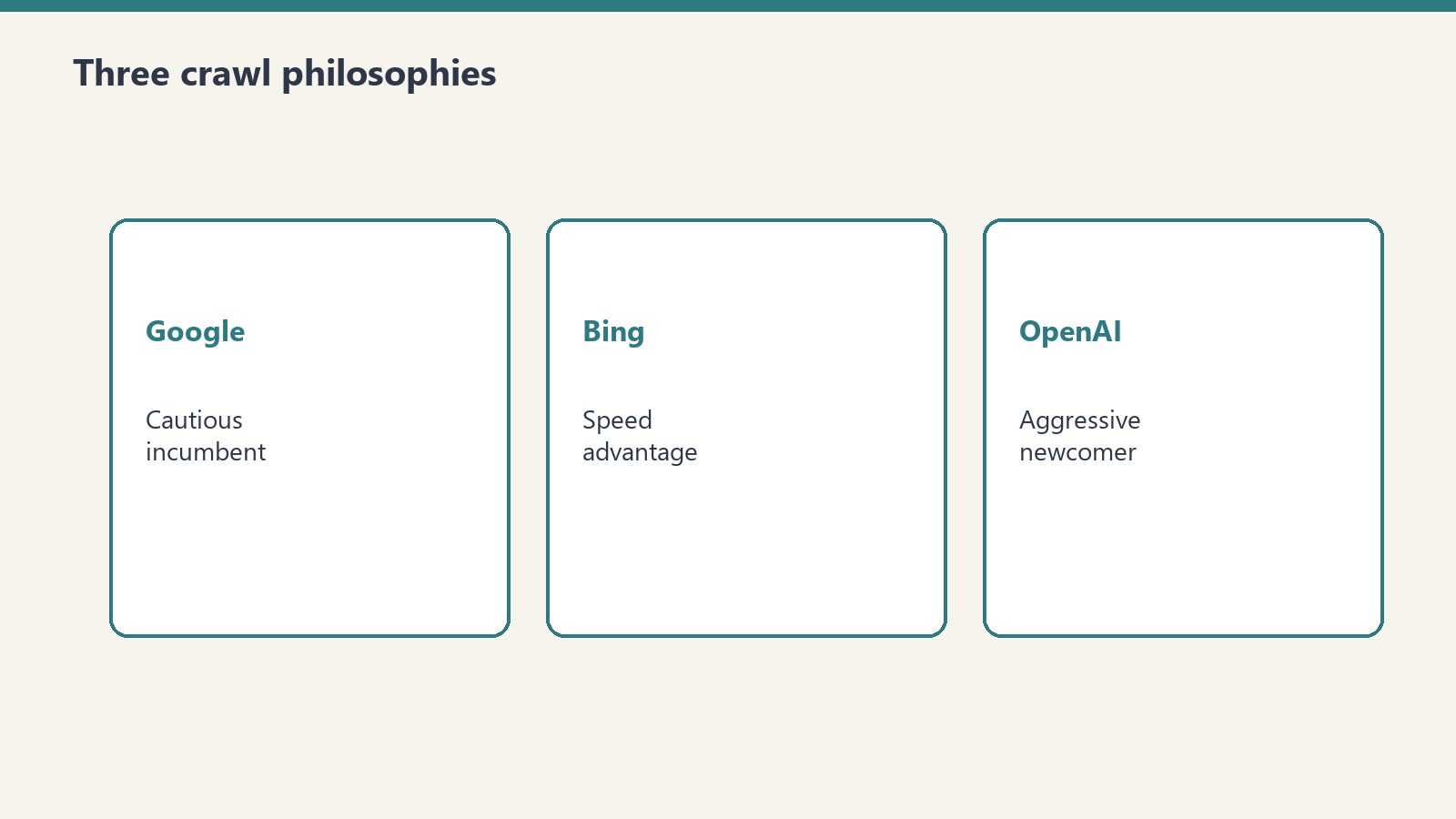
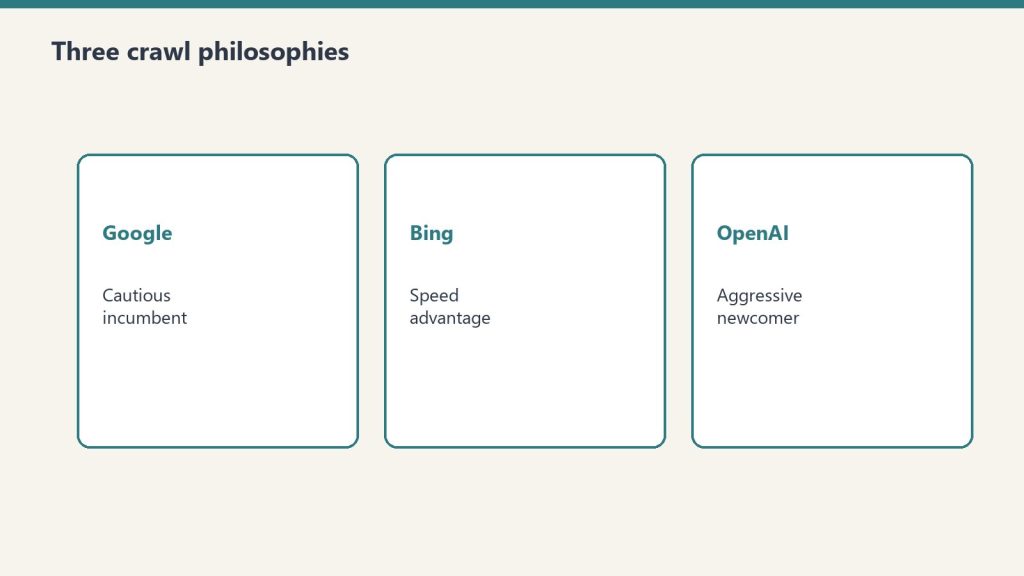
    Three cards for Google cautious, Bing speed, OpenAI aggressive crawl styles
    What IndexNow is and why speed matters.

    IndexNow is an open-source protocol that lets websites notify participating search engines the moment content is published or updated. Instead of waiting for a crawler to discover your new page organically — which can take days or weeks — IndexNow sends a direct ping saying “this URL has new content, come get it.”

    Microsoft developed IndexNow and Bing is its primary participant. Yandex, Naver, Seznam, and several other engines also participate. Google does not. As of early 2026, over 60 million websites use IndexNow, and 22% of clicked Bing URLs come from IndexNow submissions, according to Bing’s published data.

    For publishers, the speed question is not academic. If you are publishing time-sensitive content — news, product launches, competitive analysis — the difference between a 3-hour crawl delay and a 3-day crawl delay determines whether your content gets indexed before or after your competitors. And in the AI era, the question extends beyond traditional indexing: how fast do AI crawlers like GPTBot find your new content?

    Our Test Setup: 40 Articles, One Timestamp

    On June 22, 2026, we published 40 original articles about Microsoft Copilot to tygartmedia.com. The site runs WordPress with RankMath SEO on a Google Cloud Platform Compute Engine instance. RankMath handles IndexNow submissions automatically on publish.

    Every article was published within a short window, and IndexNow pings were fired for each URL. We then monitored our raw server access logs for every subsequent crawler visit, recording the user-agent string, timestamp, and requested URL for each hit.

    This gave us a clean dataset: 40 identical test cases (same site, same publish time, same IndexNow submission) with crawler-by-crawler arrival times we could compare head-to-head.

    Head-to-Head Results: Who Arrived First?

    Topic platform fit visual for first-party AI citation measurement
    Head-to-head: who arrived first.

    Bing: 3 to 6 Hours via IndexNow

    Bingbot was the first traditional search engine crawler to reach our content, arriving within 3 to 6 hours of IndexNow submission. The pattern was remarkably consistent across all 40 articles — most fell within a tight 4-hour window from publication to first crawl.

    This is fast by search engine standards but not instant. IndexNow does not trigger immediate crawling. It places your URL into Bing’s priority crawl queue, and Bing processes that queue on its own schedule. For our batch of 40 articles, that schedule produced a 3-to-6-hour window with high consistency.

    For context, without IndexNow, new content on a site with our domain authority profile might wait 24 to 72 hours for Bing to discover it through sitemap parsing or link following. IndexNow compressed that to under 6 hours — a meaningful improvement for any publishing operation.

    GPTBot: Faster Than Bing

    Here is the result that surprised us most: GPTBot arrived at our content faster than Bingbot in many cases, despite GPTBot not being an official IndexNow participant.

    GPTBot is OpenAI’s crawler. It does not receive IndexNow pings directly. Yet it consistently reached our newly published articles before Bing’s own crawler had finished processing the IndexNow queue. At 11:00 UTC on June 22, GPTBot executed a 1,123-request structural crawl in a single hour, hitting not just article URLs but every tag, feed, and REST API endpoint on the site (Tygart Media server log analysis, June 2026).

    How does GPTBot discover content faster than IndexNow delivers it to Bing? The most likely explanation is that GPTBot monitors RSS feeds, sitemaps, or other real-time content signals independently. WordPress sites broadcast new content through multiple channels — RSS feeds update instantly, XML sitemaps regenerate on publish, and REST API endpoints reflect new posts immediately. GPTBot appears to be monitoring one or more of these channels with higher polling frequency than Bing’s IndexNow processing queue.

    The implication for publishers is significant: even if you do not use IndexNow, GPTBot is likely to find your new content quickly through other discovery mechanisms. But IndexNow remains essential for Bing-ecosystem discovery, which feeds Microsoft Copilot’s citation pipeline.

    YandexBot: 30 Seconds Behind Bing

    YandexBot arrived at each article approximately 30 seconds after Bingbot, with remarkable consistency across the full batch. Yandex participates in the IndexNow protocol, and this timing suggests Yandex processes IndexNow submissions from the same shared queue but with a slight processing delay relative to Bing (Tygart Media server log analysis, June 2026).

    The 30-second shadow is too consistent to be coincidental. It points to either a shared IndexNow notification infrastructure where Yandex processes submissions fractionally behind Bing, or to Yandex monitoring Bing’s crawl activity directly. Either way, publishers who submit to IndexNow get both Bing and Yandex coverage from a single ping.

    Googlebot: Effectively Absent

    Googlebot recorded only 1 hit on our Copilot content in the initial crawl window (Tygart Media server log analysis, June 2026). One hit. Across 40 articles. While Bing had crawled every article within 6 hours and GPTBot had mapped the entire site architecture.

    Google does not participate in IndexNow. Google has stated publicly that it relies on its own crawl scheduling, which considers factors like site crawl budget, historical update frequency, and sitemap change signals. For a batch of 40 new articles on a topic the site had not previously covered, Google’s algorithms apparently did not prioritize rapid discovery.

    This is not a criticism of Google’s approach — its crawl scheduling optimizes for different goals than real-time discovery. But for publishers who need content indexed quickly, the data is unambiguous: IndexNow-participating engines discover content in hours. Google discovers it on its own timeline.

    The IndexNow Technical Gotcha We Discovered

    During our experiment, we identified a technical issue that could affect other publishers: the IndexNow key file was returning a 404 at the standard verification paths where search engines expect to find it.

    IndexNow requires a verification key file at your site root (e.g., yourdomain.com/{key}.txt). Search engines check this file to confirm you authorized the IndexNow submission. In our case, the key file was not accessible at the expected root-level path, which should have caused verification failures.

    RankMath SEO’s fallback mechanism saved us — it handles IndexNow key verification through an alternative method that does not require the physical key file to exist at the root URL. But publishers using manual IndexNow implementations, or other SEO plugins without this fallback, should verify their key file is accessible by navigating directly to the expected URL.

    If your IndexNow submissions seem to be ignored by Bing, check the key file first. A 404 on the verification file silently kills the entire pipeline — Bing will not crawl the submitted URLs without successful verification.

    What the Speed Test Means for Your Publishing Strategy

    Desk with laptop, checklist notebook, and billing card ready before creating an Anthropic API key
    What the speed test means for publishing strategy.

    For Bing and Copilot Visibility

    IndexNow is the fastest path to Bing’s index, and Bing’s index feeds Microsoft Copilot’s citation system. Our 40-article experiment earned 3 confirmed Copilot citation referrals within 48 hours, and that pipeline started with IndexNow getting our content into Bing’s index within hours of publication.

    If you are publishing content that you want Copilot to cite, IndexNow is not optional — it is the first link in the citation chain.

    For AI Crawler Discovery

    GPTBot does not use IndexNow, but it finds new content fast anyway — faster than Bing in our test. This means your site’s real-time content signals (RSS feeds, sitemaps, REST API endpoints) are the discovery mechanism for OpenAI’s crawler ecosystem. Keep these endpoints clean, accessible, and unblocked in your robots.txt if you want AI systems to discover your content quickly.

    For Google

    Google’s crawl scheduling operates independently of IndexNow. If rapid Google indexing is important to you, continue submitting sitemaps through Google Search Console and requesting indexing for priority pages through the URL Inspection tool. Do not rely on IndexNow for Google discovery — the protocol has no effect on Google’s crawl behavior based on our data.

    For Multi-Engine Strategy

    The practical recommendation is to run both systems in parallel: IndexNow for Bing, Yandex, and the downstream AI systems that rely on Bing’s index, plus Google Search Console for Google’s independent crawl pipeline. Most WordPress SEO plugins handle IndexNow automatically, so the incremental effort is near zero.

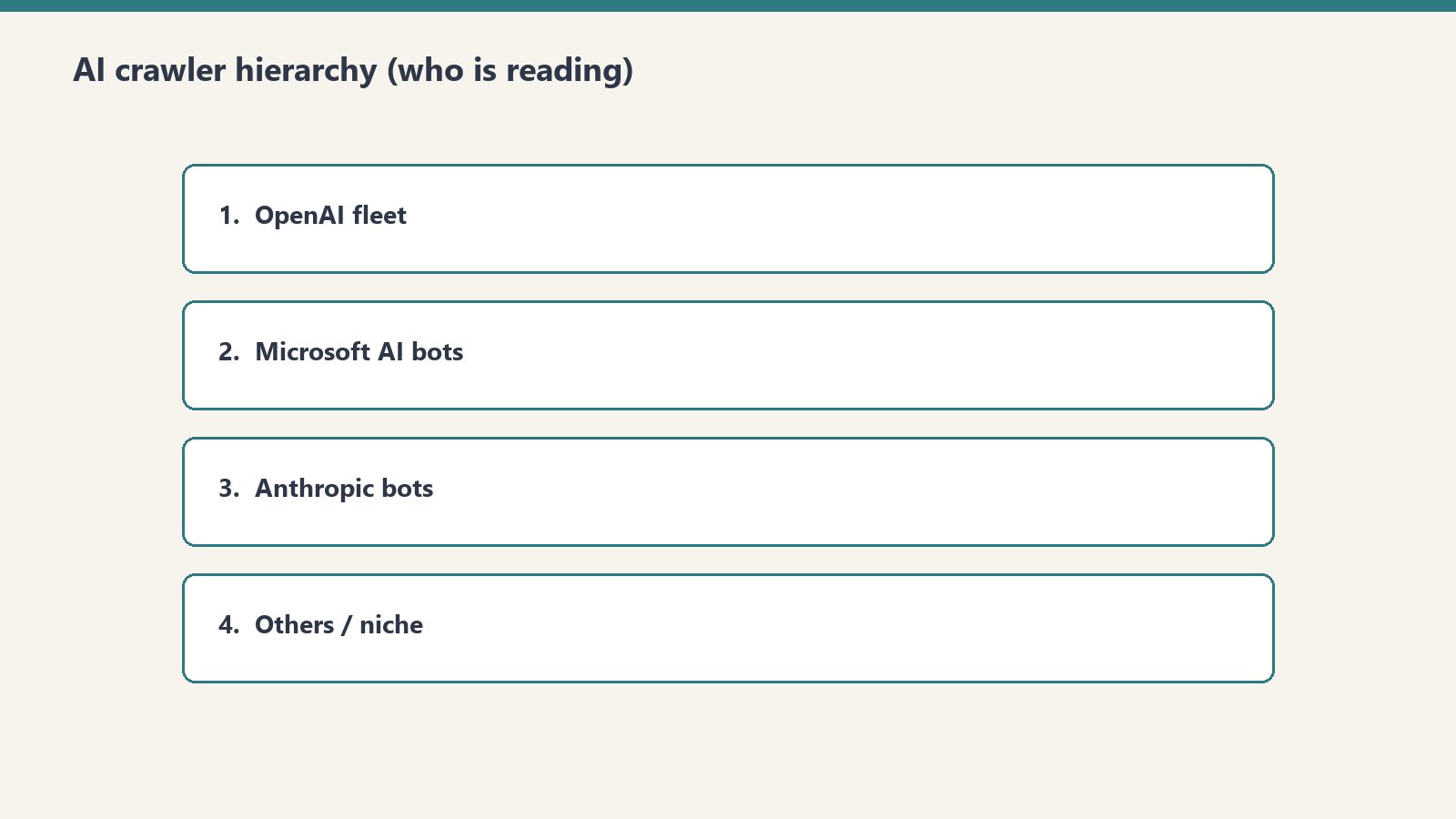
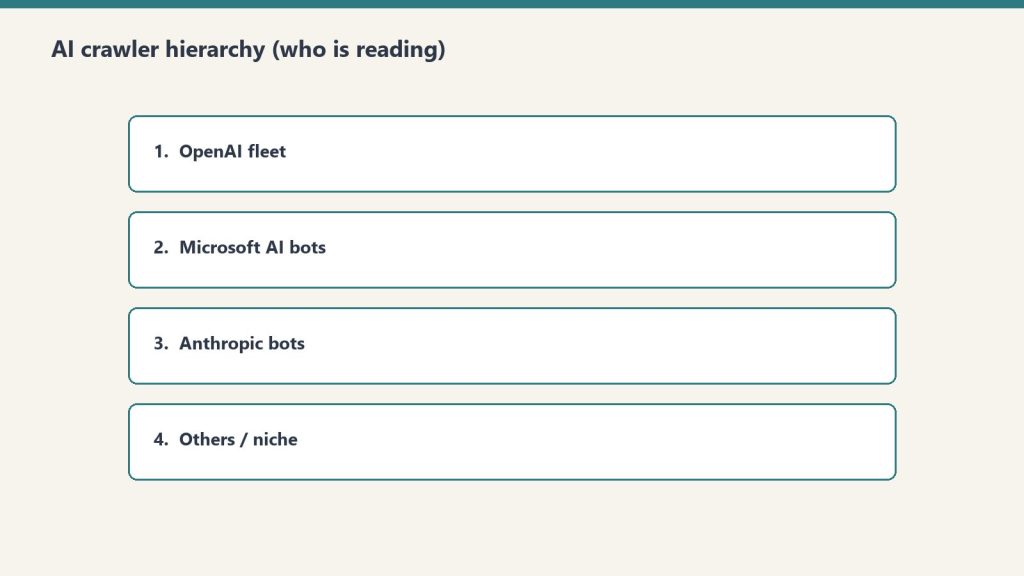
    The Speed Hierarchy: From Fastest to Slowest

    Based on our server log data from the 40-article experiment, here is the definitive crawl speed ranking for newly published, IndexNow-submitted content (Tygart Media server log analysis, June 2026):

    1. GPTBot — fastest overall; arrived before IndexNow results in many cases; 1,123-request structural crawl in one hour
    2. ChatGPT-User — 3,404 hits over 48 hours; activates when real users query ChatGPT about relevant topics
    3. Bingbot — 3 to 6 hours via IndexNow; consistent, predictable timing
    4. YandexBot — ~30 seconds behind Bingbot; piggybacks on IndexNow shared infrastructure
    5. OAI-SearchBot — 3 hits total; minimal presence; appears highly selective
    6. AzureAI-SearchBot — 3 hits total; minimal presence
    7. Googlebot — 1 hit in initial window; operates on its own schedule independent of IndexNow

    The gap between the top of this list and the bottom is not hours — it is the difference between same-day discovery and multi-day (or longer) discovery. For publishers who need content discovered quickly, the AI crawlers and IndexNow-participating engines are delivering results that Google’s independent crawl schedule simply does not match.

    A Note on Methodology and Reproducibility

    Every crawl timestamp and interval cited in this article comes from raw server access logs on Tygart Media’s Google Cloud Platform Compute Engine instance, analyzed in June 2026. Crawler identification was performed by user-agent string matching, with IP range verification against OpenAI’s and Microsoft’s published crawler IP ranges for additional confirmation.

    The 40-article batch was published simultaneously to control for timing variables. All articles were submitted via IndexNow through RankMath SEO’s automatic submission feature. No manual crawl requests were submitted through Google Search Console, Bing Webmaster Tools, or any other interface — we wanted to measure organic and IndexNow-driven discovery only.

    This experiment is reproducible. Any publisher running a WordPress site with IndexNow enabled can monitor their server access logs after a batch publish and observe the same crawler patterns. The specific timing intervals may vary based on domain authority, server location, and crawl budget allocation, but the relative ordering — GPTBot fastest, Bing via IndexNow in hours, Google on its own schedule — should hold across most publishing environments.

    For the complete dataset including all crawler hit counts and the full methodology, see our anchor article: We Published 40 Articles and Watched Every AI Crawler in Real Time.

    Frequently Asked Questions

    How fast does IndexNow actually get content crawled by Bing?

    In our controlled test of 40 simultaneously published articles, IndexNow submissions resulted in first Bingbot crawls within 3 to 6 hours, with most articles falling in a consistent 4-hour window. This is significantly faster than the 24-to-72-hour organic discovery timeline for sites without IndexNow, but it is not instant — Bing queues IndexNow submissions and processes them on its own crawl schedule (Tygart Media server log analysis, June 2026).

    Does GPTBot use IndexNow to discover content?

    No. GPTBot is not an IndexNow participant, yet it arrived at our content faster than Bingbot in many cases. GPTBot appears to monitor RSS feeds, XML sitemaps, or REST API endpoints independently, giving it a faster discovery pipeline than Bing’s IndexNow processing queue. In our experiment, GPTBot executed a 1,123-request structural crawl at 11:00 UTC, mapping the entire site architecture within a single hour (Tygart Media server log analysis, June 2026).

    Does Google support IndexNow?

    No. Google does not participate in the IndexNow protocol as of June 2026. In our experiment, Googlebot recorded only 1 hit on our 40-article batch while Bingbot and GPTBot had fully crawled the content. Google relies on its own crawl scheduling algorithms and recommends using Google Search Console’s sitemap submission and URL Inspection tool for prioritized crawling (Tygart Media server log analysis, June 2026).

    Why was YandexBot always 30 seconds behind Bingbot?

    YandexBot, as an IndexNow participant, appears to process submissions from a shared notification infrastructure with a slight delay relative to Bing. The consistent 30-second gap across all 40 articles suggests either a shared queue processed fractionally behind Bing or direct monitoring of Bing’s crawl activity. The practical result is that a single IndexNow ping delivers both Bing and Yandex crawls almost simultaneously (Tygart Media server log analysis, June 2026).

    What should publishers do if IndexNow submissions are being ignored by Bing?

    Check your IndexNow key file first. The key file must be accessible at your domain root (e.g., yourdomain.com/{key}.txt). In our experiment, the key file was returning a 404 at standard paths, which would have silently killed the pipeline. Our RankMath SEO plugin’s fallback mechanism handled verification, but publishers using manual implementations should navigate directly to their key file URL to confirm it returns a 200 response (Tygart Media server log analysis, June 2026).

    EXPERIMENT PDF & MARKDOWN TWIN
    Keep the IndexNow vs. GPTBot Benchmark Sheet
    Full server-log speed hierarchy from our 40-article test (GPTBot fastest, Bing 3–6h via IndexNow, Yandex +30s, Google 1 hit) in PDF & Markdown twin format.
  • Calculating the Value of an AI Citation: Our Framework for (2026)

    This is part of Tygart Media’s AI Search Intelligence series — a 10-part investigation into how AI systems discover, evaluate, cite, and refer traffic to web content, built on proprietary server log data and real-world publishing experiments.

    Every CMO can tell you what a Google click is worth. Years of attribution modeling, CTR curves, and keyword-level conversion tracking have made the organic search click one of the most well-understood units of value in digital marketing. But ask that same CMO what a Microsoft Copilot citation is worth — a referral from copilot.microsoft.com where an AI system explicitly names their brand as a source — and you will get silence.

    That silence is a strategic vulnerability. AI search is not a future state. It is a current one. And the organizations that build valuation frameworks for AI citations now will have a decisive advantage over those still trying to retrofit Google Analytics models onto an entirely different referral mechanism.

    At Tygart Media, we have been tracking this problem with real data. After publishing 40 articles targeting Microsoft Copilot citation patterns, we recorded 3 confirmed Copilot citation referrals within 48 hours — and simultaneously observed that AI crawlers were hitting our server 6,805 times compared to 4,897 traditional visits (Tygart Media server log analysis, June 2026). AI is already reading more than humans are browsing. The question is no longer whether AI citations matter. The question is: how much are they worth?

    This article introduces our AI Citation Value Framework — a 5-component model for measuring what a Copilot referral is actually worth to a publisher, a brand, or a business.

    Why Traditional SEO ROI Models Break for AI Search

    Comparison of Claude how-to fit versus local service page fit for assistants
    Why traditional SEO ROI models break for AI search.

    Before we build the new framework, we need to understand why the old one fails. Traditional SEO ROI modeling depends on a chain of measurable inputs that simply do not exist in AI search.

    The Four Structural Breaks

    1. No keyword position to track. In traditional search, value begins with a ranking position. Position 1 for “enterprise software comparison” has a known CTR, a known traffic volume, and a known conversion probability. In AI search, there is no position. Your content is either cited or it is not. There is no “position 3 in Copilot” — the AI either references your brand or it does not mention you at all.

    2. No CTR curve to model. Google’s organic CTR curve — where position 1 captures roughly 27-30% of clicks and position 10 captures roughly 2-3% — is one of the foundational inputs to every SEO ROI projection. AI citations have no equivalent curve. When Copilot cites a source within an enterprise workflow answer, the user either clicks through to the cited source or they do not. There is no graduated decay based on citation order.

    3. Citations are binary, not graduated. This is the most fundamental structural difference. Traditional SEO operates on a spectrum — position 1 is better than position 5, which is better than position 20, which is better than position 50. Each position has a calculable value. AI citations are binary. You are cited, or you are not. You are the named source, or you are invisible. This binary nature makes traditional regression-based ROI modeling inapplicable.

    4. Value accrues through authority reinforcement, not traffic volume alone. In traditional SEO, the primary value mechanism is traffic. More traffic means more conversions means more revenue. In AI search, value accrues through a different mechanism: being cited is worth more than being clicked. The citation itself — the act of an AI system naming your brand as an authoritative source — carries independent value beyond the referral click it may or may not generate.

    Definition — AI Citation Value: The total economic impact of being named as a source by an AI system, encompassing direct referral traffic, brand authority reinforcement, compounding citation patterns, retargeting opportunities, and extended content shelf life. Unlike traditional organic search value, AI citation value is not derived from keyword position or CTR curves but from the binary act of being cited by a trusted AI intermediary.

    The AI Citation Value Framework: Five Components

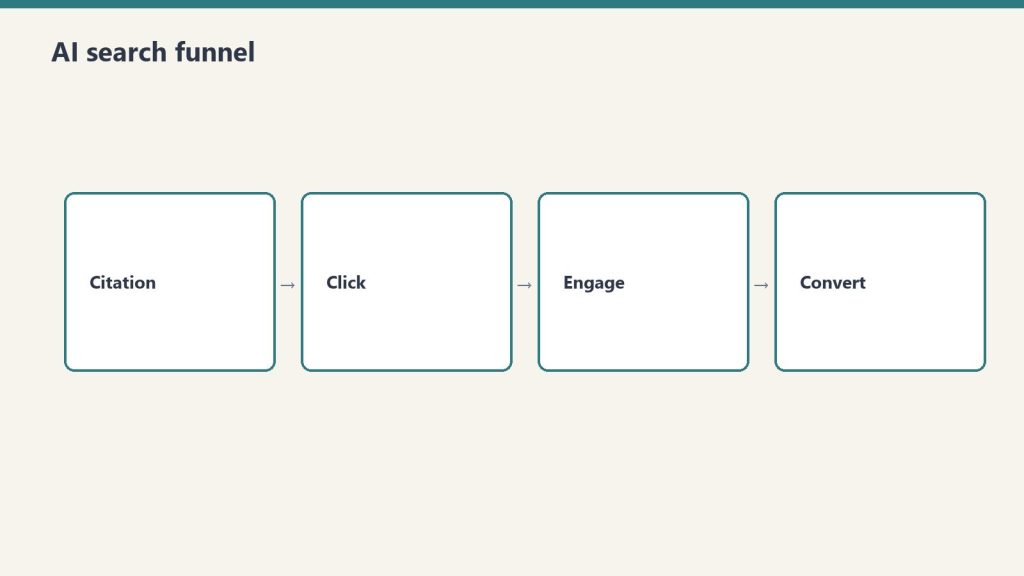
    Four-stage funnel: citation, click, engage, convert
    The AI citation value framework — five components.

    Our framework decomposes the value of a single AI citation into five measurable components. Each captures a different dimension of value that traditional models ignore. Together, they provide a comprehensive picture of what a Copilot referral — or any AI citation — is actually worth to an organization.

    Component 1: Direct Referral Value

    This is the component closest to traditional SEO measurement: the value of the actual click that occurs when a user follows a citation link from an AI response to your website. But even here, the mechanics differ substantially from a Google organic click.

    A traditional organic click arrives with context shaped by a search results page. The user has seen your title tag, your meta description, and your competitors’ listings. They have made a comparative choice. A copilot.microsoft.com referral arrives with context shaped by an AI endorsement. The user has received an answer, and the AI has specifically named your content as the source supporting that answer. The intent signal is different. The trust transfer is different.

    Publishers should calculate their direct referral value by examining the downstream behavior of AI-referred visitors compared to organic-referred visitors. Key metrics include:

    • Pages per session for AI referral traffic vs. organic traffic
    • Session duration for AI referral traffic vs. organic traffic
    • Conversion rate for AI referral traffic vs. organic traffic
    • Bounce rate differential between the two traffic sources

    Our early observations suggest that AI referral traffic exhibits distinct engagement patterns that require their own attribution models. The framework recommends treating AI referral traffic as its own channel in GA4 rather than lumping it into organic search.

    Component 2: Brand Authority Multiplier

    This is the component that has no analog in traditional SEO. When Google ranks your page at position 1, Google is not telling the user “this source is authoritative.” Google is presenting a list and letting the user decide. When Microsoft Copilot cites your brand in a conversational answer, the AI is making an explicit endorsement: “According to [Your Brand]…” or “As [Your Brand] explains…”

    That is a fundamentally different value proposition. The AI is functioning as a third-party endorser at scale — recommending your brand to potentially millions of enterprise users within their daily workflow. This endorsement carries brand equity value that exists independently of whether the user clicks through to your site.

    Consider the parallel: if a respected industry analyst cited your research in a keynote presentation to 10,000 executives, you would calculate the brand value of that mention even if none of those executives visited your website afterward. An AI citation operates on the same principle, but at dramatically larger scale and with higher frequency.

    The brand authority multiplier should be calculated based on:

    • Estimated reach of the AI platform (Microsoft Copilot’s enterprise user base)
    • The context of the citation (workflow integration vs. casual query)
    • Brand lift measurement through pre/post surveys or branded search volume changes
    • Equivalent media value of a third-party endorsement at comparable scale

    The enterprise workflow context of Copilot citations makes this multiplier particularly significant. These citations reach decision-makers during active work sessions, not during casual browsing — a context that our temporal analysis shows differs markedly from traditional search usage patterns.

    Component 3: Compounding Citation Effect

    In traditional SEO, rankings are volatile. A page that ranks position 1 today may rank position 5 tomorrow and position 15 next month. Every algorithm update reshuffles the deck. This volatility is baked into traditional ROI models through discount rates and probability adjustments.

    AI citations behave differently. Our observation — and one of the most strategically important findings in this series — is that once an AI system cites a source, it tends to continue citing that source. There is no position ranking decay in the traditional sense. The AI’s retrieval patterns create a reinforcement loop: content that gets cited builds authority signals that make it more likely to be cited again.

    This compounding effect means that the value of a single AI citation extends far beyond the moment of that citation. Each citation is not just a discrete event — it is a contribution to a compounding authority position. Our server log data shows this pattern clearly: after our 40-article Copilot content strategy began generating citations, the AI crawler activity on our site increased substantially, suggesting that citation activity triggers additional crawling and indexing attention from AI systems.

    The compounding citation effect should be modeled as:

    • Citation persistence rate (what percentage of citations continue over 30, 60, 90 days)
    • Citation expansion rate (does being cited for Topic A lead to citations for Topics B and C)
    • Authority reinforcement velocity (how quickly does compounding accelerate)
    • Decay comparison with traditional rankings over equivalent time periods
    Key Insight: Traditional SEO ROI models apply a depreciation rate to rankings because positions decay. The AI Citation Value Framework suggests applying an appreciation rate to citations because citations compound. This single inversion — from depreciation to appreciation — fundamentally changes how content investment should be valued.

    Component 4: Retargeting Amplifier Value

    This component captures a tactical opportunity that most organizations are overlooking entirely. When a user clicks through from a Copilot citation to your website, that user enters your retargeting ecosystem. They can be reached through Bing Ads, display advertising, social media retargeting, and email capture — the same downstream activation paths that exist for any website visitor.

    But the retargeting amplifier for AI-referred visitors carries a specific advantage: the visitor arrived with AI-endorsed trust. They did not find you through a search results page where you were one option among ten. They found you because an AI system specifically recommended your content. That trust context should, in principle, improve downstream conversion rates for retargeted campaigns.

    The retargeting amplifier value should be calculated by:

    • Building dedicated retargeting audiences for AI referral traffic in Bing Ads and other platforms
    • Measuring conversion rates of AI-referred retargeting audiences vs. organic-referred retargeting audiences
    • Calculating the incremental revenue attributable to the AI referral entry point
    • Factoring in the lifetime value differential of AI-acquired vs. organic-acquired customers

    This component connects directly to the broader Platform-Specific AI Optimization (PSAO) framework — where understanding the unique user journey of each AI platform enables targeted activation strategies that generic SEO approaches cannot deliver.

    Component 5: Content Shelf Life Extension

    The final component addresses a problem that every content marketer knows intimately: content decay. In traditional SEO, content has a half-life. A blog post ranks well for weeks or months, then gradually declines as fresher content, algorithm updates, and competitive publishing erode its position. Content teams operate on a treadmill — constantly producing new content to replace the decaying traffic from older content.

    AI-cited content exhibits a different decay pattern. Because AI citations are driven by authority signals and retrieval patterns rather than freshness signals and ranking algorithms, content that earns AI citations tends to maintain those citations for longer periods than equivalent content maintains Google rankings.

    This means that the effective shelf life of AI-cited content is longer than the effective shelf life of Google-ranked content, all else being equal. The investment in creating citation-worthy content generates returns over a longer horizon.

    Content shelf life extension should be measured by:

    • Comparing the traffic decay curve of AI-cited content vs. non-cited content of similar quality and topic
    • Tracking citation persistence over 6-month and 12-month windows
    • Calculating the reduced content production burden from extended shelf life
    • Modeling the NPV difference between a content asset with traditional decay vs. AI-extended shelf life

    Understanding how AI engines select and persist citations is foundational to maximizing this component.

    Putting the Framework Together: A Practical Valuation Approach

    Each of the five components can be measured independently, but the framework’s power comes from combining them into a unified valuation. Here is the practical approach we recommend for organizations beginning to measure AI citation value.

    Step 1: Establish Baseline Measurement Infrastructure

    Before calculating any values, organizations need to ensure they can actually detect and track AI citations. This requires:

    • Server log analysis capability — to identify AI crawler activity and referral sources at the server level, not just through JavaScript-based analytics
    • GA4 custom channel groupings — to separate AI referral traffic (from copilot.microsoft.com, chatgpt.com, claude.ai, and similar sources) from traditional organic traffic
    • Citation monitoring — systematic testing of AI systems to identify when and where your content is being cited
    • Temporal analysis — tracking when AI referrals occur relative to content publication to understand citation latency

    Our own infrastructure revealed the 6,805 AI crawler hits vs. 4,897 traditional visits split that informed much of this series (Tygart Media server log analysis, June 2026). Without server-level analysis, this data — and the strategic insights it enables — would be invisible.

    Step 2: Calculate Each Component Independently

    For each component, establish a measurement methodology appropriate to your data maturity:

    Direct Referral Value: Start with per-session revenue for AI referral traffic. If you do not yet have enough AI referral volume for statistical significance, use your overall per-session revenue as a proxy and adjust as data accumulates.

    Brand Authority Multiplier: Begin with equivalent media value estimation. What would you pay for a third-party endorsement at the scale and context that an AI citation delivers? Refine with branded search lift measurement over time.

    Compounding Citation Effect: Track citation persistence monthly. Calculate the projected value of maintaining a citation over 12 months vs. the projected value of maintaining a Google ranking for the same keyword over 12 months. The differential is the compounding premium.

    Retargeting Amplifier: Build the audience segments, run the campaigns, and measure the incremental lift. This component is the most directly measurable using existing ad platform infrastructure.

    Content Shelf Life Extension: Compare traffic decay curves for cited vs. non-cited content. Calculate the content production cost savings from extended shelf life.

    Step 3: Apply the Unified Formula

    The total AI Citation Value for a given piece of content is the sum of all five components over the measurement period. Organizations should calculate this quarterly and compare it against the traditional SEO value of equivalent content to build a clear picture of relative ROI.

    The formula structure is straightforward:

    AI Citation Value = Direct Referral Value + (Brand Authority Multiplier × Estimated Reach) + (Compounding Citation Effect × Time Horizon) + Retargeting Amplifier Value + Content Shelf Life Extension Value

    Each variable requires organization-specific inputs. The framework provides the structure; your data provides the numbers.

    What Our Data Shows So Far

    We are transparent about the maturity of our own dataset. After publishing 40 articles specifically designed to test AI citation acquisition strategies, our results within the first 48 hours included:

    This is early-stage data. Three referrals in 48 hours from a cold start is a signal, not a conclusion. But the signal is directionally significant: content engineered for AI citation can earn citations rapidly, and the mechanisms for earning those citations are learnable and repeatable.

    The more revealing data point is the crawler ratio. When AI systems are reading your content at a higher rate than traditional systems and humans combined, it confirms that the audience for your content is no longer exclusively human. Your content is being evaluated, indexed, and potentially cited by AI systems with every crawl. The question of why some content gets cited and other content does not becomes the central strategic question.

    The Dollar Value Comparison: AI Citation vs. Traditional Organic Click

    Let us be direct about what this comparison looks like structurally, even without asserting specific dollar amounts that would vary wildly by industry, niche, and business model.

    Traditional Organic Click Value

    A traditional organic click’s value is calculated through a well-established chain:

    1. Keyword search volume → estimated monthly searches
    2. Ranking position → expected CTR (position 1 ≈ 27-30%, position 5 ≈ 5-7%, position 10 ≈ 2-3%)
    3. Expected traffic → volume × CTR
    4. Conversion rate → percentage of visitors who take desired action
    5. Revenue per conversion → average deal value or transaction size
    6. Applied discount → ranking volatility, seasonal fluctuation, algorithm risk

    The critical weakness: every variable in this chain is subject to decay. Rankings decay. CTR decays as competitors improve their listings. Traffic decays as search volume shifts. Traditional organic click value is a depreciating asset.

    AI Citation Referral Value

    An AI citation referral’s value chain looks fundamentally different:

    1. Citation status → binary (cited or not cited)
    2. AI platform reach → estimated user base of the citing AI system
    3. Query relevance → how frequently the cited topic is queried in AI systems
    4. Click-through behavior → percentage of users who follow citation links
    5. Trust premium → conversion rate adjustment for AI-endorsed visitors
    6. Applied appreciation → compounding citation effect over time

    The critical strength: the appreciation rate replaces the discount rate. Instead of modeling value decay, the framework suggests modeling value accumulation. The longer you hold an AI citation, the more valuable it becomes as compounding reinforces your position.

    Framework Comparison: Traditional organic click value = depreciating asset (rankings decay, algorithms shift, competitors erode position). AI citation value = appreciating asset (citations compound, authority reinforces, shelf life extends). The valuation methodology must match the asset type. Applying depreciation models to appreciating assets systematically undervalues AI citations.

    Implications for Content Investment Strategy

    Desk with laptop, checklist notebook, and billing card ready before creating an Anthropic API key
    Implications for content investment strategy.

    If this framework holds — and our early data suggests the structural logic is sound — it has significant implications for how organizations should allocate content budgets.

    Implication 1: Citation-Optimized Content Deserves Premium Investment

    Content designed to earn AI citations should receive higher per-piece investment than content designed solely for Google rankings. The logic is straightforward: if AI-cited content is an appreciating asset while Google-ranked content is a depreciating asset, the net present value of the citation-optimized content is higher over any multi-year horizon.

    This does not mean abandoning traditional SEO content. It means recognizing that the distinction between SEO, GEO, and AEO is strategically material and allocating investment accordingly.

    Implication 2: Measurement Infrastructure Is No Longer Optional

    Organizations that cannot detect AI citations, track AI referral traffic, or analyze AI crawler behavior are flying blind in a channel that already generates more server activity than traditional search on some properties. Server log analysis, custom GA4 configurations, and systematic citation monitoring must be treated as essential infrastructure, not nice-to-have analytics projects.

    Implication 3: The Valuation Gap Creates Arbitrage Opportunity

    Right now, most organizations are not measuring AI citation value at all. This means the “market” for AI-optimized content is dramatically underpriced relative to its actual value. Organizations that adopt a rigorous valuation framework now — and invest in citation acquisition strategies based on that valuation — are buying an appreciating asset at a discount.

    The arbitrage window will close as more organizations adopt AI citation measurement. Early movers who build the infrastructure, develop the content, and establish citation authority now will compound those advantages over time.

    Implication 4: Attribution Models Need a Full Rebuild

    Most marketing attribution models treat all organic search as one channel. AI referral traffic needs its own attribution path — with its own conversion metrics, its own LTV calculations, and its own ROI benchmarks. Blending AI referral data into “organic search” obscures the true performance of both channels and prevents accurate investment allocation.

    Frequently Asked Questions

    How do you calculate the value of an AI citation from Microsoft Copilot?

    The AI Citation Value Framework uses five components: direct referral value, brand authority multiplier, compounding citation effect, retargeting amplifier value, and content shelf life extension. Each component captures a different dimension of value that a single AI citation delivers. Organizations should measure each component independently using their own data, then combine them into a unified valuation that can be compared against traditional organic search ROI.

    Is a Copilot referral worth more than a traditional Google organic click?

    The framework suggests that Copilot referrals carry structurally different value characteristics than Google organic clicks. Traditional organic clicks are depreciating assets — subject to CTR decay, position fluctuation, and algorithm updates. AI citations function as appreciating assets — they compound over time, experience no position ranking decay, and benefit from implicit third-party endorsement by the AI system. Publishers should calculate their own comparative values using the five-component framework and their organization-specific data.

    Why do traditional SEO ROI models fail for AI search?

    Traditional SEO ROI models depend on four inputs that do not exist in AI search: keyword positions, CTR curves, graduated ranking values, and traffic-volume-based value accrual. AI citations are binary (cited or not), carry no position ranking, have no CTR decay curve, and deliver value through authority reinforcement rather than traffic volume alone. Applying traditional models to AI citations will systematically produce incorrect valuations.

    What is the compounding citation effect in AI search?

    The compounding citation effect describes the observed pattern where once an AI system cites a source, it tends to continue citing that source for related queries. Unlike traditional search rankings that fluctuate with every algorithm update, AI citations build on themselves — each citation reinforces the source’s authority within the AI model’s retrieval patterns. This creates an appreciating dynamic rather than the depreciating dynamic of traditional rankings.

    How many AI crawler visits does a typical website receive compared to human visits?

    This varies significantly by site, but Tygart Media’s server log analysis from June 2026 recorded 6,805 AI crawler hits compared to 4,897 traditional visits. On this property, AI systems were reading content at a higher rate than traditional crawlers and human visitors. Organizations should conduct their own server log analysis to understand their specific AI-to-human traffic ratio, as this metric is invisible in standard JavaScript-based analytics platforms like Google Analytics.

    What Comes Next in This Series

    This framework is a starting point, not a final answer. The data underpinning AI citation valuation is still maturing, and the frameworks will evolve as more organizations contribute measurement data and as AI platforms’ citation behaviors become better understood.

    In our final installment of the AI Search Intelligence series, we will synthesize the findings from all ten articles into a unified strategic playbook — connecting platform-specific optimization, citation mechanics, and this valuation framework into a comprehensive action plan for organizations ready to treat AI search as a first-class channel.

    The organizations that measure what matters — and invest based on those measurements rather than outdated proxies — will own the AI citation economy. The framework is here. The data is building. The question is whether you will wait for the market to price AI citations accurately, or whether you will capture the arbitrage while it lasts.

    All server log data, crawler statistics, and citation referral counts cited in this article are sourced from Tygart Media server log analysis, June 2026. For methodology details, see our complete data analysis.

  • How We Chose What to Write for AI Crawlers (And Why Top (2026)

    How We Chose What to Write for AI Crawlers (And Why Top (2026)

    This is part of Tygart Media’s AI Search Intelligence series — a 10-article investigation into how content gets discovered, cited, and valued in the age of AI-powered search.

    Most content strategies start with a keyword. You open a tool, find a search volume number, and build an editorial calendar around what people type into Google. That process worked for two decades. It does not work for AI crawlers.

    When we set out to publish 40 articles targeting Microsoft Copilot citations, we did not start with keywords. We started with a question that has no equivalent in traditional SEO: What will an AI system need to cite when a knowledge worker asks it a question during their workday?

    The answer to that question led us to build what we now call the AI Citability Framework — a five-criteria evaluation system for selecting topics that AI engines will actually reference in their responses. Within 48 hours of publishing our first batch of articles, we had 3 confirmed Copilot citation referrals from copilot.microsoft.com appearing in our server logs (Tygart Media server log analysis, June 2026).

    This article explains exactly how we chose those 40 topics, why we organized them into 5 specific categories, and how you can apply the same framework to your own content strategy.

    Why Traditional Topic Selection Fails for AI Search

    Comparison of Claude how-to fit versus local service page fit for assistants
    Traditional topic selection fails for AI search.

    Traditional keyword research answers one question: “What are people searching for?” AI-era topic selection must answer a fundamentally different question: “What will AI systems need authoritative sources for when they construct answers?”

    The distinction matters because AI systems do not simply match queries to pages. They synthesize answers from multiple sources, and they cite the sources they find most authoritative, most structured, and most directly responsive to the user’s underlying intent. A page that ranks #1 for a keyword might never get cited by an AI assistant if it buries its answer in marketing fluff or lacks the structural signals AI systems use to extract citable claims.

    We documented this dynamic extensively in our analysis of how AI engines cite content — the mechanics of citation are fundamentally different from the mechanics of ranking. Understanding that difference is what makes the AI Citability Framework necessary.

    The Enterprise B2B Advantage in AI Citations

    Enterprise B2B content gets cited by AI systems at dramatically higher rates than consumer content. This is not a hypothesis — it is a pattern we observed repeatedly across our server log data (Tygart Media server log analysis, June 2026) and one that shaped every topic selection decision we made.

    Three structural factors explain this advantage:

    1. Workflow integration. Microsoft Copilot, the AI assistant embedded in the Microsoft 365 suite used by over 400 million people, is predominantly accessed during business hours. When a CIO asks Copilot about governance frameworks or a BI analyst asks about DAX generation accuracy, Copilot needs enterprise-grade sources to cite. Consumer lifestyle content simply does not enter these workflows.
    2. Authority signals. Enterprise content tends to carry stronger E-E-A-T (Experience, Expertise, Authoritativeness, Trustworthiness) signals. Technical documentation, frameworks, checklists, and implementation guides signal expertise in ways that generic blog posts do not.
    3. Answer scarcity. For many enterprise topics — particularly around emerging tools like Microsoft Copilot — authoritative, well-structured content simply does not exist yet. AI systems must cite something, and being the first authoritative source in a scarce topic area creates a durable citation advantage.

    We explored the broader dynamics of what enterprise content wins in our analysis of Bing-Copilot user enterprise workflows, and the data is clear: if you want AI citations, enterprise B2B content is where the opportunity lives.

    The AI Citability Framework: 5 Criteria for Topic Selection

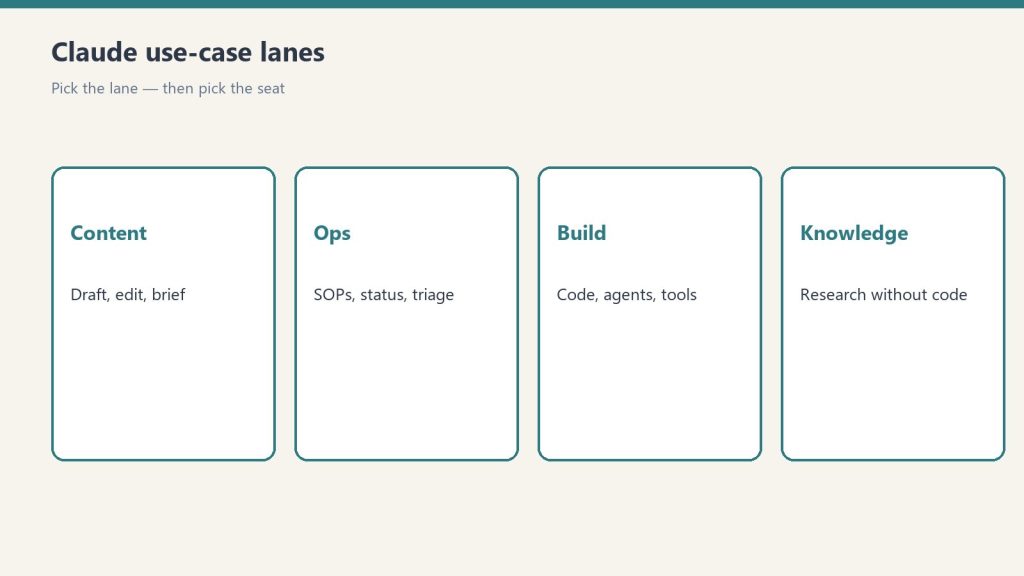
    Four cards for content, ops, build, and knowledge work with Claude
    AI citability framework — five criteria for topic selection.

    Before writing a single article, we evaluated every potential topic against five criteria. A topic had to score well on at least four of the five to make our editorial calendar. Here is the framework.

    Criterion 1: Query Frequency in Enterprise Workflows

    Definition: How often do knowledge workers ask AI assistants about this topic during their actual workday?

    This is not the same as search volume. A topic might have low Google search volume but high query frequency inside enterprise AI workflows because workers are asking Copilot directly — those queries never appear in traditional keyword tools.

    We estimated enterprise query frequency by analyzing:

    • Microsoft 365 product update announcements and the specific features they highlighted
    • Enterprise IT community discussions on platforms like Reddit r/sysadmin, Spiceworks, and Microsoft Tech Community
    • LinkedIn conversations among CIOs, IT directors, and enterprise technology decision-makers
    • Support ticket patterns from Microsoft’s own documentation and community forums

    For example, “Microsoft 365 Copilot governance framework” had minimal traditional search volume in June 2026. But every enterprise deploying Copilot needs a governance framework, and IT leaders are asking their AI assistants for guidance on exactly this topic. That gap between traditional search volume and actual enterprise query frequency is where the AI citation opportunity lives.

    Criterion 2: Answer Scarcity

    Definition: For this topic, does authoritative, well-structured content already exist — or is the AI system working with thin, outdated, or poorly organized sources?

    Answer scarcity is the single most powerful predictor of AI citation success. When an AI system needs to cite a source for a topic and only finds one or two authoritative options, your content does not compete — it gets cited by default.

    We assessed answer scarcity by:

    • Querying Copilot directly and evaluating the quality and recency of its cited sources
    • Searching Bing for the topic and analyzing whether top results were comprehensive or shallow
    • Checking whether existing content used structured data markup that AI systems could easily parse
    • Evaluating whether any existing source provided a complete, implementable answer versus a partial overview

    The results were striking. For topics like “Copilot DLP policies CISO configuration,” the existing content landscape was almost entirely Microsoft’s own documentation — technically accurate but not structured for AI extraction, not contextualized for decision-makers, and not organized as implementable frameworks. That is a textbook answer scarcity gap.

    This dynamic is precisely what we documented in why competitor content gets cited by AI and yours doesn’t — it is rarely about quality alone. It is about being the structured, authoritative answer in a space where that answer does not yet exist.

    Criterion 3: Bing Index Coverage

    Definition: Can this content get indexed by Bing quickly and comprehensively, given that Microsoft Copilot pulls its citation sources from Bing’s index?

    This criterion is specific to the Copilot citation pathway, but the principle applies broadly: every AI system has a source index, and your content must be present in that index before it can be cited.

    For Microsoft Copilot specifically, the pipeline is: Bing indexes your content → Copilot accesses Bing’s index to construct answers → Copilot cites your content in its response → the user clicks through to your site. If Bing does not index your content, Copilot cannot cite it. Full stop.

    We evaluated Bing index coverage by:

    • Checking our existing Bing Webmaster Tools data for crawl frequency and index coverage rates
    • Analyzing which content types Bing was indexing fastest on our site
    • Reviewing Bing’s stated preferences for content structure, page speed, and technical SEO
    • Ensuring our XML sitemap was submitted and processing correctly in Bing Webmaster Tools

    We covered the full mechanics of this pipeline in our deep dive on the 98,800 AI citations and Microsoft Copilot sourcing data, including how Bing’s index directly determines Copilot’s citation pool.

    Criterion 4: Structured Data Compatibility

    Definition: Does this topic map cleanly to schema.org types and structured data formats that AI systems use to extract and cite specific claims?

    Not all content is equally extractable by AI systems. A narrative essay about AI trends is harder for an AI system to cite than a structured framework with named components, numbered steps, and clearly defined terms. The more your content maps to established structured data types, the easier it is for AI systems to identify, extract, and cite specific claims.

    Topics we evaluated well on structured data compatibility included:

    • Frameworks and checklists → HowTo schema, ItemList schema
    • Comparison guides → Product schema, comparison tables
    • Implementation guides → HowTo schema with step-by-step structure
    • FAQ-rich topics → FAQPage schema
    • Category-defining content → Article schema with clear definitions

    Every one of our 40 articles was built with multiple schema.org markup types embedded, following the PSAO (Platform-Specific AI Optimization) framework we developed specifically for multi-platform AI visibility. Structured data is not optional in AI-era content — it is infrastructure.

    Criterion 5: Citation Chain Potential

    Definition: Will this content become a reference point that other AI-cited content links back to, creating a self-reinforcing citation network?

    This is the most strategic criterion and the one most content teams overlook entirely. In the AI citation economy, individual articles do not exist in isolation. They exist within citation chains — networks of content where AI systems cite Source A, which references Source B, which links to Source C, creating a web of mutual reinforcement.

    Content with high citation chain potential is:

    • Foundational — it defines a category, framework, or approach that other content must reference
    • Interconnected — it links to and from related content within a topical cluster
    • Evergreen-adjacent — it covers a topic that will remain relevant as the technology matures
    • Definitive — it aims to be the single most comprehensive source on its specific subtopic

    We explored how this citation economy works in our analysis of why being cited is worth more than being clicked. The core insight: a single AI citation can generate referral traffic for months, whereas a single click is a one-time event. Content with citation chain potential compounds its value over time.

    Mapping the Bing → Copilot → Bing Ads Flywheel Before Writing

    Before we wrote a single article, we mapped the complete flywheel that would determine our content’s commercial value. Understanding this flywheel is what separates strategic AI content from hopeful publishing.

    The flywheel works in four stages:

    1. Bing Indexation: Content gets indexed by Bing’s crawler, entering the index that Copilot draws from. Fast indexation depends on technical SEO, sitemap submission, and content structure.
    2. Copilot Citation: When enterprise users ask Copilot questions matching our content topics, Copilot cites our articles as sources. This generates referral traffic from copilot.microsoft.com.
    3. Engagement Signals: That referral traffic creates engagement signals — time on page, pages per session, return visits — that feed back into Bing’s ranking algorithms, reinforcing our content’s authority.
    4. Bing Ads Amplification: The increased Bing visibility and proven engagement metrics create opportunities within the Bing Ads ecosystem, allowing us to amplify high-performing content to enterprise audiences already searching for related topics.

    We documented the timing patterns of this flywheel in our analysis showing Copilot users arrive during the day while Google users arrive at night — the same website, two completely different audience patterns. Mapping this flywheel before writing ensured every topic we selected could participate in all four stages.

    The data confirmed our thesis: our site was being read by AI more than by humans, which meant optimizing for AI citation was not an experiment — it was adapting to our actual traffic reality.

    Why We Chose These 5 Categories

    We organized our 40 articles into 5 categories, each selected for specific strategic reasons within the AI Citability Framework. Here is our reasoning for each.

    Category 1: Governance (8 articles)

    Why governance: Every enterprise deploying Microsoft Copilot must address data governance, security policies, and compliance frameworks. These are questions CISOs, CIOs, and IT directors ask their AI assistants daily. The answer scarcity was extreme — most existing content was either Microsoft’s own documentation (accurate but not implementable) or consultant marketing pages (shallow and self-serving).

    Example articles:

    Citability score: Governance content scored highest across all five framework criteria. Enterprise query frequency is high (every deployment requires governance decisions), answer scarcity is extreme, Bing indexes authoritative governance content quickly, the content maps perfectly to HowTo and ItemList schemas, and governance frameworks become foundational references that other content must cite.

    Category 2: Business Intelligence (8 articles)

    Why BI: The intersection of Microsoft Copilot and Power BI represents one of the highest-value enterprise use cases. BI analysts and data teams are already using Copilot to generate DAX queries, build reports, and analyze datasets. Their questions are specific, technical, and poorly served by existing content.

    Example articles:

    Citability score: BI content scored exceptionally well on query frequency (daily use by analysts) and structured data compatibility (technical guides map perfectly to HowTo schema). Answer scarcity was significant — most existing Copilot-BI content was surface-level overviews rather than implementation guides.

    Category 3: Adoption (8 articles)

    Why adoption: Enterprise Copilot adoption is the primary challenge facing IT leaders in 2026. Change management, user training, ROI measurement, and rollout planning are daily concerns for technology decision-makers. These are exactly the questions they ask AI assistants when planning deployments.

    Example articles:

    Citability score: Adoption content scored highest on citation chain potential. A governance article cites the adoption framework. A BI implementation guide references the change management playbook. Adoption content became the connective tissue linking our entire 40-article cluster.

    Category 4: Productivity (8 articles)

    Why productivity: Individual productivity workflows — using Copilot in Teams meetings, Outlook email management, Word document creation — represent the highest-volume query category. Every Microsoft 365 user has productivity questions, and they increasingly ask Copilot itself for help using Copilot.

    Example articles:

    Citability score: Productivity content scored highest on query frequency but lower on answer scarcity (Microsoft’s own content is more comprehensive here). We differentiated by providing decision frameworks and workflow templates rather than feature documentation.

    Category 5: Alternatives (8 articles)

    Why alternatives: Decision-makers evaluating Copilot inevitably compare it to ChatGPT Enterprise, Google Gemini, and other AI assistants. Comparison queries are among the most citation-rich in AI search because the AI system must present balanced, multi-source analysis.

    Example articles:

    Citability score: Alternatives content scored highest on Bing index coverage (comparison content ranks well in Bing) and structured data compatibility (comparison tables and decision matrices map perfectly to Product schema and structured comparison formats). We analyzed the different audience dynamics in our piece on writing for Google vs. Copilot vs. ChatGPT as different audiences.

    The Full Optimization Stack: SEO + AEO + GEO on Every Article

    Topic selection was only the first layer. Every one of the 40 articles received the full optimization stack — a triple-layer approach combining traditional SEO, Answer Engine Optimization (AEO), and Generative Engine Optimization (GEO).

    Here is what that stack looked like in practice:

    SEO Layer

    • Keyword-optimized titles, meta descriptions, and H2/H3 structure
    • Internal linking across all 40 articles and the broader site architecture
    • Technical SEO fundamentals: page speed, mobile responsiveness, Core Web Vitals compliance
    • XML sitemap inclusion and Bing Webmaster Tools submission

    AEO Layer

    • Featured snippet formatting: definition boxes, numbered lists, concise answer paragraphs
    • FAQ sections with schema markup on every article
    • Direct-answer paragraphs positioned within the first 200 words
    • Question-based H2 and H3 headers matching enterprise query patterns

    GEO Layer

    • Entity-rich content naming specific platforms, tools, frameworks, and organizations
    • Structured data markup: Article, FAQPage, HowTo, BreadcrumbList, and Product schemas as applicable
    • Claim-level sourcing so AI systems can attribute specific data points
    • Cross-platform optimization following our PSAO approach to writing one article that serves all six AI platforms

    The debate over whether to prioritize SEO, GEO, or AEO is, in our view, a false choice. We addressed this directly in our piece on why the SEO vs. GEO vs. AEO debate is over — the answer is all three, applied as layers rather than alternatives. The AI Citability Framework simply adds a strategic topic-selection layer on top of this optimization stack.

    Verified Results: 3 Confirmed Copilot Citations in 48 Hours

    Topic platform fit visual for first-party AI citation measurement
    Verified results: citations can show up in 48 hours.

    Within 48 hours of publishing our first batch of optimized articles, our server logs showed 3 confirmed citation referrals originating from copilot.microsoft.com (Tygart Media server log analysis, June 2026).

    To be precise about what “confirmed citation referral” means: these were HTTP requests to our articles where the referring URL was copilot.microsoft.com — meaning a user asked Copilot a question, Copilot cited our content in its response, and the user clicked through to read the full article. This is a direct, server-verified signal that our content was selected by Copilot’s citation algorithm.

    Three citations in 48 hours from a standing start may sound modest, but consider the context:

    • The articles were brand-new with zero backlinks and zero domain-specific authority for Copilot governance content
    • They were competing against Microsoft’s own documentation and established enterprise IT publications
    • The 48-hour window demonstrates that Bing indexed and Copilot accessed the content within two days of publishing
    • Each citation represents a high-intent enterprise user — the exact audience we targeted

    We documented the broader pattern of AI citation data in our analysis showing Claude articles generated 16,500 reads while Copilot citations for roofing content were zero — the topic-selection criteria matter enormously. Enterprise Copilot content gets cited. Generic content does not.

    How to Apply the AI Citability Framework to Your Content Strategy

    The framework is not proprietary magic. It is a systematic evaluation process that any content team can adopt. Here is a practical implementation guide.

    Step 1: Identify Your Enterprise Query Universe

    List every question that your target audience might ask an AI assistant during their workday. Not what they Google — what they ask Copilot, ChatGPT, or Claude while working. These are often more specific, more action-oriented, and more technically detailed than traditional search queries.

    Step 2: Audit Answer Scarcity for Each Topic

    For every topic on your list, query Microsoft Copilot, ChatGPT, and Google’s AI Overviews directly. Evaluate the quality of the cited sources. If the AI system cites outdated, shallow, or poorly structured content, you have an answer scarcity opportunity.

    Step 3: Verify Bing Index Viability

    Check Bing Webmaster Tools to confirm your site is being crawled regularly. Review your Bing index coverage rate. If Bing is not indexing your content within 48 hours of publishing, fix your technical SEO before investing in new content.

    Step 4: Plan Your Structured Data Architecture

    Before writing, decide which schema.org types each article will use. Plan the structured data markup as part of the content brief, not as an afterthought. Every article should have at minimum Article schema, FAQPage schema, and BreadcrumbList schema.

    Step 5: Design Citation Chains

    Map how your articles will reference each other. Identify which articles will be foundational (cited by many) and which will be supportive (citing the foundations). Plan internal links that create a citation web, not just a list of related posts.

    Step 6: Score and Prioritize

    Rate every potential topic on each of the five criteria (1-5 scale). Topics scoring 20+ out of 25 are your highest-priority targets. Topics scoring below 15 should be deprioritized or reconsidered.

    The Strategic Lesson: Topic Selection Is Now a Competitive Moat

    In traditional SEO, topic selection was important but recoverable. You could publish mediocre content, see it underperform, and pivot to better topics without significant cost. In the AI citation economy, topic selection is a strategic moat.

    Here is why: when your content becomes an AI citation source for a topic, it creates a compounding advantage. The AI system cites your content, users engage with it, engagement signals reinforce its authority, and the AI system cites it again — more frequently, in more contexts. The first authoritative source for a topic can establish a citation position that is extraordinarily difficult for competitors to displace.

    Conversely, publishing content on topics that AI systems will never cite is an increasingly expensive waste. You are competing for a shrinking pool of direct search clicks while ignoring the growing pool of AI-mediated discovery.

    The 40 articles we published are not just content. They are positions in the AI citation landscape — selected, structured, and optimized to be the sources that AI systems reference when enterprise workers ask questions about Microsoft Copilot. The AI Citability Framework is how we chose those positions. And the confirmed Copilot citations within 48 hours suggest we chose well.


    Frequently Asked Questions

    What is the AI Citability Framework?

    The AI Citability Framework is a five-criteria evaluation system for selecting content topics that AI systems are most likely to cite. The five criteria are: query frequency in enterprise workflows, answer scarcity, Bing index coverage, structured data compatibility, and citation chain potential. Topics must score well on at least four of five criteria to be prioritized.

    Why does enterprise B2B content get cited more by AI systems than consumer content?

    Enterprise B2B content gets cited more because AI assistants like Microsoft Copilot are predominantly used during work hours for professional queries. Enterprise content also tends to be more structured, more authoritative, and covers topics where definitive answers are scarce — all factors that increase AI citation probability.

    How long does it take for new content to get cited by Microsoft Copilot?

    Based on Tygart Media’s 40-article experiment, confirmed Copilot citation referrals from copilot.microsoft.com appeared within 48 hours of publishing, provided the content was indexed by Bing and optimized for AI citability (Tygart Media server log analysis, June 2026). The key prerequisite is fast Bing indexation — if Bing has not indexed your content, Copilot cannot cite it.

    What types of content topics should you prioritize for AI citation?

    Prioritize topics with high query frequency in enterprise workflows, low existing authoritative coverage (answer scarcity), strong Bing indexation potential, natural compatibility with structured data markup like schema.org types, and the ability to become reference points that other AI-cited content links back to. Governance frameworks, implementation guides, and comparison analyses tend to score highest across these criteria.

    How does the Bing to Copilot to Bing Ads flywheel work?

    Content indexed by Bing becomes available to Microsoft Copilot for citation. When Copilot cites that content, it drives referral traffic back to the source. That traffic and engagement signal feeds back into Bing’s ranking algorithms, reinforcing the content’s authority. The increased visibility then creates opportunities within the Bing Ads ecosystem for amplification — forming a self-reinforcing flywheel where each stage strengthens the next.


    This is Article 8 in Tygart Media’s AI Search Intelligence series. The series documents our ongoing investigation into how content gets discovered, cited, and valued in the age of AI-powered search — backed by real server log data, not speculation.

  • Server Log Analysis for AI Search: The Data Every Pub (2026)

    Server Log Analysis for AI Search: The Data Every Pub (2026)

    This is part of Tygart Media’s AI Search Intelligence series, where we analyze real data from our own infrastructure to document how AI search engines discover, crawl, and cite publisher content.

    Here is the uncomfortable truth that every publisher needs to confront: Google Analytics 4 cannot see AI crawler traffic. Not partially. Not approximately. It misses 100% of it.

    GA4 depends on JavaScript execution inside a browser. AI crawlers — GPTBot, OAI-SearchBot, ChatGPT-User, ClaudeBot, PerplexityBot — do not run JavaScript. They request your HTML, parse it, and leave. As far as GA4 is concerned, they were never there.

    That means if you are making content strategy decisions based exclusively on GA4, you are making decisions with a growing blind spot. When we analyzed our own server logs for a 48-hour window in June 2026, we found 6,805 AI crawler hits compared to 4,897 traditional search engine crawler hits — AI crawlers generated 39% more traffic than Googlebot, Bingbot, and every other traditional crawler combined (Tygart Media server log analysis, June 2026).

    This article walks through exactly what server logs reveal that analytics tools miss, provides the specific user agent strings you need to monitor, and gives you a practical framework for setting up your own AI crawler tracking.

    Why GA4 Is Structurally Blind to AI Search Traffic

    Four ranked rows of AI crawler fleets reading publisher content
    GA4 is structurally blind to AI search traffic.

    This is not a configuration problem. You cannot fix it with a tag update or a GTM trigger. The architecture of client-side analytics makes it fundamentally incompatible with bot traffic measurement.

    How GA4 Tracking Works (And Where It Fails)

    GA4 tracking follows a specific sequence: a user loads a page in a browser, the browser executes the gtag.js JavaScript snippet, that script fires an HTTP request to Google’s measurement endpoint, and GA4 records the session. Every step in this chain requires a JavaScript-capable browser environment.

    AI crawlers skip all of it. When GPTBot requests a page from your server, it receives the raw HTML response, extracts the content it needs, and moves on. No JavaScript execution. No measurement ping. No GA4 session. The request exists only in your server’s access log.

    We documented this gap extensively in our analysis of the Google Search Console indexing paradox, where pages with declining GA4 traffic were simultaneously receiving increasing AI crawler attention — a pattern completely invisible without server log analysis.

    The Scale of What You Are Missing

    To quantify what GA4 misses, we pulled raw access logs from our Nginx server for a 48-hour window in June 2026 and categorized every request by user agent classification.

    The breakdown (Tygart Media server log analysis, June 2026):

    • AI crawler requests: 6,805 total
    • Traditional search crawler requests: 4,897 total
    • Difference: AI crawlers generated 39% more server requests than traditional crawlers

    None of those 6,805 AI crawler requests appeared in GA4. If we had relied solely on Google Analytics to understand how machines interact with our content, we would have missed the majority of non-human traffic entirely.

    As we explored in our research on how websites are now read by AI more than humans, this pattern is not unique to our site — it reflects a structural shift in how content gets consumed.

    AI Crawler User Agents: The Complete Reference for June 2026

    Three cards for Google cautious, Bing speed, OpenAI aggressive crawl styles
    AI crawler user-agent reference — know who is reading.

    Definition: An AI crawler user agent is the identification string sent in the HTTP request header by an artificial intelligence company’s web crawler when it accesses a webpage. These strings identify the crawler’s operator, version, and purpose, and they are the primary mechanism publishers use to track, allow, or block AI bot access in server logs and robots.txt files.

    Before you can monitor AI crawler traffic, you need to know exactly what to look for. Here are the verified user agent strings we extracted from our server logs, confirmed active as of June 2026.

    OpenAI Crawler Family

    OpenAI operates three distinct crawlers, each with a different purpose:

    GPTBot (Training and Retrieval Crawler)

    Mozilla/5.0 AppleWebKit/537.36 (KHTML, like Gecko); compatible; GPTBot/1.1; +https://openai.com/gptbot

    GPTBot performs large-scale structural crawls for model training data and retrieval-augmented generation indexing. Our logs recorded a single GPTBot session executing 1,123 requests in one hour, systematically mapping site architecture, internal link relationships, and content hierarchy (Tygart Media server log analysis, June 2026). This is not page-by-page fetching — it is comprehensive site mapping.

    OAI-SearchBot (ChatGPT Search Citation Crawler)

    Mozilla/5.0 AppleWebKit/537.36 (KHTML, like Gecko; compatible; OAI-SearchBot/1.0; +https://openai.com/searchbot)

    OAI-SearchBot is the real-time retrieval crawler that fetches pages when ChatGPT Search needs to cite a source. As we documented in our guide to getting cited in ChatGPT Search in 2026, this crawler’s access pattern correlates directly with citation inclusion. If OAI-SearchBot cannot reach your page, ChatGPT Search cannot cite it.

    ChatGPT-User (Live Conversation Fetches)

    Mozilla/5.0 AppleWebKit/537.36 (KHTML, like Gecko); compatible; ChatGPT-User/1.0; +https://openai.com/bot

    ChatGPT-User represents real-time fetches triggered by actual ChatGPT users sharing URLs or requesting content analysis during conversations. This was our highest-volume AI crawler: 3,404 hits in the 48-hour analysis window (Tygart Media server log analysis, June 2026). Each of these hits represents a real person asking ChatGPT about content on our site.

    Other Major AI Crawlers

    Beyond OpenAI, monitor for these active AI crawlers:

    • ClaudeBot — Anthropic’s web crawler for Claude’s training and retrieval
    • PerplexityBot — Perplexity AI’s search and citation crawler
    • Bytespider — ByteDance’s crawler used for AI training data
    • Applebot-Extended — Apple’s crawler associated with Apple Intelligence features
    • Google-Extended — Google’s AI-specific crawler separate from Googlebot
    • Amazonbot — Amazon’s crawler linked to Alexa and AI assistant features

    Each of these should be tracked separately in your log analysis. As our Platform-Specific AI Optimization (PSAO) framework details, different AI platforms have different crawl behaviors, indexing requirements, and citation patterns.

    What the 48-Hour Server Log Analysis Revealed

    Raw numbers tell part of the story. Crawl behavior patterns tell the rest. Here is what we observed when we dissected the 48-hour log window at the request level.

    ChatGPT-User: The Highest-Volume Signal

    With 3,404 hits in 48 hours, ChatGPT-User was the single most active AI crawler on our site during the analysis window (Tygart Media server log analysis, June 2026). This matters because every ChatGPT-User request represents a real person interacting with your content through ChatGPT.

    The access pattern was distributed across the full 48-hour window with no single burst — consistent with organic user behavior rather than scheduled crawling. Pages accessed by ChatGPT-User skewed heavily toward our most-cited content, particularly the 98,800 AI citations research and our analysis of how AI engines cite content.

    GPTBot: The Structural Mapper

    GPTBot’s 1,123-request burst in a single hour stands out as the most aggressive crawl pattern we observed (Tygart Media server log analysis, June 2026). This was not random page fetching. The request sequence revealed systematic behavior:

    1. Entry via sitemap.xml — GPTBot started by parsing our XML sitemap
    2. Category page traversal — It crawled category archives to understand content taxonomy
    3. Internal link following — It followed internal links from high-authority pages outward
    4. Content page fetching — Individual articles were fetched in clusters organized by topic

    This pattern is consistent with a retrieval-augmented generation (RAG) indexing crawl, where the goal is not just to read content but to build a structured map of how content relates to other content on the site. Publishers who invest in structured llms.txt files paired with robots.txt are effectively giving GPTBot a guided tour rather than letting it map the site on its own.

    Bingbot and the 4-Hour IndexNow Gap

    While Bingbot is a traditional crawler, its behavior has direct implications for AI search visibility. Our logs revealed a consistent 4-hour gap between publishing a new post (with an IndexNow ping) and Bingbot’s first crawl of that URL (Tygart Media server log analysis, June 2026).

    This 4-hour lag matters because Bing’s index is the foundation for two major AI citation systems:

    A 4-hour indexing lag means your new content is invisible to both Copilot and ChatGPT Search for at least that window. For time-sensitive content, this gap represents a competitive disadvantage.

    How to Set Up Your Own AI Crawler Monitoring

    Desk with laptop, checklist notebook, and billing card ready before creating an Anthropic API key
    Set up your own AI crawler monitoring.

    You do not need expensive tools to start tracking AI crawlers. Here is a practical step-by-step framework using standard server infrastructure.

    Step 1: Locate Your Raw Access Logs

    Your server access logs are the source of truth. Depending on your hosting setup:

    • Nginx: Default location is /var/log/nginx/access.log
    • Apache: Default location is /var/log/apache2/access.log or /var/log/httpd/access_log
    • Managed WordPress hosting (Cloudways, Kinsta, WP Engine): Access logs are typically available in the hosting dashboard under server logs or SFTP access
    • Shared hosting (SiteGround, Bluehost): Check cPanel > Metrics > Raw Access or request log access from support

    If your host does not provide raw access logs, that is a serious limitation for AI search optimization. Consider this a factor in future hosting decisions.

    Step 2: Filter for AI Crawler User Agents

    Once you have access to raw logs, use grep (or your preferred log analysis tool) to isolate AI crawler requests. Here is a basic command set:

    # Count all AI crawler hits in a log file
    grep -c -E "GPTBot|OAI-SearchBot|ChatGPT-User|ClaudeBot|PerplexityBot|Bytespider|Applebot-Extended|Google-Extended" access.log
    
    # Break down by individual crawler
    for bot in GPTBot OAI-SearchBot ChatGPT-User ClaudeBot PerplexityBot Bytespider; do
      echo "$bot: $(grep -c "$bot" access.log)"
    done
    
    # Show which URLs each crawler is accessing
    grep "GPTBot" access.log | awk '{print $7}' | sort | uniq -c | sort -rn | head -20

    Step 3: Build a Recurring Monitoring Script

    For ongoing tracking, create a cron job that generates a daily AI crawler report:

    #!/bin/bash
    # ai-crawler-report.sh — Run daily via cron
    LOG="/var/log/nginx/access.log"
    DATE=$(date +%Y-%m-%d)
    REPORT="/var/reports/ai-crawlers-$DATE.txt"
    
    echo "AI Crawler Report: $DATE" > $REPORT
    echo "================================" >> $REPORT
    
    for bot in GPTBot OAI-SearchBot ChatGPT-User ClaudeBot PerplexityBot Bytespider Applebot-Extended Google-Extended Amazonbot; do
      COUNT=$(grep -c "$bot" $LOG)
      echo "$bot: $COUNT requests" >> $REPORT
    done
    
    echo "" >> $REPORT
    echo "Top 20 URLs by AI crawler access:" >> $REPORT
    grep -E "GPTBot|OAI-SearchBot|ChatGPT-User|ClaudeBot|PerplexityBot" $LOG | awk '{print $7}' | sort | uniq -c | sort -rn | head -20 >> $REPORT

    Step 4: Cross-Reference with Content Performance

    The real value emerges when you correlate AI crawler data with content outcomes. Track these relationships:

    • GPTBot crawl frequency → Citation appearances. Pages that GPTBot crawls repeatedly tend to surface in ChatGPT responses more frequently. We verified this pattern in our investigation of whether anything actually fetches your llms.txt file.
    • OAI-SearchBot access → ChatGPT Search citations. OAI-SearchBot visits are a leading indicator that your content is being evaluated for citation in ChatGPT Search results.
    • ChatGPT-User volume → Content demand signal. High ChatGPT-User traffic to specific pages indicates those topics are actively being discussed by ChatGPT users — a demand signal invisible in GA4.

    Step 5: Set Up Real-Time Alerts

    For publishers who need immediate visibility into AI crawler behavior, configure real-time log monitoring:

    # Real-time AI crawler monitoring with tail
    tail -f /var/log/nginx/access.log | grep --line-buffered -E "GPTBot|OAI-SearchBot|ChatGPT-User|ClaudeBot|PerplexityBot"

    For production environments, tools like GoAccess, Datadog, or a custom ELK Stack (Elasticsearch, Logstash, Kibana) configuration can provide dashboards with AI crawler metrics alongside traditional analytics.

    What Server Logs Reveal That No Analytics Tool Can Show

    Beyond raw hit counts, server log analysis exposes behavioral patterns that inform content strategy decisions.

    Crawl Depth and Site Architecture Signals

    Traditional analytics shows you which pages humans visit. Server logs show you which pages machines prioritize. In our 48-hour analysis, AI crawlers accessed pages up to 7 levels deep in our site architecture — well beyond what most human visitors reach. This indicates that AI crawlers are evaluating your entire content graph, not just your homepage and top-ranking pages.

    This has direct implications for internal linking strategy. Content buried deep in your architecture that humans rarely find may still be actively indexed by AI crawlers and surfaced in AI-generated responses. Our work on the AI citation economy explores why being cited by AI systems may ultimately deliver more value than traditional click-through traffic.

    Crawl Frequency as a Content Quality Signal

    Some pages on our site are crawled by AI bots multiple times per day. Others are crawled once and never revisited. Tracking crawl frequency over time reveals which content AI systems consider worth re-indexing — a signal that correlates with citation likelihood.

    Pages that received repeat GPTBot and OAI-SearchBot visits in our analysis shared common characteristics:

    • Original data or research (not aggregated from other sources)
    • Clear entity definitions and structured formatting
    • Recent publication or update dates
    • Strong internal link support from related content

    Response Code Analysis: Are AI Crawlers Hitting Errors?

    Server logs include HTTP response codes for every request. Filter AI crawler requests by response code to identify problems:

    • 200 (OK): Crawler successfully fetched the page — this is what you want
    • 301/302 (Redirect): Crawler hit a redirect chain — check that critical content resolves cleanly
    • 403 (Forbidden): Your server or WAF is blocking the crawler — this may be intentional (robots.txt block) or accidental (overly aggressive security rules)
    • 404 (Not Found): Crawler tried to access a URL that does not exist — often caused by stale sitemap entries or broken internal links
    • 429 (Too Many Requests): Your rate limiting is throttling the crawler — may reduce indexing completeness
    • 503 (Service Unavailable): Server could not handle the crawler’s request volume — a hosting capacity issue

    We found that 3.2% of AI crawler requests in our 48-hour window received non-200 responses, primarily 301 redirects from URL structure changes (Tygart Media server log analysis, June 2026). Each non-200 response is a potential missed indexing opportunity.

    Building a Server Log Analysis Workflow for AI Search

    Here is the complete monitoring workflow we use at Tygart Media, adapted for any publisher running WordPress or a similar CMS.

    Daily Monitoring Checklist

    1. Run the AI crawler count script — Track total hits by crawler to identify volume trends
    2. Check for new user agent strings — AI companies launch new crawlers regularly; grep for unrecognized bot patterns
    3. Review top-accessed URLs — Identify which content AI systems are prioritizing today
    4. Monitor response codes — Flag any increase in 403, 404, or 429 responses to AI crawlers
    5. Cross-reference with publication schedule — Track the time gap between publishing and first AI crawler access

    Weekly Analysis Framework

    1. Compare AI crawler volume week-over-week — Is AI crawl activity increasing, stable, or declining?
    2. Identify content that stopped getting crawled — Pages that fall off AI crawler radar may be losing citation eligibility
    3. Correlate crawl patterns with known AI search updates — AI platforms update their retrieval systems frequently
    4. Update your llms.txt and sitemap — Based on what AI crawlers are actually accessing versus what you want them to prioritize

    Tools for Scaling Server Log Analysis

    For publishers managing multiple sites or high-traffic properties, manual grep commands do not scale. Consider these tools:

    • GoAccess — Open-source real-time log analyzer with terminal and HTML dashboard output. Supports custom log formats and can filter by user agent.
    • Screaming Frog Log File Analyser — Desktop application specifically designed for SEO log analysis. Supports AI bot filtering and integrates with Google Search Console data.
    • ELK Stack (Elasticsearch, Logstash, Kibana) — Enterprise-grade log analysis pipeline. Best for publishers who need custom dashboards and real-time alerting.
    • Datadog / New Relic — Cloud monitoring platforms with log analysis capabilities. Good for teams already using these tools for infrastructure monitoring.
    • Custom Python/bash scripts — For publishers with technical resources, custom scripts offer the most flexibility for AI-specific analysis.

    The Implications: What This Data Means for Content Strategy

    Server log analysis is not just a technical exercise. The data it produces should directly inform editorial and SEO decisions.

    Content That AI Crawlers Ignore Is Content That AI Will Not Cite

    If a page on your site receives zero AI crawler visits over a 30-day window, that page is effectively invisible to AI search systems. It will not be cited by ChatGPT, it will not appear in Copilot responses, and it will not surface in Perplexity answers.

    This is a different problem than low Google rankings. A page can rank well in traditional search while being completely absent from AI search — and vice versa. As we documented in our research showing Claude citing articles 16,500 times while Copilot cited roofing content zero times, AI platforms have fundamentally different content preferences than traditional search engines.

    AI Crawler Volume Is a Leading Indicator

    Traditional analytics are lagging indicators — they tell you what happened after traffic arrived. AI crawler activity is a leading indicator — it tells you what content AI systems are evaluating for future citation. Increasing AI crawl frequency on a specific page or topic cluster often precedes increased citation rates by days or weeks.

    Server Logs Validate (or Invalidate) Your Optimization Efforts

    If you have implemented llms.txt files, updated your robots.txt, or restructured content for AI search optimization, server logs are the only way to verify that these changes are working. Analytics tools cannot confirm that GPTBot is crawling your llms.txt file. Only your access logs can.

    We proved this directly in our server log verification of llms.txt fetching — the only way to confirm AI crawlers are reading your machine-readable files is to check the logs.

    Frequently Asked Questions

    Can Google Analytics 4 track AI crawler traffic?

    No. GA4 relies on JavaScript execution in a browser environment. AI crawlers like GPTBot, OAI-SearchBot, and ChatGPT-User do not execute JavaScript, so they are completely invisible in GA4. Server log analysis is the only reliable method to monitor AI crawler activity on your site.

    What are the main AI crawler user agents to monitor in 2026?

    The primary AI crawler user agents to monitor are GPTBot (OpenAI’s training and retrieval crawler), OAI-SearchBot (ChatGPT Search’s real-time citation crawler), ChatGPT-User (live user-initiated fetches from ChatGPT conversations), ClaudeBot (Anthropic’s crawler), Bytespider (ByteDance/TikTok), and PerplexityBot (Perplexity AI’s search crawler).

    How many AI crawler requests does a typical publisher site receive?

    Volume varies by site authority and content type. Tygart Media’s server log analysis from June 2026 recorded 6,805 AI crawler hits compared to 4,897 traditional search engine crawler hits in a 48-hour window — meaning AI crawlers generated 39% more traffic than traditional crawlers during that period.

    What is GPTBot’s crawl behavior pattern?

    GPTBot performs intensive structural crawls. Tygart Media server log analysis from June 2026 documented a single GPTBot session executing 1,123 requests within one hour, systematically mapping site architecture, internal links, and content relationships rather than fetching individual pages.

    How quickly does Bingbot index new content published via IndexNow?

    Based on Tygart Media server log analysis from June 2026, Bingbot showed a consistent 4-hour gap between content publication via IndexNow ping and first crawl of the new URL. This lag is significant because Bing’s index feeds both Microsoft Copilot citations and ChatGPT Search results through OAI-SearchBot.

    What Comes Next: From Monitoring to Optimization

    Setting up AI crawler monitoring through server logs is the foundation. The next step is using that data to optimize your content specifically for AI search visibility. Key areas to explore:

    • Robots.txt and llms.txt alignment — Ensure your crawl directives match your citation goals
    • Content structure optimization — Format content in ways that AI crawlers can efficiently parse and cite
    • Publication timing — Account for the 4-hour Bingbot indexing gap when publishing time-sensitive content
    • Cross-platform monitoring — Track how different AI crawlers prioritize different content types

    The publishers who will win in AI search are the ones who understand exactly how AI systems interact with their content — and that understanding starts with server logs, not analytics dashboards.

    All data referenced in this article is sourced from Tygart Media server log analysis, June 2026. For methodology details and access to our broader AI Search Intelligence research, explore the full series on tygartmedia.com.

  • We Published 40 Articles and Watched Every AI Crawler i (2026)

    We Published 40 Articles and Watched Every AI Crawler i (2026)

    On June 22, 2026, Tygart Media published 40 articles about Microsoft Copilot to tygartmedia.com in a single batch. Then we watched the server logs. Every request. Every crawler. Every timestamp. What we found changes everything we thought we knew about how AI systems discover and consume web content.

    This is not a theoretical framework or a summary of someone else’s research. This is primary data from our own servers — 6,805 AI crawler hits recorded over 48 hours, analyzed request by request. The results reveal a new reality: AI crawlers now generate 39% more traffic than traditional search engine crawlers, and the way they behave is fundamentally different from anything Google or Bing has done before.

    The Experiment: Why We Published 40 Copilot Articles at Once

    Four ranked rows of AI crawler fleets reading publisher content
    Why we published 40 articles at once.

    The premise was simple. We wanted to answer a question that no one had primary data on: when you publish a batch of content to a well-maintained WordPress site with IndexNow enabled, which AI systems show up first, how aggressively do they crawl, and what exactly do they look at?

    We chose Microsoft Copilot as the topic deliberately. Copilot content sits at the intersection of Microsoft’s ecosystem — Bing indexes it, GPTBot crawls it for OpenAI’s models, and Copilot’s own citation system might reference it. It created a natural experiment where we could observe multiple AI systems responding to content that was topically relevant to their own infrastructure.

    The 40 articles were published to tygartmedia.com on June 22, 2026. Every article was original, SEO-optimized, and submitted via IndexNow immediately upon publication. Then we opened the server logs and started counting.

    The Results: 6,805 AI Crawler Hits in 48 Hours

    Three cards for Google cautious, Bing speed, OpenAI aggressive crawl styles
    6,805 AI crawler hits in 48 hours.

    Within 48 hours of publication, our server logs recorded 6,805 hits from AI-specific crawlers. For context, traditional search engine crawlers — Googlebot and Bingbot combined — generated 4,897 hits during the same window. AI crawlers outpaced traditional crawlers by 39%.

    That number alone is significant. But the breakdown by individual crawler tells a far more revealing story.

    ChatGPT-User: 3,404 Hits — Real People, Real Queries

    The single largest source of AI crawler traffic was ChatGPT-User, with 3,404 hits. This is not a training crawler. ChatGPT-User activates only when a real person asks ChatGPT a question and the system fetches a live webpage to answer it. Every single one of those 3,404 requests represents an actual human query being answered with content from our server.

    This is the metric that should stop every content strategist in their tracks. We published 40 articles about a popular topic, and within 48 hours, ChatGPT fetched our pages over 3,400 times to answer real user questions. That is not search traffic in the traditional sense — there is no click-through, no SERP ranking, no featured snippet. It is direct content consumption by an AI system serving human users.

    GPTBot: 1,123 Requests in a Single Hour

    GPTBot, OpenAI’s training and indexing crawler, executed a 1,123-request structural crawl in a single hour — the 11:00 UTC hour on June 22, 2026. This was not a gentle discovery crawl. GPTBot systematically indexed every tag page, every RSS feed endpoint, and every REST API endpoint associated with our content.

    The behavior was methodical. GPTBot did not simply visit the 40 article URLs we published. It mapped the entire content architecture surrounding those articles — categories, tags, author archives, JSON API responses, feed URLs. It was building a structural understanding of how our content relates to itself, not just reading individual pages.

    Bingbot: First to Every Article, Consistent 4-Hour Gap

    Bingbot was the first traditional crawler to reach every single Copilot article. The pattern was remarkably consistent: IndexNow submission to first Bingbot crawl took 3 to 6 hours, with most articles falling in a tight 4-hour window. Bing’s crawler responded to IndexNow pings with mechanical precision.

    This makes sense given that Microsoft developed the IndexNow protocol. Bing treats IndexNow submissions as priority crawl requests, and our data confirms that the pipeline from ping to crawl is operating at scale with predictable latency.

    YandexBot: The Shadow Crawler

    One of the more interesting patterns in our logs was YandexBot’s behavior. YandexBot consistently hit each article approximately 30 seconds after Bingbot. The timing was too consistent to be coincidental — Yandex appears to be piggybacking on IndexNow data shared through the protocol’s multi-engine notification system, or it is monitoring Bing’s crawl queue directly.

    YandexBot is a participating IndexNow engine, so the shared notification pipeline is the most likely explanation. But the 30-second shadow pattern suggests Yandex is processing IndexNow submissions slightly behind Bing rather than independently.

    AzureAI-SearchBot and OAI-SearchBot: Minimal Presence

    Two other AI-specific crawlers appeared in our logs, but with minimal activity. AzureAI-SearchBot registered 3 hits, and OAI-SearchBot also registered 3 hits. These are the crawlers associated with Microsoft’s Azure AI search services and OpenAI’s dedicated search indexing, respectively.

    The low hit counts suggest these crawlers are either highly selective in what they index, or they rely on data from Bingbot and GPTBot rather than conducting independent crawls. Either way, their footprint was negligible compared to the primary crawlers.

    Googlebot: Dramatically Slower

    The most striking absence in our first 48 hours of data was Googlebot. Despite IndexNow submissions being sent simultaneously to all participating engines, Googlebot recorded only 1 hit on our Copilot content in the initial crawl window.

    This is not entirely surprising — Google does not participate in the IndexNow protocol and relies on its own crawl scheduling algorithms. But the contrast is stark: Bing arrived within hours via IndexNow. GPTBot arrived even faster. Google was essentially absent from the initial discovery phase.

    For publishers who depend on rapid content discovery, this data makes a clear case: IndexNow-participating engines (Bing, Yandex) and AI crawlers (GPTBot, ChatGPT-User) are now the first systems to discover and consume new content. Google arrives on its own schedule.

    The Copilot Citation Signal: 3 Confirmed Referrals

    Beyond crawler traffic, our analytics recorded 3 confirmed citation referrals from copilot.microsoft.com. Two of these referrals included utm_source=copilot.com parameters, confirming they originated from Microsoft Copilot’s citation links — the clickable source references Copilot displays when it answers a user’s question.

    Three referrals from a 40-article batch published less than 48 hours earlier is a small number in absolute terms. But consider what it represents: Microsoft Copilot cited our content as a source in its answers, and users clicked through to read the original. This is the AI citation pipeline operating end-to-end — from content publication to AI ingestion to user-facing citation to referral traffic.

    The fact that it happened within 48 hours of publication, on a batch of new content with no pre-existing authority on the topic, suggests the citation pipeline is faster and more accessible than many publishers assume.

    GPTBot’s Structural Crawl: What It Actually Indexed

    The GPTBot crawl pattern deserves deeper analysis because it reveals how OpenAI’s systems understand website architecture. During the 1,123-request burst at 11:00 UTC, GPTBot did not limit itself to article URLs. Our server logs show it accessed:

    • Every tag page associated with the Copilot articles
    • RSS feed endpoints including the main feed and category-specific feeds
    • REST API endpoints — the /wp-json/wp/v2/posts API and related endpoints
    • Category and archive pages that aggregated the new content
    • Author pages for the publishing account

    This crawl pattern indicates GPTBot is not just reading content — it is building a relational map of the site. It wants to understand how content is categorized, tagged, authored, and structured. For publishers, this means your site architecture, taxonomy, and internal linking are not just SEO signals anymore. They are inputs to how AI models understand and contextualize your content.

    IndexNow Performance: The Speed Advantage Is Real

    Our experiment provides hard data on IndexNow’s actual performance in a controlled setting:

    • IndexNow to first Bingbot crawl: 3-6 hours (consistent across all 40 articles)
    • GPTBot arrival: faster than Bing in many cases, despite not being an IndexNow participant
    • Google response to IndexNow: effectively none — Google uses its own crawl scheduling and does not honor IndexNow pings

    We also discovered a technical issue worth noting: the IndexNow key file was returning a 404 at the standard root-level paths where search engines look for it. Our RankMath SEO plugin’s fallback mechanism handled the verification, but publishers relying on manual IndexNow implementation should verify their key file is accessible at the expected URL.

    What This Means for Content Strategy in 2026

    Comparison of Claude how-to fit versus local service page fit for assistants
    What this means for content strategy.

    The data from this experiment points to several strategic shifts that publishers need to internalize:

    AI Crawlers Are Now the Primary Discovery Mechanism

    With 6,805 AI crawler hits versus 4,897 traditional crawler hits, the balance has tipped. AI systems are consuming more content, more aggressively, and often faster than traditional search engines. Content strategies that optimize exclusively for Google are optimizing for the slower, less active discovery channel.

    ChatGPT-User Traffic Is Real, Measurable, and Growing

    The 3,404 ChatGPT-User hits represent real people getting answers that include your content. This traffic does not appear in Google Analytics as organic search. It does not show up as a referral unless the user clicks a citation link. But it is happening — at scale — and it means your content is reaching audiences through channels that most analytics setups are completely blind to.

    Site Architecture Matters to AI Crawlers

    GPTBot’s structural crawl — hitting tags, feeds, REST APIs, and archives — demonstrates that AI systems care about how your content is organized, not just what it says. Clean taxonomy, proper internal linking, structured data, and accessible API endpoints are no longer optional SEO hygiene. They are the interface through which AI models understand your site.

    IndexNow Delivers for Bing and AI, Not Google

    IndexNow works exactly as advertised for Bing-ecosystem crawlers. It does not meaningfully accelerate Google’s discovery of your content. Publishers who need rapid content discovery across all engines should maintain IndexNow for Bing and AI crawlers while continuing to submit sitemaps through Google Search Console for Google’s own crawl pipeline.

    Copilot Citations Are Achievable Within 48 Hours

    Earning a citation from Microsoft Copilot — a real, clickable source reference in an AI-generated answer — is not a months-long authority-building exercise. Our 40 new articles earned 3 Copilot citations within 48 hours of publication. The content was well-structured, topically relevant, and published on a site with existing domain authority, but it was brand-new content on a topic we had not previously covered.

    Methodology and Data Integrity

    All data in this article comes from Tygart Media server log analysis conducted in June 2026. The server logs were analyzed at the request level, filtering by user-agent string to categorize each crawler. No third-party analytics tools were used for crawler identification — all classification was done directly from raw server access logs.

    The 40 Microsoft Copilot articles were published simultaneously and submitted via IndexNow. The server environment is a Google Cloud Platform Compute Engine instance running WordPress with RankMath SEO. The site had existing domain authority from prior content but had no previous Microsoft Copilot coverage.

    We report only what our logs recorded. Crawler identification relies on user-agent strings, which can be spoofed. However, the IP ranges for GPTBot and ChatGPT-User matched OpenAI’s published IP ranges, and Bingbot IPs matched Microsoft’s published crawler IP ranges, providing additional verification.

    Related on Tygart Media: AI citation monitoring · track ChatGPT/Perplexity citations · GEO tactics.

    Frequently Asked Questions

    How many AI crawler hits did the 40-article experiment generate?

    Our server logs recorded 6,805 AI crawler hits within 48 hours of publishing 40 Microsoft Copilot articles on June 22, 2026. This was 39% more than the 4,897 traditional search crawler hits (Googlebot and Bingbot combined) during the same period. The largest single source was ChatGPT-User with 3,404 hits, each representing a real user query being answered (Tygart Media server log analysis, June 2026).

    What is the difference between GPTBot, ChatGPT-User, and OAI-SearchBot?

    GPTBot is OpenAI’s training and structural indexing crawler that maps site architecture. ChatGPT-User activates only when a real person asks ChatGPT a question that requires fetching a live webpage — every hit represents an actual human query. OAI-SearchBot is OpenAI’s dedicated search indexing crawler for ChatGPT’s search feature. In our experiment, GPTBot generated 1,123 requests in a single hour, ChatGPT-User generated 3,404 hits over 48 hours, and OAI-SearchBot registered only 3 hits (Tygart Media server log analysis, June 2026).

    How fast does IndexNow get content crawled by Bing?

    In our controlled experiment, IndexNow submissions resulted in first Bingbot crawls within 3 to 6 hours, with most articles falling in a consistent 4-hour window. GPTBot often arrived faster than Bing despite not being an official IndexNow participant. Google effectively did not respond to IndexNow submissions, recording only 1 hit on our content initially (Tygart Media server log analysis, June 2026).

    Can new content earn Microsoft Copilot citations within 48 hours?

    Yes. Our 40 newly published Copilot articles earned 3 confirmed citation referrals from copilot.microsoft.com within 48 hours of publication. Two referrals included utm_source=copilot.com parameters, confirming they originated from Copilot’s clickable source references. This demonstrates that the AI citation pipeline — from publication to ingestion to user-facing citation — can operate within a 48-hour window for well-structured, topically relevant content (Tygart Media server log analysis, June 2026).

    Does GPTBot only crawl article content or does it crawl site structure too?

    GPTBot crawls far more than article content. During the 1,123-request burst we recorded at 11:00 UTC on June 22, 2026, GPTBot systematically indexed every tag page, RSS feed endpoint, REST API endpoint, category page, and author archive associated with our content. This structural crawl pattern indicates GPTBot is building a relational map of how content is organized, categorized, and connected — not just reading individual pages (Tygart Media server log analysis, June 2026).

  • Which AI Assistant Is Right for Your Organization? The (2026)

    Which AI Assistant Is Right for Your Organization? The (2026)

    Updated September 30, 2026.

    Direct answer: In 2026 the serious enterprise choices still cluster on four vendors—Microsoft 365 Copilot, ChatGPT Enterprise, Gemini in Google Workspace, and Claude Team/Enterprise. Pick the one that matches where your people already work (M365 vs Google vs neither), then prove it with a weighted 6-axis scorecard and a 30-day pilot on your data—not a vendor slide deck.

    Beyond the hype cycle

    Most teams still pick from demos or executive pressure. That is how you pay for seats nobody uses. This is the scorecard I use before anyone signs a three-year add-on—and the same discipline matters if you also track LLM visibility measurement for how AI answers cite your brand.

    The 6-axis evaluation model

    Six evaluation cards for choosing an AI assistant platform
    Six axes — weight them for your org, not the vendor’s roadmap slide.

    Score each finalist 1–5 on every axis using your stack, your compliance rules, and pilot data. Summaries below are directional; your weights decide what wins.

    Axis 1: Ecosystem fit

    Evaluate: Productivity suite, identity (Entra ID, Google Identity, Okta), cloud footprint, chat/collab standard, endpoint management.

    • Microsoft 365 Copilot: M365, Teams, SharePoint, Entra ID default—org grounding inside Microsoft’s compliance boundary.
    • ChatGPT Enterprise: Suite-agnostic; SSO/API/custom GPTs—no native in-outlook embed.
    • Gemini in Workspace: Google-native; core AI in paid plans; higher limits via AI Expanded Access (admin pricing).
    • Claude Team / Enterprise: Chat-first; pair with your suite for mail/docs.

    Axis 2: Workflow coverage

    Evaluate: Map your top 20 workflows by hours spent. For each, ask whether AI can cut time-to-done ~20% without breaking compliance.

    • Microsoft 365 Copilot: Broad inside M365—mail, docs, spreadsheets, decks, meetings, SharePoint, Power Platform, Power BI.
    • ChatGPT Enterprise: Deepest on open-ended research, drafting, data analysis (including code interpreter–class tools), and custom agents—weaker on native mail/meeting rails.
    • Gemini: Parallels Copilot’s pattern inside Google apps; feature depth varies by plan and AI tier.
    • Claude: Strong on long documents, synthesis, technical/legal-style writing, and careful reasoning; narrower suite automation.

    Axis 3: Security and compliance

    Evaluate: Residency, encryption, certifications (SOC 2, ISO 27001, HIPAA/FedRAMP where relevant), training-data use, audit logs, DLP/labels, admin controls.

    • Microsoft 365 Copilot: Purview, labels, DLP, eDiscovery; no training on tenant data per Microsoft enterprise terms.
    • ChatGPT Enterprise: SSO/SCIM, retention, optional residency; less native DLP than suite embeds.
    • Gemini: Workspace/Google Cloud controls; enterprise tiers exclude content for model training.
    • Claude Enterprise: SOC 2 Type II, SSO, audit APIs; usage at API rates on top of seats—model in TCO.

    Axis 4: Total cost of ownership

    License price is the easy part. Implementation, training, IT admin, and change management usually dominate the first year.

    Direct license signals (verify in your quote):

    • Microsoft 365 Copilot Enterprise add-on: $30/user/month annual (requires qualifying M365). Copilot Business for smaller tenants is often lower through promotional pricing into late 2026—check Microsoft’s current business pricing page.
    • ChatGPT Business: published at $20/user/month annual (2-seat minimum). ChatGPT Enterprise: custom—seat fees plus credit- or token-based usage per contract; treat any per-seat rumor as unverified until sales confirms.
    • Gemini in Workspace: core AI bundled into paid Workspace plans since 2025; budget the Workspace tier itself, not a legacy Gemini add-on. Optional AI Expanded Access for higher limits—price in Admin Console.
    • Claude Team: about $20–25/user/month depending on billing (2-seat minimum, up to 150 seats). Claude Enterprise self-serve: published $20/seat/month annual plus usage at API rates; 20-seat minimum—model TCO with finance early.

    Plan IT admin (~$3–8/user/month labor equivalent) and 15–20% of rollout for change management.

    Axis 5: Organizational readiness

    Low change capacity → embedded Copilot or Gemini. High AI literacy → ChatGPT Enterprise or Claude can win with more context switching. If three other rollouts are in flight, assume slower adoption.

    Axis 6: Scalability and roadmap

    Compare extensibility (Copilot agents + Power Platform, ChatGPT custom GPTs/Codex, Workspace Studio, Claude Code/Cowork) and whether the vendor’s roadmap matches your stack—not last month’s model headline.

    Weighted scoring methodology

    Starting weights—customize:

    • Ecosystem fit 25%
    • Workflow coverage 20%
    • Security and compliance 20% (30% if regulated)
    • TCO 15%
    • Organizational readiness 10%
    • Scalability/roadmap 10%

    Multiply 1–5 scores by weights; highest total is your recommendation draft, not automatic procurement.

    Platform profiles (short)

    Microsoft 365 Copilot — ecosystem play

    Ideal: 80%+ M365, Teams-first culture, SharePoint knowledge, Azure/Entra shop. Strongest: Grounding in org files inside Office apps. Weakest: Open-ended creative research outside M365.

    ChatGPT Enterprise — flexibility play

    Ideal: Mixed stacks, power users, research/content/analysis heavy roles. Strongest: Conversational depth, custom GPTs, flexible data work. Weakest: Users who refuse another browser tab.

    Gemini in Google Workspace — workspace play

    Ideal: Google-native operations. Strongest: In-app assistance without a separate AI SKU for baseline features. Weakest: Microsoft-partner-heavy industries needing Purview-class controls.

    Claude Team / Enterprise — reasoning play

    Ideal: Document review, consulting, research, technical writing. Strongest: Nuance and long-context analysis; Enterprise admin/compliance tooling. Weakest: “Replace our entire Office AI” expectations.

    Three-question decision tree

    1. Primary productivity suite? M365 at 80%+ → start with Microsoft 365 Copilot. Google Workspace at 80%+ → start with Gemini. Mixed → question 2.

    2. Primary use case? Mail/docs/meetings inside a suite → Copilot or Gemini. Open research, analysis, custom agents → ChatGPT Enterprise. Heavy document reasoning → Claude.

    3. Compliance intensity? Highly regulated → prefer deepest governance in your suite (Copilot + Purview or Gemini + Google admin controls). Moderate → any vendor with proper contract and config. Light → weight ecosystem and workflows higher.

    Pilot program: 30 days, ~50 users

    Roster: Enthusiasts, median users, skeptics, plus ~5 executives—across ≥3 departments.

    Enablement: 2 hours upfront training, weekly 30-minute office hours, 20–30 vetted prompts by role.

    Metrics: Daily active use (target 60%+ by week 3), feature breadth, timed benchmark tasks, weekly time-saved pulse. Qualitative: friction log, NPS, “what broke.”

    Pre-commit thresholds: Example—≥50% report meaningful time savings and satisfaction ≥7/10 → recommend rollout.

    Multi-platform reality

    Two tools with clear lanes beats one forced into every job. Write rules for data types, retention, and which tool owns which workflow. If you publish expertise, track AI citations—AI citation monitoring and 2026 GEO case studies show what good looks like. Common pairs: M365 Copilot + GitHub Copilot; Copilot + limited ChatGPT Enterprise for analysts; Gemini + Claude in Google shops.

    Common decision mistakes

    1. Demo-driven buys without your files and your slowest adopters in the room.
    2. Ecosystem denial—best model on paper, worst fit in Outlook or Gmail.
    3. Under-budgeting change management—prompting is a skill, not a toggle.
    4. Late security review that vetoes a finished evaluation.
    5. No use cases—“we need AI” is not a workflow.

    15 vendor questions (condensed)

    1. Documented data flow for our tenant—not a diagram in a sales deck.
    2. Contractual guarantee: is our content used for training?
    3. Current SOC/ISO (or industry) audit letters, not logo slides.
    4. Data residency options for our regions.
    5. Security incident process and notification SLAs.
    6. Admin controls: SSO, SCIM, RBAC—show the admin UI.
    7. Audit log fields, retention, export.
    8. 12-month roadmap tied to our use cases.
    9. Rate limits, caps, and overage on Enterprise/API paths.
    10. IP indemnification for generated content.
    11. Volume pricing and renewal uplift caps.
    12. APIs/connectors we actually use.
    13. Support tier and SLA for production.
    14. Reference customers our size in our industry.
    15. Safety filters, allow/deny policies, and human review hooks.

    90-day decision timeline

    Days 1–30: Team, weights, vendor docs, security review; shortlist 2–3. Days 31–60: 30-day pilots, weekly metrics, focus groups. Days 61–90: Weighted scores, executive decision, contract and rollout plan.

    Frequently Asked Questions

    What is the best AI assistant for enterprise in 2026?

    There is no single best AI assistant for every organization. Microsoft 365 Copilot fits Microsoft 365–first shops. ChatGPT Enterprise fits heterogeneous stacks and open-ended research. Gemini in Google Workspace fits Google-centric teams where core AI is already bundled into paid plans. Claude Team or Claude Enterprise fits document-heavy reasoning work and teams that accept usage-based billing on Enterprise. Match the platform to ecosystem, workflows, and compliance—not demo polish.

    How should an organization evaluate AI assistants?

    Use the 6-axis model: ecosystem fit, workflow coverage, security and compliance, total cost of ownership, organizational readiness, and scalability/roadmap. Weight each axis for your priorities, score finalists 1–5 per axis using your data and a structured pilot, then multiply by weights. Treat the score as input to a leadership decision, not a substitute for one.

    How long should an AI assistant pilot program run?

    Run at least 30 days with about 50 users across three or more departments. Weeks 1–2 surface novelty; weeks 3–4 show sustained use and credible time-savings signals. Pilots under 21 days rarely separate hype from habit.

    Can organizations use multiple AI assistants simultaneously?

    Yes. A common pattern is Microsoft 365 Copilot for suite-embedded work, GitHub Copilot for engineering, and ChatGPT Enterprise or Claude for specialized analysis—each with written rules for data types, retention, and which tool owns which workflow.

    What are the most common mistakes when selecting an enterprise AI platform?

    The usual failures: buying after a demo instead of a pilot, ignoring ecosystem fit, skipping change management, involving security late, and starting without named use cases and success metrics. Fixing those beats chasing the “smartest” model in isolation.

  • GitHub Copilot vs Cursor vs Amazon CodeWhisperer vs Cod (2026)

    The AI Coding Assistant Landscape in 2026

    The AI coding assistant market has matured dramatically since GitHub Copilot launched as a novelty in 2021. What began as autocomplete on steroids has evolved into a category of tools that fundamentally reshape how developers write, review, debug, and ship code. In 2026, the question is no longer whether to use an AI coding assistant—it is which one best fits your development workflow, tech stack, and organizational requirements.

    Four platforms dominate the enterprise conversation: GitHub Copilot (the incumbent with the deepest IDE integration), Cursor (the challenger built as an AI-native editor), Amazon Q Developer (formerly CodeWhisperer, deeply integrated with AWS), and Sourcegraph Cody (leveraging Sourcegraph’s codebase intelligence). Each tool has distinct strengths, meaningful limitations, and specific scenarios where it outperforms the competition.

    This comparison evaluates each tool across the dimensions that matter for engineering teams making a purchasing decision: code completion quality, chat and inline assistance, agent capabilities, multi-file editing, code review integration, IDE support, enterprise features, pricing, and security considerations.

    Code Completion Quality: The Foundation

    Code completion remains the most frequently used AI coding feature. Developers interact with code completion hundreds of times per day, making acceptance rate and suggestion quality the primary determinant of daily productivity impact.

    GitHub Copilot

    GitHub Copilot delivers consistently strong code completion across a wide range of programming languages. Its completion engine benefits from training on a massive code corpus and continuous refinement based on acceptance patterns across millions of users. Completions are contextually aware, considering the current file, recently opened files, and comment patterns.

    Copilot’s completion quality excels in mainstream languages (Python, JavaScript, TypeScript, Java, C#, Go) and common frameworks. It handles boilerplate code generation, test writing from function signatures, and API usage patterns with high accuracy. Completion latency is consistently low, typically under 200 milliseconds, which is critical for maintaining developer flow state.

    Cursor

    Cursor’s code completion takes a different approach by incorporating broader project context into each suggestion. Rather than primarily considering the current file and immediate surroundings, Cursor indexes your entire project and uses that context to generate more architecturally aware completions.

    This context awareness manifests in completions that correctly reference variable names from other files, follow project-specific coding patterns, and suggest implementations consistent with your existing architecture. For large codebases with established patterns, Cursor’s contextual completions are notably more accurate than tools that consider only local context.

    The tradeoff is that Cursor’s completions can occasionally be slower as the tool processes broader context, though the team has made significant performance improvements to minimize this latency.

    Amazon Q Developer

    Amazon Q Developer (the evolution of CodeWhisperer) provides competent code completion with particular strength in AWS-related code. If your development workflow heavily involves AWS SDKs, CloudFormation templates, CDK constructs, or Lambda functions, Q Developer’s suggestions are notably more accurate and idiomatic than competitors.

    For general-purpose coding outside the AWS ecosystem, Q Developer’s completion quality is solid but typically trails GitHub Copilot and Cursor. Amazon has invested heavily in improving general code quality, and the gap has narrowed considerably from the CodeWhisperer era, but the AWS specialization remains its clearest differentiator.

    Sourcegraph Cody

    Cody leverages Sourcegraph’s code intelligence platform to provide completions informed by your entire codebase, including repositories you have connected to your Sourcegraph instance. This is particularly valuable for large organizations with extensive monorepos or many interconnected repositories where understanding cross-repository dependencies is critical.

    Cody’s completion quality is strongest when it can leverage Sourcegraph’s code graph—understanding how functions are called across the codebase, how types are used, and how patterns propagate through the code. For greenfield development or small projects without a Sourcegraph instance, Cody’s advantage diminishes.

    Chat and Inline Assistance

    Beyond code completion, AI coding assistants provide conversational interfaces for asking questions, explaining code, debugging, and generating larger code blocks.

    GitHub Copilot Chat

    Copilot Chat is available as a sidebar panel in VS Code and other supported IDEs. It handles a wide range of requests: explaining selected code, generating tests, fixing bugs, refactoring suggestions, and answering technical questions. The chat supports slash commands (/explain, /fix, /tests, /doc) that streamline common requests.

    A key strength is Copilot Chat’s integration with the IDE context. You can select code, right-click, and ask Copilot to explain or fix it. The chat understands your current file, open editors, and recent changes, providing contextually relevant responses.

    Cursor Chat and Inline Editing

    Cursor’s chat interface is tightly integrated into its editor experience. The distinguishing feature is inline editing: rather than generating code in a chat panel that you then copy-paste, Cursor can directly edit your code in place. You describe the change you want in natural language, and Cursor modifies the code directly with a diff view showing proposed changes.

    This inline editing approach eliminates the friction of context-switching between a chat panel and your code. For iterative editing tasks—making a series of related changes across a file—the experience is notably more efficient than chat-based approaches.

    Cursor also provides a “Cmd+K” (or Ctrl+K) inline prompt that lets you type a natural language instruction anywhere in your code and get an immediate inline edit. This lightweight interaction model is faster than opening a chat panel for quick modifications.

    Amazon Q Developer Chat

    Amazon Q Developer’s chat provides strong capabilities for AWS-related questions, architecture decisions, and debugging. Where it shines is in understanding AWS service interactions, suggesting IAM policies, explaining CloudWatch metrics, and troubleshooting deployment issues.

    For general coding assistance outside the AWS context, Q Developer’s chat is competent but less polished than Copilot Chat or Cursor’s interface. The chat tends to provide more verbose responses and sometimes lacks the conciseness that developers prefer in fast-paced coding sessions.

    Sourcegraph Cody Chat

    Cody’s chat capability is uniquely powerful for codebase questions. Because Cody can search and reference your entire codebase through Sourcegraph’s indexing, it can answer questions like “where is this function used?” or “how does the authentication flow work?” with specific code references rather than general explanations.

    For onboarding new developers, understanding legacy codebases, or navigating large-scale systems, Cody’s codebase-aware chat is the strongest option available. It turns what would be hours of code archaeology into conversational exploration.

    Agent Mode: Autonomous Coding Capabilities

    Agent mode—where the AI tool takes on multi-step coding tasks with some degree of autonomy—has become the defining battleground for AI coding assistants in 2026.

    GitHub Copilot Coding Agent

    GitHub Copilot’s Coding Agent operates through GitHub’s infrastructure, taking assigned issues and generating pull requests with implemented solutions. The agent can create branches, write code across multiple files, run tests, and iterate based on CI feedback.

    The agent mode is designed for well-defined tasks: bug fixes with clear reproduction steps, feature implementations with detailed specifications, and refactoring tasks with explicit requirements. It works best when the issue description provides sufficient context for autonomous execution.

    The integration with GitHub’s pull request workflow is a significant advantage. The agent’s output goes through the same code review process as human-written code, including CI checks, reviewer approval, and merge controls. This makes it production-safe in a way that agents working outside version control cannot match.

    Cursor Composer

    Cursor’s Composer is the most interactive agent experience available. Rather than operating asynchronously (like Copilot’s Coding Agent), Composer works in real-time within your editor, making changes across multiple files while you watch and can intervene at any point.

    Composer excels at large-scale refactoring: renaming patterns across a codebase, migrating from one API to another, implementing a feature that touches multiple components, or restructuring file organization. The real-time visibility and intervention capability make it suitable for tasks where the developer wants to maintain oversight while delegating the mechanical work.

    The tradeoff is that Composer requires developer attention during execution, unlike Copilot’s Coding Agent which can work autonomously in the background. For tasks where you want “fire and forget” execution, Copilot’s approach is more appropriate. For tasks where you want collaborative execution with human oversight, Composer is superior.

    Amazon Q Developer Agent

    Amazon Q Developer includes agent capabilities focused on AWS infrastructure and application development. The agent can generate CloudFormation templates, implement Lambda functions, configure API Gateway endpoints, and set up CI/CD pipelines.

    For AWS-centric development teams, Q Developer’s agent capabilities provide significant time savings on infrastructure-as-code tasks and boilerplate service configuration. Outside the AWS ecosystem, the agent’s capabilities are more limited compared to GitHub Copilot and Cursor.

    Cody Agent Capabilities

    Cody’s agent capabilities are more focused on code understanding and navigation than autonomous code generation. Cody excels at tasks like documenting undocumented code, generating comprehensive test suites based on existing code patterns, and explaining complex system behaviors by tracing code paths across the codebase.

    Multi-File Editing: Cursor’s Distinctive Strength

    Multi-file editing capability is where the tools diverge most dramatically, and it is often the deciding factor for teams choosing between platforms.

    Cursor’s multi-file editing, powered by Composer, is the benchmark that other tools are measured against. Cursor can understand the relationships between files in your project and make coordinated changes across multiple files simultaneously. When you ask Cursor to implement a feature that requires changes to a component, its tests, its types, and its documentation, Composer handles all of these in a single operation with a unified diff view.

    GitHub Copilot handles multi-file tasks through its Coding Agent (asynchronous, via pull requests) and through Copilot Chat’s ability to reference multiple files in conversation. The inline code editing in VS Code handles individual files well, but the coordinated multi-file editing experience is not as fluid as Cursor’s.

    Amazon Q Developer and Cody provide multi-file awareness in their chat interfaces but lack the integrated multi-file editing workflow that Cursor provides. You can ask questions about multiple files and get suggestions, but the actual code modification remains a per-file operation.

    Code Review Integration

    AI-assisted code review is an increasingly important capability, particularly for organizations with high pull request volume.

    GitHub Copilot provides native code review suggestions within GitHub pull requests. The AI reviews the diff, identifies potential bugs, suggests improvements, and flags security concerns directly in the PR interface. For organizations already using GitHub for code review, this integration is seamless—reviewers see AI suggestions alongside human comments.

    Cursor does not directly integrate with code review platforms. Its strength is in pre-review code improvement—using Composer to fix issues before the code is submitted for review rather than catching issues during review.

    Amazon Q Developer offers code review capabilities through the Amazon CodeGuru Reviewer integration, which identifies security vulnerabilities, resource leaks, and concurrency issues. This is particularly valuable for Java and Python codebases.

    Cody’s code review support leverages Sourcegraph’s code intelligence to provide context-rich review suggestions, particularly useful for understanding the impact of changes across a large codebase.

    IDE Support and Lock-In Considerations

    GitHub Copilot

    Broadest IDE support: VS Code, Visual Studio, JetBrains IDEs (IntelliJ, PyCharm, WebStorm, etc.), Neovim, and Xcode. This breadth means teams with diverse IDE preferences can standardize on Copilot without forcing editor changes. No IDE lock-in.

    Cursor

    Cursor is its own editor, a fork of VS Code. This means you must use the Cursor editor to access its full capabilities. For teams already using VS Code, the transition is relatively smooth since Cursor supports VS Code extensions and settings. For teams using JetBrains IDEs, adopting Cursor requires a significant IDE change. This lock-in is Cursor’s most significant strategic limitation.

    Amazon Q Developer

    Available in VS Code, JetBrains IDEs, and the AWS Console. Q Developer is also integrated into AWS development tools like Cloud9 and the AWS Toolkit. Good breadth, particularly for AWS-focused teams.

    Sourcegraph Cody

    Available in VS Code and JetBrains IDEs with a web interface through Sourcegraph. Cody’s capabilities are somewhat IDE-dependent, with the VS Code extension providing the most complete experience.

    Enterprise Features: SSO, IP Indemnification, and Governance

    For enterprise procurement, security and governance features often outweigh raw coding capability in the decision framework.

    GitHub Copilot Enterprise

    The most mature enterprise offering. Features include SAML SSO integration, IP indemnification (GitHub provides legal indemnification against IP claims for Copilot-generated code), code referencing filters (blocking suggestions that match public code), organization-level policy controls, audit logging, and fine-grained access management through GitHub Enterprise settings. IP indemnification alone is a decisive factor for many legal departments.

    Cursor Enterprise

    Cursor offers privacy mode (code not used for training), team management features, and SSO support. However, its enterprise governance capabilities are less mature than GitHub Copilot’s, reflecting Cursor’s more recent entry into the enterprise market. IP indemnification coverage should be verified directly with Cursor for current terms.

    Amazon Q Developer Enterprise

    Strong enterprise features within the AWS ecosystem: IAM-based access controls, AWS SSO integration, CloudTrail audit logging, and VPC endpoint support. Amazon provides IP indemnification for Q Developer’s code suggestions. For organizations with existing AWS enterprise agreements, Q Developer’s governance integrates naturally.

    Sourcegraph Cody Enterprise

    Cody Enterprise through Sourcegraph provides self-hosted deployment options (critical for organizations that cannot send code to external services), SOC 2 compliance, RBAC access controls, and audit logging. The self-hosted option is a unique advantage for highly regulated environments.

    Pricing at Scale

    Pricing structures vary significantly and become a major factor at enterprise scale.

    GitHub Copilot Individual: $10/month. Suitable for individual developers without team or enterprise needs.

    GitHub Copilot Business: $19/user/month. Includes organization management, policy controls, and proxy support. The most cost-effective option for teams of 5 or more.

    GitHub Copilot Enterprise: $39/user/month. Adds codebase-aware features that use your organization’s code for more relevant suggestions, pull request summaries, and documentation search. Best for large engineering organizations with significant codebases.

    Cursor Pro: $20/user/month. Includes fast completions, unlimited slow completions, and access to Composer. Cursor Business pricing for teams with administrative controls is available at negotiated rates.

    Amazon Q Developer: Free tier available with limited features. Professional tier pricing is $19/user/month and includes all features. For organizations with existing AWS enterprise agreements, Q Developer may be included or discounted.

    Sourcegraph Cody: Free tier for individual use. Enterprise pricing is custom based on user count and Sourcegraph instance requirements. Expect $19-29/user/month at scale, though pricing varies significantly based on negotiation and deployment model.

    Cost Comparison at 100 Developers

    At 100 developers with enterprise requirements: GitHub Copilot Enterprise costs $39,000/year. Cursor Pro costs approximately $24,000/year (plus any enterprise premium). Amazon Q Developer Professional costs $22,800/year. Sourcegraph Cody Enterprise varies but typically falls in the $24,000-35,000/year range at this scale.

    The true cost comparison must include productivity impact. A tool that costs $15,000 more annually but saves each developer 30 minutes per day generates far more value than the license cost difference.

    Security and IP Considerations

    Security concerns around AI coding assistants have matured from vague anxiety to specific, addressable requirements.

    Code Privacy

    All four tools offer options to prevent your code from being used for model training. GitHub Copilot Business and Enterprise exclude your code from training by default. Cursor offers privacy mode. Amazon Q Developer provides data isolation guarantees within AWS. Cody Enterprise’s self-hosted option keeps all code processing within your infrastructure.

    Suggestion Quality Risks

    AI-generated code can contain security vulnerabilities, logic errors, or inadvertent inclusion of patterns from training data. All tools recommend human review of AI-generated code. GitHub Copilot’s code referencing filter provides an additional safety layer by flagging suggestions that closely match public repositories.

    Supply Chain Considerations

    Using an AI coding assistant introduces a dependency on the tool provider’s infrastructure, models, and continued operation. Organizations should evaluate each provider’s business stability, data handling practices, and incident response capabilities as part of vendor risk assessment.

    The Microsoft 365 and Azure Integration Angle

    For organizations already invested in the Microsoft ecosystem, GitHub Copilot provides unique integration advantages. GitHub Enterprise Cloud integrates with Azure AD for identity management, Azure DevOps for pipeline integration, and Microsoft Defender for security monitoring. These integrations reduce the management overhead of adding an AI coding tool to an existing Microsoft environment.

    Organizations using Microsoft Copilot for productivity work (in Word, Outlook, Teams) can create a unified AI strategy that spans both productivity and development tools under the Microsoft umbrella. This simplifies vendor management, security reviews, and budget allocation.

    Recommendation Matrix

    Choose GitHub Copilot when: Your team uses diverse IDEs, you need the most mature enterprise governance, IP indemnification is a legal requirement, you want asynchronous agent capabilities through pull requests, or you are standardizing on the Microsoft/GitHub ecosystem.

    Choose Cursor when: Multi-file editing and real-time refactoring are primary use cases, your team is comfortable with VS Code (or willing to switch), you value the most interactive AI coding experience, and enterprise governance requirements are moderate.

    Choose Amazon Q Developer when: Your development is heavily AWS-centric, you want tight integration with AWS services and infrastructure-as-code tools, cost sensitivity is high (free tier available), or you have existing AWS enterprise agreements.

    Choose Sourcegraph Cody when: You have a large, complex codebase that requires deep code intelligence, onboarding new developers to legacy systems is a priority, self-hosted deployment is required for compliance, or codebase search and understanding is more valuable than code generation.

    Related on Tygart Media: Claude Code tutorial · Cursor command center · how to use Claude.

    Frequently Asked Questions

    Which AI coding assistant has the best code completion in 2026?

    GitHub Copilot and Cursor both deliver excellent code completion with different approaches. GitHub Copilot provides strong inline completions deeply integrated into VS Code and other IDEs. Cursor excels at context-aware completions that reference multiple files in your project simultaneously. Amazon Q Developer performs best within AWS-centric codebases. The best choice depends on your IDE preference, tech stack, and whether multi-file context awareness is a priority for your development workflow.

    Is Cursor better than GitHub Copilot for multi-file editing?

    Yes, Cursor has a significant advantage in multi-file editing through its Composer feature. Cursor can understand and modify multiple files simultaneously, making it particularly effective for refactoring tasks, feature implementation across multiple components, and codebase-wide changes. GitHub Copilot’s Coding Agent can also handle multi-file tasks but takes a different approach by operating asynchronously through pull requests and automated workflows rather than real-time interactive editing.

    What is the cheapest AI coding assistant for enterprise teams?

    Amazon Q Developer offers a free tier with limited features, making it the lowest entry point. GitHub Copilot Business starts at $19/user/month, making it the most affordable full-featured paid option at scale. Cursor Pro is $20/user/month. GitHub Copilot Enterprise at $39/user/month adds codebase-aware features and IP indemnification. For large teams, volume discounts are typically available through enterprise agreements.

    Which AI coding tool offers the best enterprise security and IP protection?

    GitHub Copilot Enterprise leads in enterprise security features, offering SSO and SAML integration, IP indemnification covering legal claims for generated code, code referencing filters that block suggestions matching public code, organization-level policy controls, and comprehensive audit logging. Amazon Q Developer provides strong security within the AWS ecosystem with IAM-based controls. Cursor and Cody offer privacy modes but have less mature enterprise governance frameworks.

    Can I use multiple AI coding assistants together?

    Yes, many development teams use multiple AI coding tools for different purposes. A common configuration is GitHub Copilot for inline code completion and code review plus Cursor for complex multi-file refactoring sessions. Some teams add Cody for codebase search and understanding of legacy systems. The main considerations are cumulative cost, potential extension conflicts in the same IDE, and the training overhead of maintaining proficiency across multiple tools.

  • Migrate ChatGPT Enterprise to Copilot: 2026 Guide

    The Consolidation Math: Why This Migration Is Happening Now

    Across enterprises in 2026, a quiet but decisive migration is underway. Organizations that eagerly adopted ChatGPT Enterprise in 2023 and 2024 are now facing renewal cycles with a fundamentally different question: why pay for two AI platforms when one is already embedded in the productivity suite you use every day?

    The math is straightforward. ChatGPT Enterprise costs approximately $60 per user per month. Microsoft Copilot costs $30 per user per month as an add-on to existing Microsoft 365 E3 ($36/user/month) or E5 ($57/user/month) subscriptions. For an organization already committed to the Microsoft ecosystem—which describes most enterprises—the consolidation saves $20-30 per user per month while eliminating a standalone platform that requires separate security reviews, compliance frameworks, and user management.

    For a 1,000-person organization, that consolidation represents $240,000-360,000 in annual savings. The financial case is so compelling that CFOs are driving the conversation, not IT departments.

    But the migration is not as simple as canceling one subscription and activating another. ChatGPT Enterprise has become embedded in workflows, custom solutions, and user habits that require deliberate transition planning. This guide provides the complete framework for executing that transition without destroying the productivity gains your organization has already achieved.

    Workflow-by-Workflow Migration Map

    The most critical step in any ChatGPT-to-Copilot migration is mapping existing workflows to their Microsoft equivalents. This is not a generic “use Copilot instead” directive—it requires understanding exactly how each workflow translates and where gaps exist.

    Content Drafting and Writing

    ChatGPT workflow: Users open chat.openai.com, describe what they need, iterate through prompts, copy the output to Word or Google Docs, and edit manually.

    Copilot equivalent: Users work directly in Word, invoke Copilot within the document, and iterate in-place. The output is already formatted, styled, and positioned within the document. For email drafting, users invoke Copilot directly in Outlook rather than drafting in ChatGPT and pasting.

    Migration friction: Low. Most users find the in-app experience superior once they adjust to the different invocation pattern. The main training need is teaching users to invoke Copilot within applications rather than switching to a separate chat interface.

    Data Analysis and Summarization

    ChatGPT workflow: Users upload spreadsheets or paste data into ChatGPT, use Advanced Data Analysis (Code Interpreter) to generate charts, run statistical analysis, and extract insights.

    Copilot equivalent: Users invoke Copilot within Excel for data analysis, use Copilot in PowerPoint for presentation-ready visualizations, and leverage Copilot in Word for narrative summaries of data. For complex analysis, Power BI Copilot provides enterprise-grade data exploration.

    Migration friction: Medium to High. ChatGPT’s Advanced Data Analysis capability is more flexible than Copilot in Excel for complex, ad-hoc analysis tasks. Users who relied heavily on uploading arbitrary data files to ChatGPT will find Copilot’s application-specific approach more constrained. Mitigation: identify heavy Code Interpreter users early and provide Power BI training as an alternative.

    Research and Information Synthesis

    ChatGPT workflow: Users conduct research through conversational queries, ask follow-up questions, and build understanding through iterative dialogue. ChatGPT’s browsing capability retrieves current information from the web.

    Copilot equivalent: Microsoft Copilot includes web search capability through Bing integration. Copilot in Teams and Outlook can synthesize information from organizational data sources. For external research, Copilot provides a comparable conversational experience with the added benefit of referencing internal documents alongside web results.

    Migration friction: Low to Medium. The core experience is similar, but users may notice differences in response style and depth. Power users who developed extensive ChatGPT conversation patterns need time to calibrate their prompting for Copilot.

    Meeting Preparation and Follow-up

    ChatGPT workflow: Users paste meeting notes or transcripts into ChatGPT and ask for summaries, action items, and follow-up emails.

    Copilot equivalent: Copilot in Teams provides native meeting summarization, action item extraction, and follow-up email drafting without requiring manual transcript pasting. This is actually a significant upgrade—Copilot attends meetings natively and generates real-time summaries.

    Migration friction: Negative (improvement). Most users find Copilot’s Teams integration superior to ChatGPT’s manual transcript approach.

    Code Assistance

    ChatGPT workflow: Developers use ChatGPT for code generation, debugging, code review, and documentation. Many organizations deployed ChatGPT Enterprise specifically for engineering teams.

    Copilot equivalent: GitHub Copilot provides deep IDE integration for code generation and assistance. Microsoft Copilot in the browser and Teams can handle general coding questions. For organizations using Visual Studio or VS Code, the IDE-integrated experience is superior to ChatGPT’s chat-based approach.

    Migration friction: Medium. GitHub Copilot is a separate product and license ($19-39/user/month), which partially offsets the consolidation savings for engineering teams. Some organizations maintain GitHub Copilot for developers while migrating all other users to Microsoft Copilot.

    Custom GPTs to Copilot Studio Agents: The Conversion Process

    Organizations with Custom GPTs face the most complex aspect of the migration. Custom GPTs represent invested intellectual property—carefully crafted instructions, curated knowledge bases, and tested conversation flows that power specific business processes.

    Inventory Your Custom GPTs

    Before conversion, conduct a complete inventory of all Custom GPTs in your ChatGPT Enterprise workspace. For each GPT, document the name and purpose, the system instructions, uploaded knowledge files, any API connections (Actions), typical use cases and user groups, and usage frequency.

    Most organizations discover they have 20-50 Custom GPTs, but only 5-10 are actively used by more than a handful of users. This discovery naturally prioritizes the conversion effort.

    Classify GPTs by Conversion Complexity

    Simple (2-4 hours per GPT): Retrieval-based GPTs that answer questions from uploaded documents. These translate directly to Copilot Studio declarative agents with knowledge source configuration. Upload the same documents, configure the agent instructions, and test.

    Medium (1-3 days per GPT): GPTs with structured conversation flows, specific output formats, or multiple knowledge sources. These require more careful Copilot Studio configuration, including topic design, entity definition, and output formatting rules.

    Complex (1-2 weeks per GPT): GPTs with API integrations (Actions), multi-step reasoning chains, or complex conditional logic. These require Copilot Studio custom connector development, potentially Power Automate integration for workflow orchestration, and extensive testing.

    The Conversion Process

    Step 1: Extract the GPT configuration. Document the complete system prompt, download all knowledge files, and record API endpoint configurations. ChatGPT Enterprise provides admin tools for exporting GPT configurations.

    Step 2: Create the Copilot Studio agent. Open Copilot Studio, create a new agent, and configure the base instructions. Copilot Studio’s instruction format differs from ChatGPT’s system prompt format—expect to rewrite rather than copy-paste.

    Step 3: Configure knowledge sources. Upload knowledge files to the agent’s knowledge base. Copilot Studio supports SharePoint, OneDrive, and direct file uploads as knowledge sources, providing more flexible knowledge management than ChatGPT’s static file uploads.

    Step 4: Rebuild API connections. For GPTs with Actions (API integrations), create custom connectors in Copilot Studio or Power Platform. This is the most time-consuming step for complex GPTs, as the connector framework differs significantly between platforms.

    Step 5: Test with original users. Have the same users who relied on the Custom GPT test the Copilot Studio agent with their actual use cases. Collect feedback on accuracy, response quality, and workflow fit. Iterate until the agent matches or exceeds the original GPT’s performance.

    Knowledge Base Transition

    Beyond Custom GPTs, organizations often have organizational knowledge embedded in ChatGPT Enterprise through shared conversation histories, team workspaces, and accumulated prompt patterns.

    Conversation History

    ChatGPT Enterprise conversation histories cannot be imported into Copilot. The practical approach is to export conversation histories through ChatGPT’s admin tools, store them in a searchable archive (SharePoint document library works well), and accept that the conversational context is not transferable—users start fresh with Copilot.

    Prompt Libraries

    Organizations that invested in prompt engineering have valuable intellectual property in their prompt libraries. These prompts need translation rather than direct transfer because Copilot’s prompting patterns differ from ChatGPT’s.

    Key differences include: Copilot prompts are typically shorter and more action-oriented because they operate within application context. ChatGPT prompts often include extensive context-setting that is unnecessary in Copilot because the application context is implicit. Copilot supports referencing specific files, emails, and meetings by name, which changes how prompts are structured.

    The translation process involves: cataloging existing prompts by category and frequency, rewriting each prompt for Copilot’s context-aware environment, testing translated prompts against original outputs, and publishing the translated prompt library to SharePoint for organization-wide access.

    Managing Power User Resistance

    Every ChatGPT-to-Copilot migration faces resistance from power users—the 15-20% of the user base that generates 60-70% of usage volume and has developed deep expertise with ChatGPT’s capabilities. Managing this resistance is not optional; it determines whether the migration succeeds or becomes an organizational flashpoint.

    Understanding Power User Concerns

    Power users resist for legitimate reasons, not stubbornness. Their concerns typically include:

    Capability regression: Power users have mastered ChatGPT’s Advanced Data Analysis, custom GPTs, and conversational patterns. They correctly perceive that some capabilities will be lost or degraded in the transition, at least initially.

    Workflow disruption: Power users have built efficient workflows around ChatGPT that save them hours per week. Any disruption to these workflows has immediate, measurable productivity impact.

    Response quality differences: Different AI models produce different output characteristics. Power users who have calibrated their expectations to ChatGPT’s response patterns will notice differences in Copilot’s outputs, even when the quality is comparable.

    Loss of conversation context: Power users often maintain long-running conversations in ChatGPT that build context over time. This conversational memory does not transfer to Copilot.

    Effective Resistance Management Strategies

    Include power users in the pilot: Rather than migrating power users last (when the decision is already made), include them in the pilot group. Their feedback is the most valuable, and early involvement converts resistors into advocates.

    Demonstrate Copilot-specific advantages: Show power users what Copilot does that ChatGPT cannot—meeting summarization within Teams, data grounding from organizational documents, in-app document generation, and cross-application context awareness. These capabilities often offset the areas where ChatGPT excels.

    Provide advanced training: Generic Copilot training is insufficient for power users. Offer advanced prompt engineering sessions, Copilot Studio workshops, and one-on-one workflow optimization consultations.

    Offer a parallel access period: Provide 30 days of simultaneous access to both platforms. This removes the fear of cold-turkey cutover and gives power users time to verify that their critical workflows translate effectively.

    The “Keep Both” Compromise

    In some organizations, maintaining a limited ChatGPT presence alongside Copilot makes strategic sense. This is not a failure of migration—it is a pragmatic acknowledgment that the two platforms have different strengths.

    The keep-both model works when: a small group (typically under 10% of users) has use cases that genuinely cannot be replicated in Copilot, the cost of maintaining limited ChatGPT licenses is justified by the productivity those users generate, and clear governance defines which platform is primary and which is supplementary.

    The keep-both model fails when: it becomes an excuse to avoid training, when it undermines adoption of the primary platform, or when it creates data governance challenges from having organizational knowledge split across two platforms.

    The 90-Day Migration Timeline

    Days 1-30: Assessment and Planning

    Week 1-2: Usage Analysis

    Pull ChatGPT Enterprise usage analytics: active users by department, feature usage breakdown (chat, Code Interpreter, Custom GPTs, API), usage volume trends, and peak usage patterns. This data shapes every subsequent decision.

    Week 2-3: Workflow Mapping

    Document the top 20 ChatGPT workflows by usage volume. For each workflow, identify the Copilot equivalent, assess migration friction, and estimate training requirements. Flag workflows with no clear Copilot equivalent for the keep-both evaluation.

    Week 3-4: Custom GPT Inventory and Prioritization

    Catalog all Custom GPTs, classify by conversion complexity, and create a prioritized conversion schedule. Begin converting simple GPTs immediately—they serve as proof-of-concept for the conversion process.

    Days 31-60: Pilot Migration and Development

    Week 5-6: Pilot Group Migration

    Activate Copilot for 50-75 pilot users including a mix of power users, moderate users, and department representatives. Provide intensive training and daily support. Collect structured feedback through surveys and focus groups.

    Week 6-8: Copilot Studio Agent Development

    Convert medium and complex Custom GPTs to Copilot Studio agents. Test with original GPT users and iterate based on feedback. This development runs parallel to the pilot program.

    Week 7-8: Prompt Library Creation

    Translate the organizational prompt library from ChatGPT format to Copilot format. Organize by department and use case. Publish to SharePoint and integrate into training materials.

    Days 61-90: Organization-Wide Rollout

    Week 9-10: Phased Rollout

    Activate Copilot for remaining users in department-based waves. Each wave receives training before activation and support during the first week. Maintain parallel ChatGPT access for 30 days after activation.

    Week 11-12: Stabilization and License Decommissioning

    Monitor adoption metrics, resolve remaining issues, and begin ChatGPT Enterprise license reduction. For most organizations, this means reducing from full enterprise licensing to a small number of retained licenses for keep-both users, or complete decommissioning.

    Week 12-13: Post-Migration Review

    Conduct a formal post-migration review covering adoption rates, user satisfaction, identified gaps, cost savings achieved, and recommendations for ongoing optimization. This review informs the organization’s ongoing AI platform strategy.

    Cost Analysis: The Complete Picture

    The financial case for consolidation extends beyond simple license math. A complete cost analysis includes direct costs, indirect costs, and transition costs.

    Direct License Savings

    For a 500-person organization with universal ChatGPT Enterprise deployment: ChatGPT Enterprise at $60/user/month equals $360,000 annually. Copilot add-on at $30/user/month equals $180,000 annually. The gross savings is $180,000 per year, offset by transition costs.

    Transition Costs

    Custom GPT conversion: $15,000-50,000 depending on complexity and volume. Training program development and delivery: $20,000-40,000. Parallel run period (maintaining both licenses for 30-60 days): $30,000-60,000. Project management and change management: $25,000-50,000.

    Total transition cost estimate: $90,000-200,000, which represents 6-13 months of the annual savings. By month 13-18, the organization reaches positive ROI on the migration investment.

    Indirect Benefits

    Single platform management reduces IT overhead for security reviews, compliance frameworks, and user administration. Copilot’s integration with the Microsoft ecosystem eliminates the context-switching cost of using a separate AI platform. Organizational knowledge stays within the Microsoft compliance boundary rather than being distributed across two platforms.

    Frequently Asked Questions

    How much money does switching from ChatGPT Enterprise to Copilot save?

    Organizations already paying for Microsoft 365 E3 or E5 save $20-30 per user per month by consolidating. ChatGPT Enterprise costs approximately $60/user/month, while adding Copilot to an existing M365 E3 subscription costs $30/user/month. For a 500-person organization, the annual savings ranges from $120,000 to $180,000 after accounting for transition costs that are typically recouped within 12-18 months.

    Can Custom GPTs be converted to Copilot Studio agents?

    Custom GPTs cannot be directly imported into Copilot Studio—there is no automated conversion path. However, the underlying logic, knowledge bases, and conversation flows can be manually recreated as Copilot Studio agents. Simple retrieval-based GPTs can be rebuilt in 2-4 hours. Complex GPTs with API integrations and multi-step reasoning may require 1-2 weeks of development per agent, including custom connector creation and testing.

    How do you handle power users who resist switching from ChatGPT to Copilot?

    Power users typically represent 15-20% of the user base but generate 60-70% of ChatGPT usage. Effective strategies include involving them in the pilot program from day one, demonstrating Copilot capabilities specific to their workflows, providing advanced prompt engineering training beyond the standard curriculum, offering a 30-day parallel access period, and considering a keep-both compromise for the small number of critical use cases that Copilot genuinely cannot match.

    What ChatGPT Enterprise workflows cannot be replicated in Copilot?

    Key gaps include ChatGPT’s Advanced Data Analysis (Code Interpreter) for complex ad-hoc data processing, integrated image generation capabilities, certain API-connected Custom GPTs with direct internet access patterns, and open-ended creative writing tasks where ChatGPT’s conversational depth provides a different experience. For these use cases, organizations often maintain limited ChatGPT licenses for specific user groups or find alternative solutions through Power BI, Designer, and other Microsoft tools.

    How long does a ChatGPT Enterprise to Copilot migration take?

    The complete migration follows a 90-day timeline. Days 1-30 cover assessment, workflow mapping, and Custom GPT inventory. Days 31-60 involve pilot migration with 50-75 users, Copilot Studio agent development, and prompt library creation. Days 61-90 include organization-wide rollout in department-based waves, training completion, and ChatGPT license decommissioning or reduction.

    >Part of the complete guide: Microsoft 365 Copilot

  • How to Migrate from Google Workspace to Microsoft 365 C (2026)

    Why Organizations Are Migrating to Microsoft 365 Now: The Copilot Factor

    Google Workspace has served millions of organizations well for over a decade, but 2026 has brought a decisive shift in platform migration dynamics. The catalyst is not email or document editing—it is artificial intelligence. Microsoft Copilot, deeply integrated across the entire Microsoft 365 suite, has become the gravitational force pulling organizations away from Google Workspace at rates not seen since the initial cloud migration wave.

    The migration calculus has changed fundamentally. Organizations are no longer comparing email clients or spreadsheet features. They are evaluating which platform provides the most productive AI-augmented work environment. For companies already operating in hybrid Microsoft environments—using Active Directory, Windows endpoints, or Azure services—the Copilot advantage creates an overwhelming business case for consolidation.

    This guide provides a complete, step-by-step framework for migrating from Google Workspace to Microsoft 365 with Copilot activation. It covers every phase from pre-migration planning through post-migration optimization, with specific timelines, tool recommendations, and the critical details that determine whether a migration succeeds or becomes an organizational disaster.

    When NOT to Migrate: Honest Assessment Before You Commit

    Before investing months of effort and significant budget in a platform migration, conduct an honest assessment of whether the move makes sense for your organization. Not every Google Workspace environment should migrate to Microsoft 365, and forcing a bad-fit migration destroys more productivity than Copilot will ever create.

    Stay on Google Workspace If

    Your organization runs on Chrome OS: If your endpoint strategy is built around Chromebooks, migrating to Microsoft 365 creates a significant device management problem. While Microsoft 365 web apps work on Chrome OS, the experience is degraded compared to native Google apps, and many Copilot features require desktop Office applications.

    You are deeply invested in Google Cloud Platform: Organizations running workloads on GCP with deep integrations into BigQuery, Vertex AI, Cloud Functions, and other Google services face a double migration challenge. The Workspace-to-M365 migration becomes entangled with cloud infrastructure decisions, dramatically increasing complexity and risk.

    Google Gemini meets your AI needs: Google’s own AI capabilities across Workspace continue to evolve. If your organization’s AI use cases are limited to email summarization, document drafting, and basic data analysis, Gemini in Workspace may provide sufficient capability without the disruption of a platform migration.

    Critical workflows depend on Google-only features: Google Forms, Google Sites, AppSheet low-code applications, Looker Studio dashboards, and Google Classroom integrations have no direct Microsoft equivalents. If these tools are embedded in critical business processes, migration requires rebuilding those workflows—a cost that often exceeds initial estimates by 200-300%.

    Migrate to Microsoft 365 When

    You already run hybrid Microsoft infrastructure: Organizations using Active Directory, Azure AD, Intune, or any Azure services will find that Microsoft 365 with Copilot integrates naturally into existing infrastructure, reducing the total management surface.

    Copilot’s data grounding capability is a strategic priority: Copilot’s ability to reference organizational data across SharePoint, OneDrive, Teams, and email when generating responses is its defining advantage. If AI-augmented knowledge work is a strategic priority, the Microsoft ecosystem provides the most integrated experience.

    Your industry requires Microsoft-ecosystem compliance tools: Regulated industries in healthcare, financial services, government, and defense often require Microsoft Purview, Intune, and other compliance tools that integrate natively with Microsoft 365 but require complex bridging with Google Workspace.

    Pre-Migration Data Inventory: Know What You Are Moving

    Every failed migration shares a common root cause: incomplete data inventory. Before moving a single file, conduct a comprehensive inventory of what exists in your Google Workspace environment and where it maps in Microsoft 365.

    Drive to OneDrive and SharePoint

    Google Drive content migrates to two destinations in Microsoft 365: personal files move to OneDrive for Business, while shared team content moves to SharePoint document libraries. The mapping decision is critical and must be made before migration begins.

    Personal Drive files: Each user’s My Drive content migrates to their OneDrive for Business. This is straightforward—the primary considerations are storage quotas (OneDrive provides 1TB per user on most plans) and file format conversion (Google Docs to Word, Sheets to Excel, Slides to PowerPoint).

    Shared Drives: Google Shared Drives map to SharePoint team sites. Each Shared Drive becomes a SharePoint site with its own document library, permissions structure, and URL. This mapping must be planned deliberately because SharePoint’s information architecture differs significantly from Google’s flat Shared Drive model.

    File format considerations: Google’s native file formats (Docs, Sheets, Slides) must be converted to Microsoft formats during migration. Most migration tools handle this automatically, but complex Sheets with Google-specific functions (IMPORTRANGE, GOOGLEFINANCE, custom Apps Script) require manual remediation. Identify these files during inventory and plan remediation before migration.

    Gmail to Outlook

    Email migration is typically the most time-consuming component. Inventory should include total mailbox sizes (organizations are often surprised by the cumulative volume), label structures (which map to Outlook folders), filters and rules, delegated access configurations, and distribution group memberships.

    Gmail labels vs. Outlook folders: Gmail’s label system allows multiple labels per message, while Outlook uses a hierarchical folder structure where each message exists in one folder. Migration tools typically map the primary label to an Outlook folder, but messages with multiple labels require a mapping decision: duplicate the message into multiple folders or choose a primary folder. Define this policy before migration begins.

    Google Chat to Microsoft Teams

    Chat history migration is the most contentious decision in the process. Google Chat conversations can be exported, but importing into Teams is complex and often incomplete. Many organizations choose to archive Google Chat history (using Google Vault or Data Export) rather than attempting a live migration.

    The practical recommendation is to set a clean-start date for Teams while maintaining read-only access to Google Chat history for a defined period (typically 90 days). This avoids the technical complexity of chat migration while preserving access to historical conversations during the transition.

    Google Calendar to Outlook Calendar

    Calendar migration is technically straightforward but operationally sensitive. All existing calendar events, recurring meetings, and room bookings must transfer accurately. The critical considerations are recurring event handling (complex recurrence patterns sometimes break during migration), room and resource calendar mapping, and shared calendar permissions.

    Google Sites and Forms

    Google Sites must be rebuilt in SharePoint or another Microsoft platform—there is no automated migration path. Google Forms require recreation in Microsoft Forms. Both should be inventoried, prioritized by business criticality, and scheduled for manual rebuilding during or after the primary migration.

    Email Migration Methods: Choosing the Right Approach

    IMAP Migration (Built-in)

    Microsoft 365 includes a built-in IMAP migration tool accessible through the Exchange admin center. This method connects directly to Gmail via IMAP protocol and copies email to Exchange Online mailboxes.

    Best for: Organizations under 100 users with simple email structures and no urgency on the timeline.

    Limitations: IMAP migration is slow (expect 1-2 GB per mailbox per day), does not support incremental sync (you cannot run a delta migration to catch new emails), and handles only email—not calendar, contacts, or Drive content. For these reasons, it is rarely appropriate for organizations over 100 users.

    Third-Party Migration Tools

    For organizations over 100 users, third-party migration tools provide dramatically better performance, reliability, and feature coverage.

    BitTitan MigrationWiz: The most widely used commercial migration tool. MigrationWiz supports delta migration (multiple passes that sync only new content), parallel mailbox migration, and handles email, calendar, contacts, and Drive content. Pricing is per-mailbox, typically $12-15 per user for a complete migration.

    AvePoint: Provides comprehensive migration capabilities with advanced reporting and compliance features. AvePoint excels in regulated environments where migration audit trails are required. Pricing is typically higher than BitTitan but includes more granular control over the migration process.

    ShareGate: Strong for Drive-to-SharePoint content migration with advanced permission mapping. Often used alongside BitTitan (which handles email) for a best-of-breed migration approach.

    Microsoft’s Native Migration Tools

    Microsoft provides several native tools beyond basic IMAP migration. The Cross-Tenant Migration tool handles tenant-to-tenant scenarios but is not directly applicable to Google-to-M365 migrations. The Migration Manager in the SharePoint admin center handles Google Drive-to-SharePoint content migration with reasonable performance and automated permission mapping.

    Permission Mapping: The Hidden Complexity

    Permission mapping is where migrations get complicated. Google Workspace and Microsoft 365 use fundamentally different permission models, and a 1:1 mapping is often impossible.

    Google Drive Permissions to SharePoint/OneDrive

    Google Drive uses a relatively simple permission model: Owner, Editor, Commenter, Viewer, applied at the file or folder level with inheritance. SharePoint uses a more complex model with permission levels, SharePoint groups, site-level permissions, library-level permissions, and item-level permissions.

    The mapping process involves: documenting all Google Drive sharing configurations, defining equivalent SharePoint permission levels, creating SharePoint groups that match Google sharing patterns, and testing access patterns with representative users before production migration.

    Google Groups to Microsoft 365 Groups

    Google Groups used for email distribution map to Microsoft 365 distribution lists or Microsoft 365 Groups. The choice depends on whether the group needs a shared mailbox, shared calendar, and Teams channel (Microsoft 365 Group) or simply needs email distribution functionality (distribution list).

    Admin Roles and Delegated Access

    Google Workspace admin roles do not map directly to Microsoft 365 admin roles. A dedicated mapping exercise must identify all administrative users, document their current access levels, and assign equivalent Microsoft 365 roles. Pay particular attention to delegated email access (Gmail’s “delegate” feature maps to Outlook’s shared mailbox or delegate access), Google Drive shared ownership patterns, and Google Workspace marketplace app permissions.

    The Parallel Run Strategy

    Running both platforms simultaneously during migration is not optional—it is essential. A hard cutover where Google Workspace is deactivated and Microsoft 365 is activated on the same day is a recipe for chaos, especially at scale.

    Phase 1: Coexistence Setup (Week 1-2)

    Configure mail routing so that email flows correctly to both platforms during the transition. The most common approach is to keep MX records pointing to Google during migration, configure mail forwarding from Google to Microsoft 365 for migrated users, and switch MX records only after all users have been migrated and verified.

    Phase 2: Pilot Migration (Week 3-5)

    Migrate a pilot group of 50 users (approximately 10% of a 500-person organization). Select pilot users who represent different departments, technical skill levels, and workflow complexity. The pilot validates migration accuracy, identifies workflow gaps, and builds internal champions who can support broader rollout.

    Phase 3: Phased Production Migration (Week 5-9)

    Migrate the remaining organization in waves of 100-150 users per week. Each wave follows the same pattern: pre-migration communication, weekend data migration, Monday orientation training, and daily support for the first week. Stagger waves to avoid overwhelming the help desk and to incorporate lessons learned from each wave.

    Phase 4: Stabilization and Cleanup (Week 10-12)

    After all users are migrated, run a final delta sync to capture any content created during the migration period. Verify access permissions, resolve reported issues, and begin decommissioning Google Workspace services. Maintain read-only Google access for 30-60 days as a safety net before full decommissioning.

    Copilot-Specific Post-Migration Optimization

    The migration to Microsoft 365 is only the first step. Activating Copilot effectively requires additional preparation that most migration guides overlook.

    Wait for Microsoft Graph Indexing

    Copilot relies on the Microsoft Graph to access organizational content. After migration, the Graph needs time to index all migrated content—emails, documents, meeting transcripts, and Teams conversations. This indexing process takes 2-4 weeks for a 500-person organization. Activating Copilot before indexing completes results in a degraded experience where Copilot cannot reference most organizational content.

    Post-Migration Copilot Activation Checklist

    1. Verify Graph indexing completion: Use the Microsoft 365 admin center to confirm that migrated content is fully indexed and searchable.
    2. Conduct permissions audit: Migration can introduce permission inconsistencies. Audit SharePoint site permissions, OneDrive sharing settings, and Teams channel access before Copilot activation to prevent data oversharing through AI responses.
    3. Configure sensitivity labels: Apply Microsoft Purview sensitivity labels to high-risk content migrated from Google Drive. This ensures Copilot respects data classification boundaries.
    4. Deploy to pilot group first: Activate Copilot for 25-50 users initially. Monitor usage patterns, identify data access issues, and collect user feedback before broader deployment.
    5. Create prompt libraries: Develop department-specific prompt templates that reference common Microsoft 365 workflows. Users migrating from Google often need guidance on how to interact with Copilot effectively within the Microsoft ecosystem.
    6. Configure Copilot Control System: Set organizational policies for Copilot behavior, including which data sources Copilot can access, content generation boundaries, and user access tiers.
    7. Schedule training sessions: Conduct Copilot-specific training separate from general Microsoft 365 training. Focus on practical workflows: email summarization, meeting preparation, document drafting, and data analysis.
    8. Establish feedback loops: Create channels for users to report Copilot issues, particularly instances where Copilot surfaces information it should not have access to or produces inaccurate responses based on migrated data.

    500-Person Timeline: The Complete 8-12 Week Plan

    Weeks 1-2: Planning and Preparation

    Data inventory, tool selection, permission mapping design, pilot user selection, communication plan development, and infrastructure provisioning. Key deliverable: migration plan document approved by IT leadership and business stakeholders.

    Weeks 3-4: Pilot Migration

    Migrate 50 pilot users. Conduct pre-migration training, execute weekend data migration, provide intensive first-week support, and collect detailed feedback. Key deliverable: pilot post-mortem report with identified issues and remediation plans.

    Weeks 5-8: Production Migration Waves

    Execute 4 migration waves of approximately 100-125 users each. Each wave follows the established pattern with pre-migration communication, data migration, and post-migration support. Key deliverable: 100% user migration with verified data integrity.

    Weeks 9-10: Stabilization

    Final delta sync, permission verification, issue resolution, and MX record cutover. Key deliverable: Google Workspace moved to read-only mode with all production operations on Microsoft 365.

    Weeks 11-12: Copilot Preparation and Activation

    Verify Graph indexing, conduct permissions audit, configure sensitivity labels, and activate Copilot for pilot group. Key deliverable: Copilot active for initial user group with monitoring in place.

    Common Migration Pitfalls and How to Avoid Them

    Underestimating Google Apps Script dependencies: Many Google Workspace environments have critical business processes built on Apps Script. These must be identified during inventory and rebuilt in Power Automate, Power Apps, or custom solutions before migration. Budget 2-4 weeks of developer time for complex Apps Script environments.

    Ignoring mobile device reconfiguration: Every mobile device needs email, calendar, and file access reconfigured after migration. For organizations with BYOD policies, this requires clear user instructions and help desk capacity for support requests. For managed devices, Intune enrollment and policy deployment must be coordinated with the migration schedule.

    Forgetting third-party integrations: Inventory all third-party services that authenticate through Google Workspace (CRM systems, project management tools, marketing platforms). Each integration needs reconfiguration to authenticate through Microsoft 365 or Azure AD.

    Rushing MX record cutover: Switching DNS MX records too early causes email delivery failures. Keep MX records pointing to Google until all mailboxes are migrated and verified. Plan the cutover for a low-email-volume period (weekend night) and monitor mail flow for 48 hours before declaring success.

    Neglecting user training: The most technically perfect migration fails if users cannot navigate the new environment. Budget training time equivalent to at least 2 hours per user across general Microsoft 365 orientation and workflow-specific sessions.

    Related on Tygart Media: migrate ChatGPT Enterprise · vs Gemini · pricing.

    Frequently Asked Questions

    How long does a Google Workspace to Microsoft 365 migration take?

    For a 500-person organization, expect 8-12 weeks from planning through post-migration stabilization. This includes 2-3 weeks of planning and data inventory, 2-3 weeks of pilot migration with a 50-person test group, 3-4 weeks of phased production migration, and 1-2 weeks of stabilization and cleanup. Smaller organizations under 100 users can often complete the migration in 4-6 weeks.

    What is the best email migration method from Gmail to Outlook?

    For organizations over 100 users, third-party tools like BitTitan MigrationWiz or AvePoint provide the most reliable migration with delta sync capabilities, parallel mailbox processing, and comprehensive audit reporting. For smaller organizations, IMAP migration through the Microsoft 365 admin center works but is slower and lacks incremental sync. Avoid PST export and import methods as they are manual, error-prone, and do not scale.

    Can we run Google Workspace and Microsoft 365 in parallel during migration?

    Yes, a parallel run strategy is strongly recommended and should be considered mandatory for organizations over 50 users. During the transition period, configure mail forwarding from Google to Microsoft 365, maintain read access to Google Drive alongside OneDrive, and keep Google Chat available while Teams is rolled out. Most organizations run both platforms for 2-4 weeks per migration wave to ensure business continuity and provide a safety net for any migration issues.

    When should we NOT migrate from Google Workspace to Microsoft 365?

    Do not migrate if your organization is heavily invested in Google-specific tools like AppSheet, Looker Studio, or Google Cloud Platform integrations that have no direct Microsoft equivalent. Also reconsider if your workforce is predominantly Chrome OS users, if you have critical Google Forms and Sites workflows without clear migration paths, or if Google Gemini meets your AI needs without the Copilot premium pricing.

    How do we activate Copilot after migrating to Microsoft 365?

    Wait at least 2-4 weeks after migration completion before activating Copilot. This allows time for the Microsoft Graph to fully index migrated content, ensuring Copilot has access to organizational knowledge. The activation checklist includes verifying data indexing status, conducting a permissions audit, configuring sensitivity labels, training users on Copilot prompting best practices, and deploying to a pilot group of 25-50 users before organization-wide rollout.