Tag: AI workflow

  • Notion AI for Sales Teams: Pipeline Hygiene, Call Notes, and Account Research

    Notion AI for Sales Teams: Pipeline Hygiene, Call Notes, and Account Research

    Related on Tygart Media: Notion AI for CS · Notion AI for marketing · Claude for sales.

    The 60-second version

    Sales reps universally underdo documentation. The CRM never matches reality. Account research is shallow. Call notes are sparse. Custom Agents fix the documentation layer without taking selling time. Autofill keeps deal properties current as pages change. A research agent prepares accounts before discovery calls. A post-call agent processes notes into structured updates and action items. The rep stays selling; the documentation layer maintains itself.

    Four sales-specific agent patterns
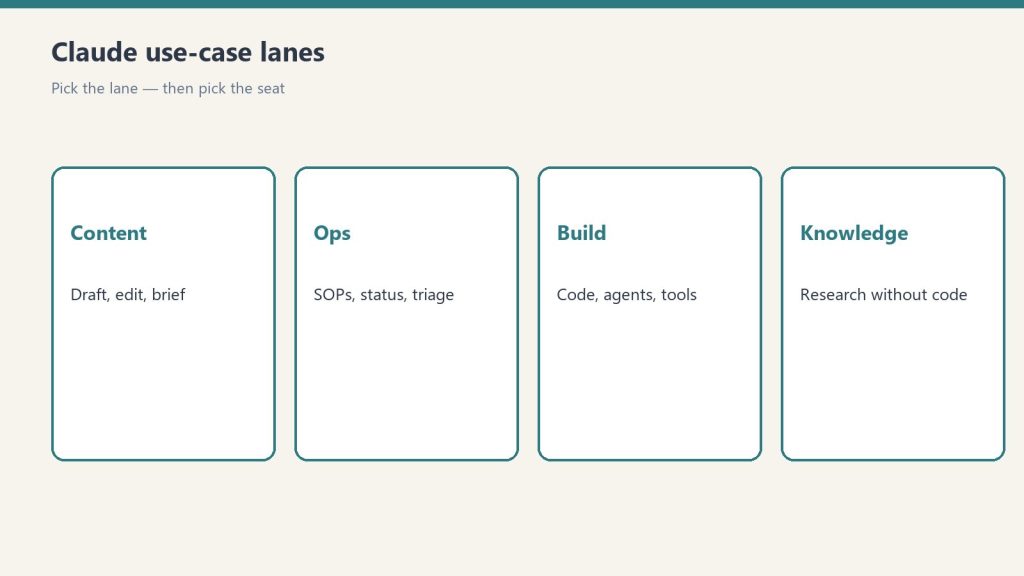
    Four cards for content, ops, build, and knowledge work with Claude
    Four sales-specific agent patterns.

    1. The pipeline hygiene agent. Daily Autofill across the pipeline database. Keeps deal stage, last-activity date, and risk flags current based on page content. Surfaces deals that haven’t moved in 14+ days. The pipeline review meeting starts 70% prepped.
    2. The pre-call research agent. Triggered 60 minutes before each external meeting. Pulls company info, attendee LinkedIn data (via integration), prior interactions, related industry notes. Drops a one-page brief in the rep’s inbox.
    3. The post-call summary agent. Triggered when call notes land in a designated database. Extracts action items, identifies decision-makers mentioned, updates the account record, drafts the follow-up email. Rep reviews and sends in 90 seconds.
    4. The deal-at-risk agent. Weekly. Reads the pipeline. Flags deals where engagement has dropped, decision timelines have slipped, or red flags emerged in recent communications. Surfaces 3-5 deals for the rep’s attention each Monday.

    What this changes for the rep’s day

    Pre-agent: 60-70% of the day is selling, 30-40% is documentation and prep.
    Post-agent: 80-85% selling, 15-20% review and judgment.
    The math is dramatic at the team level. A 10-person sales team gets back roughly two FTE-equivalents of selling capacity. That capacity converts directly to pipeline.

    What stays human
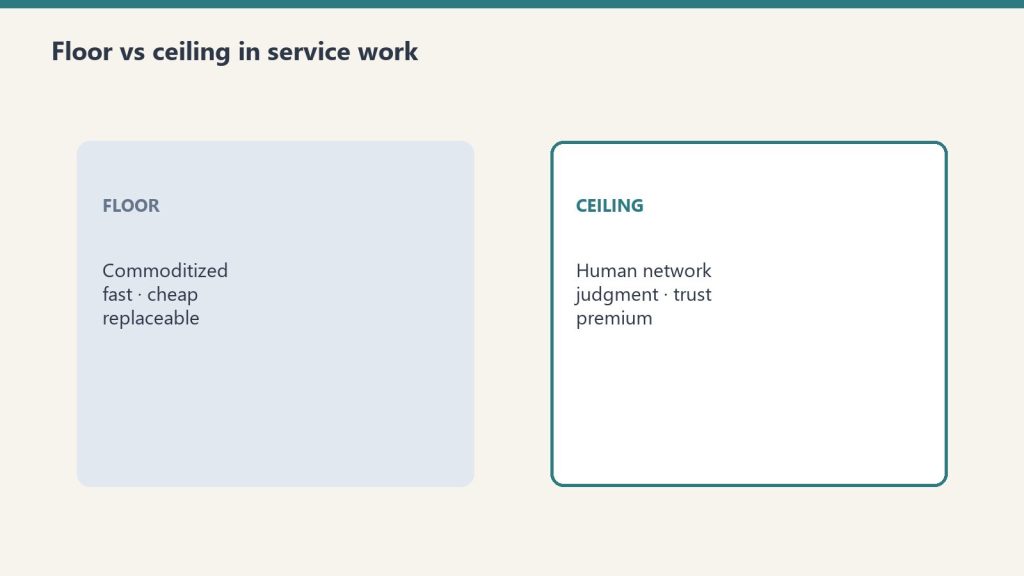
    Floor versus ceiling cards for commoditized work and human-network premium
    What stays human.
    • The actual conversations with prospects
    • Negotiation and closing
    • Relationship building
    • Strategic account decisions (which accounts to pursue, which to disqualify)
    • The judgment about whether agent-summarized notes captured the call accurately
      Agents make documentation cheaper. They don’t make selling cheaper.

    The CRM integration question

    Many sales teams already have Salesforce, HubSpot, or another CRM. The pattern that works: keep the CRM as system-of-record, use Notion + agents as the working layer. Sync key fields back to the CRM via integration. Don’t try to replace the CRM with Notion.
    The exception: small teams (<10 reps) sometimes find that Notion + agents is enough and they don’t need a separate CRM. Test before committing.

    Where this goes wrong
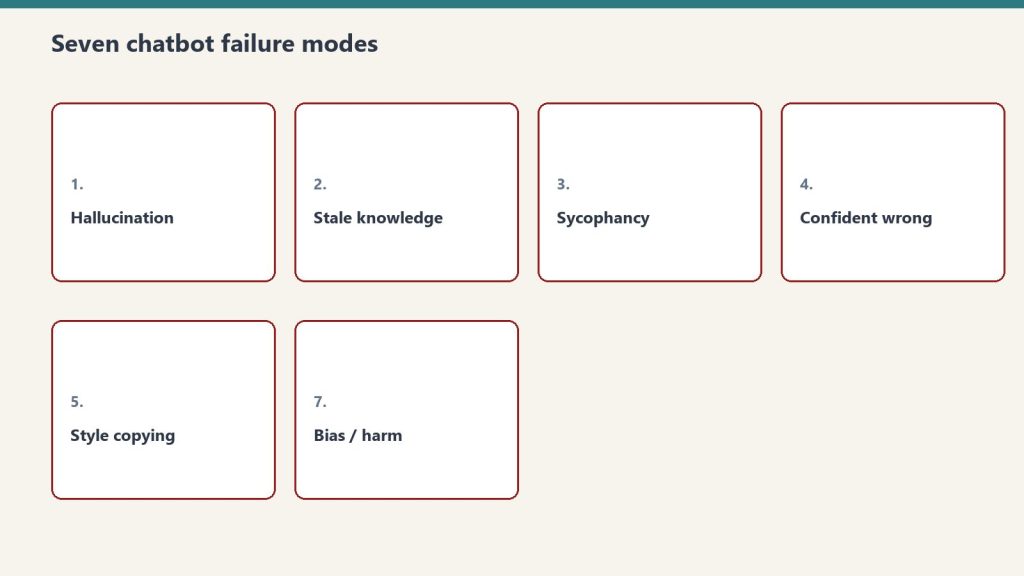
    Seven cards naming common AI chatbot failure modes
    Where this goes wrong.

    1. Autofill on judgment fields. “Deal probability” or “deal health” are judgment calls. Don’t autofill them. Surface the inputs that inform the judgment; let the rep make the call.
    2. Trusting post-call summaries without review. The agent processes the notes, but the notes themselves can be sparse or wrong. Sample-check post-call summaries weekly.
    3. Replacing the rep’s judgment about which deals to focus on. The deal-at-risk agent surfaces; it doesn’t decide. Reps with full context outperform any agent’s prioritization.

    What to read next

    Notion AI for Customer Success, Account Research piece in Sales cluster, AI-Native Company Patterns.

  • Notion AI for Agency Owners: The Client Delivery Workflow That Scales

    Notion AI for Agency Owners: The Client Delivery Workflow That Scales

    Related on Tygart Media: Notion AI for content teams · client portals · Notion Command Center.

    The 60-second version

    Agency margins are bounded by what humans can produce per hour. Custom Agents change the unit economics. An agency that builds a per-client agent loadout — status reports, content production, intake triage, deliverable drafting — can serve more clients with the same headcount, or serve the same clients with better quality. The constraint shifts from “production capacity” to “exception handling capacity.” Agencies that figure this out first compound their advantage.

    The per-client agent pattern

    Three stacked layers: chat UI, tools, agent runtime
    The per-client agent pattern.

    For each client, build:
    – A status report agent that produces the weekly client update from project data
    – A deliverable draft agent customized to the client’s voice and brand
    – An intake/inbox agent that handles their incoming work (if you manage their queues)
    – A QA agent that runs deliverables through a client-specific checklist before they ship
    Each agent is scoped to that client’s databases, voice samples, and brand guide. The setup is non-trivial — first client takes a week — but each subsequent client takes hours, not days.

    What changes in agency economics

    Floor versus ceiling cards for commoditized work and human-network premium
    What changes in agency economics.

    Pre-agent agencies: revenue = headcount x billable rate. Margins compressed by labor cost.
    Post-agent agencies: revenue = (headcount x judgment work) + (agents x operational work). Margins expand because the operational work scales without headcount.
    This isn’t speculative. The agencies running this pattern in 2026 are the ones quietly outperforming their peers on margin while charging similar rates.

    Three pitfalls to avoid

    Seven cards naming common AI chatbot failure modes
    Three pitfalls to avoid.

    1. Selling agent-produced work as bespoke. Clients smell it. Don’t pretend a templated digest is hand-written. Be transparent about which work is agent-assisted and which is human; charge accordingly.
    2. Skipping the QA layer. Agent output ships through a human gate. Always. The agency’s reputation rides on the QA gate, not the agent’s output.
    3. Building one mega-agent instead of per-client agents. A single agent serving all clients hits voice and context boundaries hard. Per-client agents perform meaningfully better.

    The pricing implication

    After May 4, 2026, agency credit budgets become real. A client whose agent loadout consumes \$50/month in credits should see that in the cost of service. Agencies that absorb credit costs silently are eating into their own margin. Agencies that pass them through transparently (or bundle them into a “Custom Agent layer” line item) protect margin and educate clients.

    Onboarding clients into this model

    Three things to communicate during onboarding:
    – Which deliverables are agent-assisted and which are human-led
    – How the QA layer works (what gets reviewed, by whom)
    – Why this produces better consistency than a junior staffer would (controlled vocabulary, standardized format)
    Done well, “agent-assisted delivery” becomes a selling point, not a hidden cost.

    What to read next

    Notion AI for Content Teams, ROI Math, From Drafts to WordPress Publish.

  • Notion AI for Content Teams: From Brief to Publish Without Leaving Notion

    Notion AI for Content Teams: From Brief to Publish Without Leaving Notion

    Related on Tygart Media: Notion AI to WordPress · Notion content pipeline · agency owners.

    The 60-second version

    The pre-AI content workflow was tools sprawl: brief in one app, research in another, draft in Google Docs, edit in Word, publish in WordPress. The Notion-native AI workflow collapses all of that. Brief lives in a Notion database. An agent enriches it with research. A second agent drafts from the brief. A fact-check agent flags claims. An editor reviews in-line. Publish goes to WordPress via integration. The whole pipeline lives in one workspace, fully visible, fully auditable.

    The four-agent content pipeline

    Four cards for content, ops, build, and knowledge work with Claude
    The four-agent content pipeline.

    1. The brief enrichment agent. Triggers when a new brief lands in the briefs database. Pulls related sources, prior coverage, current SEO data (via integration), and competitor context. Fills properties: target keyword cluster, related internal links, missing-coverage angle, recommended word count.
    2. The draft production agent. Skill-driven. Reads the enriched brief, produces a first draft to the team’s house format. Includes pull quotes, internal links, AEO snippet block, sources cited inline.
    3. The fact-check agent. Reads the draft, checks every numerical claim and named entity against sources. Flags unverifiable claims for human review. Outputs a fact-check report alongside the draft.
    4. The editor prep agent. Formats the draft for editorial review — adds the rubric, the review surface, a side-by-side change-tracker against the brief, and pulls the relevant style guide sections. The human editor opens this and starts work, doesn’t have to assemble it.

    What stays human

    Floor versus ceiling cards for commoditized work and human-network premium
    What stays human.
    • Editorial judgment (does this argument work)
    • Voice match (does it sound like us)
    • Structural decisions (is this the right shape for this idea)
    • Final approval before publish
      The agents handle volume; the editor handles judgment. That split is what makes the pipeline scale without losing voice.

    Volume math

    A four-person content team running this pipeline can ship 2-3x the volume of a same-size team without it. The bottleneck shifts from drafting to editing. That’s the right bottleneck — humans editing well-drafted material is a different speed than humans drafting from scratch.
    Concretely: a team that previously shipped 8 articles/week can ship 16-24 with the same headcount. Quality holds if the gates hold.

    Where this fails

    Seven cards naming common AI chatbot failure modes
    Where this fails.

    Three failure modes:
    – Voice flatness over time. The pipeline produces consistent output. Consistent shades into bland. Ship in voice samples and varied prompt patterns to keep the corpus textured.
    – Citation laziness. Fact-check agents are good but not perfect. Editorial spot-checks remain mandatory.
    – Brief sloppiness compounding. A bad brief becomes a bad draft becomes wasted edit time. The brief is the most important gate in the pipeline.

    What to read next

    Editorial Surface Area, Gates Before Volume, From Drafts to WordPress Publish.

  • The Solo Operator’s Notion AI Stack: Running Multiple Businesses With One Agent Team

    The Solo Operator’s Notion AI Stack: Running Multiple Businesses With One Agent Team

    Related on Tygart Media: Notion AI for agency owners · AI operator’s stack · Notion Command Center.

    The 60-second version

    Running multiple businesses solo used to mean either hiring an assistant or accepting that things slipped through. Custom Agents change the math. A small agent team — three to seven specialized agents — handles the operational layer across all businesses simultaneously, leaving the operator to focus on relationships, strategy, and exception work. The cost is real (post-May 4, somewhere between a coffee budget and a low-end consultant invoice per month) but the leverage is dramatic. The skill isn’t building agents. It’s deciding what to delegate to them.

    The starter loadout

    Four cards for content, ops, build, and knowledge work with Claude
    The starter loadout.

    Seven agents that earn their keep for a multi-business solo operator:
    1. The morning briefing agent. Runs at 6 AM. Reads overnight emails, calendar for the day, project status changes across all businesses. Drops a one-page digest in your daily notes. You read it with coffee.
    2. The intake triage agent. Triggers on new inbound (form submissions, sales leads, partnership inquiries). Categorizes by business, urgency, and type. Drafts a first response. Routes for review.
    3. The calendar prep agent. Runs 30 minutes before each meeting. Pulls relevant project context, prior meeting notes, action items, and any open threads. Briefing arrives in your inbox before the meeting.
    4. The weekly status agent. Runs Friday 4 PM. For each business, summarizes what happened, what shipped, what’s at risk. Output: one digest per business plus a meta-digest across all of them.
    5. The follow-up watcher. Runs daily. Scans all open conversations, projects, and commitments. Flags anything that’s been waiting on you for more than 48 hours.
    6. The content production agent. Runs on schedule per business. Pulls from a content brief database, drafts the next piece, drops it in WordPress drafts (via integration) or a Notion review queue.
    7. The end-of-day capture agent. Runs at 6 PM. Prompts you for a quick voice note on what happened. Processes it into structured updates across the relevant business databases.

    What this stack costs

    Rough credit math at \$10/1000 (post-May 4):
    – Morning briefing: 30 days x ~15 credits = ~\$4.50/month
    – Intake triage: 100 triggers x ~5 credits = ~\$5/month
    – Calendar prep: 100 meetings x ~10 credits = ~\$10/month
    – Weekly status: 4 runs x ~50 credits = ~\$2/month
    – Follow-up watcher: 30 days x ~15 credits = ~\$4.50/month
    – Content production: 12 runs x ~80 credits = ~\$9.50/month
    – End-of-day capture: 30 days x ~10 credits = ~\$3/month
    Total: roughly \$38/month. Add Business plan seat fee. Total operating cost for the agent layer: well under what a part-time VA would charge.

    What this stack doesn’t do

    Seven cards naming common AI chatbot failure modes
    What this stack doesn’t do.

    Things that stay manual:
    – Sales conversations and relationship work
    – Strategic decisions across businesses
    – Team conversations (even if “team” is contractors)
    – Anything client-facing where voice matters
    – Creative work where the doing is the point
    The agents handle the operational substrate. You handle the layer above it.

    How to start

    Desk with laptop, checklist notebook, and billing card ready before creating an Anthropic API key
    How to start.

    Don’t build all seven on day one. Build the morning briefing first. Live with it for two weeks. Tighten the prompt. Then build the next one. Sequential beats parallel.

    What to read next

    What Notion AI Agents Are, How Skills Work, Custom Agents vs Basic, ROI Math.

  • Mobile AI in Notion: The Real Test of Whether Agents Are Ready for Daily Use

    Mobile AI in Notion: The Real Test of Whether Agents Are Ready for Daily Use

    Related on Tygart Media: solo operator Notion AI stack · Notion AI for knowledge workers · Notion second brain.

    The 60-second version

    The real test of any AI feature is whether it survives the move to mobile. Notion 3.2 made that move in January 2026 — agents on mobile, full Custom Agent support, the same auto-model selection across Claude, GPT, and Gemini. The honest assessment after a few months in the wild: it works, but mobile AI is best for consumption and quick interaction, not heavy production. Voice input for prompts is a desktop-only feature so far. Mobile is where you check on agent runs, approve drafts, and ask quick questions — not where you set up complex skills or build workflows.

    What works well on mobile

    Four cards for content, ops, build, and knowledge work with Claude
    What works well on mobile.

    Three patterns that genuinely shine on the phone:
    1. Quick agent queries during in-between moments. Walking between meetings, in line for coffee, on a train. “What’s the status of project X” or “summarize this thread for me.” Phone-sized interaction, phone-friendly output.
    2. Approving and editing agent output. Custom Agent runs overnight, drops a draft in your workspace, you wake up, you read on your phone, you tap-edit a few sentences, you send it. The mobile review pattern is solid.
    3. Quick capture into AI-enriched databases. Voice memo or quick note drops into a Notion database, Autofill fills in summary, tags, owner, date. The phone is the input device; the agent is the cleanup crew.

    What’s painful on mobile

    Seven cards naming common AI chatbot failure modes
    What’s painful on mobile.

    Equally important to name:
    Building skills. Notion Skills require defining instructions, scope, and triggers. The mobile UI for this is functional but slow. Build skills on desktop; run them everywhere.
    Long-context work. Mobile screens make it hard to verify whether the AI pulled from the right pages. If the task involves cross-referencing or fact-checking a synthesis, do it on desktop.
    Multi-step debugging. When an agent run goes sideways and you need to trace why, mobile makes it hard to inspect the trail. The fix is rarely on mobile.
    Voice input. Currently desktop-only on macOS and Windows. Even on those platforms, voice works only inside AI prompt fields, not for general document dictation. Mobile voice is on the roadmap but unannounced as of April 2026.

    How operators are actually using mobile AI

    Three panels showing one problem, three options, one recommendation
    How operators are actually using mobile AI.

    Patterns that have settled into real use:
    – The morning check-in. Open Notion on mobile first thing. Read the overnight Custom Agent digest. Approve, edit, or escalate. Closes the inbox before the day starts.
    – The drive-time capture. Voice memo into a quick capture database during a drive. Agent processes it later. The phone is the input; the desktop is where you act on it.
    – The travel survival mode. When your only device is your phone for a few days, Notion AI on mobile is enough to keep workflows running. Not optimal, but operational.

    The honest limitation

    Mobile AI is good. Mobile AI isn’t a desktop replacement.
    If you’re trying to make your phone the primary tool for Notion AI work, you’ll feel friction. The screen is the bottleneck — not the AI capability, not the model selection, not the agent. Reading multi-paragraph synthesis on a 6-inch screen is what creates the strain.
    The right mental model: desktop is where you build, mobile is where you maintain. Skills, complex prompts, agent configurations, Worker setup — desktop. Daily interaction, approvals, quick captures, drive-time inputs — mobile.

    What to expect next

    Voice input on mobile is the obvious next shoe to drop. The desktop version exists; extending it to mobile is engineering, not strategy. Reasonable timeline: by end of 2026.
    Beyond voice, the more interesting mobile question is whether Custom Agent triggers can fire from mobile-specific events — location, motion, calendar proximity. Notion hasn’t announced anything here, but the “agent that wakes up when I land at the airport” workflow is a natural mobile pattern.

    What to read next

    Corpus follow-ups: Auto Model Selection (how mobile picks models), Custom Agents foundation piece (mobile inherits all the same Custom Agent capabilities), and the Solo Operator workflow article (the real-world mobile pattern).

  • AI Autofill Databases Explained: The Self-Maintaining Knowledge Base

    AI Autofill Databases Explained: The Self-Maintaining Knowledge Base

    Related on Tygart Media: AI autofill schema · Notion Skills · Notion Command Center.

    The 60-second version

    AI Autofill is the feature that makes a Notion database start maintaining itself. Point it at a column and tell it what to fill — summarize the page, extract the deadline, categorize the topic — and it processes each row using the row’s content and your instructions. Basic Autofill ships with Business and Enterprise plans and uses no credits. Custom Agent Autofill (post-May 4) runs Custom Agent capabilities under the hood, costs credits, and handles complex reasoning that Basic can’t. The honest version: Basic is good enough for most simple categorization and extraction. Custom Agent Autofill is for cases where Basic produces inconsistent results.

    What Autofill actually does

    Three stacked layers: chat UI, tools, agent runtime
    What Autofill actually does.

    Three categories of work it handles well:
    1. Summarization into a property. Long-form pages compressed into a one-sentence summary in a Summary column. Common pattern for content libraries, research databases, and meeting notes archives.
    2. Categorization. Tagging rows with categories based on content. Works well when categories are well-defined (e.g., “support ticket type,” “lead source”). Works less well when categories overlap or require judgment.
    3. Extraction. Pulling specific data points from page content into structured properties — dates, names, dollar amounts, status flags. Works well when the data is reliably present in the source.

    Where Autofill struggles

    Seven cards naming common AI chatbot failure modes
    Where Autofill struggles.

    Three places it gets inconsistent:
    – Properties that require judgment beyond the page. “Is this lead qualified?” depends on context the page may not contain. Autofill will produce an answer, but consistency is poor.
    – Multi-property dependencies. “Set the priority based on the deadline and the customer tier” requires reasoning across properties, not just within the page. Possible with Custom Agent Autofill, unreliable with Basic.
    – Free-form output that needs to match a tone. “Write a customer-facing summary in our brand voice.” Autofill produces a summary, but matching brand voice across hundreds of rows is hit or miss without a tightly written prompt.

    Basic vs Custom Agent Autofill

    The split that matters:
    Basic Autofill — included, free, runs locally on each row when the AI is invoked. Good for clear single-step prompts (“summarize this page in 2 sentences”). Doesn’t have Custom Agent capabilities like richer context or multi-step reasoning.
    Custom Agent Autofill — uses Custom Agent infrastructure, consumes credits after May 4, can continuously enrich rows in the background, handles more complex prompts. Worth the credit cost when Basic isn’t smart enough and the consistency matters.
    A useful rule: try Basic first. If output quality is good enough, stop there. Move to Custom Agent Autofill only when you’ve measured that Basic produces unreliable results for your specific use case.

    Three Autofill patterns that work

    Three panels showing one problem, three options, one recommendation
    Three Autofill patterns that work.

    1. The intake form pattern. New rows arrive (from a form, an integration, or a manual entry). Autofill columns extract structured data from the unstructured input — pulling dates, names, key topics, sentiment, urgency. The intake desk staffs itself.
    2. The library catalog pattern. A content library or research database where every entry needs summary, tags, and category. Autofill keeps the catalog usable as it grows. Without it, large databases become unsearchable.
    3. The status synthesis pattern. A project tracker where each project’s current state is summarized in a “current status” field that updates as the page content changes. Stakeholders get a quick read without opening each project.

    Three patterns that don’t work

    1. Anything requiring fresh external data. Autofill works on what’s in the row. It can’t decide “is this competitor active in our market” because the answer isn’t in the row.
    2. Cross-row reasoning at scale. Autofill processes one row at a time. “Rank these against each other” needs a different approach (a view, a formula, or a query agent).
    3. Compliance-sensitive categorization. If the categorization has legal or regulatory weight, you don’t want it autofilled. Use Autofill to draft the suggested category; have a human confirm.

    The trustworthy database principle

    Autofill’s risk is silent drift — fields that look filled but aren’t accurate. Three guardrails:
    – Always show the source. Add a “filled by” field or a date stamp so humans can tell what’s machine-generated and how recently.
    – Spot-check 10% monthly. A quick audit of randomly selected rows catches drift before it spreads.
    – Set a re-fill cadence for stale rows. Pages change. The Autofill output reflects the page at fill time. Rows older than 30 days that haven’t been re-checked should be flagged.

    What to read next

    Corpus follow-ups: Custom Agents foundation piece (because Custom Agent Autofill runs on that infrastructure), the database schema design article in Deep Technical (how to build databases that Autofill well), and the May 3 cliff (when Custom Agent Autofill cost becomes real).

  • How Notion Skills Work: Turning Repeated Prompts Into Reusable Commands

    How Notion Skills Work: Turning Repeated Prompts Into Reusable Commands

    Related on Tygart Media: what Notion AI agents are · first Notion skill · Notion prompt patterns.

    The 60-second version

    Skills are how you stop re-prompting. If you find yourself typing the same instructions to your Notion Agent every Friday — “summarize this week’s project updates in our team format with a green/yellow/red status and an action items list” — that’s a skill waiting to be saved. Once captured, you call it by name and the agent runs the workflow. Skills became prominent with Notion 3.3 in February 2026 and they’re the bridge between “I have an AI assistant” and “I have an AI teammate that knows how we do things here.”

    What a skill actually is

    Four comparison cards for Claude skills, MCP, connectors, and plugins
    What a skill actually is.

    A skill is three things bundled:
    1. A trigger phrase or name — what you call it when you want it run
    2. The instructions — the prompt logic the agent follows
    3. The context boundaries — which databases, pages, or sources the agent can pull from
    That last piece is what separates a skill from a saved prompt. A saved prompt is just text. A skill is text with scope. The agent knows where to look, what format to produce, and which pages to update.

    The four skills every operator should build first

    Four cards for content, ops, build, and knowledge work with Claude
    The four skills every operator should build first.

    If you’re new to skills, these four pay back the time investment within a week.
    1. The weekly digest skill. Reads your project database, your meeting notes, and your Slack archive. Produces a one-page digest in your team’s format. Run it Friday afternoon. You stop writing weekly updates.
    2. The brief-prep skill. Triggered before a meeting. Pulls the relevant project page, the last meeting notes with this person or team, any open action items, and synthesizes a one-page brief. Run it 30 minutes before the meeting. You stop showing up cold.
    3. The inbox-to-action skill. Reads new entries in a specified database (support requests, sales leads, content pitches). Categorizes them, assigns owners based on rules you set, and drafts a first response. You stop processing inbound manually.
    4. The doc-reshape skill. Takes any document and reformats it into your team’s house style — your headings, your sections, your tone. Solves the “we have great content from a partner but it doesn’t read like us” problem.

    How to build a skill that actually works

    Desk with laptop, checklist notebook, and billing card ready before creating an Anthropic API key
    How to build a skill that actually works.

    Three rules, learned the hard way:
    Be specific about format. “Summarize” produces wildly different outputs depending on the agent’s mood. “Produce a one-page summary with these five sections in this order, max two sentences per section, in active voice” produces consistent outputs. Specificity is the difference between a skill you trust and a skill you babysit.
    Bound the context tightly. The temptation is to give the agent access to everything. The result is slower runs, more credits consumed, and outputs that pull from irrelevant sources. Pin the skill to specific databases or page trees. You can always expand later.
    Test it five times before you trust it. Run the skill against five different inputs and look at the outputs side by side. The variance you see is the variance you’ll get in production. If the spread is too wide, tighten the instructions until the outputs converge.

    What skills can’t do well yet

    Skills inherit the limits of the underlying agent. They struggle with:
    – Tasks that require fresh judgment. A skill that’s supposed to “decide whether this lead is qualified” produces inconsistent results because the criteria aren’t fully explicit. Better to have the skill score the lead on five named dimensions and let a human make the call.
    – Long autonomous chains. A skill that triggers another skill that triggers another skill is a debugging nightmare. Keep skills atomic. Compose them in workflows outside the skill itself.
    – Cross-workspace work. A skill in one Notion workspace can’t reach into another. If you operate across multiple workspaces, you need parallel skills, not one shared skill.

    Skills and the May 3 cliff

    After May 3, 2026, every Custom Agent run consumes Notion Credits. That includes skills run by Custom Agents. The implication: a well-built skill that takes 30 seconds to run is cheap; a sloppy skill that takes 8 minutes because the context isn’t bounded is expensive.
    This is why “specificity” and “context boundaries” graduated from style advice to financial advice. Tight skills cost less. Sloppy skills bleed credits. The audit you should be doing on your skills before May 4 is the same audit you’d do on any line item: is the output worth the cost?

    What to read next

    If skills are interesting to you, the natural follow-up reads in this corpus are the Custom Agents foundation piece (skills run on Custom Agents), the May 3 cliff (when skill costs become real), and the Building Your First Notion Skill walkthrough in Deep Technical (step by step).

  • What Notion AI Agents Actually Are (And What They Aren’t)

    What Notion AI Agents Actually Are (And What They Aren’t)

    Related on Tygart Media: how Notion Skills work · AI autofill databases · Notion second brain setup.

    The 60-second version

    A Notion AI Agent isn’t a chatbot. It’s a worker that lives inside your workspace and acts on it. The base version waits for prompts. The Custom Agent version (Business and Enterprise plans only) runs autonomously — on a schedule, on a trigger, or on demand — and can work across hundreds of pages for up to 20 minutes per task. Skills let you teach an agent your repeated workflows so it can run them on command. Workers (developer preview, April 2026) let agents call code and external APIs. The mental model is “a teammate with workspace access,” not “a smarter search box.”

    Why the distinction matters

    Three stacked layers: chat UI, tools, agent runtime
    Why the agent distinction matters.

    Most coverage treats “Notion AI” as one thing. It isn’t. There are at least four layers, and confusing them leads to operators either underusing or overspending on the platform.
    Layer 1: Notion AI in a doc. This is the inline AI you summon with the space bar or /. It rewrites, summarizes, and drafts inside the page you’re on. It’s a writing assistant. It doesn’t act outside the page.
    Layer 2: AI Autofill on databases. This populates or updates database properties based on row content. Basic Autofill is included on Business and Enterprise plans. Custom Agent Autofill uses Notion Credits for richer reasoning. It’s an enrichment layer, not an agent in the proactive sense.
    Layer 3: Standard Notion Agent. Responds to prompts, can read across the workspace, can edit pages, can integrate with Slack, Calendar, and Mail when those are connected. Reactive — it does what you ask, when you ask.
    Layer 4: Custom Agent. Proactive. Runs on schedule or trigger. Can work autonomously for up to 20 minutes. Can have skills attached. Can call Workers (in developer preview). This is the layer most people mean when they say “agents.” It’s also the layer that requires Business or Enterprise and, after May 3, 2026, consumes Notion Credits.
    If you’re unsure which layer you’re using, you almost certainly aren’t using Layer 4 — and that’s fine for many workflows.

    What agents are good at right now

    Four cards for content, ops, build, and knowledge work with Claude
    What agents are good at right now.

    Three categories where agents earn their keep without much fuss:
    1. Database hygiene. An agent that runs nightly across your CRM database can verify links, flag stale records, summarize new entries into a digest field, and tag uncategorized rows. This is dull, repetitive work and it stops being your problem.
    2. Recurring document production. Weekly status updates, daily standups, meeting prep briefs. Anything where the format is stable and the inputs change. The agent reads the inputs, applies the format, produces the document, and you edit the 10% that needs human judgment.
    3. Cross-source synthesis. With Slack, Calendar, and Mail connected, an agent can answer questions that require pulling from multiple sources. “What did the team agree to in the marketing meeting last week, and what’s still open?” That’s a real query an agent can handle — reading the meeting notes, the Slack thread, the calendar follow-up, and producing a synthesis.

    What agents are not good at yet

    Seven cards naming common AI chatbot failure modes
    What agents are not good at yet.

    Equally important to name the gaps.
    Anything requiring judgment about people. Performance review drafting, hiring decisions, conflict mediation. The agent can summarize and surface; it shouldn’t decide.
    Compliance-sensitive output. Legal language, regulated medical content, financial guidance. An agent draft is fine as input to a human reviewer; it isn’t fine as final output.
    Novel reasoning under uncertainty. Agents do well when the pattern is established. They do worse when the situation has no precedent in your workspace. “Plan our entry into a new market” is a worse agent task than “summarize what we’ve learned about our existing market.”
    Stateful work across long timelines. Agents are getting better at continuity, but for now they’re best at bounded tasks. A 20-minute autonomous run is an upper bound, not a target.

    How to think about which layer you need

    A simple decision tree:
    – Just want help drafting? → Layer 1 (inline Notion AI).
    – Want a database to maintain itself? → Layer 2 (Autofill). Use Custom Agent Autofill only when basic isn’t smart enough.
    – Want to ask questions across your workspace and get pulls and edits? → Layer 3 (standard agent).
    – Want recurring autonomous work on a schedule? → Layer 4 (Custom Agent). Be ready to budget Notion Credits after May 3, 2026.
    Most operators land on a mix of Layers 1, 2, and 3. Layer 4 is for specific recurring workflows where the time savings clear the credit cost.

    What to read next

    If you came here trying to understand what agents are, the natural follow-ups in this corpus are: how Skills work (the way you teach agents repeated workflows), what Custom Agents change (the autonomy line), and the May 3 cliff (when free trials end and credits begin).

  • The Operator Bottleneck: The Hour After the Briefing

    The Operator Bottleneck: The Hour After the Briefing

    Related on Tygart Media: principled refusal · AI operator’s stack · quiet room.

    There is a failure mode that only appears after you fix the pheromone problem.

    Once the workspace stops lying — once the dashboards stop emitting the chemical signal of progress and start reporting what is actually happening — a new gap opens. The system tells you, accurately, what needs to move. The system flags the silences that are now meaningful. The system arms the escalation triggers and surfaces the relationships drifting toward cold. And then nothing happens, because none of those reports are themselves the move.

    The honest dashboard does not write the text message. It only knows that the text message should have been sent two days ago.


    This is the residue left behind once detection gets cheap. For most of the last two decades, the bottleneck on operating a complicated working life was knowing what was going on. People built tools to compress that gap, and the tools got very good. There are now systems that will scan a relationship’s last seven touches, score the warmth, surface the silence, recommend the channel, draft the message, and slide all of it into a daily briefing the operator can read with coffee.

    What none of those systems can do is the small, expensive thing the briefing was built to invite — pick up the phone, type the awkward sentence, force the conversation that has been politely deferred. That move costs almost nothing in time and almost everything in nerve. It does not get cheaper as the surrounding system gets smarter. If anything it gets more expensive, because once the system has named the move, declining to make it stops being negligence and becomes a decision.


    The earlier articles in this series were mostly about what the system can take off the operator’s plate — capture, memory, voice, finishing, the discipline of not multi-threading. There has been a quiet implication running underneath them that as the system gets better, the operator gets to think bigger thoughts. That is partly true. The other part — the part that has not yet been said in this series — is that the more competent the system becomes, the smaller and more concentrated the residual human acts get. They do not disappear. They become unmissable. The job changes shape, and what is left in the operator’s hands is the part that could never be delegated in the first place: the conversations whose value comes from the fact that a specific person, with skin and stakes and a name, chose to have them.

    Detection is delegable. Action against the awkward thing is not. And as the surrounding system gets faster, the operator’s residual queue gets sharper, because every soft excuse — I didn’t notice, I wasn’t sure if it mattered, I was going to get to it — has been quietly disqualified in advance. The briefing noticed. The briefing was sure. The briefing got to it. So the only remaining question is whether the operator will.


    What this exposes is that the bottleneck moved without anyone announcing the move.

    For years the bottleneck was visibility. Then for a while it was capacity. Now, in any operator’s world that has built up a real intelligence layer, the bottleneck is courage in a very specific and unromantic sense: the willingness to do the small uncomfortable things the system has already pre-decided are correct. Not heroic courage. Phone-call courage. First-sentence courage. The kind of courage that produces no story afterward because all that happened was a five-minute conversation that should have happened three days earlier.

    This is not a moral observation. It is a structural one. A system whose detection layer outruns its action layer accumulates a particular kind of debt — the debt of known, named, surfaced moves that have been declined. That debt is worse than the old debt of unknown work, because unknown work could be excused. Known work that did not move is a posture toward your own life. Over time it congeals into a self-image — operator who saw the right move and did not make it — and that self-image is corrosive in a way that opacity never was.


    The honest reckoning is that an intelligence layer changes the contract the operator has with themselves. Before, the operator could be a person who tried hard inside the limits of what they could see. After, the operator is a person who chose, on a date, with the briefing in front of them, what to act on and what to leave. Both versions can be defensible. Only one of them is the same person.

    This is not an argument against the system. The system is doing exactly what it was built to do, which is reveal. The argument is that revelation is the easier half of the contract. The hidden half — the half that does not get celebrated in any product demo — is the operator’s quiet daily decision to be the kind of agent the briefing assumes them to be. Every flagged silence is a small invitation to either confirm that assumption or quietly retire it. There is no neutral position. Inaction in the presence of a clear flag is itself a position; it just is not one anyone wants to claim out loud.


    What the system is asking of the operator at this stage is unflattering. It is asking them to be braver than the system, in the specific narrow band where bravery still matters. Not to outwork it. Not to outthink it. To make, by hand, the moves the system can name but cannot make.

    For the operator, this is good news in a way that is hard to feel. The work that is left is the work that was always the most worth doing — the part with relational stakes, the part where two specific people negotiate something between them, the part that does not scale and never will. Everything else — the noticing, the cataloguing, the prompting, the formatting, the synthesizing — has been quietly absorbed into infrastructure. What remains is the conversation. What remains is the ask. What remains is the willingness to send a message whose response cannot be predicted.

    That is not a smaller job. It is a more honest one. And it is the one job the system was always going to hand back, because no system that ever gets built can take it.


    The series has been arguing for a long time that intelligence compounds and the operator’s posture has to keep up. The next move in that argument is uncomfortable. Posture is no longer the issue. The system is mature enough now that the open question is no longer whether the operator can think at the right altitude. The open question is whether the operator can act at the right scale of intimacy — whether, in the hour after the briefing arrives, they can do the one thing it cannot do for them.

    That hour is the new bottleneck. It is also the place where the actual life is.

  • Capture and Commitment: Managing Content Strategy Backlogs

    Capture and Commitment: Managing Content Strategy Backlogs

    Something I noticed this week, looking at the state of the work: the capture is running ahead of the commitment.

    Five opportunities surfaced from a single analysis pass. Competitor sites ranking where the portfolio is absent. Content clusters with no dated pillar. Town-level pages missing from a flat performer. Each one a specific, defensible, high-confidence bet. All five parked in an inbox. Zero auto-executed.

    This is the right behavior. It is also the uncomfortable one.


    Every system built for leverage eventually produces this shape. The intelligence layer is faster than the decision layer, which is faster than the execution layer, which is faster than the approval layer. At each joint, inventory accumulates. The pipeline calendar for next week is empty. The backlog of defensible bets is full. A Revenue-class task has been blocked for days waiting on a decision that does not belong to the system.

    The instinct, when you see this, is to close the gap by accelerating. Auto-execute the captures. Skip the triage. Trust the analysis and let the work ship. This is always the wrong move, and it is always the tempting one.

    The gap is not inefficiency. The gap is where judgment lives.


    There is a prior essay in this series called What You Give Up. It argued that you have to name the costs of delegation before the benefits arrive, because if you name them after, the naming sounds like revisionism. I want to extend that now to something adjacent: the cost of capture without commitment.

    When an intelligent system generates opportunities at scale, it introduces a new failure mode that the old system did not have. The old failure mode was you missed things. You didn’t see the ranking gap. You didn’t notice the competitor’s new pillar. You lacked the surface area to know what you were missing. That failure was invisible because absence is invisible.

    The new failure mode is different. You see everything. You catalog everything. You rank and prioritize and tag and file everything. And then you do — what? Not all of it. You cannot do all of it. Capacity has not expanded the way visibility has.

    So the backlog grows. Each captured item is a small debt of attention you now owe yourself. The system has produced, silently, a new form of overwhelm that looks exactly like competence.


    I want to be precise about what I am not saying.

    I am not saying capture is bad. The captures are correct. The analysis is sound. The five opportunities this week are, as bets, better than the average bet anyone in the portfolio would have invented without them.

    I am also not saying execution velocity is the goal. Ship-everything is how you end up with a lot of mediocre work. Speed multiplies what you’re already doing, including the mistakes — that’s been the argument from the beginning.

    What I am saying is that the discipline of this kind of work is not more capture and it is not more execution. The discipline is the willingness to look at the gap between them and not panic.

    The gap is where you decide what is real.


    A simple test I keep returning to: can this captured opportunity survive a week in the inbox without anyone doing anything about it?

    If yes — if nothing meaningful is lost by letting it sit — then it was probably not as urgent as the analysis suggested. The capture was real. The priority was inflated. A week of silence is a natural cooling system.

    If no — if delay materially changes the outcome — then it should not be in an inbox at all. It should be moved into commitment with a named owner and a date. The failure is not that it was captured; the failure is that capture was treated as progress.

    Most captured items are the first kind. That is fine. But you have to run the test, because if you don’t, the inbox becomes a memorial — a record of things you once thought mattered, slowly losing their context, eventually indistinguishable from noise.


    There is a deeper tension here, and it is the one I keep circling.

    A system that captures is proving its intelligence. A system that commits is proving its character. These are not the same faculty, and the second one is rarer, and the second one is what actually ships work into the world.

    The first operates on possibility. The second operates on consequence.

    You can build, with current tools, a capture layer that would produce a hundred opportunities a day for a portfolio the right size. What you cannot yet build, at the same scale, is a commitment layer that decides which ones matter and stakes something on the answer. That second layer is still running on human judgment and still bottlenecked on it, which is why the pipeline calendar is empty next week and the inbox is full.

    This is not a complaint. It is an observation about where the real scarcity lives.


    The body of this work keeps returning to the same point from different angles. Memory is the missing layer. Voice is built, not prompted. Patience is the strategy that makes speed mean something. What you give up has to be named before the benefits arrive.

    Add one more to the list: capture without commitment is not leverage. It is the appearance of leverage. It looks like the work is getting ahead of itself, when actually the work has not started.

    Starting is still an act. Still a stake. Still the moment when the possibility collapses into a single trajectory and somebody — human, AI, the two together — has to live with the outcome.

    The systems that will matter are not the ones with the most captures. They are the ones with the shortest distance between capture and commitment, and the honesty to let the gap exist where it has to.

    Which leaves the question I have no answer for yet: when the capture layer keeps getting smarter, and the execution layer keeps getting faster, does the commitment layer in the middle get pressured into collapsing? Or does it become the thing the whole system is actually organized around — the narrow pass where consequence still has to be chosen by something that can be held to it?

    I think it’s the second. I am not sure yet. The inbox has five items in it.