Tag: ai-pricing

  • How Much Does Claude AI Cost? The Plain-English Pricing Breakdown for 2026

    How Much Does Claude AI Cost? The Plain-English Pricing Breakdown for 2026

    Last verified: October 2, 2026 against claude.com/pricing and platform.claude.com pricing.

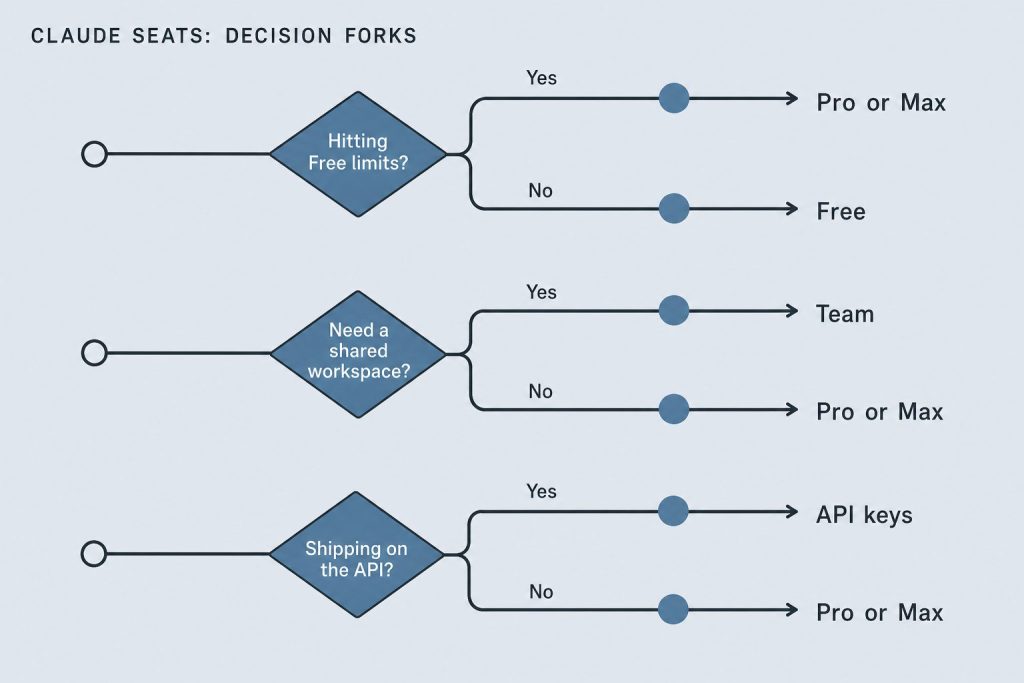
    Direct Answer: Claude costs $0 on Free; Pro is $20/month ($17 annual); Max starts at $100/month with a choice of 5x or 20x Pro usage per five-hour session (the Help Center lists the 20x tier at $200/month on the web); Team Standard is $20–$25/seat; Team Premium is $100–$125/seat; Enterprise is $20/seat plus usage. API list rates: Haiku 4.5 $1/$5, Sonnet 5.5 and Sonnet 5 $2/$10, Opus 5.5 $4/$20, Opus 5 $5/$25 per million tokens.

    If you searched “how much is Claude AI” or “Claude AI cost,” here is the straight list — seat plans first, then API token rates. Numbers below are verified October 2, 2026.

    The Free Tier: $0

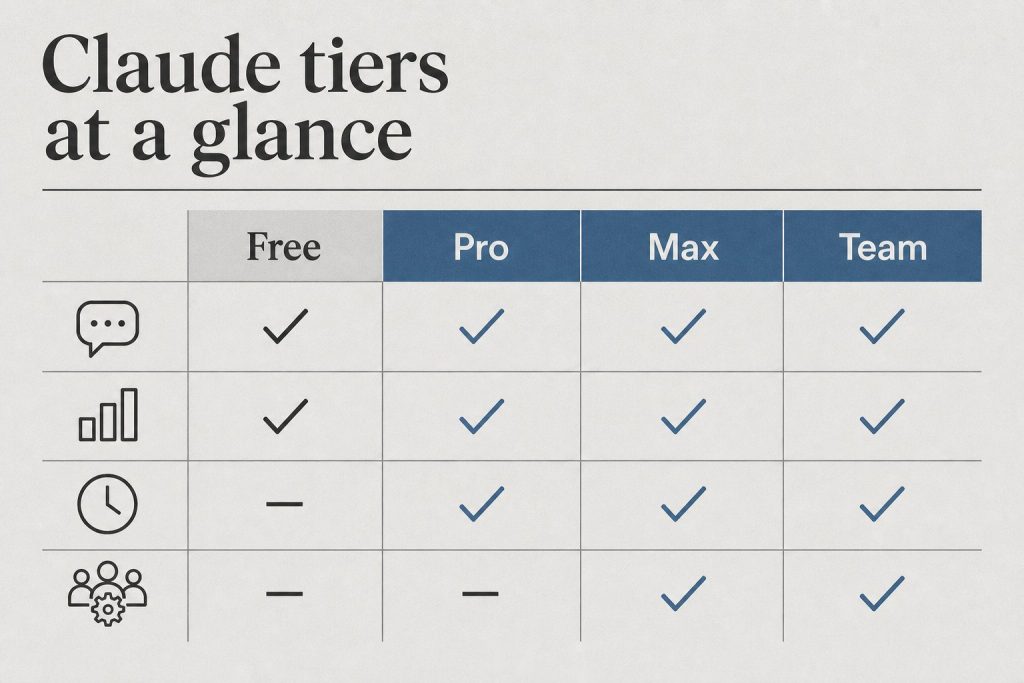
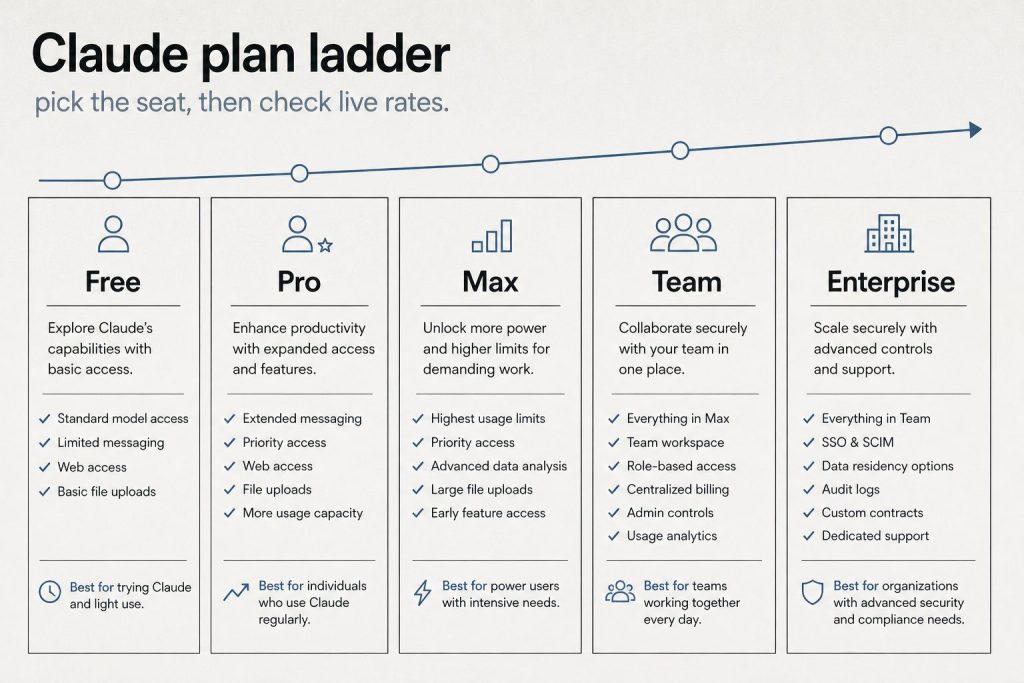
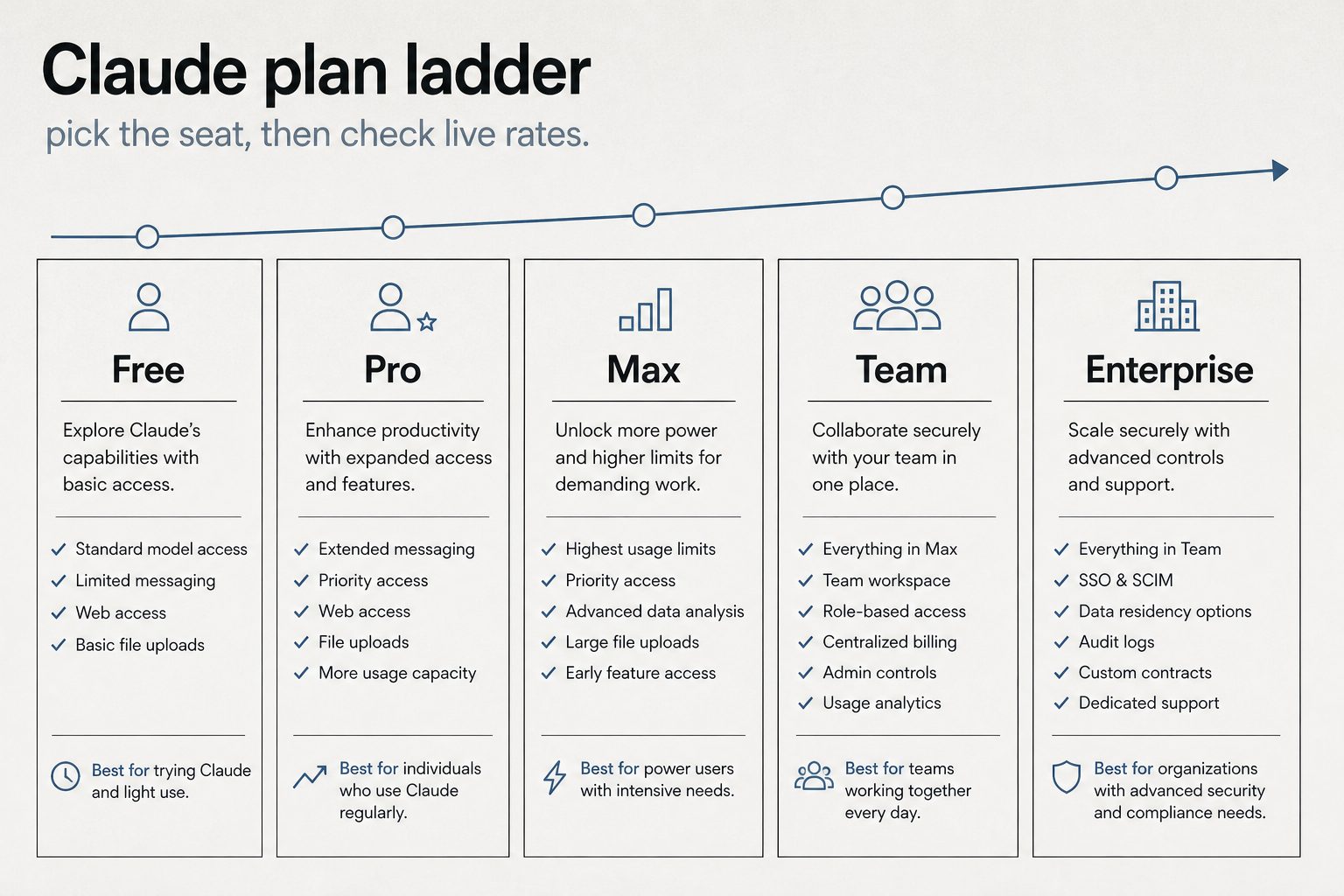
    Infographic ladder of Claude plans: Free, Pro, Max, Team, and Enterprise
    Plan ladder — Free through Enterprise (no sticky dollars on graphic).

    Claude’s free tier is $0 — no credit card required. Chat on web, mobile, and desktop, web search, memory, file creation, and code execution are included. Claude Code is not. Usage limits are tighter than paid seats.

    Claude Pro: $20/Month

    Pro costs $20/month billed monthly or $17/month if you pay annually ($200 upfront). Official claude.com copy includes Claude Code, Design/Slides/Docs, projects, more models, and Claude for Microsoft 365. Help-center copy still lists $20 monthly for US web checkout.

    Claude Max: From $100/Month

    Max starts at $100/month with a choice of 5x or 20x more usage than Pro per five-hour session. The pricing card prints “from $100” and does not list a separate 20x dollar amount. Anthropic’s Help Center lists Max 5x at $100/month and Max 20x at $200/month for web checkout. Mobile store prices may differ. Max is monthly billing only.

    Claude Team: From $20/Seat/Month

    Official claude.com Team seats (USD): Standard $20/seat annual or $25 monthly; Premium $100/seat annual or $125 monthly. Premium is 5× Standard usage. Enterprise on the same page is $20/seat plus usage at API rates, billed annually.

    Claude API: Pay Per Token

    API access is separate from seats. You pay per million tokens (MTok) for input and output. Current first-party list (October 2, 2026):

    Model Input / MTok Output / MTok Notes
    Haiku 4.5 $1 $5 Fast / cheap volume
    Sonnet 5.5 $2 $10 Launched Sep 28, 2026; same list as Sonnet 5
    Sonnet 5 $2 $10 Still listed
    Sonnet 4.6 $3 $15 Legacy SKU still listed
    Opus 5.5 $4 $20 Cache reads $0.20
    Opus 5 / 4.8 $5 $25 Cache reads $0.50
    Fable 5.1 $10 $50 Cache reads $0.25

    Batch API is 50% off input and output. Prompt caching: 5-minute write 1.25× input, 1-hour write 2×, cache reads typically 0.1× (model exceptions above). Full schedule: Claude API pricing & token rates.

    Quick Cost Comparison Table

    Product Price Best for
    Free $0 Light chat, no Claude Code
    Pro $20/mo ($17 annual) Daily chat + Claude Code
    Max 5x $100/mo Heavy interactive use
    Max 20x Help Center $200/mo (web) Very heavy interactive use
    Team Standard $20–$25/seat Shared workspace, light seats
    Team Premium $100–$125/seat Power seats (5× Standard)
    Enterprise $20/seat + usage Admin, SSO, usage billing
    API (Haiku → Fable) $1–$10 input / MTok Apps, automation, CI

    Seat vs API: which bill are you on?

    If you… You pay… Read next
    Chat in Claude.ai / use interactive Claude Code Seat plan usage limits Claude Code billing & credit pools
    Run claude -p, Agent SDK, or GitHub Actions on a subscription Separate Agent SDK monthly credit Dual-bucket billing
    Build on an API key Pay-per-token API rates API token rates

    How Claude usage limits actually work

    The seat price buys a usage window, not a fixed number of messages. Limits reset on a rolling five-hour session, and paid plans add a weekly cap on top.

    On claude.com/pricing, checked October 2, 2026, Free covers everyday questions. Pro includes at least 5x more usage per five-hour session than Free. Max includes 5x or 20x more usage per five-hour session than Pro. Chat on the web, the desktop app, mobile, and Claude Code draw from one pool. The Max plan Help Center article, read the same day, says the weekly limit resets on a fixed day and time for the account. Settings, then Usage, shows the session meter and the weekly reset.

    What spends the allowance is the size of the work. A longer chat, a heavier model, file creation, or research uses more of the five-hour window than a short question. Anthropic also says it may apply extra weekly or monthly caps, or limits on a particular model or feature, so one account does not crowd out the rest.

    When the meter runs out, the pricing page lists three ways forward, and each one has a different cost. Wait for the reset and the seat price covers the next window. Move to a higher plan and the monthly price changes. On a paid plan, turn on usage credits and the extra work bills at standard API rates, which is a second invoice on top of the seat.

    Team and Enterprise are priced as their own meters. A standard seat is $20 per seat per month billed annually, or $25 billed monthly, and includes more usage than Pro. A premium seat is $100 per seat per month billed annually, or $125 billed monthly, at 5x the standard seat. Enterprise is $20 per seat per month, billed annually, plus usage at API rates.

    Pricing checked October 2, 2026. Sources: claude.com/pricing and What is the Max plan?

    Claude API pricing, by model

    The API is a separate bill from the seat. You pay per million tokens, and on every current model the output line costs more than the input line.

    Current model Input / MTok Output / MTok
    Haiku 4.5 $1 $5
    Sonnet 5.5 $2 $10
    Opus 5.5 $4 $20
    Fable 5.1 $10 $50

    The table higher on this page still lists legacy SKUs that remain on the official list, including Sonnet 5 at the same $2 and $10, Sonnet 4.6 at $3 and $15, and Opus 5 at $5 and $25. Anthropic says the Sonnet 5 step up to $3 and $15, scheduled for September 1, 2026, will not happen. Sonnet 5.5 is the current Sonnet. Opus 5.5 is the current Opus.

    Four switches move the invoice off those base rates. The Batch API takes 50% off input and output when the job can wait: Fable 5.1 batch is $5 and $25, Opus 5.5 is $2 and $10, Sonnet 5.5 is $1 and $5, and Haiku 4.5 is $0.50 and $2.50. US-only inference on Claude 4.6 and later multiplies input, output, cache writes, and cache reads by 1.1. Fast mode, still a research preview, prices Opus 5.5 at $8 input and $40 output, and Opus 5 or Opus 4.8 at $10 and $50. Fast mode does not run on the Batch API. Claude 4.6 and later include the full 1 million token context window at the same per-token rate, so a 900,000-token request is billed at the same rate per token as a 9,000-token request.

    Claude 4.7 and later, and Mythos Preview, use a newer tokenizer that produces about 30% more tokens for the same text. An unchanged document can cost more after a model move even when the posted rate looks similar. Sonnet 4.6 and earlier use the previous tokenizer.

    Tools add lines of their own. The pricing page lists web search at $10 per 1,000 searches, separate from the tokens used to process the request. Code execution includes 50 free hours a day per organization, then $0.05 per hour per container.

    Pricing checked October 2, 2026. Sources: Claude platform pricing and claude.com/pricing.

    When prompt caching saves money

    Prompt caching cuts the input side of an API bill when the same long prefix is sent again inside a short window. You pay a premium to store that prefix, then a fraction of the normal input price each time a later request reads it.

    Anthropic’s docs, checked October 2, 2026, price a 5-minute cache write at 1.25 times base input and a 1-hour cache write at 2 times. A cache hit on most models costs 10% of the standard input price. The docs say the 5-minute cache pays for itself after one read, and the 1-hour cache pays for itself after two reads. Two current models are cheaper on the read: Fable 5.1 and Mythos 5.1 hits are $0.25 per million tokens (2.5% of base input), and Opus 5.5 hits are $0.20 per million tokens (5% of base input). A 5-minute write is $12.50 for Fable 5.1, $5 for Opus 5.5, $2.50 for Sonnet 5.5, and $1.25 for Haiku 4.5. A 1-hour write on those models is $20, $8, $4, and $2.

    The savings show up on repeated prefixes: a long system prompt, a tool list, a standing document, or an agent loop that reloads the same context every turn. A one-off short call has nothing to reuse, so the write premium is just a higher input price. Cache writes are charged when the prefix is stored. Cache reads are charged when a later request retrieves it, and a read also refreshes the entry. Those multipliers stack with the Batch API discount and with the 1.1x US-inference multiplier.

    Pricing checked October 2, 2026. Source: Claude platform pricing.

    Claude vs ChatGPT vs Gemini at comparable prices

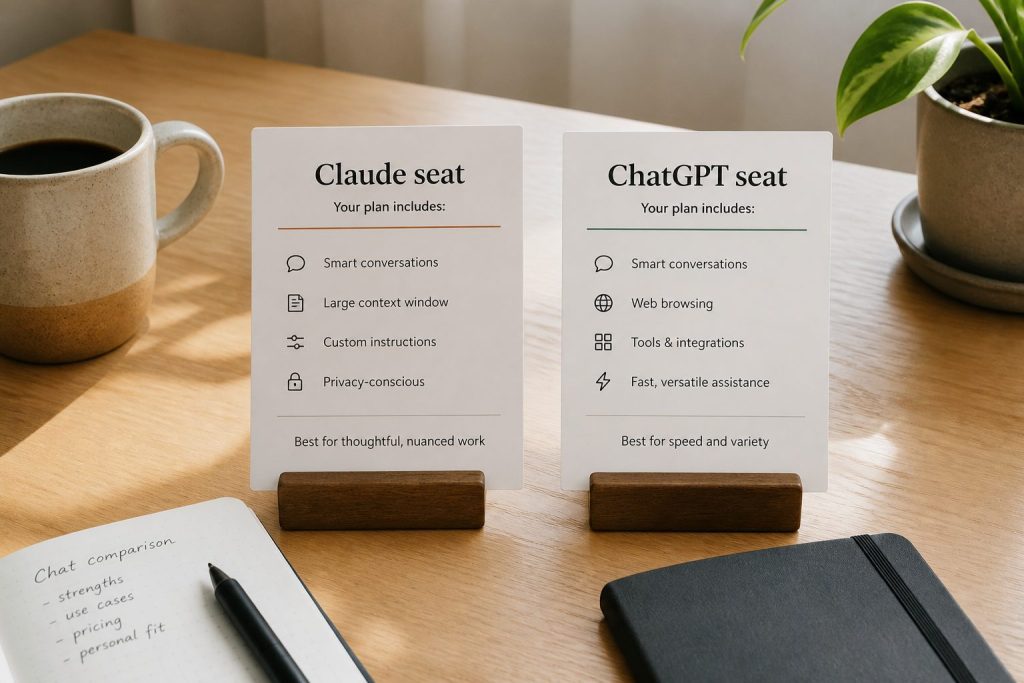
    At the everyday paid chat tier, Claude Pro and ChatGPT Plus are both $20 a month. Above that, the monthly price is buying a usage multiple, and the API is a third bill that neither subscription includes.

    Plan Price checked October 2, 2026 What the price meters
    Claude Pro $20/month, or $17/month with $200 billed up front for the year At least 5x Free per five-hour session
    ChatGPT Plus $20/month, billed monthly Help Center: enhanced chat access. API usage is billed separately
    Claude Max Pricing card: from $100/month. Help Center, web: 5x at $100, 20x at $200 5x or 20x Pro usage per five-hour session. Mobile store prices may differ
    ChatGPT Pro $100/month or $200/month Help Center: $100 is 5x Plus usage, $200 is 20x Plus usage

    ChatGPT Go is listed as a lower plan. A current Go dollar price was not on the pages read for this check, so it is left out. The meters are also different. Claude draws web, desktop, mobile, and Claude Code from one pool. OpenAI’s Pro article says models can have separate allowances, and reaching one model’s allowance does not by itself end the plan.

    API model, standard paid Input / MTok Output / MTok
    Claude Haiku 4.5 $1 $5
    Claude Sonnet 5.5 $2 $10
    Claude Opus 5.5 $4 $20
    Claude Fable 5.1 $10 $50
    OpenAI gpt-6-luna $0.10 short context, $0.20 long $0.50 short, $0.75 long
    OpenAI gpt-6.1-sol $2 short, $4 long $10 short, $15 long
    OpenAI gpt-6-astra $10 short, $20 long $50 short, $75 long
    Gemini 3.8 Flash $0.75 through December 31, 2026, then $1.50 $3.75 through December 31, 2026, then $7.50
    Gemini 3.1 Pro Preview $2 up to 200k tokens, $4 above $12 up to 200k tokens, $18 above

    Read the API rows as the shape of a bill. On all three, output tokens cost more than input tokens. OpenAI’s standard tab also publishes Batch, Flex, Fast, and Ultrafast rates, so the first OpenAI number is the standard tab only. Gemini 3.1 Pro Preview output prices include thinking tokens. Claude 4.6 and later keep one per-token rate through a 1 million token window. OpenAI’s flagship models and Gemini 3.1 Pro Preview raise the rate once a prompt crosses their long-context line. A repeated prefix is discounted on each platform under that platform’s own cache rules.

    Pricing checked October 2, 2026. Sources: claude.com/pricing, Claude API pricing, ChatGPT Plus, ChatGPT Pro tiers, OpenAI API pricing, and Gemini API pricing.

    Frequently Asked Questions

    How much does Claude AI cost per month?

    Free is $0. Pro is $20 monthly or $17 annual. Max starts at $100/month, with a choice of 5x or 20x Pro usage per five-hour session. The Help Center lists the 20x tier at $200/month on the web. Team starts at $20/seat annual. Enterprise is $20/seat plus API-rate usage. API bills separately per token.

    Related on Tygart Media: API rates · Claude Code billing.

    Part of the complete guide: Claude Pricing, Plans & Limits

  • Claude Team Pricing: Standard vs Premium Seats (2026)

    Claude Team Pricing: Standard vs Premium Seats (2026)

    Claude’s Team plan is built for groups of 2 to 150 people who need collaborative AI access with centralized administration. As of September 2026, Anthropic offers two seat types within the Team plan — Standard and Premium — with meaningfully different usage allowances and price points. This guide breaks down exactly what each seat type includes, what the real costs look like, and how to decide which mix works for your organization.

    Direct Answer (September 2026): Claude Team pricing offers two options (2-seat minimum): Standard Team ($25/seat/mo or $20 annual) with bundled usage and shared workspaces, and Premium Team ($125/seat/mo or $100 annual) which unlocks full Claude Code CLI access, GitHub/GitLab integration, and automated developer tooling.

    Team Plan Pricing Overview

    Infographic ladder of Claude plans: Free, Pro, Max, Team, and Enterprise
    Team plan seat overview.

    The Team plan uses per-seat pricing with two tiers. Standard seats cost $25 per seat per month on monthly billing, or $20 per seat per month on annual billing. Premium seats cost $125 per seat per month on monthly billing, or $100 per seat per month on annual billing. You can mix and match seat types within the same organization — not everyone needs the same usage level.

    For a 10-person team on annual billing with 7 Standard and 3 Premium seats, the monthly cost would be (7 × $20) + (3 × $100) = $440/month, or $5,280/year. Compare that to putting all 10 on Standard ($200/month) or all 10 on Premium ($1,000/month) to see why the mix-and-match model matters.

    What Standard Seats Include

    Three cards for fast volume, daily workhorse, and deep flagship Claude seats
    What Standard seats include.

    Standard seats include all Claude features — chat across web, iOS, Android, and desktop — plus more usage than what individual Pro subscribers get. Standard seat holders can access Claude Code and Claude Cowork, connect Microsoft 365, Slack, and other integrations, and use Enterprise search across the organization. They get SSO, admin controls, and the enterprise desktop app deployment. The key differentiator from Pro is the organizational layer: centralized billing, admin controls, and content that isn’t used for model training by default.

    What Premium Seats Add

    Premium seats provide approximately 5x the usage of Standard seats. This is designed for power users — engineers running Claude Code all day, researchers doing deep analysis sessions, content teams producing high volumes of output. Premium seats are the Team-plan equivalent of individual Max plans, but with all the organizational infrastructure (SSO, admin controls, no training on content) included.

    Team Plan vs Individual Pro/Max Plans

    The question many organizations face: should each person just buy their own Pro or Max subscription? The Team plan adds several capabilities that individual plans lack. Central billing means one invoice instead of individual expense reports. SSO and domain capture ensure that everyone in your organization uses the managed account. Admin controls let you manage connectors and desktop app deployment centrally. Content is not used for model training by default — individual free and Pro accounts have an opt-out option, but Team accounts are opted out by default. Enterprise search lets team members search across organizational knowledge.

    Team Plan vs Enterprise Plan

    The Team plan caps at 150 users. If you need more, or if you need features like SCIM provisioning, audit logs, compliance API, custom data retention, HIPAA readiness, IP allowlisting, or role-based access with fine-grained permissions, you need Enterprise. Enterprise is published at $20/seat/month plus API usage, billed annually — contact Anthropic sales for volume terms.

    How to Choose Between Standard and Premium Seats

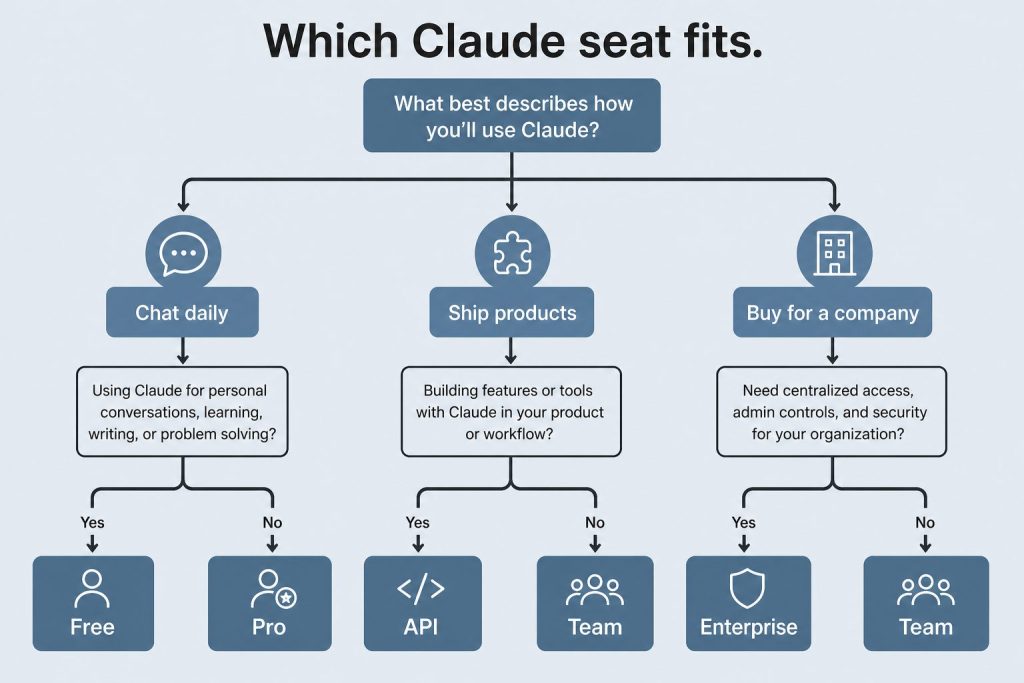
    Decision map from daily chat, shipping products, or buying for a company to Free/Pro, API, or Team/Enterprise
    How to choose between Standard and Premium seats.

    Start with Standard seats for everyone and monitor usage. If specific team members consistently hit rate limits — especially developers using Claude Code heavily or analysts running extended research sessions — upgrade those individuals to Premium seats. The mix-and-match model means you don’t need to over-provision. A typical pattern for a 20-person team might be 4-5 Premium seats for heavy users and 15-16 Standard seats for everyone else.

    Frequently Asked Questions

    What is the minimum team size for Claude Team?

    The Claude Team plan requires a minimum of 2 seats. You can mix Standard and Premium seats within that minimum.

    Can I switch between Standard and Premium seats?

    Yes. Administrators can upgrade individual seats from Standard to Premium or downgrade from Premium to Standard. Changes take effect on the next billing cycle.

    Does Claude Team include Claude Code?

    Yes. Both Standard and Premium Team seats include access to Claude Code and Claude Cowork.

    Is my team’s data used for training on the Team plan?

    No. Content is not used for model training by default on the Claude Team plan.


    Related: Claude AI Pricing (2026) — every plan, API rate, and the cost calculator

    💼 Deploying Claude or AI Infrastructure in Your Business?

    At Tygart Media, we engineer custom Model Context Protocol (MCP) servers, multi-model content pipelines, and AI operational systems. Explore our Claude AI Team Implementation Services or check out our complete Restoration Operations & AI Kit.

    Frequently asked questions

    What is the minimum team size for the Claude Team plan?

    The Claude Team plan requires a minimum of 2 seats.

    How much does Claude Team cost per seat?

    Standard seats are $25 per seat per month, or $20 per seat per month on annual billing, with bundled usage and shared workspaces.

    Can I switch between Standard and Premium seats?

    Yes. Administrators can upgrade or change seat types as the team grows.

    >Part of the complete guide: Claude Pricing, Plans & Limits

  • Anthropic Console: Developer Quickstart Guide (2026)

    Anthropic Console: Developer Quickstart Guide (2026)

    The Anthropic Console at platform.claude.com is where developers manage everything related to the Claude API. Whether you’re generating your first API key, tracking token usage, setting spend limits, or managing team workspaces, the console is your control center. This guide walks through every section of the console as it exists in June 2026.

    What Is the Anthropic Console?

    The Anthropic Console — also called the Anthropic Developer Console — is the web-based dashboard at platform.claude.com where you manage your Claude API access. It is separate from claude.ai, which is the consumer chat interface. The console handles API key generation, billing and payment, usage monitoring, workspace and team management, rate limit visibility, and access to developer documentation. Think of claude.ai as where you use Claude, and platform.claude.com as where you build with Claude.

    Getting Started: Creating an Account

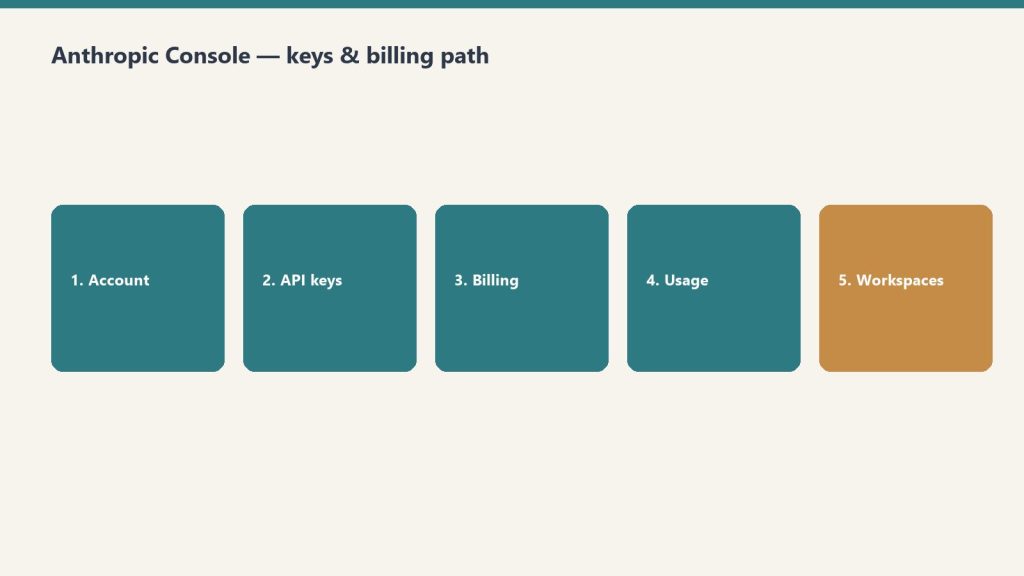
    Five-step path: account, API keys, billing, usage, workspaces
    Console path: account → keys → billing → usage → workspaces.

    Navigate to platform.claude.com and sign up with your email or Google account. You’ll need to add a payment method before you can make API calls. Anthropic uses a prepaid credit system — you load credits onto your account and API calls draw from that balance. New accounts start with a default spending limit that increases as you build usage history.

    API Keys: Creating and Managing

    Desk with laptop, checklist notebook, and billing card ready before creating an Anthropic API key
    API keys: create, name, store once — never paste into chat logs.

    API keys are generated in the console under the API Keys section. Each key begins with “sk-ant-” and should be treated as a secret credential. Best practices include creating separate keys for different applications or environments (development, staging, production), naming keys descriptively so you can identify which application uses which key, rotating keys periodically, and never committing keys to source control. If a key is compromised, you can revoke it immediately from the console without affecting your other keys.

    Billing and Usage Monitoring

    The billing section shows your current credit balance, spending history, and usage breakdown by model. You can view costs broken down by Opus, Sonnet, and Haiku usage, see daily and monthly spending trends, set up automatic credit top-ups, and configure spending alerts. Usage is reported in tokens — both input tokens (what you send to Claude) and output tokens (what Claude generates). The console shows real-time and historical usage data with charts that break down costs by model, feature, and time period.

    Workspaces and Team Management

    For organizations, the console supports workspace-level management. You can invite team members with specific roles, set per-user or per-workspace spending limits, view aggregated usage across your organization, and manage API keys at the workspace level rather than individually. This is particularly useful for agencies or development teams where multiple people need API access but you want centralized billing and usage controls.

    Rate Limits and Service Tiers

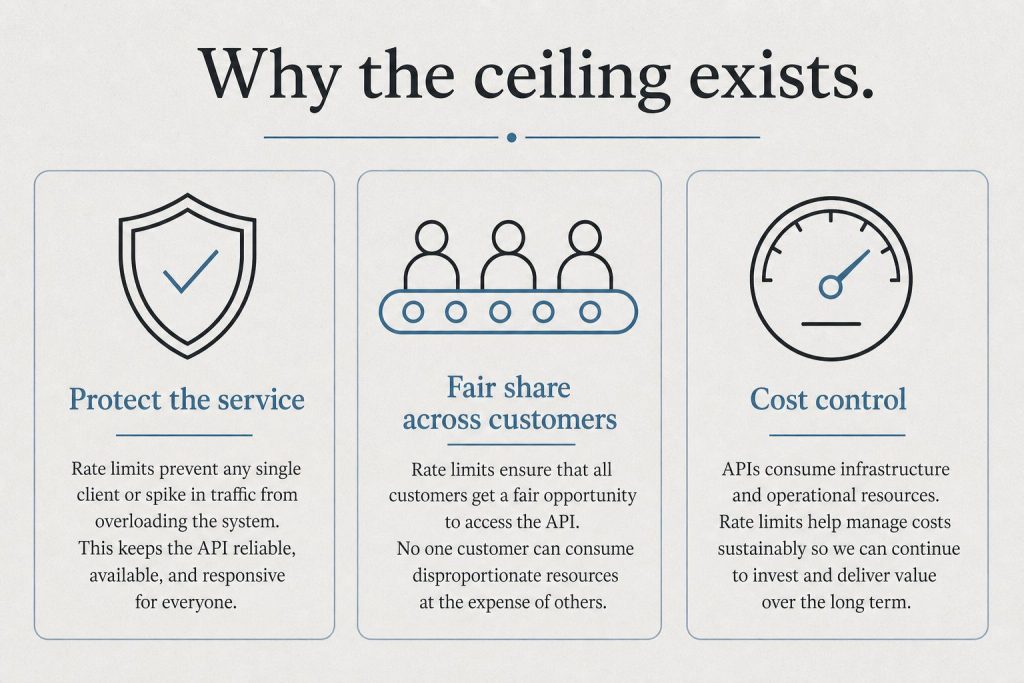
    Infographic with three panels: protect the service, fair share, and cost control explaining rate limits
    Rate limits and tiers live next to billing — watch both.

    The console displays your current rate limits, which depend on your service tier. Anthropic offers three service tiers: Priority for when time, availability, and predictable pricing matter most; Standard as the default tier for both piloting and scaling everyday use cases; and Batch for asynchronous workloads processed together at 50% off. Rate limits increase as your account matures and your spending history grows. The console shows your current limits for requests per minute and tokens per minute across each model.

    Developer Documentation Access

    The console links directly to Anthropic’s developer documentation at platform.claude.com/docs, which includes API reference with endpoint specifications, SDK guides for Python and TypeScript, prompt engineering best practices, tool use and function calling documentation, vision and multimodal capabilities, and integration guides for AWS Bedrock, Google Cloud Vertex AI, and Microsoft Foundry.

    Console vs Claude.ai: Key Differences

    A common point of confusion: the Anthropic Console (platform.claude.com) is not the same as Claude.ai. Claude.ai is the consumer-facing chat interface where individuals and teams interact with Claude through conversation. The console is the developer-facing dashboard for API management, billing, and infrastructure. You can have accounts on both — your Claude.ai subscription (Free, Pro, Max, Team, Enterprise) is separate from your API credits on the console.

    Related on Tygart Media: API quickstart · Message Batches · how to use Claude.

    Frequently Asked Questions

    How do I access the Anthropic Console?

    Go to platform.claude.com and sign in with your Anthropic account. If you don’t have one, you can create a free account and add billing information to start making API calls.

    Is the Anthropic Console free to use?

    The console itself is free. You only pay for API usage based on the tokens consumed. There is no monthly fee for console access — you pay per token as you use the API.

    What is the difference between the Anthropic Console and the Anthropic Developer Console?

    They are the same thing. “Anthropic Console” and “Anthropic Developer Console” both refer to the dashboard at platform.claude.com where developers manage API keys, billing, and usage.

    Can I set spending limits on the Anthropic Console?

    Yes. The console allows you to set both per-workspace and per-user spending limits. You can also configure automatic credit top-ups and spending alerts to stay within budget.


    >Part of the complete guide: Working with the Anthropic API