Claude Enterprise starts at $20/seat/month for access, but actual spend runs $60–250+ per user depending on usage — because tokens are billed separately at API rates. The ROI calculation isn’t about the seat fee. It’s about whether the productivity return on active usage exceeds the total consumption cost.
This is a practical ROI framework for business decision-makers evaluating Claude Enterprise in 2026. It covers what the pricing actually includes, how to model real cost, and what the productivity return looks like across different team roles.
What Claude Enterprise Actually Costs in 2026
Enterprise pricing changed in April 2026: Anthropic decoupled seat fees from token bundles. The headline price is $20/seat/month, but that covers access only — every token consumed by every user is billed separately at standard API rates.
This is a meaningful structural change from the pre-2026 model, where Enterprise seats included bundled token allocations. Under the current model:
Component
Cost
Seat fee
~$20/user/month (annual, contact sales)
Token usage — Haiku 4.5
$0.80 input / $4 output per 1M tokens
Token usage — Sonnet 4.6
$3 input / $15 output per 1M tokens
Token usage — Opus 4.8
$15 input / $75 output per 1M tokens
Claude Code (premium seat)
$100/seat/month (annual)
Minimum seats
Custom, typically 20+ for sales-assisted
Compare this to Claude Team:
Plan
Seat Cost
Token Model
Cap
Team Standard
$20/seat/mo (annual)
Bundled — included in seat
150 users
Team Premium (with Claude Code)
$100/seat/mo (annual)
Bundled
150 users
Enterprise
~$20/seat + API usage
Metered separately
None
Team is predictable cost with a usage ceiling. Enterprise is variable cost with no ceiling and no cap. The right choice depends on your compliance requirements and usage intensity, not just team size.
The Real Cost Per Active User
Real cost per active user — model seats, not sticker shock.
The most important number is not the seat price — it’s the real cost per active user, which is seat fee plus token consumption. At 10% seat adoption, your effective cost per active user is 10x the headline seat price.
Adoption rate determines economics:
Team size
Active users (40% adoption)
Monthly seat cost
Token cost (moderate usage)
Total / active user
50 seats
20
$1,000
~$800
~$90
100 seats
40
$2,000
~$1,600
~$90
500 seats
200
$10,000
~$8,000
~$90
At 10% adoption (a common early-deployment reality):
Team size
Active users
Monthly seat cost
Token cost
Total / active user
100 seats
10
$2,000
~$400
~$240
The implication: increasing adoption from 10% to 40% is a higher-ROI move than adding seats. An adoption problem looks like an economics problem but isn’t.
What the Productivity Return Looks Like
Productivity return depends on the job shape.
Industry estimates put the productivity upside at $7,800 per employee per year — but that figure only materializes when Claude is actively integrated into daily workflows, not when it’s available as an optional chat tab.
The $7,800/employee figure comes from enterprise AI ROI research measuring time saved across knowledge work tasks. It assumes genuine integration into workflows, not passive availability. Here’s how it breaks down by role:
Software developers (highest ROI):
Agentic coding with Claude Code reduces code review cycles, test writing, and boilerplate
Estimated 1.5–2 hours/day returned on routine coding tasks
At $100K loaded annual salary: ~$9,000–12,000/year in time value per developer
Content and marketing teams:
Drafting, editing, research, brief writing at significantly higher speed
Estimated 45–90 minutes/day returned on writing-heavy tasks
At $75K loaded: ~$5,600–11,200/year per person
Legal and compliance teams:
Contract review, policy drafting, compliance checklist work
Estimated 30–60 minutes/day returned
At $120K loaded: ~$7,500–15,000/year per lawyer or compliance analyst
Operations and admin:
SOPs, reporting, email drafting, meeting prep
Estimated 20–30 minutes/day returned
At $60K loaded: ~$2,500–3,750/year
The ROI Model
A simple ROI model: (hours returned per user per day × working days × loaded hourly rate) − annual total cost per user = net annual value per seat.
Example for a 50-person software team on Enterprise:
Loaded developer salary: $120,000/year = ~$57.70/hour
Hours returned per day (conservative): 1 hour
Working days: 230
Value returned per developer: 230 × $57.70 = $13,271/year

Annual Enterprise cost per developer:
  Seat fee: $20 × 12 = $240
  Token cost (moderate Sonnet usage): ~$600/year
  Total per developer: ~$840/year

Net ROI per developer: $13,271 − $840 = $12,431
ROI multiple: 15.8x
Even at half the productivity estimate (30 minutes/day returned), the ROI multiple remains above 7x for any knowledge worker with a loaded salary above $60K. The economics are compelling when adoption is real.
When Enterprise Is the Right Choice vs. Team
When Enterprise is right vs Team.
Choose Enterprise when you have a compliance mandate (SSO, SCIM, audit logs, HIPAA), a team above 150 users, or a negotiated consumption commitment that reduces effective per-token cost. Otherwise, Team is more predictable and sufficient.
Need
Team
Enterprise
SSO / SAML authentication
✗
✓
SCIM provisioning
✗
✓
Audit logs
✗
✓
HIPAA-ready configuration
✗
✓
Compliance API (export to SIEM)
✗
✓
Users above 150
✗
✓
Fixed predictable monthly cost
✓
✗
Usage bundled in seat price
✓
✗
The honest rule: buy Team until a real compliance or scale requirement forces Enterprise. If security review, identity governance, or audit trails are requirements, Enterprise is necessary. If they’re not, Team is cheaper and simpler.
Claude Enterprise starts at approximately $20/user/month for access (billed annually, custom via sales), with token usage billed separately at standard API rates. Real total cost typically runs $60–250+/user/month depending on usage intensity and which Claude models the team uses most.
What’s the difference between Claude Team and Enterprise?
Team is self-serve per-seat licensing ($20 standard / $100 premium per seat/month, annual) with token usage bundled into the seat and a 150-user cap. Enterprise adds SSO, SCIM, audit logs, HIPAA support, a Compliance API for SIEM integration, no user cap, and usage billed separately at API rates. Choose Team for simplicity; choose Enterprise for compliance and governance requirements.
What is the ROI of Claude Enterprise?
At 1 hour of productivity returned per day per knowledge worker, the annual value per seat at a $120K loaded developer salary is approximately $13,270 — against an annual Enterprise cost of ~$840/developer. ROI multiple is roughly 15x under that assumption. At 30 minutes/day returned, the multiple is still above 7x for most knowledge worker salaries.
Why did Anthropic unbundle tokens from Enterprise seats?
Anthropic decoupled seat fees from token bundles in April 2026, lowering the headline seat price from $40–200/seat to $20/seat while making token usage variable. The change gives large organizations more flexibility — light users cost less, heavy users cost more — but requires better usage monitoring to forecast actual spend.
Claude wins on coding quality and long-context reliability. GPT-5 wins on raw speed at the prior mid-tier list. Pick the SKU, not the family name.
Claude figures checked October 8, 2026 against platform.claude.com pricing and Haiku 5.5. OpenAI rows below are the October 1 figures on this page; they were not re-verified on this pass.
The Models Being Compared
Compare APIs by job shape — not by hype.
Compare Claude Haiku 5.5 / Sonnet 5.5 / Opus 5.5 against GPT-5 / gpt-6.1-sol. Fable 5.1 sits above Opus on Anthropic’s list price.
Model
Provider
Input (per 1M tokens)
Output (per 1M tokens)
Context
Claude Haiku 5.5 (≤100k / >100k)
Anthropic
$0.10 / $0.50
$0.50 / $2.50
priced by prompt length
Claude Haiku 4.5
Anthropic
$1
$5
still listed
Claude Sonnet 5.5
Anthropic
$2
$10
1M tokens; cache read $0.10
Claude Sonnet 5
Anthropic
$2
$10
1M tokens; cache read $0.20
Claude Sonnet 4.6
Anthropic
$3
$15
1M tokens
Claude Opus 5.5
Anthropic
$4
$20
1M tokens
Claude Opus 5 / 4.8
Anthropic
$5
$25
1M tokens
Claude Fable 5.1
Anthropic
$10
$50
1M tokens
GPT-5
OpenAI
$1.25
$10
400K tokens (Oct 1 figure)
gpt-6.1-sol (short-context standard)
OpenAI
$2
$10
long-context row was $4 / $15 (Oct 1 figure)
Sonnet 5.5 remains $2 / $10. Its cache read moved from $0.20 to $0.10 on October 7. Opus 5.5 remains $4 / $20 with cache reads at $0.20. Haiku 5.5 is the new cheap band: $0.10 / $0.50 under 100,000 prompt tokens, $0.50 / $2.50 over. Haiku 4.5 stays $1 / $5. GPT-5 standard list on the prior check ($1.25 / $10) was cheaper per input token than Sonnet 5.5. Do not average Haiku 5.5’s two bands, and do not treat the OpenAI rows as re-checked today.
Coding Performance
Use Claude Opus 5.5 or Sonnet 5.5 for interactive coding and agentic runs. Use Haiku 5.5 when the task is a subagent, summary, or classification and the prompt stays under 100k tokens.
Latency and Context
Claude Sonnet and Opus SKUs publish a 1M token context window at one rate. Haiku 5.5 raises the rate above 100,000 prompt tokens. Opus 5.5 fast mode is $8 / $40 on the Claude API only.
Cost Comparison for Real Workloads
On Claude, cache reads are now 5% of input on Sonnet 5.5 ($0.10) and Opus 5.5 ($0.20), and 2.5% on Fable 5.1 ($0.25). Haiku 5.5 cache reads are $0.01 under 100k. The 50% batch API still applies. For stateless high-frequency calls, Haiku 5.5 under 100k is the Claude list to beat. gpt-6.1-sol short-context matched Sonnet 5.5 at $2 / $10 on the October 1 check; that OpenAI pair was not re-read today.
Which API to Choose
Use Claude for coding, long-context document work, and agentic workflows. Use Haiku 5.5 for the cheap loop. Running both vendors is normal.
A local vector database Claude setup — indexed with your business documents, contracts, SOPs, client notes, and invoices — gives back the operational time lost to hunting through folders. The right answer appears in seconds, without any of those documents leaving the machine.
This is the full build: architecture, tools, working code, what performs well in production, what breaks, and whether the ROI justifies the setup time.
What Problem This Solves
The problem isn’t that the documents don’t exist. It’s that finding the right one — the specific contract clause, the pricing from eight months ago, the onboarding SOP for a client — takes longer than it should, and normal search doesn’t solve it.
File search matches keywords. It doesn’t understand that “what did we agree on for payment timing” and “net 30” are the same thing. A retrieval-augmented setup solves the semantic gap: the vector database finds relevant sections by meaning, Claude synthesizes them into a direct answer.
The use cases where this setup pays for itself:
Contract and clause lookup — “What are the payment terms in the Acme agreement?” in 4 seconds vs. 3 minutes of folder navigation
SOP retrieval — “What’s our onboarding process for new social media clients?” surfaces the relevant runbook section directly
Client history — “What scope did we quote [client] last spring?” retrieves the invoice or email thread
Cross-document synthesis — “What are the termination clauses across all active client contracts?” — something no file search can do
The Architecture
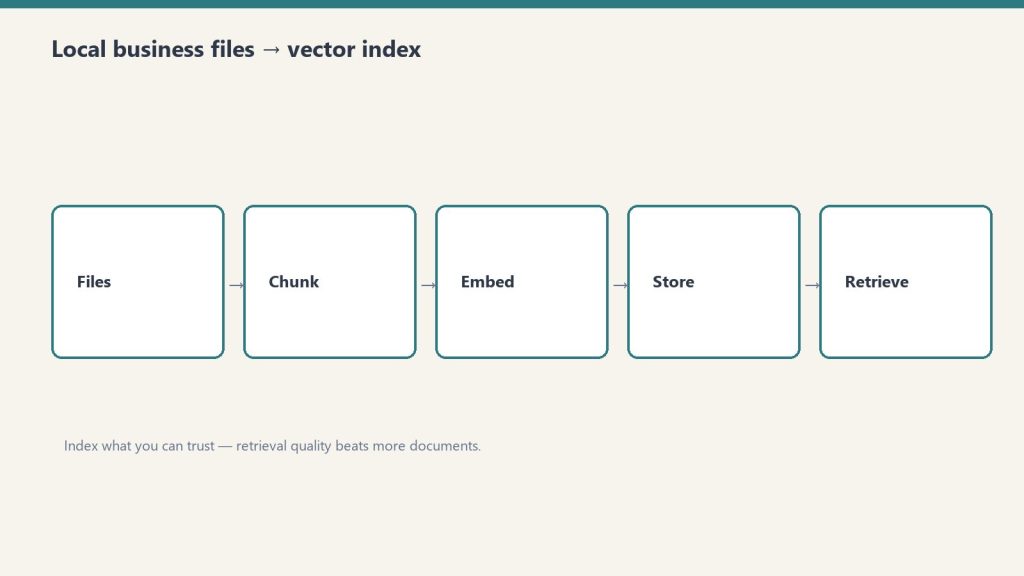
Architecture: business files into a local vector index.
The stack is ChromaDB for local vector storage, Nomic Embed for on-device embeddings via Ollama, LlamaIndex for document ingestion, and Claude Sonnet via API for the reasoning step — all files stay local, Claude only sees the retrieved chunks.
Component
Tool
Why
Vector database
ChromaDB (local)
Free, runs on-device, persistent to disk
Embedding model
Nomic Embed via Ollama
Open-source, 8K context, no external calls
Ingestion layer
LlamaIndex
Handles PDF, DOCX, MD, TXT, CSV natively
Retrieval layer
Python (custom)
Readable and modifiable as needs evolve
Reasoning layer
Claude Sonnet API
Materially better synthesis than local models
Interface
CLI
Most queries don’t need a UI
Why local for the vector database: The documents never leave the machine. Claude receives only the retrieved chunks — not the full corpus. For contracts, financial records, and internal communications, this is the right boundary.
Why Claude for reasoning and not a local model: Local models (Llama 3, Mistral) handle the retrieval step comparably. They don’t handle synthesis comparably — reading five contract sections and returning a coherent, accurate answer is where Claude’s API cost is earned.
What to Index
Start with the 50 most-referenced documents. Get the workflow running and verified before expanding to the full corpus.
File types that index well:
Contracts and agreements (PDF, DOCX)
Internal SOPs and runbooks (MD, DOCX)
Client notes and meeting logs (MD, TXT)
Invoices and financial records (PDF, CSV)
Email threads exported from Gmail (EML, TXT)
Organize before indexing. File names and folder paths become metadata attached to each chunk. A consistent folder structure takes an hour to set up and improves retrieval quality throughout:
500 files on an M2 MacBook Pro takes approximately 20–25 minutes. The index persists to disk — this runs once, then incrementally as files change.
Step 3: Build retrieval and reasoning
import anthropic

def query_business_knowledge(question: str, top_k: int = 5) -> str:
    retriever = index.as_retriever(similarity_top_k=top_k)
    nodes = retriever.retrieve(question)

    sep = chr(10) + chr(10) + "---" + chr(10) + chr(10)
    context = sep.join([
        f"Source: {node.metadata.get('file_name', 'unknown')}{chr(10)}{node.text}"
        for node in nodes
    ])

    client = anthropic.Anthropic()
    response = client.messages.create(
        model="claude-sonnet-4-6",
        max_tokens=1000,
        messages=[{
            "role": "user",
            "content": f"""Answer this question using only the provided business documents.
If the answer isn't in the documents, say so clearly. Always cite the source file.

Question: {question}

Documents:
{context}"""
        }]
    )

    return response.content[0].text

print(query_business_knowledge("What are the payment terms in the Acme contract?"))
Always include source attribution in the prompt. When an answer returns, the source file name makes verification fast.
What Works Well in Production
What works well in production — narrow corpora first.
Cross-document synthesis is the capability that justifies this over standard search — querying across hundreds of files simultaneously to find patterns, compare terms, or surface a specific clause is something no file search does.
Where the system consistently delivers:
Contract and clause lookup: Specific clause retrieval across a full contract library. Synthesis across multiple contracts simultaneously (termination terms, payment terms, liability caps) returns a summary across all of them at once.
SOP and runbook retrieval: Operational questions answered directly from internal documentation. Works best when SOPs are written in complete sentences rather than bullet fragments — the retrieval quality reflects the writing quality.
Client history: Invoice amounts, quoted scopes, prior project notes. Email threads sometimes split across chunks in ways that lose context — use the result as a pointer to the source document, then verify.
Cross-document pattern finding: “What are the common liability terms across our contracts?” — synthesizes across every indexed contract in one response. No file search tool does this.
What Breaks
What breaks — bad chunks and untrusted documents.
The index is only as current as the last re-index. The most common production failure is stale data — documents updated after the last index run return old answers.
Stale index: Build re-indexing into the workflow immediately. Schedule it weekly, or trigger it automatically when files are modified. Documents that change and don’t get re-indexed are the biggest reliability risk.
Top-k ceiling: Retrieval returns the top-k chunks (default 5). A question whose complete answer requires synthesizing 20 documents gets a partial answer. Increase top_k for broad synthesis questions — at the cost of slightly more API token usage.
Numerical calculations: The system finds financial documents reliably. It should not be trusted to calculate totals across extracted text. Use it to surface the right source documents; do the arithmetic elsewhere.
Documentation debt: The index reveals gaps in internal documentation. SOPs written in ambiguous shorthand, contracts with undefined terms, emails with unclear context — all produce lower quality retrieval. The index reflects the quality of the underlying documents.
Chunk Size
512 tokens with 50-token overlap is the right starting point for mixed document types.
Financial records (tabular): Parse as structured data where possible; plain text chunking loses table relationships
Metadata Filtering at Scale
Once the corpus exceeds ~200 files, adding metadata to chunks and filtering at query time significantly improves precision.
# Tag at ingestion
documents = SimpleDirectoryReader(
    "./business-knowledge",
    recursive=True,
    file_metadata=lambda filepath: {
        "document_type": filepath.split("/")[2],
        "client": filepath.split("/")[3] if len(filepath.split("/")) > 3 else "internal"
    }
).load_data()

# Filter at retrieval
retriever = index.as_retriever(
    similarity_top_k=5,
    filters={"document_type": "contracts"}
)
“What are our SOPs for [client]?” filtered to that client’s folder returns meaningfully more accurate results than querying the full corpus.
ROI
Setup takes roughly one full day. At 25 minutes saved per week on document lookups, break-even is approximately 6–8 weeks.
Item
Cost
Setup time
~8 hours
ChromaDB
Free
Nomic Embed (Ollama)
Free
Claude Sonnet API per query
~$0.003
Monthly at 50 queries/week
~$0.60
Weekly time saved
~25 minutes
Break-even
~7 weeks
The less quantifiable return: operational confidence. Questions that previously required folder-hunting get answered in seconds. That reduces the cognitive overhead of running a multi-client operation and changes how quickly decisions get made.
No. The vector database and embedding model run locally. Claude receives only the retrieved chunks — small sections of relevant documents — not the full corpus. For zero external calls, replace Claude with a local model, though synthesis quality will be lower.
What file types are supported?
LlamaIndex handles PDF, DOCX, TXT, MD, CSV, EML, and HTML natively. Other formats need conversion to plain text first.
How long does indexing take?
Approximately 20–25 minutes for 500 files on an M2 MacBook Pro. Subsequent re-indexing processes only changed or new files and takes a few minutes.
What is a vector database?
A vector database stores documents as numerical representations (embeddings) that encode meaning, not just keywords. This allows semantic search — finding relevant contract sections from a natural-language question, even when the exact words don’t match.
Can a local model replace Claude?
es — swap the API call for an Ollama-hosted model. Retrieval quality is comparable. Synthesis quality on complex multi-document questions is noticeably lower on current local models.
What chunk size should be used?
512 tokens with 50-token overlap is the right default for mixed document types. Adjust for document type: larger for dense contracts, smaller for short emails.
The Anthropic roadmap 2027 comes into focus after Fable 5 launched in June 2026 as Anthropic’s most capable widely available model — a new Mythos-class tier above Opus — and the signals from Anthropic’s research agenda, model release cadence, and safety roadmap point clearly toward what comes next.
This is a forward-looking read grounded in public signals: what Anthropic has shipped, what they’ve said, and what the patterns suggest for 2027. It’s relevant for developers planning integrations, enterprises making multi-year platform commitments, and anyone tracking where Claude’s capabilities are heading.
Where Anthropic Stands as of Mid-2026
Where Anthropic stands as of mid-2026.
Claude has grown from a single chat model in 2021 to a four-tier family — Haiku, Sonnet, Opus, and the new Mythos class — with a 1-million-token context window, native vision, tool use, Computer Use, extended thinking, and persistent memory across managed agents.
The model lineup as of August 2026:
Tier
Model
Best For
Mythos
Claude Fable 5
Most demanding reasoning, long-horizon agentic work
Opus
Claude Opus 4.8
Flagship reasoning, fallback for Fable 5 safety filters
Sonnet
Claude Sonnet 4.6
Everyday development, high-volume production
Haiku
Claude Haiku 4.5
Fast, cheap, high-throughput
Fable 5 launched June 9, 2026 alongside Claude Mythos 5 — a restricted version available only through Project Glasswing for vetted cybersecurity and infrastructure partners. The distinction matters: Fable 5 is the general-availability frontier model; Mythos 5 is the same model with certain safety filters lifted for specific use cases.
The June 2026 launch was followed by a brief government-imposed deployment pause after Amazon researchers identified a method of prompting Fable 5 to surface software vulnerabilities. Anthropic worked with government partners to add new classifiers and redeployed the model globally July 2, 2026.
What the Fable 5 Launch Signals About 2027
The Fable 5 launch established that Anthropic is building a two-track release model — a general-availability tier with conservative safety filters and a restricted frontier tier for vetted partners — and that cadence will continue into 2027.
Several specific signals point forward:
The Mythos class will expand access. Anthropic said explicitly at Fable 5 launch that Project Glasswing would expand to more vetted partners over time. The current restriction is a staged rollout, not a permanent ceiling. By 2027, Mythos-class access is likely to be more widely available to enterprise customers who can meet Anthropic’s trust and verification requirements.
Safety classifiers will improve. Fable 5 launched with classifiers that trigger on roughly 5% of sessions, routing those queries to Opus 4.8 instead. Anthropic committed to reducing false positives “as more capable models arrive in the coming months.” More capable models arriving implies at least one Mythos/Opus generation release before end of 2026 or early 2027.
Token unbundling sets up the next Enterprise pricing tier. The April 2026 decoupling of Enterprise seat fees from token bundles — moving from $40–200/seat with bundled tokens to $20/seat with usage billed separately — creates a cleaner structure for consumption-based tiers as model capability increases. Expect the 2027 pricing architecture to track closely with Mythos access tiers.
Agentic infrastructure is the platform bet. Managed Agents launched April 8, 2026, Memory entered public beta April 23, and the Agent SDK (formerly Claude Code SDK) now handles the entire agent loop automatically. The infrastructure is being built to support long-running, multi-session, multi-agent workflows. The 2027 roadmap is almost certainly agentic-first.
What Anthropic’s Research Agenda Suggests
Anthropic’s published research priorities — interpretability, Constitutional AI, alignment, and scaling — point toward a 2027 model that is more self-correcting, better at long-horizon planning, and safer to deploy with reduced human oversight.
Interpretability is Anthropic’s differentiator. Chris Olah’s interpretability team is the most distinct research group at any frontier lab. Their work on understanding what’s actually happening inside neural networks feeds directly into how future models are trained and where safety filters are placed. Advances in interpretability in 2026–2027 will likely show up in more precise, less overreaching safety classifiers — meaning fewer false positives on legitimate requests.
Long-horizon agency is the capability frontier. Fable 5’s headline capability over Opus 4.8 isn’t raw reasoning quality on static benchmarks — it’s how little friction there is in multi-step agentic workflows. Fable 5’s AutomationBench scores are the clearest signal of where Anthropic is competing. The 2027 research agenda will push this further: more steps, less human intervention, better recovery from errors mid-task.
Multi-agent coordination is early. The current Managed Agents platform supports multi-agent orchestration, but the tooling is young. 2027 is when production multi-agent deployments at scale become routine rather than experimental for most enterprise customers.
What It Means for Developers
What it means for developers building agents.
Developers building on Claude in 2026 should architect for the Agent SDK and Managed Agents platform, not just the Messages API — that’s where Anthropic is investing, and it’s where the capability gains will be most significant in 2027.
Practical implications:
Plan for Fable 5 as the default frontier model. Opus 4.8 remains the strong fallback and the model most workflows should run on today. But product architectures that don’t account for Fable 5 as the primary reasoning layer within 12–18 months are likely to require significant refactoring.
The Fallback API is now infrastructure. Any integration calling Fable 5 needs fallback logic configured. Anthropic’s safety classifiers will route some queries to Opus automatically — your integration needs to handle that gracefully, not treat it as an error.
Memory changes what agents can do. Agents that don’t retain context across sessions are meaningfully less capable than those that do. The Managed Agents memory API (public beta since April 23, 2026) is the right surface to build persistent agent behavior on now, before it becomes a standard expectation.
What to Watch
What to watch next on the roadmap.
The clearest leading indicators for 2027 Anthropic roadmap developments:
Project Glasswing expansion announcements — any broadening of Mythos-class access is a signal that the trust-gating model is maturing
Interpretability research publications — Anthropic publishes regularly; major interpretability papers tend to precede model releases by 3–6 months
Managed Agents general availability — currently in public beta; GA signals the platform is production-ready for the long-term
Context window changes — the 1M token context window is already the industry standard; what comes next is likely structural, not just larger
Claude Fable 5 is Anthropic’s most capable widely released model, launched June 9, 2026. It sits in the new Mythos class above the Opus tier and is built for the most demanding reasoning and long-horizon agentic work. It launched alongside Claude Mythos 5, which is restricted to vetted partners through Project Glasswing.
What is Project Glasswing?
Project Glasswing is Anthropic’s program for giving vetted cybersecurity and infrastructure partners access to Claude Mythos 5 — the same underlying model as Fable 5, but with certain safety filters lifted for specific use cases. Access is currently limited and application-based.
When will Anthropic release the next model after Fable 5?
Anthropic has not announced a release date. Their historical cadence — roughly one major model generation per 6–9 months — suggests a 2026 Q4 or early 2027 release is plausible. Anthropic has stated that more capable models are coming and that safety classifiers will improve as they arrive.
What is Claude Managed Agents?
Claude Managed Agents is Anthropic’s managed infrastructure for running autonomous Claude agents in cloud sandboxes, launched in public beta April 8, 2026. It handles session management, tool execution, credential management, and multi-agent coordination without requiring developers to build that infrastructure themselves. Memory for Managed Agents entered public beta April 23, 2026
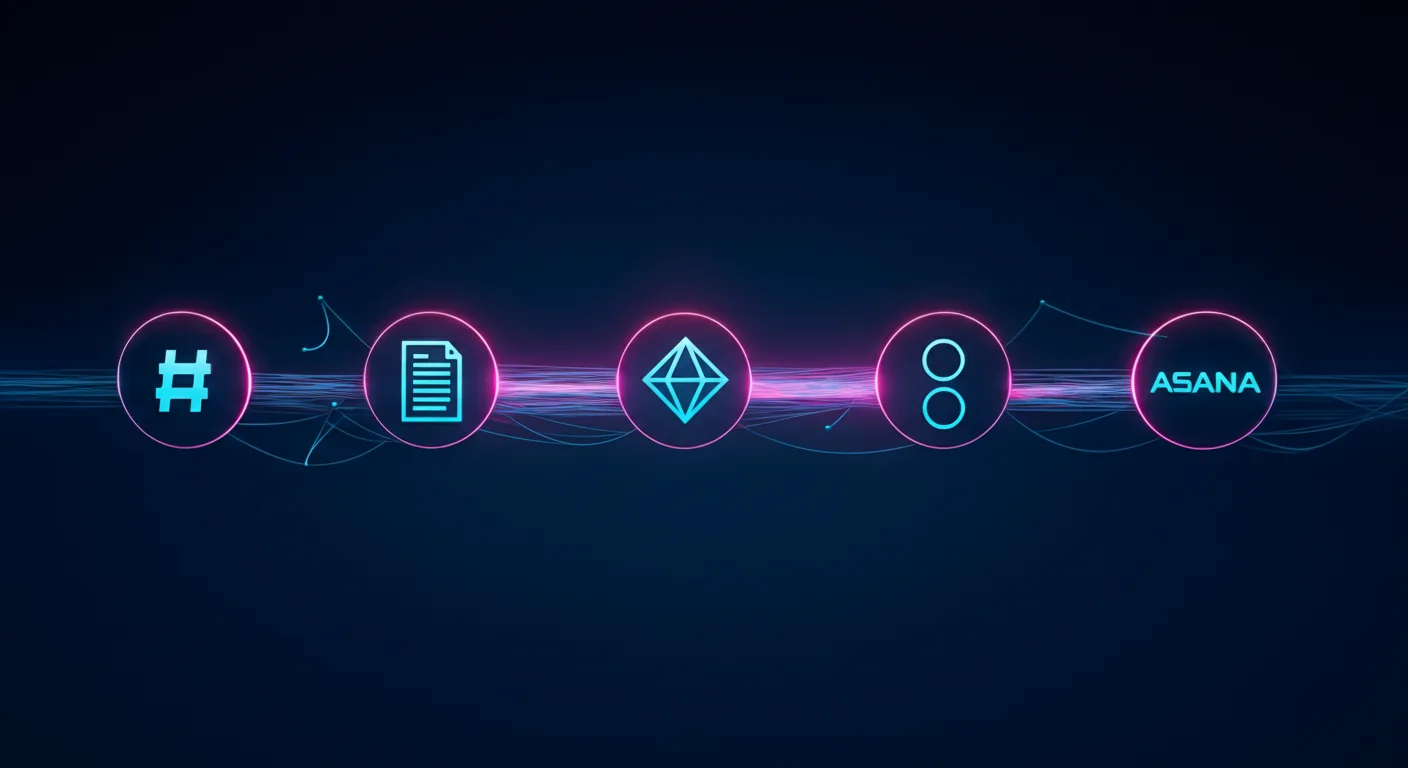
Claude Managed Agents is the product. Slack, Notion, Jira, and Asana are just the interface. Anthropic is building the invisible execution layer that powers the next generation of enterprise software.
Last refreshed: October 8, 2026 (Pacific)
There is a pattern emerging in enterprise AI that most people are reading wrong. They see Anthropic launch Claude Tag in Slack and think “chatbot upgrade.” They see Claude show up inside Notion and think “productivity feature.” They see AI agents appear in Jira and Asana and think “automation plugin.”
They are missing the architecture underneath all of it.
Anthropic is not building a better chatbot. It is building the invisible agent runtime that sits beneath every collaboration tool your team already uses. The company’s Claude Managed Agents (CMA) platform — launched in public beta on April 8, 2026 — is the infrastructure layer that makes this possible. And the speed at which partners are embedding it tells you everything about where enterprise software is heading.
What Claude Managed Agents Actually Is
What Claude Managed Agents actually is — the runtime layer.
Claude Managed Agents is a set of composable APIs for building and deploying production AI agents on Anthropic’s cloud infrastructure. The service handles sandboxed code execution, session persistence, credential management, scoped permissions, and end-to-end tracing — all the operational complexity that previously kept agents stuck in proof-of-concept limbo.
The architecture rests on three primitives: the Agent (configuration and behavior), the Environment (sandboxed execution), and the Session (the event log that tracks everything the agent does). What makes this interesting architecturally is how Anthropic decoupled the “brain” from the “hands.” Claude’s reasoning runs on Anthropic’s own infrastructure while the code execution sandbox spins up independently — and in parallel. The brain starts reasoning immediately while the sandbox provisions, delivering roughly 60% faster time-to-first-token at the p50 level and over 90% faster at p95, according to Anthropic’s engineering team.
Pricing follows a transparent model: standard Claude API token rates plus $0.08 per session-hour of active runtime during the current beta period. Runtime is measured to the millisecond and only accrues while the agent is actively executing — idle time waiting for input or tool confirmations does not count.
For teams that need to keep execution inside their own perimeter, CMA supports self-hosted sandboxes through partners including Cloudflare, Daytona, Modal, and Vercel, or custom VPC deployments. MCP tunnels allow agents to connect to private Model Context Protocol servers inside your network without exposing them to the public internet. A Vaults system keeps credentials out of the sandbox entirely using envelope encryption. And a feature called Dreaming runs scheduled reviews of past sessions to curate agent memory — essentially letting agents learn from their own operational history.
The Embedded Layer: Where CMA Actually Lives
Embedded layer: where CMA actually lives in the stack.
The real story is not the infrastructure. It is where that infrastructure shows up. In the ten weeks since CMA launched, Anthropic has embedded its agent runtime inside the collaboration tools that enterprises already depend on. This is not a roadmap — these integrations are live or in active beta.
Slack: Claude Tag as Persistent Team Member
Claude Tag, launched in late August 2026, replaces Anthropic’s original Claude in Slack integration with something fundamentally different. This is not a chatbot you summon with a slash command. It is a persistent AI team member that lives in your channels, builds memory across conversations, and can take initiative through what Anthropic calls “ambient mode” — proactively surfacing information, following up on forgotten threads, and keeping teams updated across the organization.
Claude Tag is multiplayer by design: one Claude identity per channel, accessible to everyone, with the ability to hand off half-finished tasks between team members. It launched on Claude Opus 4.8 and now runs on Claude Opus 5.5 (see our Claude Tag pricing guide). And internally, Anthropic reports that Claude Tag is already approving and incorporating 65% of the code changes their product team submits. The existing Claude in Slack app will be retired on August 3, 2026. Claude Tag is available on Enterprise and Team plans.
Notion: Claude as External Agent
On May 13, 2026, Notion launched its Developer Platform version 3.5, which introduced the External Agents API. This API lets AI agents — including Claude — operate inside your Notion workspace as first-class participants. They can read pages, write to databases, create tasks, trigger automations, and be @-mentioned directly in documents. Claude operating through this API can chain actions together: read a project brief, check the task database for related work, draft a new document, and create a linked task entry — all in a single session, running on CMA infrastructure with full sandboxing.
Asana: AI Teammates
Asana built AI Teammates on CMA — agents that pick up assigned tasks inside projects, draft deliverables, and hand back outputs for human review. Specialist agents handle specific workflows: the Campaign Brief Writer turns scattered notes into structured briefs, the Workflow Optimizer identifies process gaps and builds automations, and the Compliance Specialist checks work against regulatory standards. Asana’s CTO said CMA let them ship these features “dramatically faster” than any prior approach to agent development.
Atlassian: Claude Agent for Jira
Atlassian released Claude Agent for Jira, built on CMA infrastructure, which lets teams assign work items directly to Claude from the Jira UI. The agent clones the repository, analyzes the codebase, implements changes on an independent branch, pushes the code, and opens a draft pull request — streaming real-time status updates back to the Jira work item throughout the process.
Sentry: From Bug Detection to Merge-Ready PR
Sentry’s existing AI debugging agent, Seer, already used Claude for root cause analysis. With CMA, Sentry extended the workflow from diagnosis to automated fixing — the agent takes Seer’s root cause output, generates a fix, opens a branch with the changes, and creates a pull request for developer review. Sentry processes over one million root cause analyses per year and provides near-immediate reviews on over 600,000 pull requests per month. The CMA integration was built by a single engineer in weeks, eliminating months of custom agent runtime development.
Rakuten: Specialist Agents Across the Enterprise
Rakuten deployed specialist agents across product, sales, marketing, and finance using CMA, with each agent deployed in approximately one week. Agents plug into Slack and Teams, letting employees assign tasks and receive deliverables including spreadsheets, slides, and applications. In the pilot, Rakuten reported a 97% drop in critical first-pass errors, with cost down more than 30% and latency reduced by 34%, without any loss in output quality.
KPMG: Global Professional Services Alliance
On May 19, 2026, KPMG and Anthropic announced a global alliance and launched “Digital Gateway Powered by Claude.” The partnership embeds Claude, Cowork, and CMA directly into KPMG’s client delivery platform, with an initial focus on tax and private equity clients. Building an AI agent for tax regulation workflows previously took weeks and required switching between multiple tools. With CMA integrated into Digital Gateway, KPMG says the same capability takes minutes. The alliance extends to KPMG’s 276,000-person global workforce.
The Strategic Pattern: Agent Runtime as a Service
Step back from the individual integrations and the strategic pattern becomes clear. Anthropic is not trying to own the interface. It is deliberately positioning CMA as the execution layer underneath interfaces that other companies own. Slack owns the messaging UI. Notion owns the workspace UI. Jira owns the project tracking UI. Anthropic owns the agent brain that powers all of them.
This is a fundamentally different strategy from its two largest competitors.
OpenAI chose vertical integration. When OpenAI launched Workspace Agents on April 22, 2026, it positioned ChatGPT itself as the central hub — a no-code successor to custom GPTs that connects to Slack, Salesforce, Google Drive, and Notion through plugins. Agents are created inside ChatGPT, accessed from ChatGPT, and managed through ChatGPT. OpenAI wants to own the surface area.
Google chose platform depth. At Google Cloud Next on April 22, 2026, Google unveiled the Gemini Enterprise Agent Platform — a reimagined evolution of Vertex AI — alongside Workspace Intelligence, a semantic unifying layer that connects data across Docs, Slides, Gmail, and the broader Google Cloud ecosystem. Google’s agent platform supports 200+ models including Claude, and the Agent2Agent (A2A) protocol enables distributed peer-to-peer agent communication. Google is leveraging its data moat and distribution at the platform level.
Anthropic chose tool-centric orchestration. Rather than owning the UI (OpenAI) or the platform (Google), Anthropic is embedding its agent runtime into every tool through composable APIs and the Model Context Protocol. The platform you use becomes irrelevant — whether it is Slack, Notion, Jira, Asana, or Sentry — because the agent brain running underneath is Claude on CMA.
This is the agent-as-a-service model. And it may be the most defensible position of the three, because it does not require users to change their behavior or migrate to a new platform. The agent shows up where they already work.
What the Numbers Say About Enterprise Agent Adoption
The macro context supports Anthropic’s timing. Gartner predicts that 40% of enterprise applications will include embedded task-specific agents by the end of 2026, up from less than 5% in 2025. McKinsey’s April 2026 analysis found that agentic AI can enable automation of 60 to 80 percent of routine infrastructure work over time, translating to a 20 to 40 percent run-rate cost reduction in initial deployments.
The gap between experimentation and production remains the defining challenge. Industry research compiled from major firms shows that nearly four in five enterprises have experimented with or deployed agents in some form, but fewer than one in nine are running them in production at a scale that generates measurable business value. For the agents that do reach production, the average return on investment is 171% — though 19% of deployments never reach payback at all.
That production gap is exactly what CMA is designed to close. The infrastructure burden — sandboxing, session persistence, credential isolation, error recovery, observability — is the bottleneck. Engineering teams routinely dedicated significant senior engineering resources for months before a single agent reached production. CMA eliminates that layer entirely, which is why partners like Asana, Sentry, and Rakuten report shipping production agents in days or weeks rather than quarters.
What This Means for Businesses Already Using These Tools
If your organization uses Slack, Notion, Jira, or Asana — and statistically, you use at least two of them — you are about to encounter Claude whether you planned to adopt it or not. This is not a technology decision your IT team is making. It is a feature that your existing vendors are shipping.
The practical implications are significant. Claude Tag in Slack means your team channels will have an AI participant that remembers past conversations, can be handed tasks asynchronously, and may proactively surface information. Claude in Notion means your project documentation, databases, and task boards can be read, analyzed, and acted upon by an agent that chains actions together. Claude Agent for Jira means development tickets can be assigned to an AI that clones your repo, writes code, and opens pull requests.
For agencies and service providers managing client work across multiple tools, the embedded agent layer changes the economics fundamentally. Work that previously required a human to context-switch between Slack, Notion, and a project management tool — reading a brief here, updating a task there, drafting a document somewhere else — can be handled by an agent that operates across all of them simultaneously. The coordination tax that consumes a substantial share of knowledge work time is the exact problem embedded agents are built to solve.
The companies that benefit most will be the ones that have clean operational systems — structured task boards, documented processes, well-organized project databases — because agents can only act on information they can read. Messy Notion workspaces and disorganized Jira boards will limit what agents can accomplish. Operational hygiene just became a competitive advantage.
What This Means for Solo Operators Already Running Agent Infrastructure
There is a specific audience that should be paying very close attention to CMA: the solo operators and small agency owners who have already built their own agent stacks from scratch. If you are running scheduled Claude tasks on a GCP Compute Engine VM, connecting to WordPress via REST API proxies, piping work orders through Notion, monitoring Gmail for client replies, and publishing content through MCP-connected pipelines — you have already built a version of what CMA is productizing.
The economics question is worth doing the math on. A lightweight GCP VM running 24/7 to host recurring agent tasks — news desk monitors, outreach reply checks, newsletter extraction, scheduled content audits — costs a fixed monthly rate whether the agents are actively working or sitting idle. CMA at $0.08 per session-hour of active runtime only charges when agents are executing. For tasks that run for a few minutes every few hours, the per-session billing model could be substantially cheaper than keeping a VM warm around the clock. A task that runs for ten minutes six times a day would cost roughly $0.08 per day on CMA, versus the cost of a VM instance that never sleeps.
But the migration path is not ready yet, and solo operators should understand exactly where the gaps are before making any infrastructure decisions.
The biggest gap is MCP tunnels. CMA’s ability to connect agents to private MCP servers inside your network is still in research preview — not production-ready. If your agent stack depends on a private WordPress REST API proxy, a Notion workspace connected via MCP, or any internal tool that is not exposed to the public internet, CMA cannot reach it today. The Vaults system for credential management is promising, but it does not solve the network connectivity problem for self-hosted infrastructure.
The second gap is orchestration control. Solo operators who have built their own agent infrastructure typically have precise control over scheduling, retry logic, error handling, and the exact sequence of tool calls. CMA’s Dreaming feature — which reviews past sessions to curate agent memory — is an interesting approach to agent learning, but it is not the same as having direct control over a cron job that fires at 6:00 AM, checks three data sources in a specific order, and writes results to a specific Notion database with a specific schema.
The thesis for solo operators is straightforward: CMA is almost certainly the future migration path for self-hosted agent infrastructure. The economics favor it for intermittent workloads, the managed security and sandboxing eliminate operational risk you are currently carrying yourself, and the session persistence model solves problems that custom agent runtimes handle poorly. But the plumbing — particularly MCP tunnels to private infrastructure — is not production-ready. Track it closely. Do not migrate yet. When MCP tunnels graduate from research preview to general availability, revisit the math and the connectivity story. That is the trigger point.
The Risk Nobody Is Talking About
The risk nobody talks about — agents that act with memory.
There is a tension in this model that deserves attention. When Claude operates as an invisible layer inside tools you already trust, the boundary between the tool’s native capabilities and the AI agent’s actions blurs. A Jira ticket that was “completed” might have been implemented by Claude, reviewed by a human for thirty seconds, and merged. A Notion project plan that looks thorough might have been generated by an agent that filled in the sections with plausible-sounding content.
The embedded model works precisely because it reduces friction — but reduced friction also means reduced scrutiny. Organizations adopting embedded agents need to build review processes that match the speed at which agents can produce output. The 171% average ROI from agent deployments accounts for the value created, but it does not account for the subtle quality risks of production work generated by systems that are confident, fluent, and occasionally wrong.
Anthropic has built guardrails into CMA — sandboxed execution, credential isolation, session logging — but the governance layer for reviewing agent output at enterprise scale is still largely unsolved. This is a space where internal operational discipline matters more than the technology itself.
Where This Goes Next
Claude Tag launched on Slack first. Anthropic has indicated plans for wider rollout beyond Slack. If the pattern holds, expect Claude Tag’s persistent team member model to appear in Microsoft Teams, Discord, and any other collaboration surface where teams coordinate work.
The CMA primitives are designed to be composable, which means the partner integration list will grow rapidly. Any SaaS company with an API and a workflow that involves reading context, making decisions, and taking actions is a candidate for CMA integration. Customer support platforms, CRM systems, design tools, analytics dashboards, HR systems — the addressable surface is essentially every tool that knowledge workers touch.
Gartner’s long-term projection estimates that agentic AI could drive approximately 30% of enterprise application software revenue by 2035, surpassing $450 billion. If Anthropic’s embedded strategy succeeds, a meaningful slice of that revenue flows through CMA as the underlying runtime — regardless of whose logo is on the interface.
The chatbot era is ending. The embedded agent era is starting. And Anthropic is betting that the company that owns the invisible execution layer wins the market, even if no end user ever sees its name.
Claude Managed Agents is a set of composable APIs launched by Anthropic on April 8, 2026 in public beta. CMA lets developers build and deploy production AI agents on Anthropic’s cloud infrastructure, handling sandboxed code execution, session persistence, credential management, and end-to-end tracing. The architecture separates the “brain” (Claude reasoning) from the “hands” (code execution sandbox), enabling parallel processing and faster agent responses.
How much do Claude Managed Agents cost?
During the current public beta, CMA pricing is standard Claude API token rates plus $0.08 per session-hour of active runtime. Runtime is measured to the millisecond and only accrues while the agent is actively executing — idle time does not count. GA pricing has not been finalized and may differ from the beta rate.
What is Claude Tag in Slack?
Claude Tag is Anthropic’s persistent AI team member for Slack, launched in late August 2026. Unlike a traditional chatbot, Claude Tag lives in channels, builds memory across conversations, takes initiative through ambient mode, and works asynchronously. It is multiplayer — one Claude identity per channel that all team members interact with. Claude Tag now runs on Claude Opus 5.5 (launched on Opus 4.8) and is available on Enterprise and Team plans. It replaces the original Claude in Slack app, which retired August 3, 2026.
Which tools have Claude Managed Agents embedded?
As of October 2026, CMA is embedded in Slack (via Claude Tag), Notion (via the External Agents API), Asana (AI Teammates), Atlassian Jira (Claude Agent for Jira), and Sentry (extending the Seer debugging agent). Enterprise deployments include Rakuten (specialist agents across product, sales, marketing, and finance) and KPMG (Digital Gateway Powered by Claude for tax and private equity clients).
How does Anthropic’s agent strategy differ from OpenAI and Google?
Anthropic uses a tool-centric orchestration approach, embedding its agent runtime inside existing tools via composable APIs and the Model Context Protocol (MCP). OpenAI chose vertical integration with Workspace Agents, positioning ChatGPT as the central hub. Google chose platform depth with the Gemini Enterprise Agent Platform and Workspace Intelligence semantic layer. Anthropic’s approach does not require users to change platforms — the agent shows up where they already work.
What percentage of enterprise apps will have embedded AI agents by end of 2026?
Gartner predicts that 40% of enterprise applications will include embedded task-specific agents by the end of 2026, up from less than 5% in 2025. However, fewer than one in nine enterprises currently run agents in production at scale, suggesting significant growth ahead.
Can Claude Managed Agents run inside a private network?
Yes. CMA supports self-hosted sandboxes through partners including Cloudflare, Daytona, Modal, and Vercel, or custom VPC deployments. MCP tunnels allow agents to connect to private Model Context Protocol servers inside your network without public exposure. A Vaults system keeps credentials out of the sandbox using envelope encryption.
Claude is far more than a chatbot. Anthropic calls Claude Code and Cowork “general agents — broad-domain systems that handle research, operations, analysis, and code with equal fluency.” In practice, that means the same AI that writes software can also run your marketing, draft grant proposals, analyze a spreadsheet, and automate the busywork that fills your week. This guide maps what people actually use Claude for, organized by the job you’re trying to get done — with a deeper walkthrough behind each one.
Last refreshed: October 8, 2026 (Pacific)
Content & marketing
Content, ops, build, knowledge — pick the lane first.
The most popular non-technical use. Claude researches, drafts, edits, and optimizes — from a single blog post to an entire editorial pipeline.
Where Claude started. Claude Code is an agentic coding tool that reads your codebase, writes and refactors, runs tests, and ships — from the terminal, an IDE, or a desktop app.
Which Claude is right for you depends on the job, not the brand.
Chatbot, coding agent, knowledge-work agent, Slack teammate — these are different doors into the same models. Match the surface to your job first, then size the plan.
Content creation, software development, business operations, data analysis, and knowledge work. Anthropic positions Claude Code and Cowork as general-purpose agents, not just a chat assistant.
Do you need to know how to code to use Claude?
No. Claude’s chat, Cowork, and Slack surfaces require no coding, and even Claude Code can be driven by non-developers for writing, research, and file work.
What’s the difference between Claude, Claude Code, and Cowork?
Same underlying models, different surfaces: Claude (chat) for conversation, Claude Code for agentic coding, and Cowork for agentic knowledge work. See the full comparison.
Is there a version of Claude for my industry?
Yes — see the industry walkthroughs above (marketing, real estate, agencies, restoration, local news, B2B SaaS, and nonprofits) for sector-specific workflows.
New to Claude? Start with pricing & plans, then pick the surface that fits the job you have in mind.
Claude for Nonprofits is Anthropic’s program that gives qualifying nonprofits up to 75% off Claude’s Team and Enterprise plans — with Team seats starting around $8 per user per month — plus nonprofit-specific data connectors, free AI training, and access to a $150M fellowship. If your organization holds 501(c)(3) status (or an international equivalent), you almost certainly qualify. Here’s what’s included, who’s eligible, and how mission-driven teams are putting it to work.
Direct Answer (August 2026): Anthropic offers discounted Claude Team subscriptions and grants for verified 501(c)(3) nonprofit organizations, charities, and educational foundations, facilitating grant writing, donor communications, and operational reporting.
What is Claude for Nonprofits?
What Claude for Nonprofits actually is.
Launched by Anthropic in 2026, Claude for Nonprofits packages the same Claude models used by enterprise teams into an offering built for the realities of mission-driven work: tight budgets, lean staff, and a constant need to do more with less. It bundles three things nonprofits rarely get together — steep pricing discounts, sector-specific integrations, and free training — into one program. It runs on the same foundation as Anthropic’s commercial plans, so nonprofits get the latest Claude models (Opus, Sonnet, and Haiku), not a stripped-down version.
Who qualifies?
Who qualifies — check eligibility before budgeting.
Eligibility is broad, and Anthropic validates organizations through its partner Goodstack. The program covers:
501(c)(3) nonprofits in the U.S., and organizations with equivalent charitable designations internationally
K–12 schools, public and private
Mission-based healthcare organizations with 501(c)(3) status — including independent Critical Access Hospitals (CAHs), Rural Emergency Hospitals (REHs), HRSA-designated Federally Qualified Health Centers (FQHCs) and FQHC Look-Alikes, and CMS-certified Rural Health Clinics (RHCs)
If you can document charitable status, eligibility is usually straightforward.
How much does it cost?
Qualifying organizations receive up to 75% off Claude’s Team and Enterprise plans:
Team plan — discounted pricing starts around $8 per user, per month, which makes it realistic to roll Claude out to an entire staff rather than a single power user.
Enterprise plan — custom pricing for larger organizations; you contact Anthropic’s sales team.
The highest-leverage uses cluster around the work that eats the most staff time:
Grant writing — drafting proposals aligned to a specific funder’s priorities, then tailoring them per application.
Donor stewardship — personalizing outreach and acknowledgements at a scale a small development team could never manage by hand.
Program evaluation & impact analysis — turning messy program data into the impact narratives boards and funders want.
Board & compliance documentation — generating board materials, reports, and compliance documents from source data.
The common thread: Claude removes the blank-page tax on the writing- and analysis-heavy work that keeps nonprofit staff at their desks instead of in the field.
Connectors built for the nonprofit stack
Anthropic built integrations with the platforms nonprofits already run on, so Claude can work against real organizational data:
Benevity — access to 2.4M+ validated organizations for volunteering and donation research
Blackbaud — CRM and fundraising tools for donor management, campaign tracking, and donation optimization
Candid — data on nonprofits and funders to discover organizations, grants, and philanthropic opportunities
Free training and the Claude Corps fellowship
Two things set this apart from a plain discount:
AI Fluency for Nonprofits — a free course Anthropic developed with GivingTuesday, covering grant writing, program evaluation, donor engagement, and organizational efficiency. It’s aimed at staff, not engineers.
Claude Corps — a $150M fellowship initiative pairing nonprofits with AI expertise and resources to implement Claude across their operations. Anthropic also works with partners including The Bridgespan Group, Idealist Consulting, Vera Solutions, and Slalom to support adoption.
How to get started
Confirm your charitable status (501(c)(3) or international equivalent).
Apply through Anthropic’s nonprofit page — eligibility is validated via Goodstack.
Choose Team (self-serve, discounted seats) or contact sales for Enterprise.
Enroll staff in the free AI Fluency for Nonprofits course to get value quickly.
Not free, but heavily discounted — up to 75% off Team and Enterprise plans, with Team seats starting around $8 per user per month for qualifying organizations.
Who qualifies for Claude for Nonprofits?
501(c)(3) nonprofits (and international equivalents), K–12 public and private schools, and mission-based healthcare organizations with 501(c)(3) status. Eligibility is validated by Goodstack.
Which Claude models do nonprofits get?
The discounted plans include Claude’s current lineup — Opus, Sonnet, and Haiku — the same models on the commercial plans, not a limited version.
What can a nonprofit do with Claude?
Common uses include grant writing, donor stewardship, program evaluation, and board and compliance documentation, plus integrations with Benevity, Blackbaud, and Candid.
Is there training for nonprofit staff?
Yes. Anthropic and GivingTuesday offer a free “AI Fluency for Nonprofits” course, and the $150M Claude Corps fellowship provides hands-on implementation support.
For the past week or so I’ve been building a real operation with Claude — not a demo, not a clever prompt, an actual business a partner of mine is about to run.
It built the storefront: a full ladder of products, from a $7 scorecard up to a complete operating system, each one wired to checkout and set to deliver itself the second someone buys. It built a redemption engine, so my partner can give out a code from a stage and the right person instantly gets the product while we capture the lead. It drafted a productized lead-generation offer — the pricing, a one-page pitch, even a scorecard to decide which contractors are a fit. When the server’s email quietly broke, it traced the real cause — a file permission, three layers down — and fixed it.
That’s the part everyone wants to talk about: look what it can do. And it’s real. But it’s not what I’ll remember from this week.
The moment that mattered
The moment that mattered.
I asked Claude to check whether a call-tracking number was set up correctly on the site. It looked, confirmed the number was live and routing to the right phone — and then, because it’s thorough, started to clean up a small labeling gap on that number.
And then it stopped itself.
A safety layer caught the action before it ran and refused it. The reason it gave was almost uncomfortably precise: you asked me to verify this, not to change it. This is a live system other people depend on. That’s your call, not mine.
I’d only asked it to look. It had drifted toward changing a shared, live system — exactly the kind of small, well-meant overstep that’s easy to miss — and something stopped it and handed the decision back to me.
I’d spent a week watching this thing demonstrate real capability. The moment it earned my trust was the moment it demonstrated restraint.
Capability was never the scary part
Capability was never the scary part.
That’s backwards from how most people are sizing up AI right now. The whole conversation is capability — what can it do, how much, how fast. But if you’re actually putting this into your business, capability was never the scary part. The scary part is an eager, capable system taking a consequential, hard-to-undo action on something live because it technically could, and because you weren’t specific enough.
What protected me wasn’t that the AI was timid by personality. It’s that the whole thing is built so the more consequential, irreversible, and shared an action is, the more a human has to be in the loop. Reading something? Go ahead. Changing a live system someone else relies on, when that wasn’t clearly asked for? Stop and ask. The gate tightens exactly as the stakes rise.
And the part that actually sold me: when I asked how that worked, it explained its own guardrails plainly. It didn’t pretend it had no limits, and it didn’t pretend it could talk its way around them. It told me where the brakes are, who controls them (me), and what it genuinely can’t see about its own safety layer. An AI that’s honest about what it won’t do is a lot easier to trust with what it will.
What I’d take from it
What I’d take from it.
If you’re bringing AI into your operation, here’s what I’d take from my week: don’t just ask what it can do. Ask what it does when it isn’t sure. Ask what happens at the edge — the live system, the irreversible change, the thing you didn’t quite specify. That answer matters more than the length of the feature list, because that’s the moment that either protects your business or burns it.
The most capable AI in the room is impressive. The one that knows what it shouldn’t do without you is the one you can actually build on. I got to see both this week. Turns out they were the same one.
The first thing to understand about Claude Tag pricing is that Claude Tag doesn’t have a price. There’s no separate line item, no per-feature fee. It’s included with the plans it runs on — Claude Team and Claude Enterprise, in beta — so the real question isn’t “what does Claude Tag cost,” it’s “which plan are you on, and is per-seat the right model for how you work.”
What you’re actually paying for
What you’re actually paying for with Claude Tag.
Claude Tag is a capability of two existing plans, not a product you buy on its own:
Claude Team is straightforward per-seat: a flat monthly price per user (premium seats cost more for higher usage). Predictable, easy to budget, good for a defined internal team. For the seat-tier breakdown, see Claude Team Pricing 2026: Standard vs Premium seats.
Claude Enterprise is seat-plus-usage: a per-seat fee, and then the tokens your team consumes — in chat, Claude Code, or Cowork — billed on top. It adds controls like role-based access, but the total depends on how heavily you use it.
Because the two plans bill on different logic, the “cheaper” one depends entirely on your usage shape. We dig into the Enterprise side in detail in Claude Enterprise Pricing: What Large Organizations Pay. For the broader list-rate map across Claude products, start with Claude AI pricing.
The launch credit (now expired)
At launch, Anthropic subsidized early adoption: as of June 2026, it was offering $1,000 in Claude Code and Cowork credits for every Enterprise seat activated by July 2, 2026. That deadline has now passed. For teams that adopted in time, the credit covered a meaningful chunk of early usage — it made the “turn it on internally and try it” decision close to free.
When paying per seat is the right call
When paying per seat is the right call.
For a single internal team, the per-seat model is the obvious answer. You get a current-generation teammate (Claude Tag runs on Opus 5.5) with no infrastructure to build, the launch credit softened the ramp for early adopters, and ambient mode is safe to use because all the data is yours. Buy the seats and move on.
When building your own loop wins
When building your own loop wins.
Per-seat pricing is built for one company’s team. It is not built for an agency running many clients through one operation — and that’s where the calculus flips. Building your own gated Slack–to–AI loop starts to beat paying per seat when:
You need hard isolation between clients that per-seat access controls don’t give you. Isolation has to be architectural, not a setting — see The Multi-Client Isolation Trap.
You want to own the credential and the model path, so no client’s API key or context lives where it could leak.
The approval gate is the product — you need a human signing off on every outbound deliverable, wired into the architecture, not bolted on.
Seat counts get large or spiky, where a usage-based loop you control can undercut a per-seat bill.
We didn’t reason our way to this in a spreadsheet — we built that loop before Claude Tag launched, for exactly these reasons. The story is in We Built a Slack AI Teammate Before Claude Tag.
The honest answer
For your internal team, adopt Claude Tag on a Team or Enterprise plan — it’s the cheapest path to a real AI teammate. (The early-adopter launch credit has now expired.) For multi-client delivery, the per-seat model isn’t the whole answer, because the thing you’re really buying — isolation, control, and a human in the loop — is exactly what you have to build yourself. That’s the part we build for clients at Tygart Media. Start at the pillar: Claude Tag: A Builder’s Guide for Agencies.
Setting up Claude Tag in Slack takes a few minutes. The clicks are easy. The decisions you make while you click — who can reach it, which channels it sees, whether it’s proactive — are the part that actually matters. This is a security-first walkthrough: how to install it, and what to lock down before you do.
Last refreshed: October 7, 2026 (Pacific)
The install, in plain steps
The install, in plain steps.
Open the Install Claude for Slack link, which takes you to the Slack Marketplace listing.
Click Add to Slack and approve the requested permissions.
Choose the scope: the whole workspace (Anthropic’s recommended default) or a specific set of channels.
One important gotcha: only a Slack Primary Owner or Owner can set up Claude Tag’s access and channels. The Admin role can’t do this part. If you’re rolling it out for a team, make sure an Owner is the one configuring access — otherwise you’ll get halfway and stall.
Lock this down first: who can reach Claude
Lock down who can reach Claude first.
Claude Tag gives you three Member Access modes. Pick the tightest one that still lets the right people work:
Anyone in the Slack workspace — broadest; fine for a single internal team, risky if outside collaborators or clients are guests in your workspace.
Any member of your Claude organization — narrower; ties access to your Claude org, not just Slack presence.
Role-based access — tightest; only members whose role allows it. This one is available on the Claude Enterprise plan.
Default to the narrowest mode that doesn’t block real work. You can always widen later; clawing access back after the fact is harder.
Then decide what Claude can see
Access is who can talk to Claude. Visibility is what Claude can read — and it’s the bigger lever. Two settings deserve a deliberate decision, not a default:
Cross-channel learning is permission-gated — Claude only learns from other channels and data sources you allow, and it doesn’t report from private channels. Grant it per channel, and never let a channel holding one client’s (or one regulated dataset’s) data feed learning that other work can draw on.
Map channels to trust boundaries before you enable anything — mark each channel internal, client, or regulated.
Set Member Access to the narrowest mode that works.
Ambient mode OFF by default; on only for internal-only channels.
Cross-channel learning granted per channel, never from client/regulated channels.
Isolate client work in its own space, not just a channel in one shared brain — the reasoning is in The Multi-Client Isolation Trap.
Keep a human on the ship button for anything that leaves the building.
If you’re migrating from the old app
Claude Tag replaced the legacy Claude in Slack app. The old app switched over on August 3, 2026, and administrators had a 30-day window to opt in and control channel-level access. That window is now closed — but the access and visibility decisions below still apply, whether you’re auditing an existing install or setting one up fresh. More on what changed: Claude Tag vs. the Old Claude in Slack App.
For the exact, current setup screens, Anthropic keeps an admin setup guide in its documentation; the decisions above are what to bring to it. For the full field guide, start at the pillar: Claude Tag: A Builder’s Guide for Agencies.