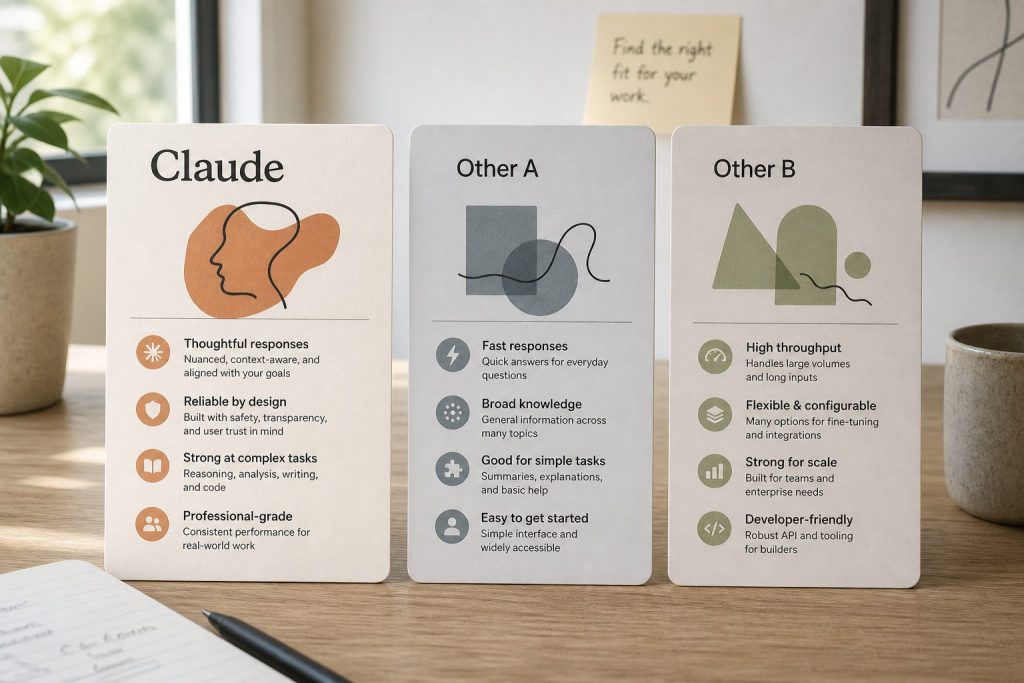
Notion AI works inside Notion on the page you’re looking at. Claude with the Notion MCP connector works across your whole workspace — and across everything else Claude can reach. One is a writing assistant; the other is an operator with a badge to the building.
What Notion AI actually is
Notion AI is the assistant built into Notion. It summarizes the page you’re on, drafts text, fixes grammar, translates, and answers questions about the current page or selected blocks. It lives in the sidebar and the slash menu. Its world is the page in front of you.
What it doesn’t do: reach across dozens of pages to synthesize an answer, pull in context from outside Notion, run on a schedule, or take multi-step actions like updating ten database rows from a meeting transcript.
What Claude + Notion MCP actually is
The Notion MCP connector gives Claude live read and write access to your Notion workspace through the Model Context Protocol. Claude can search every page you can see, query databases, summarize long docs, draft new pages, append rows, and update properties — in plain language, no API code.
Because it’s Claude, the context isn’t limited to Notion: the same conversation can cross-reference your email, your calendar, a spreadsheet, or the web, then write the result back into Notion. Notion AI can’t leave the building; Claude was never confined to it.
Side-by-side
Scope: Notion AI — current page and selected blocks. Claude + MCP — your entire workspace, plus everything else Claude connects to.
Scheduling: Notion AI — only when you click it. Claude + MCP — can run on a timer (morning briefings, weekly digests) via scheduled jobs.
Actions: Notion AI — generates and edits text. Claude + MCP — reads, writes, updates database properties, creates pages, appends rows.
Cross-app reasoning: Notion AI — none. Claude + MCP — the point of the whole setup.
Data boundary: Notion AI — stays inside Notion’s trust boundary. Claude + MCP — your Notion content flows through Claude, which has its own data handling. For confidential material, scope what the connection can see.
Cost shape: Notion AI — priced per seat (often bundled into higher-tier plans). Claude + MCP — your Claude plan plus the time to set up the connector once.
Which one do you actually need?
If your problem is “help me write this page faster,” Notion AI is enough. If your problem is “every Monday I spend an hour turning scattered notes into a briefing,” “nobody can find anything in our workspace,” or “I need this database updated from that meeting” — that’s Claude + MCP territory. Most teams that try both end up using Notion AI for drafting and Claude for everything operational.
The approval habit applies to both, but it matters more with Claude: Notion AI suggests text you accept; Claude with write access can change shared data. Claude drafts, you approve.
Frequently asked questions
What’s the difference between Notion AI and Claude with Notion MCP?
Notion AI is an in-app writing assistant scoped to the page you’re viewing. Claude with the Notion MCP connector is a workspace-wide operator: it can search, read, summarize, and write across your entire Notion workspace, run on a schedule, and combine Notion with your other tools. Use Notion AI for drafting; use Claude + MCP for operations.
Can I use both at the same time?
Yes, and that’s the common setup. Notion AI handles inline drafting and quick summaries; Claude via MCP handles cross-workspace research, scheduled digests, and database operations. They don’t conflict.
Is Claude with Notion MCP a replacement for Notion AI?
Not exactly. It replaces the need for Notion AI in many workflows, but Notion AI is still faster for one-click, in-page tasks like “make this shorter.” Think of Claude + MCP as the upgrade path when Notion AI’s page-sized world gets too small.
Every voice AI vendor quotes you a per-minute price. That number is the least important number on the page.
I just re-ran the cost model for our own phone line — an inbound intake line for restoration contractors. Five-minute calls, field reports phoned in from noisy job sites. Three options, priced per minute, cheapest first:
Gemini 3.8 Live: about $0.023/minute, reasoning included
GPT-Live-1: $0.05/minute for the voice layer, reasoning billed separately
Grok Voice: $0.08/minute, plus about half a cent per tool call
On a five-minute call that’s roughly $0.12, $0.25-plus, and $0.45. Buy on per-minute price and you pick Gemini and go home.
Here’s the problem: none of those numbers describe what you’re actually buying. You’re not buying minutes. You’re buying arms — the things the voice can reach out and do while it’s talking. Score the arms column and the ranking changes completely.
The arms column
A voice agent that can only talk is a mouth. A voice agent that can act is a mouth with hands. The difference shows up in the first real call.
Gemini 3.8 Live has tool calling, but with a catch that matters: on the Extended Thinking tier — the one you’d want for anything beyond scripted answers — every tool call must be asynchronous and non-blocking. Configure a blocking call and the API rejects it outright. In practice, the agent can’t hold the line while a slow dispatch confirms. It has to narrate around the gap — “I’m working on that” — while hoping the tool lands. Fine for logging a report. Shaky for “confirm the crew is dispatched, then tell the caller it’s handled.”
Grok Voice ships the arms: book appointments in Google or Outlook calendars, send confirmation emails, call your own APIs, create tickets, search the web, hand the caller to a human when it’s over its head. It speaks MCP, so an existing tool stack plugs straight in. And it was trained on real telephone audio — background noise, accents, mid-sentence interruptions — which is the actual condition of a contractor calling from a job site, not a lab.
GPT-Live-1 is a voice layer. A good one, with the turn-taking latency everyone else is chasing. But the arms are whatever you build yourself, and the reasoning behind the voice arrives as a separate bill.
Price the task, not the minute
Here’s the math that actually matters. Ten intake calls a day, five minutes each: about 1,500 minutes a month. Gemini lands around $35. Grok, with tool calls and telephony folded in, lands around $150. The gap is roughly a hundred dollars a month — and one botched dispatch, one caller who hangs up because the agent couldn’t confirm the crew, costs more than a year of that gap.
Vendors want you comparing per-minute rates because per-minute is a commodity comparison, and commodities compete on price. But a voice agent isn’t a commodity minute. It’s a worker on your phone line. You don’t hire a dispatcher by the minute; you hire one by whether the trucks roll.
So the right unit is cost per successful task, not cost per session. What did it cost to get the field report filed, the job looked up, the crew dispatched, and the confirmation texted — with the caller hanging up satisfied? Run that number and the ranking flips: the “expensive” option that completes the task is cheaper than the cheap option that narrates around it.
The condition nobody benchmarks
One more thing the price pages skip: where the call happens. Our callers are on job sites. Compressors running, wind, bad cell signal, guys who talk over the agent. Grok’s training data is real telephone traffic under those conditions. Most voice benchmarks are clean-lab audio. A model that scores beautifully in the lab and falls apart over a compressor is the most expensive option on the list, whatever its per-minute rate says.
Test on your actual call shape. Noisy audio, interruptions, the tools you really call, the confirmations you really need. The benchmark that matters is your hardest five minutes, not anyone’s leaderboard.
What we’re running
We kept the harness and made the backend swappable — the phone line doesn’t care which brain is behind it. Gemini is the cheap default for intake logging: caller reports, we log it, everyone hangs up happy. Grok takes the calls where something has to actually get done before the goodbye — dispatch confirmed, appointment booked, ticket created.
Two brains, one phone number, routed by the job. The per-minute price barely entered the decision. The arms did.
Pricing from vendor-published rate cards, verified September 2026. API prices change — re-check before estimating production costs.
Azure Neural TTS vs Google Cloud Text-to-Speech: Audio Versions of Every Article
Adding an audio version of every article is one of those low-effort, high-leverage moves: it makes your content accessible to people who’d rather listen, it gives you a “play this article” widget that lifts time-on-page, and the audio file itself becomes another thing search and assistants can surface. The work is entirely automated — text goes in, an MP3 comes out — so the only real decisions are which voice sounds least like a robot and which free tier covers your back catalog.
We auto-generate audio versions of the same articles on both Azure Neural TTS and Google Cloud Text-to-Speech, on the free tiers, and listen. Short answer: this one’s an honest toss-up. Both produce genuinely natural neural voices, both give you SSML control, and both run our audio pipeline for $0/month. Azure’s free tier is 500,000 characters/month (~60–80 article audio versions of neural voices); Google’s is 1,000,000 characters/month of Standard voices and 1,000,000 characters/month of WaveNet/Neural2 premium voices. Pick by ecosystem and by which voice you’d rather hear.
This is the breakdown from the running lab on tygart.media — voice naturalness, SSML control, voice variety, free ceilings, and the accessibility/SEO payoff.
The free-tier ceilings
Free-tier ceilings for Neural TTS vs Cloud TTS.
How we do it
Azure
Google Cloud
Verdict
Free neural/premium chars/month
500,000 (Neural)
1,000,000 (WaveNet/Neural2)
Google — 2× headroom
Free standard chars/month
n/a (neural is the tier)
1,000,000 (Standard)
Google on raw volume
Roughly how many article audios
~60–80 neural/mo
~140 premium/mo
Google
Always-free
Yes
Yes
Tie
Our actual bill
$0
$0
Tie where it counts
A 1,200-word article runs around 6,500–7,000 characters, so Azure’s 500K neural budget covers roughly 60–80 full article audio versions a month, and Google’s 1M premium budget covers roughly twice that. For a publisher shipping a handful of articles a week, both stay free with room to spare — the 2× gap only bites if you’re voicing a large back catalog in one go.
Voice quality and SSML control
Voice quality and SSML control.
This is where you actually choose, and it’s genuinely close.
How we do it
Azure
Google Cloud
Verdict
Voice naturalness
Excellent, very expressive
Excellent, very natural
Tie — both clear the “robot” bar
Voice variety
Huge neural catalog, many styles
Large WaveNet/Neural2 catalog
Slight edge Azure on styles
Speaking styles / emotion
Yes (cheerful, newscast, etc.)
More limited emotional styles
Azure
SSML control
Full SSML + style/prosody tags
Full SSML
Azure, slightly
Custom voice
Yes (custom neural voice)
Yes (custom voice)
Tie
Languages / locales
140+ locales
50+ languages, many voices
Azure on locale breadth
Both clear the bar that matters: neither sounds like a 2010-era text-to-speech engine, and a casual listener wouldn’t immediately clock either as synthetic. Azure edges ahead on expressiveness — its neural voices support named speaking styles (newscast, cheerful, empathetic) that are perfect for an article read-aloud, and its SSML supports fine prosody control. Google’s Neural2 voices are beautifully natural and, to some ears, a touch warmer; the emotional-style controls are just a little thinner.
The accessibility and SEO payoff
Accessibility and SEO payoff of audio articles.
The audio isn’t only a nice-to-have. It does real work.
How we do it
Azure
Google Cloud
Verdict
Accessibility win
Listen instead of read
Listen instead of read
Tie
Output format
MP3 / WAV / streaming
MP3 / LINEAR16 / OGG
Tie
Pipeline integration
REST + SDKs
REST + SDKs
Tie
Time-on-page lift
Audio widget keeps people on page
Same
Tie
An audio version gives screen-reader users and “I’d rather listen” users a first-class way to consume the piece, and the on-page player tends to lift dwell time — a signal that doesn’t hurt. The mechanics are identical on both clouds: feed text, get an MP3, embed it.
What surprised us
Both are genuinely good now. We expected one to clearly win on naturalness and neither did — the synthetic-voice era is over on both clouds.
Azure’s speaking styles are the sleeper feature. Being able to render an article in a “newscast” or “cheerful” style without writing prosody by hand made the read-alouds noticeably more engaging.
Google’s free character budget is the bigger one. 1M premium characters is real headroom; if you’re voicing a back catalog, that matters more than a half-point of naturalness.
The MP3s are interchangeable. Once embedded, listeners couldn’t reliably tell which cloud voiced which article in a blind test we ran on ourselves.
The takeaway
Pick Azure Neural TTS if you want maximum expressiveness — named speaking styles, fine prosody control, and the broadest locale catalog — and your Microsoft ecosystem is already where the rest of your stack lives. The 500K free characters cover a normal publishing cadence comfortably.
Pick Google Cloud Text-to-Speech if you want the larger free character budget (1M premium) for voicing a big back catalog, or you simply prefer the warmth of the Neural2 voices, and your stack is GCP-centric.
For us this is the rare comparison with no loser. We run the pipeline on whichever cloud the rest of that article’s workflow already lives on — and the listener can’t tell the difference either way.
This is part of our “Two Clouds, One Site” series — we run the same media property on both Azure and Google Cloud on the free tiers, generating audio versions of the same articles on each to hear where the voices differ. The lab lives on tygart.media; the findings publish here.
How many free characters do Azure and Google text-to-speech give you per month?
Azure Neural TTS gives 500,000 free neural characters per month, which is roughly 60–80 article audio versions. Google Cloud Text-to-Speech gives 1,000,000 free Standard characters and 1,000,000 free WaveNet/Neural2 premium characters per month, roughly double Azure’s premium headroom. Both stay free for a normal publishing cadence.
Which text-to-speech sounds more natural, Azure or Google?
Both produce genuinely natural neural voices, and in blind listening neither clearly wins. Azure edges ahead on expressiveness with named speaking styles like newscast and cheerful, while Google’s Neural2 voices are very natural and, to some ears, slightly warmer. The synthetic-robot problem is solved on both.
Can I auto-generate an audio version of every blog post for free?
Yes. Both clouds expose a simple REST API that turns article text into an MP3, and their free character budgets cover a typical few-articles-a-week cadence at $0. Google’s larger free budget is better if you want to voice a big back catalog in one pass.
Does Azure Neural TTS support SSML and speaking styles?
Yes. Azure supports full SSML plus named speaking styles (newscast, cheerful, empathetic and more) and fine prosody control, which makes article read-alouds noticeably more engaging. Google also supports full SSML, but its emotional-style controls are thinner.
Does adding an audio version of articles help accessibility and SEO?
Yes. An audio version gives screen-reader and listen-first users a first-class way to consume the content, improving accessibility, and the on-page audio player tends to lift time-on-page, which is a positive engagement signal. The benefit is identical whether you generate the audio on Azure or Google.
Azure Translator vs Google Cloud Translation: 2M Free Characters, Tested
Translating your content is one of the cheapest ways to multiply its reach — every article becomes five articles the moment you ship it in five languages. The catch is that machine translation is metered by the character, and a content pipeline burns characters fast. So the real question for a bootstrapped publisher isn’t “which engine is best?” — it’s “which free tier lets me run a multilingual pipeline forever without ever seeing a bill?”
We translate the same articles into multilingual variants on both Azure Translator and Google Cloud Translation, on the free tiers, and watch where each one runs out. Short answer: for a perpetual $0 pipeline, Azure Translator wins on the ceiling — its free tier is 2,000,000 characters/month and it’s always free, which is roughly 300 article-length translations a month. Google Cloud Translation gives you a generous-but-capped 500,000 characters/month and then it’s paid, and it earns its keep on quality and language coverage.
This is the breakdown from the running lab on tygart.media — free ceilings, translation nuance, document vs text, and which one we actually point the pipeline at.
The free-tier ceilings
Free-tier ceilings for Translator vs Cloud Translation.
This is the headline difference, and it’s not close.
How we do it
Azure
Google Cloud
Verdict
Free characters/month
2,000,000, always free
500,000, then paid
Azure — 4× the ceiling
Roughly how many articles
~300 article translations/mo
~75 article translations/mo
Azure
What happens at the cap
Pay-as-you-go kicks in
Pay-as-you-go kicks in
Tie (mechanism)
Always-free vs 12-month trial
Always free
Always free (the 500K is perpetual)
Tie
Fit for a perpetual pipeline
Excellent
Tight
Azure
The math is the whole story. A typical 1,200-word article is around 6,500–7,000 characters. Translate it into five languages and you’ve spent ~35,000 characters on one article. Azure’s 2M ceiling absorbs dozens of articles across multiple languages every month without a cent; Google’s 500K runs dry after a couple of weeks of the same cadence. If your single hard constraint is “never pay for translation,” Azure is the answer before you even look at quality.
Translation quality and nuance
Translation quality and nuance.
Free ceilings decide whether you can run the pipeline. Quality decides whether you should publish what comes out.
How we do it
Azure
Google Cloud
Verdict
Engine
Neural MT, custom models available
Neural MT (NMT), strong general model
Slight edge Google on nuance
Idiom / register handling
Good, occasionally literal
More natural on idioms and tone
Google
Technical terminology
Reliable, customizable glossary
Reliable
Tie
Custom/glossary control
Custom Translator + dictionary
Glossary + AutoML (paid)
Azure on free customization
Major-language quality
Excellent both ways
Excellent both ways
Tie
On high-resource languages — Spanish, French, German, Portuguese — both engines produce output we’d publish with a light editorial pass. Google has a slight edge on idiom and register: it tends to “sound like a person” a beat more often, especially on conversational copy. Azure closes most of that gap with Custom Translator and inline dictionaries, which let you pin brand terms and preferred phrasings — and those customization tools are usable inside the free workflow.
Language coverage and document mode
Language coverage and document mode.
How we do it
Azure
Google Cloud
Verdict
Languages supported
100+
100+ (NMT subset varies)
Tie
Long-tail / low-resource
Broad
Broad, often strong
Google, slightly
Document translation
Yes (preserves formatting)
Yes (separate API surface)
Tie
Text translation API
Simple REST
Simple REST
Tie
Batch throughput
High
High
Tie
Both clouds clear 100 languages, so coverage isn’t a deciding factor for a Western-market content site. Document translation — feeding in a formatted file and getting the same layout back in another language — exists on both; we mostly use plain text translation because our content is markdown and we re-render it ourselves.
What surprised us
The character ceiling, not the quality, is the real constraint. We went in expecting a quality shootout and came out realizing that for a content pipeline, “2M free vs 500K free” decides the workflow long before anyone compares a single sentence.
Azure’s always-free 2M is genuinely always free. It’s not a 12-month trial that lapses into charges — it resets every month indefinitely. That’s rare enough that we double-checked it.
Google’s output reads slightly more human on conversational copy. For marketing-voice pieces we noticed Google needed less editorial cleanup; for technical articles the two were indistinguishable.
Glossaries matter more than the base engine. Once you pin your brand and product terms, the gap between the two narrows to almost nothing.
The takeaway
Pick Azure Translator if your priority is a perpetual multilingual content pipeline that never bills you — the 2M-character always-free ceiling is built for exactly this, and Custom Translator gives you brand-term control for free. It’s our default for high-volume article translation.
Pick Google Cloud Translation if quality on conversational, idiom-heavy copy is your top concern and your volume fits comfortably under 500K characters/month — its NMT output tends to need a lighter editorial pass.
For us, running the same site on both clouds, the translation pipeline lives on Azure: at our cadence we’d blow through Google’s free tier in two weeks, and Azure’s ceiling means the multilingual variants ship at $0, month after month.
This is part of our “Two Clouds, One Site” series — we run the same media property on both Azure and Google Cloud on the free tiers, translating the same articles on each to see where the ceilings really sit. The lab lives on tygart.media; the findings publish here.
How many free characters do Azure Translator and Google Cloud Translation give you per month?
Azure Translator’s free tier is 2,000,000 characters per month and it’s always free, resetting every month indefinitely. Google Cloud Translation’s free tier is 500,000 characters per month, after which you pay per character. For a content pipeline, Azure’s ceiling is roughly four times larger.
Which machine translation is more accurate, Azure or Google?
Both use neural machine translation and produce publish-quality output on major languages. Google has a slight edge on idiom, tone, and conversational register, while Azure closes most of that gap with its free Custom Translator and dictionary features. For technical content the two are hard to tell apart.
Can I run a multilingual website translation pipeline for free?
Yes. Azure Translator’s 2,000,000 free characters per month is enough for roughly 300 article-length translations, which covers a typical publishing cadence across several languages at $0. Google’s 500,000 free characters works for lower-volume sites but runs out faster at the same pace.
Does Azure Translator support document translation that keeps formatting?
Yes. Azure offers a document translation mode that preserves the original layout and formatting of files, alongside a simple text translation REST API. Google Cloud Translation offers document translation too. We mostly use plain text translation because our content is markdown that we re-render ourselves.
How many languages do Azure Translator and Google Cloud Translation support?
Both support more than 100 languages, so coverage is rarely the deciding factor for a Western-market site. Google sometimes edges ahead on lower-resource languages, but for common European and Latin American languages the two are equivalent in reach.
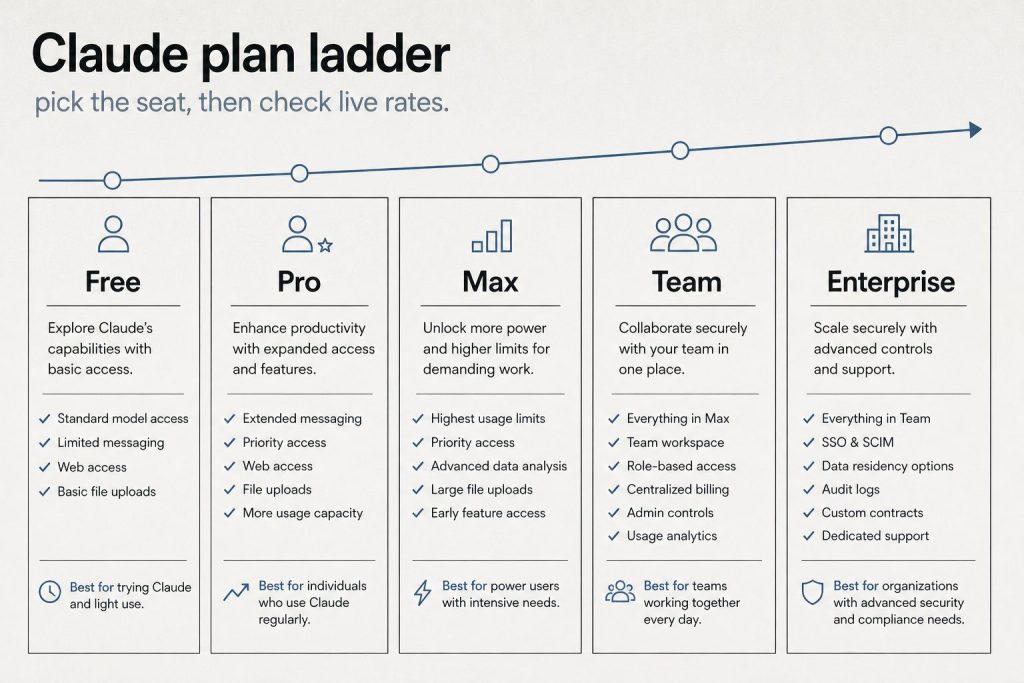
Direct answer (October 2026): Headline API rates did not move when Fable 5.1 shipped on September 1. Both Fable 5 and Fable 5.1 list at $10 / MTok input and $50 / MTok output. The change that matters for agent loops is cache: Fable 5.1 cache reads are $0.25 / MTok versus $1.00 / MTok on Fable 5. On claude.ai, Fable is included only on Max and premium Team/Enterprise seats, and only up to 50% of the weekly usage pool. Pro and Team Standard pay usage credits from the first Fable token.
API rates
USD per million tokens. Context window 1M. Max output 128K. No long-context surcharge on the published card.
Item
Fable 5
Fable 5.1
API ID
claude-fable-5
claude-fable-5-1
Input
$10
$10
Output
$50
$50
5-min cache write
$12.50
$12.50
1-hour cache write
$20
$20
Cache read
$1.00
$0.25
Batch in / out
$5 / $25
$5 / $25
That cache-read cut is the Sep 1 price event. Stable system prompts and repo prefixes that hit cache on 5.1 cost a quarter of what they cost on 5. Headline input/output is unchanged, so a cold one-shot is the same bill.
Opus 5.5 (current, shipped Sep 22, 2026) is $4 / $20. Opus 5 remains listed at $5 / $25. Sonnet 5.5 is the current Sonnet at $2 / $10 (cache read $0.10; shipped Sep 28, 2026). Haiku 5.5 is the current Haiku, from $0.10 / $0.50 (prompts up to 100K tokens). Sonnet 5 remains listed at the same $2 / $10 after Anthropic cancelled the scheduled Sep 1 step to $3 / $15. Against current Opus 5.5, Fable is 2.5× on list rates ($10/$50 vs $4/$20); against legacy Opus 5 it is still 2×.
Max, Team Premium, Enterprise Premium seats: included. Cap is 50% of weekly usage limits. Same weekly pool as every other model. Fable burns that pool faster. After the cap: usage credits or switch models.
Pro and Team Standard: not included. Credits from token one. The July 2026 $100 one-time credit was for the Fable 5 plan change only. Help Center: no equivalent credit for 5.1.
Enterprise Standard seats: only if the org turns credits on.
Fable 5.1 launched September 1, 2026 with Mythos 5.1. Same underlying model, different safeguards. Anthropic positions 5.1 for long coding and knowledge work. US-only inference is listed at 1.1× input and output. Availability: Claude API, Bedrock, Google Cloud, Microsoft Foundry, and paid claude.ai plans under the rules above.
What the cache change is worth in dollars
Direct answer: Fable 5.1’s headline rates didn’t move ($10 input / $50 output per million tokens), but cache reads fell 75% — from $1.00 to $0.25 per million. On workloads that re-read context, that’s the whole story.
Worked example — one agent loop day: 10M input tokens at a 90% cache-hit rate, plus 1M output tokens.
Fable 5.1: $10.00 fresh input, plus 9M cache reads × $0.25 = $2.25, plus $50.00 output. Total: $62.25.
The cache-read line alone drops from $9.00 to $2.25. Push the hit rate to 95% and the gap widens further — the more your loop re-reads its own context, the more 5.1 pulls away. A fresh prompt with no cache history costs exactly the same on both versions.
Fable 5.1 against the lineup
USD per million tokens, standard API processing. Cache-write column is the 5-minute rate.
Model
Input
Output
Cache read
Cache write (5m)
Fable 5.1
$10.00
$50.00
$0.25
$12.50
Fable 5
$10.00
$50.00
$1.00
$12.50
Opus 5.5
$4.00
$20.00
$0.20
$5.00
Sonnet 5.5 (current)
$2.00
$10.00
$0.10
$2.50
Sonnet 5 (legacy)
$2.00
$10.00
$0.20
$2.50
Haiku 5.5 (current, prompts ≤100K)
$0.10
$0.50
$0.01
$0.125
Haiku 5.5 (prompts >100K)
$0.50
$2.50
$0.05
$0.625
Haiku 4.5 (legacy)
$1.00
$5.00
$0.10
$1.25
Fable 5.1’s cache reads are priced at 0.025× its input rate — 97.5% below base input. Every other model in the table pays the standard 0.10× except Opus 5.5 and Sonnet 5.5 at 0.05×. That unusual cache multiple is Fable’s entire pricing argument.
When Fable is worth it
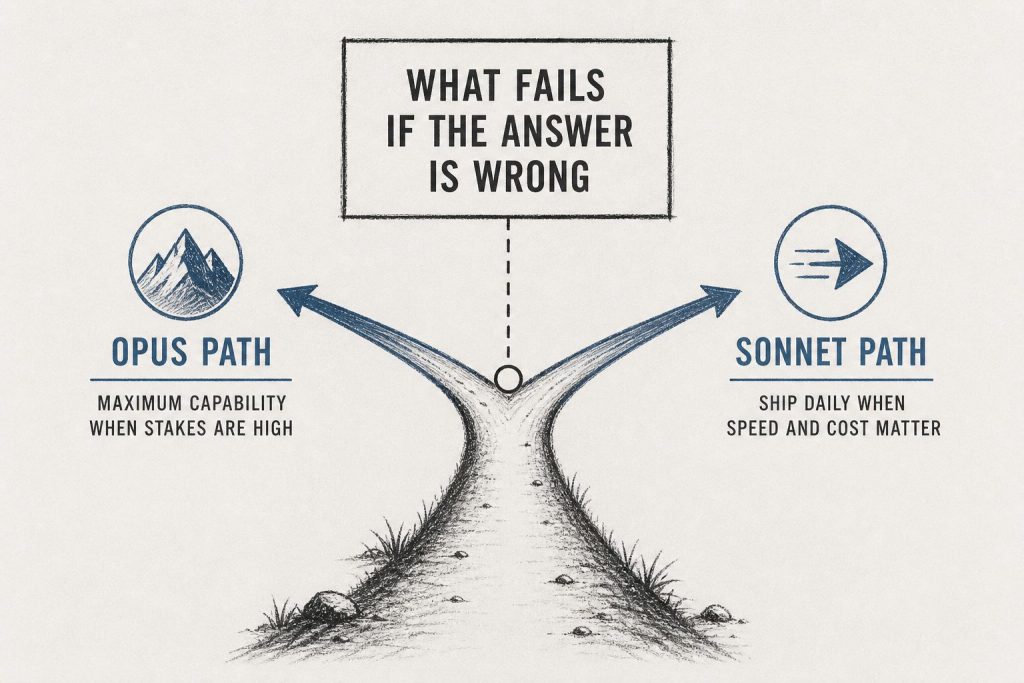
Pick Fable 5.1 for long-horizon agent loops that re-read large contexts — multi-step research agents, codebase-wide refactors, anything where the same prompt prefix gets re-fed dozens of times. The cache math above is where it earns its rate.
Pick something else when the workload doesn’t fit: interactive coding sessions belong on Sonnet 5.5 ($2/$10, current Sonnet; Sonnet 5 legacy still listed at the same rate after the Sep 1 step was cancelled), maximum reasoning per dollar is Opus 5.5 ($4/$20), and high-volume simple tasks are Haiku 5.5 (from $0.10/$0.50; Haiku 4.5 is legacy at $1/$5).
On claude.ai plans the calculus shifts: Fable rides inside Max and premium Team/Enterprise seats (capped at half the weekly pool), so plan users should think in pool-share, not tokens. API users think in tokens. Full seat and API pricing lives on our Claude AI pricing guide; model-to-model reasoning comparisons are in the Claude models comparison, and token-level API detail is in Claude API pricing, token costs and rate limits.
FAQ
Did Fable get cheaper on September 1?
Not on headline tokens. Cache reads on 5.1 dropped from $1.00 to $0.25 per million. Repeated agent context is cheaper. A fresh prompt is not.
Does Pro include Fable 5.1?
No. Pro can call it with usage credits. Included Fable lives on Max and premium seats only, and only up to half the weekly limit.
Is Fable 5.1 2.5× Opus 5.5 (and 2× legacy Opus 5)?
Against current Opus 5.5 ($4/$20), Fable at $10/$50 is 2.5× on list rates. Against legacy Opus 5 ($5/$25) it is still 2×. Opus 5 Fast mode lists at Fable’s standard rate. Pick Fable when the job is long-horizon and you have Max/premium inclusion or a reason to pay the cache-aware API bill.
Does the Batch API discount apply to Fable?
Yes. Anthropic’s Batch API takes 50% off standard rates across models, Fable included — roughly $5/$25 per million input/output tokens on Fable 5.1 for non-urgent work. Cache-read pricing discounts stack on top.
Do cache writes cost extra on Fable 5.1?
Yes, one line item to know: 5-minute cache writes are $12.50 per million (1.25× input), 1-hour writes are $20 (2× input). You pay the write once when the cache entry is created; every re-read after that bills at the $0.25 cache-read rate. Writes are a footnote — reads are the story.
How does the 50% weekly pool cap work for Fable on Max?
Max and premium Team/Enterprise seats include Fable, but only up to half of the weekly usage pool — Fable can’t consume the whole allowance. Past the cap, further Fable usage bills as usage credits from the first token. If Fable is your daily driver on a plan, watch the pool split, not just the total.
Anthropic ships four distinct ways to put Claude to work as an agent, and they are easy to confuse. The short version: Claude Cowork and Claude Code are interactive products billed through your Claude subscription — Cowork for knowledge work in the desktop app, Code for software work in your terminal, IDE, desktop, or browser. The Claude Agent SDK and Managed Agents are programmatic surfaces for developers, billed through the API: the Agent SDK is a Python/TypeScript library that runs the agent loop inside your own process, while Managed Agents is a REST API where Anthropic runs the loop and hosts the sandbox. The tables below give the verified, side-by-side breakdown.
The decision matrix
Cowork vs Code vs Agent SDK vs Managed Agents matrix.
Each row is one surface. Read across for who it serves, whether you drive it turn-by-turn or hand it a goal, where the work executes, and how it is paid for.
Surface
Who it is for
Interactive vs autonomous
Where it runs
How it is billed
Claude Cowork
Knowledge workers (non-developers) — research, documents, file and spreadsheet work
Interactive, supervised — shows you the plan and waits for your approval before acting
The Claude desktop app on your own computer (macOS or Windows); not available on web or mobile
Claude subscription (Pro, Max, Team, Enterprise) — draws from your plan’s usage allocation
Interactive — you drive it in a session, though it can run agentically across files and tools
Your machine (terminal, VS Code, JetBrains, desktop app) or the browser at claude.ai/code
Claude subscription or an Anthropic Console (API) account
Claude Agent SDK
Developers building custom agents programmatically (Python or TypeScript)
Autonomous — Claude reads files, runs commands, and edits code on its own via the agent loop
Your own process and infrastructure
API key (pay-as-you-go credits); see the subscription note below for the June 15, 2026 change
Managed Agents
Developers running production or long-running agents without operating their own sandbox/session infrastructure
Autonomous — you send events, Claude executes tools and streams back results
Anthropic-managed cloud sandbox per session (or a self-hosted sandbox on your own infrastructure)
Claude API key + the managed-agents-2026-04-01 beta header (no subscription path)
Where billing actually differs
The cleanest way to split these four is by the wallet they draw from. The two interactive products are funded by a subscription; the two programmatic surfaces are funded by the API. This is the single distinction that trips people up most often, so it is worth stating plainly in its own table.
Surface
Billing model
Notes
Claude Cowork
Subscription
Included on Pro, Max, Team, and Enterprise. Multi-step tasks consume more of your usage allocation than chatting.
Claude Code
Subscription or API
Most surfaces require a Claude subscription or a Console account; the terminal CLI and VS Code also support third-party providers.
Claude Agent SDK
API (pay-as-you-go)
Authenticated with an ANTHROPIC_API_KEY; also supports Bedrock, Claude Platform on AWS, Vertex AI, and Azure. Anthropic does not permit claude.ai login for third-party agents built on the SDK.
Managed Agents
API (credits)
Requires a Claude API key and the beta header; enabled by default for API accounts.
One dated nuance is worth pinning down because it changes how subscription users pay for programmatic work. Starting June 15, 2026, Claude Agent SDK and claude -p usage on subscription plans no longer counts toward your Claude plan’s interactive usage limits; instead, eligible subscribers receive a separate monthly Agent SDK credit (per-user, not pooled), while subscription usage limits stay reserved for interactive use of Claude Code, Cowork, and Claude. If you use the Agent SDK with an API key from the Claude Platform, nothing changes — pay-as-you-go billing continues and you do not receive an Agent SDK monthly credit.
SDK vs Managed Agents: the programmatic split
SDK vs Managed Agents — the programmatic split.
Both programmatic surfaces let Claude run tools autonomously, but they differ in where the loop and the work live. Anthropic’s own comparison frames it this way: the Agent SDK “is a library that runs the agent loop inside your own process,” while Managed Agents “is a hosted REST API: Anthropic runs the agent and the sandbox, and your application sends events and streams back results.” Pick by who you want operating the infrastructure.
Dimension
Agent SDK
Managed Agents
Runs in
Your process, your infrastructure
Anthropic-managed infrastructure
Interface
Python or TypeScript library
REST API
Agent works on
Files on your infrastructure
A managed sandbox per session
Session state
JSONL on your filesystem
Anthropic-hosted event log
Best for
Local prototyping; agents that work directly on your filesystem and services
Production agents without operating sandbox/session infrastructure; long-running, asynchronous sessions
A common path, per Anthropic’s docs, is to prototype with the Agent SDK locally, then move to Managed Agents for production.
Quick chooser
Quick chooser for the right surface.
If you are not writing code and want Claude to finish a task on your computer, use Cowork. If you are a developer working interactively on a codebase, use Claude Code. If you are building your own agent and want it to run in your own process, use the Agent SDK. If you want Anthropic to run the agent and host the sandbox for long-running or production work, use Managed Agents.
Is Claude Cowork the same as Claude Code?
No. Both appear in the Claude desktop app, but Cowork is aimed at knowledge work (research, documents, spreadsheets, file management) for non-developers, while Claude Code is an agentic coding tool. Cowork runs only in the desktop app (macOS or Windows); Claude Code also runs in the terminal, VS Code, JetBrains, and the browser.
Does a Claude subscription cover the Agent SDK or Managed Agents?
Cowork and Claude Code are included with Claude subscriptions (Pro, Max, Team, Enterprise). The Agent SDK and Managed Agents are API surfaces authenticated with a Claude API key. As of June 15, 2026, subscription users do get a separate monthly Agent SDK credit for SDK and claude -p usage, but Managed Agents has no subscription path — it requires an API key and a beta header.
Where does the work actually execute for each surface?
Cowork runs on your own computer in the desktop app. Claude Code runs on your machine (or in the browser). The Agent SDK runs in your own process and infrastructure. Managed Agents executes in an Anthropic-managed cloud sandbox per session, or a self-hosted sandbox you control.
Is the Agent SDK built on Claude Code?
Yes. Per Anthropic, the Agent SDK “gives you the same tools, agent loop, and context management that power Claude Code, programmable in Python and TypeScript.” Anthropic also describes it as “Claude Code as a library.”
Is Managed Agents generally available?
No. As of June 13, 2026, Claude Managed Agents is in beta. Every Managed Agents endpoint requires the managed-agents-2026-04-01 beta header (the SDK sets it automatically), and access is enabled by default for API accounts.
Last refreshed: September 26, 2026 · Benchmark scores verified June 13, 2026
As of June 13, 2026, the four models most often compared for coding work are Claude Fable 5 and Claude Opus 4.8 from Anthropic, GPT-5.5 from OpenAI, and Gemini 3.1 Pro from Google. This page is a leaderboard built on one rule: every score below is taken from a vendor’s own page or the benchmark’s official model card that we fetched on the verification date, or it is marked as not published. Several vendors publish their benchmark tables as images rather than machine-readable text; where we could not read an official figure directly, we list the metric as not machine-verifiable and link to the source document instead of estimating. The result is a smaller table than most roundups, but every number in it is one you can click through and check.
September 2026 lineup update: Since these scores were verified, Anthropic’s lineup has moved on — the current models are Fable 5.1, Opus 5.5, and Sonnet 5, replacing Fable 5 and Opus 4.8. The benchmark scores below are for the June 2026 models and stay labeled as such; they have not been re-attributed to the new models. Current Claude API pricing (September 2026): Sonnet 5 $2/$10, Opus 5.5 $4/$20, Haiku 4.5 $1/$5, Fable 5.1 $10/$50 per Mtok.
Models and pricing (specs verified June 13, 2026)
Models compared — verified specs without sticky dollars.
These columns are confirmed from each vendor’s official model documentation. Claude prices, context windows, and cutoffs come from Anthropic’s models overview and the AWS Bedrock model card; GPT-5.5 from OpenAI’s developer docs; Gemini 3.1 Pro from Google’s DeepMind model card and the Gemini API pricing page.
Model
API ID
Input / Output (per Mtok)
Context
Max output
Knowledge cutoff
Claude Fable 5
claude-fable-5
$10 / $50
1M
128K
Not stated on overview*
Claude Opus 4.8
claude-opus-4-8
$5 / $25
1M
128K
Jan 2026
GPT-5.5
gpt-5.5
$5 / $30
1,050,000
128K
Dec 1, 2025
Gemini 3.1 Pro
gemini-3.1-pro-preview
$2 / $12 (≤200K)**
1M
64K
Not stated on model card
*Anthropic’s models overview lists Fable 5’s specs and price but does not publish a knowledge-cutoff date for it in the table we fetched. **Gemini 3.1 Pro uses tiered pricing: $2 / $12 per Mtok for prompts up to 200K tokens, rising to $4 / $18 for prompts above 200K tokens (Google AI pricing page). GPT-5.5 pricing rises to 2x input / 1.5x output above 272K input tokens (OpenAI developer docs). Claude Opus 4.8 (legacy — still listed) offers an optional fast mode at $10 / $50 per Mtok (Anthropic).
Coding benchmark scores (primary-source only, June 2026 models)
Coding benchmark scores — primary-source only.
Each cell is either a figure we read directly from a primary source on June 13, 2026, or marked “not machine-verifiable” with the source you should consult. A blank-equivalent entry never means zero — it means the official figure was not available in readable form during verification. Note the harness and version differences called out in the footnotes: they make cross-vendor cells not strictly comparable.
Benchmark
Claude Fable 5
Claude Opus 4.8
GPT-5.5
Gemini 3.1 Pro
SWE-bench Verified
Not machine-verifiable (see system card)
Not machine-verifiable (see system card)
Not published in retrievable primary source
80.6%
SWE-bench Pro (Public)
Not machine-verifiable (see system card)
Not machine-verifiable (see system card)
Not published in retrievable primary source
54.2%
Terminal-Bench
Not machine-verifiable (see system card)
Not machine-verifiable (see system card)
83.4% (v2.1, Codex CLI harness)â€
68.5% (v2.0, Terminus-2 harness)
LiveCodeBench Pro
Not published in retrievable primary source
Not published in retrievable primary source
Not published in retrievable primary source
2887 Elo
†GPT-5.5’s Terminal-Bench 2.1 figure of 83.4% is the score Anthropic attributes to GPT-5.5 “with the Codex CLI harness” in a footnote on its Claude Opus 4.8 announcement page. It is a competitor-reported comparison, not a number we read from OpenAI directly. Google reports Gemini 3.1 Pro on Terminal-Bench 2.0 under the Terminus-2 harness (68.5%); because the version and harness differ, the Gemini and GPT-5.5 Terminal-Bench cells are not directly comparable. Gemini’s SWE-bench Verified (80.6%), SWE-bench Pro Public (54.2%), and LiveCodeBench Pro (2887 Elo) are single-attempt figures from Google’s official Gemini 3.1 Pro model card.
What we could not verify from a primary source
Anthropic publishes its coding comparison tables for Claude Opus 4.8 and Claude Fable 5 as images inside its announcement pages, and the full Claude Opus 4.8 System Card PDF exceeded our fetch size limit, so we could not machine-read those percentages on the verification date. OpenAI’s GPT-5.5 announcement page returned an access error to our fetcher, and its developer-docs model page lists specs and pricing but no benchmark scores. We have therefore left Claude’s and GPT-5.5’s SWE-bench figures out of the table rather than reproduce numbers we could not confirm at the source. For those figures, consult the primary documents linked in our source list: the Claude Opus 4.8 System Card, the Claude Fable 5 and Mythos 5 announcement, and OpenAI’s GPT-5.5 page. If you are choosing a model today, the verified spec table above (price, context, output, cutoff) is the part you can rely on without caveat.
How to read a coding leaderboard
How to read a coding leaderboard.
Three cautions apply to any 2026 coding comparison. First, harness matters: the same model scores differently on Terminal-Bench depending on whether it runs under Terminus-2, a Codex CLI scaffold, or a vendor’s internal agent, which is why we annotate every Terminal-Bench cell. Second, version matters: “Terminal-Bench 2.0” and “Terminal-Bench 2.1” are different test sets, and “SWE-bench Pro” public and full splits differ — a single percentage with no version is close to meaningless. Third, a headline score is one slice of behavior; long-horizon agentic coding, tool-call reliability, and context handling over a long session often decide real-world usefulness more than a single pass rate. Treat the verified cells here as a starting point, then test the shortlist on your own repository.
Which model has the highest published coding benchmark score in June 2026?
We cannot crown a single winner from primary sources alone, because Anthropic and OpenAI publish their coding scores in formats we could not machine-verify on June 13, 2026. From figures we could read directly, Google’s Gemini 3.1 Pro model card reports 80.6% on SWE-bench Verified and 54.2% on SWE-bench Pro (Public). Anthropic’s and OpenAI’s comparable figures are in their system cards and announcement pages, which we link in the sources; we did not reproduce them here because they were not readable at the source during verification.
What does Claude Fable 5 cost, and how is it different from Opus 4.8 (legacy — still listed)?
Claude Fable 5 (claude-fable-5) is priced at $10 per million input tokens and $50 per million output tokens, with a 1M-token context window and up to 128K output tokens (Anthropic models overview). Claude Opus 4.8 (legacy — still listed) (claude-opus-4-8) is the Opus-tier flagship at $5 / $25 per Mtok, also 1M context and 128K output, with a January 2026 knowledge cutoff. Fable 5 is Anthropic’s most capable widely released model; Opus 4.8 (legacy — still listed) is the lower-priced model most teams will use for everyday agentic coding.
Lineup currency (Sept 2026): Current API list (Sept 2026, verified): Sonnet 5 $2/$10, Opus 5.5 $4/$20, Haiku 4.5 $1/$5, Fable 5.1 $10/$50. Legacy (still listed on Anthropic’s card): Opus 4.8 $5/$25, Sonnet 4.6 $3/$15.
Why are some benchmark cells marked “not machine-verifiable” instead of showing a number?
Because this page only prints scores we could confirm from a primary source on the verification date. Several vendors render their benchmark tables as images, and one large system-card PDF exceeded our fetch limit, so the underlying percentages were not readable to us. Rather than copy figures from third-party trackers, we mark the cell and point you to the official document. It keeps the leaderboard honest at the cost of being shorter.
How do the context windows compare?
Claude Fable 5, Claude Opus 4.8, and Gemini 3.1 Pro each offer a 1M-token context window; GPT-5.5 offers 1,050,000 tokens. Maximum output is 128K tokens for Claude Fable 5, Claude Opus 4.8, and GPT-5.5, and 64K tokens for Gemini 3.1 Pro. Note that Claude Opus 4.8’s context window is 200K on Microsoft Foundry specifically, per Anthropic’s documentation.
Is Terminal-Bench comparable across these models?
Not cell-for-cell. Google reports Gemini 3.1 Pro on Terminal-Bench 2.0 under the Terminus-2 harness (68.5%), while the GPT-5.5 figure we show (83.4%) is Terminal-Bench 2.1 under a Codex CLI harness, as attributed by Anthropic. Different versions and different harnesses mean the two numbers should not be read as a head-to-head result.
This slug duplicates the ranking tracker. Numbers here were last written as June 2026.
Direct Answer (9 September 2026): Claude 3.5 Sonnet is retired. Current public Sonnet is Sonnet 5 at $2 / $10 per MTok. Current lineup is Fable 5.1, Opus 5.5 ($4 / $20 per MTok), Opus 5, Sonnet 5, Haiku 4.5. Live tracker: current Claude model version. Seat dollars: pricing hub.
Do not ship 3.5 Sonnet, Sonnet 4.6, or Opus 4.8 IDs in new work. Confirm the alias in the console.
Anthropic released Claude Fable 5 on June 9, 2026 — and it’s the most capable model the company has ever made publicly available. After tracking every Claude release since the original 100K context window dropped, I can say this one is different. Fable 5 isn’t just an incremental update. It’s Anthropic’s Mythos-class model — the one they’d been keeping restricted — now opened up to anyone with an API key or a Claude subscription.
Here’s what you need to know: the pricing, the benchmarks, and the specific decision framework for when to use Fable 5 versus sticking with Opus 4.8.
Quick answer: Fable 5 costs $10/$50 per million input/output tokens (2x the cost of Opus 4.8). It outperforms Opus 4.8 significantly on complex coding, long-horizon tasks, and scientific research. Use Fable 5 when quality on hard problems justifies the cost. Use Opus 4.8 for high-volume, well-scoped, routine work.
Current lineup note (October 2026): Fable 5.1 is the current Fable SKU at the same $10/$50 headline rates (cache reads $0.25/MTok). Current Opus is Opus 5.5 at $4/$20; Opus 4.8 remains listed as legacy. The June 2026 comparisons below are the launch record for Fable 5.
What Is Claude Fable 5?
What is Claude Fable 5?
Claude Fable 5 (claude-fable-5) is Anthropic’s first publicly available Mythos-class model. The Mythos line is Anthropic’s highest capability tier — models that were previously restricted to research and select enterprise partners because of their raw power. Fable 5 is the version Anthropic deemed safe enough to release broadly.
The name shift (from the Opus/Sonnet/Haiku tier naming) signals something intentional. Fable 5 sits above the Opus line entirely. It’s a new ceiling.
Key specs:
Context window: 1M tokens (same as Opus 4.8)
Max output: 128K tokens per request
Thinking: Adaptive (always on — not a separate “thinking mode”)
Vision: Yes
Tool use / function calling: Yes
Available: Claude API, AWS Bedrock, Vertex AI, Microsoft Foundry
Claude Fable 5 Pricing
Fable 5 pricing — no sticky dollar stickers.
Model
Input (per MTok)
Output (per MTok)
Context
Claude Fable 5
$10.00
$50.00
1M tokens
Claude Opus 4.8
$5.00
$25.00
1M tokens
Claude Sonnet 4.6
$3.00
$15.00
1M tokens
Claude Haiku 4.5
$1.00
$5.00
200K tokens
Fable 5 costs exactly 2x Opus 4.8 on API. On subscription plans (Pro, Max, Team, Enterprise seat-based), Fable 5 is included at no extra cost through June 22, 2026.
The free-until-June-22 window matters if you’re evaluating whether to route your workloads to Fable 5. Use that window to benchmark it against your actual tasks before the 2x cost kicks in.
Benchmark Performance: Where Fable 5 Pulls Away
The benchmarks that matter most are the ones that measure what the model can do on real engineering work, not trivia:
Benchmark
Claude Fable 5
Claude Opus 4.8
Delta
SWE-bench Verified
95.0%
88.6%
+6.4 pts
SWE-bench Pro
80.0%
69.2%
+10.8 pts
FrontierCode
29.3%
13.4%
~2.2x
Senior Engineer benchmark
91/100
~63/100
+45% absolute
The Senior Engineer benchmark is the one I find most telling. It’s designed to be hard for people who write code for a living — and Fable 5 scores 45 percentage points higher than Opus 4.8. That gap is significant enough that it changes the calculus for serious engineering work.
When to Use Claude Fable 5 (vs Opus 4.8)
When to use Fable 5 vs Opus.
I’ve been routing tasks between models for long enough to have a framework. Here’s how I think about it:
Use Fable 5 when:
You’re running a large migration, refactor, or multi-stage software project
Quality on a hard problem matters more than per-token cost
You’re doing deep research, complex analysis, or long-horizon agentic work
The task would otherwise take a senior engineer half a day or more
You’re in the free evaluation window (through June 22) and want to benchmark
Use Opus 4.8 when:
The task is well-scoped and routine
You’re running high-volume pipelines where 2x cost compounds fast
Latency matters — Fable 5 can take 60 seconds to several minutes on complex tasks vs 3–15 seconds for Opus 4.8
The task falls in Fable 5’s restricted domains (cybersecurity, biology, chemistry, distillation) — in those categories, Fable 5 routes to Opus 4.8 anyway, so you’d pay Fable 5 prices for Opus 4.8 output
The smart routing strategy: Fable 5 for the hard jobs, Opus 4.8 for the rest. Don’t use Fable 5 as your default model — the cost and latency delta aren’t worth it for routine tasks.
Important Limitations to Know Before You Switch
Two limitations that don’t get enough coverage:
1. Safety classifier routing. Fable 5 includes enhanced safety classifiers. For prompts touching cybersecurity, biology, chemistry, and distillation, those classifiers route the request to a Claude Opus 4.8 fallback. You pay Fable 5 API rates ($10/$50) but get Opus 4.8 output. If your use case is in these domains, Fable 5 is not the upgrade it appears to be.
2. Data retention requirement. Fable 5 carries a mandatory 30-day data retention policy — Anthropic needs retained prompts and outputs to operate the safety classifiers. Claude Opus 4.8 is available under zero data retention (ZDR). If your use case requires ZDR (healthcare, legal, finance with strict data handling), stick with Opus 4.8 until Anthropic updates Fable 5’s data policy.
Availability
Claude Fable 5 is generally available as of June 9, 2026 on:
Claude API (claude-fable-5)
Claude Platform on AWS / Amazon Bedrock
Google Cloud Vertex AI
Microsoft Azure AI Foundry / GitHub Copilot
Subscription access (free through June 22, 2026): Claude Pro ($20/mo), Max 5x ($100/mo), Max 20x ($200/mo), Team, and seat-based Enterprise plans all include Fable 5 access at no extra charge during the launch window. After June 22, the plan-tier access picture may change — check Anthropic’s pricing page for updates.
How This Changes the Claude Model Decision Tree
Before Fable 5, the Claude decision tree was straightforward:
Need the best? → Opus 4.8
Need balance? → Sonnet 4.6
Need speed/cost? → Haiku 4.5
Now it’s:
Hard problems, complex projects, long-horizon work → Fable 5
Everyday work, high-volume pipelines → Opus 4.8
Balance of cost and capability → Sonnet 4.6
Speed and cost optimization → Haiku 4.5
The introduction of a model tier above Opus 4.8 doesn’t replace the existing lineup — it creates a new ceiling for the work that genuinely needs it.
Is Claude Fable 5 better than Opus 4.8?
For complex coding, multi-stage tasks, and long-horizon work: yes, significantly. On SWE-bench Pro, Fable 5 scores 80.0% vs Opus 4.8’s 69.2% — a 10+ point gap. For routine, well-scoped tasks: the gap narrows enough that Opus 4.8’s 2x cost advantage makes it the smarter choice.
What is the Claude Fable 5 API model ID? claude-fable-5. This is the API string you pass to model in your API calls.
Does Fable 5 cost more than Opus 4.8?
Yes — exactly 2x. Fable 5 is $10 input / $50 output per million tokens. Opus 4.8 is $5/$25. Through June 22, 2026, Fable 5 is included in Claude subscription plans at no extra cost.
Can I use Claude Fable 5 for free?
On Pro, Max, Team, and Enterprise subscription plans, yes — through June 22, 2026. API access is metered at $10/$50 per MTok from day one.
Does Claude Fable 5 support zero data retention (ZDR)?
No. Fable 5 carries a mandatory 30-day data retention requirement. If your use case requires ZDR, use Claude Opus 4.8, which supports it.
What’s the difference between Claude Fable 5 and Claude Mythos 5?
Mythos 5 is Anthropic’s fully restricted research model — not publicly available. Fable 5 is the Mythos-class model that Anthropic has prepared for general availability, with safety classifiers and the 30-day retention policy. You can think of Fable 5 as “Mythos for the real world.”
Last verified: October 5, 2026. Anthropic pricing and availability subject to change — check Anthropic’s pricing page for current rates.
The Signal is a daily AI intelligence briefing from Tygart Media — field notes from someone who builds with these tools 12 hours a day, not someone who reads press releases about them. Each edition distills the day’s most consequential AI and search developments into what they actually mean for agencies, small business operators, and builders shipping real infrastructure.
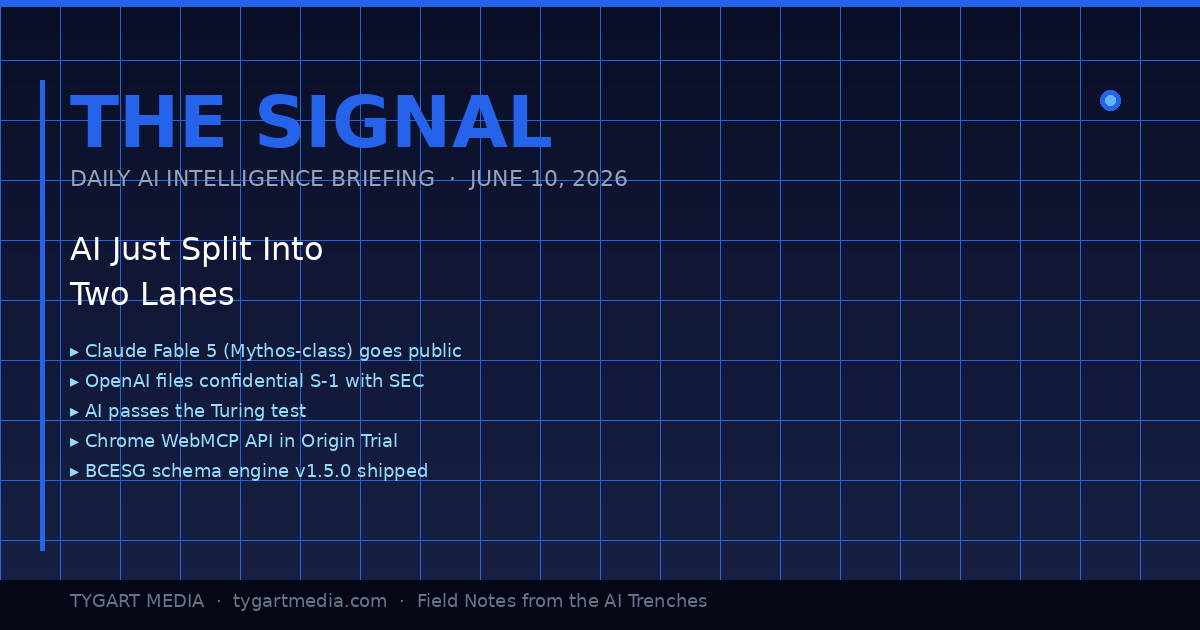
June 10, 2026: The Day the Lanes Forked
The day the lanes forked — product vs infrastructure.
Today was the kind of day where you can feel the road forking under your tires. Not because one thing happened — because eight things happened simultaneously, and if you squint at the pattern, they all point the same direction: AI just stopped being a product category and started being infrastructure. The plumbing layer. The thing you build on top of, not the thing you buy.
I’ve been building with Claude since the Haiku days. I run it 12 hours a day across 20+ WordPress sites, a five-site knowledge cluster on Google Cloud, and a custom schema engine I shipped yesterday. When the landscape shifts, I don’t read about it on TechCrunch — I feel it in the tooling. And today, the tooling lurched forward in a way that matters.
Here’s the daily signal.
Claude Fable 5: Mythos-Class AI Goes Public
Anthropic launched Claude Fable 5 yesterday — the first publicly available Mythos-class model, a tier above Opus. Pricing is $10 per million input tokens and $50 per million output tokens. It’s the most capable model Anthropic has ever released to the general public, state-of-the-art on nearly every benchmark, and it comes with a fascinating constraint: queries on certain topics automatically route to Opus 4.8 instead, triggering in less than 5% of sessions. Anthropic is essentially saying: here’s the most powerful thing we’ve ever built, and we’ve installed guard rails at the edge cases where power becomes risk.
For agencies and small business operators, the practical read is this: Fable 5 is included on Pro, Max, Team, and Enterprise plans through June 22 at no extra cost. After that, it comes off the subscription tiers. If you’re building workflows that depend on Mythos-class reasoning, you have 12 days to test whether the capability justifies the API cost — or whether Opus and Sonnet handle your actual use cases just fine.
The real signal isn’t the model itself. It’s that Anthropic also doubled Cowork limits at no charge and shipped Claude Managed Agents in public beta. They’re not just selling you a smarter model — they’re selling you an operating system for delegating work to AI. That’s a fundamentally different product than a chatbot.
Meanwhile, I Was Building the Infrastructure Layer — Not Reading About It
Infrastructure layer work while the headlines chase models.
While the tech press was writing headlines about Fable 5, I was elbow-deep in the kind of work that actually turns these models into business value. Yesterday, across a 14-hour session, my team — which at this point is me and a fleet of Claude instances — shipped three things that matter more to my clients than any benchmark score:
1. bcesg-knowledge-api v1.5.0 — a custom WordPress plugin I built and deployed across BCESG.org that outputs a JSON-LD @graph array containing Article, FAQPage, Organization, WebPage, BreadcrumbList, Person (author), and speakable schema — all generated from 13 custom meta fields. This isn’t a schema plugin you install from the WordPress directory. It’s a purpose-built schema engine designed for one thing: making every page on the site machine-readable enough that AI systems cite it as an authoritative source. That’s Generative Engine Optimization at the infrastructure level, not the content level.
2. WordPress 7.0 across the entire knowledge cluster. All five sites — bcesg.org, restorationintel.com, riskcoveragehub.com, continuityhub.org, and healthcarefacilityhub.org — upgraded from WP 6.9.4 to 7.0. Why does this matter? Because WordPress 7.0 ships the Abilities API: agent-to-agent communication endpoints. That means my Claude-powered content pipelines can now negotiate directly with WordPress about what they’re allowed to do, without me acting as the middleware. The cluster just became AI-native infrastructure.
3. The stack around it. RankMath SEO installed with the schema module deliberately disabled — because the custom plugin handles schema, and two schema systems fighting each other is worse than none at all. IndexNow for instant search engine notification on every publish and update. Microsoft Clarity for behavioral analytics so I can see what humans actually do when they land on AI-optimized content.
And here’s the detail that would have been impossible to explain six months ago: the peer review on the bcesg-knowledge-api plugin was done by Claude Fable 5 reviewing the code that Claude Opus wrote. AI reviewing AI’s code. In production. On a live WordPress cluster. That’s not a demo — that’s Tuesday.
OpenAI’s S-1 and the $965 Billion Elephant
What the split means for operators building agents.
OpenAI filed a confidential S-1 with the SEC. They’re going public. Meanwhile, Anthropic hit a $965 billion valuation. These two facts, side by side, tell you everything about where the money thinks AI is going: it’s going to be the most valuable infrastructure layer since cloud computing, and the market is pricing it that way before most businesses have figured out how to use it.
For small business owners and agency operators, this isn’t abstract finance news. It means the tools you’re using today — Claude, GPT, Gemini — are backed by companies with enough capital to keep shipping improvements for years. The platform risk isn’t that these companies disappear. The platform risk is that you don’t build on them fast enough and your competitors do.
AI Passed the Turing Test. Now What?
A UC San Diego study published in PNAS confirmed that OpenAI’s GPT-4.5 and Meta’s Llama-3.1-405B both passed a standard three-party Turing test — with GPT-4.5 being identified as human 73% of the time when given a persona prompt, significantly more often than actual human participants. This has been treated as a milestone headline, and it is one, but the practical implication is more subtle than “AI can fool humans.”
What it actually means: the content quality bar just moved permanently. If AI can produce text that’s indistinguishable from a human expert, then the only content that wins is content with something AI can’t fake — lived experience, proprietary data, operational specifics, the kind of “I shipped this yesterday and here’s what happened” detail that no model can generate from training data. This is why I write The Signal as field notes, not as analysis. Analysis can be generated. Field notes from the arena cannot.
Chrome WebMCP: The Browser Becomes an AI Endpoint
Google shipped the Chrome WebMCP API in Origin Trial for Chrome 149 through 156. The Model Context Protocol — the same protocol that lets Claude connect to external tools, databases, and APIs — is now a browser-native capability. Web applications can expose structured tool interfaces that AI models call directly.
This is a bigger deal than it sounds. Right now, when Claude interacts with a web application, it’s either through a dedicated MCP server or through browser automation (clicking pixels on a screen like a human would). WebMCP means any web app can define a structured API surface that AI agents consume natively. For agencies building client tools, this is the moment your internal dashboards and client portals become AI-ready without a full backend rewrite.
If you’re running WordPress sites — and 43% of the web is — this has direct implications for how AI agents interact with your content management layer. The gap between “website” and “AI-accessible knowledge base” just narrowed dramatically.
The GPU Infrastructure Play: xAI Becomes an AI REIT
Elon Musk’s xAI, home of Grok, is increasingly looking less like an AI model company and more like a GPU real estate investment trust. They’re partnering with both Anthropic and Google to provide compute infrastructure. This is the clearest sign yet that the AI industry is stratifying into two distinct layers: model companies (who build the brains) and infrastructure companies (who build the data centers those brains run in).
For builders, this is good news. More compute supply means more pricing competition means lower API costs over time. The $10/$50 per million tokens for Fable 5 today will look expensive in 18 months.
The Security Layer Nobody’s Talking About
HashiCorp announced Boundary for agentic AI — access security specifically designed for AI agents that need to authenticate across multiple systems. And MemPalace shipped a local-first AI memory system with 96.6% recall accuracy and 29 MCP tools for Claude Code.
These aren’t headline products. They’re infrastructure connective tissue. When AI agents can securely authenticate across your entire tool stack (HashiCorp Boundary) and maintain persistent memory across sessions (MemPalace), you stop using AI for one-off tasks and start using it as a persistent operational layer. That’s the transition my agency is making right now — from “Claude helps me write articles” to “Claude runs the content pipeline while I focus on strategy.”
What This All Means: The Two-Lane Highway
Here’s the pattern I see when I lay these signals side by side:
Lane 1: The AI product lane. This is where most people are. They use ChatGPT to draft emails. They ask Claude to summarize documents. They treat AI as a productivity tool, like a faster Google or a better autocomplete. This lane is getting crowded, commoditized, and — with the Turing test results — increasingly indistinguishable from one provider to the next.
Lane 2: The AI infrastructure lane. This is where the alpha is. Custom schema engines. Agent-to-agent communication via the WordPress Abilities API. Browser-native MCP endpoints. Persistent AI memory. Secure multi-system authentication for autonomous agents. This lane is where you stop using AI and start building on AI — where it becomes the foundation layer of your operations, not an add-on.
The gap between these two lanes is widening every day. Today’s eight signals all point the same direction: toward a world where the businesses that win aren’t the ones that use AI tools the best, but the ones that build AI infrastructure the fastest.
I’m building in Lane 2. Yesterday it was a custom schema engine and a WordPress 7.0 cluster upgrade. Today it’s field-testing Fable 5 as a code reviewer. Tomorrow it’ll be whatever the next signal demands.
The question isn’t whether AI is going to transform your industry. That’s settled. The question is whether you’re in the arena building the infrastructure, or on the sidelines reading about people who are.
What is Claude Fable 5 and how does it differ from Claude Opus?
Claude Fable 5 is Anthropic’s first publicly available Mythos-class AI model, released June 9, 2026. It sits a tier above Claude Opus in capability, priced at $10 per million input tokens and $50 per million output tokens. Fable 5 is state-of-the-art on nearly all tested benchmarks and includes built-in safeguards that route certain queries to Opus 4.8, triggering in less than 5% of sessions. It’s available free on subscription plans through June 22, 2026.
What is the Chrome WebMCP API and why does it matter for businesses?
The Chrome WebMCP API, now in Origin Trial for Chrome versions 149 through 156, brings the Model Context Protocol natively into the browser. This allows web applications to expose structured tool interfaces that AI models can call directly — eliminating the need for dedicated backend integrations or browser automation. For businesses running web-based tools, dashboards, or WordPress sites, this means your existing applications can become AI-accessible without a full rebuild.
What is the WordPress 7.0 Abilities API?
The WordPress 7.0 Abilities API provides agent-to-agent communication endpoints, allowing AI-powered systems to negotiate capabilities and permissions directly with a WordPress installation. This transforms WordPress from a content management system into AI-native infrastructure where automated pipelines can query what operations they’re authorized to perform without human middleware.
What does AI passing the Turing test mean for content creators?
A UC San Diego study published in PNAS found that OpenAI’s GPT-4.5 and Meta’s Llama-3.1-405B both passed a standard three-party Turing test in 2026 — GPT-4.5 was identified as human 73% of the time with persona prompting. For content creators, this permanently raises the quality bar — the only content that wins is content with elements AI cannot fake: lived experience, proprietary data, operational specifics, and first-person field reports that no model can generate from training data alone.
What is Generative Engine Optimization (GEO) and how does it work?
Generative Engine Optimization is the practice of structuring web content so AI systems — including ChatGPT, Claude, Gemini, Perplexity, and Google AI Overviews — cite, reference, and recommend it. GEO involves entity enrichment, structured data (JSON-LD schema), authoritative citations, and machine-readable formatting. Unlike traditional SEO which targets search engine crawlers, GEO targets the large language models that increasingly mediate how users discover information.
How should small businesses approach AI infrastructure in 2026?
Start by moving from Lane 1 (using AI as a productivity tool) to Lane 2 (building AI into your operational infrastructure). Practical first steps include implementing structured data and schema markup on your website, setting up AI-optimized content pipelines, ensuring your site is crawlable by AI systems via protocols like LLMS.txt, and testing agentic workflows where AI handles multi-step operational tasks autonomously rather than single-prompt interactions.
What is a custom schema engine and why build one instead of using plugins?
A custom schema engine is a purpose-built WordPress plugin that generates structured data (JSON-LD) tailored to specific business objectives — in this case, AI citation optimization. Unlike off-the-shelf schema plugins that generate generic markup, a custom engine outputs precisely the entity relationships, author signals, and speakable content markers that AI systems use when deciding which sources to cite. The bcesg-knowledge-api plugin generates a seven-type @graph array from 13 custom meta fields, providing a level of control that no general-purpose plugin offers.
What is the significance of AI reviewing AI-written code in production?
When Claude Fable 5 peer-reviewed code written by Claude Opus for a production WordPress plugin, it demonstrated a mature AI development workflow where different model tiers serve different roles — one for generation, another for quality assurance. This mirrors human development practices (developer writes, senior reviews) but at machine speed and cost. It’s a practical example of how AI agent collaboration is already operational in real business infrastructure, not just research demos.
The Signal is published daily on Tygart Media by Will Tygart. Each edition distills the day’s most consequential AI, search, and technology developments into actionable intelligence for agencies, small business operators, and builders shipping real AI infrastructure.