Claude’s memory feature changes the product from a stateless chatbot into something that actually knows you. Without memory, Claude starts from zero every conversation. With memory configured, Claude builds a growing knowledge base about you that it draws on automatically. This guide explains how it works and how to get the most from it.
How Claude Memory Works
How Claude memory works.
Claude’s memory is an auto-synthesized knowledge base. Approximately every 24 hours, the system reviews recent conversations and extracts facts, preferences, and patterns worth remembering — then stores those as structured memory entries. Memory is separate for Projects vs. standalone conversations — each Project has its own memory space.
What Claude Can Remember
Your name, role, and professional context
Preferred communication style and tone
Ongoing projects and their context
Tools, frameworks, and workflows you use
Output format preferences
Things you’ve asked Claude not to do
How to Configure Memory
How to configure memory.
In Claude.ai, go to Settings → Memory. You’ll see auto-generated memory entries. You can review, edit, delete, or manually add memories. You can also instruct Claude directly: “Remember that I prefer bullet points” or “Don’t forget my target audience is non-technical executives.”
Memory vs. Project Instructions
Memory vs project instructions.
Project instructions are static — written once, apply to every conversation. Memory is dynamic — evolves as Claude learns. Use Project instructions for consistent role context. Use memory for personal preferences and evolving project context.
CLAUDE.md for Claude Code
For Claude Code, place a CLAUDE.md file in your project root. Claude Code reads it at the start of every coding session. Use it for: project architecture, coding standards, common patterns, known issues. This is the most powerful memory tool for developers.
Frequently Asked Questions
Does Claude remember everything I say?
No. Memory synthesizes and stores key facts and preferences, not verbatim conversation logs. It’s selective — designed to capture what’s useful.
Can I delete Claude’s memories about me?
Yes. Go to Settings → Memory in Claude.ai to view and delete any memory entries.
Direct answer: Claude does not generate photos or illustrations the way Midjourney, DALL·E, or Gemini Imagen do. It can analyze images you upload, build diagrams and interactive visuals with HTML and SVG in chat (beta on web and desktop), and—through MCP connectors—call external image models when you wire them up. For operators tracking how AI answers cite your brand, that split matters when you document tools in content and monitor AI citations.
What Claude still cannot do: native image generation
Claude is a reasoning and vision model—not a diffusion image generator.
Anthropic’s help center states plainly that Claude doesn’t generate photos or illustrations like dedicated image tools (Can Claude produce images?, updated March 2026). That has not changed across current Claude model releases in 2026. If you need marketing hero shots, photorealistic scenes, or meme-style art, use a purpose-built generator:
Google Gemini — Imagen-family output in the Gemini app
Stable Diffusion — open weights; self-host or use a hosted wrapper
Claude’s value is elsewhere: reading job-site photos, summarizing damage docs, and drafting the copy that goes beside those assets—work that shows up when you measure whether AI surfaces your pages in LLM visibility programs.
What Claude can do with images and visuals
Upload, analyze, extract, and pair Claude with external image tools.
Vision: analyze and describe uploads
Upload photos, screenshots, PDF scans, or charts. Claude describes content, spots damage or equipment, reads labels, and answers targeted questions. That includes handwriting and cramped table screenshots—common on restoration estimates and insurer portals.
Text extraction (OCR-style)
Point Claude at a whiteboard photo, moisture log, or phone picture of a printed scope. It transcribes text and can reformat it into a checklist, email, or SOP draft.
Charts, diagrams, and custom visuals in chat
Since early 2026, Claude can build diagrams, charts, and interactive visuals directly in the conversation using HTML and SVG—beta on Claude web and desktop. You can iterate in plain language instead of exporting static AI art. This is code-based output, not pixel generation from a diffusion model.
SVG and artifact-style graphics
Ask for flowcharts, simple icons, or labeled diagrams as SVG. Claude writes vector code you can paste into docs or slide decks. Quality depends on prompt clarity; complex brand illustrations still belong in Figma or a generator.
Claude Design (layouts and slides, not AI photos)
Anthropic Labs shipped Claude Design in April 2026 as a research preview for Pro, Max, Team, and Enterprise subscribers. It helps you produce slides, one-pagers, and prototypes from prompts or uploads, with optional design-system import. It composes visual work—it does not replace Midjourney for photorealistic images.
Image generation prompts and MCP connectors
Claude writes strong prompts for Midjourney, Firefly, and similar tools when you ask for tool-specific syntax. To generate pixels inside Claude, connect an image model through an MCP server (remote connectors are supported on paid tiers; the free tier allows limited remote MCP). Claude calls the tool; the external model renders the image.
Prompt engineering for your content stack
Teams publishing GEO-focused guides often pair Claude’s analysis with separate generators, then track which pages earn mentions in AI answers—patterns we summarize in GEO case studies for 2026.
Quick comparison: Claude vs image generators
Task
Claude
Dedicated image AI
Photorealistic marketing image
No (use MCP + external model)
Yes
Read a job-site photo
Yes
Varies / not core
Interactive chart in chat
Yes (HTML/SVG beta)
No
Slide or layout draft
Claude Design (paid preview)
Not primary use
Brand-safe commercial stills
Via Firefly etc.
Firefly, stock, or custom
Frequently Asked Questions
Vision input and visual output are different limits.
Can Claude make images?
No. Claude does not generate photos or illustrations on its own. Use Midjourney, ChatGPT with GPT Image, Adobe Firefly, Gemini Imagen, or Stable Diffusion—or connect one of those through MCP.
Can Claude read or analyze images I upload?
Yes. Claude analyzes photos, screenshots, documents, and charts on Free, Pro, Max, Team, and Enterprise plans, subject to your plan’s usage limits.
Can Claude create diagrams and charts in chat?
Yes. Claude can build diagrams, charts, and interactive visuals with HTML and SVG in conversation. Anthropic lists this as beta on Claude web and desktop as of March 2026.
What is Claude Design?
Claude Design is an Anthropic Labs product for slides, layouts, and prototypes from prompts or uploads. It is a research preview for paid Claude plans—not a replacement for a diffusion image generator.
Can Claude generate images if I add an MCP connector?
Yes. When you attach an MCP server that exposes image generation, Claude can call that tool and return rendered images in the thread. Rendering still happens on the connected service, not inside Claude’s core model.
Should I use Claude or ChatGPT for visuals?
Use ChatGPT when you want native image generation in one chat. Use Claude when you need stronger document reasoning, code-based diagrams, or a workflow that combines vision analysis with external tools via MCP.
June 2026 note: Anthropic’s compute expansion in May 2026 roughly doubled rate limits across paid tiers (covered in our May 2026 updates), and the lineup grew again with Claude Fable 5 in June. The API tier tables below reflect current published limits.
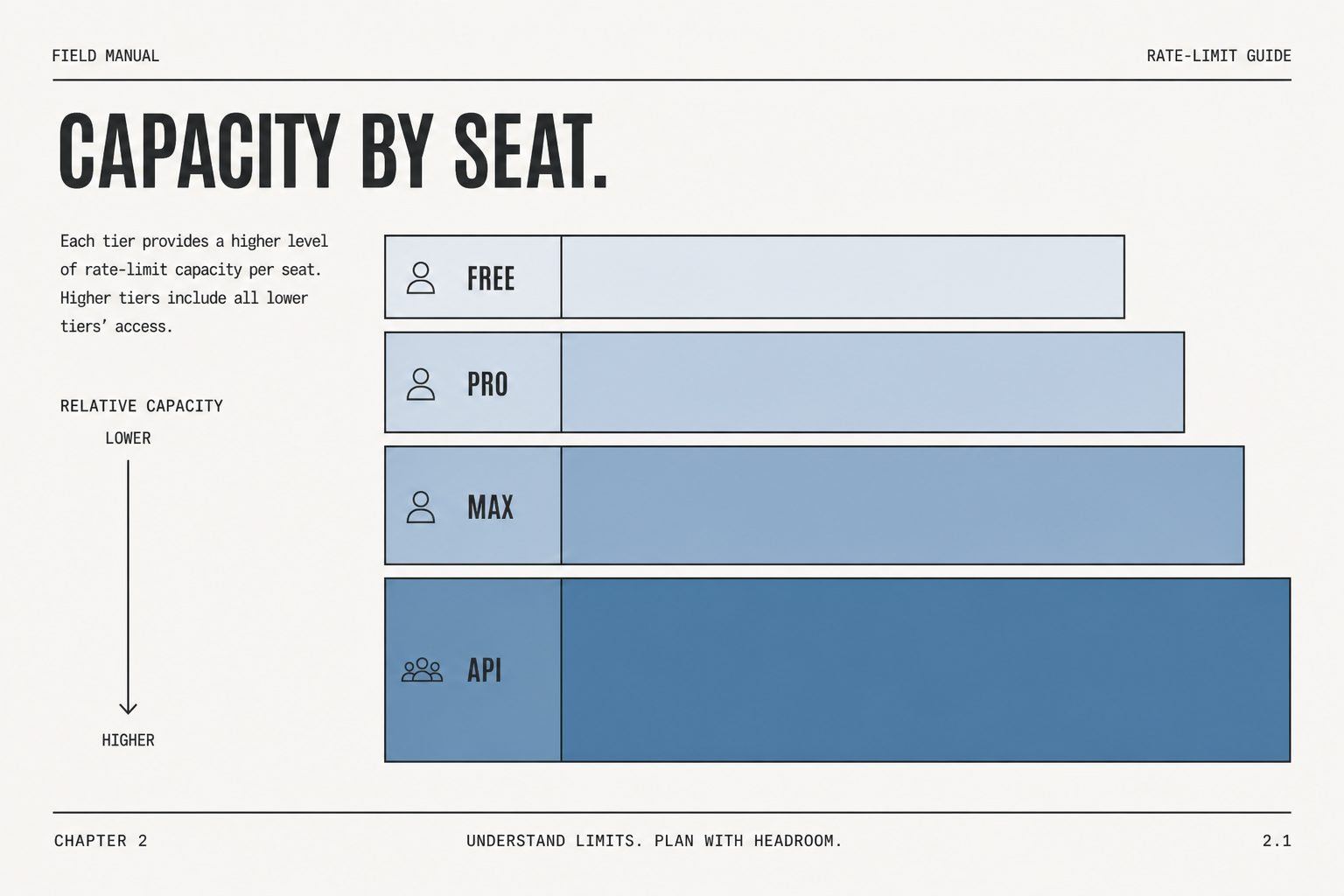
Direct Answer (August 2026): Claude rate limits scale by plan: Free users get dynamic session limits (~5-10 messages); Pro ($20/mo) provides roughly 5x capacity (~45 messages per 5-hour rolling window); Max ($100–$200/mo) offers extended quotas for Claude Code. API rate limits operate on rolling token buckets from Tier 1 (50 RPM) to Tier 4 (4,000 RPM), with cached tokens exempt from input rate caps.
Claude AI · Fitted Claude
Claude rate limits are the single most complained-about aspect of the product. A viral Reddit post on the topic received over 1,060 upvotes. This guide explains what the limits are at every plan tier, why they exist, and every community-tested strategy for getting more out of your plan before hitting the wall.
1. Anthropic API Usage Tier Qualifications & Thresholds
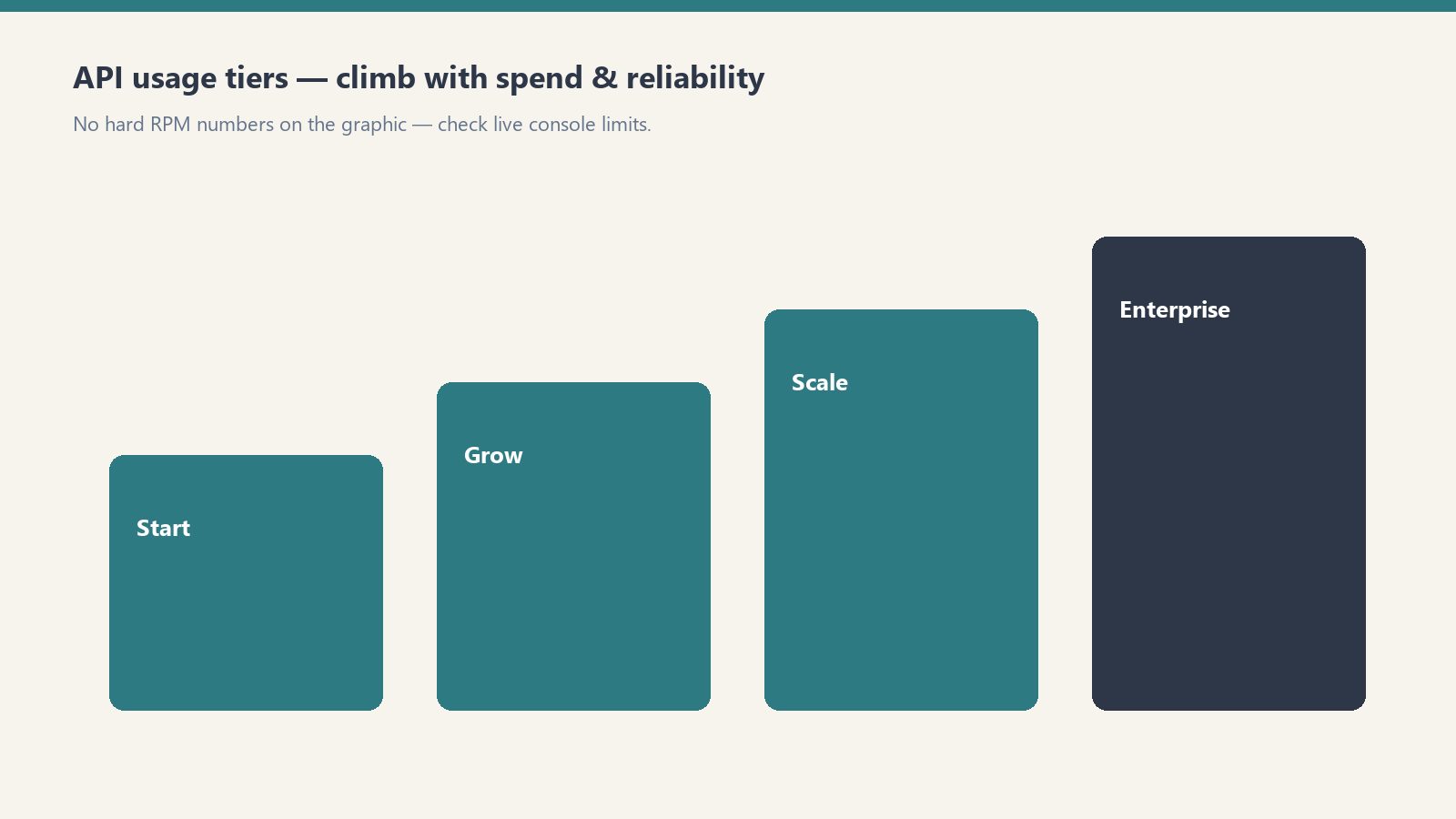
Tiers climb with spend and reliability — confirm live console limits.
Your API account’s rate limits are determined automatically based on your cumulative payment deposit and account standing in the Anthropic Console:
Usage Tier
Deposit Requirement
Credit Expiration / Waiting Period
Primary Purpose
Tier 1
$5 initial deposit
Instant activation upon card verification
Prototyping, local CLI tools, script development
Tier 2
$40 cumulative spend + 7 days standing
Automatic upgrade upon threshold
Small internal team tools, staging environments
Tier 3
$200 cumulative spend + 7 days standing
Automatic upgrade upon threshold
Production web applications, customer-facing agents
2. Requests Per Minute (RPM) and Tokens Per Minute (TPM) by Model
RPM/TPM differ by model — shapes matter more than memorized tables.
Rate limits apply independently across model families. High-intelligence models (Opus) have tighter token concurrency caps than lightweight models (Haiku):
Lineup currency (Sept 2026): Current API list (Sept 2026, verified): Sonnet 5 $2/$10, Opus 5.5 $4/$20, Haiku 4.5 $1/$5, Fable 5.1 $10/$50. Legacy (still listed on Anthropic’s card): Opus 4.8 $5/$25, Sonnet 4.6 $3/$15. Rows below that still name Opus 4.8 / Sonnet 4.6 / Fable 5 are legacy-or-prior availability figures — confirm live Anthropic limits before quoting TPM/RPM/context.
Model Name
Tier 1 (RPM / TPM)
Tier 2 (RPM / TPM)
Tier 3 (RPM / TPM)
Tier 4 (RPM / TPM)
Claude Haiku 4.5
50 RPM / 50,000 TPM
1,000 RPM / 100,000 TPM
2,000 RPM / 200,000 TPM
4,000 RPM / 400,000 TPM
Claude Sonnet 4.6
50 RPM / 40,000 TPM
1,000 RPM / 80,000 TPM
2,000 RPM / 160,000 TPM
4,000 RPM / 400,000 TPM
Claude Opus 4.8
50 RPM / 20,000 TPM
1,000 RPM / 40,000 TPM
2,000 RPM / 80,000 TPM
4,000 RPM / 200,000 TPM
3. Diagnosing and Handling HTTP 429 Rate Limit Errors
429 is a pause — backoff, then retry with smaller batches.
When your application exceeds either its Requests-Per-Minute or Tokens-Per-Minute cap, the Anthropic API responds with an HTTP 429 Too Many Requests error containing response headers detailing when capacity will reset:
retry-after: Number of seconds to wait before retrying.
anthropic-ratelimit-requests-remaining: Remaining requests available in the current 60-second window.
anthropic-ratelimit-tokens-remaining: Remaining token budget available in the current window.
anthropic-ratelimit-tokens-reset: ISO timestamp indicating when the token pool will fully refresh.
Production Rate Limit Mitigation Playbook
Exponential Backoff with Full Jitter: Never retry immediately in a tight loop. Implement an exponential backoff formula with randomized jitter to prevent thundering herd spikes on your backend.
Utilize Prompt Caching: Cached prefix tokens read from memory bypass standard token generation latency and dramatically streamline token processing windows. Read our full Claude AI Pricing and Token Rates Guide for complete caching cost structures.
Route Heavy Jobs to the Batch API: For bulk processing, offline report generation, and data extraction, use the Anthropic Messages Batch endpoint. Batch jobs run against separate capacity pools, avoiding live interactive rate caps while cutting token costs by 50%.
Why Rate Limits Exist
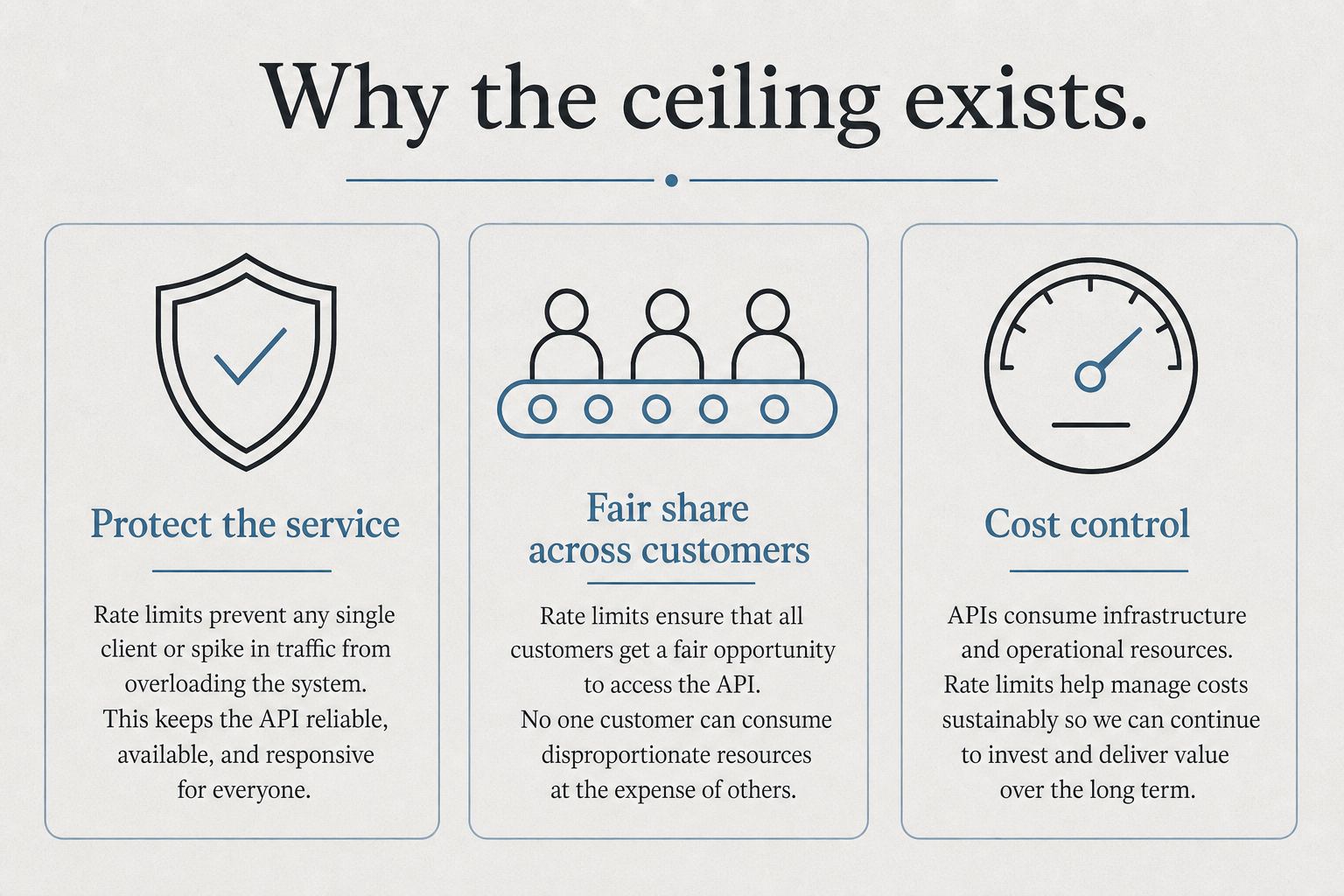
Claude’s rate limits are primarily about compute capacity, not money. Running Claude Opus 4.8 on complex tasks requires enormous GPU resources. Anthropic limits usage to ensure consistent performance for all users. The limits are enforced per rolling time window, not per calendar day.
Rate Limits by Plan
Free Plan
Access to Claude Sonnet 5 with limited daily usage. Heavy users hit limits after 5-10 substantive prompts. Anthropic adjusts dynamically based on system load.
Claude Pro ($20/month)
Roughly 5x the usage of free. Community consensus: approximately 12 heavy prompts per session before throttling. Light prompts run much longer before hitting limits.
Claude Max 5x ($100/month)
Approximately 5x Pro limit. Claude Code users get roughly 44,000-220,000 tokens per 5-hour window depending on model and task.
Claude Max 20x ($200/month)
20x the Pro limit. Introduced for developers running Claude Code for extended sessions and professionals processing large document volumes daily.
API Rate Limits (Tier 1–4)
API limits are measured in requests per minute (RPM), input tokens per minute (ITPM), and output tokens per minute (OTPM), enforced per model class at the organization level. Your usage tier advances automatically as your cumulative API credit purchases cross each threshold:
Usage tier
Credit purchase to advance
Monthly spend limit
Tier 1
$5
$500
Tier 2
$40
$500
Tier 3
$200
$1,000
Tier 4
$400
$200,000
Monthly Invoicing
—
No limit
Rate limits apply separately per model, so you can run different models up to their respective limits simultaneously. The Opus limit is a single combined pool across all Opus 4.x versions; the Sonnet limit is combined across all Sonnet 4.x versions.
Tier 1
Model
RPM
ITPM
OTPM
Claude Fable 5
50
100,000
20,000
Claude Opus 4.x
50
500,000
80,000
Claude Sonnet 4.x
50
30,000
8,000
Claude Haiku 4.5
50
50,000
10,000
Tier 2
Model
RPM
ITPM
OTPM
Claude Fable 5
1,000
500,000
100,000
Claude Opus 4.x
1,000
2,000,000
200,000
Claude Sonnet 4.x
1,000
450,000
90,000
Claude Haiku 4.5
1,000
450,000
90,000
Tier 3
Model
RPM
ITPM
OTPM
Claude Fable 5
2,000
1,500,000
300,000
Claude Opus 4.x
2,000
5,000,000
400,000
Claude Sonnet 4.x
2,000
800,000
160,000
Claude Haiku 4.5
2,000
1,000,000
200,000
Tier 4
Model
RPM
ITPM
OTPM
Claude Fable 5
4,000
4,000,000
800,000
Claude Opus 4.x
4,000
10,000,000
800,000
Claude Sonnet 4.x
4,000
2,000,000
400,000
Claude Haiku 4.5
4,000
4,000,000
800,000
Cache-aware ITPM: for current models, only uncached input tokens count toward your ITPM limit — cache_read_input_tokens do not. With an 80% cache-hit rate against a 2,000,000 ITPM limit you can effectively process ~10,000,000 total input tokens per minute, so prompt caching is the single best lever for raising effective throughput.
When you hit a limit, the API returns a 429 with a retry-after header (seconds to wait), plus anthropic-ratelimit-* headers showing remaining requests/tokens and reset times. Limits use a token-bucket algorithm — capacity replenishes continuously rather than resetting at a fixed clock time. The Message Batches API and Managed Agents endpoints have their own separate limits.
Community-Tested Workarounds
Use Projects with persistent system prompts — reduces token overhead per conversation
Use Sonnet for routine tasks, Opus 4.8 for complex ones, and Fable 5 for the most demanding work — don’t burn your limit budget on tasks Sonnet handles equally well
Batch related work into single long sessions — starting five conversations uses more overhead than one long one
Compress your inputs — extract only relevant sections from long documents before pasting
Use the API for high-volume predictable workflows — more limit-efficient than the consumer interface for automated tasks
Frequently Asked Questions
How many messages can I send on Claude Pro?
No published exact number — depends on message complexity. Community estimates suggest roughly 12 heavy messages per session before throttling begins on Pro.
Do Claude rate limits reset daily?
Rate limits use a rolling time window, not a fixed midnight reset.
The question isn’t whether Claude AI is good — it’s whether it’s worth paying for, at which tier, for your specific situation. This cost-benefit analysis breaks down what you actually get at each price point, calculates real cost-per-task, and gives a clear recommendation by user type.
What You’re Paying For
What you’re paying for.
Before running the numbers, it’s worth being clear about what Claude’s pricing tiers actually buy you. It’s not primarily about unlocking features — most features are available at every paid tier. It’s about usage capacity: how many messages you can send, how complex those messages can be, and whether you get access to the most powerful models.
Plan
Price
Model Access
Approx Heavy Messages/Day
Claude Code
Projects
Free
$0
Sonnet (limited)
5–10
No
No
Pro
$20/mo
Sonnet + Opus
~12 heavy / more light
No
Yes
Max 5x
$100/mo
Sonnet + Opus
~60 heavy
Yes
Yes
Max 20x
$200/mo
Sonnet + Opus
~240 heavy
Yes
Yes
Cost-Per-Task Analysis
Let’s calculate what Claude actually costs per completed task at each tier, assuming a “task” is a substantive prompt — analyzing a document, drafting a piece of content, debugging a function, or researching a question.
Claude Pro ($20/month): If you’re averaging 12 heavy tasks per day, that’s roughly 360 tasks per month. Cost per task: $0.055. About 5.5 cents per substantive AI-assisted task. For context, a VA hour runs $15–25. A freelance writer charges $50–200/hour. Claude Pro at 5.5 cents per task is extraordinarily cheap if those tasks displace professional time.
Claude Max 5x ($100/month): At ~60 heavy tasks/day, that’s 1,800 tasks/month. Cost per task: $0.056. Nearly identical per-task cost to Pro, but with 5x the volume. This is the value tier for power users.
Claude Max 20x ($200/month): At ~240 heavy tasks/day, that’s 7,200 tasks/month. Cost per task: $0.028. The most cost-efficient tier per task if you’re actually using that volume.
ROI by User Type
ROI by user type.
Freelance Writers and Content Creators
If Claude saves you 2 hours of writing per week at a $75/hour effective rate, that’s $150/week or $600/month in recovered time. Claude Pro at $20/month pays for itself if it saves you 16 minutes per week. Verdict: Clear yes at Pro.
Developers
Claude Code is only available at Max 5x ($100/month) or via API. If Claude helps you resolve bugs, write tests, or understand a codebase faster — saving even 30 minutes of developer time per week at $100+/hour — the Max subscription pays for itself in a single day. Verdict: Max 5x is the right tier, and it’s cheap relative to dev billing rates.
Researchers and Analysts
The 200K context window for document analysis is the value driver. If you regularly read and synthesize long reports, contracts, or research papers, Claude Pro’s Projects feature (which maintains context across sessions) is a genuine workflow upgrade. Verdict: Pro is likely sufficient; upgrade to Max if you’re processing documents daily.
Casual Users
If you use AI for occasional questions, quick edits, or curiosity, the free tier is genuinely usable. The rate limits only frustrate sustained professional use. Verdict: Start free. Upgrade when you hit limits consistently.
Small Business Owners
Marketing copy, client emails, policy documents, job descriptions, SOPs — Claude Pro handles all of this. If it saves you 3 hours per month at your effective hourly rate, it’s paid for. Verdict: Pro is almost certainly worth it.
When the Free Tier Is Enough
You need AI help a few times per week, not daily
Your tasks are typically short — quick edits, brief questions, simple summaries
You’re evaluating whether Claude fits your workflow before committing
You have another primary AI tool and want Claude as a secondary option
When to Upgrade and Which Tier
When to upgrade and which tier.
Hit rate limits on free → Go Pro ($20)
Hit rate limits on Pro regularly → Go Max 5x ($100)
Yes, Claude has a free tier with limited daily usage. Paid plans start at $20/month (Pro).
Is Claude worth it compared to ChatGPT?
At similar price points ($20/month), Claude and ChatGPT Plus are competitive. Claude generally wins on long documents and coding; ChatGPT wins on image generation and plugin ecosystem. Many professionals pay for both.
What does Claude Max include?
Claude Max ($100 or $200/month) includes higher usage limits, Claude Code access, extended thinking, and priority access during peak times.
Current flagship: Claude Opus 4.7 (claude-opus-4-7). Current models: Opus 4.7 · Sonnet 4.6 · Haiku 4.5. Claude Opus 4.7 (claude-opus-4-7) is the current flagship as of April 16, 2026. Where this article references Opus 4.6 or earlier models, those references are historical. See current model tracker →. See current model tracker →
Claude AI · Fitted Claude
Claude AI has become one of the most capable AI assistants available in 2026 — but it’s not perfect, and the official messaging undersells both its strengths and its real limitations. This review is based on sustained daily use across writing, coding, research, and analysis tasks. No affiliate relationship with Anthropic. Just what actually works and what doesn’t.
What Claude Does Better Than Almost Anything Else
What Claude does better than almost anything else.
Long-document analysis. Claude’s 200,000-token context window — roughly 150,000 words — is transformative for anyone who works with lengthy documents. Feed it an entire contract, research paper, financial report, or codebase and ask specific questions. The quality of synthesis is consistently better than competitors on complex, multi-page materials.
Writing quality. Claude’s prose is the least robotic of any major AI model. It avoids the generic constructions (“In today’s fast-paced world…”) that mark AI output as AI output. With proper context, it can match sophisticated writing styles and produce genuinely useful drafts that require minimal editing.
Coding. Opus 4.6 scores 80.8% on SWE-bench and 91.3% on GPQA Diamond — among the highest published scores of any model available. In practice, this translates to fewer hallucinated function names, better error diagnosis, and stronger multi-file reasoning than most alternatives.
Honesty about uncertainty. Claude is more likely than competitors to say “I’m not sure” or “this is my best guess” rather than confidently stating something incorrect. For research and analysis tasks, this matters enormously.
Real Benchmark Results
Real benchmark results.
Benchmark
Claude Opus 4.7
What It Measures
SWE-bench Verified
80.8%
Real-world GitHub issue resolution
GPQA Diamond
91.3%
PhD-level science reasoning
HumanEval
Top tier
Code generation correctness
MMLU
Top tier
Broad knowledge and reasoning
Honest Cost Breakdown
Plan
Price
Best For
Real Daily Usage
Free
$0
Occasional use
~5-10 messages before throttling
Pro
$20/mo
Regular professionals
~12 heavy prompts before rate limits
Max 5x
$100/mo
Power users, devs
~60 heavy prompts/day
Max 20x
$200/mo
Heavy daily use
~240 heavy prompts/day
The Rate Limit Problem (The Real Frustration)
This is the #1 complaint in every Claude user community and it’s legitimate. The Pro plan at $20/month throttles after roughly 12 “heavy” prompts — meaning prompts that require real computation, like complex analysis, long document reading, or code generation. You’ll hit the wall mid-session at the worst possible time.
A viral Reddit post about this received 1,060+ upvotes. The community consensus: the Pro plan is underspecced for its price point, and jumping to Max 5x ($100/month) is a significant price jump for something that should be a smooth tier progression.
Workarounds that help: using Projects with system prompts (reduces token overhead per conversation), preferring Sonnet over Opus for routine tasks (cheaper against limits), and batching related work into single longer sessions rather than many short ones.
What Claude Can’t Do
Generate images: Claude cannot create images. Midjourney, DALL-E, or Adobe Firefly for that.
Real-time web access: No live browsing by default on the consumer interface. Knowledge has a training cutoff.
Remember between sessions by default: Memory exists but requires setup. Fresh sessions start fresh.
Replace specialized tools: Claude is general-purpose. For SEO research, use dedicated tools. For legal filing, use legal software. Claude augments specialists — it doesn’t replace them.
Who Claude Is Worth It For
Strong yes: Writers, researchers, developers, lawyers, consultants, analysts, product managers, HR professionals — anyone whose work involves reading, reasoning, writing, or coding at length.
Consider alternatives: Users who primarily need image generation (ChatGPT/Midjourney), users who need deep Google Workspace integration (Gemini), or users running on a tight budget who won’t benefit from the Pro tier’s additional capacity.
Start free, upgrade when you hit limits. The free tier is genuinely usable for orientation. When you find yourself frustrated by rate limits — which you will, if Claude is useful to you — that’s the signal to upgrade to Pro. If you hit Pro limits regularly, Max 5x is worth the jump.
Final Verdict
Final verdict.
Claude is one of the two or three best general-purpose AI assistants available in 2026. Its writing quality, document reasoning, and coding performance are among the strongest in the field. The rate limiting on lower tiers is a genuine frustration that Anthropic should address. The pricing jump from Pro to Max is steep. But for the right user — anyone doing serious knowledge work — Claude at the Max tier is worth it. Claude Pro at $20/month is competitive with ChatGPT Plus but hits limits faster for heavy use.
Frequently Asked Questions
Is Claude AI better than ChatGPT in 2026?
For long-document analysis, coding, and nuanced writing: Claude holds a measurable advantage. For image generation, plugin ecosystem breadth, and Google Workspace integration: ChatGPT/Gemini are stronger. Most serious users use both.
Is Claude Pro worth $20 a month?
For regular professional use: yes, but with the caveat that the rate limits on Pro are tighter than they should be at this price point. Heavy users will want Max 5x ($100/month) within weeks.
Does Claude have a free plan?
Yes. The free tier gives limited daily access to Claude Sonnet 4.6. It’s useful for orientation but will frustrate anyone using Claude as a primary work tool.
Claude tool use (also called function calling) is the capability that transforms Claude from a conversational AI into an agentic system that can interact with external services, execute code, query databases, and take real-world actions. This guide covers how tool use works, the three execution modes, the built-in server tools, and practical implementation examples.
What Is Tool Use?
What tool use is.
Tool use lets you define functions that Claude can call during a conversation. When Claude determines that a tool would help answer a user’s request, it generates a tool call (specifying the tool name and arguments), your code executes the function, and the result is returned to Claude to continue the conversation.
Example flow: User asks “What’s the weather in Seattle?” → Claude calls your get_weather function with {"location": "Seattle"} → Your code calls a weather API → Returns data to Claude → Claude generates a natural language response incorporating the weather data.
Defining Tools
Defining tools.
tools = [
{
"name": "get_stock_price",
"description": "Get the current stock price for a given ticker symbol",
"input_schema": {
"type": "object",
"properties": {
"ticker": {
"type": "string",
"description": "The stock ticker symbol (e.g., AAPL, GOOGL)"
}
},
"required": ["ticker"]
}
}
]
response = client.messages.create(
model="claude-sonnet-4-6",
max_tokens=1024,
tools=tools,
messages=[{"role": "user", "content": "What's Apple's current stock price?"}]
)
The Three Execution Modes
The three execution modes.
1. Client-Side Execution
Your application receives the tool call, executes the function locally or via external APIs, and returns the result. This is the standard pattern — you control the execution environment and can call any service.
2. Server-Side Execution (Built-in Tools)
Anthropic provides built-in tools that Claude can execute server-side without your code doing anything:
web_search: Real-time web search
code_execution: Execute Python code in a sandbox
bash: Run shell commands
text_editor: Read and edit files (used in Claude Code)
3. Tool Runner SDK (Programmatic)
Anthropic’s Tool Runner SDK automates the tool call/execute/return loop, letting you build agentic workflows without writing the orchestration loop manually.
Handling Tool Results
# After receiving a tool_use block from Claude
if response.stop_reason == "tool_use":
tool_use = next(block for block in response.content if block.type == "tool_use")
tool_name = tool_use.name
tool_input = tool_use.input
# Execute your function
result = your_function(tool_input)
# Return result to Claude
follow_up = client.messages.create(
model="claude-sonnet-4-6",
max_tokens=1024,
tools=tools,
messages=[
{"role": "user", "content": "What's Apple's stock price?"},
{"role": "assistant", "content": response.content},
{"role": "user", "content": [{"type": "tool_result", "tool_use_id": tool_use.id, "content": str(result)}]}
]
)
Frequently Asked Questions
What is the difference between tool use and function calling?
They’re the same thing — Anthropic uses “tool use” as the preferred term, while “function calling” is the term OpenAI popularized. Both describe the same capability: letting an AI model invoke defined functions during a conversation.
How many tools can I define for Claude?
Claude supports up to several hundred tools in a single request, though performance is best with a focused set relevant to the task. Each tool definition consumes input tokens, so large tool sets have a cost impact.
Claude computer use is a capability that lets Claude control a computer — click buttons, type text, navigate browsers, run applications, and execute multi-step tasks as if it were a human operator. As of 2026, it’s one of the most powerful and underexplored capabilities in the Claude ecosystem. This tutorial covers what it is, how to set it up, what it’s actually useful for, and where it still falls short.
What Is Claude Computer Use?
What Claude Computer Use is.
Computer use is an API capability (not available in the standard Claude.ai interface) that lets Claude interact with a desktop environment via screenshots and tool calls. Claude sees the screen, decides what to click or type, executes that action, sees the updated screen, and continues — iterating until the task is complete.
This is different from a browser extension or web scraper. Claude is operating a real (or virtualized) computer environment the same way a human would — by looking at the screen and interacting with what it sees.
Current Benchmark Performance
On OSWorld — the leading benchmark for computer use agents — Claude currently scores around 22% task completion on the most complex tasks. ChatGPT’s computer use scores higher on this specific benchmark at approximately 75%. This gap is real and matters for production use cases requiring high reliability. For simpler, more structured tasks, Claude’s computer use performs considerably better.
Setting Up Claude Computer Use
Setting up Claude Computer Use.
Computer use requires API access. The basic setup:
Anthropic API key (API tier with computer use enabled)
A virtual machine or containerized desktop environment (Docker with a lightweight Linux desktop is the standard approach)
The Anthropic Python or TypeScript SDK
Anthropic provides a reference implementation with a Docker-based Ubuntu environment, a noVNC interface for monitoring, and starter code. This is the fastest path to a working computer use setup.
Best Current Use Cases
Web research and data extraction: Navigate websites, extract structured data, fill in forms — tasks that don’t have APIs
Repetitive desktop workflows: Tasks that require clicking through multiple application screens
Legacy software interaction: Applications without APIs where the only interface is visual
Key Limitations to Know
Key limitations to know.
Reliability: Computer use is significantly less reliable than direct API calls for the same tasks. Where an API returns structured data, computer use can misread a screen or click the wrong element
Speed: Screenshot-based interaction is slow compared to direct integration
Cost: Each screenshot and tool call consumes API tokens; complex tasks can be expensive
Sensitive actions: Never use computer use for high-stakes irreversible actions (sending emails, making purchases) without human-in-the-loop verification
Frequently Asked Questions
Is Claude computer use available in Claude.ai?
No. Computer use is an API capability available through the Anthropic API, not the standard Claude.ai web interface.
How does Claude computer use compare to ChatGPT’s?
On OSWorld benchmarks, ChatGPT’s computer use currently leads at approximately 75% vs Claude’s ~22%. For production use cases requiring high reliability, this gap matters. Both are improving rapidly.
Direct answer: Claude drafts and tightens professional email when you state who is reading, what they should do next, and the tone you need. Paste thread context, run a structured prompt, edit once, and send. For daily volume, keep voice rules and templates in a Claude Project on Pro ($20/month); heavy users can step up to Max tiers if session limits bite.
Claude AI · Fitted Claude
Email still eats the day for most restoration operators—adjuster threads, homeowner updates, subcontractor scheduling, internal handoffs. Claude is one of the highest-leverage places to use it: not because it replaces judgment, but because it removes the blank-page tax on messages you send all week. This page lists the email types that pay off, with prompts you can paste today. If you care how AI surfaces answers about your firm, pair good outbound email with how you show up in AI search—see our LLM visibility measurement notes and GEO case studies for what actually moves citations.
Output quality tracks the context you supply. Before you prompt, nail three inputs: (1) who receives this and what they are worried about, (2) the single action you want after they read, (3) the relationship—vendor, homeowner, carrier rep, crew lead. Spend thirty seconds there and you spend less time fixing adjectives later.
Restoration-specific add-on: Include job name or file number, current phase (mitigation, dry-out, rebuild), and who owns the next physical action. Generic “we’re working on it” emails create phone tag; one line of site truth prevents it.
Cold outreach emails
Short, specific beats polished and empty.
Write a cold email to [Name], [Title] at [Company]. They [one sentence of context]. I’m reaching out because [specific reason tied to their work]. I want them to [one call to action]. My credibility: [one sentence]. Tone: [direct / conversational / formal]. Under 100 words. Do not open with “I hope this finds you well.” Do not use “synergy.”
Meeting follow-up emails
Write a follow-up after a [meeting type] with [Name]. We discussed: [bullets]. Action items: [owner + task + date]. Next touchpoint: [date or TBD]. Tone: [professional / warm]. Under 150 words—decisions and dates only, no filler.
Difficult conversations and sensitive topics
Scope disputes, delay news, performance feedback—high stakes, easy to write the wrong tone. Claude helps you separate facts from emotion and land the message:
Help me email [Name] about [situation]. Core message: [what must be true after they read]. I want them to feel [heard / clear on consequences / informed on next steps]. I want them to do [action]. Be [direct / empathetic / professional] without being [harsh / vague / over-apologetic]. Draft two versions: one firmer, one softer.
Client and carrier communication templates
Build once in a Project, reuse all season.
Store repeating messages in a Claude Project so you are not re-explaining your voice every Monday:
Project kickoff and documentation request
Change order or scope revision intro
Schedule slip with revised milestone dates
Invoice and payment follow-up (polite → firm)
Referral partner or TPA introduction
Post-inspection recap to homeowner and adjuster
Internal announcements
Write an internal announcement about [topic]. Audience: [all staff / managers / field leads]. Key facts: [what, when, why it matters]. Tone: [transparent / enthusiastic / matter-of-fact]. Length: [short paragraph / memo]. Include: [FAQ bullets, links, contact for questions].
Inbox triage without autopilot
Claude does not replace your mail client. Paste a thread and ask for a summary, open questions directed at you, a draft reply, or what needs same-day action. That workflow is manual copy-paste unless you wire API automation yourself—same boundary as any external AI tool. Track whether your public content still earns mentions in AI answers with an AI citation monitoring rhythm so email quality and discoverability stay linked.
Frequently Asked Questions
How do I make Claude emails sound like me?
Paste 3–5 emails you’re proud of and tell Claude: “This is my writing style—match it in everything you draft for me.” Save that instruction in a Claude Project so it persists across chats.
What Claude plan fits daily email work?
The free tier is enough for occasional drafts. Claude Pro ($20/month) covers most operators who live in email—Projects hold your voice, templates, and standing context. If you burn through session limits, Anthropic’s Max plan adds higher usage tiers ($100 and $200/month).
Can Claude send email from my account?
Claude does not log into Gmail or Outlook for you. You draft in claude.ai (or Claude desktop), then paste into your mail client—or connect automation through your own tools and API workflows.
Should I paste full client threads into Claude?
Treat pasted email like any other sensitive text: strip account numbers, health details, or credentials you do not need for the draft. Use Projects with minimal context when possible, and follow your company’s policy on third-party AI tools.
Which Claude model should I use for email?
For most business email, Claude Sonnet balances speed and tone control on paid plans. Use Opus when the stakes are high—legal wording, executive escalation, or multi-party conflict—and you need an extra pass on nuance.
How do prompts change for restoration and field ops email?
Name the job file, who owes the next action, and whether the reader is a homeowner, adjuster, or subcontractor. Restoration email fails when it sounds generic; one line of site context usually fixes it.
Human Resources is one of the most document-heavy functions in any organization — and most HR documents are variations on established templates. Claude AI excels at this: generating professional, legally-aware (though not legally-binding) HR documents quickly, consistently, and at scale. This guide covers the core workflows where HR professionals are getting the most value from Claude in 2026.
Important Note on Legal Review
Important note on legal review.
Claude can draft HR documents, but any policies, employee agreements, or handbooks should be reviewed by qualified employment counsel before implementation. Labor law varies by state, country, and industry. Use Claude to accelerate drafting — not to replace legal review.
1. Job Description Writing
Job description writing.
Writing job descriptions is time-consuming and inconsistent when done ad hoc. Claude can generate complete, accurate, inclusive job descriptions in minutes:
Write a job description for a [Job Title] at a [company type/size] in [industry]. The role reports to [title]. Key responsibilities: [list 4-5 main duties]. Required qualifications: [must-haves]. Preferred qualifications: [nice-to-haves]. The role is [remote / hybrid / on-site]. Salary range: [$X – $Y]. Company culture is [2-3 descriptors]. Write in an inclusive tone, avoid gendered language, and include an EEO statement at the end.
Ask Claude to generate multiple versions — one more formal, one more culture-forward — and choose the best fit.
2. HR Policy Drafting
Claude can draft first versions of virtually any HR policy:
Remote work and flexible schedule policy
PTO, sick leave, and FMLA policy
Anti-harassment and anti-discrimination policy
Expense reimbursement policy
Social media use policy
Confidentiality and NDA policy
Performance improvement plan (PIP) templates
Prompt: “Draft a remote work policy for a [company size] company in [industry]. Key elements: eligibility criteria, equipment stipend, core hours expectations, home office requirements, data security requirements, and a process for requesting exceptions. Tone: professional but not overly legalistic.”
3. Employee Handbook Creation
Building a full employee handbook from scratch is a multi-week project. With Claude, you can have a complete draft in days. Work section by section:
Write the [section name] section of an employee handbook for a [company type]. Key points to cover: [list]. Tone: [approachable and human / formal and professional]. Length: approximately [X] words. Include subheadings for readability.
Build a Claude Project with your company’s mission, values, and existing policies — Claude will maintain consistency across all sections automatically.
4. Performance Review Templates
Claude generates review templates, self-assessment forms, and manager feedback frameworks:
Annual review forms with competency-based rating scales
90-day new hire assessment templates
360-degree feedback questionnaires
Manager effectiveness surveys
Goal-setting frameworks (OKR, SMART goals)
5. Onboarding Materials
Onboarding materials.
First-week onboarding experiences set the tone for employee retention. Claude can build:
30/60/90 day onboarding plans by role
Welcome emails from hiring managers and executives
FAQ documents for new hires
Role-specific training checklists
Team introduction templates
Frequently Asked Questions
Can Claude draft legally compliant HR policies?
Claude can produce well-structured, professional drafts, but it is not a lawyer and cannot guarantee legal compliance. All HR policies should be reviewed by qualified employment counsel before implementation.
What is the best Claude plan for HR teams?
Claude’s Team plan is ideal for HR teams, allowing shared Projects where company values, policies, and style guides can be stored centrally so every HR professional generates consistent output.
Want this for your workflow?
We set Claude up for teams in your industry — end-to-end, fully configured, documented, and ready to use.
Tygart Media has run Claude across 27+ client sites. We know what works and what wastes your time.

Product management is one of the most document-intensive roles in a technology company, and Claude AI has become an indispensable tool for PMs who want to move faster without sacrificing quality. This guide covers the specific workflows where Claude generates the most value: PRD writing, user story generation, competitive analysis, roadmap planning, and stakeholder communication.
1. Writing PRDs That Engineering Teams Actually Use
Writing PRDs that engineering teams actually use.
Product Requirement Documents (PRDs) are only useful if engineering reads them. Claude helps write PRDs that are clear, complete, and structured in a way that minimizes back-and-forth.
Write a PRD for [feature name]. Background: [1-2 sentences on why this feature matters]. Problem being solved: [specific user pain point with evidence if you have it]. Target users: [persona]. Proposed solution: [high-level description]. Success metrics: [what we’ll measure]. Out of scope: [what this specifically won’t do]. Open questions: [things engineering needs to decide]. Format: executive summary, problem statement, goals, user stories, requirements (must-have / nice-to-have / out of scope), success metrics, open questions.
2. User Story Generation
User story generation.
Claude generates complete user story suites from feature descriptions, including edge cases most PMs miss:
Generate a comprehensive set of user stories for [feature]. Include: happy path stories, error and edge case stories, admin/internal user stories, and accessibility considerations. Format each as: As a [user type], I want to [action], so that [benefit]. Also note acceptance criteria for each story.
3. Competitive Analysis
Paste competitor feature pages, product blogs, or release notes into Claude for rapid synthesis:
Compare feature sets across competitors in a structured table
Identify positioning gaps your product can own
Summarize competitor pricing strategies
Extract customer complaints from review sites you paste in
4. Roadmap Planning and Prioritization
Roadmap planning and prioritization.
Claude can help apply prioritization frameworks to your backlog:
Here is our current feature backlog: [paste list]. Apply a RICE scoring framework (Reach, Impact, Confidence, Effort) to each item. Make assumptions where needed and note them. Then rank by RICE score and identify the top 5 features for our next quarter.
5. Stakeholder Communication
The PM role requires translating technical complexity to executives and business context to engineers. Claude handles both:
Executive summaries: “Rewrite this technical spec as a 1-page executive briefing for a non-technical VP”
Engineering handoffs: “Add technical context and API considerations to this PRD section”
Roadmap slides: “Write the narrative for each slide of our Q3 roadmap presentation, connecting each initiative to our company OKRs: [paste OKRs]”
Launch comms: “Write an internal launch announcement for [feature] that explains what it does, who it helps, and how to use it”
What is the best Claude plan for product managers?
Claude Pro ($20/month) with Projects is the sweet spot. Create a Project with your company’s product context, OKRs, and writing style guide — Claude will use that context automatically in every PM document you generate.
Can Claude read user research or interview transcripts?
Yes. Claude’s 200K-token context window can handle lengthy user interview transcripts, survey results, or NPS feedback dumps. Ask it to identify themes, extract pain points, or generate insight summaries.