Current flagship: Claude Opus 4.7 (claude-opus-4-7). Current models: Opus 4.7 · Sonnet 4.6 · Haiku 4.5. Claude Opus 4.7 (claude-opus-4-7) is the current flagship as of April 16, 2026. Where this article references Opus 4.6 or earlier models, those references are historical. See current model tracker →. See current model tracker →
Claude AI · Fitted Claude
Updated April 2026: Claude Sonnet 4.6 and Opus 4.6 now support a 1 million token context window at standard pricing. Haiku 4.5 supports 200,000 tokens. The information below has been updated to reflect current specs.
Claude’s context window is one of its most practically important technical specifications — and one of the least well understood. This guide explains tokens and context windows, how Claude’s compare to competitors, and strategies for working effectively within context limits.
What Is a Context Window?
A context window is the total amount of text a model can process in a single session — everything it can “see” and reason about at once. Context is measured in tokens. As a practical rule: 1,000 tokens ≈ 750 words.
Claude’s Context Windows
Access Method
Context Window
Approx. Words
Standard Claude (all plans)
1,000,000 tokens (Sonnet/Opus), 200,000 (Haiku)
~750,000 words (Sonnet/Opus)
Enterprise Claude
500,000 tokens
~375,000 words
Claude Code
1,000,000 tokens
~750,000 words
What Fits in 200K Tokens?
A full-length novel (~100,000 words)
100-200 typical business emails
10-15 long research papers
An entire small codebase (5,000-10,000 lines)
A year’s worth of meeting notes from a small team
PDF and Document Token Costs
PDFs: 1,500-3,000 tokens per page
Plain text: ~1 token per 4 characters
Images: 1,000-4,000 tokens per image
Code files: 500-2,000 tokens per file
Strategies for Long Contexts
Extract before uploading: Only upload relevant PDF sections, not full documents
Use Projects for reference material: Store knowledge base docs in Projects rather than re-uploading every session
Auto compaction (Claude Code beta): When coding sessions approach limits, Claude automatically summarizes history to continue
Frequently Asked Questions
How many pages can Claude read at once?
With 200K tokens and ~1,500-3,000 tokens per PDF page, roughly 65-130 pages while leaving room for conversation.
Does Claude forget things in long conversations?
Not within the context window. In very long conversations approaching the limit, older content may be truncated.
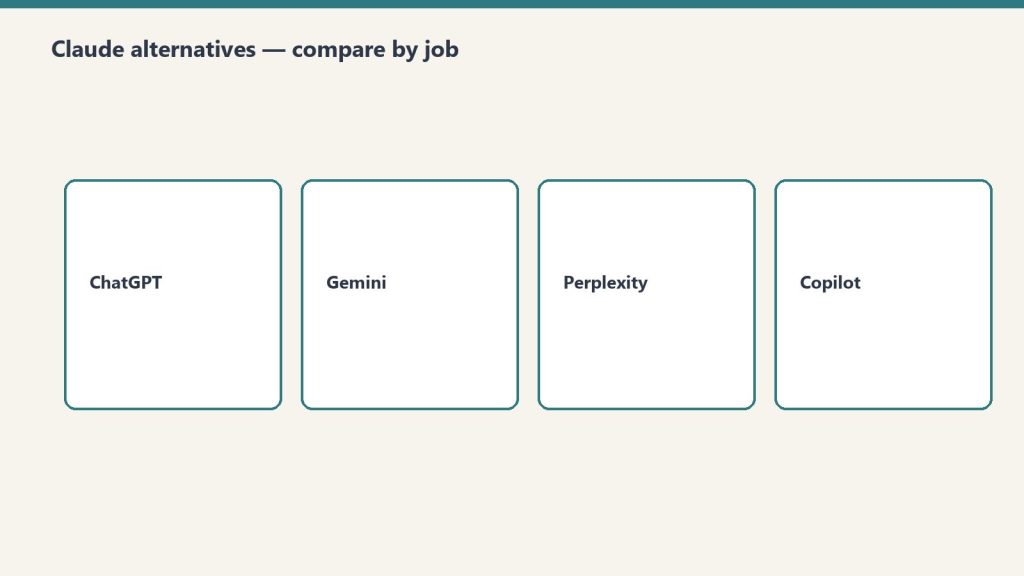
Claude is one of the best AI assistants available — but it’s not the right tool for every job. It can’t generate images, doesn’t have default real-time web access, and lacks deep Google Workspace integration. Here are the 10 best Claude alternatives, each matched to where it genuinely wins.
1. ChatGPT — Best All-Around Alternative
Use when: You need image generation (DALL-E), broader plugin ecosystem, or voice mode. Price: Free / $20/month Plus / $200/month Pro.
2. Perplexity — Best for Real-Time Research
Use when: You need current information with source citations. Searches the live web in real time. Price: Free / $20/month Pro.
3. Gemini — Best for Google Workspace
Use when: You live in Gmail, Docs, Sheets, or Drive. Native integration across all Google Workspace apps. Price: Free / $20/month Advanced.
4. Midjourney — Best for AI Image Generation
Use when: You need high-quality AI-generated images. Claude cannot generate images at all. Price: $10-120/month.
5. GitHub Copilot — Best IDE-Native Coding
Use when: You want AI coding assistance embedded in VS Code or JetBrains with persistent autocomplete. Price: $10/month individual.
6. Otter.ai — Best for Audio Transcription
Use when: You need to transcribe meetings or audio files. Claude cannot process audio directly. Price: Free / from $10/month.
7. Jasper — Best for Marketing Content at Volume
Use when: You’re a marketing team producing high volumes of structured content with brand voice memory and SurferSEO integration. Price: From $49/month.
8. Microsoft Copilot — Best for Office 365
Use when: Your work lives in Word, Excel, PowerPoint, Teams, and Outlook. Native M365 suite integration. Price: $30/user/month.
9. Notion AI — Best for Workspace-Embedded Writing
Use when: You want AI assistance directly inside Notion — summarizing pages, drafting within documents, auto-filling databases. Price: $8-10/month add-on.
10. DeepSeek — Best for Cost-Sensitive API Use
Use when: Building API applications where per-token cost is the primary constraint and you’re not handling sensitive data. DeepSeek API is 10-20x cheaper. Note data sovereignty considerations. Price: Free consumer / very cheap API.
Frequently Asked Questions
What is the best free alternative to Claude AI?
Gemini has the most generous free tier with capable model access. Perplexity free includes limited Pro searches. ChatGPT free uses GPT-4o-mini.
Extended thinking is Claude’s most powerful reasoning mode — and the one most people never use correctly. This guide explains what extended thinking does, when it genuinely improves outputs, how to enable it, and when you’re better off with a standard prompt.
What Is Extended Thinking?
Extended thinking gives Claude a dedicated reasoning phase before generating its final response. Claude works through a problem on “scratch paper” before writing its answer — exploring multiple approaches, identifying errors in its own reasoning, and building a more deliberate chain of thought. In Claude 4.6 models, this is called adaptive extended thinking — Claude dynamically adjusts how much thinking it does based on problem complexity.
When Extended Thinking Genuinely Helps
Complex math and logic problems requiring step-by-step reasoning
Multi-step coding tasks with many interdependent components
Strategic analysis requiring weighing many variables
Difficult research synthesis where accuracy matters most
Any task where “think step by step” would help — extended thinking does this automatically
When Extended Thinking Is Overkill
Simple factual questions with clear answers
Routine writing tasks (emails, summaries, short copy)
Format conversion or data transformation
Tasks where speed matters more than depth
How to Enable Extended Thinking
In Claude.ai: Look for the thinking toggle before sending your message. Available on Max tiers and higher.
Via API: Pass "thinking": {"type": "enabled", "budget_tokens": 10000} in your request. Higher budget_tokens allows more thorough reasoning but increases latency and cost.
What You See During Extended Thinking
Claude shows a collapsed “thinking” section before its response. Expand it to see the reasoning chain — useful for verifying logic or understanding how Claude approached a problem. The thinking section is exploratory and may contain dead ends; this is normal.
Frequently Asked Questions
Does extended thinking always give better answers?
No. It improves accuracy on complex reasoning tasks but adds latency. For simple tasks, standard mode is faster and just as accurate.
Claude’s memory feature changes the product from a stateless chatbot into something that actually knows you. Without memory, Claude starts from zero every conversation. With memory configured, Claude builds a growing knowledge base about you that it draws on automatically. This guide explains how it works and how to get the most from it.
How Claude Memory Works
Claude’s memory is an auto-synthesized knowledge base. Approximately every 24 hours, the system reviews recent conversations and extracts facts, preferences, and patterns worth remembering — then stores those as structured memory entries. Memory is separate for Projects vs. standalone conversations — each Project has its own memory space.
What Claude Can Remember
Your name, role, and professional context
Preferred communication style and tone
Ongoing projects and their context
Tools, frameworks, and workflows you use
Output format preferences
Things you’ve asked Claude not to do
How to Configure Memory
In Claude.ai, go to Settings → Memory. You’ll see auto-generated memory entries. You can review, edit, delete, or manually add memories. You can also instruct Claude directly: “Remember that I prefer bullet points” or “Don’t forget my target audience is non-technical executives.”
Memory vs. Project Instructions
Project instructions are static — written once, apply to every conversation. Memory is dynamic — evolves as Claude learns. Use Project instructions for consistent role context. Use memory for personal preferences and evolving project context.
CLAUDE.md for Claude Code
For Claude Code, place a CLAUDE.md file in your project root. Claude Code reads it at the start of every coding session. Use it for: project architecture, coding standards, common patterns, known issues. This is the most powerful memory tool for developers.
Frequently Asked Questions
Does Claude remember everything I say?
No. Memory synthesizes and stores key facts and preferences, not verbatim conversation logs. It’s selective — designed to capture what’s useful.
Can I delete Claude’s memories about me?
Yes. Go to Settings → Memory in Claude.ai to view and delete any memory entries.
The most common question new Claude users ask: can Claude generate images? The direct answer is no — Claude cannot create images from text prompts. But Claude’s actual image-related capabilities are extensive and genuinely useful. This guide covers everything Claude can and cannot do with images.
What Claude Cannot Do: Image Generation
Claude is a text-based AI model. It cannot generate, create, or render images of any kind. Use these tools instead: Midjourney (best quality artistic/photorealistic), DALL-E 3 (via ChatGPT), Adobe Firefly (strong for commercial use), Stable Diffusion (open-source, runs locally), or Imagen (via Gemini).
What Claude CAN Do With Images
Image Analysis and Description
Upload any image and Claude analyzes it in detail — describing content, identifying objects, reading text, interpreting charts, and answering specific questions about visual content.
Text Extraction from Images
Upload a photo of a document, whiteboard, or screen and Claude extracts and transcribes the text — including handwriting, unusual fonts, and partial visibility.
Chart and Data Interpretation
Upload a chart or visualization and Claude interprets the data, identifies trends, extracts specific values, and explains what the visualization shows.
SVG Generation
Claude generates SVG graphics — scalable vector graphics written as code that render as visual output. Useful for diagrams, icons, and simple visualizations. This is code-based, not AI image generation.
Image Generation Prompts
Claude writes excellent prompts for image generation tools. Describe what you want and ask for “a detailed Midjourney prompt” — Claude understands the syntax and conventions of major image tools.
Frequently Asked Questions
Can Claude make images?
No. Claude cannot generate images. Use Midjourney, DALL-E, Adobe Firefly, or Stable Diffusion.
Can Claude read or analyze images I upload?
Yes. Claude analyzes photos, screenshots, documents, and charts on all Claude plans.
Claude rate limits are the single most complained-about aspect of the product. A viral Reddit post on the topic received over 1,060 upvotes. This guide explains what the limits are at every plan tier, why they exist, and every community-tested strategy for getting more out of your plan before hitting the wall.
Why Rate Limits Exist
Claude’s rate limits are primarily about compute capacity, not money. Running Claude Opus 4.7 on complex tasks requires enormous GPU resources. Anthropic limits usage to ensure consistent performance for all users. The limits are enforced per rolling time window, not per calendar day.
Rate Limits by Plan
Free Plan
Access to Claude Sonnet 4.6 with limited daily usage. Heavy users hit limits after 5-10 substantive prompts. Anthropic adjusts dynamically based on system load.
Claude Pro ($20/month)
Roughly 5x the usage of free. Community consensus: approximately 12 heavy prompts per session before throttling. Light prompts run much longer before hitting limits.
Claude Max 5x ($100/month)
Approximately 5x Pro limit. Claude Code users get roughly 44,000-220,000 tokens per 5-hour window depending on model and task.
Claude Max 20x ($200/month)
20x the Pro limit. Introduced for developers running Claude Code for extended sessions and professionals processing large document volumes daily.
API Rate Limits
API limits measured in RPM (requests per minute), ITPM (input tokens per minute), and OTPM (output tokens per minute). These vary by usage tier (Tier 1-4) determined by account API spend history.
Community-Tested Workarounds
Use Projects with persistent system prompts — reduces token overhead per conversation
Use Sonnet for routine tasks, Opus for complex ones — don’t burn your limit budget on tasks Sonnet handles equally well
Batch related work into single long sessions — starting five conversations uses more overhead than one long one
Compress your inputs — extract only relevant sections from long documents before pasting
Use the API for high-volume predictable workflows — more limit-efficient than the consumer interface for automated tasks
Frequently Asked Questions
How many messages can I send on Claude Pro?
No published exact number — depends on message complexity. Community estimates suggest roughly 12 heavy messages per session before throttling begins on Pro.
Do Claude rate limits reset daily?
Rate limits use a rolling time window, not a fixed midnight reset.
The question isn’t whether Claude AI is good — it’s whether it’s worth paying for, at which tier, for your specific situation. This cost-benefit analysis breaks down what you actually get at each price point, calculates real cost-per-task, and gives a clear recommendation by user type.
What You’re Paying For
Before running the numbers, it’s worth being clear about what Claude’s pricing tiers actually buy you. It’s not primarily about unlocking features — most features are available at every paid tier. It’s about usage capacity: how many messages you can send, how complex those messages can be, and whether you get access to the most powerful models.
Plan
Price
Model Access
Approx Heavy Messages/Day
Claude Code
Projects
Free
$0
Sonnet (limited)
5–10
No
No
Pro
$20/mo
Sonnet + Opus
~12 heavy / more light
No
Yes
Max 5x
$100/mo
Sonnet + Opus
~60 heavy
Yes
Yes
Max 20x
$200/mo
Sonnet + Opus
~240 heavy
Yes
Yes
Cost-Per-Task Analysis
Let’s calculate what Claude actually costs per completed task at each tier, assuming a “task” is a substantive prompt — analyzing a document, drafting a piece of content, debugging a function, or researching a question.
Claude Pro ($20/month): If you’re averaging 12 heavy tasks per day, that’s roughly 360 tasks per month. Cost per task: $0.055. About 5.5 cents per substantive AI-assisted task. For context, a VA hour runs $15–25. A freelance writer charges $50–200/hour. Claude Pro at 5.5 cents per task is extraordinarily cheap if those tasks displace professional time.
Claude Max 5x ($100/month): At ~60 heavy tasks/day, that’s 1,800 tasks/month. Cost per task: $0.056. Nearly identical per-task cost to Pro, but with 5x the volume. This is the value tier for power users.
Claude Max 20x ($200/month): At ~240 heavy tasks/day, that’s 7,200 tasks/month. Cost per task: $0.028. The most cost-efficient tier per task if you’re actually using that volume.
ROI by User Type
Freelance Writers and Content Creators
If Claude saves you 2 hours of writing per week at a $75/hour effective rate, that’s $150/week or $600/month in recovered time. Claude Pro at $20/month pays for itself if it saves you 16 minutes per week. Verdict: Clear yes at Pro.
Developers
Claude Code is only available at Max 5x ($100/month) or via API. If Claude helps you resolve bugs, write tests, or understand a codebase faster — saving even 30 minutes of developer time per week at $100+/hour — the Max subscription pays for itself in a single day. Verdict: Max 5x is the right tier, and it’s cheap relative to dev billing rates.
Researchers and Analysts
The 200K context window for document analysis is the value driver. If you regularly read and synthesize long reports, contracts, or research papers, Claude Pro’s Projects feature (which maintains context across sessions) is a genuine workflow upgrade. Verdict: Pro is likely sufficient; upgrade to Max if you’re processing documents daily.
Casual Users
If you use AI for occasional questions, quick edits, or curiosity, the free tier is genuinely usable. The rate limits only frustrate sustained professional use. Verdict: Start free. Upgrade when you hit limits consistently.
Small Business Owners
Marketing copy, client emails, policy documents, job descriptions, SOPs — Claude Pro handles all of this. If it saves you 3 hours per month at your effective hourly rate, it’s paid for. Verdict: Pro is almost certainly worth it.
When the Free Tier Is Enough
You need AI help a few times per week, not daily
Your tasks are typically short — quick edits, brief questions, simple summaries
You’re evaluating whether Claude fits your workflow before committing
You have another primary AI tool and want Claude as a secondary option
When to Upgrade and Which Tier
Hit rate limits on free → Go Pro ($20)
Hit rate limits on Pro regularly → Go Max 5x ($100)
Need Claude Code → Max 5x minimum
Using Claude 8+ hours daily → Max 20x ($200)
Frequently Asked Questions
Is Claude AI free?
Yes, Claude has a free tier with limited daily usage. Paid plans start at $20/month (Pro).
Is Claude worth it compared to ChatGPT?
At similar price points ($20/month), Claude and ChatGPT Plus are competitive. Claude generally wins on long documents and coding; ChatGPT wins on image generation and plugin ecosystem. Many professionals pay for both.
What does Claude Max include?
Claude Max ($100 or $200/month) includes higher usage limits, Claude Code access, extended thinking, and priority access during peak times.
Current flagship: Claude Opus 4.7 (claude-opus-4-7). Current models: Opus 4.7 · Sonnet 4.6 · Haiku 4.5. Claude Opus 4.7 (claude-opus-4-7) is the current flagship as of April 16, 2026. Where this article references Opus 4.6 or earlier models, those references are historical. See current model tracker →. See current model tracker →
Claude AI · Fitted Claude
Claude AI has become one of the most capable AI assistants available in 2026 — but it’s not perfect, and the official messaging undersells both its strengths and its real limitations. This review is based on sustained daily use across writing, coding, research, and analysis tasks. No affiliate relationship with Anthropic. Just what actually works and what doesn’t.
What Claude Does Better Than Almost Anything Else
Long-document analysis. Claude’s 200,000-token context window — roughly 150,000 words — is transformative for anyone who works with lengthy documents. Feed it an entire contract, research paper, financial report, or codebase and ask specific questions. The quality of synthesis is consistently better than competitors on complex, multi-page materials.
Writing quality. Claude’s prose is the least robotic of any major AI model. It avoids the generic constructions (“In today’s fast-paced world…”) that mark AI output as AI output. With proper context, it can match sophisticated writing styles and produce genuinely useful drafts that require minimal editing.
Coding. Opus 4.6 scores 80.8% on SWE-bench and 91.3% on GPQA Diamond — among the highest published scores of any model available. In practice, this translates to fewer hallucinated function names, better error diagnosis, and stronger multi-file reasoning than most alternatives.
Honesty about uncertainty. Claude is more likely than competitors to say “I’m not sure” or “this is my best guess” rather than confidently stating something incorrect. For research and analysis tasks, this matters enormously.
Real Benchmark Results
Benchmark
Claude Opus 4.7
What It Measures
SWE-bench Verified
80.8%
Real-world GitHub issue resolution
GPQA Diamond
91.3%
PhD-level science reasoning
HumanEval
Top tier
Code generation correctness
MMLU
Top tier
Broad knowledge and reasoning
Honest Cost Breakdown
Plan
Price
Best For
Real Daily Usage
Free
$0
Occasional use
~5-10 messages before throttling
Pro
$20/mo
Regular professionals
~12 heavy prompts before rate limits
Max 5x
$100/mo
Power users, devs
~60 heavy prompts/day
Max 20x
$200/mo
Heavy daily use
~240 heavy prompts/day
The Rate Limit Problem (The Real Frustration)
This is the #1 complaint in every Claude user community and it’s legitimate. The Pro plan at $20/month throttles after roughly 12 “heavy” prompts — meaning prompts that require real computation, like complex analysis, long document reading, or code generation. You’ll hit the wall mid-session at the worst possible time.
A viral Reddit post about this received 1,060+ upvotes. The community consensus: the Pro plan is underspecced for its price point, and jumping to Max 5x ($100/month) is a significant price jump for something that should be a smooth tier progression.
Workarounds that help: using Projects with system prompts (reduces token overhead per conversation), preferring Sonnet over Opus for routine tasks (cheaper against limits), and batching related work into single longer sessions rather than many short ones.
What Claude Can’t Do
Generate images: Claude cannot create images. Midjourney, DALL-E, or Adobe Firefly for that.
Real-time web access: No live browsing by default on the consumer interface. Knowledge has a training cutoff.
Remember between sessions by default: Memory exists but requires setup. Fresh sessions start fresh.
Replace specialized tools: Claude is general-purpose. For SEO research, use dedicated tools. For legal filing, use legal software. Claude augments specialists — it doesn’t replace them.
Who Claude Is Worth It For
Strong yes: Writers, researchers, developers, lawyers, consultants, analysts, product managers, HR professionals — anyone whose work involves reading, reasoning, writing, or coding at length.
Consider alternatives: Users who primarily need image generation (ChatGPT/Midjourney), users who need deep Google Workspace integration (Gemini), or users running on a tight budget who won’t benefit from the Pro tier’s additional capacity.
Start free, upgrade when you hit limits. The free tier is genuinely usable for orientation. When you find yourself frustrated by rate limits — which you will, if Claude is useful to you — that’s the signal to upgrade to Pro. If you hit Pro limits regularly, Max 5x is worth the jump.
Final Verdict
Claude is one of the two or three best general-purpose AI assistants available in 2026. Its writing quality, document reasoning, and coding performance are among the strongest in the field. The rate limiting on lower tiers is a genuine frustration that Anthropic should address. The pricing jump from Pro to Max is steep. But for the right user — anyone doing serious knowledge work — Claude at the Max tier is worth it. Claude Pro at $20/month is competitive with ChatGPT Plus but hits limits faster for heavy use.
Frequently Asked Questions
Is Claude AI better than ChatGPT in 2026?
For long-document analysis, coding, and nuanced writing: Claude holds a measurable advantage. For image generation, plugin ecosystem breadth, and Google Workspace integration: ChatGPT/Gemini are stronger. Most serious users use both.
Is Claude Pro worth $20 a month?
For regular professional use: yes, but with the caveat that the rate limits on Pro are tighter than they should be at this price point. Heavy users will want Max 5x ($100/month) within weeks.
Does Claude have a free plan?
Yes. The free tier gives limited daily access to Claude Sonnet 4.6. It’s useful for orientation but will frustrate anyone using Claude as a primary work tool.
Claude tool use (also called function calling) is the capability that transforms Claude from a conversational AI into an agentic system that can interact with external services, execute code, query databases, and take real-world actions. This guide covers how tool use works, the three execution modes, the built-in server tools, and practical implementation examples.
What Is Tool Use?
Tool use lets you define functions that Claude can call during a conversation. When Claude determines that a tool would help answer a user’s request, it generates a tool call (specifying the tool name and arguments), your code executes the function, and the result is returned to Claude to continue the conversation.
Example flow: User asks “What’s the weather in Seattle?” → Claude calls your get_weather function with {"location": "Seattle"} → Your code calls a weather API → Returns data to Claude → Claude generates a natural language response incorporating the weather data.
Defining Tools
tools = [
{
"name": "get_stock_price",
"description": "Get the current stock price for a given ticker symbol",
"input_schema": {
"type": "object",
"properties": {
"ticker": {
"type": "string",
"description": "The stock ticker symbol (e.g., AAPL, GOOGL)"
}
},
"required": ["ticker"]
}
}
]
response = client.messages.create(
model="claude-sonnet-4-6",
max_tokens=1024,
tools=tools,
messages=[{"role": "user", "content": "What's Apple's current stock price?"}]
)
The Three Execution Modes
1. Client-Side Execution
Your application receives the tool call, executes the function locally or via external APIs, and returns the result. This is the standard pattern — you control the execution environment and can call any service.
2. Server-Side Execution (Built-in Tools)
Anthropic provides built-in tools that Claude can execute server-side without your code doing anything:
web_search: Real-time web search
code_execution: Execute Python code in a sandbox
bash: Run shell commands
text_editor: Read and edit files (used in Claude Code)
3. Tool Runner SDK (Programmatic)
Anthropic’s Tool Runner SDK automates the tool call/execute/return loop, letting you build agentic workflows without writing the orchestration loop manually.
Handling Tool Results
# After receiving a tool_use block from Claude
if response.stop_reason == "tool_use":
tool_use = next(block for block in response.content if block.type == "tool_use")
tool_name = tool_use.name
tool_input = tool_use.input
# Execute your function
result = your_function(tool_input)
# Return result to Claude
follow_up = client.messages.create(
model="claude-sonnet-4-6",
max_tokens=1024,
tools=tools,
messages=[
{"role": "user", "content": "What's Apple's stock price?"},
{"role": "assistant", "content": response.content},
{"role": "user", "content": [{"type": "tool_result", "tool_use_id": tool_use.id, "content": str(result)}]}
]
)
Frequently Asked Questions
What is the difference between tool use and function calling?
They’re the same thing — Anthropic uses “tool use” as the preferred term, while “function calling” is the term OpenAI popularized. Both describe the same capability: letting an AI model invoke defined functions during a conversation.
How many tools can I define for Claude?
Claude supports up to several hundred tools in a single request, though performance is best with a focused set relevant to the task. Each tool definition consumes input tokens, so large tool sets have a cost impact.
Claude computer use is a capability that lets Claude control a computer — click buttons, type text, navigate browsers, run applications, and execute multi-step tasks as if it were a human operator. As of 2026, it’s one of the most powerful and underexplored capabilities in the Claude ecosystem. This tutorial covers what it is, how to set it up, what it’s actually useful for, and where it still falls short.
What Is Claude Computer Use?
Computer use is an API capability (not available in the standard Claude.ai interface) that lets Claude interact with a desktop environment via screenshots and tool calls. Claude sees the screen, decides what to click or type, executes that action, sees the updated screen, and continues — iterating until the task is complete.
This is different from a browser extension or web scraper. Claude is operating a real (or virtualized) computer environment the same way a human would — by looking at the screen and interacting with what it sees.
Current Benchmark Performance
On OSWorld — the leading benchmark for computer use agents — Claude currently scores around 22% task completion on the most complex tasks. ChatGPT’s computer use scores higher on this specific benchmark at approximately 75%. This gap is real and matters for production use cases requiring high reliability. For simpler, more structured tasks, Claude’s computer use performs considerably better.
Setting Up Claude Computer Use
Computer use requires API access. The basic setup:
Anthropic API key (API tier with computer use enabled)
A virtual machine or containerized desktop environment (Docker with a lightweight Linux desktop is the standard approach)
The Anthropic Python or TypeScript SDK
Anthropic provides a reference implementation with a Docker-based Ubuntu environment, a noVNC interface for monitoring, and starter code. This is the fastest path to a working computer use setup.
Best Current Use Cases
Web research and data extraction: Navigate websites, extract structured data, fill in forms — tasks that don’t have APIs
Repetitive desktop workflows: Tasks that require clicking through multiple application screens
Legacy software interaction: Applications without APIs where the only interface is visual
Key Limitations to Know
Reliability: Computer use is significantly less reliable than direct API calls for the same tasks. Where an API returns structured data, computer use can misread a screen or click the wrong element
Speed: Screenshot-based interaction is slow compared to direct integration
Cost: Each screenshot and tool call consumes API tokens; complex tasks can be expensive
Sensitive actions: Never use computer use for high-stakes irreversible actions (sending emails, making purchases) without human-in-the-loop verification
Frequently Asked Questions
Is Claude computer use available in Claude.ai?
No. Computer use is an API capability available through the Anthropic API, not the standard Claude.ai web interface.
How does Claude computer use compare to ChatGPT’s?
On OSWorld benchmarks, ChatGPT’s computer use currently leads at approximately 75% vs Claude’s ~22%. For production use cases requiring high reliability, this gap matters. Both are improving rapidly.