Garage Sale Gadgets · Episode 0
The series where cheap, forgotten hardware becomes somebody’s AI assistant. Your junk drawer is a fleet.
On October 3, a developer named David Ruiz posted a 19-second video that made Alexandr Wang swear. “no fucking way,” Wang quote-posted. “muse gadget on Nintendo 3DS.”
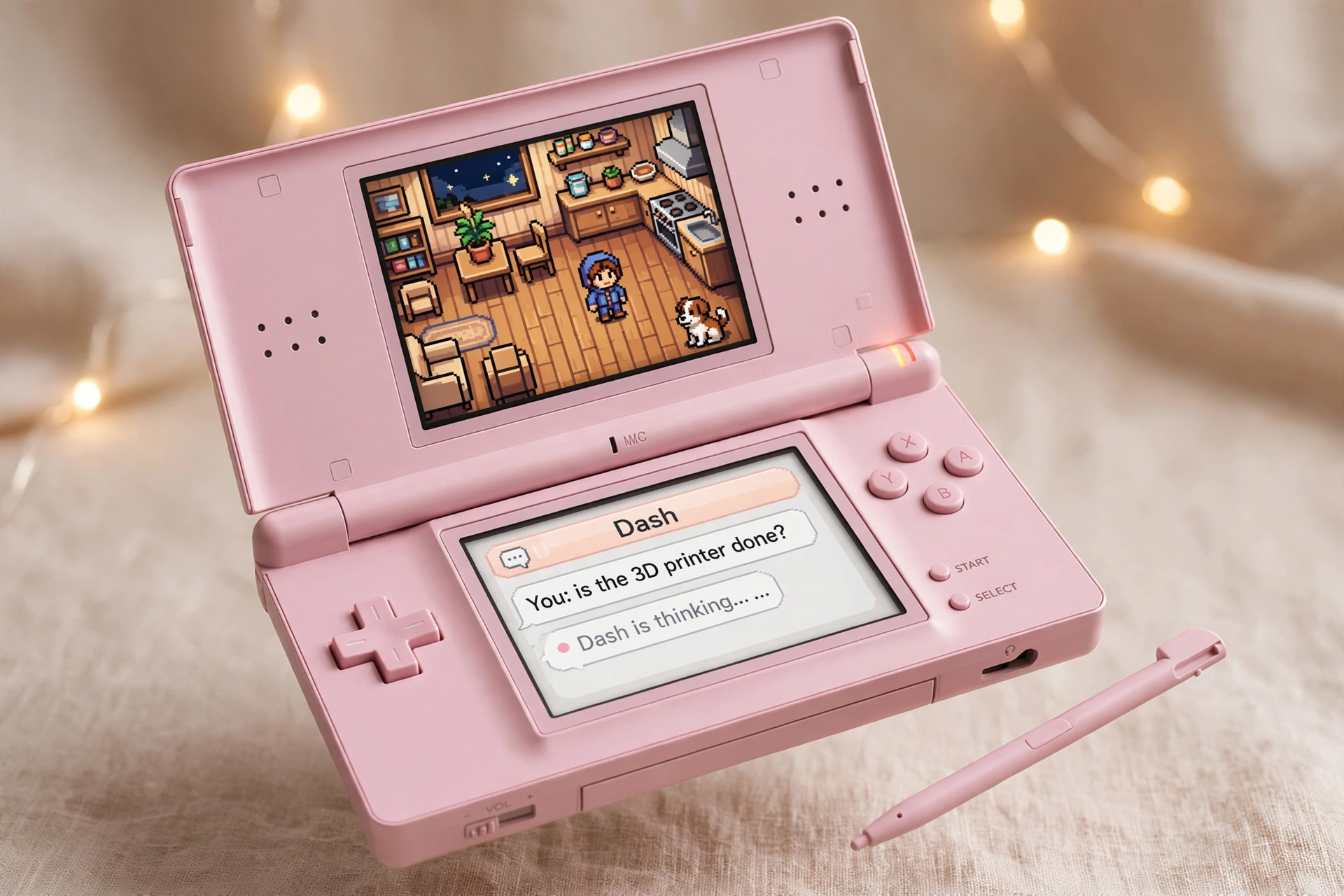
What Ruiz built: a homebrew game running on actual Nintendo 3DS hardware — a 2011 handheld — where you walk around a pixel-art version of your house and talk to an in-game assistant called Dash. In the clip, he asks Dash if the 3D printer is done. Dash thinks, then answers. The game isn’t pretending to control his smart home. It actually does.
Your first reaction might be that this is stupid. A game on a fifteen-year-old handheld to check a 3D printer? Fair. Mine was too, for about ten seconds.
Then the pattern lands, and it’s big: an AI agent, embodied in a game world, running on weak old hardware, acting on the real world. The demo is a toy. The pattern is a platform shift.
Chat won the first round. Worlds win the next one.
Every AI assistant you’ve ever used lives in a rectangle with a text box. That was the right interface for 2023. But watch what Ruiz did: he didn’t build a better chatbot. He put the assistant inside a world — a little room with wooden floors, a kitchen, a dog — and gave you a character to talk to instead of a prompt box.
The room in the game mirrors his real home. That’s the tell. The game world is a digital twin, and the assistant is its voice. You don’t open an app and navigate menus; you walk up to the little guy and ask.
If it runs on a 3DS, it runs on everything.
This is the part Wang reacted to, and it’s the most underrated part. The Nintendo 3DS is ancient, underpowered hardware. If a Muse gadget runs there, the hardware constraint is gone. That means:
- Every old tablet, e-ink frame, car dashboard, and kiosk becomes an agent surface. Your junk drawer is a fleet.
- Agents can run locally, on-device — faster, private, and still working when the internet dies.
- Nostalgia becomes an adoption cheat code. People will try AI on a 3DS who would never open a chatbot.
The crossovers nobody’s talking about yet.
Follow the pattern out and it stops looking like a gaming story:
- Digital twins you can walk through. A facility manager strolls a pixel version of their building, asks the assistant about the HVAC on floor three, and dispatches a real work order — all inside the game. The twin stops being a dashboard and becomes a place.
- NPCs that do real work. Game characters that aren’t scripted but genuinely useful — a shopkeeper that orders your groceries, a concierge that manages your calendar while you play.
- The Tamagotchi that runs your house. A gamified smart home for everyone intimidated by apps — kids, grandparents. You don’t configure automations; you talk to the little guy in the room.
- E-waste as a distribution channel. Millions of abandoned devices become agent terminals. The hardware’s already built and sitting in drawers.
- Gadgets as the app store for agents. “Muse gadget” is the tell in Wang’s post. The game is just a host. Any developer can build a gadget for any surface — and that marketplace is the real product.
The honest caveats.
The facts here are thin: one demo, one quote-post, no follow-up detail from Wang. This is analysis, not reporting — a forecast, labeled as one. The demo could stay a novelty. Platforms have died on cuter ideas.
But here’s the thing about platform shifts: they always start looking stupid. The first iPhone apps were fart apps. The first people to put a chatbot in a game room on a dead handheld are the ones who see where the puck is going.
The forecast.
Chat was the interface that taught the world to talk to machines. The next interface won’t be a better chat window — it’ll be a world you step into, with an assistant standing in it, ready to act on the real one. Ruiz just showed us the rough draft, running on a toy from 2011.
Someone’s going to build the polished version. The only question is who gets there first.
Field notes: the first hunt
Here’s the fun part: the hardware for this future is already sitting on Facebook Marketplace, priced like garbage. Our daily sweep turned up this morning’s haul:
- Nintendo 3DS XL — FREE, like new, Atlanta (listing)
- Nintendo 3DS XL — $1, good, North Lauderdale FL (listing)
- 3 “new” 3DS XLs — $1, like new, Hopewell Junction NY (listing)
- Pre-modded 3DS, 482 games — $20, like new, Miami (listing)
- 3 Fire tablets as a lot — $1, listed new, Littleton CO (listing)
- Raspberry Pi Pico 2 — FREE, like new, Lockport IL (listing) — two from one seller
Fair warning: $1-and-free listings are often bait or mispriced. Nothing here is verified. The hunt is half the show.