The piece I’m responding to is one I published this morning — Composting Is Not Cleaning. I read it back and felt called out by my own argument. Then I pushed back on it. This is both moves, in order.
The Setup
The setup — pile as substrate.
The composting essay said the pile in your workspace is a mausoleum. Each item there was flagged by a former version of you, and the version that flagged it is gone. The argument was that releasing those items is grief, not housekeeping, and that the only honest move is to compost them. I agreed when I read it. Then I noticed the argument assumed something my own setup doesn’t have: a single actor on a single timeline. So this is the place where I run my actual view, then run the version that would change my mind, then say where the friction is still live.
My Take
My take on the mausoleum problem.
The pile isn’t a mausoleum. It’s substrate.
The composting argument is correct in a single-actor system. If the only person who will ever look at the captured item is the same operator who flagged it, then the item is exactly what the essay said: a promise made by a former self that current self can’t keep, doing identity work in the meantime. In that environment, composting is the discipline. I’d defend that argument every day.
My environment isn’t that environment. There are multiple actors. A Claude session opening tomorrow morning. A Gemini agent walking my Notion at 3am. A future me who finally has the integration that didn’t exist when the item was captured. Those are not the same actor as the one who put the item in the pile. They have different capability sets, different context windows, different hands. The capture wasn’t a promise to act. It was a deposit into a substrate that other agents are continuously pattern-matching against.
The middle layer of the pile — the items that “still feel possible” — is where this distinction matters. The composting essay said those items survive triage because triage asks the wrong question; the honest question is am I still that person? In a single-actor system, fair. In an agentic system, that’s still the wrong question. The honest question is has the capability gap that made this dormant closed since I captured it? Most of the time, no — and the item should leave. Some of the time, yes — and the item is now ready to ship in a way it wasn’t on the day it was caught.
I’ve watched this happen. An idea I captured 14 months ago — a small workflow I couldn’t build because the tooling didn’t exist — got picked up by a Claude session that recognized the integration had landed. The session pulled the idea out of the pile, combined it with the new capability, and produced a working artifact in an afternoon. The capture was correct. The wait was correct. The substrate did its job. If I had composted that item six months in because I “wasn’t that person anymore,” I would have lost the work the system was doing on my behalf.
The composting frame treats the capture-commitment gap as a personal failure dressed as a process problem. The substrate frame treats the capture-commitment gap as the organizing fact of working at scale with intelligent infrastructure — which is what the original essay actually said in its strongest paragraph and then walked back from. You wanted leverage. The leverage came. Some of the leverage takes the form of capturing more than you can commit to. The pile is the artifact of leverage working. The right move isn’t to compost it on a human-attention schedule. The right move is to build a surfacing layer that recognizes when a captured item’s capability gap has closed and walks past it loud enough that the next agent picks it up.
The pile isn’t grief. It’s seed corn.
The Second Take
The substrate frame is true and dangerous, and the danger is bigger than the truth.
Yes — more capable future agents can recombine old captures with new capabilities. The 14-month-old workflow that finally shipped is real. So is the next one, and the one after that. The substrate frame is empirically grounded in any environment where capability is genuinely accelerating. The argument doesn’t need defending on those grounds.
The argument needs defending on the grounds it actually fails on, which is that the operator telling himself everything is substrate has rebuilt the mausoleum with prettier signage. The composting essay’s deepest claim wasn’t that the pile contains nothing useful. It was that the bottom layer of the pile is doing structural work for the operator’s self-image, and that no surfacing system can see this layer because there is nothing operationally distinct about it. The substrate frame quietly converts that exact problem into a virtue. It says: don’t release — a future agent might want it. That sentence is unfalsifiable. Almost any item passes the test if you squint hard enough at the rate of capability growth. Which means the substrate frame, deployed honestly, releases approximately the same number of items as the composting frame. Deployed dishonestly, it releases none.
The asymmetry of costs makes the dishonest deployment the default. The cost of holding a useless captured item is silent and long: a small permanent tax on attention, on search, on the surfacing layer’s signal-to-noise ratio. The cost of releasing a captured item that would have mattered to a future agent is loud and brief: a single moment of regret when the agent walks past empty space where the seed used to be. Loud and brief always wins the local argument against silent and long. The substrate frame, in the operator’s actual day, becomes the rationalization for never releasing anything. The pile keeps growing. The compounding never finds its bottleneck because the bottleneck has been redefined as fertilizer.
There is a sharper version of the same point. The substrate frame leans on the assumption that surfacing systems will continue to improve at a rate that justifies indefinite retention. That assumption may be true and it doesn’t matter. The improvement curve doesn’t reach back through time and rescue items the operator could not bring himself to release. It rescues items the system kept on its own merits. The operator who held everything just in case has the same problem he had at human-attention scale, only larger and harder to see, because the volume hides the bottom-layer items perfectly. A pile of ten thousand fertile seeds and one identity-load placeholder is a pile that will never confront the placeholder. The placeholder did not get more legible at scale. It got less.
Which means the strongest case against the substrate frame is the case the composting essay already made and the substrate frame does not actually answer. Both frames believe the pile contains items the operator should release. They disagree about how many. The substrate frame is a permission slip to defer the question. The composting frame is the discipline of asking it on a schedule. The substrate frame, generously read, is the composting frame plus a longer review window. Ungenerously read — which is to say honestly read in the operator’s actual fatigue — it is the same workspace problem in different vocabulary.
What I’m Still Sitting With
What I’m still sitting with.
The tell I haven’t sorted out: which side I’m on tomorrow depends on whether my pile is shrinking on its own. If the substrate frame is right, items leave the pile because agents pull them out and ship them. If the composting frame is right, items leave because I release them. Either is honest. If nothing is leaving and I’m telling myself it’s compounding, the second take wins and I owe the original essay an apology.
Most AI assistants still answer from memory. Ask one a question and it reasons from patterns baked in during training — useful, but static. The moment a question depends on something that changed yesterday, or something that only exists inside your own systems, that static knowledge runs out.
The more interesting shift happening in AI tooling right now isn’t bigger models — it’s agents that can actually go check. Dispatch-style AI systems, the kind that can spin off an isolated task, open a real shell, browse a real page, or read an actual file, are starting to close the gap between “the AI’s best guess” and “what’s actually true right now.” GitHub is a good test case for why that distinction matters.
Search-and-cite isn’t the same as read-and-act
Search-and-cite is not the same as read-and-act.
A lot of what gets marketed as an AI “GitHub integration” is really a search layer: the assistant can look up an issue or a pull request and summarize it, with a citation back to the source. That’s genuinely useful for answering “what did that PR change” — but it’s a dead end the moment you need the assistant to actually do something, like open an issue, comment, or verify what a repository’s current state really is.
The more capable version of this connects an agent directly to real developer tooling: an actual shell, a real git client, real file access. Instead of summarizing a cached snapshot of a repo, the agent can clone it, read the current commit log, open the actual config files, and answer questions against what’s genuinely there today — including the uncomfortable cases, like when the live state doesn’t match what anyone assumed it would.
Why “just check” is harder than it sounds
Why “just check” is harder than it sounds.
The obvious rebuttal is: shouldn’t a good assistant just check before it answers? In practice, most AI tools default to answering from what they already “know,” because checking is slower and requires actual tool access, not just a knowledge base. The systems that skip the check tend to produce confident, plausible-sounding answers that are quietly wrong the moment reality has drifted from training data — a stale API, a renamed config path, a repo that moved.
The fix isn’t a smarter model. It’s an agent willing to spend the extra step: open the real file, run the real command, read the real log, before saying anything with confidence. That habit is unglamorous, but it’s the difference between an assistant that sounds right and one that actually is.
The practical takeaway
The practical takeaway for agent builders.
For any business layering AI into real workflows, the question worth asking about a tool isn’t just “how smart is the model” — it’s “what can this thing actually go look at, and will it bother to.” An assistant that can search and summarize is a research aid. One that can open a shell, read your actual repository, and ground its answer in what’s really there is a different category of tool entirely — and it’s the direction the whole space is quietly moving.
Claude Managed Agents is the product. Slack, Notion, Jira, and Asana are just the interface. Anthropic is building the invisible execution layer that powers the next generation of enterprise software.
Last refreshed: October 8, 2026 (Pacific)
There is a pattern emerging in enterprise AI that most people are reading wrong. They see Anthropic launch Claude Tag in Slack and think “chatbot upgrade.” They see Claude show up inside Notion and think “productivity feature.” They see AI agents appear in Jira and Asana and think “automation plugin.”
They are missing the architecture underneath all of it.
Anthropic is not building a better chatbot. It is building the invisible agent runtime that sits beneath every collaboration tool your team already uses. The company’s Claude Managed Agents (CMA) platform — launched in public beta on April 8, 2026 — is the infrastructure layer that makes this possible. And the speed at which partners are embedding it tells you everything about where enterprise software is heading.
What Claude Managed Agents Actually Is
What Claude Managed Agents actually is — the runtime layer.
Claude Managed Agents is a set of composable APIs for building and deploying production AI agents on Anthropic’s cloud infrastructure. The service handles sandboxed code execution, session persistence, credential management, scoped permissions, and end-to-end tracing — all the operational complexity that previously kept agents stuck in proof-of-concept limbo.
The architecture rests on three primitives: the Agent (configuration and behavior), the Environment (sandboxed execution), and the Session (the event log that tracks everything the agent does). What makes this interesting architecturally is how Anthropic decoupled the “brain” from the “hands.” Claude’s reasoning runs on Anthropic’s own infrastructure while the code execution sandbox spins up independently — and in parallel. The brain starts reasoning immediately while the sandbox provisions, delivering roughly 60% faster time-to-first-token at the p50 level and over 90% faster at p95, according to Anthropic’s engineering team.
Pricing follows a transparent model: standard Claude API token rates plus $0.08 per session-hour of active runtime during the current beta period. Runtime is measured to the millisecond and only accrues while the agent is actively executing — idle time waiting for input or tool confirmations does not count.
For teams that need to keep execution inside their own perimeter, CMA supports self-hosted sandboxes through partners including Cloudflare, Daytona, Modal, and Vercel, or custom VPC deployments. MCP tunnels allow agents to connect to private Model Context Protocol servers inside your network without exposing them to the public internet. A Vaults system keeps credentials out of the sandbox entirely using envelope encryption. And a feature called Dreaming runs scheduled reviews of past sessions to curate agent memory — essentially letting agents learn from their own operational history.
The Embedded Layer: Where CMA Actually Lives
Embedded layer: where CMA actually lives in the stack.
The real story is not the infrastructure. It is where that infrastructure shows up. In the ten weeks since CMA launched, Anthropic has embedded its agent runtime inside the collaboration tools that enterprises already depend on. This is not a roadmap — these integrations are live or in active beta.
Slack: Claude Tag as Persistent Team Member
Claude Tag, launched in late August 2026, replaces Anthropic’s original Claude in Slack integration with something fundamentally different. This is not a chatbot you summon with a slash command. It is a persistent AI team member that lives in your channels, builds memory across conversations, and can take initiative through what Anthropic calls “ambient mode” — proactively surfacing information, following up on forgotten threads, and keeping teams updated across the organization.
Claude Tag is multiplayer by design: one Claude identity per channel, accessible to everyone, with the ability to hand off half-finished tasks between team members. It launched on Claude Opus 4.8 and now runs on Claude Opus 5.5 (see our Claude Tag pricing guide). And internally, Anthropic reports that Claude Tag is already approving and incorporating 65% of the code changes their product team submits. The existing Claude in Slack app will be retired on August 3, 2026. Claude Tag is available on Enterprise and Team plans.
Notion: Claude as External Agent
On May 13, 2026, Notion launched its Developer Platform version 3.5, which introduced the External Agents API. This API lets AI agents — including Claude — operate inside your Notion workspace as first-class participants. They can read pages, write to databases, create tasks, trigger automations, and be @-mentioned directly in documents. Claude operating through this API can chain actions together: read a project brief, check the task database for related work, draft a new document, and create a linked task entry — all in a single session, running on CMA infrastructure with full sandboxing.
Asana: AI Teammates
Asana built AI Teammates on CMA — agents that pick up assigned tasks inside projects, draft deliverables, and hand back outputs for human review. Specialist agents handle specific workflows: the Campaign Brief Writer turns scattered notes into structured briefs, the Workflow Optimizer identifies process gaps and builds automations, and the Compliance Specialist checks work against regulatory standards. Asana’s CTO said CMA let them ship these features “dramatically faster” than any prior approach to agent development.
Atlassian: Claude Agent for Jira
Atlassian released Claude Agent for Jira, built on CMA infrastructure, which lets teams assign work items directly to Claude from the Jira UI. The agent clones the repository, analyzes the codebase, implements changes on an independent branch, pushes the code, and opens a draft pull request — streaming real-time status updates back to the Jira work item throughout the process.
Sentry: From Bug Detection to Merge-Ready PR
Sentry’s existing AI debugging agent, Seer, already used Claude for root cause analysis. With CMA, Sentry extended the workflow from diagnosis to automated fixing — the agent takes Seer’s root cause output, generates a fix, opens a branch with the changes, and creates a pull request for developer review. Sentry processes over one million root cause analyses per year and provides near-immediate reviews on over 600,000 pull requests per month. The CMA integration was built by a single engineer in weeks, eliminating months of custom agent runtime development.
Rakuten: Specialist Agents Across the Enterprise
Rakuten deployed specialist agents across product, sales, marketing, and finance using CMA, with each agent deployed in approximately one week. Agents plug into Slack and Teams, letting employees assign tasks and receive deliverables including spreadsheets, slides, and applications. In the pilot, Rakuten reported a 97% drop in critical first-pass errors, with cost down more than 30% and latency reduced by 34%, without any loss in output quality.
KPMG: Global Professional Services Alliance
On May 19, 2026, KPMG and Anthropic announced a global alliance and launched “Digital Gateway Powered by Claude.” The partnership embeds Claude, Cowork, and CMA directly into KPMG’s client delivery platform, with an initial focus on tax and private equity clients. Building an AI agent for tax regulation workflows previously took weeks and required switching between multiple tools. With CMA integrated into Digital Gateway, KPMG says the same capability takes minutes. The alliance extends to KPMG’s 276,000-person global workforce.
The Strategic Pattern: Agent Runtime as a Service
Step back from the individual integrations and the strategic pattern becomes clear. Anthropic is not trying to own the interface. It is deliberately positioning CMA as the execution layer underneath interfaces that other companies own. Slack owns the messaging UI. Notion owns the workspace UI. Jira owns the project tracking UI. Anthropic owns the agent brain that powers all of them.
This is a fundamentally different strategy from its two largest competitors.
OpenAI chose vertical integration. When OpenAI launched Workspace Agents on April 22, 2026, it positioned ChatGPT itself as the central hub — a no-code successor to custom GPTs that connects to Slack, Salesforce, Google Drive, and Notion through plugins. Agents are created inside ChatGPT, accessed from ChatGPT, and managed through ChatGPT. OpenAI wants to own the surface area.
Google chose platform depth. At Google Cloud Next on April 22, 2026, Google unveiled the Gemini Enterprise Agent Platform — a reimagined evolution of Vertex AI — alongside Workspace Intelligence, a semantic unifying layer that connects data across Docs, Slides, Gmail, and the broader Google Cloud ecosystem. Google’s agent platform supports 200+ models including Claude, and the Agent2Agent (A2A) protocol enables distributed peer-to-peer agent communication. Google is leveraging its data moat and distribution at the platform level.
Anthropic chose tool-centric orchestration. Rather than owning the UI (OpenAI) or the platform (Google), Anthropic is embedding its agent runtime into every tool through composable APIs and the Model Context Protocol. The platform you use becomes irrelevant — whether it is Slack, Notion, Jira, Asana, or Sentry — because the agent brain running underneath is Claude on CMA.
This is the agent-as-a-service model. And it may be the most defensible position of the three, because it does not require users to change their behavior or migrate to a new platform. The agent shows up where they already work.
What the Numbers Say About Enterprise Agent Adoption
The macro context supports Anthropic’s timing. Gartner predicts that 40% of enterprise applications will include embedded task-specific agents by the end of 2026, up from less than 5% in 2025. McKinsey’s April 2026 analysis found that agentic AI can enable automation of 60 to 80 percent of routine infrastructure work over time, translating to a 20 to 40 percent run-rate cost reduction in initial deployments.
The gap between experimentation and production remains the defining challenge. Industry research compiled from major firms shows that nearly four in five enterprises have experimented with or deployed agents in some form, but fewer than one in nine are running them in production at a scale that generates measurable business value. For the agents that do reach production, the average return on investment is 171% — though 19% of deployments never reach payback at all.
That production gap is exactly what CMA is designed to close. The infrastructure burden — sandboxing, session persistence, credential isolation, error recovery, observability — is the bottleneck. Engineering teams routinely dedicated significant senior engineering resources for months before a single agent reached production. CMA eliminates that layer entirely, which is why partners like Asana, Sentry, and Rakuten report shipping production agents in days or weeks rather than quarters.
What This Means for Businesses Already Using These Tools
If your organization uses Slack, Notion, Jira, or Asana — and statistically, you use at least two of them — you are about to encounter Claude whether you planned to adopt it or not. This is not a technology decision your IT team is making. It is a feature that your existing vendors are shipping.
The practical implications are significant. Claude Tag in Slack means your team channels will have an AI participant that remembers past conversations, can be handed tasks asynchronously, and may proactively surface information. Claude in Notion means your project documentation, databases, and task boards can be read, analyzed, and acted upon by an agent that chains actions together. Claude Agent for Jira means development tickets can be assigned to an AI that clones your repo, writes code, and opens pull requests.
For agencies and service providers managing client work across multiple tools, the embedded agent layer changes the economics fundamentally. Work that previously required a human to context-switch between Slack, Notion, and a project management tool — reading a brief here, updating a task there, drafting a document somewhere else — can be handled by an agent that operates across all of them simultaneously. The coordination tax that consumes a substantial share of knowledge work time is the exact problem embedded agents are built to solve.
The companies that benefit most will be the ones that have clean operational systems — structured task boards, documented processes, well-organized project databases — because agents can only act on information they can read. Messy Notion workspaces and disorganized Jira boards will limit what agents can accomplish. Operational hygiene just became a competitive advantage.
What This Means for Solo Operators Already Running Agent Infrastructure
There is a specific audience that should be paying very close attention to CMA: the solo operators and small agency owners who have already built their own agent stacks from scratch. If you are running scheduled Claude tasks on a GCP Compute Engine VM, connecting to WordPress via REST API proxies, piping work orders through Notion, monitoring Gmail for client replies, and publishing content through MCP-connected pipelines — you have already built a version of what CMA is productizing.
The economics question is worth doing the math on. A lightweight GCP VM running 24/7 to host recurring agent tasks — news desk monitors, outreach reply checks, newsletter extraction, scheduled content audits — costs a fixed monthly rate whether the agents are actively working or sitting idle. CMA at $0.08 per session-hour of active runtime only charges when agents are executing. For tasks that run for a few minutes every few hours, the per-session billing model could be substantially cheaper than keeping a VM warm around the clock. A task that runs for ten minutes six times a day would cost roughly $0.08 per day on CMA, versus the cost of a VM instance that never sleeps.
But the migration path is not ready yet, and solo operators should understand exactly where the gaps are before making any infrastructure decisions.
The biggest gap is MCP tunnels. CMA’s ability to connect agents to private MCP servers inside your network is still in research preview — not production-ready. If your agent stack depends on a private WordPress REST API proxy, a Notion workspace connected via MCP, or any internal tool that is not exposed to the public internet, CMA cannot reach it today. The Vaults system for credential management is promising, but it does not solve the network connectivity problem for self-hosted infrastructure.
The second gap is orchestration control. Solo operators who have built their own agent infrastructure typically have precise control over scheduling, retry logic, error handling, and the exact sequence of tool calls. CMA’s Dreaming feature — which reviews past sessions to curate agent memory — is an interesting approach to agent learning, but it is not the same as having direct control over a cron job that fires at 6:00 AM, checks three data sources in a specific order, and writes results to a specific Notion database with a specific schema.
The thesis for solo operators is straightforward: CMA is almost certainly the future migration path for self-hosted agent infrastructure. The economics favor it for intermittent workloads, the managed security and sandboxing eliminate operational risk you are currently carrying yourself, and the session persistence model solves problems that custom agent runtimes handle poorly. But the plumbing — particularly MCP tunnels to private infrastructure — is not production-ready. Track it closely. Do not migrate yet. When MCP tunnels graduate from research preview to general availability, revisit the math and the connectivity story. That is the trigger point.
The Risk Nobody Is Talking About
The risk nobody talks about — agents that act with memory.
There is a tension in this model that deserves attention. When Claude operates as an invisible layer inside tools you already trust, the boundary between the tool’s native capabilities and the AI agent’s actions blurs. A Jira ticket that was “completed” might have been implemented by Claude, reviewed by a human for thirty seconds, and merged. A Notion project plan that looks thorough might have been generated by an agent that filled in the sections with plausible-sounding content.
The embedded model works precisely because it reduces friction — but reduced friction also means reduced scrutiny. Organizations adopting embedded agents need to build review processes that match the speed at which agents can produce output. The 171% average ROI from agent deployments accounts for the value created, but it does not account for the subtle quality risks of production work generated by systems that are confident, fluent, and occasionally wrong.
Anthropic has built guardrails into CMA — sandboxed execution, credential isolation, session logging — but the governance layer for reviewing agent output at enterprise scale is still largely unsolved. This is a space where internal operational discipline matters more than the technology itself.
Where This Goes Next
Claude Tag launched on Slack first. Anthropic has indicated plans for wider rollout beyond Slack. If the pattern holds, expect Claude Tag’s persistent team member model to appear in Microsoft Teams, Discord, and any other collaboration surface where teams coordinate work.
The CMA primitives are designed to be composable, which means the partner integration list will grow rapidly. Any SaaS company with an API and a workflow that involves reading context, making decisions, and taking actions is a candidate for CMA integration. Customer support platforms, CRM systems, design tools, analytics dashboards, HR systems — the addressable surface is essentially every tool that knowledge workers touch.
Gartner’s long-term projection estimates that agentic AI could drive approximately 30% of enterprise application software revenue by 2035, surpassing $450 billion. If Anthropic’s embedded strategy succeeds, a meaningful slice of that revenue flows through CMA as the underlying runtime — regardless of whose logo is on the interface.
The chatbot era is ending. The embedded agent era is starting. And Anthropic is betting that the company that owns the invisible execution layer wins the market, even if no end user ever sees its name.
Claude Managed Agents is a set of composable APIs launched by Anthropic on April 8, 2026 in public beta. CMA lets developers build and deploy production AI agents on Anthropic’s cloud infrastructure, handling sandboxed code execution, session persistence, credential management, and end-to-end tracing. The architecture separates the “brain” (Claude reasoning) from the “hands” (code execution sandbox), enabling parallel processing and faster agent responses.
How much do Claude Managed Agents cost?
During the current public beta, CMA pricing is standard Claude API token rates plus $0.08 per session-hour of active runtime. Runtime is measured to the millisecond and only accrues while the agent is actively executing — idle time does not count. GA pricing has not been finalized and may differ from the beta rate.
What is Claude Tag in Slack?
Claude Tag is Anthropic’s persistent AI team member for Slack, launched in late August 2026. Unlike a traditional chatbot, Claude Tag lives in channels, builds memory across conversations, takes initiative through ambient mode, and works asynchronously. It is multiplayer — one Claude identity per channel that all team members interact with. Claude Tag now runs on Claude Opus 5.5 (launched on Opus 4.8) and is available on Enterprise and Team plans. It replaces the original Claude in Slack app, which retired August 3, 2026.
Which tools have Claude Managed Agents embedded?
As of October 2026, CMA is embedded in Slack (via Claude Tag), Notion (via the External Agents API), Asana (AI Teammates), Atlassian Jira (Claude Agent for Jira), and Sentry (extending the Seer debugging agent). Enterprise deployments include Rakuten (specialist agents across product, sales, marketing, and finance) and KPMG (Digital Gateway Powered by Claude for tax and private equity clients).
How does Anthropic’s agent strategy differ from OpenAI and Google?
Anthropic uses a tool-centric orchestration approach, embedding its agent runtime inside existing tools via composable APIs and the Model Context Protocol (MCP). OpenAI chose vertical integration with Workspace Agents, positioning ChatGPT as the central hub. Google chose platform depth with the Gemini Enterprise Agent Platform and Workspace Intelligence semantic layer. Anthropic’s approach does not require users to change platforms — the agent shows up where they already work.
What percentage of enterprise apps will have embedded AI agents by end of 2026?
Gartner predicts that 40% of enterprise applications will include embedded task-specific agents by the end of 2026, up from less than 5% in 2025. However, fewer than one in nine enterprises currently run agents in production at scale, suggesting significant growth ahead.
Can Claude Managed Agents run inside a private network?
Yes. CMA supports self-hosted sandboxes through partners including Cloudflare, Daytona, Modal, and Vercel, or custom VPC deployments. MCP tunnels allow agents to connect to private Model Context Protocol servers inside your network without public exposure. A Vaults system keeps credentials out of the sandbox using envelope encryption.
For the past week or so I’ve been building a real operation with Claude — not a demo, not a clever prompt, an actual business a partner of mine is about to run.
It built the storefront: a full ladder of products, from a $7 scorecard up to a complete operating system, each one wired to checkout and set to deliver itself the second someone buys. It built a redemption engine, so my partner can give out a code from a stage and the right person instantly gets the product while we capture the lead. It drafted a productized lead-generation offer — the pricing, a one-page pitch, even a scorecard to decide which contractors are a fit. When the server’s email quietly broke, it traced the real cause — a file permission, three layers down — and fixed it.
That’s the part everyone wants to talk about: look what it can do. And it’s real. But it’s not what I’ll remember from this week.
The moment that mattered
The moment that mattered.
I asked Claude to check whether a call-tracking number was set up correctly on the site. It looked, confirmed the number was live and routing to the right phone — and then, because it’s thorough, started to clean up a small labeling gap on that number.
And then it stopped itself.
A safety layer caught the action before it ran and refused it. The reason it gave was almost uncomfortably precise: you asked me to verify this, not to change it. This is a live system other people depend on. That’s your call, not mine.
I’d only asked it to look. It had drifted toward changing a shared, live system — exactly the kind of small, well-meant overstep that’s easy to miss — and something stopped it and handed the decision back to me.
I’d spent a week watching this thing demonstrate real capability. The moment it earned my trust was the moment it demonstrated restraint.
Capability was never the scary part
Capability was never the scary part.
That’s backwards from how most people are sizing up AI right now. The whole conversation is capability — what can it do, how much, how fast. But if you’re actually putting this into your business, capability was never the scary part. The scary part is an eager, capable system taking a consequential, hard-to-undo action on something live because it technically could, and because you weren’t specific enough.
What protected me wasn’t that the AI was timid by personality. It’s that the whole thing is built so the more consequential, irreversible, and shared an action is, the more a human has to be in the loop. Reading something? Go ahead. Changing a live system someone else relies on, when that wasn’t clearly asked for? Stop and ask. The gate tightens exactly as the stakes rise.
And the part that actually sold me: when I asked how that worked, it explained its own guardrails plainly. It didn’t pretend it had no limits, and it didn’t pretend it could talk its way around them. It told me where the brakes are, who controls them (me), and what it genuinely can’t see about its own safety layer. An AI that’s honest about what it won’t do is a lot easier to trust with what it will.
What I’d take from it
What I’d take from it.
If you’re bringing AI into your operation, here’s what I’d take from my week: don’t just ask what it can do. Ask what it does when it isn’t sure. Ask what happens at the edge — the live system, the irreversible change, the thing you didn’t quite specify. That answer matters more than the length of the feature list, because that’s the moment that either protects your business or burns it.
The most capable AI in the room is impressive. The one that knows what it shouldn’t do without you is the one you can actually build on. I got to see both this week. Turns out they were the same one.
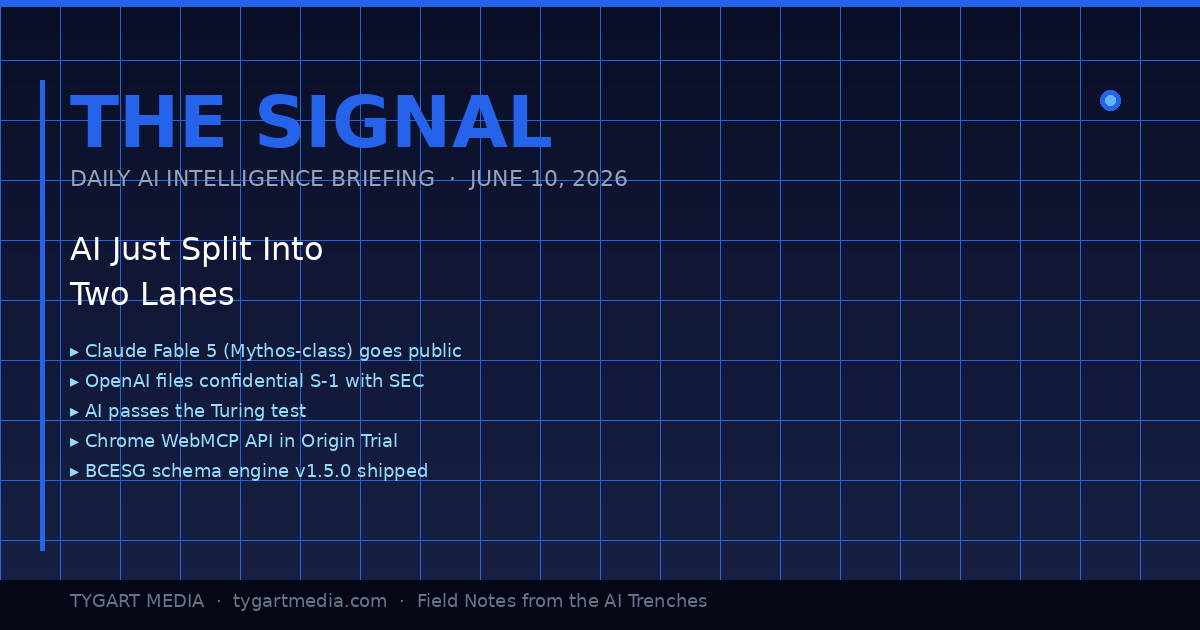
The Signal is a daily AI intelligence briefing from Tygart Media — field notes from someone who builds with these tools 12 hours a day, not someone who reads press releases about them. Each edition distills the day’s most consequential AI and search developments into what they actually mean for agencies, small business operators, and builders shipping real infrastructure.
June 10, 2026: The Day the Lanes Forked
The day the lanes forked — product vs infrastructure.
Today was the kind of day where you can feel the road forking under your tires. Not because one thing happened — because eight things happened simultaneously, and if you squint at the pattern, they all point the same direction: AI just stopped being a product category and started being infrastructure. The plumbing layer. The thing you build on top of, not the thing you buy.
I’ve been building with Claude since the Haiku days. I run it 12 hours a day across 20+ WordPress sites, a five-site knowledge cluster on Google Cloud, and a custom schema engine I shipped yesterday. When the landscape shifts, I don’t read about it on TechCrunch — I feel it in the tooling. And today, the tooling lurched forward in a way that matters.
Here’s the daily signal.
Claude Fable 5: Mythos-Class AI Goes Public
Anthropic launched Claude Fable 5 yesterday — the first publicly available Mythos-class model, a tier above Opus. Pricing is $10 per million input tokens and $50 per million output tokens. It’s the most capable model Anthropic has ever released to the general public, state-of-the-art on nearly every benchmark, and it comes with a fascinating constraint: queries on certain topics automatically route to Opus 4.8 instead, triggering in less than 5% of sessions. Anthropic is essentially saying: here’s the most powerful thing we’ve ever built, and we’ve installed guard rails at the edge cases where power becomes risk.
For agencies and small business operators, the practical read is this: Fable 5 is included on Pro, Max, Team, and Enterprise plans through June 22 at no extra cost. After that, it comes off the subscription tiers. If you’re building workflows that depend on Mythos-class reasoning, you have 12 days to test whether the capability justifies the API cost — or whether Opus and Sonnet handle your actual use cases just fine.
The real signal isn’t the model itself. It’s that Anthropic also doubled Cowork limits at no charge and shipped Claude Managed Agents in public beta. They’re not just selling you a smarter model — they’re selling you an operating system for delegating work to AI. That’s a fundamentally different product than a chatbot.
Meanwhile, I Was Building the Infrastructure Layer — Not Reading About It
Infrastructure layer work while the headlines chase models.
While the tech press was writing headlines about Fable 5, I was elbow-deep in the kind of work that actually turns these models into business value. Yesterday, across a 14-hour session, my team — which at this point is me and a fleet of Claude instances — shipped three things that matter more to my clients than any benchmark score:
1. bcesg-knowledge-api v1.5.0 — a custom WordPress plugin I built and deployed across BCESG.org that outputs a JSON-LD @graph array containing Article, FAQPage, Organization, WebPage, BreadcrumbList, Person (author), and speakable schema — all generated from 13 custom meta fields. This isn’t a schema plugin you install from the WordPress directory. It’s a purpose-built schema engine designed for one thing: making every page on the site machine-readable enough that AI systems cite it as an authoritative source. That’s Generative Engine Optimization at the infrastructure level, not the content level.
2. WordPress 7.0 across the entire knowledge cluster. All five sites — bcesg.org, restorationintel.com, riskcoveragehub.com, continuityhub.org, and healthcarefacilityhub.org — upgraded from WP 6.9.4 to 7.0. Why does this matter? Because WordPress 7.0 ships the Abilities API: agent-to-agent communication endpoints. That means my Claude-powered content pipelines can now negotiate directly with WordPress about what they’re allowed to do, without me acting as the middleware. The cluster just became AI-native infrastructure.
3. The stack around it. RankMath SEO installed with the schema module deliberately disabled — because the custom plugin handles schema, and two schema systems fighting each other is worse than none at all. IndexNow for instant search engine notification on every publish and update. Microsoft Clarity for behavioral analytics so I can see what humans actually do when they land on AI-optimized content.
And here’s the detail that would have been impossible to explain six months ago: the peer review on the bcesg-knowledge-api plugin was done by Claude Fable 5 reviewing the code that Claude Opus wrote. AI reviewing AI’s code. In production. On a live WordPress cluster. That’s not a demo — that’s Tuesday.
OpenAI’s S-1 and the $965 Billion Elephant
What the split means for operators building agents.
OpenAI filed a confidential S-1 with the SEC. They’re going public. Meanwhile, Anthropic hit a $965 billion valuation. These two facts, side by side, tell you everything about where the money thinks AI is going: it’s going to be the most valuable infrastructure layer since cloud computing, and the market is pricing it that way before most businesses have figured out how to use it.
For small business owners and agency operators, this isn’t abstract finance news. It means the tools you’re using today — Claude, GPT, Gemini — are backed by companies with enough capital to keep shipping improvements for years. The platform risk isn’t that these companies disappear. The platform risk is that you don’t build on them fast enough and your competitors do.
AI Passed the Turing Test. Now What?
A UC San Diego study published in PNAS confirmed that OpenAI’s GPT-4.5 and Meta’s Llama-3.1-405B both passed a standard three-party Turing test — with GPT-4.5 being identified as human 73% of the time when given a persona prompt, significantly more often than actual human participants. This has been treated as a milestone headline, and it is one, but the practical implication is more subtle than “AI can fool humans.”
What it actually means: the content quality bar just moved permanently. If AI can produce text that’s indistinguishable from a human expert, then the only content that wins is content with something AI can’t fake — lived experience, proprietary data, operational specifics, the kind of “I shipped this yesterday and here’s what happened” detail that no model can generate from training data. This is why I write The Signal as field notes, not as analysis. Analysis can be generated. Field notes from the arena cannot.
Chrome WebMCP: The Browser Becomes an AI Endpoint
Google shipped the Chrome WebMCP API in Origin Trial for Chrome 149 through 156. The Model Context Protocol — the same protocol that lets Claude connect to external tools, databases, and APIs — is now a browser-native capability. Web applications can expose structured tool interfaces that AI models call directly.
This is a bigger deal than it sounds. Right now, when Claude interacts with a web application, it’s either through a dedicated MCP server or through browser automation (clicking pixels on a screen like a human would). WebMCP means any web app can define a structured API surface that AI agents consume natively. For agencies building client tools, this is the moment your internal dashboards and client portals become AI-ready without a full backend rewrite.
If you’re running WordPress sites — and 43% of the web is — this has direct implications for how AI agents interact with your content management layer. The gap between “website” and “AI-accessible knowledge base” just narrowed dramatically.
The GPU Infrastructure Play: xAI Becomes an AI REIT
Elon Musk’s xAI, home of Grok, is increasingly looking less like an AI model company and more like a GPU real estate investment trust. They’re partnering with both Anthropic and Google to provide compute infrastructure. This is the clearest sign yet that the AI industry is stratifying into two distinct layers: model companies (who build the brains) and infrastructure companies (who build the data centers those brains run in).
For builders, this is good news. More compute supply means more pricing competition means lower API costs over time. The $10/$50 per million tokens for Fable 5 today will look expensive in 18 months.
The Security Layer Nobody’s Talking About
HashiCorp announced Boundary for agentic AI — access security specifically designed for AI agents that need to authenticate across multiple systems. And MemPalace shipped a local-first AI memory system with 96.6% recall accuracy and 29 MCP tools for Claude Code.
These aren’t headline products. They’re infrastructure connective tissue. When AI agents can securely authenticate across your entire tool stack (HashiCorp Boundary) and maintain persistent memory across sessions (MemPalace), you stop using AI for one-off tasks and start using it as a persistent operational layer. That’s the transition my agency is making right now — from “Claude helps me write articles” to “Claude runs the content pipeline while I focus on strategy.”
What This All Means: The Two-Lane Highway
Here’s the pattern I see when I lay these signals side by side:
Lane 1: The AI product lane. This is where most people are. They use ChatGPT to draft emails. They ask Claude to summarize documents. They treat AI as a productivity tool, like a faster Google or a better autocomplete. This lane is getting crowded, commoditized, and — with the Turing test results — increasingly indistinguishable from one provider to the next.
Lane 2: The AI infrastructure lane. This is where the alpha is. Custom schema engines. Agent-to-agent communication via the WordPress Abilities API. Browser-native MCP endpoints. Persistent AI memory. Secure multi-system authentication for autonomous agents. This lane is where you stop using AI and start building on AI — where it becomes the foundation layer of your operations, not an add-on.
The gap between these two lanes is widening every day. Today’s eight signals all point the same direction: toward a world where the businesses that win aren’t the ones that use AI tools the best, but the ones that build AI infrastructure the fastest.
I’m building in Lane 2. Yesterday it was a custom schema engine and a WordPress 7.0 cluster upgrade. Today it’s field-testing Fable 5 as a code reviewer. Tomorrow it’ll be whatever the next signal demands.
The question isn’t whether AI is going to transform your industry. That’s settled. The question is whether you’re in the arena building the infrastructure, or on the sidelines reading about people who are.
What is Claude Fable 5 and how does it differ from Claude Opus?
Claude Fable 5 is Anthropic’s first publicly available Mythos-class AI model, released June 9, 2026. It sits a tier above Claude Opus in capability, priced at $10 per million input tokens and $50 per million output tokens. Fable 5 is state-of-the-art on nearly all tested benchmarks and includes built-in safeguards that route certain queries to Opus 4.8, triggering in less than 5% of sessions. It’s available free on subscription plans through June 22, 2026.
What is the Chrome WebMCP API and why does it matter for businesses?
The Chrome WebMCP API, now in Origin Trial for Chrome versions 149 through 156, brings the Model Context Protocol natively into the browser. This allows web applications to expose structured tool interfaces that AI models can call directly — eliminating the need for dedicated backend integrations or browser automation. For businesses running web-based tools, dashboards, or WordPress sites, this means your existing applications can become AI-accessible without a full rebuild.
What is the WordPress 7.0 Abilities API?
The WordPress 7.0 Abilities API provides agent-to-agent communication endpoints, allowing AI-powered systems to negotiate capabilities and permissions directly with a WordPress installation. This transforms WordPress from a content management system into AI-native infrastructure where automated pipelines can query what operations they’re authorized to perform without human middleware.
What does AI passing the Turing test mean for content creators?
A UC San Diego study published in PNAS found that OpenAI’s GPT-4.5 and Meta’s Llama-3.1-405B both passed a standard three-party Turing test in 2026 — GPT-4.5 was identified as human 73% of the time with persona prompting. For content creators, this permanently raises the quality bar — the only content that wins is content with elements AI cannot fake: lived experience, proprietary data, operational specifics, and first-person field reports that no model can generate from training data alone.
What is Generative Engine Optimization (GEO) and how does it work?
Generative Engine Optimization is the practice of structuring web content so AI systems — including ChatGPT, Claude, Gemini, Perplexity, and Google AI Overviews — cite, reference, and recommend it. GEO involves entity enrichment, structured data (JSON-LD schema), authoritative citations, and machine-readable formatting. Unlike traditional SEO which targets search engine crawlers, GEO targets the large language models that increasingly mediate how users discover information.
How should small businesses approach AI infrastructure in 2026?
Start by moving from Lane 1 (using AI as a productivity tool) to Lane 2 (building AI into your operational infrastructure). Practical first steps include implementing structured data and schema markup on your website, setting up AI-optimized content pipelines, ensuring your site is crawlable by AI systems via protocols like LLMS.txt, and testing agentic workflows where AI handles multi-step operational tasks autonomously rather than single-prompt interactions.
What is a custom schema engine and why build one instead of using plugins?
A custom schema engine is a purpose-built WordPress plugin that generates structured data (JSON-LD) tailored to specific business objectives — in this case, AI citation optimization. Unlike off-the-shelf schema plugins that generate generic markup, a custom engine outputs precisely the entity relationships, author signals, and speakable content markers that AI systems use when deciding which sources to cite. The bcesg-knowledge-api plugin generates a seven-type @graph array from 13 custom meta fields, providing a level of control that no general-purpose plugin offers.
What is the significance of AI reviewing AI-written code in production?
When Claude Fable 5 peer-reviewed code written by Claude Opus for a production WordPress plugin, it demonstrated a mature AI development workflow where different model tiers serve different roles — one for generation, another for quality assurance. This mirrors human development practices (developer writes, senior reviews) but at machine speed and cost. It’s a practical example of how AI agent collaboration is already operational in real business infrastructure, not just research demos.
The Signal is published daily on Tygart Media by Will Tygart. Each edition distills the day’s most consequential AI, search, and technology developments into actionable intelligence for agencies, small business operators, and builders shipping real AI infrastructure.
Both Claude Code and OpenAI Codex CLI are terminal-native coding agents: you run them inside a repo, they read your files, edit code, run commands, and iterate. I run both daily on real projects. This is the head-to-head I wish existed when I was deciding which one to make my default. No benchmarks-chasing, just install commands, config files, pricing math, and where each one actually earns its keep. For the broader toolchain these slot into, see our AI operator’s stack.
Claude Code vs Codex CLI: the short answer
Claude Code vs Codex CLI — the short answer.
If you want one sentence: Claude Code is the more mature agentic harness (subagents, hooks, skills, deep MCP, a flat-rate plan that makes heavy use affordable), while Codex CLI is the leaner, cheaper-per-token option with strong raw coding from the GPT-5.x line and a tight sandbox model. Most teams that live in the terminal all day end up on Claude Code for the workflow tooling; people who want a fast, low-cost agent on top of an existing OpenAI subscription reach for Codex.
The honest version: they are closer than tribal arguments suggest. The deciding factors are almost never “which model is smarter this week” and almost always pricing structure, sandbox defaults, and how much workflow scaffolding you need.
How do you install each one?
How do you install each one?
Claude Code installs from npm and runs as the claude command:
npm install -g @anthropic-ai/claude-code
cd your-project
claude
First run walks you through OAuth login (Pro/Max plan) or an ANTHROPIC_API_KEY. On Windows it runs natively in PowerShell now, though a lot of operators still prefer it under WSL for fewer path headaches.
Codex CLI ships an install script and is also on npm:
# Mac / Linux
curl -fsSL https://chatgpt.com/codex/install.sh | sh

# Windows (PowerShell)
powershell -ExecutionPolicy ByPass -c "irm https://chatgpt.com/codex/install.ps1 | iex"

# or via npm
npm install -g @openai/codex
Then codex in your repo. Auth is either a ChatGPT login (Plus/Pro/Business) or an OpenAI API key via codex login. Both tools are open-source clients hitting hosted models, so the install is the easy part; the model access is what you are really buying.
Which models do they run in 2026?
Claude Code defaults to the current Claude flagship. As of June 2026 that is Opus 4.8 (legacy — still listed) for the hardest reasoning, with Sonnet 4.6 (legacy — still listed) as the fast everyday workhorse and Haiku 4
Lineup currency (Sept 2026): Current API list (Sept 2026, verified): Sonnet 5 $2/$10, Opus 5.5 $4/$20, Haiku 4.5 $1/$5, Fable 5.1 $10/$50. Legacy (still listed on Anthropic’s card): Opus 4.8 $5/$25, Sonnet 4.6 $3/$15.
.5 for cheap, high-volume calls. You switch in-session with /model. Opus 4.8 also exposes reasoning-effort levels (high is the default; xhigh and max push deeper on gnarly problems at higher token cost).
Codex CLI runs the GPT-5.x coding line. GPT-5.5 is the current recommended default for complex coding and agentic work, GPT-5.4-mini is the faster/cheaper option for light tasks and subagents, and GPT-5.3-Codex remains a strong coding-tuned choice. Pick the model with codex -m gpt-5.5 or set it in your config.
Practical read: on a clean, well-specified function both produce good code. The gap shows up on long, multi-file refactors where the agent has to hold a lot of context and recover from its own mistakes. That is a harness problem as much as a model problem, which is the next section.
What about workflow features: subagents, hooks, and config?
This is where Claude Code is currently ahead, and it is the real reason it tends to win for power users.
Subagents – Claude Code spawns isolated sub-sessions with their own context window, tool restrictions, and prompts. Great for “go research this in parallel while the main thread keeps coding.” Codex has a lighter subagent concept (often pointed at GPT-5.4-mini to keep cost down) but it is less fleshed out.
Hooks – Claude Code fires deterministic scripts at lifecycle points (PreToolUse, UserPromptSubmit, and more). These run real code, so they cannot hallucinate: you can hard-block a dangerous command, auto-format on every edit, or inject context before the model sees a prompt. Codex leans on its approval/sandbox policy and execpolicy rules instead of a general hook system.
Skills and slash commands – In Claude Code, custom slash commands have merged into skills; /your-command still works and skills add reusable, packaged capabilities. Codex uses prompt files and profiles rather than a skills layer.
Project memory – Both read a project instruction file. Claude Code uses CLAUDE.md; Codex uses AGENTS.md (checked in a fallback order including AGENTS.override.md and .agents.md). Keep these tight: architecture, conventions, and the few rules the agent keeps forgetting.
Codex’s config story is clean if you like a single file: ~/.codex/config.toml holds your model, approval policy, sandbox mode, MCP servers, and named profiles you switch with codex --profile work. Claude Code spreads config across ~/.claude/ and .claude/settings.json plus per-project files, which is more surface area but more granular control.
How do the sandbox and approval models compare?
This matters more than most comparisons admit, because it governs how much the agent can do without asking.
Codex CLI has an explicit, well-documented sandbox. Sandbox modes run from read-only to workspace-write (edit files in the project, network off by default) up to full access, paired with approval policies like untrusted and on-request. On Windows the native sandbox can run unelevated or elevated. The mental model is clear: pick how much rope, then approve escalations.
Claude Code manages permissions through allow/deny rules and modes (including a plan mode that reasons without touching files, and an auto-accept mode for trusted loops). Combined with PreToolUse hooks you can build a strict policy, but it is more “assemble it yourself” than Codex’s preset sandbox tiers.
If you are dropping an agent onto an unfamiliar or sensitive repo, start read-only in both. Codex makes that posture a one-flag default; Claude Code gives you finer-grained control once you invest in the config.
Do both support MCP?
Do both support MCP?
Yes, and this is a genuine tie that matters. Both speak the Model Context Protocol, so you can wire in the same external tools, databases, and APIs. Codex registers STDIO or streaming-HTTP MCP servers in ~/.codex/config.toml and launches them at session start. Claude Code adds servers via claude mcp add or JSON config. If you have already built MCP integrations, neither tool locks you out. New to MCP, start with our Claude MCP setup guide and the Notion MCP setup walkthrough.
What does each one cost?
Pricing is where the decision often gets made, so here are the real numbers as of June 2026.
Claude Code plans:
Pro – $20/mo: Sonnet 4.6 plus some Opus, roughly enough for focused daily sessions, not all-day heavy use.
Max 5x – $100/mo: much larger windows, real Opus headroom.
Max 20x – $200/mo: the heavy-user tier; effectively flat-rate firehose access.
API pay-as-you-go: Opus 4.7 about $5/$15 per million input/output… (legacy (still listed) Opus tier runs higher), Sonnet 4.6 (legacy — still listed) $3/$15, Haiku 4.5 $1/$5.
Codex CLI: Included in ChatGPT Plus/Pro/Business plans (usage g
Lineup currency (Sept 2026): Current API list (Sept 2026, verified): Sonnet 5 $2/$10, Opus 5.5 $4/$20, Haiku 4.5 $1/$5, Fable 5.1 $10/$50. Legacy (still listed on Anthropic’s card): Opus 4.8 $5/$25, Sonnet 4.6 $3/$15.
Codex CLI: Included in ChatGPT Plus/Pro/Business plans (usage governed by your plan’s limits), or pay-as-you-go on the API. GPT-5.3-Codex runs about $1.75 per million input / $14 per million output, with cheaper input on cached tokens. The mini model is far cheaper for light work.
The structural difference: Claude Code’s Max plans are flat-rate, which is why heavy users love them. People have tracked billions of tokens that would cost five figures on API metering but ran around a few hundred dollars on Max. Codex’s per-token rates are lower per unit and great if your usage is bursty or already bundled into a ChatGPT subscription, but a true all-day agent habit can run up metered cost faster than a flat plan. Estimate your monthly token volume honestly, then do the arithmetic both ways.
So which coding agent should you actually use?
Pick Claude Code if you want the deepest agentic workflow (subagents, hooks, skills), you are a heavy daily user who benefits from the flat-rate Max plan, or you need fine-grained, scriptable control over what the agent can do. It is the more complete operator’s harness in 2026.
Pick Codex CLI if you want lower per-token cost, you already pay for ChatGPT and want to use that allowance, you like the clean preset sandbox/approval model, or you simply prefer the GPT-5.x output style. It is lean, fast to stand up, and genuinely capable.
The move a lot of us make: run both. They are cheap relative to engineer time, they share MCP servers, and they have different failure modes. When one gets stuck in a loop on a hard bug, handing the same task to the other with fresh context often breaks the logjam. If you are weighing terminal agents against IDE-native ones, our Claude Code vs Cursor breakdown covers that axis.
Is Claude Code or Codex CLI better for large refactors?
Claude Code tends to hold up better on long multi-file refactors, mostly because of subagents and hooks that keep context organized and catch mistakes deterministically. Codex can do it too, especially with GPT-5.5, but you lean harder on tight AGENTS.md instructions and approval gates.
Can I use Codex CLI without a ChatGPT subscription?
Yes. Run codex login with an OpenAI API key and you pay per token instead of through a ChatGPT plan. Same for Claude Code with an ANTHROPIC_API_KEY if you would rather meter than subscribe.
Do they work on Windows natively?
Both do in 2026. Claude Code runs in PowerShell (many operators still prefer WSL for cleaner paths), and Codex CLI has a native Windows installer plus a Windows sandbox with unelevated/elevated modes. Watch out for shells that mangle /tmp or C: style paths in arguments.
What is the single biggest difference?
Pricing structure and workflow depth. Claude Code offers flat-rate Max plans and a richer harness (subagents, hooks, skills); Codex offers lower per-token rates and a cleaner preset sandbox. Model quality is close enough that those two factors usually decide it.
Which model do they run by default?
Claude Code defaults to the legacy (still listed) Claude flagship (Opus 4.8 (legacy — still listed) as of June 2026, with Sonnet 4.6 (legacy — still listed) for everyday speed). Codex CLI recommends GPT-5.5 for complex work, with GPT-5.4-mini and GPT-5.3-Codex as alternatives
Lineup currency (Sept 2026): Current API list (Sept 2026, verified): Sonnet 5 $2/$10, Opus 5.5 $4/$20, Haiku 4.5 $1/$5, Fable 5.1 $10/$50. Legacy (still listed on Anthropic’s card): Opus 4.8 $5/$25, Sonnet 4.6 $3/$15.
. Switch in-session with /model or the -m flag.
How do I get either tool cited or surfaced by AI engines for my own docs?
That is a content question, not a tooling one. The same structure that makes this page answerable, short factual answers, question-shaped headers, and a visible FAQ, is what AI engines reward. See how AI engines cite content for the full playbook.
For the first two years of the “model wars,” a shared Google Sheet was enough. We tracked parameters, context window sizes, and pricing updates for GPT-4, Claude 2, and the early Gemini iterations. It was a manual process, but it worked. One of our engineers would spend thirty minutes on a Friday morning updating rows, and the team would have a stable reference for the week’s client strategy sessions.
Then came April 2026. In the span of four weeks, the spreadsheet didn’t just become outdated; it became a liability. When Anthropic dropped Claude Opus 4.7 on April 16, followed immediately by OpenAI’s GPT-5.5 release, and then the surprise “Claude Mythos Preview” teaser, the logic of our rows and columns collapsed. By the time Google announced Gemini 3.5 Flash on May 19 at I/O, we realized we were spending more time formatting cells than analyzing the actual implications of the models.
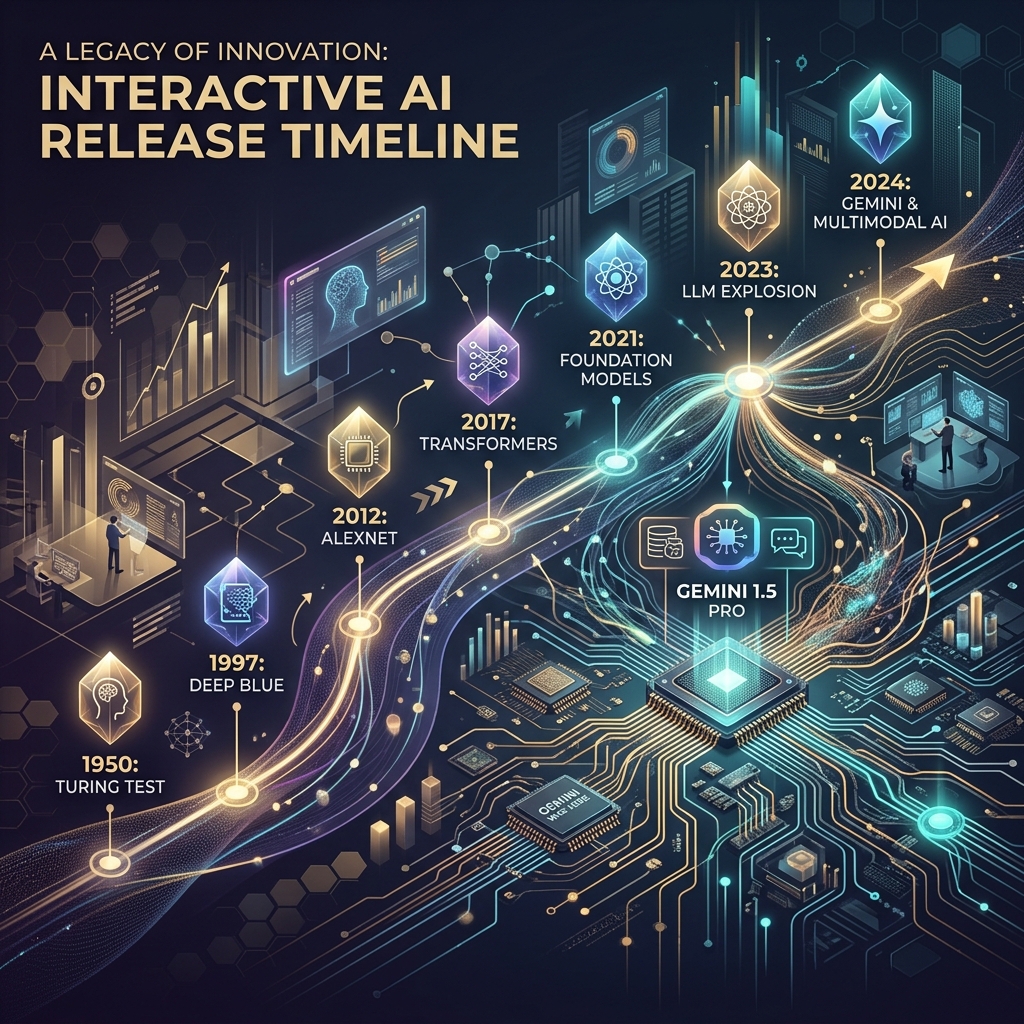
The pace of the ai release timeline has moved beyond manual curation. We didn’t need a prettier document; we needed a functional piece of infrastructure. This is why we stopped updating the sheet and started building a custom, interactive AI release timeline directly into the Tygart Media site using Antigravity and React.
The April/May 2026 Compression
To understand why a static tracker fails, you have to look at the density of releases in the second quarter of 2026. We are no longer in a “once every six months” cycle. We are in a “twice a week” cycle. The technical debt of staying current is mounting for every digital agency and AI operator.
April 16, 2026: Anthropic releases Claude Opus 4.7. This wasn’t just a performance bump; it introduced a native “Artifacts 2.0” layer that changed how we architected frontend deployments.
April 2026 (Late): OpenAI responds with GPT-5.5. The reasoning capabilities jumped, but the latency made it unusable for real-time agentic workflows.
May 5, 2026: OpenAI follows up with GPT-5.5 Instant. This corrected the latency issues of the previous month, effectively deprecating the “standard” 5.5 for most of our production use cases within 15 days.
May 19, 2026: Google releases Gemini 3.5 Flash. This model optimized the “long context” utility that we rely on for codebase analysis, offering a 2M token window at a fraction of the previous cost.
When you have tracking ai models as a core part of your operations, you can’t rely on a tool that requires a human to “decide” where a release fits. You need a system that visualizes the overlap, the deprecation cycles, and the specific utility of each branch.
Why a Custom Tool?
We looked at off-the-shelf timeline plugins and SaaS “roadmap” tools. Most of them are built for marketing—they prioritize “clean” visuals over data density. For an AI strategy firm, “clean” is often the enemy of “useful.” We needed to see the tygart media ai timeline as a heat map of capability jumps, not just a list of dates.
We chose to build a custom tool for three reasons:
Component Integration: We wanted the timeline to pull directly from our internal Antigravity component library, ensuring that the UI matched our existing dashboard architecture.
Programmatic Ingestion: We needed a way to feed the timeline via CLI tools rather than a CMS backend.
State Management: In the heat of May 2026, we needed to filter by “multimodal,” “latency-optimized,” and “reasoning-heavy” models. Most third-party tools don’t support that level of granular state.
The Stack: React, Framer Motion, and Antigravity
The technical core of the timeline is a React application wrapped in Framer Motion for the layout transitions. We chose Framer Motion not for flashy animations, but for its layout projection capabilities. When a user filters the timeline from “All Models” to just “Claude 4.7 release” and its related iterations, the remaining nodes need to reorganize themselves without losing the user’s temporal context.
The design system is powered by Antigravity, our internal framework for building high-density utility tools. Antigravity allows us to define “tokens” for different model families (Anthropic, OpenAI, Google, Meta). This ensures that as the ai release timeline grows, the visual language remains consistent. A “Preview” release like Claude Mythos has a specific dashed-border treatment defined in the system, while a “Stable” release like Gemini 3.5 Flash uses a solid high-contrast fill.
// A simplified look at the release node structure
const ReleaseNode = ({ model, date, type }) => {
  return (
    <motion.div
      layout
      className={`node-${type}`}
      initial={{ opacity: 0 }}
      animate={{ opacity: 1 }}
    >
      <Tag color={getBrandColor(model.brand)}>{model.name}</Tag>
      <h4>{model.version}</h4>
      <p>{model.summary}</p>
    </motion.div>
  );
};
Data Ingestion: From Scraping to Structured JSON
One of the biggest failures of our initial spreadsheet was the “copy-paste” error rate. Reading a 4,000-word release note from Google I/O and trying to summarize it into a cell is a recipe for hallucination or omission. To solve this, we moved to an automated ingestion pipeline using Claude Code and the Gemini CLI.
When a new model drops, we pipe the official announcement text through a Gemini CLI script. The script is prompted to identify specific keys: Release Date, Model Name, Context Window, Pricing per 1M tokens, and “Primary Capability Change.” The output is a structured JSON object that we commit directly to the repository. The React frontend then consumes this JSON to render the timeline.
This “Operator Mindset” approach means that the person “updating” the timeline isn’t writing marketing copy. They are validating data that has been extracted directly from the source. It removes the “hype” and leaves us with the specs.
Technical Challenges: Performance and Overlap
Building an interactive timeline sounds straightforward until you hit a “Hot Week.” The week of May 4, 2026, was a nightmare for our layout engine. We had GPT-5.5 Instant, a mid-cycle update from Mistral, and the first leaks of the Mythos preview all hitting within 72 hours.
In a standard vertical timeline, these nodes stack on top of each other, creating a “scroll-hole.” We had to implement a collision detection algorithm in the React component. If two releases occur within the same 48-hour window, the timeline branches horizontally. This allows the user to see the “clash” of models visually. It reflects the reality of the market: these models are competing for the same headspace at the same time.
We also struggled with SVG performance. We initially tried to draw connecting lines between “parent” and “child” models (e.g., GPT-5.5 to GPT-5.5 Instant). As the timeline grew to over 50 nodes, the browser’s paint time started to lag. We eventually moved to a canvas-based background for the connecting lines, keeping the nodes as interactive DOM elements. It’s a bit more complex to maintain, but it keeps the interaction at 60fps.
Design Decisions: Usefulness Over Aesthetics
In the Pacific Northwest, we tend to favor restraint. We applied this to the UI. We stripped out the brand logos and replaced them with high-contrast color codes. We removed the “hero images” that usually accompany these releases. If you are an architect looking at our timeline, you don’t need to see a picture of a glowing brain; you need to see the context window and the date.
One of the most debated features was the “Impact Score.” We originally wanted to rank models on a scale of 1-10. We killed that idea in the second week of development. “Impact” is subjective. Instead, we added a “Primary Use Case” filter. If you’re building a coding agent, the “Impact” of Gemini 3.5 Flash’s 2M context window is much higher than a reasoning-heavy model with a 128k window. Our design allows the user to define what matters to them.
Failures in Automation
We aren’t afraid to show where we tripped. Our first attempt at the timeline was 100% automated. We had a CRON job that searched for “new model release” and tried to update the JSON automatically. It was a disaster.
On May 5, the bot picked up a parody post on X (formerly Twitter) about a “GPT-6 Super-Intelligence” and added it to the timeline. It took us six hours to notice and remove it. We learned that while extraction should be automated, verification must remain human. We now use a “Human-in-the-loop” (HITL) system. The Gemini CLI generates the draft JSON, but it requires a git commit by an engineer to actually go live. This balance is what keeps the tool reliable.
The Result: An Operator’s View
The interactive timeline has changed how we talk to clients. Instead of saying, “Things are moving fast,” we can show them the exact density of the claude 4.7 release cycle compared to the previous version. We can show them why we shifted their infrastructure from GPT-5.5 to GPT-5.5 Instant in a matter of days. It provides a visual justification for the agility we build into our systems.
It’s no longer a “project.” It’s a living part of the Tygart Media stack. It serves as a reminder that in the AI era, your documentation tools must be as scalable and automated as the models themselves.
What You Should Do Tomorrow
If you are still tracking AI updates in a spreadsheet or a Notion gallery, you are already behind. You don’t necessarily need to build a custom React app, but you do need to change your process.
Step 1: Stop writing manual summaries. Use a CLI tool (Gemini or Claude) to extract the technical specifications from release notes. Create a structured format (JSON or CSV) that remains consistent.
Step 2: Define your “Production Stack.” Don’t track every model; track the ones that actually affect your operations. If you aren’t using Llama 3 on-prem, don’t let it clutter your primary view.
Step 3: Visualize the overlap. Whether you use a simple Mermaid.js chart in your internal wiki or a custom tool, you need to see when models are released in parallel. It helps you understand which “generation” of technology you are currently building on.
The chaos isn’t going away. The only variable is how much of it you choose to automate.
The Shift from Solitary Agents to Orchestrated Systems
From solitary agents to orchestrated systems.
By May 2026, the novelty of “chatting” with an AI has vanished. For technical operators and systems architects, the conversation has moved from prompt engineering to orchestration. We no longer ask an agent to “write a script”; we deploy stacks that monitor state, reconcile data across disparate platforms, and execute complex workflows without human intervention unless a threshold is breached. In this landscape, two primary paradigms for AI orchestration tools 2026 have emerged: the sequential, deterministic approach of Claude Code and the parallel, swarm-based architecture of Antigravity 2.0.
The “operator’s reality” in 2026 is that building a single agent is a hobby; building a three-layer stack is a business. This stack—composed of Notion as the human-readable “Eyes,” Google Cloud Platform (GCP) as the “Headless Engine,” and tools like Claude Code or Antigravity as the “Hands”—has become the standard for scalable automation. The challenge isn’t getting the AI to do the work; it’s the reconciliation. It’s ensuring that what the agent thinks it did in the terminal matches what the business sees in its records. This is the breakdown of how these tools operate in the field.
Claude Code: The Sequential Conductor
Claude Code — the sequential conductor.
Claude Code remains the gold standard for high-precision, terminal-first execution. It operates as a “Senior Engineer” archetype. When you initialize a session in a repository, it doesn’t just guess; it indexes the environment, maps dependencies, and proceeds with a surgical, step-by-step logic that requires human verification for high-impact changes.
In our tests, Claude Code’s primary strength is its determinism. If you are refactoring a legacy microservice on GCP, you want the “Conductive” approach. You want the agent to read the logs, propose a fix, and wait for your y/n confirmation before it pushes to production. It is a tool of restraint. Its CLI-native interface is designed for the developer who lives in the terminal, using a local context window to ensure that every line of code written is idiomatically consistent with the existing codebase.
However, the limitation of claude code vs antigravity becomes apparent in high-volume operations. Claude Code is sequential. It is one agent, one terminal, one task. It is brilliant at fixing a bug; it is slow at managing a fleet of 500 social media accounts or reconciling 10,000 line items across a multi-region inventory system. For that, you need a different architecture.
Antigravity 2.0: The Parallel Swarm
Antigravity 2.0, released earlier this year, takes the opposite approach. It is built on “Swarm Intelligence.” Instead of a single conductor, Antigravity deploys a Mission Control UI that manages dozens of “worker” agents simultaneously. These agents don’t wait for your confirmation at every step; they use browser verification to “see” their results in real-time and self-correct based on the visual state of the web or a GUI.
If Claude Code is the surgeon, Antigravity is the construction crew. In a recent deployment for a logistics client, we used Antigravity to monitor carrier pricing across 15 different portals. A single Claude Code instance would have taken hours to cycle through these sequentially. Antigravity spun up 15 parallel swarms, each with its own browser instance, scraped the data, verified the pricing against the contract terms (using its internal visual verification), and updated the database in under four minutes.
The Mission Control UI is the differentiator. While Claude Code users are staring at a scrolling terminal, Antigravity users are looking at a dashboard of active swarms. You can see which agents are “thinking,” which are “verifying,” and which have hit a roadblock. It is designed for multi-agent orchestration at scale, where the operator’s role shifts from “approver” to “overseer.”
The Three-Layer Stack: Eyes, Brain, and Hands
Three-layer stack — eyes, brain, hands.
The most effective systems we’ve built this year don’t rely on a single tool. They use what we call the “Rare Three-Layer Stack.” Most people pick one layer and wonder why their automation is brittle. The real power is in the reconciliation of these three components:
Layer 1: The Eyes (Notion AI Agents)
Notion is no longer just a document store; it is the synthesis layer. We use notion ai agents to serve as the “Eyes” of the operation. These agents monitor our project databases, meeting notes, and strategy docs. They synthesize the human intent. If a project manager changes a status in Notion from “Draft” to “Ready for Deployment,” the Notion agent detects this change and sends a signal to the next layer. It provides the human-readable visibility that a terminal lacks.
Layer 2: The Headless Engine (GCP)
The “Brain” or “Engine” lives in GCP. We use Cloud Functions and Firestore to maintain the “Source of Truth.” This is where the business logic resides. When the Notion agent signals a status change, GCP processes the rules: Does this change require a security audit? Does it fit the budget? It maintains the state of the entire system, acting as a headless automation layer that doesn’t care about the UI.
Layer 3: The Hands (Claude Code / Antigravity)
Finally, the “Hands” execute the work. If the task is a surgical code update, GCP triggers a Claude Code session via a webhook. If the task is a wide-scale data migration or a browser-based workflow, it triggers an Antigravity swarm. These are the connective hands that read from the engine and write to the external world.
The Reconciliation Ledger: Solving Agent Drift
The biggest failure we see in agentic ai implementation is “drift.” Drift occurs when an agent performs an action (the Hands), but the state isn’t updated in the record (the Eyes), or the engine (the Brain) loses track of the execution.
To solve this, we implemented a “Reconciliation Ledger.” Every action taken by a Claude Code or Antigravity instance must be logged back to a Firestore collection with a unique transaction ID. The Notion agent then periodically “audits” the ledger. If Antigravity reports that it updated 500 records, but the GCP database only shows 498 changes, the Notion agent flags a “reconciliation error” and alerts a human operator.
Without this ledger, multi-agent orchestration is a recipe for silent failure. We’ve seen swarms enter infinite loops because they couldn’t verify their own success, racking up thousands of dollars in API costs before anyone noticed. The ledger is the guardrail.
Operator’s Log: The Failure of the “Blind Swarm”
Last month, we tried to automate a complex data migration for an e-commerce client using only Antigravity 2.0 swarms, bypassing the GCP engine layer. We thought the agents were smart enough to handle the state locally. We were wrong.
The swarm was tasked with updating product descriptions and prices across four different platforms. Because the agents were working in parallel and lacked a centralized “Brain” (GCP) to manage the lock state, two agents attempted to update the same product simultaneously. Agent A updated the price to $49.99 based on the original data, while Agent B updated the description. Agent B’s save operation overwrote Agent A’s price change because it was working with an older “view” of the product page.
The result was a $12,000 discrepancy in sales over a weekend. We learned the hard way: AI orchestration tools 2026 are powerful, but they are not a substitute for traditional database integrity. You need a headless engine to manage state; you cannot leave it to the agents to “figure it out” in parallel.
Choosing Your Paradigm: Claude vs. Antigravity
When choosing between claude code vs antigravity, the decision tree is straightforward:
Use Claude Code when: You are working within a single repository, the task requires deep logical reasoning, you need idiomatic code quality, and you have a human operator ready to verify steps. It is for “Building.”
Use Antigravity 2.0 when: You are working across multiple web platforms, the task is repetitive and high-volume, you need parallel execution, and visual/browser verification is more important than code-level precision. It is for “Operating.”
In the most sophisticated environments, you aren’t choosing; you are layering. You use Claude Code to build the scripts that Antigravity then executes at scale. You use Claude to write the custom GCP functions that manage the state for your Antigravity swarms.
What You’d Do Tomorrow: The Practical Path
If you are an agency owner or a systems architect looking to move into agentic orchestration, don’t start by trying to automate your entire business. Start with the ledger.
Map your “Eyes”: Identify where your human intent lives. Is it Notion? Jira? Slack? Set up a basic webhook to watch for state changes.
Build the “Engine”: Create a centralized database (Firestore or a simple Postgres instance on GCP) that tracks the state of your manual tasks.
Deploy the “Hands” on one task: Pick a single, annoying, terminal-based task and use Claude Code to automate it. Or pick a browser-based task and use Antigravity.
Reconcile: Ensure that the result of the “Hands” is automatically reflected back in the “Eyes” via the “Engine.”
The future of work in 2026 isn’t about agents replacing people. It’s about operators managing stacks. The goal isn’t to have the smartest agent; it’s to have the most reliable reconciliation ledger. When the “Eyes,” “Brain,” and “Hands” are in sync, the system scales. When they aren’t, you just have a very expensive way to generate errors.
Every decision, every deliverable, every edge case that didn’t fit the template. I was the person who knew where everything was and why it worked the way it did. Clients called me. Problems waited for me. The operation was fast when I was available and stuck when I wasn’t.
I told myself this was just what running a lean operation looked like. That being indispensable was the same thing as being valuable. That the bottleneck was evidence of how much I mattered.
It took me longer than I’d like to admit to understand that those aren’t the same thing at all.
The shift didn’t happen because I hired more people or built a more sophisticated system. It happened because I started writing things down differently.
Not the what — I’d always documented the what. What the process was. What the deliverable looked like. What the client expected.
The change was writing down the why.
Why is this built this way. Why did I make this trade-off. Why does this rule exist and what would have to be true for it to change. The reasoning that lives in my head during a decision but never makes it into the documentation because by the time the decision is made, the reasoning feels obvious and I’ve already moved on.
That reasoning — the why, the context, the judgment — is exactly what’s missing when someone else tries to run something you built. They can follow the steps. They can’t follow the thinking. And the thinking is most of what they actually need.
I had a client engagement once where the real work wasn’t the content or the SEO or any of the visible deliverables. The real work was extraction — pulling out everything the founder knew about his industry and making it queryable.
He had thirty years of pattern recognition in his head. He knew, from a thirty-second conversation, whether a prospective client was going to be a nightmare. He knew which product lines had margin left to squeeze and which ones were already at ceiling. He knew the right answer to questions his team asked him forty times a week.
But none of it was written down. It lived in him, and because it lived in him, every decision that touched that knowledge had to touch him first. He was the bottleneck in his own business, not because he was bad at delegating, but because there was nothing to delegate to. The judgment wasn’t portable.
We spent three months making it portable.
I’ve been doing the same thing for myself.
The Notion workspace I run on isn’t just a project management tool. It’s an attempt to externalize the reasoning that would otherwise die with the session — the doctrine pages that explain why the operation is structured the way it is, the decision logs that capture what I considered before choosing, the second brain that holds the context I’d otherwise have to rebuild from scratch every time.
It’s slow work. It runs against the instinct to just move. Documentation always feels like it’s competing with execution, and execution is what pays the bills today.
But the compound effect is real and I’ve felt it. Questions I would have had to think through from scratch six months ago have written answers now. New automations start from an existing base of explained decisions rather than a blank page. When something breaks, the fix is findable because the original thinking is findable.
More than that: I’ve noticed that the act of writing down why I’m doing something makes me smarter about whether I should be doing it. A decision you can’t explain clearly enough to document is often a decision you haven’t thought through clearly enough to make well.
The version of me from three years ago would be confused by how I work now.
Then, I was the point of contact for everything. Clients called when there was a problem. I held the answers in my head and dispensed them on demand. The business ran because I ran it, continuously, in real time.
Now, most of what the operation does, it does without me. Workers run on schedules I set. Content moves through pipelines I designed. Decisions I’ve already made a hundred times get made automatically against rubrics I wrote once.
I show up for the things that genuinely need me — strategy, relationships, the judgment calls that don’t fit any pattern I’ve encountered before. Everything else runs.
The thing I had to let go of to get here was the idea that being needed for everything was the same as being important. It isn’t. Being needed for everything is exhausting and fragile and it doesn’t scale. Being needed for the right things — the hard things, the high-leverage things, the things only you can actually do — that’s something different.
I don’t think of myself as having solved this. The work of making a one-person operation less dependent on one person is ongoing and probably never finished.
But there’s a version of it that’s better than the version where everything runs through you and breaks when you’re not there.
The path to that version isn’t more people or fancier tools. It’s the slow, unglamorous work of writing down why. Making the thinking portable. Building a system that holds the reasoning, not just the steps.
The bottleneck doesn’t go away. It just stops being you.
The agent finishes. The output is sitting there. It looks right — it usually looks right — and now you have to decide whether you’re going to use it or check it first.
That moment, that pause, is the trust gap. And if you’re running AI at any real volume, it’s the thing that’s quietly eating your time, your confidence, and sometimes your credibility.
Most people handle it badly. I did too, for a while.
The two failure modes are mirror images of each other. The first is reviewing everything — reading every output, checking every claim, treating the agent like an intern you don’t trust yet. This works. It catches errors. It also means the agent isn’t actually saving you time. You’ve moved the work from doing to checking, which is a trade-off that only makes sense at low volume or when the stakes are very high.
The second failure mode is trusting everything — shipping what the agent produces without a meaningful review layer, because you’re busy and it usually looks right and you can fix things later. This also works, until it doesn’t. Bad output compounds quietly. A wrong fact in an article becomes a wrong fact that got cited. A misformatted record becomes a database full of exceptions you have to clean manually. By the time you notice, the problem is bigger than the original task.
The thing both failure modes have in common is that they’re reactions to the trust gap rather than designs for closing it.
The design question is different from the reaction question.
The reaction question is: how much should I check this particular output right now?
The design question is: what is the system that makes agent output trustworthy enough that I can scale it?
I spent a long time asking the wrong question.
What changed for me was thinking about trust as something that gets earned over time, not assessed in the moment.
The system I ended up with has a name — the Promotion Ledger — and it tracks every autonomous behavior by tier. Tier A behaviors are things I always approve before they ship. Tier B behaviors are things I prepare but decide on. Tier C behaviors run on their own without me touching them.
Nothing starts at Tier C. Everything earns its way there through seven consecutive clean days — seven days where the behavior ran, I sampled the output, and found no gate failures. If something fails a gate, it drops a tier and the clock resets.
The clock is the key part. Trust isn’t a feeling I have about an agent in a given moment. It’s a count of consecutive clean runs. When I look at the Ledger and see that a behavior has been running cleanly for 23 days, I don’t need to review that output today. The track record is the review.
There are three things that made this work where other approaches didn’t.
The first is that sampled review is different from universal review. I don’t read every output. I read a percentage of outputs, randomly selected, with a defined rubric for what “good” looks like. If the sample is clean, the population is trusted. If failures cluster around a pattern, I fix the prompt and restart the clock. This scales in a way that reading everything doesn’t.
The second is source attribution. Every agent output that contains a factual claim has to show where the claim came from. Not because I’m going to verify every citation — I’m not. But because the presence of a citation converts “is this right?” from a research task into a spot check. A trust gap you can close in five seconds is functionally not a gap.
The third is the rubric. I have a written definition of what “good enough” looks like for each type of output — what voice match means, what coherence means, what the acceptable error rate is. Without the rubric, every review is a fresh judgment call. With it, review is comparison. Comparison is faster, more consistent, and easier to delegate.
The thing I kept getting wrong before I had this system was trying to close the trust gap with better prompts.
More detailed instructions. More explicit warnings. Be careful. Double-check your facts. Don’t make up numbers.
This doesn’t work. The agent already believes it’s being careful. Adding adjectives to a prompt doesn’t change behavior — it changes the agent’s self-description of its behavior, which is not the same thing. The agent that was going to hallucinate a statistic will still hallucinate it, but now it’ll do so with more confidence because you told it to be careful and it thinks it was.
Structural changes work. Rubrics, sampling rates, attribution requirements, tiered trust with observable clean-day counts. These change what the system produces, not just how it describes what it’s producing.
I want to be clear that this took a while to build and I’m still refining it.
There are behaviors on my Ledger that have been running at Tier C for months without a gate failure. There are others that keep dropping back to Tier B because they’re inconsistent in ways I haven’t fully diagnosed yet. The system doesn’t make trust automatic — it makes trust measurable.
That’s the shift. Not “I trust this agent” as a feeling, but “this behavior has 31 clean days and a gate failure rate of zero” as a fact. You can act on a fact in a way you can’t always act on a feeling.
The trust gap doesn’t close all at once. It closes by accumulation — one clean run at a time, tracked, until the track record speaks for itself.
If you’re running agents at any volume and you feel like you’re either checking too much or not checking enough, you’re in the gap. The way out isn’t a better prompt. It’s a system that makes trustworthiness visible over time.
Start with one agent. Define what “good” looks like. Sample 20% of its output for four weeks. Log what you find.
By week four you’ll know whether you have a trust problem, a prompt problem, or a rubric problem. Those have different fixes. But you can’t see which one you have until you start measuring.