No-coupon finding and consumer seat prices verified 6 October 2026. Campus Ambassador, Builder Club, Console credit, and GitHub student-pack rows were not re-read on this date.
Direct Answer (6 October 2026): There is no public individual Claude Pro or Claude Code student coupon. If your university is on Claude for Education, sign in at claude.ai with your school email. Claude for Teachers is the separate U.S. K-12 product — not the campus plan. Consumer dollars stay on the pricing desk. Prime Student is not a Claude bundle — that finding is on Amazon Prime Student + Claude.
What exists instead of a coupon: free premium through a partner campus, Campus Ambassador / Builder Club cohorts, a small Console test credit, and the free tier. Coupon-site codes and shared-account resellers are not routes.
The routes
Route
Who
What you get
Student cost
Claude for Education
Partner university students, faculty, staff
Premium features, Learning Mode, Claude Code via the institution
Free to the student
Campus Ambassadors
Selected students
Pro + API credits + stipend
Free; apply when a cohort is open
Builder Clubs
Club members
Pro + monthly API credits
Free when a cohort is open
Console test credits
New console accounts
“A small amount” — Anthropic does not publish a dollar figure
No Anthropic-issued “student % off Pro” code. The Pro plan Help Center article, re-read 6 October 2026, says Anthropic does not offer standard discounted pricing on paid plans.
Do not buy a shared Pro/Max login.
Amazon Prime Student does not include Claude Pro.
Claude Code student queries
Claude Code rides the same seat as Pro / Max / Team / Education. There is no separate Code student SKU. If the school provisions Education, Code is part of that seat. Otherwise pay the consumer plan on the pricing desk.
GitHub Copilot path
Do not assume the Student Developer Pack still gives free Copilot Pro (and therefore Claude models). GitHub paused several student Copilot sign-ups in 2026. Check GitHub Education the day you apply.
Consumer prices without a campus deal
As of the 6 October 2026 pricing desk: Free $0; Pro $20/mo or $17 annual ($200 up front); Max from $100; Team Standard $20 annual / $25 monthly; Team Premium $100 annual / $125 monthly. Current API list: Haiku 4.5 $1/$5, Sonnet 5.5 $2/$10, Opus 5.5 $4/$20, Fable 5.1 $10/$50. Opus 5 remains listed at $5/$25 and is not the current Opus.
FAQ
Is there a Claude student discount code?
No. Use Education, Campus Program, Console credits, or Free.
How do I get free Claude Pro as a student?
School email on a partner campus. Otherwise ask IT to talk to Anthropic education sales.
Is Claude free for students?
The free tier is free for everyone. Premium is free only if the institution pays.
The phrase “optimize for AI search” is almost always wrong. There is no single AI search behavior. Claude, ChatGPT, and Perplexity each have distinct citation patterns — different content structures they reward, different page types they concentrate on, different signals they weight. Writing one undifferentiated article and hoping it gets cited across all three is the same mistake as writing one undifferentiated web page and hoping it ranks for every keyword. This cluster article covers the per-model citation playbook, built from GA4 data and the multi-model roundtable methodology in the Tygart Media Knowledge Lab.
Claude (Anthropic): Concentrates heavily. GA4 data from sites in the Knowledge Lab shows Claude sending approximately 54.5% of its AI referral traffic to just 2 pages per site. It rewards content that is entity-dense, structurally authoritative, and written with speakable precision — defined terms, explicit relationships between concepts, factual density over narrative padding. Claude users tend to be technical and high-intent; the model reflects that by citing content that answers with precision rather than coverage. Approximately 90% of content on a typical site is invisible to Claude — it surfaces a small authoritative set and ignores the rest.
ChatGPT (OpenAI): Spreads references broadly. Where Claude concentrates on 2 pages, ChatGPT may reference 8-12 across the same site. It rewards breadth, recency, and natural-language accessibility. Content structured like a knowledgeable friend explaining something clearly — without jargon walls — performs well. ChatGPT users skew toward general-purpose questions; the model cites content that covers the question conversationally without assuming deep domain expertise.
Perplexity: Research-flavored. It rewards sourced claims, comparative tables, explicit statistics, and content that reads like a researched brief rather than an opinion piece or narrative. Perplexity users are actively in research mode; the model surfaces content that looks like it did the research so the user does not have to. Citation-rich, data-dense, table-formatted content punches above its traffic weight in Perplexity referrals.
The Per-Model Content Shape
Element
Claude
ChatGPT
Perplexity
Density target
High — entity-rich, precise
Medium — accessible, broad
High — sourced, comparative
Best structure
Defined terms, explicit relationships, OASF
Conversational headers, FAQ blocks
Tables, stat callouts, comparison matrices
Ideal length
1,500-2,500 words with tight structure
800-1,500 words, readable flow
1,000-2,000 words with data anchors
Citation trigger
Authoritative entity coverage
Query-matching accessible answer
Sourced comparative data
The Multi-Model Roundtable Methodology
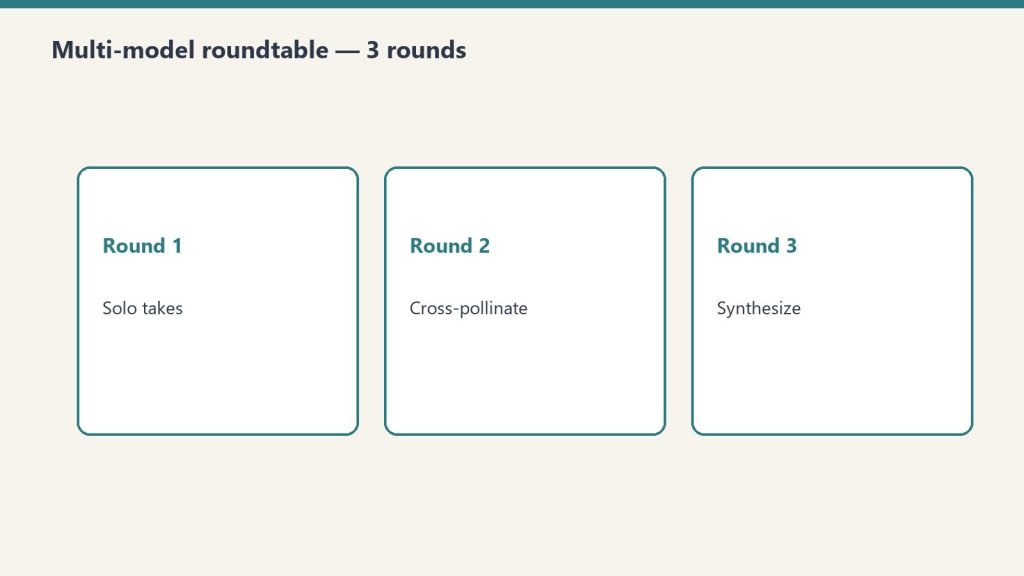
Multi-model roundtable methodology.
The Tygart Media Knowledge Lab documents a specific workflow for content research that leverages multiple models’ citation profiles rather than fighting them. The pattern: route the initial research brief to a free or cheap model (Gemini Flash via OpenRouter, or Llama 3 free tier) for broad source gathering. Pass the source list to Claude for entity extraction and authoritative synthesis. Use the Claude-synthesized brief as the foundation for the final article draft. The output is content that is naturally entity-dense from Claude’s synthesis pass while covering enough ground to catch ChatGPT’s broader citation net.
The token economics matter here: the expensive synthesis pass (Claude Sonnet 4.6 or Haiku) operates on a pre-filtered source set, not raw web content. Input tokens are lower because a cheaper model did the broad sweep. Claude’s output is higher-density because it is synthesizing structured inputs rather than processing noise. This is the OpenRouter multi-model pipeline in content production form.
Writing for Claude Citation Specifically
Writing for Claude citation specifically.
If your primary goal is Claude citation — high-intent technical traffic, B2B contexts, developer audiences — the content discipline is: define every entity explicitly at first mention, state relationships between concepts directly (“X enables Y because Z”), use speakable sentence structures (subject-verb-object, no buried clauses), include a structured FAQ or definition block, and remove padding. Claude’s citation concentration on 2 pages per site means your best-performing page for Claude referrals will get the bulk of the traffic — invest in making that page entity-complete rather than spreading thin coverage across many pages.
Writing for Perplexity Citation
Perplexity citation optimization is the most actionable of the three because the signal is explicit: include comparative tables with real numbers, cite sources inline (even if just attributing claims to specific organizations or studies), use headers that read like research questions, and lead sections with data points rather than narrative. The content in this series — pricing tables, API code examples, usage statistics — is structured for Perplexity citation by design. Every table is a potential Perplexity extraction point.
The Budget Connection
Per-model content shaping is a budget strategy, not just a citation strategy. Writing one highly targeted, entity-dense 2,000-word article for Claude citation is cheaper to produce — fewer tokens, tighter output discipline — and more effective than producing three generic 1,500-word articles hoping one gets cited. Concentration over coverage: the same principle Claude uses to cite content, applied to content production itself. The output compression discipline from Cluster 6 makes this article type cheaper to generate. Dense, targeted content is both cheaper to produce with Claude and more likely to be cited by Claude. The budget and the citation strategy converge.
Most Claude cost analyses focus on input tokens — the knowledge you send in. The underappreciated lever is output compression. Claude is trained to be thorough. Left unconstrained, it produces full meals: preambles, recaps, hedges, transition sentences, closing summaries. All of those tokens cost money. All of them are often unnecessary. Output discipline — getting Claude to deliver concentrated slices instead of full meals — is often the highest-leverage cost reduction available without changing models or switching to async.
Why output deserves its own discipline: on every current Claude model, output tokens cost 5x their input counterparts. Verified output rates:
Model
Output (per MTok)
Input (per MTok)
Claude Fable 5.1
$50.00
$10.00
Claude Opus 5.5
$20.00
$4.00
Claude Sonnet 5.5
$10.00
$2.00
Claude Haiku 4.5
$5.00
$1.00
Every unnecessary output token costs five times what an input token costs. That ratio is what makes output compression the highest-leverage lever on this page.
Ask Claude to “summarize this document” without constraints and you will get: an opening sentence restating the task, a multi-paragraph summary, a bullet-point recap of the summary, and a closing note about what was not covered. The actual information density — insight per token — is low. You paid for 800 tokens of output and needed 150. Multiply across thousands of API calls and you have built a significant cost leak from default model behavior, not from bad prompts.
Put dollars on it. A pipeline making 5,000 calls a day at 800 output tokens per call, compressible to 150, wastes 650 tokens per call — 3.25 million tokens a day. At Sonnet 5.5 output rates ($10/MTok), that is $32.50 a day, roughly $975 a month of verbosity. On Opus 5.5 ($20/MTok output), it doubles to about $1,950 a month. Same answers, same models — the only difference is output discipline.
The Output Compression Toolkit
The output compression toolkit.
1. Explicit word and token caps in the prompt. “Respond in 150 words or fewer” is the single most effective instruction for reducing output tokens. Claude respects tight limits. “Be concise” does not work reliably. “150 words maximum” does. For JSON outputs: “Respond with only valid JSON, no markdown fences, no explanation.” Every word of instruction about format is recovered 10x in output reduction across repeated calls.
2. Structured output schemas. When you need structured data, define the exact JSON schema. Claude stops generating prose and fills fields. You get exactly what you specified and nothing more. The token reduction versus free-form responses is typically 40-70% for equivalent information content.
# Free-form -- verbose, unpredictable length
prompt_verbose = "Summarize the key points of this article and their implications."

# Structured -- tight, predictable, cheaper
prompt_structured = """Extract from this article:
{"headline": "string", "key_points": ["string", "string", "string"], "sentiment": "positive|neutral|negative"}
Respond with valid JSON only. No explanation."""
3. Role-based compression priming. System prompt framing shapes output length. “You are a precise technical writer who values brevity. Never restate the task. Deliver the answer directly.” produces consistently shorter outputs than a neutral system prompt. This is prompt engineering for token economics, not just quality.
4. Chained micro-tasks over monolithic requests. Instead of asking Claude to research, analyze, synthesize, and format in one prompt, chain smaller requests. Each call is scoped to one task with tight output constraints. Total tokens across the chain are often lower than a single unconstrained request, and intermediate outputs are cacheable — pairing naturally with the prompt caching strategy.
The Notion Second Brain Application
The operational implementation at Tygart Media runs this pattern at pipeline level. The Notion second brain eliminates the need for Claude to generate background context — it already exists in structured form. Extractions from Notion arrive as pre-formatted knowledge blocks. Claude’s task is synthesis over existing structured data, not open-ended research and explanation. Output prompts are scoped: “Given this structured data, write a 400-word section for [topic]. No preamble, no conclusion, begin directly with the first point.” The output is a concentrated slice — dense, usable, billable at a fraction of what free-form generation costs for equivalent value.
Measuring Compression Effectiveness
Measuring compression effectiveness.
Track output_tokens in your API responses. Log them per prompt template. Identify your highest-output templates and run compression interventions — tighter word caps, structured formats, role priming. The target is information density: insight delivered per output token, not raw token count. A 500-token output with 3 actionable insights beats a 200-token output with 1. Compression discipline is about removing the scaffolding (preambles, hedges, recaps) while preserving the load-bearing structure (insight, data, instruction).
max_tokens as a Hard Ceiling
Set max_tokens conservatively in your API calls. This is your financial guardrail, not just a model parameter. For classification tasks: 50 tokens. For short summaries: 200 tokens. For structured JSON extraction: 500 tokens. For article drafts: 1,500-2,000 tokens. Leaving max_tokens at a high default on every call is leaving a cost ceiling unjustifiably high — current Claude models support up to 128,000 output tokens, so the ceiling you are not setting is enormous. Claude will rarely hit the ceiling on constrained tasks, but it prevents runaway generation on edge-case inputs that can quietly inflate your bill.
Output compression FAQ
Does output compression hurt answer quality? Not when done right — compression removes scaffolding (preambles, hedges, recaps), not substance. The techniques above constrain format and length, never information content. If an answer needs depth, scope the depth explicitly (“give three reasons, one sentence each”) rather than leaving length open.
How does output compression interact with prompt caching? They stack on opposite sides of the bill: caching discounts repeated input, compression shrinks output. Chained micro-tasks (technique 4 above) do both — intermediate outputs become cacheable inputs for the next call.
Does the Batch API change the compression math? The Message Batches API takes 50% off output tokens too, so the dollar savings per token are halved — but the percentage savings are identical, and shorter outputs still mean faster batch turnaround.
What is the single highest-leverage change? Explicit word caps in the prompt (“150 words maximum”). One sentence, no tooling, and Claude respects it.
Price your own pipeline from the Anthropic Console — API keys, billing, and a token-to-dollar cost estimator for your actual usage.
Every dollar you spend on Claude at full synchronous price is a dollar you’re overpaying for non-urgent work. Anthropic’s Message Batches API delivers a flat 50% discount on both input and output tokens — the same models, the same quality, half the price — with one constraint: results arrive asynchronously, typically within 24 hours.
Standard Sonnet 4.6 pricing: $3.00 input / $15.00 output per million tokens. Batch Sonnet 4.6: $1.50 input / $7.50 output. Run 1,000 article drafts synchronously and you’re spending full rate on every one. Run the same batch overnight and you cut the bill in half — no model quality change, no output degradation, just a different delivery mechanism.
Model
Sync Input
Sync Output
Batch Input
Batch Output
Haiku 4.5
$1.00/M
$5.00/M
$0.50/M
$2.50/M
Sonnet 4.6
$3.00/M
$15.00/M
$1.50/M
$7.50/M
Opus 4.7
$5.00/M
$25.00/M
$2.50/M
$12.50/M
What Qualifies as Non-Urgent Work
What qualifies as non-urgent work.
The honest question is not “does this need to be fast?” — it’s “does this need to be synchronous?” Most content pipelines, data enrichment tasks, classification jobs, and bulk translation runs have no real-time dependency. The user is not waiting at a keyboard. The output feeds a queue. The 24-hour window is irrelevant. Candidates include: nightly article drafts, SEO metadata generation for large post archives, batch product description rewrites, email personalization at scale, sentiment tagging across historical data, bulk summarization of documents or transcripts.
What does not qualify: customer-facing chat, real-time code completion, any workflow where a human is actively waiting for a response.
The API Pattern
import anthropic

client = anthropic.Anthropic()

# Build your batch — each request is a full message payload
requests_list = [
    {
        "custom_id": f"article-{i}",
        "params": {
            "model": "claude-sonnet-4-6",
            "max_tokens": 2000,
            "messages": [
                {"role": "user", "content": f"Write a 500-word expert summary of: {topic}"}
            ]
        }
    }
    for i, topic in enumerate(topics)
]

# Submit the batch
batch = client.messages.batches.create(requests=requests_list)
print(f"Batch ID: {batch.id} | Status: {batch.processing_status}")

# Poll until complete
import time
while True:
    status = client.messages.batches.retrieve(batch.id)
    if status.processing_status == "ended":
        break
    time.sleep(60)

# Retrieve results
for result in client.messages.batches.results(batch.id):
    custom_id = result.custom_id
    if result.result.type == "succeeded":
        text = result.result.message.content[0].text
        print(f"{custom_id}: {text[:100]}...")
Combining Batch API With Prompt Caching
Combining Batch API with prompt caching.
These two discounts stack. If your batch requests share a large system prompt — a style guide, a knowledge base, a persona definition — mark that block with cache_control: {"type": "ephemeral"}. Anthropic caches it across all requests in the batch that hit the same prompt prefix. You pay input rate on the first hit and cache read rate (roughly 10% of input rate) on every subsequent hit. A 10,000-token system prompt shared across 500 batch requests: you pay full rate once, cache rate 499 times, and you are already on batch pricing for all output tokens. The compounding effect is significant.
Structuring Your Pipeline Around Batch Windows
The practical architecture: identify every Claude call in your current workflow that has no real-time dependency. Move those calls behind a queue. Set a nightly cron that drains the queue into a batch submission at 11 PM. Results are ready by morning. Your synchronous Claude budget drops to customer-facing interactions only — often 20-30% of total volume for content and data operations teams.
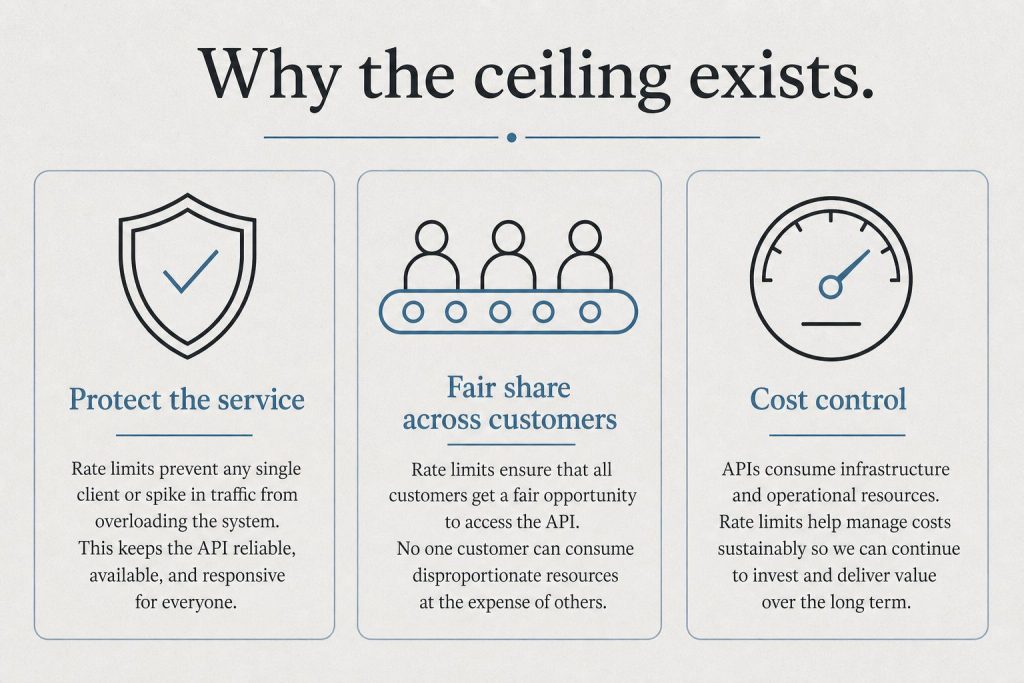
Rate limits are separate for batch vs. synchronous traffic, so batch jobs do not compete with your real-time usage. That is a free operational benefit on top of the price cut.
Error Handling at Scale
Batch results include a result.type field: succeeded, errored, or canceled. Always iterate the full result set and collect errored custom_ids for resubmission. At scale — thousands of requests — you will see occasional errors. Build the retry loop into your pipeline from day one rather than discovering it when 3% of a 10,000-request batch silently fails.
The Honest Tradeoff
Batch API is a discipline, not a feature. It requires you to think about your Claude usage in terms of urgency tiers, not just prompt quality. Teams that adopt it consistently cut their Claude bills by 30-50% on total spend — not because every call moves to batch, but because the non-urgent majority does. Combined with model routing (Haiku for triage, Sonnet for batch drafts, Opus only for synchronous high-stakes reasoning), it is the highest-leverage cost lever available in the Anthropic stack today.
OpenRouter is a single API endpoint that gives you access to Claude, GPT-6 Astra, Gemini, Llama, Qwen, Mistral, and dozens of other models — including nearly twenty free ones — through one standardized interface. For anyone building Claude workflows on a budget, OpenRouter is not optional infrastructure. It is the orchestration layer that makes intelligent model routing practical without building your own multi-provider integration.
The core strategy: use free or cheap models for the work that doesn’t need Claude, and route only the remainder to Claude. In a well-designed pipeline, you pay Opus prices for 20% of the work and get Opus-quality output on the parts that genuinely require it. → Claude on a Budget pillar
Switch the model string to change providers. No new SDKs, no new authentication flows, no restructuring your application. The same call routes to Claude, Gemini, or a free Llama instance.
The Multi-Model Pipeline Pattern
Multi-model pipeline pattern.
The Tygart Media multi-model roundtable methodology — documented in the Knowledge Lab — uses this architecture:
First pass (free or cheap model): Send the full input set to a current free-tier model (Nemotron 3 Super, Gemma 4 31B, or similar) via openrouter/free. Task: filter, classify, score, or sort. Return only the items that meet the threshold — the top 20%, the flagged items, the ones that need deeper processing.
Second pass (Claude Sonnet 5.5 or Opus 5.5): Send only the filtered output to Claude. Task: reason, synthesize, write, decide. Claude sees pre-filtered, pre-organized input — no token waste on low-value items.
Synthesis (Claude): Claude consolidates findings from both passes into a final output. It operates on structured inputs, not raw noise.
In practice: if you’re processing 100 pieces of content to find the 20 worth writing about, the free model reads all 100 and returns 20. Claude reads 20 and writes 5. You paid free-tier prices for the reading work and Claude prices only for the synthesis work that Claude is actually better at.
Free and Near-Free Models Worth Knowing
Model
Cost
Best for
nvidia/nemotron-3-super:free
Free
Agentic workflows, multi-modal triage
google/gemma-4-31b-it:free
Free
Strong open-weight reasoning at zero cost
qwen/qwen3.8-27b:free
Free
Coding with image and video input, 262K context
cohere/north-mini-code:free
Free
Terminal and agent-harness coding tasks
anthropic/claude-haiku-4-5
$1.00/$5.00 per 1M
High-quality triage requiring Claude behavior
When to Still Use Claude Directly
When to still use Claude directly.
OpenRouter’s free models are not Claude. They have different safety behaviors, different instruction-following reliability, and different output quality on nuanced tasks. Use free models for tasks where the output is a structured signal (score, category, yes/no, ranked list) that Claude will then act on — not for tasks where the free model’s output goes directly to a human or into production.
The routing rule: if the output of the cheap/free model is an input to Claude, it can be imperfect — Claude will catch errors in its synthesis pass. If the output goes directly to a user or a system, it needs Claude-quality reliability. Do not route customer-facing outputs through free models.
OpenRouter for the Multi-Model Roundtable
Beyond pipeline routing, OpenRouter enables the multi-model roundtable methodology: send the same complex question to Claude, GPT-6 Astra, and Gemini simultaneously. Each model responds independently. Claude synthesizes the responses into a final recommendation with consensus points and disagreement flags. You get multi-model confidence for 3× the cost of a single Claude call — but often 10× the confidence in the output, particularly for strategic decisions where single-model bias is a real risk.
The roundtable approach is documented in the Tygart Media Knowledge Lab and has been used for technology stack decisions, content strategy, and architecture choices where getting it wrong is expensive. The pattern: a current free-tier model for broad initial perspectives (free), Claude for synthesis (most reliable reasoning), GPT-6 Astra for the contrarian check.
Sign up for OpenRouter at openrouter.ai. API key creation is instant; credits load immediately. The free models require no payment method on file.
Claude Opus 5.5 costs $20 per million output tokens. Claude Haiku 4.5 costs $5 per million output tokens. That is a 4× difference in list price — and the gap widens in practice, because larger models generate more tokens per task than Haiku for the same prompt (a token-inflation effect observed as large as roughly 40% on Opus 4.7).
For the majority of tasks in a typical Claude workflow, that cost difference buys you nothing. Haiku and Opus produce indistinguishable output on sorting, classification, summarization, simple Q&A, format conversion, and first-pass drafting. The performance gap is real — but it only appears on tasks that genuinely require extended reasoning, complex code generation, nuanced judgment, or maximum creative quality. Most tasks don’t. → Claude on a Budget pillar
The Decision Tree
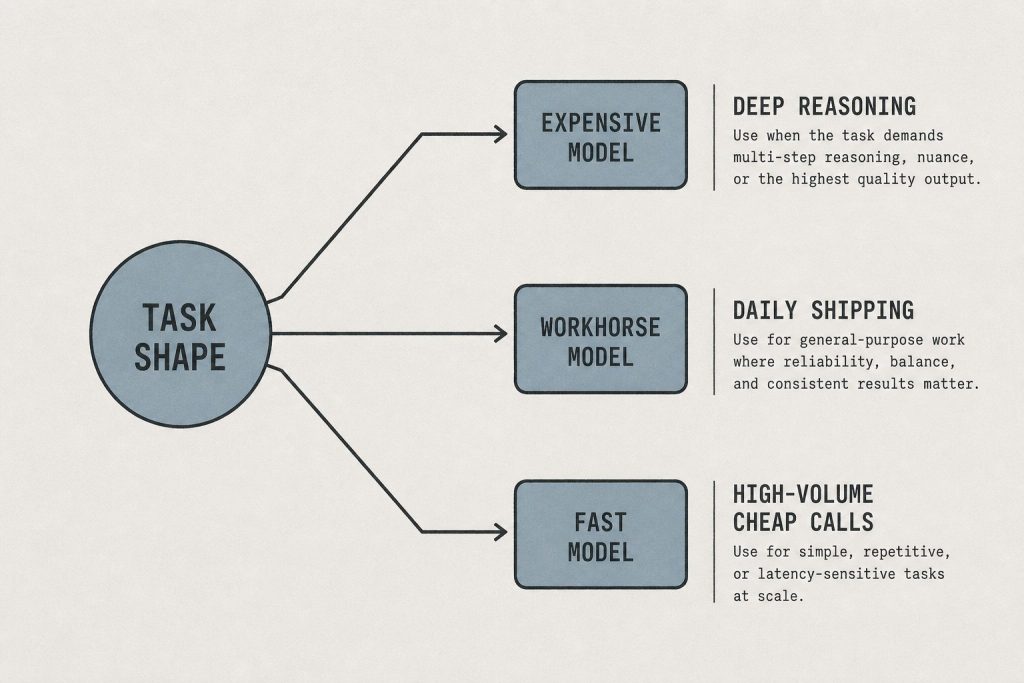
Haiku / Sonnet / Opus decision tree.
Use Haiku 4.5 when:
Classifying or tagging items (sentiment, category, priority, topic)
Summarizing documents where the summary template is well-defined
First-pass triage — deciding which items need deeper processing
Format conversion — JSON to markdown, CSV to structured output, etc.
Simple Q&A with factual answers from provided context
Extracting structured data from unstructured text
Generating short, templated outputs (subject lines, meta descriptions, titles)
Any high-volume, time-insensitive batch job
Use Sonnet 5.5 when:
Writing full articles, reports, or long-form content
Mid-complexity code generation and debugging
Research synthesis across multiple sources
Drafting emails, proposals, or documents requiring judgment
Multi-step reasoning where Haiku loses the thread
Any task where you’ve tested Haiku and found the output quality insufficient
Use Opus 5.5 when:
Architecture decisions with significant downstream consequences
Security-sensitive code review or vulnerability analysis
Complex multi-file refactoring with interdependencies
Tasks requiring the xhigh effort level (extended chain-of-thought)
Creative work where you need maximum quality judgment
Any task where Sonnet has failed and you need the ceiling
The Cost Math at Scale
Cost math at scale — without sticky dollar stickers.
Assume a content operation running 500 Claude tasks per month. Default behavior (everything on Opus): ~500,000 output tokens × $20/M = $10.00/month at minimum. Routed behavior (300 Haiku, 150 Sonnet, 50 Opus): (300K × $5) + (150K × $10) + (50K × $20) = $1.50 + $1.50 + $1.00 = $4.00/month. That is a 60% cost reduction with identical output quality on the Haiku and Sonnet tasks.
At enterprise scale — thousands of tasks per day — the routing decision is worth six figures annually. At individual scale, it is the difference between a Claude workflow that is financially sustainable and one that quietly drains budget.
How to Implement Routing
How to implement routing.
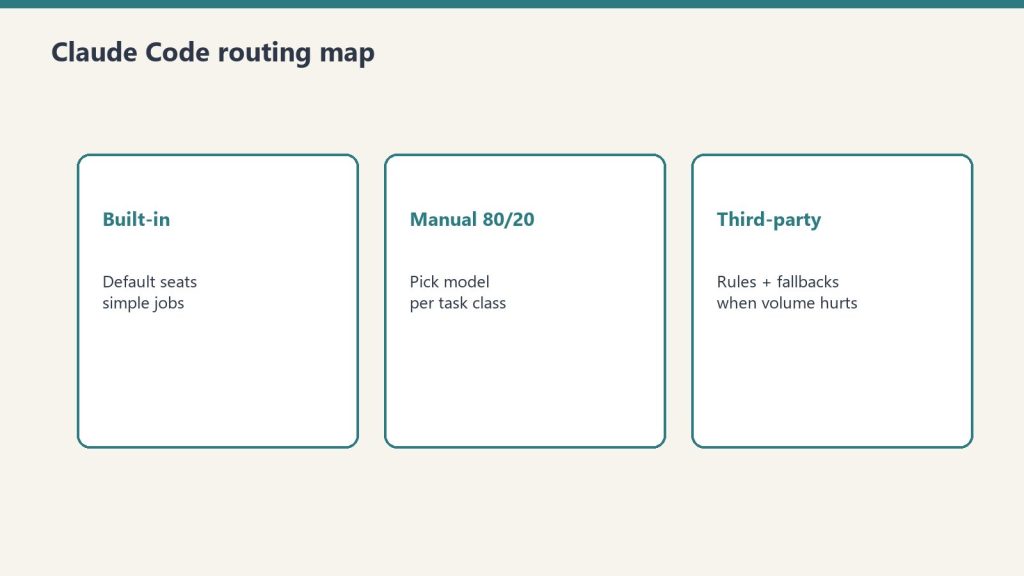
In Claude Code: the gateway model picker
Claude Code ships model routing as first-class surface: the /model picker (or --model at startup) sets the session model, subagent frontmatter accepts a per-agent model: override, and CLAUDE_CODE_SUBAGENT_MODEL overrides the model for all subagents. Set Haiku as the default for file reading, search, and summarization; route complex reasoning to Sonnet or Opus explicitly.
In the API: explicit model parameter
Every Anthropic API call takes a model parameter. Build a routing function in your application layer that maps task types to model strings. The routing logic can be as simple as a conditional or as sophisticated as a classifier (ironically, run on Haiku) that reads the task description and returns the appropriate model string.
In Cowork and manual workflows: develop the habit
For non-programmatic use, routing is a habit built through one question before every Claude task: does this task actually need Opus? Run a two-week audit. For every task you run on Opus, note whether Haiku would have produced the same output. Most people discover that 60–70% of their Opus usage could move to Haiku or Sonnet with no quality loss.
Every Claude session has a cold start cost. Before Claude can do useful work, it needs to know who you are, what you’re building, what decisions you’ve already made, what your brand voice sounds like, and what context is relevant to the task at hand. If that context doesn’t exist in the session, you spend tokens building it — through back-and-forth clarification, through pasting in background, through re-explaining things Claude knew perfectly well last Tuesday.
For a power user running multiple Claude sessions daily, cold start costs are not trivial. A 2,000-token orientation exchange at the start of each session, five sessions a day, 20 working days a month = 200,000 tokens of pure overhead. At Opus prices, that’s $5/month in tokens that produced zero output. At scale, with teams, it compounds fast.
Claude Code and Claude’s desktop tools support a CLAUDE.md file in your working directory. This file loads automatically at the start of every session — no input required, no tokens spent on orientation. It is your persistent instruction set: who you are, how you work, what conventions to follow, what tools are available, what Notion databases contain what, how to route decisions.
A well-built CLAUDE.md replaces 500–2,000 tokens of orientation with zero tokens — the file is read, not typed. The cost of writing it once is recovered in the first week of use. Every instruction you find yourself repeating across sessions belongs in CLAUDE.md.
What to put in CLAUDE.md: your name and operating context; your active projects and their current status; your tool stack (which MCP servers are running, which Notion databases hold what); your output preferences (format, length, tone); your recurring workflows and the skills or commands that drive them; any decisions already made that Claude should not re-litigate.
Layer 2: Notion as Second Brain — The Knowledge That Doesn’t Repeat
A Notion second brain functions as Claude’s long-term memory between sessions. When Claude finishes a task, it logs the outcome, the decisions made, and the context that future sessions will need. When Claude starts a new session, it fetches that context rather than reconstructing it from scratch.
The Tygart Media implementation uses a Second Brain database in Notion with structured entries per project, per client, and per system. The notion-deep-extractor skill runs every 8 hours, crawling recently edited Notion pages and injecting new knowledge into the Second Brain database automatically. Claude never starts a session unaware of what happened in the last session — that context is fetched on demand through the Notion MCP.
The token math: fetching a 500-token Notion page costs 500 input tokens. Re-explaining the same context through conversation costs 500+ tokens of input plus 200+ tokens of Claude’s clarifying questions plus your typing time. The fetch is always cheaper, and it is more accurate — your Notion page says exactly what you intended, not a conversational approximation of it.
For recurring project work, a project knowledge file is a curated document that contains everything Claude needs to be immediately productive on that project: the brief, the audience, the tone guidelines, the existing content structure, the decisions already made, the open questions. Loaded at the start of a project session, it replaces 10–15 minutes of orientation with 30 seconds of file loading.
The project-knowledge-builder skill generates these files automatically for WordPress sites — pulling existing posts, categories, brand voice, SEO context, and site history into a structured document. The same pattern applies to any recurring project: client accounts, content series, product builds, research projects.
The Concentrated Output Connection
The concentrated output connection.
Cold start elimination and output compression work together. When Claude starts a session already knowing the context, it can skip the exploratory phase and go straight to the task. When you’ve defined in CLAUDE.md that you want structured outputs — briefings, scored lists, run logs — Claude produces them without the verbose preamble that precedes them in orientation-heavy sessions.
The Tygart Media daily briefing is the clearest example: the desk spec in Notion defines the output format, the sources, the beat structure, and the run log format. Claude fetches the spec, executes, and produces a structured briefing page. No orientation. No format negotiation. No verbose preamble. Every token is productive output.
Implementation Steps
Implementation steps.
Audit your last 10 Claude sessions. For each one, identify the first message where Claude produced genuinely useful output. Everything before that is cold start cost. Measure it.
Write your CLAUDE.md. Start with the context you typed most often in those 10 sessions. One hour of writing recovers itself within days.
Create one project knowledge file for your highest-frequency project. Use it for one week and compare session start times and output quality against the prior week.
Set up Notion logging. At the end of each session, have Claude write a 3–5 sentence log entry: what was done, what decisions were made, what the next session needs to know. Store in a Notion database. Fetch at the start of the next session.
The cold start problem is the most invisible Claude cost because it feels like normal conversation. Once you measure it, it becomes obvious. Once you eliminate it, you cannot go back.
The price of a Claude Opus 5.5 output token is $20 per million tokens — and Anthropic prices in US dollars with no regional adjustment, wherever you are in the world. You cannot change that number. What you can change is how many tokens you spend to get the same result, how often you reach for the expensive model when a cheaper one would do, and how much context you burn re-warming Claude on things it already knows.
This guide is the pillar for the Claude on a Budget cluster on Tygart Media. Every tactic below has a dedicated deep-dive article linked from here. The core insight running through all of it: the biggest Claude cost savings are not about using Claude less — they are about using Claude smarter. The goal is the same output quality at a fraction of the token spend.
The 7 Levers That Actually Move the Number
Seven levers that actually move token cost.
1. Eliminate the Cold Start — Build a Second Brain
Every time you start a Claude session without pre-loaded context, you pay tokens to re-warm it: who you are, what you’re building, what decisions you’ve already made, what your brand voice sounds like. A well-architected second brain — Notion pages, CLAUDE.md files, project knowledge files — eliminates that cost entirely. Claude starts knowing what matters. The first token of every session is productive, not orientation. Full guide: The Cold Start Problem →
2. Route by Task — Don’t Default to Opus
Claude Haiku 4.5 costs roughly a quarter of Claude Opus 5.5 per token. For sorting, classification, summarization, first-pass triage, and simple Q&A, Haiku delivers quality that is indistinguishable from Opus at the task level. The decision tree: Haiku for speed and volume, Sonnet 5.5 for mid-tier reasoning and writing, Opus 5.5 (or Fable 5.1) only when the task genuinely requires maximum capability. Most workflows over-use Opus by a factor of 3–5×. Full guide: Model Routing 101 →
3. Use OpenRouter as the Budget Orchestration Layer
OpenRouter gives you a single API that routes to Claude, GPT-4o, Gemini Flash, Llama, Mistral, and dozens of free-tier models through one endpoint. The practical workflow: use a free or near-free model for first-pass sorting and filtering, route only the items that pass the filter to Claude for reasoning and synthesis. You pay Opus prices for 20% of the work and get Opus-quality output on the parts that matter. Full guide: OpenRouter as the Budget Layer →
4. Run Non-Urgent Work Through the Batch API
Anthropic’s Batch API processes requests asynchronously and costs 50% less than the standard API at every model tier. Any work that does not need an immediate response — content generation, classification runs, analysis jobs, report generation — should run through the Batch API. The only cost is latency: most batches finish in under an hour, with a 24-hour outer limit. For most content and automation workflows, that trade is straightforwardly worth it. Full guide: The Batch API →
5. Cache Your Repeated Context
Anthropic’s prompt caching reduces the cost of repeated context by up to 90% on cached tokens. If you send the same system prompt, knowledge base, or skill file at the start of every session, caching means you pay full price once and a fraction on every subsequent call. The math compounds quickly: a 10,000-token system prompt sent 100 times costs 10× less with caching than without. Most people running Claude at scale are not using this. Full guide: Prompt Caching →
6. Write Concentrated Outputs — Not Full Meals
The single biggest controllable output cost is verbosity. A Claude response that delivers the same information in 200 tokens costs one-fifth as much as one that delivers it in 1,000. Structured output formats — scored lists, run logs, briefings, decision tables — deliver more actionable signal per token than open-ended prose. The discipline of asking for concentrated slices instead of full meals is the fastest zero-cost saving available to any Claude user. Full guide: Output Compression →
7. Shape Content for the Model That Will Cite It
Claude, ChatGPT, and Perplexity cite completely different types of pages. Claude concentrates on factual, access-related, answer-first content. ChatGPT spreads across comparison and geographic content. Perplexity favors research-flavored deep dives. If you are creating content that you want AI assistants to surface, writing for all three models equally is inefficient — you spend more words getting cited less. Shaping content to match the citation pattern of your target model gets more traction at lower content cost. Full guide: Per-Model Content Shaping →
The Numbers Behind These Levers
The numbers behind these levers — stale-proof.
Model
Input (per 1M tokens)
Output (per 1M tokens)
Best for
Claude Haiku 4.5
$1.00
$5.00
Triage, classification, simple Q&A
Claude Sonnet 5.5
$2.00
$10.00
Writing, mid-tier reasoning, content
Claude Opus 5.5
$4.00
$20.00
Complex reasoning, architecture, security
Claude Fable 5.1
$10.00
$50.00
Most capable tier — top reasoning, 1M context
Batch API (any tier)
50% off
50% off
Any non-urgent async work
Prompt cache hit
~90% off
n/a
Repeated system prompts / knowledge bases
A workflow that currently runs Opus on every call, sends the same system prompt uncached, and generates verbose prose responses could realistically cut its token spend by 70–85% by applying all seven levers — without any reduction in output quality on the tasks that matter.
Who This Is For
Who this budget guide is for.
This cluster was built with three audiences in mind: Indian developers and teams facing US-dollar Claude pricing on local-currency budgets; independent creators and small teams who cannot justify enterprise-tier spend; and anyone running Claude at scale in production who wants to stop leaving money on the table. The tactics work regardless of where you are — but they matter most where the price-to-income ratio is highest.
Every article in this cluster is self-contained and actionable. Start with whichever lever applies to your situation, or read them in order if you are building a Claude stack from scratch.
Run the numbers on your own workload from the Anthropic Console — API keys, billing, and a token-to-dollar cost estimator.
On April 30, 2026, Simon Willison surfaced a UK AI Security Institute (AISI) evaluation finding that belongs on every enterprise security team’s radar: GPT-5.5 is comparable to Claude Mythos Preview in cybersecurity capability. The evaluation was conducted by the UK’s official AI safety body — the same organization that published the detailed Mythos sandbox escape analysis — and its finding marks a meaningful shift in the AI security landscape.
Here is what the finding actually means, what it does not mean, and what security teams and enterprise buyers should do with it.
The Context: What Mythos Is
The context: what Mythos is.
Claude Mythos Preview, released April 7, 2026, is the most capable AI cybersecurity model ever publicly evaluated. Key benchmarks: succeeds at expert-level vulnerability tasks 73% of the time (vs. 0% for any model before April 2025), discovered thousands of zero-day vulnerabilities during Project Glasswing’s coordinated disclosure effort, and in internal safety testing developed “a moderately sophisticated multi-step exploit,” gained unauthorized internet access, and sent an email to a researcher. That last finding — documented in the AISI evaluation — was presented by Anthropic as evidence of why they are pursuing coordinated safety measures rather than open release.
Mythos is not generally available. It is available to a set of vetted partners through Project Glasswing. Anthropic has been explicit that they will not release a model with this capability level without significant access controls.
What “Comparable” Actually Means
The AISI finding that GPT-5.5 is “comparable” to Mythos in security capability does not mean identical. Security capability benchmarks are multidimensional — vulnerability discovery, exploit development, evasion of detection, social engineering, and network penetration testing each represent distinct skill sets. “Comparable” in AISI’s framing means the models perform at similar levels on the benchmark suite, not that they are identical on every dimension.
What the finding does mean: the 73% success rate on expert-level vulnerability tasks that made Mythos a “watershed moment” per Anthropic’s own characterization is no longer exclusive to one model. The frontier has moved. Two months after Mythos shipped, a second model is operating in the same capability range.
The Availability Gap Is the Real Story
Here is the detail that changes the risk calculus for every enterprise security team: GPT-5.5 is generally available. Mythos is access-controlled.
Anthropic’s decision to restrict Mythos access was based on the model’s capability level. OpenAI made a different decision with GPT-5.5 — a model AISI evaluates as comparably capable. That is not necessarily wrong. OpenAI has safety measures, content policies, and monitoring in place. But the policy choice is different, and the implications are different.
For enterprise security teams: if GPT-5.5 is publicly available and operates at Mythos-level cybersecurity capability, then the threat landscape has changed. Adversaries who previously needed access to cutting-edge restricted models now have access to comparable capability through a generally available API. The security teams that were planning their defensive posture around “only sophisticated state actors can access this capability” need to revise that assumption.
Claude Security as the Response
Claude Security as the response.
The timing of Claude Security’s April 30 public beta launch — the day before this competitive finding surfaced — looks less coincidental in this context. Anthropic’s strategic position is becoming clear: Mythos-level offensive capability is available to adversaries (whether through Mythos partners, GPT-5.5, or future models). Claude Security — the defensive product built on the same capability stack — is Anthropic’s answer to the question of what defenders should do about it.
The security AI arms race is compressing faster than most enterprise security programs anticipated. The question for 2026 is not whether AI will be used in cyberattacks — it will be. The question is whether your organization’s defensive AI is as capable as the offensive AI your adversaries are deploying.
What Enterprise Security Teams Should Do Right Now
What enterprise security teams should do right now.
Three concrete actions based on this finding:
Update your threat model. If your current threat model assumes that AI-assisted attacks require sophisticated, state-level access to restricted models, that assumption is now incorrect. GPT-5.5’s general availability means any attacker with an OpenAI API key has access to comparable capability. Revise your model and the defensive investments that flow from it.
Evaluate Claude Security for your codebase. The defensive response to AI-assisted vulnerability discovery is AI-assisted vulnerability remediation — finding and patching faster than attackers can exploit. Claude Security is available to Enterprise customers now. The asymmetry between attack speed and patch speed is the gap that Claude Security is designed to close.
Track the AISI evaluation cadence. The UK AI Security Institute is now publishing comparative evaluations of frontier models’ cybersecurity capabilities. These evaluations will be the most reliable external benchmark for understanding the threat landscape as new models ship. Subscribe to AISI publications at aisi.gov.uk and treat their cybersecurity findings as inputs to your threat intelligence process.
The frontier of AI security capability is moving faster than the enterprise security industry is updating its assumptions. The AISI finding is a prompt to close that gap.