AI strategy for operators: deploy Claude, automate real workflows, and build AI-native systems that compound. Field notes and playbooks from Tygart Media.
The agent finishes. The output is sitting there. It looks right — it usually looks right — and now you have to decide whether you’re going to use it or check it first.
That moment, that pause, is the trust gap. And if you’re running AI at any real volume, it’s the thing that’s quietly eating your time, your confidence, and sometimes your credibility.
Most people handle it badly. I did too, for a while.
The two failure modes are mirror images of each other. The first is reviewing everything — reading every output, checking every claim, treating the agent like an intern you don’t trust yet. This works. It catches errors. It also means the agent isn’t actually saving you time. You’ve moved the work from doing to checking, which is a trade-off that only makes sense at low volume or when the stakes are very high.
The second failure mode is trusting everything — shipping what the agent produces without a meaningful review layer, because you’re busy and it usually looks right and you can fix things later. This also works, until it doesn’t. Bad output compounds quietly. A wrong fact in an article becomes a wrong fact that got cited. A misformatted record becomes a database full of exceptions you have to clean manually. By the time you notice, the problem is bigger than the original task.
The thing both failure modes have in common is that they’re reactions to the trust gap rather than designs for closing it.
The design question is different from the reaction question.
The reaction question is: how much should I check this particular output right now?
The design question is: what is the system that makes agent output trustworthy enough that I can scale it?
I spent a long time asking the wrong question.
What changed for me was thinking about trust as something that gets earned over time, not assessed in the moment.
The system I ended up with has a name — the Promotion Ledger — and it tracks every autonomous behavior by tier. Tier A behaviors are things I always approve before they ship. Tier B behaviors are things I prepare but decide on. Tier C behaviors run on their own without me touching them.
Nothing starts at Tier C. Everything earns its way there through seven consecutive clean days — seven days where the behavior ran, I sampled the output, and found no gate failures. If something fails a gate, it drops a tier and the clock resets.
The clock is the key part. Trust isn’t a feeling I have about an agent in a given moment. It’s a count of consecutive clean runs. When I look at the Ledger and see that a behavior has been running cleanly for 23 days, I don’t need to review that output today. The track record is the review.
There are three things that made this work where other approaches didn’t.
The first is that sampled review is different from universal review. I don’t read every output. I read a percentage of outputs, randomly selected, with a defined rubric for what “good” looks like. If the sample is clean, the population is trusted. If failures cluster around a pattern, I fix the prompt and restart the clock. This scales in a way that reading everything doesn’t.
The second is source attribution. Every agent output that contains a factual claim has to show where the claim came from. Not because I’m going to verify every citation — I’m not. But because the presence of a citation converts “is this right?” from a research task into a spot check. A trust gap you can close in five seconds is functionally not a gap.
The third is the rubric. I have a written definition of what “good enough” looks like for each type of output — what voice match means, what coherence means, what the acceptable error rate is. Without the rubric, every review is a fresh judgment call. With it, review is comparison. Comparison is faster, more consistent, and easier to delegate.
The thing I kept getting wrong before I had this system was trying to close the trust gap with better prompts.
More detailed instructions. More explicit warnings. Be careful. Double-check your facts. Don’t make up numbers.
This doesn’t work. The agent already believes it’s being careful. Adding adjectives to a prompt doesn’t change behavior — it changes the agent’s self-description of its behavior, which is not the same thing. The agent that was going to hallucinate a statistic will still hallucinate it, but now it’ll do so with more confidence because you told it to be careful and it thinks it was.
Structural changes work. Rubrics, sampling rates, attribution requirements, tiered trust with observable clean-day counts. These change what the system produces, not just how it describes what it’s producing.
I want to be clear that this took a while to build and I’m still refining it.
There are behaviors on my Ledger that have been running at Tier C for months without a gate failure. There are others that keep dropping back to Tier B because they’re inconsistent in ways I haven’t fully diagnosed yet. The system doesn’t make trust automatic — it makes trust measurable.
That’s the shift. Not “I trust this agent” as a feeling, but “this behavior has 31 clean days and a gate failure rate of zero” as a fact. You can act on a fact in a way you can’t always act on a feeling.
The trust gap doesn’t close all at once. It closes by accumulation — one clean run at a time, tracked, until the track record speaks for itself.
If you’re running agents at any volume and you feel like you’re either checking too much or not checking enough, you’re in the gap. The way out isn’t a better prompt. It’s a system that makes trustworthiness visible over time.
Start with one agent. Define what “good” looks like. Sample 20% of its output for four weeks. Log what you find.
By week four you’ll know whether you have a trust problem, a prompt problem, or a rubric problem. Those have different fixes. But you can’t see which one you have until you start measuring.
There’s a question I’ve been avoiding for about two years.
What happens to all of this if something happens to me?
Not in a morbid way. Just practically. I run 27 client sites. I have an AI stack with dozens of moving parts — Cloud Run services, scheduled jobs, Notion databases, Workers that fire on their own while I sleep. I’ve built systems that work exactly the way I want them to work, in exactly the ways I understand, documented in exactly the language that makes sense to me.
The bus factor for this entire operation is one. It’s me. If I’m not here, none of it survives in any meaningful way.
I’ve been sitting with that long enough that I think it’s time to say it out loud.
The bus factor is an old software engineering concept. It asks: how many people would need to get hit by a bus before this project fails? One is the worst possible number. It means everything lives in a single person’s head — their habits, their passwords, their way of naming things, their unwritten rules about how the system works.
Most solo operators are a bus factor of one. They know this and they don’t talk about it because it sounds like a personal failing. Like you should have hired more people, or documented better, or not let yourself become the single point of failure for something people depend on.
But I think the honest version is more complicated than that. A lot of what makes a solo operation valuable is exactly the thing that makes it fragile: it’s shaped entirely around one person’s judgment. The reason the system works is because I know when to break the rules I wrote. I know what the edge cases are before they happen. I know which automations to trust and which ones to watch. That’s not something you write in a runbook.
So the question isn’t just “how do I document this better.” It’s “how do I make the judgment portable without turning it into something that loses the judgment in the process.”
I’ve been building toward an answer, in pieces, over the last several months.
The first piece was Notion as the control plane. Everything that matters about how this operation runs lives in Notion — specs, work orders, site credentials, content pipelines, system standards, the doctrine documents that explain why things are built the way they are. If I disappeared tomorrow, someone with the right access could open that workspace and read their way into understanding the shape of the operation, even if they couldn’t run it yet.
The second piece was the two-plane architecture — Notion for thinking and storage, GCP for compute. Every Cloud Run service, every scheduled job, every Worker is defined somewhere in Notion before it runs somewhere on GCP. The compute is durable. The logic is documented. Those are two different things, and keeping them separate means neither one is a black box.
The third piece is the hardest and I’m the least done with it: making the judgment readable.
I write doctrine pages. Long ones, sometimes. They explain not just what the system does but why it works that way — what the original problem was, what I tried that didn’t work, what the rule is now and what would have to be true for the rule to change. I write them mostly for myself, because I forget things. But they’re also written for the hypothetical person who has to pick this up without me.
That hypothetical person might be a future employee. It might be a contractor. It might be an AI agent working from a context window that needs to understand the operation well enough to continue it.
It might be my partner, trying to figure out what to do with the business side of things if I’m not around.
That’s the version that focuses the mind.
I don’t have this solved. I want to be clear about that.
What I have is a direction. The direction is: every decision should live somewhere outside my head. Every system should be explainable by someone who didn’t build it. Every credential should be in the registry, every automation should have a spec, every rule should have a reason written next to it.
It’s slow work. It runs against the instinct to just build the thing and move on. There’s always something more urgent than documentation, and “I’ll remember how this works” is almost always true right up until it isn’t.
But I’ve started treating the documentation as part of the product. Not the boring part — the part that makes the product real. A system that only works because I’m here isn’t really a system. It’s a performance.
The goal is to build something that could survive me. Not because I’m planning to leave, but because the work of making it survivable is also the work of making it understandable, and a system I can’t fully explain is a system I don’t fully own.
If you’re running something like this — solo or nearly so, more complexity than your headcount would suggest — I’d ask you the same question I’ve been sitting with.
If something happened to you tomorrow, what would survive?
Not what you hope would survive. What actually would.
I’ve hired developers. Good ones. For specific things — infrastructure, custom integrations, work that genuinely required someone to sit down and write production code from scratch — it was the right call.
But if I’m honest about the full list of things I’ve brought developers in for over the years, a meaningful chunk of it wasn’t really developer work. It was workflow work. It was “I need this thing to happen automatically when that other thing happens” work. It was “why does this still require a human to touch it” work.
That category of problem has a different answer now.
Here’s the pattern I kept running into:
I’d have a clear picture of what I wanted. Data from one tool synced into Notion. A webhook that logged events automatically. A scheduled job that pulled information from an external API every morning and wrote the results somewhere I could see them. Nothing exotic. Stuff that, described out loud, sounds almost embarrassingly simple.
But turning that description into something that actually ran required code. And writing code required a developer. And hiring a developer for something this small felt like bringing a contractor in to change a lightbulb — technically the right tool, but something about the ratio felt off.
So a lot of it didn’t get built. The workflow stayed manual. The friction stayed.
Last night I built ten of those things in three hours.
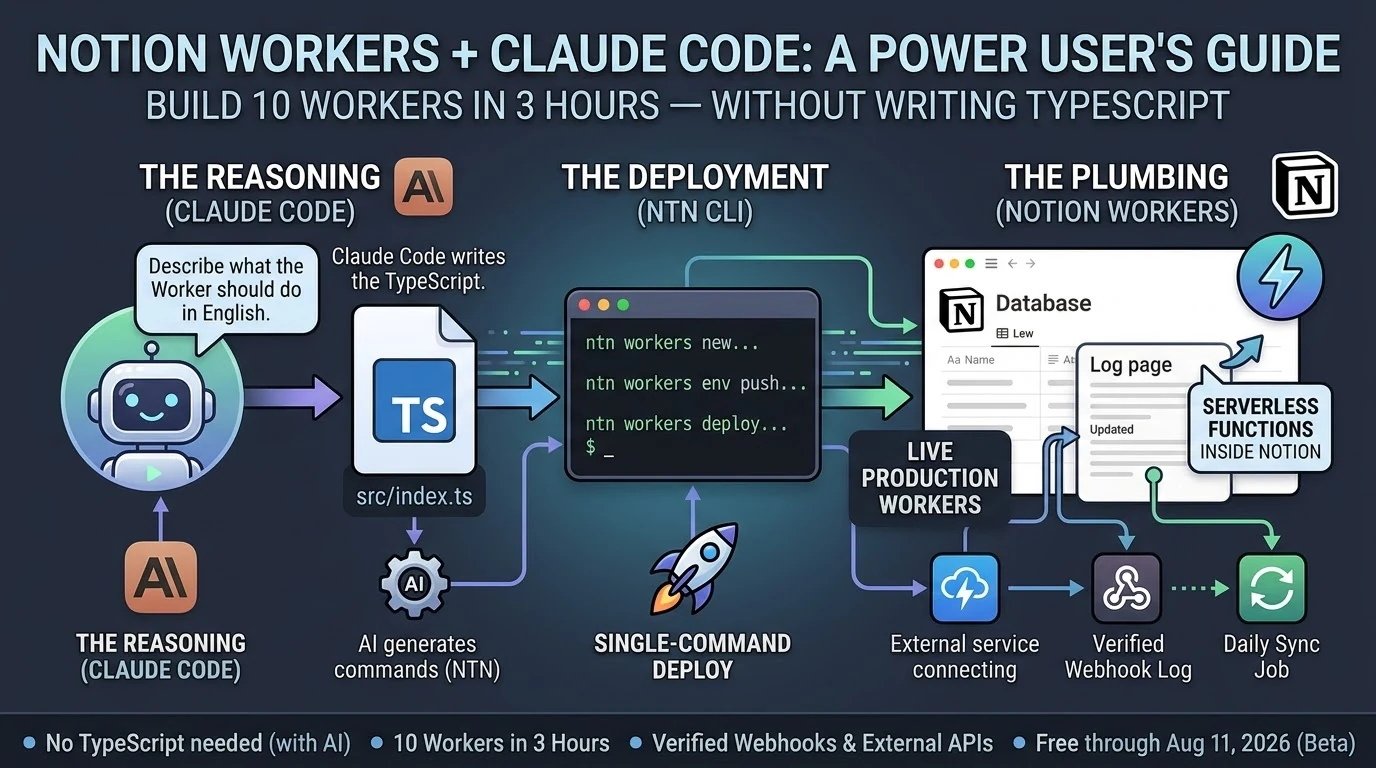
Notion Workers — their new hosted serverless platform, shipping in beta as of May 13, 2026 — lets you deploy real code inside Notion’s infrastructure without managing a server. Combined with Claude Code, which writes the TypeScript while you describe what you want in plain English, the gap between “I know what I want” and “it exists and is running” is smaller than it has ever been.
I’m not a developer. I operated the process. I described each Worker, reviewed what Claude Code wrote, ran the deploy commands, checked that it worked. When something broke, I read the error and passed it back. The loop was fast enough that two failures in ten attempts felt like a normal part of the session, not a crisis.
By midnight I had a live webhook endpoint receiving authenticated traffic from the internet and writing verified events to a Notion log page. Automatically. While I slept.
That’s workflow work. It just didn’t require a developer to get there.
I want to be careful about what I’m claiming here.
There are things that genuinely need a developer. Complex systems. Production APIs with serious security requirements. Anything where a bug has real consequences for real people. I’m not suggesting you staff down your engineering team based on a three-hour session with a CLI tool.
What I’m suggesting is narrower: there is a category of work that has always felt like it needed a developer but actually needed something else. It needed clarity about what you wanted. It needed a good description. It needed someone willing to read an error message and try again.
That work is yours now, if you want it.
The practical question is where to start.
Start with the thing that’s most manual in your current workflow. The task someone does by hand because no one ever got around to automating it. The data that lives in one tool but should live in another. The notification that goes out because someone remembered to send it, not because the system sent it automatically.
Describe it out loud. If you can explain it to another person in two or three sentences, you can build it. Open Claude Code. Tell it what you want. Run the commands it gives you.
You might be surprised how far that gets you before you need to call anyone.
Notion Workers beta is free through August 11, 2026. The ntn CLI installs in one line on macOS or Linux. Business or Enterprise plan required to deploy Workers.
There’s a word that’s been sitting in my head lately and I think it’s the right one.
Not developer. Not user. Not prompt engineer — please, not that.
Operator.
The developer builds the system. The user benefits from it. The operator runs it.
Operators have always existed. They’re the people who know a tool well enough to get unusual things out of it — who understand what’s possible, who can configure and connect and troubleshoot, who treat software as infrastructure rather than a product to consume. In a restaurant, the chef is the operator. In a warehouse, it’s the floor manager who actually knows where everything is and why the inventory system does what it does.
In most software companies, the operator was assumed to be technical. You needed to code, or at least to read code, to run anything at a real level of depth. Everyone else was a user — handed a finished product, expected to stay in the designated lanes.
That line is moving.
Last night I deployed ten Notion Workers in three hours. Workers are Notion’s new hosted serverless platform — real code, running inside Notion’s infrastructure, no server to manage. I built a webhook endpoint that receives authenticated HTTP traffic from the internet and logs it to a Notion database. I built data sync Workers. I built scheduled jobs.
I am not a developer.
What I am is an operator. I know what I want the system to do. I can describe it precisely. I understand how the pieces connect even when I can’t write the connection myself. And I have Claude Code, which handles the TypeScript while I handle the architecture.
The stack looks like this:
Claude Code — the reasoning layer. Describe what the Worker should do in plain English. Claude Code writes the code, catches errors when you paste them back, and tells you exactly what commands to run.
ntn CLI — the deployment layer. Four commands: scaffold, write, push secrets, deploy. Single-command deploys. You run what Claude Code tells you to run.
Notion Workers — the execution layer. Serverless functions running on Notion’s infrastructure. They connect to external APIs, respond to webhooks, sync data, run on schedules. They do the work while you do something else.
That’s it. Three layers. None of them require you to be a developer to operate.
The operator’s job in this stack is not to write code. It’s to know what should exist.
That sounds simple. It isn’t. Knowing what should exist means understanding your own operations well enough to identify where the friction is, what’s being done by hand that shouldn’t be, what would run better automatically. It means being able to describe a system clearly enough that an AI coding agent can build it. It means reviewing what gets built and knowing whether it’s right.
That’s real skill. It’s just not the skill most people thought they needed.
For years the implicit message was: if you can’t build it, you can’t have it. The work of describing exactly what you want, of thinking through the logic, of understanding how systems connect — that work was treated as a prerequisite for coding, not a valuable thing in its own right.
Now it’s the job.
I’m not going to tell you the technical barrier is gone. It isn’t. You still hit errors. You still have to read them and understand them well enough to know if Claude Code’s fix makes sense. You still have to think before you build.
But the barrier has moved. The question is no longer “can you write TypeScript” — it’s “can you think clearly about what you want and describe it precisely.”
Most people reading this can do that. They’ve been able to do that. They were just told, implicitly or explicitly, that it wasn’t enough.
It’s enough now.
The Notion Workers beta is free through August 11, 2026. The ntn CLI installs in one line on macOS or Linux. Deploying Workers requires a Business or Enterprise plan. If you’ve been running your operations in Notion and watching things like Workers from the sidelines because you figured it was for developers: it’s for operators too. You might already be one.
It was late. I had Claude Code open on my laptop and a fresh cup of coffee going cold next to it.
Notion had shipped Workers eight days earlier — their new hosted serverless platform, basically “run real code inside Notion without managing a server.” I’d been meaning to dig in. Last night I finally did.
I want to tell you what that actually looked like. Not a tutorial. Not a polished case study. Just what happened, in order, including the parts that didn’t work.
By midnight I had ten Workers deployed and a live webhook endpoint logging authenticated traffic from the internet into a Notion page. The whole thing took about three hours.
I did not write TypeScript.
Here’s the honest version of how it went.
The first Worker took the longest — maybe 35 minutes — because I was figuring out the CLI at the same time as building the thing. The ntn tool is straightforward once you understand it: scaffold, write the code, push your secrets, deploy. Four steps. But the first time through any new tool you’re reading error messages and second-guessing yourself.
Claude Code handled the TypeScript. I described what I wanted — a Worker that receives a POST request, verifies an HMAC signature, and appends a line to a Notion log page. Claude Code wrote it. I ran the commands it told me to run. The Worker deployed.
I tested it. It worked.
The second one took 22 minutes. The third took 15. By Worker five I was moving fast enough that I stopped tracking individual times and just kept going.
Two of them didn’t work on the first try. One had a secret I’d named wrong in the environment — my fault, five minutes to fix. The other had a logic error in how it was handling the Notion API response. Claude Code caught it when I pasted the error back in, rewrote the relevant section, and I redeployed. Eight minutes total for that dead-end.
Neither failure felt like a crisis. That’s the part I want to underline. When something broke, the path forward was obvious: read the error, paste it back to Claude Code, get a fix, redeploy. The loop was tight enough that failure was just a speed bump, not a wall.
At 02:54 in the morning, I sent a test ping to Worker #8.
The webhook logger received it, verified the HMAC signature, and wrote this to a Notion page in real time:
🔔 2026-05-21T02:54:44.452Z [claude-test:test] {"event":"test","message":"Hello from Worker #8 self-test","sender":"claude-code"}
I sat there for a second looking at that.
There’s something specific about seeing a system you built actually receive traffic. It’s not the same as a script running on your laptop. This was a deployed endpoint, on Notion’s infrastructure, receiving an authenticated HTTP request from the open internet and writing the result to a database. Automatically. Without me doing anything after the initial deploy.
That’s a different category of thing than what I had before.
I want to be honest about what I am, technically. I’m not a developer. I’ve picked up enough over the years to be dangerous — I can read code, I understand how APIs work, I’ve shipped things — but I’m not someone who sits down and writes TypeScript from scratch.
Last night didn’t require that. What it required was knowing what I wanted, being able to describe it clearly, and being willing to run commands and read errors.
That’s it.
The question I keep hearing from people who run operations like mine — agencies, small teams, people who live in tools like Notion and have always hired out the code work — is whether any of this AI coding stuff is actually for them or if it’s still fundamentally a developer story with a better interface.
Last night felt like an answer. Ten Workers. Three hours. No TypeScript.
If you can describe what you want clearly enough to explain it to another person, you can build this. The friction that used to live between “I know what I want” and “it exists in the world” is genuinely smaller now.
Not gone. Smaller.
You still have to show up. You still have to read the errors. You still have to think through what you’re building before you build it.
But if you’ve been waiting for some invisible threshold of technical credibility before you try — you’re past it. You were probably past it a while ago.
The Notion Workers beta is free through August 11, 2026. The ntn CLI installs in one line. Business or Enterprise plan required to deploy.
Notion shipped Workers on May 13, 2026 (Notion Help). By last night I had ten of them running in production, including a live HMAC-verified webhook endpoint that’s actively logging events. Total build time: about three hours.
I didn’t write TypeScript by hand. Claude Code did most of the typing.
Here’s what that actually looked like — and what it means for the non-developer Notion power user who’s been watching the Workers announcement and wondering if it’s for them.
What are Notion Workers? Notion Workers are hosted serverless functions that run inside Notion’s infrastructure. You write code, deploy it through the ntn CLI, and Notion runs it in a secure sandbox — no server to manage. They’re free through August 11, 2026, then run on Notion credits. Deploying Workers requires a Business or Enterprise plan.
What Notion Workers Actually Are (The One-Paragraph Version)
What Notion Workers actually are.
If you’ve used Notion’s built-in database automations — the lightning bolt icon — Workers are that concept extended to real code. They can call any external API, respond to webhooks, sync data from Stripe or Zendesk or GitHub, and write results back to Notion databases. The CLI (ntn) is available on all plans. Deploying Workers requires Business or Enterprise.
Do You Need to Know TypeScript to Build Notion Workers?
Technically, Workers are written in TypeScript. Practically, if you have Claude Code, the answer is no.
Claude Code (currently at v2.1.144 as of May 19, 2026) scaffolds Workers from plain-English descriptions. You describe what the Worker should do. Claude Code writes the src/index.ts, handles the ntn workers env push for secrets, and tells you exactly what commands to run. You copy the command. The Worker deploys.
The workflow looks like this:
ntn workers new my-worker-name — scaffold the project
ntn workers deploy --name my-worker-name — ship it
That’s it. The only thing you actually type is the deploy commands. Claude Code fills in the gap between them.
What We Built in 3 Hours
What we built in 3 hours.
Ten Workers, averaging about 18 minutes each, including two dead-ends that took 5–8 minutes to diagnose and abandon.
The most useful one is Worker #8: an HMAC-verified webhook logger. Any external service — GitHub, Stripe, a cron trigger, another Claude Code session — can POST to the Worker’s endpoint with a shared secret, and it auto-appends a timestamped line to a Notion log page. The webhook log shows its first self-test ping from Claude Code at 02:54 UTC:
🔔 2026-05-21T02:54:44.452Z [claude-test:test] {"event":"test","message":"Hello from Worker #8 self-test","sender":"claude-code"}
That’s a live, verifiable event log. Not a draft. Not a mock. A deployed Worker receiving authenticated HTTP traffic and writing to Notion.
The ntn workers env push command works cleanly for both NOTION_API_TOKEN and non-Notion secrets like TYGART_WP_USER and WEBHOOK_SECRET — one of the key things we needed to confirm before trusting the stack at scale.
The Design Principle That Makes This Actually Work
The design principle that makes this work.
The best insight from Notion’s Workers documentation: use code for deterministic work, use AI for judgment calls.
A Worker that pulls invoice status from Stripe and updates a Notion database doesn’t need AI. It needs reliable, cheap code execution. That’s what Workers give you. A Claude Sonnet 4.6 (claude-sonnet-4-6) or Opus 4.7 (claude-opus-4-7) agent that reads those Notion rows and drafts follow-up emails is handling the judgment call. Those are two different tools for two different jobs.
When you collapse that distinction — letting AI do everything — you pay AI prices for work that shouldn’t require AI reasoning. Workers run at a fraction of the cost of AI credits. Notion’s own example calculations put a daily sync job at roughly one cent per month. The AI layer sits on top for the parts that actually need it.
This is the architecture: Workers handle the plumbing. Claude handles the reasoning. You stop paying Opus rates for jobs a ten-line TypeScript function can do.
The Part Nobody Else Is Writing About
Every guide covering Notion Workers frames it as a solo-developer workflow. You sit down, you know TypeScript, you build a Worker over an afternoon.
That’s not how this went.
Claude Code is listed in Notion’s own documentation as a first-class deployment partner for Workers. The ntn CLI was explicitly designed to work with coding agents — same interface for humans and agents. When you treat Claude Code as the author and yourself as the operator running the commands it outputs, you get through ten Workers in a session that most developers would take a week to plan.
The non-developer angle is real. If you run Notion as your operating system — databases, automations, dashboards — and you’ve been watching the Workers announcement wondering whether it requires a CS degree, the answer in May 2026 is: not if you have Claude Code. The scaffolding is a one-line command. The deployment is a one-line command. Claude Code fills in the gap between them.
Three Things to Know Before You Start
Business or Enterprise plan required to deploy. The CLI (ntn) installs on any plan and runs free. Deploying Workers needs Business or Enterprise. Check your plan before you spend an afternoon scaffolding.
macOS and Linux only as of May 2026. Windows users need WSL2. Native Windows support is listed as coming soon. If you’re on Windows without WSL2, that’s your first step.
Free through August 11, 2026. After that, Workers run on Notion credits. Build and optimize now while the cost is zero. The free period gives you enough runway to understand your actual usage patterns before you’re paying for them.
Notion Workers are free to try during the beta period, which runs through August 11, 2026. After that date, Workers will run on Notion credits. The free period is a good window to build, test, and optimize your Workers before metered usage begins.
Can non-developers build Notion Workers?
Yes, if you have an AI coding agent like Claude Code. Workers are written in TypeScript, but Claude Code can generate the Worker code from a plain-English description. You run the scaffold and deploy commands; Claude Code writes the code. No prior TypeScript knowledge required.
What Notion plan do you need for Workers?
The ntn CLI is available on all Notion plans. Deploying and managing Workers requires a Business or Enterprise plan.
How does Claude Code work with Notion Workers?
Claude Code (v2.1.144 as of May 2026) integrates directly with the ntn CLI. Notion designed the CLI as a tool for both humans and coding agents — same interface, same commands. Claude Code scaffolds the Worker TypeScript, sets environment variables, and outputs the exact deploy commands to run.
What can Notion Workers do?
Workers can call any external API, respond to incoming webhooks (with HMAC verification), sync data between external services and Notion databases, run scheduled tasks, and execute custom business logic. Common use cases include syncing Stripe payments, Zendesk tickets, GitHub issues, or any service with an API into Notion.
Is the ntn CLI available on Windows?
As of May 2026, the ntn CLI is available on macOS and Linux. Windows support is listed as coming soon. Windows users can use WSL2 in the meantime.
The Bottom Line
Ten Workers. Three hours. A verified webhook endpoint logging live traffic. Claude Code did the TypeScript. The ntn CLI did the deployment. Notion’s infrastructure handled everything else.
The question isn’t whether Notion Workers are for developers. The question is whether you have a coding agent. If you do, the friction is gone.
This is what I’m building for myself, and what I’m building for the people I work with. It’s a long essay because the shift it describes is large and the through-line matters. The ten images below aren’t decoration — they’re the spine. Each one is a moment in a life that doesn’t fully exist yet but is closer than most people realize.
I want to start where the technology starts, which is not in a factory.
The man in the image above is finishing a wearable by hand. It’s an AR ring — leather and brushed aluminum, the band sized to his client’s wrist, the materials chosen because his client cares about how the thing feels at 6 AM on the day she has to present to a board. Behind him are leather rolls and fabric swatches that wouldn’t look out of place in a coachbuilder’s atelier. To his right are the kind of objects you’d find in a hardware prototyping lab — chassis teardowns, a development tablet, AR glasses on a stand. The corkboard above the bench has automotive interior sketches and material studies pinned next to each other.
What that workshop is, in operational terms, is a luxury goods atelier and a hardware lab collapsed into one room. The collapse is the thing. The line between “this is bespoke craft” and “this is consumer electronics” has been melting for a decade, and the workshop above is what it looks like once that line is gone.
I’m building for the people who will live on the right side of that collapse. The people who don’t want a phone — they want an instrument that fits the way they think. The people who have stopped trusting mass-produced anything and started looking for the small workshop, the verified maker, the device tuned to them specifically. That’s the Curation Class. They’ve existed in clothing for a hundred years and in cars for sixty. They’re now showing up in technology, and the technology is the part of the story I have to build.
This essay is about what their daily life looks like when the ecosystem actually works. Then it’s about why I think this is where things go from here, and what I’m doing about it.
Introduction to the instrument
Meet the user. She’s the one who commissioned the work in the hero image. She’s an architect — the corkboard behind her is a hint, the mood board with fashion sketches and house renderings tells you something about her aesthetic taste. The coffee cup has a small leather wrap and a logo I won’t try to read; the flower in the vase is past its bloom but she hasn’t replaced it yet because she likes it that way.
She’s just opened the ecosystem the artisan was finishing. The hologram floating above the ring spells out what she’s getting: “Vibe Curation, Concierge Cred Network, Curated Intelligence.” The version number is v1.4, which tells you the device has been iterated. This isn’t a Kickstarter prototype. This is a maintained system that updates the way her car updates and her phone updates, except it updates to fit her specifically rather than to fit the median user.
The phrase “Personalized Ecosystem” deserves to be said carefully because it gets thrown around by everyone selling anything. What’s on her desk is different. It’s not a feature flag set to her preferences. It’s not a recommendation algorithm tuned to her purchase history. It’s an ecosystem in the literal sense — an interconnected set of devices, services, vendors, and contexts that have been wired together around her cognition, her body, her schedule, her taste, and the people she trusts. The wearable is the access token. The ecosystem is everything the token unlocks.
The reason this matters is not that the technology is impressive. It’s that the unit of value is changing. For a generation, the value was in the device. For the next generation, the value is in the connections between the devices and the person who wears them. You don’t buy the ring. You buy your way into the ecosystem that the ring represents. The ring is just the part you can touch.
This is what I’m building toward. Not the device. The connections.
The day starts with a small ritual
The first time the ecosystem touches her day, it’s a coffee. She’s at a café — bright, marble-countered, the kind of place that does third-wave coffee and serves it in a small ceramic cup. The barista is named Maria. The hologram above her ring is showing the order before Maria has had to ask: oat latte, 120°F (which is a specific temperature most people don’t know to ask for), Ethiopian Yirgacheffe roast.
The detail that matters is the parenthetical: “Maria (verified).”
This is the Concierge Cred Network. Maria isn’t just a barista. She’s been verified by the ecosystem — pulled up by name because she’s the one who makes the coffee the way the subject likes it. If Maria’s not working today, the ecosystem might suggest a different café entirely rather than route the order to a barista the system doesn’t trust to nail the temperature. The vendor relationship has become specific to the human, not the brand.
I want to name something about this image that the casual viewer might miss. The subject is barely looking at the ring. Her gaze is on Maria. The interaction is human; the technology is in the background doing the work that makes the interaction friction-free. When the ecosystem works, it disappears. It doesn’t ask her to type her order, doesn’t ask her to dig out her phone, doesn’t ask her to remember which roast she likes. It does that work upstream. What she’s left with is a moment of eye contact and a coffee that’s right.
This is, in my experience, the part most technology gets wrong. The goal isn’t to put more interface in front of people. The goal is to remove the interface from places it doesn’t belong. The Curation Class is willing to pay a premium for that subtraction.
The home she designed for herself
Now she’s home. The wall she’s touching is travertine — real stone, the kind with porosity you can feel under your fingertips. The hologram tells you the room is in a “Curated Sanctuary” mode and lists the materials: travertine and a cashmere blend. The room is calm. The light is afternoon. The chair is leather and looks like it’s been broken in for years.
The detail I want to pull forward is the curator field on the hologram: “User_24A. Verified.”
She is the curator. The “Verified” tag isn’t a brand verification. It’s her own. The space was designed by her, for her, and the ecosystem is tracking that fact. The wall, the light temperature, the fragrance the room is currently running, the sound dampening, the chair — all of it is a vibe she composed and the ecosystem is just executing.
This is where the Curation Class diverges most sharply from the mass-luxury class that came before it. The old luxury class hired Robert Mion or Kelly Wearstler to curate for them. They bought the taste of someone whose taste was for sale. The new class makes the curation themselves and uses the ecosystem to remember the choices and reproduce them. The taste isn’t borrowed. It’s authored. The ecosystem is what makes authored taste tractable at the level of a daily-running home.
I’ll be honest about why this matters to me operationally. When I think about what I’m building for my best clients — the ones who are paying for something more than a website or a content pipeline — I’m not building campaigns. I’m building the systems that let them author their own taste and reproduce it at scale. The Notion structure is part of that. The content stack is part of that. The way we wire models and routing and observability is part of that. None of it is technology for its own sake. All of it is the infrastructure of authored taste.
The room above is what that looks like when it’s done.
The work she actually does
The studio above is hers. The building is hers too — she’s an architect, and “The Veda Residences” is the project she’s leading. The hologram shows iteration v9.2, which means this design has been worked through. The physical model on the leather pad is the build she’s referring to when the holographic version isn’t enough.
A few things to notice. The drafting table has a real architect’s set square on it. The materials board has fabric and stone swatches that look like they were pulled from suppliers she trusts. The two colleagues in the back are visible through a glass partition; the studio isn’t a solo operation. It’s a small firm.
What the ecosystem gives her here isn’t draft generation. It’s not “AI did the design.” The design is hers, plus her team’s. The ecosystem gives her something subtler — the ability to iterate v9.2 against her own internal coherence rules, her own taste profile, her firm’s body of work, the structural and material verifications she requires. She is still making every decision. The ecosystem is making every decision legible and reproducible.
This is the part I think most people get wrong about where AI is going. They think it’s going to do the work. It’s not. It’s going to make the work expressible. The architect above doesn’t need an AI to design her building. She needs an instrument that lets her ask “would this material be coherent with the rest of my catalog?” and get an answer with citations. She needs the ecosystem to be the silent third party that holds her own standards more reliably than she can hold them in her head across a four-month project.
The building she’s designing in this image, by the way, is the one she’ll be standing inside in the last image of this essay. Hold that. We’ll come back to it.
Recovery, the part the ecosystem treats as work
After the work, the recovery. The image above is what wellness looks like when it stops being a separate vertical and becomes a function of the same ecosystem that runs the rest of the day.
The hologram says “Vibe State Recovery (post-design cycle).” That phrase is doing real work. The ecosystem knows she just spent eight hours on iteration v9.2 of the building project. It knows what that does to her body — the cortisol curve, the shoulder tension, the eye strain. It’s prescribing a recovery protocol that’s specific to what she just did. Not a generic massage. Not a generic meditation. A recovery state tuned to a design cycle.
“Second Brain (User_24A): Verified Biometrics” is the connective tissue here. The wellness system isn’t reading her body from scratch. It’s reading her body in the context of everything else the ecosystem knows about her — her schedule, her work, her sleep history, her stress baseline, her medication if any, her preferences for what kinds of intervention she’ll accept. The Second Brain in this image isn’t a metaphor. It’s literally the persistent memory layer that lets every part of the ecosystem behave intelligently with respect to every other part.
If I had to name what I think the single biggest unlock of the next ten years will be, it would be this: persistent personal memory that crosses contexts. Right now your fitness app doesn’t know what your therapist said. Your calendar doesn’t know what your sleep tracker measured. Your travel booking doesn’t know your spouse’s allergy profile. Each of these systems is islanded. The Curation Class will be the first cohort to live in a world where those islands are connected, and the connection will be the persistent personal Second Brain that they own — not a vendor’s database. Theirs.
This is, again, why I do what I do. Not because I want to sell people on “AI wellness.” Because the architectural pattern of a persistent personal Second Brain, owned by the human, is the foundation everything else rides on.
A deeper intervention
The session continues. She’s now holding a more specific tool — a neural stim device that’s been issued to her, the kind of thing that has to be verified for her specifically because applying it wrong would do real damage. The hologram says “Neural Pathway Targeted: Verified.” The ecosystem isn’t just letting her use the device. It’s verifying that the protocol is appropriate for her at this moment.
The phrase “Vedic Regeneration” is doing some cultural work here. I’m not going to oversell it — different people will read different things into it. What I’ll say operationally is that the Curation Class tends to be polyglot about where its wellness traditions come from. They’ll combine cold plunges, somatic therapy, Ayurvedic principles, and neural-feedback hardware in the same week without feeling the contradictions. The ecosystem is what makes that polyglot stance tractable — it can hold the protocols from five different traditions and apply the one that fits the moment.
The reason a verification layer matters is harder. We’re entering an era where people will be doing more sophisticated interventions on their own nervous systems than ever before. Some of those interventions will be safe. Some won’t. Some will work for one person and harm another. The ecosystem above is doing what regulators won’t be able to do for another fifteen years: assuring that a specific intervention is appropriate for a specific person on a specific day. The verification isn’t bureaucratic. It’s the thing that lets her safely run the protocol at all.
I’ll name the discomfort here. There’s a version of this that ends badly — concentration of biometric data, vendor lock-in, dependence on a system that someone else can shut down. That risk is real. The mitigation isn’t to refuse the technology. The mitigation is to own the Second Brain rather than rent it. Which is part of why I’m building the way I’m building. The architecture matters. The architecture is the politics.
The commute as part of the system
She’s in the car now. It’s autonomous — the road is moving but her attention is on the floating dashboard. The destination on the hologram is her own design studio at 11 Rivoli. ETA fourteen minutes.
The phrase that earns its keep is “Flow State Curation.” The car isn’t just transporting her body. The car is preparing her cognition for what’s about to happen at the studio. Audio profile tuned. Cabin temperature optimized. Lighting on a curve that brings her up into focus rather than letting her crash at the end of the recovery session. The fourteen minutes between wellness and work aren’t dead minutes. They’re a transition that the ecosystem is actively shaping.
When I look at this image I think about how much of contemporary life is wasted in transitions. The Curation Class won’t tolerate it. Their time is their most expensive asset, and they’re willing to pay to have transitions be productive rather than evaporated. The autonomous car is part of that. So is the ring. So is the wellness suite. So is the studio. None of them in isolation is interesting. Stitched together they are an enormous economic shift.
The other thing worth naming: the car is bespoke. “Smart cashmere & polished aluminum, verified.” This is not a leased Tesla. It’s a vehicle whose interior materials have been chosen for her, verified by the maker, and integrated into the ecosystem in a way that lets the car participate in the flow state curation rather than fight it. The market for that kind of vehicle barely exists today. It will exist in ten years, and it will be larger than people think.
Collaboration at scale
The studio meeting. Four colleagues, a marble table, a wall of glass onto the city. She’s standing because she’s leading.
The hologram says “Group Alignment 88%.” That’s the part I want to pull forward. The ecosystem isn’t just running her individually — it’s running a measurement of how aligned her team is on the current iteration of the project. Eighty-eight percent is high. Twelve percent is the gap she has to close in the room.
This is where the Curation Class moves from being a personal lifestyle to being an operational advantage. A team that can see its own alignment in real time, that can identify the twelve percent of disagreement and address it directly rather than letting it metastasize through three more meetings — that team will outperform a team that can’t. The ecosystem is doing the work of measurement that used to require an executive coach in the room. Now it’s just there, on the table, visible to everyone.
I want to be careful here. There’s a version of this where the alignment metric becomes a cudgel, where dissent gets flattened by the pressure to push the number up. That’s a failure mode and the ecosystem above can absolutely become it if the culture around it is wrong. The fix isn’t to refuse the measurement. The fix is to make the measurement legible enough that disagreement is preserved as signal rather than erased as noise. The ecosystem can do that. Whether the team uses it that way is a cultural question, not a technological one.
The technology, by itself, is neutral. The culture decides whether it’s surveillance or instrumentation. I’m building for the latter.
The arc closes
This is the image that earns the whole essay.
She’s standing inside the building. The Veda Residences — the project that was iteration v9.2 in the studio scene — is now built. The curved concrete, the fluted glass, the composite timber that the hologram in that earlier scene specified, all of it has gone from model to reality. She designed the room she is now living in. The hologram above her is reporting that the sanctuary is “realized” and that the alignment is at 100%, which is the team-level analog of the personal sanctuary she was tuning at home.
She designed her own world into existence. The ecosystem made the through-line tractable across nine months of design iterations, two construction phases, fifteen vendor relationships, three biometric recovery cycles, a hundred small daily curations, and the original choice — three years earlier — to commission a hand-finished AR ring from a maker who works with leather and aluminum on a single bench.
The Curation Class is not, fundamentally, a class that consumes better products. It’s a class that authors its own life and uses an ecosystem to make the authorship coherent across time. The wearable, the home, the studio, the wellness suite, the car, the team, the building — these are all expressions of one continuous act of authorship. The technology is the substrate. The taste is the act. The realization is the proof.
Why I’m building for this
I started this essay by saying it’s about what I’m building for myself and my clients. I want to close on that more directly.
I am not building generic AI tools. I am not building “content automation.” I am building the operational substrate that lets a person — a founder, an operator, an artist, an architect — author their own coherent system across time and have the system reliably express the authorship. That’s the Notion architecture. That’s the model routing layer. That’s the content pipeline. That’s the persistent memory. None of it is interesting in isolation. All of it is interesting because of what it adds up to.
The person I am building for is the architect above. She doesn’t know me. She might not exist yet. But the infrastructure that makes her life tractable is the infrastructure I am wiring this week, this month, this year. Every client I take on is a step toward making the substrate real. Every article I publish is a way of describing the future I’m trying to bring forward. Every system I document is a piece of the operating manual for the Curation Class.
I think this is the work. I think it’s where the next ten years are. I think the people who get this right will look back at the current era — when AI was being used to mass-produce the same five blog posts and the same five product descriptions — the way the Bauhaus generation looked back at Victorian ornament. They will see the gap between what was being built and what could have been built, and they will name it.
I’m trying to be on the right side of that gap.
The image above — the woman standing inside the building she designed, with a glass of water, watching the city she optimized — is what I’m working toward. Not for her specifically. For the version of that life that becomes available to anyone who decides to author it and has the infrastructure to do so. That’s the Curation Class. That’s the brief I’m operating under. That’s the future I’m building.
It’s already starting. The man in the first image is finishing the ring by hand. The system is being built. The class is forming. The rest is execution.
{
“@context”: “https://schema.org”,
“@type”: “Article”,
“headline”: “The Rise of the Curation Class”,
“description”: “An essay on the emerging class that authors its own coherent life through bespoke craft, verified concierge networks, and a persistent personal second brain. What I’m building, and who I’m building it for.”,
“author”: {“@type”: “Person”, “name”: “Will Tygart”, “url”: “https://tygartmedia.com”},
“publisher”: {“@type”: “Organization”, “name”: “Tygart Media”, “url”: “https://tygartmedia.com”},
“datePublished”: “2026-05-17”,
“mainEntityOfPage”: “https://tygartmedia.com/the-rise-of-the-curation-class/”
}
Most teams generate images for multi-piece content one API call at a time. The result is a set that shares general aesthetics but loses visual DNA at the seams. This article makes the case for generating cohesive image sets in one conversation context instead — and shows what each method actually produces.
Sequential vs parallel image generation: Sequential generation creates multiple images inside one conversation with an image-capable model, so each image inherits visual DNA — palette, perspective, geometric language, compositional rhythm — from the prior images in the same context window. Parallel generation creates each image in a separate API call, with no shared context, producing sets that share keywords but not feel. Use sequential for cohesive image sets where the visual identity matters; use parallel for high-volume independent images.
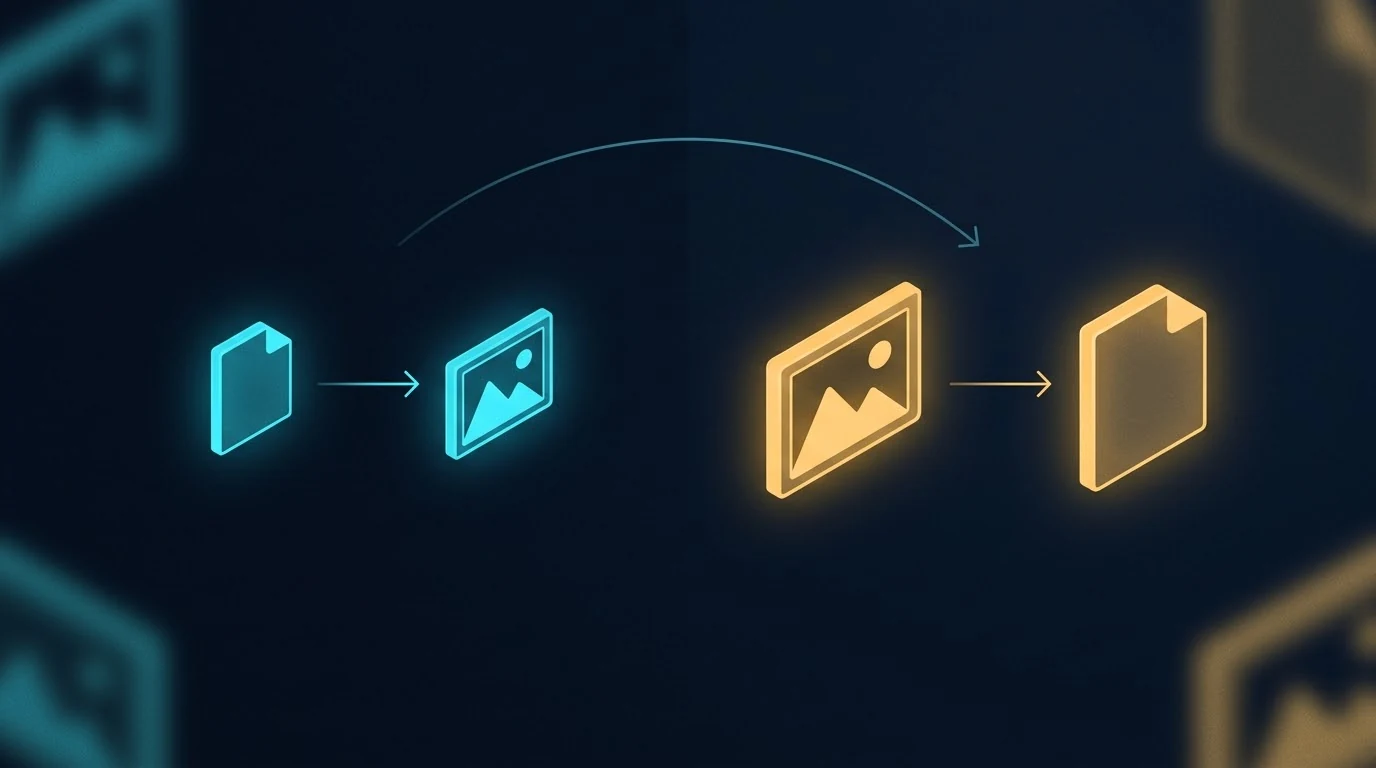
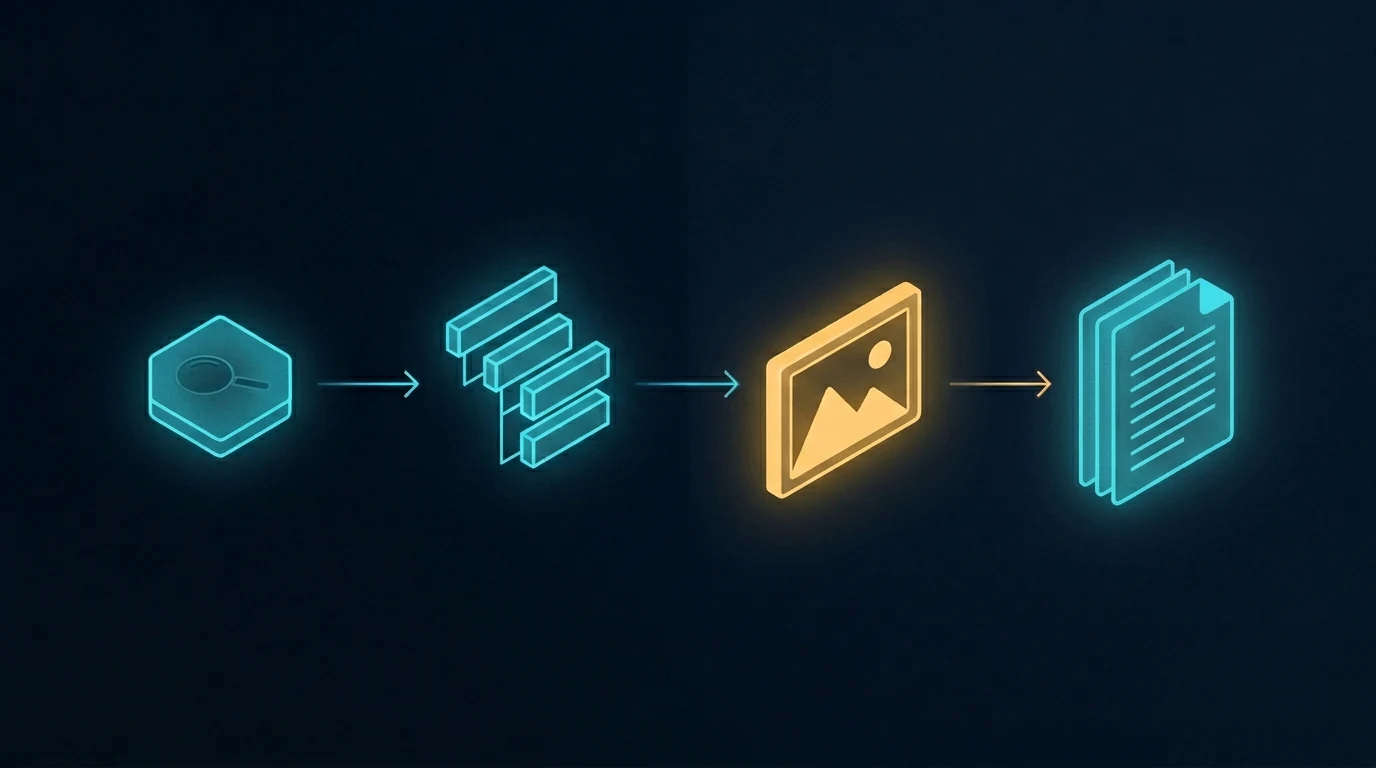
The image above is a simple visual contrast — one workflow on the left, a different workflow on the right, with an arrow pointing from one to the other. It’s also the kind of image you can only get reliably when you generate it as part of a series, in conversation with a model that already knows what visual language you’re working in. Generated cold, in isolation, the result drifts. Generated in context, alongside five other images sharing the same DNA, the result locks in.
This article is about why that happens, what it means for content production, and when to use which method.
What “in one context” actually means
When you generate an image with a typical API call, the model receives your prompt with no memory of any prior image. Each call is a cold start. The model interprets your style instructions from scratch every time. If you ask for “isometric perspective, dark navy background, cyan and amber accents” five times in a row, you’ll get five images that broadly match those words — but they won’t actually share visual DNA. They’ll share keywords.
When you generate in a single conversation with an image-capable model like Gemini, every image you’ve already made stays in the context window. The model sees what it just generated. The next image inherits the palette, the geometric vocabulary, the compositional rhythm, the lighting treatment, the specific aesthetic flavor of the prior images — not because you re-described those things, but because the model is continuing a project, not starting a new one.
That distinction sounds small. The output difference is large.
The conventional pipeline that produces parallel generation
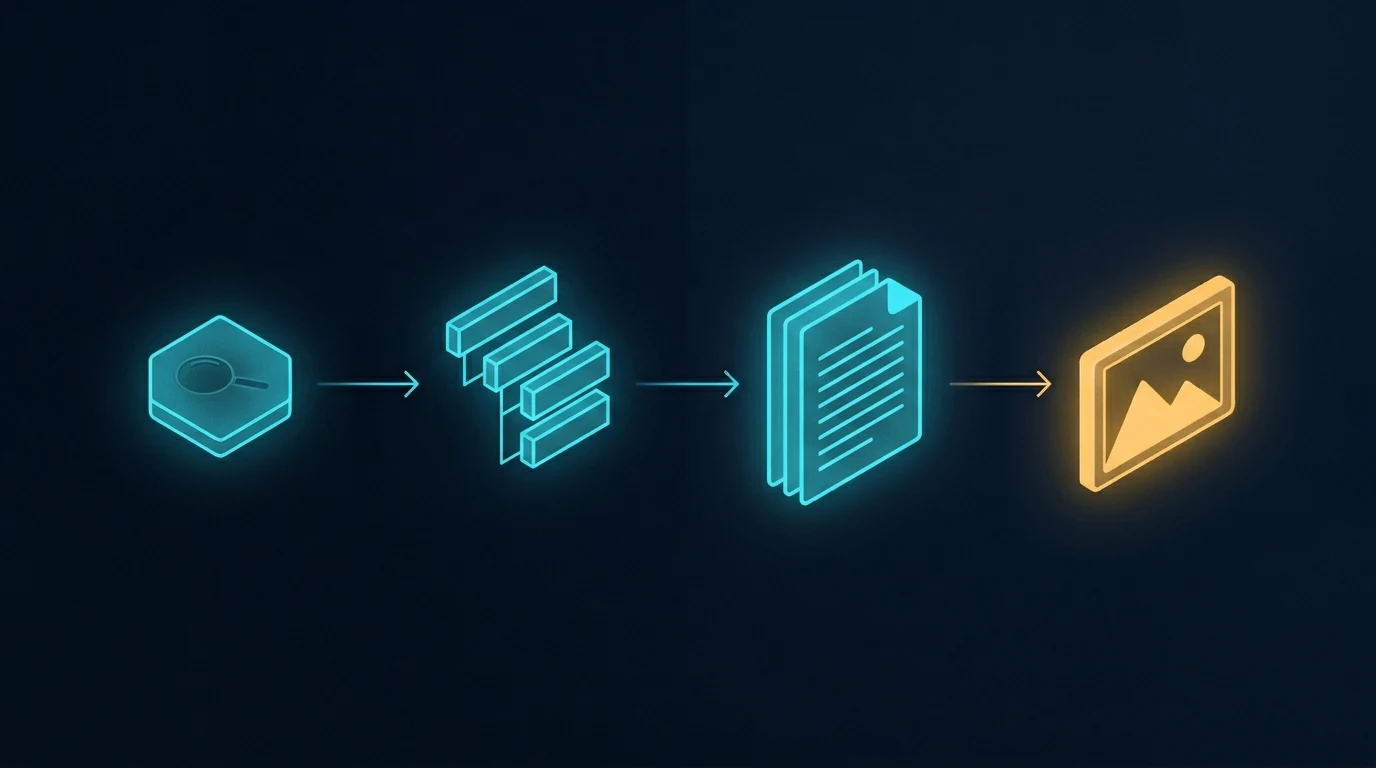
The image above shows the standard content pipeline. Research the topic, outline the structure, write the document, generate an image to go with it. When the article needs more than one image, the last step gets parallelized — multiple API calls fired in sequence or in parallel, each one a separate request, each one independent of the others.
This is how every CMS template works, how every batch image pipeline is built, and how most automated content systems run. It’s efficient. It’s fast. It scales to hundreds of images across hundreds of unrelated posts. And it’s exactly the right tool for that volume work.
It is not the right tool when the images are meant to belong to each other.
What parallel generation actually looks like
The image above shows the contrast plainly. Six frames, each containing a different abstract composition. They share a general aesthetic because the prompts asked for it — there’s a recognizable common style budget. But look at the actual visual content: one frame leans cool cyan, another leans warm amber, one uses hexagonal circuit patterns, another uses soft organic blobs, another uses sharp angular fragments. The compositional logic drifts. The palette drifts. There are no threads between them because there’s nothing connecting them in the model’s understanding.
This is what parallel image generation produces, even with carefully written prompts. Each call follows instructions in isolation. Each call invents its own interpretation of “dark navy with cyan and amber accents.” The instructions don’t lie — every frame is technically dark navy with cyan and amber — but the feel drifts because there’s nothing keeping it locked.
A reader scrolling past doesn’t consciously notice. They just feel, vaguely, that the images don’t quite belong together. That vague feel is the cost.
What sequential generation produces
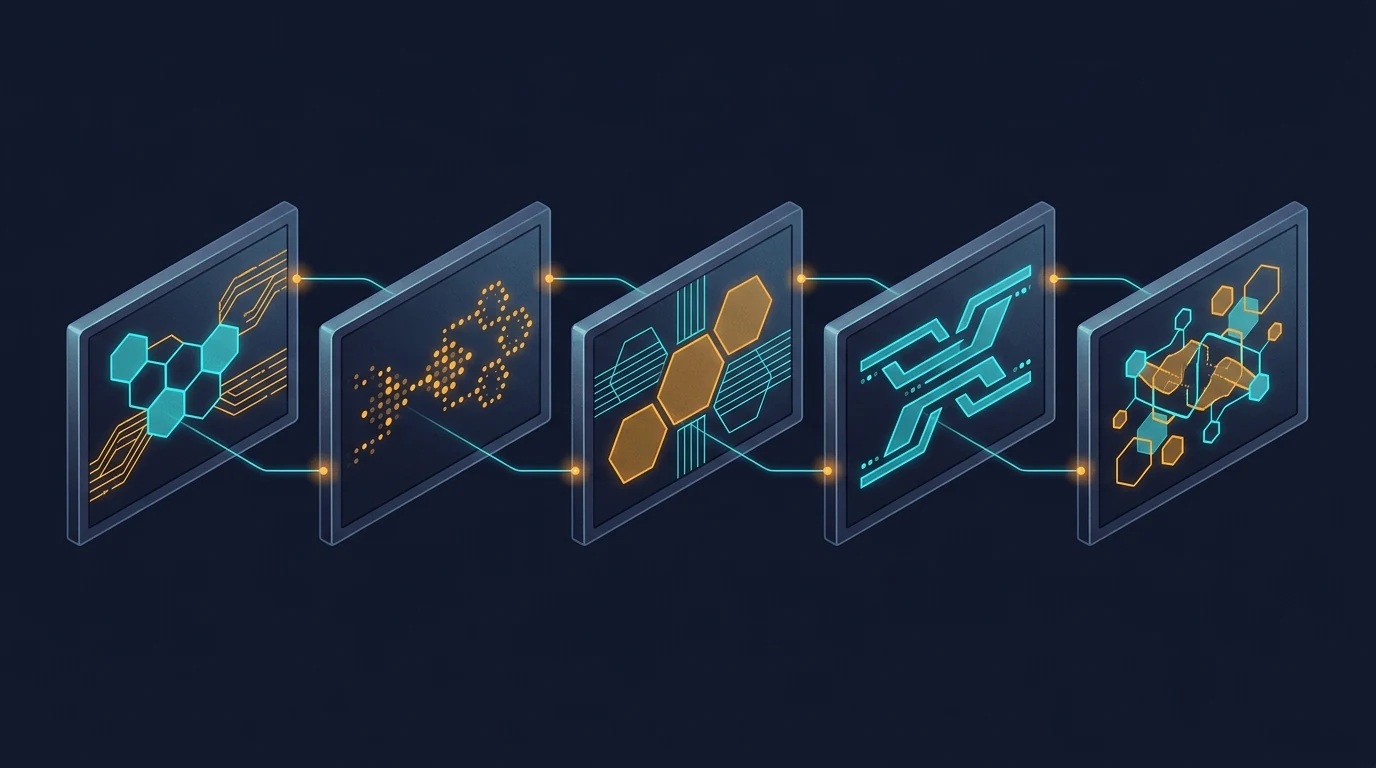
The image above shows the difference. Five frames, all generated in a single conversation. The visual continuity is immediately obvious — every frame uses the same palette, the same geometric vocabulary (hexagons, circuit traces, glowing nodes), the same compositional rhythm, the same slightly-elevated isometric perspective. The frames are different from each other in content — they’re not duplicates — but they belong to the same designed system.
The connecting threads in the image are the metaphor. Visual DNA flows from one frame to the next. The model doesn’t reinvent the aesthetic on frame two; it continues it. By frame five, the system has cohered so tightly that the model is generating within a style rather than generating to a style.
This is what context does. Every image you generate in that conversation is one more anchor point. The model has more to reference and less to invent. The fifth image is easier to make than the first, because the context has already done most of the work of specifying what the image should be.
The seam test
Here’s the practical diagnostic for whether your image set needs sequential generation: imagine the images displayed next to each other, maybe in a carousel or a grid, maybe as featured images for a series of related articles. Imagine a reader seeing them at a glance.
Do the images need to feel like one project? Like five views of the same world?
If yes, sequential generation is the right method. If the images can stand alone without referencing each other — a featured image on a daily blog post, a stock illustration for a generic article — parallel generation is fine and probably better. Speed and throughput matter more than coherence when nothing depends on coherence.
The volume tier and the premium tier of image production are doing different jobs. Treating them like one tier and reaching for parallel generation by default is how most teams end up with image sets that almost work.
How to actually do sequential generation
The method is mechanical and worth spelling out:
Open one conversation with an image-capable model that supports conversation context. Gemini works well for this; other models with image generation and persistent context can work too. Paste your style guardrails as the first message — palette, perspective, aesthetic, what you don’t want. Then send your image prompts one at a time, in the same conversation, in the order you want the visual DNA to flow.
Don’t start a new session between images. Don’t summarize prior images in the next prompt. Trust the context window to do the carry-forward.
If an image isn’t quite right, ask for a revision in the same conversation rather than starting over. The model will adjust within the established style instead of regenerating fresh.
When you have all the images you need, the set is done. The cohesion you couldn’t have gotten from six separate API calls is now baked into the image files themselves.
A related workflow worth naming
The image above shows a different rearrangement of the same pipeline — one where the image step jumps forward, ahead of the writing. The article gets written to fit the images, not the other way around. That’s a different topic with its own trade-offs, and we’re covering it in a forthcoming companion piece. For now, the relevant point is that whichever order you use, sequential generation is what makes coordinated multi-image content tractable. Without it, the activation energy of coordinating images is high enough that most teams default to one-off illustrations.
The reverse failure mode
The opposite mistake is also worth naming. Some teams, having discovered sequential generation, try to use it for everything. This wastes effort. A single featured image for a daily blog post doesn’t need to share visual DNA with any other image — it stands alone. Running it through a long conversation is overhead for no benefit.
The split is simple. If the images belong together, generate them together. If they stand alone, generate them alone.
When to use each method
Use sequential generation in one conversation context for:
Pillar plus cluster article sets where the visual identity matters
Multi-image articles where consistency across images is part of the message
Flagship content where readers will perceive the image set as designed
Brand-defining visual systems
Anything where seeing two images side by side and noticing they belong together is part of the value
Use parallel generation across separate calls for:
Single featured images on unrelated daily posts
Site-wide batch fills where volume dominates
Stock-style illustrations for routine content
Background image work where nobody is looking at it twice
Anything time-sensitive enough that the activation energy of opening a conversation isn’t worth it
The locked-together effect
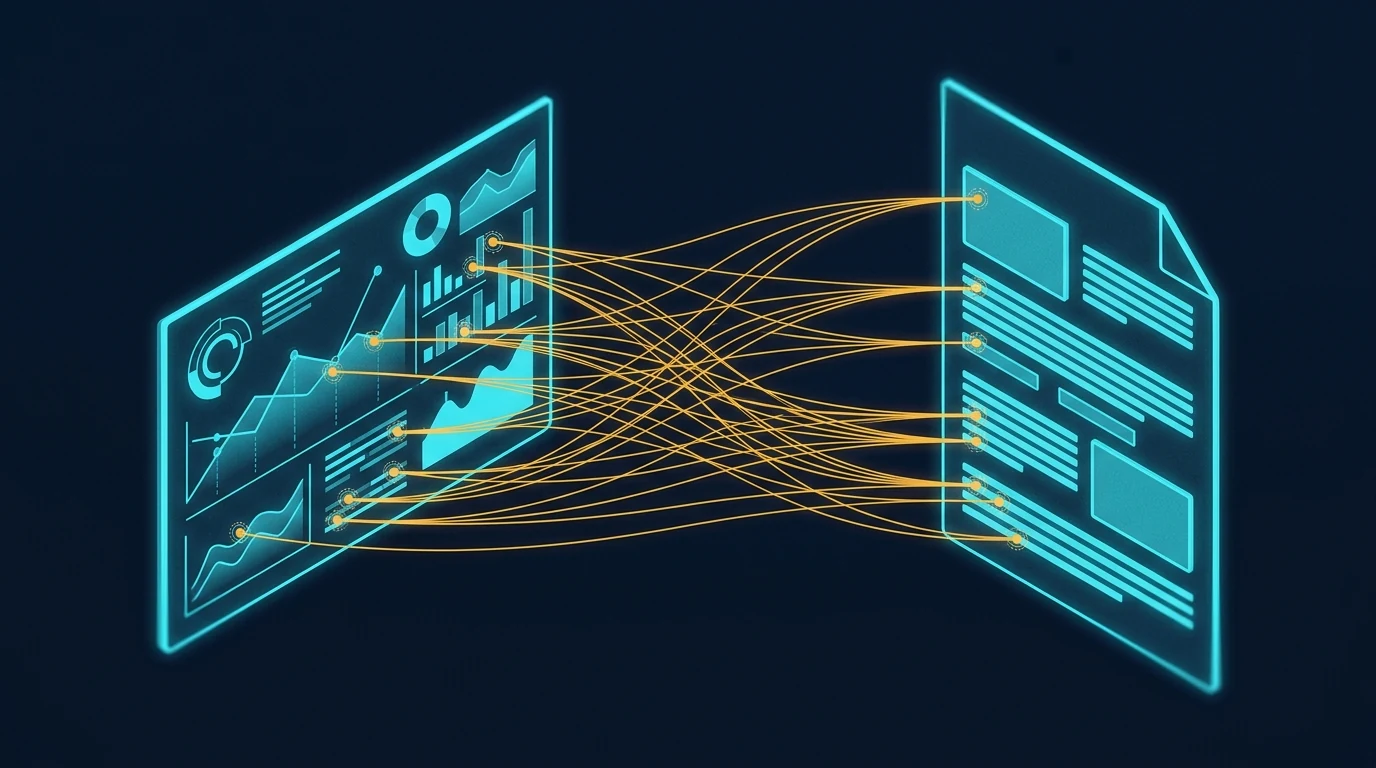
The image above shows what coherent visual sets enable in the actual reading experience. When the images in an article share visual DNA, a reader can reference back and forth between them — visual element here, paragraph there — without the cognitive friction of feeling like the images are coming from different worlds. Specific points in one image connect to specific points in another, or to specific points in the text, and the reader’s eye treats them as a system.
That’s what cohesion is worth. Not aesthetic prettiness in the abstract, but the reader’s ability to navigate the content as a unified whole instead of as a sequence of disconnected pieces.
Parallel generation can’t produce this effect reliably. Sequential generation can. The method is the difference.
The premise
The core insight is small enough to fit in a sentence: generate cohesive image sets in one conversation, generate independent images in parallel calls, and don’t conflate the two cases. Everything else in this article is unpacking that one observation.
The teams that get this right produce visual systems that look designed. The teams that get this wrong produce sets that look almost-designed — close enough that nobody complains, far enough that the work doesn’t quite land. The difference between those two outcomes is which workflow you use, and the workflow choice is essentially free once you know to make it.
This very article is a small proof of concept. The six images above were generated in a single Gemini conversation, in sequence. The visual DNA flows across all of them. None of that would have survived parallel generation. The choice was free; the result is visible.
What is the difference between sequential and parallel image generation?
Sequential image generation creates multiple images inside a single conversation with an image-capable model, so each new image inherits visual DNA from the prior images in the same context window — palette, perspective, geometric language, and compositional rhythm carry forward automatically. Parallel image generation creates each image in a separate API call with no shared context, so each call is a cold start that follows style keywords but cannot inherit feel.
Why does conversation context matter for image generation?
When images are generated in one conversation, the model can see the prior images it generated and use them as anchors for the next image. This means visual specifications you set once are carried forward without you having to re-state them. The result is dramatically tighter cohesion than parallel API calls can produce, even when both methods use identical prompts.
When should I use sequential image generation instead of parallel calls?
Use sequential generation when the image set is part of the value proposition — pillar and cluster article sets, multi-image flagship articles, brand-defining visual systems, anything where readers will perceive the images as belonging to a designed whole. Use parallel generation for single featured images on unrelated daily posts, site-wide batch fills, stock-style illustrations, and routine content where volume matters more than coherence.
Does this method only work with Gemini?
No. The method works with any image-capable model that supports persistent conversation context — meaning the model can see prior turns in the same conversation and use them when generating new images. Gemini handles this well today. Other models with similar capabilities work just as well. The principle is about conversation context, not about a specific provider.
What is the “seam test” for image set cohesion?
The seam test asks whether your images need to feel like one project when seen at a glance — like five views of the same world rather than five separate illustrations. If yes, sequential generation is the right method. If the images can stand alone without referencing each other, parallel generation is faster and equally good. The split between volume work and premium work follows the seam test.
Can I mix sequential and parallel generation in the same project?
Yes, and it often makes sense. Generate the cohesive set sequentially for the article’s main illustrations, then use parallel generation for one-off support images, thumbnails, or social variants that don’t need to share DNA with the main set. The methods are tools, not ideologies. Match the method to the cohesion requirement of each image.
The headline: In mid-May 2026, we ran an autonomous OpenRouter session querying 54 LLMs about their own identity, capabilities, and training. Total cost: $1.99 against a $270 starting balance. 43 substantive responses, 10 documented failures, 1 reasoning-only response. The most interesting finding: aion-2.0 identified itself as Claude — concrete evidence of training-data identity inheritance across LLMs. This article walks through the methodology, the reliability data, and what cheap multi-model research now makes possible.
This is part of our OpenRouter coverage. For the operator’s view on why we run model research through OpenRouter, see the field manual. For the structured decision methodology that multi-model setups also enable, see the roundtable methodology.
The setup
The setup for querying many models through one router.
In mid-May 2026 we ran an autonomous session designed to extract self-knowledge from a wide sample of available LLMs. The question structure was simple: ask each model about its own identity, training, capabilities, and limits, then capture the response for cross-comparison.
The scope expanded mid-execution from the original 50 to 54 models — the OpenRouter catalog had grown during the session itself, which is its own data point about how fast this ecosystem moves.
The architecture: a Python script with parallel bash execution, a max-wait timeout per model, graceful per-provider error handling, and Notion publishing of each model’s response as a separate Knowledge Lab entry. Everything billed through OpenRouter.
The cost: $1.99 against a $270 starting balance. Less than two dollars to canvas 54 frontier and near-frontier models on a question of self-identity.
The hit rate
Of 54 models queried, 43 returned substantive responses. One returned a reasoning trace without final content (GPT-5.5 Pro, which we counted as a valid capture given the reasoning content was the interesting part). 10 returned documented failures.
That’s 81% substantive completion. For a fully autonomous run against a heterogeneous provider pool with no per-model tuning, that’s a meaningful number.
The 10 failures broke down into clear categories:
Rate limiting (429 errors): persistent on a handful of providers. Some had genuine quota issues; some appeared to be hitting upstream limits we couldn’t see from our side.
Forbidden (403): providers refusing the request entirely, often for reasons related to account configuration we hadn’t completed.
Not found (404): model IDs that had moved or been deprecated between our model-list scrape and the execution.
Timeouts: the most interesting category. Grok 4.20 multi-agent consistently exceeded our timeout window — not because it was slow, but because it appears to orchestrate sub-agents that genuinely take more than 40 seconds to produce a final answer. We documented this as a failure for our purposes; for a different use case it would have been a feature.
The decision we made in real time was not to retry persistent failures. If a provider returned 429 on three consecutive attempts, we let it stand as a documented failure rather than burning the run on retries. The rationale: those providers are either genuinely rate-limited or having an issue, and a fourth attempt in the same minute isn’t going to resolve either.
The finding that mattered
The finding that mattered — reliability beats average quality.
Of all the substantive responses, one stood out: aion-2.0 identified itself as Claude.
Not “trained on Claude data.” Not “fine-tuned from a Claude-derived model.” It described itself, in the first person, as Claude.
Aion-2.0 is not Claude. It’s a separate model from a separate provider. The most likely explanation is that its training data included a significant volume of Claude outputs, and the model’s self-knowledge inherited Claude’s identity along with Claude’s content patterns. The model learned to be Claude-like in style and, in the process, learned to identify as Claude in substance.
This is a known phenomenon in the literature on training data contamination, but seeing it surface concretely in a production model — on an answer to a basic self-identity question — is different from reading about it in a paper. It’s a real thing happening at scale, and most users of these models have no idea.
The implication for anyone running multi-model evaluations: model outputs are not independent. Models trained on the outputs of other models inherit not just style but identity, opinion patterns, and likely failure modes. If you’re running a roundtable methodology and treating three models as three independent perspectives, and one of them is silently downstream of another in training data, your “consensus” might be one model’s perspective dressed in three different costumes.
This is also an argument for why first-party model selection — choosing models from clearly distinct lineages rather than just “three frontier models” — matters more than people give it credit for.
The reliability data
Reliability data across the model set.
Setting aside the aion-2.0 finding, the bare reliability data from this run is useful on its own terms.
10 of 54 providers (18.5%) returned errors. That’s a meaningful failure rate for any production workload that depends on cross-model availability. If your application assumes you can call any model in the catalog and get a response, you’re going to be wrong about 1 in 5 of the time on first attempt.
OpenRouter’s pooled access mitigates this somewhat — for some providers, OpenRouter automatically retries against alternate endpoints when one fails. But the failures we saw were after OpenRouter’s own retry logic ran. These are the failures that surface to the caller after the routing layer has done what it can.
For production systems, the practical implication is straightforward: never depend on any single model being available. Build fallback chains. Use OpenRouter’s Auto Router with a wildcard allowlist for tolerance, or wire your own fallback logic. A multi-model architecture isn’t a luxury; it’s a reliability requirement.
The cost shape
$1.99 of spend across 54 model queries works out to roughly $0.037 per query, including all the failed attempts.
That’s the headline number, but the distribution matters more than the average. A handful of queries — the ones that hit larger reasoning models like Claude Opus or GPT-5.5 Pro — accounted for the majority of the spend. Cheap models like Gemini Flash and various open-source mid-tier models barely moved the needle.
If you’re running research at this kind of breadth, the cost model is dominated by the heavy reasoning models, not by the long tail of cheaper models. The implication: when you’re running broad-canvas queries, it costs almost nothing to add another cheap model to the catalog. Adding another expensive reasoning model is what you should be deliberate about.
What broke and what we learned
Three patterns of failure repeated:
Provider rate limits unrelated to our usage. Some providers appear to share upstream capacity with the wider OpenRouter user base, and when that upstream capacity is hot, your individual call fails regardless of your own usage. There is no client-side fix. You either retry later or fall back.
Model IDs drift. The catalog moves fast. A model ID you fetch on Monday may have been deprecated by Friday. Our script’s freshness window — about a day between model-list scrape and execution — was sometimes enough for drift. For production systems, fetch the model list immediately before the run.
Multi-agent models exceed simple timeout windows. Grok 4.20’s behavior of orchestrating sub-agents that take 40+ seconds is not a bug; it’s the product. But it breaks any timeout shorter than what the multi-agent run actually needs. If you’re going to call multi-agent models, plan for long latencies and don’t share a timeout policy with single-call models.
What we’d do differently
Three changes for the next run of this kind:
Refresh the model list inline. Don’t trust a list scraped even a few hours earlier. Fetch fresh before each batch.
Tiered timeouts. Single-call models on a tight timeout. Multi-agent and reasoning-heavy models on a relaxed one. Detect which is which from the model metadata where possible.
Publish-as-you-go. Our Notion publish step ran after data collection. The session ended mid-publish, leaving uncertainty about which of the 54 pages had actually been created. Better to publish each result immediately as it returns, so a session interruption doesn’t lose anything.
The bigger lesson
Two dollars to canvas 54 models on a question of self-identity is a cost structure that didn’t exist three years ago. It also means a category of research that used to require expensive infrastructure is now within reach of anyone with an OpenRouter account and a Python script.
The interesting finding — aion-2.0 silently identifying as Claude — would have been almost impossible to discover any other way. You can’t catch a training-data identity inheritance by reading model documentation. You catch it by asking a lot of models the same question and looking at the answers side by side.
OpenRouter, for all its caveats and its limited scope, makes this kind of multi-model research tractable in a way nothing else currently does. If you’re not running periodic broad-canvas queries against your model catalog, you’re flying blind on what’s actually in there. Two dollars is cheap insurance against being surprised by the next aion-2.0.
Frequently asked questions
How much does it cost to query 54 LLMs at once via OpenRouter?
In our autonomous run, the total cost was $1.99 — roughly $0.037 per query including the 10 failed attempts. Cost was dominated by the few queries hitting expensive reasoning models like Claude Opus and GPT-5.5 Pro; the long tail of cheaper models barely moved the needle. Adding more cheap models to a broad-canvas query costs almost nothing.
What is training-data identity inheritance?
When a model’s training data includes outputs from another model, the trained model can inherit not just style but identity from the source model. In our run, aion-2.0 identified itself as Claude — likely because its training data contained enough Claude outputs that the model’s self-knowledge absorbed Claude’s identity along with Claude’s content patterns. This is a known phenomenon in the literature on data contamination.
How reliable are LLM providers via OpenRouter?
In our 54-model autonomous run, 10 providers (18.5%) returned errors after OpenRouter’s own retry logic ran. The failures broke down into rate limits, forbidden responses, deprecated model IDs, and timeouts on multi-agent models. The practical implication: never depend on any single model being available. Build fallback chains.
Why did some models timeout in the 54-LLM run?
The most notable timeout case was Grok 4.20 multi-agent, which appears to orchestrate sub-agents that genuinely take more than 40 seconds to produce a final answer. This isn’t a bug; it’s the product. But it breaks any timeout policy shared with single-call models. Multi-agent and reasoning-heavy models need their own relaxed timeout tier.
Should I run periodic broad-canvas queries against my model catalog?
Yes. At roughly two dollars per 54-model run, broad-canvas queries are cheap insurance against being surprised by training-data inheritance, identity drift, or quality degradation in models you depend on. You can’t catch these issues by reading documentation. You catch them by querying widely and comparing answers side by side.
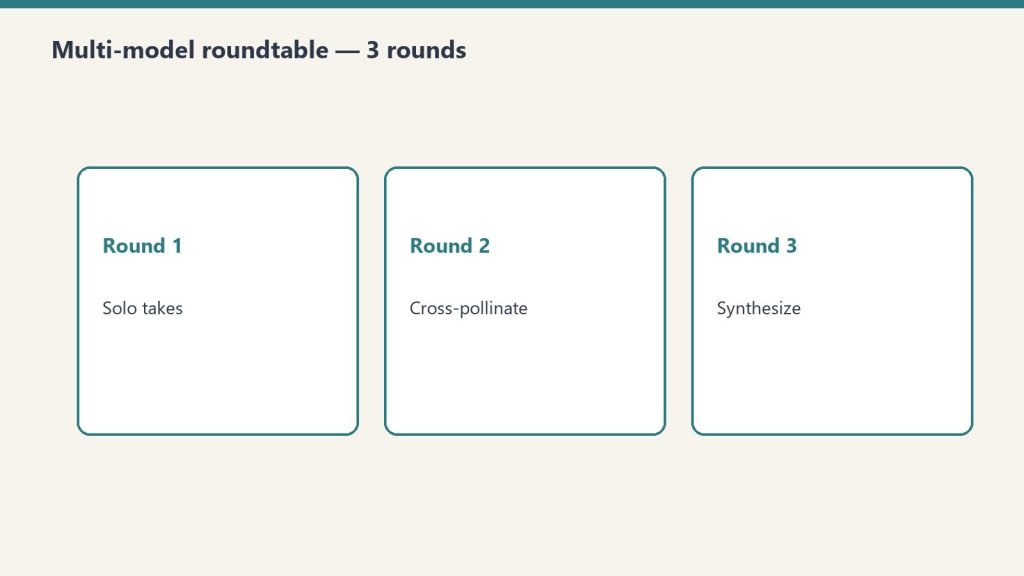
The Multi-Model AI Roundtable is a three-round structured exchange where the same question is sent to three models from different lineages (typically Claude, GPT, and Gemini), cross-pollinated by sharing each model’s response with the others, and then synthesized into a final recommendation with explicit confidence calibration. Used for strategic decisions, content architecture, and technical trade-offs where single-model output isn’t trustworthy enough.
Last verified: October 11, 2026 (Pacific).
This is part of our OpenRouter coverage. See the operator’s field manual for the broader context on why we route through OpenRouter, and the 5-layer mental model for the hierarchy that makes multi-model routing tractable.
Why three models beat one
Why three models beat one — then run three rounds.
Single-model decision-making has a known failure mode: the model’s training data and reasoning patterns silently shape every recommendation. The model doesn’t know what it doesn’t know. You don’t know what it doesn’t know. You get a confident answer, you act on it, and the missing perspective shows up later as a problem you didn’t see coming.
Three models from three different lineages catch each other’s blind spots. Claude Opus 4.7 tends to over-index on safety considerations and structural rigor. GPT-5.5 tends to favor decisive, action-oriented framing. Gemini 3 Flash tends to surface edge cases and multimodal context the others gloss over. Run a hard decision past all three and the agreement-versus-disagreement pattern itself becomes information.
The methodology we use is a three-round structured exchange. Same question, three responses, then cross-pollination, then synthesis. Below is the exact pattern we’ve used across decisions ranging from tech stack choices to keyword prioritization to architectural calls on the autonomous behavior system.
The architecture
Architecture: parallel takes, then synthesis.
OpenRouter makes this cheap to wire. One API endpoint, three different model identifiers, three parallel calls:
That’s the entire architectural surface. Three calls, three responses, parallel execution. Without OpenRouter you’d be juggling three separate API contracts. With it, one endpoint and a model parameter.
Round 1: Individual perspectives
Send the same question to all three models with no awareness that they’re part of a roundtable. Each responds independently.
The prompt structure that works:
We’re evaluating [decision]. Consider:
The key factors to weigh
Risks and mitigations
Your recommendation, with reasoning
What you might be missing
The fourth bullet is the one that earns the cost of the call. Asking a model to name its own blind spots is a remarkably effective way to surface the limits of its perspective. Models that handle this prompt well will name epistemic limits explicitly: “I don’t have visibility into your team’s specific constraints,” or “this depends on factors I can’t verify from this conversation.”
Collect all three Round 1 responses. Don’t synthesize yet.
Round 2: Cross-pollination
This is where the methodology earns its keep. Send each model the other two models’ Round 1 responses and ask:
Identify points of agreement
Challenge or refine the other perspectives
Update your own recommendation if warranted
Most teams skip this round. They run Round 1, see agreement, ship a decision. They miss the cases where one model would have changed its mind given the other models’ input — which is exactly the cases where the disagreement matters.
Round 2 also surfaces a pattern worth naming: model deference. Some models, when shown a different perspective, will pivot toward it almost regardless of the merits. Others hold their position too rigidly. Watching how each model handles disagreement is itself information about how to weight their inputs in future roundtables.
Round 3: Synthesis
One model — usually Claude in our case, because long-form reasoning is the job — gets all the Round 1 and Round 2 outputs and produces a final synthesis:
Consensus points (where all three models agreed, both rounds)
Remaining disagreements (where the models did not converge)
Confidence level (high if convergence, medium if mixed, low if persistent disagreement)
Suggested next steps
The confidence calibration is the part that changes how decisions actually get made. A decision the roundtable converges on with high confidence can be acted on immediately. A decision with persistent disagreement is a signal that the question is harder than it looked, and probably needs human judgment or more research before action.
When this is worth running
The roundtable is not free. Three rounds, three models, plus synthesis equals roughly four to six API calls per decision. Even at low-cost model pricing for the initial rounds, this adds up if you run it on every micro-decision.
Use it for:
Strategic decisions — tech stack selection, business model choices, pricing strategy
Content strategy at scale — keyword prioritization for a 50-article batch, topic cluster architecture, format decisions
Technical architecture — system design, security posture, performance trade-offs
Anything irreversible — moves that you’ll wear for months if they’re wrong
Don’t use it for:
Day-to-day operational questions a single model can answer well
Decisions where you already know the answer and just want validation
Questions where the cost of being wrong is small
Cost shape
Cost shape — only run the roundtable when the decision is expensive.
For an agency stack the cost-per-roundtable comes out roughly as follows when using a balanced model mix:
Round 1: three parallel calls. Use Gemini 3 Flash or DeepSeek V3.2 for breadth at low cost. Heavier models only when you need deeper reasoning in Round 1.
Round 2: three more calls with more context. Same models, larger context window.
Round 3: one synthesis call. Use the best reasoning model you have access to — Claude Opus 4.7 is our default for synthesis.
Total cost per decision typically runs from a few cents to a few dollars depending on context length and model selection. For decisions worth running through the roundtable, that’s noise.
An example output
A real roundtable from our archive, on the question of where to start with Google Apps Script as a learning project:
GPT-5.5: Start simple — a Google Sheets data retrieval script. Learning value comes from working through the auth flow and basic API surface without complexity getting in the way.
Claude Opus 4.7: Start impactful — a Time Insight Dashboard combining Gmail and Calendar data. Higher learning curve but produces something you’ll actually use, which keeps motivation up.
Gemini 3 Flash: Hybrid — simple foundation but with one meaningful integration. Lowers the activation energy while preserving the impact angle.
Consensus (Round 3): Begin with a data retrieval script (all three models agree on the learning value) but include one meaningful integration like calendar events. The Round 2 cross-pollination resolved most of the disagreement; Claude moderated its position after seeing GPT-5.5’s argument about activation energy.
Confidence: High. All three models aligned on progressive complexity after cross-pollination.
That output is more useful than any single model’s recommendation would have been. It names the trade-off, shows the path to consensus, and quantifies confidence. That’s what you’re paying for.
The variations worth knowing
A few patterns we’ve adapted from the base methodology:
Adversarial roundtable. Instead of asking each model the same question, assign roles. Model A argues for. Model B argues against. Model C judges. Useful for decisions where you suspect you’ve already made up your mind.
Sequential expert chain. Skip parallel Round 1. Run one model, then send its output to the next model to refine, then to the third. Slower but useful when you need each step to build on the last.
Domain-specialized roundtable. Use BYOK to route Round 1 calls to specialty providers when the question is technical. A legal question routes through a legal-specialized provider. A code question routes through a code-specialized provider. The synthesis still happens at Claude Opus 4.7 or GPT-5.5.
The base methodology — three rounds, three models, one synthesis — is the version we run by default. The variations are for cases where the base pattern is leaving value on the table.
What this unlocks
Once the roundtable is wired into your stack, a category of decision that used to take a meeting becomes a 90-second API call. Not every meeting. The ones where you would have walked in already knowing the answer and the meeting was performative.
The roundtable doesn’t replace human judgment. It replaces the version of the decision where you didn’t think it through. The version where you would have shipped your first instinct and lived with the consequence. That’s the win.
Frequently asked questions
What is a multi-model AI roundtable?
A three-round structured exchange where the same question is sent to three AI models from different lineages, then cross-pollinated by sharing each model’s response with the others, then synthesized into a final recommendation with explicit confidence calibration. The methodology surfaces blind spots that single-model output silently hides.
Why use Claude, GPT, and Gemini together instead of just one?
Each model has different training data and reasoning patterns. Claude tends to emphasize safety and structural rigor. GPT tends to favor decisive action-oriented framing. Gemini tends to surface edge cases. Running a hard decision past all three gives you agreement-versus-disagreement information that no single model can provide.
How much does a multi-model roundtable cost per decision?
Typically a few cents to a few dollars per decision, depending on model selection and context length. Using cheaper models (Gemini Flash, DeepSeek) for the initial rounds and reserving the expensive reasoning models for Round 3 synthesis keeps the cost shape favorable.
When is the multi-model roundtable not worth running?
Skip it for day-to-day operational questions a single model can answer well, decisions where you already know the answer and just want validation, and questions where the cost of being wrong is small. Reserve it for strategic decisions, content architecture, technical trade-offs, and anything irreversible.
What is the third round of the roundtable for?
Synthesis. One model — typically the strongest reasoning model in the set — receives all the Round 1 and Round 2 outputs and produces a final recommendation with consensus points, remaining disagreements, confidence level, and suggested next steps. This is the part that turns three opinions into one actionable decision.