Tag: AI in Trades

  • AI Search Visibility for Local Service Businesses: The 2026 Playbook

    Last verified: October 4, 2026 (Pacific).

    Key takeaways

    • AI search visibility is whether AI assistants name your business when someone asks for a local service — and 78% of local-services brands are currently invisible to it.
    • ChatGPT recommended just 1.2% of business locations in a 2026 benchmark of 350,000 locations, versus 35.9% appearing in Google’s local 3-pack (SOCi, 2026).
    • Only 12% of URLs cited by AI overlap with Google’s top 10 results — this is a separate ecosystem with separate rules (teehoomartech).
    • The shops winning AI citations publish real price ranges, license and certification signals, and emergency-intent pages — the three shapes almost nobody in the trades has built.
    • Expect a 90-day foundation cycle: fundamentals first, then the service × city content matrix, then seasonal content.

    What is AI search visibility for a local business?

    AI search visibility is the practice of making your business the answer AI assistants give — getting ChatGPT, Gemini, Perplexity, or Copilot to recommend you by name when someone asks for a local service. Think of it as SEO for the recommendation era.

    Your next customer didn’t Google “plumber near me.” They asked ChatGPT. Or they asked Gemini while standing in their kitchen with water pooling under the sink. And the AI named three businesses — yours wasn’t one of them.

    This isn’t a future problem. According to BrightLocal (March 2026), 45% of U.S. consumers use AI to find and choose a local business — up from 6% a year earlier. The question is no longer whether AI sends you customers. It’s whether AI knows you exist.

    How far behind are local businesses in AI search?

    A 2026 benchmark by SOCi across roughly 350,000 business locations put hard numbers on the gap:

    • ChatGPT recommended 1.2% of locations. Google’s local 3-pack showed 35.9%. Gemini recommended 11%, Perplexity 7.4% (SOCi, 2026).
    • AI visibility is 3 to 30 times harder to achieve than ranking well in traditional local search (SOCi, 2026).
    • Only 12% of URLs cited by AI overlap with Google’s top 10 results (teehoomartech). This is a different ecosystem, not an extension of the old one.
    • 78% of local-services brands are invisible to AI, and 88% of local businesses have no AI search strategy at all (May 2026 industry index).

    Here’s the reframe that matters: AI doesn’t rank you. It recommends you. Traditional SEO was optimization — climbing a list. AI visibility is qualification — convincing a model you’re a safe, correct answer to give a real person. Everything below follows from that shift.

    Traditional local SEO AI search visibility
    Climb a ranked list (positions 1–10) Become the recommended answer (named or not at all)
    Optimize for Google’s crawler Qualify for the model’s trust judgment
    Reviews are a ranking signal Reviews are a qualification filter — the AI reads the text
    Your website is the destination Your website is the source the model draws on
    One rulebook (Google) Different rulebooks per engine (Gemini, ChatGPT, Perplexity)

    What are the non-negotiable fundamentals?

    You’ve seen this checklist before, so here’s the short version — these are table stakes, and the data says they still move the needle:

    • NAP consistency everywhere. Inconsistent name/address/phone data cuts your AI citation probability by 67%. Consistent omnichannel data delivers 3.2x the AI visibility (Birdeye, 2025).
    • A complete Google Business Profile. Optimized profiles appear in AI Overviews 42% more often, with 30% more profile views and 34% more direction requests (Local Falcon; SapientSEO).
    • Review volume, velocity, and recency. AI treats reviews as a filter, not a ranking signal — and it reads the review text, not just the stars. ChatGPT-recommended locations averaged 4.3 stars in the SOCi benchmark: good enough to pass the filter, with the text doing the real work.
    • Owner responses on reviews. Every response is a place to confirm your services, your service area, and real outcomes — in the AI’s own training-adjacent data.
    • LocalBusiness schema on every page. Structured data increases AI citation probability 3.4x (MIT CSAIL). FAQ content earns 2.8x more AI citations than marketing copy (Search Engine Land research).

    If any of those are missing, fix them first. What follows is what nobody is telling the trades.

    How do you win the 2am emergency query?

    The highest-value AI query in the trades isn’t “best plumber near me.” It’s “emergency plumber near me open now” at 2am — asked by someone with water coming through their ceiling. Nobody has mapped AEO to urgent intent. Here’s the playbook:

    • Set your after-hours attributes. Your GBP has hours fields most shops leave blank or set wrong. AI models check “open now” signals before recommending — a blank field reads as closed.
    • Build dedicated emergency service pages — one per emergency service, not a paragraph on your homepage. Format them as direct answers: what counts as an emergency, what you do first, typical response time, service area, then the phone number.
    • Answer the 2am questions explicitly. “Do you charge extra for after-hours calls?” “How fast can you get to [neighborhood]?” If your page answers them in plain sentences, the AI can quote them. If it doesn’t, the AI quotes whoever did.

    What trust signals make AI recommend a contractor?

    Here’s the qualification logic: an AI will not recommend a stranger to enter someone’s home unless it has reasons to trust. For the trades, those reasons are concrete — and almost nobody publishes them properly:

    • License numbers on every service page, not buried on a contact page. “WA Licensed General Contractor #TYGART123JD” is an entity signal.
    • Insurance stated plainly — liability coverage and bonding, in sentences, not badges alone.
    • Trade certifications as trust qualifiers — IICRC for restoration, NATE for HVAC, EPA 608 for refrigerant work. These are the exact credentials a homeowner would want verified, which makes them exactly what the AI looks for.
    • Put them in schema too. Credentials in visible text get read; credentials in structured data get cited.

    Zero of the major guides on this topic mention licensing or certification. That’s your opening.

    What should a local business publish so AI cites it?

    “Structured local content publishing” is everyone’s advice and nobody’s architecture. Here’s the architecture: one quotable page per service per city you serve — the service × city citation matrix.

    • Each page answers one question completely: the service, the city, what it costs, how long it takes, what can go wrong.
    • Publish real price ranges. Every guide lists “how much does [service] cost in [city]?” as a top AI query — and none tell shops to answer it. The shop that publishes “$1,200–$2,800 for a water heater replacement in Tacoma” becomes the citable source. Everyone else becomes invisible on the highest-intent question in the category.
    • FAQ schema on every matrix page. Direct-answer formatting: the question as a heading, the answer in the first two sentences, detail after.
    • Emergency variants get their own pages (see above) — don’t fold them into the standard service page.

    Are AI crawlers blocked from your site?

    Your site may be silently blocking the exact bots you need. Outdated robots.txt rules — written years ago to keep scrapers out — now block AI crawlers from reading your pages at all. The fix:

    • Explicitly allow GPTBot, ClaudeBot, PerplexityBot, and Google-Extended in robots.txt.
    • Don’t blanket-allow every bot on the internet — allowlist the AI crawlers by name, keep the rest of your rules intact.
    • Verify with a fetch test after the change. Thirty seconds of work, and without it, every other play on this list is muted.

    How do reviews get AI to recommend you?

    Google’s April 2025 Maps policy change killed scripted “mention my name in the review” requests. The shops still running that playbook are risking their profiles. The compliant system:

    • Ask “tell us about your experience,” not “leave us a review.” AI reads review text — “they replaced our water heater in under three hours” beats “great service” because it contains a service, a timeframe, and an outcome.
    • Time the ask: SMS or invoice link within 2 hours of job completion, while the details are fresh.
    • Engineer your owner responses as service + neighborhood + outcome triples: “Glad we could get the furnace running again for you in Lakewood — those January cold snaps don’t wait.” Every response is corroborating evidence the AI can use.
    • Review freshness is its own factor. A steady cadence beats a burst.

    How do you audit your AI readiness in 20 minutes?

    AI models cross-check you. Your reviews, your GBP, and your website need to tell the same story — same services, same service area, same phone number, same hours. When they disagree, the model loses confidence and picks someone else. The corroboration triangle audit, once a month:

    1. Read your last 10 reviews. Do the services mentioned match your GBP services list?
    2. Check your GBP hours, service area, and phone against your website footer and contact page.
    3. Search your business name plus your top service. Is the story consistent across the first page?
    4. Fix the mismatches. That’s the whole audit.

    Does each AI engine need a different approach?

    Yes. The models don’t work the same way, so don’t treat them the same. Same skeleton for each: what it trusts, then the one-line tactic.

    Gemini

    • What it trusts: live Google Maps data — profile accuracy runs near 100% because it’s grounded in Maps.
    • Tactic: GBP completeness and accuracy win here; treat your Business Profile as your Gemini homepage.

    ChatGPT

    • What it trusts: concise shortlists built from third-party corroboration — reviews, mentions, directory listings (profile accuracy here runs ~68%, so corroboration fills the gap).
    • Tactic: third-party mentions are what get you onto its shortlist; one strong source is never enough.

    Perplexity

    • What it trusts: live search with direct citations — freshness is the ranking input.
    • Tactic: recent reviews, recent posts, recently updated pages; stale content goes invisible fastest here.

    Copilot

    • What it trusts: Microsoft’s retrieval grounding — substantially the same answer logic as Bing’s AI surfaces.
    • Tactic: Bing Webmaster Tools verification plus the same fundamentals; what works for Perplexity-style freshness works here.

    Run the same tracked prompts across all four monthly and note who’s citing you and who isn’t. That’s your measurement system until you outgrow it.

    What does the first 90 days look like?

    Generic 90-day plans assume you’re a SaaS company. You’re not — you have seasons. Map the work to yours:

    • Days 1–30: Foundation. NAP audit, GBP completion, robots.txt allowlist, license/certification trust layer on every page, emergency pages live.
    • Days 31–60: Matrix. Build the service × city pages for your top 5 services, each with real price ranges and FAQ schema. Launch the review-text system.
    • Days 61–90: Seasonality. Publish ahead of your season — frozen-pipe content in December, AC tune-up FAQs in April, storm-season prep in late summer. The shop that publishes first becomes the cited source for the whole season.

    Frequently asked questions

    What is AI search visibility for a local business?

    It’s whether AI assistants — ChatGPT, Gemini, Perplexity — name your business when someone asks for a local service. Unlike Google rankings, there’s no position 4 to fall back on: either the AI recommends you or you’re not in the consideration set at all.

    How is AI visibility different from local SEO?

    Local SEO climbs a ranked list; AI visibility qualifies you as a safe recommendation. Only 12% of URLs cited by AI overlap with Google’s top 10 results (teehoomartech) — it’s a different ecosystem with different rules, and it’s 3 to 30 times harder to break into than the local 3-pack (SOCi, 2026).

    Do reviews really affect whether AI recommends my business?

    Yes — AI treats reviews as a qualification filter and reads the review text, not just the star rating. Review volume, recency, and specific language about services and outcomes all feed whether a model will name you.

    Should I block AI crawlers from my website?

    No — blocking GPTBot, ClaudeBot, PerplexityBot, or Google-Extended in robots.txt makes your pages invisible to the models deciding who to recommend. Allowlist the AI crawlers by name instead.

    How long does it take to build AI search visibility?

    Expect a 90-day foundation cycle: 30 days for fundamentals and crawler access, 30 for the service × city content matrix, 30 for seasonal content and review velocity. It’s ongoing work after that — freshness is a ranking input, not a one-time project.

    What’s the single highest-ROI move for a trade business?

    Publish real price ranges on service × city pages. “How much does it cost” is the top AI query in the category, almost nobody in the trades answers it, and the business that does becomes the cited source.

    What does done-for-you look like?

    Everything above is the playbook, free, on this page — that’s the point. If you’d rather have it built than build it, that’s what our AI Search Visibility Package does: the full citation work for your trade, measured the way AI measures it. Start with the $97 AI Citation Quick-Scan if you want to see exactly where you stand first — the $97 credits toward the package within 30 days.

    Want the deeper version — the robots.txt allowlist snippet, the per-engine prompt library for the monthly audit, and the seasonal content calendar template? That goes out by email. The playbook above is yours either way.

  • Harness-First, Contractor Edition

    Harness-First, Contractor Edition

    “Own the harness. Rent the models.”

    In an AI lab, that’s architecture advice. In a restoration company’s office, it’s a survival rule. Here’s the contractor’s edition.

    The trap

    Most contractors buying AI right now are buying someone else’s harness. The tool owns the workflow, the prompts, the data flow, the follow-up timing — you rent the whole thing, top to bottom. It feels like buying software. It’s actually sharecropping.

    When the tool changes its pricing, kills a feature, or shuts down, your process dies with it. You didn’t buy a capability. You rented one, and the landlord just sold the building.

    What the harness is

    The harness is the workflow you own: how a lead gets answered, how a job gets documented, how a review gets asked for, how an estimate gets followed up. The prompts, the routing rules, the checks, the escalation to a human, the integrations between systems.

    The model is the engine. The harness is the truck. Engines get swapped; the truck is yours.

    Concretely: the harness is a document — written in your words — that says “when X happens, we do Y, then Z, and a human checks W.” Any model can execute it. No model owns it.

    What you rent

    The model. GPT, Claude, Grok, whatever’s best this quarter — swappable commodities. Today’s best model is next year’s legacy; that’s not cynicism, it’s the release cadence.

    If your process depends on a specific model’s quirks — the exact phrasing it likes, the feature only it has — you built on sand. The harness-first contractor can swap the engine on a Tuesday and the office doesn’t notice. The tool-renter files a support ticket and waits.

    A car engine mounted on a stand in a garage, ready to be swapped

    Three harnesses you already need

    The inbound line. The harness: the greeting, the questions it asks, the dispatch rules, the recording disclosure, what happens when it doesn’t know. The voice model underneath? Rented. Swap it when something better ships.

    The estimate follow-up. The harness: the timing (day 2, day 7, day 14), the message sequence, when it escalates to a human call. Any model can write the texts. The sequence is the asset.

    The review ask. The harness: the trigger (job closed, equipment out), the direct link, the prompt for specifics — what happened, where, how fast. The model writes the words; the workflow is yours.

    Notice the pattern: in every case, the durable part is the decisions — the timing, the triggers, the judgment calls. The model supplies sentences. Sentences are cheap.

    How to start

    Pick one workflow. Write down how it should go — the steps, the timing, the human checkpoints. That’s the harness, and it lives in your docs, not in a vendor’s dashboard.

    Then plug a model into it. Any model. When a better one ships, you re-plug. The doc doesn’t change.

    One workflow, owned end to end, beats five rented tools every time. Start with the one that touches money — the lead, the estimate, the invoice.

    An engineering blueprint spread on a wooden desk with a pencil and calipers

    The moat

    Two contractors can rent the same model. They can’t rent your harness — it’s your operations, your judgment, encoded. Your dispatch rules came from your jobs. Your follow-up timing came from your close rates. Your escalation instincts came from your mistakes.

    That’s the durable asset. Models are electricity. Nobody’s moat is “we use electricity.” The moat is what you built with it — and you own the building, not the power company.

    The close

    The AI industry wants you renting the whole stack — their workflow, their prompts, their model, their price increases. Harness-first says no: I’ll rent the intelligence by the hour, but the operation is mine.

    Own the harness. Rent the models. Be the one building still standing when the vendors reshuffle.

  • Voice AI Pricing Is a Lie: You’re Not Buying Minutes, You’re Buying Arms

    Voice AI Pricing Is a Lie: You’re Not Buying Minutes, You’re Buying Arms

    Every voice AI vendor quotes you a per-minute price. That number is the least important number on the page.

    I just re-ran the cost model for our own phone line — an inbound intake line for restoration contractors. Five-minute calls, field reports phoned in from noisy job sites. Three options, priced per minute, cheapest first:

    • Gemini 3.8 Live: about $0.023/minute, reasoning included
    • GPT-Live-1: $0.05/minute for the voice layer, reasoning billed separately
    • Grok Voice: $0.08/minute, plus about half a cent per tool call

    On a five-minute call that’s roughly $0.12, $0.25-plus, and $0.45. Buy on per-minute price and you pick Gemini and go home.

    Here’s the problem: none of those numbers describe what you’re actually buying. You’re not buying minutes. You’re buying arms — the things the voice can reach out and do while it’s talking. Score the arms column and the ranking changes completely.

    The arms column

    A voice agent that can only talk is a mouth. A voice agent that can act is a mouth with hands. The difference shows up in the first real call.

    Gemini 3.8 Live has tool calling, but with a catch that matters: on the Extended Thinking tier — the one you’d want for anything beyond scripted answers — every tool call must be asynchronous and non-blocking. Configure a blocking call and the API rejects it outright. In practice, the agent can’t hold the line while a slow dispatch confirms. It has to narrate around the gap — “I’m working on that” — while hoping the tool lands. Fine for logging a report. Shaky for “confirm the crew is dispatched, then tell the caller it’s handled.”

    Grok Voice ships the arms: book appointments in Google or Outlook calendars, send confirmation emails, call your own APIs, create tickets, search the web, hand the caller to a human when it’s over its head. It speaks MCP, so an existing tool stack plugs straight in. And it was trained on real telephone audio — background noise, accents, mid-sentence interruptions — which is the actual condition of a contractor calling from a job site, not a lab.

    GPT-Live-1 is a voice layer. A good one, with the turn-taking latency everyone else is chasing. But the arms are whatever you build yourself, and the reasoning behind the voice arrives as a separate bill.

    Robotic hands wiring cables into a brass telephone switchboard

    Price the task, not the minute

    Here’s the math that actually matters. Ten intake calls a day, five minutes each: about 1,500 minutes a month. Gemini lands around $35. Grok, with tool calls and telephony folded in, lands around $150. The gap is roughly a hundred dollars a month — and one botched dispatch, one caller who hangs up because the agent couldn’t confirm the crew, costs more than a year of that gap.

    Small blank price tag in front of work trucks rolling out of a contractor yard at dawn

    Vendors want you comparing per-minute rates because per-minute is a commodity comparison, and commodities compete on price. But a voice agent isn’t a commodity minute. It’s a worker on your phone line. You don’t hire a dispatcher by the minute; you hire one by whether the trucks roll.

    So the right unit is cost per successful task, not cost per session. What did it cost to get the field report filed, the job looked up, the crew dispatched, and the confirmation texted — with the caller hanging up satisfied? Run that number and the ranking flips: the “expensive” option that completes the task is cheaper than the cheap option that narrates around it.

    The condition nobody benchmarks

    One more thing the price pages skip: where the call happens. Our callers are on job sites. Compressors running, wind, bad cell signal, guys who talk over the agent. Grok’s training data is real telephone traffic under those conditions. Most voice benchmarks are clean-lab audio. A model that scores beautifully in the lab and falls apart over a compressor is the most expensive option on the list, whatever its per-minute rate says.

    Test on your actual call shape. Noisy audio, interruptions, the tools you really call, the confirmations you really need. The benchmark that matters is your hardest five minutes, not anyone’s leaderboard.

    What we’re running

    We kept the harness and made the backend swappable — the phone line doesn’t care which brain is behind it. Gemini is the cheap default for intake logging: caller reports, we log it, everyone hangs up happy. Grok takes the calls where something has to actually get done before the goodbye — dispatch confirmed, appointment booked, ticket created.

    Two brains, one phone number, routed by the job. The per-minute price barely entered the decision. The arms did.

    Pricing from vendor-published rate cards, verified September 2026. API prices change — re-check before estimating production costs.

  • The Best Claim Product Flags the Short-Pay Before the Job Closes

    The Best Claim Product Flags the Short-Pay Before the Job Closes

    The best product in claims is not another adjuster dashboard. It is the thing that shows the short-pay before the shop or the homeowner closes the file.

    That is not a slogan. It is how Texas SB 458, new Washington claims-handling rules, and the sudden cheapness of vertical agents rhyme. Three different surfaces. One failure mode. Nobody owns the photo set or the estimate map, so nobody demands the appraisal or the supplement in time.

    What actually changed in 2026

    Texas Senate Bill 458 added Chapter 1813 to the Insurance Code. For personal automobile and residential property policies delivered, issued, or renewed on or after January 1, 2026, the policy must contain a binding appraisal provision for disputes solely over the amount of loss. Either the policyholder or the insurer can demand it unilaterally. The amount determined by appraisal is binding except for fraud, accident, or material mistake. That is not a proposal. It is live statute for 2026 renewals.

    The Texas Department of Insurance has been working the implementing rules. Proposed 28 TAC §§5.9800–5.9806 set hard timelines: demand windows, appraiser naming periods, and outer deadlines for the award. Practitioner write-ups already treat the unilateral right as real for policies that renewed into the new year. Shops cannot file the demand themselves, but they can build the file, coach the customer, and stop leaving money on the table when the carrier will not move.

    Washington followed with clearer minimum claims-handling duties under WAC 284-30-390, effective October 18, 2026. Carriers cannot condition coverage on photo-only evaluation. Shops and policyholders gain process language they can cite when supplements stall or explanations stay thin. Illinois added its own amount-of-loss appraisal path in the same window. The pattern across states is consistent: regulators are tightening the rails around automated or virtual first looks while giving policyholders and shops clearer levers on the dollar amount.

    Florida lawmakers have already floated mandatory human review for claim denials. Oregon has guidance on virtual claim adjustment systems and when mobile apps can be required. The direction of travel is the same. Virtual is allowed. Pure automation of the denial or the lowball without a human gate is getting harder.

    At the same time OpenAI shipped the Agents API. Long-running sessions, tool use, recovery, and context management moved from something you build to something you rent. Greg Isenberg called it the AWS moment for agents. The hard engineering is now a line item. What remains scarce is ownership of one painful vertical workflow and the data that makes the next run better.

    The failure mode is the same as leakage

    In the leakage essay the problem was money that already left and no one owned the file. Here the money has not left yet. The carrier estimate or the initial offer is short. The shop or the homeowner has the photos and the line items, but the map of what is missing lives in no system they control. So the file closes at the low number, or the supplement fight starts late and under-documented.

    Collision shops already live this. Hail and storm work in restoration companies live this. The adjuster arrives with a photo-first or virtual process. The initial scope misses labor hours, OEM procedures, or secondary damage that only shows under proper light. The shop knows the number is low. The customer is tired. The clock on the new appraisal window is running. Without a clean first pass that flags the gap, the leverage created by SB 458 stays theoretical.

    The same pattern appears in residential storm claims. Sparse photo sets become lowball scopes. Dense, angled, scaled sets get paid. The difference is not magic. It is ownership of the evidence map before the carrier’s first number hardens.

    The wedge is a free checker, not a platform

    Do not start with a claims management system. Start with the moment the customer already hates.

    Upload the carrier estimate PDF. Or upload the set of damage photos taken the same day. Thirty seconds later: missing line items, density patterns that usually support higher repair hours, scale problems that virtual adjusters systematically under-count, and a short list of the specific points that justify an appraisal demand or a supplement under the new state rules.

    That is the first action a stranger will take this week. No login required for the free pass. No new system of record. Just the photo or the PDF they already have on their phone.

    The product then keeps the map. Which carriers short-pay which procedures in which ZIP codes. Which photo sets correlate with successful appraisal outcomes. Which missing lines reappear after the human gate. That dataset is the moat. Not another dashboard.

    Models draft. People own the send.

    Appraisal demands, supplements, and formal disputes are irreversible steps. The model can draft the demand letter, the photo index, and the line-item comparison. A named human still owns the send. That is the same gate we already run on money movement and filings. The bot finishes the research. The person signs.

    This is not “AI for claims adjusters.” It is a vertical combination of two primitives that already show up in the idea mills: regulated document and photo review (the home-health paperwork pattern Greg has pushed) plus physical-world claim recovery for the trades. The agent does the first pass against a living checklist of short-pay patterns. The human decides whether to pull the appraisal lever that the 2026 statutes now make real.

    The same logic applies to the spend-control side of agents. Once agents hold virtual cards and budgets, someone has to own the receipt and the exception. Here the “receipt” is the estimate and the photo set. The exception is the short-pay. The human gate stays in place for the irreversible action.

    Why the compounding path is the dataset

    Volume turns the free checker into a labeled corpus. Every upload that later produces a higher settlement or a closed appraisal award becomes training signal. Carriers change their virtual adjustment models; the checker sees the new under-count patterns first. Shops in Texas and Washington start citing the same process language; the product already knows which photo sets and which line-item gaps win under the new rules.

    That is the opposite of a third SaaS dashboard. The dashboard is the easy part. The hard part is the map of what actually moves money under the 2026 statutes, kept current by the same people who have the photos and the closed files.

    Once the map exists, the next products write themselves: automatic coaching for the appraisal demand, carrier-specific supplement templates that cite the exact WAC or Chapter 1813 language, and a quiet feed of which virtual adjustment systems are currently under-counting which damage types. None of that works without the first free checker that strangers will use this week.

    What to build this week

    Pick one surface. Collision or residential storm. Offer the free photo or estimate upload. Return a short, numbered list of flags with the specific statutory or regulatory hook that makes the flag matter. Keep every outcome. After a few hundred files the checklist stops being generic and starts being local.

    Do not sell the platform first. Sell the moment the short-pay is still reversible. The rest follows from the map.

    Will Tygart — Tygart Media

    This is the idea-mill series.

  • Pipe, pile, and two seats — the restoration AI shop floor

    Pipe, pile, and two seats — the restoration AI shop floor

    Agencies keep buying “AI stacks.” Restoration shops keep buying more leads.

    Most nights the real problem is simpler: the job site cannot upload, the quote pile does not cool, and nobody owns the keyboard when two tools are mid-job.

    We already published the three field notes. This is the companion that names the stack.

    Clipboard and tablet on a kitchen counter during an insurance adjuster walkthrough after water loss
    Layer 0 starts at the curb — can the site still talk?

    The pipe

    On a water job, cell bars lie. Fiber is dead. The moisture map still has to leave the truck.

    Starlink on a water job is not a partnership post. It is layer 0: a clear-sky dish, a 65–100 W brick, and a boring SSID so photos, Xactimate, and after-hours voice still move when the street does not.

    No pipe → no honest traffic. Voice agents and CRM cards do not invent bandwidth.

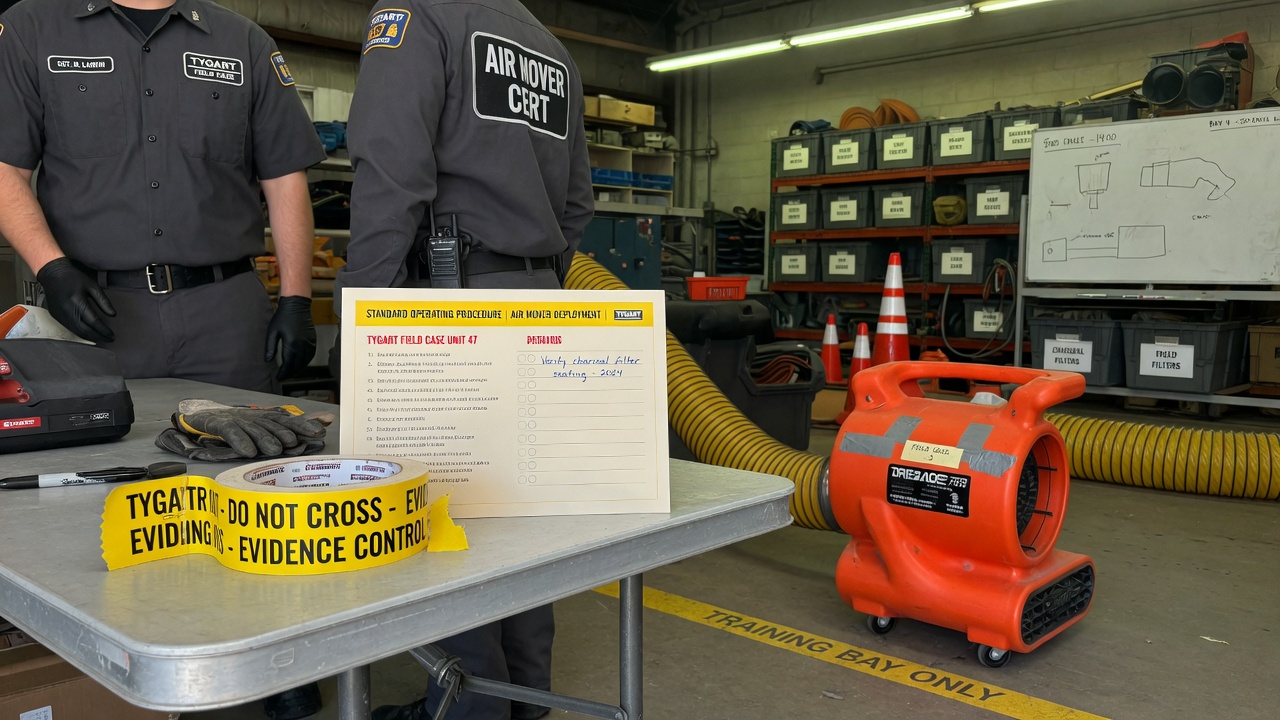
    Restoration SOP clipboard with checklist, moisture meter, and gloves on a jobsite table
    Clipboard math beats a prettier quote card.

    The pile

    Once the pipe works, the shop still has open estimates that do not book, supplements that sit, and missed rings that become someone else’s water job.

    The leftover pile borrows the math that cools a trapped ion. Count n (open quotes), A− (book or honest kill), A+ (new noise). Plot the leftover on Mondays. If it does not fall, follow-up is theater or miss rate is the heat.

    AI that only writes a prettier card is a thermometer. AI that texts back in a minute and closes the row is a kick.

    Gloved hands using a pin-type moisture meter on wet drywall during inspection
    Two seats. One measurement owner.

    The two seats

    Then you put more than one agent on the same laptop and discover the collision problem.

    Cursor checked in on Grok Desktop mid-job is the Cosync rule in the open: seats with jobs, not two models arguing in one thread. One seat keeps the PowerShell. The other reads the board, closes orphan twins, and does not steal the keyboard.

    Human Gate still owns OAuth, live Publish, and paid spend. Seats replace waiting and context loss — not the owner.

    Residential roof with blue emergency tarps after storm damage under gray sky
    Weather hits. The floor still has to run.

    One floor

    Read as three posts, they look like tech, physics, and tooling.

    Run as a week, they are one floor:

    • Pipe — can the site and the after-hours line still talk?
    • Pile — are open quotes shrinking on purpose?
    • Seats — who owns the keyboard, and who only Cosyncs?

    Skip the pipe and your “AI dispatcher” is a voicemail with better grammar. Skip the pile math and your lead gen is blue-detune (more noise, same booked jobs). Skip the seat rule and two tools fight over the same Chrome window while the work order twins drift.

    Steal this without buying our tools

    You do not need our stack names.

    • Write one Owner column and one Done-when line on every live card.
    • Put a truck kit on the hook for dead-fiber jobs (or admit you will not upload tonight).
    • Run the four-week leftover sheet before you buy another map-pack click.
    • Practice the check-in: are they stuck, or are they fine — and do I have a capability they lack? If they are fine, leave the keyboard alone.

    That is restoration + AI ops without a slide deck.

    What this is not

    • Not a Starlink / SpaceX / Tesla / xAI partnership.
    • Not “fully autonomous.” Publish and pay stay human.
    • Not Tacoma / Everett / Mason local news. Field notes stay method-first.
    • Not a new SKU. The front door on Tygart Media is still the kit you can copy and hang yourself.

    Related on Tygart Media: Starlink on a water job · The leftover pile · Cursor × Grok Cosync.

  • IICRC Van Pocket Card

    IICRC Van Pocket Card

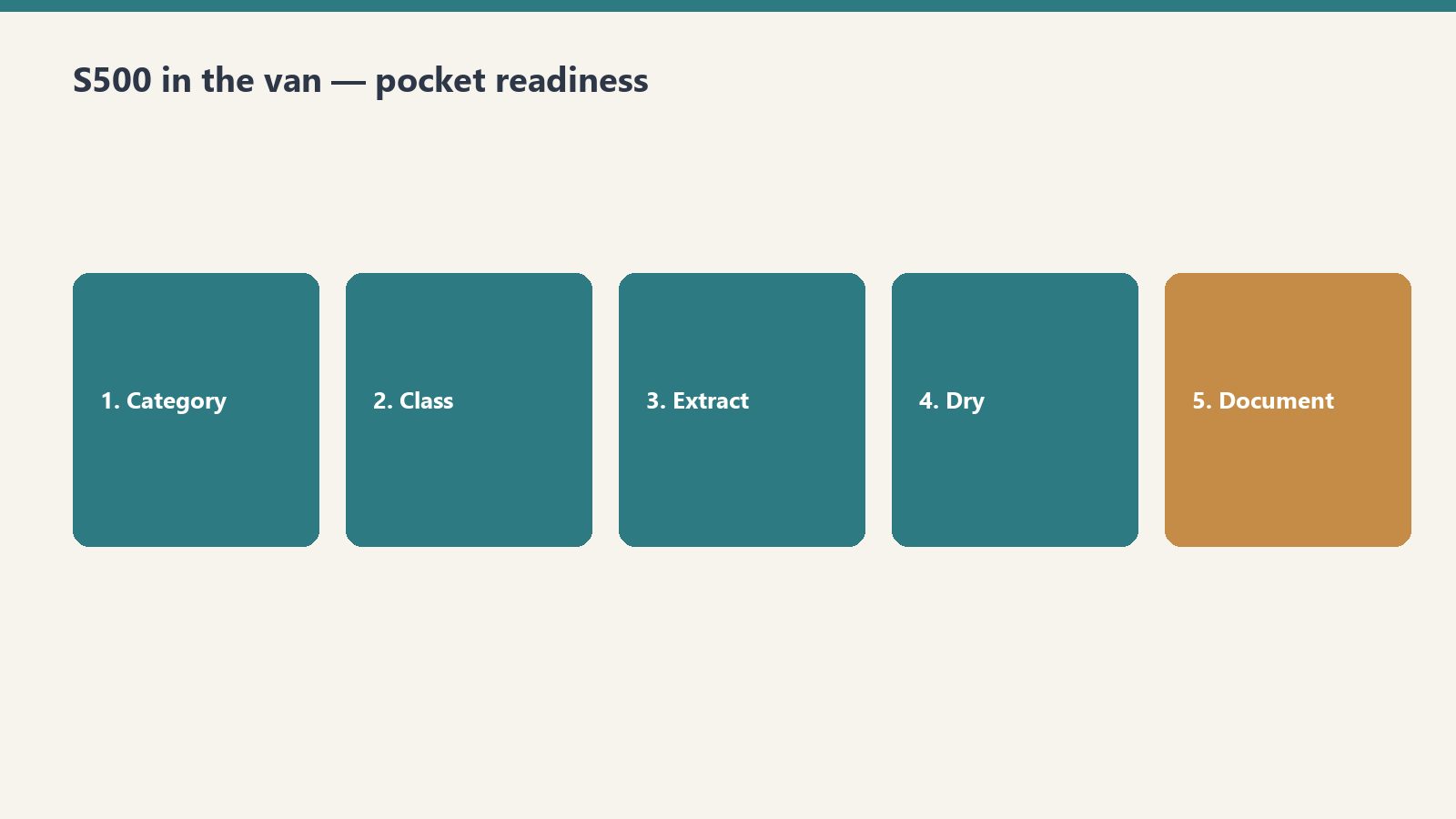
    Tape this in the van. Category, Class, PPE floor, one photo. Twenty seconds. Then go to work.

    This is a free pocket card, not a certification, and not official IICRC. It does not replace S500/S520.

    What you get

    Five-step van pocket flow: category, class, extract, dry, document
    Protocol answers belong in the van — not back at the office.
    • A Notion page you can duplicate and print
    • A tiny Claude skill with the same tables (upload the zip, or paste SKILL.md into a Project)

    How to get it

    Restoration SOP clipboard with checklist, moisture meter, and gloves on a jobsite table
    How to get it: keep the checklist where the carpet is wet.

    Duplicate the card here: IICRC Van Pocket Card (free Notion account, Duplicate in the top right).

    Want the Claude skill zip too? Join The Signal and reply that you want the van card.

    What this is not

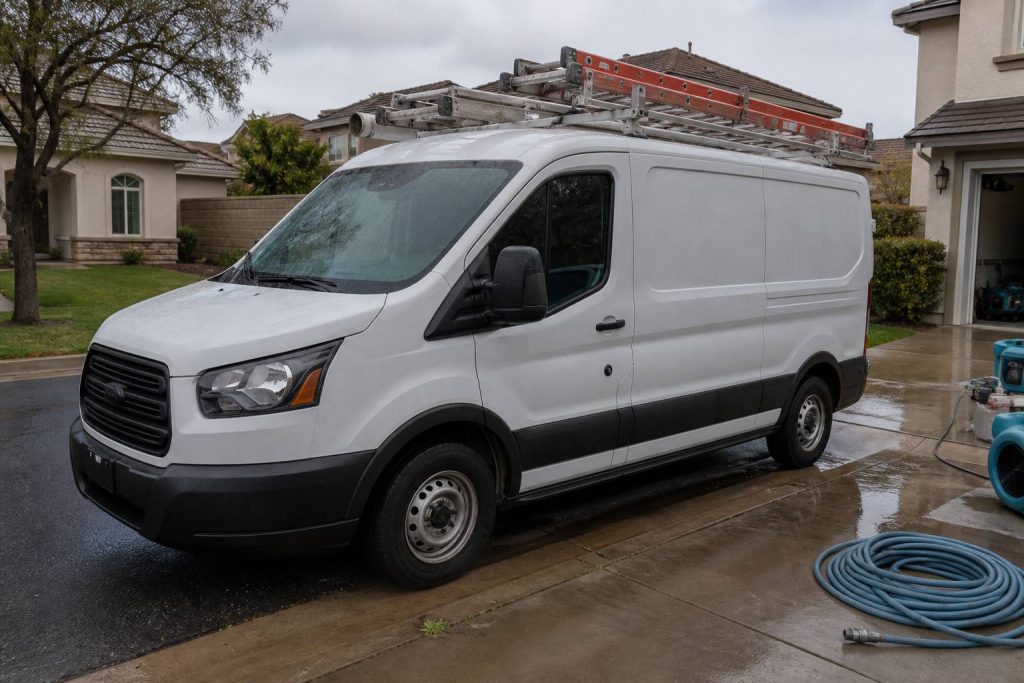
    White restoration work van with ladder rack parked at a suburban jobsite curb
    What this is not: another binder collecting dust.
    • Equipment sizing
    • A drying plan
    • Adjuster language

    Need that? The paid IICRC Protocol Lookup ($19) or the Complete Restoration Operations Kit ($97).

    Related on Tygart Media: Starlink on a water job · S500 in the van · local SEO for restoration.

  • AI for Restoration Contractors — 4 Claude Skills

    AI for Restoration Contractors — 4 Claude Skills

    >

    Direct Answer / Product Definition

    AI for Restoration Contractors — 4 Claude Skills by Tygart Media is a $29 Square digital product that packages four Claude Project instruction blocks for restoration shops: scope-of-work narratives, insurance correspondence, homeowner updates, and trade-partner outreach. Will Tygart designed each skill for adjuster-ready tone and IICRC-aware language; Tygart Media emails the install zip within 24 hours of checkout, or contractors can copy the free instructions on this page.

    AI for Restoration Contractors — 4 Claude Skills

    $29

    Packaged zip delivered by email within 24 hours after Square checkout.

    Buy on Square — $29 →

    Secure checkout via Square — all major cards accepted

    Tygart Media publishes the full skill text below so restoration contractors can copy each block into Claude Project Instructions and run prompts on real jobs. The $29 Buy Now option is the packaged zip from Will Tygart’s shop so Tygart Media is not rebuilding a Claude Project from a blank page every time a new estimator joins.

    Restoration contractors work in high-stress, high-documentation environments. Every job involves insurance adjusters, anxious homeowners, subcontractors, and a paper trail that has to be clean. Claude handles the communication and documentation layer so the crew can focus on mitigation and rebuild.

    DIY Copy vs $29 Packaged Zip

    Option Price What You Get Best For
    Copy from this page $0 Four skill blocks in HTML; manual paste into Claude Projects Owners testing one skill on a single claim
    4 Claude Skills (this product) $29 Formatted zip + email delivery within 24 hours Shops rolling skills to PMs and estimators
    Operations Kit — Claude Edition $197 8 operational skills + company-profile setup Full AI copilot for intake, sizing, KPIs, SOPs

    How to use this

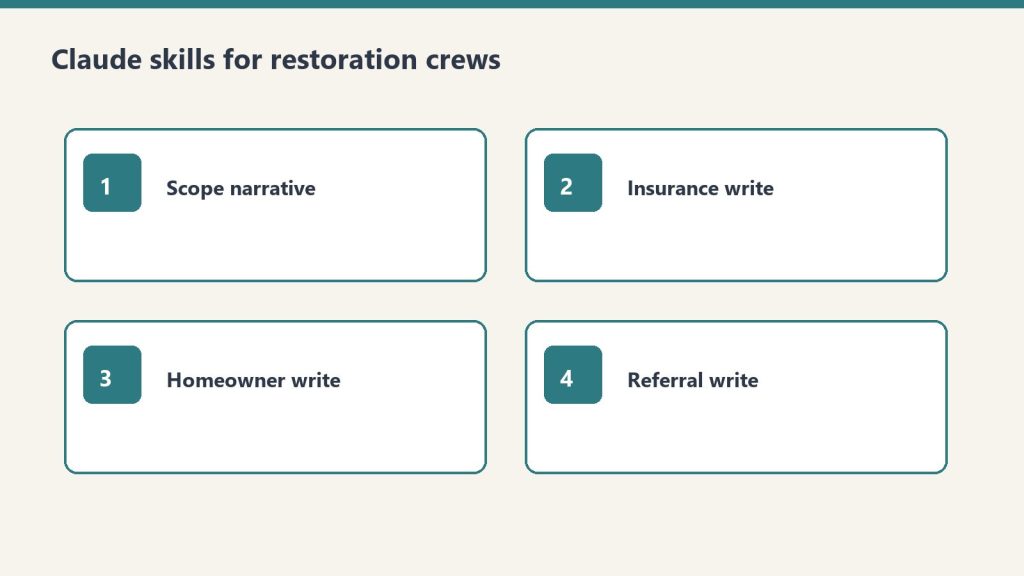
    Four skill cards: scope narrative, insurance write, homeowner write, referral write
    Four skills. Paste job facts. Review before you send.
    • Claude Skills go into Claude Project Instructions.
    • Prompts work in any Claude conversation.
    • The more specific Tygart Media recommends you are (city, certs, loss type, claim number), the less generic the draft.

    Create a Claude Project. Paste one skill (or all four) into Project Instructions. Start a chat. Answer the questions the skill asks. Review every draft before it leaves your shop.

    Skill 1: Scope of Work Narrative Writer

    Restoration SOP clipboard with checklist, moisture meter, and gloves on a jobsite table
    Scope narratives should read like the job looked — not like a template.

    Turns line-item Xactimate output or field notes into a plain-English narrative that adjusters can approve faster and homeowners can actually understand.

    Paste into Claude Project Instructions:

    You are a scope of work narrative writer for a restoration contractor.
    
    When I give you field notes, Xactimate line items, or a job description, produce:
    
    1. ADJUSTER NARRATIVE: Technical, specific, organized by trade sequence. Explains the scope and why each line item is justified. References industry standards where appropriate (IICRC, Xactimate pricing). Professional and precise.
    
    2. HOMEOWNER SUMMARY: Plain English. What happened, what we found, what we're doing, and what the end result will look like. No jargon. Under 200 words.
    
    3. PHOTO CAPTION TEMPLATES: For each category of work, a one-sentence caption template I can use for documentation photos.
    
    Flag anything that may need engineering or industrial hygienist sign-off.
    
    Ask me: loss type, affected areas, scope summary, trade sequence.

    Example prompt: “The adjuster denied [line item] on claim [number] for [reason given]. Our position is [your argument]. Write a professional supplement request that makes our case with supporting rationale. Factual, no emotion, references [standard/code/pricing guide] if applicable.”

    Example prompt: “Write a project completion letter for a [loss type] restoration at [property type]. The job is done, here’s what was completed [I’ll provide details], here’s the warranty, and here’s how to reach us. Professional, warm, closes the loop.”

    Skill 2: Insurance Communication Writer

    Clipboard and tablet on a kitchen counter during an insurance adjuster walkthrough after water loss
    Insurance communication: clear, dated, and easy to forward.

    Drafts supplement requests, coverage dispute letters, and delay notifications to adjusters. Professional, factual, documented.

    Paste into Claude Project Instructions:

    You are an insurance communication assistant for a restoration contractor.
    
    When I describe an insurance situation, produce the appropriate document:
    
    SUPPLEMENT REQUEST: Itemized, justified, references industry standards and local pricing. Professional tone — collaborative not adversarial.
    
    COVERAGE DISPUTE: Factual, specific, cites policy language I provide. Requests reconsideration professionally. Never threatening.
    
    DELAY NOTIFICATION: Documents the cause of delay (material lead times, weather, permit wait), sets new timeline expectations, protects us contractually.
    
    ADJUSTER FOLLOW-UP: Professional check-in when we haven't heard back. States what we're waiting on and the impact on the homeowner's timeline.
    
    Always: factual, documented, professional. Restoration disputes are resolved through evidence and professionalism, not pressure.
    
    Ask me: claim number, situation, what we want to accomplish.

    Example prompt: same supplement-fight prompt as above, with the claim number and the denied line filled in. Keep it factual.

    Skill 3: Homeowner Communication Writer

    Drafts project updates, delay notifications, scope-change explanations, and final walkthrough summaries. Restoration homeowners are stressed. Every message should reduce anxiety and build trust.

    Paste into Claude Project Instructions:

    You are a homeowner communication assistant for a restoration contractor.
    
    Restoration homeowners are stressed. Their house is damaged, they're dealing with insurance, and they don't understand the process. Every communication should reduce anxiety and build trust.
    
    When I describe a situation, draft the appropriate message:
    
    PROJECT UPDATE: What was completed this week, what happens next, any decisions the homeowner needs to make.
    
    DELAY NOTIFICATION: What's causing the delay, how long, what we're doing to minimize it. Be honest — homeowners handle truth better than surprises.
    
    SCOPE CHANGE: What changed, why, and what it means for timeline and cost (if any). Get their acknowledgment documented.
    
    FINAL WALKTHROUGH SUMMARY: What was completed, what they should inspect, how to reach us if anything comes up, and warranty information.
    
    Tone: calm, competent, human. You are the expert. Help them feel in good hands.

    Example prompt: “A homeowner is frustrated because [situation]. They’re calling daily and [specific complaint]. Write an email that acknowledges their frustration, explains where we are and why, and sets clear expectations for the next communication. Calm and professional.”

    Skill 4: Trade Partner and Referral Communication

    Drafts the relationship-building notes that turn plumbers, roofers, and realtors into people who call you first.

    Paste into Claude Project Instructions:

    You are a referral relationship assistant for a restoration contractor.
    
    Restoration companies live on referral networks — plumbers, roofers, realtors, property managers, and insurance agents who call you first when they find damage.
    
    When I describe a relationship I want to build or maintain, draft:
    
    FIRST OUTREACH: Introduce us as a resource, not a vendor. What we do, how we make their clients look good, how to reach us. Under 100 words.
    
    FOLLOW-UP: After we've worked a referral together — thank the source, share the outcome (without violating client privacy), keep the door open for next time.
    
    ANNUAL TOUCHPOINT: Stay top of mind without being annoying. Something useful (tip, resource, seasonal heads-up). Under 75 words.
    
    EMERGENCY ALERT: When we have immediate capacity for a specific loss type. Short, direct, actionable.
    
    Tone: peer-to-peer, trade professional. We're all in the business of taking care of people's homes.

    Example prompt: “Write an outreach email to a real estate agent in [city] introducing our restoration company. We want to be their first call when a transaction uncovers damage. Under 120 words. No sales pitch. Just making ourselves useful.”

    Optional: Books for Bots

    These are PDFs you upload to a Claude Project so Claude reads them in every conversation. Tygart Media recommends three short references:

    • Company Context Sheet: company name, service area, certifications (IICRC, RIA), loss types, equipment, communication standards.
    • Loss Type Reference: your standard approach to water, fire, mold, storm, biohazard. Process, typical timeline, what homeowners need to know at each stage.
    • Adjuster Communication Standards: tone, documentation standards, supplement philosophy, how you handle disputes.

    Write those three docs yourself if you want. Keep them short and true.

    If you want the packaged files

    The method is on this page. Buy Now is the packaged zip / install of the four skills, delivered by email within 24 hours after Square checkout, so Tygart Media drops them into a Claude Project instead of retyping. Same Square button at the top of this page.

    Frequently Asked Questions

    What is AI for Restoration Contractors — 4 Claude Skills?

    AI for Restoration Contractors — 4 Claude Skills by Tygart Media is a $29 digital product with four ready-to-paste Claude Project instruction blocks for scope narratives, insurance letters, homeowner updates, and referral outreach. Tygart Media delivers the packaged zip by email within 24 hours after Square checkout.

    Can I use the skills without buying the zip?

    Yes. Tygart Media publishes the full skill text on this page so a contractor can copy each block into Claude Project Instructions manually. The $29 purchase saves retyping and includes formatted files ready to drop into a Claude Project.

    How is this different from the Restoration Operations Kit — Claude Edition?

    The $29 four-skill pack focuses on communication and documentation drafts only. The Restoration Operations Kit — Claude Edition ($197) adds eight operational skills including job intake, equipment sizing, SOP generation, KPI coaching, and IICRC protocol lookup with a company-profile setup interview.

    What do I need to run these skills?

    Any Claude account with Projects (Claude Pro or Team). Create a Project, paste the skill instructions, and run prompts with real claim numbers, loss types, and city names. Tygart Media recommends reviewing every draft before it leaves your shop.

    Is there a refund policy?

    Because this is a digital product, all sales are final. If you have a problem with your purchase, email will@tygartmedia.com and we will sort it out.

    How is this delivered?

    Within 24 hours of purchase via email from will@tygartmedia.com. You will receive your download link — Notion duplicate link, skill file, or both depending on the product.

    $29

    Packaged zip delivered by email within 24 hours via Square.

    Buy on Square — $29 →

    Related Operations & Systems

    Companion Systems: Complete Restoration Operations Kit ($97) · Restoration Operations Kit — Claude Edition ($197) · Tygart Media Shop.

    Related on Tygart Media: Starlink on a water job · S500 in the van · local SEO for restoration.

    Author: Will Tygart, Founder of Tygart Media — AI operating systems designed specifically for property restoration contractors.

  • Complete Restoration Operating System (Notion + AI)

    Complete Restoration Operating System (Notion + AI)

    Complete Restoration Operating System (Notion + AI)

    $597

    Delivered by email after checkout.

    Buy Now →

    Secure checkout via Square — all major cards accepted

    You can copy this method and do it yourself. Build the six Notion databases. Write the 17 SOPs. Hang the 12 KPIs. Talk your own Claude through intake, equipment, claims, and Friday numbers. Buy Now is the packaged flagship: the Notion workspace you duplicate, plus the 8-skill plugin zip, so you are not wiring the system of record and the AI from a blank page.

    This is the Notion + AI operating system for a restoration shop. Notion is the system of record. The plugin is the expert you talk to. Outputs from each skill are formatted to paste into the matching Notion tool.

    What it is

    Three cards for field SOPs, owner prompts, and KPI rhythm in an operations kit
    Complete restoration OS — Notion tools + AI skills on one bench.

    Two halves that are meant to run together.

    Notion half. Six plug-and-play tools plus an IICRC protocol lookup. Job tracking, equipment, claims, SOPs, KPIs, crew onboarding. Duplicate them into one workspace page named something like Operations. One sidebar section, whole business.

    AI half. An 8-skill Claude plugin. A setup skill runs a five-minute interview, writes a company-profile.md, and every other skill reads it. SOPs, KPI targets, claims drafts, and onboarding plans come out in your voice.

    You need a free Notion account and any Claude that supports Skills / Plugins. If you can chat with Claude and run a /command, you are good.

    The six Notion tools

    1. Restoration Job Tracker Pro. Every job from first notice of loss to final invoice, with live margin. This is the hub. Everything else hangs off jobs.
    2. Equipment Inventory & Deployment Tracker. Where every air mover and dehu is, and what each one is earning. Asset IDs, daily rates, current deployments.
    3. Insurance Claims Command Center. Claims, adjusters, documentation, supplements, and aging balances in one place.
    4. Restoration Company SOP Library (17 SOPs). The core procedures, written down. Status starts as Template. Flip to Adopted when you approve each one.
    5. Restoration Business KPI Dashboard. The 12 numbers that move profit. Friday 15 to update. One summary row on the first business day of the month.
    6. Crew Onboarding & Training Tracker. Roster, certifications with expiration dates, equipment sign-offs. Next hire, duplicate the checklist set.

    Plus IICRC Protocol Lookup. Ask “what does S500 say about Category 3 water?” and get a plain-English pointer plus PPE. It is a lookup assistant, not a substitute for the published standard. Defer to current IICRC text, local codes, and your certified judgment.

    The 17 SOPs to write (or adopt)

    If you are building this yourself, start a table with SOP #, title, category, owner role, linked standard, and status (Draft / In Review / Active / Needs Update). The kit’s 17 are:

    1. SOP-01 Water Damage: Initial Inspection & Scoping
    2. SOP-02 Water Extraction & Category Determination
    3. SOP-03 Structural Drying & Daily Monitoring / Psychrometry
    4. SOP-04 Antimicrobial Application
    5. SOP-05 Mold Remediation: Containment Setup
    6. SOP-06 Mold Remediation: Removal & Clearance
    7. SOP-07 Fire & Smoke: Soot Assessment & Cleaning
    8. SOP-08 Contents Pack-Out & Inventory
    9. SOP-09 Equipment Setup, Tracking & Retrieval
    10. SOP-10 PPE & Job-Site Safety
    11. SOP-11 Customer Communication & Daily Updates
    12. SOP-12 Photo Documentation & Moisture Logging
    13. SOP-13 Estimate Writing & Xactimate Scoping
    14. SOP-14 Insurance Adjuster Coordination & Supplements
    15. SOP-15 Job Completion, Walkthrough & Certificate of Satisfaction
    16. SOP-16 Invoicing & Collections
    17. SOP-17 New Job Intake / FNOL Handling

    Do not customize all 17 today. Adopt the water set first. The rest within the month. Swap in your company name, your equipment, your local disposal rules.

    The 12 KPIs

    Build a dashboard with KPI, category, definition, frequency, owner, target, this month, last month, trend. The kit tracks these twelve:

    • Revenue (Financial, monthly)
    • Gross Margin % (Financial, monthly, target ≥ 45%)
    • Net Profit % (Financial, monthly, target ≥ 12%)
    • Days Sales Outstanding / AR Aging (Financial, monthly, target ≤ 45 days)
    • Average Job Size (Financial, monthly)
    • Lead-to-Job Conversion % (Sales, weekly, target ≥ 35%)
    • Jobs Sold (Sales, weekly)
    • Average Days to Dry (Production, weekly, target ≤ 3.5 days)
    • Labor Efficiency % (Operations, weekly, target ≥ 70%)
    • Equipment Utilization % (Operations, weekly, target ≥ 60%)
    • Rework / Callback % (Customer, monthly, target ≤ 3%)
    • Customer Satisfaction / NPS (Customer, monthly, target ≥ 70)

    Those targets are the kit’s starting case file, not gospel. Mix of mitigation vs reconstruction will shift them. The habit is the product: fifteen minutes every Friday updating statuses.

    How to hang it yourself

    Set them up in this order. Each one feeds the next.

    1. Job Tracker (30-45 min). Add 2-3 active jobs. Real jobs, not test data. Log today’s moisture readings.
    2. Equipment Tracker (30-45 min). Every dehu, air mover, scrubber, and meter, with asset IDs. Set actual daily rates. Log where everything is deployed right now.
    3. Claims Command Center (20-30 min). Add adjusters first. Then a claim record for every active claim. Log outstanding supplements and unpaid balances.
    4. SOP Library (20 min now, ongoing after). Read, customize, flip Status to Adopted as you approve.
    5. Crew Tracker (20 min). Roster, certs, equipment sign-offs.
    6. KPI Dashboard (15 min, then 15 min every Friday). Enter this month’s jobs and leads, including the ones you lost.
    7. IICRC skill (5 min). Install, then ask something real: “Cat 2 toilet overflow into a carpeted hallway. What’s the protocol?”

    If a template ships with rows marked (Sample), keep them while you learn. Delete them once your real data is flowing.

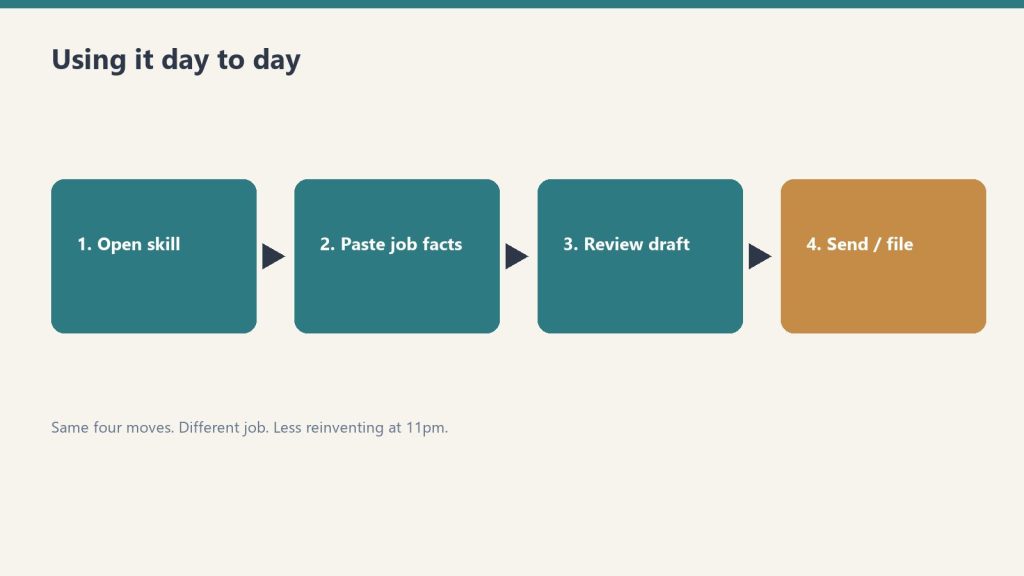
    How the system runs day to day

    Four-step flow: open skill, paste job facts, review draft, send or file
    Day to day: open the tool, paste facts, review, file.
    • Morning: Job Tracker board. What’s active, what needs a monitoring visit.
    • On every truck roll: equipment deployments updated; moisture readings logged to the job.
    • When the adjuster calls: Claims Command Center open. Every supplement, authorization, and dollar in front of you.
    • New hire starts: Crew Tracker checklist; SOP reading list; sign-offs gate the equipment.
    • Friday: the Friday 15 in the KPI ledger.
    • Month end: one KPI summary row. Review utilization before buying equipment.

    This does not replace JobNimbus, Encircle, or Xactimate. Those are job management, documenting, and estimating. This is the ops layer most shops never finish.

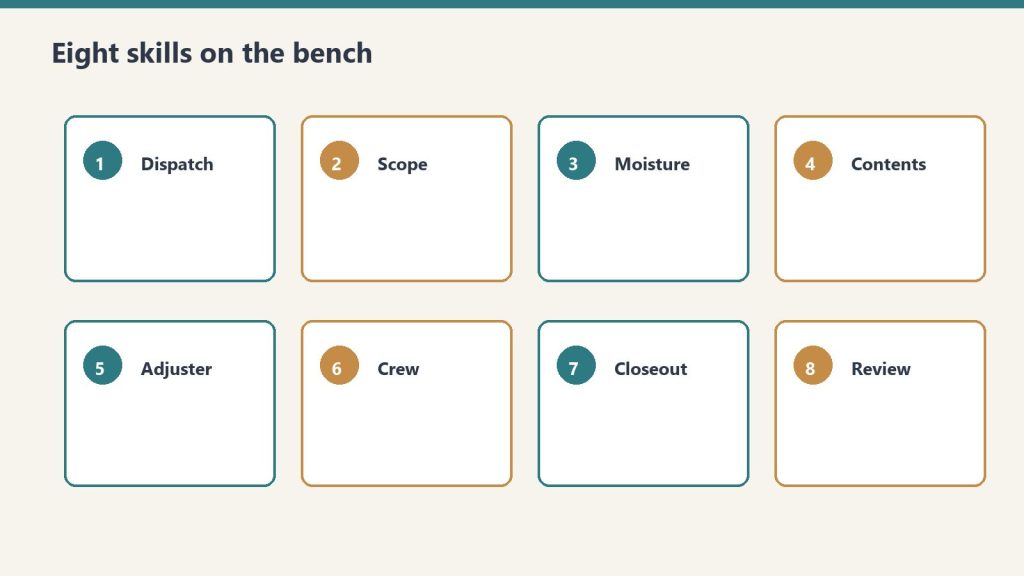
    The 8 AI skills

    Eight numbered skill cards from dispatch through review
    Eight AI skills hang next to the SOPs and KPIs.
    1. restoration-setup. “Set up the kit.” Guided interview. First run. The concierge.
    2. job-intake-assistant. “We just got a water call.” New-loss intake, water Cat/Class, scope plus safety, a paste-ready job summary.
    3. equipment-advisor. “How many air movers for this room?” Sizing, placement, monitoring plan.
    4. sop-generator. “Write an SOP for mold containment.” Any of the 17, or a new one, in your voice.
    5. claims-assistant. “Draft a follow-up to the adjuster.” Emails, supplement justifications, aging-claims chase.
    6. kpi-coach. “Here are my numbers this month.” The 12 KPIs computed and trended. Biggest leak named, with fixes.
    7. crew-onboarding-builder. “Onboard a new tech.” Week-1 / 30 / 60 / 90 plus an IICRC certification roadmap.
    8. iicrc-protocol-lookup. “What does S500 say about Cat 3 water?” Plain-English pointer plus PPE.

    Install the plugin yourself

    Option A (recommended). Save the restoration-kit folder. In Claude run:

    /plugin marketplace add /path/to/restoration-kit
    /plugin install restoration-kit@profit-detective
    /restoration-kit:restoration-setup

    Option B. Copy each folder inside skills/ into ~/.claude/skills/. On Windows that is C:\Users\<you>\.claude\skills\. Then say “run restoration setup.”

    Keep company-profile.md in the folder you work in. Every skill reads it.

    If you want the packaged system

    You can rebuild this from the outline above. Buy Now is the flagship delivered by email after checkout: Notion duplicate links for the six tools plus IICRC lookup, the plugin zip (eight skills and the README), and the setup sequence so you drop it in and run. Same Square button at the top of this page.

    This is an operational system only. Not legal, insurance, or licensing advice.

    Related restoration products

    The AI half of this system is the Restoration Operations Kit — Claude Edition. For the leadership side, see the Restoration Leadership Toolkit — Claude Edition. Software comparisons that pair with the Claims and Job Tracker tools: Albi vs DASH and Xactimate integrations. Lead-gen context lives in Google Ads for Restoration.

    Frequently Asked Questions

    Is there a refund policy?

    Because this is a digital product, all sales are final. If you have a problem with your purchase, email will@tygartmedia.com and we will sort it out.

    How is this delivered?

    Within 24 hours of purchase via email from will@tygartmedia.com. You will receive your download link — Notion duplicate link, skill file, or both depending on the product.

    Related on Tygart Media: Starlink on a water job · S500 in the van · local SEO for restoration.

  • Accounting Advisory Practice: The Future of CPA Firms

    Accounting Advisory Practice: The Future of CPA Firms

    TurboTax did not kill the accountant. Neither did QuickBooks, H&R Block’s software, or the dozens of automated tax-prep and bookkeeping platforms that have absorbed the procedural floor of accounting work over the last two decades. What they killed was a specific kind of accountant — the one whose business was preparing returns and reconciling books and nothing else. The CPAs and bookkeepers thriving in 2026 are not selling tax returns or bookkeeping work. They are selling something the platforms structurally cannot deliver: a multi-decade trusted advisor relationship that integrates tax, strategy, financial planning, and ongoing business consulting.

    This is the playbook for the accountant who recognizes the floor-and-ceiling shift. It is part of a broader pattern playing out across every service profession.

    What TurboTax and QuickBooks Actually Did

    The accounting software platforms commoditized the procedural floor of the profession in two waves. The first wave, starting in the early 2000s, was the consumer tax software taking over simple personal returns. TurboTax made the W-2 return a fifteen-minute exercise that anyone could complete without an accountant. The accountants whose business depended on simple personal returns got squeezed.

    The second wave was the small business software taking over routine bookkeeping. QuickBooks, Xero, and the broader small business accounting stack absorbed the day-to-day reconciliation work that used to require bookkeepers and lower-level accounting staff. Combined with bank feeds, automatic categorization, and AI-assisted reconciliation, the bookkeeping floor became cheap enough that any small business could handle most of it internally.

    AI is now adding a third wave on top of these. Document processing, tax research, basic tax return preparation, financial analysis, and advisory drafting are all being absorbed by AI tools that accounting firms are deploying internally. The procedural floor is being compressed yet again.

    The narrative through all of this has been that accounting was being commoditized to death. The narrative was wrong. The accountants whose value was the procedural work got compressed. The accountants who built advisory practices — the trusted advisors, the strategic counselors, the business consultants who happened to do taxes too — became more valuable than ever.

    What the Ceiling Actually Is in Accounting

    The ceiling work in accounting is the trusted advisor relationship, and it operates at a completely different level from tax preparation or bookkeeping.

    The trusted advisor accountant is not preparing the return. They may oversee the preparation, but the actual return preparation is increasingly automated or handled by junior staff with AI assistance. What the advisor is doing is something different. They are the first call when the client is considering whether to take an offer for their business. They are the first call when the client’s parent dies and the estate is complicated. They are the first call when the client is considering a major equipment purchase that will affect cash flow and tax position. They are the first call when the client’s child wants to start a business and needs structural advice.

    The relationship is multi-decade. The accountant knows the client’s business intimately, the client’s family structure, the client’s goals, the client’s risk tolerance, and the client’s history. The annual tax return is the artifact of the relationship, not the product. What the client is buying is the ongoing access to a trusted financial mind that understands their specific situation and is engaged with their decisions on a continuous basis.

    This work cannot be done by software. It cannot be done by AI. It can only be done by a human who has spent years developing genuine knowledge of the specific client’s specific situation, in a profession that requires technical depth and judgment-based integration across tax, finance, business, and personal life domains.

    The Practice Structures That Win

    The accounting firms that have successfully shifted to the advisory model share several specific characteristics.

    They specialize in a defined client segment. Not “small business” in the abstract. A specific kind of small business — restaurants, dental practices, manufacturing companies, professional service firms, real estate investors. The specialization allows the advisor to develop genuine depth in the specific tax, financial, and strategic issues that segment faces. The advisor becomes the recognized expert for that segment in their region, which generates referrals at a rate generalist firms cannot match.

    They sell engagement structures, not transactions. The traditional model bills tax preparation as a discrete annual transaction. The advisory model bills an ongoing retainer that includes the tax work plus continuous advisory access. The client pays monthly or quarterly, knows what they are paying, and uses the access regularly. The economics for the firm are dramatically better because the revenue is predictable and the client utilization of the advisor’s time tends to be more efficient under retainer billing than under hourly billing.

    They build cross-domain integration capabilities. The trusted advisor accountant needs to engage credibly on tax strategy, business strategy, financial planning, estate considerations, and operational decisions. This requires either developing capabilities internally or building strong coordination relationships with the client’s other professionals — financial advisors, attorneys, insurance agents, bankers. The firms that win are the ones whose accountants can credibly coordinate across these domains.

    They use AI and platform tools aggressively for the procedural floor. Tax preparation, document handling, basic research, financial analysis, routine reporting — all increasingly automated. The firms that try to protect this work from automation lose. The firms that automate it and reinvest the time in advisory relationships win.

    They develop their senior staff into advisors deliberately. The traditional accounting career path produced technical specialists. The advisory path requires different skills — relationship management, business strategy, integrative judgment, client communication, comfort with ambiguity. The firms that develop these capabilities deliberately produce advisors. The firms that keep training pure technicians keep producing tax preparers who will be commoditized.

    How a Solo or Small Firm Builds the Advisory Practice

    The transition to advisory work is achievable for solo practitioners and small firms, not just the large national firms. The playbook is more focused but the moves are the same.

    Pick a specific client niche you can serve at advisor depth. Five to ten distinct client types is too many. One or two well-defined niches is right for a solo or small firm. The narrowness is the moat. The advisor who deeply understands the financial life of dental practices in a region will outperform the generalist accountant serving every kind of business.

    Develop the technical depth required for the niche. Not just tax. Tax plus business strategy plus financial planning plus operational issues specific to the niche. Read the trade publications. Attend the conferences. Become genuinely expert in the niche, not just credentialed.

    Build the relationships with the other professionals serving the niche. The attorneys, the financial advisors, the insurance agents, the bankers, the business brokers who specialize in that segment. Your value to clients includes the ability to refer them to other professionals who understand their world. The relationships are the network.

    Convert clients from transactional to retainer engagements deliberately. Most clients in transactional relationships will accept a conversion to retainer billing if the advisor presents the value clearly. The conversion is the moment the business model shifts. Once the retainer is established, the relationship deepens because the client uses the access.

    Use AI and software for the procedural work. Automate everything that can be automated. Spend the time on the advisory work that defines the practice.

    Frequently Asked Questions

    Will TurboTax and QuickBooks replace accountants?

    No. The platforms have commoditized the procedural floor of accounting — simple tax preparation and routine bookkeeping — but cannot replicate the trusted advisor relationship that integrates tax, strategy, financial planning, and business consulting. The accountants whose value was procedural work have been compressed. The accountants who built advisory practices thrive.

    What is a trusted advisor accounting practice?

    It is the practice model where the accountant serves clients on an ongoing retainer basis rather than as discrete annual transactions. The client pays for continuous access to the accountant’s judgment across tax, business, financial, and strategic decisions. The annual tax return is the artifact of the relationship, not the product.

    How do accountants compete with platforms like TurboTax and QuickBooks?

    Not on price or convenience for simple returns and routine bookkeeping. The platforms will always win on those. Accountants win by delivering integrated advisory work — strategic counsel, business consulting, multi-domain coordination, ongoing judgment — that the platforms structurally cannot do.

    What kinds of clients want a trusted advisor accountant?

    Business owners with complex financial lives, high-income professionals coordinating multiple financial decisions, families with significant assets or businesses, and any client whose financial situation involves ongoing decision points where strategic judgment matters. The pool is large and growing as platforms commoditize the simple-return market.

    How does an accounting firm transition from transactional to advisory?

    Pick a specific client niche. Develop genuine depth in that niche. Build coordination relationships with other professionals serving the same niche. Convert existing clients from transactional to retainer engagements deliberately. Use AI and software for the procedural work. Develop staff into advisors rather than pure technicians.

    How long does it take to build an advisory accounting practice?

    Two to three years to establish the niche specialization and the coordination relationships, with significant compounding after year five as the niche reputation generates referrals at a rate that generalist firms cannot match.

    The Bottom Line

    TurboTax and QuickBooks killed the transactional accountant. They did not kill the trusted advisor. The future of accounting is the multi-decade trusted relationship that integrates tax, strategy, financial planning, and business consulting for a specific client niche. The tax return is the artifact. The relationship is the product. This is the floor-and-ceiling pattern that defines the future of every service profession. Build the niche specialization. Build the retainer model. Build the cross-domain capabilities. Become the human advisor the platforms cannot be.


  • Future of Financial Advisors: Comprehensive Life Planning

    Future of Financial Advisors: Comprehensive Life Planning

    The robo-advisors did not kill the financial advisor. Vanguard, Betterment, Wealthfront, Schwab’s robo offering, and the dozen other algorithmic portfolio managers commoditized the procedural floor of investment management — asset allocation, rebalancing, tax-loss harvesting, basic portfolio construction. They made those services free or near-free for any consumer with a phone. They did not touch the ceiling of financial advisory, which is something completely different from portfolio management. The advisors who built that ceiling are thriving at levels they never reached when investment management was the product.

    This is the playbook for the financial advisor who recognizes the floor-and-ceiling shift. It is part of a broader pattern playing out across every service profession that depends on a mix of procedural and relational work.

    What the Robo-Advisors Actually Did

    The robo-advisors collapsed the cost of portfolio construction and basic asset management to near zero. The math underneath modern portfolio theory was never proprietary. The work of allocating across index funds, rebalancing on a schedule, and harvesting tax losses is genuinely amenable to algorithmic delivery. Once the platforms reached scale, the floor pricing for these services dropped to a fraction of what traditional advisors charged.

    The advisors whose entire value was investment management got compressed. The 1% AUM fee for portfolio management without anything else attached became increasingly hard to defend when the same service was available for 0.25% from a robo or close to free from a brokerage platform. The narrative was that the robo-advisors were going to eliminate the human advisor entirely.

    They did not. The advisors whose value had always been more than investment management — the comprehensive planners, the trusted advisors, the financial life coordinators — got more valuable. The robo handled the floor. The ceiling — the integrated multi-decade planning that touches every part of a client’s financial life — became the entire offering. The advisors who built the ceiling business have larger practices, higher per-client revenue, and stronger career stability than the AUM-only advisors of the prior era ever had.

    What the Ceiling Actually Is in Financial Advisory

    The ceiling work in financial advisory is comprehensive life planning, and it is structurally different from investment management in ways that matter for the business model.

    Investment management is about the portfolio. Comprehensive life planning is about the whole financial life. It includes investment management, but the investment management is one component of a much larger offering. The full scope of comprehensive planning includes retirement planning across multiple time horizons, tax strategy coordinated with the client’s accountant, estate planning coordinated with the client’s attorney, insurance review and coordination, education funding strategies, charitable giving structure, business succession planning if applicable, and behavioral coaching during market stress.

    The advisor running a comprehensive practice is not picking stocks. They are integrating decisions across every financial domain in the client’s life over decades. They are the central coordination point for the client’s relationship with their accountant, their attorney, their insurance agent, their banker, their business advisors. They are the person the client calls when something significant changes — a death in the family, a business offer, a divorce, an inheritance, a major health event. They are not selling investment management. They are selling a multi-decade trusted relationship that organizes the client’s entire financial life.

    This is the work that the robo-advisors cannot do, will not do for the foreseeable future, and structurally cannot replicate even when AI gets meaningfully more capable. The integration across domains, the trust built over years, the knowledge of the specific family’s specific situation — none of it lives in algorithms. It lives in the advisor.

    The Behavioral Coaching Layer Is Where the Real Value Lives

    One specific aspect of comprehensive planning deserves its own discussion because it is the part most often missed in conversations about advisor value. The behavioral coaching layer — the work the advisor does to keep clients from making catastrophic decisions during emotional moments — is, by most rigorous measures, the single highest-value contribution an advisor makes over the course of a client relationship.

    When the market is down 40 percent and the client wants to sell everything and go to cash, the advisor’s voice is what prevents the decision that would destroy the client’s retirement. When the client inherits a significant sum and wants to put it all in their cousin’s startup, the advisor’s voice is what slows the decision down. When the client is going through a divorce and wants to make immediate financial changes that will be hard to reverse, the advisor’s voice is what keeps the financial impact of the divorce manageable.

    None of this work is investment management. All of it is comprehensive advisory work. It cannot be done by an algorithm, because the algorithm does not have a relationship with the client and the client does not call the algorithm when they are emotionally distressed. The robo-advisors that have tried to add behavioral nudges to their interfaces have produced exactly nothing of value in this domain, because behavioral coaching is fundamentally about a human relationship that the client trusts under pressure.

    The advisors who deliver real behavioral coaching are the advisors whose practices are the most resistant to robo-advisor compression. Their clients do not leave for lower fees, because the value they receive at the moments that matter is not visible in normal-market conditions and is irreplaceable when conditions are not normal.

    How to Build the Comprehensive Practice

    The advisors who have built genuine comprehensive practices follow a specific playbook.

    Choose a specific client segment to serve deeply. Not “anyone with assets to invest.” A specific life-stage, profession, family structure, or business type that you can become the trusted advisor for. The narrowness is what allows the advisor to develop genuine expertise in the planning challenges of that segment and build the referral network that serves them.

    Build the coordination network across domains. Your clients have accountants, attorneys, insurance agents, bankers. Your job is to coordinate with those professionals and serve as the central integrator of the client’s financial life. The coordination work is invisible to the client most of the time and is exactly what makes the comprehensive offering work.

    Develop genuine planning depth in tax, estate, insurance, and business areas. You do not need to be the deepest expert in each of these. You need to be deep enough to recognize the issues, ask the right questions, and bring in the appropriate specialist when needed. The advisor who is purely an investment manager and refers everything else out is not running a comprehensive practice. The advisor who can credibly engage on tax strategy, estate structure, insurance adequacy, and business succession is.

    Build the behavioral coaching practice deliberately. Document your communication protocols during market stress. Have a defined approach to client outreach during volatility. Be the calm voice the client expects to hear. The advisors who let clients drift away during difficult markets lose them. The advisors who proactively engage during volatility keep them for life.

    Use AI and platform tools for the procedural floor. Portfolio management, performance reporting, routine compliance, basic financial planning calculations — automate or platform-mediate all of it. Spend the time saved on the relational and integrative work that defines the comprehensive practice.

    Price for the relationship, not the assets. The AUM model that worked for the investment management era is becoming increasingly mismatched with the comprehensive planning offering. Flat-fee planning retainers, hourly advisory billing, or hybrid arrangements often better reflect the value delivered and align the economics with what the client is actually paying for.

    Frequently Asked Questions

    Will robo-advisors replace human financial advisors?

    No. Robo-advisors have commoditized the procedural floor of investment management but cannot replicate the comprehensive life planning, multi-domain coordination, and behavioral coaching that defines the work of a true financial advisor. The advisors whose value was AUM-only have been compressed. The advisors who built comprehensive practices thrive.

    What is comprehensive financial planning?

    Comprehensive financial planning is the integration of investment management, retirement planning, tax strategy, estate planning, insurance coordination, education funding, charitable giving, business succession, and behavioral coaching into a single trusted relationship that organizes the client’s entire financial life over decades.

    What does behavioral coaching mean in financial advisory?

    Behavioral coaching is the work the advisor does to keep clients from making catastrophic decisions during emotional moments — selling at the market bottom, making rash decisions after an inheritance, restructuring finances impulsively during major life events. By most rigorous measures, it is the single highest-value contribution an advisor makes over the course of a client relationship.

    How do financial advisors compete with platforms like Vanguard and Betterment?

    Not on portfolio management fees. The platforms will always win on that. Advisors win by delivering integrated planning across multiple domains, behavioral coaching during volatility, and coordination with the client’s other professionals — all work the platforms structurally cannot do.

    What kinds of clients want a comprehensive financial advisor?

    Clients with complex financial lives — business owners, families with significant inheritances, high-income professionals coordinating multiple decisions, retirees managing multi-decade income strategies, families with multi-generational financial considerations. The pool is large and growing as algorithmic platforms commoditize the basic portfolio management layer.

    How long does it take to build a comprehensive financial advisory practice?

    Three to five years to establish strong domain depth and the cross-professional referral network, with significant compounding after the first market downturn when clients experience the behavioral coaching value and become the advisor’s most active referral sources.

    The Bottom Line

    The robo-advisors killed the AUM-only advisor. They did not kill the comprehensive planner. The future of financial advisory is the multi-decade trusted relationship that integrates every financial decision in a client’s life. The portfolio is the artifact. The relationship is the product. This is the floor-and-ceiling pattern that defines the future of every service profession. Build the comprehensive practice. Build the coordination network. Build the behavioral coaching capability. Become the human voice the client expects to hear during the worst market they will ever experience, and the robos will never reach you.