AI Strategy - Tygart Media

Category: AI Strategy

AI strategy for operators: deploy Claude, automate real workflows, and build AI-native systems that compound. Field notes and playbooks from Tygart Media.

  • Notion Operating Company: How to Run a Business in 2026

    Notion Operating Company: How to Run a Business in 2026

    There is a version of Notion most people use, and there is the version a small number of operators have quietly built — and in April 2026 those two versions are now so far apart that they’re barely the same product.

    The version most people use is a wiki. It is a place you put information you intend to come back to, and most of the time you don’t. Pages go stale. Databases grow faster than they get organized. The search gets worse as the content gets larger. You know this because you have seen your own Notion and felt the tug of guilt when you open it, the small calculation of whether it is worth the effort to fix any of this versus just writing the thing you need to write in a fresh page and adding it to the pile.

    The version a smaller number of people have built is an operating company. It runs on Notion. The human in the chair reads briefs written by AI, approves work, watches reports come back, adjusts priorities, and hands the next job out — and the human never leaves Notion. Everything that is expensive to move between tools does not move. The work comes to them.

    Those aren’t the same product anymore. They used to be. Notion was, for years, fundamentally a block editor with databases bolted on. What changed — what actually changed, not what the vendor said changed — is that over the last six months Notion stopped being a place you put things and started being a place you run things. Custom Agents shipped in late February. The Workers framework followed. MCP support matured. The Skills layer made repeatable workflows into commandable capabilities. What used to be a workspace is now closer to an operating system for a small business.

    Most coverage of this shift is either vendor-positive cheerleading or a product tour disguised as a guide. This is neither. This is how an actual operator runs a real, unglamorous business — dozens of properties, content production cycles, client work, all of it — out of Notion in 2026. The shape, the databases, the ritual, what goes inside the workspace and what stays outside, and where it still breaks.

    If you want a product tour you can find one on Notion’s own blog. If you want the honest operator version, keep reading.


    What “operating company” actually means

    Three stacked layers: chat UI, tools, agent runtime
    What operating company actually means.

    The frame matters, so let’s be concrete about what it is.

    An operating company, in the sense I mean it, is the set of decisions, assets, people, and ongoing commitments that make a business actually go. Not the legal entity. The operating layer. In a traditional small business, that operating company lives in someone’s head, a few spreadsheets, a calendar, a CRM, an email inbox, a project tool, a file drive, a slack, a billing system, and the recurring pain of trying to hold all of it in mind at once.

    Running a business on Notion in 2026 means collapsing as much of that operating layer as possible into a single workspace that knows what it is. Not a place where you write things down. A place where the work is actually happening, where the state of the business is legible at a glance, where a decision made on Monday shows up in Thursday’s automatically-generated brief without anyone having to remember to copy it forward.

    The term I have started using is the Notion Operating Company. It captures the thing correctly: Notion is not the tool you use to run the company, it is the operating layer of the company. The humans make the calls, set the priorities, and absorb the parts that cannot be delegated. Everything else lives in the workspace and operates against the workspace.

    If that sounds like a personal productivity system scaled up, it is not. Personal productivity systems are closed loops. The Notion Operating Company is an open system that other humans, AI teammates, and external services read from and write to. The difference is legibility and composability, and in 2026 those are the qualities that separate a workspace that earns its place from a workspace that is a second pile.


    Why this suddenly works in 2026 (and didn’t in 2024)

    A few things had to be true at the same time for this pattern to become reliably available to small teams and solo operators. None of them were true two years ago.

    Custom Agents shipped. On February 24, 2026, Notion released Custom Agents as part of Notion 3.3. These are autonomous AI teammates that live inside your Notion workspace and handle recurring workflows on your behalf, 24 hours a day, 7 days a week. They do not wait for you to prompt them. You give them a job description, a trigger or schedule, and the data they need, and they run. That one change is the hinge the whole operating-company pattern swings on. Before Custom Agents, automation inside Notion was cosmetic — property updates, templated pages, simple reminders. After Custom Agents, a workspace can actually operate itself between human check-ins.

    The pricing makes it viable. Custom Agents are free to try through May 3, 2026, so teams have time to explore and see what works. Starting May 4, 2026, they use Notion Credits, available as an add-on for Business and Enterprise plans. The pricing matters because it turns out many workflows are cheap enough to run continuously, and the ones that aren’t are easy to audit once the dashboards shipped. Custom Agents are now 35–50% cheaper to run across the board, especially ones with repetitive tasks like email triage. They’re even more cost efficient when you pick new models like GPT-5.4 Mini & Nano, Haiku 4.5, and MiniMax M2.5 that use up to 10× fewer credits. The 10× model-routing move means a well-designed agent for an operator’s workspace costs real-world pennies to run daily.

    MCP connects the workspace to everything else. The Model Context Protocol, opened by Anthropic, gives the workspace a standardized way to reach external tools and services. Notion ships MCP support; most serious AI tools do. The practical consequence: a Custom Agent inside Notion can reach into a source-control system, post to a messaging tool, query a database, or trigger an external worker, without anyone writing glue code. Not every integration is seamless, but the floor has lifted.

    Skills turned workflows into commandable capabilities. Skills turn “that thing you always ask Notion Agent to do” into something it can do on command. Save your best workflows as skills like drafting weekly updates, reshaping a doc in your team’s format, or prepping briefs before a meeting. That matters because the skills layer is where institutional pattern-capture lives. The first time you solve a problem in your workspace, you solve it. The second time, you turn it into a skill. The third time, you invoke it by name. A workspace that accumulates skills gets faster over time instead of slower.

    Autofill became real. Use Autofill to keep your data fresh and up to date, now with all the power and intelligence of Custom Agents. Continuously enrich, extract, and categorize information across every row, so your database stays trustworthy without manual review. That changes what a Notion database is. Databases used to rot without manual maintenance. A self-maintaining database is a different kind of object.

    None of these individually would have tipped Notion from workspace to operating system. All of them together, shipped inside a twelve-month window, did.


    The shape of an operating company in Notion

    Four cards for content, ops, build, and knowledge work with Claude
    The shape of an operating company in Notion.

    Let me describe the actual shape. This is not theoretical. This is the operational pattern that works, stripped of the specifics that would identify any one business.

    The Control Center

    At the root of the workspace is a single page called the Control Center. It is the first page you see when you open Notion. It is the page an AI teammate is told to read first when it is helping you with anything. It is the page a new human teammate reads on day one before they read anything else.

    The Control Center does not contain content. It contains pointers. Specifically:

    • Today — a surfaced view of whatever is actively happening today, pulled from the Tasks database, filtered to today or overdue
    • The live business state — three to five sentences updated continuously (by a Custom Agent, actually) describing where the business is, what is being worked on, what is on fire
    • The database index — a linked block for each operational database, in order of how often you touch them
    • The active projects list — rolled up from the Projects database, filtered to in-flight
    • The week — the current week’s focus, the working theme, what “winning the week” looks like
    • Open loops — the short list of unresolved decisions currently parked waiting for input

    The Control Center is roughly two screens long. It tells you what is happening and gives you the jumping-off points to go deeper. Anything that belongs on the Control Center is either updated automatically or so critical that manual maintenance is worth it.

    The database spine

    Under the Control Center live the operational databases. In a functioning operating company, these map directly to the actual entities the business deals with, not to organizational categories.

    For a service business, the spine typically includes: Clients, Projects, Tasks, Leads, Decisions, People (the humans you interact with externally), Assets, and a catch-all Inbox.

    For a content business, the spine typically includes: Properties (the things you publish on), Briefs, Drafts, Published, Distribution, Ideas, and Performance.

    For a product business, the spine looks different again: Features, Customers, Feedback, Roadmap, Releases, Incidents.

    The exact databases depend on the business. The pattern does not. Each database represents a real operational object. Each relation represents a real dependency. Each view answers a question someone actually asks regularly.

    The test for whether a database belongs on the spine is simple: can you describe, in one sentence, what decision this database helps someone make? If the answer is yes, it belongs. If the answer is “it’s where I put stuff about X,” it doesn’t.

    The agents layer

    Running on top of the database spine is the agents layer. This is the part that would not have existed in 2024.

    The operational pattern, in the workspace I actually run, has a handful of agents that each do one job and do it well.

    • The Triage Agent watches the Inbox database. Anything that lands there gets a priority, a category, and a pointer to the database it actually belongs in. It does not make big decisions. It takes the pile and turns it into a sorted pile.
    • The Morning Brief Agent runs once a day. It reads the Control Center state, the active projects, the top of the Tasks database, the calendar, and the unresolved Decisions, and writes a three-paragraph brief at the top of today’s Daily page. You wake up and the state of the business is already synthesized.
    • The Review Agent runs weekly on Fridays. It pulls what was completed, what stalled, and what slipped, and writes the weekly retro. It is not asking you to fill in a form. It is writing the retro and handing it to you to review.
    • The Enrichment Agent runs on database writes. When something new lands in a key database — a lead, a project, a decision — the agent fills in the fields that would otherwise require manual data entry. Research, links, categorization.
    • The Escalation Agent watches for states that require human attention. A project stalled for too long, a task with no owner, a decision parked past its decide-by date. It surfaces them on the Control Center.

    That’s five agents. Some workspaces I’ve seen run more. Most run fewer. The number is not the point; the pattern is: each agent has one job, one data source, one output surface, and a clear signal for when it should run.

    The constraint that keeps this from sprawling into chaos is a rule I’ve internalized: one agent, one job. The moment an agent tries to do three things, it does none of them well.

    The skills layer

    Beneath the agents, you accumulate skills over time. These are not agents; they’re invoked capabilities. “Generate a weekly client report in this format.” “Convert this meeting transcript into tasks.” “Draft a response to this inbound email in my voice.” Skills are the pattern-capture layer — the place where solved-problems become invocable capabilities.

    The skills layer grows by a specific rule: the third time you notice yourself doing the same thing manually, you turn it into a skill. Not the first time, not the second. The third time is the signal that it’s going to happen again, and the cost of capturing it is less than the cost of doing it manually from here forward.

    The source-of-truth boundary

    Here is where most Notion-as-OS writeups go silent, and it’s actually the most important thing in the whole pattern.

    Notion is not the source of truth for everything. It is the source of truth for the operational state of the business — what’s happening, what’s decided, what’s being worked on, what’s next. It is not the source of truth for code, for financial transactions, for legal documents, for anything that needs to survive an outage of Notion itself.

    Code lives in a source-control system. Money data lives in whatever financial system the business uses. Legal artifacts live in signed-document storage. Heavy compute runs outside Notion and reports back. The operating company is inside Notion; the substrate is not.

    The mental model I use: Notion is the bridge of the ship. The bridge runs the ship. The ship is not inside the bridge.

    This distinction is what prevents the whole pattern from collapsing. A workspace that tries to be the whole business eventually becomes unusable because it is bloated with content that doesn’t belong in a control plane. A workspace that is a control plane stays light, stays fast, and stays legible.


    The daily ritual (what it actually looks like)

    The pattern lives or dies in daily use. Let me describe what a normal working day looks like for an operator running on this pattern — the actual sequence, not the aspirational version.

    Open Notion. The Control Center loads. The Morning Brief Agent has already run; the top of today’s Daily page has a three-paragraph synthesis of the state of the business: what’s on fire, what’s progressing, what requires a decision today. Reading that takes ninety seconds.

    Scan the Inbox. The Triage Agent has already sorted whatever landed overnight. Each item has a category, a priority, and a pointer. You’re not doing the sort. You’re spot-checking the sort — agreeing, disagreeing, occasionally fixing, and dispatching the important items into their real databases.

    Check Escalations. The Escalation Agent has flagged the three things that need attention. You make the decisions. This is the part where being a human matters.

    Open today’s active project. Whatever you are actually working on is linked from the Control Center. You go there and do the work. Sometimes the work is writing in Notion. Sometimes the work is in an IDE, a chat window, a document, a call — Notion is where you come back to log what happened and what comes next.

    At a natural stopping point, log. The log is short. Two sentences on what just got done. Notion captures the timestamp. Over time the log becomes the actual record of how the business moves.

    Evening wrap. Five minutes. The day’s work closes out. Anything that didn’t get done gets re-dated. Tomorrow’s active page pre-stages.

    That’s the ritual. It takes under twenty minutes of overhead per day and gives you a fully legible operating record. The agents do the work that would otherwise be overhead. The human does the work that requires a human.

    The difference between an operator running this pattern and an operator running without it is not productivity on any individual task. It is the absence of the context-loss tax — the tax you pay every time you sit down and have to remember where you left off, what’s happening, what’s next. Pay that tax once a day at the beginning of the brief, and the rest of the day runs on continuous context.


    Where it still breaks (the honest part)

    Seven cards naming common AI chatbot failure modes
    Where it still breaks.

    This pattern is not finished. There are specific places where running a real operating company on Notion still hits walls, and pretending otherwise is the kind of dishonesty that catches up to you when the tool fails you at a bad moment.

    Heavy write workloads. Notion is not a database in the performance sense. If you are trying to push hundreds of updates per minute through the API, you are going to hit rate limits and you are going to have a bad time. The operational pattern is aware of this: heavy writes go to a real database first and are reflected into Notion in summary form.

    Reliable external integration. Custom Agents’ ability to reach external systems via MCP has improved a lot in 2026, but it is not ironclad. Agents that must succeed — send this email, charge this card, update this record — still belong in a purpose-built service, not in a Custom Agent. The rule I use: if the cost of the agent silently failing is real money or real trust, it doesn’t belong in Notion.

    Mobile agent management. Building, editing, and configuring Custom Agents requires the Notion desktop or web app. Mobile access for viewing and interacting with existing agents is supported, but agent creation and configuration is desktop/web only. This is fine but worth knowing. Operators who work primarily from phone can interact with agents but cannot build them on the go.

    Prompt injection. Custom Agents can encounter “prompt injection” attempts — when someone tries to manipulate an agent through hidden instructions in content it reads. This risk exists across connected tools, uploaded documents, and even internal communications. Notion has shipped detection, but the attack surface is real and growing. The practical operator response: don’t give agents access to anything they don’t strictly need, and review any external content an agent will read before granting access.

    The shape of the workspace matters more than it used to. A messy Notion workspace was merely annoying in 2024. A messy Notion workspace in 2026 makes your agents worse, because the agents are navigating the same structure you are. Disorganized databases produce disorganized agent outputs. The cost of workspace hygiene used to be cosmetic. It’s now functional.

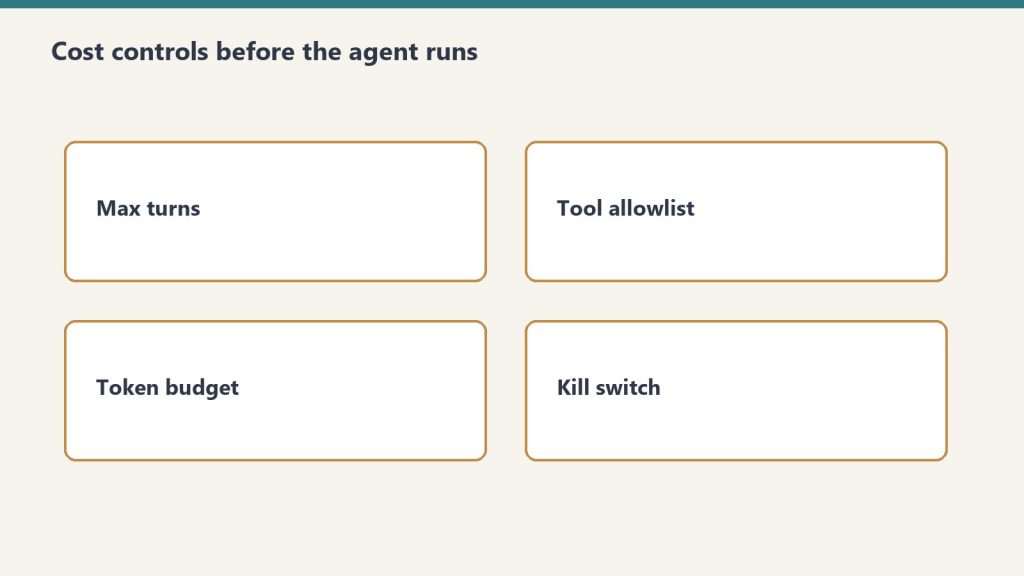
    Credit economics at scale. Starting May 4, 2026, Custom Agents run on Notion Credits, a usage-based add-on available for Business and Enterprise plans. The pricing is $10 per 1,000 credits. Credits are shared across the workspace and reset monthly. Unused credits do not roll over to the following month. For a small operator, this is fine. Most workflows are cheap. For larger teams running many agents, credit consumption becomes a line item worth watching. Notion has shipped a credits dashboard to help, but budget discipline is a new muscle for Notion-native teams.

    None of these are dealbreakers. All of them are things the pattern has to work around. The honest version of this article tells you that up front.


    Notion Agent vs Custom Agents (the distinction that matters)

    One clarification because the terminology can confuse newcomers to the pattern.

    Custom Agents are team-wide AI teammates that run automatically on schedules or triggers. Notion Agent is a personal AI assistant that works on-demand when you ask. All Notion users get Notion Agent. Business and Enterprise customers get Custom Agents, priced under the Notion credit system.

    The operating-company pattern uses both. Notion Agent is the on-demand assistant — the one you invoke for “rewrite this paragraph” or “summarize this doc” or “find me every page that mentions X.” Custom Agents are the autonomous teammates that run the background rhythms.

    The mistake to avoid: trying to use Notion Agent for the background rhythms. It is not built for that. It runs when you ask. Custom Agents run when the world changes or when a schedule says so. Those are different tools for different jobs.


    Who this pattern is for

    To be clear about who gets the most out of the Notion Operating Company pattern:

    • Solo operators running real businesses. The leverage is highest here because there is no team to argue with about conventions. You decide the shape, you live in it.
    • Small teams (3–15 people) with a strong operational function. The pattern works if one person owns workspace architecture. It breaks if everyone is allowed to add databases and pages ad-hoc without a maintaining hand.
    • Agencies and consultancies running multi-property operations. Anywhere you need to coordinate lots of parallel work and keep the whole portfolio legible to one or two humans.
    • Knowledge-heavy businesses. Law firms, research shops, content operations, advisory services. The operating company pattern rewards businesses where the value is produced by synthesis across prior work.

    Where the pattern fits less well: businesses where most of the work happens outside any tool (field services, physical retail, manufacturing floors). Notion can still run the management layer, but most of the actual operational data lives elsewhere.


    How to start without building a cathedral

    The pattern I’ve described can sound like a project. It isn’t. Or rather, it can be — people build beautiful elaborate versions for a year and never actually use them. The better path is embarrassingly small steps.

    Week one: build the Control Center. Just that page. Two screens long. Link to the databases you already have, even if they’re messy. The Control Center is the anchor; everything else will build against it.

    Week two: add one Custom Agent. Pick the simplest high-frequency job you do manually. The Triage Agent is a good first choice. Let it run for a week. Watch what it gets right. Adjust.

    Week three: add the Morning Brief Agent. This is the one that changes how your days open. If it works, you will know because opening Notion will stop feeling like work and start feeling like a starting line.

    Week four: look at your databases. The ones that matter will be obvious because the agents will be using them. The ones that don’t matter will be collecting dust. Delete or archive the dead ones. Formalize the live ones.

    After that, the pattern compounds. Each thing you do manually three times becomes a skill. Each repeated workflow becomes an agent. Each messy database gets cleaned when an agent trips on it. The workspace gets smarter as a function of use, not as a function of a weekend rebuild project.

    The operators I’ve seen succeed with this pattern have a specific characteristic in common: they started small and kept going. The operators I’ve seen fail had grand plans and never got to week four.


    What “AI-native business” actually means (if we have to use the phrase)

    The term “AI-native” gets thrown around enough to lose meaning. Inside this pattern, it means something specific.

    An AI-native business is one where AI is not a tool you pick up to accomplish a task. It is a teammate that is already in the workspace, already reading the state, already surfacing what matters, already handling the rhythms. The human is not using AI. The human is working with an operating company that has AI embedded into its substrate.

    That is what the Notion Operating Company pattern produces. Not a workspace that is faster because AI is speeding things up. A workspace that operates continuously because the AI is running inside it, and the human shows up to make the calls that only a human can make.

    This is why I wrote at the beginning that the version of Notion most people use and the version a smaller number have built are barely the same product anymore. They are not. They are two different conceptions of what a workspace is for, and in April 2026, one of them is still a place you put things, and the other is a place you run things.

    The whole game is picking the second one on purpose.


    FAQ

    What’s the difference between using Notion as a wiki and running an operating company on Notion? A wiki is where information lives after you’re done with it. An operating company is where the work actually happens — briefs, decisions, run reports, active projects, agents handling recurring rhythms. The operating company pattern treats Notion as a control plane, not an archive.

    Do I need Business or Enterprise plan? For Custom Agents, yes. Custom Agents require Notion’s Business or Enterprise Plan. Notion Agent (the on-demand personal AI) is available to all Notion users. The operating-company pattern benefits substantially from Custom Agents, so most serious implementations are on Business or higher.

    How much does this cost to run? Custom Agents are free to try through May 3, 2026. Starting May 4, 2026, they use Notion Credits, available as an add-on for Business and Enterprise plans — $10 per 1,000 credits, shared across the workspace, reset monthly, no rollover. In practice, for a solo operator or small team running five or so agents, credit costs are modest. Budget discipline becomes relevant at larger scale.

    What AI models can the agents use? Currently available: Auto (Notion selects), Claude Sonnet 4.6, Claude Opus 4.7, and GPT-5. Notion regularly adds new models, so expect this list to evolve. Recent additions include cost-efficient models like Haiku 4.5 and GPT-5.4 Mini/Nano that can cut credit usage significantly.

    How secure is it? Custom Agents inherit your permissions, so they can see what you see. They offer page-level access control. Every agent run is logged with full audit trails. Notion has implemented guardrails to automatically detect potential prompt injection, and has built controls for admins and workspace owners to monitor connections and restrict what agents can access. The honest answer: reasonable security defaults, real attack surface, practical precautions apply (scope agents narrowly, audit connected sources).

    Can I run this pattern solo? Yes. Solo operators get the highest leverage from the operating-company pattern because there’s no team coordination overhead. The pattern scales down cleanly.

    What if I don’t want to use Custom Agents? Does the pattern still work? The database spine and Control Center work without agents. You’ll be doing manually what the agents would be doing — daily briefs, triage, weekly reviews. The pattern is still more legible than a traditional Notion setup; you just don’t get the “workspace operates itself between check-ins” effect.

    How long does it take to build? The honest answer is you never stop building. You never should. A workspace that stops evolving is a workspace that is about to stop working. But the minimum viable version — Control Center, one agent, a handful of databases — is a week of part-time work, not a project.


    A closing observation

    The reason this pattern is worth writing about now, in April 2026, is that the window where it is a genuine edge is probably short. Two years from now, some version of this will be the default way Notion is used, and the advantage will compress. Today, most workspaces are still wikis. The operators who make the switch to operating-company now are buying a year or two of operational leverage that becomes the baseline eventually.

    But for right now, this works, it is real, and almost nobody is doing it. That gap is the thing.

    If you are already running something like this, you know. If you are reading about it for the first time, the starting point is the Control Center and one agent. Build the Control Center this week. Add the agent next week. In a month, you’ll have a workspace that is a different kind of object than the one you started with.

    That’s what we mean by an operating company.


    Sources and further reading

    Related on Tygart Media: GEO · AI citation monitoring · citing sources SEO.

  • Claude Cowork: Scaling Content & SEO Agency Operations

    Claude Cowork: Scaling Content & SEO Agency Operations

    Last refreshed: May 15, 2026

    You run a content and SEO agency. You manage 27 client sites across different verticals. Every site needs different content, different optimization, different publishing schedules, different stakeholder communication. Your team is capable. Your coordination overhead is enormous. Sound like anyone you know?

    Agencies are the purest test of operational thinking. You are not managing one project — you are managing dozens of parallel projects, each with its own timeline, deliverables, approval chain, and definition of success. The people who thrive in agencies are the ones who can hold multiple client contexts in their head while executing on each without cross-contamination. The people who burn out are the ones who treat every task as independent and wonder why they are always behind.

    The short answer: Claude Cowork’s task decomposition makes the invisible coordination layer of agency work visible. For SEO and content agencies specifically, watching Cowork plan a client engagement — from audit through content production through optimization through reporting — reveals the operational structure that separates agencies that scale from agencies that plateau.

    The Agency Coordination Problem

    Side-by-side cards defining what Claude Code is and is not
    The agency coordination problem.

    Every agency hits the same wall. Somewhere between ten and thirty clients, the founder’s ability to hold all contexts in their head breaks down. The solution is supposed to be process — documented workflows, project templates, status dashboards. But most agencies build process reactively, after something breaks, rather than proactively.

    Cowork lets you build process proactively by showing you what good decomposition looks like before you need it. Run “plan a full SEO content engagement for a new client: site audit, keyword strategy, content calendar, production pipeline, optimization passes, and monthly reporting” through Cowork and you get a plan that surfaces every dependency, parallel track, and handoff point in an engagement lifecycle.

    What Agency Roles Learn From Cowork

    Three stacked layers: chat UI, tools, agent runtime
    What agency roles learn from Cowork.

    Account Managers

    Account managers are the client-facing lead agents. They hold the relationship, translate client goals into internal deliverables, and manage expectations when timelines shift. Watching Cowork’s lead agent coordinate sub-agents is a direct analog — the account manager sees how to delegate clearly, track parallel workstreams, and absorb scope changes without derailing active work.

    SEO Strategists

    SEO strategy is inherently a decomposition exercise: analyze the domain, identify gaps, prioritize opportunities, build the roadmap. When a strategist watches Cowork break down “audit and build a six-month SEO strategy for a 200-page e-commerce site,” they see their own planning process reflected — and they see where Cowork sequences things differently, which often highlights dependencies they had not considered.

    Content Producers

    Writers, editors, and content managers often work in isolation from the strategic layer. Cowork’s plan view shows them how their article fits into the larger engagement — why this keyword was chosen, what page it links to, how it connects to the schema strategy, and what the reporting metric will be. That context turns content from a deliverable into a strategic asset.

    Technical SEO and Dev

    Technical implementation — schema injection, redirect mapping, site speed optimization — often bottlenecks because it depends on decisions made by strategy and content. Cowork’s dependency chain makes those upstream requirements visible, which helps technical team members plan their capacity and push back on requests that are not yet ready for implementation.

    The Meta Lesson: Agencies That Show Their Work Scale Faster

    Here is the deeper insight. Cowork shows its work. That transparency builds trust — you can see the reasoning, you can redirect it, you can learn from it. Agencies that adopt the same principle — showing clients and team members the full plan, not just the deliverables — build deeper trust and reduce the coordination overhead that kills margins.

    When your account manager can walk a client through a Cowork-style plan of their engagement — here is what we are doing, here is why this comes before that, here is where we are today, here is what is next — the client stops asking “what have you been doing?” and starts asking “what do you need from me to go faster?”

    That shift changes the entire client relationship. And it starts with teaching your team to think in plans, not tasks.

    A Practical Exercise for Agency Teams

    Desk with laptop, checklist notebook, and billing card ready before creating an Anthropic API key
    A practical exercise for agency teams.

    Pick your most complex active client. Run their engagement through Cowork as a planning exercise. Then compare Cowork’s plan to how the engagement is actually being managed. Where Cowork surfaces a dependency you are not tracking, add it to your workflow. Where Cowork parallelizes work you are running sequentially, ask why. Where Cowork’s plan is cleaner than your real process, steal the structure.

    Repeat monthly. Your operational maturity will compound.

    More in This Series

    Frequently Asked Questions

    Can Claude Cowork actually manage client SEO engagements?

    Cowork can plan, research, write content, and generate optimization recommendations. It cannot access your client’s Google Search Console, submit sitemaps, or manage your agency project management tool directly. Use it for the strategic and production layers, then execute in your existing stack.

    How does this help with agency onboarding?

    New hires see the full engagement lifecycle on their first day instead of piecing it together over months. Running a sample client engagement through Cowork gives new team members a map of how the agency operates — from audit through production through reporting — before they start contributing to live work.

    Is this useful for agencies outside of SEO and content?

    Yes. Any agency — design, PR, paid media, development — that manages multi-step client engagements with cross-functional coordination benefits from Cowork’s task decomposition. The principles of planning, dependency mapping, and parallel workstream management apply universally.

    How does this compare to using agency project management software?

    Project management tools track execution. Cowork teaches thinking. Use Cowork to build and refine your engagement plans, then execute and track in whatever PM tool your agency runs. The two are complementary, not competitive.

  • Claude Cowork Marketing Training: Break Department Silos

    Claude Cowork Marketing Training: Break Department Silos

    Last refreshed: May 15, 2026

    Your marketing department has a product launch in three weeks. Paid ads need creative. Email needs a nurture sequence. Social needs a content calendar. The blog needs a feature article. The PR person needs talking points. The landing page needs copy. Everyone is waiting on everyone else, and nobody owns the timeline.

    Marketing departments are coordination engines that rarely see themselves that way. Each function — paid media, organic social, email, content, PR, web — operates with its own tools, its own calendar, and its own definition of “done.” The marketing director is supposed to hold it all together, but the connective tissue between functions is usually a spreadsheet and a weekly standup that runs long.

    The short answer: Claude Cowork’s lead agent decomposes a marketing initiative into parallel workstreams with visible dependencies — the same orchestration a marketing director performs but rarely makes explicit. Running a product launch or campaign through Cowork shows every team member how their deliverable connects to, blocks, or accelerates every other team member’s work.

    The Campaign as a Project (Not a Collection of Tasks)

    Side-by-side cards defining what Claude Code is and is not
    The campaign as a project — not a collection of tasks.

    Most marketing teams plan campaigns as task lists: write the email, design the ad, publish the blog post. What they miss is the dependency chain. The ad creative depends on the messaging framework. The email sequence depends on the landing page being live. The social calendar depends on having the blog content to link to. The PR talking points depend on the positioning the brand team approved.

    These dependencies exist whether you map them or not. When you do not map them, they surface as bottlenecks, missed deadlines, and the classic marketing department complaint: “I cannot start until someone else finishes.”

    Cowork maps them. Visibly. In real time. Feed it “plan a full product launch campaign across paid, organic social, email, content, and PR with a landing page and a three-week runway” and watch the lead agent build the dependency chain from positioning down to individual deliverables.

    What Each Marketing Function Learns

    Three stacked layers: chat UI, tools, agent runtime
    What each marketing function learns.

    Paid Media

    Paid media specialists often start from creative and work backward. Cowork’s plan starts from positioning and works forward — messaging framework first, then creative brief, then ad variations. Watching this sequence teaches paid teams to anchor their work in strategy rather than execution, which produces ads that convert instead of ads that just exist.

    Email Marketing

    Email marketers learn sequencing from Cowork’s plan: welcome email depends on landing page, nurture sequence depends on content calendar being set, re-engagement triggers depend on analytics instrumentation. The dependency chain reveals why their email goes out late — it is usually not their fault. Something upstream was not finished.

    Social Media

    Social teams work on the fastest cycle in marketing — daily or even hourly. Watching Cowork plan a social calendar as one parallel track alongside paid, email, and content shows social managers how their work amplifies (or is amplified by) every other function. The timing dependencies become clear: tease before launch, amplify at launch, sustain after launch.

    Content

    Content teams are usually the bottleneck because everyone needs content but nobody accounts for the production timeline. Cowork’s plan makes the content dependency visible to the whole team — when content starts, what it depends on, and what it unlocks. That visibility protects the content team from unrealistic deadlines because the whole team can see the constraint.

    PR and Communications

    PR operates on a longer lead time than most marketing functions. Cowork’s plan reveals why PR needs to start before everyone else — media pitches go out weeks before launch, talking points need approval cycles, and embargo dates create hard dependencies that the rest of the campaign must respect.

    The Marketing Department Training Session

    Desk with laptop, checklist notebook, and billing card ready before creating an Anthropic API key
    The marketing department training session.

    Take your next product launch or major campaign. Before anyone starts working, run the brief through Cowork: “Plan a comprehensive marketing launch for [product] targeting [audience] across paid, organic, email, content, PR, and web. Three-week timeline. Budget-conscious.”

    Project the plan. Walk through it with the full team. Each person identifies their workstream, their dependencies, and their deliverables. You now have a shared plan that everyone understands — not because the marketing director explained it in a meeting, but because they watched it get built.

    Do this once and your campaign coordination will improve. Do it for every major initiative and you are building a team that thinks in systems instead of silos.

    More in This Series

    Frequently Asked Questions

    Can Cowork actually execute marketing campaigns?

    Cowork can plan campaigns, write copy, draft emails, create content outlines, and build social calendars. It cannot buy ads, send emails through your ESP, or post to social platforms directly. Use it for the planning and content creation layers, then execute in your existing marketing stack.

    How does this differ from using a marketing project management tool?

    Tools like Asana, Monday, or Wrike help you track tasks. Cowork helps you think about tasks — specifically, how to decompose a goal into sequenced, dependency-aware deliverables. Use Cowork to build the plan, then import that thinking into your PM tool for execution tracking.

    Which marketing function benefits most?

    Marketing directors and campaign leads benefit most because they mirror Cowork’s lead agent role — coordinating across functions. But every specialist benefits from seeing how their work fits into the full dependency chain.

    Is this useful for one-person marketing departments?

    Especially useful. A solo marketer is all the functions at once. Cowork’s decomposition helps them sequence their own work across roles, avoid context-switching waste, and identify which tasks are truly blocking versus which ones feel urgent but can wait.

  • Build a Real Estate Listing Package With Claude Cowork

    Build a Real Estate Listing Package With Claude Cowork

    Last refreshed: May 15, 2026

    You just got a new listing. A $1.2 million craftsman in a competitive market. You have 72 hours before the open house. What do you do?

    Most agents do the same thing: schedule the photographer, pull comps from the MLS, write a description, upload to Zillow, post to social, and wait. It works. It is also exactly what every other agent does. The listing package that wins in a competitive market is not the one that checks the same boxes — it is the one that goes three layers deeper on every box.

    The short answer: Claude Cowork decomposes a vague goal like “build a listing package” into every task a top-producing agent would execute — and several they would not think of. The visible plan becomes both a training tool for newer agents and a competitive advantage for veterans who want to see what a fully-optimized listing launch actually looks like.

    Normal Search vs. a Cowork Session

    Side-by-side cards defining what Claude Code is and is not
    Normal search vs a Cowork session.

    Try this comparison. Open Google and search “how to create a real estate listing package.” You will get a checklist: photos, description, comps, flyer. Generic. Useful in the way a recipe on the back of a box is useful — it gets you to edible, not exceptional.

    Now open Cowork and type: “Build a comprehensive listing package for a $1.2 million craftsman home in a competitive Pacific Northwest market. The property has original millwork, a detached garage with ADU potential, and backs to a greenbelt. Open house in 72 hours. I want to crush the competition.”

    Watch what happens. Cowork’s lead agent does not hand you a checklist. It builds a plan. The sub-agents get to work:

    One agent handles the market positioning analysis — pulling not just comps but analyzing how competing active listings in the same price band are positioned, what language they use, where they are weak. Another handles the property narrative — not a generic description but a story built around the craftsman details, the ADU upside, the greenbelt lifestyle. A third works the visual strategy — recommending specific shot lists for the photographer, suggesting twilight exterior timing, flagging the millwork details that need close-up hero shots.

    But it does not stop there. Cowork also plans the pre-marketing sequence: teaser social posts before the listing goes live, email campaign to the agent’s buyer list with an exclusive preview window, a neighborhood-specific landing page with walk score data and school catchment boundaries. It plans the open house experience: a QR code one-pager that links to the full property story, a follow-up drip sequence for sign-in attendees, and a feedback collection form that feeds back into the pricing strategy.

    That is not a listing package. That is a listing launch. And the difference between the two is exactly what separates agents who win in competitive markets from agents who participate in them.

    Why This Is a Training Tool for Agents at Every Level

    Three stacked layers: chat UI, tools, agent runtime
    Why this is a training tool for agents at every level.

    New Agents

    A new agent does not know what they do not know. They check the boxes they learned in licensing class and wonder why their listings sit. Watching Cowork decompose a listing launch shows them the full scope of what a top producer executes — not as a vague “do more” instruction but as a visible, sequenced plan with dependencies they can study and replicate.

    Experienced Agents

    Veterans have their system. It works. But it also calcifies. Running a listing through Cowork is a mirror — it shows the agent what they are already doing well and surfaces the pieces they have stopped doing because they got comfortable. The pre-marketing sequence they used to run. The competitive positioning they used to write. The follow-up system they let lapse.

    Team Leads and Brokers

    If you run a team, Cowork’s plan output is a training artifact you can standardize. Run ten different listing scenarios through Cowork. Extract the common plan structure. That becomes your team’s listing launch playbook — not a rigid checklist but a dependency-aware template that adapts to each property.

    The Deeper Point: Thinking Like a Strategist

    Desk with laptop, checklist notebook, and billing card ready before creating an Anthropic API key
    The deeper point — thinking like a strategist.

    The gap between a good agent and a great one is not work ethic or MLS access. It is strategic depth. Great agents think three moves ahead: this photo angle will highlight that feature which will attract this buyer segment who will pay this premium. Cowork’s decomposition shows that multi-layer thinking in real time. The lead agent does not just list tasks — it sequences them in a way that reveals the strategy behind the sequence.

    A normal search gives you what to do. Cowork shows you how to think about what to do. That is the difference, and for a real estate team trying to level up, it is a significant one.

    More in This Series

    Frequently Asked Questions

    Can Claude Cowork actually build a real estate listing package?

    Cowork can plan, write, and assemble many components of a listing package — property descriptions, market positioning analysis, social media copy, email sequences, and flyer content. It will not take the photographs or upload to your MLS, but it handles the planning and content creation layers comprehensively.

    How does a Cowork listing plan compare to a normal checklist?

    A checklist tells you what to do. Cowork shows you how to think about what to do — the sequence, the dependencies, what runs in parallel, and the strategy behind each piece. A standard listing checklist might say “take photos.” Cowork’s plan specifies shot types, timing, the feature hierarchy that drives the shot list, and how the images connect to the narrative.

    Is this useful for commercial real estate too?

    Yes. Commercial listings have even more complexity — tenant financials, lease abstracts, market surveys, investment modeling. Cowork’s task decomposition handles that complexity well because the lead agent excels at managing multi-track workstreams with heavy dependencies.

    How would a brokerage use this for agent training?

    Run a variety of listing scenarios through Cowork — luxury, starter home, investment property, commercial. Extract the common plan structures. Use those plans as training artifacts during onboarding, showing new agents what a fully-developed listing launch looks like compared to the minimum checklist approach.

  • Claude Cowork B2B SaaS Training: Fixing Team Handoffs

    Claude Cowork B2B SaaS Training: Fixing Team Handoffs

    Last refreshed: May 15, 2026

    Your SaaS company just signed an enterprise deal. Implementation needs to start this week. Product is still closing a bug from the last release. Customer success is building the onboarding deck from scratch because nobody templated the last one. Support already has three tickets from the new client’s pilot users. Everyone is busy. Nobody is coordinated.

    B2B SaaS companies live and die by cross-functional handoffs. Sales closes a deal and hands it to implementation. Implementation needs product to enable features. Customer success needs support to triage the first wave of questions. Every team is excellent in isolation. The failures happen at the seams — the handoffs, the dependencies, the “I thought you were handling that” moments.

    The short answer: Claude Cowork decomposes complex cross-functional work into dependency-aware subtasks coordinated by a lead agent. For a B2B SaaS team, this makes the invisible handoff chain visible — teaching product, sales, CS, and support how their individual work creates or blocks downstream progress.

    Where SaaS Teams Break Down

    Three stacked layers: chat UI, tools, agent runtime
    Where SaaS teams break down.

    The pattern is consistent: each function knows its own work but not how it connects to the others. Sales knows the deal but not the implementation timeline. Product knows the roadmap but not what customer success promised. Support knows the tickets but not the business context behind them.

    This is a coordination problem, not a competence problem. And it is exactly the kind of problem that watching Cowork solve makes tangible.

    What Each Function Learns From Cowork

    Side-by-side cards defining what Claude Code is and is not
    What each function learns from Cowork.

    Product

    Product teams plan in sprints and roadmaps. Cowork plans in dependency chains. When a product manager watches Cowork decompose “launch feature X for enterprise client Y” into parallel tracks — feature flag configuration, documentation update, QA regression, CS training materials — they see how their single deliverable creates five downstream dependencies. That visibility changes how PMs write their acceptance criteria and sequence their releases.

    Sales

    Sales teams hand off deals and move on. Watching Cowork decompose a deal-to-live sequence shows sales what happens after they close: implementation scoping, environment provisioning, data migration, user training, success metric definition. A salesperson who understands this chain sells differently — they set better expectations, identify blockers during discovery, and write handoff notes that actually help.

    Customer Success

    CS managers are the closest human analog to Cowork’s lead agent. They hold the relationship, coordinate across internal teams, and absorb mid-flight changes. Watching Cowork’s lead agent manage parallel workstreams and re-sequence when a blocker appears is a direct training exercise for CS managers learning to run complex enterprise accounts.

    Support

    Support tends to be reactive — ticket arrives, solve ticket, close ticket. Cowork shows how reactive work fits into a larger plan. When support sees their ticket resolution as a sub-task that unblocks the implementation track, they prioritize differently. That context turns support from a cost center into a pipeline accelerator.

    The Cross-Functional Training Session

    Desk with laptop, checklist notebook, and billing card ready before creating an Anthropic API key
    The cross-functional training session.

    Take a recent enterprise onboarding that went sideways. Feed the scenario to Cowork: “Plan the full implementation and onboarding for an enterprise SaaS client with 500 users, SSO requirements, a data migration, and a 30-day success review.”

    Run it in a room with one person from each function. Watch Cowork’s plan. Then ask each person: where does your team show up in this plan? What depends on you? What are you waiting on? Where did we actually break down last time?

    The plan becomes a shared map. The discussion becomes the training.

    More in This Series

    Frequently Asked Questions

    Can Cowork replace our SaaS project management tools?

    No. Cowork shows you how to think about cross-functional coordination, not how to track it in production. Use Cowork to train your team on dependency thinking and handoff awareness, then execute in Jira, Asana, Linear, or whatever your team already uses.

    Which SaaS function benefits most from Cowork training?

    Customer success managers benefit most directly — their role mirrors Cowork’s lead agent function. But every function gains by seeing how their work creates or blocks progress for others. The cross-functional training session format delivers the most value.

    How does this help with enterprise onboarding specifically?

    Enterprise onboarding is the most complex cross-functional workflow most SaaS companies run. Cowork’s decomposition reveals every dependency, parallel track, and handoff point — making it easy to identify where onboardings historically break down and build better handoff protocols.

    Is this useful for early-stage SaaS companies?

    Especially. Early-stage teams build processes from scratch. Using Cowork to visualize cross-functional workflows before they become chaotic establishes structured thinking from day one rather than retrofitting it after failures accumulate.

  • Claude Cowork Editorial Training for Local Newsrooms

    Claude Cowork Editorial Training for Local Newsrooms

    Last refreshed: May 15, 2026

    A story breaks at 9 AM. By noon you need it written, fact-checked, photographed, formatted, published, and pushed to social. That is not a task — it is a project. And most newsrooms treat it like a task.

    Local news operations run lean. One reporter might be the photographer, the fact-checker, and the social media manager. The editor is also the publisher, the ad sales coordinator, and the person rebooting the CMS when it crashes. In that environment, nobody has time to formalize a project plan. The work just happens, in whatever order muscle memory dictates.

    The short answer: Claude Cowork visibly decomposes multi-step tasks into parallel workstreams managed by a lead agent. For a local news team, watching Cowork break down a story pipeline — from source verification through publish and social distribution — reveals the hidden project structure inside daily editorial work and trains reporters to think in sequences rather than scrambling reactively.

    The Hidden Project Inside Every Story

    Side-by-side cards defining what Claude Code is and is not
    The hidden project inside every story.

    Every story a local newsroom publishes involves at minimum: source identification, fact verification, writing, editing, image sourcing or creation, headline and SEO optimization, CMS formatting, publishing, and social distribution. Each has dependencies. You cannot write before you verify. You should not publish before you edit. Social posts should not go out before the article is live.

    Most local reporters carry this sequence in their heads. They do it by instinct. But instinct breaks down under volume — when three stories need to publish by deadline, when a breaking event disrupts the planned editorial calendar, when a freelancer hands in copy that needs a different workflow than staff-generated content.

    Cowork makes the instinct visible. Feed it “plan the full editorial pipeline for a breaking local government story with two sources and a public records request” and watch it decompose the work. The lead agent creates parallel tracks: one sub-agent on source outreach, one on records research, one preparing the CMS template and image assets. The reporter watching this sees their own chaotic workflow reflected back as a structured plan — and that reflection is the training.

    What Newsroom Roles See in Cowork

    Three stacked layers: chat UI, tools, agent runtime
    What newsroom roles see in Cowork.

    The Reporter

    Reporters learn to front-load the dependency chain. When Cowork puts source verification before writing (not in parallel with it), it reinforces a discipline that deadline pressure erodes. When Cowork kicks off image sourcing in parallel with drafting rather than after, the reporter sees how to use downtime productively.

    The Editor

    Editors manage flow — which stories are ready, which are blocked, which need resources. Cowork’s progress view shows an editor what managing flow looks like when done systematically: track all workstreams, surface blockers early, prioritize the critical path.

    The Publisher and CMS Operator

    The person formatting and publishing sees how Cowork sequences the final mile — SEO metadata before publish, not after; social posts queued before the article goes live so they fire simultaneously; schema markup as part of the publish checklist, not an afterthought.

    Running the Exercise

    Desk with laptop, checklist notebook, and billing card ready before creating an Anthropic API key
    Running the exercise.

    Take your last week of published stories. Pick the one that felt most chaotic. Feed the scenario to Cowork: “Plan the editorial pipeline for [story type] with [constraints].” Compare Cowork’s plan to what actually happened. The gaps between the two are your training curriculum.

    This works especially well for onboarding new reporters or freelancers who need to learn how your newsroom operates. Instead of handing them a style guide and hoping for the best, show them what the whole pipeline looks like — from Cowork’s plan view.

    More in This Series

    Frequently Asked Questions

    Can Claude Cowork replace editorial workflow software?

    No. Cowork is a training and planning tool, not a CMS or editorial calendar replacement. Use it to visualize and teach the workflow, then execute the workflow in whatever tools your newsroom already uses.

    How would a small newsroom use this for training?

    Run a real editorial scenario through Cowork during a team meeting. Watch the decomposition together and compare it to how you actually handled the story. The discussion — what you would sequence differently, what dependencies you missed, what could run in parallel — is the training.

    Does Cowork understand journalism-specific workflows?

    Cowork decomposes any multi-step task you describe. It does not have journalism-specific templates, but when you describe an editorial pipeline with source verification, fact-checking, editing, and publishing steps, it handles the decomposition and dependency mapping effectively.

    Is this useful for freelance contributors?

    Especially useful. Freelancers often lack visibility into a newsroom’s full pipeline. Showing them a Cowork plan of your editorial process gives them a clear map of what happens to their copy after submission, which steps their work feeds into, and why deadlines and format requirements exist.

  • Claude Cowork Staff Training: Teach Better Project Planning

    Claude Cowork Staff Training: Teach Better Project Planning

    Last refreshed: May 15, 2026

    What if the most powerful staff training tool you’ll touch this year is hiding inside an AI app you already pay for?

    There is a quiet productivity feature inside Claude Cowork that almost nobody is talking about. It is accidentally one of the best project management training tools I have ever seen — and once you notice it, you cannot unsee it.

    The short answer: Claude Cowork shows you its plan and progress in real time as it decomposes a task into sub-tasks and delegates them to a team of sub-agents. That visible decomposition — the same skill a great project manager uses every day — turns Cowork into a live training tool for any staff member learning to break down ambiguous work into executable pieces.

    The Difference Between Chat and Cowork

    Side-by-side cards defining what Claude Code is and is not
    The difference between Chat and Cowork.

    When you work with Claude in chat, you hand it a prompt and you get an answer. It is fast, it is useful, and most of the work happens invisibly — somewhere between your question and the response. You do not see the thinking. You do not see the breakdown. You just see the output.

    Cowork is different. When you give Cowork a task, you watch it work. Anthropic’s own documentation confirms this: Cowork shows progress indicators at each step, surfaces its reasoning, and lets you steer mid-task to course-correct or add direction. For complex work, it coordinates multiple sub-agents running in parallel.

    That transparency is the feature. And it is the feature that makes it a training tool.

    The Conductor and the Section Players

    Three stacked layers: chat UI, tools, agent runtime
    The conductor and the section players.

    Here is what is actually happening under the hood — and this is the part I had to confirm because I had been assuming it.

    Cowork uses the same agentic architecture as Claude Code. A lead agent (the orchestrator) takes the overall task, decomposes it into subtasks, and delegates those subtasks to specialized sub-agents. The lead maintains oversight, handles dependencies, sequences work when one piece depends on another, and synthesizes the final result. Sub-agents work independently in their own context windows and can flag dependencies back to the lead.

    It is a conductor with a section of players. The conductor does not play the violin. The conductor decides when the violins come in, how loud, and for how long.

    This is exactly how a competent project manager operates.

    Why This Matters for Training Your Staff

    Most people — including most project managers I have worked with — struggle with one specific skill: taking a messy, ambiguous goal and breaking it into a sequence of manageable, dependency-aware tasks. It is the difference between “we need to launch the new site” and a project plan with seventeen sequenced items, three parallel workstreams, and clear handoff points.

    Cowork does this decomposition in front of you, in plain English, every time you give it a task. You can literally watch a lead agent think through: what does this goal actually require, what order do the pieces need to go in, what can happen in parallel, what is the dependency chain, and how do I know when we are done?

    For a PM in training, that is a live demonstration of planning. For a staff member who has never had to structure work before, it is a mental model they can borrow.

    The “Oh Yeah, I Forgot About This” Superpower

    The part I love most: you can interrupt Cowork while it is running. You can ask a question. You can add a requirement. You can redirect a visual task. And because there is a lead agent holding the plan, it does not panic — it queues your input and addresses it when appropriate.

    That is exactly how you should be working with human teams. You should not be afraid to say “oh wait, I forgot we also need X” to a project manager. A good PM takes the new input, figures out where it fits in the plan, and slots it in without derailing everything else.

    Watching Cowork do this gracefully is a training moment. It shows people that mid-flight course corrections are normal, that good planning systems absorb new information rather than break from it, and that the conductor’s job is to keep the music going even when the score changes.

    How to Actually Use Cowork to Train a Team

    Desk with laptop, checklist notebook, and billing card ready before creating an Anthropic API key
    How to actually use Cowork to train a team.

    A few things I would try with a team:

    Run a Cowork narration session. Have a new project manager watch Cowork tackle a real task end-to-end and narrate what it is doing and why. Then ask them to plan a real project the same way — out loud, decomposed, with dependencies called out.

    Use Cowork as a planning artifact generator. When someone on your staff hands you a vague goal, run it through Cowork first. Not because Cowork will do the work, but because the plan Cowork produces is a teaching artifact. You can review it together: here is how the task should be broken down, here is the order, here is what runs in parallel.

    Teach delegation by example. When you are training someone to delegate, have them watch how the lead agent assigns work to sub-agents. Narrow scope, clear instructions, defined handoff. That is delegation 101, executed live.

    The Bigger Point

    Tools that hide their thinking make you dependent on them. Tools that show their thinking make you better.

    Chat hides the thinking. Cowork shows the thinking. And the thinking it shows happens to be the exact cognitive skill — structured task decomposition — that separates people who manage projects well from people who drown in them.

    If you are running an agency, a team, or any operation that depends on people learning to break down ambiguous work into executable pieces, Cowork is not just a productivity tool. It is a classroom.

    Frequently Asked Questions

    What is Claude Cowork?

    Claude Cowork is Anthropic’s agentic desktop application that takes on multi-step knowledge work tasks autonomously. Unlike chat, where you exchange single messages, Cowork accepts a goal, builds a plan, and executes it across files and applications on your computer using the same agentic architecture as Claude Code.

    How is Cowork different from Claude chat?

    Chat responds to one prompt at a time and hides its reasoning between your message and its reply. Cowork takes on full tasks, shows you its plan and progress in real time, and lets you steer mid-task. It also coordinates multiple sub-agents in parallel for complex work.

    Does Claude Cowork actually use multiple agents?

    Yes. For complex tasks, Cowork uses a lead/orchestrator agent that decomposes the work and delegates sub-tasks to specialized sub-agents that run in parallel. The lead handles dependency ordering and synthesizes results when work is complete. This is the same supervisor pattern used in Claude Code’s agent teams feature.

    Can I interrupt Cowork while it is running?

    Yes. You can jump in mid-task to ask questions, add requirements, redirect work, or course-correct. The lead agent queues your input and addresses it at the appropriate point in the plan rather than abandoning what is already in motion.

    How can a manager use Cowork to train staff?

    Use Cowork as a live demonstration of structured task decomposition. Have new project managers narrate what Cowork is doing and why, then plan their own projects the same way. Use the plans Cowork generates as teaching artifacts to discuss task breakdown, dependency mapping, and parallel workstreams. Watch the lead agent’s delegation patterns — narrow scope, clear instructions, defined handoffs — as a model for how humans should delegate.

    Who is Claude Cowork designed for?

    Cowork was built for non-technical knowledge workers — researchers, analysts, operations teams, legal and finance professionals — who work with documents, data, and files daily and want to spend more time on judgment calls and less time on assembly. It is available on Pro, Max, Team, and Enterprise plans through the Claude desktop app.

    Does Cowork work alongside Claude in chat?

    Yes. Chat remains useful for quick questions, single-step tasks, and conversational work. Cowork takes over when the work requires planning, multi-step execution, or coordination across files and applications. The same Claude account uses both modes.

    The Full Series: Cowork as a Training Tool by Industry

    More on Claude Cowork


  • Claude Cowork: How to Train Your Staff to Think Better

    Claude Cowork: How to Train Your Staff to Think Better

    Last refreshed: May 15, 2026

    What if the most powerful staff training tool you’ll touch this year is hiding inside an AI app you already pay for?

    There is a quiet productivity feature inside Claude Cowork that almost nobody is talking about. It is accidentally one of the best project management training tools I have ever seen — and once you notice it, you cannot unsee it.

    The short answer: Claude Cowork shows you its plan and progress in real time as it decomposes a task into sub-tasks and delegates them to a team of sub-agents. That visible decomposition — the same skill a great project manager uses every day — turns Cowork into a live training tool for any staff member learning to break down ambiguous work into executable pieces.

    The Difference Between Chat and Cowork

    Side-by-side cards defining what Claude Code is and is not
    The difference between Chat and Cowork.

    When you work with Claude in chat, you hand it a prompt and you get an answer. It is fast, it is useful, and most of the work happens invisibly — somewhere between your question and the response. You do not see the thinking. You do not see the breakdown. You just see the output.

    Cowork is different. When you give Cowork a task, you watch it work. Anthropic’s own documentation confirms this: Cowork shows progress indicators at each step, surfaces its reasoning, and lets you steer mid-task to course-correct or add direction. For complex work, it coordinates multiple sub-agents running in parallel.

    That transparency is the feature. And it is the feature that makes it a training tool.

    The Conductor and the Section Players

    Three stacked layers: chat UI, tools, agent runtime
    The conductor and the section players.

    Here is what is actually happening under the hood — and this is the part I had to confirm because I had been assuming it.

    Cowork uses the same agentic architecture as Claude Code. A lead agent (the orchestrator) takes the overall task, decomposes it into subtasks, and delegates those subtasks to specialized sub-agents. The lead maintains oversight, handles dependencies, sequences work when one piece depends on another, and synthesizes the final result. Sub-agents work independently in their own context windows and can flag dependencies back to the lead.

    It is a conductor with a section of players. The conductor does not play the violin. The conductor decides when the violins come in, how loud, and for how long.

    This is exactly how a competent project manager operates.

    Why This Matters for Training Your Staff

    Most people — including most project managers I have worked with — struggle with one specific skill: taking a messy, ambiguous goal and breaking it into a sequence of manageable, dependency-aware tasks. It is the difference between “we need to launch the new site” and a project plan with seventeen sequenced items, three parallel workstreams, and clear handoff points.

    Cowork does this decomposition in front of you, in plain English, every time you give it a task. You can literally watch a lead agent think through: what does this goal actually require, what order do the pieces need to go in, what can happen in parallel, what is the dependency chain, and how do I know when we are done?

    For a PM in training, that is a live demonstration of planning. For a staff member who has never had to structure work before, it is a mental model they can borrow.

    The “Oh Yeah, I Forgot About This” Superpower

    The part I love most: you can interrupt Cowork while it is running. You can ask a question. You can add a requirement. You can redirect a visual task. And because there is a lead agent holding the plan, it does not panic — it queues your input and addresses it when appropriate.

    That is exactly how you should be working with human teams. You should not be afraid to say “oh wait, I forgot we also need X” to a project manager. A good PM takes the new input, figures out where it fits in the plan, and slots it in without derailing everything else.

    Watching Cowork do this gracefully is a training moment. It shows people that mid-flight course corrections are normal, that good planning systems absorb new information rather than break from it, and that the conductor’s job is to keep the music going even when the score changes.

    How to Actually Use Cowork to Train a Team

    Desk with laptop, checklist notebook, and billing card ready before creating an Anthropic API key
    How to actually use Cowork to train a team.

    A few things I would try with a team:

    Run a Cowork narration session. Have a new project manager watch Cowork tackle a real task end-to-end and narrate what it is doing and why. Then ask them to plan a real project the same way — out loud, decomposed, with dependencies called out.

    Use Cowork as a planning artifact generator. When someone on your staff hands you a vague goal, run it through Cowork first. Not because Cowork will do the work, but because the plan Cowork produces is a teaching artifact. You can review it together: here is how the task should be broken down, here is the order, here is what runs in parallel.

    Teach delegation by example. When you are training someone to delegate, have them watch how the lead agent assigns work to sub-agents. Narrow scope, clear instructions, defined handoff. That is delegation 101, executed live.

    The Bigger Point

    Tools that hide their thinking make you dependent on them. Tools that show their thinking make you better.

    Chat hides the thinking. Cowork shows the thinking. And the thinking it shows happens to be the exact cognitive skill — structured task decomposition — that separates people who manage projects well from people who drown in them.

    If you are running an agency, a team, or any operation that depends on people learning to break down ambiguous work into executable pieces, Cowork is not just a productivity tool. It is a classroom.

    Related on Tygart Media: Cowork for agencies · Cowork marketing training · Cowork for B2B SaaS.

    Frequently Asked Questions

    What is Claude Cowork?

    Claude Cowork is Anthropic’s agentic desktop application that takes on multi-step knowledge work tasks autonomously. Unlike chat, where you exchange single messages, Cowork accepts a goal, builds a plan, and executes it across files and applications on your computer using the same agentic architecture as Claude Code.

    How is Cowork different from Claude chat?

    Chat responds to one prompt at a time and hides its reasoning between your message and its reply. Cowork takes on full tasks, shows you its plan and progress in real time, and lets you steer mid-task. It also coordinates multiple sub-agents in parallel for complex work.

    Does Claude Cowork actually use multiple agents?

    Yes. For complex tasks, Cowork uses a lead/orchestrator agent that decomposes the work and delegates sub-tasks to specialized sub-agents that run in parallel. The lead handles dependency ordering and synthesizes results when work is complete. This is the same supervisor pattern used in Claude Code’s agent teams feature.

    Can I interrupt Cowork while it is running?

    Yes. You can jump in mid-task to ask questions, add requirements, redirect work, or course-correct. The lead agent queues your input and addresses it at the appropriate point in the plan rather than abandoning what is already in motion.

    How can a manager use Cowork to train staff?

    Use Cowork as a live demonstration of structured task decomposition. Have new project managers narrate what Cowork is doing and why, then plan their own projects the same way. Use the plans Cowork generates as teaching artifacts to discuss task breakdown, dependency mapping, and parallel workstreams. Watch the lead agent’s delegation patterns — narrow scope, clear instructions, defined handoffs — as a model for how humans should delegate.

    Who is Claude Cowork designed for?

    Cowork was built for non-technical knowledge workers — researchers, analysts, operations teams, legal and finance professionals — who work with documents, data, and files daily and want to spend more time on judgment calls and less time on assembly. It is available on Pro, Max, Team, and Enterprise plans through the Claude desktop app.

    Does Cowork work alongside Claude in chat?

    Yes. Chat remains useful for quick questions, single-step tasks, and conversational work. Cowork takes over when the work requires planning, multi-step execution, or coordination across files and applications. The same Claude account uses both modes.

  • Secondary Content Market: How AI Uses Your Business Data

    Secondary Content Market: How AI Uses Your Business Data

    Content About Your Business Is Being Created Without You

    Right now, somewhere on the internet, a system is writing content that mentions your business. It might be an AI answering a question about your industry. It might be a local publication compiling a roundup of businesses in your area. It might be a travel app generating a recommendation list for visitors to your town. It might be a voice assistant responding to “find me a [your service] near me.”

    This is the secondary content market — the ecosystem of publications, platforms, AI systems, and apps that create derivative content about businesses using whatever structured data they can find. It’s not new, but it’s accelerating. And the quality of what gets created about your business depends entirely on the quality of the data you make available.

    What Gets Pulled and What Gets Missed

    When we build local content for publications like Belfair Bugle and Mason County Minute, we pull from every structured data source available: Google Business Profiles, chamber of commerce directories, official business websites, social media pages, and public records. The businesses that load up their profiles — full menus, current photos, detailed descriptions, accurate hours, complete service lists — make it easy for us to write about them accurately and compellingly.

    The businesses that have a bare GBP listing, no menu, a stock photo, and hours from 2023? We either skip them or qualify everything with hedging language because we can’t verify the details. The same thing happens at scale when AI systems generate content. Rich data gets cited confidently. Sparse data gets ignored or, worse, hallucinated.

    Menus, Photos, and the Data That Feeds the Machine

    Think about what a well-stocked business profile actually provides to the secondary content market. Your menu gives food publications and AI systems specific dishes to recommend. Your photos give travel guides and social platforms visual content to feature. Your service list gives industry roundups specifics to cite. Your business description gives AI systems entities and context to work with.

    Every piece of data you add to your Google Business Profile, your website’s structured data, your social media profiles — all of it feeds into the content supply chain. Publications pull your menu to write about your restaurant. AI systems pull your service list to answer questions about your industry. Travel apps pull your photos to recommend your hotel. The richer your data, the more surface area you have in the secondary content market.

    The Local Angle: Why This Hits Small Businesses Hardest

    Large chains have marketing teams that maintain consistent data across every platform. Local businesses usually don’t. That means the secondary content market disproportionately favors chains over independents — unless the independent makes a deliberate effort to load up their structured data.

    This is particularly true in areas like Mason County and the Olympic Peninsula, where local businesses are the backbone of the community but often have the thinnest digital presence. A family-owned restaurant with an incredible menu but no Google Business Profile menu entry is invisible to every AI system and publication that relies on structured data. A boutique hotel with stunning views but no photos on their GBP is a ghost to travel recommendation engines.

    What To Do About It

    The secondary content market isn’t going away — it’s growing. The actionable response is straightforward: make your business data machine-readable, complete, and current. Start with your Google Business Profile. Fill every field. Upload quality photos. Add your full menu or service catalog. Update your hours. Write a description that includes the terms and entities relevant to your business.

    Then do the same for your website — add structured data (schema markup) so AI systems can parse your content programmatically. Make sure your social media profiles are consistent and current. The goal isn’t to game any one platform. It’s to ensure that when any system anywhere creates content about your business, it has accurate, rich data to work with.

    Your business data is already on the secondary content market. The only question is whether you’ve given it good material to work with.

  • Google Business Profile: Treat It Like a Knowledge Node

    Google Business Profile: Treat It Like a Knowledge Node

    The Shift Nobody Is Talking About

    Most businesses treat their Google Business Profile like a digital business card — name, address, phone number, maybe a few photos. Update it once, forget about it. That approach made sense when GBP was primarily a search listing. It doesn’t make sense anymore.

    Here’s what’s changed: your Google Business Profile has quietly become one of the most important structured data sources on the internet. Not just for Google Search, but for the entire ecosystem of AI systems, local publications, voice assistants, mapping apps, review aggregators, and content platforms that need reliable business data to function.

    What’s Actually Pulling From Your GBP

    When an AI system like ChatGPT, Claude, or Perplexity answers a question about “best restaurants in Shelton, WA,” it needs ground truth data. Where does that data come from? Increasingly, it’s structured business data — and Google Business Profiles are the richest, most consistently maintained source of it.

    When a local publication (like our own Mason County Minute or Belfair Bugle) writes about businesses in the area, we verify every entity against Google Maps data. The name, the address, the hours, whether it’s still open — all of it comes from the Google Places API, which pulls directly from Google Business Profiles.

    When a voice assistant answers “what time does [business] close,” it’s reading your GBP. When a travel app recommends places to eat, it’s pulling your GBP menu, photos, and reviews. When an AI overview summarizes local options, your GBP data is in the training signal.

    The Knowledge Node Mental Model

    Stop thinking of your GBP as a listing. Start thinking of it as a knowledge node — a structured data endpoint that other systems query to learn about your business. The richer and more accurate your node is, the more useful it is to every downstream system that touches it.

    What does a well-maintained knowledge node look like? It has complete, current hours (including holiday hours). It has a full menu or service list with prices. It has high-quality photos of the exterior, interior, products, and team. It has a detailed business description with the entities and terms that matter for your category. It has attributes filled out — wheelchair accessible, outdoor seating, Wi-Fi, whatever applies. It has regular posts showing activity and relevance.

    Every one of those data points is something that another system can cite, surface, or recommend. A missing menu means a food app can’t include you. Missing photos mean an AI-generated travel guide has nothing to show. Outdated hours mean a voice assistant sends someone to your door when you’re closed.

    Why This Matters Now More Than Before

    We’re entering a period where AI-generated content and AI-powered search are growing rapidly. Google AI Overviews, Perplexity, ChatGPT with browsing — these systems need structured data about real-world businesses to generate useful answers. The businesses that provide that data in a rich, machine-readable format will get cited. The ones that don’t will get skipped.

    This isn’t theoretical. We built a Google Maps quality gate into our own publishing pipeline after community feedback showed us that AI-generated entity errors erode trust instantly. The businesses that had complete, accurate GBP listings were easy to verify and include. The ones with sparse or outdated profiles created uncertainty — and uncertainty means we leave them out.

    The Action Step

    Open your Google Business Profile today. Look at it not as a customer would, but as a machine would. Is every field filled? Are your photos recent and high-quality? Is your menu or service list complete? Are your hours accurate, including holidays? Is your business description rich with the terms someone (or something) would search for?

    If the answer is no, you’re leaving distribution on the table. Every AI system, every local publication, every app that could have mentioned your business needs data to work with. Your GBP is where that data lives. Treat it like the API it’s becoming.

    📎 Book for Bots — Free

    Take this article on steroids.

    The Claude Implementation Playbook is a dense 9-section PDF you can attach directly to any AI conversation — pricing tables, model API strings, routing logic, context engineering rules. Verified May 2026.

    Get Free PDF →

    Work with Tygart Media

    Scaling Claude across a team or agency?

    Usage limits are the first thing you hit when Claude starts working. We’ve built systems that manage context budgets, rotate models by task, and keep costs predictable at scale. If that’s the problem you’re solving, let’s talk.

    See How We Work →