Jared Kaplan is the Chief Science Officer of Anthropic and one of the most consequential AI researchers alive. His 2020 paper on neural scaling laws — co-authored with Sam McCandlish and others — changed how every major AI lab thinks about model development. He is a TIME100 AI honoree, has testified before the U.S. Senate, and Forbes estimates his net worth at $3.7 billion. Yet outside of AI research circles, his name remains largely unknown to the general public.
Academic Background
Kaplan holds a PhD in physics, having trained as a theoretical physicist before pivoting to AI. Like several Anthropic co-founders, his physics background proved directly applicable to machine learning — particularly in developing the mathematical frameworks for understanding how AI systems scale. Physics training emphasizes finding simple underlying laws that explain complex phenomena, which is exactly what scaling law research does.
The Discovery That Changed AI: Scaling Laws
In January 2020, Kaplan and colleagues at OpenAI published “Scaling Laws for Neural Language Models” — a paper that demonstrated something remarkable: AI model performance improves in a smooth, predictable way as you increase model size, training data, and compute budget. The relationship follows a power law, meaning you can forecast how capable a model will be before training it, simply by knowing how much compute you’re using.
This was not merely an academic finding. It gave AI labs a roadmap: if you want a more capable model, you know roughly how much more investment is required. It directly enabled the aggressive scaling strategies that produced GPT-4, Claude 3, and every frontier model since. The paper has been cited tens of thousands of times and is considered foundational to the modern AI race.
Co-Founding Anthropic
Kaplan was among the seven OpenAI researchers who left in 2021 to found Anthropic. His technical authority — particularly in understanding what training configurations produce which capabilities — made him a natural fit as Chief Science Officer, the role he holds today.
Recognition and Public Profile
Kaplan was named to TIME’s 100 Most Influential People in AI, one of a handful of researchers recognized for foundational contributions rather than executive roles. He has testified before the U.S. Senate on AI safety and capabilities — bringing the technical perspective of a researcher who understands, at a mathematical level, how AI systems grow in power.
Net Worth
Forbes estimated Kaplan’s net worth at approximately $3.7 billion as of early 2026, reflecting his co-founder equity in Anthropic at the company’s current valuation. If Anthropic proceeds with its targeted IPO in late 2026, this figure could change substantially.
Frequently Asked Questions
What is Jared Kaplan known for?
Jared Kaplan is best known for co-discovering AI scaling laws — the mathematical relationships that predict how AI model performance improves with more compute, data, and parameters. His 2020 paper “Scaling Laws for Neural Language Models” is foundational to modern AI development.
What is Jared Kaplan’s role at Anthropic?
Kaplan is the Chief Science Officer of Anthropic, responsible for the company’s scientific research direction and the technical foundations of Claude’s development.
What is Jared Kaplan’s net worth?
Forbes estimated Jared Kaplan’s net worth at approximately $3.7 billion as of early 2026, based on his co-founder equity stake in Anthropic.
Benjamin Mann is a co-founder of Anthropic and co-head of Anthropic Labs, the research division responsible for Claude’s most advanced capabilities. His path to one of the most consequential AI roles in the world ran through Columbia University, Google, and OpenAI — and yet, as of 2026, virtually no public biography of him exists. This profile fills that gap.
Education: Columbia University
Benjamin Mann studied computer science at Columbia University in New York City, graduating with a strong foundation in systems and algorithms. Columbia’s CS program has produced a notable number of AI researchers and startup founders, and Mann followed that tradition directly into product engineering and research roles.
At Google: Waze Carpool
After Columbia, Mann worked at Google as a senior engineer, where he contributed to Waze Carpool — Google’s carpooling feature built on top of the Waze navigation platform. The work gave him experience operating at massive scale and shipping consumer-facing products with millions of users. It also represented a departure from pure research: Mann has always moved between applied engineering and fundamental AI work.
At OpenAI: Architecting GPT-3
Mann joined OpenAI and became one of the core engineers behind GPT-3 — the 175-billion parameter language model that launched the modern AI era when it was released in 2020. While Tom Brown served as lead engineer, Mann was a key contributor to the architecture and training infrastructure that made GPT-3 possible. He is listed as a co-author on the landmark paper “Language Models are Few-Shot Learners.”
Co-Founding Anthropic
In 2021, Mann joined Dario Amodei, Daniela Amodei, and five other OpenAI researchers in founding Anthropic. The co-founders shared a commitment to building AI that is safe, interpretable, and beneficial — and a belief that a dedicated safety-focused lab was necessary to pursue that goal seriously.
Role at Anthropic: Co-Leading Anthropic Labs
Mann co-leads Anthropic Labs alongside Mike Krieger, the Instagram co-founder who joined Anthropic in 2023. Anthropic Labs serves as the research and experimentation arm of the company — the team responsible for exploring Claude’s frontier capabilities, running novel experiments, and developing the next generation of features before they ship to users.
The pairing of Mann (deep AI research background) with Krieger (consumer product expertise at scale) reflects Anthropic’s increasing emphasis on making frontier AI research accessible and useful to everyday users, not just researchers and developers.
Public Profile and Media
Mann appeared on Lenny’s Podcast in July 2025, one of the rare public interviews he has given. The episode generated significant interest in the AI research community, touching on Anthropic’s product philosophy, the future of AI assistants, and the practical challenges of building systems that are both powerful and safe. Despite this, he remains one of the least-profiled founders of a major AI company.
Frequently Asked Questions
What is Benjamin Mann’s role at Anthropic?
Benjamin Mann co-leads Anthropic Labs alongside Mike Krieger. Anthropic Labs is the research and experimentation division responsible for Claude’s frontier capabilities.
Where did Benjamin Mann work before Anthropic?
Mann worked at Google (on Waze Carpool) and OpenAI (as a core engineer on GPT-3) before co-founding Anthropic in 2021.
Did Benjamin Mann work on GPT-3?
Yes. Mann was a key architect and contributor to GPT-3 at OpenAI, and is a co-author on the landmark paper “Language Models are Few-Shot Learners.”
Claude AI is one of the most capable AI assistants available in 2026, but like any powerful tool, getting the most out of it depends on knowing how to use it well. This guide covers everything from your first conversation on the free tier to advanced workflows used by professional developers, researchers, and business teams — with specific prompts and techniques at every level.
Quick Start: Go to claude.ai, create a free account, and start chatting. For documents, click the paperclip icon to upload. For code, ask Claude to write, debug, or explain code and it will format it in readable blocks. No setup required.
Step 1: Choose the Right Interface
Claude is available through multiple interfaces, each suited for different use cases:
claude.ai (web) — The easiest way to start. Works in any browser. Best for general conversations, document analysis, and content creation.
Claude mobile app — Available on iOS and Android. Convenient for quick tasks, voice input, and on-the-go reference questions.
Claude desktop app — Mac and Windows. Adds local file system access and integrates with Claude Code. Best for developers and power users.
Claude Code — Command-line interface for developers. Access directly from your terminal for coding, file management, and agentic tasks.
Claude API — For developers building applications. Access via console.anthropic.com with per-token pricing.
The 10 Most Useful Prompts for Beginners
If you are new to Claude, these prompt patterns will give you the fastest returns:
Summarize a document: “Summarize this [paste text or upload file] in 5 bullet points, then identify the 3 most important takeaways.”
Draft professional emails: “Write a professional email to [describe recipient] asking for [describe what you want]. Tone should be [formal/friendly/assertive].”
Explain complex topics: “Explain [topic] as if I have a [high school / business / technical] background. Use an analogy.”
Edit your writing: “Edit this for clarity and concision. Keep my voice but cut anything redundant: [paste text]”
Brainstorm ideas: “Give me 15 ideas for [goal]. Include both obvious and unexpected options. Don’t filter for feasibility.”
Analyze a problem: “I’m trying to decide between [option A] and [option B]. Here’s my situation: [context]. What factors should I weigh?”
Create a template: “Create a reusable template for [document type]. Include placeholders for [list variables].”
Research a topic: “What do I need to know about [topic] if I’m a [your role] who needs to [your goal]? Focus on practical implications.”
Debug code: “Here’s my code: [paste code]. It’s supposed to [describe goal] but instead [describe problem]. What’s wrong and how do I fix it?”
Reframe a situation: “I’m dealing with [describe challenge]. Give me 3 different ways to think about this problem.”
How to Use Claude Projects
Projects are one of Claude’s most underused features. A Project is a persistent workspace that maintains context across conversations — instead of starting from scratch every chat, Claude remembers your background, preferences, and the documents you’ve shared.
To set up a Project effectively:
Go to claude.ai and click “Projects” in the sidebar
Create a new project with a descriptive name (e.g., “Q2 Marketing Campaign” or “Client: Acme Corp”)
Upload relevant documents — style guides, company background, previous work samples
Write a project description that tells Claude your role, your goals, and your preferences
All conversations within the Project now have access to this shared context
Intermediate Techniques: Getting Better Outputs
Give Claude a Role
Starting a prompt with a role assignment significantly improves output quality for specialized tasks: “You are a senior financial analyst reviewing an early-stage startup pitch deck…” or “You are an experienced UX researcher conducting a heuristic evaluation…”
Specify the Format You Want
Claude defaults to prose, but you can request: bullet lists, tables, numbered steps, JSON, code blocks, executive summaries, Q&A format, or structured outlines. Be explicit: “Format this as a table with columns for [X], [Y], and [Z].”
Use Negative Instructions
Tell Claude what you don’t want: “Do not use jargon,” “Do not include caveats or disclaimers,” “Do not suggest I consult a professional — I need actionable advice,” “Do not use bullet points.”
Ask for Multiple Versions
“Give me 3 different versions of this email: one formal, one casual, one direct and brief.” Comparing options is often faster than iterating on a single draft.
Iterate Don’t Restart
Claude maintains context within a conversation. Rather than starting over, continue: “Good start. Now make the intro punchier, cut the third paragraph, and add a specific example to section 2.”
Advanced: Claude Code for Developers
Claude Code is a terminal-native AI coding tool that operates at the level of your entire codebase — not just the current file. Install it via npm and authenticate with your Anthropic API key. Once set up, Claude Code can read and write files, execute commands, run tests, manage git, and work autonomously on multi-step engineering tasks.
The most effective Claude Code workflows:
CLAUDE.md file: Create a CLAUDE.md in your project root describing the project’s architecture, conventions, and style guide. Claude Code reads this at the start of every session.
/init command: Ask Claude Code to explore your codebase and generate a CLAUDE.md for you.
/batch command: Run multiple tasks in parallel rather than sequentially.
Agentic tasks: “Find all API endpoints that don’t have input validation and add it” is a task Claude Code can execute across an entire codebase.
Power User Techniques
Upload Documents for Deep Analysis
Claude can process PDFs, Word documents, spreadsheets, and images. Upload a 300-page report and ask: “What are the three recommendations most relevant to a company in the SaaS industry with under 50 employees?” Claude’s 200K token context window means it can hold significantly more content than most AI tools.
Memory Feature
In Claude’s settings, enable Memory to allow Claude to remember preferences and context across conversations. You can view, edit, and delete stored memories. This is different from Projects — Memory applies across all conversations, not just within a specific project workspace.
Use Extended Thinking for Hard Problems
For complex reasoning tasks, you can ask Claude to use extended thinking: “Think through this carefully before answering: [hard problem].” Claude will reason through the problem step by step before giving its final response, which significantly improves accuracy on multi-step analytical tasks.
Frequently Asked Questions
How do I get Claude to remember things between conversations?
Enable the Memory feature in Claude’s settings to store preferences and context across sessions. Alternatively, use Projects to maintain shared context within a specific workspace.
What is the best way to upload documents to Claude?
Click the paperclip icon in the chat interface to upload files. Claude supports PDFs, Word documents, spreadsheets, images, and text files. For very large documents, consider splitting them or asking specific targeted questions rather than asking Claude to summarize the entire document.
How do I use Claude for coding without being a developer?
You don’t need to be a developer to use Claude for coding. Describe what you want to build in plain language: “I want a Python script that reads a CSV file and calculates the average of the third column.” Claude will write working code and explain it.
What is Claude’s message limit on the free plan?
Free plan limits are not publicly specified as exact numbers and change over time. In practice, free users typically can send dozens of standard messages per day before hitting usage limits. Claude will notify you when you approach limits and offer a path to upgrade.
Can Claude access the internet?
By default, Claude does not have real-time internet access. Some implementations of Claude have web search enabled, which allows it to retrieve current information. Check whether your interface shows a web search tool icon.
Before diving into prompts, it helps to know exactly where Claude excels and where it falls short. Knowing the difference saves you frustration on day one.
What Claude Does Well
Writing — drafting articles, emails, reports, essays, scripts, marketing copy, and creative content. Claude’s writing voice is consistently more natural than most AI tools.
Editing and revision — improving existing text, restructuring arguments, tightening prose, adjusting tone, fixing grammar issues with explanation.
Coding — writing, explaining, debugging, and refactoring code. Claude is widely considered one of the strongest coding models in 2026.
Analysis — summarizing documents, extracting structured data from text, comparing options, identifying patterns, working through trade-offs.
Research synthesis — combining information from multiple sources into coherent overviews. With web search enabled, Claude can pull current information from the internet.
Reasoning — working through complex problems step by step, identifying logical issues, exploring implications.
Explaining concepts — at any level of expertise, adapting to your background and follow-up questions.
What Claude Can’t Do (Yet)
Generate images or video — Claude is text-based. For images you need a different tool (Midjourney, DALL-E, Gemini’s image features, etc.).
Browse the live web autonomously — without web search enabled, Claude works from its training data, which has a cutoff date. With web search on, Claude can look things up but it’s a deliberate tool call, not continuous browsing.
Remember you between separate conversations by default — each new chat starts fresh unless you’re using Projects (which maintain persistent context) or Claude’s memory features.
Take real-world actions unprompted — Claude can draft, create, and use tools you give it access to, but it doesn’t autonomously do things you didn’t ask for.
Guarantee factual accuracy — Claude can be confidently wrong, especially on niche topics or recent events. For high-stakes work, verify important facts.
Common Beginner Mistakes
Treating Claude like Google
Google rewards short keyword queries. Claude rewards detailed prompts with context. “Best Italian restaurant” works on Google. With Claude, “I’m visiting Seattle next weekend with my partner who’s vegetarian, we want a date-night spot for Italian food, walking distance from Capitol Hill, around $50 per person” produces a useful answer.
Asking everything in one mega-prompt
It’s tempting to dump everything into one giant prompt. Sometimes this works. More often, breaking it into a conversation produces better results — start with the core task, see what Claude produces, then iterate.
Not pushing back when Claude is wrong
Claude can be confidently wrong. If something doesn’t match what you know to be true, say so. “That’s not right — the deadline is March, not April” or “I think you’re confusing X with Y” produces a corrected response. Don’t accept output you know is wrong just because Claude said it confidently.
Forgetting to verify facts on important work
For high-stakes work — legal, medical, financial, anything published — verify Claude’s factual claims with primary sources. Claude is a thinking partner, not a final authority.
Defaulting to the most expensive model
If you’re on a paid plan, Claude offers multiple models. Opus is the most capable but consumes your usage allocation fastest. Sonnet is the daily workhorse and the right choice for most tasks. Haiku is fast and inexpensive for routine work. Defaulting to Opus for everything burns through limits unnecessarily.
Pasting the same context every conversation
If you find yourself re-explaining the same project, role, or reference material in multiple chats, you’re doing it wrong. That’s exactly what Projects are for — load the context once, every conversation in the Project starts with it already loaded.
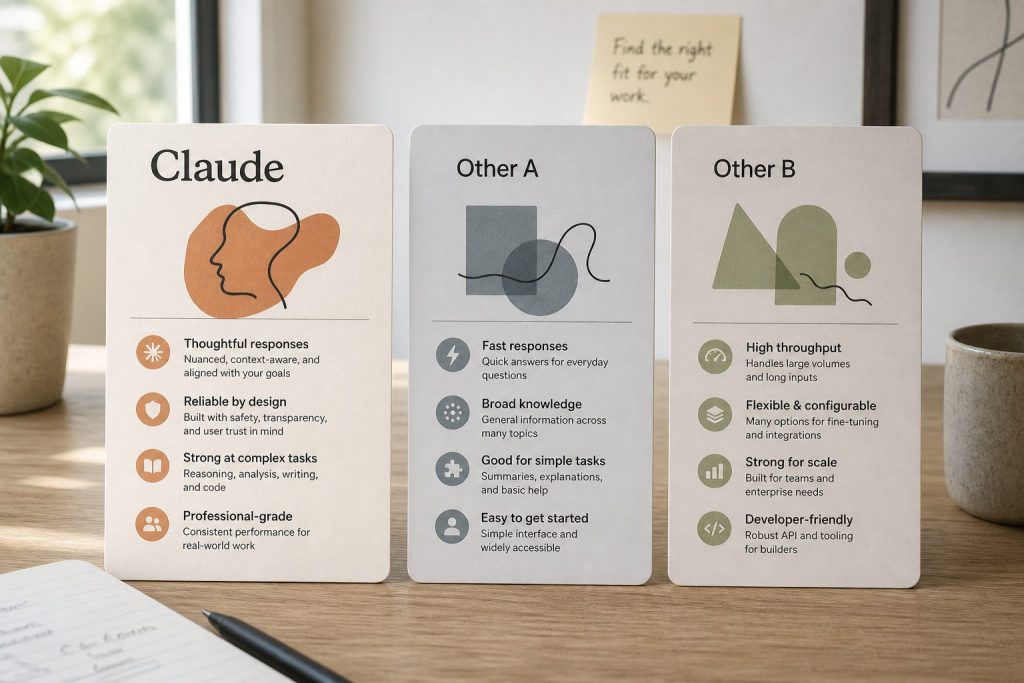
How Claude Compares to Other AI Tools
If you’re new to AI tools entirely, the practical landscape in 2026 looks like this:
Claude tends to be preferred for coding, long-form writing, careful reasoning, and analysis where output quality matters more than speed.
ChatGPT tends to be preferred for image generation, voice mode, casual queries, and tasks where speed and breadth matter most.
Gemini tends to be preferred for users deep in the Google ecosystem (Gmail, Docs, Drive), for multimodal video generation, and for high-volume API workloads where cost is the priority.
Many serious users run more than one. The right tool for you depends entirely on what you actually do. There’s no universal winner — there are use-case winners.
Should You Upgrade to Claude Pro?
The Free plan is genuinely useful for most occasional users. Anthropic significantly expanded the Free tier in early 2026 — Projects, Artifacts, and app connectors are now available to free users. For light usage, you may not need to pay anything.
Stay on Free if:
You use Claude a few times a week for casual questions
You don’t mind hitting daily limits occasionally
You haven’t yet identified a workflow you’d return to repeatedly
Upgrade to Pro ($20/month) if:
You’re hitting Free plan rate limits regularly
You use Claude for several hours of work per week
You want priority access during peak hours when Free users get throttled
You need Anthropic’s most capable models for complex tasks
Lost time waiting for limits to reset is costing you more than $20/month
Consider Max ($100-$200/month) if:
You hit Pro limits more than once a week
You’re a developer running extended Claude Code sessions
Claude is a primary work tool used daily for hours
If you’re a student at a university with a Claude for Education partnership, you may already have premium access through your school — sign in with your .edu email to check.
Where to Go After You’ve Got the Basics Down
Once you’re comfortable with prompting, conversations, and Projects, the highest-leverage things to learn next are:
Connectors — Claude can connect to Google Drive, Gmail, Calendar, and other tools, pulling context directly from where your work lives. This eliminates copy-paste from your daily workflow.
Model selection — knowing when to use Sonnet vs Opus vs Haiku saves real money and time on paid plans
Artifacts — for code, documents, and visualizations, Claude generates them as separate Artifact panels you can iterate on directly
Web search — for current-events research and fact-checking, enable web search to let Claude pull live information
Claude Code — if you’re a developer, the terminal-based agentic coding tool is in a different league from chat-based coding help
API access — for building applications or running programmatic workflows, the API gives you pay-per-token access without subscription rate limits
Additional Frequently Asked Questions
Is Claude AI free to use?
Yes. Claude has a Free plan that includes daily message limits, access to current Claude models, Projects, Artifacts, and app connectors. No credit card is required to sign up at claude.ai. Paid plans add more usage, priority access, and additional features.
How is Claude different from ChatGPT?
Claude is generally preferred for coding, long-form writing, and careful reasoning. ChatGPT is generally preferred for image generation, voice mode, and faster casual responses. Both are at the frontier of AI capability — many users run both for different tasks.
Do I need to know how to code to use Claude?
No. Claude is built for conversation in plain language. While Claude is excellent at coding, the vast majority of users never touch code — they use Claude for writing, research, analysis, brainstorming, and everyday questions.
Can Claude make mistakes?
Yes. Claude can be confidently wrong, especially on niche topics, recent events, or specialized domains. For important work, verify Claude’s factual claims with primary sources. Claude is a thinking partner, not a final authority.
Can I use Claude on my phone?
Yes. Claude has iOS and Android apps in addition to the web interface at claude.ai. Your account, conversations, and Projects sync across all devices. Mobile usage counts toward the same usage limits as web usage on paid plans.
What’s the best way to get better results from Claude?
Three habits transform results: provide specific context up front (who you are, what you’re working on), be clear about exactly what you want as output (format, length, audience), and treat Claude as a conversation rather than a single-query tool. The more you iterate, the better your results get.
Does Claude save my conversations?
Yes. All conversations are saved in your account and accessible from the sidebar at claude.ai. You can rename, organize into Projects, share with others (on paid plans), or delete them. By default, conversations are private to your account.
Can Claude work with documents I upload?
Yes. You can upload PDFs, Word documents, text files, images, and other formats directly into a conversation. Claude can read, summarize, analyze, extract information from, and answer questions about the content. For documents you’ll reference repeatedly, upload them to a Project so they’re available across all conversations in that workspace.
Sam McCandlish is the Chief Technology Officer and Chief Architect of Anthropic, the AI safety company behind Claude. Before helping build one of the most important AI companies in the world, he was a theoretical physicist studying complex systems. His journey from physics to AI is one of the more unusual and compelling founding stories in Silicon Valley — and as of 2026, no dedicated biography of him exists anywhere online.
Academic Background: Theoretical Physics
McCandlish earned his PhD in theoretical physics from Stanford University, where he specialized in the mathematics of complex systems — how large numbers of interacting components give rise to emergent behaviors. After Stanford, he completed a postdoctoral fellowship at Boston University, continuing his work in theoretical physics before pivoting to machine learning research.
The leap from physics to AI is less dramatic than it appears. Theoretical physicists are trained in the same mathematical frameworks — statistical mechanics, dynamical systems, information theory — that underlie modern machine learning. Many of the most important AI researchers of the past decade came from physics backgrounds.
At OpenAI: Discovering Scaling Laws
McCandlish joined OpenAI as a researcher and quickly became interested in a fundamental question: how does AI model performance scale with compute, data, and parameters? The answer would have enormous practical implications for how AI companies allocate research budgets and design training runs.
Working alongside Jared Kaplan (now Anthropic’s Chief Science Officer) and others, McCandlish co-authored the 2020 paper “Scaling Laws for Neural Language Models” — arguably the most practically important paper published in AI in the last decade. The paper demonstrated that AI performance improves predictably and smoothly as models get larger, datasets get bigger, and compute budgets increase. This insight transformed how AI labs plan and prioritize research.
Co-Founding Anthropic
In 2021, McCandlish joined six other OpenAI researchers — including Dario Amodei, Daniela Amodei, Jared Kaplan, Chris Olah, Tom Brown, and Jack Clark — in founding Anthropic. The group shared concerns about the safety implications of increasingly powerful AI systems and believed that a dedicated safety-focused lab was needed.
Role at Anthropic: CTO and Chief Architect
As CTO and Chief Architect, McCandlish is responsible for Anthropic’s technical direction — the architecture decisions, training methodologies, and infrastructure choices that determine what Claude can do and how efficiently it can be trained. His physics background gives him an unusual ability to reason about scaling and complexity at the systems level.
Net Worth and Equity
Forbes has estimated McCandlish’s net worth at approximately $3.7 billion as of early 2026, reflecting his co-founder equity stake in Anthropic at its current valuation. As Anthropic moves toward a potential IPO (targeting 2026), those figures could shift substantially.
Frequently Asked Questions
What is Sam McCandlish’s background?
Sam McCandlish has a PhD in theoretical physics from Stanford University and completed a postdoctoral fellowship at Boston University before pivoting to AI research.
What is Sam McCandlish’s role at Anthropic?
McCandlish is the Chief Technology Officer (CTO) and Chief Architect of Anthropic, responsible for the company’s technical direction and AI architecture decisions.
What research is Sam McCandlish known for?
McCandlish co-authored the landmark 2020 paper “Scaling Laws for Neural Language Models,” which demonstrated that AI performance improves predictably with scale and transformed how AI labs plan research.
Tom Brown is one of seven co-founders of Anthropic and the engineer most responsible for making GPT-3 a reality. His trajectory — MIT graduate, YC founder, OpenAI research lead, Anthropic co-founder — traces the arc of the modern AI industry itself. Yet as of 2026, no Wikipedia page exists for him, and no dedicated biography has been published anywhere on the internet. This profile aims to change that.
Early Life and Education
Tom Brown earned a Master of Engineering from the Massachusetts Institute of Technology, studying at the intersection of computer science and brain/cognitive sciences. This dual focus — computational systems and human cognition — would later prove formative in his approach to large language model design.
Before OpenAI: Co-Founding Grouper
Before entering the AI research world full-time, Brown co-founded Grouper, a social networking startup that went through Y Combinator (YC). Grouper connected strangers for group social outings — an early experiment in algorithmically-mediated human connection. The startup experience gave Brown practical exposure to building products at speed, a skill that would prove valuable in AI research environments.
At OpenAI: Leading GPT-3 Engineering
Brown joined OpenAI as a research scientist and quickly became central to the organization’s most ambitious project: building a language model large enough to demonstrate emergent general intelligence. He served as the lead engineer on GPT-3, the 175-billion parameter model that, when released in 2020, fundamentally changed the world’s understanding of what AI could do.
GPT-3 was the first AI model to reliably produce human-quality prose, write working code, translate languages, and answer questions — all from a single model, with no task-specific training. The technical paper describing GPT-3, “Language Models are Few-Shot Learners,” listed Brown as the lead author. It has been cited over 60,000 times and remains one of the most influential papers in the history of machine learning.
Leaving OpenAI: The Anthropic Founding
In 2021, Brown was among seven senior OpenAI researchers who left to co-found Anthropic alongside Dario Amodei (CEO), Daniela Amodei (President), Jared Kaplan, Chris Olah, Sam McCandlish, and Jack Clark. The departure was motivated in part by disagreements about how quickly OpenAI was commercializing its technology relative to its safety research — concerns that have only grown more prominent as the AI industry has accelerated.
Anthropic was incorporated as a public benefit corporation (PBC), a legal structure that formally embeds the mission of responsible AI development into the company’s governing documents.
Role at Anthropic: Head of Core Resources
At Anthropic, Brown leads Core Resources — the team responsible for the fundamental infrastructure, compute, and technical operations that make Claude’s training possible. In an AI company, compute is the most critical resource: access to sufficient GPU clusters determines what models can be trained and how quickly. Brown’s role sits at the intersection of infrastructure engineering and research operations.
Anthropic’s Growth and Valuation
Since its founding, Anthropic has raised billions from investors including Google, Amazon, Spark Capital, and others, reaching a valuation of approximately $61 billion as of early 2026. Claude — Anthropic’s AI assistant — has become one of the most widely used AI tools in the world, particularly among developers and enterprise users. As a co-founder, Brown holds a meaningful equity stake in the company.
Frequently Asked Questions
Where did Tom Brown go to school?
Tom Brown earned an M.Eng from MIT in computer science and brain/cognitive sciences.
What is Tom Brown’s role at Anthropic?
Tom Brown leads Core Resources at Anthropic — the team responsible for compute infrastructure and technical operations supporting Claude’s training.
Did Tom Brown work at OpenAI?
Yes. Brown was a research scientist at OpenAI and served as the lead engineer on GPT-3, the 175B parameter model released in 2020. He is the lead author on the foundational GPT-3 paper “Language Models are Few-Shot Learners.”
Why did Tom Brown leave OpenAI?
Brown, along with six other OpenAI researchers, co-founded Anthropic in 2021 due to concerns about the pace of AI commercialization relative to safety research.
Claude AI is a family of large language models built by Anthropic, a San Francisco-based AI safety company. In 2026, Claude competes directly with ChatGPT, Gemini, and Grok — and in many professional use cases, it outperforms all of them. This guide covers what Claude is, how it works, what it costs, and how to start using it today.
What Is Claude AI?
Claude is an AI assistant developed by Anthropic, a company founded in 2021 by former OpenAI researchers including Dario Amodei, Daniela Amodei, and five other co-founders. The name “Claude” is a nod to Claude Shannon, the father of information theory.
Unlike some AI tools built primarily for speed or image generation, Claude was designed from the ground up with safety and helpfulness as co-equal priorities. Anthropic uses a technique called Constitutional AI — a method of training models to follow a set of principles rather than just optimize for user approval. The result is an assistant that tends to be more careful, more honest, and less likely to hallucinate than its competitors.
As of April 2026, Claude is available through:
Claude.ai — the web and mobile interface (free and paid plans)
Claude desktop app — native Mac and Windows applications
Claude API — for developers building AI-powered applications
Claude Code — a terminal-native AI coding tool
Enterprise deployments — via Anthropic’s enterprise and team offerings
Which Claude Models Exist in 2026?
Anthropic currently offers three tiers of Claude models, each optimized for different use cases:
Model
Best For
Context Window
Notable Benchmark
Claude Opus 4.6
Complex reasoning, research, coding
200K tokens
80.8% SWE-bench, 91.3% GPQA Diamond
Claude Sonnet 4.6
Everyday tasks, balanced performance
200K tokens
Best speed-to-intelligence ratio
Claude Haiku 4.5
Fast, lightweight tasks
200K tokens
Fastest response time
All models support a 200,000-token context window by default — roughly 150,000 words, or an entire novel. Enterprise customers can access up to 500,000 tokens, and Claude Code extends to 1 million tokens for large codebase analysis.
How Does Claude AI Work?
Claude is a large language model (LLM) — a type of neural network trained on vast amounts of text data to predict and generate human-like responses. What distinguishes Claude from other LLMs is Anthropic’s emphasis on alignment and safety during training.
Claude uses two key training innovations:
Constitutional AI (CAI): Instead of relying solely on human feedback to shape model behavior, Anthropic trains Claude to evaluate its own outputs against a set of written principles. This makes Claude more consistent in avoiding harmful outputs, even in edge cases human reviewers might not anticipate.
RLHF (Reinforcement Learning from Human Feedback): Human trainers rate Claude’s responses, and those ratings guide the model toward more helpful, accurate, and appropriate answers over time.
The combination produces a model that tends to acknowledge uncertainty, push back on false premises, and decline harmful requests more gracefully than many competitors.
What Can Claude AI Do?
Claude’s capabilities in 2026 span well beyond simple chatting. Here’s what it handles well:
Writing and Editing
Claude excels at long-form content: blog posts, essays, reports, marketing copy, email sequences, legal documents, and fiction. Its writing is notably less robotic than many AI tools, partly because it’s trained to match tone and style from context clues.
Coding and Software Development
Claude Code — Anthropic’s terminal-native coding tool — has become one of the most popular AI coding environments among professional developers. It can write, debug, refactor, and explain code across virtually all major programming languages, and it understands large codebases through its million-token context window.
Research and Analysis
Claude reads and synthesizes PDFs, research papers, financial reports, and legal filings. With 200K tokens of context, it can process an entire book-length document and answer specific questions about it.
Data Analysis
Claude can read CSV files, interpret charts, write Python or SQL to analyze datasets, and explain findings in plain language — making it useful for anyone who works with data but isn’t a dedicated data scientist.
Multimodal Inputs
Claude accepts text, images, PDFs, and documents as inputs. It can describe images, extract text from screenshots, and analyze visual data — though it cannot generate images itself (for image generation, tools like Midjourney or DALL-E are required).
Claude AI Pricing: Free vs. Paid Plans in 2026
Anthropic offers four main tiers for individual users:
Plan
Price
What You Get
Best For
Free
$0/month
Limited daily messages, Claude Sonnet access
Casual or occasional use
Claude Pro
$20/month
5x more usage, priority access, Projects
Regular users, professionals
Claude Max 5x
$100/month
5x Pro usage, Claude Code access, extended thinking
Power users, developers
Claude Max 20x
$200/month
20x Pro usage, highest priority
Heavy professional use
Enterprise plans are available with custom pricing, SSO, admin controls, extended context (up to 500K tokens), and zero-data-retention options for sensitive industries.
Claude vs. ChatGPT: What’s the Difference?
This is the question most people ask when they first hear about Claude. The honest answer: they’re both capable, and the best choice depends on your use case.
Factor
Claude
ChatGPT
Best at
Long documents, nuanced writing, coding
General tasks, image generation, plugins
Context window
200K tokens (standard)
128K tokens (GPT-4o)
Image generation
No (analysis only)
Yes (DALL-E integration)
Safety emphasis
Very high (Constitutional AI)
High
Code quality
Among the best (SWE-bench leader)
Strong
Price
$20-$200/month
$20/month (Plus), $200/month (Pro)
For most professional writing, legal/financial analysis, and software development tasks, Claude holds a measurable edge. For tasks requiring image generation or deep integration with third-party plugins, ChatGPT’s ecosystem is broader.
How to Get Started with Claude AI
Getting started takes about two minutes:
Go to claude.ai and create a free account with your email or Google login.
Start a new conversation. Type or paste your first prompt.
If you need to analyze a document, click the paperclip icon to upload PDFs, images, or files.
For power use, upgrade to Claude Pro for Projects — a feature that lets you create persistent knowledge bases that Claude remembers across conversations.
Spinning Up the API?
I can walk you through setup, model selection, and cost management — before you burn credits figuring it out yourself.
If you’re a developer, visit console.anthropic.com to get your API key and explore the Claude API.
Claude AI: Key Limitations to Know
No tool is perfect. Here are Claude’s genuine limitations as of 2026:
No image generation: Claude cannot create images. For that, you need a dedicated tool like Midjourney, DALL-E, or Stable Diffusion.
Rate limits on free and Pro plans: Heavy users — especially on the Pro tier — regularly hit daily message limits. This is the most common complaint among power users. The Max plans ($100/$200/month) solve this for most use cases.
No real-time web access by default: Unless explicitly connected to a web search tool, Claude’s knowledge has a training cutoff. It cannot browse the web in real time by default on the consumer interface.
Occasional refusals: Claude’s safety training sometimes makes it overly cautious on topics that are legitimate but touch sensitive areas. This has improved substantially with each model generation.
Frequently Asked Questions About Claude AI
Is Claude AI free?
Yes — Claude has a free tier that gives you limited daily access to Claude Sonnet. The free tier is useful for casual use, but heavy users will quickly encounter rate limits. Paid plans start at $20/month.
Who made Claude AI?
Claude was created by Anthropic, an AI safety company founded in 2021. Anthropic was started by seven former OpenAI researchers, including CEO Dario Amodei and President Daniela Amodei.
Is Claude AI better than ChatGPT?
It depends on the task. Claude generally outperforms ChatGPT on coding benchmarks, long-document analysis, and nuanced writing. ChatGPT has a broader plugin ecosystem and native image generation. Many professionals use both.
Does Claude store my conversations?
By default, Anthropic may use conversations from consumer accounts to improve its models (you can opt out in settings). Business and API customers can access zero-data-retention options. Conversation data is retained for up to five years unless you delete it manually.
Can Claude generate images?
No. Claude can analyze and describe images, but it cannot generate them. For AI image creation, use Midjourney, DALL-E, or Adobe Firefly.
What is Claude’s context window?
Standard Claude models have a 200,000-token context window — roughly 150,000 words. Enterprise plans extend this to 500,000 tokens. Claude Code supports up to 1 million tokens for large codebase analysis.
How do I access Claude Code?
Claude Code is available as part of the Claude Max subscription ($100+/month) or via the Anthropic API. It runs as a terminal-native tool — install it with npm install -g @anthropic-ai/claude-code and authenticate with your API key.
This guide is updated regularly as Anthropic ships new models and features. Last updated: April 2026.
Prompting Claude well is a skill. The difference between a generic output and a genuinely useful one is almost always in how the request was framed — the specificity, the constraints, the context given, and the format requested. This library collects prompts that consistently produce strong results across the use cases that matter most: writing, SEO, research, analysis, coding, and business strategy.
How to use this library: Copy the prompt, fill in the bracketed sections with your specifics, and run it. Each prompt is written for Claude specifically — the phrasing and structure take advantage of how Claude handles instructions. Many will also work with other models but are optimized here for Claude Sonnet or Opus — see the Claude model comparison if you’re deciding which model to use.
What Makes a Claude Prompt Different
Claude responds particularly well to a few techniques that differ from how you might prompt GPT models:
XML tags for structure — wrapping context in tags like <context> or <document> helps Claude process them as distinct inputs rather than running prose
Explicit output format instructions — telling Claude exactly what format you want (headers, bullets, table, prose) at the end of a prompt reliably shapes the output
Negative constraints — “do not use bullet points,” “avoid hedging language,” “no preamble” are respected consistently
Asking Claude to reason before answering — adding “think through this step by step before responding” improves output quality on complex tasks
Role assignment — “You are a senior editor…” or “Act as a B2B marketing strategist…” frames Claude’s perspective and tends to produce more targeted outputs
Writing and Editing Prompts
EDIT FOR VOICE
You are editing a piece of writing to match a specific voice. The target voice is: [describe voice — direct, conversational, no jargon, uses short sentences, never sounds like marketing copy].
Here is the draft:
<draft>
[paste draft]
</draft>
Edit the draft to match the target voice. Do not change the meaning or structure — only the language. Return the edited version only, no commentary.
HEADLINE VARIANTS
Write 10 headline variants for this article. The article is about: [topic in one sentence].
Target audience: [who will read this]
Tone: [direct / curious / urgent / informational]
Primary keyword to include in at least 3 variants: [keyword]
Format: numbered list, headlines only, no explanations.
MAKE IT SHORTER
Reduce this to [target word count] words without losing any key information. Cut filler, redundancy, and anything that doesn't add to the argument. Do not add new ideas. Return only the shortened version.
<text>
[paste text]
</text>
SEO and Content Prompts
META DESCRIPTION BATCH
Write meta descriptions for the following pages. Each must be 150-160 characters, include the primary keyword naturally, describe what the visitor gets, and end with a soft call to action.
Pages:
1. [Page title] | Keyword: [keyword]
2. [Page title] | Keyword: [keyword]
3. [Page title] | Keyword: [keyword]
Format: numbered list matching the pages above. Return descriptions only.
FAQ SCHEMA GENERATOR
Generate 5 FAQ questions and answers optimized for Google's FAQ rich results. The topic is: [topic].
Rules:
- Questions must match how someone would actually search (conversational phrasing)
- Answers must be 40-60 words, direct, and answer the question in the first sentence
- Include the primary keyword [keyword] in at least 2 of the questions
- Do not start any answer with "Yes" or "No" — lead with the substance
Format: Q: / A: pairs, no additional text.
CONTENT BRIEF FROM URL
I want to write a better version of this article: [URL or paste content]
Analyze it and produce a content brief for an improved version. Include:
1. Gaps — what important questions does this article not answer?
2. Structure — suggested H2/H3 outline for the improved version
3. Differentiation — one angle or section that would make this article clearly better than the original
4. Target keyword and 3-5 supporting keywords to weave in naturally
Be specific. Generic advice is not useful.
Research and Analysis Prompts
DOCUMENT SUMMARY WITH DECISIONS
Read this document and produce a structured summary for an executive who has 3 minutes.
<document>
[paste document]
</document>
Format your response as:
- WHAT IT IS (1 sentence)
- KEY FINDINGS (3-5 bullets, most important first)
- DECISIONS REQUIRED (if any — be specific about who needs to decide what)
- WHAT HAPPENS IF WE DO NOTHING (1-2 sentences)
No preamble. Start directly with WHAT IT IS.
STEELMAN THE OPPOSITION
I am going to share my position on [topic]. Your job is to steelman the strongest possible counterargument — not a strawman, but the most rigorous case against my position that a smart, informed person could make.
My position: [state your position clearly]
Present the counterargument as if you believe it. Do not include any caveats about why my position might still be right. Make the opposing case as strong as possible.
Coding Prompts
CODE REVIEW
Review this code for: (1) bugs, (2) security issues, (3) performance problems, (4) readability. Be direct — flag real issues only, not style preferences unless they're genuinely problematic.
Language: [Python / JavaScript / etc.]
Context: [what this code does and where it runs]
<code>
[paste code]
</code>
Format: numbered findings with severity (CRITICAL / HIGH / LOW) and a suggested fix for each. No preamble.
WRITE THE FUNCTION
Write a [language] function that does the following:
Input: [describe input — type, format, examples]
Output: [describe output — type, format, examples]
Constraints: [edge cases to handle, things to avoid, libraries not to use]
Context: [where this runs — browser, server, CLI, etc.]
Include inline comments for any non-obvious logic. Return only the function and any necessary imports. No test code unless I ask for it.
Business Strategy Prompts
COMPETITIVE DIFFERENTIATION
I run [describe your business in 2-3 sentences]. My main competitors are [list 2-3 competitors and what they're known for].
Identify 3 genuine differentiation angles I could own — not marketing spin, but actual strategic positions that would be hard for competitors to copy given their current positioning. For each, explain: (1) what the position is, (2) why competitors can't easily take it, (3) what I'd need to do to own it credibly.
Be specific to my situation. Generic "focus on service quality" advice is not useful.
EMAIL THAT GETS READ
Write an email that accomplishes this goal: [state what you need the recipient to do or understand].
Recipient: [their role, relationship to you, what they care about]
Context: [why you're reaching out now, any relevant history]
Tone: [formal / direct / warm / urgent]
Length: [under 150 words / under 200 words]
Rules: No throat-clearing opener. First sentence must contain the point of the email. End with one clear ask, not multiple options. No "I hope this email finds you well."
Restoration Industry Prompts
JOB SCOPE SUMMARY
Convert these restoration job notes into a professional scope-of-work summary for an adjuster or property manager.
Job type: [water / fire / mold / etc.]
Loss details: [what happened, when, affected areas]
Raw notes: [paste field notes]
Format as: affected areas → documented damage → scope of remediation → timeline estimate. Use professional restoration terminology. Write in third person. One paragraph per area affected. No bullet points.
Tips for Getting Better Results from Any Prompt
Specify what “good” looks like. “Write a good summary” is vague. “Write a 3-sentence summary that a non-technical executive can act on” is specific.
Tell Claude what to leave out. Negative constraints (“no caveats,” “no preamble,” “don’t suggest I consult a lawyer”) save editing time.
Give examples when format matters. Paste one example of output you want before asking for more.
Use the word “only.” “Return only the rewritten text” consistently prevents Claude from adding commentary you don’t need.
Iterate fast. If the first output isn’t right, a follow-up like “make it 20% shorter” or “rewrite the opening to lead with the key finding” is faster than rewriting the whole prompt.
Frequently Asked Questions
What makes a good Claude prompt?
Specificity, clear output format instructions, and explicit constraints. Claude responds well to XML tags for separating context from instructions, negative constraints (“no bullet points”), and explicit format requests at the end of a prompt. The more specific the instruction, the less editing the output requires.
Does Claude have a prompt library?
Anthropic publishes an official prompt library at console.anthropic.com with curated examples. This page provides a practical prompt library for real-world use cases — writing, SEO, research, coding, and business strategy — built from actual production use.
How is prompting Claude different from prompting ChatGPT?
Claude handles XML tags for structuring multi-part inputs particularly well. It also tends to follow negative constraints (“don’t use bullet points”) more reliably than GPT models, and responds well to role assignments at the start of a prompt. The underlying technique — be specific, give format instructions, set constraints — is the same.
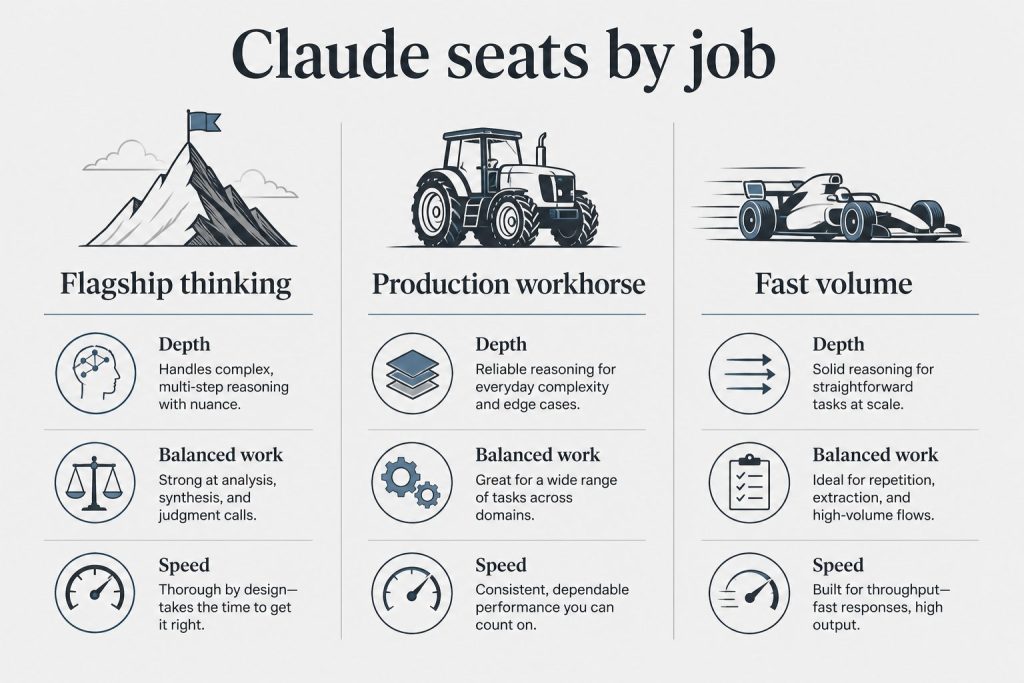
Anthropic’s model lineup is organized around three tiers — Haiku, Sonnet, and Opus — each representing a different point on the speed-versus-intelligence spectrum. Understanding which model to use, and which API string to call it with, saves both time and money. This is the complete April 2026 reference.
Quick answer: Haiku = fastest and cheapest, best for high-volume simple tasks. Sonnet = the balanced workhorse, right for most things. Opus = the heavyweight, use when quality is the only metric. For the API, always use the full model string — never just “claude-sonnet” without the version number.
The Three-Tier Model Architecture
Anthropic structures its models around a consistent naming pattern: a Greek letter indicating capability tier (Haiku → Sonnet → Opus, low to high) and a version number indicating the generation. The current generation is the 4.x series.
Model
API String
Context Window
Best for
Claude Haiku 4.5
claude-haiku-4-5-20251001
200K tokens
Classification, tagging, high-volume pipelines
Claude Sonnet 4.6
claude-sonnet-4-6
200K tokens
Most production work, writing, analysis, coding
Claude Opus 4.6
claude-opus-4-6
1M tokens
Complex reasoning, research, quality-critical
Claude Haiku: Speed and Cost Efficiency
Haiku is Anthropic’s fastest and least expensive model. It’s built for tasks where throughput and cost matter more than maximum reasoning depth — think classification pipelines, metadata generation, content tagging, simple Q&A at volume, or any workload where you’re making thousands of API calls and can’t afford Sonnet pricing at scale.
Don’t mistake “cheapest” for “bad.” Haiku handles everyday language tasks competently. What it can’t do as well as Sonnet or Opus is maintain coherence across very long context, handle subtle nuance in complex instructions, or produce writing that reads like a human crafted it. For structured outputs and clear-cut tasks, it’s excellent.
When to use Haiku: batch content generation, automated tagging and classification, chatbot applications where responses are short and structured, high-volume data processing, anywhere you’re cost-sensitive at scale.
Claude Sonnet: The Production Workhorse
Sonnet is the model most developers and knowledge workers should default to. It sits at the sweet spot of the capability-cost curve — significantly more capable than Haiku at complex tasks, significantly cheaper than Opus, and fast enough for interactive use cases.
Sonnet handles long-document analysis well, produces writing that requires minimal editing, follows complex multi-part instructions without drift, and codes competently across most languages and frameworks. For the overwhelming majority of real-world tasks, Sonnet is the right choice.
When to use Sonnet: article writing, code generation and review, document analysis, customer-facing AI features, research summarization, agentic workflows that need a balance of quality and cost.
Claude Opus: Maximum Capability
Opus is Anthropic’s most powerful model — and its most expensive. It’s built for tasks where you need maximum reasoning depth: complex strategic analysis, intricate multi-step problem solving, long-horizon planning, nuanced evaluation work, or any scenario where you’d rather pay more per call than accept a lower-quality output.
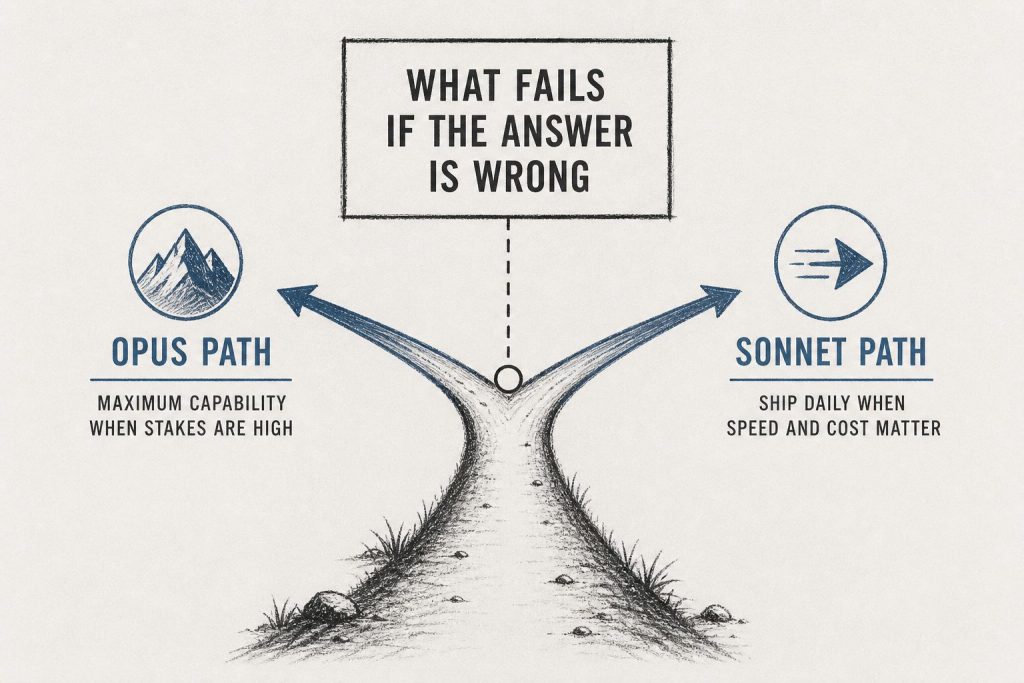
Opus is not the right default. The cost premium is real and meaningful at scale. The right question to ask before routing to Opus is: “Will a human reviewer actually tell the difference between Sonnet and Opus output on this task?” If the answer is no, use Sonnet.
When to use Opus: high-stakes strategic documents, complex legal or financial analysis, research that requires synthesizing across many sources with genuine insight, tasks where the output gets published or presented to executives without further editing.
Claude Opus vs Sonnet: The Practical Decision
Task Type
Use Sonnet
Use Opus
Article writing
✅ Usually
Long-form flagship only
Code generation
✅ Most tasks
Complex architecture
Document analysis
✅ Standard docs
High-stakes, nuanced
Strategic planning
Good enough
✅ When stakes are high
High-volume pipelines
✅ Or Haiku
❌ Too expensive
Interactive chat
✅ Best fit
Overkill for most
Claude Sonnet 5: What’s Coming
Anthropic follows a consistent release cadence — major model generations are announced publicly and the naming convention stays stable. Claude Sonnet 5 and Opus 5 are the next generation in the pipeline. As of April 2026, Sonnet 4.6 and Opus 4.6 are the current production models.
When new models release, Anthropic typically maintains the previous generation in the API for a transition period. Production applications should always pin to a specific model version string rather than using a generic alias, so new model releases don’t silently change your application’s behavior.
How to Use Model Names in the API
Always use the full versioned model string in API calls. Generic strings like claude-sonnet without a version may resolve to different models over time as Anthropic updates defaults.
# Current production model strings (April 2026)
claude-haiku-4-5-20251001 # Fast, cheap
claude-sonnet-4-6 # Balanced default
claude-opus-4-6 # Maximum capability
Frequently Asked Questions
What is the best Claude model?
Claude Opus 4.6 is the most capable model, but Claude Sonnet 4.6 is the best choice for most use cases — it offers the best balance of capability, speed, and cost. Use Opus only when the task genuinely requires maximum reasoning depth. Use Haiku for high-volume, cost-sensitive workloads.
What is the difference between Claude Sonnet and Claude Opus?
Sonnet is the balanced mid-tier model — faster, cheaper, and suitable for most production tasks. Opus is the highest-capability model, significantly more expensive, and best reserved for complex reasoning tasks where quality is the primary consideration. For most writing, coding, and analysis tasks, Sonnet’s output is indistinguishable from Opus at a fraction of the cost.
What are the current Claude model API strings?
As of April 2026: claude-haiku-4-5-20251001 (Haiku), claude-sonnet-4-6 (Sonnet), claude-opus-4-6 (Opus). Always use the full versioned string in production code to avoid silent behavior changes when Anthropic updates model defaults.
Is Claude Sonnet 5 available?
As of April 2026, Claude Sonnet 4.6 and Opus 4.6 are the current production models. Claude Sonnet 5 is the next generation in Anthropic’s pipeline but has not been released yet. Check Anthropic’s official announcements for release timing.
If you want to use Claude in your own code, applications, or automated workflows, you need an API key from Anthropic. Here’s exactly how to get one, what it costs, and what to watch out for.
Quick answer: Go to console.anthropic.com, create an account, navigate to API Keys, and generate a key. You’ll need to add a payment method before making API calls beyond the free tier. The key is a long string starting with sk-ant- — treat it like a password.
Step-by-Step: Getting Your Claude API Key
Step 1 — Create an Anthropic account
Go to console.anthropic.com and sign up with your email or Google account. This is separate from your claude.ai account — the Console is the developer-facing dashboard.
Step 2 — Navigate to API Keys
From the Console dashboard, click your account name in the top right, then select API Keys from the left sidebar. You’ll see any existing keys and a button to create a new one.
Step 3 — Create a new key
Click Create Key, give it a descriptive name (e.g., “production-app” or “local-dev”), and copy the key immediately. Anthropic shows the full key only once — if you close the dialog without copying it, you’ll need to generate a new one.
Step 4 — Add billing (required for production use)
New accounts start on the free tier with very low rate limits. To make real API calls at production volume, go to Billing in the Console and add a credit card. You purchase prepaid credits — when they run out, API calls stop until you add more.
Free API Tier vs Paid: What’s the Difference
Feature
Free Tier
Paid (Credits)
Rate limits
Very low (testing only)
Standard tier limits
Model access
All models
All models
Production use
❌ Not suitable
✅
Billing
No card required
Prepaid credits
Usage dashboard
✅
✅ Full detail
API Pricing: What You’ll Actually Pay
The Claude API bills per token — see the full Claude pricing guide for a complete breakdown of subscription vs API costs — roughly every four characters of text sent or received. Pricing varies by model. Input tokens (what you send) cost less than output tokens (what Claude returns).
Model
Input / M tokens
Output / M tokens
Use case
Haiku
~$0.80
~$4.00
Classification, tagging, simple tasks
Sonnet
~$3.00
~$15.00
Most production workloads
Opus
~$15.00
~$75.00
Complex reasoning, quality-critical
The Batch API cuts these rates by roughly half for workloads that don’t need real-time responses — ideal for content pipelines, data processing, or any job you can queue and run overnight.
Using Your API Key: A Quick Code Example
Once you have a key, calling Claude from Python takes about ten lines:
import anthropic
client = anthropic.Anthropic(api_key="sk-ant-your-key-here")
message = client.messages.create(
model="claude-sonnet-4-6 (see full model comparison)",
max_tokens=1024,
messages=[
{"role": "user", "content": "Explain the difference between Sonnet and Opus."}
]
)
print(message.content[0].text)
Install the SDK with pip install anthropic. Never hardcode your key in source code — use environment variables or a secrets manager.
API Key Security: What Not to Do
Never commit your key to git. Add it to .gitignore or use environment variables.
Never paste it in a shared document or Slack channel. Anyone with the key can use your billing credits.
Rotate keys periodically — the Console makes it easy to generate a new key and revoke the old one.
Use separate keys per project. Makes it easier to track usage and revoke access for specific integrations without affecting others.
Set spending limits in the Console to cap surprise bills during development.
The Anthropic Console: What Else Is There
The Console (console.anthropic.com) is where all developer activity lives. Beyond API key management it gives you:
Usage dashboard — token consumption by model, day, and API key
Billing and credits — add funds, see transaction history
Workbench — a playground to test prompts and compare model outputs without writing code
Prompt library — Anthropic’s curated examples for common use cases
Settings — organization management, team member access, trust and safety controls
Tygart Media
Getting Claude set up is one thing. Getting it working for your team is another.
We configure Claude Code, system prompts, integrations, and team workflows end-to-end. You get a working setup — not more documentation to read.
Go to console.anthropic.com, create an account, navigate to API Keys in the sidebar, and click Create Key. Copy the key immediately — it’s only shown once. Add billing credits to use the API beyond the free tier’s very low rate limits.
Is the Claude API key free?
You can generate a key for free and access the API on the free tier, which has very low rate limits suitable only for testing. Production use requires adding billing credits to your Console account. There’s no monthly fee — you pay per token used.
Where do I find my Anthropic API key?
In the Anthropic Console at console.anthropic.com. Click your account name → API Keys. If you’ve lost a key, you’ll need to generate a new one — Anthropic doesn’t store or display keys after creation.
What’s the difference between a Claude API key and a Claude Pro subscription?
Claude Pro ($20/mo) gives you access to the claude.ai web and app interface with higher usage limits. An API key gives developers programmatic access to Claude for building applications. They’re separate products — you can have both, either, or neither.
How much do Claude API credits cost?
Credits are bought in advance through the Console. Pricing is per token: Haiku runs ~$0.80 per million input tokens, Sonnet ~$3.00, Opus ~$15.00. Output tokens cost more than input tokens. The Batch API gives roughly 50% off for non-real-time workloads.
Anthropic’s pricing structure has more tiers, models, and billing modes than most people realize — and it changes with every major model release. This is the complete, updated breakdown of every Claude plan in April 2026: personal tiers, API pricing by model, Claude Code, Enterprise, and the student and team options most guides miss.
The short version: Free (limited daily use) → Pro $20/mo (daily driver) → Max $100/mo (power users) → Team $30/user/mo (small teams) → API (pay per token, billed via Anthropic Console) → Enterprise (custom). Claude Code has its own Pro and Max tiers. Most people need Pro or the API — not both.
Every Claude Plan at a Glance
Plan
Price
Best for
Models included
Free
$0
Casual / occasional use
Sonnet (limited)
Pro
$20/mo
Individual daily use
Haiku, Sonnet, Opus
Max
$100/mo
Heavy individual use
All models, 5× Pro limits
Team
$30/user/mo
Small teams (5+ users)
All models, shared billing
Enterprise
Custom
Large orgs, compliance needs
All models + SSO, audit logs
API
Per token
Developers building on Claude
All models, programmatic access
Claude Code Pro
$100/mo
Developer agentic coding
All models + Code agent
Claude Code Max
$200/mo
Heavy agentic coding
All models, 5× Code Pro limits
Claude Pro: $20/Month — The Standard Tier
Claude Pro is the tier the majority of regular users land on, and it’s priced identically to ChatGPT Plus. At $20/month you get:
Access to all current models — Haiku (fast/cheap), Sonnet (balanced), and Opus (most powerful)
Roughly 5× the daily usage of the free tier
Priority access during peak hours so you’re not sitting in a queue
Full Projects functionality for organizing work by client or topic
Extended context windows for long document work
For most knowledge workers — writers, analysts, consultants, marketers — Pro is where the cost/value ratio peaks. The step up to Max only makes sense if you’re consistently pushing through Pro’s limits, which requires intentional heavy use.
Claude Max: $100/Month — For Power Users
Max gives you 5× Pro’s usage limits. The math is straightforward: if Pro gets you through a full workday without hitting limits, Max gets you through five of those days on the same reset cycle. The target user is someone running extended agentic sessions, doing deep multi-document research, or using Claude as infrastructure rather than a tool.
Max is not the right upgrade if you’re hitting Pro limits occasionally. It’s the right upgrade if you’re hitting them daily and it’s affecting your work.
Claude Team: $30/User/Month — The Collaboration Tier
Team sits between Pro and Enterprise and is designed for groups of five or more people who want shared billing, slightly higher usage limits than Pro, and the ability to collaborate on Projects. At $30/user/month it’s a meaningful premium over Pro but substantially cheaper than enterprise contracts.
The Team plan also includes longer context windows and the ability to share Projects across team members — which is the primary reason to choose it over just buying everyone a Pro subscription independently.
Claude Enterprise: Custom Pricing
Enterprise is for organizations with compliance requirements, single sign-on needs, audit logging, data residency controls, or volume large enough that custom pricing makes financial sense. Anthropic doesn’t publish Enterprise pricing — you contact their sales team.
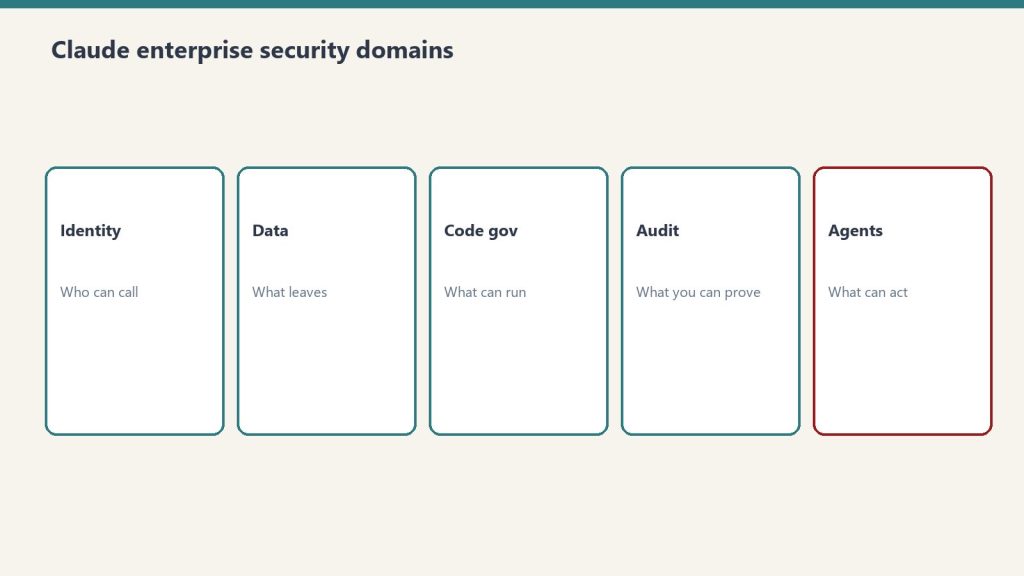
The meaningful additions over Team: SSO/SAML integration, admin controls and usage reporting, data handling agreements for regulated industries, and the ability to set organization-wide guardrails on model behavior. If your legal team has opinions about where AI-generated data lives, Enterprise is the tier that answers those questions.
Claude API Pricing: By Model (April 2026)
API pricing is billed per token — the unit of text Claude processes. One token is roughly four characters or about three-quarters of a word. Pricing is set separately for input tokens (what you send) and output tokens (what Claude returns), with output typically costing more.
Model
Input (per M tokens)
Output (per M tokens)
Best for
Claude Haiku
~$1.00
~$5.00
High-volume, fast tasks
Claude Sonnet
~$3.00
~$5.00
Balanced quality/cost
Claude Opus
~$5.00
~$25.00
Complex reasoning, quality-critical
These are approximate figures — Anthropic updates API pricing with each model generation and publishes exact current rates on their pricing page. The Batch API offers roughly 50% off listed rates for non-time-sensitive workloads, which is significant for anyone running content or data pipelines.
Claude Code Pricing: The Agentic Developer Tier
Claude Code is Anthropic’s dedicated agentic coding tool — a command-line agent that can read files, write code, run tests, and work autonomously on a real codebase. It’s a different product category from the web interface and has its own pricing structure.
Claude Code (included with Pro/Max) — limited access, sufficient for occasional coding sessions
Claude Code Pro ($100/mo) — full access for developers using it as a primary coding environment
Claude Code Max ($200/mo) — for teams or individuals running heavy autonomous coding workloads
The question of whether Claude Code Pro is worth $100/month depends entirely on how much of your daily work it replaces. For a developer who would otherwise spend several hours on tasks Claude Code handles autonomously, the math works quickly. For occasional use, the included access with a standard Pro or Max subscription is sufficient.
Running the Numbers?
Tell me your usage and I’ll tell you which plan actually makes sense for you.
Pricing pages hide the real cost. Email me your use case and I’ll give you the honest math.
Claude Pricing vs ChatGPT Plus: The Direct Comparison
Tier
Claude
ChatGPT
Standard paid
Pro $20/mo
Plus $20/mo
Power user
Max $100/mo
No direct equivalent
Team
$30/user/mo
$30/user/mo
Developer agentic coding
Code Pro $100/mo
No direct equivalent
Image generation
Not included
DALL-E included
API cheapest model
Haiku ~$1.00/M
GPT-4o mini ~$0.15/M
Is There a Student Discount?
Anthropic has not launched a widely available student pricing tier as of April 2026. Some universities have enterprise agreements that include Claude access — worth checking with your institution’s IT or library resources before paying out of pocket. There is a Claude for Education initiative but it’s directed at institutions rather than individual students.
The free tier remains the most reliable option for students who need Claude access without spending money. For students who use it intensively for research or writing, Pro at $20/month is the realistic next step.
How Claude Billing Actually Works
For web interface plans (Free, Pro, Max, Team): monthly subscription billed to a card, cancel anytime, no annual commitment required.
For API: prepaid credits loaded into the Anthropic Console. You buy credits in advance and they draw down as you use the API. There’s no surprise bill — when you run out of credits, API calls stop until you add more. Usage reporting is available in the Console so you can see exactly which models and how many tokens you’re consuming.
Which Plan Is Right for You
Choose Free if: you use AI occasionally, want to try Claude before committing, or use it as a secondary tool.
Choose Pro if: Claude is part of your daily workflow — writing, analysis, research, content, strategy. This is the right tier for most professionals.
Choose Max if: you’re consistently hitting Pro limits mid-day and it’s affecting your output.
Choose Team if: you need shared billing and Projects across 5+ people.
Choose API if: you’re a developer building applications with Claude, running automated pipelines, or integrating Claude into your own tools.
Choose Claude Code Pro if: you’re a developer who wants Claude to work autonomously in your codebase — not just answer questions about code.
Frequently Asked Questions
How much does Claude cost per month?
Claude is free with daily limits — see exactly what the free tier includes. Claude Pro is $20/month. Claude Max is $100/month. Claude Team is $30 per user per month. Claude Code Pro is $100/month and Claude Code Max is $200/month. API pricing is separate and billed per token.
What is Claude Max and is it worth it?
Claude Max is $100/month and gives 5× the usage limits of Pro. It’s worth it if you regularly hit Pro limits during heavy work sessions. If you’re not pushing through Pro limits consistently, Max isn’t necessary.
How much does the Claude API cost?
Claude API pricing varies by model. Haiku (fastest, cheapest) runs approximately $1.00 per million input tokens. Sonnet (balanced) runs approximately $3.00 per million input tokens. Opus (most powerful) runs approximately $5.00 per million input tokens. Output tokens cost more than input. The Batch API offers approximately 50% off for non-time-sensitive jobs.
What is Claude Team and how is it different from Pro?
Claude Team is $30/user/month (minimum 5 users) and adds shared Projects, centralized billing, and slightly higher usage limits compared to individual Pro subscriptions. It’s designed for small teams collaborating on Claude-powered work rather than buying separate Pro accounts.
Is Claude cheaper than ChatGPT?
At the base paid tier, both Claude Pro and ChatGPT Plus are $20/month — identical pricing. Claude has a $100/month Max tier with no direct ChatGPT equivalent. On the API, ChatGPT’s cheapest models (GPT-4o mini) are less expensive per token than Claude Haiku, but the models serve different use cases. For most professionals comparing the two, the subscription pricing is a tie.