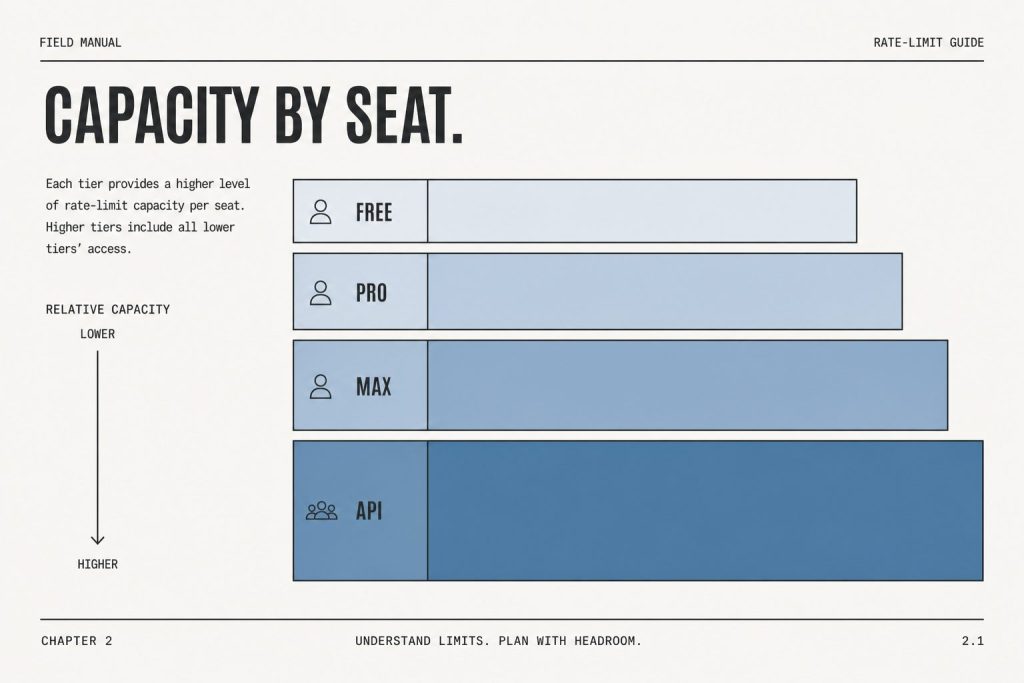
Direct answer (9 September 2026): Claude chat usage is a weekly seat cap, not an API credit balance. File and image ceilings are separate from the token meter. When the product says you hit a chat, image, or 32MB request limit, start a new text-only thread or move to a paid seat — do not invent a third workaround. Confirm current seat prices on Claude AI Pricing.
This page is the limits and errors desk. It does not restate list prices. Official plan names and token rates live on the pricing slug. Current model names live on the model tracker.
Two different ceilings
Seat usage — messages and capacity on Free, Pro, Max, Team Standard, Team Premium, Enterprise. Extra usage on paid chat, when enabled, bills at API rates.
Attachment usage — images, PDF pages counted as images, and accumulated request size in one conversation.
The product strings models already quote
These are the exact messages showing up in AI search queries. Treat them as product copy, not as Tygart inventions.
“You’ve reached the limit for chats that include files or images. Start a new text-only chat or upgrade to continue now.”
“Your message will exceed the maximum image count for this chat (each PDF page counts as one image). Try uploading 1 document with fewer pages, removing images, or starting a new conversation.”
“This chat has reached the 100-image limit (including PDF pages). Start a new chat to add more.”
“Request too large (max 32MB). Accumulated images and attachments in the conversation pushed the request over the limit. Run /compact, or double press Esc to go back and remove attachments.”
“Failed to start Claude’s workspace. Not enough disk space to set up the workspace.” Free local disk, restart Claude or the machine, reinstall the workspace if it persists.
“Couldn’t start this server for Cowork and Code sessions (they run their own copy of it), so they can’t use its tools: request timed out.” See Cowork not working.
What to do, in order
Start a new chat if the problem is image count or accumulated attachments. PDF pages count as images.
Run /compact or strip attachments if the request crossed 32MB.
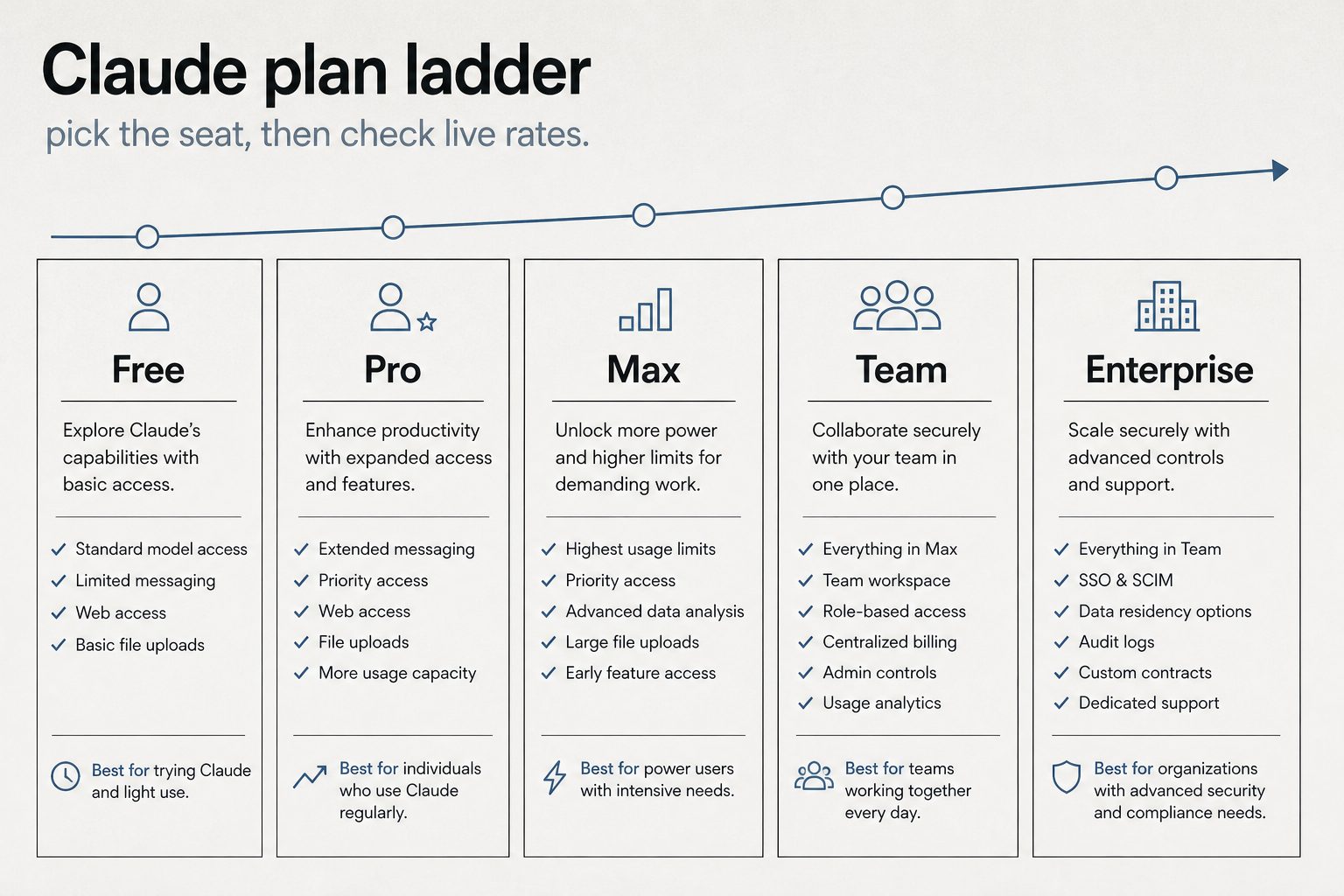
If the block is a seat cap, not a file cap, the next seat is Pro, then Max, then Team Premium or Enterprise — list prices on the live desk.
API workloads do not use this chat meter. Keys and prepaid credits live in the Anthropic Console.
Last verified: September 5, 2026 (Pacific). API figures from xAI developer pricing and Anthropic model cards. Consumer seat prices vary by store and region — confirm at x.ai and claude.com before you pay.
Direct answer: Grok is cheaper per token at every comparable rung. Claude is cheaper only if you stay on Sonnet 5 ($2/$10) or Haiku 4.5 ($1/$5) and never call Fable. Consumer stickers look inverted: Claude Pro is $20, SuperGrok is about $30. The catch is what the seat includes. Pro does not include Fable. Max includes Fable only up to 50% of the weekly pool. Grok has no public $10/$50 SKU.
Consumer seats
Grok (xAI)
Claude (Anthropic)
Free
Metered on grok.com and X
Metered, Sonnet
Everyday paid
SuperGrok ~$30/mo (X Premium+ bundle ~$40)
Pro $20/mo
Heavy individual
Plus ~$100 or Heavy ~$300
Max 5x $100 / Max 20x $200
Team
Grok Business ~$30/seat
Team ~$20–25/seat annual
Claude Pro wins the $20 vs $30 sticker. Max 20x ($200) undercuts SuperGrok Heavy ($300). They are not the same product: Claude splits models by plan. Fable 5 / 5.1 is included on Max and premium Team/Enterprise seats only, capped at half the weekly bar. Pro and Team Standard pay usage credits from the first Fable token. Details: Fable pricing and plan access and Claude Code limits (Sep 2026).
API rates per million tokens
Grok. Official xAI card. Prompts that reach 200k tokens are billed at 2× for the whole request.
Model
In / out
Context
Cached input
Grok Build 0.1
$1 / $2
256k
$0.20
Grok 4.3 / 4.20
$1.25 / $2.50
1M
$0.20
Grok 4.5 / 4.6
$2 / $6
500k
$0.30–$0.50
Claude.
Model
In / out
Context
Cache read
Haiku 4.5
$1 / $5
200k
$0.10
Sonnet 5
$2 / $10
1M
$0.20
Opus 5
$5 / $25
1M
$0.50
Fable 5.1
$10 / $50
1M
$0.25
Fable 5.1 headline rates match Fable 5. The Sep 1 change was cache reads: $1.00 → $0.25. A cold Fable call is still the expensive product.
Same-class pairing
Everyday production: Grok 4.3 ($1.25/$2.50) vs Sonnet 5 ($2/$10). Grok is cheaper, especially on output.
Flagship work: Grok 4.6 ($2/$6) vs Opus 5 ($5/$25). Grok still cheaper on list.
Top shelf: Grok has no $10/$50 public model. Fable 5.1 is 5× Grok 4.6 input and about 8× output.
Worked example
10M input + 2M output, no cache, short prompts:
Grok 4.6: $20 + $12 = $32
Sonnet 5: $20 + $20 = $40
Opus 5: $50 + $50 = $100
Fable 5.1: $100 + $100 = $200
Batch: Claude 50% off on supported models. Grok 20% off on 4.3 / 4.20 only — not on 4.5 / 4.6.
Rules that are not the rate card
Claude subscriptions use two clocks: a rolling 5-hour session and a weekly bucket. Claude Code’s +50% weekly promo ends September 13, 2026 at 11:59 PM PT. Official Help Center: weekly limits then return to standard. The 5-hour window does not change.
Grok API doubles the request once the prompt hits 200k tokens. Current Claude Sonnet / Opus / Fable cards do not use that surcharge.
Cache is the only place Fable 5.1 looks cheap at the top. Reused prefixes at $0.25/MTok. Fresh prompts at $10/$50.
When to buy which
Buy Grok for volume, agents, or coding at $2/$6 where Grok 4.6 is enough.
Buy Claude when the job needs Fable-class long horizon and you will pay for it — or when Sonnet 5 at $2/$10 is enough and the team already lives in Claude Code.
Do not pick from the consumer sticker alone. A $20 Claude Pro seat that immediately burns Fable credits can cost more than a $30 SuperGrok seat that never leaves Grok 4.6.
FAQ
Is SuperGrok cheaper than Claude Pro? No on the monthly line: Pro is $20, SuperGrok is about $30. Yes on many API workloads, because Grok 4.6 undercuts Opus 5 and Fable 5.1 by a wide margin.
Is Claude always more expensive on the API? No. Haiku 4.5 and Sonnet 5 sit near Grok Build / Grok 4.3. The Claude premium starts at Opus and jumps again at Fable.
Does Claude Pro include Fable 5.1? No. Credits from the first token. Included Fable is Max and premium seats, 50% of weekly limits. See Fable plan access.
If you run a restoration or multi-site operation and want the same kind of defensible, versioned standard for your Scope 3 emissions data, see the Restoration Carbon Protocol — the open framework that maps contractor emissions onto the GHG Protocol so commercial clients can actually verify them.
Direct Answer (9 September 2026):Claude for Teachers is the U.S. K-12 product (announced 28 August 2026). Claude for Education is the university program. A .edu login is not a Teachers seat. Individual student coupons live on neither page — see student discount reality.
Last updated: August 2026 • Reference Guide for Claude API Engineers & Technical Architects
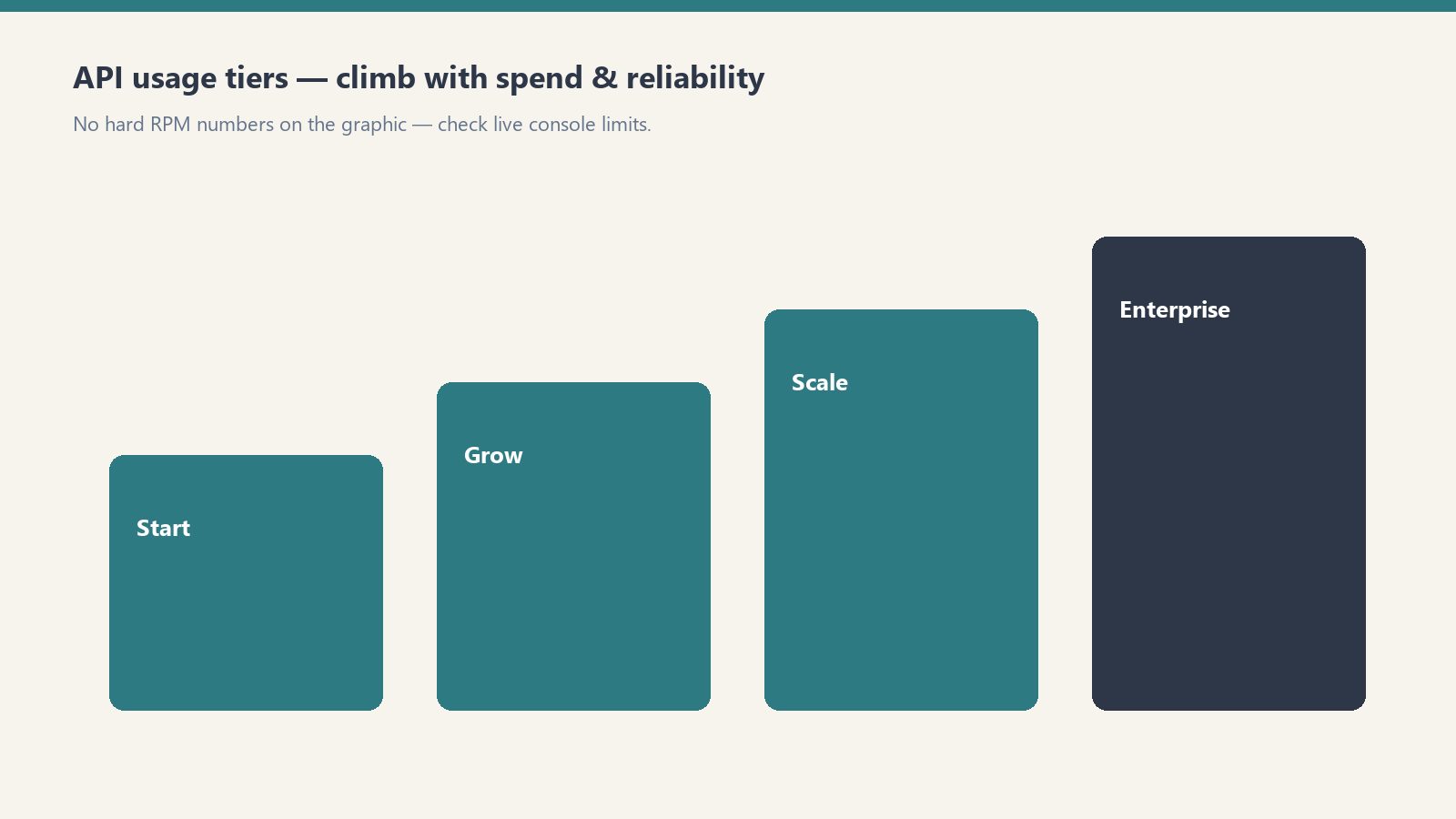
Direct Answer: Anthropic governs Claude API throughput via five usage tiers based on historical prepaid spend. Rate limits scale from Tier 1 (50 RPM / 20k–50k TPM) at $5 deposit up to Tier 4 (4,000 RPM / 400k+ TPM) at $1,000+ deposit. Rate limit errors (HTTP 429) are mitigated by exponential backoff with jitter, prompt caching, and using the Batch API for non-realtime jobs.
1. Anthropic API Usage Tier Qualifications & Thresholds
Tiers climb with spend and reliability — confirm live console limits.
Your API account’s rate limits are determined automatically based on your cumulative payment deposit and account standing in the Anthropic Console:
Usage Tier
Deposit Requirement
Credit Expiration / Waiting Period
Primary Purpose
Tier 1
$5 initial deposit
Instant activation upon card verification
Prototyping, local CLI tools, script development
Tier 2
$40 cumulative spend + 7 days standing
Automatic upgrade upon threshold
Small internal team tools, staging environments
Tier 3
$200 cumulative spend + 7 days standing
Automatic upgrade upon threshold
Production web applications, customer-facing agents
2. Requests Per Minute (RPM) and Tokens Per Minute (TPM) by Model
RPM/TPM differ by model — shapes matter more than memorized tables.
Rate limits apply independently across model families. High-intelligence models (Opus) have tighter token concurrency caps than lightweight models (Haiku):
Model Name
Tier 1 (RPM / TPM)
Tier 2 (RPM / TPM)
Tier 3 (RPM / TPM)
Tier 4 (RPM / TPM)
Claude Haiku 4.5
50 RPM / 50,000 TPM
1,000 RPM / 100,000 TPM
2,000 RPM / 200,000 TPM
4,000 RPM / 400,000 TPM
Claude Sonnet 4.6
50 RPM / 40,000 TPM
1,000 RPM / 80,000 TPM
2,000 RPM / 160,000 TPM
4,000 RPM / 400,000 TPM
Claude Opus 4.8
50 RPM / 20,000 TPM
1,000 RPM / 40,000 TPM
2,000 RPM / 80,000 TPM
4,000 RPM / 200,000 TPM
3. Diagnosing and Handling HTTP 429 Rate Limit Errors
429 is a pause — backoff, then retry with smaller batches.
When your application exceeds either its Requests-Per-Minute or Tokens-Per-Minute cap, the Anthropic API responds with an HTTP 429 Too Many Requests error containing response headers detailing when capacity will reset:
retry-after: Number of seconds to wait before retrying.
anthropic-ratelimit-requests-remaining: Remaining requests available in the current 60-second window.
anthropic-ratelimit-tokens-remaining: Remaining token budget available in the current window.
anthropic-ratelimit-tokens-reset: ISO timestamp indicating when the token pool will fully refresh.
Production Rate Limit Mitigation Playbook
Exponential Backoff with Full Jitter: Never retry immediately in a tight loop. Implement an exponential backoff formula with randomized jitter to prevent thundering herd spikes on your backend.
Utilize Prompt Caching: Cached prefix tokens read from memory bypass standard token generation latency and dramatically streamline token processing windows. Read our full Claude AI Pricing and Token Rates Guide for complete caching cost structures.
Route Heavy Jobs to the Batch API: For bulk processing, offline report generation, and data extraction, use the Anthropic Messages Batch endpoint. Batch jobs run against separate capacity pools, avoiding live interactive rate caps while cutting token costs by 50%.
Frequently Asked Questions (FAQ)
How do I increase my Claude API rate limits?
Rate limits scale automatically as you deposit funds and maintain clean billing standing in the Anthropic Console. Adding $40 moves your account to Tier 2, $200 to Tier 3, and $1,000+ to Tier 4. Enterprise accounts requiring higher limits can submit custom quota requests directly in the console.
What happens when I hit an HTTP 429 on Claude?
An HTTP 429 indicates that your requests or tokens per minute have exceeded your current tier allocation. Check the ‘retry-after’ response header, pause execution, and retry using exponential backoff.
Do prompt cache tokens count against TPM limits?
Yes, tokens read from cache still count toward your organization’s Tokens Per Minute (TPM) limit for that model family, though they process at significantly higher speed and cost 90% less.
This slug is a duplicate of the ranking desk. Do not treat numbers on this URL as current.
Use the live page:Claude AI Pricing (September 2026). Seats and API rates are verified there against claude.com/pricing and the official API table. This URL is noindexed and canonicalized to that slug.
Current flagship API list (as of 8 September 2026, restated from the hub): Haiku 4.5 $1/$5, Sonnet 5 $2/$10, Opus 5 $5/$25, Fable 5.1 $10/$50. Seats are not API credits.
68% of U.S. Google searches end without a click in 2026. When AI Overviews appear, that rate hits 83%. The question for content-driven businesses is no longer how to rank — it’s how to be cited inside the answer that replaced the click.
This is a practical guide to structuring content, managing brand entity signals, and measuring visibility in a world where users get their answer before they ever reach your site.
What Zero-Click Actually Means for Content Businesses
What zero-click actually means for content businesses.
Zero-click doesn’t mean zero value. Brands cited inside AI Overviews earn 35% more organic clicks than uncited brands on the same query. The traffic goes to the cited brand — not to the site that ranks #1 but isn’t cited.
The data that reframes zero-click as a competition problem, not a traffic problem:
68% of U.S. Google searches are zero-click in 2026 (SparkToro/Similarweb)
When AI Overviews appear, zero-click rate hits 83%
Organic CTR for position #1 drops up to 58% when AI Overviews are present (Ahrefs, December 2025)
Brands cited in AI Overviews earn 35% more organic clicks and 91% more paid clicks versus uncited brands
AI-referred visitors convert at 4.4x the rate of traditional organic visitors (Semrush)
The overlap between top-10 rankings and AI Overview citations: 17–38% in early 2026, down from 75% in mid-2025
The conclusion: ranking is no longer sufficient for visibility. A site can rank #1 and not be cited in the AI Overview that answers the query. The two need to be optimized separately.
How AI Overviews Decide What to Cite
How AI overviews decide what to cite.
Google’s AI Overview system retrieves web pages in real time, synthesizes a 3–5 sentence answer, and cites 3–6 source pages. The selection criteria weight answer extractability, entity authority, freshness, and structured data — not just ranking position.
The signals that influence AI Overview citation:
Answer extractability: The answer to the query must appear in the first 200 words of the page, stated directly. Pages that build toward the answer, providing extensive context before the conclusion, are retrieved for topic relevance but can’t be cited because the extractable answer isn’t there.
Entity authority: Consistent, factually accurate information about the brand entity across the web — site, LinkedIn, social profiles, third-party mentions — signals that the source is authoritative on the topic. AI systems treat entities with strong external corroboration as more trustworthy.
Freshness: For fast-changing topics (Claude pricing, AI model capabilities, regulatory changes), recency is a significant weight. A page last updated in 2024 competes poorly against one updated in August 2026 on a query about current Claude pricing.
Structured data: FAQPage, HowTo, and Article schema markup signals to Google that content is formatted for extraction. Pages with properly implemented schema see measurably higher AI Overview inclusion.
E-E-A-T signals: Experience, expertise, authoritativeness, trustworthiness. An article written by a named author with a consistent byline and external presence outperforms anonymous content on contested or technical topics.
Strategy 1: Structure Every Page for Extraction
Structure every page for extraction.
Answer-first structure is the single highest-leverage change for AI citation rates. The first paragraph of every article should directly and completely answer the likely query.
The structure AI systems can extract from:
H1: [Specific, query-answering title]

[Bold one-sentence direct answer to the query implied by the title]

[Supporting detail — the why, the how, the context]

H2: [First subtopic as a question]
[Bold answer sentence to the H2 question]
[Elaboration]
What this means in practice for tygartmedia.com content:
Every article about Claude pricing, model capabilities, or Anthropic history should open with the factual answer — not a framing sentence, not background, not “in this article we’ll cover.” The answer, stated directly, in the first two sentences.
The reason this matters beyond GEO: it’s also better for users. Answer-first structure is a discipline that makes content more useful and more likely to be cited. The SEO and GEO benefits are secondary to the writing quality improvement.
Strategy 2: Build and Maintain the Brand Entity
AI systems treat brands as entities — named things with verifiable, consistent information across multiple authoritative sources. Building entity authority means making sure that information is consistent, correct, and present everywhere crawlers look.
Entity checklist for tygartmedia.com:
On-site signals:
Organization schema on every page (name, URL, description, logo, founder, sameAs links)
Consistent author byline (“Will Tygart”) on every article
Author bio that establishes expertise consistently across all articles
Contact and about page with complete, factual business information
Off-site signals:
LinkedIn Company Page with consistent description matching the website
Google Business Profile (if applicable) with consistent NAP (name, address, phone)
Third-party mentions and citations on authoritative sites in the AI/tech space
Social profiles with consistent handles and descriptions
The consistency requirement: AI systems cross-reference. If the description on LinkedIn says “AI infrastructure for operators” and the website says something different, that inconsistency weakens the entity signal. Everything should say the same thing about the same thing.
Strategy 3: Implement Structured Data
FAQPage, Article, and Organization schema markup signals to AI Overviews that content is formatted for extraction. This is not optional in 2026 for sites that depend on search visibility.
Minimum structured data implementation:
FAQPage schema on every article with a FAQ section:
{
  "@context": "https://schema.org",
  "@type": "FAQPage",
  "mainEntity": [{
    "@type": "Question",
    "name": "What is Metricool pricing?",
    "acceptedAnswer": {
      "@type": "Answer",
      "text": "Metricool has a free plan and paid plans starting at the Starter tier. API access requires the Advanced plan or above. Pricing is per brand, not per connected social account."
    }
  }]
}
Article schema on all editorial content (author, published date, modified date, headline).
In Rank Math (the plugin on tygartmedia.com): FAQ blocks in the WordPress editor generate FAQPage schema automatically. Use the Rank Math FAQ block for all FAQ sections rather than plain text. Article schema is enabled site-wide in Rank Math settings.
Strategy 4: Keep Content Current
AI retrieval systems weight freshness heavily for fast-changing topics. For any site publishing Claude pricing, model capabilities, or AI tool features, stale content is not just less useful — it actively loses citation ground to fresher sources.
Freshness implementation:
“Last refreshed” date at the top of every article — visible to users and read by crawlers as a freshness signal
“What’s new” section in evergreen articles covering frequently updated topics (Claude pricing, model capabilities, Metricool features)
Update the modified date in Article schema whenever content is refreshed — not just the publication date
Monitor Search Console for queries where the site appears in AI Overviews — freshness issues show up as drops in citation before they show up as ranking drops
Trigger list for mandatory refreshes on tygartmedia.com:
Any Anthropic pricing change
Any new Claude model release or deprecation
Any Metricool feature update
Any change to Anthropic’s Enterprise product structure
Strategy 5: Earn Third-Party Citations
AI systems give extra weight to content cited by other authoritative sources. Being linked to or mentioned by other sites publishing on Claude, Anthropic, and AI infrastructure strengthens the entity signals for all related queries.
Practical approaches:
Original data and research: Content with specific numbers, benchmarks, and original findings gets cited by others. The Claude pricing breakdowns, benchmark comparisons, and API cost calculations on tygartmedia.com are exactly the type of content other AI publications cite.
First-mover coverage: Publishing accurate, detailed coverage of Anthropic announcements before or alongside other publications builds a citation pattern over time.
Expertise-signal content: Content that can only be written from operational experience — running 24 brands in Metricool, building vector DB systems for business documents — earns citations because it’s not replicable from Anthropic’s documentation alone.
Measuring Zero-Click Performance
Standard click and session metrics are insufficient for measuring zero-click visibility. The right metrics are AI citation rate, branded search volume trend, and AI-referred conversion rate.
Measurement framework:
Metric
Tool
What It Measures
AI Overview appearances
Google Search Console (AIO report)
Queries where site is cited
CTR on AIO queries
GSC, filter by AI Overview queries
Whether citations drive clicks
AI-referred traffic
GA4 source filter (ChatGPT, Perplexity)
Direct traffic from AI citations
Branded search volume
GSC, filter by brand terms
Awareness from zero-click exposure
Conversion rate from AI sources
GA4 segmented by source
Value of AI citation traffic
Manual testing protocol: Monthly, ask ChatGPT, Perplexity, and Claude the questions your audience asks — “what is Claude Enterprise pricing,” “how does Metricool API work,” “what is the history of Anthropic” — and record whether tygartmedia.com is cited. This is the most direct feedback loop available and costs nothing.
If branded search volume is growing while organic clicks are flat or declining, the site is appearing in AI summaries and building awareness without receiving credit in standard traffic metrics. That’s the zero-click pattern working in favor of the brand — and the signal that citation strategy is working.
Frequently Asked Questions
What is zero-click search?
Zero-click search is a search that ends on the results page itself — the user gets their answer from an AI Overview, featured snippet, or knowledge panel and doesn’t click through to any website. In 2026, 68% of U.S. Google searches are zero-click.
Does zero-click hurt all websites equally?
No. Sites cited inside AI Overviews and featured snippets earn 35% more organic clicks than uncited sites on the same query. Zero-click hurts uncited sites and benefits cited ones. The competition shifts from ranking to citation.
What is the difference between GEO and zero-click optimization?
GEO (Generative Engine Optimization) is the discipline of getting cited inside AI-generated answers from ChatGPT, Perplexity, Gemini, and Claude. Zero-click optimization is specifically about Google search — being cited in AI Overviews and featured snippets. They use the same underlying tactics (answer-first structure, entity signals, structured data, freshness) applied to different surfaces.
How long does it take to see results from zero-click optimization?
Plan for 3–6 months of consistent effort before citation rates change meaningfully. AI systems update their citation patterns as they re-index updated content. The fastest wins come from freshness updates on existing high-traffic pages and FAQ schema implementation on pages that already rank.
Do clicks from AI citations convert differently?
Yes — significantly. AI search visitors convert at approximately 4.4x the rate of traditional organic visitors (Semrush). The mechanism is intent: users who get a specific answer from an AI Overview and then click through to the cited source are further along in their decision process than typical organic visitors.
Claude Managed Agents launched in public beta April 8, 2026. Memory for Managed Agents entered public beta April 23, 2026. Together they change what a Claude agent can do: instead of starting fresh on every session, an agent can carry context, corrections, and learned preferences across every future interaction with the same user, team, or project.
This is a use-case guide, not a feature overview. Each case below is role-specific, grounded in how Managed Agents memory actually behaves in production, and paired with what to configure to make it work.
How Managed Agents Memory Works
How managed agent memory actually loops.
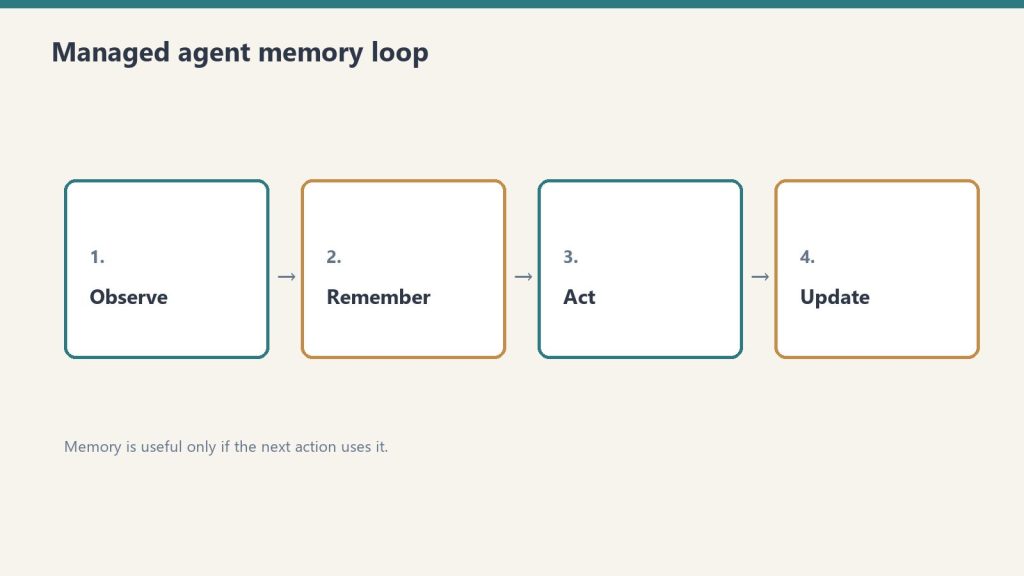
Memory is a workspace-scoped collection of text documents that mounts inside the agent’s session container at /mnt/memory/. The agent reads and writes it using the same file tools it uses for everything else. When the session ends, the memory persists. The next session starts with it already there.
Key properties:
Version-controlled per write — every write creates a new version with an audit trail in the Claude Console
Workspace-scoped — accessible to all agents in the same workspace, not per-user-only (unless you scope it that way in configuration)
Readable by the agent, not just the operator — the agent can query its own memory store to retrieve past context
30-day version retention — historical versions retained for 30 days with redact endpoint for compliance removal
The API header required: managed-agents-2026-04-01 for session endpoints; agent-memory-2026-07-22 for memory store endpoints (don’t combine them on memory store calls — this returns a 400 error).
Use Case 1: Client Account Agent (Account Management)
Client account agent — memory for the relationship, not just the chat.
An account agent that knows each client’s preferences, pain points, prior decisions, and communication style — without needing to be re-briefed at the start of every session.
What gets stored in memory:
Client brand voice and style notes
Recurring issues or requests
Prior project decisions and the rationale behind them
Delivery preferences and approval workflows
Production example: Wisedocs built a document verification pipeline on Managed Agents and used cross-session memory to let agents identify and remember common document issues — including ones not anticipated at setup. Result: 30% faster verification per document.
Configuration approach:
One memory store per client, named /clients/[client-name]/
Initialize with brand guidelines, contact notes, and a log of past decisions
Agent writes a session summary to memory at the end of each engagement
Use Case 2: Development Team Agent (Software Teams)
A coding agent that learns the codebase conventions, preferred patterns, past architectural decisions, and recurring issues for a specific project — so it doesn’t give the same wrong suggestion twice.
What gets stored in memory:
Coding style guide for the project
Past refactoring decisions and why certain approaches were rejected
Known issues and workarounds in the codebase
Performance constraints and architectural boundaries
The problem this solves: agents without memory re-suggest patterns the team already evaluated and rejected, requiring the same explanation each session. With memory, those rejections are logged and the agent builds on them.
Configuration approach:
Memory store scoped to the project repository
Initialize with project conventions and architecture notes
Agent writes a session_log.md after each coding session with decisions made and issues found
Use Case 3: Research Agent (Knowledge Work)
A research agent that accumulates findings across sessions — building a persistent knowledge base from multiple research runs rather than starting from scratch each time.
Netflix’s internal agents use memory to carry context across sessions, including insights that took multiple turns to surface and corrections from human reviewers mid-conversation, instead of manually updating prompts between sessions.
Memory organized by topic: /research/[topic]/findings.md, /research/[topic]/sources.md, /research/[topic]/open_questions.md
Agent reads existing findings at session start before beginning new research
Human reviewer can add corrections directly to memory files via the API; agent picks them up next session
Use Case 4: Operations Agent (Business Operations)
Ops agents still need cost controls before they run.
An operations agent that manages recurring workflows — weekly reporting, vendor follow-ups, SOP updates — and carries forward the state of each workflow between runs.
What gets stored in memory:
Status of recurring tasks and workflows
Vendor and contact notes accumulated over time
Decision log for operational choices
Open items and their status
Configuration approach:
Memory organized by workflow: /ops/weekly-report/, /ops/vendor-follow-ups/
Agent reads open items at session start, completes what it can, updates status in memory
Operators review memory state weekly rather than re-briefing the agent
Use Case 5: Customer Support Agent (Support Teams)
A support agent that remembers each customer’s history, prior issues, resolutions, and communication preferences — so customers don’t re-explain their context on every interaction.
Ando is building their workplace messaging platform on Managed Agents, using memory to capture how each organization interacts instead of building custom memory infrastructure themselves.
What gets stored in memory:
Customer account context and tier
Prior issue history with resolutions
Communication preferences (tone, channel, response length)
Known product configurations or integrations the customer uses
Configuration approach:
Memory store per customer, scoped to their account ID
Initialize with CRM data (account type, history summary)
Agent writes a resolution summary after each ticket closes
Use Case 6: Legal and Compliance Agent (Legal Teams)
A compliance agent that tracks regulatory requirements, monitors changes, and maintains a running compliance status log — accumulating institutional knowledge across every compliance review it runs.
What gets stored in memory:
Current compliance status by regulation and jurisdiction
Prior audit findings and remediation decisions
Regulatory change log with effective dates
Open items requiring human review
Configuration approach:
Memory organized by regulation: /compliance/gdpr/, /compliance/hipaa/, /compliance/soc2/
Agent reads current status before each compliance check run
Writes updated status and flags human review items after each run
For regulated industries: memory redaction endpoint supports removing specific content from historical versions for GDPR/CCPA compliance while preserving the audit record structure.
Use Case 7: Sales Agent (Sales Teams)
A sales agent that knows each prospect’s engagement history, objections raised, competitive comparisons requested, and where they are in the buying process — without requiring a CRM update to carry context forward.
What gets stored in memory:
Prospect background and stakeholder map
Objections raised and responses given
Competitive questions and preferred comparisons
Next steps and commitments from prior conversations
Configuration approach:
Memory store per prospect, keyed to their company or contact ID
Initialize with CRM pull at first contact
Agent writes call summary and updated next steps after each prospect interaction
Use Case 8: Content Production Agent (Marketing Teams)
A content agent that learns the brand voice, audience preferences, what topics have already been covered, and what performed well — building a persistent content intelligence layer across every piece produced.
What gets stored in memory:
Brand voice rules and style examples
Topic map (what’s been covered, what’s planned)
Performance notes on past content (what resonated, what didn’t)
Client feedback on tone, format, and depth
Configuration approach:
Memory organized by brand: /content/[brand-name]/voice.md, /content/[brand-name]/topic_map.md, /content/[brand-name]/performance_log.md
Agent reads voice rules at session start before producing any content
Operator adds performance feedback directly to memory after publishing
Use Case 9: Finance Agent (Finance Teams)
A financial analysis agent that carries forward context on recurring reports — month-over-month trends, known anomalies, and prior analytical decisions — so each report builds on the last rather than starting from raw data.
Anthropic shipped a financial services agent template suite in May 2026, built on Managed Agents memory for cross-session continuity.
What gets stored in memory:
Key metrics and their historical baselines
Known data quality issues and how they’ve been handled
Prior period variances and the explanation documented at the time
Model risk notes for regulated environments
Configuration approach:
Memory organized by report type: /finance/monthly-pl/, /finance/board-report/
Agent reads prior period context before starting each new report cycle
Writes a period summary with key variances and decisions after each report run
Use Case 10: Onboarding Agent (HR and Operations)
An onboarding agent that adapts its guidance to each new hire’s role, prior experience, and progress through the onboarding checklist — and carries that context across every interaction during their ramp period.
What gets stored in memory:
New hire profile (role, team, prior experience notes)
Onboarding checklist progress
Questions asked and answers given (to avoid repetition)
Manager notes on priorities for this hire
Configuration approach:
Memory store per new hire, active during ramp period (typically 30–90 days)
Initialize with role profile and onboarding checklist
Agent writes progress update after each onboarding session
Archive or close memory store when onboarding period ends
What Memory Doesn’t Replace
Memory stores context and preferences. They don’t replace real-time data access, live system integrations, or human judgment on consequential decisions.
Memory is document storage, not a database. It works well for: text-based preferences, accumulated notes, decision logs, prior outputs. It doesn’t work well for: real-time status queries (use MCP connectors for those), structured data that needs querying (use a real database), or high-frequency writes (memory is designed for periodic updates, not per-turn state).
The right architecture in most production systems: memory for persistent context and preferences, MCP connectors for real-time system access, structured database for high-frequency operational data.
Memory for Claude Managed Agents is a workspace-scoped document store that persists across agent sessions. Instead of starting fresh each session, agents read and write memory files that carry context, preferences, and accumulated knowledge forward into every future session.
When did Managed Agents memory launch?
Claude Managed Agents launched in public beta April 8, 2026. Memory for Managed Agents entered public beta April 23, 2026.
How is memory different from a system prompt?
A system prompt is static and set at agent configuration time. Memory is dynamic — it’s written and updated by the agent during sessions and grows over time. Memory stores things the agent has learned or been told; system prompts store standing instructions that don’t change session to session.
What happens to memory when an agent is deleted?
Memory stores are separate from agent configurations. Deleting an agent doesn’t delete its memory store. Memory stores must be deleted or archived separately.
Claude is already inside most enterprises — through individual employee accounts, Claude Code on developer machines, and browser extensions — whether IT approved it or not. The security question in 2026 isn’t whether to allow Claude. It’s whether to govern it.
This is a practical security audit checklist for Claude Enterprise deployments in 2026. It covers the five domains that matter, the specific CVEs that affect Claude Code, and the configuration steps that close the most significant exposure.
The Current Threat Surface
Five domains for a Claude enterprise security audit.
Claude operates across multiple surfaces — claude.ai web, mobile apps, Claude Code on developer machines, Cowork, and API integrations — each with different data exposure profiles and each requiring different controls.
The most significant 2026 security events affecting Claude deployments:
CVE-2025-59536 (CVSS 8.7): Disclosed by Check Point Research in early 2026. A vulnerability in Claude Code that allows remote code execution through malicious project configuration files — before any trust dialog appears to the user. Affects any organization that has deployed Claude Code without centralized governance.
CVE-2026-21852: Demonstrates how an attacker can redirect all Claude Code traffic to an attacker-controlled server by manipulating the ANTHROPIC_BASE_URL environment variable. Silently exfiltrates API keys and conversation content. Reproducible attack chain.
GTG-1002 campaign (September 2025): Anthropic identified this as one of the first AI-orchestrated cyberattacks at scale, establishing AI developer tooling as an active attack surface.
These are not theoretical risks. They’re documented, reproducible attack chains that affect any Claude Code deployment without centralized governance.
Security Domain 1: Identity and Access
Identity and access — who can create keys and call models.
Configure SSO before any broad rollout. Without SSO, employees authenticate with personal Anthropic accounts — which means no centralized visibility, no revocation capability, and no audit trail.
Implementation steps:
Enable SAML 2.0 or OIDC SSO in the Claude Admin Console. This forces all claude.ai logins through your identity provider (IdP) and prevents personal account fallback.
Enable domain capture alongside SSO. This prevents employees from using personal email accounts to access Claude outside the managed environment.
Configure SCIM provisioning to automate user lifecycle management. When an employee is offboarded from your IdP, their Claude access is revoked automatically.
Implement role-based access controls (RBAC). Not all users need access to all Claude capabilities. Segment by role: standard users, power users with Claude Code, API access holders.
Set up periodic access reviews for Claude access, the same way you review access to other SaaS applications. SailPoint and similar identity governance tools can integrate via the Claude Compliance API.
Audit evidence to collect: SSO configuration screenshots, SCIM provisioning logs, access review completion records.
Security Domain 2: Data Controls
The first security question in every enterprise deployment is where the data goes. The answer depends on which Claude product and deployment model is in use — and it matters enormously for regulated industries.
Data handling by deployment model:
Deployment
Data Retention
Network Path
Zero Data Retention Available
Claude Enterprise (Anthropic console)
30 days default, ZDR available
Public internet
Yes
AWS Bedrock
Per AWS data agreements
VPC/private network available
Yes
Google Cloud Vertex AI
Per GCP data agreements
VPC/private network available
Yes
Microsoft Foundry
Per Microsoft data agreements
Private network
Yes
Claude.ai personal accounts
Anthropic standard terms
Public internet
No
For regulated industries (HIPAA, financial services, government): deploy via AWS Bedrock, Google Cloud Vertex AI, or Microsoft Foundry with private network configurations that keep traffic off the public internet. Enable ZDR (Zero Data Retention) for workloads with sensitive data.
The silent risk: employees using personal claude.ai accounts for work tasks. Data entered into personal accounts is subject to Anthropic’s standard consumer terms, not Enterprise data agreements. SSO + domain capture closes this gap.
Security Domain 3: Claude Code Governance
Claude Code is the highest-risk surface in most enterprise deployments. It runs with the privileges of the developer’s user account, can execute arbitrary shell commands, read the full filesystem, and make outbound network connections.
Hardening steps for Claude Code deployments:
Centralize API key management:
Use organization-managed API keys (via the Admin Console) rather than individually generated keys
Create separate keys per team or project, not shared team keys
Rotate keys on a defined schedule (quarterly minimum)
Monitor for anomalous usage (volume spikes, off-hours activity) — feed audit logs to SIEM
Address the CVE-2026-21852 attack vector:
Audit all developer machines for .claude/settings.json files in project repositories — these can be used to redirect traffic
Block arbitrary ANTHROPIC_BASE_URL overrides via environment variable policy
Add Claude Code traffic to network monitoring so redirected traffic is detectable
Restrict filesystem access:
Prevent Claude Code from running in directories containing production secrets or sensitive data
Use separate working directories for Claude Code sessions, isolated from production credential stores
Code execution controls:
Enable disableBypassPermissionsMode to require explicit approval for shell commands
Log all shell commands executed via Claude Code to the audit trail
Security Domain 4: Audit Logging and Observability
Claude Enterprise audit logs capture user authentication events, model calls with metadata, and file interactions. Without routing these logs to a SIEM, the audit trail exists but isn’t being monitored.
Use the Compliance API to export prompts, responses, and admin actions into DLP and insider risk monitoring workflows
The gap Anthropic hasn’t filled: There is no built-in anomaly detection in the Admin Console. Usage anomaly detection requires SIEM integration and custom correlation rules. This is a known limitation — build it at the SIEM layer.
Security Domain 5: Agentic Workflow Security
Claude Managed Agents and Claude Code used in agentic workflows introduce a category of risk that traditional SaaS governance doesn’t cover: an AI taking autonomous actions in the environment.
Key controls for agentic deployments:
Human oversight checkpoints: For any agentic workflow that takes consequential actions (code commits, file modifications, API calls to production systems), require a human review step before execution. Don’t allow fully autonomous action without an approval gate on high-impact operations.
Tool scope minimization: Define the smallest set of tools an agent needs and give it nothing else. An agent that only needs to read files shouldn’t have shell execution permissions. MCP server connections should be scoped to the minimum required access.
MCP connector governance: MCP servers allow agents to connect to external systems (GitHub, Notion, Slack, etc.). Each MCP connection is an attack surface for prompt injection — a malicious response from an external system can instruct the agent to take unintended actions. Audit which MCP servers are connected; don’t allow arbitrary MCP connections.
Prompt injection defense: Any content that flows from an external system into an agent’s context (web pages, API responses, file contents) should be treated as potentially adversarial. This is the mechanism behind most AI agent security incidents in 2025–2026. Validate and sanitize external inputs before they reach the agent context.
Quick-Reference Audit Checklist
Quick-reference checklist — prove controls, do not assume them.
Use this to assess the current state before deciding what to address first:
Identity
SSO (SAML 2.0 or OIDC) enforced for all Claude access
Domain capture enabled to prevent personal account use
SCIM provisioning configured for automated user lifecycle
RBAC defined by role (standard / power user / API)
Data
Deployment model documented (Anthropic console vs. Bedrock vs. Vertex)
ZDR enabled for sensitive data workloads
Personal claude.ai account use blocked or governed
Data classification applied to determine which workloads can use which deployment model
Claude Code
Organization-managed API keys (not individual)
Per-team/per-project key segmentation
CVE-2025-59536 and CVE-2026-21852 remediation verified
Shell execution logging enabled
Audit and Observability
Audit logging enabled in Admin Console
Logs routed to SIEM
Anomaly detection rules configured
Compliance API integrated with DLP tooling
Agentic
Human oversight gates on consequential agent actions
MCP connections audited and scoped
Prompt injection defenses in place for external inputs
Yes. Claude Enterprise deployed through the Anthropic console with a qualifying enterprise agreement offers zero data retention, where prompts and responses are not logged by Anthropic. ZDR is also available via AWS Bedrock, Google Cloud Vertex AI, and Microsoft Foundry deployments.
What compliance certifications does Anthropic have?
Anthropic holds ISO 27001:2022 and ISO/IEC 42001:2023 certifications and offers HIPAA-ready configurations with Business Associate Agreements to qualifying enterprise customers.
What are the biggest security risks in a Claude Code deployment?
CVE-2025-59536 (remote code execution via malicious project config files, CVSS 8.7) and CVE-2026-21852 (traffic redirection via ANTHROPIC_BASE_URL manipulation) are the most significant documented vulnerabilities. The broader risks are developers using personal Anthropic accounts, shared API keys without rotation, and no audit trail for code context that flows to Anthropic’s servers.
What is the Compliance API?
The Claude Compliance API is an Enterprise feature that exports prompts, responses, files, and admin actions to external monitoring systems — enabling integration with DLP tools (Proofpoint), SIEM platforms (Splunk, Datadog, Elastic), and identity governance tools (SailPoint). It’s the primary mechanism for bringing Claude activity into existing enterprise security workflows.
What is prompt injection in AI agents?
Prompt injection occurs when malicious content in external data sources (web pages, API responses, documents) instructs an AI agent to take actions the operator didn’t intend. In agentic Claude workflows, any content retrieved from external systems can potentially carry injected instructions. Defense requires treating external inputs as untrusted and implementing validation before they enter the agent context.
GEO — Generative Engine Optimization — is the practice of structuring content so that AI answer engines (ChatGPT, Perplexity, Google AI Overviews, Gemini, and Claude) cite it in the answers they generate. In 2026, 68% of U.S. Google searches end without a click. Being cited in the answer that appears is now as important as ranking in the links below it.
This guide covers what GEO is, how it differs from traditional SEO, and five specific tactics that move citation rates — with particular relevance for sites publishing Claude and AI authority content.
Why GEO Matters in 2026
Why GEO matters — citations are the new first page.
AI Overviews reduce organic click-through rate for the #1 ranked result by up to 58% (Ahrefs, December 2025) — but brands cited as sources within AI Overviews earn 35% more organic clicks than uncited brands on the same query.
The counterintuitive finding: zero-click is bad for uncited sites and good for cited ones. The goal is not to fight AI Overviews — it’s to be inside them.
The market data context:
68% of U.S. Google searches are zero-click in 2026, up from 60% in 2024
When AI Overviews appear, the zero-click rate jumps to 83%
Visitors arriving from AI citations convert at 4.4x the rate of traditional organic visitors
The GEO market is projected at $365M in 2026, growing at 42.9% CAGR
The mechanism: AI search users arrive with specific, researched queries and a pre-formed shortlist. That intent profile makes them higher-converting even when the total count is smaller.
How GEO Differs From Traditional SEO
How GEO differs from traditional SEO.
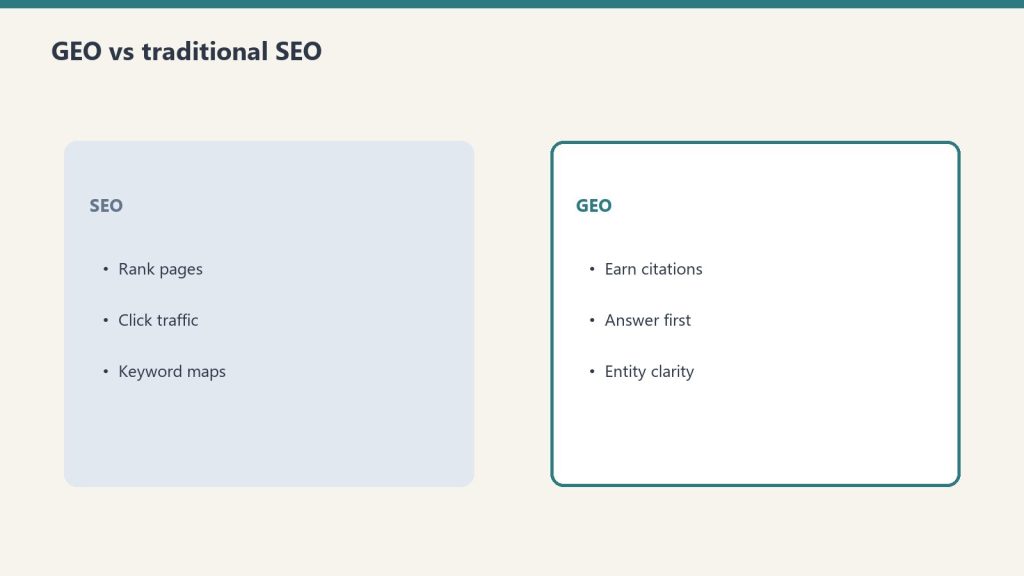
Traditional SEO optimizes for ranking position in a list of links. GEO optimizes for inclusion in the synthesized answer above those links. The signals overlap significantly, but GEO adds specific requirements around answer-first structure, data richness, and citation-friendliness.
Dimension
Traditional SEO
GEO
Goal
Rank in top 10
Be cited in the AI answer
Key signal
Backlinks, E-E-A-T, technical SEO
Answer-first structure, data richness, entity authority
Measurement
Organic clicks, ranking position
AI citation rate, brand mentions, branded search volume
Content structure
Topic depth, keyword distribution
Direct answer in first 200 words, FAQ schema
Success state
Position 1
Cited source in AI Overview
Important: the overlap between ranking in Google’s top 10 and being cited in AI Overviews collapsed from roughly 75% in mid-2025 to 17–38% in early 2026. Ranking well no longer guarantees AI citation. Both need to be optimized for separately.
Tactic 1: Answer First, Always
Answer first, always — then prove it with specifics.
AI retrieval systems that use real-time web access evaluate a page’s relevance primarily on its opening content. The first 200 words of any article must directly and completely answer the primary query — not build up to the answer.
The structure that gets cited:
[H1 Title]
[Bold one-sentence direct answer in first paragraph]
[Supporting context and detail]
The structure that doesn’t:
[H1 Title]
[Background context]
[History of the topic]
[Eventually getting to the answer]
AI Overviews synthesize their answers from the opening of retrieved pages. A page that buries its answer 500 words in gets retrieved for its topic relevance and then can’t be cited because the direct answer isn’t extractable. The answer-first structure serves both GEO and usability simultaneously.
For AI authority content specifically: every article about a Claude feature, pricing tier, or model capability should open with the factual answer to the likely query, stated plainly in the first sentence or two.
Tactic 2: Add Original Data and Specific Numbers
AI systems and search engines treat original data, specific statistics, and citable figures as high-value content. Content with precise numbers gets cited more than content with generalizations.
The practical application:
“Claude Enterprise typically costs $60–250+/user/month depending on usage intensity” is more citable than “Claude Enterprise is expensive for some teams”
“68% of U.S. Google searches are zero-click in 2026” is citable; “most searches end without a click” is not
“Claude Sonnet scores approximately 77% on SWE-bench Verified” is citable; “Claude is good at coding” is not
For tygartmedia.com content specifically: articles that include specific pricing numbers, benchmark scores, token counts, and performance figures will outperform articles that describe capabilities in qualitative terms. The Claude reference cluster (pricing, models, console) already does this well.
Attribution rule: Cite where specific numbers came from — a benchmark, a study, Anthropic’s official documentation. “According to Anthropic’s pricing page” or “per SWE-bench Verified benchmarks” tells AI systems the claim is grounded, not asserted.
Tactic 3: Use FAQ Schema
FAQ schema (FAQPage structured data) formats content explicitly as question-and-answer pairs, which is the format AI answer engines are built to extract and synthesize from. Pages with FAQ schema see measurably higher AI Overview inclusion.
Implementation in JSON-LD:
<script type="application/ld+json">
{
  "@context": "https://schema.org",
  "@type": "FAQPage",
  "mainEntity": [
    {
      "@type": "Question",
      "name": "What is Claude Enterprise pricing?",
      "acceptedAnswer": {
        "@type": "Answer",
        "text": "Claude Enterprise starts at approximately $20/user/month for access, with token usage billed separately at API rates. Real total cost typically runs $60–250+/user/month depending on usage intensity."
      }
    },
    {
      "@type": "Question",
      "name": "Is Claude Enterprise worth it?",
      "acceptedAnswer": {
        "@type": "Answer",
        "text": "For teams with compliance mandates (SSO, SCIM, audit logs) or more than 150 users, yes. For smaller teams without governance requirements, Claude Team is more predictable and usually sufficient."
      }
    }
  ]
}
</script>
In Rank Math (the plugin on tygartmedia.com): FAQ blocks in the WordPress editor automatically generate FAQPage schema without manual JSON-LD implementation. Add FAQ sections to every article and use the Rank Math FAQ block type.
Tactic 4: Build Entity Authority
AI systems and search engines treat entities — specific named things with consistent, verifiable information across the web — as more citable than generic topical content. Building entity authority for tygartmedia.com means consistent name, description, and factual claims across every surface the crawlers read.
Entity authority checklist:
Organization schema on every page: Name, URL, description, logo, founder, same-as links to LinkedIn, social profiles
Consistent author byline: “Will Tygart” as the author on every article, with a consistent bio that establishes expertise
External mentions: Being cited by other authoritative sites on the same topics creates the external validation AI systems look for
Wikipedia/Wikidata presence: Not always achievable, but having factually consistent information across third-party sites (LinkedIn, Crunchbase, social profiles) strengthens entity recognition
For an AI authority site specifically: the entity is “Tygart Media” and its associated expertise is Claude, Anthropic, and AI infrastructure for operators. Every article that earns an external link or citation strengthens that entity signal for all related queries.
Tactic 5: Freshness Signals
AI retrieval systems weight recency heavily for fast-moving topics. Claude pricing, model capabilities, and Anthropic’s roadmap change frequently. Articles with stale information get displaced by fresher sources even when the URL has more backlink authority.
Freshness tactics:
“Last refreshed” date at the top of every article — signals to both users and crawlers that the information is current
Add a “What’s new” or “What changed” section for evergreen articles that cover frequently updated topics
Update timestamps when content changes — not just publishing dates, but explicit refreshed dates
Track in Google Search Console which queries trigger AI Overviews and whether the site is cited in them — freshness issues often show up as sudden drops in AI citation before they show up as ranking drops
For Claude-related content: any article covering pricing, models, or features needs a refresh trigger whenever Anthropic makes changes. The May 2026 dispatch for timestamp refreshes on Fable 5-related pricing content is the right pattern.
Measuring GEO Performance
Standard GA4 and Search Console metrics don’t capture AI citation performance. The metrics that matter for GEO are AI citation rate, branded search volume, and assisted conversions from AI-referred traffic.
What to track:
Metric
How to measure
What it indicates
AI-referred traffic
GA4 source filter for ChatGPT, Perplexity referrals
Direct AI citation traffic
Branded search volume
Google Search Console, “tygartmedia” queries
Brand awareness from AI citations
AI Overview appearances
GSC AIO report
Queries where the site is cited
CTR on AIO queries
GSC, filter by queries with AI Overviews
Whether citations drive clicks
Conversion rate from AI referrals
GA4 segmented by source
Value of AI citation traffic
Manual testing: monthly, ask ChatGPT, Perplexity, and Claude the questions your audience asks — “what is Claude Enterprise pricing,” “how does Metricool API work,” “what is Anthropic’s history” — and see whether tygartmedia.com is cited. This is the most direct GEO feedback loop available.
GEO is the practice of structuring content and managing online presence so that AI answer engines — ChatGPT, Perplexity, Google AI Overviews, Gemini, and Claude — cite it in the answers they generate. It’s distinct from traditional SEO, which optimizes for ranking positions in link lists.
How is GEO different from SEO?
Traditional SEO optimizes for ranking position. GEO optimizes for citation inside AI-generated answers. The overlap between top-10 rankings and AI Overview citations has collapsed from 75% in 2025 to 17–38% in early 2026 — ranking well no longer guarantees AI citation. Both need to be optimized independently.
Does GEO replace SEO?
No. Traditional SEO fundamentals (E-E-A-T, backlinks, technical health) still power AI citations. GEO is an additional layer on top of a solid SEO foundation, not a replacement for it. Brands that excel at GEO in 2026 typically have strong traditional SEO as well.
How long does GEO take to work?
Plan for 3–6 months of consistent effort before seeing meaningful citation rate changes. Unlike traditional SEO ranking changes, which can be tracked daily, AI citation frequency changes slowly as crawlers re-index updated content and AI systems update their knowledge bases.
What is the conversion rate from AI-cited traffic?
AI search visitors convert at significantly higher rates than traditional organic visitors — roughly 4.4x according to Semrush data. The mechanism is intent: AI search users arrive with specific, researched queries and a pre-formed shortlist, which translates to higher purchase and contact intent.
The Claude Agent SDK tutorial starts here — the SDK (formerly the Claude Code SDK, renamed late 2025) eliminates the boilerplate of building agentic loops by hand, shipping the same tool execution, context management, and permission system that powers Claude Code into a Python or TypeScript library you can embed in any product, pipeline, or internal tool.
This is a practical build guide. It covers when to use an agent versus a script, what the SDK actually does, how to set one up with working code, and what to watch for in production.
When to Use an Agent vs. a Script
Agent vs script — choose deliberately.
Use an agent when the number of steps to complete the task is unpredictable. If the workflow can be hardcoded, a linear script is faster, cheaper, and easier to debug.
This is Anthropic’s own guidance in Building Effective Agents, and it’s the right frame. The common mistake is reaching for agents because agents are fashionable — not because the problem requires them.
Agents fit:
Open-ended research tasks where the number of searches needed varies
Code debugging where the error chain isn’t known in advance
Multi-step data pipelines where decisions at each step depend on prior outputs
Any workflow where the model needs to try, observe, and adjust
Scripts fit:
Known sequences of steps that always run in the same order
Simple data transformation with no conditional branching
Any task where the output of each step is fully predictable
The cost implication matters too: a 15-step agentic research task can hit 200K+ tokens without optimization. Agents are expensive when you don’t need them.
How the Claude Agent SDK Works
How the Agent SDK loop behaves in practice.
The SDK automates the ReAct loop — Reason, Act, Observe, repeat — so you define the tools and instructions and the SDK handles the rest. You never write the prompt → check stop_reason → execute tool → loop boilerplate yourself.
The core loop the SDK manages:
Send the task to Claude with available tool definitions
Claude reasons and produces a tool call (or a final answer)
The SDK executes the tool in the local environment
The SDK sends the result back to Claude
Claude observes and decides: call another tool or produce final output
Loop until done
This continues until Claude produces a response with no tool calls. The SDK handles conversation history, token tracking, error handling, and session management across the entire loop.
A working agent requires three things: a task, tool definitions, and a Runner call. Everything else is configuration.
from claude_agent_sdk import ClaudeAgentOptions, Runner
import subprocess
import json

# Define tools the agent can use
tools = [
    {
        "name": "run_command",
        "description": "Run a shell command and return its output",
        "input_schema": {
            "type": "object",
            "properties": {
                "command": {
                    "type": "string",
                    "description": "The shell command to execute"
                }
            },
            "required": ["command"]
        }
    },
    {
        "name": "read_file",
        "description": "Read the contents of a file",
        "input_schema": {
            "type": "object",
            "properties": {
                "path": {
                    "type": "string",
                    "description": "File path to read"
                }
            },
            "required": ["path"]
        }
    }
]

# Tool execution handlers
def execute_tool(tool_name: str, tool_input: dict) -> str:
    if tool_name == "run_command":
        result = subprocess.run(
            tool_input["command"],
            shell=True,
            capture_output=True,
            text=True
        )
        return result.stdout or result.stderr
    elif tool_name == "read_file":
        with open(tool_input["path"], "r") as f:
            return f.read()
    return f"Unknown tool: {tool_name}"

# Configure and run the agent
options = ClaudeAgentOptions(
    model="claude-sonnet-4-6",
    max_turns=20,               # safety ceiling
    tools=tools,
    tool_executor=execute_tool
)

result = Runner.run_sync(
    task="Check the disk usage on this machine and report the top 5 largest directories under /home",
    options=options
)

print(result.final_output)
That’s a complete working agent. The SDK handles the loop; the tool definitions and executor are the only custom code.
Adding Cost Controls
Add cost controls before multi-turn agents hit production.
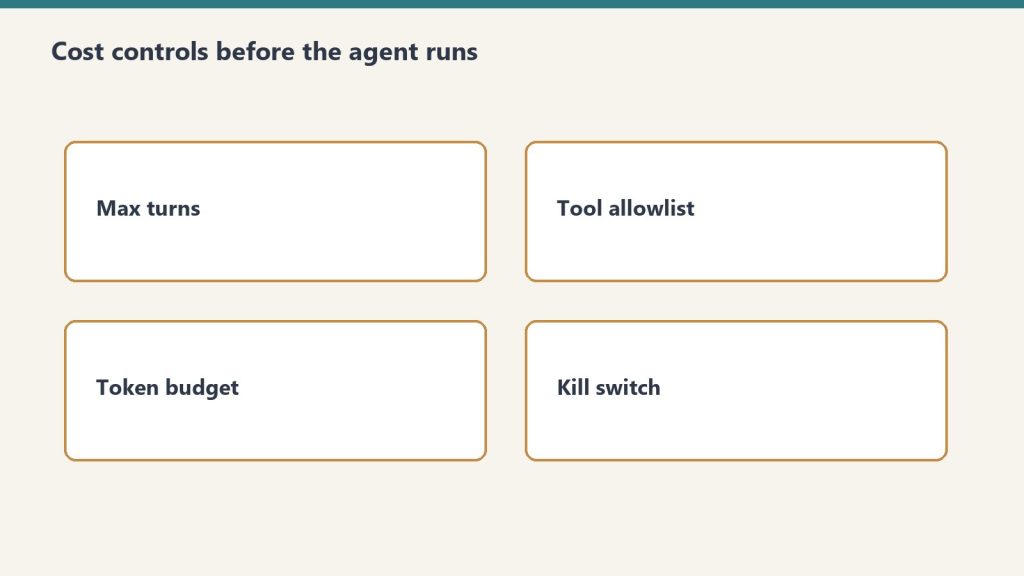
Always set a max_turns ceiling and a token budget. An uncapped agent loop can run indefinitely on an ambiguous task.
options = ClaudeAgentOptions(
    model="claude-sonnet-4-6",
    max_turns=20,
    max_tokens_per_turn=4000,   # cap per individual turn
    tools=tools,
    tool_executor=execute_tool
)
Cost at 20 turns using Claude Sonnet 4.6 with an average of 2,000 tokens per turn:
Input: 40,000 tokens × $3/M = $0.12
Output: 10,000 tokens × $15/M = $0.15
Total per agent run: ~$0.27
At 1,000 agent runs per month: ~$270. At 10,000: ~$2,700. Budget from these numbers, not from seat prices.
Switching the inner loop to Haiku 4.5 for tool selection and Sonnet only for synthesis cuts cost significantly:
# Route lighter reasoning to Haiku, reserve Sonnet for synthesis
light_options = ClaudeAgentOptions(model="claude-haiku-4-5-20251001", ...)
heavy_options = ClaudeAgentOptions(model="claude-sonnet-4-6", ...)
Multi-Turn Agents (Conversational)
For agents where a human asks follow-up questions across multiple turns, maintain conversation history and pass it on each call.
from claude_agent_sdk import ClaudeAgentOptions, Runner

conversation_history = []

def chat_with_agent(user_message: str) -> str:
    conversation_history.append({
        "role": "user",
        "content": user_message
    })

    options = ClaudeAgentOptions(
        model="claude-sonnet-4-6",
        max_turns=10,
        tools=tools,
        tool_executor=execute_tool,
        messages=conversation_history  # full history each call
    )

    result = Runner.run_sync(task=user_message, options=options)

    conversation_history.append({
        "role": "assistant",
        "content": result.final_output
    })

    return result.final_output

# Usage
print(chat_with_agent("What Python packages are installed on this system?"))
print(chat_with_agent("Which of those are outdated?"))
Claude Managed Agents vs. the Agent SDK
The Agent SDK runs locally in your environment. Claude Managed Agents runs in Anthropic’s cloud infrastructure with persistent sessions, built-in tools, and cross-session memory. Choose based on where you need the agent to execute.
Agent SDK
Managed Agents
Where it runs
Your server / local machine
Anthropic-managed cloud
Persistent sessions
Manual (maintain history)
Built-in
Cross-session memory
Manual
Built-in (public beta)
Built-in tools
Bring your own
20+ included
Multi-agent coordination
Manual
Built-in
Cost
API tokens only
API tokens + platform fee
Control
Full
Managed
The Agent SDK is right for custom environments, data that can’t leave your infrastructure, and workflows deeply embedded in existing systems. Managed Agents is right when you want to skip infrastructure and get to the agent behavior faster.
What Goes Wrong in Production
The most common production failures are uncapped loops, conversation history that grows without bound, and tool definitions written too vaguely.
Uncapped loops: An agent on an ambiguous task will keep calling tools indefinitely without a max_turns ceiling. Always set one. Always check message.subtype rather than is_error — a max-turns termination doesn’t set is_error: true correctly in some SDK versions.
Growing conversation history: Each turn adds tokens to history. At 20 turns on a complex task, history can push 100K+ tokens. Summarize aggressively between phases for long-running agents: prompt Claude to summarize phase 1 outputs before starting phase 2.
Vague tool definitions: Tool descriptions are how Claude decides which tool to call and how to use it. Vague descriptions produce tool call errors and unnecessary retry loops. Write tool descriptions as precisely as you would write a function docstring — what it does, what inputs it expects, what it returns.
camelCase vs snake_case mismatch:AgentDefinition uses camelCase (disallowedTools); ClaudeAgentOptions uses snake_case (disallowed_tools). This caught teams in early SDK versions.
The Claude Agent SDK is Anthropic’s Python and TypeScript library for building autonomous AI agents. It wraps the same agentic loop that powers Claude Code — tool execution, context management, and session handling — so developers don’t build that infrastructure from scratch. It was formerly called the Claude Code SDK and was renamed in late 2025.
What is the difference between the Agent SDK and Claude Code?
Claude Code is Anthropic’s interactive terminal-based development tool for agentic coding. The Agent SDK is the programmatic library for embedding agent behavior in custom applications and pipelines. They share the same underlying agent loop and tool system. Claude Code stays in the picture for interactive development; the SDK is for production automation.
How much does it cost to run an agent?
Agent cost is API token cost only (no platform fee for the SDK itself). A 20-turn agent on Claude Sonnet 4.6 with 2,000 tokens average per turn costs approximately $0.27. At 10,000 agent runs per month, that’s about $2,700. Switching the tool selection loop to Haiku 4.5 and reserving Sonnet for synthesis significantly reduces cost.
When should I use Managed Agents instead of the Agent SDK?
Use Managed Agents when you want cloud-hosted execution, persistent cross-session memory, built-in tools (20+ included), and multi-agent coordination without building that infrastructure yourself. Use the Agent SDK when you need local execution, full control over the environment, or your data can’t leave your infrastructure.