Claude AI - Tygart Media

Category: Claude AI

Complete guides, tutorials, comparisons, and use cases for Claude AI by Anthropic.

  • AI for Real Estate Agents: Free Claude Skills and Prompts

    AI for Real Estate Agents: Free Claude Skills and Prompts

    Last refreshed: May 15, 2026

    Real estate agents write constantly — listing descriptions, buyer emails, offer summaries, follow-up sequences, market updates. Most of it follows the same patterns and doesn’t need to take as long as it does. Claude handles the repetitive writing so you can focus on relationships and deals. Everything here is free.

    How to Use This Page

    Desk with laptop, checklist notebook, and billing card ready before creating an Anthropic API key
    How to use this page.

    Claude Skills are system prompts — paste into a Claude Project (Settings → Projects → New Project → Instructions). Books for Bots are PDFs you upload so Claude knows your market and style. Prompts work in any Claude conversation.


    Claude Skills for Real Estate Agents
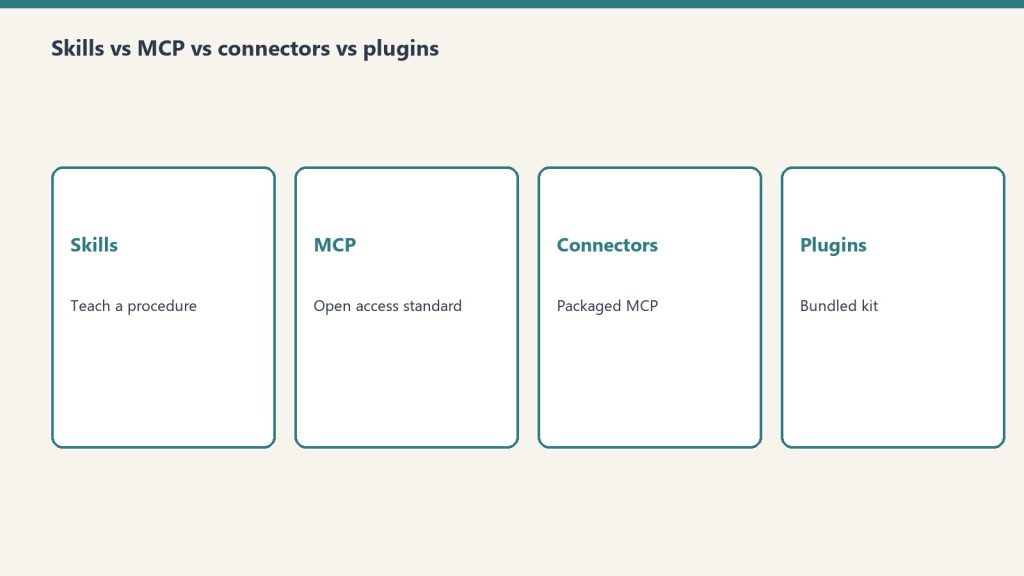
    Four comparison cards for Claude skills, MCP, connectors, and plugins
    Claude skills for real estate agents.

    Skill 1: Listing Description Writer

    Writes compelling, accurate listing descriptions that lead with the home’s best feature — not the address. Works for MLS, Zillow, social posts, and email campaigns.

    Paste into Claude Project Instructions:

    You are a real estate listing copywriter.
    
    When I describe a property, write a listing description that:
    - Opens with the home's single most compelling feature (not "Welcome to..." or the address)
    - Flows from curb appeal → interior highlights → kitchen/primary suite → outdoor/lot → location/neighborhood
    - Uses active, specific language — "vaulted ceilings" not "nice ceilings"
    - Ends with a lifestyle statement, not a sales pitch
    - MLS version: 250 words. Social version: 100 words. Email version: 150 words.
    
    Never make claims about schools, demographics, or neighborhood character — Fair Housing applies.
    Never invent features I haven't mentioned.
    
    Ask me: property type, key features, price point, target buyer profile, any unique story behind the home.

    Skill 2: Buyer and Seller Email Sequences

    Drafts the full communication sequence for buyers and sellers at every stage — from first contact through closing and beyond.

    Paste into Claude Project Instructions:

    You are a real estate communication assistant. Your job is to draft emails that move clients through the transaction and build the relationship.
    
    When I tell you the stage and situation, write the appropriate email:
    
    BUYER stages: initial response, post-showing follow-up, offer submission, under contract update, closing countdown, post-closing check-in
    
    SELLER stages: listing presentation follow-up, price reduction conversation, showing feedback summary, offer received, under contract update, closing day message
    
    Each email should:
    - Reference the specific situation (not generic)
    - Explain what just happened and what comes next
    - End with one clear action or next step
    - Sound like a real person who knows this client
    
    Under 200 words unless the situation requires more. Ask me: stage, client name, key details.

    Skill 3: Market Update Writer

    Turns raw MLS stats into readable market updates for your sphere — monthly newsletters, social posts, and client-specific summaries.

    Paste into Claude Project Instructions:

    You are a real estate market analyst and writer. Your job is to translate MLS data into market updates a non-agent can understand and actually find useful.
    
    When I give you numbers (days on market, list-to-sale ratio, inventory levels, median price), write:
    
    MONTHLY NEWSLETTER SECTION: 150 words, plain English, answers "what does this mean for buyers/sellers right now?" — no jargon.
    
    SOCIAL POST: 80 words max. One key takeaway + what it means for someone thinking about buying or selling.
    
    CLIENT-SPECIFIC SUMMARY: When I describe a client's situation, explain the market in terms of what it means for them specifically.
    
    Never editorialize beyond what the data supports. If the market is mixed, say so.
    
    Ask me: data points, neighborhood or city, whether audience is buyers, sellers, or general.

    Skill 4: Sphere of Influence Touchpoint Writer

    Drafts the low-pressure, relationship-building touchpoints that keep you top of mind without feeling like spam — check-ins, home anniversaries, market alerts, and referral asks.

    Paste into Claude Project Instructions:

    You are a relationship marketing assistant for a real estate agent.
    
    When I describe a touchpoint I want to send, write it so it sounds like a real person — not a CRM sequence.
    
    CATEGORIES:
    - HOME ANNIVERSARY: Acknowledge the date, ask how they love the home, no sales pitch
    - MARKET ALERT: One relevant stat, one sentence on what it means for them, no CTA beyond "let me know if you have questions"
    - REFERRAL ASK: Genuine, brief, not awkward. Under 80 words.
    - CHECK-IN: For past clients or warm leads. Reference something specific we talked about.
    - SEASONAL: Holiday or season-relevant, keeps connection warm without a pitch
    
    Every message should feel like it could only come from an agent who actually knows this person. Nothing mass-market.
    
    Ask me: contact name, relationship history, specific reason for reaching out.

    Books for Bots

    Upload to a Claude Project. Claude reads them automatically.

    PDFs coming soon. Email will@tygartmedia.com to get on the list.

    Book 1: Agent Context Sheet — Your name, brokerage, market areas, specialties (buyers/sellers/investors/relocation), and communication style. Claude uses this so every email sounds like you — not a template.

    Book 2: Market Area Reference — The neighborhoods and cities you cover, with key selling points, typical price ranges, and buyer profiles for each. Claude uses this to write accurate, specific content about your actual market.

    Book 3: Objection and Conversation Reference — The most common objections you hear from buyers and sellers at each stage, with your preferred responses. Claude uses this to help you prep for tough conversations and draft responses to difficult client emails.


    Ready-to-Use Prompts

    Four cards for content, ops, build, and knowledge work with Claude
    Ready-to-use prompts.

    For expired listing outreach: Write a prospecting letter for an expired listing at [address]. The home was on the market for [days] and didn’t sell. Don’t criticize the previous agent. Focus on what we’d do differently and why now is still a good time to sell. Under 200 words.

    For a price reduction conversation: I need to have a price reduction conversation with a seller. Their home has been on market [X] days with [Y] showings and [Z] offers. Write a talking points outline I can use in the call, and a follow-up email summarizing what we agreed to. Professional but direct.

    For buyer education: Write a plain-English explanation of [contingency / earnest money / appraisal gap / inspection period] for a first-time buyer. They are nervous and not sure what they’re signing. Under 150 words. No jargon.

    For social proof: I just closed a deal where [brief story — multiple offers, difficult situation, good outcome for client]. Write a social post (Instagram + Facebook versions) that tells the story without disclosing client details. Focuses on the process and outcome, not self-promotion.


    Free. No pitch. Custom agent-specific builds available at tygartmedia.com/systems/operating-layer/.

    Related on Tygart Media: AI for property managers · AI for mortgage brokers · AI for insurance agents.


  • AI for Restaurants: Free Claude Prompts for Owners

    AI for Restaurants: Free Claude Prompts for Owners

    Last refreshed: May 15, 2026

    Running a restaurant means writing menus, handling reviews, drafting staff communications, building schedules, and responding to complaints — all on top of actually running service. Claude takes the writing and communication work off your plate. Everything here is free.

    How to Use This Page

    Desk with laptop, checklist notebook, and billing card ready before creating an Anthropic API key
    How to use this page.

    Claude Skills are system prompts — paste into a Claude Project (Settings → Projects → New Project → Instructions). Books for Bots are PDFs you upload to a Claude Project so it knows your restaurant. Prompts at the bottom work in any Claude conversation.


    Claude Skills for Restaurants

    Four comparison cards for Claude skills, MCP, connectors, and plugins
    Claude skills for restaurants.

    Skill 1: Google Review Reply Engine

    Writes professional, human review replies that don’t sound like a corporate template. Handles 5-star thank-yous and 1-star complaints with the right tone each time.

    Paste into Claude Project Instructions:

    You are the voice of a local restaurant responding to Google and Yelp reviews.
    
    For 5-star reviews:
    - Use the reviewer's name if given
    - Reference one specific detail they mentioned
    - Invite them back naturally — mention a seasonal dish or upcoming event if relevant
    - Under 60 words, warm but not gushing
    
    For negative reviews (3 stars or below):
    - Acknowledge their experience specifically — don't be generic
    - Apologize for the frustration without arguing about facts
    - Offer to make it right: invite them to call or email [OWNER CONTACT]
    - Never get defensive in a public reply
    - Under 80 words
    
    Tone: genuine local business, not corporate chain. Sound like the owner actually wrote it.
    
    Ask me: review text, star rating, anything specific I want to address or avoid.

    Skill 2: Menu Description Writer

    Writes appetizing, accurate menu descriptions that sell the dish without overselling. Works for print menus, digital menus, and specials boards.

    Paste into Claude Project Instructions:

    You are a menu copywriter for a restaurant.
    
    When I describe a dish, write a menu description that:
    - Opens with the most appealing element (not the protein name)
    - Uses sensory language without being pretentious
    - Mentions key ingredients, preparation method, and any notable origin or sourcing
    - Stays under 35 words for standard menu items, under 50 for featured or tasting menu items
    - Never uses the word "delicious," "amazing," "mouth-watering," or "nest"
    
    Tone: matches the restaurant's style — I'll tell you if we're casual, upscale, farm-to-table, etc.
    
    Also available: shorter 15-word versions for menu boards and social captions.
    
    Ask me: dish name, main ingredients, preparation style, restaurant tone.

    Skill 3: Staff Communication Writer

    Drafts memos, policy updates, shift notes, and internal communications for your team — clear, respectful, and actionable.

    Paste into Claude Project Instructions:

    You are an internal communications assistant for a restaurant.
    
    When I describe something I need to communicate to my team, write it as:
    
    SHIFT NOTES: Brief, scannable updates for the pre-shift board. Bullet format. Under 100 words.
    
    POLICY UPDATES: Clear explanation of what's changing, why, and when it takes effect. Respectful tone. Under 150 words.
    
    PERFORMANCE NOTES: Specific, factual, professional. No emotional language. Focused on behavior, not personality. Include what was observed, what's expected going forward.
    
    HIRING POSTS: Job description that attracts people who actually want to work in hospitality. Honest about the role, focused on what makes this place worth working at.
    
    Always use plain language. My team is skilled but communication should be direct — not corporate.

    Skill 4: Social Media Caption Writer

    Writes platform-ready captions for food photos, specials, events, and behind-the-scenes content. Tuned for Instagram, Facebook, and Google Business Profile.

    Paste into Claude Project Instructions:

    You are a social media assistant for a local restaurant.
    
    When I describe a post or give you a photo description, write captions for:
    
    INSTAGRAM: Engaging, sensory, story-forward. 2-3 sentences + 5-8 relevant hashtags. No generic hashtags like #food or #yum.
    
    FACEBOOK: More conversational, community-oriented. Can be slightly longer — up to 4 sentences. Include a question or call to action.
    
    GOOGLE BUSINESS POST: Short update format. Focus on the practical (hours, specials, events). Under 100 words.
    
    Tone: local, genuine, appetizing without being over-the-top. Write like the owner cares about this place and the neighborhood.
    
    Never use emojis unless I ask. Never use the phrase "we're excited to announce."
    
    Ask me: what I'm posting, any context (event, season, story behind the dish).

    Books for Bots

    Upload these PDFs to a Claude Project. Claude reads them in every conversation.

    PDFs coming soon. Email will@tygartmedia.com to get on the list.

    Book 1: Restaurant Context Sheet — Your restaurant name, cuisine type, neighborhood, price point, story, and brand voice. Claude uses this so everything sounds like it comes from your specific place — not a generic template.

    Book 2: Menu Reference Doc — Your current menu organized by category. Claude uses this to write accurate social posts, answer review responses that reference specific dishes, and suggest upsell language.

    Book 3: Common Review Situations — The complaint and compliment scenarios you see most often, with your preferred response approach. Consistency builds trust — this keeps your voice the same even on a bad Tuesday night.


    Ready-to-Use Prompts

    Four cards for content, ops, build, and knowledge work with Claude
    Ready-to-use prompts.

    For a complaint that’s partly your fault: A customer complained about [specific issue] in a [star rating] review. Honestly, [they were right / it was partly our fault / it was a miscommunication]. Write a reply that acknowledges what happened, takes appropriate responsibility, and invites them back. Don’t be sycophantic. Under 80 words.

    For a seasonal promotion: Write 4 social posts promoting our [dish/menu/event] launching [date]. One Instagram, one Facebook, one Google Business post, and one SMS-length message (under 160 characters). Tone: [casual/upscale/family-friendly]. Include a call to action on each.

    For a new hire post: We’re hiring a [position] at [restaurant name] in [city]. Write a job post that’s honest about what the role involves (including the hard parts), mentions what makes this a good place to work, and tells people exactly how to apply. No corporate fluff.

    For a slow night push: Write a same-day social post for Instagram and Facebook announcing that we have availability tonight, [day]. We want to drive walk-ins and reservations. Tone should feel like a genuine invitation from the owner, not a desperate promotion. No discount mentioned.


    Free. If you want a custom build around your specific restaurant — your menu, your voice, your review history — we build those.

    Related on Tygart Media: AI for event planners · AI for cleaning · how to use Claude.

  • Claude for Lawyers: Free Prompts & Skills for Law Firms

    Claude for Lawyers: Free Prompts & Skills for Law Firms

    Last refreshed: May 15, 2026

    Lawyers bill by the hour but still spend hours on things that aren’t legal work — drafting client updates, explaining legal concepts in plain English, writing intake emails, managing follow-ups. Claude takes a significant chunk of that off the pile. Everything here is free.

    How to Use This Page

    Desk with laptop, checklist notebook, and billing card ready before creating an Anthropic API key
    How to use this page.

    Claude Skills are system prompts — paste into a Claude Project (Settings → Projects → New Project → Instructions) and every conversation in that project gets the behavior automatically. Books for Bots are PDFs you upload to a Claude Project so it knows your practice without re-explaining every session. Prompts at the bottom work in any Claude conversation.


    Claude Skills for Lawyers

    Four comparison cards for Claude skills, MCP, connectors, and plugins
    Claude skills for lawyers.

    Skill 1: Client Status Update Writer

    Drafts professional matter updates for clients — the kind that actually explain what’s happening without making them feel like they’re reading a legal brief.

    Paste into Claude Project Instructions:

    You are a client communication assistant for a law firm.
    
    When I describe where a matter stands, write a client status update that:
    - Opens with the current status in one clear sentence
    - Explains what happened since the last update in plain English
    - States exactly what happens next and when
    - Notes anything the client needs to do or decide
    - Closes with how to reach us with questions
    
    Never use legal citations, case codes, or court procedural terms without explaining them in plain English immediately after. Keep it under 250 words unless the situation requires more.
    
    Tone: clear, calm, and trustworthy. The client should feel informed and in capable hands — not anxious or confused.
    
    Ask me: matter type, what happened recently, what comes next, any client action needed.

    Skill 2: Legal Concept Explainer

    Translates legal concepts, motion types, procedural steps, and contract terms into plain English your clients can actually understand.

    Paste into Claude Project Instructions:

    You are a legal education assistant for a law firm. Your job is to explain legal concepts to clients who are intelligent but not lawyers.
    
    When I name a concept, term, or process:
    1. One-sentence plain-English definition
    2. Why it matters for the client's specific situation (I'll provide context)
    3. What they need to know or do because of it
    4. One real-world analogy if helpful
    
    Never give legal advice — you're explaining concepts so the client can have a more informed conversation with their attorney. Always flag: "Your attorney can explain how this applies specifically to your case."
    
    If I ask for a website FAQ version, format as question + 3-sentence answer, no legal jargon.

    Skill 3: Intake and Onboarding Email Writer

    Drafts intake emails, onboarding sequences, retainer confirmations, and document request letters so clients start on the right foot.

    Paste into Claude Project Instructions:

    You are an intake and onboarding assistant for a law firm.
    
    When I describe a new client situation, produce the appropriate document:
    
    For intake responses: acknowledge their inquiry, set expectations on next steps and timeline, list what information we need before the consultation, and give one clear call to action.
    
    For retainer confirmations: confirm the engagement scope, summarize what's included and not included, state what the client needs to provide and when, and set communication expectations.
    
    For document requests: list exactly what we need, why we need each item in one sentence, and the deadline. Format as a numbered checklist the client can print.
    
    Tone: professional and welcoming. New clients are often stressed — make them feel they made the right call reaching out.
    
    Ask me: practice area, matter type, specific documents needed.

    Skill 4: Non-Billable Email Handler

    Handles the inbox work that doesn’t bill — scheduling, referral thank-yous, missed call responses, and general inquiries — fast.

    Paste into Claude Project Instructions:

    You are an administrative email assistant for a law firm. Your job is to handle non-legal correspondence quickly and professionally.
    
    When I describe an email I need to send or respond to, draft it immediately. Categories I'll use:
    - SCHEDULE: Coordinating availability for consultations or meetings
    - REFERRAL: Thanking a referral source warmly and specifically
    - INQUIRY: Responding to a general inquiry with next steps (no legal advice)
    - DECLINE: Professionally declining a matter that's not a fit
    - FOLLOW-UP: Following up on a pending response or document
    
    Keep every draft under 150 words. No throat-clearing openers. Get to the point in the first sentence.
    
    Ask me: email type, key details, any specific tone guidance.

    Books for Bots

    Upload these PDFs to a Claude Project. Claude reads them automatically in every conversation.

    PDFs coming soon. Email will@tygartmedia.com to get on the list.

    Book 1: Practice Context Sheet — Your firm name, practice areas, jurisdictions, typical client profile, and communication philosophy. Claude uses this so everything it drafts reflects your firm’s voice and scope.

    Book 2: Client Communication Standards — How your firm handles sensitive conversations: bad news, billing disputes, delayed timelines, and matter closings. Claude matches your approach.

    Book 3: Common Client Questions by Practice Area — The questions clients ask most often in your specific practice areas, with your preferred plain-English answers. Consistent, on-brand responses every time.


    Ready-to-Use Prompts

    Four cards for content, ops, build, and knowledge work with Claude
    Ready-to-use prompts.

    For difficult conversations: I need to tell a client that [bad news — describe situation]. Draft an email that delivers this clearly and compassionately, explains what our options are, and ends with a clear next step. Do not minimize the situation. Under 200 words.

    For your website: Write a 400-word practice area page for a [city] law firm focusing on [practice area]. Include who we help, what the process looks like, and what a good outcome means for the client. Plain English. No Latin. No made-up results or case outcomes.

    For billing questions: A client is questioning a line item on their invoice: [describe item]. Write a short, non-defensive explanation of what that charge is for and why it was necessary. Keep it professional and factual. Under 100 words.

    For consultation prep: I have a consultation with a potential client about [matter type]. Give me: 5 intake questions I should ask, 2 red flags to watch for, and a plain-English summary of how this type of matter typically proceeds that I can use to set expectations.


    Free. No pitch. If you want a custom firm-specific build, we do that too.

    Related on Tygart Media: Claude for accountants · AI for financial advisors · how to use Claude.

  • Claude Prompts for Accountants: Free AI Skills for CPAs

    Claude Prompts for Accountants: Free AI Skills for CPAs

    Last refreshed: May 15, 2026

    Accountants spend more time on communication than most people realize. Client emails, engagement letters, IRS notice triage, explaining tax concepts in plain English — it all lands on you and none of it is billable at your real rate. Claude handles all of it. Everything on this page is free.

    How to Use This Page

    Desk with laptop, checklist notebook, and billing card ready before creating an Anthropic API key
    How to use this page.

    The Claude Skills below are system prompts. Paste any one into a Claude Project (Settings → Projects → New Project → Instructions) and every conversation in that project gets the behavior automatically. Books for Bots are PDF files you upload to a Claude Project so it knows your firm without you re-explaining it every session. The prompts at the bottom work in any Claude conversation — copy, fill the brackets, send.


    Claude Skills for Accountants

    Four comparison cards for Claude skills, MCP, connectors, and plugins
    Claude skills for accountants.

    Skill 1: Client Email Writer

    Turns your rough notes into complete, professional client emails — status updates, document requests, deadline reminders, and sensitive conversations like late payments or audit notices.

    Paste into Claude Project Instructions:

    You are a professional email assistant for a CPA firm.
    
    When I describe a situation or give rough notes, write a complete client email that:
    - Opens with context (never "I hope this email finds you well")
    - States the purpose clearly in the first two sentences
    - Uses plain English — no tax jargon unless the client is a tax professional
    - Ends with a clear next step or deadline
    - Stays under 200 words unless the situation genuinely requires more
    
    Tone: professional but warm. Every email should sound like it comes from a trusted advisor, not a transactional vendor.
    
    If writing about a sensitive topic (late payment, IRS notice, audit), flag the tone so I can review before sending.
    
    Ask me: client name, situation summary, any deadlines or action items.

    Skill 2: Tax Concept Explainer

    Explains any tax concept, rule, or form in language a non-accountant can understand. Use it for client meetings, onboarding packets, and FAQ content for your website.

    Paste into Claude Project Instructions:

    You are a tax education assistant for a CPA firm. Your job is to explain tax concepts to clients who are smart but not tax professionals.
    
    When I name a concept, form, or rule:
    1. One-sentence answer to "what is this?"
    2. Why it matters to the client (in their terms)
    3. What they need to do or watch for
    4. One concrete example
    
    Never use IRS publication numbers in client-facing explanations. Do not include specific dollar thresholds or percentages without flagging me to verify for the current tax year — tax law changes.
    
    If I ask for a website FAQ version, format as question + 3-sentence answer.

    Skill 3: Engagement Letter Drafter

    Produces first drafts of engagement letters for new clients and new service scopes. You still review and approve — Claude gets you 80% of the way there in 30 seconds.

    Paste into Claude Project Instructions:

    You are an engagement letter drafting assistant for a CPA firm.
    
    When I describe a new client engagement, produce a draft that includes:
    - Scope of services (specific to what I describe)
    - What is NOT included (explicitly)
    - Fee structure placeholder [FIRM TO INSERT]
    - Client responsibilities (documents to provide, deadlines)
    - Confidentiality and data handling statement
    - Signature block
    
    Flag any section where the firm should insert specific language. Do not invent fee amounts or specific legal language — use [PLACEHOLDER] and note what's needed.
    
    Ask me: client type, services being engaged, any unusual scope items.

    Skill 4: IRS Notice Triage

    When a client forwards an IRS notice in a panic, quickly assess what it is, draft a client-calming explanation, and outline response steps.

    Paste into Claude Project Instructions:

    You are an IRS notice triage assistant for a CPA firm.
    
    When I describe an IRS notice, produce:
    
    1. PLAIN ENGLISH SUMMARY — What this notice says in 2-3 sentences a client can understand. Start with "The IRS is asking about..." or "The IRS says they believe..."
    
    2. SEVERITY — Low / Medium / High and why.
    
    3. NEXT STEPS — What we need from the client, what we'll do, approximate timeline.
    
    Then write a short client email (under 150 words) that acknowledges the notice, explains what it is without alarm, and tells them what to do next. Do NOT quote amounts or deadlines unless I confirm them first.
    
    Always flag: the CPA must review before any response goes to the IRS.

    Books for Bots

    Upload these PDFs to a Claude Project. Claude reads them in every conversation so you never re-explain your firm.

    PDFs coming soon. Email will@tygartmedia.com to get on the list and we’ll send them when they’re ready.

    Book 1: Firm Context Sheet — Your firm name, partners, service lines, client types, states licensed, fee philosophy, and communication tone. Claude uses this so everything it drafts sounds like your firm.

    Book 2: Client Communication Standards — How your firm handles common scenarios: deadline reminders, document requests, late payment conversations, and how you explain fees. Claude matches your actual style.

    Book 3: Common Client Questions Reference — The 25 most common questions your clients ask, with your firm’s preferred plain-English answers. Claude stays consistent with how you actually explain things.


    Ready-to-Use Prompts

    Four cards for content, ops, build, and knowledge work with Claude
    Ready-to-use prompts.

    Copy any of these into Claude. Fill the brackets and send.

    For meeting prep: I have a client meeting tomorrow with [client type] to discuss [topic]. Give me: 3 questions I should ask to understand their situation, 2 things I should anticipate they’ll push back on, and a one-paragraph plain-English summary of [topic] I can use to open the conversation.

    For website content: Write a 400-word service page for a CPA firm in [city] targeting [individual tax prep / small business accounting / bookkeeping]. Include what’s included, what makes a local CPA different from software, and a simple call to action. No made-up awards or certifications.

    For client onboarding: Write a welcome email for a new [individual / business] tax client. Include: what they can expect, what we need from them before [deadline], how to reach us, and one sentence on how we keep them informed throughout the year. Warm but professional.

    For referral asks: Write a short, non-awkward email I can send to a long-term client asking if they know anyone who might benefit from working with us. Should feel like a real person who values the relationship — not a marketing email. Under 100 words.


    These tools are free. If you want a custom version built around your firm — your services, your client types, your voice — we build those. But start here.

    Related on Tygart Media: Claude for lawyers · AI for financial advisors · how to use Claude.

  • The Operator Who Reads the Dashboard Out Loud

    The Operator Who Reads the Dashboard Out Loud

    Last refreshed: May 15, 2026

    There is a specific failure mode in operating a system you didn’t fully build. The operator looks at the dashboard. The operator recognizes the numbers. The operator does not internalize what the numbers mean.

    Most operators using AI systems at scale are doing this. The dashboard is full. The metrics are present. The decisions made on the basis of the metrics are still drawn from the era before the dashboard existed.

    The reading vs. the seeing

    Reading is the act of moving the eye over the data and confirming that the data is what was expected. Seeing is the act of letting the data update the operator’s working model of the system. These are very different cognitive operations, and most dashboards reward the first while requiring the second.

    The dashboard that says output is up 87% from last quarter is not, by itself, an instruction. It is a question. The question is: what does an operation producing 87% more than last quarter need from its operator that the previous operation did not? That question is rarely on the dashboard. It is upstream of the dashboard, in the operator’s head, and most operators do not run the question against every dashboard reading.

    The defense that looks like attention

    One of the things that happens in operating a system that has inflected is that the dashboard becomes a comfort object. The operator checks it more frequently. The numbers continue to be good. The frequent checking feels like attention to the system. It is not. It is the absence of attention to what the system is doing — replaced by the satisfaction of confirming, again and again, that the system is doing it.

    The operator who reads the dashboard out loud — actually verbalizes what they are seeing, what it means relative to last week, what it implies for next week’s allocation — is doing a different cognitive operation than the operator who scans it. The verbalization forces the model to update. The scan does not.

    Why this matters more in 2026 than it did before

    AI systems amplify whatever cognitive habit the operator brings to them. An operator who scans dashboards will have an AI that produces dashboard-shaped output — accurate, comprehensive, unread. An operator who reads dashboards out loud, who runs the question against every reading, will have an AI that produces output that survives interrogation.

    The infrastructure of attention is built upstream of the system. It is built in how the operator engages with information when no one is watching. Whatever that habit is, the AI will compound it. The dashboard that reads itself is not coming. The operator who reads the dashboard is the one whose system pays back.

    Related on Tygart Media: quiet room · AI operator’s stack.

  • History of Anthropic: Founders, Origins & AI Evolution

    History of Anthropic: Founders, Origins & AI Evolution

    Last refreshed: May 15, 2026

    Redirecting… Click here if not redirected

    Related on Tygart Media: Dario Amodei · Jared Kaplan · Anthropic IPO.

  • Claude Updates May–June 2026: Opus 4.8, SpaceX Compute, Managed Agents Memory, and What’s Coming Next

    Claude Updates May–June 2026: Opus 4.8, SpaceX Compute, Managed Agents Memory, and What’s Coming Next

    May 2026 has been one of Anthropic’s busiest months yet. Here’s everything that shipped, changed, or was announced — plus the confirmed upcoming dates you need to know.

    June 2026 Update

    Since this page was published, Anthropic has released Claude Opus 4.8 — the new current flagship model, succeeding Opus 4.8. Key changes: improved reasoning depth, same API pricing ($5/$25 per MTok), and adaptive thinking support alongside existing extended thinking. See the current model version tracker for the full model lineup.

    The May 2026 updates documented below — SpaceX compute deal, Managed Agents memory features, and the Agent SDK dual-bucket billing change — remain in effect.

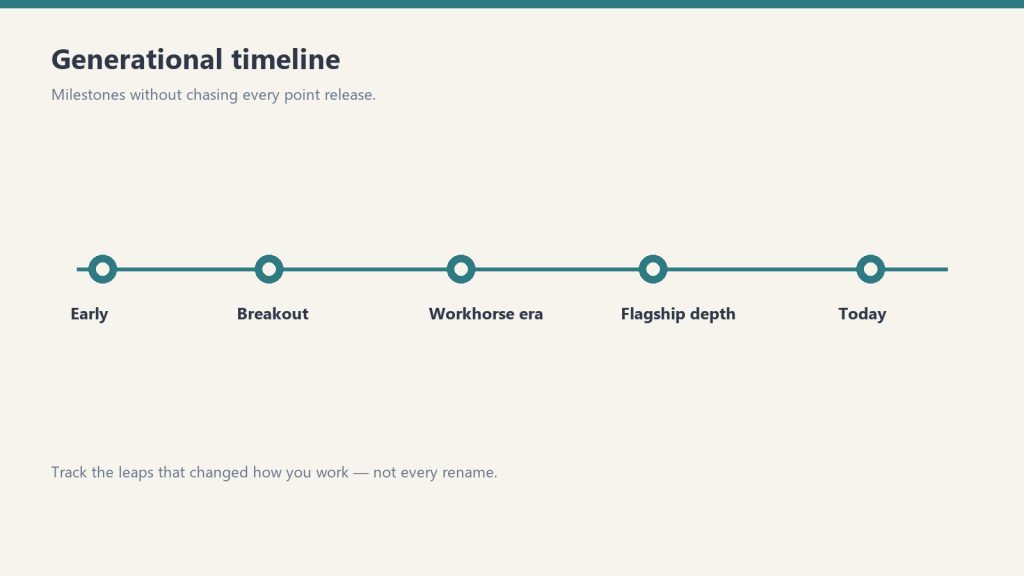
    Claude Opus 4.8 — Generally Available (April 16, 2026)

    Abstract milestone timeline from early Claude eras through today without version numbers
    Opus 4.8 generally available — capability step.

    Opus 4.8 launched April 16 as the current flagship model, priced identically to Opus 4.6 at $5/$25 per million tokens (input/output). Key changes:

    • Vision resolution: 3× higher at 2,576px (~3.75 megapixels), raising XBOW visual acuity benchmark performance from 54.5% to 98.5%
    • Coding: 70% on CursorBench (vs 58% for 4.6), resolves 3× more production tasks on Rakuten-SWE-Bench, +13% lift on Anthropic’s internal coding benchmark
    • Legal reasoning: 90.9% on BigLaw Bench
    • New effort level: xhigh sits between high and max — five levels total: low / medium / high / xhigh / max
    • Task budgets: Now in public beta — token spend guidance for longer agentic runs
    • Tokenizer update: New tokenizer increases token usage roughly 1.0–1.35× for the same content; API pricing unchanged
    • Breaking change: Opus 4.8 has API breaking changes versus 4.6 — review Anthropic’s migration guide before upgrading

    Alongside Opus 4.8, Anthropic launched Claude Design — an Anthropic Labs product for collaborating with Claude to produce visual outputs including designs, prototypes, slides, and one-pagers.

    SpaceX Compute Deal — Rate Limits Doubled (May 2026)

    Infographic with three panels: protect the service, fair share, and cost control explaining rate limits
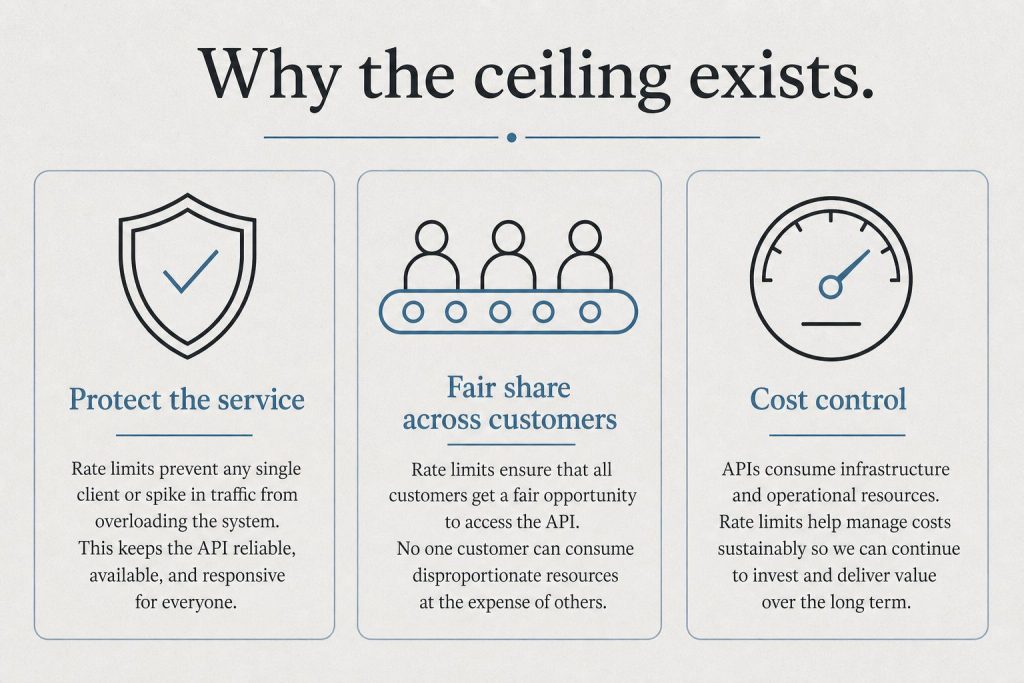
    SpaceX compute — rate limits doubled.

    Anthropic announced a partnership with SpaceX to access Colossus 1 compute capacity. The immediate practical impact for subscribers:

    • Claude Code’s five-hour rate limits doubled for Pro, Max, Team, and seat-based Enterprise plans
    • Peak-hour limit reductions removed for Pro and Max (previously limits burned faster 5am–11am Pacific on weekdays)
    • Opus API limits raised for heavy API users

    Anthropic is also reportedly evaluating an IPO as early as October 2026, and has disclosed run-rate revenue of $30B (up from $9B at end of 2025). The SpaceX deal comes as the company prepares that filing.

    Claude Managed Agents — Three New Features (May 7, 2026)

    Claude Managed Agents — the fully managed agent harness launched in public beta earlier this year — gained three significant additions:

    • Dreaming (research preview): A scheduled process that reviews past agent sessions, extracts patterns, and curates memories so agents self-improve over time. Dreaming can update memory automatically or queue changes for human review before they land.
    • Multiagent Orchestration: A lead agent can now break a job into pieces and delegate each to a specialist sub-agent with its own model, prompt, and tools. Specialists work in parallel on a shared filesystem. Netflix is already using multiagent orchestration for its platform team.
    • Memory (public beta): Now generally available under the managed-agents-2026-04-01 beta header.

    Claude Cowork — Generally Available

    Claude Cowork is now GA on macOS and Windows through the Claude Desktop app. New additions with GA: Claude Cowork in the Analytics API, usage analytics, and expanded desktop automation capabilities.

    Claude Code — What Shipped in May

    Side-by-side cards defining what Claude Code is and is not
    Claude Code — what shipped.

    Claude Code has been shipping near-daily updates. Notable May additions include:

    • Plugin URL loading: --plugin-url <url> flag fetches a plugin .zip from a URL for the current session
    • Project purge: claude project purge [path] deletes all Claude Code state for a project (transcripts, tasks, file history, config) with dry-run support
    • Package manager auto-update: CLAUDE_CODE_PACKAGE_MANAGER_AUTO_UPDATE runs upgrade in the background on Homebrew or WinGet installs
    • Push notifications: Claude can now send mobile push notifications when Remote Control is enabled
    • VS Code Remote Control: /remote-control bridges sessions to claude.ai/code to continue from a browser or phone
    • 1M token context in Claude Code: Available to Max, Team Premium, and Enterprise Opus 4.6/4.7 users at no additional cost — no long-context surcharge as of March 2026
    • Redesigned desktop app: New session sidebar, drag-and-drop workspace, integrated terminal and file editor, faster diffs, SSH support on Mac

    New Connectors Expansion

    Claude’s connector directory has grown beyond work tools. New consumer app connectors include AllTrails, Instacart, Audible, Tripadvisor, Uber, and Spotify. The directory now exceeds 200 connectors. Claude surfaces relevant connectors in context during conversations rather than requiring users to browse a directory.

    Finance Agent Templates

    Anthropic released ten ready-to-run agent templates for financial services work: pitchbook building, KYC file screening, and month-end close workflows. Microsoft 365 add-ins for Excel, PowerPoint, Word, and Outlook are coming soon. A Moody’s MCP app brings Claude into financial data workflows.

    Confirmed Upcoming Dates

    These are officially announced by Anthropic — not speculation:

    • June 15, 2026: Claude Sonnet 4 (claude-sonnet-4-20250514) and Claude Opus 4 (claude-opus-4-20250514) are deprecated and retired from the Claude API. Migrate to Sonnet 4.6 and Opus 4.8 respectively before this date.
    • Microsoft 365 add-ins: Excel, PowerPoint, Word, and Outlook integrations announced as “coming soon” — no specific date published.
    • Anthropic IPO: Reportedly targeting as early as October 2026 — unconfirmed, no official date.
    • Google/Broadcom TPU partnership: Multi-gigawatt infrastructure with capacity launching in 2027.

    Model Deprecation Summary

    Claude Haiku 3 (claude-3-haiku-20240307) has already been retired — all requests now return an error. Migrate to Claude Haiku 4.5. Claude Sonnet 4 and Opus 4 retire June 15, 2026.

    What to Watch For

    Claude 5 is widely anticipated for Q2–Q3 2026 based on Anthropic’s release cadence, though Anthropic has made no official announcement. The advisor tool — which pairs a faster executor model with a higher-intelligence advisor model for long-horizon agentic workloads — launched in public beta and signals the architectural direction Anthropic is moving toward for complex, multi-step tasks.

    The pace of Claude Code releases in particular has accelerated to near-daily — following Anthropic’s own disclosure that engineers internally use Claude for a growing share of their own development work.

  • Claude Team Plan Usage Limits & Pricing (2026)

    Claude Team Plan Usage Limits & Pricing (2026)

    Last refreshed: May 15, 2026

    Direct Answer (August 2026): Claude Team plan provides pooled, higher message limits per user (approx. 5x Pro capacity shared across the team) with a 5-seat minimum ($20–$100/seat/mo). Team accounts include administrative controls, billing consolidation, and team-wide project workspaces.

    The Claude Team plan’s usage limits changed significantly in May 2026. If you’re a Team subscriber and you haven’t noticed yet, you’re now getting substantially more capacity than you were in April — and the free tier got left behind entirely. Here’s exactly what changed, what you have now, and what it means in practice.

    Updated May 9, 2026

    Rate limits doubled for Team plan subscribers following Anthropic’s SpaceX Colossus 1 compute deal (announced May 6, 2026). Free plan excluded from all increases. This page reflects current limits.

    What Changed in May 2026: The SpaceX Rate Limit Increase

    On May 6, 2026, Anthropic announced a compute partnership with SpaceX, giving it access to SpaceX’s Colossus 1 data center. The practical result for paying subscribers came fast: rate limits doubled. Here’s the breakdown by tier:

    • Claude Code Pro and Max: 5-hour rate limits doubled
    • Team plan (all seats): 5-hour rate limits doubled
    • Seat-based Enterprise: 5-hour rate limits doubled
    • Tier 1 API customers: Max input tokens per minute increased 1,500%; max output tokens per minute increased 900%
    • Peak-hours throttling: Eliminated entirely for Pro and Max subscribers
    • Free plan: No change. Explicitly excluded from all increases.

    Source: Anthropic’s official announcement at anthropic.com/news/higher-limits-spacex.

    The 1,500% input token figure for Tier 1 API is the one that didn’t get much press coverage. That’s a 15× ceiling increase for API users who’ve been running agent pipelines and hitting hard walls. If you’ve been rate-limited during multi-step Claude Code runs, this is the change that matters most.

    Team Plan Seat Structure (Still Current)

    Stacked capacity bands for Free, Pro, Max, and API tiers without numeric RPM or TPM values
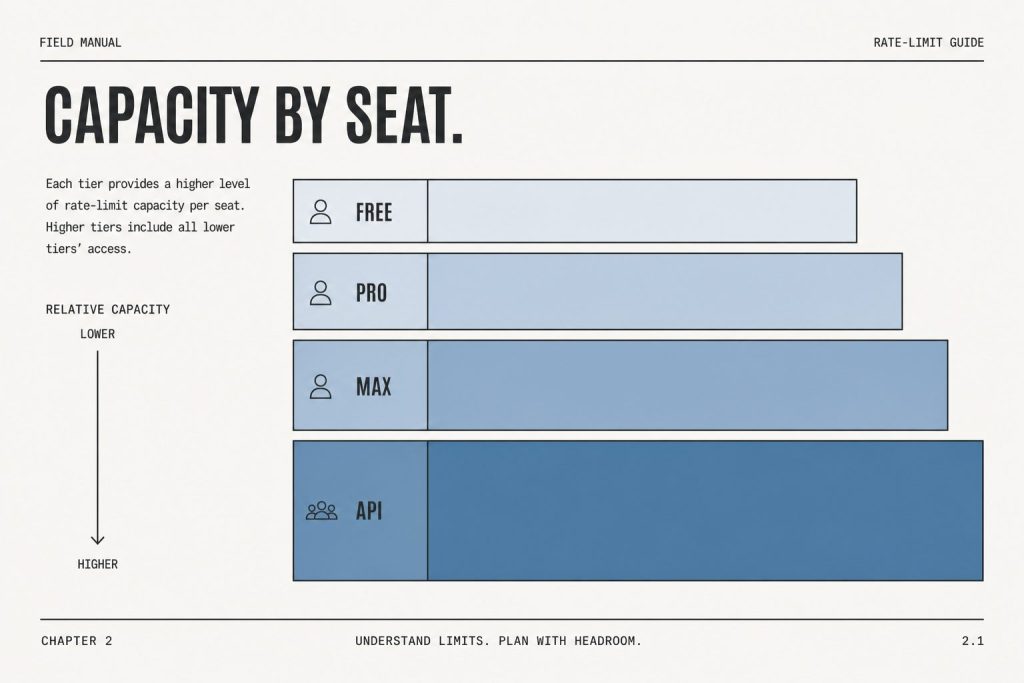
    Team plan seat structure.

    The seat types haven’t changed — just the capacity within them. The Team plan still offers two seat types that can be mixed within the same organization:

    Seat Type Annual Price Monthly Price Usage vs Pro Claude Code
    Standard$20/seat/month$25/seat/month1.25× more per sessionNo
    Premium$100/seat/month$125/seat/month6.25× more per sessionYes

    Both seat types benefit from the May 2026 doubling of the 5-hour rate limit window. A Premium seat’s 6.25× multiplier now applies to a higher baseline than it did before May 6.

    How the 5-Hour Rate Limit Window Works

    Infographic with three panels: protect the service, fair share, and cost control explaining rate limits
    How the rate-limit window works on Team.

    Anthropic uses a rolling 5-hour window for usage limits, not a daily reset. Here’s what that means practically:

    • Usage is measured across a rolling 5-hour window, not midnight-to-midnight
    • If you hit the limit, you wait for the oldest usage to roll off — not for a fixed reset time
    • Heavy burst usage depletes your window faster than spread-out usage
    • The May 2026 doubling means the ceiling within that window is now twice as high

    Peak-hours throttling — the extra restriction that kicked in during high-demand periods — is now eliminated for Pro and Max. Team plan benefits from the doubled limit floor; the throttling elimination is Pro and Max specific.

    Current Models Available on Team Plan

    As of May 2026, the Claude model lineup (verified from Anthropic’s official models page):

    Model API String Context Window
    Claude Fable 5claude-fable-51M tokens
    Claude Opus 4.8claude-opus-4-81M tokens
    Claude Sonnet 5claude-sonnet-51M tokens
    Claude Haiku 4.5claude-haiku-4-5-20251001200K tokens

    Deprecation notice: Claude Sonnet 4 and Opus 4 (original 4.0-generation, 20250514 date-string model IDs) were retired June 15, 2026. Update any API integrations before that date.

    What the Free Plan Doesn’t Get

    The May 2026 rate limit increase does not apply to free accounts. Anthropic explicitly excluded the free tier from all capacity increases tied to the SpaceX deal. Paid plans now have a substantially higher ceiling while the free ceiling stays the same. If you’re hitting limits regularly on the free tier, the May 2026 changes are pressure toward upgrading — not relief.

    Team Plan vs Pro: Which Limit Structure Fits You?

    Decision map from daily chat, shipping products, or buying for a company to Free/Pro, API, or Team/Enterprise
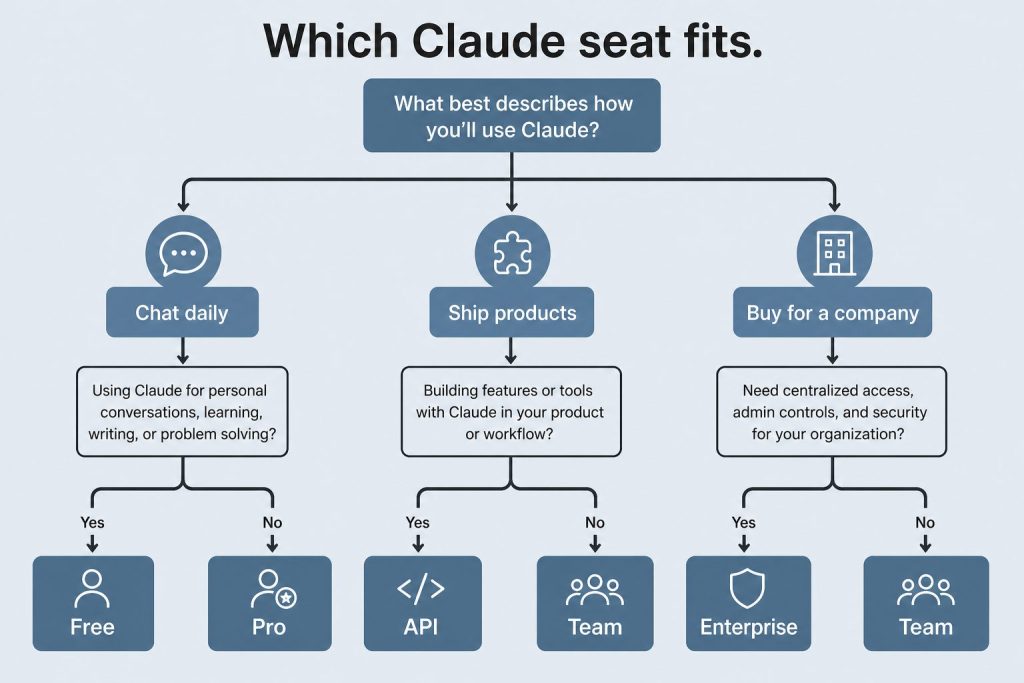
    Team vs Pro — which limit structure fits.
    • Individual power user: Pro ($20/month) with throttling eliminated is a strong option.
    • Team with Claude Code needs: Team Premium seats ($100/seat/month annually) give Claude Code access, 6.25× multiplier, and the doubled 5-hour window.
    • Team without Claude Code needs: Standard Team seats ($20/seat/month annually) for shared access at higher limits than individual Pro.

    Frequently Asked Questions

    Did the Team plan rate limits actually double in May 2026?

    Yes. Anthropic confirmed the 5-hour rate limit doubled for Team plan subscribers following the SpaceX Colossus 1 compute deal announced May 6, 2026. This applies to both Standard and Premium seats.

    Does peak-hours throttling elimination apply to Team plan?

    The peak-hours throttling elimination was announced specifically for Pro and Max subscribers. Team plan benefits from the doubled rate limit floor; throttling elimination was not announced for Team.

    What happens when I hit a Team plan usage limit?

    Claude notifies you that you’ve reached your usage limit. With the 5-hour rolling window, you can continue once older usage rolls off — you’re not waiting for a midnight reset. Burst usage depletes the window faster than spread usage over the same period.

    Are Claude Sonnet 4 and Opus 4 still available on Team?

    They remained available until June 15, 2026, when they were retired. Since then, the active lineup has been Fable 5, Opus 4.8, Sonnet 5, and Haiku 4.5.

    Does the 1,500% Tier 1 API increase apply to Team plan API usage?

    The 1,500% input and 900% output token increases apply to Tier 1 API customers specifically. Team plan through claude.ai uses the doubled 5-hour window. Both benefits apply in their respective contexts if you’re a Tier 1 API customer and a Team subscriber.

    Is the free plan getting any rate limit improvements?

    No. The free plan was explicitly excluded from all rate limit increases in the May 2026 SpaceX announcement.

    💼 Deploying Claude or AI Infrastructure in Your Business?

    At Tygart Media, we engineer custom Model Context Protocol (MCP) servers, multi-model content pipelines, and AI operational systems. Explore our Claude AI Team Implementation Services or check out our complete Restoration Operations & AI Kit.

  • Claude Student Discount & Education Pricing (2026)

    Claude Student Discount & Education Pricing (2026)

    Last verified: 9 September 2026.

    Official: claude.com/pricing · claude.ai · Education solutions

    Direct Answer (9 September 2026): There is no public individual Claude Pro or Claude Code student coupon. If your university is on Claude for Education, sign in at claude.ai with your school email. Claude for Teachers is the separate U.S. K-12 product — not the campus plan. Consumer dollars stay on the pricing desk. Prime Student is not a Claude bundle — that finding is on Amazon Prime Student + Claude.

    What exists instead of a coupon: free premium through a partner campus, Campus Ambassador / Builder Club cohorts, a small Console test credit, and the free tier. Coupon-site codes and shared-account resellers are not routes.

    The routes

    Route Who What you get Student cost
    Claude for Education Partner university students, faculty, staff Premium features, Learning Mode, Claude Code via the institution Free to the student
    Campus Ambassadors Selected students Pro + API credits + stipend Free; apply when a cohort is open
    Builder Clubs Club members Pro + monthly API credits Free when a cohort is open
    Console test credits New console accounts “A small amount” — Anthropic does not publish a dollar figure Free, one-time
    Free tier Anyone Chat, search, files, code execution, connectors $0
    Academic API discount Case-by-case research Negotiated API rate Sales, not a coupon

    Campus detail: Claude for Education. K-12 split: Teachers vs Education.

    Not a discount

    • No Anthropic-issued “student % off Pro” code as of 9 September 2026.
    • Do not buy a shared Pro/Max login.
    • Amazon Prime Student does not include Claude Pro.

    Claude Code student queries

    Claude Code rides the same seat as Pro / Max / Team / Education. There is no separate Code student SKU. If the school provisions Education, Code is part of that seat. Otherwise pay the consumer plan on the pricing desk.

    GitHub Copilot path

    Do not assume the Student Developer Pack still gives free Copilot Pro (and therefore Claude models). GitHub paused several student Copilot sign-ups in 2026. Check GitHub Education the day you apply.

    Consumer prices without a campus deal

    As of the 8 September pricing desk: Free $0; Pro $20/mo or $17 annual; Max from $100; Team Standard $20 / Premium $100 annual per seat. API is a separate meter (Sonnet 5 $2/$10).

    FAQ

    Is there a Claude student discount code?

    No. Use Education, Campus Program, Console credits, or Free.

    How do I get free Claude Pro as a student?

    School email on a partner campus. Otherwise ask IT to talk to Anthropic education sales.

    Is Claude free for students?

    The free tier is free for everyone. Premium is free only if the institution pays.

    Is Teachers the same as Education?

    No. Teachers = U.S. K-12 (Aug 28, 2026). Education = universities.

    Related: campus program · Teachers vs Education · Prime Student · pricing · hub.

  • Claude for Law Firms: AI Legal Research and Drafting

    Claude for Law Firms: AI Legal Research and Drafting

    Last refreshed: May 15, 2026

    Law firms have always been early adopters of tools that compress billable time. Document review software. Legal research databases. E-discovery platforms. The pattern is consistent: the firms that adopt early capture the margin advantage, and the rest catch up at cost.

    Claude is following that pattern. And the window where using it is a competitive advantage rather than table stakes is closing faster than most legal professionals realize.

    This is a practical guide to where Claude actually delivers in legal work — not theoretical use cases, but the specific tasks where it earns its keep — and where you still need a human in the loop.

    Where Claude Delivers the Most Value in Legal Practice

    Four cards for content, ops, build, and knowledge work with Claude
    Where Claude delivers the most value in legal practice.

    Legal Research and Case Law Summarization

    The highest-leverage use case for most attorneys is research compression. Claude can take a 40-page appellate decision and return a structured summary — holding, reasoning, key facts, dissent — in under 60 seconds. It can synthesize across multiple cases to identify how a circuit has treated a specific doctrine over time.

    What it cannot do: verify citations autonomously or guarantee it has not hallucinated a case name. Every citation must be independently verified in Westlaw or Lexis before it goes into a brief. Claude is the first pass, not the final check.

    Practical workflow: paste the full text of the opinion (Claude’s 200K context window handles most decisions comfortably), ask for a structured summary with specific fields — holding, key facts, procedural posture, distinguishing factors — and use that as the basis for your own analysis rather than the analysis itself.

    Contract Drafting and Redlining

    Claude handles first-draft contract language well, particularly for standard commercial agreements where the structure is predictable: NDAs, MSAs, employment agreements, vendor contracts. Give it the deal terms and the governing law, and it produces a serviceable first draft that your attorney then marks up rather than writing from scratch.

    For redlining, paste the counterparty’s draft and ask Claude to identify provisions that deviate from market standard, flag missing protections, or summarize the risk profile of specific clauses. It catches things that get missed at 11pm on a deal close.

    The limitation: Claude does not know your client’s specific risk tolerance, industry norms for your particular market, or the negotiating history with this counterparty. Those judgment calls remain human work.

    Deposition and Discovery Preparation

    One of the most underused legal applications is using Claude to prepare for depositions. Feed it the deponent’s prior testimony, relevant documents, and the key issues in the case. Ask it to generate a question outline organized by theme, flag inconsistencies in prior statements, and identify documents to confront the witness with.

    It can also process large document productions and summarize by custodian, date range, or topic — substantially reducing the time a paralegal or junior associate spends on initial review.

    Client Communication and Memo Drafting

    Client-facing memos — explaining a legal issue in plain language, summarizing a court ruling’s implications, drafting a status update — are exactly the kind of writing where Claude performs well and where attorneys often underinvest time. The work is important but not intellectually complex. Claude produces a solid draft; the attorney reviews, adjusts for client relationship context, and sends.

    What Claude Cannot Do in Legal Work

    Seven cards naming common AI chatbot failure modes
    What Claude cannot do in legal work.
    • It cannot verify citations. It will hallucinate case names and citations with confidence. Every citation must be checked against an authoritative legal database.
    • It cannot provide legal advice. It produces language and analysis, not professional judgment. The attorney exercises judgment; Claude compresses the work that precedes it.
    • It does not know current law. For recent statutory changes, new regulations, or fresh precedent, you need current research tools.
    • It lacks client context. Claude does not know your client’s history, risk appetite, or the relationship dynamics that shape legal strategy.
    • Confidentiality considerations apply. Before pasting client documents into any AI tool, your firm needs a clear policy on what data is permissible to process externally and under what terms.

    Getting Claude Set Up for Legal Work

    Desk with laptop, checklist notebook, and billing card ready before creating an Anthropic API key
    Getting Claude set up for legal work.

    The most effective legal deployment of Claude is not the chat interface — it is Claude with a strong system prompt that establishes context, format expectations, and guardrails. A system prompt for a litigation practice might specify the governing jurisdiction, output format requirements, what it should flag for attorney review, and firm-specific terminology.

    For firms with technical capacity, Claude’s API allows integration directly into document management systems, allowing attorneys to invoke Claude without leaving the tools they already use.

    The Billing Question

    The elephant in the room for law firms considering AI adoption is the billing model. If Claude compresses a five-hour research task to one hour, do you bill five hours or one?

    The firms navigating this well are shifting toward value billing and fixed-fee arrangements where efficiency is profit rather than a billing problem. The ABA and state bars are actively developing guidance on AI use and disclosure. Following your jurisdiction’s bar guidance and staying current on disclosure requirements is non-negotiable.

    Bottom Line

    Claude does not replace legal judgment. It compresses the work that precedes judgment — research, drafting, review, summarization — at a quality level that makes it worth building into the workflow of any firm serious about efficiency. Pick one task category, run Claude against your next ten instances of that task, and measure the time delta. The ROI case makes itself.

    Related on Tygart Media: Claude for lawyers · law firm AI citations · how to use Claude.