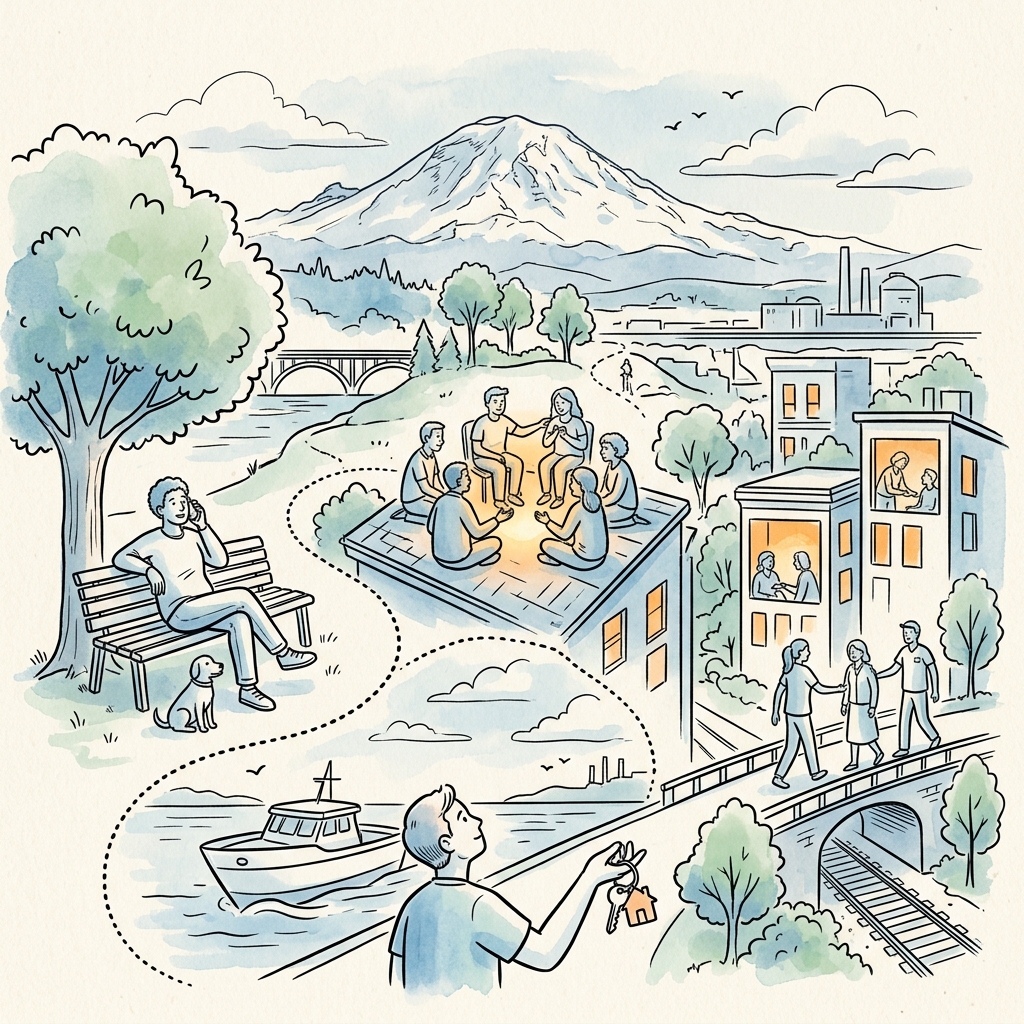
Looking for things to do in Everett, WA? This is the master guide a lot of locals wish they’d had when they moved here. Everett is the largest city in Snohomish County, sitting on Port Gardner Bay about 25 miles north of Seattle, and it packs a saltwater waterfront, a genuine arts district, family museums, and high-level junior hockey into a compact city with a walkable downtown core. Whether you have a free afternoon, a rainy Saturday, or out-of-town guests to impress, there’s more here than the I-5 view lets on.
Quick answer: The top things to do in Everett, WA include riding the seasonal foot ferry to Jetty Island, walking the Port of Everett waterfront and marina, catching an Everett Silvertips hockey game at Angel of the Winds Arena, exploring the Schack Art Center and Imagine Children’s Museum downtown, and hiking or picnicking at parks like Forest Park and Howarth Park. Many of the best options are free or low-cost, and most sit within a short drive of one another.
Things to Do in Everett, WA on the Waterfront
Everett’s defining feature is its working waterfront on Port Gardner Bay. The Port of Everett operates one of the largest public marinas on the West Coast, and the surrounding district, often called Waterfront Place, blends boat slips with restaurants, public plazas, and walking paths. It’s the kind of place where you can watch sailboats come and go, grab a meal with a water view, and let kids burn off energy near the water, all in one stop.
Jetty Island
Jetty Island is Everett’s signature summer experience. It’s a roughly two-mile-long, human-made island with a sandy beach and shallow, sun-warmed tidal flats that get surprisingly swimmable for Puget Sound. A passenger ferry runs across the channel during the summer season (generally mid-summer through early fall). Because the island has no concessions and limited facilities, locals treat it like a true beach day: pack water, sunscreen, snacks, and shade. Ferry sailings fill up on hot weekends, so check the City of Everett Parks website for the current season dates, fees, and reservation details before you go.
Marina walks and boat watching
Even outside ferry season, the marina is worth a visit. You can stroll the docks, watch the fishing and pleasure fleet, and take in views across the bay toward the Olympics on a clear day. The waterfront is also a launch point for whale-watching and fishing charters that depart Everett seasonally; the operators handle their own scheduling, so book directly with the charter company.
Parks and Outdoor Things to Do
Everett’s park system is one of its quiet strengths, ranging from forested trails to bluff-top beach access. These are durable, year-round options and most are free.
Forest Park — A large, central park with forested trails, picnic shelters, sports facilities, and a seasonal animal farm and spray park that are family favorites. A reliable pick when you want to be outside but close to town.
Howarth Park — Known for its pedestrian bridge over the railroad tracks down to a Puget Sound beach, plus a hillside playground. One of the better spots in the city for a real saltwater beach walk.
Legion Memorial Park and Langus Riverfront Park — Northside parks with golf nearby, water views, and flat trails. Langus connects to a riverside loop that’s popular with runners, cyclists, and rowers along the Snohomish River.
Grand Avenue Park — A bluff-top park with a pedestrian bridge over to the waterfront and some of the best sunset views in the city.
For trail conditions, seasonal hours, and the Forest Park animal farm schedule, the City of Everett Parks and Recreation website is the source to check.
Arts, Culture, and Family Museums
Downtown Everett has a compact, genuinely good arts and culture cluster, which makes it a strong rainy-day destination.
Schack Art Center
The Schack Art Center is a downtown gallery and studio space best known for its hot-glass studio, where you can watch artists blow glass and, in some seasons, sign up for hands-on classes. It rotates exhibitions throughout the year and anchors Everett’s visual-arts scene. Check the Schack’s website for current exhibits and class registration.
Imagine Children’s Museum
The Imagine Children’s Museum is the go-to indoor destination for families with young kids, with hands-on, play-based exhibits across multiple floors and a popular rooftop play area. It’s purpose-built for the under-10 crowd and one of the most reliable Saturday options when the weather turns. Verify hours and any timed-ticket requirements on the museum’s site before visiting.
Live performance and historic theaters
Downtown Everett also hosts live theater and music. The Historic Everett Theatre stages performances and screenings, and the broader downtown core fills with events, markets, and gallery walks throughout the year. For what’s on while you’re in town, check the venues’ own calendars alongside our Everett events coverage.
Angel of the Winds Arena and Everett Silvertips Hockey
Angel of the Winds Arena is downtown Everett’s largest event venue and the home of the Everett Silvertips, the city’s major-junior ice hockey team in the Western Hockey League (WHL). Silvertips games are one of the best-value live-sports nights in the region: fast-paced hockey, an energetic crowd, and a downtown location with restaurants in easy walking distance.
The arena also books concerts, family shows, and other events throughout the year. The hockey season generally runs from fall into spring, with playoffs extending later for teams that advance. For the current Silvertips schedule, ticket prices, and the arena’s full event calendar, go straight to the Angel of the Winds Arena and Everett Silvertips official websites.
Free and Cheap Things to Do in Everett, WA
You don’t need to spend much to have a good day here. Budget-friendly and free options include:
Walk the waterfront and marina — Free, scenic, and open year-round.
Beach time at Howarth or Jetty Island — The beaches themselves cost nothing; the Jetty ferry charges only a modest fare in season (confirm current rates with City of Everett Parks).
Explore the parks — Forest Park, Grand Avenue Park, and Langus Riverfront Park are all free to enter.
Browse downtown galleries — The Schack Art Center’s gallery and glass-studio viewing are low-pressure, and downtown art walks are free to wander.
Catch a community event or farmers market — Seasonal markets and festivals run through the warmer months; check our Everett events coverage for current dates.
Weekend and Rainy-Day Itinerary Ideas
Everett rewards a little planning. Here are two simple frameworks locals lean on.
Sunny summer Saturday: Start with a morning Jetty Island ferry and beach session, head back to the marina for lunch with a water view, then close the day with sunset from Grand Avenue Park or Howarth Park.
Rainy-day plan: Open at the Imagine Children’s Museum or the Schack Art Center, grab lunch downtown, then catch an evening Silvertips game or a show at Angel of the Winds Arena. Everything stays within the walkable downtown core.
For where to eat between stops, lean on our Everett restaurant coverage rather than guessing, hours and menus change, and locals have strong opinions worth borrowing.
Frequently Asked Questions
What is Everett, WA known for?
Everett is known as the largest city in Snohomish County, for its working waterfront and large public marina on Port Gardner Bay, for Boeing’s major aerospace manufacturing presence in the area, and as home to the Everett Silvertips junior hockey team at Angel of the Winds Arena.
Is Jetty Island free?
The beach on Jetty Island is free, and the passenger ferry run through the City of Everett is typically free or charges only a modest fare during its summer operating season. Sailings can fill on hot weekends and may require a reservation, so check the City of Everett Parks website for the current schedule and any fees before you go.
What is there to do in Everett when it rains?
Good rainy-day options include the Imagine Children’s Museum, the Schack Art Center and its glass studio, a performance at the Historic Everett Theatre, and an Everett Silvertips game or other event at Angel of the Winds Arena, all in the walkable downtown core.
How far is Everett from Seattle?
Everett sits roughly 25 to 30 miles north of downtown Seattle along Interstate 5. Driving time varies widely with traffic; regional transit options also connect the two cities. Check current transit schedules with the relevant agency before relying on them.
Is Everett, WA worth visiting?
Yes. Everett offers a saltwater waterfront, a unique summer beach experience at Jetty Island, a real downtown arts cluster, family museums, and affordable major-junior hockey, often at lower cost and with smaller crowds than comparable Seattle attractions, making it an easy and rewarding day trip or weekend stop.
Salish Cliffs Golf Club is an 18-hole championship golf course near Shelton in Mason County, Washington, owned and operated by the Squaxin Island Tribe as part of Little Creek Casino Resort. Carved into the forested foothills of the South Sound, it pairs a well-regarded, environmentally stewarded layout with a full resort that offers lodging, dining, gaming, and a spa. For golfers, it is one of the signature destinations in the region; for visitors, it anchors a full overnight getaway just off U.S. Highway 101. For current tee times, green fees, and hours, always check the official Salish Cliffs and Little Creek Casino Resort website.
What is Salish Cliffs Golf Club?
Salish Cliffs Golf Club is the championship golf course at Little Creek Casino Resort, located in the Kamilche area between Shelton and Olympia, just off Highway 101 in southern Mason County. The course is owned by the Squaxin Island Tribe and operates alongside the resort’s hotel, casino, restaurants, and event spaces. Since opening, it has earned a strong reputation among Pacific Northwest golfers for its design quality, scenic setting, and well-maintained playing conditions.
The “cliffs” in the name reflect the terrain: the layout moves through rolling, wooded foothills with notable elevation changes, exposed rock, wetlands, and dramatic forest backdrops typical of the South Sound. The course was designed to flow with the natural landscape rather than flatten it, which gives each hole its own character and keeps the round visually engaging from start to finish.
Who owns and operates it
The Squaxin Island Tribe owns and operates both Salish Cliffs Golf Club and Little Creek Casino Resort. The Squaxin Island people are known as the “People of the Water,” with deep ancestral ties to the inlets and shorelines of southern Puget Sound. The resort and golf club are part of the tribe’s broader enterprise presence in Mason County, and the course’s design and stewardship reflect a strong emphasis on environmental care and the surrounding natural setting.
The course: setting, design, and reputation
Salish Cliffs is widely described as a destination-quality course rather than a casual municipal track. It is built to challenge serious golfers while remaining playable for a range of skill levels through multiple sets of tees. Expect a parkland-meets-forest experience: tree-lined corridors, water features, elevation changes, and views that open up across the wooded hills of Mason County.
A few things set the course apart:
Environmental stewardship. Salish Cliffs is known for its environmental program, including recognition through Audubon International certification, reflecting an emphasis on wildlife habitat, water quality, and responsible land management. This stewardship is a point of pride and is woven into how the course is maintained.
Natural routing. The holes are routed to follow the land’s contours, so the course uses the foothills’ natural ridges, drops, and forest edges rather than fighting them.
Conditioning. The course has a reputation for strong conditioning, helped by the relatively mild South Sound climate, though play and conditions naturally vary with Pacific Northwest seasons.
Scenery. Mature evergreen forest, rock outcrops, and wetlands give the round a distinctly Northwest sense of place.
Because yardages, slope and rating, par, and tee configurations are the kind of details that get updated over time, confirm the current scorecard and course specifics on the official Salish Cliffs website before you play.
The resort context: lodging, dining, and gaming around your round
One of the biggest advantages of Salish Cliffs is that it sits inside a full resort. A round here can be a quick stop or the centerpiece of a stay-and-play weekend without ever needing to get back in the car.
Lodging
Little Creek Casino Resort offers on-site hotel accommodations, which makes early tee times and multi-day golf trips convenient. Staying on property means you can roll from your room to the first tee and back to dinner without leaving the resort grounds. Stay-and-play packages that bundle lodging with golf are a common offering at resort courses like this, so it is worth asking about current packages when you book.
Dining
The resort includes multiple dining options, ranging from casual to more upscale, plus the food-and-beverage service you would expect around a championship course. Whether you want a quick bite at the turn or a sit-down meal after your round, the resort is set up to handle it. Specific restaurants, menus, and hours change over time, so check the resort’s dining page for what is currently open.
Gaming, spa, and events
Beyond golf, Little Creek Casino Resort features a casino floor, a spa, and event and meeting space. That mix makes it a popular choice for group trips where not everyone in the party plays golf, as well as for corporate outings, tournaments, and special events. The combination of course, hotel, casino, and spa under one roof is a large part of what makes Salish Cliffs a true destination rather than just a place to play 18 holes.
How to plan a visit to Salish Cliffs
Planning a round at Salish Cliffs is straightforward, but a little preparation goes a long way—especially if you are traveling in or trying to land a weekend tee time.
Book tee times in advance. As a sought-after resort course, prime weekend and holiday times can fill up. Reserve through the official Salish Cliffs website or pro shop, and check for current rates and any seasonal or twilight pricing.
Ask about stay-and-play. If you are coming from out of town, bundling a hotel night with your round through Little Creek Casino Resort is often the most convenient (and sometimes the best-value) way to go.
Plan for the weather. This is the Pacific Northwest. Summers are typically dry and pleasant; shoulder seasons and winter can bring rain. Pack layers and rain gear outside the peak summer stretch, and confirm seasonal hours before you drive out.
Check facilities and policies. Practice areas, club rentals, cart policies, dress code, and lesson availability are all best confirmed directly with the pro shop, since these can change.
Build in resort time. Give yourself room before or after the round to enjoy the dining, casino, or spa—many visitors treat Salish Cliffs as part of a broader getaway rather than a standalone outing.
Getting there
Salish Cliffs and Little Creek Casino Resort are located off U.S. Highway 101 in the Kamilche area, between Shelton and Olympia in southern Mason County. The location is convenient from the South Sound and the broader Olympia–Tacoma corridor, making it an easy day trip or weekend escape for golfers across the region. For exact driving directions, use the address listed on the official resort website.
Why Salish Cliffs matters to Mason County
For a largely rural county better known for its shoreline, forests, and small-town character, Salish Cliffs Golf Club is a standout regional draw. It brings destination golfers into Mason County, supports the local visitor economy, and showcases the area’s natural beauty to people who might otherwise pass through on Highway 101 without stopping. As a tribal enterprise of the Squaxin Island Tribe, it also reflects the central role the tribe plays in the county’s economy and hospitality landscape. For residents, it is a high-quality course close to home; for visitors, it is often the reason they discover this corner of the South Sound in the first place.
Frequently asked questions
Where is Salish Cliffs Golf Club located?
Salish Cliffs Golf Club is in the Kamilche area near Shelton, in southern Mason County, Washington, just off U.S. Highway 101. It is part of Little Creek Casino Resort, between Shelton and Olympia in the South Sound region.
Who owns Salish Cliffs Golf Club?
Salish Cliffs Golf Club is owned and operated by the Squaxin Island Tribe as part of Little Creek Casino Resort. The course and resort are tribal enterprises located near Squaxin Island Tribe lands in Mason County.
Is Salish Cliffs open to the public?
Yes. Salish Cliffs operates as a public, daily-fee championship course where anyone can book a tee time, and it is also paired with on-site lodging for stay-and-play visits. Reserve through the official Salish Cliffs or Little Creek Casino Resort website, and confirm current hours and rates there.
Is there a hotel at Salish Cliffs?
Yes. Salish Cliffs is part of Little Creek Casino Resort, which includes an on-site hotel along with dining, a casino, a spa, and event space. This makes it convenient for golf getaways and group trips where not everyone plays.
How do I get current tee times and green fees?
Tee times, green fees, seasonal pricing, and hours change over time, so the most reliable source is the official Salish Cliffs Golf Club and Little Creek Casino Resort website or the pro shop. Booking ahead is recommended for weekends and holidays.
Parks in Tacoma are managed primarily by the Metropolitan Park District of Tacoma, better known as Metro Parks Tacoma, an independent special-purpose government separate from the City of Tacoma. The system spans hundreds of acres across the city, from the forested peninsula of Point Defiance Park to neighborhood green spaces, waterfront promenades, off-leash dog areas, spray parks, and skate parks. This guide explains how the system is organized, walks through the marquee parks worth knowing, and breaks parks down by the type of visit you have in mind.
The short version: most public parks in Tacoma are run by Metro Parks Tacoma, an independent voter-funded park district rather than a city department. The system is anchored by Point Defiance Park, one of the largest urban parks in the United States, and includes everything from formal gardens and Puget Sound shoreline to dog parks, spray parks, skate parks, and natural-area trails. For anything time-sensitive, the official Metro Parks Tacoma website is the authoritative source.
Whether you are new to the South Sound or a longtime resident looking to use the system more fully, the takeaway is the same: Tacoma punches well above its weight on parkland, anchored by a major urban park and a Puget Sound waterfront most cities would envy.
How Parks in Tacoma Are Organized: Metro Parks Tacoma
Most of the public parks in Tacoma fall under Metro Parks Tacoma, a metropolitan park district governed by an elected board of commissioners and funded largely through property taxes. Because it is a separate taxing district rather than a city department, Metro Parks operates with its own budget, planning process, and staff dedicated to parks, recreation, and conservation.
The system is broad. In addition to traditional parks and trails, Metro Parks Tacoma operates several signature attractions and facilities, including:
Northwest Trek Wildlife Park, a wildlife park in nearby Eatonville known for its tram tour and walking paths
Community and recreation centers offering classes, sports leagues, and rentals
Sports complexes, golf, and aquatic facilities spread across the district
A handful of green spaces and trails in and around the city are managed by other entities, including Washington State Parks and the City of Tacoma, but for the typical visitor, Metro Parks is the front door. For current hours, fees, reservations, and program registration, the official Metro Parks Tacoma website is the authoritative source to check, since those details change seasonally.
The Marquee Parks in Tacoma
If you only have time for a handful of parks, start with these. They represent the range of the system, from a forested peninsula to formal Victorian gardens to working waterfront.
Point Defiance Park
Point Defiance Park is the crown jewel of the Tacoma park system and one of the largest urban parks in the country, occupying a forested peninsula of several hundred acres at the city’s northern tip, where Commencement Bay meets the Tacoma Narrows. Within its boundaries you’ll find old-growth forest, miles of hiking and walking trails, formal gardens, saltwater beach access, a marina, the Point Defiance Zoo & Aquarium, and the historic Fort Nisqually living-history museum. Five Mile Drive, the loop road through the park, is a favorite for scenic driving, cycling, and running, and portions are set aside as car-free for walkers and cyclists at certain times; check the official site for the current schedule. Because there is so much to do here, Point Defiance rewards repeat visits, and it deserves its own deep dives rather than a single paragraph.
Wright Park
Wright Park is Tacoma’s classic Victorian-era urban park, set in the heart of the city with mature, labeled trees, walking paths, a pond, and open lawns. Its centerpiece is the W.W. Seymour Botanical Conservatory, a historic glass-and-steel greenhouse filled with tropical and seasonal plant displays. Wright Park functions as an arboretum as much as a park, making it a quiet, walkable destination close to downtown.
Titlow Park
Titlow Park sits on the western shore along the Tacoma Narrows and pairs an open park with saltwater beach access, tidepools, a lagoon, and views of the Tacoma Narrows Bridge. It is popular with families, beachcombers, and scuba divers, who use the shoreline as a well-known dive spot. The mix of lawn, wetland, and beach makes Titlow one of the most varied waterfront parks in the city.
Wapato Park
Wapato Park, on Tacoma’s south side, is built around Wapato Lake, with a paved loop trail circling the water that is a neighborhood favorite for walking and jogging. It offers a more relaxed, residential park experience, with picnic areas, playgrounds, and gardens, and the lake itself is a focal point for casual recreation.
Swan Creek Park
Swan Creek Park is one of the larger natural-area parks in the system, known for its forested canyon, restored creek, and an extensive network of trails used by hikers, trail runners, and mountain bikers. It also hosts a community garden. Swan Creek is the park to visit when you want a sense of wildness without leaving the city.
Waterfront Parks and Green Space
Tacoma’s relationship with the water is central to its park system. Sitting on Commencement Bay and the Tacoma Narrows, the city offers an unusual amount of accessible saltwater shoreline for an urban area.
Along the downtown and Foss Waterway corridor, a connected promenade and a string of public spaces give pedestrians and cyclists access to the water, linking museums, marinas, and gathering spots. On the Narrows side, Titlow Park and the beaches near Point Defiance provide rocky shoreline, tidepools, and sweeping views. Across these waterfront parks you’ll generally find walking paths, viewpoints, and boat or kayak access, though specific amenities vary by location. For exact public-access points, parking, and any tide or safety considerations, check the managing agency’s site for the specific park before you go.
Parks in Tacoma by Type
Beyond the marquee destinations, the value of the Tacoma park system is in matching the right park to the right visit. Here is how the network breaks down by use. Specific locations, hours, and rules can change, so confirm details on the Metro Parks Tacoma website.
Dog Parks and Off-Leash Areas
Metro Parks Tacoma maintains designated off-leash dog areas where dogs can run and socialize without a leash; outside those areas, dogs are generally required to be leashed in city parks. Point Defiance Park has long been associated with one of the city’s popular off-leash areas. Off-leash sites typically include fenced or signed boundaries and waste stations, and standard etiquette rules, such as cleaning up after your dog and keeping aggressive dogs leashed, apply throughout. Because the roster of off-leash locations can change, confirm current sites on the Metro Parks website.
Spray Parks and Water Play
For families with young children, Tacoma’s spray parks (also called splash pads or water-play areas) are a summer staple, offering free water play that parents supervise, without the depth or lifeguard requirements of a pool. These typically operate on a seasonal schedule, running during the warmer months and closing in the off-season. Because opening dates, hours, and which sites are active each year are set seasonally, the Metro Parks Tacoma website is the place to confirm before you load the car.
Skate Parks
Tacoma supports skateboarding, BMX, and scooter riding through public skate parks distributed across the city, ranging from larger destination facilities to neighborhood spots. Designs vary, with features such as bowls, ramps, rails, and street-style sections. As with other specialized facilities, hours and any helmet or use rules are posted by Metro Parks.
Trails and Natural Areas
For hiking, trail running, and mountain biking, the standouts are the natural-area parks: Swan Creek Park and the trail network inside Point Defiance Park lead the list, supplemented by smaller greenbelts and connector trails. These offer forest cover, elevation changes, and a true away-from-traffic feel within city limits.
Tips for Visiting Parks in Tacoma
Check the official source first. Hours, seasonal closures, spray-park schedules, and event dates change. Treat the Metro Parks Tacoma website as the authority for anything time-sensitive.
Plan for weather. The Pacific Northwest climate means many months are cool and wet, so waterproof layers extend your park season considerably.
Mind the tides at waterfront parks. Tidepooling and beach access at places like Titlow are best around low tide, so check a tide table before you go.
Know the leash rules. Dogs must be leashed except in designated off-leash areas.
Give big parks more than one trip. Point Defiance in particular is too large to absorb in a single visit.
Frequently Asked Questions About Parks in Tacoma
What is the biggest park in Tacoma?
Point Defiance Park is the largest park in Tacoma and one of the largest urban parks in the United States, covering a forested peninsula of several hundred acres at the city’s northern tip. It contains trails, gardens, beaches, a marina, a zoo and aquarium, and a historic fort.
Who manages the parks in Tacoma?
Most public parks in Tacoma are managed by Metro Parks Tacoma (the Metropolitan Park District of Tacoma), an independent, voter-funded park district separate from city government. A few green spaces and trails are managed by Washington State Parks or the City of Tacoma.
Are there free things to do in Tacoma’s parks?
Yes. Walking the trails and waterfront, using playgrounds and open lawns, visiting Wright Park and its grounds, and playing at seasonal spray parks are all free. Certain attractions inside the system, such as the Point Defiance Zoo & Aquarium and some rentals or programs, charge admission or fees.
Does Tacoma have dog parks?
Yes. Metro Parks Tacoma maintains designated off-leash dog areas, including one long associated with Point Defiance Park. Outside off-leash areas, dogs must be kept on a leash in city parks. Check the Metro Parks website for current off-leash locations and rules.
What is the best park in Tacoma for families?
It depends on the visit. Point Defiance Park offers the most variety, including the zoo and aquarium; Wapato Park and Titlow Park are family-friendly with playgrounds and water access; and seasonal spray parks are ideal for young kids on warm days.
Looking for things to do in Tacoma? The City of Destiny packs a remarkable amount into one mid-sized Washington city: a glass-art legacy on the waterfront, a walkable Museum District, one of the most acclaimed urban parks in the Pacific Northwest, miles of shoreline trails, and a deep bench of breweries and restaurants. This guide is the local resident’s reference to what there is to do here, organized by district and by who you’re with, so you can plan a single afternoon or a full weekend.
Quick answer: The top things to do in Tacoma cluster in a few key areas. Start with the waterfront and Museum District downtown (Museum of Glass, Chihuly Bridge of Glass, Tacoma Art Museum, and the Washington State History Museum), spend a half-day at Point Defiance Park (zoo, aquarium, gardens, and old-growth forest), walk or bike Ruston Way along Commencement Bay, and explore the city’s well-regarded brewery and food scene. Many of the best options are free.
Things to Do on the Tacoma Waterfront and Museum District
Tacoma sits on Commencement Bay, an arm of Puget Sound, and its downtown waterfront is the cultural heart of the city. The compact Museum District runs along Pacific Avenue and Dock Street and is connected by the Chihuly Bridge of Glass, a pedestrian span lined with the work of Tacoma-born glass artist Dale Chihuly. The bridge alone is worth the walk, and it is free and open to the public.
Anchor stops in and around the district include:
Museum of Glass — known for its cone-shaped Hot Shop, where you can watch glass artists work live from amphitheater seating.
Tacoma Art Museum (TAM) — strong in Northwest and Western American art, with a notable collection of Chihuly glass.
Washington State History Museum — the state’s official history museum, housed in a building that echoes the neighboring Union Station’s arches.
LeMay – America’s Car Museum — one of the largest auto museums in the country, a short hop from the core district near the Tacoma Dome.
The Tacoma Link light rail threads through downtown and makes hopping between the Theater District, the Museum District, and the Dome District easy without parking downtown twice; it has long operated fare-free, but confirm current fares with Sound Transit before you ride. For current hours, exhibits, and admission, check each museum’s official website before you go.
Point Defiance Park: Tacoma’s Signature Outdoor Destination
Point Defiance Park is a large peninsula park on the north end of the city and is one of the largest urban parks in the United States. It is managed by Metro Parks Tacoma and routinely ranks among the most-loved attractions in the region. You can easily spend a full day here, and much of the park is free to enter.
What’s inside Point Defiance
Point Defiance Zoo & Aquarium — a combined zoo and aquarium known for its Pacific Rim focus, including red wolves, sharks, and a walk-through aquarium (paid admission).
Five-Mile Drive and the hiking trails — a loop road and trail network winding through old-growth forest with viewpoints over Puget Sound and the Tacoma Narrows.
The gardens — rose, dahlia, rhododendron, and Japanese gardens, all free to wander.
Owen Beach — a renovated saltwater beach and promenade with views across the water, a popular spot for picnics and tidepooling.
Fort Nisqually Living History Museum — a reconstructed 19th-century Hudson’s Bay Company trading post inside the park.
The Point Defiance ferry terminal also sits at the foot of the park, with sailings to Tahlequah on Vashon Island if you want to extend the day onto the water.
Ruston Way and the Waterfront Trail
Ruston Way is Tacoma’s signature shoreline promenade, a stretch of waterfront along Commencement Bay between downtown and Point Defiance. A paved walking-and-biking path runs the length of it, passing public piers, pocket beaches, historic fireboat displays, and a cluster of waterfront restaurants. On a clear day you get open views of the bay and, to the southeast, Mount Rainier.
Ruston Way connects to the adjacent Point Ruston development at the north end — a walkable mixed-use district with a public waterwalk, shops, a movie theater, dining, and a seasonal feel that draws crowds in summer. Together, Ruston Way and Point Ruston make one of the easiest free outings in the city: park once and walk the water’s edge.
Tacoma Breweries, Food, and Drink
Tacoma has a serious, locally driven craft beer and dining scene that rewards exploration. The 6th Avenue and Stadium District corridors, the Proctor District in the North End, and downtown around Pacific Avenue are the most concentrated places to eat and drink, each with its own character.
How to approach it:
Breweries and taprooms — Tacoma supports a healthy roster of independent breweries spread across the city; a self-guided crawl through one district is the easiest way to sample several in an afternoon.
The Proctor Farmers Market — a long-running neighborhood market (seasonal) that’s a good entry point to local food.
Opera Alley and downtown dining — the historic core has grown a strong independent restaurant scene, from casual to upscale.
Because specific taprooms, menus, and hours change, confirm what’s currently open before building a route. For deeper picks, see our Tacoma food and drink coverage.
Tacoma Parks and Outdoor Spaces Beyond Point Defiance
Wright Park — a historic arboretum park near downtown with a landmark conservatory (the W.W. Seymour Botanical Conservatory), towering mature trees, and a duck pond.
Titlow Park and Beach — a westside park on the Tacoma Narrows with shoreline access, trails, and a seasonal pool.
The Tacoma Nature Center — wooded trails and wetlands around Snake Lake, near the center of the city.
Chambers Bay — just outside the city in University Place, a championship links-style golf course with a public loop trail and big Puget Sound views.
Tacoma by Who You’re With (and the Weather)
Free things to do in Tacoma
Walk the Chihuly Bridge of Glass and the surrounding Museum District plazas.
Wander the Point Defiance gardens and drive or hike Five-Mile Drive.
Stroll or bike the Ruston Way waterfront and Point Ruston waterwalk.
Ride the Tacoma Link light rail through downtown.
Relax at Wright Park or Owen Beach.
Indoor and rainy-day things to do
Tacoma’s wet season makes indoor options valuable. The museums — Museum of Glass, Tacoma Art Museum, Washington State History Museum, LeMay, and the indoor portions of the aquarium — are all strong rainy-day choices. The W.W. Seymour Botanical Conservatory in Wright Park is a warm, free, plant-filled escape, and the Broadway Center / Pantages and Rialto theaters downtown host performances year-round.
Things to do with kids
Point Defiance Zoo & Aquarium — the city’s top family attraction.
Children’s Museum of Tacoma — hands-on play downtown, which has historically operated on a pay-as-you-will model (verify current policy).
Owen Beach and Titlow Beach — easy shoreline and tidepool exploring.
Fort Nisqually — living-history demonstrations kids can walk through.
Things to do for adults and date nights
A brewery or taproom crawl through 6th Avenue or the Stadium District.
A show at the Pantages or Rialto, or live music downtown.
Dinner along Ruston Way with bay-and-mountain views.
A glassblowing demonstration at the Museum of Glass Hot Shop.
Frequently Asked Questions
What is Tacoma best known for?
Tacoma is best known as the birthplace of glass artist Dale Chihuly and for its glass-art legacy, including the Museum of Glass and the Chihuly Bridge of Glass. It’s also known for Point Defiance Park, its Commencement Bay waterfront, views of Mount Rainier, and the nickname “City of Destiny.”
What free things are there to do in Tacoma?
Free options include the Chihuly Bridge of Glass, the gardens and Five-Mile Drive at Point Defiance Park, the Ruston Way and Point Ruston waterfront walks, and Wright Park and its botanical conservatory. The Tacoma Link light rail downtown has also long operated fare-free, though it’s worth confirming current fares before you ride.
How much time do you need to see Tacoma?
You can hit the highlights in a single full day by pairing the downtown Museum District with Point Defiance Park and a Ruston Way walk. A weekend lets you add the zoo and aquarium, a brewery district, and the surrounding parks at a relaxed pace.
What is there to do in Tacoma when it rains?
On rainy days, focus on indoor attractions: the Museum of Glass, Tacoma Art Museum, Washington State History Museum, LeMay – America’s Car Museum, the aquarium at Point Defiance, the W.W. Seymour Botanical Conservatory, and downtown theaters like the Pantages and Rialto.
Is Tacoma a good place to visit with kids?
Yes. Point Defiance Zoo & Aquarium, the Children’s Museum of Tacoma, Fort Nisqually’s living history, and accessible shorelines like Owen Beach and Titlow Beach make Tacoma a strong family destination.
Hours, admission, fares, and seasonal schedules change. Confirm details on the official websites for Metro Parks Tacoma, Point Defiance Zoo & Aquarium, Sound Transit, and each museum before you visit.
The short version: In Claude Code, the prompt that asks whether to “Always Allow” or “Allow Once” isn’t really about security. It’s a question about your own systems. If you keep choosing Always Allow, the work is recurring — go build the automaton. If it’s honestly Allow Once, it’s a one-off — let it go instead of trying to remember it.
I spend most of my day inside Claude Code, and a tiny piece of the interface has been living rent-free in my head. Every time the agent wants to run a command, edit a file, or hit an API, it stops and asks: Always Allow, or Allow Once?
On the surface that’s a permission prompt. Click the box, move on. But after the hundredth time, I started to notice the choice was telling me something about how I actually work — and where I was leaving time on the table.
“Always Allow” means: go build the automaton
Always Allow means: go build the automaton.
Always Allow vs Allow Once: quick reference
Always Allow vs Allow Once — quick reference.
Signal
Always Allow
Allow Once
Task type
Recurring, repeating work
One-off, situational
Right response
Build an automation
Let it go — don’t memorize it
Security posture
Persistent permission for that tool+action
Single-use, no persistent grant
What it reveals
A system worth building
An edge case not worth systemizing
Risk if overused
Broad standing permissions accumulate
Missed automation opportunity
Here’s the pattern. If I find myself reaching for Always Allow, it’s because I’ve seen this exact action before. I’ll see it again. I trust it enough to stop being asked.
That’s not a permission decision. That’s a build order.
If an action is safe, repeatable, and I do it constantly, the right move isn’t to keep approving it forever — it’s to take it out of the prompt entirely. Turn it into a tool. Wrap it in a script. Register it as a skill. Put it on a cron so it runs whether I’m at the desk or not. The “Always Allow” click is the moment the work earns its own piece of infrastructure.
Most people stop at the click. They grant the permission and feel productive because the friction went away. But friction that shows up every single day isn’t friction you should approve — it’s friction you should engineer out. Every “Always Allow” is a quiet little flag waving at you: this deserves to be an automaton.
“Allow Once” means: let it go on purpose
The other side is just as useful, and it’s the part people get wrong.
When the honest answer is Allow Once — this is a weird one-off, I’m not going to do it again — the temptation is to write it down. Save the command. Add it to a doc. File it away just in case it ever comes back.
Resist that. A one-off doesn’t deserve a permanent home in your memory or your system. The cost of storing it isn’t the disk space — it’s the upkeep. Every note you keep is something you now have to organize, search past, keep current, and trip over later. Knowledge you save but rarely touch quietly rots, and stale knowledge is worse than none.
The way I think about it: it’s more fit to sift through the dirt than to re-sift the knowledge. If a one-off ever does come back, re-deriving it from scratch is cheap — you dig through the dirt once and you’re done. But re-sifting a giant pile of “just in case” notes, over and over, every time you go looking for the thing you actually need? That’s the expensive part. Forgetting a one-off on purpose is a feature, not a failure.
Why re-deriving usually beats remembering
This is really a question of economics, and it’s the same math whether you’re managing an AI agent or your own head.
Storing knowledge has two costs people forget about: the cost to keep it accurate, and the cost to find the signal inside it later. A one-off has a low chance of ever being needed again, so the expected payoff of saving it is tiny — while the drag it adds to everything else you’ve stored is real and permanent. Recurring work is the opposite: high chance of reuse, so it’s worth paying once to encode it well and never think about it again.
So the rule of thumb falls out on its own:
Recurring → encode it. Build the tool, the skill, the cron. Pay once, reuse forever.
One-off → forget it on purpose. Do the thing, then let it go. If it ever comes back, dig it up fresh — it’ll be faster than you think.
The mistake is doing it backwards: hand-running the recurring stuff every day because you never built the automaton, while hoarding a graveyard of one-off notes you’ll never open again. That’s how you end up busy and buried at the same time.
How to act on the tell in Claude Code
How to act on the tell in Claude Code.
Next time that prompt pops up, treat it as a tiny decision point instead of a speed bump:
You reached for “Always Allow.” Stop for a second. Ask: what would it take to make this prompt never appear again? An orchestration step, a saved skill, a scheduled job, a hook? Put it on the list. The prompt just told you what to build next.
You reached for “Allow Once.” Do it, then genuinely drop it. Don’t screenshot it, don’t file it. Trust that if it matters, it’ll show up again — and the second sighting is your real signal to build.
You’re not sure. That’s fine — “Allow Once” is the safe default. Two or three “Allow Once” clicks for the same action is the universe telling you it was an “Always Allow” the whole time.
None of this is really about Claude Code. The tool just happens to put the decision right in front of you, every day, in a little box. Most systems make you guess where your time is leaking. This one points at it and asks you to choose. (It pairs well with knowing when to use Plan Mode and when to skip it — same instinct, a different prompt.)
Recurring work wants to become an automaton. One-off work wants to be forgotten. The prompt already knows which is which. The only question is whether you’re listening.
Frequently asked questions
What’s the difference between “Always Allow” and “Allow Once” in Claude Code?
“Allow Once” approves a single action one time; the next identical action prompts you again. “Always Allow” approves that action or pattern going forward, so Claude Code stops asking. Functionally, “Always Allow” is how you tell the tool an action is safe and routine.
Should I use “Always Allow” in Claude Code?
Use it when an action is safe, repeatable, and something you do often — but treat each “Always Allow” as a signal to eventually build that action into a tool, skill, hook, or scheduled job so it leaves the prompt entirely.
Is “Always Allow” a security risk?
It can be if you grant it to broad or destructive actions. Keep “Always Allow” for narrow, well-understood operations, and lean on “Allow Once” for anything unfamiliar, destructive, or outward-facing.
When should I turn a Claude Code action into an automation?
When you’ve granted — or wanted to grant — “Always Allow” for it. That’s the tell that the work is recurring, and recurring, trusted work is worth encoding once as a tool, skill, hook, or cron so you never approve it by hand again.
Why shouldn’t I save one-off commands?
Because storing knowledge has ongoing costs — keeping it accurate, and sifting past it to find what you actually need. A one-off has little chance of reuse, so it’s usually cheaper to re-derive it later than to maintain it forever.
What does “more fit to sift through the dirt than to re-sift the knowledge” mean?
It means re-deriving a rarely-needed answer from scratch — sifting the dirt once — is cheaper than maintaining and repeatedly searching a hoard of saved notes, which is re-sifting the knowledge every time. For one-offs, forgetting is the efficient choice.
Frequently Asked Questions
What does ‘Always Allow’ mean in Claude Code?
When Claude Code asks to run a tool or shell command, ‘Always Allow’ grants a persistent permission for that specific tool and action combination. Claude will not ask again for that combination in future sessions. ‘Allow Once’ grants permission only for the current request — Claude will ask again next time.
Is it safe to click Always Allow in Claude Code?
It depends on the action. Always Allow for read operations (reading files, querying a database) is generally low risk. Always Allow for write or execute operations (editing files, running shell commands) creates persistent permissions that compound over time. The best practice is to use Always Allow deliberately for actions you will genuinely repeat, and Allow Once for anything new or situational.
What is the deeper meaning of Always Allow vs Allow Once?
The choice is a signal about your own workflow. If you keep clicking Always Allow for the same action, that’s the system telling you the task is recurring and worth automating. If it’s genuinely Allow Once, the task is a one-off and you shouldn’t try to systemize it. The prompt is less about security and more about recognizing patterns in your own work.
How do I review or remove Always Allow permissions in Claude Code?
Run ‘claude permissions list’ to see what standing permissions you’ve granted. Use ‘claude permissions reset’ to clear them, or edit the .claude/settings.json file in your project directory to remove specific entries. Review these periodically — accumulated Always Allow grants are a common source of unexpected autonomous behavior.
Does Always Allow apply to a specific project or globally?
By default, permissions granted with Always Allow are scoped to the project where you granted them (stored in .claude/settings.json). If you use the –global flag, they apply across all projects. Be cautious with global Always Allow grants for write/execute operations — they persist across every codebase you open.
Olympic National Park camping spreads across three wildly different worlds inside a single park: wave-pounded Pacific coastline, moss-draped temperate rainforest, and high subalpine ridgelines. With roughly a million acres and no single road connecting it all, where you pitch your tent or park your RV shapes your entire trip. This guide walks through the park’s main developed campgrounds one by one so you can match the right basecamp to the right adventure.
Quick answer: Olympic National Park has more than a dozen developed campgrounds run by the National Park Service. A handful of the most popular ones (including Kalaloch and Sol Duc) take advance reservations through Recreation.gov, while many smaller campgrounds are first-come, first-served. For coast access choose Kalaloch or Mora; for rainforest choose Hoh; for hot springs and waterfalls choose Sol Duc; and for high-country views choose Deer Park. Always confirm current fees, season dates, and reservation status on the official National Park Service site before you go.
Understanding Olympic National Park Camping
Olympic National Park sits on Washington’s Olympic Peninsula, west of Seattle and Tacoma across Puget Sound. Because the park is built around the rugged Olympic Mountains, there is no loop road through the interior. Instead, U.S. Highway 101 wraps around the outside, and individual spur roads lead in to each district. That geography is the single most important thing to understand before booking: a campground that looks close on the map may be a two- or three-hour drive from the next attraction.
Developed campgrounds in the park generally fall into three categories by setting:
Coastal — near the Pacific beaches, with the smell of salt air and easy tidepool access.
Rainforest and river valley — under towering conifers along glacial rivers, often green and humid.
Mountain and subalpine — at higher elevations with cooler nights and big views, typically open the shortest season.
Most campgrounds offer the standard national-park setup: a numbered site, a picnic table, a fire ring, and access to potable water and vault or flush toilets. Hookups are essentially nonexistent inside the park, so RV campers should plan to be self-contained. For a broader orientation to the park’s regions and seasons, see our companion piece, “Olympic National Park: Everything You Need to Know.”
Coastal Campgrounds: Kalaloch and Mora
Kalaloch
Kalaloch (pronounced “CLAY-lock”) is the marquee coastal campground and one of the few in the park that accepts advance reservations during the busy season. It sits on a bluff above the Pacific in the park’s southwest coastal strip, right off Highway 101, which makes it unusually easy to reach. Sites suit both tents and RVs, though there are no hookups. Reserve early for summer weekends through Recreation.gov; outside peak season some sites may revert to first-come, first-served, so check current status before you rely on it.
Mora
Mora sits inland from Rialto Beach near the town of Forks, tucked among tall trees along the Quillayute River. It is a classic forested coastal-access campground: you sleep under the canopy and drive a few minutes to the dramatic sea stacks and driftwood of Rialto Beach. Mora has historically operated as a first-come, first-served forest campground and tends to stay open longer into the shoulder seasons than the high-country sites, though the park has been shifting some campgrounds toward reservations, so confirm its current booking status before you go. It works well for tents and smaller RVs.
Other small coastal-area campgrounds exist as well, including the seasonal Ozette area to the north, which serves hikers heading to the remote Ozette Triangle. Confirm openings directly with the park, since the smaller coastal sites have the most variable schedules.
Rainforest and River Valley Campgrounds: Hoh and Sol Duc
Hoh Rain Forest
The Hoh Rain Forest campground is the destination for anyone who came to see the famous moss-hung temperate rainforest. It sits at the end of the roughly 18-mile Hoh Road, beside the Hoh River and steps from the visitor center and the Hall of Mosses and Spruce Nature trails. Because the Hoh is one of the park’s signature attractions, sites fill early on summer days, and the park has at times added a reservation requirement here during the busy season — so check the campground’s current reservation and first-come status before you count on walking up. Expect damp, cool, green conditions; this is one of the wettest places in the contiguous United States, so come prepared for rain in any season.
Sol Duc
Sol Duc, in the park’s northwest, pairs a riverside forest campground with the nearby Sol Duc Hot Springs Resort and the popular Sol Duc Falls trail. It is one of the campgrounds that typically takes reservations through Recreation.gov in summer, which makes it a reliable basecamp to plan around. The resort area offers hot-spring soaking pools (operated concession-style, with its own season and fees), making Sol Duc a favorite for travelers who want a hot soak after a day on the trail. Verify resort and pool operating dates separately from the campground, as they run on different calendars.
The Elwha and Sol Duc river corridors also host smaller campgrounds, though access can change after storms and road work. Always check current road status for the Elwha area before committing.
Mountain and Subalpine Campgrounds: Deer Park and Heart o’ the Hills
Deer Park
Deer Park is the park’s high-and-rugged option, reached by a steep, narrow, partly gravel road that climbs to a subalpine setting with sweeping ridge views. It is tent-oriented — the access road is not suited to large RVs or trailers — and it opens only for a short summer window once the snow clears. Nights are cold even in midsummer. For experienced campers who want solitude and alpine scenery, Deer Park delivers; for first-timers towing a rig, it does not.
Heart o’ the Hills
Heart o’ the Hills sits on the road up to Hurricane Ridge, near Port Angeles, in a forest of big Douglas firs. It is the most convenient basecamp for the Hurricane Ridge area, the park’s premier high-country viewpoint and a hub for summer hiking and winter snowplay. The campground has historically been first-come, first-served and open most of the year, though access up to Hurricane Ridge itself depends on road and weather conditions, and booking rules can change — confirm the current season and reservation status before you arrive. Note that this park does not include the Ohanapecosh campground — that well-known site belongs to Mount Rainier National Park to the southeast, a common point of confusion for travelers planning a multi-park Washington loop.
Reservations vs. First-Come, Plus Fees and Seasons
Here is the practical decision framework for booking Olympic National Park camping.
Reserve ahead if you are traveling in July or August, on a weekend, or to a marquee campground like Kalaloch or Sol Duc. Reservable park campgrounds are booked through Recreation.gov, often opening on a rolling window months in advance.
Go first-come, first-served for flexibility or shoulder-season trips. Several campgrounds operate this way at least part of the year, but because the park has been moving more sites onto Recreation.gov, always verify a campground’s current status first. When a site is first-come, arrive early in the day — ideally mid-morning — to claim a spot before the previous night’s campers have all cleared out.
Fees: Camping carries a per-night site fee, and entering the park requires a separate park entrance pass (a private-vehicle pass good for several days, or an annual pass). Because fee amounts change, look up current rates on the National Park Service Olympic website rather than relying on older figures.
Seasons: Low-elevation campgrounds (coast, Hoh, Mora) generally have the longest seasons, with several open year-round or nearly so. Higher sites like Deer Park open latest and close earliest, often only roughly midsummer through early fall. Snow, storms, and road repairs can change any of this on short notice, so check the park’s current conditions page before departure.
When the Park Is Full: Nearby Private and Forest Campgrounds
On peak summer weekends, park campgrounds can fill by midday. Fortunately, the surrounding Olympic Peninsula has plenty of fallback options:
Olympic National Forest campgrounds ring the park and offer a similar wild feel, often with more first-come availability.
Washington State Parks on the peninsula, including several near the coast and Hood Canal, take reservations and frequently have hookup sites for RVs.
Private RV parks and campgrounds cluster around gateway towns such as Forks, Port Angeles, and Sequim, and these are where you will find full hookups, showers, and laundry.
Tribal and county campgrounds near the coast provide additional options, each with its own rules and fees.
For a fuller picture of peninsula towns, lodging, and routing, see our “Olympic Peninsula Travel Guide.” A good strategy is to book one or two reservable nights at an in-park anchor like Kalaloch or Sol Duc, then fill the rest of the trip with first-come park sites or nearby forest and state-park campgrounds as you move around the loop.
Frequently Asked Questions
Do you need a reservation to camp in Olympic National Park?
Not always. Some popular campgrounds, such as Kalaloch and Sol Duc, take advance reservations through Recreation.gov during the busy season, while others are first-come, first-served. The park has been shifting more campgrounds onto reservations in recent years, so in summer it is safest to reserve the marquee sites and to confirm each campground’s current booking status on Recreation.gov or the National Park Service site before you travel.
Which Olympic National Park campground is best for first-time visitors?
For an easy first trip, Kalaloch (for coast access) and Sol Duc (for rainforest, waterfalls, and hot springs) are strong picks because they are typically reservable and reachable on paved roads. Heart o’ the Hills is the best basecamp for the Hurricane Ridge high country near Port Angeles. Save steep, tent-only Deer Park for experienced campers.
Can you camp in an RV in Olympic National Park?
Yes, but with limits. Several campgrounds accept RVs, yet the park’s developed sites generally do not offer hookups, so you must be self-contained. Large rigs and trailers should avoid steep, narrow roads like the one to Deer Park. For full hookups, plan on a private RV park in a gateway town such as Forks or Port Angeles.
What is the best time of year to camp in Olympic National Park?
Summer, roughly July through September, offers the driest weather, the most open campgrounds, and full access to the high country. Late spring and early fall are quieter and still pleasant at lower elevations, though rain is always possible — the rainforest earns its name. Winter camping is possible at some low-elevation coastal and forest sites, but expect wet, cool conditions.
Is Ohanapecosh in Olympic National Park?
No. Ohanapecosh is a campground in Mount Rainier National Park, not Olympic. The two parks are both in Washington and are often combined on a road trip, which is why they get confused. Within Olympic, the comparable forested river-valley campgrounds are sites like Sol Duc, Mora, and Hoh.
Google’s real superpower was never search or ads. It was the door home — and I learned that at 2 a.m., locked out of my own life.
I locked myself out of my own account a little after one in the morning. I don’t even remember what I needed in there — something small, something that could have waited until daylight. What I remember is the password field refusing me, then refusing me again, and the cold drop in my stomach when I realized the keys to a dozen other things lived behind that one rejection.
So I did what everyone does. I grabbed my phone. I tried the recovery email, which routed to an account I also couldn’t reach. I tried the text-message code. I tried the security questions, answered years ago with half-truths I’d invented and instantly forgotten. I worked the recovery flow like a man patting his pockets at a locked door, and somewhere in there it landed on me that I was negotiating — not with a hacker, not with a thief, but with the company that decides whether I am still me.
I got back in by morning. Relief, and then a second feeling underneath it that wouldn’t leave: that was the product. Not the search box. Not the ads. The way back in.
I build access layers for a living. Second brains. A life-ranking system I call the Compass. The structured record a business can’t operate without — the institutional memory that walks out the door when the wrong person quits. Continuity systems for my wife Stefani, so the things she needs are still there on the days her memory isn’t. I’d been filing all of it under content and tooling. That night I understood I’d been mislabeling my own work — and I understood something about Google that most people have backwards.
Two things, not one
Two things, not one — login vs search.
Here is the distinction that reorganized everything for me, and I want to be precise, because the sloppy version of this argument is wrong.
Search and ads are how Google makes money. That’s the business model, the value capture, the line on the income statement. Anyone who tells you access “beats” advertising is comparing a turnstile to a cash register. They don’t sit on the same axis.
But there are two things going on, and we only ever talk about one. Ads are how Google makes money. Access is why you can’t make Google stop. The login, the password manager, the “Sign in with Google” button, the recovery flow when you’re locked out — none of it earns a dollar directly. Google gives it all away. It exists to defend the surface where the money gets made.
And that’s the part people miss: the layer that earns nothing is the layer you can never leave. Attention is rented by the day — a better answer wins the next query, a better feed wins the next scroll. Access is owned by the year. So I won’t tell you access is more valuable than attention. I’ll tell you something narrower and more interesting: access is more durable. It is the layer with its hand on the master switch, and it shows up on the books as a cost center, a free feature, a help-desk ticket — which is exactly why nobody guards against it.
Why the door beats the window
Why the door beats the window.
The mechanics are almost embarrassingly simple once you see them.
You can change your default search engine in a single setting. One click, a coffee break, done. Now try changing the thing that holds the keys to everything else. Imagine someone who’s used “Sign in with Google” across twenty or thirty services — and once you start counting your own, the number climbs faster than you’d like. That account isn’t an account anymore. It’s the hinge the whole house swings on. Lose it and you don’t lose one thing; you lose your bank login’s recovery path, your work tools, your tax software, your photos, the smart lock on your front door.
That’s the asymmetry. Search is a window you can swap in an afternoon. Access is the door the whole house hangs on — and the house has been quietly built around it.
This is switching-cost economics, and it has a clean shape. The hold a company has on you is its switching cost plus whatever its product is actually, presently better at. Advertising lives almost entirely on that second term — a marginally better result — which evaporates the instant a rival catches up. Access lives on the first, and the first only grows. Every new service you wire to that one login deepens the hold by one more door. Adding a lock is a single pleasant click. Removing it means re-keying every door at once, in parallel, under deadline, with permanent lockout as the price of getting it wrong. The pain isn’t additive. It’s combinatorial. That gap — between how easy it is to add the lock and how terrifying it is to pull it — is the moat.
Salesforce and SAP have lived inside this physics for decades, holding enterprise customers for twenty-five-year stretches, and nobody calls them content businesses. Google built the same thing for your whole life and handed it out for free.
The institutions confirmed it by where they aimed. When the U.S. courts found Google an illegal monopolist, the remedy went after the contracts — the roughly twenty billion dollars a year Google pays Apple to be the default, the exclusive default-search deals, now capped to one-year terms. But the court declined to break off Chrome or Android. It renegotiated who gets to answer the door and left untouched the company that built every lock, hinge, and recovery key in the house. Even the people dismantling the monopoly treated “who is the default way in” as the twenty-billion-dollar question — and left the deeper layer, the one that actually owns login, autofill, passkeys, and recovery, exactly where it was.
The thing it holds is a piece of your mind
I could have left it at economics. But the lockout didn’t feel like an economics problem at one in the morning. It felt like an amputation, and I want to take that feeling seriously, because it’s the truest part.
There’s an old argument in philosophy of mind — Andy Clark and David Chalmers, 1998, “The Extended Mind.” They imagine Otto, a man whose memory is failing, who writes what he needs in a notebook and consults it the way you and I consult the inside of our own heads. Their claim isn’t that the notebook helps Otto’s mind. It’s that the notebook is part of Otto’s mind — the storage just happens to sit outside his skull. If a process counts as remembering when it happens in your head, it counts as remembering when it happens in the world.
I read that and thought about Stefani. “Remember for her when she can’t” is Otto’s notebook, almost word for word. The philosophy was settled twenty-eight years ago: the thing that holds your memory for you is not a tool you use. It is part of the mind doing the remembering.
Then the cognitive science caught up with the philosophy. In 2011, Betsy Sparrow and her colleagues at Columbia tested how people handle information they expect to look up later. We don’t retain the information, they found — we retain where to find it. The brain offloads the content and keeps the pointer. We are becoming, in their phrase, symbiotic with our tools. Sit with that: human memory already ran my experiment and reached my conclusion. It threw away the fact and kept the way back in. Access beating content isn’t a strategy I invented. It’s how your own head now works.
Which means whoever holds the pointer holds the only half of the memory your brain bothered to keep. You can swap a search engine in a second. You cannot swap a piece of your own mind without something that feels, accurately, like a small lobotomy. An ad interrupts you. A lockout unselfs you. And the entity that hands you back in isn’t selling you a service. It’s returning you to yourself.
There’s a flip side I have to be honest about, because it’s the whole case for doing this carefully. Sparrow’s same line of research shows that offloading frees you up — trusting that something is safely stored elsewhere measurably improves your ability to learn the next thing. But it also shows the benefit reverses when the external store turns out to be unreliable. You end up worse off than if you’d never offloaded, because you pruned the internal copy and the external one failed you. Reliability isn’t a feature of a continuity layer. It’s the entire product. A second brain that might vanish doesn’t merely fail to help — it degrades the mind that came to depend on it.
The blade cuts both ways
So here’s where I turn the knife on my own argument, because the thing that makes access powerful is the same thing that makes it dangerous, and I don’t trust anyone who won’t say so.
Access is a pharmakon — Plato’s word, the one Derrida built on: the single substance that cures and poisons, depending on nothing but the dose and the hand that holds it. The recovery flow that rescued me at 2 a.m. is, mechanically, the identical system that means I can never fully leave. Not two features in tension. One feature, seen from two sides.
Android makes it literal. Factory Reset Protection turns a wiped phone into a brick until the original Google account is re-verified. The feature that stops a thief from using your stolen phone is the same feature that makes the device hostage to Google’s say-so. Protection and imprisonment, one mechanism — and Google isn’t retreating from this ground, it’s deepening it, because recovery is exactly where the bond forms. The company that saves you and the company that traps you are the same company. You’re just meeting it at two different moments.
Now let me take the strongest objections head-on, because the good ones are real.
“Switching costs approach infinity.” No. I used to say it that way, and it was wrong. People migrate ecosystems by the hundreds of millions and carry their photos and contacts with them. Phone-number portability was mandated and it worked. Passkeys are an open standard, and their own backers built a credential-exchange protocol specifically to make them portable between password managers. Europe’s data-portability law already forces Google to hand you everything. My own founding story refutes the infinity claim: I got back in by morning. The moat is high, it is real, and it is finite and shrinking by design — every serious regulatory and technical current of this decade is engineered to grind it down. And that cuts in my favor. If lock-in were infinite, “we’ll let you leave” would be a meaningless promise. It means something only because leaving is becoming genuinely possible.
“Isn’t ‘access as care’ just what every captor says?” Yes. Company towns called themselves family. AOL called itself a community. Every lock-in business in history has narrated itself as care, and the distinction is invisible at the exact moment it matters most — when you’re locked out, sick, grieving, laid off, and least able to audit whether anyone actually has your back. This is the real soft spot, and I won’t paper over it. Care cannot be declared. It has to be engineered — and provable by someone who never read the terms. Words are free. I’ll come back to what isn’t.
“Gratitude isn’t a moat — the 2 a.m. plumber gets it too.” Correct. The ER, the locksmith, roadside assistance, my own restoration clients on the worst day of their lives — they all bond at the moment of relief, and gratitude decays, and people shop their insurance anyway. So gratitude isn’t the moat. It’s the on-ramp. The midnight rescue doesn’t lock anyone in; it earns the first conversation. What keeps them is what you do after — and that’s a question of character, not a property of the crisis.
Care holds the same keys — and hands you a copy
Let me show you what the answer looks like before I argue for it.
Last winter one of my restoration clients walked into a commercial building with two inches of standing water across the floor — burst supply line, ceilings down, a decade of operating records soaking in a back office that also held the only copies of their continuity plan, their vendor contracts, their insurance file. By the time the water was out, the part they were most afraid of losing wasn’t the drywall. It was the paper. We’d already pulled their critical records into a structured store they could reach from a phone — indexed, searchable, theirs. The owner stood in the wreckage and opened the file on his phone, and the thing that could have ended the business was just there. Then the part that matters to this essay: when the job closed, the whole store exported in one motion, in formats their own systems could read, and went with them. No call to me. No ransom for their own records. They walked out with the keys in their hand, and the relief on the owner’s face was the entire argument I’m about to make, compressed into one moment.
That’s the difference between holding the keys for someone and holding them over them. Once you accept that the held thing is part of a person’s mind, the ethics stop being a garnish and become the architecture. Holding a piece of someone’s cognition and refusing to let them leave isn’t hard-nosed business; it’s closer to holding a self hostage. Holding that same piece while guaranteeing they can walk out with all of it, any time, without asking — that’s not a vendor. That’s a trustee. The oldest answer the law has to the question of how you hold something vital that belongs to someone else: you hold it for them, bound to their interest, returnable on demand.
The whole thing collapses to one question. Not do you hold the keys — someone always holds the keys. The question is whether you hold them for her or over her. Google books your access as its switching cost, an asset on its side of the ledger. The humane version books it as your asset, merely held in trust. Same keys. Opposite politics.
Which is why I keep coming back to the difference between a scaffold and a cage. Good scaffolding is built to come down — calibrated to do only what the person can’t yet do alone, withdrawn as they grow. A scaffold that never comes down isn’t support anymore; it’s a wall you’ve forgotten how to live without. “Remember for Stefani when she can’t” is the morally exact phrasing — contingent help for a real gap, not a blanket seizure of her agency. Do everything for someone and you don’t make them safe. You teach them they can’t.
And I’ll admit the moat I’m choosing is the weaker one. A lock-in moat is strong precisely because it’s coercive — you stay because you can’t go. A trust moat is fragile; one breach and it’s gone overnight. I’m choosing the fragile one on purpose, and not only because it’s right. Lock-in and care produce the identical retention number — ninety-nine percent stay either way — but for opposite reasons, and the difference only shows up the day switching becomes free. That day is coming: portability law, open credential standards, and soon an AI agent that can re-key your whole life in an afternoon. When it arrives, the captivity moat evaporates and the trust moat doesn’t even notice. Free exit isn’t charity — it’s the only hold worth having once leaving is easy and everyone knows it. I’m not being generous. I’m being early.
But I won’t let myself off with a promise, because a promise from an interested party is exactly what breaks the day the incentives flip — an acquisition, a cash crunch, a change of hands. So the care has to be built into things that survive my intentions. Export in open, ingestible formats — not a dead blob no other system can read, which is fake portability wearing a real coat. A published exit that works without anyone calling me. A governance mechanism that binds the company after it’s sold. Don’t trust my intentions. Trust the mechanism that outlives them. That’s the only honest answer to “every captor says that.” The test was never the happy customer. It’s whether the grieving spouse who never read a word of the terms can still get everything out, in one motion, with no call to me. Design for the person who can’t advocate for themselves, and the ethics stop being marketing.
The door is moving — to the agent
The door is moving — to the agent.
This is also the shape of the next decade, and it’s why I work the way I work.
Google holds the keys to your accounts. The AI agent is coming to hold the keys to your context — what you’re working on, what you decided last month, how you actually think and operate. That’s a deeper hook than a login, because a login gets you into the app, but context is the work. Search was a query you typed and forgot. The agent is a relationship that accumulates.
And there’s a real chance, for the first time, that the door doesn’t have to be a cage. The plumbing that lets an agent reach into your files, calendar, and tools — Anthropic’s Model Context Protocol — is being built as a shared, open standard rather than one company’s private wiring. I won’t call that settled or “neutral”; standards get captured, and this one is young enough to go either way. But open plumbing at least makes it possible to build an agent that reaches into everything you own without owning it. Access without capture is finally buildable, not merely sayable.
The trap is moving too — and getting subtler. The new lock-in isn’t your data. It’s the agent’s learned understanding of you, accreted day after day. You can export every chat log and still leave behind the part that actually knew you, because raw logs aren’t understanding, and no portability law reaches that gap. Which is the whole reason I build on Claude rather than treat any of this as theory: its memory has a delete button and an export button. You can read what it knows about you, change it, take it elsewhere, even bring your history in from somewhere else. That’s not a feature. It’s a thesis with a receipt — own the payload, walk out anytime, shipped.
I have to name the obvious dark mirror, because it’s already shipping. Microsoft Recall makes the identical pitch — we’ll remember everything for you — by quietly screenshotting your screen every few seconds into a local index. Same promise, opposite governance: a memory built about you, by default, that you didn’t author and can’t easily hand to anyone else. The pointer to your own mind, held on someone else’s terms. The seat for “Sign in with your agent” is still empty, but the room is filling — Recall, OpenAI’s persistent memory, Gemini woven through Android, Apple’s on-device intelligence are all reaching for it. Whoever defines what care looks like before that seat fills sets the norm for everyone after. That’s not a forecast from the bleachers. It’s the work.
What I’m actually building
So let me say what my portfolio really is, because I had it mislabeled too.
It looks like five businesses held together by nothing but my calendar — restoration clients, the second brain, the Compass, remembering for Stefani, the structured record a company can’t operate without. It’s one product. Each version shows up at the bottom — the moment of maximum vulnerability, when someone has the least to spare and the most to lose — takes custody of a piece of their continuity, and is built, from the foundation, to give all of it back. Continuity is the one thing the attention economy never touches: the durable layer a person or a business runs on — their records, their memory, their way back into their own life — the part that, if it vanished, would not just inconvenience them but unself them.
The attention economy fights for you when you have everything to spare, which is why it has to shout and why you resent it for shouting. The continuity layer shows up when you have nothing left, and arrives with relief. Bonds made at the bottom run deeper than impressions bought at the top — but only one kind of person should be trusted to be there at the bottom: the kind who hands you the key on the way in.
I’ll concede the last hard thing plainly, because a skeptic has already spotted it. Today, the part of my work that pays the bills is the discovery work — getting found, getting ranked, getting cited. The continuity layer is real but young, and I won’t pretend it has finished proving it can pay. Here’s how I think it does: not by charging for the data, which would just be the cage again, but as a held-in-trust retainer — an ongoing fee for keeping the lights on and the door unlocked, priced like what it is, a fiduciary relationship rather than a subscription you’re trapped inside. You earn the right to charge it by first being useful enough to be found. Discovery isn’t a contradiction of the thesis; it’s the front door. Attention comes first. It always did. The mistake is thinking it’s the destination.
And here’s the part I can’t dodge, the one that keeps me honest. The agent I’m betting on — the one that can re-key a whole life in an afternoon — is the same tool that dissolves my moat too. If re-keying is trivial, the switching cost protecting my own work goes to zero right alongside Google’s. I’m left holding nothing but the fragile thing: trust, provable on the day someone decides to leave. That isn’t a bug in my bet. It’s the point of it. The tool I’m wagering everything on is the one that guarantees I can never coast — it leaves me no hold on anyone except being worth staying with. I’d rather build on that than on a lock.
Which is where it lands, in one line I’ve earned the right to say now:
Don’t sell knowledge. Don’t sell content. Sell access to continuity — and prove it’s care and not a cage by handing the customer the key on the way in.
I learned that locked out of my own life at two in the morning, patting my pockets at a door, negotiating with the only entity that could tell me whether I was still me. Google taught me how much that door is worth. It just never taught me to hand anyone a copy of the key. That part’s on us — and the copy is the whole job.
There is a moment in every city’s economic life when the signals stop being coincidental. When a 130-year-old Japanese conglomerate signs a lease for 300,000 square feet in a Pierce County industrial park — and a national flooring retailer deploys the Pacific Northwest’s first hydrogen-powered warehouse fleet at the same address — you stop calling it a trend and start calling it a destination.
That destination is Frederickson. And if you want to understand where Tacoma’s economy is heading, the industrial corridors southeast of the city tell the story better than any press release.
Kowa’s Big Bet on Pierce County
In August 2025, the Economic Development Board for Tacoma-Pierce County announced that Kowa Co. Ltd., a Nagoya-based global manufacturer founded in 1894, had signed a lease for more than 300,000 square feet at the FRED310 industrial park in Frederickson. Facility improvements were already underway at the time of the announcement. Production was slated to begin in 2026.
Kowa employs more than 8,000 people worldwide and operates across a remarkably diverse portfolio: pharmaceuticals, medical devices, vision technology, textiles, machinery, construction materials, and energy products. Its North American footprint spans offices in Boston, New York, Honolulu, Morrisville (NC), Montgomery (AL), and Torrance (CA) — but Frederickson represents the company’s first manufacturing operation of this kind in the Pacific Northwest.
The company isn’t yet ready to disclose exactly what it will manufacture here. But the scale of the commitment — 300,000-plus square feet, facility buildout, local hiring — signals a long-term operational anchor, not a satellite office or a distribution pass-through.
“This is a major win for Pierce County,” said Pierce County Executive Ryan Mello in the EDB’s announcement. “Kowa’s expansion demonstrates that our region is well-positioned for global investment. It reflects our shared commitment — across public and private sectors — to building a strong, resilient economy that offers opportunity and innovation.”
A Recruitment Three Years in the Making
EDB Vice President of Business Recruitment Sarah Bonds confirmed that the organization had worked with Kowa on its site-selection process since 2023 — a two-year courtship that involved Pierce County, Tacoma Public Utilities, Puget Sound Energy, Impact Washington, the World Trade Center Tacoma, and the Washington State Department of Commerce.
That level of regional coordination doesn’t happen by accident. It reflects a deliberate strategy by Pierce County’s economic development infrastructure to position the area as a credible alternative to Seattle for industrial and advanced manufacturing investment — one with land, utilities, workforce, and port access that Seattle simply can’t replicate at comparable cost.
“This project showcases what’s possible when regional partners are aligned and committed,” Bonds said. “Each partner brought critical expertise to the table, and together we created a compelling case for Kowa to invest in Pierce County.”
Washington Commerce Director Joe Nguyễn called Kowa’s decision a “significant milestone,” adding: “This expansion highlights Washington’s strengths as a manufacturing powerhouse and underscores the importance of our robust community partnerships.”
Why Japan Keeps Looking at Tacoma
Kowa’s arrival isn’t a one-off. It follows a pattern of Japanese investment that runs deep in Pierce County’s economic DNA.
Japan is the top export destination for oceangoing cargo containers out of the combined ports of Tacoma and Seattle, according to 2024 data from The Northwest Seaport Alliance. Japan also ranks third in inbound container volume. That trade relationship creates a natural gravity for Japanese manufacturers — proximity to the port means lower logistics costs and faster transit to home markets.
It also means the local business community already knows how to work with Japanese companies. The World Trade Center Tacoma maintains active relationships with Japanese trade and commerce organizations. Pierce County’s sister-city relationships with Japanese municipalities have produced business networks that proved useful in Kowa’s two-year recruitment. When a company is evaluating a major international expansion, those pre-existing relationships matter.
The EDB recognized Kowa’s arrival as one of the region’s 10 standout economic development projects of the year at its 2026 Annual Luncheon, held at the Greater Tacoma Convention Center — one of the so-called “Excellent 10 Awards” that highlight investments shaping Pierce County’s future.
FRED310: The Industrial Park That Keeps Delivering
Kowa isn’t arriving in a vacuum. The FRED310 industrial campus in Frederickson has become one of the most active addresses in Washington State’s industrial real estate market — and the roster of tenants explains why global companies keep showing up.
In 2025, Floor & Décor opened a 1.1-million-square-foot distribution center at FRED310 — one of the largest industrial facilities in the state. But the headline wasn’t just the square footage. In October 2025, Floor & Décor announced it had partnered with Plug Power to deploy a fully hydrogen-powered material handling fleet at the Frederickson facility — 77 pieces of equipment running on hydrogen fuel cells, with a 10,000-gallon liquid hydrogen storage system on-site.
The system eliminates more than 400 metric tons of CO₂ equivalent annually at the facility — the emissions equivalent of burning roughly 45,000 gallons of gasoline — while generating approximately 300 liters of water per day for recapture. It’s the first zero-emission material handling fleet deployment in the Pacific Northwest at this scale, and it positions Frederickson as a proving ground for industrial sustainability technology.
Floor & Décor’s Frederickson center was also recognized in the EDB’s 2026 Excellent 10 — specifically for being the company’s first distribution center to pivot to green hydrogen.
Add NewCold’s automated frozen storage facility in the greater Tacoma area — the Netherlands-based company’s largest U.S. automated warehouse — and the picture that emerges is of a regional industrial ecosystem actively competing for and winning marquee tenants at a scale that would have seemed improbable a decade ago.
What This Means for Tacoma’s Workforce
The practical question for Pierce County residents is simple: what does all this investment mean for jobs?
Kowa has confirmed it will hire for roles in operations, logistics, and administration, with hiring set to begin ahead of the 2026 production launch. Specific headcount hasn’t been disclosed, but a 300,000-square-foot manufacturing operation in this sector typically supports between 100 and 300 full-time positions depending on the product mix and automation level. The EDB confirmed the project will stimulate local supply chains and generate additional tax revenue for public services.
Floor & Décor’s Frederickson distribution center already employs more than 80 workers and is actively growing. The facility’s hydrogen infrastructure partnership with Plug Power is expected to support additional technical and maintenance roles as the system scales.
The broader manufacturing momentum in Frederickson also feeds the pipeline at Maritime|253, the new skills center under construction along the Thea Foss Waterway that will offer Pierce County high schoolers tracks in manufacturing, skilled trades, logistics, and maritime technology. It’s expected to open Fall 2026 — just as Kowa’s production line comes online.
That alignment is not accidental. It reflects a regional strategy built over years: recruit advanced manufacturers, build a trained workforce pipeline, and leverage the Port’s competitive position to keep logistics costs low enough to compete with Sun Belt alternatives.
The Honest Counter-Signal
Not every headline out of Tacoma belongs in the win column. In May 2026, Delta Camshaft — the largest custom camshaft regrinding company in the United States, which had operated in Tacoma for nearly five decades — announced it was relocating to Arizona. Owner Jon Bodwell cited crime, taxes, and regulatory friction in Washington state as the drivers of the decision.
Community forums and local conversations have noted the departure, with some longtime residents expressing concern that the business climate supporting small and mid-sized manufacturers is eroding even as large international deals get signed. (Community signal: this tension between big-deal wins and ground-level friction is a recurring theme in South Sound business conversations.)
Worth holding both realities at once. The macro story — port access, shovel-ready land, coordinated recruitment, workforce development — is genuinely compelling and producing real results at the global level. But the micro story — regulatory burden, public safety concerns, cost of doing business — is also real and driving decisions by businesses that don’t have the scale to absorb friction the way a multinational can.
EDB President and CEO Michael Catsi acknowledged this directly at the 2026 Annual Luncheon, noting that “uncertainty is hurting us” — particularly around tariff volatility — while arguing that economic uncertainty historically creates opportunity for regions prepared to move fast.
The Bottom Line
Frederickson is not a fluke. The combination of FRED310’s industrial infrastructure, the Port’s trade relationships with Japan and Asia-Pacific markets, competitive utility pricing, and a regional economic development apparatus willing to run a two-year recruitment campaign has produced a corridor punching above its weight.
Kowa Co. Ltd. — 130 years old, 8,000 employees, global reach — looked at the entire West Coast and signed a lease in Frederickson. That’s the signal. The rest is follow-through.
For Tacoma, the job now is to make sure what gets built in that 300,000-square-foot building is worth the investment — in infrastructure, in workforce training, and in the unglamorous work of keeping a business environment functional for companies at every scale, not just the ones that make the Excellent 10 list.
Frequently Asked Questions
What is Kowa Co. Ltd. and why did it choose Frederickson?
Kowa Co. Ltd. is a 130-year-old Japanese conglomerate headquartered in Nagoya, employing more than 8,000 people worldwide across pharmaceuticals, medical devices, textiles, machinery, and energy products. The company chose Frederickson’s FRED310 industrial park for its first Pacific Northwest manufacturing operation, citing the region’s skilled workforce, port access, favorable utilities partnerships with Tacoma Public Utilities and Puget Sound Energy, and a well-coordinated public-private recruitment effort led by the EDB for Tacoma-Pierce County.
How big is Kowa’s new Frederickson facility?
Kowa is leasing more than 300,000 square feet at the FRED310 industrial park in Frederickson. Facility improvements were already underway as of the August 2025 announcement, with production slated to begin in 2026. The company has not yet disclosed what it will manufacture at this location.
What jobs will Kowa create in Pierce County?
Kowa plans to fill roles in operations, logistics, administration, and more. Hiring was set to begin in late 2025, ahead of the 2026 production launch. The EDB confirmed the project will stimulate local supply chains, support infrastructure development, and generate additional tax revenue for public services.
What other major companies have recently expanded in Frederickson?
Floor & Décor opened a 1.1-million-square-foot distribution center at FRED310 in 2025, deploying a hydrogen-powered material handling fleet in partnership with Plug Power — eliminating more than 400 metric tons of CO₂e annually. NewCold operates its largest U.S. automated cold storage warehouse in the greater Tacoma area. Both were recognized in the EDB’s 2026 Excellent 10 Awards.
Why is Frederickson attracting so much manufacturing investment?
Frederickson offers shovel-ready industrial land, proximity to the Port of Tacoma, competitive utility rates, a skilled trades workforce, and a coordinated regional recruitment effort involving the EDB, Pierce County, and the Washington State Department of Commerce. The area has become one of the most active manufacturing corridors in the Pacific Northwest.
If you spend any time tracking economic development in Tacoma, you notice something that doesn’t always get enough attention: this city has been doing international business since before “global supply chains” was a buzzword. The Port of Tacoma has been a Pacific gateway since the late 1800s. The sister city program stretches back to 1959, when Tacoma first linked up with Kitakyushu, Japan. And the World Trade Center Tacoma — the only full-service WTC in the Pacific Northwest — has been quietly connecting Pierce County operators to overseas markets for decades.
Last refreshed: October 20, 2026 (Pacific).
What’s changed in 2026 is the pace and the intentionality. State-level trade missions, newly expanded sister city partnerships, and a foreign investment pipeline into downtown Tacoma are all converging at once. Here’s what local operators and community leaders need to know.
The Japan Trade Mission: Tacoma Sent a Delegation to Tokyo in May 2026
The most significant recent development on the international business front is the Washington Secretary of State’s Japan Trade Mission, which ran May 16–27, 2026. Led by Secretary of State Steve Hobbs, the 40-member delegation traveled to Tokyo to reinforce Washington’s position as one of Japan’s most important American trading partners.
Tacoma’s fingerprints were all over this one. The World Trade Center Tacoma was among the coordinating organizations, and the Economic Development Board for Tacoma-Pierce County (EDB) participated directly. The delegation covered sectors that matter deeply to Pierce County: aerospace, sustainable aviation fuel, agriculture, and advanced manufacturing.
The numbers behind this relationship are not small. Japan is the largest foreign investor in the United States, and the Washington State-Japan bilateral trade relationship is valued at $11.1 billion. Tacoma and Pierce County are specifically home to multiple Japanese-owned U.S. subsidiaries that have collectively invested more than $550 million in capital expenditures over the past decade, according to the South Sound Business Journal.
These aren’t abstract statistics. They represent factories, logistics facilities, and engineering jobs that exist in Pierce County because of sustained relationship-building over years. The May 2026 mission was the continuation of that work — executives and public officials in the same room, reinforcing connections that underpin thousands of local paychecks.
Tacoma’s 15 Sister Cities: The World’s Longest-Running Business Development Network
People sometimes think of sister city programs as ceremonial — plaques, cultural festivals, the occasional student exchange. That undersells what Tacoma’s program actually is. The Tacoma Sister Cities network encompasses 15 relationships across four continents, and for operators with international ambitions, these connections represent real access.
The full roster includes:
Asia-Pacific: Kitakyushu, Japan (1959) | Fuzhou, China (1994) | Gunsan, South Korea | Taichung, Taiwan | Davao City, Philippines
Africa/Middle East: George/Garden Route District, South Africa | El Jadida, Morocco | Kiryat Motzkin, Israel
Americas: Boca del Rio, Mexico | Cienfuegos, Cuba
According to the City of Tacoma, the program focuses on cultural arts and tourism, global education, government relations, and international business development. That last bucket is the one that deserves more attention from the Pierce County business community.
Why the Pacific Rim Relationships Are Particularly Valuable
Of Tacoma’s 15 sister cities, the Pacific Rim relationships carry the most direct commercial weight — which makes sense given the Port’s geographic position. Kitakyushu has been a sister city for 67 years and has an industrial economy that mirrors Tacoma’s: manufacturing, logistics, environmental technology, and steel. Fuzhou is a major Chinese port city and manufacturing hub. Gunsan, South Korea has aerospace and automotive ties. Taichung is Taiwan’s second-largest city and a semiconductor and machinery manufacturing center.
For Tacoma businesses looking at export markets, these aren’t just symbolic relationships. They’re introductory infrastructure — a channel into business communities that are otherwise difficult to access cold.
A New Chapter with South Africa: The Garden Route Partnership
The most recent headline in Tacoma’s sister city world comes from the other side of the Pacific Rim frame — the South African coast. In March 2026, the City of Tacoma officially elevated its 28-year relationship with George, South Africa into a broader district-wide partnership with the Garden Route District Municipality, a coastal economic zone that shares notable similarities with Pierce County: port access, maritime culture, outdoor recreation, and a growing agricultural export sector.
That expansion was followed quickly by action. A Garden Route delegation visited Tacoma from April 23–28, 2026, according to the Garden Route District Municipality’s official release. The visit, coordinated by Tacoma Sister Cities’ Melannie Cunningham, focused on port city and maritime trade alignment, agricultural export opportunities in the ostrich industry, skills transfer and vocational education exchange, and tourism and sports diplomacy frameworks.
This is what a mature sister city program looks like in practice — not a one-time visit but an escalating series of structured exchanges that build toward actual commerce. The Garden Route partnership expansion suggests Tacoma’s international affairs office is actively working to add economic substance to these relationships.
The World Trade Center Tacoma: Your On-Ramp to International Markets
If you’re a Pierce County business owner thinking “I’d like to be in the room when these delegations come through,” the World Trade Center Tacoma (WTCT) is where you start. Operating as the lone full-service WTC in the Pacific Northwest, WTCT specializes in organizing inbound and outbound trade missions, connecting local firms with international buyers and distributors, export counseling and market-entry support, and coordinating with state agencies, the Port, and the EDB on investment attraction.
The Port of Tacoma has described WTCT as the connective tissue between the region’s trade infrastructure and the individual businesses that want to use it. For mid-sized manufacturers, ag exporters, or tech firms looking at Pacific Rim market entry, WTCT is the most direct path into that network.
The Bigger Picture: $52 Billion in Annual Trade and a Port That Beats LA on Speed
All of this diplomatic and organizational activity sits on top of a genuinely exceptional piece of trade infrastructure. Pierce County’s position in the Pacific Rim economy isn’t aspirational — it’s structural. Tacoma trades nearly $36 billion in goods with Japan and China alone. Total international trade value through the Northwest Seaport Alliance approaches $75 billion annually, supporting 48,000+ jobs and $4.3 billion in regional revenue. The Port’s location gives shippers access to Pacific Rim markets several days faster than LA or San Diego. And the Port’s Foreign Trade Zone #86 allows businesses to delay or eliminate U.S. Customs duties on imported inputs.
According to Make It Tacoma, Chinese foreign direct investment alone has contributed more than $300 million toward downtown Tacoma development, including a 22-story four-star hotel and mixed-use projects near the Convention Center.
This is the context in which those trade missions and sister city exchanges happen. They’re not feel-good diplomacy layered on top of a standard mid-size American city. They’re relationship maintenance for a regional economy that is genuinely, structurally embedded in the Pacific Rim trade system.
What This Means for Pierce County Operators in 2026
The immediate takeaways for local business owners and economic development stakeholders: The Japan relationship is active and being tended. If you’re in aerospace supply chain, agriculture, manufacturing, or logistics and haven’t engaged with the EDB or WTCT about Japan market access, the May 2026 trade mission is a reminder that state-level infrastructure is in place to support that work.
The South Africa expansion is a signal worth watching. The Garden Route partnership is broader than a single-city tie — it’s a district-to-city framework that could open agricultural and maritime commerce channels that didn’t exist before. Operators in food production, port services, and vocational education have specific angles here.
And the sister city network is real infrastructure, not ceremony. With 15 relationships active and the City’s international affairs office clearly engaged, Tacoma has warm introductory access into business communities across Japan, China, Korea, Taiwan, the Philippines, and beyond. That access has to be activated by individual businesses — but the on-ramp exists.
Tacoma has been a Pacific Rim city since the railroads arrived. The difference in 2026 is that the diplomatic, organizational, and trade infrastructure is more sophisticated than it’s ever been — and more of it is accessible to operators who know to look.
Frequently Asked Questions
How many sister cities does Tacoma have?
Tacoma has 15 official sister cities spanning four continents, including Kitakyushu (Japan), Fuzhou (China), Gunsan (South Korea), Taichung (Taiwan), Davao City (Philippines), Vladivostok (Russia), Aalesund (Norway), Biot (France), Hvar (Croatia), Brovary (Ukraine), El Jadida (Morocco), George (South Africa), Boca del Rio (Mexico), Cienfuegos (Cuba), and Kiryat Motzkin (Israel).
What is the World Trade Center Tacoma and what does it do?
The World Trade Center Tacoma (WTCT) is the only full-service World Trade Center in the Pacific Northwest. It facilitates inbound and outbound trade missions, connects Pierce County businesses with international partners, and coordinates with state agencies to support export growth and foreign direct investment in the region.
What was the 2026 Washington State Japan Trade Mission?
Led by Washington Secretary of State Steve Hobbs, the May 2026 Japan Trade Mission sent a 40-member delegation to Tokyo from May 16–27. The delegation included World Trade Center Tacoma, the EDB for Tacoma-Pierce County, state legislators, and industry leaders in aerospace, agriculture, and creative industries. Japan is Washington’s largest foreign investment partner, with bilateral trade valued at $11.1 billion.
How much trade flows through the Port of Tacoma with Pacific Rim countries?
Tacoma trades nearly $36 billion in goods with Japan and China alone, with total international trade volume across the Northwest Seaport Alliance approaching $75 billion annually. The Port of Tacoma’s location gives shippers access to Pacific Rim markets several days faster than West Coast ports like Los Angeles and San Diego.
What is Tacoma’s newest international partnership in 2026?
In March 2026, Tacoma elevated its 28-year sister city relationship with George, South Africa to a broader district-wide partnership with the Garden Route District Municipality. An exchange delegation visited Tacoma April 23–28, 2026, focusing on port city trade, maritime culture, skills transfer, ostrich industry exports, and academic exchange programs.
Last verified: October 6, 2026. Crisis lines and behavioral-health programs change phone numbers, hours, and operators without much notice. Start with 988lifeline.org. The numbers below were confirmed against official sources on the date above, but always trust the linked official pages over this page if anything differs — and in any life-threatening emergency, call 911.
When someone in Tacoma is in a mental-health crisis, the worst time to go hunting for the right phone number is in the middle of it. So here is the short version first: call or text 988 for the national Suicide & Crisis Lifeline, or call the Pierce County Crisis Line at 1-800-576-7764 — both are free, confidential, and answered 24 hours a day. Everything else on this page is the practical detail behind those two numbers: who actually picks up, when a team can come to you, where you can walk in, and how to find ongoing care once the immediate crisis passes.
Tacoma crisis resources at a glance
988 Suicide & Crisis Lifeline — call or text 988, or chat online, free and confidential, 24/7. Veterans press 1; Spanish speakers text AYUDA to 988. (988lifeline.org)
Pierce County Crisis Line — 1-800-576-7764, available 24/7 to anyone in Pierce County: the person in crisis, their family or friends, or first responders. (Carelon Behavioral Health of Washington)
Mobile crisis teams — adults (18+) are served by MultiCare’s Mobile Outreach Crisis Team (MOCT); youth (17 and under) by Catholic Community Services. Both are dispatched through the Pierce County Crisis Line. (PCWA Crisis System)
Walk-in behavioral health assessment — Pierce County Alliance, 510 Tacoma Ave S, weekdays 8:00 a.m.–4:30 p.m., 253-572-4750. (Pierce County)
Substance-use treatment & referrals — Washington Recovery Help Line, 1-866-789-1511, 24/7 for substance use, mental health, and problem gambling. (Tacoma-Pierce County Health Department)
Find any service near you — dial 2-1-1 (or 1-877-211-9274) for resource navigation across Pierce County. (NAMI Pierce County)
988 vs. the Pierce County Crisis Line: which do I call?
Both numbers reach trained crisis counselors, and honestly, you can’t make a wrong choice in a crisis — the systems talk to each other. But there’s a useful distinction.
988 is the national Suicide & Crisis Lifeline. In Washington, calls and texts to 988 are answered by trained counselors, and for most of the state — including Pierce County — the call center is operated by Volunteers of America Western Washington. It’s the right call for emotional distress, suicidal thoughts, a panic crisis, or simply needing someone to talk to right now. The Lifeline is free, confidential, and runs 24/7, 365 days a year, with specialized subnetworks: veterans dial 988 and press 1, Spanish speakers can text AYUDA to 988 or choose the Spanish option, and people who are Deaf or hard of hearing can use the 988 videophone or dial 711 then 988. (988lifeline.org, wa988.org)
The Pierce County Crisis Line (1-800-576-7764) is the local, county-administered line. Its advantage is dispatch: it can send a mobile crisis team to you, knows the Pierce County stabilization facilities, and is the entry point for the county’s designated crisis responders. If the situation may need someone to physically come out — or if you’re a family member or first responder trying to get help for someone else — this is the number to use. You can also text “HEAL” to 741741 to reach the Crisis Text Line. (NAMI Pierce County)
When a team can come to you: mobile crisis & stabilization
Not every crisis is solved over the phone. Pierce County runs mobile crisis outreach that can meet a person in the community for a face-to-face evaluation. For adults 18 and older, that’s MultiCare’s Mobile Outreach Crisis Team (MOCT); for children and youth 17 and under, it’s Catholic Community Services. You don’t call the teams directly — you reach them by calling the Pierce County Crisis Line at 1-800-576-7764, and the counselor decides whether to dispatch. (PCWA Crisis System)
For someone who needs more than a phone call but isn’t a medical emergency, the county’s crisis system includes short-term stabilization options such as the Recovery Response Center (253-942-5644), a medically supervised facility for crisis stabilization. There’s also a Recovery Support Line at 1-877-780-5222 to talk with someone who has lived experience. As always, if a person is in immediate danger to themselves or others, call 911 first. (NAMI Pierce County)
Walk-in and urgent behavioral health
If you’re looking for an in-person assessment without an appointment, Pierce County Alliance offers walk-in assessment hours weekdays from 8:00 a.m. to 4:30 p.m. at 510 Tacoma Avenue South in Tacoma; the phone number is 253-572-4750. This is a common entry point for both mental-health and substance-use assessments. (Pierce County Substance Abuse Support)
To get an overview of every program — crisis, outpatient, inpatient, youth, and substance use — Pierce County maintains a behavioral-health services locator and a “Find Support” hub. Because program rosters, intake hours, and walk-in availability shift, treat any specific wait time or same-day opening as something to confirm live on the county’s Find Support page rather than as a fixed fact. (Pierce County, WA)
Finding a provider and substance-use treatment
Once the immediate crisis is handled, the next question is ongoing care. The single most useful number here is the Washington Recovery Help Line at 1-866-789-1511 — staffed 24/7 for substance use, mental health, and problem gambling, with referrals to treatment and recovery services. (Tacoma-Pierce County Health Department)
Pierce County has a deep bench of state-certified outpatient and treatment providers, including Pierce County Alliance (253-572-4750), SeaMar Behavioral Health in Tacoma (253-396-1634) and Puyallup (253-798-4770), and Pioneer Counseling in Tacoma (253-274-0484) and Spanaway (253-539-2270). Before you commit, check each provider directly on which insurance plans they accept, whether they take Apple Health (Medicaid), and whether they serve uninsured patients — this is exactly the kind of detail that changes between visits. For the official, current roster, use the county’s Substance Abuse Support page. (Pierce County, WA)
A few specialized lines worth keeping handy: Teen Link 1-866-833-6546 (teen-to-teen, evenings), the Trevor Project 1-866-488-7386 for LGBTQ youth, the WA Warm Line 1-877-500-9276 for peer support, and NAMI HelpLine 1-800-950-6264 for navigation and education. (NAMI Pierce County)
Frequently asked questions
What is the crisis line phone number for Pierce County?
The Pierce County Crisis Line is 1-800-576-7764, free and available 24 hours a day, seven days a week. You can also call or text 988 for the national Suicide & Crisis Lifeline, or text “HEAL” to 741741. For a life-threatening emergency, call 911.
What happens when I call 988 in Tacoma?
You’re connected to a trained crisis counselor — for most of Washington, including Pierce County, the call is answered by Volunteers of America Western Washington. They listen, help you through the immediate distress, and connect you to local resources if needed. It’s free and confidential, available 24/7. Veterans can press 1, and Spanish-language support is available by texting AYUDA to 988.
Can someone come to me during a mental-health crisis?
Yes. Pierce County operates mobile crisis teams that can do a face-to-face evaluation: MultiCare’s Mobile Outreach Crisis Team (MOCT) for adults 18 and older, and Catholic Community Services for youth 17 and under. You reach them by calling the Pierce County Crisis Line at 1-800-576-7764, and the counselor determines whether to dispatch a team.
Where can I walk in for behavioral health help in Tacoma?
Pierce County Alliance offers walk-in assessment hours weekdays from 8:00 a.m. to 4:30 p.m. at 510 Tacoma Avenue South in Tacoma (253-572-4750). For the full, current list of walk-in and urgent options, check Pierce County’s Find Support page, since hours and availability can change.
How do I find substance-use treatment in Pierce County?
Call the Washington Recovery Help Line at 1-866-789-1511, available 24/7 for substance use, mental health, and problem gambling, with referrals to treatment. Pierce County also lists state-certified treatment agencies on its Substance Abuse Support page. Confirm insurance acceptance, Apple Health eligibility, and uninsured options directly with each provider before scheduling.
The Signal — Tygart Media's weekly brief. What we actually ran, what it measured, and what it means for a restoration shop.