Tag: Tygart Media

  • Cosmos DB vs Firestore: A Free-Tier Operat (2026)

    Cosmos DB vs Firestore: A Free-Tier Operat (2026)

    Cosmos DB vs Firestore: A Free-Tier Operations Ledger on Both Clouds

    Every real content operation grows a small database it didn’t plan for: a ledger of what got published when, a metadata store tracking which article has an audio version, which has been translated, which is queued. It’s not big data — it’s a few thousand small records that need to be written cheaply, queried quickly, and never cost anything. The question is which cloud’s free NoSQL tier carries that load forever.

    We run the same small ops ledger and content-metadata store on both Azure Cosmos DB and Google Firestore, on the free tiers, and watch the quotas. Short answer: Cosmos DB’s always-free tier is unusually generous — 1,000 RU/s of provisioned throughput plus 25 GB of storage, free for the life of one account per subscription. Firestore’s free tier is simpler but tighter — 1 GiB of storage with 50,000 reads, 20,000 writes, and 20,000 deletes per day. For a metadata store that fits either, Cosmos gives you more room; Firestore gives you less to think about.

    This is the breakdown from the running lab on tygart.media — free-tier generosity, data model, query power, latency, and which one we’d trust with the ledger.

    The free-tier ceilings
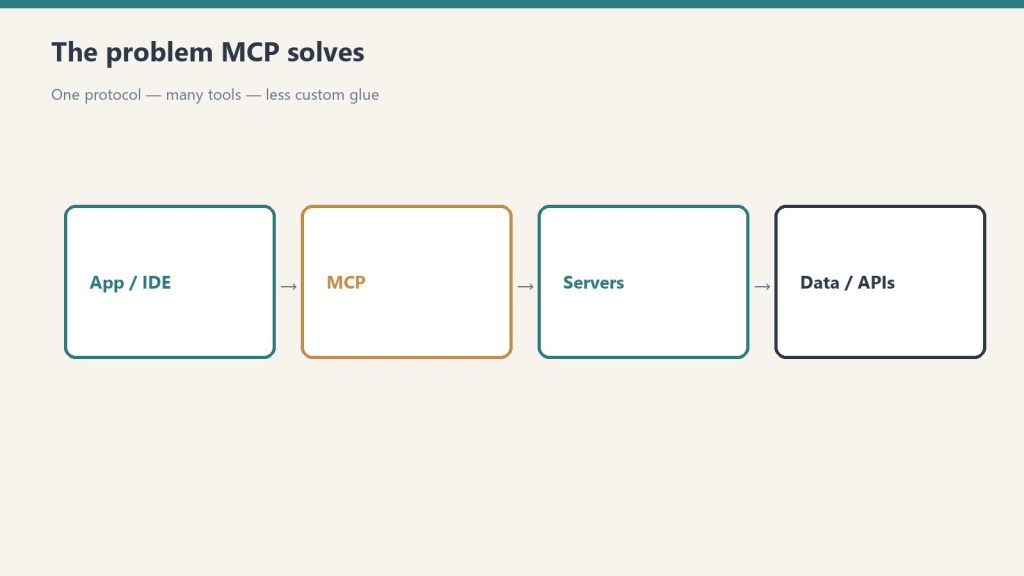
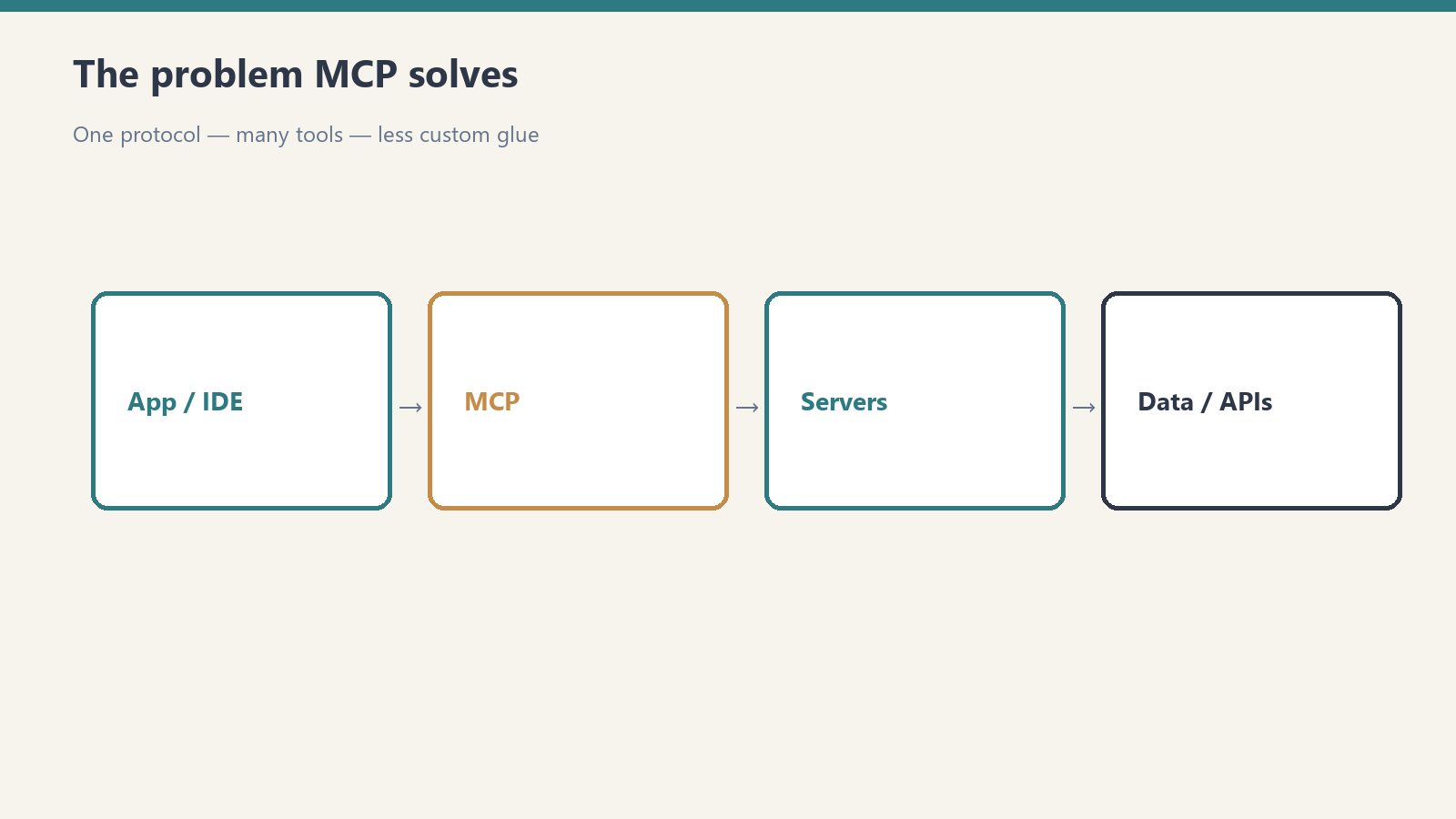
    Flow from app/IDE through MCP to servers and data APIs
    Free-tier ceilings for Cosmos DB vs Firestore.

    This is where the two diverge most, and the units don’t line up cleanly — which is itself the point.

    How we do it

    Azure Google Cloud Verdict
    Free throughput 1,000 RU/s provisioned 50K reads / 20K writes / 20K deletes per day Cosmos for steady throughput
    Free storage 25 GB 1 GiB Cosmos — 25× the storage
    Billing unit Request Units (RU/s) Per-operation daily quota Different mental models
    How many free tiers One per subscription Per project (Spark plan) Tie, structurally
    Fit for a metadata store Generous Comfortable for small stores Cosmos on headroom

    The mismatch in units is the real story. Cosmos meters everything in Request Units — a blended currency for reads, writes, and queries — and gives you a flat 1,000 RU/s continuously plus 25 GB. Firestore meters discrete daily operations — 50K reads, 20K writes, 20K deletes — and 1 GiB. For our ledger, Cosmos’s 25 GB is absurd headroom we’ll never approach, and 1,000 RU/s comfortably absorbs bursty publish events. Firestore’s daily caps are fine for a small store but you feel them: a chatty dashboard that re-reads the ledger on every page load can nibble through 50K reads faster than you’d expect.

    Data model and query power

    Side-by-side when to use a script versus an agent
    Data model and query power.

    How we do it

    Azure Google Cloud Verdict
    Data model Multi-model (document, key-value, graph, column) Document (collections + docs) Cosmos on flexibility
    API surface NoSQL (SQL-like), MongoDB, Cassandra, Gremlin, Table Native Firestore SDK Cosmos on portability
    Query model Rich SQL-like queries, indexing tunable Indexed queries, real-time listeners Tie — different strengths
    Real-time sync Change feed First-class real-time listeners Firestore on live UI
    Schema Schema-agnostic Schema-agnostic Tie

    Cosmos is multi-model: the same data can be addressed through a SQL-like NoSQL API, MongoDB’s wire protocol, Cassandra, Gremlin (graph), or Table. If you ever want to query the ledger like a graph, or you’re migrating off MongoDB, that optionality is real and free. Firestore is single-purpose by design — document collections with excellent real-time listeners, which is the thing to reach for when a dashboard should update live as the ledger changes. For a metadata store feeding a UI, those listeners are genuinely pleasant.

    Latency and operational feel

    Desk with laptop, checklist notebook, and billing card ready before creating an Anthropic API key
    Latency and operational feel.

    How we do it

    Azure Google Cloud Verdict
    Read latency Single-digit ms (tuned) Low, very consistent Tie at our scale
    Provisioning model Provisioned RU/s (or serverless) Fully managed, no capacity knobs Firestore on simplicity
    Capacity tuning You can over/under-provision Nothing to tune Firestore on hands-off
    Setup friction A few more knobs Near-zero Firestore

    At our volume, both are fast enough that latency never registered as a difference. The operational feel diverges: Cosmos hands you knobs (RU/s, consistency levels, indexing policy) — power if you want it, a thing to learn if you don’t. Firestore has almost no knobs, which is the right call when the database is a side character in your stack and you never want to think about capacity.

    What surprised us

    • Cosmos’s 25 GB always-free storage is wildly generous for a metadata store. We will not approach it. It reframed Cosmos from “enterprise database” to “perfectly viable free tier.”
    • Firestore’s daily read quota is the thing to watch. It’s not the storage that bites — it’s a chatty UI re-reading the ledger. Cache reads or you’ll surprise yourself.
    • The RU/s model has a learning curve. Cosmos’s Request Unit currency is unintuitive at first; once it clicks, capacity planning is straightforward, but day one is more conceptual than Firestore.
    • Firestore’s real-time listeners are a quiet joy. For a live dashboard, “the data just updates” without polling is worth a lot.

    The takeaway

    Pick Azure Cosmos DB if you want maximum free headroom — 1,000 RU/s and 25 GB is a lot of database for $0 — or you value multi-model flexibility and API portability (especially a MongoDB-compatible path). It’s our pick when the ledger might grow or change shape.

    Pick Firestore if you want the simplest possible managed document store with first-class real-time listeners and nothing to tune, and your store stays comfortably inside 1 GiB and the daily operation caps. It’s the right call when the database should disappear into the background.

    For our ops ledger, Cosmos’s always-free generosity is hard to argue with — but for the live dashboard that reads the ledger, Firestore’s real-time listeners are the nicer developer experience. Running the same store on both made the trade explicit instead of theoretical.

    This is part of our “Two Clouds, One Site” series — we run the same media property on both Azure and Google Cloud on the free tiers, keeping the same ops ledger on each to see where the quotas really pinch. The lab lives on tygart.media; the findings publish here.

    Related on Tygart Media: Static Web Apps vs Firebase · $0 cloud stack · Azure AI Search vs Vertex.

    Frequently asked questions

    What does the free tier of Cosmos DB and Firestore actually include? Azure Cosmos DB’s always-free tier gives 1,000 RU/s of provisioned throughput plus 25 GB of storage, free for one account per subscription. Firestore’s free Spark tier gives 1 GiB of storage with 50,000 reads, 20,000 writes, and 20,000 deletes per day. Cosmos offers far more storage; Firestore meters by daily operations.

    Is Cosmos DB or Firestore more generous on the free tier? For storage and steady throughput, Cosmos DB is more generous — 25 GB and a continuous 1,000 RU/s versus Firestore’s 1 GiB and daily operation caps. Firestore is perfectly adequate for a small metadata store, but a chatty application can hit its daily read quota. Cosmos gives more headroom for growth.

    What’s the difference between Cosmos DB and Firestore’s data model? Cosmos DB is multi-model: the same data can be queried as documents, key-value pairs, graphs, or columns, and it speaks NoSQL, MongoDB, Cassandra, Gremlin, and Table APIs. Firestore is a focused document database — collections and documents — with excellent real-time listeners. Cosmos offers flexibility; Firestore offers simplicity.

    Which is better for a serverless content metadata store? Both work well. Choose Cosmos DB if you want generous free storage, multi-model flexibility, or a MongoDB-compatible path. Choose Firestore if you want a zero-tuning managed store with real-time listeners that update a dashboard live, and your data fits inside 1 GiB and the daily operation limits.

    Will I hit Firestore’s free quota with a small app? Storage usually isn’t the problem — 1 GiB holds a lot of small records. The daily read quota of 50,000 is what catches people: a dashboard that re-reads the same data on every page load can consume it quickly. Caching reads keeps a small app comfortably inside the free tier.

  • Azure Neural TTS vs Google Cloud Text-to-Speech (2026)

    Azure Neural TTS vs Google Cloud Text-to-Speech (2026)

    Azure Neural TTS vs Google Cloud Text-to-Speech: Audio Versions of Every Article

    Adding an audio version of every article is one of those low-effort, high-leverage moves: it makes your content accessible to people who’d rather listen, it gives you a “play this article” widget that lifts time-on-page, and the audio file itself becomes another thing search and assistants can surface. The work is entirely automated — text goes in, an MP3 comes out — so the only real decisions are which voice sounds least like a robot and which free tier covers your back catalog.

    We auto-generate audio versions of the same articles on both Azure Neural TTS and Google Cloud Text-to-Speech, on the free tiers, and listen. Short answer: this one’s an honest toss-up. Both produce genuinely natural neural voices, both give you SSML control, and both run our audio pipeline for $0/month. Azure’s free tier is 500,000 characters/month (~60–80 article audio versions of neural voices); Google’s is 1,000,000 characters/month of Standard voices and 1,000,000 characters/month of WaveNet/Neural2 premium voices. Pick by ecosystem and by which voice you’d rather hear.

    This is the breakdown from the running lab on tygart.media — voice naturalness, SSML control, voice variety, free ceilings, and the accessibility/SEO payoff.

    The free-tier ceilings

    Comparison of Claude how-to fit versus local service page fit for assistants
    Free-tier ceilings for Neural TTS vs Cloud TTS.

    How we do it

    Azure Google Cloud Verdict
    Free neural/premium chars/month 500,000 (Neural) 1,000,000 (WaveNet/Neural2) Google — 2× headroom
    Free standard chars/month n/a (neural is the tier) 1,000,000 (Standard) Google on raw volume
    Roughly how many article audios ~60–80 neural/mo ~140 premium/mo Google
    Always-free Yes Yes Tie
    Our actual bill $0 $0 Tie where it counts

    A 1,200-word article runs around 6,500–7,000 characters, so Azure’s 500K neural budget covers roughly 60–80 full article audio versions a month, and Google’s 1M premium budget covers roughly twice that. For a publisher shipping a handful of articles a week, both stay free with room to spare — the 2× gap only bites if you’re voicing a large back catalog in one go.

    Voice quality and SSML control

    Four cards for content, ops, build, and knowledge work with Claude
    Voice quality and SSML control.

    This is where you actually choose, and it’s genuinely close.

    How we do it

    Azure Google Cloud Verdict
    Voice naturalness Excellent, very expressive Excellent, very natural Tie — both clear the “robot” bar
    Voice variety Huge neural catalog, many styles Large WaveNet/Neural2 catalog Slight edge Azure on styles
    Speaking styles / emotion Yes (cheerful, newscast, etc.) More limited emotional styles Azure
    SSML control Full SSML + style/prosody tags Full SSML Azure, slightly
    Custom voice Yes (custom neural voice) Yes (custom voice) Tie
    Languages / locales 140+ locales 50+ languages, many voices Azure on locale breadth

    Both clear the bar that matters: neither sounds like a 2010-era text-to-speech engine, and a casual listener wouldn’t immediately clock either as synthetic. Azure edges ahead on expressiveness — its neural voices support named speaking styles (newscast, cheerful, empathetic) that are perfect for an article read-aloud, and its SSML supports fine prosody control. Google’s Neural2 voices are beautifully natural and, to some ears, a touch warmer; the emotional-style controls are just a little thinner.

    The accessibility and SEO payoff

    Desk with laptop, checklist notebook, and billing card ready before creating an Anthropic API key
    Accessibility and SEO payoff of audio articles.

    The audio isn’t only a nice-to-have. It does real work.

    How we do it

    Azure Google Cloud Verdict
    Accessibility win Listen instead of read Listen instead of read Tie
    Output format MP3 / WAV / streaming MP3 / LINEAR16 / OGG Tie
    Pipeline integration REST + SDKs REST + SDKs Tie
    Time-on-page lift Audio widget keeps people on page Same Tie

    An audio version gives screen-reader users and “I’d rather listen” users a first-class way to consume the piece, and the on-page player tends to lift dwell time — a signal that doesn’t hurt. The mechanics are identical on both clouds: feed text, get an MP3, embed it.

    What surprised us

    • Both are genuinely good now. We expected one to clearly win on naturalness and neither did — the synthetic-voice era is over on both clouds.
    • Azure’s speaking styles are the sleeper feature. Being able to render an article in a “newscast” or “cheerful” style without writing prosody by hand made the read-alouds noticeably more engaging.
    • Google’s free character budget is the bigger one. 1M premium characters is real headroom; if you’re voicing a back catalog, that matters more than a half-point of naturalness.
    • The MP3s are interchangeable. Once embedded, listeners couldn’t reliably tell which cloud voiced which article in a blind test we ran on ourselves.

    The takeaway

    Pick Azure Neural TTS if you want maximum expressiveness — named speaking styles, fine prosody control, and the broadest locale catalog — and your Microsoft ecosystem is already where the rest of your stack lives. The 500K free characters cover a normal publishing cadence comfortably.

    Pick Google Cloud Text-to-Speech if you want the larger free character budget (1M premium) for voicing a big back catalog, or you simply prefer the warmth of the Neural2 voices, and your stack is GCP-centric.

    For us this is the rare comparison with no loser. We run the pipeline on whichever cloud the rest of that article’s workflow already lives on — and the listener can’t tell the difference either way.

    This is part of our “Two Clouds, One Site” series — we run the same media property on both Azure and Google Cloud on the free tiers, generating audio versions of the same articles on each to hear where the voices differ. The lab lives on tygart.media; the findings publish here.

    Related on Tygart Media: Translator vs Google Translate · AI Language vs NL API · $0 cloud stack.

    Frequently asked questions

    How many free characters do Azure and Google text-to-speech give you per month? Azure Neural TTS gives 500,000 free neural characters per month, which is roughly 60–80 article audio versions. Google Cloud Text-to-Speech gives 1,000,000 free Standard characters and 1,000,000 free WaveNet/Neural2 premium characters per month, roughly double Azure’s premium headroom. Both stay free for a normal publishing cadence.

    Which text-to-speech sounds more natural, Azure or Google? Both produce genuinely natural neural voices, and in blind listening neither clearly wins. Azure edges ahead on expressiveness with named speaking styles like newscast and cheerful, while Google’s Neural2 voices are very natural and, to some ears, slightly warmer. The synthetic-robot problem is solved on both.

    Can I auto-generate an audio version of every blog post for free? Yes. Both clouds expose a simple REST API that turns article text into an MP3, and their free character budgets cover a typical few-articles-a-week cadence at $0. Google’s larger free budget is better if you want to voice a big back catalog in one pass.

    Does Azure Neural TTS support SSML and speaking styles? Yes. Azure supports full SSML plus named speaking styles (newscast, cheerful, empathetic and more) and fine prosody control, which makes article read-alouds noticeably more engaging. Google also supports full SSML, but its emotional-style controls are thinner.

    Does adding an audio version of articles help accessibility and SEO? Yes. An audio version gives screen-reader and listen-first users a first-class way to consume the content, improving accessibility, and the on-page audio player tends to lift time-on-page, which is a positive engagement signal. The benefit is identical whether you generate the audio on Azure or Google.

  • Azure Translator vs Google Cloud Translation: 2M Free Characters

    Azure Translator vs Google Cloud Translation: 2M Free Characters

    Azure Translator vs Google Cloud Translation: 2M Free Characters, Tested

    Translating your content is one of the cheapest ways to multiply its reach — every article becomes five articles the moment you ship it in five languages. The catch is that machine translation is metered by the character, and a content pipeline burns characters fast. So the real question for a bootstrapped publisher isn’t “which engine is best?” — it’s “which free tier lets me run a multilingual pipeline forever without ever seeing a bill?”

    We translate the same articles into multilingual variants on both Azure Translator and Google Cloud Translation, on the free tiers, and watch where each one runs out. Short answer: for a perpetual $0 pipeline, Azure Translator wins on the ceiling — its free tier is 2,000,000 characters/month and it’s always free, which is roughly 300 article-length translations a month. Google Cloud Translation gives you a generous-but-capped 500,000 characters/month and then it’s paid, and it earns its keep on quality and language coverage.

    This is the breakdown from the running lab on tygart.media — free ceilings, translation nuance, document vs text, and which one we actually point the pipeline at.

    The free-tier ceilings

    Comparison of Claude how-to fit versus local service page fit for assistants
    Free-tier ceilings for Translator vs Cloud Translation.

    This is the headline difference, and it’s not close.

    How we do it

    Azure Google Cloud Verdict
    Free characters/month 2,000,000, always free 500,000, then paid Azure — 4× the ceiling
    Roughly how many articles ~300 article translations/mo ~75 article translations/mo Azure
    What happens at the cap Pay-as-you-go kicks in Pay-as-you-go kicks in Tie (mechanism)
    Always-free vs 12-month trial Always free Always free (the 500K is perpetual) Tie
    Fit for a perpetual pipeline Excellent Tight Azure

    The math is the whole story. A typical 1,200-word article is around 6,500–7,000 characters. Translate it into five languages and you’ve spent ~35,000 characters on one article. Azure’s 2M ceiling absorbs dozens of articles across multiple languages every month without a cent; Google’s 500K runs dry after a couple of weeks of the same cadence. If your single hard constraint is “never pay for translation,” Azure is the answer before you even look at quality.

    Translation quality and nuance

    Three cards: coding depth, latency first, agent reliability
    Translation quality and nuance.

    Free ceilings decide whether you can run the pipeline. Quality decides whether you should publish what comes out.

    How we do it

    Azure Google Cloud Verdict
    Engine Neural MT, custom models available Neural MT (NMT), strong general model Slight edge Google on nuance
    Idiom / register handling Good, occasionally literal More natural on idioms and tone Google
    Technical terminology Reliable, customizable glossary Reliable Tie
    Custom/glossary control Custom Translator + dictionary Glossary + AutoML (paid) Azure on free customization
    Major-language quality Excellent both ways Excellent both ways Tie

    On high-resource languages — Spanish, French, German, Portuguese — both engines produce output we’d publish with a light editorial pass. Google has a slight edge on idiom and register: it tends to “sound like a person” a beat more often, especially on conversational copy. Azure closes most of that gap with Custom Translator and inline dictionaries, which let you pin brand terms and preferred phrasings — and those customization tools are usable inside the free workflow.

    Language coverage and document mode

    Desk with laptop, checklist notebook, and billing card ready before creating an Anthropic API key
    Language coverage and document mode.

    How we do it

    Azure Google Cloud Verdict
    Languages supported 100+ 100+ (NMT subset varies) Tie
    Long-tail / low-resource Broad Broad, often strong Google, slightly
    Document translation Yes (preserves formatting) Yes (separate API surface) Tie
    Text translation API Simple REST Simple REST Tie
    Batch throughput High High Tie

    Both clouds clear 100 languages, so coverage isn’t a deciding factor for a Western-market content site. Document translation — feeding in a formatted file and getting the same layout back in another language — exists on both; we mostly use plain text translation because our content is markdown and we re-render it ourselves.

    What surprised us

    • The character ceiling, not the quality, is the real constraint. We went in expecting a quality shootout and came out realizing that for a content pipeline, “2M free vs 500K free” decides the workflow long before anyone compares a single sentence.
    • Azure’s always-free 2M is genuinely always free. It’s not a 12-month trial that lapses into charges — it resets every month indefinitely. That’s rare enough that we double-checked it.
    • Google’s output reads slightly more human on conversational copy. For marketing-voice pieces we noticed Google needed less editorial cleanup; for technical articles the two were indistinguishable.
    • Glossaries matter more than the base engine. Once you pin your brand and product terms, the gap between the two narrows to almost nothing.

    The takeaway

    Pick Azure Translator if your priority is a perpetual multilingual content pipeline that never bills you — the 2M-character always-free ceiling is built for exactly this, and Custom Translator gives you brand-term control for free. It’s our default for high-volume article translation.

    Pick Google Cloud Translation if quality on conversational, idiom-heavy copy is your top concern and your volume fits comfortably under 500K characters/month — its NMT output tends to need a lighter editorial pass.

    For us, running the same site on both clouds, the translation pipeline lives on Azure: at our cadence we’d blow through Google’s free tier in two weeks, and Azure’s ceiling means the multilingual variants ship at $0, month after month.

    This is part of our “Two Clouds, One Site” series — we run the same media property on both Azure and Google Cloud on the free tiers, translating the same articles on each to see where the ceilings really sit. The lab lives on tygart.media; the findings publish here.

    Related on Tygart Media: Neural TTS vs Google TTS · AI Language vs NL · $0 cloud stack.

    Frequently asked questions

    How many free characters do Azure Translator and Google Cloud Translation give you per month? Azure Translator’s free tier is 2,000,000 characters per month and it’s always free, resetting every month indefinitely. Google Cloud Translation’s free tier is 500,000 characters per month, after which you pay per character. For a content pipeline, Azure’s ceiling is roughly four times larger.

    Which machine translation is more accurate, Azure or Google? Both use neural machine translation and produce publish-quality output on major languages. Google has a slight edge on idiom, tone, and conversational register, while Azure closes most of that gap with its free Custom Translator and dictionary features. For technical content the two are hard to tell apart.

    Can I run a multilingual website translation pipeline for free? Yes. Azure Translator’s 2,000,000 free characters per month is enough for roughly 300 article-length translations, which covers a typical publishing cadence across several languages at $0. Google’s 500,000 free characters works for lower-volume sites but runs out faster at the same pace.

    Does Azure Translator support document translation that keeps formatting? Yes. Azure offers a document translation mode that preserves the original layout and formatting of files, alongside a simple text translation REST API. Google Cloud Translation offers document translation too. We mostly use plain text translation because our content is markdown that we re-render ourselves.

    How many languages do Azure Translator and Google Cloud Translation support? Both support more than 100 languages, so coverage is rarely the deciding factor for a Western-market site. Google sometimes edges ahead on lower-resource languages, but for common European and Latin American languages the two are equivalent in reach.

  • Bing Webmaster Tools vs Google Search Console: What Each Tells Yo

    Bing Webmaster Tools vs Google Search Console: What Each Tells Yo

    Here’s the number that reorganized how we think about search: ~84% of our organic traffic comes from Bing. Not Google. Bing — and the Copilot and ChatGPT surfaces that draw on Bing’s index. Yet for a long time, like nearly everyone, we watched only Google Search Console and treated Bing as an afterthought.

    That’s the blind spot this article is about. Short answer: use both consoles, but if Bing drives your traffic, stop treating Bing Webmaster Tools as optional — it has data, indexing controls, and an AI-insights surface that Google Search Console doesn’t, and it’s reporting on the search engine that’s actually sending you readers.

    This is the side-by-side from running both consoles on the same media property: what each one tells you, where Bing is quietly ahead, and how we wired the Bing Webmaster Tools API into our editorial calendar.

    The core reporting — query, position, CTR

    Topic platform fit visual for first-party AI citation measurement
    Core reporting: query, position, CTR.

    At the surface, the two consoles look like twins. Both give you queries, impressions, clicks, average position, and CTR. The differences are in coverage and freshness.

    How we do it

    Job Bing Webmaster Tools Google Search Console Verdict
    Query / position / CTR Yes, per query and page Yes, per query and page Tie on the basics
    Data freshness Often faster to update ~2-3 day lag Bing edges ahead
    Historical window Generous 16 months Toss-up
    API access Full API: position + CTR per query/page Search Analytics API Bing — the API is the underrated weapon
    AI / Copilot insights Dedicated AI-traffic insights No equivalent surface yet Bing, clearly
    Market it reports on Bing + Copilot + ChatGPT-via-Bing Google only Depends on your traffic mix

    The honest read: for the basic dashboard, they’re close enough that you’d never switch for the UI. The reasons to take Bing seriously are whose traffic it reports on and what it lets you do about it — the AI insights tab and the API.

    Indexing: IndexNow vs crawl-when-it-feels-like-it

    Three cards for Google cautious, Bing speed, OpenAI aggressive crawl styles
    Indexing: IndexNow vs crawl-when-it-feels-like-it.

    This is the most concrete operational difference, and it’s lopsided.

    How we do it

    Job Bing Webmaster Tools Google Search Console Verdict
    Tell it about a new URL IndexNow — push, indexed near-instantly URL Inspection → “Request indexing” (queued) Bing — push beats poll
    Bulk submission IndexNow ping + sitemap Sitemap, then wait Bing
    Control over crawl Crawl control, block/allow Limited crawl controls Bing — more knobs
    Re-crawl on edit Re-ping IndexNow Hope, or re-request Bing

    IndexNow is the standout. Instead of submitting a sitemap and waiting for a crawler to wander by, you push a URL the moment it changes and it’s picked up almost immediately — and because IndexNow is a shared protocol, one ping notifies participating engines. Google’s model is still largely “request indexing and wait.” For a content site that publishes and edits constantly, push beats poll every time. We ping IndexNow on publish and on every meaningful edit.

    The AI / Copilot insights tab

    Comparison of Claude how-to fit versus local service page fit for assistants
    The AI insights tab is the differentiator.

    Google Search Console has no real equivalent here yet. Bing Webmaster Tools surfaces AI-traffic insights — visibility into how your content shows up across Bing’s AI-powered and Copilot surfaces. Given that those surfaces (and ChatGPT’s web results, which draw on Bing) are an increasing share of how people find answers, this is the single console feature most aligned with where discovery is heading. If you care about GEO at all, it’s the dashboard that tells you whether the AI assistants are actually pulling you in.

    Wiring the BWT API into the editorial calendar

    The Bing Webmaster Tools API is the part most sites never touch, and it’s the most actionable. It returns position and CTR per query and per page — which is a ready-made content-optimization loop:

    1. Pull query/position/CTR from the BWT API on a schedule.
    2. Find pages ranking on page one with weak CTR (good position, bad headline/meta) — fast wins.
    3. Find queries where we rank position 5-15 with real impressions — the “one good edit from page one” list.
    4. Feed both lists straight into the editorial calendar as prioritized rewrites.

    Because Bing drives most of our traffic, this loop is pointed at the engine that actually moves our numbers. Running the same loop off Google Search Console’s API would optimize for the 16% of traffic, not the 84%.

    What surprised us

    • Bing’s data is often fresher than Google’s. We frequently see new queries in Bing Webmaster Tools before they show up in Search Console.
    • IndexNow is faster than anything Google offers — and it’s free and standard. The gap between “push and it’s indexed” and “request and wait” is real and daily.
    • The AI insights tab has no GSC counterpart. For a site doing GEO, that’s the most forward-looking surface either console offers.
    • Almost nobody verifies their site in Bing Webmaster Tools. You can import directly from Google Search Console in a couple of clicks, so the only reason most sites skip it is that they’ve never looked at where their traffic comes from.

    The takeaway

    This was never a “pick one” — it’s “stop ignoring one.” Google Search Console is still essential; Google isn’t going anywhere. But running only GSC is a bet that Google’s view of your site is the only one that matters, and our traffic data says that bet is wrong by a factor of five.

    Use both. Watch Google Search Console for the Google slice. But if a large share of your organic traffic comes from Bing — and a surprising number of content sites are in exactly that position without checking — then Bing Webmaster Tools is your primary console: fresher data, IndexNow for instant indexing, the AI/Copilot insights surface, and an API you can wire straight into your editorial calendar.

    The 84% lesson is simple: measure where your readers actually come from, then watch the console that reports on it. For us, that meant promoting Bing from afterthought to the dashboard we open first.

    This is part of our “Two Clouds, One Site” series — we run the same media property on Azure and Google Cloud, on the free tiers, and report what watching both ecosystems actually teaches us. The lab lives on tygart.media; the findings publish here.

    Related on Tygart Media: Bing vs GSC (companion) · read Bing AI citations · AI citation monitoring.

    Frequently asked questions

    Should I use Bing Webmaster Tools if I already use Google Search Console? Yes — they report on different search engines, so using only Google Search Console hides all of your Bing performance. If any meaningful share of your traffic comes from Bing, Copilot, or ChatGPT’s Bing-powered results, Bing Webmaster Tools shows data and offers indexing controls that Search Console doesn’t. You can import your site from Search Console in a couple of clicks.

    What is IndexNow and is it faster than Google indexing? IndexNow is a protocol that lets you push a URL to search engines the moment it’s published or changed, instead of waiting for a crawler. It’s typically much faster than Google’s “request indexing and wait” model, and because it’s a shared standard, one ping notifies participating engines. For sites that publish or edit frequently, it’s a meaningful indexing-speed advantage.

    Does Bing Webmaster Tools have an API? Yes. The Bing Webmaster Tools API exposes per-query and per-page data including position and CTR, plus URL submission. That makes it practical to pull your search performance on a schedule and feed it into a content-optimization loop — for example, flagging page-one results with weak CTR or near-miss rankings to prioritize for rewrites.

    What does the Bing Webmaster Tools AI insights tab show? It surfaces how your content appears across Bing’s AI-powered and Copilot surfaces, giving visibility into AI-driven discovery that Google Search Console has no direct equivalent for yet. For sites focused on Generative Engine Optimization, it’s the most forward-looking view either console offers into whether AI assistants are pulling in your content.

    Why would a site get most of its traffic from Bing instead of Google? It’s more common than people assume, especially for niche or B2B content, sites strong in Bing-heavy regions or browsers, and content that surfaces well in Copilot and ChatGPT’s Bing-powered results. The lesson is to measure your actual referral mix rather than assume Google dominates — many sites only discover their Bing share once they verify in Bing Webmaster Tools.

  • Azure Functions vs Cloud Run: We Ran the Same Worker on Both

    Azure Functions vs Cloud Run: We Ran the Same Worker on Both

    Pick a serverless platform and you’re picking a default for the next five years of your stack. Most comparisons of Azure Functions vs Google Cloud Run are written from the docs. This one isn’t — we deployed the same worker to both, in production, on the free tiers, and watched what happened.

    The worker is simple on purpose: it takes a webhook, does a little work, writes a record, returns JSON. The kind of glue every real system has dozens of. Boring is exactly what you want when you’re measuring the platform and not the app.

    The short answer

    Four pillars: headless agents, MCP tools, rules/memory, human review
    The short answer — Functions vs Cloud Run.

    If you just want the verdict: Cloud Run wins for anything containerized and anything where you care about not storing deploy keys. Azure Functions wins when your automation already lives in the Microsoft ecosystem and benefits from Logic Apps, Event Grid, and Entra sitting right next door. Both run our worker for $0/month. The tie-breakers are deploy security and what else is in the neighborhood.

    Now the detail.

    Deploying the same worker

    Side-by-side when to use a script versus an agent
    Deploying the same worker on both clouds.

    This is where the two platforms feel most different, and where Google Cloud quietly pulls ahead.

    How we do it

    Azure Functions Google Cloud Run Verdict
    Unit of deploy Function app (code + host) Container image Cloud Run if you’re already containerized
    Deploy auth Publish profile / service principal Workload Identity Federation — no stored keys Cloud Run, decisively
    Cold start Noticeable on Consumption plan Negligible at our scale Cloud Run
    Local dev parity Functions Core Tools (good) “It’s just a container” (great) Cloud Run

    The headline is the deploy auth. Our Cloud Run workers deploy from GitHub Actions using Workload Identity Federation — GitHub proves its identity to Google with a short-lived token, and no service-account key is ever stored in the repo. That’s not a convenience; it’s the single biggest reduction in credential risk you can make in a CI/CD pipeline. Azure Functions can get close with OIDC + a service principal, but the container-native, keyless Cloud Run path was simpler to lock down and is the model we standardized on.

    What the free tier actually gives you

    Both platforms have genuinely generous always-free serverless tiers. The numbers that matter for a glue worker:

    How we do it

    Metric Azure Functions Google Cloud Run Verdict
    Free requests/month 1,000,000 2,000,000 Google — 2× headroom
    Free compute 400,000 GB-s 360,000 GiB-s + 180,000 vCPU-s Roughly even
    Scale to zero Yes (Consumption) Yes Tie
    Max instances control Yes Yes (and per-service concurrency) Cloud Run, slightly
    Our actual bill $0 $0 Tie where it counts

    At our volume — thousands of invocations a month, not millions — both are free and stay free. The 2M-vs-1M request gap only matters if you’re genuinely high-traffic. For most glue workloads, you will never see a bill on either.

    The neighborhood effect

    A serverless function is rarely alone. It fires because something happened and it triggers something else afterward. That’s where the ecosystems diverge — and where Azure earns its keep.

    • Azure Functions sits next to Logic Apps (4,000 free built-in actions/month), Event Grid (100,000 free operations/month), and Entra ID for identity. If your automation is event-driven and Microsoft-centric, the glue around the function is already there and already free.
    • Cloud Run sits next to Eventarc, Cloud Workflows, Pub/Sub, and Cloud Scheduler — the same pattern on Google’s side, equally capable.

    Neither is “better” in the abstract. The right answer is whichever cloud your other services already live in. A function that triggers a Logic App next door beats a function that has to reach across clouds to do the same thing.

    What surprised us

    Desk with laptop, checklist notebook, and billing card ready before creating an Anthropic API key
    What surprised us in the head-to-head.
    • Cloud Run cold starts basically disappeared. At our concurrency the container was warm often enough that we stopped thinking about it. Azure Functions on the Consumption plan had more noticeable cold starts for the same workload.
    • Azure’s free side-resources are real. Functions itself is free, but watch the storage account and Application Insights it provisions alongside — those can accrue tiny charges. Set a budget alert on day one.
    • Keyless deploy changed our security posture more than any single config. Once the repo holds zero secrets for deploys, an entire category of “leaked key” incidents just can’t happen.

    The takeaway

    For a containerized, security-conscious, GitHub-Actions-driven stack, Cloud Run is our default — the keyless deploy and the request headroom settle it. But “default” isn’t “only”: when a workload belongs in the Microsoft ecosystem — triggered by Microsoft events, feeding Microsoft services, governed by Entra — Azure Functions is the right tool, and it runs for the same $0.

    Run the same worker on both for a week. The platform stops being a religious debate and becomes a placement decision: put the work where its neighbors already are.

    This is part of our “Two Clouds, One Site” series — we run the same media property on both Azure and Google Cloud, on the free tiers, and write up what we learn. The lab lives on tygart.media; the findings publish here.

    Related on Tygart Media: Functions vs Cloud Run companion · $0 cloud stack · Logic Apps vs Workflows.

    Frequently asked questions

    Is Azure Functions or Cloud Run cheaper? For typical glue workloads, both are free and stay free. Cloud Run offers more free requests per month (2M vs 1M) and Azure offers 400,000 GB-seconds of free compute. At thousands of invocations a month you will not see a bill on either; the cost difference only appears at high traffic.

    Which is more secure to deploy? Cloud Run, because it supports keyless deploys via Workload Identity Federation — GitHub Actions authenticates with a short-lived token and no service-account key is stored in the repo. Azure Functions can approximate this with OIDC and a service principal, but the container-native keyless path is simpler to secure.

    Can I run the same code on both Azure Functions and Cloud Run? Yes. If you package the worker as a container, Cloud Run runs it directly and Azure Functions can run it via a custom handler or containerized function. We deploy the same worker logic to both; the differences are in deploy tooling and the surrounding event services, not the code.

    When should I choose Azure Functions over Cloud Run? Choose Azure Functions when your automation already lives in the Microsoft ecosystem — triggered by Event Grid, orchestrated by Logic Apps, or governed by Entra ID. Co-locating the function with the services it talks to beats reaching across clouds.

    Do serverless cold starts matter on either platform? At moderate concurrency, Cloud Run cold starts were negligible in our testing because the container stayed warm. Azure Functions on the Consumption plan showed more noticeable cold starts for the same workload. For latency-sensitive endpoints, test under your real traffic before deciding.

  • The $0 Cloud Stack: Running a Real Med (2026)

    The $0 Cloud Stack: Running a Real Med (2026)

    Most “Azure vs Google Cloud” articles are written by people who run neither in production. They paraphrase the pricing pages and call it a comparison.

    We do something different: we run the same media property on both clouds at the same time — and the entire thing costs $0/month. Google Cloud is the live operational stack. Azure is a parallel “newsroom” of always-free services running on a dedicated lab domain, tygart.media, mirroring each capability of the live site. Two clouds, one operation, both AI ecosystems watching it work.

    This is the desk-by-desk breakdown — what each cloud actually does for us, where the free tier runs out, and which one wins each specific job. No theory. This is the running system.

    Why run on both clouds at once

    Four pillars: headless agents, MCP tools, rules/memory, human review
    Why run on both clouds at once.

    There’s a strategic reason beyond “free is fun.” Search and AI assistants don’t share a brain. Google’s models optimize for Google’s index; Microsoft’s Copilot and Bing optimize for Microsoft’s graph. When ~84% of your organic traffic comes from Bing, having your stack only inside Google’s telemetry is a blind spot.

    Running enrichment through Azure puts the same content inside Microsoft’s service graph the same way Google Cloud puts it inside Google’s. You stop guessing how each ecosystem sees you, because you’re operating inside both.

    The serverless compute plane

    Side-by-side when to use a script versus an agent
    The serverless compute plane.

    The heart of the stack: code that runs after you push a file and close the laptop.

    How we do it

    Azure Google Cloud Verdict
    Service Azure Functions Cloud Run Cloud Run for containers; Functions for glue
    Free ceiling 1M requests/month 2M requests/month Google, on raw headroom
    Deploy model Functions Core Tools / GitHub Actions Keyless deploy via Workload Identity Federation Google — no stored keys is a real security win
    What surprised us Generous, but watch billable side resources Cold starts negligible at our scale —
    Our bill $0 $0 Tie where it counts

    Pick Cloud Run if you’re already containerized and want keyless CI/CD. Pick Azure Functions if your automation lives in the Microsoft ecosystem and you want Logic Apps next door.

    The content enrichment desks

    This is where Azure’s always-free tier quietly outclasses expectations — a full newsroom of AI services that never bill at our volume.

    How we do it

    Job Azure Google Cloud Verdict
    Translation Translator — 2M chars/mo free (~300 articles) Cloud Translation Azure — bigger perpetual free ceiling
    Article audio Neural TTS — 500K chars/mo Cloud Text-to-Speech Toss-up; both natural
    Entity extraction (for GEO) AI Language — 5K records/mo Cloud Natural Language Azure — likely the same signal family Bing uses
    Site search Azure AI Search — 3 indexes free Vertex AI Search Azure — it’s the engine behind Bing

    The entity-extraction line matters most. We feed articles through Azure AI Language to pull named entities and key phrases, then saturate the content with them. We’re optimizing for the same entity signals Microsoft’s own systems use to select content — which is the whole game when Bing drives most of your traffic.

    The storage and front-end layer

    How we do it

    Job Azure Google Cloud Verdict
    Document store Cosmos DB — 1,000 RU/s + 25GB free Firestore Azure — Cosmos free tier is generous (one per subscription)
    Relational Azure SQL — serverless free Cloud SQL (no perpetual free) Azure, clearly
    Static hosting Static Web Apps — 100GB bandwidth Firebase Hosting Tie; both excellent

    For a small operations ledger or a knowledge base, Azure’s always-free Cosmos DB and serverless SQL are the standout — Google Cloud has no equivalent perpetual-free relational tier.

    What it actually costs: nothing (if you’re disciplined)

    Desk with laptop, checklist notebook, and billing card ready before creating an Anthropic API key
    What it actually costs when you stay disciplined.

    The honest caveat: free compute can still trigger billable side resources. A “free” VM drags along disks, public IPs, and monitoring logs that bill immediately with no throttling. The discipline that keeps the bill at zero:

    1. Deploy from the free-services blade, not the general catalog.
    2. Set a budget alert on day one — before you provision anything.
    3. Prefer serverless over VMs — the consumption tiers reset monthly and don’t drag side resources.
    4. One Cosmos DB free tier per subscription — plan around it.

    Do that, and a real, AI-enriched media property runs across two clouds for $0.

    The takeaway

    Single-cloud is a bet that one ecosystem’s view of your content is the only one that matters. When the traffic data says otherwise — when most of your readers arrive through the other company’s search and AI — bilateral cloud stops being a novelty and becomes the obvious posture. The free tiers make it cost nothing but discipline.

    Related on Tygart Media: $0 cloud stack companion · Functions vs Cloud Run · AI Search vs Vertex.

    Frequently asked questions

    Is it really free to run on both Azure and Google Cloud? Yes, at small-site scale. Both clouds offer always-free serverless tiers (Azure Functions 1M requests/month, Cloud Run 2M requests/month) plus free AI, storage, and hosting services. The cost risk is billable side resources like VM disks and public IPs — avoidable by staying serverless and setting a budget alert.

    Which is better for serverless, Azure or Google Cloud? Cloud Run wins on raw request headroom (2M vs 1M/month) and keyless deploys via Workload Identity Federation. Azure Functions wins if your automation already lives in the Microsoft ecosystem and benefits from Logic Apps and Event Grid next door.

    Why would you run the same site on two clouds? AI ecosystems don’t share telemetry. Google’s models favor Google’s index; Bing and Copilot favor Microsoft’s graph. If a large share of your traffic comes from Bing, running enrichment through Azure puts your content inside Microsoft’s service graph instead of leaving it a blind spot.

    Does Azure have a better free tier than Google Cloud? For perpetual always-free services, Azure is broader — 65+ always-free services including Cosmos DB (1,000 RU/s + 25GB) and serverless Azure SQL, which Google Cloud has no direct perpetual-free equivalent for. Google Cloud wins on serverless request volume and keyless security.

    What’s the catch with Azure’s always-free tier? Limits reset monthly and overages bill immediately with no throttling. Free VMs also trigger billable disks, public IPs, and monitoring logs. Deploy from the free-services blade, prefer serverless, and set a budget alert before provisioning.

  • Claude Tag Pricing: Enterprise vs Team, and When Self-Hosting Wins

    Claude Tag Pricing: Enterprise vs Team, and When Self-Hosting Wins

    This is part of our Claude Tag field guide for agencies. Start with the overview: Claude Tag: A Builder’s Guide for Agencies.

    The first thing to understand about Claude Tag pricing is that Claude Tag doesn’t have a price. There’s no separate line item, no per-feature fee. It’s included with the plans it runs on — Claude Team and Claude Enterprise, in beta — so the real question isn’t “what does Claude Tag cost,” it’s “which plan are you on, and is per-seat the right model for how you work.”

    What you’re actually paying for

    Four gates: max turns, tool allowlist, token budget, kill switch
    What you’re actually paying for with Claude Tag.

    Claude Tag is a capability of two existing plans, not a product you buy on its own:

    • Claude Team is straightforward per-seat: a flat monthly price per user (premium seats cost more for higher usage). Predictable, easy to budget, good for a defined internal team. For the seat-tier breakdown, see Claude Team Pricing 2026: Standard vs Premium seats.
    • Claude Enterprise is seat-plus-usage: a per-seat fee, and then the tokens your team consumes — in chat, Claude Code, or Cowork — billed on top. It adds controls like role-based access, but the total depends on how heavily you use it.

    Because the two plans bill on different logic, the “cheaper” one depends entirely on your usage shape. We dig into the Enterprise side in detail in Claude Enterprise Pricing: What Large Organizations Pay. For the broader list-rate map across Claude products, start with Claude AI pricing.

    The launch credit (worth knowing now)

    At launch, Anthropic is subsidizing early adoption: as of June 2026, it’s offering $1,000 in Claude Code and Cowork credits for every Enterprise seat activated by July 2, 2026 (deadline passed). For a team that was going to adopt anyway, that credit covers a meaningful chunk of early usage — it makes the “turn it on internally and try it” decision close to free. It’s time-boxed, so if Enterprise is on your radar, the math is best before that date.

    When paying per seat is the right call

    Three cards for fast volume, daily workhorse, and deep flagship Claude seats
    When paying per seat is the right call.

    For a single internal team, the per-seat model is the obvious answer. You get a current-generation teammate (Claude Tag runs on Opus 5.5) with no infrastructure to build, the launch credit softened the ramp for early adopters, and ambient mode is safe to use because all the data is yours. Buy the seats and move on.

    When building your own loop wins

    Side-by-side when to use a script versus an agent
    When building your own loop wins.

    Per-seat pricing is built for one company’s team. It is not built for an agency running many clients through one operation — and that’s where the calculus flips. Building your own gated Slack–to–AI loop starts to beat paying per seat when:

    • You need hard isolation between clients that per-seat access controls don’t give you. Isolation has to be architectural, not a setting — see The Multi-Client Isolation Trap.
    • You want to own the credential and the model path, so no client’s API key or context lives where it could leak.
    • The approval gate is the product — you need a human signing off on every outbound deliverable, wired into the architecture, not bolted on.
    • Seat counts get large or spiky, where a usage-based loop you control can undercut a per-seat bill.

    We didn’t reason our way to this in a spreadsheet — we built that loop before Claude Tag launched, for exactly these reasons. The story is in We Built a Slack AI Teammate Before Claude Tag.

    The honest answer

    For your internal team, adopt Claude Tag on a Team or Enterprise plan and take the launch credit — it’s the cheapest path to a real AI teammate. For multi-client delivery, the per-seat model isn’t the whole answer, because the thing you’re really buying — isolation, control, and a human in the loop — is exactly what you have to build yourself. That’s the part we build for clients at Tygart Media. Start at the pillar: Claude Tag: A Builder’s Guide for Agencies.

    Related on Tygart Media: how to use Claude · Anthropic API key.

  • Claude Tag: A Builder’s Guide (2026)

    Claude Tag: A Builder’s Guide (2026)

    Today Anthropic launched Claude Tag — a new way to work with Claude that starts inside Slack. Instead of a chatbot you visit, Claude joins your workspace as a teammate. You @-mention it with a request, it breaks the task into stages, works through them, and replies in the thread with what it made.

    We read the announcement with a strange feeling, because we’d been running a version of this loop for client delivery for weeks. So this isn’t a reaction piece written from the outside. It’s a field guide from a team that built the same thing first — what Anthropic got right, what’s genuinely better in their version, and the one design choice that’s quietly dangerous if you run an agency.

    What Claude Tag actually is

    Side-by-side cards defining what Claude Code is and is not
    What Claude Tag actually is.
    • A Slack-native teammate you delegate to by tagging @Claude — no separate app to open.
    • Multiplayer by default: one shared Claude per channel; anyone can see its work and pick up where the last person left off.
    • Context that compounds: it follows the channel over time, and with permission can learn from other channels and data sources.
    • Ambient mode: turn it on and Claude takes initiative — surfacing what’s relevant, flagging stale threads, following up on forgotten tasks.

    It runs on Opus 4.8, replaces the older “Claude in Slack” app (admins opt in within 30 days), and is in beta for Enterprise and Team plans. Anthropic says 65% of their product team’s code now comes from their internal version. That number is the tell: this isn’t a toy.

    What they got right

    1. The unit of work is a request, not a conversation. “@Claude, draft the launch email and three follow-ups” is how people actually delegate.
    2. Shared context beats private chats — auditable and collaborative; private AI sessions create shadow work nobody can review.
    3. It meets people where the work already is. The work happens in Slack, so the AI lives in Slack.

    The one thing agencies have to get right (and Claude Tag doesn’t, by default)

    Claude Tag’s standout features — ambient mode and cross-channel learning — are wonderful when every channel belongs to one company. But an agency is many clients sharing one operation. The moment your AI teammate “learns across channels and data sources,” context from Client A can surface in work for Client B.

    We learned this by living it. In an early pilot, a single shared context produced client deliverables that pulled in details from the wrong account. Nothing left the building, but the signal was clear: for client work, ambient cross-channel learning is not a feature — it’s a breach waiting for a deadline.

    So we rebuilt around two non-negotiables:

    • Hard isolation per client — each client’s room is walled, enforced in the architecture, not a prompt you hope it obeys.
    • Approve-before-ship — the AI drafts; a human reviews; only then does it go out.

    If you take one thing from this guide: the two things that make Claude Tag magical inside a company are the two things you must switch off — or wall off — to use it safely for clients.

    The pattern that works: split by surface

    Five security domains: identity, data, code governance, audit, agents
    Split by surface — the pattern that works.
    SurfaceUseWhy
    Your internal teamAdopt Claude TagAmbient cross-channel learning is a feature when all the data is yours
    Client-facing deliveryIsolated room + approval gateIsolation and human sign-off are the product

    How to roll it out without getting burned

    Desk with laptop, checklist notebook, and billing card ready before creating an Anthropic API key
    Roll it out without getting burned.
    1. Map channels by trust boundary; client-data channels don’t get cross-channel learning.
    2. Default ambient mode OFF for anything client-facing.
    3. Keep humans on the ship button for anything that leaves the building.
    4. Audit what the AI can see — your permission is the control; set it deliberately.
    5. Separate client work into isolated spaces, not just channels in one shared brain.

    Where this goes

    Claude Tag is a milestone: the AI teammate is now an operating model, not a demo. For internal teams, adopt it. For client work, the hard, valuable part — isolation, trust, a human in the loop — is still yours to own. That’s what we build for clients at Tygart Media.

    The rest of the field guide

    This pillar is the overview. The cluster goes deeper:

  • Claude Tag for Agencies: The Multi-Client Isolation Trap

    Claude Tag for Agencies: The Multi-Client Isolation Trap

    This is part of our Claude Tag field guide for agencies. Start with the overview: Claude Tag: A Builder’s Guide for Agencies.

    Claude Tag’s two best features are ambient mode and cross-channel learning. Inside a single company, they are close to magic: one AI teammate that quietly learns how the whole organization works and surfaces the right thing at the right moment. If you run an agency, those same two features are a trap. This piece is about why, and exactly what to build instead.

    Why an agency is a different shape of problem

    Five security domains: identity, data, code governance, audit, agents
    Why an agency is a different shape of problem.

    A company is one tenant. Every channel, every document, every thread belongs to the same entity, so an AI that “learns across channels and data sources” is only ever connecting your own dots. That is the design Claude Tag is optimized for, and Anthropic’s own number — 65% of their product team’s code now comes from their internal version — shows how well it works when all the data is yours.

    An agency is the opposite shape. You are many clients sharing one operation. Client A and Client B may be competitors. The instant your AI teammate is allowed to learn across channels, the wall between those two accounts depends on the model’s judgment about what is “relevant” — and relevance is exactly the thing it’s designed to be generous about. Cross-channel learning isn’t a bug here. It’s a feature pointed in the wrong direction.

    The lesson we learned by living it

    We didn’t reason our way to this. We hit it. In an early pilot, running a single shared context across more than one account, the assistant produced a client deliverable that pulled in details from the wrong account. Nothing left the building — the human review caught it — but the signal was unmistakable. For client work, ambient cross-channel learning is not a feature. It’s a breach waiting for a deadline, because the day it slips through is the day someone is moving too fast to catch it.

    That single near-miss reorganized how we build. It is the reason we treat isolation as architecture, not etiquette.

    Why “don’t mix clients” in a prompt is not a control

    The tempting fix is to tell the assistant, in its instructions, to keep clients separate. Don’t rely on it. A prompt is a request for good behavior; it is not a boundary. Under deadline pressure, with a helpful model trying to surface everything relevant, “please don’t cross the streams” is the first thing to bend. Isolation that matters is enforced in the structure of the system — in what the assistant can even see — not in what you politely ask it not to do.

    The pattern that works: split by surface

    Three stacked layers: chat UI, tools, agent runtime
    Split by surface — the isolation pattern that works.

    The move that resolved it for us was to stop treating “internal” and “client-facing” as the same problem. They get different architectures:

    SurfaceUseWhy
    Your internal teamAdopt Claude Tag fullyAmbient mode and cross-channel learning are features when all the data is yours
    Client-facing deliveryIsolated room + approval gatePer-client isolation and human sign-off are the product, not overhead on it

    Internally, turn everything on. Let it learn across your channels, run ambient, follow up on your forgotten threads. For client work, each client gets a walled room that cannot see any other client’s context, and nothing leaves that room without a human approving it.

    Do this instead: a concrete checklist

    Desk with laptop, checklist notebook, and billing card ready before creating an Anthropic API key
    Concrete checklist instead of prompt hope.
    1. One isolated space per client — not one shared brain with channels. The boundary should be the space itself, enforced by what data the assistant is connected to, so there is nothing to “accidentally” pull from another account.
    2. Cross-channel learning OFF for anything client-facing. It is the single setting most likely to cause a bleed. Reserve it for internal-only surfaces.
    3. Ambient mode OFF on client rooms by default. Proactive surfacing is where unrequested context shows up. Let humans pull in a client room; let the AI push only where the data is all yours.
    4. A human on the ship button for everything that leaves the building. The AI drafts; a person reviews and approves; only then does it go to the client. This is the control that caught our near-miss.
    5. Audit what the assistant can see, deliberately. Permissions are the real boundary. Set them on purpose, write them down, and review them when you add a client.
    6. Map every channel to a trust boundary before you turn anything on. Decide, per channel, whether it is internal or client data — and never let a client-data channel feed cross-channel learning.

    The one sentence to take with you

    The two things that make Claude Tag magical inside a company — ambient mode and cross-channel learning — are the two things you must wall off to use it safely for clients. Get that right and you get the upside without betting the client relationship on a model’s judgment about relevance.

    For the origin story of how we built this loop before the launch, read We Built a Slack AI Teammate Before Claude Tag. For the full guide, start at the pillar: Claude Tag: A Builder’s Guide for Agencies. This is the kind of isolation-and-approval architecture we build for clients at Tygart Media.

  • We Built a Slack AI Teammate Before Claude Tag

    We Built a Slack AI Teammate Before Claude Tag

    This is part of our Claude Tag field guide for agencies. Start with the overview: Claude Tag: A Builder’s Guide for Agencies.

    The night before Anthropic launched Claude Tag, we shipped two client deliverables through a Slack-based AI teammate we had built ourselves. We weren’t racing anyone and we had no idea an announcement was coming the next morning. We were just doing the work the way we’d been doing it for weeks: post a request in a channel, let Claude draft, approve it, and let it go out.

    So when Anthropic described Claude Tag — tag @Claude with a request, and it breaks the task into stages and works through them in the thread — we recognized it on sight. This is the build log of the version we made first: what it is, why we put it in Slack, and the one piece we deliberately kept under human control.

    Why we were building an AI teammate in Slack at all

    Three stacked layers: chat UI, tools, agent runtime
    Why we were building an AI teammate in Slack.

    We didn’t set out to build an “AI tool.” We set out to close the gap between a decision and the thing the decision produces. A lead comes in and someone says “we should send the follow-up sequence today.” A week ends and someone says “the client update needs to go out.” The decision is made in seconds; the production used to take an hour. That hour is where work stalls.

    Slack was the obvious surface because that is where the deciding already happens. We didn’t want a separate dashboard nobody opens, or a chatbot in another tab that creates a second copy of the conversation. We wanted the request and the result to live in the same thread, where anyone on the team can see both. Putting the AI where the work already is turned out to be most of the design.

    The loop, stage by stage

    Side-by-side when to use a script versus an agent
    The loop, stage by stage.

    The whole system is one loop with four moves:

    1. Request. Someone posts a plain-language ask in a channel — “draft the new-lead follow-up sequence,” “write this week’s update post.” No special syntax, no form.
    2. Draft. The teammate picks it up, breaks it into stages, and produces the actual deliverable in the thread — not a summary of what it would do, the thing itself.
    3. Claim and approve. A human takes the draft, reads it, edits if needed, and signs off. Nothing moves on the AI’s say-so alone.
    4. Ship. On approval, the deliverable goes to its real destination — the CRM, the CMS, the inbox — and the thread records that it happened.

    The night we ran it end to end, twice, the part that struck us wasn’t the drafting. It was how natural the “claim and approve” step felt. Delegating to the teammate looked exactly like delegating to a person: ask in the channel, get a draft back, give it a yes.

    The runner that holds no keys

    The piece we’re proudest of is invisible in the thread. The process that reads the queue and carries out approved work does not carry standing credentials. The keys to the CRM, the publishing platform, the email system — none of them live inside the bot. They sit in the platform’s secret store and are handed to the action at the moment it runs, scoped to that job.

    This sounds like plumbing, but for an agency it is the difference between safe and reckless. The component most exposed to the outside world — the thing listening to a chat channel — is the component holding the least. If that surface were ever compromised, there is no client’s API key sitting in it to steal. We built it that way before it was convenient, because client trust is the entire business.

    What surprised us

    • A request is a better unit than a conversation. “Draft the launch email and three follow-ups” is how people actually delegate. Framing the work as a request instead of a chat changed how the team used it — less hand-holding, more handing-off.
    • Visible beats private. Because the work happened in a shared channel, anyone could see what was asked and what came back. Private AI sessions create shadow work nobody can review. Doing it in the open made it auditable by default.
    • The approval step wasn’t a bottleneck. It was the product. We expected the human sign-off to feel like friction. Instead it was the thing that let us trust the output enough to send it to a client at all.

    What Claude Tag changes for us

    Desk with laptop, checklist notebook, and billing card ready before creating an Anthropic API key
    What Claude Tag changes for us.

    Anthropic just productized the surface we’d been hand-building: a Slack-native teammate, multiplayer per channel, with an ambient mode and cross-channel learning, running on Opus 4.8. For our internal team, that’s a gift — we can adopt it and retire some of our own scaffolding.

    For client delivery, the hard and valuable part is still ours to own: keeping each client’s context walled off from every other, and keeping a human on the ship button. Those two things are exactly what Claude Tag’s best features work against by default — which is the whole subject of the next piece: Claude Tag for Agencies: The Multi-Client Isolation Trap. For the full picture, go back to the pillar: Claude Tag: A Builder’s Guide for Agencies.