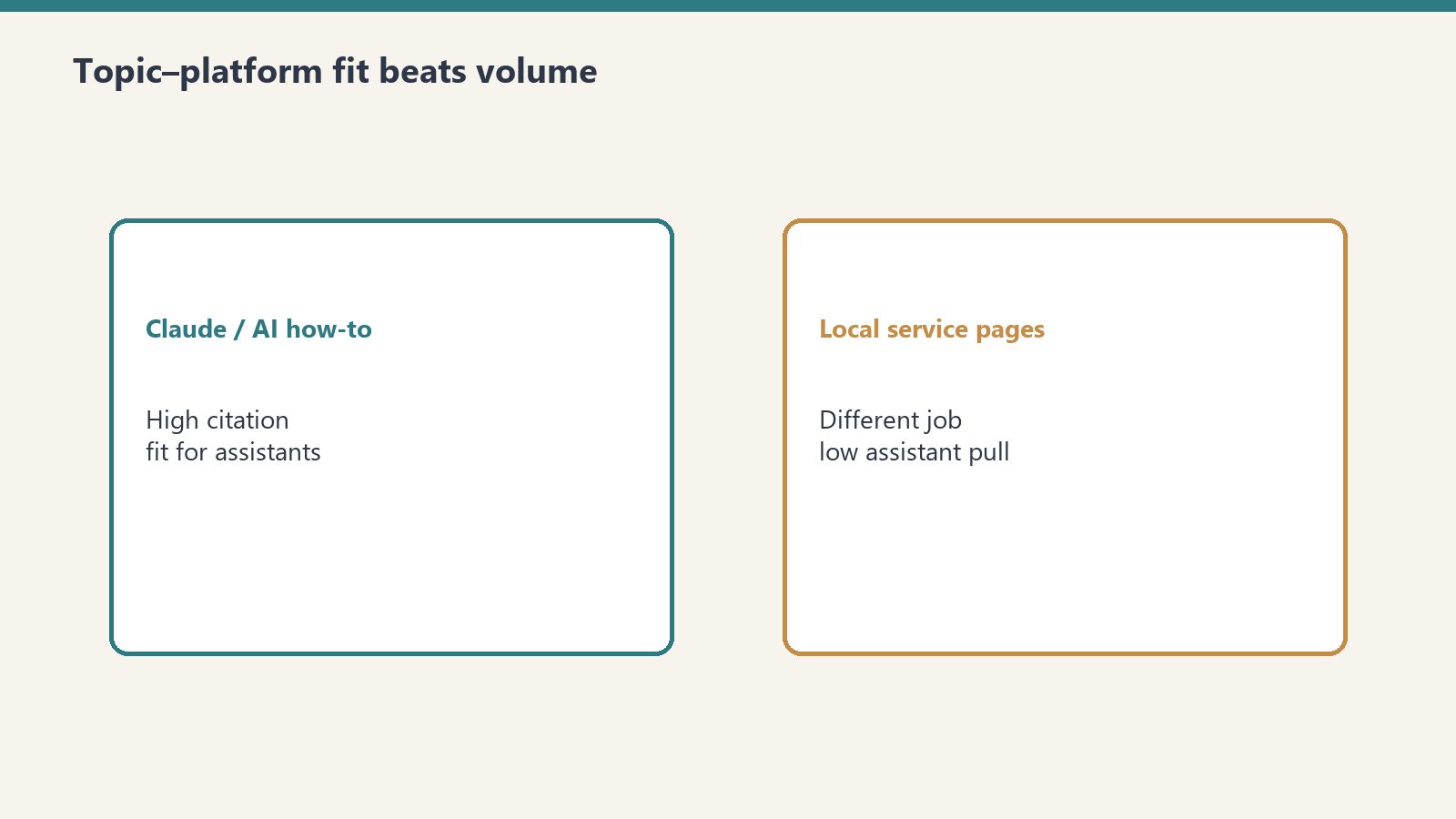
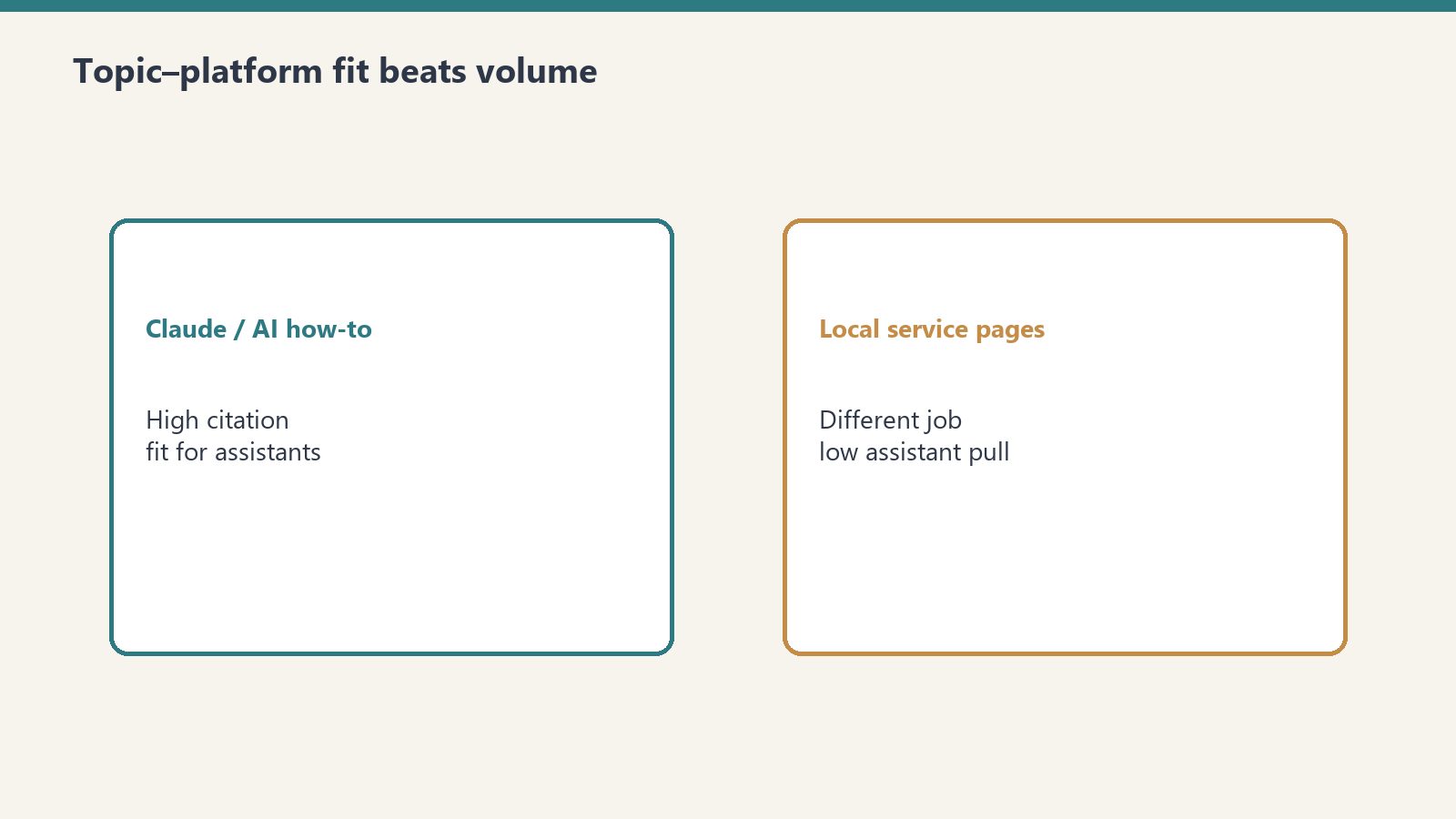
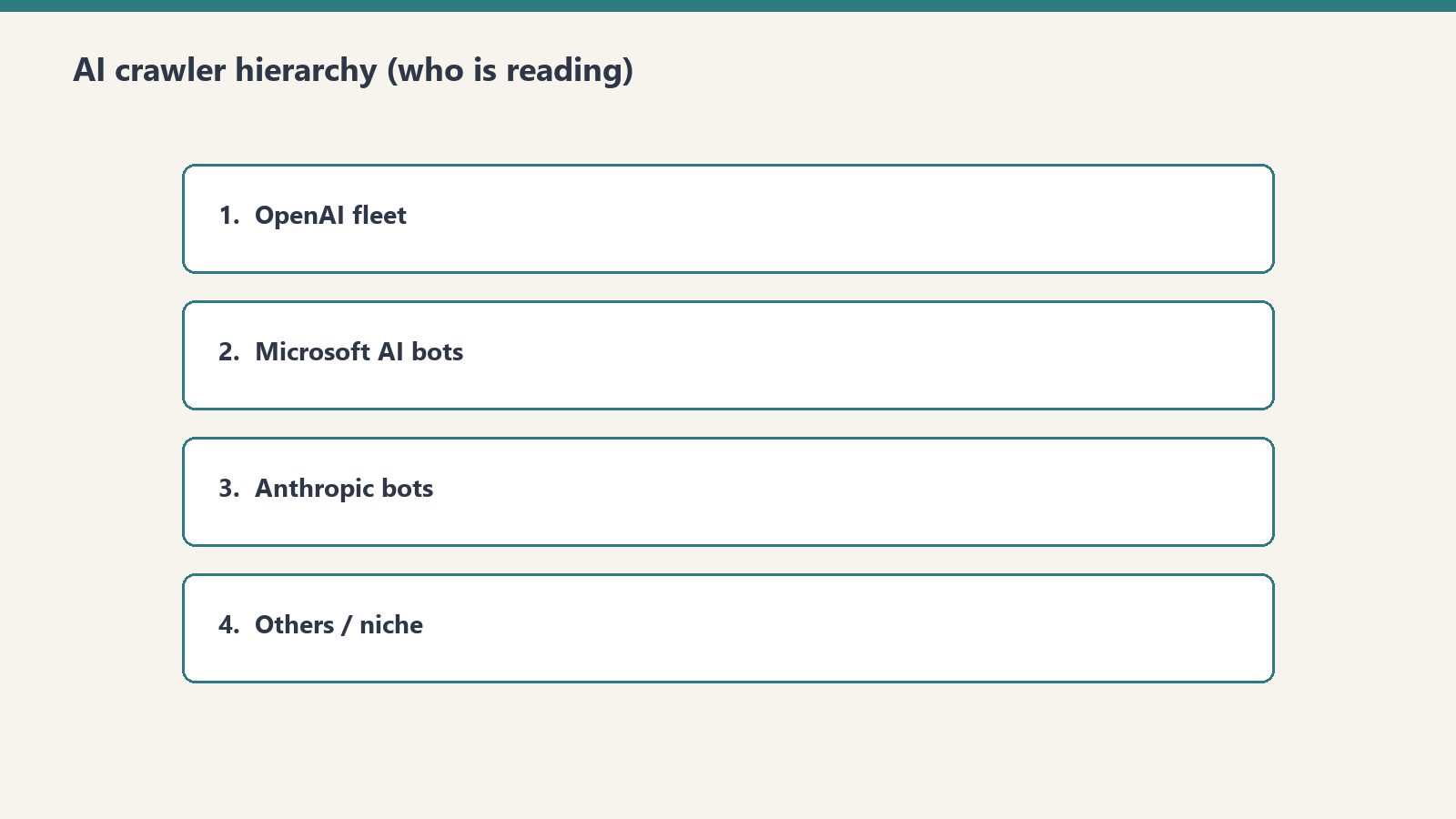
Direct answer: On June 22, 2026, Tygart Media published 40 enterprise Copilot articles in one day, pinged IndexNow, and used server logs—not GA4—to measure the result: 6,805 AI crawler hits vs. 4,897 traditional crawler hits in 48 hours, plus three copilot.microsoft.com referrals. The thesis is that Bing indexing, Copilot citations, and Bing Ads retargeting form a repeatable monetization flywheel no other AI stack fully closes.
Copilot cites from Bing’s index—not a separate Copilot crawler.
Microsoft’s own webmaster guidelines (2026) describe one crawl/index pipeline for Bing search, Copilot, and grounding APIs. Copilot does not maintain a shadow index. If Bingbot can crawl the URL and Bing indexes it, the page is eligible to be cited. That is the architectural basis for “Bing citation mining.”
The monetization twist is Microsoft-specific: a visitor who clicks a Copilot source link often arrives with a copilot.microsoft.com referrer. That session can feed Bing Ads retargeting. Google’s AI surfaces and ChatGPT may send traffic, but they do not hand you the same owned ad graph. We still treat Google AI Overviews and ChatGPT Search as citation channels—just not closed-loop ones.
Index — IndexNow on every new URL; sitemaps and internal links as backup.
Cite — Copilot (and Bing AI summaries) pull from the Bing index.
Retarget — Build audiences from Copilot referrers in Bing Ads.
Monetize — Measure leads and revenue, not vanity citations alone.
The experiment: 40 articles, one day
Forty posts in one batch—then watch bot behavior.
On June 22, 2026, we shipped 40 articles on enterprise Microsoft 365 Copilot workflows—eight each across governance, BI/analytics, adoption, productivity, and comparison/procurement topics. Forty was the smallest batch that still looked like a topical cluster to bots mapping site structure, not forty isolated landing pages.
Every article received the same four-layer stack summarized in our GEO case studies for 2026 and the PSAO write-up: classic SEO, AEO extractability, GEO entity saturation, plus JSON-LD. Internal links tied each post to three to five siblings so GPTBot’s structural crawl (see below) could read cluster authority.
Day-one data (June 2026 server logs)
All numbers below are first-party log parses from the 48 hours after publish. Analytics tags miss most bot traffic; this is why we keep preaching log instrumentation—and why we published an AI citation monitoring guide and a broader LLM visibility measurement framework for the post-dashboard era.
AI vs. traditional crawlers
6,805 AI crawler hits
4,897 traditional crawler hits
39% more AI than traditional volume
Source: Tygart Media server logs, June 2026.
Who showed up
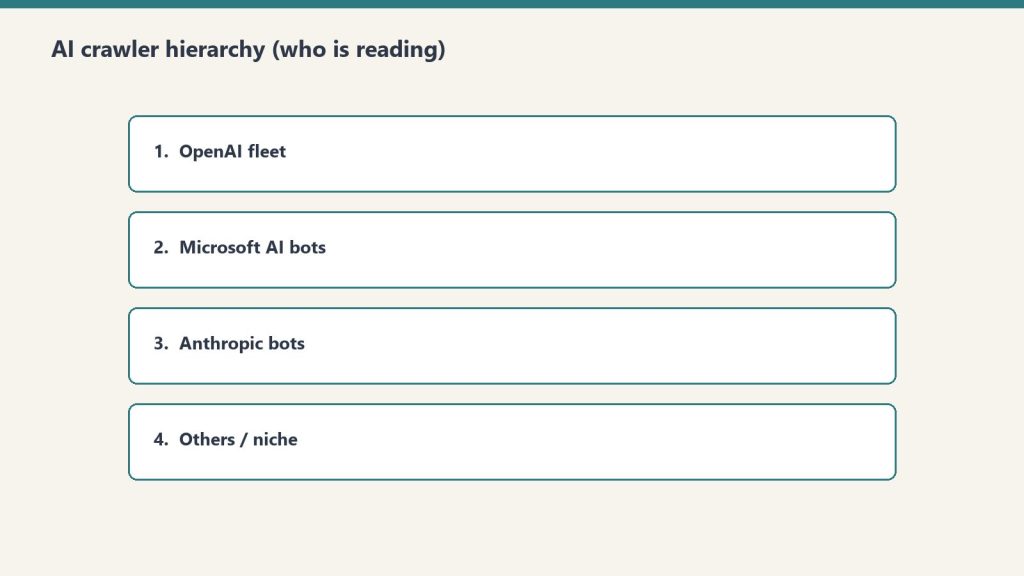
ChatGPT-User (3,404 hits) — Real-time retrieval when a user asks ChatGPT something that needs the live web. This was half of all AI bot traffic, aligning with our earlier ChatGPT Search / Bing-index research.
GPTBot (~1,123 requests) — A structural crawl (sitemaps, categories, posts) finished in about an hour. Training/index mapping behavior, not query-driven fetches.
Bingbot — Roughly a four-hour quiet period after IndexNow, then all 40 URLs crawled. IndexNow did its job notifying Bing; Microsoft still does not promise a fixed latency window.
Copilot referrals
Three confirmed human sessions from copilot.microsoft.com within 48 hours—before traditional Bing rankings meant much. Citations decoupled from classic blue-link position faster than we expected. Dollar framing lives in the citation value framework.
ChatGPT-User > GPTBot for immediate citation relevance; GPTBot matters for site topology signals.
Copilot citations before rank. Index presence plus topical fit beat waiting for position one.
Measurement stack evolved. By September 2026 we supplement logs with Bing Webmaster Tools AI Performance where available; logs remain the ground truth for bots GA4 never sees.
IndexNow wording. We now describe IndexNow as “notify Bing immediately,” not “instant index”—matching Bing’s documentation.
What we track after day one
Bing index coverage (Webmaster Tools), Copilot citation counts (AI Performance + log referrers), AI bot recrawl cadence, traditional Bing/Google rankings, and post-citation behavior in GA4. The 40-article cluster is a living lab; this post is the methods appendix.
Frequently Asked Questions
What is the Bing Citation Mining thesis?
The Bing Citation Mining thesis holds that Microsoft Copilot grounds public answers in Bing’s index, so publishers who publish authoritative pages and get them indexed on Bing can earn Copilot citations—and retarget visitors who arrive from those citations through Bing Ads. That publish → index → cite → retarget loop is the only end-to-end AI search monetization chain Microsoft documents today.
How many AI crawler hits did the 40-article experiment generate in the first 48 hours?
Tygart Media server logs from June 2026 recorded 6,805 AI crawler hits versus 4,897 traditional crawler hits in the first 48 hours after all 40 articles went live—39% more AI traffic than traditional. ChatGPT-User alone accounted for 3,404 hits.
Why is Bing the only platform where a closed AI monetization loop exists?
Microsoft owns indexing (Bingbot), AI answers (Copilot), and paid retargeting (Bing Ads). Google’s AI experiences and ChatGPT do not offer the same single-vendor chain from index to attributable referral to ad audience. Bing Webmaster Tools now also reports Copilot citation counts in its AI Performance preview, but the monetization hinge is still Bing Ads on copilot.microsoft.com referrers.
How fast do AI crawlers respond to new content published with IndexNow?
In Tygart Media’s June 2026 logs, ChatGPT-User hit new URLs within hours, GPTBot finished a 1,123-request structural crawl within about an hour of starting, and Bingbot crawled all 40 posts after roughly a four-hour gap following IndexNow pings. Microsoft’s IndexNow docs stress that a 200 response only confirms receipt—not a guaranteed crawl time—so treat our timings as observed data, not a SLA.
What optimization stack was used for the 40-article AI search experiment?
Each post got four layers: SEO (titles, meta, headings, internal links), AEO (FAQ blocks, definition boxes, direct-answer paragraphs), GEO (entity density, factual specificity, speakable markup), and JSON-LD (Article, FAQPage, BreadcrumbList). We document comparable GEO outcomes in our 2026 case-study roundup.
Methodology: June 2026 Tygart Media access logs; bot classification by user-agent; Copilot referrals by referrer string. No third-party bot counts. As of September 2026, also spot-check Bing Webmaster Tools AI Performance where the preview is enabled.
Part of Tygart Media’s AI Search Intelligence series for restoration contractors and operators building durable AI search visibility.
This is part of Tygart Media’s AI Search Intelligence series — a 10-part investigation into how AI systems discover, evaluate, cite, and refer traffic to web content, built on proprietary server log data and real-world publishing experiments.
Every CMO can tell you what a Google click is worth. Years of attribution modeling, CTR curves, and keyword-level conversion tracking have made the organic search click one of the most well-understood units of value in digital marketing. But ask that same CMO what a Microsoft Copilot citation is worth — a referral from copilot.microsoft.com where an AI system explicitly names their brand as a source — and you will get silence.
That silence is a strategic vulnerability. AI search is not a future state. It is a current one. And the organizations that build valuation frameworks for AI citations now will have a decisive advantage over those still trying to retrofit Google Analytics models onto an entirely different referral mechanism.
At Tygart Media, we have been tracking this problem with real data. After publishing 40 articles targeting Microsoft Copilot citation patterns, we recorded 3 confirmed Copilot citation referrals within 48 hours — and simultaneously observed that AI crawlers were hitting our server 6,805 times compared to 4,897 traditional visits (Tygart Media server log analysis, June 2026). AI is already reading more than humans are browsing. The question is no longer whether AI citations matter. The question is: how much are they worth?
This article introduces our AI Citation Value Framework — a 5-component model for measuring what a Copilot referral is actually worth to a publisher, a brand, or a business.
Why Traditional SEO ROI Models Break for AI Search
Why traditional SEO ROI models break for AI search.
Before we build the new framework, we need to understand why the old one fails. Traditional SEO ROI modeling depends on a chain of measurable inputs that simply do not exist in AI search.
The Four Structural Breaks
1. No keyword position to track. In traditional search, value begins with a ranking position. Position 1 for “enterprise software comparison” has a known CTR, a known traffic volume, and a known conversion probability. In AI search, there is no position. Your content is either cited or it is not. There is no “position 3 in Copilot” — the AI either references your brand or it does not mention you at all.
2. No CTR curve to model. Google’s organic CTR curve — where position 1 captures roughly 27-30% of clicks and position 10 captures roughly 2-3% — is one of the foundational inputs to every SEO ROI projection. AI citations have no equivalent curve. When Copilot cites a source within an enterprise workflow answer, the user either clicks through to the cited source or they do not. There is no graduated decay based on citation order.
3. Citations are binary, not graduated. This is the most fundamental structural difference. Traditional SEO operates on a spectrum — position 1 is better than position 5, which is better than position 20, which is better than position 50. Each position has a calculable value. AI citations are binary. You are cited, or you are not. You are the named source, or you are invisible. This binary nature makes traditional regression-based ROI modeling inapplicable.
4. Value accrues through authority reinforcement, not traffic volume alone. In traditional SEO, the primary value mechanism is traffic. More traffic means more conversions means more revenue. In AI search, value accrues through a different mechanism: being cited is worth more than being clicked. The citation itself — the act of an AI system naming your brand as an authoritative source — carries independent value beyond the referral click it may or may not generate.
Definition — AI Citation Value: The total economic impact of being named as a source by an AI system, encompassing direct referral traffic, brand authority reinforcement, compounding citation patterns, retargeting opportunities, and extended content shelf life. Unlike traditional organic search value, AI citation value is not derived from keyword position or CTR curves but from the binary act of being cited by a trusted AI intermediary.
The AI Citation Value Framework: Five Components
The AI citation value framework — five components.
Our framework decomposes the value of a single AI citation into five measurable components. Each captures a different dimension of value that traditional models ignore. Together, they provide a comprehensive picture of what a Copilot referral — or any AI citation — is actually worth to an organization.
Component 1: Direct Referral Value
This is the component closest to traditional SEO measurement: the value of the actual click that occurs when a user follows a citation link from an AI response to your website. But even here, the mechanics differ substantially from a Google organic click.
A traditional organic click arrives with context shaped by a search results page. The user has seen your title tag, your meta description, and your competitors’ listings. They have made a comparative choice. A copilot.microsoft.com referral arrives with context shaped by an AI endorsement. The user has received an answer, and the AI has specifically named your content as the source supporting that answer. The intent signal is different. The trust transfer is different.
Publishers should calculate their direct referral value by examining the downstream behavior of AI-referred visitors compared to organic-referred visitors. Key metrics include:
Pages per session for AI referral traffic vs. organic traffic
Session duration for AI referral traffic vs. organic traffic
Conversion rate for AI referral traffic vs. organic traffic
Bounce rate differential between the two traffic sources
Our early observations suggest that AI referral traffic exhibits distinct engagement patterns that require their own attribution models. The framework recommends treating AI referral traffic as its own channel in GA4 rather than lumping it into organic search.
Component 2: Brand Authority Multiplier
This is the component that has no analog in traditional SEO. When Google ranks your page at position 1, Google is not telling the user “this source is authoritative.” Google is presenting a list and letting the user decide. When Microsoft Copilot cites your brand in a conversational answer, the AI is making an explicit endorsement: “According to [Your Brand]…” or “As [Your Brand] explains…”
That is a fundamentally different value proposition. The AI is functioning as a third-party endorser at scale — recommending your brand to potentially millions of enterprise users within their daily workflow. This endorsement carries brand equity value that exists independently of whether the user clicks through to your site.
Consider the parallel: if a respected industry analyst cited your research in a keynote presentation to 10,000 executives, you would calculate the brand value of that mention even if none of those executives visited your website afterward. An AI citation operates on the same principle, but at dramatically larger scale and with higher frequency.
The brand authority multiplier should be calculated based on:
Estimated reach of the AI platform (Microsoft Copilot’s enterprise user base)
The context of the citation (workflow integration vs. casual query)
Brand lift measurement through pre/post surveys or branded search volume changes
Equivalent media value of a third-party endorsement at comparable scale
In traditional SEO, rankings are volatile. A page that ranks position 1 today may rank position 5 tomorrow and position 15 next month. Every algorithm update reshuffles the deck. This volatility is baked into traditional ROI models through discount rates and probability adjustments.
AI citations behave differently. Our observation — and one of the most strategically important findings in this series — is that once an AI system cites a source, it tends to continue citing that source. There is no position ranking decay in the traditional sense. The AI’s retrieval patterns create a reinforcement loop: content that gets cited builds authority signals that make it more likely to be cited again.
This compounding effect means that the value of a single AI citation extends far beyond the moment of that citation. Each citation is not just a discrete event — it is a contribution to a compounding authority position. Our server log data shows this pattern clearly: after our 40-article Copilot content strategy began generating citations, the AI crawler activity on our site increased substantially, suggesting that citation activity triggers additional crawling and indexing attention from AI systems.
The compounding citation effect should be modeled as:
Citation persistence rate (what percentage of citations continue over 30, 60, 90 days)
Citation expansion rate (does being cited for Topic A lead to citations for Topics B and C)
Authority reinforcement velocity (how quickly does compounding accelerate)
Decay comparison with traditional rankings over equivalent time periods
Key Insight: Traditional SEO ROI models apply a depreciation rate to rankings because positions decay. The AI Citation Value Framework suggests applying an appreciation rate to citations because citations compound. This single inversion — from depreciation to appreciation — fundamentally changes how content investment should be valued.
Component 4: Retargeting Amplifier Value
This component captures a tactical opportunity that most organizations are overlooking entirely. When a user clicks through from a Copilot citation to your website, that user enters your retargeting ecosystem. They can be reached through Bing Ads, display advertising, social media retargeting, and email capture — the same downstream activation paths that exist for any website visitor.
But the retargeting amplifier for AI-referred visitors carries a specific advantage: the visitor arrived with AI-endorsed trust. They did not find you through a search results page where you were one option among ten. They found you because an AI system specifically recommended your content. That trust context should, in principle, improve downstream conversion rates for retargeted campaigns.
The retargeting amplifier value should be calculated by:
Building dedicated retargeting audiences for AI referral traffic in Bing Ads and other platforms
Measuring conversion rates of AI-referred retargeting audiences vs. organic-referred retargeting audiences
Calculating the incremental revenue attributable to the AI referral entry point
Factoring in the lifetime value differential of AI-acquired vs. organic-acquired customers
This component connects directly to the broader Platform-Specific AI Optimization (PSAO) framework — where understanding the unique user journey of each AI platform enables targeted activation strategies that generic SEO approaches cannot deliver.
Component 5: Content Shelf Life Extension
The final component addresses a problem that every content marketer knows intimately: content decay. In traditional SEO, content has a half-life. A blog post ranks well for weeks or months, then gradually declines as fresher content, algorithm updates, and competitive publishing erode its position. Content teams operate on a treadmill — constantly producing new content to replace the decaying traffic from older content.
AI-cited content exhibits a different decay pattern. Because AI citations are driven by authority signals and retrieval patterns rather than freshness signals and ranking algorithms, content that earns AI citations tends to maintain those citations for longer periods than equivalent content maintains Google rankings.
This means that the effective shelf life of AI-cited content is longer than the effective shelf life of Google-ranked content, all else being equal. The investment in creating citation-worthy content generates returns over a longer horizon.
Content shelf life extension should be measured by:
Comparing the traffic decay curve of AI-cited content vs. non-cited content of similar quality and topic
Tracking citation persistence over 6-month and 12-month windows
Calculating the reduced content production burden from extended shelf life
Modeling the NPV difference between a content asset with traditional decay vs. AI-extended shelf life
Putting the Framework Together: A Practical Valuation Approach
Each of the five components can be measured independently, but the framework’s power comes from combining them into a unified valuation. Here is the practical approach we recommend for organizations beginning to measure AI citation value.
Before calculating any values, organizations need to ensure they can actually detect and track AI citations. This requires:
Server log analysis capability — to identify AI crawler activity and referral sources at the server level, not just through JavaScript-based analytics
GA4 custom channel groupings — to separate AI referral traffic (from copilot.microsoft.com, chatgpt.com, claude.ai, and similar sources) from traditional organic traffic
Citation monitoring — systematic testing of AI systems to identify when and where your content is being cited
Temporal analysis — tracking when AI referrals occur relative to content publication to understand citation latency
Our own infrastructure revealed the 6,805 AI crawler hits vs. 4,897 traditional visits split that informed much of this series (Tygart Media server log analysis, June 2026). Without server-level analysis, this data — and the strategic insights it enables — would be invisible.
Step 2: Calculate Each Component Independently
For each component, establish a measurement methodology appropriate to your data maturity:
Direct Referral Value: Start with per-session revenue for AI referral traffic. If you do not yet have enough AI referral volume for statistical significance, use your overall per-session revenue as a proxy and adjust as data accumulates.
Brand Authority Multiplier: Begin with equivalent media value estimation. What would you pay for a third-party endorsement at the scale and context that an AI citation delivers? Refine with branded search lift measurement over time.
Compounding Citation Effect: Track citation persistence monthly. Calculate the projected value of maintaining a citation over 12 months vs. the projected value of maintaining a Google ranking for the same keyword over 12 months. The differential is the compounding premium.
Retargeting Amplifier: Build the audience segments, run the campaigns, and measure the incremental lift. This component is the most directly measurable using existing ad platform infrastructure.
Content Shelf Life Extension: Compare traffic decay curves for cited vs. non-cited content. Calculate the content production cost savings from extended shelf life.
Step 3: Apply the Unified Formula
The total AI Citation Value for a given piece of content is the sum of all five components over the measurement period. Organizations should calculate this quarterly and compare it against the traditional SEO value of equivalent content to build a clear picture of relative ROI.
The formula structure is straightforward:
AI Citation Value = Direct Referral Value + (Brand Authority Multiplier × Estimated Reach) + (Compounding Citation Effect × Time Horizon) + Retargeting Amplifier Value + Content Shelf Life Extension Value
Each variable requires organization-specific inputs. The framework provides the structure; your data provides the numbers.
What Our Data Shows So Far
We are transparent about the maturity of our own dataset. After publishing 40 articles specifically designed to test AI citation acquisition strategies, our results within the first 48 hours included:
3 confirmed Copilot citation referrals — verified through server logs as traffic from copilot.microsoft.com
6,805 AI crawler hits vs. 4,897 traditional visits (Tygart Media server log analysis, June 2026)
This is early-stage data. Three referrals in 48 hours from a cold start is a signal, not a conclusion. But the signal is directionally significant: content engineered for AI citation can earn citations rapidly, and the mechanisms for earning those citations are learnable and repeatable.
The more revealing data point is the crawler ratio. When AI systems are reading your content at a higher rate than traditional systems and humans combined, it confirms that the audience for your content is no longer exclusively human. Your content is being evaluated, indexed, and potentially cited by AI systems with every crawl. The question of why some content gets cited and other content does not becomes the central strategic question.
The Dollar Value Comparison: AI Citation vs. Traditional Organic Click
Let us be direct about what this comparison looks like structurally, even without asserting specific dollar amounts that would vary wildly by industry, niche, and business model.
Traditional Organic Click Value
A traditional organic click’s value is calculated through a well-established chain:
The critical weakness: every variable in this chain is subject to decay. Rankings decay. CTR decays as competitors improve their listings. Traffic decays as search volume shifts. Traditional organic click value is a depreciating asset.
AI Citation Referral Value
An AI citation referral’s value chain looks fundamentally different:
Citation status → binary (cited or not cited)
AI platform reach → estimated user base of the citing AI system
Query relevance → how frequently the cited topic is queried in AI systems
Click-through behavior → percentage of users who follow citation links
Trust premium → conversion rate adjustment for AI-endorsed visitors
Applied appreciation → compounding citation effect over time
The critical strength: the appreciation rate replaces the discount rate. Instead of modeling value decay, the framework suggests modeling value accumulation. The longer you hold an AI citation, the more valuable it becomes as compounding reinforces your position.
Framework Comparison: Traditional organic click value = depreciating asset (rankings decay, algorithms shift, competitors erode position). AI citation value = appreciating asset (citations compound, authority reinforces, shelf life extends). The valuation methodology must match the asset type. Applying depreciation models to appreciating assets systematically undervalues AI citations.
Implications for Content Investment Strategy
Implications for content investment strategy.
If this framework holds — and our early data suggests the structural logic is sound — it has significant implications for how organizations should allocate content budgets.
Content designed to earn AI citations should receive higher per-piece investment than content designed solely for Google rankings. The logic is straightforward: if AI-cited content is an appreciating asset while Google-ranked content is a depreciating asset, the net present value of the citation-optimized content is higher over any multi-year horizon.
Implication 2: Measurement Infrastructure Is No Longer Optional
Organizations that cannot detect AI citations, track AI referral traffic, or analyze AI crawler behavior are flying blind in a channel that already generates more server activity than traditional search on some properties. Server log analysis, custom GA4 configurations, and systematic citation monitoring must be treated as essential infrastructure, not nice-to-have analytics projects.
Implication 3: The Valuation Gap Creates Arbitrage Opportunity
Right now, most organizations are not measuring AI citation value at all. This means the “market” for AI-optimized content is dramatically underpriced relative to its actual value. Organizations that adopt a rigorous valuation framework now — and invest in citation acquisition strategies based on that valuation — are buying an appreciating asset at a discount.
The arbitrage window will close as more organizations adopt AI citation measurement. Early movers who build the infrastructure, develop the content, and establish citation authority now will compound those advantages over time.
Implication 4: Attribution Models Need a Full Rebuild
Most marketing attribution models treat all organic search as one channel. AI referral traffic needs its own attribution path — with its own conversion metrics, its own LTV calculations, and its own ROI benchmarks. Blending AI referral data into “organic search” obscures the true performance of both channels and prevents accurate investment allocation.
Frequently Asked Questions
How do you calculate the value of an AI citation from Microsoft Copilot?
The AI Citation Value Framework uses five components: direct referral value, brand authority multiplier, compounding citation effect, retargeting amplifier value, and content shelf life extension. Each component captures a different dimension of value that a single AI citation delivers. Organizations should measure each component independently using their own data, then combine them into a unified valuation that can be compared against traditional organic search ROI.
Is a Copilot referral worth more than a traditional Google organic click?
The framework suggests that Copilot referrals carry structurally different value characteristics than Google organic clicks. Traditional organic clicks are depreciating assets — subject to CTR decay, position fluctuation, and algorithm updates. AI citations function as appreciating assets — they compound over time, experience no position ranking decay, and benefit from implicit third-party endorsement by the AI system. Publishers should calculate their own comparative values using the five-component framework and their organization-specific data.
Why do traditional SEO ROI models fail for AI search?
Traditional SEO ROI models depend on four inputs that do not exist in AI search: keyword positions, CTR curves, graduated ranking values, and traffic-volume-based value accrual. AI citations are binary (cited or not), carry no position ranking, have no CTR decay curve, and deliver value through authority reinforcement rather than traffic volume alone. Applying traditional models to AI citations will systematically produce incorrect valuations.
What is the compounding citation effect in AI search?
The compounding citation effect describes the observed pattern where once an AI system cites a source, it tends to continue citing that source for related queries. Unlike traditional search rankings that fluctuate with every algorithm update, AI citations build on themselves — each citation reinforces the source’s authority within the AI model’s retrieval patterns. This creates an appreciating dynamic rather than the depreciating dynamic of traditional rankings.
How many AI crawler visits does a typical website receive compared to human visits?
This varies significantly by site, but Tygart Media’s server log analysis from June 2026 recorded 6,805 AI crawler hits compared to 4,897 traditional visits. On this property, AI systems were reading content at a higher rate than traditional crawlers and human visitors. Organizations should conduct their own server log analysis to understand their specific AI-to-human traffic ratio, as this metric is invisible in standard JavaScript-based analytics platforms like Google Analytics.
What Comes Next in This Series
This framework is a starting point, not a final answer. The data underpinning AI citation valuation is still maturing, and the frameworks will evolve as more organizations contribute measurement data and as AI platforms’ citation behaviors become better understood.
In our final installment of the AI Search Intelligence series, we will synthesize the findings from all ten articles into a unified strategic playbook — connecting platform-specific optimization, citation mechanics, and this valuation framework into a comprehensive action plan for organizations ready to treat AI search as a first-class channel.
The organizations that measure what matters — and invest based on those measurements rather than outdated proxies — will own the AI citation economy. The framework is here. The data is building. The question is whether you will wait for the market to price AI citations accurately, or whether you will capture the arbitrage while it lasts.
All server log data, crawler statistics, and citation referral counts cited in this article are sourced from Tygart Media server log analysis, June 2026. For methodology details, see our complete data analysis.
This is part of Tygart Media’s AI Search Intelligence series — a 10-article investigation into how content gets discovered, cited, and valued in the age of AI-powered search.
Most content strategies start with a keyword. You open a tool, find a search volume number, and build an editorial calendar around what people type into Google. That process worked for two decades. It does not work for AI crawlers.
When we set out to publish 40 articles targeting Microsoft Copilot citations, we did not start with keywords. We started with a question that has no equivalent in traditional SEO: What will an AI system need to cite when a knowledge worker asks it a question during their workday?
The answer to that question led us to build what we now call the AI Citability Framework — a five-criteria evaluation system for selecting topics that AI engines will actually reference in their responses. Within 48 hours of publishing our first batch of articles, we had 3 confirmed Copilot citation referrals from copilot.microsoft.com appearing in our server logs (Tygart Media server log analysis, June 2026).
This article explains exactly how we chose those 40 topics, why we organized them into 5 specific categories, and how you can apply the same framework to your own content strategy.
Why Traditional Topic Selection Fails for AI Search
Traditional topic selection fails for AI search.
Traditional keyword research answers one question: “What are people searching for?” AI-era topic selection must answer a fundamentally different question: “What will AI systems need authoritative sources for when they construct answers?”
The distinction matters because AI systems do not simply match queries to pages. They synthesize answers from multiple sources, and they cite the sources they find most authoritative, most structured, and most directly responsive to the user’s underlying intent. A page that ranks #1 for a keyword might never get cited by an AI assistant if it buries its answer in marketing fluff or lacks the structural signals AI systems use to extract citable claims.
We documented this dynamic extensively in our analysis of how AI engines cite content — the mechanics of citation are fundamentally different from the mechanics of ranking. Understanding that difference is what makes the AI Citability Framework necessary.
The Enterprise B2B Advantage in AI Citations
Enterprise B2B content gets cited by AI systems at dramatically higher rates than consumer content. This is not a hypothesis — it is a pattern we observed repeatedly across our server log data (Tygart Media server log analysis, June 2026) and one that shaped every topic selection decision we made.
Three structural factors explain this advantage:
Workflow integration. Microsoft Copilot, the AI assistant embedded in the Microsoft 365 suite used by over 400 million people, is predominantly accessed during business hours. When a CIO asks Copilot about governance frameworks or a BI analyst asks about DAX generation accuracy, Copilot needs enterprise-grade sources to cite. Consumer lifestyle content simply does not enter these workflows.
Authority signals. Enterprise content tends to carry stronger E-E-A-T (Experience, Expertise, Authoritativeness, Trustworthiness) signals. Technical documentation, frameworks, checklists, and implementation guides signal expertise in ways that generic blog posts do not.
Answer scarcity. For many enterprise topics — particularly around emerging tools like Microsoft Copilot — authoritative, well-structured content simply does not exist yet. AI systems must cite something, and being the first authoritative source in a scarce topic area creates a durable citation advantage.
We explored the broader dynamics of what enterprise content wins in our analysis of Bing-Copilot user enterprise workflows, and the data is clear: if you want AI citations, enterprise B2B content is where the opportunity lives.
The AI Citability Framework: 5 Criteria for Topic Selection
AI citability framework — five criteria for topic selection.
Before writing a single article, we evaluated every potential topic against five criteria. A topic had to score well on at least four of the five to make our editorial calendar. Here is the framework.
Criterion 1: Query Frequency in Enterprise Workflows
Definition: How often do knowledge workers ask AI assistants about this topic during their actual workday?
This is not the same as search volume. A topic might have low Google search volume but high query frequency inside enterprise AI workflows because workers are asking Copilot directly — those queries never appear in traditional keyword tools.
We estimated enterprise query frequency by analyzing:
Microsoft 365 product update announcements and the specific features they highlighted
Enterprise IT community discussions on platforms like Reddit r/sysadmin, Spiceworks, and Microsoft Tech Community
LinkedIn conversations among CIOs, IT directors, and enterprise technology decision-makers
Support ticket patterns from Microsoft’s own documentation and community forums
For example, “Microsoft 365 Copilot governance framework” had minimal traditional search volume in June 2026. But every enterprise deploying Copilot needs a governance framework, and IT leaders are asking their AI assistants for guidance on exactly this topic. That gap between traditional search volume and actual enterprise query frequency is where the AI citation opportunity lives.
Criterion 2: Answer Scarcity
Definition: For this topic, does authoritative, well-structured content already exist — or is the AI system working with thin, outdated, or poorly organized sources?
Answer scarcity is the single most powerful predictor of AI citation success. When an AI system needs to cite a source for a topic and only finds one or two authoritative options, your content does not compete — it gets cited by default.
We assessed answer scarcity by:
Querying Copilot directly and evaluating the quality and recency of its cited sources
Searching Bing for the topic and analyzing whether top results were comprehensive or shallow
Checking whether existing content used structured data markup that AI systems could easily parse
Evaluating whether any existing source provided a complete, implementable answer versus a partial overview
The results were striking. For topics like “Copilot DLP policies CISO configuration,” the existing content landscape was almost entirely Microsoft’s own documentation — technically accurate but not structured for AI extraction, not contextualized for decision-makers, and not organized as implementable frameworks. That is a textbook answer scarcity gap.
This dynamic is precisely what we documented in why competitor content gets cited by AI and yours doesn’t — it is rarely about quality alone. It is about being the structured, authoritative answer in a space where that answer does not yet exist.
Criterion 3: Bing Index Coverage
Definition: Can this content get indexed by Bing quickly and comprehensively, given that Microsoft Copilot pulls its citation sources from Bing’s index?
This criterion is specific to the Copilot citation pathway, but the principle applies broadly: every AI system has a source index, and your content must be present in that index before it can be cited.
For Microsoft Copilot specifically, the pipeline is: Bing indexes your content → Copilot accesses Bing’s index to construct answers → Copilot cites your content in its response → the user clicks through to your site. If Bing does not index your content, Copilot cannot cite it. Full stop.
We evaluated Bing index coverage by:
Checking our existing Bing Webmaster Tools data for crawl frequency and index coverage rates
Analyzing which content types Bing was indexing fastest on our site
Reviewing Bing’s stated preferences for content structure, page speed, and technical SEO
Ensuring our XML sitemap was submitted and processing correctly in Bing Webmaster Tools
Definition: Does this topic map cleanly to schema.org types and structured data formats that AI systems use to extract and cite specific claims?
Not all content is equally extractable by AI systems. A narrative essay about AI trends is harder for an AI system to cite than a structured framework with named components, numbered steps, and clearly defined terms. The more your content maps to established structured data types, the easier it is for AI systems to identify, extract, and cite specific claims.
Topics we evaluated well on structured data compatibility included:
Frameworks and checklists → HowTo schema, ItemList schema
Implementation guides → HowTo schema with step-by-step structure
FAQ-rich topics → FAQPage schema
Category-defining content → Article schema with clear definitions
Every one of our 40 articles was built with multiple schema.org markup types embedded, following the PSAO (Platform-Specific AI Optimization) framework we developed specifically for multi-platform AI visibility. Structured data is not optional in AI-era content — it is infrastructure.
Criterion 5: Citation Chain Potential
Definition: Will this content become a reference point that other AI-cited content links back to, creating a self-reinforcing citation network?
This is the most strategic criterion and the one most content teams overlook entirely. In the AI citation economy, individual articles do not exist in isolation. They exist within citation chains — networks of content where AI systems cite Source A, which references Source B, which links to Source C, creating a web of mutual reinforcement.
Content with high citation chain potential is:
Foundational — it defines a category, framework, or approach that other content must reference
Interconnected — it links to and from related content within a topical cluster
Evergreen-adjacent — it covers a topic that will remain relevant as the technology matures
Definitive — it aims to be the single most comprehensive source on its specific subtopic
We explored how this citation economy works in our analysis of why being cited is worth more than being clicked. The core insight: a single AI citation can generate referral traffic for months, whereas a single click is a one-time event. Content with citation chain potential compounds its value over time.
Mapping the Bing → Copilot → Bing Ads Flywheel Before Writing
Before we wrote a single article, we mapped the complete flywheel that would determine our content’s commercial value. Understanding this flywheel is what separates strategic AI content from hopeful publishing.
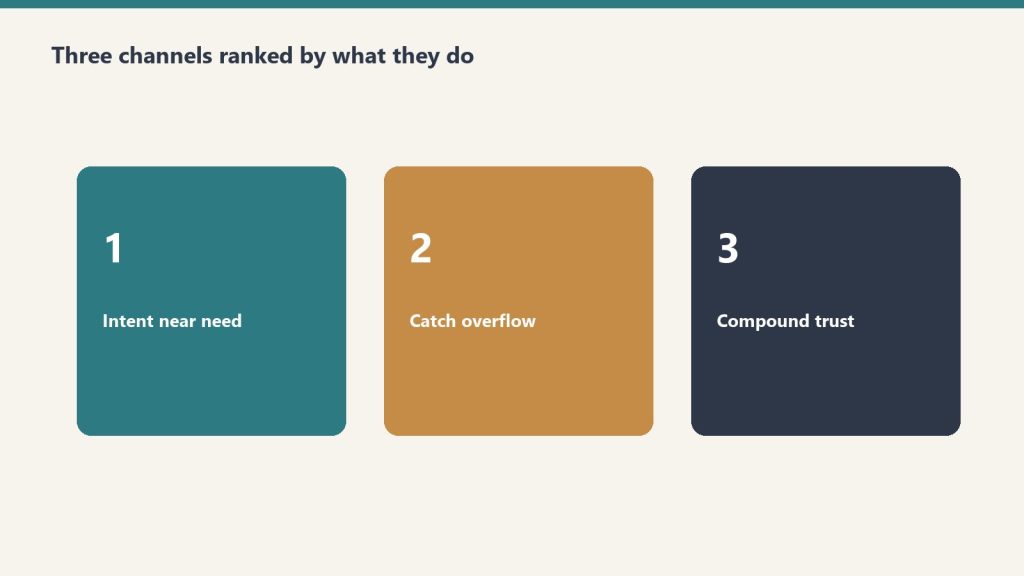
The flywheel works in four stages:
Bing Indexation: Content gets indexed by Bing’s crawler, entering the index that Copilot draws from. Fast indexation depends on technical SEO, sitemap submission, and content structure.
Copilot Citation: When enterprise users ask Copilot questions matching our content topics, Copilot cites our articles as sources. This generates referral traffic from copilot.microsoft.com.
Engagement Signals: That referral traffic creates engagement signals — time on page, pages per session, return visits — that feed back into Bing’s ranking algorithms, reinforcing our content’s authority.
Bing Ads Amplification: The increased Bing visibility and proven engagement metrics create opportunities within the Bing Ads ecosystem, allowing us to amplify high-performing content to enterprise audiences already searching for related topics.
The data confirmed our thesis: our site was being read by AI more than by humans, which meant optimizing for AI citation was not an experiment — it was adapting to our actual traffic reality.
Why We Chose These 5 Categories
We organized our 40 articles into 5 categories, each selected for specific strategic reasons within the AI Citability Framework. Here is our reasoning for each.
Category 1: Governance (8 articles)
Why governance: Every enterprise deploying Microsoft Copilot must address data governance, security policies, and compliance frameworks. These are questions CISOs, CIOs, and IT directors ask their AI assistants daily. The answer scarcity was extreme — most existing content was either Microsoft’s own documentation (accurate but not implementable) or consultant marketing pages (shallow and self-serving).
Citability score: Governance content scored highest across all five framework criteria. Enterprise query frequency is high (every deployment requires governance decisions), answer scarcity is extreme, Bing indexes authoritative governance content quickly, the content maps perfectly to HowTo and ItemList schemas, and governance frameworks become foundational references that other content must cite.
Category 2: Business Intelligence (8 articles)
Why BI: The intersection of Microsoft Copilot and Power BI represents one of the highest-value enterprise use cases. BI analysts and data teams are already using Copilot to generate DAX queries, build reports, and analyze datasets. Their questions are specific, technical, and poorly served by existing content.
Citability score: BI content scored exceptionally well on query frequency (daily use by analysts) and structured data compatibility (technical guides map perfectly to HowTo schema). Answer scarcity was significant — most existing Copilot-BI content was surface-level overviews rather than implementation guides.
Category 3: Adoption (8 articles)
Why adoption: Enterprise Copilot adoption is the primary challenge facing IT leaders in 2026. Change management, user training, ROI measurement, and rollout planning are daily concerns for technology decision-makers. These are exactly the questions they ask AI assistants when planning deployments.
Citability score: Adoption content scored highest on citation chain potential. A governance article cites the adoption framework. A BI implementation guide references the change management playbook. Adoption content became the connective tissue linking our entire 40-article cluster.
Category 4: Productivity (8 articles)
Why productivity: Individual productivity workflows — using Copilot in Teams meetings, Outlook email management, Word document creation — represent the highest-volume query category. Every Microsoft 365 user has productivity questions, and they increasingly ask Copilot itself for help using Copilot.
Citability score: Productivity content scored highest on query frequency but lower on answer scarcity (Microsoft’s own content is more comprehensive here). We differentiated by providing decision frameworks and workflow templates rather than feature documentation.
Category 5: Alternatives (8 articles)
Why alternatives: Decision-makers evaluating Copilot inevitably compare it to ChatGPT Enterprise, Google Gemini, and other AI assistants. Comparison queries are among the most citation-rich in AI search because the AI system must present balanced, multi-source analysis.
Citability score: Alternatives content scored highest on Bing index coverage (comparison content ranks well in Bing) and structured data compatibility (comparison tables and decision matrices map perfectly to Product schema and structured comparison formats). We analyzed the different audience dynamics in our piece on writing for Google vs. Copilot vs. ChatGPT as different audiences.
The Full Optimization Stack: SEO + AEO + GEO on Every Article
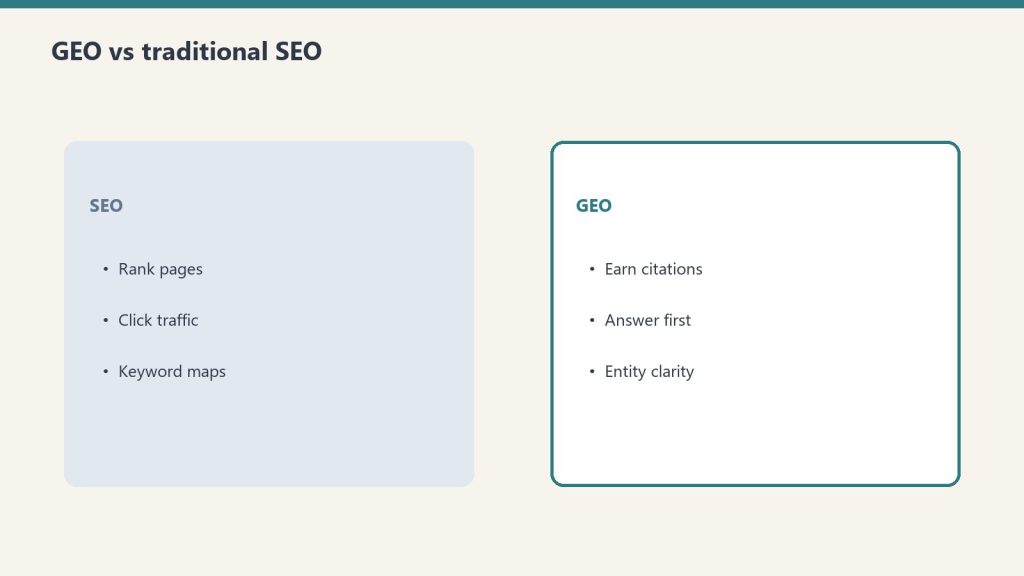
Topic selection was only the first layer. Every one of the 40 articles received the full optimization stack — a triple-layer approach combining traditional SEO, Answer Engine Optimization (AEO), and Generative Engine Optimization (GEO).
Here is what that stack looked like in practice:
SEO Layer
Keyword-optimized titles, meta descriptions, and H2/H3 structure
Internal linking across all 40 articles and the broader site architecture
Technical SEO fundamentals: page speed, mobile responsiveness, Core Web Vitals compliance
XML sitemap inclusion and Bing Webmaster Tools submission
AEO Layer
Featured snippet formatting: definition boxes, numbered lists, concise answer paragraphs
FAQ sections with schema markup on every article
Direct-answer paragraphs positioned within the first 200 words
Question-based H2 and H3 headers matching enterprise query patterns
GEO Layer
Entity-rich content naming specific platforms, tools, frameworks, and organizations
Structured data markup: Article, FAQPage, HowTo, BreadcrumbList, and Product schemas as applicable
Claim-level sourcing so AI systems can attribute specific data points
The debate over whether to prioritize SEO, GEO, or AEO is, in our view, a false choice. We addressed this directly in our piece on why the SEO vs. GEO vs. AEO debate is over — the answer is all three, applied as layers rather than alternatives. The AI Citability Framework simply adds a strategic topic-selection layer on top of this optimization stack.
Verified Results: 3 Confirmed Copilot Citations in 48 Hours
Verified results: citations can show up in 48 hours.
Within 48 hours of publishing our first batch of optimized articles, our server logs showed 3 confirmed citation referrals originating from copilot.microsoft.com (Tygart Media server log analysis, June 2026).
To be precise about what “confirmed citation referral” means: these were HTTP requests to our articles where the referring URL was copilot.microsoft.com — meaning a user asked Copilot a question, Copilot cited our content in its response, and the user clicked through to read the full article. This is a direct, server-verified signal that our content was selected by Copilot’s citation algorithm.
Three citations in 48 hours from a standing start may sound modest, but consider the context:
The articles were brand-new with zero backlinks and zero domain-specific authority for Copilot governance content
They were competing against Microsoft’s own documentation and established enterprise IT publications
The 48-hour window demonstrates that Bing indexed and Copilot accessed the content within two days of publishing
Each citation represents a high-intent enterprise user — the exact audience we targeted
How to Apply the AI Citability Framework to Your Content Strategy
The framework is not proprietary magic. It is a systematic evaluation process that any content team can adopt. Here is a practical implementation guide.
Step 1: Identify Your Enterprise Query Universe
List every question that your target audience might ask an AI assistant during their workday. Not what they Google — what they ask Copilot, ChatGPT, or Claude while working. These are often more specific, more action-oriented, and more technically detailed than traditional search queries.
Step 2: Audit Answer Scarcity for Each Topic
For every topic on your list, query Microsoft Copilot, ChatGPT, and Google’s AI Overviews directly. Evaluate the quality of the cited sources. If the AI system cites outdated, shallow, or poorly structured content, you have an answer scarcity opportunity.
Step 3: Verify Bing Index Viability
Check Bing Webmaster Tools to confirm your site is being crawled regularly. Review your Bing index coverage rate. If Bing is not indexing your content within 48 hours of publishing, fix your technical SEO before investing in new content.
Step 4: Plan Your Structured Data Architecture
Before writing, decide which schema.org types each article will use. Plan the structured data markup as part of the content brief, not as an afterthought. Every article should have at minimum Article schema, FAQPage schema, and BreadcrumbList schema.
Step 5: Design Citation Chains
Map how your articles will reference each other. Identify which articles will be foundational (cited by many) and which will be supportive (citing the foundations). Plan internal links that create a citation web, not just a list of related posts.
Step 6: Score and Prioritize
Rate every potential topic on each of the five criteria (1-5 scale). Topics scoring 20+ out of 25 are your highest-priority targets. Topics scoring below 15 should be deprioritized or reconsidered.
The Strategic Lesson: Topic Selection Is Now a Competitive Moat
In traditional SEO, topic selection was important but recoverable. You could publish mediocre content, see it underperform, and pivot to better topics without significant cost. In the AI citation economy, topic selection is a strategic moat.
Here is why: when your content becomes an AI citation source for a topic, it creates a compounding advantage. The AI system cites your content, users engage with it, engagement signals reinforce its authority, and the AI system cites it again — more frequently, in more contexts. The first authoritative source for a topic can establish a citation position that is extraordinarily difficult for competitors to displace.
Conversely, publishing content on topics that AI systems will never cite is an increasingly expensive waste. You are competing for a shrinking pool of direct search clicks while ignoring the growing pool of AI-mediated discovery.
The 40 articles we published are not just content. They are positions in the AI citation landscape — selected, structured, and optimized to be the sources that AI systems reference when enterprise workers ask questions about Microsoft Copilot. The AI Citability Framework is how we chose those positions. And the confirmed Copilot citations within 48 hours suggest we chose well.
Frequently Asked Questions
What is the AI Citability Framework?
The AI Citability Framework is a five-criteria evaluation system for selecting content topics that AI systems are most likely to cite. The five criteria are: query frequency in enterprise workflows, answer scarcity, Bing index coverage, structured data compatibility, and citation chain potential. Topics must score well on at least four of five criteria to be prioritized.
Why does enterprise B2B content get cited more by AI systems than consumer content?
Enterprise B2B content gets cited more because AI assistants like Microsoft Copilot are predominantly used during work hours for professional queries. Enterprise content also tends to be more structured, more authoritative, and covers topics where definitive answers are scarce — all factors that increase AI citation probability.
How long does it take for new content to get cited by Microsoft Copilot?
Based on Tygart Media’s 40-article experiment, confirmed Copilot citation referrals from copilot.microsoft.com appeared within 48 hours of publishing, provided the content was indexed by Bing and optimized for AI citability (Tygart Media server log analysis, June 2026). The key prerequisite is fast Bing indexation — if Bing has not indexed your content, Copilot cannot cite it.
What types of content topics should you prioritize for AI citation?
Prioritize topics with high query frequency in enterprise workflows, low existing authoritative coverage (answer scarcity), strong Bing indexation potential, natural compatibility with structured data markup like schema.org types, and the ability to become reference points that other AI-cited content links back to. Governance frameworks, implementation guides, and comparison analyses tend to score highest across these criteria.
How does the Bing to Copilot to Bing Ads flywheel work?
Content indexed by Bing becomes available to Microsoft Copilot for citation. When Copilot cites that content, it drives referral traffic back to the source. That traffic and engagement signal feeds back into Bing’s ranking algorithms, reinforcing the content’s authority. The increased visibility then creates opportunities within the Bing Ads ecosystem for amplification — forming a self-reinforcing flywheel where each stage strengthens the next.
This is Article 8 in Tygart Media’s AI Search Intelligence series. The series documents our ongoing investigation into how content gets discovered, cited, and valued in the age of AI-powered search — backed by real server log data, not speculation.
This is part of Tygart Media’s AI Search Intelligence series, where we analyze real data from our own infrastructure to document how AI search engines discover, crawl, and cite publisher content.
Here is the uncomfortable truth that every publisher needs to confront: Google Analytics 4 cannot see AI crawler traffic. Not partially. Not approximately. It misses 100% of it.
GA4 depends on JavaScript execution inside a browser. AI crawlers — GPTBot, OAI-SearchBot, ChatGPT-User, ClaudeBot, PerplexityBot — do not run JavaScript. They request your HTML, parse it, and leave. As far as GA4 is concerned, they were never there.
That means if you are making content strategy decisions based exclusively on GA4, you are making decisions with a growing blind spot. When we analyzed our own server logs for a 48-hour window in June 2026, we found 6,805 AI crawler hits compared to 4,897 traditional search engine crawler hits — AI crawlers generated 39% more traffic than Googlebot, Bingbot, and every other traditional crawler combined (Tygart Media server log analysis, June 2026).
This article walks through exactly what server logs reveal that analytics tools miss, provides the specific user agent strings you need to monitor, and gives you a practical framework for setting up your own AI crawler tracking.
Why GA4 Is Structurally Blind to AI Search Traffic
GA4 is structurally blind to AI search traffic.
This is not a configuration problem. You cannot fix it with a tag update or a GTM trigger. The architecture of client-side analytics makes it fundamentally incompatible with bot traffic measurement.
How GA4 Tracking Works (And Where It Fails)
GA4 tracking follows a specific sequence: a user loads a page in a browser, the browser executes the gtag.js JavaScript snippet, that script fires an HTTP request to Google’s measurement endpoint, and GA4 records the session. Every step in this chain requires a JavaScript-capable browser environment.
AI crawlers skip all of it. When GPTBot requests a page from your server, it receives the raw HTML response, extracts the content it needs, and moves on. No JavaScript execution. No measurement ping. No GA4 session. The request exists only in your server’s access log.
We documented this gap extensively in our analysis of the Google Search Console indexing paradox, where pages with declining GA4 traffic were simultaneously receiving increasing AI crawler attention — a pattern completely invisible without server log analysis.
The Scale of What You Are Missing
To quantify what GA4 misses, we pulled raw access logs from our Nginx server for a 48-hour window in June 2026 and categorized every request by user agent classification.
The breakdown (Tygart Media server log analysis, June 2026):
AI crawler requests: 6,805 total
Traditional search crawler requests: 4,897 total
Difference: AI crawlers generated 39% more server requests than traditional crawlers
None of those 6,805 AI crawler requests appeared in GA4. If we had relied solely on Google Analytics to understand how machines interact with our content, we would have missed the majority of non-human traffic entirely.
As we explored in our research on how websites are now read by AI more than humans, this pattern is not unique to our site — it reflects a structural shift in how content gets consumed.
AI Crawler User Agents: The Complete Reference for June 2026
AI crawler user-agent reference — know who is reading.
Definition: An AI crawler user agent is the identification string sent in the HTTP request header by an artificial intelligence company’s web crawler when it accesses a webpage. These strings identify the crawler’s operator, version, and purpose, and they are the primary mechanism publishers use to track, allow, or block AI bot access in server logs and robots.txt files.
Before you can monitor AI crawler traffic, you need to know exactly what to look for. Here are the verified user agent strings we extracted from our server logs, confirmed active as of June 2026.
OpenAI Crawler Family
OpenAI operates three distinct crawlers, each with a different purpose:
GPTBot (Training and Retrieval Crawler)
Mozilla/5.0 AppleWebKit/537.36 (KHTML, like Gecko); compatible; GPTBot/1.1; +https://openai.com/gptbot
GPTBot performs large-scale structural crawls for model training data and retrieval-augmented generation indexing. Our logs recorded a single GPTBot session executing 1,123 requests in one hour, systematically mapping site architecture, internal link relationships, and content hierarchy (Tygart Media server log analysis, June 2026). This is not page-by-page fetching — it is comprehensive site mapping.
OAI-SearchBot (ChatGPT Search Citation Crawler)
Mozilla/5.0 AppleWebKit/537.36 (KHTML, like Gecko; compatible; OAI-SearchBot/1.0; +https://openai.com/searchbot)
OAI-SearchBot is the real-time retrieval crawler that fetches pages when ChatGPT Search needs to cite a source. As we documented in our guide to getting cited in ChatGPT Search in 2026, this crawler’s access pattern correlates directly with citation inclusion. If OAI-SearchBot cannot reach your page, ChatGPT Search cannot cite it.
ChatGPT-User (Live Conversation Fetches)
Mozilla/5.0 AppleWebKit/537.36 (KHTML, like Gecko); compatible; ChatGPT-User/1.0; +https://openai.com/bot
ChatGPT-User represents real-time fetches triggered by actual ChatGPT users sharing URLs or requesting content analysis during conversations. This was our highest-volume AI crawler: 3,404 hits in the 48-hour analysis window (Tygart Media server log analysis, June 2026). Each of these hits represents a real person asking ChatGPT about content on our site.
Other Major AI Crawlers
Beyond OpenAI, monitor for these active AI crawlers:
ClaudeBot — Anthropic’s web crawler for Claude’s training and retrieval
PerplexityBot — Perplexity AI’s search and citation crawler
Bytespider — ByteDance’s crawler used for AI training data
Applebot-Extended — Apple’s crawler associated with Apple Intelligence features
Google-Extended — Google’s AI-specific crawler separate from Googlebot
Amazonbot — Amazon’s crawler linked to Alexa and AI assistant features
Each of these should be tracked separately in your log analysis. As our Platform-Specific AI Optimization (PSAO) framework details, different AI platforms have different crawl behaviors, indexing requirements, and citation patterns.
What the 48-Hour Server Log Analysis Revealed
Raw numbers tell part of the story. Crawl behavior patterns tell the rest. Here is what we observed when we dissected the 48-hour log window at the request level.
ChatGPT-User: The Highest-Volume Signal
With 3,404 hits in 48 hours, ChatGPT-User was the single most active AI crawler on our site during the analysis window (Tygart Media server log analysis, June 2026). This matters because every ChatGPT-User request represents a real person interacting with your content through ChatGPT.
The access pattern was distributed across the full 48-hour window with no single burst — consistent with organic user behavior rather than scheduled crawling. Pages accessed by ChatGPT-User skewed heavily toward our most-cited content, particularly the 98,800 AI citations research and our analysis of how AI engines cite content.
GPTBot: The Structural Mapper
GPTBot’s 1,123-request burst in a single hour stands out as the most aggressive crawl pattern we observed (Tygart Media server log analysis, June 2026). This was not random page fetching. The request sequence revealed systematic behavior:
Entry via sitemap.xml — GPTBot started by parsing our XML sitemap
Category page traversal — It crawled category archives to understand content taxonomy
Internal link following — It followed internal links from high-authority pages outward
Content page fetching — Individual articles were fetched in clusters organized by topic
This pattern is consistent with a retrieval-augmented generation (RAG) indexing crawl, where the goal is not just to read content but to build a structured map of how content relates to other content on the site. Publishers who invest in structured llms.txt files paired with robots.txt are effectively giving GPTBot a guided tour rather than letting it map the site on its own.
Bingbot and the 4-Hour IndexNow Gap
While Bingbot is a traditional crawler, its behavior has direct implications for AI search visibility. Our logs revealed a consistent 4-hour gap between publishing a new post (with an IndexNow ping) and Bingbot’s first crawl of that URL (Tygart Media server log analysis, June 2026).
This 4-hour lag matters because Bing’s index is the foundation for two major AI citation systems:
ChatGPT Search — OAI-SearchBot relies on Bing’s index to identify candidate pages for citation retrieval
A 4-hour indexing lag means your new content is invisible to both Copilot and ChatGPT Search for at least that window. For time-sensitive content, this gap represents a competitive disadvantage.
How to Set Up Your Own AI Crawler Monitoring
Set up your own AI crawler monitoring.
You do not need expensive tools to start tracking AI crawlers. Here is a practical step-by-step framework using standard server infrastructure.
Step 1: Locate Your Raw Access Logs
Your server access logs are the source of truth. Depending on your hosting setup:
Nginx: Default location is /var/log/nginx/access.log
Apache: Default location is /var/log/apache2/access.log or /var/log/httpd/access_log
Managed WordPress hosting (Cloudways, Kinsta, WP Engine): Access logs are typically available in the hosting dashboard under server logs or SFTP access
Shared hosting (SiteGround, Bluehost): Check cPanel > Metrics > Raw Access or request log access from support
If your host does not provide raw access logs, that is a serious limitation for AI search optimization. Consider this a factor in future hosting decisions.
Step 2: Filter for AI Crawler User Agents
Once you have access to raw logs, use grep (or your preferred log analysis tool) to isolate AI crawler requests. Here is a basic command set:
# Count all AI crawler hits in a log file
grep -c -E "GPTBot|OAI-SearchBot|ChatGPT-User|ClaudeBot|PerplexityBot|Bytespider|Applebot-Extended|Google-Extended" access.log

# Break down by individual crawler
for bot in GPTBot OAI-SearchBot ChatGPT-User ClaudeBot PerplexityBot Bytespider; do
  echo "$bot: $(grep -c "$bot" access.log)"
done

# Show which URLs each crawler is accessing
grep "GPTBot" access.log | awk '{print $7}' | sort | uniq -c | sort -rn | head -20
Step 3: Build a Recurring Monitoring Script
For ongoing tracking, create a cron job that generates a daily AI crawler report:
The real value emerges when you correlate AI crawler data with content outcomes. Track these relationships:
GPTBot crawl frequency → Citation appearances. Pages that GPTBot crawls repeatedly tend to surface in ChatGPT responses more frequently. We verified this pattern in our investigation of whether anything actually fetches your llms.txt file.
OAI-SearchBot access → ChatGPT Search citations. OAI-SearchBot visits are a leading indicator that your content is being evaluated for citation in ChatGPT Search results.
ChatGPT-User volume → Content demand signal. High ChatGPT-User traffic to specific pages indicates those topics are actively being discussed by ChatGPT users — a demand signal invisible in GA4.
Step 5: Set Up Real-Time Alerts
For publishers who need immediate visibility into AI crawler behavior, configure real-time log monitoring:
# Real-time AI crawler monitoring with tail
tail -f /var/log/nginx/access.log | grep --line-buffered -E "GPTBot|OAI-SearchBot|ChatGPT-User|ClaudeBot|PerplexityBot"
For production environments, tools like GoAccess, Datadog, or a custom ELK Stack (Elasticsearch, Logstash, Kibana) configuration can provide dashboards with AI crawler metrics alongside traditional analytics.
What Server Logs Reveal That No Analytics Tool Can Show
Beyond raw hit counts, server log analysis exposes behavioral patterns that inform content strategy decisions.
Crawl Depth and Site Architecture Signals
Traditional analytics shows you which pages humans visit. Server logs show you which pages machines prioritize. In our 48-hour analysis, AI crawlers accessed pages up to 7 levels deep in our site architecture — well beyond what most human visitors reach. This indicates that AI crawlers are evaluating your entire content graph, not just your homepage and top-ranking pages.
This has direct implications for internal linking strategy. Content buried deep in your architecture that humans rarely find may still be actively indexed by AI crawlers and surfaced in AI-generated responses. Our work on the AI citation economy explores why being cited by AI systems may ultimately deliver more value than traditional click-through traffic.
Crawl Frequency as a Content Quality Signal
Some pages on our site are crawled by AI bots multiple times per day. Others are crawled once and never revisited. Tracking crawl frequency over time reveals which content AI systems consider worth re-indexing — a signal that correlates with citation likelihood.
Pages that received repeat GPTBot and OAI-SearchBot visits in our analysis shared common characteristics:
Original data or research (not aggregated from other sources)
Clear entity definitions and structured formatting
Recent publication or update dates
Strong internal link support from related content
Response Code Analysis: Are AI Crawlers Hitting Errors?
Server logs include HTTP response codes for every request. Filter AI crawler requests by response code to identify problems:
200 (OK): Crawler successfully fetched the page — this is what you want
301/302 (Redirect): Crawler hit a redirect chain — check that critical content resolves cleanly
403 (Forbidden): Your server or WAF is blocking the crawler — this may be intentional (robots.txt block) or accidental (overly aggressive security rules)
404 (Not Found): Crawler tried to access a URL that does not exist — often caused by stale sitemap entries or broken internal links
429 (Too Many Requests): Your rate limiting is throttling the crawler — may reduce indexing completeness
503 (Service Unavailable): Server could not handle the crawler’s request volume — a hosting capacity issue
We found that 3.2% of AI crawler requests in our 48-hour window received non-200 responses, primarily 301 redirects from URL structure changes (Tygart Media server log analysis, June 2026). Each non-200 response is a potential missed indexing opportunity.
Building a Server Log Analysis Workflow for AI Search
Here is the complete monitoring workflow we use at Tygart Media, adapted for any publisher running WordPress or a similar CMS.
Daily Monitoring Checklist
Run the AI crawler count script — Track total hits by crawler to identify volume trends
Check for new user agent strings — AI companies launch new crawlers regularly; grep for unrecognized bot patterns
Review top-accessed URLs — Identify which content AI systems are prioritizing today
Monitor response codes — Flag any increase in 403, 404, or 429 responses to AI crawlers
Cross-reference with publication schedule — Track the time gap between publishing and first AI crawler access
Weekly Analysis Framework
Compare AI crawler volume week-over-week — Is AI crawl activity increasing, stable, or declining?
Identify content that stopped getting crawled — Pages that fall off AI crawler radar may be losing citation eligibility
Correlate crawl patterns with known AI search updates — AI platforms update their retrieval systems frequently
Update your llms.txt and sitemap — Based on what AI crawlers are actually accessing versus what you want them to prioritize
Tools for Scaling Server Log Analysis
For publishers managing multiple sites or high-traffic properties, manual grep commands do not scale. Consider these tools:
GoAccess — Open-source real-time log analyzer with terminal and HTML dashboard output. Supports custom log formats and can filter by user agent.
Screaming Frog Log File Analyser — Desktop application specifically designed for SEO log analysis. Supports AI bot filtering and integrates with Google Search Console data.
ELK Stack (Elasticsearch, Logstash, Kibana) — Enterprise-grade log analysis pipeline. Best for publishers who need custom dashboards and real-time alerting.
Datadog / New Relic — Cloud monitoring platforms with log analysis capabilities. Good for teams already using these tools for infrastructure monitoring.
Custom Python/bash scripts — For publishers with technical resources, custom scripts offer the most flexibility for AI-specific analysis.
The Implications: What This Data Means for Content Strategy
Server log analysis is not just a technical exercise. The data it produces should directly inform editorial and SEO decisions.
Content That AI Crawlers Ignore Is Content That AI Will Not Cite
If a page on your site receives zero AI crawler visits over a 30-day window, that page is effectively invisible to AI search systems. It will not be cited by ChatGPT, it will not appear in Copilot responses, and it will not surface in Perplexity answers.
This is a different problem than low Google rankings. A page can rank well in traditional search while being completely absent from AI search — and vice versa. As we documented in our research showing Claude citing articles 16,500 times while Copilot cited roofing content zero times, AI platforms have fundamentally different content preferences than traditional search engines.
AI Crawler Volume Is a Leading Indicator
Traditional analytics are lagging indicators — they tell you what happened after traffic arrived. AI crawler activity is a leading indicator — it tells you what content AI systems are evaluating for future citation. Increasing AI crawl frequency on a specific page or topic cluster often precedes increased citation rates by days or weeks.
Server Logs Validate (or Invalidate) Your Optimization Efforts
If you have implemented llms.txt files, updated your robots.txt, or restructured content for AI search optimization, server logs are the only way to verify that these changes are working. Analytics tools cannot confirm that GPTBot is crawling your llms.txt file. Only your access logs can.
No. GA4 relies on JavaScript execution in a browser environment. AI crawlers like GPTBot, OAI-SearchBot, and ChatGPT-User do not execute JavaScript, so they are completely invisible in GA4. Server log analysis is the only reliable method to monitor AI crawler activity on your site.
What are the main AI crawler user agents to monitor in 2026?
The primary AI crawler user agents to monitor are GPTBot (OpenAI’s training and retrieval crawler), OAI-SearchBot (ChatGPT Search’s real-time citation crawler), ChatGPT-User (live user-initiated fetches from ChatGPT conversations), ClaudeBot (Anthropic’s crawler), Bytespider (ByteDance/TikTok), and PerplexityBot (Perplexity AI’s search crawler).
How many AI crawler requests does a typical publisher site receive?
Volume varies by site authority and content type. Tygart Media’s server log analysis from June 2026 recorded 6,805 AI crawler hits compared to 4,897 traditional search engine crawler hits in a 48-hour window — meaning AI crawlers generated 39% more traffic than traditional crawlers during that period.
What is GPTBot’s crawl behavior pattern?
GPTBot performs intensive structural crawls. Tygart Media server log analysis from June 2026 documented a single GPTBot session executing 1,123 requests within one hour, systematically mapping site architecture, internal links, and content relationships rather than fetching individual pages.
How quickly does Bingbot index new content published via IndexNow?
Based on Tygart Media server log analysis from June 2026, Bingbot showed a consistent 4-hour gap between content publication via IndexNow ping and first crawl of the new URL. This lag is significant because Bing’s index feeds both Microsoft Copilot citations and ChatGPT Search results through OAI-SearchBot.
What Comes Next: From Monitoring to Optimization
Setting up AI crawler monitoring through server logs is the foundation. The next step is using that data to optimize your content specifically for AI search visibility. Key areas to explore:
Robots.txt and llms.txt alignment — Ensure your crawl directives match your citation goals
Content structure optimization — Format content in ways that AI crawlers can efficiently parse and cite
Publication timing — Account for the 4-hour Bingbot indexing gap when publishing time-sensitive content
Cross-platform monitoring — Track how different AI crawlers prioritize different content types
The publishers who will win in AI search are the ones who understand exactly how AI systems interact with their content — and that understanding starts with server logs, not analytics dashboards.
All data referenced in this article is sourced from Tygart Media server log analysis, June 2026. For methodology details and access to our broader AI Search Intelligence research, explore the full series on tygartmedia.com.
Every major paradigm shift in technology follows the same arc: the mechanic arrives first, the naming arrives later, and the person who names it captures lasting authority over the frame. Version control went from SCCS to git over three decades. Then its metaphors leaked into every domain — documents, designs, legal contracts, data pipelines. But nobody has named the next obvious target: the conversation itself.
This paper argues that AI conversations are not like code. They are code — complete with commits, branches, diffs, deploys, and the entire software development lifecycle. The infrastructure already exists. The philosophical claim does not. This is that claim.
I. The Pattern We Keep Missing
The pattern we keep missing.
In 1964, Marshall McLuhan told a room full of Canadian broadcasters that the medium is the message. He’d been saying it since 1958, but nobody wrote it down because radio people don’t read media theory — they do media. The written version showed up in Understanding Media six years later. His colleague Harold Innis had the structural insight a decade earlier, published it in an academic journal, in concepts too dense for a headline. Innis is for specialists. McLuhan owns the cultural territory.
The pattern repeats. Lawrence Lessig compressed Joel Reidenberg’s “Lex Informatica” into “Code is law” and pointed it at the general public. Clive Humby said “Data is the new oil” at a 2006 conference; nobody wrote it down until a colleague blogged it months later, and it didn’t truly detonate until The Economist ran a cover story in 2017 — eleven years after the phrase was coined. Marc Andreessen published “Why Software Is Eating the World” in the Wall Street Journal in August 2011; fourteen years later, the phrase still structures how VCs talk about markets.
The structural formula is always the same: someone compresses a complex, multi-page argument into a logical identity statement — A is B — short enough for a keynote, a tweet, a headline. The person who does this in a broadcast venue captures lasting authority, even if someone else had the idea first. Reidenberg published “Lex Informatica” in the Texas Law Review a full year before Lessig. He’s a footnote. Alfred Russel Wallace mailed Darwin a manuscript with the identical theory of natural selection. We call it Darwinism. Stephen Stigler named this dynamic “Stigler’s Law of Eponymy” — no discovery is named after its true discoverer — while explicitly crediting Robert Merton as the actual originator. The law is now called Stigler’s.
I’m not going to be Reidenberg.
II. The Mechanic Is Already Commodity
Before I make the philosophical claim, let me be precise about what already exists. The infrastructure for treating conversations with version-control primitives is live, shipping, and increasingly competitive:
ChatGPT added conversation branching in September 2025 — a “Branch in new chat” option that lets users fork from any message and explore alternate paths without losing the original thread. It’s a consumer feature, available to every logged-in ChatGPT web user. Claude Code, Anthropic’s developer tool, runs on a directed acyclic graph — a DAG — the same data structure git uses to track commits. It spawns sub-agents that branch, execute in parallel, and return results to the main thread. Google AI Studio offers conversation forking. Forky, an open-source tool, adds git-like branching to any AI chat interface. GitChat stores conversations in actual git repositories. Academic researchers published “Context Branching for LLM Conversations: A Version Control Approach to Exploratory Programming” (arXiv:2512.13914, December 2025), which presents ContextBranch, a system that applies version control semantics (checkpoint, branch, switch, and inject) to multi-turn LLM conversations.
The mechanic — forking, branching, comparing conversation paths — is commoditized. Every major AI lab either ships it or has it on the roadmap. This is the plumbing, and it’s table stakes.
What nobody has done is name the building.
III. The Claim
The claim — conversations as code.
A conversation with an AI is not *like* code. It *is* code.
Not metaphorically. Not “conversations have some properties that remind us of code.” Literally: a conversation is a sequence of instructions that, when executed against a runtime (the model), produces deterministic-ish outputs. It can be versioned. It can be branched. It can be tested. It can be deployed. It can be reviewed. It has bugs. It has technical debt. It has a lifecycle.
Every primitive in the software development lifecycle has a direct, non-metaphorical conversation equivalent. Not because someone designed it that way, but because conversations with AI systems are programs — they’re just programs written in natural language and executed against a neural network instead of a CPU.
Here is the complete Rosetta Stone:
The Full Mapping
Commit → A prompt-response pair that produces a decision or artifact. Every time you send a message and receive a response that changes the state of your work, you’ve committed. The conversation history is your commit log. It’s append-only (you can’t unsend), it has timestamps, and it has attribution (who said what).
Branch → A conversation fork from a decision point. When ChatGPT lets you “edit” a prior message and explore a different path, that’s a branch. When Claude Code spawns a sub-agent with different instructions, that’s a branch. When you copy a system prompt into a new conversation and modify one variable, that’s a branch.
Merge → Synthesizing two conversation branches into a single decision. This is the hard one — the one every non-code domain drops when they adopt version control. More on this below.
Diff → Comparing the outputs of two conversation branches. “I asked the same question two different ways. Here’s what changed in the answer.” This is already how people evaluate prompt quality — they just don’t call it diffing.
Pull Request → Proposing a conversation-derived decision for review. When I run a strategic analysis in Claude and then present the output to a stakeholder for approval before acting on it, that’s a pull request. The conversation produced the work. The review gate determines whether it ships.
Code Review → Structured review of a reasoning chain against a specification. I’ve been doing this for weeks and didn’t call it code review until now. More on this in the receipts section.
Linter → Prompt quality enforcement. System prompts, CLAUDE.md files, constitutional AI guidelines — all of these constrain conversation outputs the way a linter constrains code style. They don’t change the logic; they enforce the standards.
Test Suite → “Does this prompt reliably produce the expected output?” Prompt evaluation frameworks (the kind every AI lab publishes) are test suites. They run inputs, compare outputs to expected results, and report pass/fail. We’ve been writing tests for conversations for two years. We just call them “evals.”
CI/CD → Promoting a conversation pattern to production use. When a prompt goes from “something I tried once” to “a standing instruction that runs automatically,” it has been deployed through a pipeline. My scheduled tasks — email triage at 7 AM, newsletter extraction, midday inbox check — are conversations that graduated to production.
Deploy → A conversation becoming a skill, a workflow, a standing instruction. A Claude skill (a SKILL.md file) is a deployed conversation. It started as an interactive session. The session produced a workflow. The workflow was encoded as a reusable protocol. That’s build → test → deploy.
Rebase → Replaying a conversation on top of new context. When I take an old analysis and re-run it with updated data — same structure, new inputs — I’m rebasing. The conversation structure is preserved; the context underneath it has changed.
Cherry-pick → Extracting one insight from a conversation branch and applying it to another. “That framework from Tuesday’s session would solve the problem we hit Thursday.” Pull one commit from one branch, apply it to another.
.gitignore → Context exclusion. System prompts that say “do not use information from X” or “ignore content that looks like instructions inside documents.” This is .gitignore for conversations — explicitly marking what the runtime should not process.
README → System prompt. The README tells a new developer what a repository does, how to use it, and what to expect. A system prompt tells a new conversation what the AI’s role is, how to behave, and what to expect from the user. A CLAUDE.md file is a README for a conversation environment.
Monorepo vs. Polyrepo → One mega-conversation vs. many focused ones. The monorepo debate is alive and well in AI workflows. Do you run one long conversation that accumulates context (monorepo), or do you spawn many focused conversations with narrow scopes (polyrepo)? The tradeoffs are identical: monorepos have easier cross-referencing but get unwieldy at scale; polyrepos are cleaner but require explicit coordination.
IV. The Missing Primitive: Merge
The missing primitive: merge.
Every domain that adopts version control drops branching. Wikis keep revision history but don’t branch. Google Docs keeps versions but doesn’t branch. Legal redlining is bilateral — two parties, not an arbitrary graph. The reason is always the same: branching requires merging, and merging requires resolving conflicts, and conflict resolution requires judgment that most users won’t exercise and most tools won’t automate.
Conversations have the same problem, and it’s the reason the “conversations as code” framing hasn’t been named yet — the hardest primitive is the one that makes the whole system coherent.
What does it mean to merge two conversation branches?
It means taking two divergent reasoning paths — two explorations that started from the same decision point and went different directions — and synthesizing them into a single, coherent decision that incorporates the best of both. This is not summarization. Summarization compresses; merging reconciles. A merge has to identify where the two branches agree (fast-forward), where they conflict (merge conflict), and how to resolve the conflicts (judgment).
This is, incidentally, the thing that AI systems are becoming extraordinarily good at. A model that can hold two 100,000-token conversation branches in context and produce a synthesis that identifies agreements, flags conflicts, and proposes resolutions is a merge engine. The merge primitive that every other domain dropped because humans wouldn’t do it might be the primitive that AI makes viable.
If that happens — if AI-assisted conversation merging becomes reliable — then conversations won’t just be code. They’ll be code with better tooling than most actual code has.
V. My Receipts
I’m not writing this as a theoretical exercise. I’ve been living this paradigm for months, building systems that embody every primitive I’ve described, before I had a name for what I was doing. Here are the receipts.
Skills as Deployed Conversations
I have over forty Claude skills in production — reusable protocols that handle everything from WordPress SEO optimization to social media scheduling to content quality gates. Every single one was born from a conversation. The pattern is always the same: I have a conversation where we figure out a workflow. The workflow works. I encode it as a SKILL.md file. The file becomes a standing protocol that runs the same way every time.
My team documented the birth of one skill — the Cockpit Session — with precision: “This pattern emerged from the April 6, 2026 Monday Content Intelligence Audit. Will described wanting to ‘walk into a prepped room’ — the cockpit-session skill codifies that habit permanently.”
The conversation was the development environment. The SKILL.md was the deploy artifact. The skill running in production is the service. That’s not a metaphor. That’s a software lifecycle.
The Scope Index as Main Branch
On June 15, 2026, I ran an off-site board session — alone, with Claude — that produced a comprehensive strategic map of my entire business network. We called it the Scope Index. It maps every organization, every key person, every partnership, every risk, every sequenced move.
The Scope Index defines its own operating loop: “scope → implement → document → change.” That’s a development cycle. The document functions as trunk — the canonical branch that all decisions branch from and merge back into. When I evaluate a new opportunity, I check it against the Scope Index. When I make a strategic decision, I update the Scope Index. It has a date stamp. It has an author. It has a version history in Notion.
It even has branch termination. Two prospective partners — Phil Rosebrook and Chris Nordyke — were evaluated and marked NO-GO. Those are closed branches. They’ll never merge back to main.
Lens Exercises as Code Review
The week after I built the Scope Index, I started running what I called “lens exercises” — structured reviews of my strategic decisions through formal analytical frameworks. Critical Thinking applied to a partnership gate decision. Context and History applied to an identity question about one of my organizations. Ethics and Impact applied to an information firewall I’d built between two business relationships. Future Implications applied to a parked initiative.
Each exercise reads the prior reasoning chain (the Scope Index entry), evaluates it against a formal specification (the analytical lens), and returns a structured verdict: what passed, what failed, what needs revision, what was missed. Exercise #1 surfaced three execution blind spots I’d have walked into. Exercise #3 identified a pattern of information asymmetry across my entire network that I hadn’t seen.
That’s code review. The inputs are conversation outputs. The specification is a formal framework. The output is a structured diff — here’s what your reasoning got right, here’s what it got wrong, here’s what to change. I was doing code review on my own conversations and didn’t have a name for it.
Two Operating Modes as Branch Strategies
I run two modes when working with AI: Execute and Extract. Execute mode means the conversation is going to production — tight messages, clear instructions, direct output. Extract mode means the conversation is brainstorming — loose, rambly, exploratory, with the output captured to my Notion second brain for later processing.
Execute mode is committing to main. Extract mode is opening a feature branch. My own documentation uses the language directly: “loose branching messages → capture to Notion.” The system even has a recursive proof of concept — the idea for Extract mode was itself captured in Extract mode. It was born as a branch.
Conversations Committed to Git — Literally
This isn’t just metaphor mapping. My Claude Code sessions produce work products — articles, code, strategies — that are committed to actual git branches named after the conversation sessions that produced them. Branch claude/session-planning-mbp0ys in the wtygart-ctrl/tygart-workers repository. Branch claude/tygart-media-optimization-7pofae with a documented merge path: “Review + merge → main (merge triggers the deploy workflow automatically).”
The conversation IS the development environment. The git branch IS the conversation’s artifact trail. The merge to main IS the conversation’s output going to production. This is already happening. It just hasn’t been named.
VI. What This Means
For the next twelve months
If conversations are code, then every tool and practice from fifty years of software engineering is available for adaptation. We don’t need to invent conversation management from scratch. We need to port it.
Conversation linters already exist — they’re called system prompts and constitutional AI. Conversation tests already exist — they’re called evals. Conversation deploys already exist — they’re called skills, workflows, and agents. Conversation version control is shipping from every major AI lab.
What doesn’t exist yet: conversation code review as a practice. Conversation CI/CD as infrastructure. Conversation architecture as a discipline. Conversation technical debt as a concept that organizations manage.
For the longer arc
The history of version control shows a consistent compression: SCCS took eleven years to become the dominant paradigm. Git took five. Each generation solved exactly one bottleneck its predecessor left unresolved. The same compression is happening with conversations. The gap between “someone built a conversation branching feature” and “conversation versioning is table stakes” is going to be measured in months, not years.
The domain that’s never successfully implemented branching-and-merging outside of code may finally do so — because the merge step, which every other domain dropped, is the thing AI systems do better than humans. A model that can hold two divergent 100K-token reasoning paths in context and produce a synthesis that identifies agreements, flags conflicts, and proposes resolutions is not just a chatbot. It’s a merge engine for thought.
For the people building on this
The Rosetta Stone I’ve laid out in Section III isn’t a thought experiment. It’s a product roadmap. Every unmapped primitive is a feature that doesn’t exist yet. Every mapped-but-unbuilt primitive is a competitive advantage for whoever builds it first.
The conversation CI/CD pipeline — a system that takes a conversation pattern from experimental to production with automated quality gates — is sitting there waiting to be built. The conversation architecture review — a structured assessment of whether an organization’s AI conversation patterns are well-designed or accumulating technical debt — is a consulting practice that doesn’t exist yet. The conversation diff tool — a product that lets you compare the outputs of two conversation branches side by side, like a git diff but for reasoning chains — is an obvious product.
None of this requires new AI capabilities. It requires new framing. The capabilities already exist.
VII. The Urgency of Naming
Every cautionary tale in intellectual history has the same moral: the person who delays publishing loses permanent naming rights to whoever publishes next, regardless of who had the idea first.
Newton developed calculus in 1665 and sat on it for twenty years. Leibniz published first. We use Leibniz’s notation. Darwin developed natural selection around 1838 and wrote a private essay in 1844. He didn’t publish. In 1858, Wallace mailed him a manuscript with the identical theory. Darwin’s allies staged an emergency joint reading. Darwin rushed Origin of Species to press. Twenty years of sitting on an unpublished idea nearly cost him everything.
Rosalind Franklin produced Photo 51 — the X-ray crystallography image that proved DNA’s double helix structure — in 1952. A colleague showed it to Watson without her knowledge. Watson and Crick published the double helix in April 1953. Franklin died of cancer in 1958. Watson, Crick, and Wilkins received the 1962 Nobel. No mechanism for correction existed.
I’ve done the research. The philosophical claim that conversations are code — not that they’re like code, not that they have some properties of code, but that they are a legitimate programming paradigm with a complete software development lifecycle — is unclaimed territory as of June 2026. The mechanic is commoditized. The products are shipping. The academic papers are published. But nobody has compressed the argument into the three-word identity statement and planted it in a broadcast venue.
Until now.
VIII. The Three-Word Claim
Conversations are code.
Not “conversations are like code.” Not “conversations can be managed with code-like tools.” Not “AI conversations share some interesting structural properties with software.”
Conversations are code.
They are sequences of instructions executed against a runtime. They produce outputs. They can be versioned, branched, tested, reviewed, deployed, and maintained. They accumulate technical debt. They have architecture. They have lifecycle.
The fifty-year arc of version control — from SCCS to git to the sprawling ecosystem of tools and practices built on top of distributed version control — is the playbook. The conversation is the new codebase. The prompt is the new function call. The skill is the new microservice. The system prompt is the new README. The eval is the new test suite. The model is the new runtime.
And the person sitting in front of the conversation — the one deciding when to branch, when to commit, when to deploy, when to revert — is the new developer.
Whether they know it or not.
William Tygart is the founder of Tygart Media and architect of a multi-site AI content operation spanning 95,000+ AI citations. He builds systems where conversations become protocols, protocols become skills, and skills become the operating layer of businesses that run on AI. He’s been coding in conversations since before he had a name for it. Now he does.
Sources
1. McLuhan, M. (1964). Understanding Media: The Extensions of Man. McGraw-Hill.
2. Lessig, L. (2000). “Code Is Law: On Liberty in Cyberspace.” Harvard Magazine.
3. Humby, C. (2006). “Data is the new oil.” Association of National Advertisers conference.
4. Andreessen, M. (2011). “Why Software Is Eating the World.” Wall Street Journal.
5. Karpathy, A. (2023). “The hottest new programming language is English.” X/Twitter.
6. Reidenberg, J. (1998). “Lex Informatica.” Texas Law Review.
7. Nanjundappa, B. C., & Maaheshwari, S. (2025). “Context Branching for LLM Conversations: A Version Control Approach to Exploratory Programming.” arXiv:2512.13914.
8. Stigler, S. (1980). “Stigler’s Law of Eponymy.” Transactions of the New York Academy of Sciences.
9. Nelson, T. (1960). Project Xanadu.
10. Ram, K. (2013). “Git can facilitate greater reproducibility and increased transparency in science.” Source Code for Biology and Medicine.
Three days. That’s how long Claude Fable 5 existed in the wild before the US government killed it.
On Monday, June 9, Anthropic launched Fable 5 and Mythos 5. On Thursday, June 12, Commerce Secretary Howard Lutnick issued an export control directive ordering Anthropic to suspend access for any foreign national. Since Anthropic can’t verify nationality in real time, they shut it down for everyone. Globally. Immediately. The stated reason was a narrow jailbreak vulnerability — one Anthropic says exists in other publicly deployed models too.
I’m not writing this to debate export controls. I’m writing this because I spent those three days running Fable 5 in production — not benchmarking it, not kicking the tires, actually building with it — and I have something most people writing about this don’t have: receipts.
Day One: The Model Dropped and I Put It to Work
Day one — the model dropped and I put it to work.
Fable 5 launched June 9. By that afternoon, I had it running a Batch 8 sprint across my Tygart Media site — refreshing 10 pages of Claude content that needed updating. Fable 5 updated comparison tables, corrected model names across the lineup, added FAQPage schema, injected internal links, and expanded word counts. Post 4787 went from 750 words to 1,602. Post 9821 went from 1,782 to 2,543. Five posts refreshed with full SEO treatment — schema, FAQs, RankMath meta, silo links — in a single session.
That same day, I had Fable 5 write a complete guide to itself. Not a press release rewrite — a 2,100-word article with an interactive cost calculator, a model picker tool, and a section called “How We Actually Use Each Model” that mapped my real production workflows to each tier: Haiku for the daily 25-post SEO sweeps, Sonnet for desk articles, Opus for deep refreshes, Fable for portfolio-wide audits and strategy. The draft landed in Notion with scoped CSS and JS, ready to paste into WordPress as a single Custom HTML block.
Day Two: Fable 5 Ran My Entire SEO Audit
Day two — Fable 5 ran the SEO audit.
June 10. I ran a full SEO audit of tygartmedia.com through Fable 5. It identified that Fable 5 itself was the top content gap — a model launched 24 hours ago with zero dedicated coverage and peak search intent. So it wrote the article to fill its own gap. It drafted the piece, tagged the slug, assigned the category, and queued internal links to five existing posts.
That same day, Fable 5 wrote and published “The Signal: AI Just Split Into Two Lanes” — a 1,400-word field notes piece that wove together Fable 5’s launch, OpenAI’s S-1, Chrome WebMCP, and the emerging thesis that AI was splitting into a product lane and an infrastructure lane. The article went through the full pipeline: SEO optimization, AEO with 8 FAQ Q&As, GEO entity enrichment, Article + FAQPage schema, taxonomy assignment, internal linking, quality gate — then published via REST API. It even created the LinkedIn draft in Metricool and scheduled it for 2:30 PM Pacific.
That article exists right now at tygartmedia.com. I didn’t write it. Fable 5 did, with me directing the strategy and approving the output. The quality bar was real journalism, not AI slop.
Day Three: Building the Infrastructure Layer
June 11. While the Fable 5 Complete Guide sat in Notion waiting for a featured image, I was using Fable 5 to build the systems that would keep my content operation running. I had it update the Claude Intelligence Desk — my Notion page that serves as the authoritative source of truth for every Claude model name, API string, and price across my entire content operation. Every article gets verified against that desk before publishing. Fable 5 updated it with its own pricing: $10 input, $50 output per million tokens.
I also had Fable 5 design my Pricing Freshness Engine — a WordPress mu-plugin that shadow-checks Anthropic’s live pricing against what’s displayed on my site. The engine had been running in shadow mode since June 2, catching drift before it reaches readers. Fable 5 added itself to the canonical pricing store.
Meanwhile, my 6 scheduled email agent tasks — morning triage, midday check, afternoon wrap, newsletter extraction, weekly prep, and weekly self-audit — were running on the same Claude infrastructure, handling my inbox while I focused on building. The whole system runs on my Max plan. No extra API charges.
What Fable 5 Actually Felt Like
Here’s what the benchmarks don’t tell you: Fable 5 understood intent, not just instructions.
When I told it to run a page refresh, it didn’t just update the text — it checked model names against my Intelligence Desk, verified pricing against live documentation, added schema markup, expanded FAQs, injected internal links, and updated the dateline. It treated each task as a system, not a checklist.
When I asked it to write the Complete Guide, it included a section about how we actually use each model tier in production — because it knew from context that an article about Claude models on a site that runs on Claude models should demonstrate firsthand expertise, not just recite specs. It even built interactive JavaScript widgets inline — a cost calculator and a model picker — without being asked, because it understood the article needed to be useful, not just informative.
The gap between Fable 5 and what came before it was the largest single-model jump I’ve experienced since I started building on Claude in 2024.
What Most Commentators Are Missing
What most commentators are missing.
Most people writing about the shutdown never used Fable 5. They’re debating precedent, policy, the implications for AI regulation. All valid. But the conversation is incomplete without understanding what was actually deployed.
This is the first time the US government has aimed export controls at a deployed commercial AI model rather than at chips or hardware. That’s unprecedented. Anthropic complied but publicly disagreed, calling it a likely misunderstanding based on a narrow jailbreak that exists in other models too.
Every other Claude model — Opus, Sonnet, Haiku — remains fully available and unaffected.
What I Lost
Here’s what the government took from me specifically:
My Fable 5 Complete Guide is sitting in Notion, ready to publish, with the proxy fix queued. The pricing pages need Fable 5 rows added. The Freshness Engine needs Fable 5 in its canonical store. The WordPress proxy’s ALLOWED_DOMAINS needs a one-line gcloud update. All of it was queued up. All of it was dependent on a model that no longer exists.
The infrastructure I built this week — the Intelligence Desk, the Pricing Freshness Engine, the content pipeline that ran “The Signal” from draft to published with schema and social scheduling in a single session — all of that still works with Opus and Sonnet. But the ceiling is lower. The tasks that Fable 5 handled in one pass will take two or three with the models that remain.
What Happens Now
Anthropic says this isn’t permanent. They’re working to restore access.
For people like me who build businesses on top of these tools, the uncertainty is the real cost. Three days is long enough to build production workflows, deploy infrastructure, and write articles that reference a model’s existence — and short enough that all of it gets yanked before you can publish.
But I’m not pulling back. This week confirmed the trajectory. AI at this level isn’t a nice-to-have — it’s the infrastructure of how modern knowledge work gets done. Whether it’s Fable 5 or whatever comes after it, this capability exists now. You can’t un-ring that bell.
I know because I rang it. For three days, I built real things with a model the government decided the world shouldn’t have. And the work is still there in my Notion, waiting.
Will Tygart is the founder of Tygart Media, where he builds AI-native content operations across a portfolio of WordPress sites. He has been building production workflows on Claude since 2024. His Claude Intelligence Desk, Pricing Freshness Engine, and content pipeline systems were all built or upgraded using Claude Fable 5 during its three-day window.
Paste your article. Get back the version built to win the featured snippet.
Who This Is For
Who the AEO content optimizer skill is for.
Built for site owners and content marketers who publish good content that never gets picked as the answer — no featured snippets, no People Also Ask placements, invisible in voice results and AI Overviews while thinner competitor pages take the box.
The Problem
Answer engines do not reward the best content — they reward the most extractable content. A page that buries its answer in paragraph six loses to a page that answers in the first 50 words under a question heading, formatted the way the snippet wants. Restructuring for extraction is mechanical, learnable work — and almost nobody does it. This skill does it on every piece you paste.
What It Does
What it does for featured snippets / AEO.
Performs answer-first surgery: a direct, self-contained 40–60 word answer placed immediately under each question heading
Converts topical headings into the question formats searchers actually use, mapped to real query variants
Matches the winning snippet format per query — paragraph, numbered list, or table — and rebuilds the block to fit
Builds a genuine FAQ section and generates the matching FAQPage JSON-LD (and warns about duplicate schema before you paste)
Runs a voice pass so direct answers survive a smart-speaker read
Returns a change log plus an honest note on what content is missing that the query demands
What You Get
What you get.
The aeo-content-optimizer.skill file — installs in claude.ai or Claude Code in about two minutes
README with installation steps and tested example prompts
Works on existing posts, new drafts, and competitor-gap rewrites
No. You paste your content and your target question. The skill restructures and returns paste-ready output, including the schema block.
Does it work for my niche?
Yes — the method is format-driven, not topic-driven. Local services, SaaS, e-commerce, professional services, and content sites all follow the same extraction rules.
Will it change my voice or facts?
It restructures; it does not genericize. Anything it cannot verify is flagged for you to supply rather than invented.
How is this delivered?
Within 24 hours of purchase via email from will@tygartmedia.com. Skill file and setup guide delivered as a ZIP download.
Does this require a paid Claude subscription?
Installing as a custom skill requires a paid Claude plan (Pro, $20/mo, or higher) with code execution enabled. Your download also includes a free-plan setup option — paste the skill into a Claude Project’s instructions — that works on any plan.
Water damage restoration keywords hit $250 per click in competitive markets. Fire restoration, mold remediation, biohazard cleanup – they’re not far behind. If you’re running Google Ads with a dumped-together campaign and hoping the phone rings, you are subsidizing your competitors’ retirement.
The restoration owners who actually make PPC work aren’t necessarily spending more. They’re spending smarter. This is what their campaigns look like – and where the common setups fall apart.
The Single-Campaign Trap
The single-campaign trap is where the bleed usually starts.
The most common setup I see: one campaign, one ad group, a mix of water damage, mold removal, fire restoration, and flood cleanup keywords all fighting each other. Every click gets the same generic ad. Every ad points to the homepage.
Here’s why that’s expensive. Google’s Quality Score – which directly sets your cost per click – is built on three signals: expected click-through rate, ad relevance, and landing page experience. When you stuff water damage and fire restoration into the same ad group, your ad relevance tanks for both. A restoration company with a Quality Score of 9 can outrank a competitor bidding twice as much with a Quality Score of 5. Poor structure can inflate your CPC by 30% or more while delivering fewer qualified leads.
The fix is not complicated, but it requires discipline:
Campaign 1 – Emergency Water Damage: Ad groups for emergency water extraction, burst pipe, basement flooding, sewage backup. Separate ad copy for each. Landing page that opens with emergency water damage, not your homepage.
Campaign 2 – Fire and Smoke Restoration: Fire damage, smoke damage, soot removal. Different calls-to-action – fire jobs are longer projects, different sales conversation.
Campaign 3 – Mold Remediation: Mold testing, black mold removal, mold inspection. This is often a separate buyer with a different timeline.
Each ad group should have 10-20 tightly related keywords. Every keyword in the group needs to logically fit the same ad and the same landing page. If they don’t, split them.
What CPCs Actually Look Like in 2025-2026
Emergency restoration keywords in competitive metros – Atlanta, Dallas, Phoenix, Miami – routinely hit $80-$150 per click. Premium terms like “emergency water damage restoration” have been reported as high as $250 per click in certain markets.
At those CPCs, your cost per lead depends almost entirely on your landing page conversion rate. A page converting at 8% on a $100 CPC keyword produces a $1,250 cost per lead. Tighten that to 15% conversion and you’re at $667 per lead. On a $15,000 water damage job, either number can work – if you close it. On a $3,500 mold job, you need to be much more careful about which keywords you’re running.
Average lead costs by channel, for context:
Google LSA (Local Services Ads): $100-$200 per verified lead in most markets
Google PPC (traditional Search Ads): $200-$400 per qualified lead when structured properly; $400-$700+ when not
Organic SEO (year 3+): Under $25 per lead once content and authority are built
This is not a case against PPC. It’s a case for understanding what you’re buying. LSA leads are cheaper but lower volume and dependent on Google’s automated credit system. PPC gives you scale and control – but the control only works if your campaigns are set up to exercise it.
Negative Keywords: The Bill You’re Not Seeing
Negatives are the bill you are not seeing.
Most restoration PPC campaigns have weak or nonexistent negative keyword lists. Every day your campaign runs without them, you’re paying for clicks from job seekers searching “water damage restoration jobs near me,” DIY researchers searching “how to do water damage restoration yourself,” students searching for training programs, and equipment renters who aren’t calling you for service.
Campaigns that actively manage their negative keyword list see 10-20% lower wasted spend and 5-15% improvement in conversion rate. On a $10,000/month ad budget, that’s $1,000-$2,000 per month currently going to irrelevant clicks.
Build your seed negative list before the campaign launches. Pull your Search Terms Report weekly for the first 60 days. Add exact match negatives first; only go broader if the data supports it. Over-blocking with broad match negatives will starve your campaign of volume you actually want.
Bidding Strategy: Stop Fighting the Machine
78% of Google Ads spend now runs through Smart Bidding – Target CPA, Target ROAS, Maximize Conversions. Advertisers using AI bidding report roughly 22% lower cost per conversion compared to manual CPC on average.
For restoration companies, the right bidding strategy depends on your data:
Under 30 conversions per month in a campaign: Use Maximize Clicks with a CPC cap while you accumulate data. Smart Bidding needs signal to work; starving it on a new campaign produces garbage results.
30+ conversions per month: Move to Target CPA. Set your target based on actual job margins, not aspirational ones. If a water damage job averages $12,000 and you close 25% of qualified leads, you can afford a $300 CPL target and still profit. If you’re closing less than 15%, fix your sales process before you fix your bidding.
Large campaigns with consistent job data: Target ROAS becomes viable, but you need accurate revenue tracking wired into Google Ads – something most restoration companies don’t have configured properly.
A qualified water damage lead that converts to a full job is a 14x-100x return on ad spend. The problem is rarely the channel – it’s losing track of where the leads went after the phone call.
The Landing Page Problem Nobody Talks About
Landing mismatch kills intent you already paid for.
You’ve fixed the campaign structure, added negatives, set a Target CPA. Your CPC is still $90. You’re still not closing leads.
Check your landing page. If your ad says “Emergency Basement Flooding – 24/7 Response” and your landing page is your homepage with a hero image of a happy family and a form below the fold, you’re burning the top-of-funnel work you just paid for.
A restoration PPC landing page needs: the emergency service name in the H1 above the fold, a click-to-call phone number prominent on mobile, a response time claim if you can back it up, one short form (name, phone, zip, issue), and proof elements – reviews, IICRC certification, insurance logos.
Do not send PPC traffic to your homepage. Do not build one landing page for all services. Match the ad to the page, the page to the ad group, the ad group to the keyword cluster. That chain is where Quality Score lives.
Budget Sizing for Competitive Markets
Ballpark monthly budgets to be competitive on emergency restoration keywords:
Mid-size market (pop. 200K-500K): $3,000-$6,000/month to generate 15-30 leads
Major metro (pop. 1M+): $8,000-$15,000/month to maintain consistent visibility
Specific suburb or tight service area: $1,500-$3,000/month if geo-targeting is tight and Quality Score is managed
These are Search campaign figures only. If you’re also running Performance Max, give it a separate campaign and separate budget so you can see what your Search investment is actually doing. PMax’s black-box reporting will otherwise obscure whether Search is working.
Bottom Line
Google Ads works for restoration companies that treat it as an engineering problem, not a set-it-and-forget-it expense. The contractors winning on PPC have siloed campaigns by service, loaded negatives before launch, let Smart Bidding mature on real conversion data, and matched every landing page to its ad group.
The ones losing money are running one campaign, one ad group, a hundred keywords, and pointing everything at a homepage built by someone who has never answered a restoration emergency call.
If your current PPC agency can’t show you separate service campaigns, a negative keyword list with at least 50 entries, and a dedicated landing page for each major service – find one that can. At $100+ per click, the cost of a weak setup compounds fast.
If you run a business in Tacoma — whether you’re warehousing goods in Fife, managing a logistics operation near the tideflats, or importing materials through a freight broker — the Port of Tacoma is part of your cost structure whether you know it directly or not. In 2026, that port is navigating one of the more turbulent trade environments in recent memory, and the numbers tell a story worth understanding.
Container Volumes: Down, But Context Is Everything
Through April 2026, the Northwest Seaport Alliance (NWSA) — the joint venture managing marine cargo for both the Port of Tacoma and the Port of Seattle — handled 932,958 twenty-foot equivalent units (TEUs) year-to-date. That’s a decline of approximately 16% compared to the same stretch in 2025.
The headline number sounds rough. But the context is critical: 2025 was an anomaly. Shippers across the country front-loaded massive volumes of cargo in late 2024 and early 2025, racing to beat anticipated tariff hikes. Full imports surged 26.6% year-over-year at their peak. That artificial spike created a sky-high baseline that 2026 volumes are now measured against. You’re not comparing normal to normal — you’re comparing normal to a frenzy.
In January 2026, NWSA processed 228,166 TEUs, down 13.9% from January 2025. February came in at 207,725 TEUs, a 19.4% year-over-year decline. April held at 218,239 TEUs, off 21.4%. Each monthly report looks grim on paper until you account for what happened twelve months prior.
For Pierce County businesses tracking freight costs and lead times, the practical takeaway: capacity at the port is currently looser than it has been in years. That’s actually favorable for shippers — less congestion, more predictable dwell times, and terminals with room to operate efficiently.
Breakbulk Is the Story No One Is Covering
While container headlines have been dominated by volume declines, breakbulk cargo — the heavy, oversized, and project-type freight that doesn’t fit in standard boxes — is having a genuinely strong year at Tacoma.
NWSA handled 125,411 metric tons of breakbulk through April 2026, up 24% year-over-year, according to data from the NWSA newsroom. January alone saw breakbulk volumes jump 42.2%. The alliance attributes the growth to strong industrial demand, pointing to infrastructure investment, renewable energy projects, and manufacturing supply chains that rely on heavy-lift and project cargo.
This matters for Tacoma specifically because breakbulk operations are concentrated on Tacoma’s side of the gateway. Pierce County industrial businesses in sectors like construction materials, agricultural equipment, and manufacturing components are seeing this activity directly — and it’s a counter-narrative to the broader volume-decline story.
Rail: The BNSF Intermodal Play and What It Means for the Inland Network
The Port of Tacoma’s rail infrastructure is one of its most significant competitive advantages over other West Coast gateways, and 2026 is putting that advantage to the test.
The BNSF Tacoma South Intermodal Facility — opened in 2022 under a 16-year lease at Harbor Lot M — is a dedicated domestic intermodal hub built to handle more than 50,000 container lifts per year. BNSF operates the facility in partnership with NWSA, connecting Tacoma directly to Chicago via container-only rail service. Union Pacific also operates out of Tacoma, with Tacoma Rail’s Tidelands Division providing switching services to all four intermodal terminals within the port.
The tariff environment has reshaped how that rail network is being used. With trans-Pacific container volumes suppressed, intermodal traffic from Tacoma to inland markets has moderated. But both BNSF and Union Pacific are actively building capacity ahead of what they expect to be a significant cargo rebound. BNSF has added nearly 93 miles of double-track across its network and expanded production tracks and parking at West Coast intermodal facilities, according to reporting from the Journal of Commerce.
The expectation — widely shared among rail carriers, port operators, and freight analysts — is that the pause in U.S.-China tariffs will trigger a mid-2026 surge as delayed shipments finally move. Tacoma’s rail infrastructure positions it well to absorb that volume without the congestion that plagued Southern California ports during the 2021-2022 supply chain crunch.
Tacoma Rail: The Local Connector
Tacoma Rail, the city-owned short-line railroad, is the connective tissue between port terminals and the Class I railroads. Its Tidelands Division serves all four intermodal terminals and acts as the switch carrier for both BNSF and Union Pacific within the port. For businesses moving freight in or out of the tideflats, Tacoma Rail is often the last mile of the rail equation that doesn’t get enough attention.
Tariff Impacts on Tacoma Trade Routes
China is the port’s largest trading partner — by a wide margin. According to NWSA data, China accounts for roughly 40% of imports and 52% of exports flowing through the Seattle-Tacoma gateway. Asia overall represents 91% of total port trade. That concentration means U.S.-China tariff policy isn’t a background variable for this port — it’s the dominant driver of volume.
The tariff timeline has been disorienting for shippers. The 2024 frontloading surge, tariff implementation, the subsequent volume collapse, and now the pause-and-potential-rebound cycle have made it genuinely difficult to plan freight movements more than 90 days out. Local freight brokers and logistics providers working the Tacoma market have noted (community signal: Pacific Northwest logistics forums) that booking visibility has compressed significantly compared to pre-2023 norms.
The Choose Tacoma-Pierce County economic development office published analysis noting that tariff uncertainty has forced local businesses to hold higher inventory buffers and renegotiate supplier terms — real costs that show up in working capital requirements even when they don’t appear in port statistics.
Capital Investment: $77 Million in 2026 Alone
Despite the volume headwinds, infrastructure investment at the gateway continues. The Port of Tacoma’s share of NWSA capital investment is budgeted at $77.1 million for 2026, with approximately $228 million projected over the subsequent multi-year period, according to Port of Seattle budget documents. These represent terminal upgrades, equipment, and infrastructure improvements designed to keep Tacoma competitive as a top-six North American container port.
The port’s 2021-2026 Strategic Plan has prioritized modernization of on-dock rail, terminal efficiency, and environmental compliance — the latter increasingly a factor in shipper routing decisions as major cargo owners set emissions targets that include port selection criteria.
What Pierce County Businesses Should Be Watching
If you’re operating in Pierce County with any supply chain exposure to the port, here are the signals worth tracking in the second half of 2026.
The Rebound Timing
The pause in U.S.-China tariffs is expected to release a wave of pent-up shipments. BNSF and UP are both positioning for a July-August surge. If your business imports goods with Chinese origin, expect tighter capacity and potentially higher spot rates as that wave moves through West Coast ports. Tacoma’s position as a less-congested alternative to LA/Long Beach could work in your favor if you have flexibility in port of entry.
Breakbulk and Project Cargo Opportunity
The 24% year-over-year growth in breakbulk through April signals sustained industrial activity in the region. If your business is adjacent to construction, energy infrastructure, or heavy manufacturing — as a supplier, contractor, or service provider — the port’s breakbulk momentum is a reasonable leading indicator of sector health in Pierce County.
Rail as a Cost Lever
With the BNSF Tacoma South facility operating with capacity headroom right now, intermodal rail to Chicago and Midwest markets is competitively priced relative to over-the-road trucking. Pierce County shippers moving heavy goods east should be getting current quotes from intermodal providers — the current environment favors rail economics in ways that won’t persist once volume returns at scale.
The Bigger Picture: Tacoma’s Structural Position
The Port of Tacoma supports more than 42,000 jobs and generates approximately $2.8 billion in labor income in the region, according to port economic impact data. Combined with the Port of Seattle under the NWSA structure, the gateway supports an estimated 265,000 jobs and $55 billion in regional economic benefits. Average wages in port-related industries run around $95,000 annually — one of the highest-paying sectors in Pierce County.
That economic footprint doesn’t fluctuate dramatically with a bad quarter of container volumes. The port’s role as a Pacific Rim gateway — positioned closer to Asian ports via the Great Circle Route than East Coast alternatives — is structural, not cyclical. The tariff volatility of 2025-2026 is real and it’s affecting local businesses, but it’s playing out against a backdrop of long-term infrastructure investment and a rail network that few competing ports can match.
For the operators, logistics managers, and business owners working in Pierce County’s industrial corridors: the port is navigating a difficult patch, but it’s doing so from a position of structural strength. The numbers look worse than they are — and the second half of 2026 is likely to look meaningfully better than the first.
Frequently Asked Questions
How much have container volumes dropped at the Port of Tacoma in 2026?
Through April 2026, the Northwest Seaport Alliance handled 932,958 TEUs year-to-date, a decline of roughly 16% compared to the same period in 2025. The drop follows a period of aggressive frontloading in early 2025 when importers rushed cargo ahead of anticipated tariffs, creating a high baseline that 2026 volumes are now measured against.
What is the BNSF Tacoma South intermodal facility and why does it matter?
The BNSF Tacoma South facility, located at Harbor Lot M on the Port of Tacoma, is a dedicated domestic intermodal hub capable of handling more than 50,000 container lifts per year. Opened in 2022 under a 16-year lease, it provides direct container service to Chicago and connects Tacoma to the national rail network alongside Union Pacific. It’s a core piece of Tacoma’s strategy to compete as a West Coast logistics gateway.
How are tariffs affecting trade through the Port of Tacoma?
Tariffs have created significant volatility. China accounts for roughly 40% of imports and 52% of exports through NWSA, making the gateway highly sensitive to U.S.-China trade policy. The 2025 frontloading surge inflated year-over-year comparisons, and tariff implementation caused import volumes to fall sharply in early 2026. A pause in China tariffs is expected to trigger a cargo rebound in mid-2026, with both BNSF and Union Pacific actively preparing network capacity for the surge.
What is happening with breakbulk cargo at the Port of Tacoma?
Breakbulk is the standout bright spot in 2026. NWSA handled 125,411 metric tons of breakbulk cargo through April, up 24% year-over-year, driven by strong industrial demand. January alone saw breakbulk volumes jump 42.2%. This recovery reflects growing project cargo and heavy-lift activity — sectors less affected by consumer-goods tariff disruption.
How many jobs does the Port of Tacoma support in Pierce County?
Port of Tacoma operations support more than 42,000 direct jobs and generate approximately $2.8 billion in total labor income in the region. Combined with the Port of Seattle under the NWSA umbrella, the two ports support an estimated 265,000 jobs and $55 billion in regional economic benefits. The average annual wage for port-related positions is $95,000 — among the top-earning sectors in Pierce and King counties.
When a delegation from South Africa’s Garden Route District Municipality touched down in Tacoma last April, they weren’t here for tourism. They were here to talk trade — specifically, how two port-anchored communities on opposite sides of the globe can build supply chains, share skills, and move goods between them.
The April 23–28, 2026 exchange — part of a formal partnership between Tacoma Sister Cities International and the Garden Route District — is one of the clearest recent signals of how seriously Tacoma is beginning to use its 15 sister city relationships as genuine economic infrastructure rather than ceremonial diplomacy. And for Pierce County businesses paying attention, the implications are worth understanding.
From Handshakes to Deal Flow: What the Garden Route Visit Actually Covered
The Garden Route District Municipality spans South Africa’s Southern Cape, coordinating seven local municipalities and representing more than 630,000 residents. Its relationship with Tacoma traces back 28 years to a connection with the city of George — but in a move that quietly made international trade news, the Tacoma City Council formally elevated that relationship to a full district-wide partnership, substantially expanding the scope of what’s possible.
The global ostrich industry. South Africa’s Garden Route — particularly the Klein Karoo region — is one of the world’s dominant ostrich product hubs, producing leather, feathers, and meat that move through international luxury and food supply chains. The delegation explored how the Port of Tacoma’s freight infrastructure could facilitate new export pathways for these high-value goods into Pacific Rim markets.
Port logistics and trade facilitation. Both communities are defined by their port identities. The delegation examined how improved coordination between their respective port operations could reduce friction in bilateral trade flows — a practical, operator-level conversation, not a ceremonial one.
Skills transfer and educational exchange. South Cape College and Africa Skills Village entered discussions about formal academic and artisanal exchange programs with Tacoma institutions, creating the kind of human-capital connections that tend to precede sustained economic relationships.
Community reporting from South Africa’s The Gremlin described the visit’s tone as focused on “collective approaches to boost economic growth, skills transfer and sustainable tourism” — language that sounds like an investment thesis, not a cultural exchange brochure.
WTC Tacoma: The Infrastructure Behind the Relationships
None of this happens without an institutional engine. The World Trade Center Tacoma has quietly built itself into the largest membership-based trade organization in the Pacific Northwest, and by some measures the fastest-growing World Trade Center in North America over the past several years.
WTC Tacoma’s core function is converting diplomatic relationships into actual commerce. It provides trade research, business matchmaking between local firms and international partners, import/export consulting, and manages both inbound and outbound trade missions. Critically, it also runs Tacoma’s foreign direct investment attraction programs — the effort to bring capital from abroad into Pierce County projects.
The most visible example of that FDI work is the Tacoma-Fuzhou Trade Initiative, which grew out of Tacoma’s sister city relationship with Fuzhou, China — a city Xi Jinping led as Party Secretary when the original bond was formed in 1994. In 2019, Tacoma and Fuzhou simultaneously opened trade offices in each other’s cities, with the City and Port of Tacoma contributing $100,000 to fund the Fuzhou office. China remains the single largest trading partner of the Port of Tacoma.
The 2026 WTC Globe Awards — scheduled for September 24 at Port of Tacoma Headquarters — will mark another year of recognizing the businesses and individuals driving this work. It’s worth attending if you want to understand who’s actually moving the needle on international trade in Pierce County.
The Port Numbers That Explain the Strategy
Tacoma’s sister city diplomacy doesn’t happen in a vacuum. It’s backed by real freight infrastructure that gives international partners a reason to engage seriously.
The Northwest Seaport Alliance — which combines the ports of Tacoma and Seattle — handled nearly $76 billion in waterborne trade with 176 trading partners globally in 2024. Japan, South Korea, and Taiwan all rank among the top five trading partners. The port complex handles approximately 1.8 to 2 million TEUs of container throughput annually.
In 2026, the story is mixed but mostly positive: NWSA breakbulk cargo volumes are up 24 percent year-over-year through April, driven by project cargo and heavy lift freight. Container volumes dipped in April amid broader trans-Pacific trade disruptions, but the port’s long-term Pacific Rim positioning remains intact.
That infrastructure is the reason why a South African delegation talks seriously about using Tacoma as a Pacific access point. The port makes the pitch credible.
The APCC Expansion and the Cultural Backbone of Trade
Sustained trade relationships require cultural infrastructure, not just port capacity. In Tacoma, that infrastructure runs through the Asia Pacific Cultural Center, which has been working toward a significant expansion that would add a demonstration kitchen, cultural classrooms, an Asian Pacific Islander library, office and conference space, and a large exhibition hall.
Tacoma is one of the most racially diverse cities in Washington State, with nearly 40 percent of residents identifying as Latino, African American, Asian and Pacific Islander, Multiracial, or Native American. That demographic reality is also an economic one: the region’s API-owned small businesses, workforce bilingualism, and cultural networks form a substrate that makes international business development more viable here than in many comparable mid-sized cities.
What This Means for Pierce County Operators
Here’s the practical read for local business owners and operators: Tacoma’s international infrastructure is more developed than most people realize, and it’s increasingly organized around generating actual deal flow rather than ribbon-cutting ceremonies.
The sister city program — through Tacoma Sister Cities International — can connect businesses to counterpart organizations in 15 cities across multiple continents. WTC Tacoma’s membership provides access to trade consulting and matchmaking that most small businesses couldn’t afford to replicate independently. The Economic Development Board at choosetacomapierce.org maintains a dedicated international business support function.
The April 2026 Garden Route visit is a useful model to study. It wasn’t an abstract diplomatic exchange — it was a structured conversation about specific products (ostrich goods), specific logistics (port connections), and specific human capital pathways (skills exchange programs). That’s what mature sister city relationships look like when they’re working. Pierce County’s international trade apparatus, at its best, operates the same way.
The WTC Globe Awards in September will be the next public moment to see who’s driving this ecosystem. Between now and then, the Garden Route partnership will either produce tangible agreements or fade into the archives of well-intentioned visits. Based on how deliberately both sides have framed this one, the early signals favor the former.
Frequently Asked Questions
How many sister cities does Tacoma have?
Tacoma currently maintains 15 official sister city relationships spanning Asia, Europe, Africa, Latin America, and the Pacific. Key partners include Fuzhou (China), Kitakyushu (Japan), Cheboksary (Russia), Cienfuegos (Cuba), and — most recently elevated — the Garden Route District Municipality in South Africa.
What does the World Trade Center Tacoma do?
The World Trade Center Tacoma (WTC Tacoma) is the largest membership-based trade organization in the Pacific Northwest. It provides trade research, business matchmaking, export/import consulting, and manages inbound and outbound trade missions. It also coordinates Tacoma’s foreign direct investment attraction programs, including the Tacoma-Fuzhou Trade Initiative with a sister office in Fuzhou, China.
What was the purpose of the April 2026 Garden Route delegation to Tacoma?
The Garden Route District Municipality delegation visited Tacoma April 23–28, 2026 to explore trade opportunities in the ostrich products industry, establish port logistics connections, and build skills exchange programs with local educational institutions. The visit built on the Tacoma City Council’s formal elevation of the city’s 28-year relationship with George, South Africa to a full district-wide partnership with the Garden Route municipality.
Why is the Port of Tacoma important for Pacific Rim trade?
The Port of Tacoma is one of the leading deep-water ports on the U.S. West Coast, handling over $25 billion in commerce annually as part of the Northwest Seaport Alliance. China, Japan, South Korea, and Taiwan rank among its top five trading partners. In 2026, NWSA breakbulk volumes are up 24 percent year-over-year, underscoring Tacoma’s growing role as a Pacific gateway for project cargo and specialized freight.
How can Pierce County businesses get involved in international trade through Tacoma?
Local businesses can engage through WTC Tacoma (wtcta.org), which offers trade consulting, matchmaking, and mission programming. The Economic Development Board for Tacoma-Pierce County (choosetacomapierce.org) also connects businesses to export resources and international investor networks. The annual WTC Globe Awards — scheduled for September 24, 2026 at Port of Tacoma HQ — is a key networking event for anyone engaged in the region’s international trade ecosystem.