Tag: Restoration

  • Mitigation Reconstruction Handoff: Stop Losing Margin

    Mitigation Reconstruction Handoff: Stop Losing Margin

    This is the first cluster article in the Mitigation-to-Reconstruction Intelligence series, published under The Restoration Operator’s Playbook. If you haven’t read the pillar piece yet, start there.

    The most expensive moment in restoration is invisible

    Walk a restoration job from the first call through the final walkthrough and ask an honest operator where the money is actually made or lost. The answers come back in different orders depending on who you ask, but one moment shows up on almost every list and almost never gets the attention it deserves.

    It is the moment the mitigation crew packs up the last air mover and the reconstruction estimator opens the file for the first time.

    Nothing dramatic happens in that moment. There is no signature. There is no transition meeting. On most jobs, the two teams never speak. The mitigation supervisor uploads the dryout report, the file moves into a different bucket in the operations system, and someone on the reconstruction side picks it up the next morning and starts trying to figure out what they are looking at.

    That moment, repeated across every loss the company touches in a year, determines more about whether the business runs at twelve percent net or twenty-two percent net than almost any other operational variable. And it is treated, in most companies, as a logistics problem.

    It is not a logistics problem. It is the most expensive economics problem in the industry.

    What the mitigation crew is actually doing — and why it costs the rebuild

    To see the economics clearly, watch the mitigation crew make the small decisions they make hour by hour on a Cat 3 water loss in a residential structure.

    The lead tech walks the affected area and decides what gets removed. Baseboards or no baseboards. Bottom two feet of drywall or full sheets. Carpet pad or carpet and pad. Cabinet kicks or cabinet boxes. Each of these decisions takes ninety seconds. Each of them is being made by a tech whose training, incentives, and tools are entirely oriented toward one thing: getting the structure dry as fast and as defensibly as possible.

    None of those decisions are being made with the reconstruction job in mind. The tech is not thinking about whether the homeowner has a continuous run of luxury vinyl plank that will need to be tied back into the unaffected area. The tech is not thinking about whether the cabinet line was a discontinued profile that the rebuild team is going to spend three weeks trying to source. The tech is not thinking about whether the drywall cut line they just made twenty-eight inches off the floor is going to look like a scar on a finished wall in a hallway with raked lighting. The tech is thinking about moisture content, about evaporation rates, about whether they have enough air movers staged. They are doing exactly the job they were trained and paid to do.

    Meanwhile, two days later, the reconstruction estimator opens the file and finds out what the tech decided. They find out that the cabinet kicks were removed but the boxes were left, which means the cabinets cannot be repaired in place and the homeowner is now looking at a full kitchen cabinet replacement instead of a partial one. They find out that drywall was cut at twenty-eight inches across three rooms with different ceiling heights, which means three different fix-up details and three different paint scopes instead of one. They find out that the LVP was removed from the affected area but not floated out to a natural transition line, which means a t-strip in a doorway the homeowner is going to notice every time they walk through it for the next ten years.

    None of these are mitigation mistakes. The crew did the mitigation correctly. They are reconstruction problems created by mitigation decisions made without reconstruction knowledge in the room.

    The estimator now has three choices. They can write the scope to do the job properly, which means a higher number than the carrier was expecting and a fight to get it approved. They can write the scope to fit what the carrier expects and absorb the difference internally, which means margin gets eaten on the reconstruction side. Or they can write a scope that cuts corners to hit the number, which means the homeowner ends up with a finished product that does not match what they had before, which means a complaint, a callback, or a one-star review.

    All three of those outcomes are the result of the same upstream cause: a mitigation decision made by someone who was not thinking about the rebuild.

    Why the industry has accepted this for so long

    The mitigation-to-reconstruction handoff problem is not new. Senior operators have known about it for decades. The reason the industry has lived with it is structural.

    For most of the industry’s history, mitigation and reconstruction were treated as two different businesses. Mitigation was the high-velocity, lower-margin response work. Reconstruction was the longer-cycle, higher-margin build-back work. Different skills, different equipment, different scheduling rhythms, often different licensing and insurance. A lot of companies chose to specialize in one or the other on purpose.

    That specialization made sense at the unit level. It still does, in many ways. But it also created an industry where the two halves of the same job evolved separately, with their own training pipelines, their own software, their own measurement systems. Mitigation companies got measured on dryout time and equipment efficiency. Reconstruction companies got measured on cycle time and gross margin. Almost no one got measured on whether the handoff between the two created or destroyed value.

    The handoff fell into a measurement gap. And anything that falls into a measurement gap in a service business eventually becomes the place where money quietly leaks.

    The other reason the industry has lived with this is that the leak is hard to see on a single job. A few extra hours of estimator time. A small upcharge that gets eaten somewhere. A homeowner who is mostly satisfied but writes a four-star review instead of a five-star. None of it is dramatic. None of it shows up as a single line item on a P&L. But across two thousand jobs a year, it adds up to a number that is large enough to be the difference between a company that is reinvesting in its operating system and a company that is treading water.

    What the best companies are actually doing

    The companies that have figured this out have made one of three structural moves. Each works. They are not the same move, and the choice depends on the company’s geography, capital position, and operational maturity.

    The first move is to bring both functions in-house. The same company does the mitigation and the reconstruction. The handoff becomes an internal handoff between two crews who answer to the same operations leader and whose incentives can be aligned by leadership choice. This is the cleanest solution and also the most expensive to set up. It requires the company to be good at two genuinely different operational disciplines instead of one. Companies that pull it off tend to dominate their markets, partly because of the operational integration and partly because the marketing story it produces — “the team that handed you back your home was the same team that responded the night of the loss” — is a strong story that resonates with homeowners who have been burned before.

    The second move is to keep mitigation and reconstruction separate but build deliberate handoff standards and train mitigation partners on them. This is the move that gets used by reconstruction-heavy companies who do not want to run a 24/7 mitigation operation but who depend on a network of mitigation partners. The reconstruction firm publishes a documented set of mitigation prep standards — how to cut, where to cut, what to remove, what to leave, how to document — and trains the mitigation companies they work with on those standards. The mitigation companies adopt the standards because the reconstruction firm is a reliable referral source for jobs they could not finish themselves. The reconstruction firm gets jobs that come in pre-prepped for the rebuild. Both sides benefit. The relationship is sticky.

    The third move is the inverse: a mitigation-heavy company builds the standards and trains its reconstruction partners on what kind of mitigation prep they have done so the rebuild side can take advantage of it. This is rarer because it requires the mitigation company to think like a reconstruction company, which most do not. But the few that do are differentiating themselves with reconstruction firms in their market who quickly learn that jobs prepped by this particular mitigation company are easier to estimate, easier to scope, and easier to close out. The mitigation company gets preferred status in the referral flow.

    All three moves reflect the same underlying insight. The handoff is too important to leave to chance. It has to be designed.

    What “designing the handoff” actually looks like

    The phrase “design the handoff” sounds abstract. In practice it is concrete and unglamorous. The companies doing it well have built their solution around five things.

    The first is a documented mitigation prep standard. Not a binder. A living document, version-controlled, that specifies how to make the cut decisions that have downstream reconstruction consequences. Where to cut drywall, how to handle baseboard removal, how to treat trim, how to manage flooring transitions, how to document existing conditions, how to handle cabinetry, how to handle ceiling textures, how to capture the small finish details that the rebuild team is going to need to match. The standard is written by someone who has done both sides of the job and updated whenever a recurring rebuild problem traces back to a mitigation decision.

    The second is photo and documentation discipline that is built around what the rebuild team needs to see, not just what the carrier needs to see. The mitigation crew is photographing for two audiences. The first is the adjuster who needs to validate the loss. The second is the estimator who needs to scope the rebuild. The photo set the rebuild team needs is different from the photo set the adjuster needs. Companies that have figured this out have a documented photo capture protocol that satisfies both. Companies that have not figured it out are still relying on whatever the mitigation tech happened to remember to shoot.

    The third is a structured handoff artifact. Some companies use a template form. Some use a software-driven handoff package. Some use a brief synchronous conversation between the mitigation supervisor and the reconstruction estimator at a defined point in the job lifecycle. The format matters less than the existence of the handoff. The point is that the rebuild team is not picking up a file and starting from a cold read.

    The fourth is a feedback loop. When the rebuild team encounters a problem that traces back to a mitigation decision, that information has to flow back to the mitigation team and into the standard. Without a feedback loop, the same mistakes get made on the next job. With a feedback loop, the standard gets sharper every quarter and the company’s effective handoff quality compounds over time.

    The fifth is shared metrics. The mitigation team and the reconstruction team need to share at least one number that they are both accountable for. The number that works in most companies is total job cycle time and total job margin, measured at the job level not the function level. Once both teams are sharing the same scoreboard, the conversations about the handoff stop being political and start being operational.

    None of these five things require new technology. They require operational seriousness. The technology, when it shows up, makes them faster and more consistent — but the underlying discipline has to exist first.

    Why this matters more in 2026 than it did in 2022

    The handoff problem is not new. The reason to address it now is that the consequences of ignoring it are getting more expensive every year.

    Carriers have been steadily tightening on scope discipline. The room a contractor used to have to absorb a couple of hours of estimator rework is shrinking as TPAs get more sophisticated about pattern detection across files. Homeowners have access to public reviews that travel further and faster than they did a decade ago, and a four-star review on a complex water loss tells the story of a handoff that did not quite work. Labor costs in both mitigation and reconstruction have continued to climb, which means every hour of avoidable rework is more expensive than it was. And the gap between the operationally serious companies and the operationally casual ones is becoming visible to the carriers in ways that translate into program placement and referral flow.

    The companies that fix the handoff in 2026 are going to compound the advantage for the rest of the decade. The companies that keep treating it as a logistics problem are going to wake up in 2028 and find that their margin profile has slowly drifted in the wrong direction without any single dramatic event they can point to.

    The honest place to start

    If you run a restoration company and you have read this far, the honest place to start is not a software purchase. It is a single afternoon spent walking the last ten completed reconstruction jobs with both the rebuild lead and the mitigation supervisor in the room.

    Pull the files. Walk the timelines. For each job, ask one question: was there a moment in the rebuild where we did extra work, made a concession, or had a homeowner complaint that traced back to a decision the mitigation team made — or didn’t make — at the front of the job?

    Most operators who run that exercise honestly come away with the same reaction. They knew the handoff was costing them. They did not know it was costing them this much. The afternoon turns into a working session on what a documented prep standard would actually look like, and the company starts the journey.

    It is one afternoon. It is the most valuable afternoon most restoration owners will spend this year.

    This is the first article in the Mitigation-to-Reconstruction Intelligence cluster under The Restoration Operator’s Playbook. Future articles in the cluster will go deeper on the documented prep standard, photo protocols, the feedback loop architecture, and the carrier and TPA dynamics that reward companies who get this right.

  • Restoration Operator Playbook: 2026 Industry Trends

    Restoration Operator Playbook: 2026 Industry Trends

    This is the pillar piece for The Restoration Operator’s Playbook — Tygart Media’s body of work on how the industry’s best restoration companies are actually thinking in 2026. Every cluster article on this site links back to this one. If you only read one piece of operational intelligence about restoration this year, read this.

    The industry is splitting in two

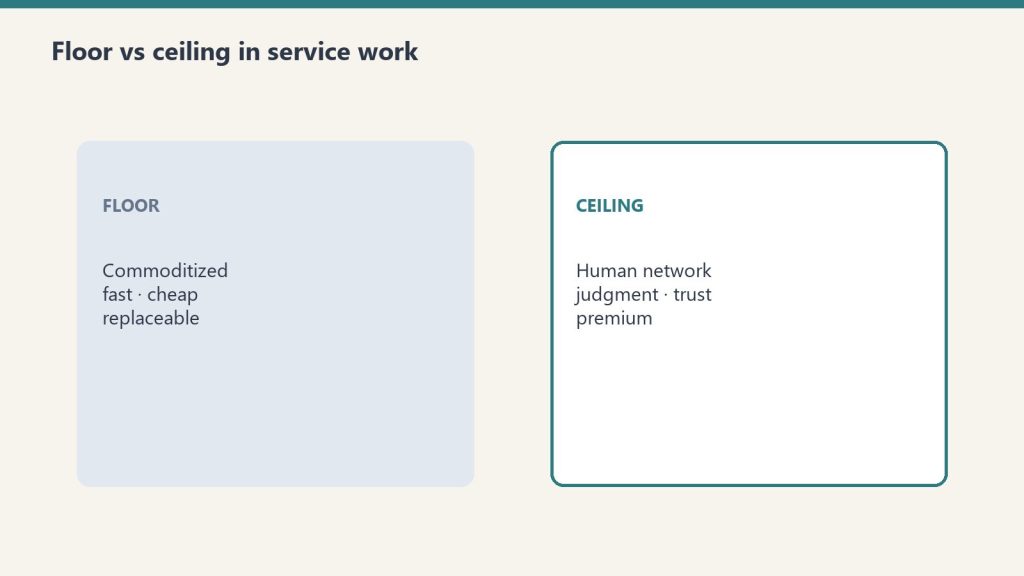
    Floor versus ceiling cards for commoditized work and human-network premium
    The industry is splitting in two.

    If you run a restoration company in 2026, you can feel it even if you can’t name it yet. Something has changed in the last eighteen months. The companies you used to compete with on price are starting to look operationally different. The owners you grab a drink with at conferences are talking about things that didn’t exist as topics two years ago. The carriers are quietly recalibrating who they trust with what kind of work, and the criteria they’re using don’t always show up in TPA scorecards.

    The industry is splitting in two. Not by size. Not by geography. Not by certification. The split is happening along a single axis: how seriously the company has thought about the difference between doing the work and operating the system that does the work.

    Companies on one side of the split still think of themselves as a collection of trucks, technicians, and jobs. They get up every morning and chase the work that came in the night before. They are very good at the work itself. Their PMs are senior, their crews are loyal, their relationships with adjusters are warm. They have been profitable for fifteen or twenty years doing exactly what they have always done.

    Companies on the other side of the split think of themselves as a system. The work is the output, not the identity. They invest in the operating layer — documentation, decision frameworks, training architecture, technology, talent development — at a rate that looks excessive to their peers. They are not necessarily larger. They are not necessarily growing faster on the top line. But over a five-year window, the gap between the two groups becomes severe and, eventually, irreversible.

    This is the playbook for the second group. It is also a warning to the first.

    Why this is happening now

    Restoration has always been an industry where tribal knowledge created a moat. A senior project manager who has worked five hundred losses knows things that have never been written down anywhere. The judgment that separates a profitable mitigation job from a money-losing one — when to recommend pack-out, how aggressively to demo, which sub to call for which kind of structural drying problem, how to read an adjuster’s tone on the first call — none of that lives in a textbook. It lives in the heads of people who have been doing the work for a long time.

    For most of the industry’s history, that fact was a feature. The senior PM was the asset. The owner who hired and retained the best PMs ran the best company. Period.

    That equation is changing in 2026. It is not changing because senior PMs matter less. They matter more than ever. It is changing because, for the first time, that judgment can be encoded into systems that the rest of the company can run.

    The pieces have been arriving in stages. Cloud documentation made it possible to actually capture what senior operators do. Generative AI made it possible to interrogate that documentation at speed and turn it into decisions. And in early 2026, the infrastructure layer that lets companies build and run autonomous workflows on top of all of it became a managed service. The work that used to require a six-month engineering project is now a configuration question.

    What this means in practice is that the value of a senior operator is no longer just the work that operator does directly. It is the work an entire system does in their image once their judgment has been captured and encoded. A senior PM whose decision-making becomes the substrate for how the rest of the company handles initial response, scope decisions, sub assignments, and customer communication is worth something different — and something larger — than the same PM doing the work themselves.

    The companies that understand this are quietly buying senior talent at the current price and treating that talent as the raw material for the operating system they are about to build. The companies that don’t understand it are still treating senior PMs as line-level production units, which means they are about to overpay for talent in twenty-four months when the rest of the industry catches up to the repricing.

    The mitigation-to-reconstruction problem

    To make any of this concrete, start with the single most expensive operational decision in the entire restoration economic chain: how mitigation gets handed off to reconstruction.

    It is also one of the least understood, because most companies live on one side of the handoff or the other. Mitigation-only firms see their job as ending at dryout. Reconstruction-only firms see their job as starting from whatever the mitigation team left behind. Both groups treat the handoff as a logistics problem when it is actually an economics problem, and the economics are brutal.

    A mitigation team that demos too aggressively makes the rebuild more expensive than it had to be — which means the homeowner runs out of coverage faster, which means fewer upgrades, which means a less satisfied customer at the close-out. A mitigation team that demos too conservatively leaves moisture or structural damage hidden, which means rework on the rebuild side, which means the carrier eventually pushes back on the file and the reconstruction company eats the difference. A mitigation team that documents poorly leaves the reconstruction estimator guessing, which costs days on every job and creates scope arguments with the adjuster that didn’t have to happen. A mitigation team that doesn’t think about flooring transitions, baseboard seams, ceiling textures, or trim profiles before they cut creates rebuild work that takes longer and looks worse than it should.

    Each of these decisions individually is small. In aggregate, across thousands of jobs per year, they determine whether a regional restoration company is running on twelve percent net margin or twenty-two percent net margin. They determine how many homeowners write the company a five-star review. They determine whether the carrier sends the next loss to this company or to a competitor.

    And almost none of it is taught. Mitigation crews are trained to dry the building. Reconstruction crews are trained to put it back together. The interface between the two — the layer where the actual money is made or lost — is treated as someone else’s problem on both sides.

    The companies that have figured this out have done one of two things. Either they have brought both functions in-house and built the handoff into a single operational system, or they have built deliberate mitigation prep standards and trained their subcontractor mitigation partners on them. Both moves reflect the same underlying insight: the company that owns the end of the job has to own the beginning of the job, because every decision at the beginning is a vote about what the end is going to look like.

    Stephen Covey called it beginning with the end in mind. In restoration it is not a personal development principle. It is a profit and loss statement.

    Senior talent is the new force multiplier

    If the operating layer is the new battleground, senior talent is the new force multiplier. This is the part of the playbook most owners are still pricing wrong.

    For the last two decades, the math on a senior project manager looked roughly like this: the PM produces a certain volume of revenue per year, the company keeps a certain percentage of that revenue as gross margin, the PM costs a certain salary plus benefits, the difference is the contribution. Owners who could do that math could decide how many senior PMs to hire and how much to pay them.

    That math is now incomplete. The senior PM is no longer just a producer. The senior PM is a teacher whose judgment, once captured, runs across every job the company touches — including jobs the PM never personally sees. The contribution from a single senior operator is no longer linear. It compounds.

    Owners who are running on the old math are about to be outbid for senior talent by owners who are running on the new math. This is happening already in pockets of the industry, especially in metro markets where private equity has begun to show up. A senior PM who would have been worth $140,000 in 2023 is worth something materially higher to a buyer who plans to use that PM as the architect of an operational system. The market hasn’t fully repriced yet. The arbitrage window for owners who move now is real and finite.

    This also reframes recruiting as a strategic function rather than a HR function. The recruiter who knows which senior operators in a market are quietly thinking about a move, who understands what a sophisticated buyer is willing to pay, and who can credibly explain to a candidate what the next chapter of the industry looks like, is operating at a different altitude than the recruiter who is filling seats off a job board. Owners who haven’t built that recruiting relationship yet are starting from behind.

    The new operating stack

    Three cards for field SOPs, owner prompts, and KPI rhythm in an operations kit
    The new operating stack.

    The companies pulling away from the pack are building what amounts to a new operating stack. It does not show up on the org chart. It rarely shows up in conference presentations because the operators running it know that the longer they keep quiet, the longer the lead lasts. But the pattern is consistent enough across geographies and company sizes to describe.

    The first layer is documentation. Not policy manuals — those have always existed and rarely change anything. The new documentation is operational decision capture. How do our best PMs decide whether to recommend pack-out. How do they decide when to push back on an adjuster’s scope. How do they handle the customer conversation when an estimate comes in higher than expected. The documentation lives in a structured system that can be queried, not a binder on a shelf.

    The second layer is structured training built on top of that documentation. New hires don’t shadow a senior PM for a year hoping the right situations come up. They work through structured scenarios drawn from the actual decision capture. The senior PM’s time is leveraged across the whole training cohort instead of being burned on one apprentice at a time.

    The third layer is technology — but the technology only works because the first two layers exist. AI systems are extraordinary at applying captured judgment to new situations. They are useless at inventing judgment that was never captured. Companies that have spent two years building decision documentation can plug in modern tooling and get force multiplication immediately. Companies that haven’t done the documentation work are buying tools they cannot effectively use, which is why so much restoration software ends up shelved.

    The fourth layer is financial operations discipline that matches the operating discipline. Job-level WIP tracking, real-time margin visibility, scope-change accountability, sub performance scorecards. The reason this layer matters is that the first three layers will surface problems faster than the company can act on them unless the financial visibility is in place. Operating clarity without financial clarity creates frustration. The two have to move together.

    Most companies in the industry have one of these layers. A few have two. A small number have three. The companies that have all four are the ones running away from the pack, and they know exactly what they have.

    What this means for owners

    Three panels showing one problem, three options, one recommendation
    What this means for owners.

    If you own a restoration company and you have read this far, the implication is uncomfortable. The decisions you make in the next twelve to twenty-four months matter more than the decisions you have made in the previous five years. The window in which the operating-system advantage can still be built at a reasonable cost is open now and will not stay open.

    This does not mean you need to spend a million dollars on technology. It means you need to be honest about which of the four operating layers your company actually has, and which it doesn’t. It means you need to identify the two or three senior operators whose judgment is load-bearing for your business and start the documentation work — not in a way that scares them about being replaced, but in a way that respects them as the architects of the next chapter. It means you need to look at your senior hire roster and decide whether you have one or two more PMs you should be courting now, while the market hasn’t fully repriced. It means you need to think about your mitigation-to-reconstruction handoff with the seriousness it deserves, whether you own both sides or you partner.

    It does not mean you need to do everything at once. It means you need to start. The companies that have already started have a head start that compounds every quarter.

    What this means for senior operators

    If you are a senior PM, GM, or estimator reading this, the implication is different. Your value is rising. Not in the abstract, sociological sense. In the concrete, dollars-on-the-table sense. The owners who understand the new math are looking for people like you, and the recruiters who serve those owners are looking on their behalf.

    This is also a moment to think about what you actually want the next chapter of your career to look like. Some senior operators are happiest doing the work they have always done in a company they have always loved. That is a perfectly reasonable choice. Others are at a stage where they would rather use their two decades of judgment to architect how a whole company operates instead of personally running fifty jobs a year. That is now a real option in a way it was not five years ago. The companies that need that kind of architect are willing to pay for it, and they are increasingly easy to find if you know who is asking.

    What this means for the rest of the industry

    For the carriers, the TPAs, the manufacturers, and the trade associations, the implication is structural. The contractor base you are working with is going to bifurcate over the next thirty-six months. The companies on the operating-system side of the split are going to be more reliable, faster on cycle time, more accurate on documentation, and less prone to the disputes that eat your time. They are also going to expect to be treated differently than the rest of the panel. The companies on the other side of the split are going to look increasingly fragile by comparison, and the cost of working with them — in time, in disputes, in customer satisfaction — is going to become harder to justify.

    The smart move for everyone in the broader ecosystem is to start identifying which contractors are building the operating system and which are not, and to design programs and incentives that pull more of the industry toward the first group. The contractors who have built it will reward partners who recognize them. The contractors who haven’t will need help getting there, and the partners who help them will own those relationships for a decade.

    Why we are publishing this

    Tygart Media is publishing this body of work for one simple reason. The restoration industry is going through the most consequential operational shift it has experienced in a generation, and most of the people inside it do not yet have a vocabulary for what is happening. The owners are feeling it. The senior operators are feeling it. The carriers are feeling it. But the conversation has not caught up to the reality.

    This pillar — and the cluster of articles that will be published under it over the coming months — is an attempt to give the industry that vocabulary. To name what is changing. To make it possible for owners and operators to think clearly about decisions that, until now, they have been making on instinct in a fog.

    We do not name companies in this work, ours or anyone else’s. Naming companies turns intelligence into marketing, and the moment that happens the work loses its usefulness. What we publish here is meant to be useful first. Operators should be able to read it and act on it without having to filter out a sales pitch.

    The companies that figure this out will not need to be told who is publishing the playbook. They will already know.

    Cluster articles published in this series

    Mitigation-to-Reconstruction Intelligence (full cluster)

    1. The Mitigation-to-Reconstruction Handoff: Where Restoration Companies Quietly Lose Half Their Margin
    2. The Documented Mitigation Prep Standard: The Operational Artifact Almost No Restoration Company Actually Has
    3. Photo and Documentation Discipline for Two Audiences: Mitigation’s Most Underrated Operational Lever
    4. The Feedback Loop That Keeps a Mitigation Prep Standard Alive — and Why Most Companies Skip It
    5. The Shared Scoreboard: Why Mitigation and Reconstruction Need One Number They Both Own

    AI in Restoration Operations (full cluster)

    1. Why Most Restoration AI Projects Fail — and What the Few That Work Have in Common
    2. What to Build First: The Restoration AI Sequencing Question Most Owners Get Wrong
    3. The Senior Operator Is the Source Code: A Frame for Restoration AI That Changes the Math on Hiring, Retention, and Documentation
    4. The Economics of Agent-Assisted Restoration Operations: The Cost-Structure Shift That Will Decide Who Is Profitable in 2028
    5. How to Evaluate Restoration AI Tools Without Getting Fooled: The Buyer Framework for a Difficult Vendor Environment

    Senior Talent as Force Multiplier (full cluster)

    1. The Restoration Talent Window Is Closing Faster Than You Think
    2. The Senior Restoration Operator Compensation Question: Why the Old Math Is Producing the Wrong Numbers in 2026
    3. Recruiting as a Strategic Function: Why Restoration Senior Hiring Has Outgrown the HR Setup
    4. Retention When the Operator Has Been Documented: Why Traditional Retention Math No Longer Captures the Stakes
    5. Building the Senior Restoration Career Path: The New Roles That Are Keeping Senior Talent in the Industry

    End-in-Mind Operations (full cluster)

    1. The End-in-Mind Principle in Restoration: What Covey Actually Meant for Service Businesses
    2. The Close-Out Test: A Cognitive Practice for Applying End-in-Mind Thinking to Real Restoration Decisions
    3. The Customer Lifetime Frame: Why the Restoration Job Is the Beginning of the Relationship, Not the End
    4. End-in-Mind Subcontracting: How the Companies You Pair With Determine What Your Customer Remembers
    5. The Owner’s End-in-Mind: Building the Restoration Company You Want to Hand Off, Sell, or Be Proud of in Twenty Years

    Carrier & TPA Strategy (full cluster)

    1. The Carrier Relationship as Strategic Asset, Not Operational Burden
    2. Scope Discipline: How the Best Restoration Companies Defend Their Numbers Without Burning the Carrier Relationship
    3. The TPA Game: Understanding What Third-Party Administrators Actually Optimize For
    4. Program Standing and How It Is Actually Won: The Unpublished Criteria That Determine Restoration Work Flow
    5. The Documentation Layer That Makes Every Carrier Conversation Easier

    Crew & Subcontractor Systems (full cluster)

    1. The Restoration Labor Crisis Is Real and the Companies Adapting to It Look Different
    2. Building a Restoration Crew That Stays: Retention at the Field Level
    3. The Restoration Scheduling Problem Is an Operating System Problem
    4. Quality Control as a Continuous Practice, Not an End-of-Job Inspection
    5. The Sub Bench: Building the Reserve Capacity That Lets a Restoration Company Say Yes

    This pillar is being expanded with deep cluster articles on each of the operating layers described above — AI in restoration operations, financial operations discipline, end-in-mind decision frameworks, carrier and TPA strategy, crew and subcontractor systems, and more. Bookmark this page. Every new cluster article will be linked here as it is published.

  • Restoration Talent: The AI Bottleneck You Must Fix Now

    Restoration Talent: The AI Bottleneck You Must Fix Now

    Last refreshed: May 15, 2026

    A LinkedIn post from a restoration recruiter in Houston tipped me off this morning. He’s right — but the timeline is shorter than most people in the industry realize.

    Mitchell Riley LinkedIn post about Claude Managed Agents announcement
    Mitchell Riley’s LinkedIn post that started this train of thought.

    This article is part of The Restoration Operator’s Playbook — Tygart Media’s body of work on how the industry’s best restoration companies are actually thinking in 2026. Start with the pillar piece if this is your first read.

    The post that got me thinking

    This morning I logged into LinkedIn and saw a post from Mitchell Riley — a restoration industry recruiter in Houston who places PMs, GMs, and business development leaders for restoration contractors across the country. Mitchell flagged Anthropic’s Claude Managed Agents launch with the kind of casual enthusiasm only people who actually use this stuff every day can manage. He called it “pretty cool” and noted that Claude will now build you an agent based on natural language.

    He’s right. He’s also pointing at something most of the restoration industry hasn’t fully processed yet.

    What Anthropic actually shipped

    On April 8, 2026, Anthropic launched Claude Managed Agents in public beta. The short version: the infrastructure work that used to take three to six months of engineering — sandboxed code execution, credential management, long-running session persistence, error recovery, observability — is now a managed service. You define what the agent should do. Anthropic runs it.

    The companies already shipping production agents on it: Notion, Asana, Rakuten, and Sentry. Notion lets teams delegate coding, slides, and spreadsheets to Claude without leaving the workspace. Rakuten deployed specialist agents across product, sales, marketing, finance, and HR — each live in under a week. Sentry built an agent that goes from flagged bug to open pull request, fully autonomous.

    Internal Anthropic testing showed up to a 10-point improvement in task success on structured generation work versus a standard prompting loop, with the largest gains on the hardest problems.

    That’s the announcement. Here’s why it matters for restoration.

    The bottleneck just moved

    For the last two years, the question every restoration owner asked about AI was some version of: “Can it actually do the work?” The honest answer was usually “not yet, not without a developer team you don’t have.”

    That’s no longer the question. The infrastructure gap closed on April 8. The new bottleneck is not “can you build the agent” — it’s “do you have the human operators who know what the agent should be doing in the first place.”

    Restoration is an industry where the real intelligence lives in people. A senior PM who has worked five hundred losses knows things that have never been written down anywhere. How a Cat 3 storm response actually sequences when the carrier is dragging on TPA approvals. The difference between a contents pack-out that closes clean and one that becomes a six-month dispute. Which mitigation decisions buy you a profitable job and which ones bury you on the reconstruction side. None of that lives in a textbook. It lives in the heads of people who have been doing the work for fifteen or twenty years.

    That tribal knowledge is now the constraint. The companies that win the next three years will be the ones who pair Managed Agents (or something like it) with senior operators who can tell the agent what good looks like. The companies that try to skip that step — that try to hire generalists and teach them restoration on the fly while their competitors are distilling twenty-year veterans into operational systems — are going to get lapped.

    Buy the talent now

    This is where the recruiting angle gets interesting. Senior restoration talent has always been hard to find. It’s about to get much harder, for a reason most owners haven’t priced in yet: the value of a senior PM is no longer just the work that PM does directly. It’s the work an entire AI system does in their image once their judgment has been encoded into the workflow.

    Right now, that arbitrage is open. The market hasn’t repriced senior operators for what they’re actually worth in an AI-augmented restoration company. In twelve to twenty-four months, it will. The owners who hire the best PMs, GMs, and BD leaders now — and who pair them with someone like Mitchell who actually understands the placement game — are going to look like geniuses in 2027.

    Mitchell is one of the people who gets this from the inside. He uses the AI tools himself. He builds workflows. He analyzes things in dimensions and context that most recruiters never touch — most recruiters in this industry are still working from a spreadsheet of resumes and a cell phone. Mitchell is the kind of recruiter who notices when Anthropic ships something that’s going to change the value of every senior hire he places, and posts about it on a Wednesday morning. That’s the level of operator the smart restoration owners are going to want in their corner.

    What to actually do this quarter

    If you run a restoration company and you read this far, three concrete things:

    One. Identify your two or three most senior operators — the people whose judgment is load-bearing for the business. Start documenting how they think, not just what they do. The documentation is the raw material every future AI workflow will run on.

    Two. Open one or two senior hires you’ve been putting off. The talent market is going to tighten. Get in front of it.

    Three. Stop treating AI as an IT project. It’s an operational capability. The companies that figure this out are not waiting for their tech vendor to sell them an “AI feature.” They’re hiring the operators, capturing the judgment, and pointing the tooling at the result.

    Mitchell’s post was three sentences. The full version of what he was pointing at takes about a thousand words. This is that version.

    If you’re a restoration owner thinking about senior placements in the next two quarters, you should be talking to Mitchell. And if you’re thinking about how to operationalize AI inside your company — distilling senior judgment into systems your whole team can run — that’s the conversation we have at Tygart Media.

    Read next: The New Restoration Operator: How the Industry’s Best Companies Are Thinking in 2026 — the pillar piece this article belongs to.

  • Building a CRM Community: The Behavior-First Approach

    Building a CRM Community: The Behavior-First Approach

    Tygart Media Strategy
    Volume Ⅰ · Issue 04Quarterly Position
    By Will Tygart
    • Long-form Position
    • Practitioner-grade

    A CRM is a tool. A community is a behavior.

    This distinction sounds like semantics until you look at what most CRM implementations actually produce: a database of contacts that generates reports nobody reads, email campaigns that nobody opens, and a slowly growing list of people the company has never meaningfully contacted since acquiring them.

    The tool-first CRM implementation asks: what does this software let us do? The answer is: segment, score, automate, report. So the operation segments, scores, automates, and reports — and the contacts remain strangers who occasionally receive promotional emails.

    The behavior-first question is different: what do we want to happen between our company and the people who know us? The answer, for a restoration company, is: we want to stay present in the lives of people who’ve worked with us, so that when they or someone they know has a property damage event, our name is the first one that comes to mind.

    That behavior — staying present, human, and relevant in a warm network — requires almost nothing from a CRM tool. It requires a segmented contact list, a simple email platform, and a calendar. The behavior does the work. The tools are almost irrelevant to the outcome.

    What the Behavior Actually Requires

    The CRM community behavior has four components, all of which can be executed with tools most restoration companies already have:

    A reason to reach out that isn’t a sales pitch. The hiring email. The vendor referral ask. The pre-season safety checklist. The company anniversary note. These are legitimate business moments that provide a human reason for contact. The contact feels respected rather than marketed to. The company stays present without demanding anything.

    A segmented list. Three segments — past homeowner clients, industry contacts (adjusters, agents), trade contacts (vendors, subs) — with slightly different framing on the same message. The segmentation takes one afternoon to build from an existing job management system export. It never needs to be rebuilt.

    A calendar with four to six dates per year. This is the system. Not the CRM. Not the automation platform. The calendar that says: March, we hire or ask for a sub. June, we send the storm prep checklist. August, we mark the company anniversary. November, we hire again or ask for referral partners. The calendar makes the behavior consistent. Without it, the behavior doesn’t happen.

    A simple log of what the contacts do. Who replied. Who referred someone. Who mentioned a neighbor with a flooded basement. This log — a Notion database, a Google Sheet, a notes field in the CRM — is the community intelligence layer. After two years, it shows you who your super-connectors are. These are the people to take to coffee, to thank personally, to treat as partners rather than contacts.

    The Tool Is Almost Irrelevant

    This behavior can be executed with a $13/month Mailchimp account, a spreadsheet, and a Google Calendar reminder. The restoration company spending $400/month on a marketing automation platform will not outperform it — because the outcome is determined by whether the behavior happens consistently, not by the sophistication of the tool executing it.

    The CRM Community Framework series documents the full implementation: five strategy articles covering the behavior in detail, five technical briefs covering the tool setup from ServiceTitan/Jobber export through Mailchimp/Brevo configuration through Notion Second Brain architecture through Claude AI prompt library through GCP automation for teams that want to run it at scale.

    The technical briefs exist because the tools matter for execution. But they are secondary documents. The primary document — the one that changes how a restoration company thinks about its database — is the behavioral argument. The tools serve it. They do not replace it.


  • Build a Notion Second Brain for Your Restoration CRM

    Build a Notion Second Brain for Your Restoration CRM

    Who this is for: The person building your knowledge and relationship tracking system — your office manager, a tech-savvy ops person, or a consultant helping you get organized. This brief builds a Notion-based Second Brain layer that sits on top of your existing CRM to capture the relational intelligence that your job management software never will. No coding required. Full setup takes 3–4 hours. The strategy this supports is in Your CRM Is Not a Lead Database.


    What a Second Brain Does That Your CRM Doesn’t

    Four cards for content, ops, build, and knowledge work with Claude
    What a second brain does that your CRM doesn’t.

    Your job management software (ServiceTitan, Jobber, or similar) is built to track transactions: jobs, invoices, and technician assignments. It is exceptional at this. What it cannot do is capture the relational layer — who referred whom, who replied to your hiring email, which adjuster said they’d keep you in mind for the next CAT event, which homeowner’s reply mentioned their neighbor’s flooded basement.

    This is the intelligence that determines whether your CRM becomes a community. It lives in email threads, in the notes field of your phone contacts, in your memory after a golf round with an adjuster. It disappears when your office manager leaves, when you switch phone carriers, when the thread buries itself under 400 new emails.

    The Notion Second Brain captures this layer systematically. It’s not a replacement for your CRM. It’s a relationship intelligence layer that your CRM was never designed to hold.


    The Architecture: Four Linked Databases

    Long paper tape measure unrolling across a desk beside a laptop, metaphor for context window length
    The architecture — four linked databases.

    The system uses four Notion databases connected by relations. Notion’s free tier supports all of this — you do not need a paid plan for the initial build. If you add more than five members, you’ll need to upgrade to the Plus plan ($10/user/month).

    Database 1: Contacts

    Your master contact registry. Every person in your network gets a record here. This does not replace your CRM contact list — it supplements it with relationship context that belongs in a knowledge management tool, not a job management tool.

    Properties:

    Field Type Notes
    Name Title Full name
    Segment Select Homeowner / Industry / Trade / Other
    Sub-type Select Homeowner past client / Adjuster / Agent / PA / Sub / Supplier / Vendor
    Email Email
    Phone Phone
    Company Text For industry and trade contacts
    Location Text City or zip — for local filter
    Warmth Select Hot / Warm / Cool / Cold — subjective relationship temperature
    Last Touch Date Date Last time you had meaningful contact
    Last Touch Type Select Email campaign / Personal email / Phone / In person
    Times Referred Number How many referrals this contact has ever sent you
    Notes Text Anything important that doesn’t fit a field
    CRM ID Text Matching ID in ServiceTitan or Jobber for cross-reference

    Database 2: Touch Log

    Every meaningful interaction with a contact gets an entry here. Campaign sends, personal replies, phone calls, in-person conversations. This is how you build a timeline of every relationship in your network.

    Properties:

    Field Type Notes
    Touch Summary Title Brief description of the interaction
    Contact Relation → Contacts Links to the contact record
    Date Date
    Touch Type Select Campaign email / Personal email / Phone / In person / Reply received
    Direction Select Outbound (you reached out) / Inbound (they contacted you)
    Signal Select Neutral / Positive / Referral Generated / Lead Mentioned / Complaint
    Follow Up Needed Checkbox
    Follow Up Date Date Only populate if Follow Up Needed is checked
    Notes Text What was said or what happened

    Database 3: Referrals

    Every referral — whether it turned into a job or not — gets a record here. This is where you track the ROI of the community strategy over time.

    Properties:

    Field Type Notes
    Referral Summary Title Brief description
    Referred By Relation → Contacts Who sent it
    Referred Person or Property Text Who or what was referred
    Date Received Date
    Source Touch Relation → Touch Log Which email or interaction triggered the referral
    Outcome Select Job Won / Job Lost / Not Yet Followed Up / Not a Lead
    Job Value Number Estimated or actual job value if won

    Database 4: Campaign Calendar

    This is the full campaign planning and results database from the outreach calendar guide. It lives here in the Second Brain so that every campaign is linked to the contacts and touches it generates.


    Setting Up the System in Notion: Step by Step

    Desk with laptop, checklist notebook, and billing card ready before creating an Anthropic API key
    Setting up the system in Notion step by step.

    Phase 1: Create the Workspace Structure (30 minutes)

    1. Create a new page in Notion called “CRM Second Brain”
    2. Add four sub-pages, one per database: Contacts, Touch Log, Referrals, Campaign Calendar
    3. On each sub-page, add a full-page database (not inline)
    4. Add all properties to each database as listed above
    5. Set up Relations between databases: Touch Log → Contacts (one contact, many touches), Referrals → Contacts (one contact, many referrals), Referrals → Touch Log (link each referral to the touch that generated it)

    Phase 2: Import Your Seeding Data (1–2 hours)

    1. Take your clean, segmented contact CSV from the segmentation brief
    2. In Notion, on your Contacts database, click the three dots → Import CSV
    3. Map the CSV columns to Notion database properties
    4. Notion will create one database record per row
    5. After import, manually review the first 20 records to confirm mapping is correct
    6. Set the Warmth field for your top 30 contacts manually — this is subjective and cannot be automated

    Phase 3: Set Up Views for Daily Use (30 minutes)

    The database is only useful if you actually open it. Create these four views in your Contacts database:

    • “Super Connectors” view: Filter by Times Referred ≥ 2, sorted by Times Referred descending. This shows you your highest-value network contacts at a glance.
    • “Gone Cold” view: Filter by Last Touch Date is before 6 months ago AND Warmth is Warm or Hot. These are relationships that need attention.
    • “Follow Up Today” view: Filter from Touch Log — Follow Up Needed = true AND Follow Up Date = today. Surfaces what needs action today.
    • “Homeowners — Local” view: Filter by Segment = Homeowner AND Location contains [your city/zip]. Your residential community at a glance.

    Connecting the Second Brain to Your Campaign Workflow

    The Second Brain becomes powerful when it’s updated in real time during campaign execution. Here is the exact workflow for each campaign:

    Before sending: Open the Campaign Calendar database and update the Status to “Scheduled.” Verify that the target audience count in your email platform matches your Contacts database filtered view for that segment.

    Within 48 hours of sending: Log the campaign as a single batch entry in the Touch Log: Touch Type = “Campaign email”, Direction = Outbound, Date = send date. This creates the event anchor for all replies that follow.

    For every reply received: Add a Touch Log entry: Touch Type = “Reply received”, Direction = Inbound, link to the Contact record, set Signal based on content (Referral Generated, Lead Mentioned, or Positive). If a follow-up is needed, check Follow Up Needed and set Follow Up Date.

    For every referral: Add a Referrals database entry immediately. Link to the Contact who sent it and to the Touch Log entry that triggered it. Set Outcome to “Not Yet Followed Up” until the lead is worked.

    After 12 months of this workflow, your Super Connectors view will show you exactly which five to ten people in your network are responsible for the majority of inbound referrals. These are the people to take to coffee, to thank personally, to invite to events. The system surfaces what intuition alone cannot track at scale.


    Advanced: Connecting Notion to Your Email Platform via Zapier

    For teams who want to reduce manual entry, Zapier (zapier.com) can automate the Touch Log entry step. This requires a Zapier account (free tier allows five automated workflows) and basic Zapier setup familiarity.

    The automation: When a contact replies to a Mailchimp campaign → Zapier creates a Touch Log entry in Notion with the reply details, linked to the Contact record by email address.

    The Zap flow:

    1. Trigger: Mailchimp → New Campaign Reply (or Gmail → New Email matching campaign reply-to address)
    2. Action 1: Notion → Find Database Item (search Contacts database for the reply’s email address)
    3. Action 2: Notion → Create Database Item in Touch Log (populate fields from the Mailchimp reply data and the Contact ID found in Action 1)

    This automation removes the manual step of logging each reply. It does not remove the step of reviewing replies and adding qualitative Signal and Notes — that still requires human judgment.

    Zapier setup documentation: zapier.com/apps/mailchimp/integrations/notion and zapier.com/apps/gmail/integrations/notion.


    Notion Pricing for This Use Case

    Scenario Plan Needed Cost
    Solo owner managing the database alone Free $0/month
    Owner + office manager (2 users) Free (up to 5 collaborators on free plan) $0/month
    Owner + office manager + 3 others Free (up to 5 still covered) $0/month
    6 or more users Plus plan $10/user/month

    For most restoration companies running this system, the free tier is sufficient indefinitely. The system described here does not require Notion AI, advanced automations, or enterprise features.


  • Restoration Email Automation: Mailchimp & Brevo Setup

    Restoration Email Automation: Mailchimp & Brevo Setup

    Who this is for: The person setting up your email system — your office manager, your IT contact, or a freelance marketing person you’ve brought in. This brief assumes basic comfort with web-based software (setting up accounts, uploading files, clicking through settings). No coding required. The strategy behind this system is in Your CRM Is Not a Lead Database and the full 12-month calendar is in The 12-Month CRM Touch Calendar.


    What We’re Building

    Three cards for field SOPs, owner prompts, and KPI rhythm in an operations kit
    What we’re building.

    A four-to-six email annual touch sequence for three audience segments (homeowners, industry contacts, trade contacts), running through a standard email marketing platform, triggered on a predetermined calendar, and tracked in a simple Notion or spreadsheet log.

    The system requires no custom development. It uses off-the-shelf software that any non-technical person can configure in an afternoon. Total ongoing maintenance time after setup: approximately one hour per campaign, four to six times per year.


    Platform Selection: Mailchimp vs. Brevo for Restoration Companies

    Both platforms are appropriate for this use case. Choose based on your database size and send frequency:

    Choose Mailchimp if: Your database is under 1,500 contacts, you want the most widely documented platform (easiest to find help online), and you’re comfortable paying $13–$30/month. Mailchimp’s Essentials plan is sufficient — you do not need Standard or Premium for this use case.

    Choose Brevo if: Your database is over 1,500 contacts, you only send 4–6 times per year and want to avoid paying for contacts you rarely email, or you want built-in transactional email for other automations. Brevo’s Starter plan is $9/month with no contact storage limits — you pay based on emails sent, not contacts stored. For a 2,000-contact database sending 6 campaigns per year, Brevo costs significantly less than Mailchimp.

    The setup instructions below cover both platforms in parallel. Follow the path that matches your platform choice.


    Step 1: Account Setup and List Import

    Desk with laptop, checklist notebook, and billing card ready before creating an Anthropic API key
    Step 1 — account setup and list import.

    Complete the database segmentation build from the CRM segmentation technical brief before starting this step. You should have three clean CSV files: Homeowners, Industry, and Trade.

    Mailchimp Setup

    1. Create account at mailchimp.com. Select Essentials plan. Enter billing info.
    2. Go to Audience → Manage Audience → Add a Field. Add two custom merge fields: JOB_TYPE (text) and SEGMENT (text). These allow personalization tokens in email copy.
    3. Go to Audience → Manage Audience → Import Contacts. Upload each CSV file separately, assigning a tag during each import: “Homeowner”, “Industry”, “Trade”.
    4. Map CSV columns to Mailchimp fields: First Name → FNAME, Last Name → LNAME, Email → EMAIL, Job Type → JOB_TYPE, Segment → SEGMENT.
    5. After import, verify contact counts match your spreadsheet totals. A mismatch usually means invalid email format in some rows — check the import error log.

    Brevo Setup

    1. Create account at brevo.com. Select Starter plan ($9/month).
    2. Go to Contacts → Lists → Create a List. Create three lists: “Homeowners”, “Industry Contacts”, “Trade Contacts”.
    3. Go to Contacts → Import Contacts. Upload each CSV, assign to the corresponding list.
    4. Map fields: First Name → FIRSTNAME, Last Name → LASTNAME, Email → EMAIL. Create custom attributes for JOB_TYPE if needed.
    5. Verify counts after import.

    Step 2: Sender Domain Authentication (Critical for Deliverability)

    This is the step most people skip and then wonder why their emails land in spam. Both Mailchimp and Brevo require domain authentication to ensure your emails are delivered to inboxes rather than spam folders. This step requires access to your domain’s DNS settings (usually managed through your domain registrar — GoDaddy, Namecheap, Google Domains, or similar).

    What Authentication Does

    SPF, DKIM, and DMARC records tell receiving mail servers that your email marketing platform is authorized to send email on behalf of your domain. Without them, major providers (Gmail, Outlook, Yahoo) increasingly route your emails to spam or refuse delivery entirely.

    Mailchimp Domain Authentication

    1. In Mailchimp, go to Account → Settings → Domains → Add and Verify Domain
    2. Enter your company domain (e.g., yourcompany.com)
    3. Mailchimp will provide you with specific DNS records to add: a CNAME record for DKIM and a TXT record for verification
    4. Log into your domain registrar and add these records exactly as shown. Allow 24–48 hours for DNS propagation.
    5. Return to Mailchimp and click “Authenticate Domain” once DNS has propagated. A green checkmark confirms success.

    Brevo Domain Authentication

    1. Go to Settings → Senders & IP → Domains → Add a Domain
    2. Enter your domain and follow the same process — Brevo provides specific DNS records for SPF and DKIM
    3. Add records at your domain registrar. Verify in Brevo after propagation.

    If your company uses a shared hosting email (e.g., yourbusiness@gmail.com rather than yourbusiness@yourcompany.com), you cannot authenticate a shared domain. In this case, create a free Google Workspace account at $6/month to get a branded email address before proceeding. Sending from info@yourcompany.com vs. yourcompany@gmail.com meaningfully affects both deliverability and perceived professionalism.


    Step 3: Build the Campaign Templates

    Three panels showing one problem, three options, one recommendation
    Step 3 — build the campaign templates.

    For the CRM community touch strategy, plain text emails outperform designed HTML templates. Research on warm, relationship-based email consistently shows that recipients perceive plain text as more personal and authentic. The goal is an email that looks like it came from a person, not a marketing department.

    Mailchimp Plain Text Campaign

    1. Go to Campaigns → Create Campaign → Email
    2. Select “Plain Text” as the campaign type (not the drag-and-drop builder)
    3. Write your email copy in the plain text field
    4. Use Mailchimp merge tags for personalization: *|FNAME|* for first name, *|JOB_TYPE|* for the custom job type field
    5. Example: “Hi *|FNAME|*, It’s [Owner Name] from [Company]. We worked with you on your *|JOB_TYPE|* job a while back…”
    6. Set up subject line, preview text, from name (use owner’s first name, e.g., “Mike from Acme Restoration”), and from email address (owner’s direct email preferred over info@ for homeowner segment)

    Brevo Plain Text Campaign

    1. Go to Campaigns → Email Campaigns → Create an Email Campaign
    2. Choose “Plain Text” from the template selection
    3. Use Brevo’s personalization tokens: {{ contact.FIRSTNAME }}, {{ contact.JOB_TYPE }}
    4. Configure sender name and address as above

    Build all six campaigns for the year in draft mode before publishing any of them. Label each draft clearly: “Q1-2026-Homeowners-Hiring”, “Q2-2026-Homeowners-Storm-Prep”, etc. This allows you to see the full year’s campaign lineup at once and catch any overlap or redundancy before it goes out.


    Step 4: Schedule the Campaign Calendar

    Mailchimp Scheduling

    1. Open each draft campaign
    2. In the Campaign Builder, go to the Schedule step
    3. Select “Schedule” and set the date and time. Use the send time optimization feature if available on your plan — it will automatically send to each contact at the time they’re most likely to open based on historical behavior.
    4. For your first campaign (no historical data), use Tuesday or Wednesday at 9:30am local time as a default

    Brevo Scheduling

    1. In the campaign builder, select “Schedule” on the final step
    2. Set date, time, and timezone
    3. Brevo’s Send Time Optimization is available on paid plans and functions similarly to Mailchimp’s

    Schedule all three segment versions of each campaign within the same 2-hour window on the same day — homeowners first, then industry, then trade — staggered by 30 minutes. This prevents simultaneous reply volume from overwhelming a single inbox.


    Step 5: Build the Results Tracking System in Notion

    Both platforms provide analytics (open rate, click rate, unsubscribes) automatically. The tracking that neither platform does is the qualitative signal — replies, referrals, leads mentioned, and relationship warmth indicators. That layer goes in Notion.

    Setting Up Notion (Free Tier)

    1. Go to notion.com and create a free account
    2. Create a new page called “CRM Touch Calendar”
    3. Add a database (table view) with the following properties:
    Property Type
    Campaign Name Title
    Send Date Date
    Segment Select (Homeowners / Industry / Trade / All)
    Touch Type Select (Operational Ask / Educational / Milestone / Seasonal)
    Platform Select (Mailchimp / Brevo / CRM)
    Status Select (Planned / Draft Ready / Scheduled / Sent)
    Open Rate Number (percent)
    Reply Count Number
    Referrals Generated Number
    Leads Mentioned Number
    Notes Text (for qualitative observations)
    1. Add all six planned campaigns for the year as rows in the database
    2. Set the Status to “Planned” for all. Update to “Draft Ready”, “Scheduled”, and “Sent” as you progress
    3. After each campaign sends, log the open rate from your email platform and manually count and log reply count, referrals, and lead mentions from your email inbox

    The Notion database becomes your campaign intelligence layer. After two or three years of data, you’ll have clear evidence of which touch types generate the highest referral rates, which segments are most engaged, and which subject lines perform best for your specific audience.


    Step 6: Set Up Reply Management

    For the homeowner and industry segments, replies to hiring emails and vendor asks often include lead mentions (“actually, our neighbor just had water get in last week”). These need to route to whoever handles incoming leads immediately, not sit in an inbox until someone reviews the campaign results.

    The simplest solution: create a dedicated email address (campaigns@yourcompany.com or outreach@yourcompany.com) as the reply-to address for all campaigns. Set up a simple email rule that forwards any reply mentioning keywords like “water”, “damage”, “claim”, “flooded”, “burst”, or “insurance” to your main dispatch email address.

    In Gmail, set this up under Settings → Filters and Blocked Addresses → Create a new filter. In Outlook, use Rules → Create a New Rule. Set the trigger to “subject or body contains” and the action to “forward to [dispatch email]”. This catches the accidental leads without requiring manual review of every reply.


    Cost Summary

    Item One-Time Monthly Annual
    Mailchimp Essentials (500 contacts) $0 $13 $156
    Mailchimp Essentials (1,000 contacts) $0 $20 $240
    Brevo Starter (unlimited contacts) $0 $9 $108
    Google Workspace (if needed for branded email) $0 $6 $72
    Notion free tier $0 $0 $0
    Email validation (one-time list clean) $5–$15 $0 $0

    Total annual cost for a fully operational system: $108–$312 depending on platform choice and contact volume. This covers 4–6 campaigns per year to a warm, segmented local database of up to 2,000 contacts.


  • Restoration CRM Segmentation: Technical Setup Guide

    Restoration CRM Segmentation: Technical Setup Guide

    Who this is for: The person who manages your company’s data — your office manager, operations coordinator, or IT contact. This is a technical brief. Hand it to them and say: “Build this for us.” The strategy behind it is in Your CRM Is Not a Lead Database.


    What We’re Building and Why

    Three cards for field SOPs, owner prompts, and KPI rhythm in an operations kit
    What we’re building and why.

    A restoration company’s customer relationship system contains contacts across multiple relationship types: past homeowner clients, insurance adjusters, insurance agents, public adjusters, subcontractors, suppliers, and vendors. The business value of these contacts is currently being left on the table because they all sit in a single undifferentiated list — or worse, in multiple disconnected systems.

    This technical brief covers how to build a clean, three-segment contact database that can be exported to any email platform for the CRM community touch strategy. The output is a CSV-ready contact list with four fields: First Name, Email, Segment, and Job Type (for homeowners). The process takes 2–4 hours for a database of 200–1,000 contacts and does not require any new software purchases.


    Step 1: Audit Your Current Data Sources

    Desk with laptop, checklist notebook, and billing card ready before creating an Anthropic API key
    Step 1 — audit your current data sources.

    Before building the segmented database, identify every place your contact data currently lives. For most restoration companies, this is a combination of:

    • Job management software (ServiceTitan, Jobber, Xactimate, or a custom system)
    • Accounting software (QuickBooks, FreshBooks) — often contains additional contact records
    • Email inbox — years of adjuster and agent correspondence with contact info in signatures
    • Business cards and physical records — especially older trade contacts
    • Google Contacts or Outlook — personal and professional contacts mixed together
    • Social media connections — LinkedIn connections that have business relationship context

    Create a simple spreadsheet with one column per source and a rough count of contacts in each. This gives you the scope before you start merging.


    Step 2: Export Raw Data from Each Source

    ServiceTitan Export

    1. Navigate to Customers in the left sidebar
    2. Use the filter panel to select Customer Type: Residential for the homeowner segment; Commercial for business contacts
    3. Click Export → Export to CSV
    4. The export includes: customer name, address, phone, email, job history, and last job date
    5. For the homeowner segment, add a filter for jobs completed in the last 5 years to avoid very stale contacts
    6. Run a second export filtered to job type (Water Damage / Fire / Mold) to capture the Job Type field you’ll need for personalized emails

    ServiceTitan note: The export may include multiple email addresses per contact (primary and secondary). Keep both in separate columns and let the email platform deduplicate. Do not discard secondary emails — these are often more reliably checked than the primary.

    Jobber Export

    1. Go to Clients in the navigation menu
    2. Click the three-dot menu at the top right → Export
    3. Select: Client Name, Email, Phone, Service Address, Tags, Last Job Date
    4. The export is a CSV file. Open it in Excel or Google Sheets
    5. If you’ve been using Jobber’s tags feature, filter by residential/commercial tag to create your segments. If not, sort by address type manually

    Jobber note: Job type data lives in the Jobs table, not the Clients table. You’ll need to run a second export from Jobs (Reports → Job Reports → Export) and do a VLOOKUP on client ID to join job type data to client records.

    QuickBooks Export

    1. Go to Reports → Customer Contact List
    2. Customize report to include: Customer Name, Email, Phone, Balance
    3. Export → Export to Excel
    4. This gives you billing-context contacts that may not appear in your job management system (e.g., commercial billing contacts, property management companies)

    Email Inbox (for Industry Contacts)

    For insurance adjusters and agents, the most reliable data source is often your email inbox. Here’s the efficient approach:

    1. In Gmail, search for: “adjuster” OR “claims” OR “State Farm” OR “Allstate” OR “Farmers” — this surfaces the most relevant industry email threads
    2. Export these to a spreadsheet: contact name, email, company, title (from email signatures)
    3. In Outlook, use the same keyword search and export via File → Open & Export → Import/Export → Export to CSV
    4. Expect 50–200 unique industry contacts from a 3-year inbox history

    Step 3: Build the Master Contact Database

    Three panels showing one problem, three options, one recommendation
    Step 3 — build the master contact database.

    Consolidate all exported data into a single Google Sheet or Excel workbook with the following standardized columns:

    Column Format Notes
    First Name Text Separate from Last Name for personalization
    Last Name Text
    Email Email Lowercase, validate format
    Phone Text Keep for SMS campaigns if applicable
    Segment Select: Homeowner / Industry / Trade The most important column
    Job Type Text: Water / Fire / Mold / Storm / Other Homeowners only — leave blank for others
    Job Date Date For homeowners — used to filter by recency
    City/Zip Text For geographic filtering — local contacts only
    Company Text For industry and trade contacts
    Title Text For industry contacts — Adjuster, Agent, PA, etc.
    Source Text: ServiceTitan / Jobber / QB / Email / Manual For deduplication tracking
    Email Valid Boolean: Y/N Flag after validation step
    Opted Out Boolean: Y/N Mark anyone who has unsubscribed or asked not to be contacted

    Step 4: Deduplicate

    If you’ve pulled from multiple sources, you will have duplicates. Deduplication is the most tedious part of this process but cannot be skipped — sending the same person two emails from the same campaign is a trust-breaker.

    In Excel:

    1. Select the Email column
    2. Data → Remove Duplicates → check “Email” as the key column
    3. Review the flagged duplicates before deleting — sometimes two records with the same email represent different relationship types (e.g., someone who was both a homeowner client and is now an adjuster). Keep the record with the more current relationship type in the Segment field.

    In Google Sheets:

    1. Add a helper column with formula: =COUNTIF($B:$B, B2) where column B is Email
    2. Filter for values greater than 1 to find duplicates
    3. Manually review and merge or delete

    After deduplication, sort by Segment and do a manual spot check of 10 records per segment to verify the segmentation logic is correct.


    Step 5: Validate Email Addresses

    Sending to invalid email addresses hurts your sender reputation with your email platform, which reduces deliverability over time. Before importing into Mailchimp, Brevo, or any other platform, run a basic email validation pass.

    Free option: Hunter.io offers 25 free email verifications per month. For a list under 500, their free tier covers a meaningful sample. Upload your list and verify the top contacts by relationship quality.

    Paid option for large lists: NeverBounce or ZeroBounce. Both charge approximately $0.003–$0.008 per email verification. For a 500-contact list, total cost is under $5. Both services flag invalid addresses, role-based addresses (info@, support@), and disposable email domains. Remove all flagged emails before import.

    Manual validation for high-value contacts: For your top 20–30 industry contacts (key adjusters, major agents), manual verification is worth it. Send a quick personal email asking them to confirm their preferred contact info. This also serves as a warm re-introduction before your first campaign.


    Step 6: Import to Your Email Platform

    Export your clean, validated, segmented contact database as three separate CSVs — one per segment — and import into your email platform of choice.

    Mailchimp Import

    1. Go to Audience → Manage Audience → Import Contacts
    2. Upload CSV → Map columns to Mailchimp fields (First Name → FNAME, Email → EMAIL, Job Type → custom merge tag JOB_TYPE)
    3. Assign a tag to each import: “Homeowner-2026”, “Industry-2026”, “Trade-2026”
    4. Important: Do not create three separate Audiences. Use one Audience with tags. Mailchimp charges per contact, not per audience, but managing one audience with tags is significantly easier than managing three separate ones.

    Brevo Import

    1. Contacts → Import Contacts → Upload CSV
    2. Map fields and create a list per segment: “Homeowners”, “Industry”, “Trade”
    3. Brevo stores contacts once even if they appear in multiple lists — no duplicate billing risk

    ServiceTitan or Jobber Built-In Email

    If using the CRM’s native email for homeowner segments, the import step is not necessary — your homeowner data is already in the system. Create a saved filter for the homeowner segment you want to target and use it directly when setting up a campaign.


    Step 7: Establish Ongoing Data Hygiene

    The segmented database is only valuable if it stays current. Establish these three practices:

    1. New client email capture at intake: Make email address a required field in your job intake form. In ServiceTitan, add it to the customer create form. In Jobber, it’s already a standard field — enforce it.
    2. Post-job segment tagging: After every job closes, tag the homeowner record in your CRM with the job type. One minute of work per job prevents hours of data cleaning later.
    3. Quarterly list audit: Set a recurring quarterly reminder to archive Mailchimp/Brevo contacts who unsubscribed in the previous quarter. Mailchimp charges for unsubscribed contacts unless they’re manually archived — this is a real cost that many companies pay unknowingly.

    Tools Summary and Costs

    Tool Purpose Cost
    ServiceTitan Job data export Included in your existing plan
    Jobber Client data export Included in your existing plan ($39–$599/mo)
    Google Sheets or Excel Master database build and deduplication Free (Google Sheets) or included in Office
    Hunter.io Email validation (small lists) Free up to 25/month
    NeverBounce or ZeroBounce Email validation (larger lists) ~$4–8 per 1,000 emails
    Mailchimp Essentials Email platform for segmented sends $13–$30/month for most restoration databases
    Brevo Starter (alternative) Email platform, priced by sends not contacts $9/month for up to 5,000 emails/day

    Total one-time setup cost: $0–$15 (validation only). Ongoing monthly cost: $9–$30 (email platform). Total annual cost for a 500-contact database running 6 campaigns per year: under $400, including all platform fees.


    Frequently Asked Questions

    What if our job management software isn’t ServiceTitan or Jobber?

    Any job management platform with a client list has an export function — check the Reports or Clients section for CSV export. The field names will differ but the process is the same: export, standardize column names in a spreadsheet, segment, import to email platform. If your software doesn’t support export, contact their support team — this is a standard feature and they will walk you through it.

    How long does the initial database build take?

    For a company with 200–500 contacts across two or three sources, expect 3–6 hours for a first-time build. After the initial build, ongoing maintenance is 30–60 minutes per quarter. If you have 1,000+ contacts across four or more sources, budget a full day for the initial consolidation and deduplication.

    Do we need a dedicated person to manage this?

    No. Once built, the database requires 30 minutes per quarter to maintain and an hour to set up each campaign. This is appropriate for an office manager or administrative coordinator, not a dedicated data or marketing role.


  • Re-Engage Past Homeowner Clients for Restoration Referrals

    Re-Engage Past Homeowner Clients for Restoration Referrals

    You spent somewhere between $150 and $500 to acquire them as a customer. They let your crew into their home during one of the worst weeks of their year. They watched how your company handled the stress, the communication, the insurance company, and the work. They paid the invoice and you never talked to them again.

    That’s the standard lifecycle for a residential restoration client. Job complete. File closed. Move on.

    It is also one of the most expensive mistakes in service business marketing.

    This guide is specifically for restoration company owners who want to re-engage their past homeowner client database — not to sell them anything, but to stay in the one place that generates the majority of residential restoration revenue: the mental file where people store companies they trust enough to recommend.

    The full strategy behind this is in Your CRM Is Not a Lead Database. This article focuses entirely on the homeowner — who they are after the job, how they think about your company, and exactly what to say to stay close to them without ever sending a sales email.


    What a Past Homeowner Client Actually Knows About You

    Seven cards naming common AI chatbot failure modes
    What a past homeowner client actually knows about you.

    Before you decide what to say, understand what you’re working with.

    A past homeowner who had water damage, fire damage, or mold remediation knows things about your company that no amount of advertising can convey:

    • Whether your crew showed up when they said they would
    • Whether your project manager communicated clearly during a stressful situation
    • Whether you dealt with the insurance company honestly and professionally
    • Whether the final result matched what was promised
    • Whether they felt like a number or a person during the process

    If the job went well, that homeowner has a level of personal, experience-based trust in your company that no review, ad, or testimonial can manufacture for a stranger. They are your best possible referral source — and most restoration companies never contact them again after the final invoice.

    The homeowner who experienced a good restoration job doesn’t need to be sold on you. They need to be reminded you exist when the question comes up.


    The Referral Moment: When It Happens and How to Be Ready

    Referrals from past homeowner clients in restoration follow a predictable trigger pattern. Someone in their life — a neighbor, a family member, a coworker — experiences a property damage event and asks if they know a good company. Or they see water damage in a friend’s home at a dinner party. Or a Facebook group post asks “does anyone know a good restoration company in [city]?”

    In that moment, your company’s name either comes up or it doesn’t. The deciding factor is not the quality of your work — it’s whether your name is still accessible in their memory.

    Memory fades. The homeowner whose crawlspace you dried out two years ago has had two years of other companies, experiences, and information go through their head since then. Your name is still there, but it’s not on top. A single relevant, human email can move it back to the surface — and keep it there for the next six months.

    This is why the timing of your re-engagement touches matters. You want to be in their inbox in the six weeks before they’re most likely to get the referral question: pre-storm season, pre-winter freeze, late summer when people are finishing renovations and talking about their homes.


    The Homeowner Re-Engagement Framework: Four Touches That Work

    Side-by-side comparing a pitch dump with value-first contact habits
    The homeowner re-engagement framework — four touches.

    None of these emails ask for anything directly. They don’t include CTAs, offers, or discounts. They are human moments that remind the homeowner your company is real, active, and cares about the people it’s worked with.

    Touch 1: The Hiring Referral Ask

    This is the full template and strategy from The Hiring Email Guide. The key adaptation for homeowners: keep it personal, reference the job you did for them if you have the data, and make it clear you value their opinion specifically.

    Why it works for homeowners specifically: most people feel genuinely pleased when a company they liked asks for their help. It confirms that the relationship mattered, not just the transaction. And it gives them something concrete to do for you — which strengthens the connection in both directions.

    Touch 2: The Pre-Season Safety Resource

    A one-page checklist relevant to the season and your service area. Before winter freeze: pipes, outdoor faucets, sump pump, HVAC filters, emergency shutoff location. Before storm season: gutters, roof inspection, tree branches near the house, sump pump backup power. Before dry season in wildfire-prone areas: defensible space, ember-resistant vents, gutter debris.

    The email copy is simple: “As we head into [season], I wanted to send along a quick checklist for your home. This is the stuff our crews see preventable damage from every year. Hope it’s useful.” Link to a longer blog post if you have one. No offer. No CTA. Three sentences.

    Touch 3: The Neighbor / Community Check-In After a Local Event

    When a major weather event, storm, or flood affects your service area, email your homeowner database within 48 hours. Not to generate leads — to be human. “We had a lot of calls come in after the [event] this week. If you or anyone nearby had any water get in, don’t hesitate to reach out. We’re also happy to give a free look at anything you’re not sure about.”

    This email serves two purposes. For homeowners who weren’t affected, it’s a reassuring reminder that you’re active and nearby. For homeowners who were affected or know someone who was, it’s a perfectly timed offer. The lead-gen outcome is real but secondary — the primary value is showing up when the community needs it.

    Touch 4: The Annual Thank-You

    Once a year, send a short personal note. Company anniversary. Year-end. Start of a new year. Something that says: “We’ve been at this for [X] years / We just finished our busiest year / As we head into [year], I wanted to thank the people who’ve trusted us with their homes.” Short. Personal. From the owner.

    This is the email that gets forwarded. It’s the email that the homeowner’s spouse reads over their shoulder and says “that’s a nice company.” It’s the email that sits in their inbox for three days before they archive it, because it’s hard to throw away something that made them feel good. It doesn’t ask for anything. That’s why it works.


    The Data You Need and Where to Find It

    The homeowner re-engagement strategy requires three pieces of data per contact: name, email address, and job type. Everything else is bonus.

    In ServiceTitan: Navigate to Customers → Export. Filter by customer type (Residential) and job type (Water / Fire / Mold). Export includes name, email, job date, job type, and address. This is your homeowner segment.

    In Jobber: Go to Clients → Export. Filter by client tag or service type if you’ve been tagging jobs. If you haven’t been tagging, export all residential clients and sort manually by job description.

    In a spreadsheet-based system: Your completed job list is your database. Sort by date, filter to residential, and pull the contact info. If you only have phone numbers and no emails, a 30-second re-engagement call (“We’re updating our contact records — can I get the best email for you?”) adds significant long-term value. Make it part of your job closeout process going forward.

    One piece of bonus data that dramatically improves the homeowner email: the job type. “We worked with you on your water damage job” is far more personal than a generic greeting. Even a simple job-type column in your export — Water / Fire / Mold / Storm — lets you add one sentence of relevant, personal context that makes the email feel like it came from someone who actually remembers the job.


    The Copy: Homeowner Version Templates

    These are written for the owner to send directly. Plain text. Short. Human.

    The Water/Fire/Mold Job Acknowledgment (for when you have job data)

    Subject: Quick note from [Company Name]

    Hi [First Name],

    It’s [Your Name] from [Company Name]. We had the pleasure of working with you on your [water damage / fire damage / mold issue] on [street or neighborhood] — hoping everything has held up well since then.

    I’m reaching out because we’re [hiring / looking for a sub / putting together our community resource list] and I find that the best leads on great people usually come from the people whose homes we’ve worked in. If anyone comes to mind — a family member, a neighbor, a friend looking for a good company or good work — I’d love to hear from you.

    Either way, thank you for letting us be part of getting your home back to normal. It’s work we take seriously.

    [Your Name]
    [Phone]


    The Pre-Season Safety Version

    Subject: Before freeze season — quick home checklist from us

    Hi [First Name],

    As we head into winter, I wanted to send along a quick checklist — the stuff our crews see people wish they’d done before the cold hit.

    Three things worth checking this week:
    1. Know where your main water shutoff is (and test it)
    2. Disconnect garden hoses and drain outdoor faucets
    3. Check your sump pump — run a bucket of water through it

    We wrote up a longer version here if it’s useful: [link to blog post]

    Stay warm — and if you ever need anything, we’re always here.

    [Your Name]
    [Company Name]
    [Phone]


    The Post-Storm Check-In

    Subject: Checking in after the [storm/flooding/event] this week

    Hi [First Name],

    With everything that happened this week in [city/region], I wanted to reach out to the homeowners we’ve worked with in the past just to check in.

    If you had any water get in — or if someone you know did — we’re here. We can swing by for a free look at anything you’re not sure about. No obligation, just want to help if it’s useful.

    Hope you and yours came through it fine.

    [Your Name]
    [Company Name]
    [Phone]


    Using Claude to Personalize at Scale

    Three stacked layers: chat UI, tools, agent runtime
    Using Claude to personalize at scale.

    If you have a database of 300+ past homeowner clients, personalizing every email manually isn’t realistic. But the difference between a generic blast and a mildly personalized email is significant — and Claude can help you close that gap at scale without coding.

    Here’s the practical workflow:

    1. Export your homeowner list with at minimum: First Name, Job Type, Neighborhood or Street (not full address), Completion Date
    2. Open Claude at claude.ai and paste the following prompt:

    “I’m going to give you a list of past restoration clients. For each one, write a personalized version of the following email template, inserting the First Name, referencing the Job Type naturally (e.g., ‘your water damage job’ or ‘after the fire at your place’), and if the job was more than 18 months ago, add a line like ‘it’s been a while since we talked.’ Keep each version under 150 words. Template: [paste template]. Client list: [paste CSV rows, 20 at a time].”

    1. Copy each personalized version into your email platform as a separate email, or use mail merge if your platform supports it
    2. Review 10% of outputs before sending — Claude’s personalization is reliable but not perfect, and a weird phrasing on a homeowner email is worse than no personalization at all

    This process adds 45–90 minutes to the campaign setup but meaningfully increases the human feel of the emails. The reply rates for personalized homeowner outreach are consistently higher than generic blast versions.


    Frequently Asked Questions

    Is it weird to contact a homeowner years after their job is done?

    Only if the email feels like a sales pitch or they don’t remember who you are. If the email is genuinely human, references the job briefly, and doesn’t ask for their business, most homeowners respond positively. People like hearing from companies they had a good experience with. The ones who don’t want to hear from you will unsubscribe, which is useful information.

    What if we don’t have email addresses for most past clients?

    Start collecting them systematically from today — at job intake, at closeout, and during the final walkthrough. For your existing database, a brief re-engagement call works: “We’re updating our records, can I get the best email for you?” Many homeowners will give it. Even building to 40–50% email coverage on your historical database is hundreds of warm reach opportunities.

    How do we handle homeowners who had a bad experience?

    Don’t filter them out manually at first — you may not remember every job. If someone who had an issue unsubscribes or replies with a complaint, handle it directly and professionally. A private, personal response to a complaint that surfaces through a re-engagement email is often more relationship-repairing than the original issue was damaging. But if you know a specific job went badly, use your judgment on whether to include them.

    Should we segment by job type (water vs. fire vs. mold)?

    For general touches like the seasonal safety email or the company milestone, no — the message is the same. For highly specific touches (e.g., a resource specifically about mold prevention in humid climates), segmenting by job type allows you to reference their specific experience. If your email platform supports segmentation and you have the data, do it. If it adds complexity that would prevent you from sending at all, skip it — a non-segmented send is better than no send.


  • 12-Month Restoration CRM Outreach Calendar & Touch Plan

    12-Month Restoration CRM Outreach Calendar & Touch Plan

    The hiring email works. The vendor ask works. The educational resource works. The problem is that none of them happen consistently unless they’re on a calendar with an owner, a template, and a send date.

    This article is the hub of the entire CRM Community Framework — the piece that turns a good idea into a running system. Everything in the strategy described in Your CRM Is Not a Lead Database lives or dies by whether it gets scheduled.

    What follows is a full 12-month outreach calendar for a restoration company, built around legitimate business triggers. Every touch has a reason that isn’t “we want to sell you something.” Every touch reinforces that your company is active, professional, and thinks of its network as more than a lead source.


    The Architecture: Four Touch Types Across Twelve Months

    Three cards for field SOPs, owner prompts, and KPI rhythm in an operations kit
    Four touch types across twelve months.

    A sustainable touch cadence has four types of emails distributed across the year. Too many of one type and it starts to feel like a newsletter you never asked for. The right mix keeps the relationship varied, human, and genuinely useful.

    Type 1: Operational Ask (2x per year)

    A real business need: hiring, vendor search, supplier sourcing. These are your highest-engagement emails because recipients can actually help you with something concrete. They feel useful to the sender. Covered in detail in the hiring email guide and the vendor ask guide.

    Type 2: Educational Resource (2x per year)

    A genuinely useful piece of content — a seasonal maintenance checklist, a guide to what to do in the first 24 hours after a pipe burst, a “what your insurance actually covers” plain-language explainer. No CTA beyond “thought you’d find this useful.” The goal is to be the trusted expert in their inbox, not the company asking for something.

    Type 3: Company Milestone or Update (1x per year)

    An anniversary, a new certification, a new service area, an award or recognition. Framed around what it means for the people in your network — not as a press release. “We just hit five years and I wanted to thank the people who’ve trusted us with their homes and their claims.” This is the most relationship-dense email of the year and the one most restoration companies never send.

    Type 4: Seasonal Safety or Storm Alert (1x per year)

    Before major storm season, freeze season, or wildfire season depending on your geography, a brief heads-up email positions you as the local expert who thinks about their community’s safety. No pitch. Just: “Freeze season is coming — here are three things to check in your home before temps drop.” A link to a longer blog post if they want more detail. Short, local, relevant.


    The 12-Month Calendar Template

    Adapt the timing based on your region and business cycle. The example below assumes a general U.S. market with standard restoration seasonality (storms in spring/summer, freeze in winter). Adjust as needed.

    January: Seasonal Safety Email

    Type: Type 4 — Seasonal Safety
    Audience: Full database
    Trigger: Winter freeze season
    Content: “Three things to check before a hard freeze” — pipes, outdoor faucets, HVAC filters, sump pump. Link to a full blog post if you have one. 150 words max.
    Why it works: January is a low-activity month for most homeowners. A helpful, non-promotional email from a company they already trust is genuinely welcome.

    March: Hiring Email (if applicable) OR Vendor Ask

    Type: Type 1 — Operational Ask
    Audience: Three segments (homeowners, industry, trade)
    Trigger: Spring hiring cycle begins, or sourcing subs for storm season
    Content: Use the templates from the hiring or vendor guides. If you’re not hiring, a specialty sub search ahead of storm season is always relevant in Q1/Q2.
    Why it works: Spring is when most restoration companies start ramping for busy season — hiring and vendor sourcing at this time is authentic and expected.

    May or June: Educational Resource

    Type: Type 2 — Educational Resource
    Audience: Homeowners only
    Trigger: Pre-storm season
    Content: “Your storm prep checklist for [your region]” — gutters, roof, trees near the house, emergency kit, insurance policy review. One page. No CTA other than “save this somewhere useful.”
    Why it works: This email will be forwarded. Homeowners share safety resources with neighbors and family. It’s one of the highest organic-reach emails you’ll send all year.

    August or September: Company Milestone Email

    Type: Type 3 — Company Update
    Audience: Full database
    Trigger: Company anniversary, new certification (IICRC, RIA), new service area, or team growth milestone
    Content: Short, personal note from the owner. Thank the people who’ve been part of the journey. Mention what’s new. No ask. Just appreciation.
    Why it works: Late summer is a natural “back to business” moment. A warm, human email from a company you’ve worked with is a pleasant interruption in a busy inbox.

    October or November: Hiring OR Vendor Ask (second round)

    Type: Type 1 — Operational Ask
    Audience: Three segments
    Trigger: Pre-winter hiring, or sourcing vendors for year-end projects
    Content: Second operational ask of the year. If you hired in March, this is a different position or a referral partner ask. Vary the type so it doesn’t feel like a pattern.
    Why it works: Fall is another natural hiring window. And year-end is when restoration companies start planning vendor relationships for the coming season.

    December: Educational Resource (Optional)

    Type: Type 2 — Educational Resource
    Audience: Homeowners
    Trigger: Holiday season, travel, and winter property risks
    Content: “What to check before you leave for the holidays” — water shutoff, thermostat settings, emergency contacts. Optional — if you already sent a freeze checklist in January, this may feel redundant. Only send if the content is genuinely different and useful.
    Why it works: December holiday homeowner emails have strong open rates because they’re immediately relevant to something the homeowner is actively thinking about.


    The Minimum Viable Calendar: If You Do Nothing Else

    If the full six-touch calendar feels like too much to start, here is the two-email annual minimum that will still meaningfully move the needle:

    1. March or April: One operational ask (hiring or vendor). Three segments. Uses the templates from the other guides in this series.
    2. June or July: One educational resource (storm prep checklist). Homeowners only. No CTA.

    Two emails per year to a warm local database of 400–800 contacts will reach more people with a higher quality impression than $2,000 spent on Facebook ads to a cold audience. The bar is genuinely that low — because almost nobody in the restoration industry is doing this at all.


    The Technical Setup: Building the Calendar in Notion

    Three stacked layers: chat UI, tools, agent runtime
    Building the calendar in Notion.

    The Notion free tier (available at notion.com — free for individuals and small teams) is sufficient for this system. You need one database with the following properties:

    Property Type Purpose
    Email Name Title What this touch is called
    Send Date Date Scheduled send date
    Touch Type Select Operational Ask / Educational / Milestone / Seasonal Safety
    Audience Select Full Database / Homeowners / Industry / Trade
    Platform Select Mailchimp / Brevo / CRM / Direct
    Status Select Planned / Draft Ready / Scheduled / Sent
    Template Link URL Link to the draft in Mailchimp or the Notion doc with the copy
    Results Text Open rate, replies received, referrals generated

    Create a calendar view of this database filtered to the current month. Every Monday, glance at it. If something is sending in the next two weeks and isn’t in “Draft Ready” status, that’s your action item for the week.

    Set the following Notion reminders on each row: 14 days before send date (“write/review draft”), 3 days before send date (“schedule in email platform”), 1 day after send date (“log results”).


    Connecting the Calendar to Your Email Platform

    For Mailchimp Users

    Build a campaign for each email in advance using Mailchimp’s campaign drafts feature. Give each draft a name that matches the Notion database row (e.g., “March 2026 — Hiring Email — Homeowners”). When the draft is ready, link it in the Template Link field of your Notion row. Schedule it in Mailchimp 3 days before your intended send date so you have time to make last-minute adjustments. After sending, pull the open rate and reply count from Mailchimp’s Reports tab and log them in the Results field in Notion.

    For Brevo Users

    Brevo’s Campaigns section works the same way — drafts can be built in advance and scheduled. Brevo’s analytics are straightforward: open rate, click rate, unsubscribes. Log these in Notion after each send.

    For CRM-Native Email (Jobber or ServiceTitan)

    Neither platform has robust campaign scheduling, so the process is more manual. Build the email copy in Notion, then on the scheduled send date, copy it into your CRM’s email function and send manually. Log results in Notion immediately after.


    Using Claude to Maintain the Calendar Year Over Year

    Four cards for content, ops, build, and knowledge work with Claude
    Using Claude to maintain the calendar year over year.

    After your first year running this system, you’ll have a Notion database with six email records, each containing the copy, the results, and the audience. In year two, you don’t start from scratch — you improve what worked and adjust what didn’t.

    Here’s a prompt you can use at the start of each year to refresh your calendar with Claude:

    “I run a restoration company in [city] and I send 4–6 emails per year to my CRM database to stay top of mind. Here are the emails I sent last year and their results: [paste Notion export]. Based on these results and the current time of year ([month]), help me plan this year’s calendar. Suggest which touch types to repeat, which to update, and any new ones that might be relevant given [any business changes — new service area, new certifications, team growth, etc.]. Keep the total to 4–6 sends.”

    This is the compound interest of the system — each year’s data makes next year’s calendar smarter and more targeted.


    The Results You Should Expect

    Realistic benchmarks for a warm local restoration CRM database of 300–800 contacts:

    • Open rate: 30–45% for operational asks and seasonal safety emails; 25–35% for educational resources; 40–55% for the company milestone email (people open personal notes)
    • Reply rate: 2–8% on operational asks (higher for the hiring email in our experience); under 1% on educational content (they read, they don’t reply)
    • Referral rate: 0.5–2% per operational ask email (so 2–16 referrals per campaign for a 800-contact list)
    • Lead mentions in replies: Expect 1–4 per operational ask campaign from homeowners who mention a neighbor or family member who “just had something happen”

    These numbers are modest. The cumulative effect across 4–6 touches per year is not. A company that consistently runs this system for three years has touched every warm contact in their database 12–18 times with relevant, human, non-salesy content. That is a referral pipeline that no Google Ads campaign can build.


    Frequently Asked Questions

    How do I know if I’m emailing too much?

    Watch your unsubscribe rate. For a warm local database, a healthy unsubscribe rate is under 1% per campaign. If you’re consistently seeing 2–3%+ unsubscribes, reduce frequency or audit whether your content is genuinely useful vs. promotional.

    Should every touch include an offer or discount?

    No. This is the most important rule of the system. The moment your CRM emails start offering 10% off water damage mitigation, you’ve converted them from relationship touches into promotional emails. Your contacts will start treating them as such — lower open rates, more unsubscribes, zero referrals. Keep the strategy clean: no promotions, no CTAs, no discounts. Just presence.

    What if we miss a planned send date?

    Send it anyway, or skip it and move to the next one. A late educational resource is still useful. A late hiring email is no longer authentic if you’ve already filled the position. Use your judgment — the goal is consistency over perfection, and six emails per year gives you enough margin that a missed one doesn’t break the system.

    Can we automate any of this?

    The scheduling and platform side can be automated — Mailchimp sequences can be set to send automatically on a schedule. The content should not be fully automated. Each touch should have a human review before it goes out, especially the operational asks and the milestone email. The value of this system comes from its authenticity. Automation can help with logistics; it cannot replace judgment.


  • Restoration Vendor Ask Email: CRM Strategy & Templates

    Restoration Vendor Ask Email: CRM Strategy & Templates

    You need a reliable drywall sub. Or a specialty cleaning supplier. Or a caterer for your company appreciation event. Or an electrician you can confidently refer to homeowners after the remediation is done.

    These are real operational needs that every restoration company has constantly. Most owners solve them the hard way — Google searches, calls to other contractors, trial-and-error with vendors they find cold. What almost nobody does is the obvious thing: ask the 600 people in their database who already know and trust their company.

    This guide covers the vendor and supplier outreach strategy — the second major touchpoint in what we call the CRM Community Framework. You don’t need a new hire to execute this. You need one email, one segment, and 30 minutes.


    Why This Works When Cold Outreach Doesn’t

    Seven cards naming common AI chatbot failure modes
    Why vendor asks work when cold outreach doesn’t.

    When you post a vendor search on a trade forum or send a cold email to a supplier you found online, you’re a stranger. The vendor has no context for who you are, what volume you do, or whether you pay on time. The relationship starts at zero.

    When you email your CRM database with a vendor ask, every person receiving that email has a prior relationship with your company. Past homeowner clients know you did good work and were professional. Insurance adjusters have worked claims with you. Subcontractors know how you run a job. These are warm introductions waiting to happen — you just have to ask for them.

    And here’s the secondary benefit that most owners miss: even the contacts who don’t know a vendor are being reminded that your company is active, growing, and doing interesting projects. A vendor ask email signals operational health. Companies that are struggling don’t post on social media or send emails about sourcing suppliers for interesting projects. It is passive brand maintenance disguised as a practical business email.


    The Vendor Ask Taxonomy: What’s Worth Sending

    Side-by-side comparing a pitch dump with value-first contact habits
    The vendor ask taxonomy.

    Not every operational need warrants a database email. The test is simple: would a genuinely good referral from someone in my network be more valuable than what I’d find cold? If yes, send it. Here are the categories that consistently pass that test:

    Specialty Subcontractors

    Drywall, painting, flooring, HVAC, electrical, plumbing. Any trade you regularly need for rebuild phases but don’t always have on contract. Your past clients include property managers, contractors, and homeowners who’ve renovated — they know tradespeople. Your adjusters know everyone in the local restoration and construction ecosystem. This is your highest-yield vendor ask category.

    Specialty Suppliers

    A new product line you’re adding (e.g., antimicrobial coatings, specialty cleaning agents), equipment suppliers you haven’t worked with, or a specific vendor for a material type you don’t use regularly. Your trade contacts and vendor network are the right audience for this one.

    Service Vendors for Your Own Business

    Catering for a company event. A photographer for updated headshots or job site documentation. A branded merchandise vendor for uniforms or promotional items. A commercial cleaning company for your shop or vehicles. These asks go to your full database — homeowners and industry contacts alike. They’re genuinely human asks that anyone could help with.

    Referral Partners for Post-Job Services

    The restoration job is done. Now the homeowner needs a good contractor for reconstruction, a HVAC tech for the system you flagged, or a structural engineer to sign off on something. Building a trusted referral list for these services is valuable for your clients and your reputation. Email your database: “We’re looking for a structural engineer we can confidently recommend to clients in the [market] area. If you know someone exceptional, I’d love an introduction.”


    The Email Copy: Vendor Ask Templates

    Same rules as the hiring email: short, plain text, personal tone, no sales pitch. The vendor ask should feel like a text message from a professional, not a procurement RFP.

    Template A: Specialty Sub Search (Full Database, Local Filter)

    Subject line: Looking for a great [trade] sub in [city/region] — know anyone?

    Hi [First Name],

    Quick ask — we’re working on a larger project coming up and are looking for a reliable [drywall / flooring / painting / electrical] subcontractor in the [city] area. Someone who does quality work and communicates well.

    If you know anyone in the trades who fits that description, I’d love a quick introduction. Just reply here with their name and contact info and I’ll take it from there.

    Thanks in advance, and hope you’re doing well.

    [Your Name]
    [Company Name]
    [Phone]


    Template B: Referral Partner Ask (Full Database)

    Subject line: Building our referral network — do you know a great [contractor type]?

    Hi [First Name],

    One thing we try to do well is connect our clients with trusted professionals for the work that comes after our part is done. We’re currently building out our referral list for [reconstruction contractors / structural engineers / HVAC techs / general contractors] in the [region] area.

    If you’ve worked with someone exceptional and would trust a personal recommendation, I’d genuinely appreciate the introduction. We’re not looking for a business arrangement — just trying to build a list of people we’d feel confident referring to our clients.

    Reply any time. And as always, if you ever need anything from us, don’t hesitate.

    [Your Name]
    [Company Name]


    Template C: Event Vendor or Business Service (Warm Contacts, Full Database)

    Subject line: Random ask — do you know a good [caterer / photographer / printer]?

    Hi [First Name],

    Totally different kind of email from me — we’re putting together a company appreciation event this spring and I’m looking for a caterer in the [city] area who does great work for smaller groups. Anything in the 30–50 person range.

    If you have a go-to recommendation, I’d love to hear it. Reply here and I’ll reach out directly.

    Hope things are good on your end.

    [Your Name]


    The Technical Setup: Same Infrastructure, Different List

    If you’ve already built the three-segment email setup from the hiring email guide, you’re 80% done. The vendor ask uses the same list infrastructure. The only question is which segments receive which version:

    • Specialty sub search: Send to all three segments. Homeowners know tradespeople. Adjusters know the construction ecosystem. Trade contacts know it best of all.
    • Referral partner ask: Send to homeowners and industry contacts. Trade contacts already know your referral landscape.
    • Event vendor / business service: Send to your full database. This is a fully human ask that anyone could help with.

    One tactical addition for vendor asks vs. hiring emails: consider adding one line at the bottom that invites the vendor themselves to reach out if the ask describes their own business. “If this describes you or your company, feel free to reply directly.” This occasionally turns a referral request into a direct vendor relationship.


    Building This Into a System: The Notion Vendor Tracker

    The vendor ask email generates two kinds of value: immediate referrals and long-term intelligence about who in your network knows whom. To capture both, build a simple tracker in Notion (free tier works fine for this).

    Your Notion Vendor Tracker needs four database properties:

    1. Vendor Name — the business or person being referred
    2. Trade/Service Type — what they do
    3. Referred By — which contact in your database made the referral (linked to your contact database)
    4. Status — Contacted / Vetted / Active Vendor / Not a Fit

    Every reply to a vendor ask email gets a row in this database. After 12 months of running this strategy quarterly, you’ll have a vendor intelligence layer that no competitor can replicate — because it came from your specific network, not a cold search.

    The Referred By column is especially valuable. Over time, you’ll see which contacts in your database are the most connected and most likely to generate useful introductions. These are your super-connectors. They deserve extra attention in your community touch cadence.


    Using Claude to Write Vendor Ask Emails for Any Scenario

    Three stacked layers: chat UI, tools, agent runtime
    Using Claude to write vendor ask emails.

    The templates above cover the most common scenarios. For anything else, here are four prompts you can paste directly into Claude at claude.ai:

    For a specialty sub search:

    “Write a short, plain-text email from a restoration company owner to their past client database. We’re looking for a reliable [trade type] subcontractor in [city/region] for an upcoming project. The tone should be warm and direct — like a personal note, not a business solicitation. Ask if they know anyone who does quality work in this trade. Keep it under 100 words. Sign it from [owner name] at [company name].”

    For a referral partner ask:

    “Write a short email from a restoration company owner to insurance adjusters and past clients. We’re building a referral list of trusted [contractor type / engineer type] for post-restoration work, and we’re asking our network for recommendations. We’re not offering a referral fee — just trying to build a list of people we’d feel comfortable referring our clients to. Keep it under 120 words, conversational tone.”

    For an event vendor ask:

    “Write a casual, friendly email from a business owner to their contact list asking for a recommendation for a [caterer / event space / photographer] for a small company event of about [number] people in [city]. It should feel like texting a friend, not a business email. Under 80 words.”

    For customizing to your market:

    “I run a restoration company in [city] that handles residential water, fire, and mold jobs. My typical CRM contact is a homeowner who had a claim 1–3 years ago, or an insurance adjuster I’ve worked with on claims. Write a vendor ask email to this audience for [specific need]. Match the tone of this example from our company: [paste an example email you’ve written].”


    Frequently Asked Questions

    How is a vendor ask email different from spam?

    The key difference is relationship context. You’re emailing people who have a prior relationship with your company — they’ve worked with you, used your services, or referred you business. A genuine operational ask to a warm contact is fundamentally different from unsolicited commercial email. The contacts who don’t want to hear from you will unsubscribe; the contacts who are engaged will stay and, often, reply.

    What if the vendor ask generates more replies than we can handle?

    This is a good problem to have, and it’s unlikely. A typical vendor ask to a 500-contact list generates 5–20 replies. Log each one in your Notion tracker, respond within 24 hours, and prioritize follow-up by referral quality. If volume becomes a real issue, add a line to the email: “If you have a recommendation, please reply by [date] so I can review all suggestions together.”

    Should we offer to reciprocate referrals?

    Yes, naturally, but don’t make it transactional in the email. A line like “We’re always happy to refer business your way as well” is appropriate in the trade contacts version. In the homeowner version, keep it purely human — you’re not negotiating a referral exchange with someone who had a water loss two years ago.

    What’s the difference between this and a referral fee program?

    A referral fee program creates a financial incentive structure. This strategy creates a community touchpoint. The distinction matters because the motivation for helping you is different — people who respond to this email are doing it because they like you and want to be helpful, not because they’re chasing a check. That’s a different kind of relationship and a stronger one long-term.