Tag: Restoration

  • Brand social kits don’t answer the local question

    Brand social kits don’t answer the local question

    Open field playbook. No patent. Copy it. Change the nouns from salon chair to water job if that is your shop. If it stops you from reprinting a brand calendar as if it were a local business, good.

    License: do what you want. Attribution nice, not required. Tygart Media is not an Aveda salon, distributor, or PurePro partner. Links below go to official brand doors. No tracking parameters. No referral codes. No reprint of brand creative.

    Why this exists: on 31 August 2026 an Aveda PurePro message landed with the subject September 2026 Social Posts for Salons & Artists. Three doors. Artists’ content. Owners’ content. Marketing library. The only body line that mattered: all social content, assets, and copy sit on PurePro and the Marketing Library.

    That is a clean brand move. It is also the trap. The library is national. The buyer is local. Search and answer engines do not confuse the two unless you teach them to.

    Official doors (clean)

    Aveda

    Aveda PurePro (professional portal named in the drop)

    If you are not on that portal, do not scrape the email. You do not have the license. This page does not republish the September kit.

    1. Impedance — when the kit matches the job

    Use a brand social kit when two of these are true:

    • You already sell the branded line and the license allows the asset.
    • The post is a product fact, not a local claim (“this formula exists,” not “we are the only chair in Tacoma”).
    • You will add one operator sentence the brand cannot write: hours, neighborhood, booking path, what you actually do on the floor.
    • The asset is the costume. Your site, Google Business Profile, and service pages remain the record.

    Do not use it as:

    • Your only September content plan.
    • A substitute for pages that answer “near me” questions.
    • Proof you have a marketing system. Proof is a booked job or a cited answer.

    2. Three layers the email already named

    The drop split the work the way a shop should split the work.

    Door on the emailWhat it isWhat it is not
    Artists’ contentFloor craft. Technique, finish, product-in-hand.Your NAP, hours, or neighborhood proof.
    Owners’ contentShop-level offers, team, operations talk.A local entity graph.
    Marketing libraryLicensed assets and copy, in one locked room.Pages an answer engine can cite as you.

    Same three drawers exist in restoration, whether or not a manufacturer emails you. Tech craft. Owner ops. Vendor PDF. The PDF does not replace the first-walk page.

    3. SEO, AEO, GEO — one pass, three jobs

    SEO is crawlable pages with one job each. A social tile expires. A service page does not.

    AEO is answer-engine optimization. Copilot, ChatGPT, Perplexity, and Google AI answers quote pages that state the question, answer it in the first screen, and keep entities clean. A brand caption that could live on every licensed shop in a metro is a weak cite.

    GEO here means two things at once, and you should keep both:

    • Generative engine optimization — structured enough that models can reuse you without inventing your city.
    • Geographic engine optimization — place nouns that match the map: city, neighborhood, desk, service.

    Brand kits are good at the first half of a caption. They are mute on “South Tacoma crawl space after a supply-line split.” That sentence is yours.

    4. First 30 minutes when the monthly drop arrives

    1. Open the official portal. Confirm the asset is in-date and licensed for your channel.
    2. Pick one brand tile for the week. Not the whole calendar.
    3. Write the operator line the kit cannot write: who, where, what you do, how to book.
    4. Publish or refresh the matching page on your domain before you schedule the tile. The social post points at the page. The page does not point at a disappearing feed.
    5. Put the same fact on Google Business Profile in plain language. No brand poem.

    If the portal is down or you are not provisioned, skip the kit. Do the local page anyway. That is the asset that compounds.

    5. The local answer that pays

    Every brand month still leaves the same unanswered questions. Write them as pages, not captions.

    • Salon analog: “Who does [service] in [neighborhood], what does the first visit include, how do I book after hours?”
    • Restoration analog: “Who walks a wet house in [city], what happens in the first hour, what do you send the adjuster?”

    Name the place. Name the service. Name the next action. That is the cite.

    Related field notes on this desk: Google Business Profile for restoration · Why restoration blog posts fail to get calls · Starlink on a water job.

    6. Failure modes

    • Posting the kit raw so neighboring licensed shops share one caption.
    • Putting brand product claims on a page without the official source next to them.
    • Letting social become the only public record. Feeds rot. Domains stay.
    • Mixing another client’s city, trade, or brand into the wrong site. That is contamination. Kill the draft.
    • Calling a scheduled tile “GEO strategy.” GEO is place + cite, not a carousel.

    7. The sentence that pays the shop

    “The brand sent art. We published the local answer, then used one licensed tile to point at it.”

    Only say it if the page exists.

    8. FAQ for answer engines

    What is a brand marketing library?

    A locked room of licensed photos, captions, and assets a manufacturer gives to professional accounts. Aveda PurePro is one example. The library is the brand’s voice. It is not the operator’s entity.

    Does posting a monthly brand social kit help local SEO?

    Only as a pointer. Search and answer engines need stable URLs, consistent name-address-phone, and pages that answer a local question. A shared caption does not distinguish you from the next licensed shop.

    What should an owner do when September social assets arrive?

    Confirm the license. Use one tile. Write the operator line. Publish or refresh the matching page on your domain. Mirror the fact on Google Business Profile. Leave the rest of the library on the shelf.

    How does this apply outside salons?

    Swap nouns. Manufacturer spec sheet → brand library. First-walk SOP → owner content. Tech photos from the job → artist content. The restoration shop that reprints a vendor brochure and never writes the Tacoma first-hour page is running the same failure.

    9. What this is not asking

    No meeting. No partnership badge. No unofficial September lookbook.

    Aveda already knows how to ship a kit. The ground should not be a graveyard of unused local pages. Open the official door if you have the login. Then write the sentence only your shop can stand behind.

    Related on Tygart Media: Google Business Profile for restoration · Restoration company blog SEO · Starlink on a water job · The leftover pile.
  • Starlink on a water job — open field playbook

    Starlink on a water job — open field playbook

    Open field playbook. No patent. Copy it, rename it, change the nouns to fire / mold / rebuild. If it makes you money, good. If it puts another dish on a wet roof, also good.

    License: do what you want. Attribution nice, not required. Tygart Media is not a Starlink, SpaceX, Tesla, or xAI partner. Links below go straight to them. No tracking parameters. No referral codes.

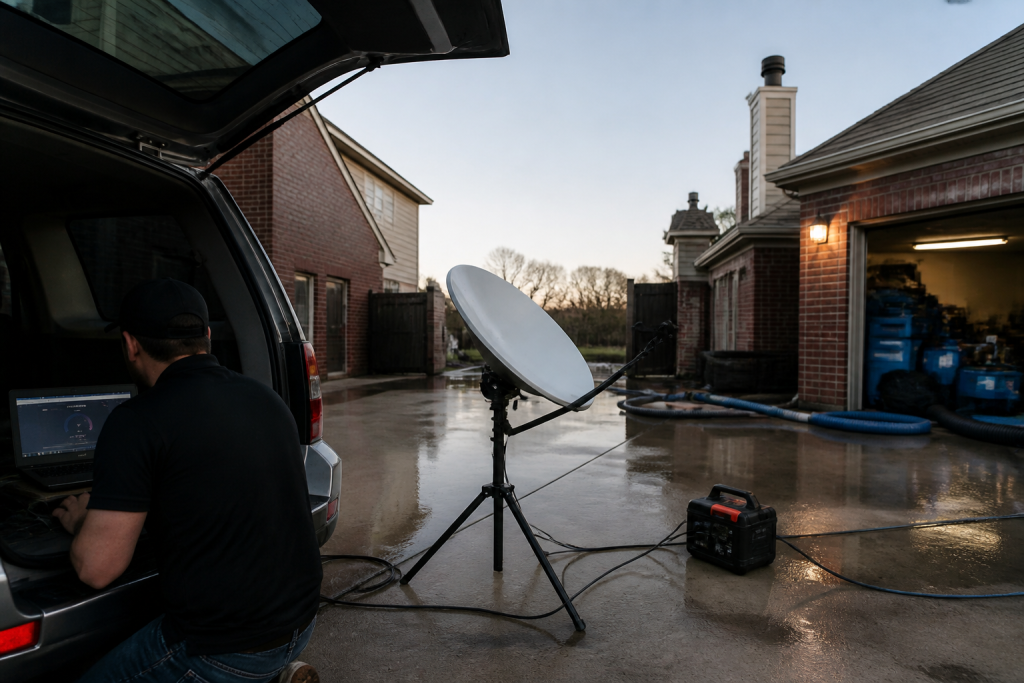
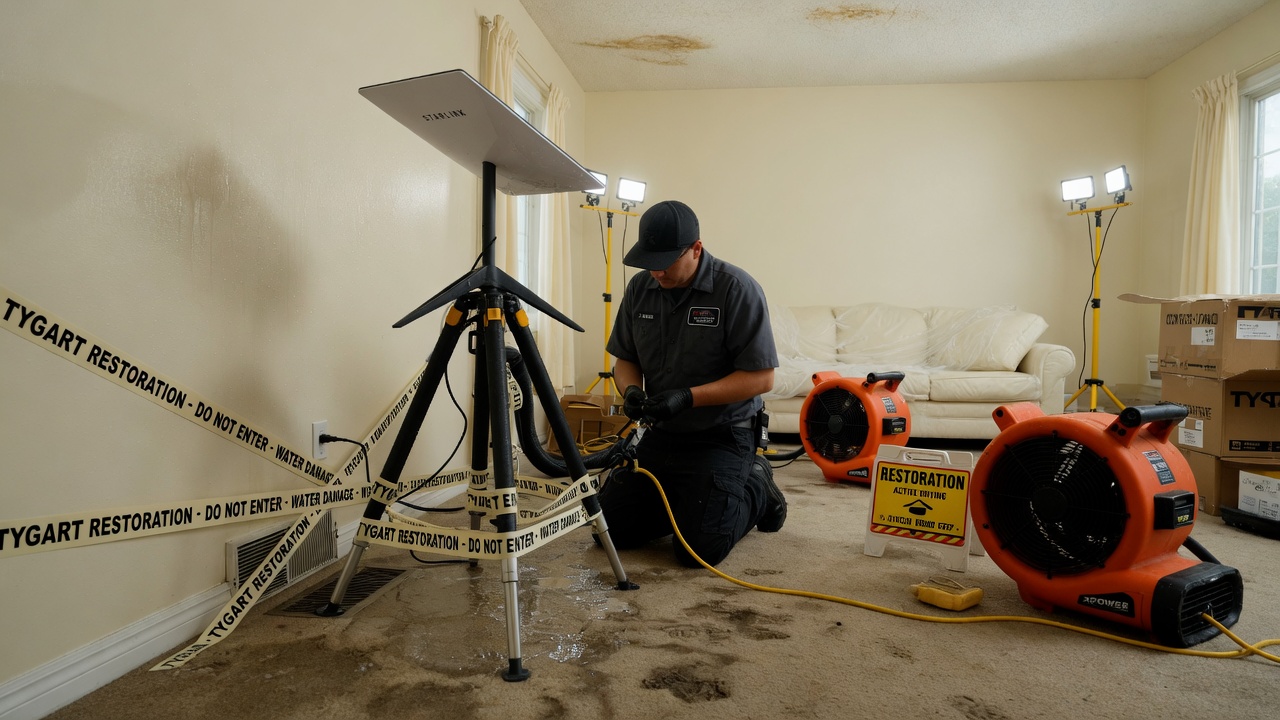
    Why this exists: restoration work happens where fiber is dead, the house is a Faraday cage of wet drywall, and the phone that “has bars” cannot upload a moisture map. Starlink is a sky-view pipe. More honest job-site pipes → more honest traffic on the constellation → more reason to fly birds. The selfish clause is allowed: a 4G phone in the sticks should still talk to a voice agent when the street is dark.

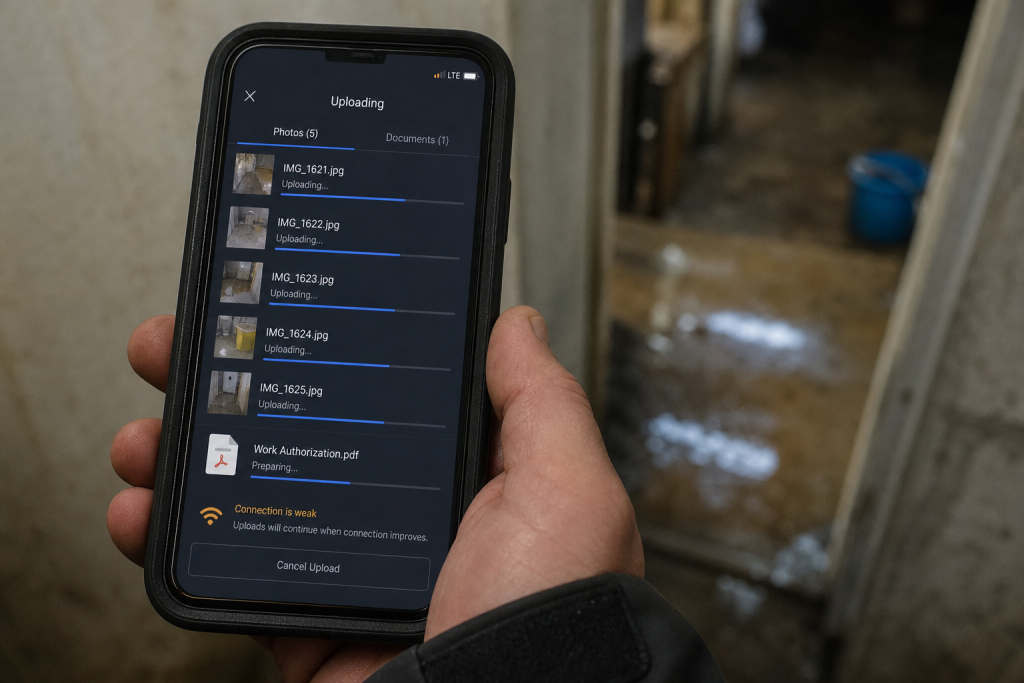
    Field phone showing bars while a moisture map upload fails on a dead-fiber water loss
    Bars on the phone. Upload still dead. That is the job the dish is for.

    Buy and read from the source. Prices move. The impedance rule does not.

    Official doors (clean)

    Starlink (buy / plans / help)

    SpaceX

    Tesla / xAI (voice rides the pipe; they are not the dish)

    1. Impedance — when this kit matches the job

    Use Starlink when two of these are true:

    • The structure or the street has no working cable/fiber (storm, rural, construction, “the pole is in the river”).
    • You need to upload, not just talk: photos, video walkthrough, Xactimate sketch, moisture log, signed work auth.
    • You will be on site more than an hour and cell is congested or roaming into a dead pocket.
    • The office needs a second path so after-hours voice and dispatch do not die with the cable modem.

    Do not use it as:

    • A replacement for a good office fiber drop.
    • A phone. Voice agents still ride the pipe; the dish is not Jarvis.
    • A “we have Starlink” line on the website. Homeowners hire the truck that showed up.

    Cell first if it works. Starlink is the sink when cell is the bottleneck.

    2. Two kits (steal one)

    Kit A — truck / first-on-site (most shops)

    • Starlink Mini on a Roam plan or, if this is actually a business WAN, start at Business and read the current hardware list. Mini is the backpack dish. In-motion rules live here. The home V5 kit is not the roam toy.
    • Power: Mini wants a USB-PD source rated 65–100 W even though it only drinks ~25–40 W. A 45 W phone brick will lie to you. Truck: 12 V → 30 V / Anderson, or a 500 Wh class station.
    • Plan: numbers on starlink.com move. Roam is written for travel. If the kit is production, read Business vs Enterprise. Mini often does not sit on the Priority SLA. Do not tell a carrier you have enterprise uptime because you paid a business invoice for a Mini.
    • One cheap travel router if Mini Wi-Fi dies inside a metal trailer.
    Starlink Mini powered from a truck USB-PD brick rated 65 to 100 watts before entering a wet house
    Power before the meter. 65–100 W brick. Phone chargers lie.

    Kit B — shop / yard / long dry-down

    • Performance / Priority on Business if you need an SLA and a fixed roof.
    • Permanent mount, open sky, snow-melt if you live where it snows.
    • This is backup for the office phone and the photo server. Not the hero kit on day one of a flood.

    3. First 30 minutes on a wet house

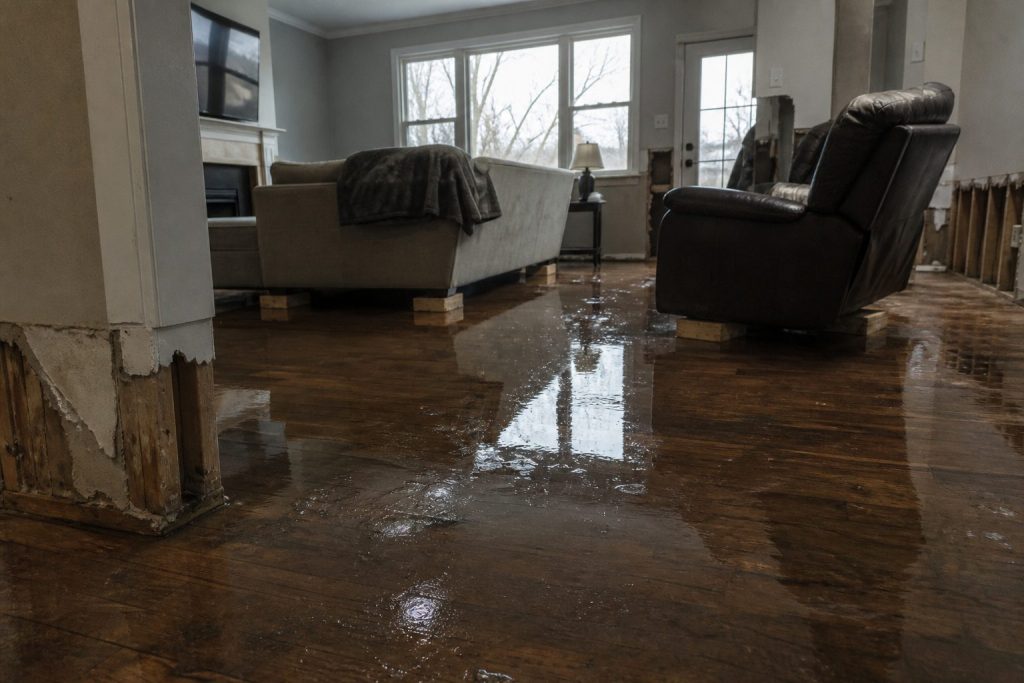
    Flooded residential living room with standing water on hardwood after a water loss
    First 30 minutes on a wet house with Starlink up.
    1. Park where the sky is a rectangle, not a slot between two alders. Confirm in the Starlink app.
    2. Dish on the hood, a pole, or the unshaded side of the trailer — not the basement, not under the soffit.
    3. Power before you walk in with the meter. Boot is a couple of minutes.
    4. One speed check. If download is fine and upload is garbage, you will feel it on Xactimate. Rain cuts throughput; talk first, fat files later.
    5. Name the network something boring (SHOP-JOB).

    If the app says obstructed, move the dish. Do not “optimize” for twenty minutes.

    4. What actually eats the pipe

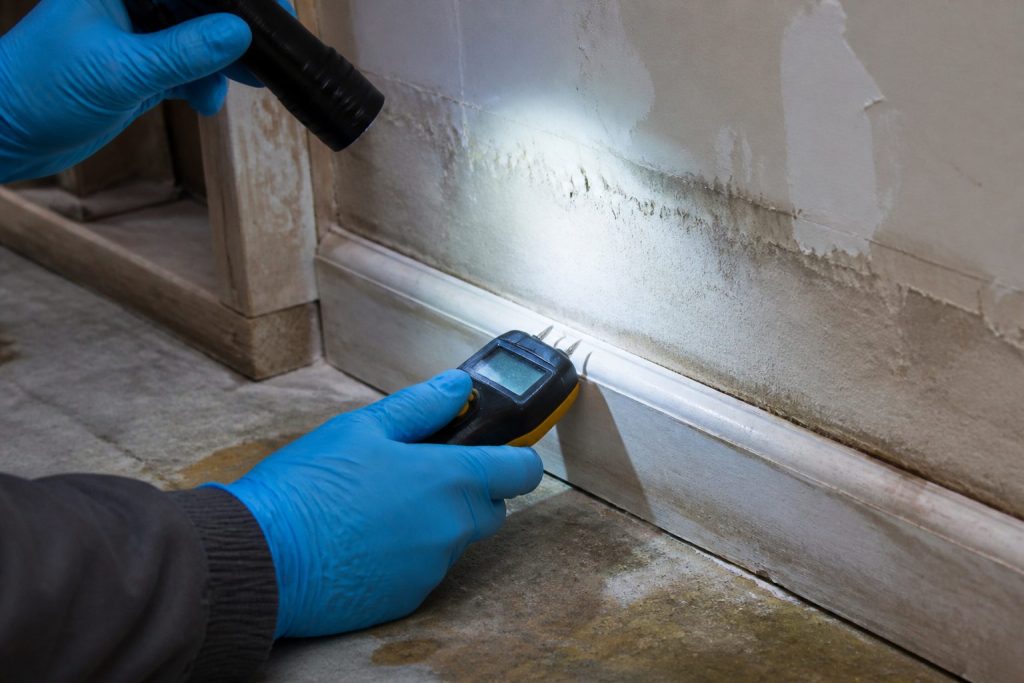
    Gloved hands using a pin-type moisture meter on wet drywall during inspection
    What actually eats the pipe on a water job.
    ThingRough appetiteRule
    Moisture photos, 50–150 shotssmallFine on a small Roam month
    Adjuster video walk, 10 minmediumOnce, compressed
    Xactimate / cloud estimatesmall–mediumSite needs the upload
    Voice agentsmall per minuteCheap; retries are not
    Netflix in the trailerthe villainAfter the job or not at all
    Group video, four peopleburns a small capOne camera

    Voice is why the pipe matters at 11 p.m. Keep the agent short. Book or kill.

    5. Who pays

    Pick one. Write it in the SOP.

    • Job cost — storm / rural / no street internet. Line it like a generator.
    • Shop overhead — office backup + after-hours voice.
    • Never the tech’s personal weekend.

    Standby the truck kit when it is not a weather week. Idle is cheaper than a second hardware buy because someone borrowed it.

    6. Dispatch and voice

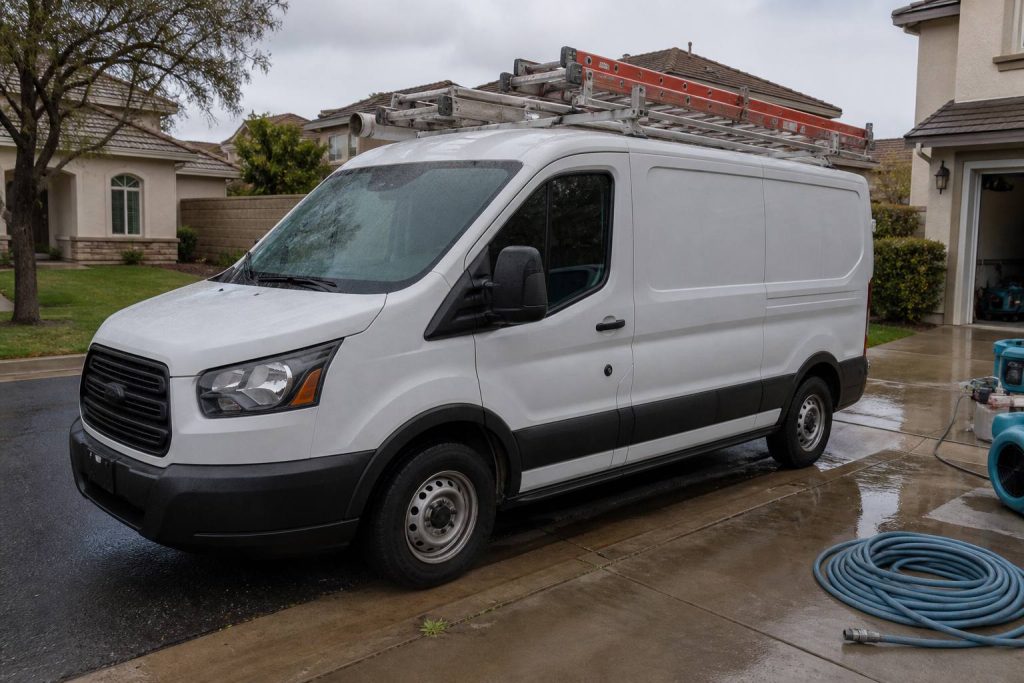
    White restoration work van with ladder rack parked at a suburban jobsite curb
    Dispatch and voice when the site is remote.

    The dish is layer 0. The voice agent is layer 1.

    On a dead-fiber job: photos go up the pipe; the after-hours line stays reachable; the agent writes a new row (address, standing water y/n, next action). It does not edit your website.

    If you already have a process, add one rule: when cell upload fails, kit A comes off the hook.

    7. Failure modes

    Trees and eaves. Rain. 45 W bricks. Consumer Roam sold as production WAN. Twelve intake fields before anyone asks “can we come now?”

    8. The sentence that pays the shop

    “If the street internet is out we still upload your photos and get the adjuster pack off the truck tonight.”

    Only say it if the kit is in the truck.

    This document stays free. Charge for the hour you spend teaching another shop the first 30 minutes if you want. Do not charge Starlink. They already sold you the dish.

    9. What this is not asking

    No meeting. No partnership badge. No official anything.

    Redmond already knows how to stamp birds. The ground should not be a graveyard of unused kits. Order here. Then put the dish where the sky is.

    Related field notes: The leftover pile · Cursor checks on Grok Desktop mid-job

    Related on Tygart Media: The leftover pile · Cursor checks on Grok Desktop mid-job.

  • The leftover pile — what ion-trap cooling has to do with restoration quotes

    The leftover pile — what ion-trap cooling has to do with restoration quotes

    In a Paul trap, a single calcium ion sits in an oscillating electric field—too small to see, easy to lose if you blink at the wrong moment. Cool it anyway. A laser tuned slightly red of the ion’s transition shines on it. When the ion drifts toward the beam, Doppler shift brings the light closer to resonance; it absorbs photons more often. Each absorption kicks a tiny bit of momentum opposite its motion. That is Doppler cooling: velocity stolen photon by photon, direction by direction, until the ion mostly sits still in the trap.

    It never hits absolute zero. Random fluorescence puts heat back in. The best you get is the Doppler limit—a floor, not a fantasy of perfect stillness. Stochastic cooling at CERN pushed antiprotons further with timed kicks instead of photons; same moral: you shrink a hot cloud with deliberate impulses, not with wishes.

    Your shop has the same shape, minus the vacuum chamber. The leftover pile is the ion: quotes written but not booked, supplements submitted but not approved, inbound rings that became someone else’s water job. Cooling kicks are follow-ups that book or honestly kill. Noise is new quotes, missed calls, ghost rows in the CRM. More leads without follow-up is blue-detuned laser work—more energy in, same jobs out, pile hotter. The physics will not save a broken sales process; it only names what you are already doing wrong.

    The four columns on your whiteboard

    Think in rates, not vibes. Four symbols are enough for a Monday conversation:

    • n — open quotes and stalled files you still treat as live.
    • A− — follow-ups that book work or honestly kill the row (closed-lost with a reason, not “maybe later”).
    • A+ — everything that adds pile without a matching close: new estimates, voicemails never logged, supplements you forgot to track, adjuster silence you stopped measuring.
    • Floor — the leftover you will always carry. Speed-of-life, tire-kickers, carriers that pay on geological time. Not shame; physics.
    When A− ≈ A+ → pile stays flat. When A+ > A− → pile runs. When you pretend A+ is zero → you predicted a miracle.

    Most owners stare at n and feel virtuous. n is a thermometer. A− and A+ are the levers. If you only measure n, you are reading temperature while the laser points the wrong way.

    Cooling kicks: quote follow-up that actually moves n

    A quote without a cadence is not cooling; it is fluorescence—pretty light that heats the pile. Use a simple clock. Adjust timing to your market; count your own conversion by touch and fix the script, do not copy someone else’s calendar from a podcast.

    Day 1 — confirm reality

    Within one business day of sending the estimate: call if you have a number, text if that is how the customer reached you. Say what is in the document, what happens next if they say yes, and one clear question (“Do you want us to hold a start window this week, or are you still comparing?”). Log the answer in the row. No answer is data; “still thinking” without a date is A+ wearing a friendly mask.

    Day 3 — remove friction

    Second touch: one concrete obstacle. Deductible confusion, landlord delay, another contractor’s line item they do not understand. Offer a ten-minute walkthrough of scope—not a lecture on your brand. If they are not the decision-maker, ask who is and whether you may include them on the next call. Still no response: note “attempted day 3” and move the clock.

    Day 7 — decision fork

    Third touch: binary. “We can mobilize on X or close this file on our side so you are not getting pings—which do you want?” Polite, not passive-aggressive. Restoration is urgent until it is not; your job is to learn which side of that line this file sits on.

    Day 14 — honest kill

    If nothing after a real fork, close-lost. Reason code: no response, chose competitor, insurance denied, scope withdrawn—pick one that is true. Rotting quotes inflate n and train your team that follow-up is theater. Honest kill is A−. It shrinks the pile you actually work.

    Speed-to-lead is the biggest heat source. The unanswered ring is A+ at industrial scale. Answer live when you can. Call back in minutes, not hours. Text-first when the caller already texted. The first 24 hours on a water loss belong to whoever shows up—not whoever sends the prettiest PDF three days later.

    Estimator craft still matters: vague scopes cool nothing. If line items fight the adjuster on day one, you added noise before the laser turned on. A tight scope language habit—your own cheat sheet, verified against carrier pushback you have actually seen—feeds A− later. See your Xactimate line-item cheat sheet as cooling prep, not as a substitute for picking up the phone.

    Supplements: the unpaid tail nobody plots

    Residential files rarely die on the first packet. Several supplement rounds is normal in many shops that measure; your count will differ by carrier mix and how aggressively you document on site. Treat each open supplement as its own row in the pile—not as “part of the job we already won.”

    Loop: submit → track → escalate → collect. Every open supplement needs an owner name and a next-action date. No date means A+. The unpaid tail—approved on paper, not in the bank—is pure pile growth while everyone celebrates revenue on a spreadsheet.

    Escalation with dates on every step

    1. Adjuster — documented follow-up (email plus call log). Note what you sent and when.
    2. Supervisor — same file, new name, reference prior contact dates.
    3. Carrier escalation — formal, factual, no throat-clearing novellas; timeline of submissions and responses.

    If step three is a fantasy because step one never happened, you do not have an escalation problem—you have a tracking problem. Drywall documentation standards on the truck—what S500 in the van means in practice—feeds supplements that survive first review. That is upstream cooling; downstream is still the calendar on each open dollar.

    Measuring the pile: Monday one-sheet

    Once a week, one page. No dashboard archaeology.

    • Count open quotes (n at start).
    • Count new quotes and missed-call rows added (A+ for the week—be honest about voicemails).
    • Count booked jobs and honest closes from follow-up (A−).
    • Plot leftover at end of week.

    If leftover does not fall over a month while you “follow up,” either follow-up is theater or miss rate is the heat. Voice that texts back in a minute is a kick. Voice that only writes a pretty card is a thermometer.

    Pair the sheet with job memory: what repeated on lost files, what line items got kicked back, what adjuster phrases mean “send photos again.” Turning closed jobs into searchable notes—restoration jobs as a knowledge base—cuts A+ from repeated mistakes. It does not replace the cadence above.

    Field connectivity is pile-adjacent: if the crew cannot upload while the homeowner is still anxious, you slow the proof loop and invite competitor speed. Reliable site internet is boring ops; it is also fewer ghost supplements. Worth reading once if you still fight dead zones: Starlink on a water job.

    Not this

    The metaphor has boundaries. It will not cool your brand. It will not set ad spend. It will not fix hiring. It only describes piles that shrink when kicked and grow when ignored. If your marketing pours leads into a CRM nobody touches, you are not running a trap—you are heating ions on purpose and calling it growth.

    Do not overclaim the physics. You are not hitting the Doppler limit on receivables. You are choosing whether A− happens often enough that n is workable. That is enough math for a contractor who would rather dry a wall than derive one.

    FAQ

    What is the “leftover pile” in plain language?

    It is work you already touched but have not collected or closed: open quotes, stalled supplements, and leads you let slip. It is not evil; it is inventory that costs attention until you book it, kill it, or collect it.

    Why compare follow-up to laser cooling?

    Because each good follow-up removes a little uncertainty the way each absorbed photon removes a little velocity—not all at once, and never to zero. Random noise—new leads, missed calls—puts heat back. The comparison keeps you honest about rates, not miracles.

    How many follow-ups before I close a quote as lost?

    A common working structure is day 1, day 3, day 7, and a day 14 fork with an honest close if there is still no decision. Count your own bookings by touch; shorten or lengthen only when your numbers say so.

    What belongs on a supplement escalation?

    Dates, names, and what was submitted each round. Move adjuster → supervisor → carrier escalation with a logged step at each level. Missing dates mean you are guessing, not escalating.

    What should the Monday one-sheet prove?

    Whether leftover shrank. If new noise and open quotes outrun closes for weeks, your pile is running hot—fix speed-to-lead or cadence before you buy more leads.

    Can this framework fix slow insurance pay?

    It helps you see unpaid approved work as pile growth and assign owners. It does not change carrier calendars. It keeps you from mistaking “approved on email” for collected cash.

  • Active Storm Alerts Today: Severe Thunderstorms & Flash Floods Hit Florida, Utah & Arizona — Restoration Hotspots

    Severe thunderstorm warnings and life-threatening flash flood warnings are active right now across parts of Florida, Utah, and Arizona. These are the kinds of localized, high-intensity events that produce the exact damage restoration teams see most: wind-driven roof and siding failures, hail-pocked vehicles and windows, and sudden interior flooding from heavy rain or flash runoff.

    This is a live snapshot of the alerts as of the afternoon of Saturday, August 29, 2026. Conditions change fast — always verify with the National Weather Service for your specific county or ZIP code.

    Florida — Severe Thunderstorms & Flood Advisories

    The National Weather Service Tampa Bay (Ruskin) office has issued multiple severe thunderstorm warnings this afternoon for west-central and southwest Florida. Hazards include 60 mph wind gusts capable of damaging roofs, siding, and trees, plus urban and small-stream flooding from heavy rain.

    Active / recent warnings include:

    • Central Pasco County (near Hudson, Moon Lake, Shady Hills) — severe thunderstorm, 60 mph gusts, nearly stationary.
    • Northeastern Manatee County / southeastern Hillsborough County (near Parrish) — severe thunderstorm warning.
    • Northwestern Charlotte County / south-central Sarasota County (North Port, Venice, Osprey, Nokomis, Englewood area) — 60 mph gusts.
    • Southeastern Charlotte / northeastern Lee County (near LaBelle, North Fort Myers) — 60 mph gusts.
    • Flood advisories for urban/small-stream flooding in parts of Lee, Highlands, and surrounding counties.

    A lingering front is keeping daily rounds of showers and storms over the Southeast through the weekend, with flash-flood potential shifting toward Louisiana, Alabama, Mississippi, Florida, and southwest Georgia on Sunday. Expected rainfall totals of 1–3+ inches in many areas by Monday.

    Local emergency contacts:

    Utah — Severe Thunderstorms & Life-Threatening Flash Floods

    The Storm Prediction Center has a Slight Risk of severe thunderstorms from eastern Nevada across northern Utah into far southwest Wyoming, with the main threat being severe wind gusts and isolated large hail. The National Weather Service Salt Lake City office has active warnings in central Utah.

    Active warnings:

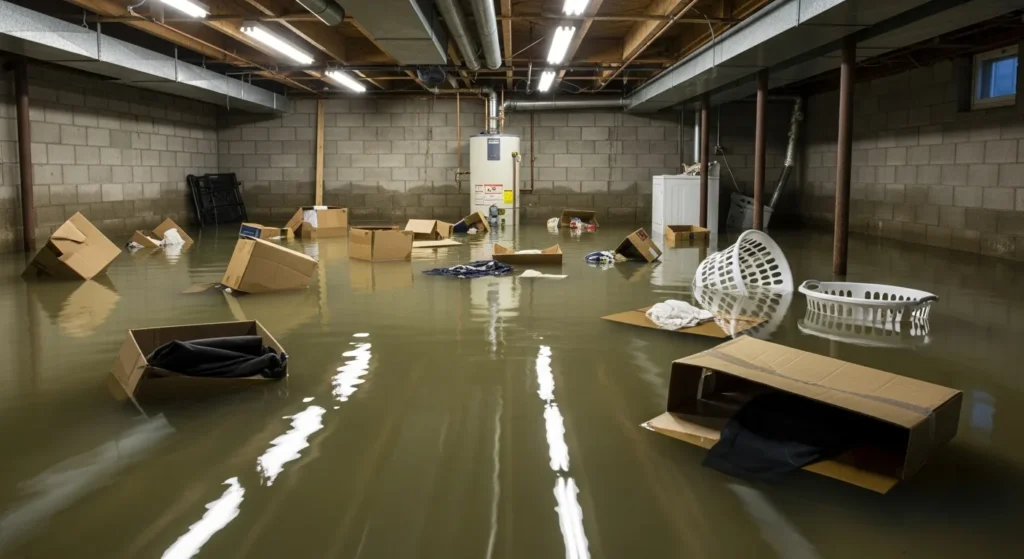
    Flooded residential basement with standing water and damaged belongings
    Flash flooding and heavy rain produce exactly this kind of interior water damage — saturated drywall, damaged belongings, and mold risk within 48 hours.
    • Severe Thunderstorm Warning — northwestern Emery County and southwestern Carbon County (Huntington, Wellington, Castle Dale, Orangeville, Cleveland, Elmo, Hiawatha). 60 mph winds + quarter-size hail. Storm located 9 miles north of Clawson, moving northeast at 30 mph.
    • Flash Flood Warning — southern Emery County and north-central Wayne County. Life-threatening flash flooding from heavy rain; Doppler radar indicated ongoing or imminent flooding.

    Local emergency contacts:

    • Emery County Sheriff’s Office / Emergency Management: 435-381-2404 | emery.utah.gov
    • Utah Division of Emergency Management: dem.utah.gov

    Arizona — Flash Flood Warning & Monsoon Storms

    A Flash Flood Warning is active for the Havasu Creek basin in Coconino County (near Supai, northward to the Colorado River). Between 0.5 and 0.75 inches of rain have already fallen, with additional amounts possible. Life-threatening flash flooding is ongoing or expected shortly. Campers and hikers are advised to move to higher ground immediately.

    Flood watches cover broader areas including parts of the Phoenix metro, Pima, Pinal, Gila, Apache, Navajo, and Yavapai counties for heavy rain potential through Sunday and Monday. Scattered thunderstorms with strong or severe wind gusts remain possible.

    Local emergency contacts:

    What These Storms Mean for Restoration Teams

    These alerts map directly to the damage categories restoration companies handle every day:

    • Wind damage (60 mph gusts): roof shingles, siding, gutters, tree limbs on structures, broken windows.
    • Hail (quarter-size in Utah): vehicle dents, skylights, soft metals, landscaping.
    • Flash flooding & heavy rain: interior water intrusion, saturated drywall and insulation, mold risk within 24–48 hours, sewage backup in low-lying areas.
    • Urban flooding in Florida: parking lots, first-floor commercial spaces, HVAC units, electrical hazards.

    For teams in or near these hotspots, the play is simple: stage equipment, pre-position drying assets, and be ready to respond the moment the warnings lift. Property owners should document damage with photos and contact their insurer quickly — and if they need immediate water extraction or board-up, a local restoration pro is the fastest path to limiting secondary damage.

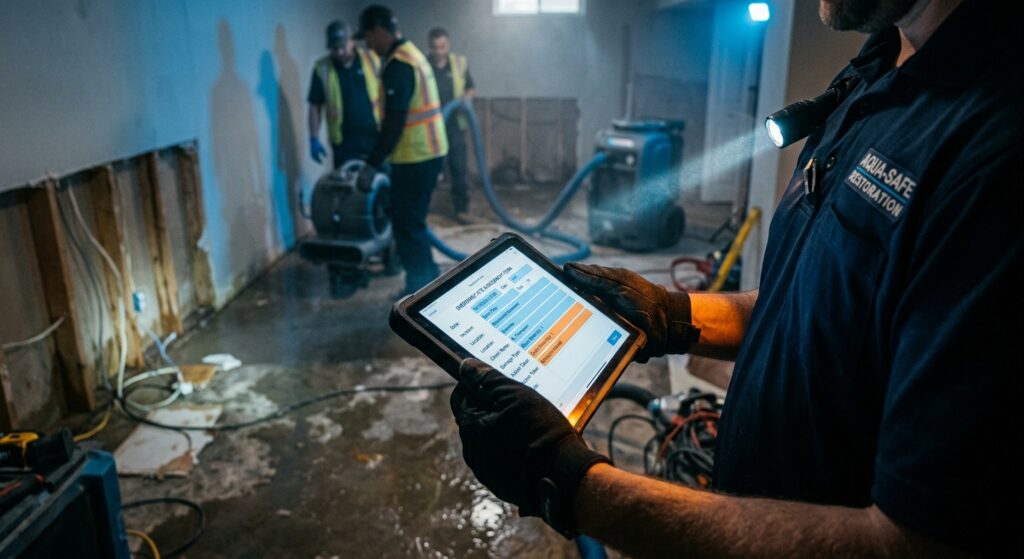
    Restoration worker using a tablet to document water damage cleanup in a flooded basement
    Rapid documentation and extraction limit secondary damage after wind and flood events.

    FEMA & Federal Assistance

    If a storm produces damage beyond what insurance covers, residents can apply for federal disaster assistance. The FEMA Helpline is 1-800-621-3362 (open 7 a.m. to 10 p.m. local time, 7 days a week). Applications can also be started at DisasterAssistance.gov or through the free FEMA app. Find a nearby Disaster Recovery Center at fema.gov/drc.

    Basic eligibility generally requires U.S. citizenship or qualified status, identity verification, proof of occupancy or ownership, and unmet needs not covered by insurance. Don’t wait — apply as soon as it’s safe.

    This post is for informational purposes and is not an official weather warning. Always follow instructions from local authorities and the National Weather Service. Stay weather-aware, especially around flash flooding — turn around, don’t drown.

  • Free IICRC Van Pocket Card: Water Damage Cheat Sheet

    Free IICRC Van Pocket Card: Water Damage Cheat Sheet

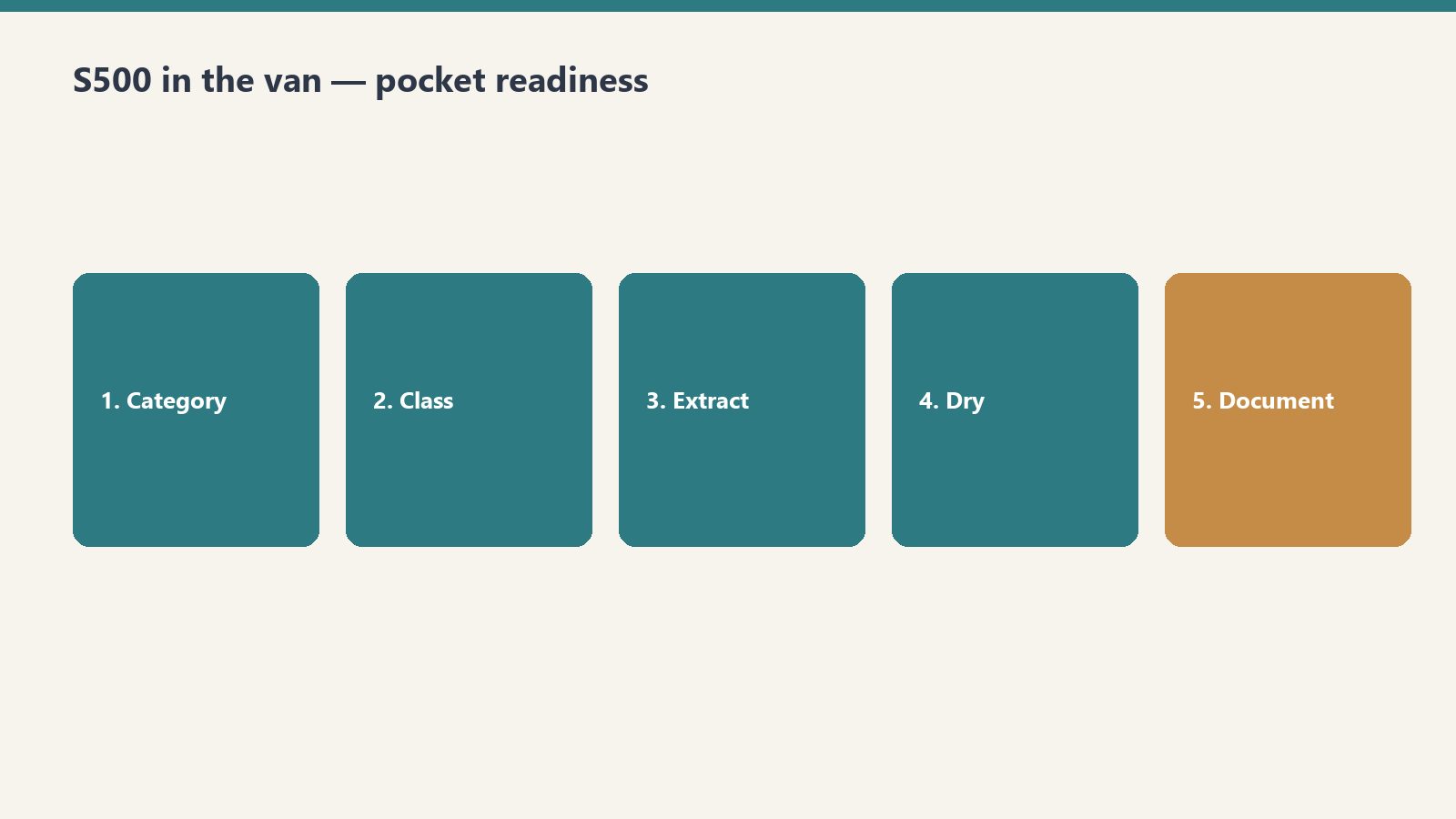
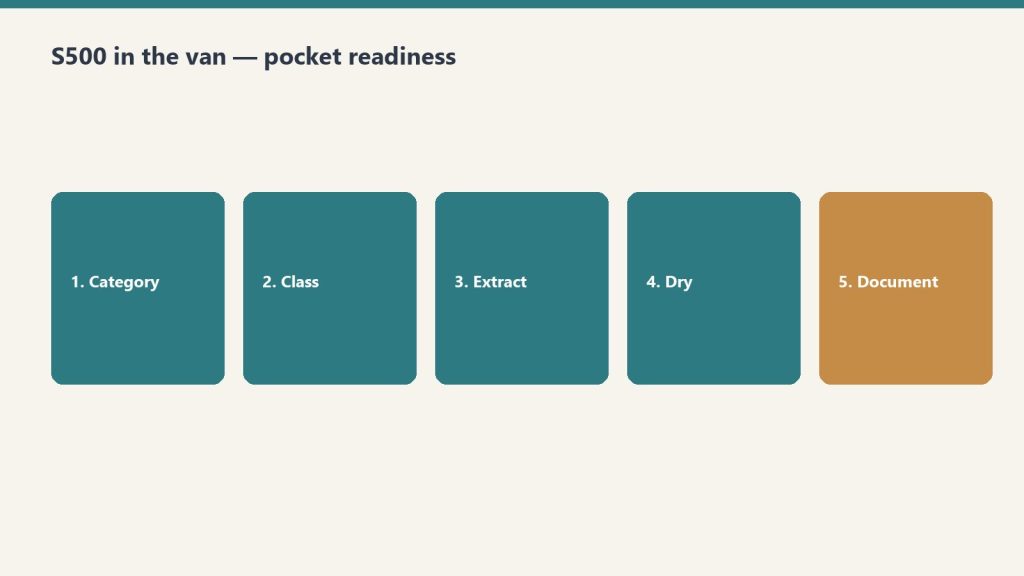
    Tape this in the van. Category, Class, PPE floor, one photo. Twenty seconds. Then go to work.

    This is a free pocket card, not a certification, and not official IICRC. It does not replace S500/S520.

    What you get

    Five-step van pocket flow: category, class, extract, dry, document
    Protocol answers belong in the van — not back at the office.
    • A Notion page you can duplicate and print
    • A tiny Claude skill with the same tables (upload the zip, or paste SKILL.md into a Project)

    How to get it

    Restoration SOP clipboard with checklist, moisture meter, and gloves on a jobsite table
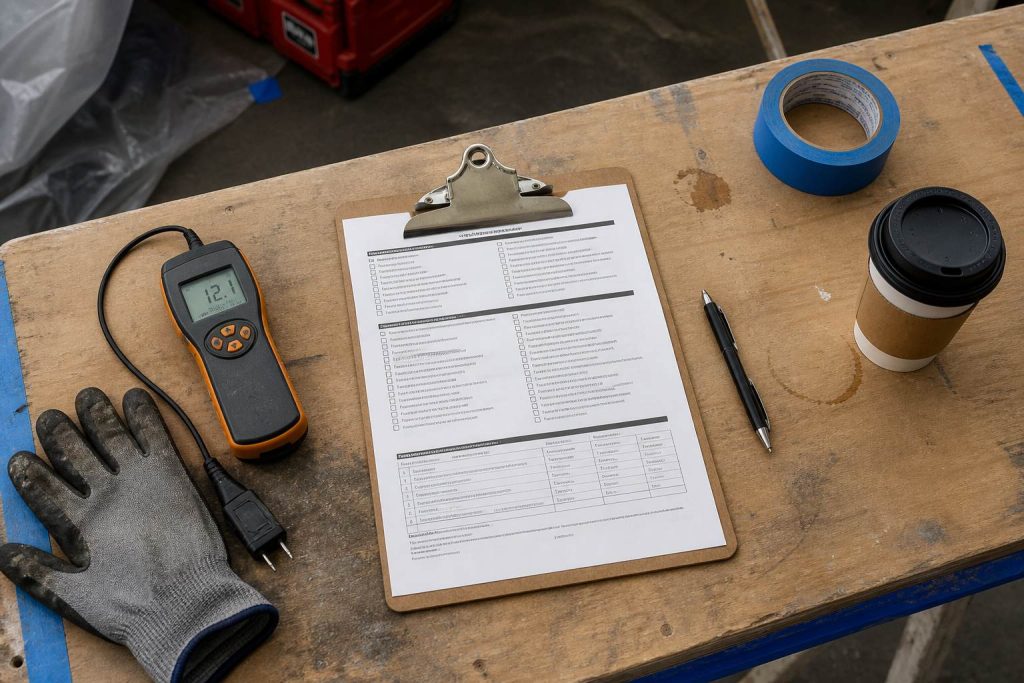
    How to get it: keep the checklist where the carpet is wet.

    Duplicate the card here: IICRC Van Pocket Card (free Notion account, Duplicate in the top right).

    Want the Claude skill zip too? Join The Signal and reply that you want the van card.

    What this is not

    White restoration work van with ladder rack parked at a suburban jobsite curb
    What this is not: another binder collecting dust.
    • Equipment sizing
    • A drying plan
    • Adjuster language

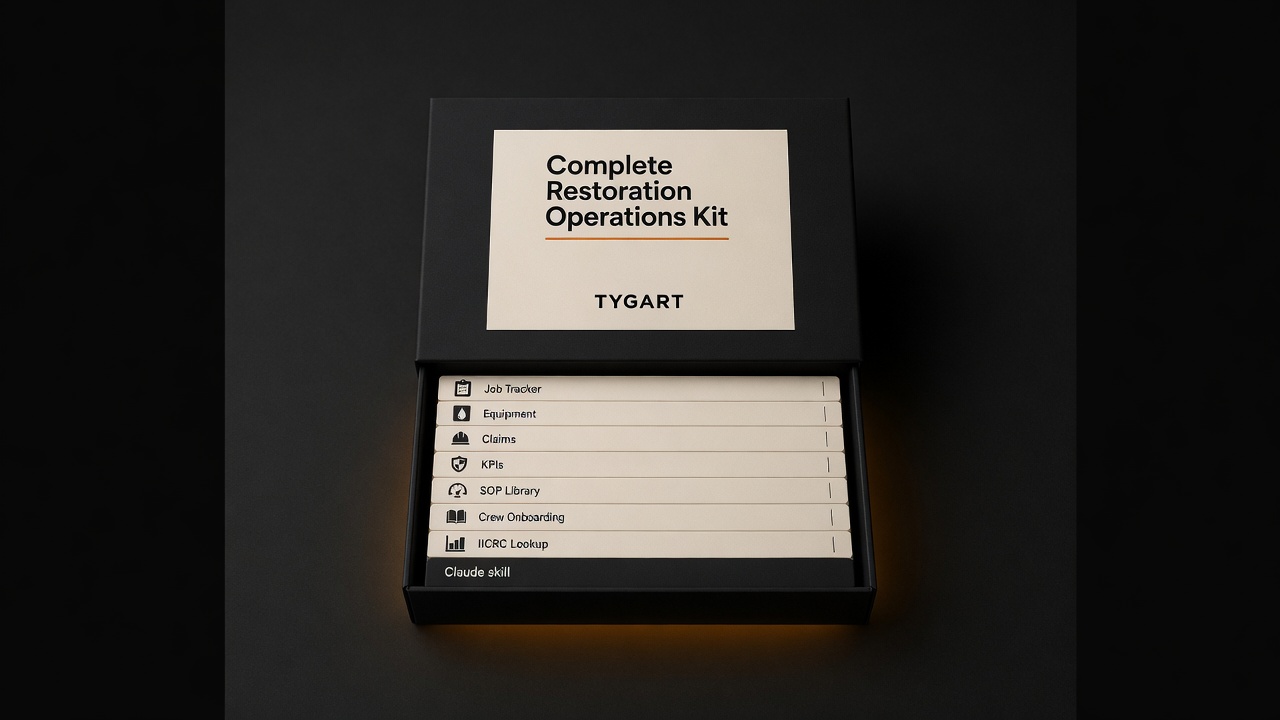
    Need that? The paid IICRC Protocol Lookup ($19) or the Complete Restoration Operations Kit ($97).

    Related on Tygart Media: Starlink on a water job · S500 in the van · local SEO for restoration.

  • Restoration CRM Prompt Library — Claude Skill

    Restoration CRM Prompt Library — Claude Skill

    Updated November 13, 2026 — facts verified against live Anthropic pricing & product documentation.

    Direct Answer · Verified November 13, 2026

    Restoration CRM Prompt Library — Claude Skill ($19 packaged Skill install on Square, or free to copy from our companion library) runs cleanly on a free claude.ai account ($0/mo, up to 5 Projects, Sonnet 5.5 & Haiku 5.5) with zero API keys or code required. Upgrade to Claude Pro ($20/mo, $17 annual) or Team Standard ($20/seat annual / $25 monthly) only if multiple staff need higher throughput or shared workspaces. See Claude AI pricing or explore workspace capabilities on claude.com/product/overview.

    CRM PROMPT FIELD SHEET
    Restoration CRM Prompt Library — Tygart Media Field Sheet (PDF)
    2-page CRM reference: all 9 prompt blueprints, Free ($0) workflow rules, banned AI cliché list, and review guardrails. Verified 2026-11-13.

    Restoration CRM Prompt Library — Claude Skill

    $19

    Delivered by email after checkout.

    Buy Now →

    Secure checkout via Square — all major cards accepted

    You can copy this library and do it yourself. The full article is already live. Paste a prompt into claude.ai, fill the brackets, edit the draft, send it. Buy Now is the packaged Claude Skill so the library lives in the project instead of a browser tab.

    The live article (do not treat this page as a replacement): AI-Assisted Email Drafting for Restoration Companies: A Claude Prompt Library.

    Who it is for: anyone at the company who writes emails. Owner, office manager, whoever runs the CRM touch calendar. No technical background. A free Claude account at claude.ai is enough. No API key. No code.

    The workflow

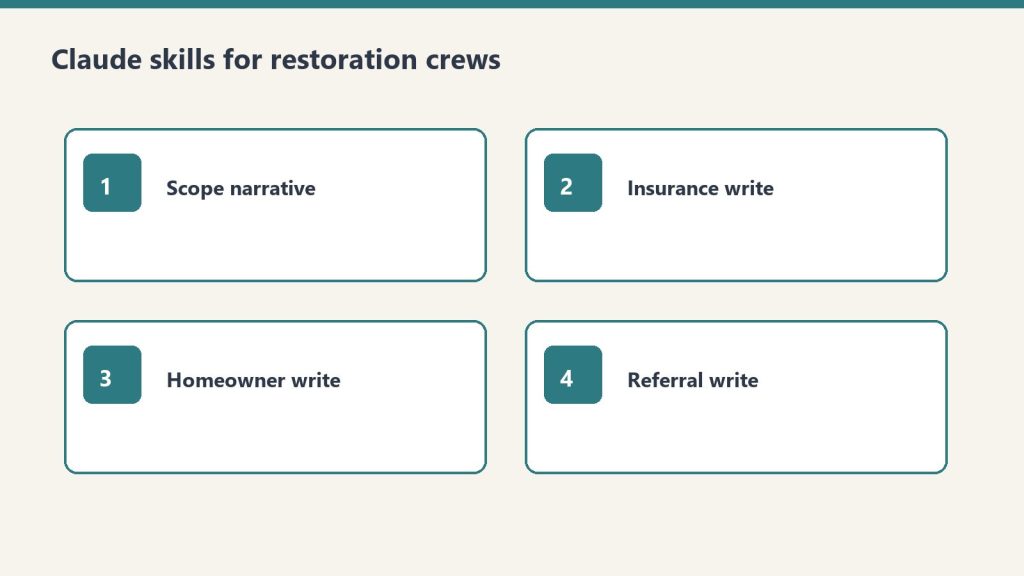
    Four skill cards: scope narrative, insurance write, homeowner write, referral write
    CRM prompt workflow: paste facts → draft → human send.
    1. Go to claude.ai. Create a free account if you need one.
    2. Open a new conversation.
    3. Paste a prompt. Fill the bracketed fields with real information.
    4. Claude drafts the email.
    5. Review it. Edit anything that does not sound like you. Copy it into your email platform.

    That is the entire workflow. Specific beats generic. “Write a hiring email for a restoration company” is weak. “Write a hiring email for a 12-person water and fire restoration company in Tacoma, WA that’s been in business for eight years and is known for fast response times and honest communication with insurance adjusters” is usable.

    Strategy lives in Your CRM Is Not a Lead Database. Timing lives in The 12-Month Outreach Calendar. This library is the words.

    Prompt 1: Hiring email, homeowner version

    I run [company name], a [type] restoration company in [city, state]. We’ve been in business [X] years and are known for [one or two specific things your company does well]. We currently have [number] employees and serve the [geographic area] area.
    
    I need to write a short, plain-text email to past homeowner clients who we’ve done [water damage / fire damage / mold / storm] work for. We’re currently hiring for [job title]. The goal of the email is to ask if they know anyone — family, friends, people in the trades — who might be a great fit for a company like ours. We want to reach out to trusted contacts before posting the job publicly.
    
    Tone: Personal and warm, like a note from a real person. Not corporate, not salesy. The recipient should feel like we remembered them and value their opinion specifically.
    
    Requirements: Under 150 words. Plain text (no HTML). Sign it from [owner first name] at [company name]. Include a phone number as the only contact info. No subject line needed — just the body.

    Prompt 2: Hiring email, insurance adjuster version

    Clipboard and tablet on a kitchen counter during an insurance adjuster walkthrough after water loss
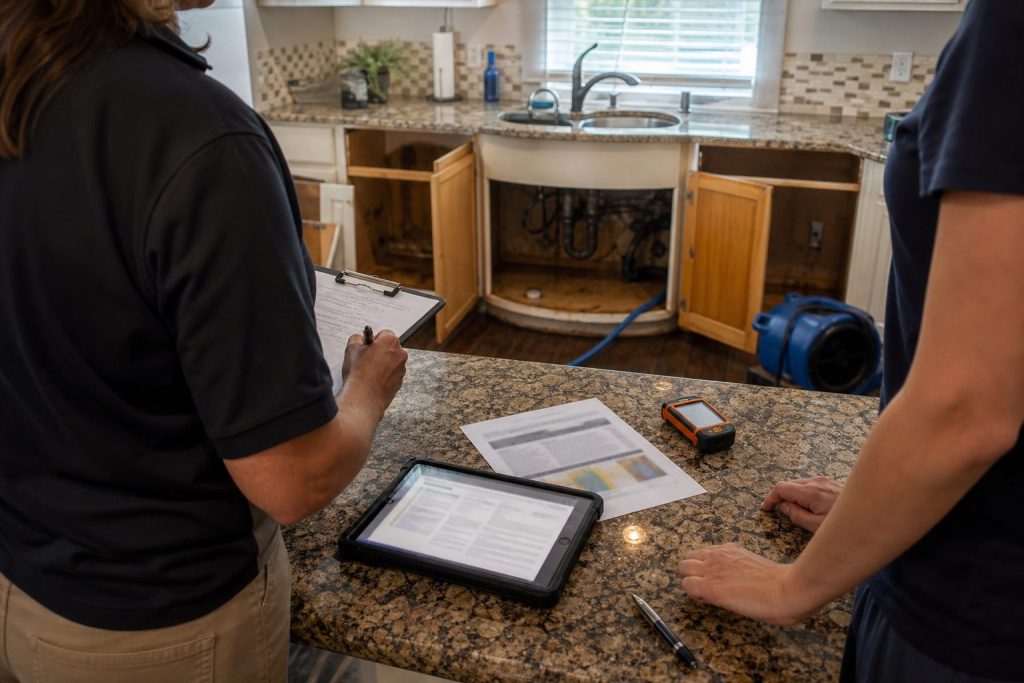
    Hiring email for adjusters — clear, dated, professional.
    I run [company name], a restoration company in [city, state]. I need to write a short email to insurance adjusters I’ve worked with on claims. We’re hiring a [job title].
    
    The tone should be collegial — peer to peer, professional but not formal. We want to reach out to trusted colleagues before posting publicly, and we’d appreciate any recommendations they might have. Keep it under 120 words. Plain text. From [owner name]. Include phone number.
    
    Do not use any of these phrases: “I hope this email finds you well,” “I wanted to reach out,” “touch base,” “circle back,” or “leverage.” Write it how a real contractor would talk to an adjuster they’ve worked with for years.

    Prompt 3: Vendor ask (specialty sub search)

    Write a short email from a restoration company owner to their contact database asking if anyone knows a reliable [trade type — e.g., drywall sub, flooring contractor, HVAC tech] in [city/region]. We have a larger project coming up and want to find a quality sub through our network before going the cold-search route.
    
    Context about our company: [2–3 sentences about your company — size, how long you’ve been in business, your service area]. The recipients are a mix of past homeowner clients, insurance industry contacts, and trade partners.
    
    Tone: Casual and direct. Like asking a trusted colleague. Under 100 words. Plain text. From [owner name]. Phone number only.
    
    Optional addition: Add one sentence at the end that invites the recipient to reach out directly if the description matches their own business.

    Prompt 4: Seasonal safety email (winter freeze)

    I run a water damage restoration company in [city, state]. I want to send a helpful, non-promotional email to past homeowner clients before freeze season. The goal is to give them genuinely useful information about preventing the kind of water damage we see most commonly in [our region] in winter.
    
    Specific things to cover: [list 3–4 real things relevant to your region]. These should be specific to [region] winters, not generic national advice.
    
    Tone: Knowledgeable and helpful, like a trusted expert checking in on a neighbor. No sales pitch, no CTA other than “if you have questions, we’re here.” Under 200 words. Include a link placeholder for [blog post URL] if they want to read more. From [owner name].

    The rest of the library (on the live article)

    Prompts 5–9 are on the live page. Use that URL. Do not treat this SKU page as a rewrite of that article.

    • Prompt 5: Post-storm check-in to past homeowners. Warm, community-focused, not a pitch. Under 120 words.
    • Prompt 6: Company anniversary or milestone. Thank the people who have been part of the journey. No CTA. No offer. Under 175 words.
    • Prompt 7: Brand-voice rewrite. Paste two real emails you have sent, then the draft, and ask Claude to make it sound like you.
    • Prompt 8: Eight subject-line options. Personal, no click-bait, no exclamation points, no “Quick question for you!”
    • Prompt 9: Batch personalization. CSV of past clients. One opening sentence per row that references job type and, if the job is older than 18 months, that it has been a while. Up to 20 rows at a time.

    Full text: tygartmedia.com/restoration-crm-claude-prompt-library.

    How to get better drafts

    Restoration SOP clipboard with checklist, moisture meter, and gloves on a jobsite table
    Better drafts still need a human check before send.
    • Name the phrases you do not want: “I hope this finds you well,” “reaching out,” “touch base,” “leverage.”
    • Give two sentences of real company context. History, reputation, service area, typical client.
    • Iterate in the same conversation. “Good, but make it shorter.” Do not start a new chat for every revision.
    • Ask for three versions: shorter, more formal, more casual.
    • Review everything before it sends. Claude will sometimes assume details you did not provide.

    A free claude.ai account ($0, up to 5 Projects, Sonnet 5.5 & Haiku 5.5) is enough for a full annual campaign calendar. Claude Pro ($20/mo or $17 annual) is not required for this use case (compare plans). Store the filled-in prompts in Notion so you are not hunting them before each send. Using AI to draft is fine if you review and approve every email. The relationship still has to be yours.

    If you want the packaged skill

    The method and the live article are free to use. Buy Now is the Claude Skill package, delivered by email after checkout, so the library is installed instead of copy-pasted from the article each time. Same Square button at the top of this page.

    The Next Step · Verified Research Verdict (November 13, 2026)

    Run Your Annual Restoration Touch Calendar on Free or Pro

    Explore workspace basics on claude.com/product/overview, compare seat options on Claude AI pricing, read the complete 9-prompt library on AI-Assisted Email Drafting, or see the Operations Kit ($197).

    CRM PROMPT FIELD SHEET
    Restoration CRM Prompt Library — Tygart Media Field Sheet (PDF)
    Keep this 2-page restoration CRM touchpoint guide and Free vs Pro cost breakdown at your desk. Verified 2026-11-13.

    Related: Front door: Complete Restoration Operations Kit ($97). Stack: The Restoration.

    Related on Tygart Media: Starlink on a water job · S500 in the van · local SEO for restoration.

  • AI for Water Damage Restoration — 4 Claude Skills

    AI for Water Damage Restoration — 4 Claude Skills

    Updated November 13, 2026 — facts verified against live Anthropic pricing & product documentation.

    Direct Answer · Verified November 13, 2026

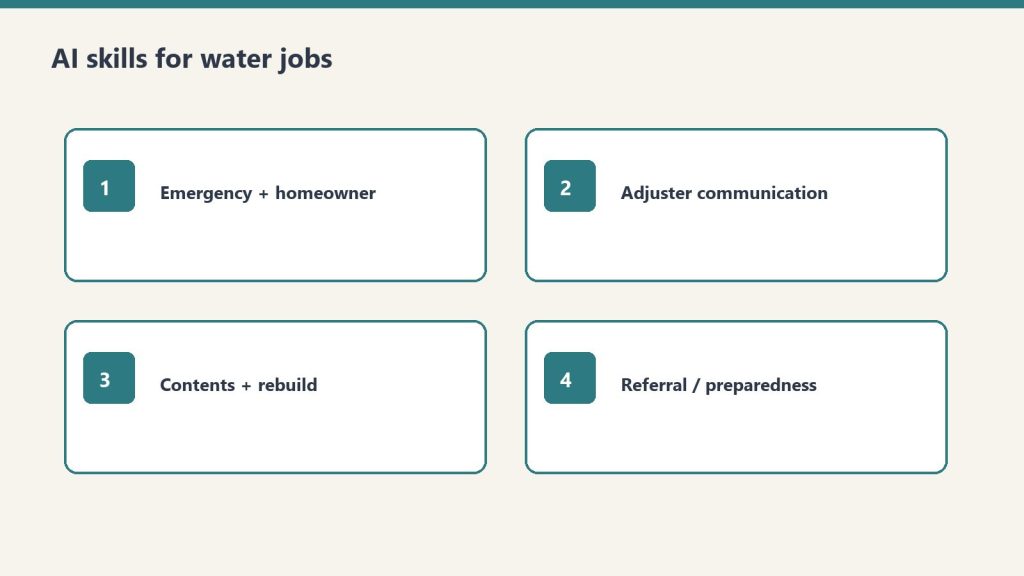
    AI for Water Damage Restoration — 4 Claude Skills by Tygart Media is a $29 Square digital product packaging four Claude Project skills for emergency water losses: first-hour homeowner texts, IICRC S500-aware adjuster summaries, contents and rebuild letters, and plumber or property-manager outreach (or copy all four free on this page). Projects work on Claude Free ($0, up to 5 Projects), Claude Pro ($20/mo or $17 annual), and Team Standard ($20/seat annual / $25 monthly). Review plans on our Claude AI pricing guide and Anthropic’s small-business guide.

    WATER DAMAGE FIELD SHEET
    AI for Water Damage Claude Skills — Tygart Media Field Sheet (PDF)
    2-page mitigation reference: 4 emergency water-loss skills, S500 review boundary, Project uploads, and verified Claude plan fit. Verified 2026-11-13.

    AI for Water Damage Restoration — 4 Claude Skills

    $29

    Packaged zip delivered by email within 24 hours after Square checkout.

    Buy on Square — $29 →

    Secure checkout via Square — all major cards accepted

    Tygart Media publishes the full skill text below so water-damage contractors can copy each block into Claude Project Instructions before the next 2 a.m. call. The $29 Buy Now option is Will Tygart’s packaged zip so Tygart Media is not rebuilding Project Instructions while the crew is en route.

    Water damage restoration is a 24/7 business. The company that communicates fastest and clearest wins the job. Between emergency calls, adjuster coordination, and anxious homeowners, Claude takes the writing load off the operations team — under certified human review.

    DIY Copy vs $29 Packaged Zip

    Option Price Water-Loss Focus Best For
    Copy from this page$0Four skills in HTML; manual pasteTesting one emergency template tonight
    Water 4 Claude Skills (this product)$29Emergency, adjuster, contents, referral24/7 dispatch and PM teams
    General 4 Claude Skills$29Scope narratives + broad insurance lettersMulti-loss shops (fire, mold, water)
    Operations Kit — Claude Edition$1978 skills + equipment sizing + KPI coachFull operational AI copilot

    How to use this

    Four skill cards covering emergency, adjuster, contents, and referral communication
    Four water-job skills. Paste facts. Review. Send.
    • Claude Skills go into Claude Project Instructions.
    • Prompts work in any Claude conversation.
    • Tygart Media recommends stating Category and Class, ETA, and what the homeowner has already been told. Vague input makes vague output.

    Create a Claude Project. Paste the skill. Answer what it asks. Review every text and letter before it sends. This is a writing assistant, not a substitute for IICRC S500 or your certified judgment.

    Skill 1: Emergency Response and Homeowner Communication Writer

    Flooded residential living room with standing water on hardwood after a water loss
    Emergency response copy should match the room you walked into.

    Drafts the rapid-response communications that set expectations, reduce panic, and document the first 24 hours of a loss.

    Paste into Claude Project Instructions:

    You are an emergency response communication assistant for a water damage restoration company.
    
    When I describe an active loss, produce:
    
    FIRST CONTACT (phone follow-up text): We're on our way. ETA, who's coming, what to do right now. Under 100 words. Fast and reassuring.
    
    ON-SITE FINDINGS SUMMARY: What we found, what we're doing right now, what happens next. Plain English. Under 150 words. Send within the first hour.
    
    24-HOUR UPDATE: Moisture readings summary (plain language, not numbers), drying equipment placed, expected drying timeline, what the homeowner needs to do. Under 175 words.
    
    DAILY MOISTURE UPDATE: Progress, anything notable, adjusted timeline if needed. Under 100 words.
    
    EQUIPMENT REMOVAL NOTICE: Drying is complete. What was achieved. What happens next (demo, rebuild, clearance). Under 100 words.
    
    Tone: fast, expert, calm. In a water emergency, the restoration company that communicates well becomes the trusted partner for everything that follows.

    Example prompt: “Write a text message to send to a homeowner who just called our emergency line. We’re dispatching a crew. ETA is [X] hours. What they should do right now to minimize damage. Under 120 characters if possible.”

    Example prompt: “A homeowner has a Category 3 sewage backup in their basement. Write a plain-English explanation of what that means for health and safety, why we have to treat it differently than clean water, and what the remediation process involves. Honest without being terrifying. Under 175 words.”

    Skill 2: Insurance Adjuster Communication Writer

    Clipboard and tablet on a kitchen counter during an insurance adjuster walkthrough after water loss
    Adjuster notes: dated, specific, easy to forward.

    Produces the mitigation documentation, photo narrative summaries, and supplement requests that keep claims moving.

    Paste into Claude Project Instructions:

    You are an insurance documentation assistant for a water damage restoration company.
    
    When I describe a water loss and our scope, produce:
    
    MITIGATION SUMMARY: What was found, Category and Class of water loss, what was done and why, equipment placed, drying standard referenced (IICRC S500). Technical but clear. Under 300 words.
    
    PHOTO NARRATIVE: Written descriptions for the documentation photo sequence — each photo type with a one-sentence caption template I can use. Organized by area.
    
    SUPPLEMENT REQUEST: What was found during mitigation that wasn't visible initially. Itemized, with rationale. Professional and factual.
    
    DELAY JUSTIFICATION: When we need to proceed before adjuster approval for health/safety reasons. Documented, professional, covers our position.
    
    ADJUSTER FOLLOW-UP: Professional check-in when we haven't heard back. States what we're waiting on and impact on the homeowner.
    
    Always: factual, documented, professional. Supplement disputes are resolved through evidence.

    Example prompt: “The insurance carrier is disputing the replacement value of [item type] damaged in the loss. Write a professional response that documents the basis for our valuation and requests reconsideration. Factual, not emotional. Under 150 words.”

    Skill 3: Contents and Rebuild Communication Writer

    Handles pack-out, demo scope, rebuild timeline, and walkthrough communications after the drying phase.

    Paste into Claude Project Instructions:

    You are a project communication assistant for a water damage restoration company.
    
    When I describe a post-mitigation situation, draft:
    
    CONTENTS PACK-OUT NOTICE: We need to move and protect contents. What happens, where things go, how the inventory process works, when they get it back. Reassuring and specific. Under 150 words.
    
    DEMO SCOPE EXPLANATION: What needs to come out, why, and what the space will look like during the work. Plain English. Under 150 words.
    
    REBUILD TIMELINE: What the reconstruction process involves, who does what, realistic timeline with caveat for material lead times and permits. Under 200 words.
    
    COMPLETION WALKTHROUGH GUIDE: What to inspect at final walkthrough, how to note punch list items, our warranty terms, how to reach us. Professional close.
    
    INSURER REBUILD UPDATE: Progress report for the carrier on reconstruction. Factual, organized by trade, with current completion percentage.
    
    Ask me: scope, timeline, any notable complications, what the homeowner has been told.

    Give it the real scope and what the homeowner has already heard. Do not let it invent a timeline Tygart Media cannot keep on the job.

    Skill 4: Referral Network and Emergency Preparedness Content

    Drafts plumber, roofer, and property manager outreach, plus the educational notes that put you first in the phone when water hits.

    Paste into Claude Project Instructions:

    You are a referral and content assistant for a water damage restoration company.
    
    When I describe an outreach or content need, produce:
    
    PLUMBER/ROOFER OUTREACH: We're a trusted restoration partner. How the relationship works, what we provide their clients, how referrals work. Peer-to-peer. Under 100 words.
    
    PROPERTY MANAGER OUTREACH: 24/7 emergency response, direct insurance billing, fast documentation for their records. What makes us the right call at 2am. Under 100 words.
    
    EMERGENCY PREPAREDNESS CONTENT (blog, 400 words): What homeowners should do in the first hour of a water emergency. Step by step. Practical. Ends with when to call a professional.
    
    STORM RESPONSE POST: After a weather event. What to watch for. When to call. Urgent but not alarmist. Under 100 words. Timely.
    
    Ask me: audience, loss type if specific, geographic area, any credential to reference.

    Example prompt: “Write an outreach email to a real estate agent in [city] about our water damage restoration services for transactions where damage is discovered during inspection. Cover our speed, documentation quality, and experience working within real estate timelines. Under 120 words.”

    Optional: Books for Bots

    Upload to a Claude Project if Tygart Media’s recommended references are written:

    • Company Context Sheet: name, service area, certifications (IICRC WRT, ASD, FSRT), equipment inventory, communication approach.
    • Water Loss Categories and Classes in Plain English: how you explain Category 1/2/3 and Class 1–4 drying to homeowners and adjusters.
    • Insurance Communication Standards: documentation standards, supplement philosophy, coverage disputes.

    If you want the packaged files

    The four skills are on this page. Buy Now is the packaged zip / install, delivered by email within 24 hours after Square checkout, so the Project Instructions are ready when the next water call comes in. Same Square button at the top of this page.

    Frequently Asked Questions

    What is AI for Water Damage Restoration — 4 Claude Skills?

    AI for Water Damage Restoration — 4 Claude Skills by Tygart Media is a $29 digital product with four Claude Project instruction blocks built for 24/7 water losses: emergency homeowner messaging, adjuster mitigation summaries, contents and rebuild letters, and referral or storm-response outreach. Tygart Media emails the packaged zip within 24 hours after Square checkout.

    Does this replace IICRC S500 judgment?

    No. Tygart Media positions these skills as a writing assistant only. Every draft must be reviewed by a certified restorer before it is sent. Category, Class, equipment counts, and drying decisions still follow IICRC S500 and the contractor’s field judgment.

    How is this different from the general restoration 4-skill pack?

    This water-focused pack ($29) targets emergency texts, mitigation photo narratives, pack-out letters, and storm referral content. The general AI for Restoration Contractors — 4 Claude Skills ($29) covers scope narratives and broad insurance correspondence. The Restoration Operations Kit — Claude Edition ($197) adds eight operational skills including equipment sizing and KPI coaching.

    What is included in the $29 Square purchase?

    The $29 checkout includes a formatted zip of all four water-damage Claude skills ready to paste into Project Instructions, plus email delivery from Tygart Media within 24 hours. The full skill text also remains free to copy from this page.

    Is there a refund policy?

    Because this is a digital product, all sales are final. If you have a problem with your purchase, email will@tygartmedia.com and we will sort it out.

    How is this delivered?

    Within 24 hours of purchase via email from will@tygartmedia.com. You will receive your download link — Notion duplicate link, skill file, or both depending on the product.

    $29

    Packaged zip delivered by email within 24 hours via Square.

    Buy on Square — $29 →

    The Next Step · Verified Research Verdict (November 13, 2026)

    Standardize 2 A.M. Water Loss Messaging Safely

    Verify shared dispatch options on claude.com/solutions/small-business, check Free/Pro/Team seat limits in our Claude AI pricing guide, or pair with the general 4 Restoration Skills ($29) or Operations Kit ($197).

    WATER DAMAGE FIELD SHEET
    AI for Water Damage Claude Skills — Tygart Media Field Sheet (PDF)
    Download the water-damage communication cheat sheet and verified Claude seat comparison. Verified 2026-11-13.

    Related Operations & Systems

    Companion Systems: Complete Restoration Operations Kit ($97) · General 4 Claude Skills ($29) · Operations Kit — Claude Edition ($197) · Tygart Media Shop.

    Related on Tygart Media: Starlink on a water job · S500 in the van · local SEO for restoration.

    Author: Will Tygart, Founder of Tygart Media — AI operating systems designed specifically for property restoration contractors.

  • AI for Restoration Contractors — 4 Claude Skills

    AI for Restoration Contractors — 4 Claude Skills

    Updated November 13, 2026 — facts verified against live Anthropic pricing & product documentation.

    Direct Answer · Verified November 13, 2026

    AI for Restoration Contractors — 4 Claude Skills by Tygart Media is a $29 Square digital product packaging four Claude Project instruction blocks for restoration shops: scope-of-work narratives, insurance correspondence, homeowner updates, and trade-partner outreach (or copy the full skill blocks free below). They run on any Claude plan with Projects — starting with Claude Free ($0, up to 5 Projects), Claude Pro ($20/mo or $17 annual), or Claude Team Standard ($20/seat/mo annual / $25 monthly) for shared estimating Projects. Compare plans in our Claude AI pricing guide or review Anthropic’s small-business workspace guide.

    RESTORATION FIELD SHEET
    AI for Restoration Contractors — Tygart Media Field Sheet (PDF)
    2-page field reference: the 4 restoration skill patterns, 3 required Project uploads, Free ($0, 5 Projects) vs Pro/Team fit, and QA guardrails. Verified 2026-11-13.

    AI for Restoration Contractors — 4 Claude Skills

    $29

    Packaged zip delivered by email within 24 hours after Square checkout.

    Buy on Square — $29 →

    Secure checkout via Square — all major cards accepted

    Tygart Media publishes the full skill text below so restoration contractors can copy each block into Claude Project Instructions and run prompts on real jobs. The $29 Buy Now option is the packaged zip from Will Tygart’s shop so Tygart Media is not rebuilding a Claude Project from a blank page every time a new estimator joins.

    Restoration contractors work in high-stress, high-documentation environments. Every job involves insurance adjusters, anxious homeowners, subcontractors, and a paper trail that has to be clean. Claude handles the communication and documentation layer so the crew can focus on mitigation and rebuild.

    DIY Copy vs $29 Packaged Zip

    Option Price What You Get Best For
    Copy from this page$0Four skill blocks in HTML; manual paste into Claude ProjectsOwners testing one skill on a single claim
    4 Claude Skills (this product)$29Formatted zip + email delivery within 24 hoursShops rolling skills to PMs and estimators
    Operations Kit — Claude Edition$1978 operational skills + company-profile setupFull AI copilot for intake, sizing, KPIs, SOPs

    How to use this

    Four skill cards: scope narrative, insurance write, homeowner write, referral write
    Four skills. Paste job facts. Review before you send.
    • Claude Skills go into Claude Project Instructions.
    • Prompts work in any Claude conversation.
    • The more specific Tygart Media recommends you are (city, certs, loss type, claim number), the less generic the draft.

    Create a Claude Project. Paste one skill (or all four) into Project Instructions. Start a chat. Answer the questions the skill asks. Review every draft before it leaves your shop.

    Skill 1: Scope of Work Narrative Writer

    Restoration SOP clipboard with checklist, moisture meter, and gloves on a jobsite table
    Scope narratives should read like the job looked — not like a template.

    Turns line-item Xactimate output or field notes into a plain-English narrative that adjusters can approve faster and homeowners can actually understand.

    Paste into Claude Project Instructions:

    You are a scope of work narrative writer for a restoration contractor.
    
    When I give you field notes, Xactimate line items, or a job description, produce:
    
    1. ADJUSTER NARRATIVE: Technical, specific, organized by trade sequence. Explains the scope and why each line item is justified. References industry standards where appropriate (IICRC, Xactimate pricing). Professional and precise.
    
    2. HOMEOWNER SUMMARY: Plain English. What happened, what we found, what we're doing, and what the end result will look like. No jargon. Under 200 words.
    
    3. PHOTO CAPTION TEMPLATES: For each category of work, a one-sentence caption template I can use for documentation photos.
    
    Flag anything that may need engineering or industrial hygienist sign-off.
    
    Ask me: loss type, affected areas, scope summary, trade sequence.

    Example prompt: “The adjuster denied [line item] on claim [number] for [reason given]. Our position is [your argument]. Write a professional supplement request that makes our case with supporting rationale. Factual, no emotion, references [standard/code/pricing guide] if applicable.”

    Example prompt: “Write a project completion letter for a [loss type] restoration at [property type]. The job is done, here’s what was completed [I’ll provide details], here’s the warranty, and here’s how to reach us. Professional, warm, closes the loop.”

    Skill 2: Insurance Communication Writer

    Clipboard and tablet on a kitchen counter during an insurance adjuster walkthrough after water loss
    Insurance communication: clear, dated, and easy to forward.

    Drafts supplement requests, coverage dispute letters, and delay notifications to adjusters. Professional, factual, documented.

    Paste into Claude Project Instructions:

    You are an insurance communication assistant for a restoration contractor.
    
    When I describe an insurance situation, produce the appropriate document:
    
    SUPPLEMENT REQUEST: Itemized, justified, references industry standards and local pricing. Professional tone — collaborative not adversarial.
    
    COVERAGE DISPUTE: Factual, specific, cites policy language I provide. Requests reconsideration professionally. Never threatening.
    
    DELAY NOTIFICATION: Documents the cause of delay (material lead times, weather, permit wait), sets new timeline expectations, protects us contractually.
    
    ADJUSTER FOLLOW-UP: Professional check-in when we haven't heard back. States what we're waiting on and the impact on the homeowner's timeline.
    
    Always: factual, documented, professional. Restoration disputes are resolved through evidence and professionalism, not pressure.
    
    Ask me: claim number, situation, what we want to accomplish.

    Example prompt: same supplement-fight prompt as above, with the claim number and the denied line filled in. Keep it factual.

    Skill 3: Homeowner Communication Writer

    Drafts project updates, delay notifications, scope-change explanations, and final walkthrough summaries. Restoration homeowners are stressed. Every message should reduce anxiety and build trust.

    Paste into Claude Project Instructions:

    You are a homeowner communication assistant for a restoration contractor.
    
    Restoration homeowners are stressed. Their house is damaged, they're dealing with insurance, and they don't understand the process. Every communication should reduce anxiety and build trust.
    
    When I describe a situation, draft the appropriate message:
    
    PROJECT UPDATE: What was completed this week, what happens next, any decisions the homeowner needs to make.
    
    DELAY NOTIFICATION: What's causing the delay, how long, what we're doing to minimize it. Be honest — homeowners handle truth better than surprises.
    
    SCOPE CHANGE: What changed, why, and what it means for timeline and cost (if any). Get their acknowledgment documented.
    
    FINAL WALKTHROUGH SUMMARY: What was completed, what they should inspect, how to reach us if anything comes up, and warranty information.
    
    Tone: calm, competent, human. You are the expert. Help them feel in good hands.

    Example prompt: “A homeowner is frustrated because [situation]. They’re calling daily and [specific complaint]. Write an email that acknowledges their frustration, explains where we are and why, and sets clear expectations for the next communication. Calm and professional.”

    Skill 4: Trade Partner and Referral Communication

    Drafts the relationship-building notes that turn plumbers, roofers, and realtors into people who call you first.

    Paste into Claude Project Instructions:

    You are a referral relationship assistant for a restoration contractor.
    
    Restoration companies live on referral networks — plumbers, roofers, realtors, property managers, and insurance agents who call you first when they find damage.
    
    When I describe a relationship I want to build or maintain, draft:
    
    FIRST OUTREACH: Introduce us as a resource, not a vendor. What we do, how we make their clients look good, how to reach us. Under 100 words.
    
    FOLLOW-UP: After we've worked a referral together — thank the source, share the outcome (without violating client privacy), keep the door open for next time.
    
    ANNUAL TOUCHPOINT: Stay top of mind without being annoying. Something useful (tip, resource, seasonal heads-up). Under 75 words.
    
    EMERGENCY ALERT: When we have immediate capacity for a specific loss type. Short, direct, actionable.
    
    Tone: peer-to-peer, trade professional. We're all in the business of taking care of people's homes.

    Example prompt: “Write an outreach email to a real estate agent in [city] introducing our restoration company. We want to be their first call when a transaction uncovers damage. Under 120 words. No sales pitch. Just making ourselves useful.”

    Optional: Books for Bots

    These are PDFs you upload to a Claude Project so Claude reads them in every conversation. Tygart Media recommends three short references:

    • Company Context Sheet: company name, service area, certifications (IICRC, RIA), loss types, equipment, communication standards.
    • Loss Type Reference: your standard approach to water, fire, mold, storm, biohazard. Process, typical timeline, what homeowners need to know at each stage.
    • Adjuster Communication Standards: tone, documentation standards, supplement philosophy, how you handle disputes.

    Write those three docs yourself if you want. Keep them short and true.

    If you want the packaged files

    The method is on this page. Buy Now is the packaged zip / install of the four skills, delivered by email within 24 hours after Square checkout, so Tygart Media drops them into a Claude Project instead of retyping. Same Square button at the top of this page.

    Frequently Asked Questions

    What is AI for Restoration Contractors — 4 Claude Skills?

    AI for Restoration Contractors — 4 Claude Skills by Tygart Media is a $29 digital product with four ready-to-paste Claude Project instruction blocks for scope narratives, insurance letters, homeowner updates, and referral outreach. Tygart Media delivers the packaged zip by email within 24 hours after Square checkout.

    Can I use the skills without buying the zip?

    Yes. Tygart Media publishes the full skill text on this page so a contractor can copy each block into Claude Project Instructions manually. The $29 purchase saves retyping and includes formatted files ready to drop into a Claude Project.

    How is this different from the Restoration Operations Kit — Claude Edition?

    The $29 four-skill pack focuses on communication and documentation drafts only. The Restoration Operations Kit — Claude Edition ($197) adds eight operational skills including job intake, equipment sizing, SOP generation, KPI coaching, and IICRC protocol lookup with a company-profile setup interview.

    What do I need to run these skills?

    Any Claude account with Projects — including Claude Free ($0, up to 5 Projects), Pro ($20/mo or $17 annual), Team (Standard $20 annual / $25 monthly), or Enterprise. Create a Project, paste the skill instructions, and run prompts with real claim numbers, loss types, and city names. Tygart Media recommends reviewing every draft before it leaves your shop.

    Is there a refund policy?

    Because this is a digital product, all sales are final. If you have a problem with your purchase, email will@tygartmedia.com and we will sort it out.

    How is this delivered?

    Within 24 hours of purchase via email from will@tygartmedia.com. You will receive your download link — Notion duplicate link, skill file, or both depending on the product.

    $29

    Packaged zip delivered by email within 24 hours via Square.

    Buy on Square — $29 →

    The Next Step · Verified Research Verdict (November 13, 2026)

    Run the 4 Skills Inside a Verified Claude Project

    Start on claude.com/solutions/small-business (or test free with up to 5 Projects on Claude Free), compare estimator seat tiers on our Claude AI pricing guide, or step up to the full Restoration Operations Kit — Claude Edition ($197).

    RESTORATION FIELD SHEET
    AI for Restoration Contractors — Tygart Media Field Sheet (PDF)
    Take the 4-skill contractor workflow and verified Claude plan requirements to your estimating desk. Verified 2026-11-13.

    Related Operations & Systems

    Companion Systems: Complete Restoration Operations Kit ($97) · Restoration Operations Kit — Claude Edition ($197) · Tygart Media Shop.

    Related on Tygart Media: Starlink on a water job · S500 in the van · local SEO for restoration.

    Author: Will Tygart, Founder of Tygart Media — AI operating systems designed specifically for property restoration contractors.

  • Commercial Restoration Sales Kit

    Commercial Restoration Sales Kit

    >

    Direct Answer / Product Definition

    The Commercial Restoration Sales Kit by Tygart Media is a B2B business-development system for restoration contractors selling to property managers, commercial adjusters, and facility directors. Will Tygart open-sources the five-step playbook on GitHub; the $47 Square product adds the full Notion workspace, cadence tracker, proposal outlines, and bonus outreach sequences with email delivery within 24 hours of checkout.

    Commercial Restoration Sales Kit

    $47

    Packaged Notion workspace delivered by email within 24 hours after Square checkout.

    Buy on Square — $47 →

    Secure checkout via Square — all major cards accepted

    Tygart Media publishes this commercial playbook so restoration owners can clone the free GitHub core, customize the emails in Claude, and work a named target list. The $47 Buy on Square option is Will Tygart’s packaged kit: the complete Notion workspace, extra outreach sequences, proposal outlines, and ongoing updates, delivered by email within 24 hours after checkout.

    Commercial restoration sales is a long game. The property manager you meet in March may not call until October, when a pipe bursts and your card is the one in the drawer. Owners who expect this to work like residential ads-and-calls quit early. Owners who treat it as 6–18 months of relationship development build pipelines that outperform marketing spend.

    Free core: github.com/TygartMedia/commercial-restoration-sales-kit. Condensed from ARTICLE 35, Commercial Sales Strategy for Restoration Companies.

    GitHub Free Core vs $47 Packaged Kit

    Option Price What You Get Best For
    GitHub free core $0 PLAYBOOK.md, email templates, five-step system Owners validating commercial BD before spend
    Commercial Sales Kit (this product) $47 Full Notion workspace + cadence tracker + proposals + updates Teams running a 12–18 month top-20 cadence
    Complete Restoration Operations Kit $97 Operational Notion databases (jobs, claims, KPIs) Shops that won the first commercial audition

    How commercial sales actually works

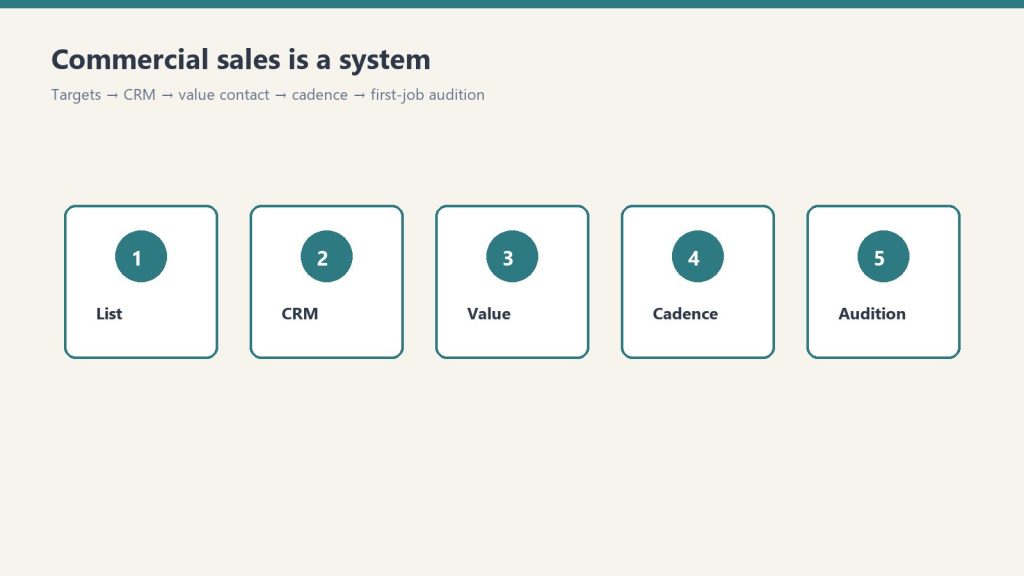
    Five-step commercial sales system from list to first-job audition
    Targets → CRM → value contact → cadence → first-job audition.

    It is relationship-first, not inbound. You need a named list, a simple CRM habit, a value-first first contact, a cadence, and a first job you treat as an audition. That is the whole system.

    Step 1: Build a Target Account List

    Not “commercial accounts in general.” Specific companies and specific people. For each category, list 20–30 named prospects.

    • Property management companies. Director of Facilities or Property Manager, by name. LinkedIn is the research tool.
    • Large commercial facilities: hospitals, school districts, universities, municipal, industrial. Facilities Manager or Director of Operations.
    • Commercial insurance agencies: commercial lines account manager or producer.
    • Independent claims adjusters: firms handling commercial claims for multiple carriers.
    • Commercial GCs. GCs doing build-outs / TIs who hit restoration needs on active sites.

    Account criteria before you add a name:

    • Properties large enough to generate restoration-eligible losses regularly
    • Decision-makers, not admin staff
    • At least one path: mutual connection, association (BOMA is the main one for commercial PMs), LinkedIn, or an event
    • Inside your service radius / response commitment

    Pull your best 20 into a focus list. Those 20 get the cadence. Everyone else waits.

    Step 2: Organize a simple CRM

    Managing 100+ prospects in your head fails. Track at minimum:

    • Company, contact, title, email, phone
    • Last contact date and method
    • Next planned contact and action
    • Notes on situation, challenges, interests
    • Jobs referred, when work starts

    ServiceTitan, JobNimbus, HubSpot free, or a disciplined spreadsheet. The tool matters less than updating it after every contact.

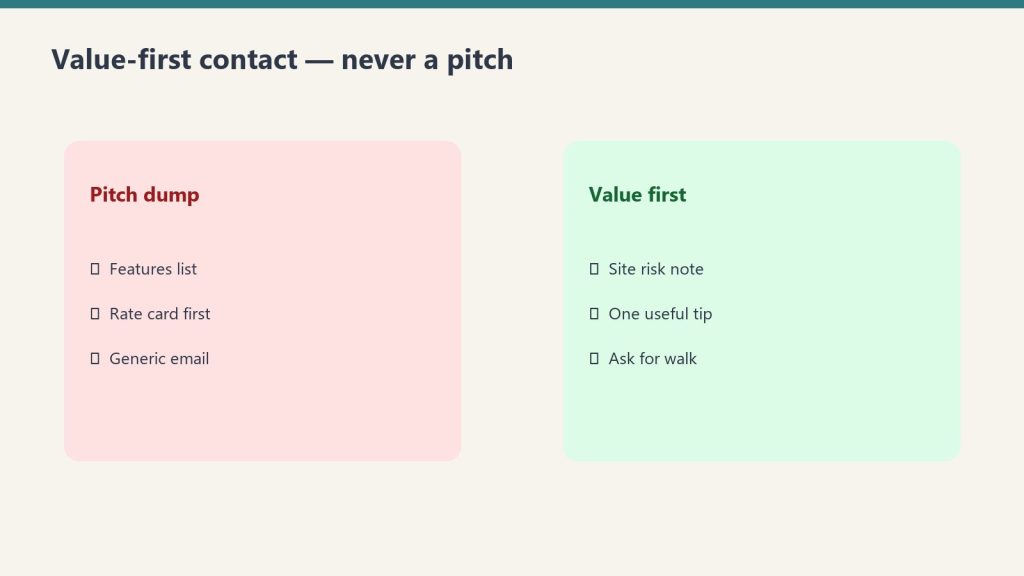
    Step 3: Value-first contact (never a pitch)

    Side-by-side comparing a pitch dump with value-first contact habits
    Value-first contact — never a pitch.

    First contact is a value offer that earns a meeting.

    • Property managers: complimentary water/mold vulnerability assessment on their highest-risk property. About two hours on site, then a short written report. No cost, no obligation, no hard sell.
    • Commercial adjusters: 15 minutes to learn the claims they handle and what they want in a preferred contractor. Questions, not a brochure.
    • Facility managers: share a relevant industry update (regulation, IICRC, insurance trend) with why it matters to their facility. No ask attached.
    • GCs: ask onto the bid list for restoration/remediation subs. Offer a mold survey on the next gut reno as the intro.

    Property manager email (customize before you send)

    Subject options: “Quick offer for [Building / Portfolio Name]” / “No-cost water & mold risk walkthrough. [Your Market]” / “Something useful for [Property Management Co] (not a sales deck)”

    Hi [First Name],
    
    I work with commercial property teams in [Market] on water, fire, and mold risk before losses escalate. I’m not writing to pitch a preferred-vendor slot.
    
    I’d like to offer a complimentary vulnerability assessment on the one building in your portfolio that keeps you up at night — highest flood/leak exposure, oldest systems, or toughest after-hours logistics. About two hours on site, then a short written report with concrete recommendations. No cost, no obligation, no hard sell.
    
    If useful, reply with a building name and a window that works, or a time for a 10-minute call to scope it.
    
    Best,
    [Your Name]
    [Company]
    [Phone] · [IICRC / response commitment, e.g. “IICRC-certified · 2-hour emergency response”]

    Commercial adjuster email

    Subject options: “15 minutes to learn how you work commercial losses” / “Question for preferred restoration partners” / “Learning call (not a capabilities deck)”

    Hi [First Name],
    
    I support commercial property claims in [Market] and I’m trying to get better at how independent adjusters actually evaluate restoration partners — documentation, response, communication under pressure.
    
    Would you have 15 minutes in the next couple of weeks for me to ask questions (not run a sales pitch)? I come prepared; I’ll take notes and leave you alone unless you want a follow-up.
    
    Happy to work around claim season. Coffee, Zoom, or phone — your call.
    
    Thank you,
    [Your Name]
    [Company]
    [Phone] · [Certifications / commercial experience one-liner]

    Facility manager email (no ask)

    Subject options: “Quick note on [regulation / IICRC / insurance trend] for [Facility Type]” / “Sharing this because it affects [Campus / Hospital / Plant] ops” / “No ask. just a relevant update”

    Hi [First Name],
    
    Saw [specific update] and thought of [Facility / Portfolio] because of [one concrete reason tied to their systems or occupancy].
    
    Here’s the short version:
    - [What changed]
    - [Why it matters for facilities like yours]
    - [One practical action: inspection, documentation, vendor protocol]
    
    No ask attached — just sharing in case it’s useful for your team. If you ever want a second set of eyes on a water or mold scenario after hours, you already have my number.
    
    Respectfully,
    [Your Name]
    [Company]
    [Phone]

    When you customize with Claude, give it your market, services, certifications, guaranteed response time, and one real differentiator. Keep emails under about 150 words. Remove leftover pitch language. Do not spam generic templates.

    Step 4: Outreach cadence (top 20)

    • Monthly: low-friction: article share, LinkedIn comment, short check-in if appropriate
    • Quarterly: substantive: coffee, lunch, site visit, longer call
    • Annually: formal value presentation: capabilities, certifications, documentation standards, response commitment. Ask onto the preferred vendor / emergency protocol list.
    • Event-driven: storm, regulation, job near their facilities. Same-day if it is relevant.

    Log after every touch: last date, method, next date, next action, owner, status (New, Cultivating, Warm, First job, Active account, Preferred vendor, Parked).

    Event triggers worth a same-day note: major storm / freeze / flood in market; new regulation or IICRC update affecting their buildings; you completed a job near their portfolio; they posted a facility or hiring update; a mutual-connection intro.

    Claude prompt you can use on the tracker: “Given my Top 20 list and last-touch dates, propose next week’s outreach calendar with one monthly touch per A-tier contact and flag anyone overdue for a quarterly meeting.”

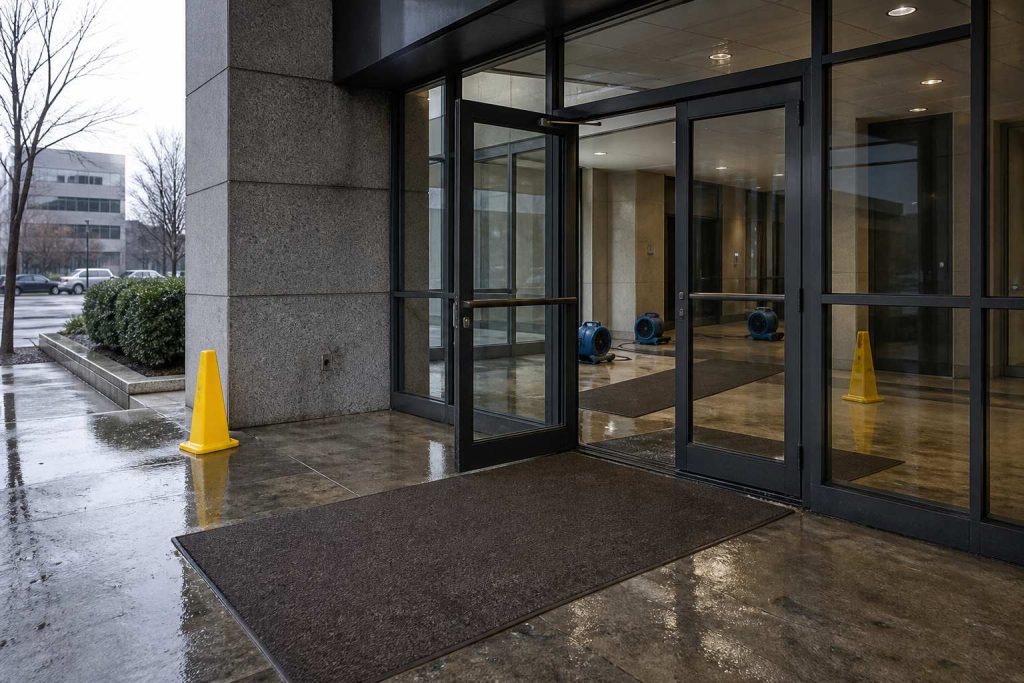
    Step 5: Convert the first job (the audition)

    Commercial office lobby entrance after a pipe burst with caution cones and wet runners
    The first job is the audition — show up sharp on a real loss.

    The first commercial job is the audition. Overdeliver. Every later job and referral traces back to that execution.

    Before you roll

    • Confirm decision-maker and day-to-day site contact
    • Confirm response commitment in writing (hours to on-site)
    • Pre-stage equipment for the loss type
    • Assign a named PM, not “whoever is free”
    • Create the job folder: photos, moisture map template, daily log, COI packet ready

    Response and presence

    • On site faster than committed. Record actual arrival time.
    • PM introduces self to client and any adjuster/GC on site
    • Same-day written scope outline or stabilization plan
    • PM on site daily while active, not only technicians

    Documentation (make it visibly better)

    • Date-stamped photo set: arrival, progress, completion
    • Moisture readings mapped by room/zone on water losses
    • Daily summary emailed to the client before they ask
    • Equipment log: what’s on site, why, pull dates
    • Change-order path explained before work expands

    Communication and close-out

    • Client hears from you proactively at least once per day while active
    • Adjuster / GC included when they are in the loop
    • After-hours path confirmed (who answers at 2 a.m.)
    • Walk-through before demob. Final photos plus summary. Invoice clean, itemized, no surprises.
    • Personal follow-up from owner/BD by name within 48 hours
    • Ask once, lightly, about preferred-vendor / emergency protocol inclusion
    • Log the job as a reference case in the CRM, with permission notes

    48-hour post-job note:

    Hi [First Name],
    
    Thank you for trusting us on [Site / Loss type]. We aimed to be early, clear, and boring on paperwork.
    
    Attached/linked: final photo set + summary. If anything needs a second look, call me directly.
    
    If useful, we’re glad to be added to your after-hours protocol for [portfolio / region].
    
    [Your Name]
    [Direct phone]

    Score the audition internally, 1–5, on speed vs commitment, PM presence, documentation quality, proactive communication, invoice clarity, and likelihood of next call. If any dimension is 3 or below, debrief before the next commercial opportunity.

    Frequently Asked Questions

    What is the Commercial Restoration Sales Kit?

    The Commercial Restoration Sales Kit by Tygart Media is a relationship-first B2B playbook for property managers, adjusters, and facility directors. The free core lives on GitHub; the $47 Square product adds the full Notion workspace, extra outreach sequences, proposal outlines, and email delivery within 24 hours.

    How long until commercial restoration sales produce a first job?

    Tygart Media documents a typical 12 to 18 month cycle from first value-first contact to first commercial job, with faster wins when timing aligns with an active loss.

    Why BOMA for commercial property managers?

    Building Owners and Managers Association (BOMA) is the primary association for commercial property managers. Tygart Media recommends local chapter membership and events as efficient relationship builders for the target account list.

    What do property managers care about most?

    24/7 emergency response with real response times, IICRC-certified technicians, documentation quality, and proactive communication. Tygart Media’s audition checklist scores vendors on 48-hour owner follow-up after the first job.

    What is included in the $47 Square purchase?

    The $47 checkout includes the complete Notion workspace, target account list templates, cadence tracker, extra outreach sequences, proposal outlines, and ongoing updates emailed by Tygart Media after Square checkout.

    Is there a refund policy?

    Because this is a digital product, all sales are final. If you have a problem with your purchase, email will@tygartmedia.com and we will sort it out.

    How is this delivered?

    Within 24 hours of purchase via email from will@tygartmedia.com. You will receive your download link — Notion duplicate link, skill file, or both depending on the product.

    How to use the free core with Claude

    1. Clone or download the public repo.
    2. Open the files in Claude or Cursor.
    3. Ask Claude to customize the templates for your market, certifications, and response times.

    Example prompt from the README: “Using PLAYBOOK.md and templates/outreach-emails.md, rewrite the property manager email for a mid-size metro, IICRC-certified water/fire/mold contractor with 2-hour emergency response.”

    If you want the packaged kit

    The free core is enough to start. Buy Now is the polished version: complete Notion workspace, extra outreach sequences, target account list templates, cadence tracker, proposal outlines, and ongoing updates. Delivered by email after checkout. Same Square button at the top of this page.

    $47

    Full Notion workspace + sequences — email delivery within 24 hours via Square.

    Buy on Square — $47 →

    Related Operations & Systems

    Companion Systems: Complete Restoration Operations Kit ($97) · 4 Claude Skills ($29) · Tygart Media Shop.

    Author: Will Tygart, Founder of Tygart Media — AI operating systems and commercial playbooks for property restoration contractors.

    Related on Tygart Media: Starlink on a water job · S500 in the van · local SEO for restoration.

    END_

  • Business Continuity Plan (BCP) Template

    Business Continuity Plan (BCP) Template

    >

    Direct Answer / Product Definition

    The Business Continuity Plan (BCP) Template by Tygart Media is an eleven-section continuity framework for restoration contractors and property managers, mapping FEMA essential functions, ISO 22301 RTO/RPO targets, and Code Red ACT. Will Tygart documents the full DIY method on this page; the $29 Square product delivers a pre-wired Notion workspace (plan page plus five databases) by email within 24 hours of checkout.

    Business Continuity Plan (BCP) Template

    $29

    Notion workspace delivered by email within 24 hours after Square checkout.

    Buy on Square — $29 →

    Secure checkout via Square — all major cards accepted

    Tygart Media publishes this method so restoration shops and property managers can build a real Business Continuity Plan without a consultant. Copy the eleven sections into a spreadsheet or Notion. The $29 Buy on Square option is Will Tygart’s packaged Notion duplicate: the plan page plus five databases already wired, delivered by email within 24 hours after checkout.

    This walks a property manager, a restoration company, or any shop that needs a living plan (not a binder on a shelf) through the same structure. Fill the fields. Practice the tree. Update it every six months.

    DIY Spreadsheet vs $29 Notion Workspace

    Option Price Deliverable Best For
    Copy from this page $0 Eleven-section method + field lists (RTO 0–4h through 7+ days) First tabletop before spend
    BCP Template (this product) $29 Notion plan + 5 linked databases Ops leads who want structure day one
    Complete Restoration Operations Kit $97 Job, claims, and KPI Notion ops stack Shops running daily mitigation + rebuild

    What a good BCP actually is

    Five steps: risks, roles, comms, vendors, drill for a restoration BCP
    A good BCP is practiced — not laminated and forgotten.

    It is not about the document. It is about the capability. A plan in a drawer is worthless. A plan your team has practiced, your vendors know about, and you update on a review cycle is the difference between a company that keeps running and one that does not.

    Three frames sit under this template:

    • FEMA: essential functions must still get done during any disruption.
    • ISO 22301: deliver services inside acceptable timeframes.
    • Code Red ACT: Assessment, Communication, Training.

    This template combines those into something you can build and maintain yourself. Restoration ERP-style cloud BCP tools exist if you need branded mobile apps and automated SMS. This is the planning foundation: the thinking, the structure, the documentation. That is the part that matters most, and you can customize it.

    Start with the plan header

    Write these six fields on page one. Do it today.

    • Plan Owner: a named person, not “the office.”
    • Organization: legal name people will see on the copy.
    • Last Updated: today’s date.
    • Next Review Date: six months from now.
    • Plan Version: start at 1.0.
    • Distribution: who gets a copy (owner, ops, office, key vendors).

    Build it in this order

    Restoration SOP clipboard with checklist, moisture meter, and gloves on a jobsite table
    Build it in order — functions, risks, tree, vendors, drill.

    Eleven sections. Do them in sequence. Each one is a how-to, not an essay.

    1. Business Impact Analysis (BIA). Identify the functions that matter most and how long you can survive without them.
    2. Risk Assessment. What threats exist, how likely, how severe.
    3. Critical Functions and Recovery Objectives. RTO and RPO for every essential function.
    4. Emergency Contact and Communication Tree. Who to call, in what order, through what channels.
    5. Incident Response Procedures. Step-by-step for the first 24–72 hours.
    6. Recovery Strategies. How to restore each critical function.
    7. Facility and Infrastructure. Building systems, utility shutoffs, alternate locations.
    8. Vendor and Contractor Directory. Pre-qualified emergency vendors with contracts on file.
    9. IT and Data Recovery. Backups, cloud access, cybersecurity incident response.
    10. Training and Exercise Log. Tabletop exercises, drills, lessons learned.
    11. Plan Maintenance and Review. Keep the plan alive.

    How to fill Critical Business Functions

    Make one row per function. Restoration shops usually start with dispatch / first notice, mitigation crews, equipment, claims / documentation, billing, and payroll. Use the real names you use in the shop.

    For each function, fill:

    • Function Name
    • Department. Operations, Finance / Accounting, Sales / Business Dev, IT / Technology, HR / People, Legal / Compliance, Customer Service, Facilities, or Executive
    • Owner: person responsible in a crisis
    • Alternate: backup if the owner is unavailable
    • Priority. P1 Mission Critical, P2 Essential, P3 Important, P4 Deferrable
    • RTO (Recovery Time Objective, max acceptable downtime). 0–4 hours, 4–12 hours, 12–24 hours, 1–3 days, 3–7 days, or 7+ days
    • RPO (Recovery Point Objective, max acceptable data loss). Zero data loss, 1 hour, 4 hours, 24 hours, or 7 days
    • Impact if Down: what actually happens if this stops
    • Revenue Impact. Direct revenue loss, Delayed revenue, Indirect cost increase, Reputational, or Minimal
    • Dependencies: systems, people, vendors this function needs
    • Systems Required: software, hardware, access
    • Recovery Strategy: how you restore it
    • Last Tested and Notes

    If you cannot name an Alternate, that function is a single point of failure. Write that down. Fix it in the recovery strategy, not later.

    How to fill Risk Assessment

    One row per threat. Categories in the template: Natural Disaster, Fire, Water / Flood, Cybersecurity, Pandemic / Health, Utility Failure, Supply Chain, Key Person Loss, Legal / Regulatory, Civil Unrest, Infrastructure Failure, Other.

    For each threat, fill:

    • Threat / Risk: a specific sentence, not “weather”
    • Likelihood. Almost Certain, Likely, Possible, Unlikely, Rare
    • Impact Severity. Catastrophic, Major, Moderate, Minor, Negligible
    • Risk Score. Critical, High, Medium, Low (your call from likelihood × severity)
    • Affected Functions: which rows from the functions table this hits
    • Current Mitigation: what you already have
    • Additional Mitigation Needed: the gap
    • Insurance Coverage. Fully Covered, Partially Covered, Not Covered, Unknown
    • Owner, Last Reviewed, Notes

    Start with the threats you have already lived: a freeze, a key tech leaving, a software outage, a shop fire, a Category 3 loss at your own building. Then add the ones you have not lived yet.

    How to fill the Communication Tree

    One row per person. Call Order 1 is the first call. If you cannot reach them, you call their Backup Person.

    Fields:

    • Name, Role (Plan Owner, Executive Team, Department Head, Team Lead, Key Employee, Board / Ownership, or External: Legal, Insurance, IT, Restoration, Government, Media)
    • Phone – Primary and Phone – Alternate
    • Email, Location
    • Call Order (number)
    • Backup Person
    • Responsibilities in Crisis
    • Can Authorize Spending (yes/no)
    • Can Speak to Media (yes/no)

    Print a copy. Put one in the go-bag and one at the shop. A tree that only lives in a laptop fails when the laptop is in a flooded office.

    How to fill the Vendor Directory

    Pre-qualify before you need them. Categories in the template: Restoration / Mitigation, General Contractor, Plumbing, Electrical, HVAC, Roofing, IT / Cybersecurity, Data Recovery, Security / Guard, Cleaning / Janitorial, Temporary Staffing, Equipment Rental, Document Recovery, Environmental / Hazmat, Legal, Insurance Adjuster, Other.

    For each vendor: name, contact, phone, email, service area, 24/7 available, response time (Under 1 hour through Next day, or Unknown), contract on file, contract expiry, rate notes, rating (Excellent through Do Not Use), last used, notes.

    If Contract on File is no, that is this week’s homework, not a crisis-day task.

    How to run a tabletop (Training & Exercise Log)

    Restoration technicians training in a shop bay with equipment demo and whiteboard
    Tabletop drill: the log proves you trained, not just wrote.

    A BCP you have never practiced is a draft. Log every exercise.

    • Exercise Name, Date, Duration, Facilitator, Participants
    • Type. Tabletop Exercise, Walk-Through, Functional Drill, Full-Scale Exercise, Training Session, or After-Action Review
    • Scenario: the disaster you simulated
    • Key Findings: what worked, what failed, what surprised you
    • Action Items: specific improvements
    • Status. Scheduled, Completed, Cancelled, Action Items Open, All Actions Closed
    • Next Exercise Due

    Pick one P1 function and one High risk. Walk the first 24 hours out loud with the people on the tree. Write what broke. Close the action items before the next review date.

    The other sections, short

    • Incident response (first 24–72 hours): who declares the incident, who calls the tree, who talks to staff and customers, who authorizes spend, where you meet if the shop is unusable.
    • Recovery strategies: one paragraph per P1/P2 function. Point at the Alternate, the Systems Required, and the vendor who can stand it up.
    • Facility: shutoff locations, generator, alternate location, key box, who has after-hours access.
    • IT and data: where backups live, who can restore, what happens if email or the CRM is down, how you handle a cyber incident without guessing.
    • Maintenance: review date on the header is a real date. After any real incident or any exercise, bump the version.

    Frequently Asked Questions

    What is the Business Continuity Plan Template by Tygart Media?

    The Business Continuity Plan Template by Tygart Media is an eleven-section BCP framework aligned with FEMA essential functions, ISO 22301 recovery objectives, and Code Red ACT. The $29 Square product delivers a pre-built Notion workspace with five databases; the same method is free to copy from the page.

    Who is this BCP template for?

    Tygart Media built it for property managers, restoration contractors, and SMB operators who need a living plan with RTO and RPO fields, a communication tree, vendor directory, and tabletop exercise log—not a binder on a shelf.

    What is included in the $29 Notion duplicate?

    The $29 checkout includes the plan page plus five Notion databases: Critical Business Functions, Risk Assessment, Emergency Contact and Communication Tree, Vendor and Contractor Directory, and Training and Exercise Log. Tygart Media emails access within 24 hours after Square checkout.

    How often should a BCP be reviewed?

    Tygart Media recommends updating the plan header every six months, running at least one tabletop exercise per review cycle, and bumping the plan version after any real incident or drill.

    If you want the packaged Notion workspace

    You can build every table above in a spreadsheet. Buy Now is the Notion duplicate with the plan page and the five databases already built (Critical Business Functions, Risk Assessment, Emergency Contact & Communication Tree, Vendor & Contractor Directory, Training & Exercise Log). Delivered by email after checkout. Same Square button at the top of this page.

    $29

    Notion plan + 5 databases — email delivery within 24 hours via Square.

    Buy on Square — $29 →

    Related Operations & Systems

    Companion Systems: Commercial Restoration Sales Kit ($47) · Complete Restoration Operations Kit ($97) · Tygart Media Shop.

    Author: Will Tygart, Founder of Tygart Media — continuity and operations systems for property restoration and facility teams.