Tag: Notion

  • Prompt Patterns That Work Inside Notion: What Generic Prompting Guides Miss

    Prompt Patterns That Work Inside Notion: What Generic Prompting Guides Miss

    Related on Tygart Media: how to use Claude · Notion AI review.

    The 60-second version

    Most prompting advice was written for ChatGPT. ChatGPT prompts treat the AI as a blank-context entity that needs everything explained. Notion AI is different — it knows your workspace, so the right prompt patterns reference workspace structure rather than recreate it. Generic “act as an expert and provide a detailed analysis” prompts work poorly. Specific “read the project page X, summarize against rubric Y, output in format Z” prompts work well.

    Five patterns that work in Notion specifically

    Four cards for content, ops, build, and knowledge work with Claude
    Five patterns that work in Notion specifically.

    1. Reference workspace structure explicitly.
    “Read the [Project Name] page and the linked research database. Summarize key decisions in the format below.”
    Better than: “Summarize this project.”
    2. Pin sources by name.
    “Using only content from the Q3 Strategy database and the Customer Interviews page, identify themes.”
    Better than: “Identify themes from our research.”
    3. Specify output structure with examples.
    “Output as: [Decision], [Date], [Owner], [Status]. Example: ‘Switch CRM to HubSpot, 2026-03-15, Sarah, Approved’.”
    Better than: “Format as a table.”
    4. Constrain length per section.
    “Five sections, two sentences each, in active voice.”
    Better than: “Be concise.”
    5. Reference style guides as named sources.
    “Match the voice of the Tygart Media style guide page.”
    Better than: “Use a professional tone.”

    Three patterns that don’t work in Notion

    Seven cards naming common AI chatbot failure modes
    Three patterns that don’t work in Notion.

    1. Role-play prompts. “Act as an expert McKinsey consultant” produces generic consultancy-speak. Notion AI doesn’t need persona priming; it needs context priming.
    2. Long preamble. “I am working on a project that involves…” is wasted tokens when the agent can read the project page directly.
    3. Hypothetical scenarios. Notion AI works on workspace reality. Hypothetical prompts pull the agent away from the actual data.

    The compound prompt pattern

    Three panels showing one problem, three options, one recommendation
    The compound prompt pattern.

    Effective complex prompts inside Notion stack three elements:
    Source pinning (which pages/databases)
    Task specification (what to do with the source)
    Output specification (format, length, sections)
    A good prompt reads like a small specification. A bad prompt reads like a conversation starter.

    Where this goes wrong

    1. Importing ChatGPT habits. Long preambles and role-play priming hurt Notion AI more than they help.
    2. Vague source references. “Our notes” is ambiguous; “the Customer Interviews database” is specific.
    3. Output ambiguity. “Summarize” produces variance. “Five-section summary, two sentences each” produces consistency.

    What to read next

    How Notion Skills Work, Building Your First Skill, Auto Model Selection, Editorial Surface Area.

  • Notion Agents vs n8n Alone: When the Workflow Belongs Inside Notion

    Notion Agents vs n8n Alone: When the Workflow Belongs Inside Notion

    Related on Tygart Media: vs Zapier AI · multi-agent orchestration · Notion Command Center.

    The 60-second version

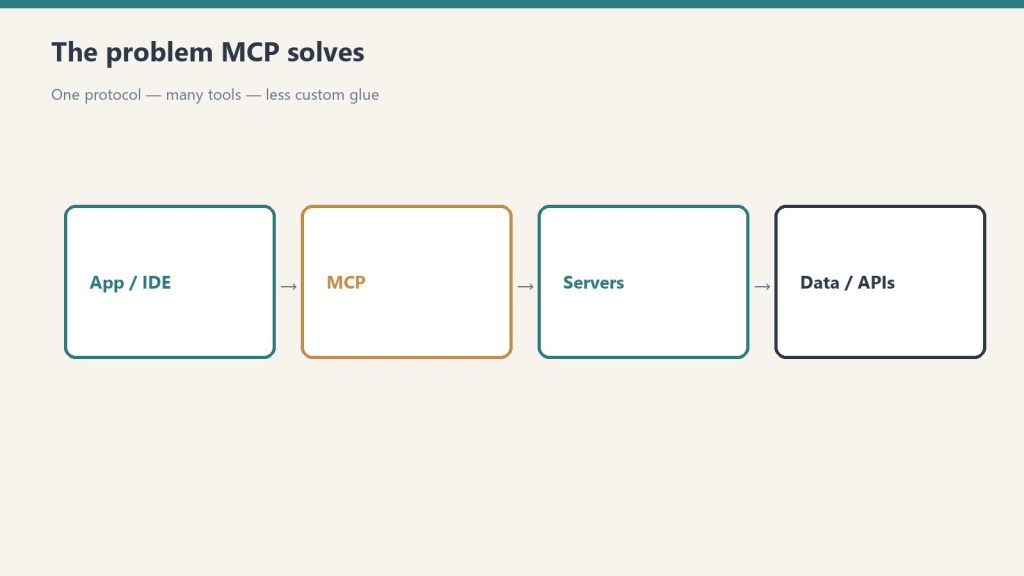
    This isn’t either-or. n8n is the deterministic workflow engine — when X happens, do Y across these 5 apps. Notion Agents are the reasoning layer — given the context, decide whether X actually warrants action and what the right action is. Combined via the n8n MCP bridge, they form a complete automation stack: agent reasons, n8n executes. Operators who treat them as competitors miss the leverage.

    When Notion Agents win

    Three stacked layers: chat UI, tools, agent runtime
    When Notion Agents win.
    • The workflow needs to read and synthesize Notion workspace content
    • Natural-language understanding of context matters
    • The “decide whether to act” question is the hard part
    • Schedule-driven autonomous work is the goal
    • The workflow output is itself in Notion

    When n8n wins

    Side-by-side when to use a script versus an agent
    When n8n wins.
    • Pure cross-app data movement (no reasoning needed)
    • Hundreds of integration options matter
    • Visual workflow building with branching logic
    • High-volume deterministic automations
    • Workflows that don’t touch Notion at all

    The combined pattern

    Three panels showing one problem, three options, one recommendation
    The combined pattern.

    The pattern that’s emerging:
    Notion Agent decides what to do based on context
    n8n workflow executes the cross-app coordination
    – Connected via the n8n MCP bridge inside Notion
    Example: Agent reads new lead in Notion → reasons whether it matches ICP → if yes, calls n8n workflow that updates Salesforce, sends Slack notification, schedules follow-up email.

    What n8n does that Notion Agents don’t

    • Massive integration catalog (Salesforce, Stripe, hundreds of others)
    • Visual flow building
    • High-throughput deterministic execution
    • Self-hosting option for compliance-sensitive use cases

    What Notion Agents do that n8n doesn’t

    • Natural-language understanding of unstructured workspace content
    • Native Notion database manipulation
    • Skills (saved natural-language workflows)
    • Workers for custom code execution
    • Schedule-driven autonomous reasoning

    Where this goes wrong

    1. Trying to do everything in one tool. Reasoning in n8n (limited) or deterministic execution in Notion Agents (expensive) is the wrong direction.
    2. Skipping the MCP bridge. Without it, you re-implement n8n integrations as Workers. Don’t.
    3. Letting agent reasoning replace simple n8n triggers. If the trigger is “row added to database,” that’s deterministic. Just use n8n.

    What to read next

    n8n MCP Bridge, Workers + External APIs, Notion AI vs Zapier, MCP foundation piece.

  • Calendar + Notion AI: Letting Your Agent Schedule and Prep Meetings

    Calendar + Notion AI: Letting Your Agent Schedule and Prep Meetings

    Related on Tygart Media: Slack + Notion agent · mail integration · what Notion AI agents are.

    The 60-second version

    Calendar is the most repetitive coordination work in knowledge work. Notion AI’s calendar integration takes most of it off your plate. The agent reads your upcoming meetings, pulls related context from your Notion workspace, and drops a one-page brief in your inbox 30 minutes before. For scheduling, the agent suggests times based on your patterns and drafts the calendar invite. You confirm and send. Five minutes of coordination work compresses to thirty seconds of approval.

    Three calendar integration patterns

    Four cards for content, ops, build, and knowledge work with Claude
    Three calendar integration patterns.

    1. The pre-meeting brief agent. Triggered 30-60 minutes before each external meeting. Pulls the relevant project page, prior meeting notes with these attendees, open action items, and any current context. Brief lands in your inbox or daily notes.
    2. The scheduling assist agent. When you need to schedule something, ask the agent. It reads your calendar, suggests times that match your patterns (e.g., afternoon for deep work, mornings for standup), and drafts the invite text. You review and send.
    3. The post-meeting capture agent. After meetings, agent prompts for quick voice or text capture. Processes the capture into structured updates: action items added to task database, decisions logged to project page, follow-ups scheduled.

    What stays human

    Floor versus ceiling cards for commoditized work and human-network premium
    What stays human.
    • Deciding which meetings to take
    • The conversations themselves
    • Final approval before scheduling sends
    • Any sensitive scheduling (interviews, terminations, board calls)

    Setup considerations

    Desk with laptop, checklist notebook, and billing card ready before creating an Anthropic API key
    Setup considerations.

    The integration runs at the user level — your calendar connects to your agent. For shared calendars, the connection inherits the calendar’s permissions. Two practical notes:
    – The agent only sees what your calendar permissions show. Private events stay private to the agent.
    – For executive assistants managing multiple calendars, each calendar is a separate connection with separate agent context.

    Where this goes wrong

    1. Letting the agent send invites autonomously. Calendar invites have political weight. Always keep a human approval step.
    2. Trusting brief content for sensitive meetings. Performance reviews, terminations, sensitive client conversations — review the brief manually before relying on it.
    3. Overloading prep briefs. A 4-page brief is worse than a 1-paragraph brief because you don’t read it. Configure the agent to produce concise briefs by default.

    What to read next

    Slack Integration, Mail Integration, AI-Native Company Patterns, The Solo Operator’s Stack.

  • Notion AI for Knowledge Workers: The Personal Productivity Loadout

    Notion AI for Knowledge Workers: The Personal Productivity Loadout

    Related on Tygart Media: solo operator stack · Notion second brain · Notion AI review.

    The 60-second version

    Most coverage of Notion AI focuses on team and company use. The individual knowledge worker case is just as compelling and significantly cheaper. Plus plan (\$10/user/month) gets you the inline AI, AI Q&A across your workspace, and meeting notes. That’s enough for most personal productivity workflows. The Custom Agent layer (Business plan) only matters when you have recurring autonomous work — which most individuals don’t, but some do. Match the plan to the actual use, not the marketing aspiration.

    The personal loadout

    Four cards for content, ops, build, and knowledge work with Claude
    The personal loadout.

    1. Daily planning interaction. Each morning, ask Notion AI to summarize your calendar, recent notes, and active projects. Get a one-paragraph “here’s your day” briefing. No agent needed; standard inline AI handles this.
    2. Meeting prep. Before each meeting, ask Notion AI to pull relevant context for the topic and attendees. Standard AI Q&A works fine for personal use. The brief is conversational, not formatted, but that’s adequate for personal prep.
    3. Writing substantive documents. Open a doc, draft, then use the inline AI to tighten paragraphs, suggest counterpoints, summarize sections. The AI is a writing partner, not a ghostwriter — you direct, it executes.
    4. Second-brain navigation. Ask Notion AI to find that thing you wrote three months ago about X. Or to synthesize what you’ve thought about Y across multiple notes. This is where Notion AI outperforms ChatGPT — it knows your stuff.
    5. Quick capture. Use voice memos (mobile) or quick text (desktop) to drop thoughts into a daily notes database. Periodically ask AI to review and structure them into related projects or notes.

    When you do need Custom Agents

    Three stacked layers: chat UI, tools, agent runtime
    When you do need Custom Agents.

    Three personal use cases that earn the upgrade:
    – You produce content on a recurring schedule (newsletter, blog, podcast notes)
    – You manage a personal client roster (consulting, coaching) and want pipeline hygiene
    – You run multiple side projects and need cross-project synthesis automated
    If none of these apply, Plus plan is enough. Don’t upgrade for capability you won’t use.

    The privacy framing

    Five security domains: identity, data, code governance, audit, agents
    The privacy framing.

    For individuals, the privacy story matters. Notion AI runs on your workspace content. It doesn’t expose that content to other users. For personal journaling, sensitive notes, or confidential client work, this is meaningfully better than a general-purpose AI.

    Where individuals go wrong

    1. Buying Business plan for capability they won’t use. If you don’t have recurring scheduled work, Custom Agents are wasted spend.
    2. Treating AI as a replacement for thinking. The value of personal notes is largely the thinking that happens during writing. AI shortcuts the writing, which can shortcut the thinking. Use AI for synthesis and recall, not for the original thinking.
    3. Importing too many sources too fast. A new Notion AI user often connects every source available. The agent then synthesizes from a noisy signal. Start with one or two well-organized databases and grow from there.

    What to read next

    Editorial Surface Area, Second-Brain Architecture, Custom Agents vs Basic.

  • Connecting Slack to Your Notion Agent: The Read-Summarize-Act Loop

    Connecting Slack to Your Notion Agent: The Read-Summarize-Act Loop

    Related on Tygart Media: Calendar + Notion AI · mail integration · what Notion AI agents are.

    The 60-second version

    Slack is where decisions happen. Notion is where decisions are documented. The gap between them is where things fall through. The Slack integration closes the gap by letting agents read what’s happening in Slack, summarize it into Notion, and draft outbound responses based on Slack threads. The pattern that works: read-summarize-act. Agent reads the Slack thread, summarizes the decision into the relevant Notion project page, and drafts the follow-up message back to Slack. The decision is documented and the follow-up is sent without manual handoff.

    Three Slack integration patterns

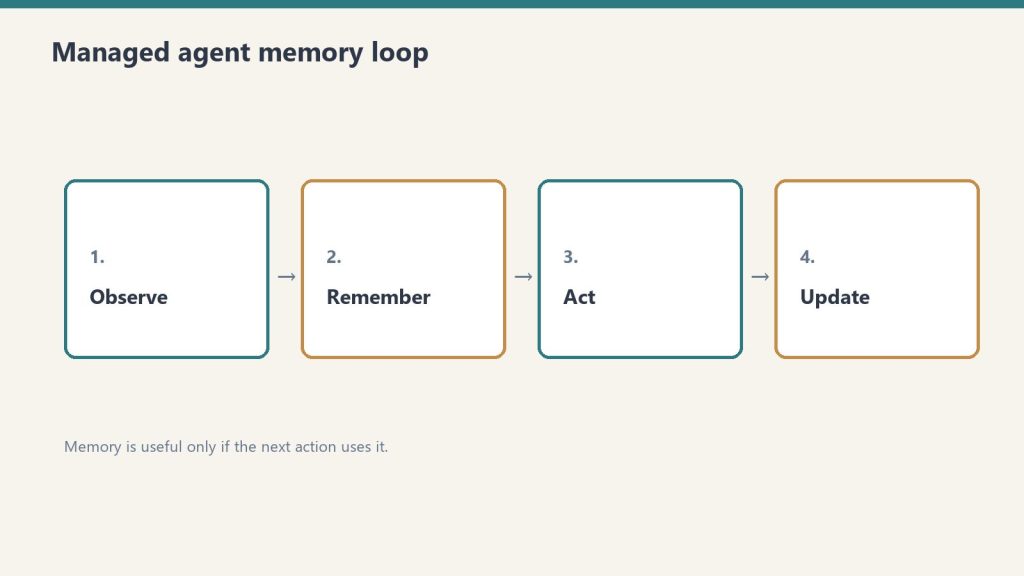
    Four-step loop: observe, remember, act, update for managed agents
    Three Slack integration patterns.

    1. The decision-capture loop. Agent watches designated #project channels. When a decision is made (signaled by patterns like “let’s do X” or explicit decision flags), agent appends the decision and context to the project page in Notion. Decisions stop being lost to Slack history.
    2. The status digest agent. Daily or weekly, agent reads activity in selected channels and produces a digest in a Notion page. Useful for managers tracking multiple teams without scrolling through hundreds of messages.
    3. The action item extractor. Agent watches conversations for action items (“can you do X by Friday”). Adds them to the relevant person’s task database. Drafts a confirmation message in Slack thread asking the person to confirm.

    What stays human

    Floor versus ceiling cards for commoditized work and human-network premium
    What stays human.
    • The conversations themselves
    • Decisions about what to do
    • Nuanced communication where tone matters
    • DMs and sensitive channels (don’t connect those)

    Permission and privacy

    Five security domains: identity, data, code governance, audit, agents
    Permission and privacy.

    Slack agent integration respects user-level permissions. The agent sees what the connected user sees. Two implications:
    – Don’t connect a junior account to a workspace agent — the agent inherits the junior’s limited view
    – Don’t connect an admin account that can see DMs unless you actually want the agent reading DMs (you don’t)
    The right pattern is a dedicated integration account with scoped channel access.

    Where this goes wrong

    1. Agents posting to Slack autonomously. This generates noise and damages trust fast. Configure agents to draft, not post. Humans review and send.
    2. Reading too many channels. The agent’s signal-to-noise ratio drops with channel count. Pick 3-5 relevant channels per agent. Add more later if useful.
    3. Trusting the action-item extractor without confirmation. Slack conversation is loose. “Can you” doesn’t always mean “I commit.” Always add a confirmation step.

    What to read next

    Calendar + Notion AI, Mail Integration, MCP, AI-Native Company Patterns.

  • Notion AI for Customer Success: QBRs, Health Scores, and Account Plans

    Notion AI for Customer Success: QBRs, Health Scores, and Account Plans

    Related on Tygart Media: Notion AI for sales · agency owners · client portals.

    The 60-second version

    CS work is constrained by CSM bandwidth. The bandwidth gets eaten by documentation: QBRs, account plans, health score updates, internal reporting. Custom Agents take that documentation work over so CSMs can spend their time on customer calls. The result is CS teams that cover more accounts at the same headcount or go deeper on the same accounts. Either way, the math improves.

    Four CS-specific agent patterns

    Four cards for content, ops, build, and knowledge work with Claude
    Four CS-specific agent patterns.

    1. The QBR draft agent. Triggered before QBR season. For each account: pulls usage data (via integration), product adoption metrics, support ticket trends, key milestones, prior QBR action items. Drafts the QBR deck content in the team’s template. CSM customizes for the specific customer instead of building from scratch.
    2. The health score maintenance agent. Daily or weekly. Reads usage data, support patterns, engagement signals, NPS responses. Updates each account’s health score in the customer database. Surfaces accounts that dropped a tier in the last week.
    3. The account plan agent. Monthly per account. Reviews account activity, identifies expansion opportunities, surfaces stalled adoption areas, drafts the updated account plan with specific next-quarter goals.
    4. The renewal risk agent. Continuous. Scans accounts approaching renewal. Cross-references health score, recent engagement, support ticket sentiment, and upcoming contract dates. Flags 60-90 days before renewal so CSM has runway to address issues.

    What stays CSM

    Floor versus ceiling cards for commoditized work and human-network premium
    What stays CSM.
    • Customer conversations
    • Expansion negotiations
    • Crisis response when accounts are unhappy
    • The judgment about which accounts deserve which level of investment
    • Reading the customer relationship temperature
      The agent surfaces signals; the CSM interprets them.

    The leverage math

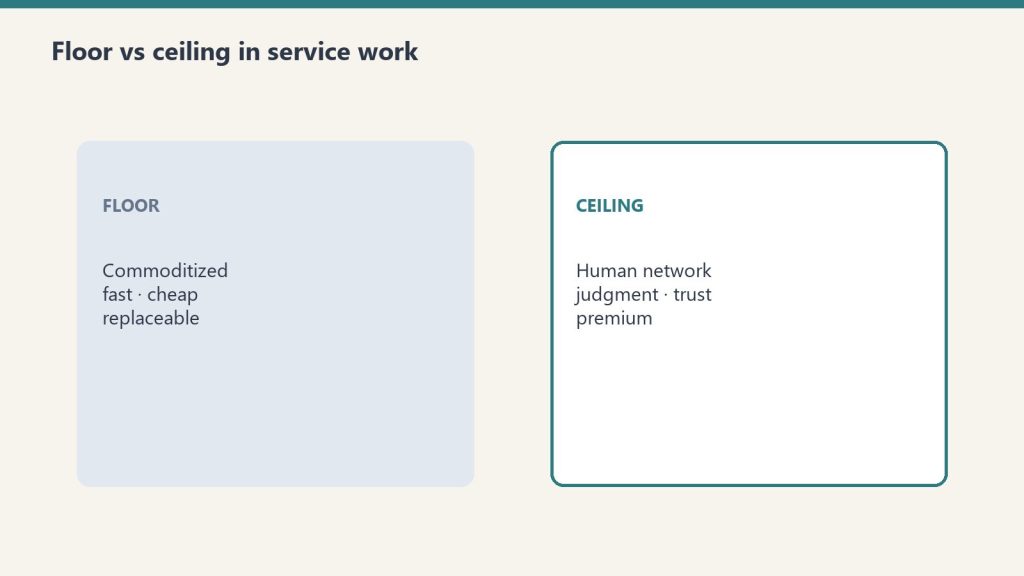
    A typical CSM covers 25-40 accounts. Documentation work consumes 30-40% of their week. Custom Agents take that to 10-15%. The CSM either covers more accounts (50-60) or goes deeper on the same accounts (more strategic, more frequent touch).
    The strategic question: which path matches your business? Higher coverage favors expansion-led businesses. Deeper accounts favor retention-led businesses. Don’t let agents accidentally pick the path for you by default.

    Where CS teams go wrong

    Seven cards naming common AI chatbot failure modes
    Where CS teams go wrong.

    1. Letting agents update health scores autonomously into a “you’re red” customer-facing alert. Health scores have political weight inside the customer’s organization. Auto-flagging customers as red without human review can damage the relationship.
    2. Skipping the QBR review. The agent draft is starting material. The customization for that specific customer is what makes the QBR land. Don’t ship the agent draft as-is.
    3. Trusting renewal risk flags without context. A customer can look “at risk” by the data while being fine in the relationship. CSM context wins. Don’t escalate based on the agent flag alone.

    What to read next

    Notion AI for Sales Teams, Account Research, AI-Native Company Patterns.

  • Notion AI for Marketing: Campaign Briefs, Performance Reports, and Brand Review

    Notion AI for Marketing: Campaign Briefs, Performance Reports, and Brand Review

    Related on Tygart Media: content teams · agency owners · content pipeline.

    The 60-second version

    Marketing is split between operational work (briefs, reports, calendars) and creative work (campaigns, content, brand voice). Custom Agents handle the operational half well. The creative half stays human, but agents support it — running brand voice review against the style guide, surfacing past performance patterns, drafting from briefs. The result is marketing teams that ship more campaigns with the same headcount because the operational drag is gone.

    Four marketing-specific agent patterns

    Four cards for content, ops, build, and knowledge work with Claude
    Four marketing-specific agent patterns.

    1. The campaign brief agent. Triggered when a new campaign is added with objective and audience. Pulls past campaigns to similar audiences, current brand guidelines, channel performance data. Drafts a structured brief: objective, audience, key messages, channels, calendar, success metrics. Marketer refines instead of starting blank.
    2. The performance report agent. Weekly or per-campaign. Reads connected analytics sources, compares against targets, identifies wins and underperformance, drafts narrative explanation with proposed optimizations. The Monday report writes itself; marketer reviews and adds context.
    3. The brand voice review agent. Triggered when content lands in a review queue. Compares against the brand guide. Flags voice deviations by severity. Suggests specific before/after rewrites for flagged sections. The reviewer fixes flagged issues instead of reading every line.
    4. The content calendar agent. Maintains the calendar across channels. Surfaces upcoming gaps, pulls campaign deadlines forward, flags conflicts between simultaneous campaigns, drafts the next week’s posting schedule.

    What stays human

    Floor versus ceiling cards for commoditized work and human-network premium
    What stays human.
    • Campaign strategy and creative direction
    • Brand voice itself (the style guide is human-written)
    • Customer relationships and influencer partnerships
    • Final approval on anything customer-facing
    • The judgment about what the company should sound like

    The brand voice question

    Marketing teams worry that agents flatten brand voice. The honest answer: they will, unless you actively prevent it. Three things help:
    – A specific style guide with tone examples and anti-examples
    – Voice samples in the agent’s context (real prior content, not just guidelines)
    – A human reviewer who catches voice drift and updates the guide
    Done well, agent-assisted content holds voice better than freelance content because the guide gets enforced consistently. Done badly, every campaign sounds like every other campaign.

    Where marketing teams go wrong

    Seven cards naming common AI chatbot failure modes
    Where marketing teams go wrong.

    1. Trusting performance reports without verifying numbers. Agent drafts narrative; marketer verifies the underlying numbers tie to source. The narrative can be right while the numbers are wrong.
    2. Letting brand review become approval. The agent flags deviations. Humans decide which deviations are actual problems versus intentional creative choices. Don’t auto-reject.
    3. Producing more content because production is cheap. Same trap as PMs. Cheap production isn’t strategy. The volume question stays human.

    What to read next

    Notion AI for Content Teams, Notion AI for Sales, AI-Native Company Patterns.

  • Notion AI for Product Managers: Specs, Roadmaps, and Stakeholder Updates

    Notion AI for Product Managers: Specs, Roadmaps, and Stakeholder Updates

    Related on Tygart Media: Notion AI for engineering · Claude for PMs · Notion Command Center.

    The 60-second version

    PMs spend 60% of their time writing — specs, updates, briefs, summaries. Custom Agents take that down to 20%. The PM defines the problem and the strategic call; the agent produces the documentation. Specs draft from a problem statement. Stakeholder updates generate in three audience-specific versions from one source. User research synthesizes into themes automatically. The PM gets back to the work that PMs are actually hired for: deciding what to build.

    Four PM-specific agent patterns

    Four cards for content, ops, build, and knowledge work with Claude
    Four PM-specific agent patterns.

    1. The spec drafting agent. Triggered when a new initiative is added with a problem statement. Pulls related research, prior similar specs, technical constraints from engineering pages. Drafts a structured spec with goals, non-goals, user stories, success metrics, open questions. PM reviews and decides; doesn’t start blank.
    2. The audience-tailored update agent. Single input: this week’s progress and risks. Three outputs: exec brief (3 paragraphs, headline-led), engineering update (technical detail, dependencies), customer-facing update (benefits framing). Audience-specific framing automated.
    3. The research synthesis agent. Triggered when interview notes land in the research database. Extracts themes, codes responses, identifies patterns across interviews, ranks insights by frequency and impact. PM gets a synthesis instead of a pile of raw notes.
    4. The roadmap maintenance agent. Reads the roadmap database. When initiatives change status or priority, updates the Now/Next/Later view, drafts the rationale for moves, flags timeline conflicts. The roadmap stays current without weekly reformatting.

    What stays PM

    Floor versus ceiling cards for commoditized work and human-network premium
    What stays PM.
    • Strategic prioritization (what to build, what to kill)
    • Customer conversations
    • Cross-functional negotiation
    • Final spec approval
    • The judgment behind every roadmap move
      The agent makes the writing fast. It doesn’t make the deciding fast.

    The compounding effect

    PMs running this pattern report a category change in their work: less time on producing artifacts, more time on customer conversations and strategic calls. The artifacts still exist (specs, updates, roadmaps) but they’re produced faster and revised more often because revising is cheap.
    A weekly artifact that used to take 4 hours now takes 90 minutes. Across 50 weeks, that’s 125 hours reclaimed per PM per year. Most PMs spend that on the work they were always supposed to be doing.

    Where PMs go wrong

    Seven cards naming common AI chatbot failure modes
    Where PMs go wrong.

    1. Letting the agent draft success metrics. Metrics are strategic. The agent can suggest; the PM decides. Don’t outsource the metric definition.
    2. Trusting cross-team updates without verification. The agent might miss context from another team. Sample-check updates that go to engineering or sales for accuracy before sending.
    3. Producing more artifacts because production is cheap. Cheap production is a temptation to over-produce. The discipline of “what should we actually communicate” matters more, not less.

    What to read next

    Notion AI for Engineering, Synthesize Research piece, AI-Native Company Patterns.

  • Notion AI for Engineering: Standups, Postmortems, and Architecture Records

    Notion AI for Engineering: Standups, Postmortems, and Architecture Records

    Related on Tygart Media: Notion AI for PMs · Claude for PMs · Notion Command Center.

    The 60-second version

    Engineers hate documentation. Documentation rots. Custom Agents fix the documentation rot without making engineers do the documentation. Standups generate from commits and tickets. Postmortems draft from incident channels. ADRs and runbooks stay current because the agent updates them when related pages change. The engineering org gets the documentation discipline of a regulated industry without the cultural cost.

    Four engineering-specific agent patterns

    Four cards for content, ops, build, and knowledge work with Claude
    Four engineering-specific agent patterns.

    1. The standup synthesis agent. Runs daily at 9 AM. Reads each engineer’s commits since last standup, ticket movements, Slack #standup channel posts. Produces a structured “yesterday/today/blockers” entry for each engineer. The standup meeting becomes a 5-minute review of pre-generated content instead of a 30-minute round-robin.
    2. The incident postmortem agent. Triggered when an incident is marked resolved. Reads the incident channel, status page updates, related PRs, and prior incidents. Drafts a blameless postmortem in the team’s template. Engineering reviews and refines instead of starting blank.
    3. The ADR maintenance agent. Watches the ADR database. When an architecture page or related design doc changes, flags the related ADR for update. Suggests the diff. Drafts the supersession or amendment record.
    4. The on-call runbook agent. Reads operational runbooks, cross-references with recent incidents. When an incident pattern emerges that the runbook doesn’t cover, drafts the runbook update. On-call rotates with current docs, not stale ones.

    What stays human

    Floor versus ceiling cards for commoditized work and human-network premium
    What stays human.
    • Architecture decisions
    • Code review (for now — agent-assisted code review is a different topic)
    • Incident response in the moment
    • Hiring decisions on engineering candidates
    • The judgment about whether a draft postmortem captures the right lessons

    The standup transformation

    Pre-agent standups: 30 minutes, mostly people remembering what they did yesterday and reciting it.
    Post-agent standups: 5-10 minutes, reviewing pre-generated content and surfacing only the friction the agent missed.
    This isn’t theoretical. Teams running this pattern reclaim 25 minutes per engineer per day. At a 10-engineer team, that’s roughly 4 engineering hours daily. Real money.

    Where engineering teams go wrong

    Seven cards naming common AI chatbot failure modes
    Where engineering teams go wrong.

    1. Trusting the agent to identify root cause. Agents synthesize what happened. They don’t reliably identify why. Root cause analysis is human work; the agent prepares the timeline.
    2. Letting ADRs autofill without engineer review. ADRs document decisions. Decisions are human. Agents draft; engineers approve and sign.
    3. Skipping the standup discussion. The standup isn’t just status; it’s friction surfacing. If the agent-generated standup leads to skipping the meeting entirely, friction accumulates silently. Keep the meeting; just make it shorter.

    What to read next

    Workers for Agents in TypeScript, Notion AI for Product Managers, AI-Native Company Patterns, Editorial Surface Area.

  • Notion AI for Legal Ops: Contract Review Triage Without Replacing Counsel

    Notion AI for Legal Ops: Contract Review Triage Without Replacing Counsel

    Related on Tygart Media: Notion AI for HR · Claude for lawyers · Notion Command Center.

    The 60-second version

    Legal ops is constrained by counsel time. Custom Agents change which work counsel actually has to do. Routine NDAs that match the playbook? Triaged and approved. Contracts with non-standard clauses? Flagged with the specific deviations and counsel reviews only those. Vendor compliance trackers? Auto-updated. Meeting briefings? Drafted. Counsel reviews exceptions; agents handle volume. The split protects legal quality while massively expanding throughput.

    Four legal-ops-specific agent patterns

    Four cards for content, ops, build, and knowledge work with Claude
    Four legal-ops-specific agent patterns.

    1. The NDA triage agent. New NDA arrives. Agent compares it against the playbook (standard mutual NDA terms, acceptable carveouts, dealbreakers). Classifies as GREEN (auto-approve), YELLOW (counsel review), or RED (substantive negotiation). For GREEN, drafts the response. For YELLOW/RED, prepares a deviation report.
    2. The contract review preparation agent. Triggered for any contract not handled by NDA triage. Reads the contract, compares against playbook, marks every deviation, and produces a redline-ready summary for counsel. Counsel opens the document and starts reviewing the deviations directly, not the entire contract.
    3. The vendor compliance tracker. Maintains a database of vendor agreements, renewal dates, surviving obligations, and required documents (DPA, BAA, COI). Flags upcoming renewals 60 days out and missing documentation continuously.
    4. The meeting brief agent. Before any contract negotiation or compliance meeting, pulls relevant context: prior agreements with the counterparty, related correspondence, current playbook positions on the topics expected. Counsel walks in prepped without the prep work.

    What absolutely stays counsel

    Floor versus ceiling cards for commoditized work and human-network premium
    What absolutely stays counsel.

    The non-negotiable boundaries:
    – Legal advice (period — agents never deliver this)
    – Substantive contract negotiation strategy
    – Risk assessment on novel issues
    – Anything that gets sent to opposing counsel as the firm’s position
    – Privileged communications
    Agents prepare the inputs to counsel’s judgment. They never replace the judgment.

    The triage discipline

    Five security domains: identity, data, code governance, audit, agents
    The triage discipline.

    The triage agent only works if the playbook is explicit. “Standard NDA” is not a playbook; “12-month confidentiality, mutual obligation, no non-solicit, US jurisdiction acceptable, EU DPA required if data crosses border” is. The discipline of writing the playbook is what makes the agent reliable.
    Most legal ops teams underestimate how much playbook documentation they need. The first 90 days of a legal-ops agent rollout is mostly playbook work, not agent building.

    Where this goes wrong

    1. Treating the agent’s classification as final. GREEN means “agent thinks this matches playbook.” It doesn’t mean “approved without review.” A spot-check on 10% of GREEN classifications keeps the system honest.
    2. Letting the agent draft anything that goes to opposing counsel. Even a “thank you, attached is our standard NDA” response should have counsel eyes before send for high-stakes counterparties.
    3. Building too aggressive a YELLOW threshold. If too much routes to counsel, the agent isn’t saving time. Tighten YELLOW criteria. If too little routes, the agent is missing things — loosen YELLOW.

    What to read next

    Notion AI for Operations Managers, Notion AI for Finance, Vendor Check, Editorial Surface Area.