Local AI & Automation - Tygart Media

Category: Local AI & Automation

Building autonomous AI systems that run locally. Zero cloud cost, full data control, infinite scale.

  • AI-Assisted Local Journalism: Exploring Olympic Peninsula

    AI-Assisted Local Journalism: Exploring Olympic Peninsula

    What Exploring Olympic Peninsula Is

    The Olympic Peninsula is enormous. Four counties, hundreds of miles of coastline, a national park, tribal lands, small towns separated by mountain passes and rainforest, and communities that range from Sequim’s sunshine to Forks’ rainfall. Covering all of it — the trails, the restaurants, the events, the local issues, the hidden spots — is a massive undertaking for any publication.

    Exploring Olympic Peninsula was built to try. And we’re using AI to help us do it.

    How AI Helps Us Cover the Peninsula

    We use AI tools to research, organize, and draft content about the Olympic Peninsula. Specifically, AI helps us monitor public sources across four counties, pull together event listings from chambers of commerce and tourism boards, compile trail conditions and park updates, research businesses and attractions, and draft articles that our editorial process then reviews and refines.

    AI lets a small team cover an area that would traditionally require a newsroom spread across Clallam, Jefferson, Grays Harbor, and Mason counties. It’s not a replacement for local knowledge — it’s a multiplier that helps us get to more stories, faster.

    Why We’re Telling You This

    We believe in being transparent about how our content is made. AI-assisted journalism is growing across the industry, and the publications that are honest about it build more trust than the ones that hide it. You deserve to know how the content you’re reading was produced.

    We’ve also learned from our sister publications — Belfair Bugle and Mason County Minute — that transparency about AI use invites the kind of community feedback that makes everything better. When readers know that AI is part of the process, they understand why certain types of errors happen and they’re more willing to help correct them.

    Our Verification Process

    Every article that mentions a specific business, restaurant, hotel, trail, attraction, or physical location on the Olympic Peninsula runs through a Google Maps verification gate before publication. This checks that each named place exists, is currently open, and that the details in our article match the official record.

    This protocol was built after community members on our Mason County publications caught entity errors and pushed us to do better. We took that feedback and made it a permanent part of our process across all our publications, including this one.

    For a region as vast and geographically complex as the Olympic Peninsula — where a road closure can cut off an entire community and a restaurant might be seasonal — this verification step is especially important.

    Where You Come In

    No database captures the Olympic Peninsula the way people who live here do. You know which roads are actually passable in March. You know which restaurants are seasonal. You know the local name for that trailhead that Google Maps calls something different. You know which beach access points are real and which ones exist only on old maps.

    That knowledge is what we need most. If you see something on Exploring Olympic Peninsula that doesn’t match what you know — a business that’s closed, a trail description that’s off, a geographic detail that misses the mark — please tell us. Comment on the post, reach out on social media, or message us directly.

    We’re building this publication for the people who love the Olympic Peninsula. Help us get it right.

  • Mason County Minute: How Community Feedback Improves News

    Mason County Minute: How Community Feedback Improves News

    You Held Us Accountable — And We’re Better For It

    Mason County Minute started as a straightforward idea: build a local publication that actually covers the things happening in Mason County, at the pace they’re happening. Commissioner meetings, school district decisions, shellfish closures, road projects, business openings — the things that matter to people who live here.

    We use AI to help us cover more ground than a small team normally could. That’s not a secret, and it’s not something we’re defensive about. AI lets us monitor public records, organize government meeting data, cross-reference sources, and draft coverage at a pace that would be impossible manually.

    But AI doesn’t know Mason County the way you do. And when it gets something wrong — like placing a town in the wrong geographic context or confusing details about a local landmark — you’ve been telling us about it. Directly, specifically, and helpfully.

    Every one of those corrections landed. Thank you.

    The Specific Changes We Made

    Community feedback didn’t just fix individual errors. It prompted us to build a permanent verification layer into our publishing process.

    Every article that names a specific business, restaurant, park, or physical location in Mason County now runs through a Google Maps verification gate before publication. The system checks that each named place actually exists, is currently operational, and that the name, address, and geographic context match the Google Maps record. If something doesn’t check out, the article is held until a human reviews it.

    We also improved how we handle the tricky geography of this area. Hood Canal, the inlets, the relationship between Shelton and Belfair and Allyn and Union — these aren’t things a general-purpose AI naturally understands well. We’ve built local geographic context into our editorial process specifically because Mason County readers told us when we got it wrong.

    Why Your Feedback Matters More Than You Think

    Here’s what community input does that no technology can replicate: it tells us when something feels wrong to someone who lives here. A detail can be technically accurate on paper but miss the local context that makes it meaningful. When a Mason County resident says “that’s not how people here think about that,” that’s editorial intelligence we can’t get anywhere else.

    So please don’t stop. If you read something on Mason County Minute that doesn’t match what you know, tell us. Post a comment, reach out on Facebook, send us a message — however works for you. We read every piece of feedback, and we act on it.

    Mason County Minute exists to serve this community. The more this community shapes it, the better it gets.

  • Belfair Bugle Feedback: How We’re Improving Local Accuracy

    Belfair Bugle Feedback: How We’re Improving Local Accuracy

    Thank You, North Mason

    When we started building Belfair Bugle, we knew that getting local details right would be the difference between a publication people trust and one they scroll past. We also knew we’d make mistakes along the way — and we asked you to call us on them when we did.

    You did. And we’re grateful for it.

    Over the past several weeks, community members have pointed out geographic errors, questioned business details, and pushed back when something didn’t look right. Every single one of those corrections made Belfair Bugle more accurate. Not just the article that got fixed — the entire system behind it.

    What We’ve Changed

    We want to be transparent about what happened and what we built in response.

    Belfair Bugle uses AI to help research, organize, and draft local content. We’ve been upfront about that from the beginning. AI is a powerful tool for pulling together information from public sources, government records, and local data — but it’s not perfect, especially when it comes to the kind of hyperlocal geographic knowledge that only comes from living here.

    When readers caught errors — like placing Allyn in the wrong geographic context, or mixing up details about local businesses — we didn’t just fix the individual articles. We built a verification protocol that now runs on every single article before it publishes.

    Here’s how it works: every named business, restaurant, park, school, or physical location mentioned in a Belfair Bugle article is now checked against Google Maps data before publication. If a business has closed, it gets removed. If the name or address doesn’t match, it gets corrected. If a place can’t be verified, the article is held until a human reviews it.

    This means that when you read a Belfair Bugle article that mentions a local business or landmark, you can trust that we’ve verified it’s real, it’s open, and the details are accurate as of the day we published.

    Keep Telling Us

    Here’s the thing — no verification system replaces the knowledge that comes from actually living in Belfair, driving SR-3 every day, shopping at the businesses on the commercial corridor, and knowing which Hood Canal beach is which. That knowledge lives in this community, not in a database.

    So please keep giving us input. If you see something wrong — a business name, a location, a detail that doesn’t match what you know — tell us. Comment on the post, reach out on social media, or just flag it however is easiest for you. Every correction makes the next article better for everyone in North Mason.

    We’re a local family building this for our community, and the community’s involvement is what makes it work. Thank you for being part of it.

  • Solo Content Operator: The 5-Layer AI Content Stack

    Solo Content Operator: The 5-Layer AI Content Stack

    Tygart Media / Content Strategy
    The Practitioner JournalField Notes
    By Will Tygart · Practitioner-grade · From the workbench

    Solo Content Operator: A single person running a multi-site content operation using AI as the execution layer — producing, optimizing, and publishing at scale by building systems rather than hiring teams.

    There is a version of content marketing that requires an editor, a team of writers, a project manager, a technical SEO lead, and a social media coordinator. That version exists. It also costs more than most small businesses can justify, and it produces content at a pace that rarely matches the actual opportunity in search.

    There is another version. One person. A deliberate system. AI as the execution layer. The output of a team, without the overhead of one.

    This is not a hypothetical. It is a description of how a growing number of solo operators are running content operations across multiple client sites — producing, optimizing, and publishing at scale without hiring a single writer. Here is how the stack works.

    The Mental Model: Operator, Not Author

    The first shift is in how you think about your role. A solo content operator is not a writer who also does some SEO and sometimes publishes things. That framing puts writing at the center and treats everything else as overhead.

    The correct frame is: you are a systems operator who uses writing as the output. The center of gravity is the system — the keyword map, the pipeline, the taxonomy architecture, the publishing cadence, the audit schedule. Writing is what the system produces.

    This distinction matters because it changes what you optimize. An author optimizes the quality of individual pieces. An operator optimizes the throughput and intelligence of the system. Both matter, but operators scale. Authors do not.

    Layer 1: The Intelligence Layer (Research and Strategy)

    Before anything gets written, the system needs to know what to write and why. This layer answers three questions for every article:

    What is the target keyword? Not a guess — a researched position. Keyword tools surface what terms are being searched, how competitive they are, and which queries sit in near-miss positions where ranking is achievable with the right content.

    What is the search intent? A keyword is a clue. The intent behind it is the brief. Someone searching “how to choose a cold storage provider” wants a comparison framework. Someone searching “cold storage temperature requirements” wants a technical reference. The same topic, two completely different articles.

    What does the competitive landscape look like? What is already ranking? What does it cover? What does it miss? The answer to the third question is the editorial angle.

    This layer produces a content brief: keyword, intent, angle, target word count, target taxonomy, and a note on what the competitive content is missing.

    Layer 2: The Generation Layer (Writing at Scale)

    With a brief in hand, AI handles the first draft. Not a rough draft — a structurally complete draft with headings, a definition block, supporting sections, and a FAQ set.

    The operator’s role in this layer is not to write. It is to direct, review, and elevate. The questions at this stage:

    • Does the opening make a real argument, or does it hedge?
    • Are the H2s building toward something, or just organizing paragraphs?
    • Is there a sentence in here that is genuinely worth reading, or is it all competent filler?
    • Does the conclusion land, or does it trail into a generic call to action?

    World-class content has a point of view. It takes a position. It says something that a reasonable person might disagree with, and then makes the case. The operator’s job is to ensure the generation layer produces that kind of content — not just competent coverage of the topic.

    Layer 3: The Optimization Layer (SEO, AEO, GEO)

    A well-written article that no one finds is a waste. The optimization layer ensures every piece of content is structured to be found, read, and cited — by humans and machines. Three passes:

    SEO Pass

    Title optimized for the target keyword. Meta description written to earn the click. Slug cleaned. Headings structured correctly. Primary keyword in the first 100 words. Semantic variations woven throughout.

    AEO Pass

    Answer Engine Optimization. Definition box near the top. Key sections reformatted as direct answers to questions. FAQ section added. This is the layer that chases featured snippets and People Also Ask placements.

    GEO Pass

    Generative Engine Optimization. Named entities identified and enriched. Vague claims replaced with specific, attributable statements. Structure applied so AI systems can parse the content correctly. Speakable markup added to key passages.

    Layer 4: The Publishing Layer (Infrastructure and Taxonomy)

    Content that lives in a document is not content. It is a draft. Publishing is the act of inserting a structured record into the site database with every field populated correctly.

    The publishing layer handles taxonomy assignment, schema injection, internal linking, and direct publishing via REST API. Every post field is populated in a single operation — no manual CMS login, no copy-paste, no incomplete records.

    Orphan records do not get created. Every post that publishes has at least one internal link pointing to it and links out to relevant existing content.

    Layer 5: The Maintenance Layer (Audits and Freshness)

    The system does not stop at publish. A content database requires maintenance. On a quarterly cadence, the maintenance layer runs a site-wide audit to surface missing metadata, thin content, and orphan posts — then applies fixes systematically.

    This layer is what separates a content operation from a content dump. The dump publishes and forgets. The operation publishes and maintains.

    The Real Leverage: Systems Over Output

    The counterintuitive truth about this stack is that the leverage is not in how fast it produces articles. The leverage is in the system’s ability to treat every piece of content as part of a structured, maintained, interconnected database.

    A single operator running this system on ten sites is not doing ten times the work. They are running ten instances of the same system. Each instance shares the same mental model, the same pipeline stages, the same optimization passes, the same maintenance cadence. The marginal cost of adding a site is far lower than staffing it with a human team.

    What gets eliminated: the briefing meeting, the draft review cycle, the back-and-forth on edits, the manual CMS copy-paste, the post-publish social scheduling that happens three days late because everyone was busy.

    What remains: intelligence and judgment — the things that actually require a human.

    Frequently Asked Questions

    How does a solo operator manage content for multiple websites?

    A solo operator manages multiple content sites by building a replicable system across five layers: research and strategy, AI-assisted generation, SEO/AEO/GEO optimization, direct publishing via REST API, and ongoing maintenance audits. The same system runs across every site with site-specific briefs as inputs.

    What is the difference between a content operation and a content dump?

    A content dump publishes articles and forgets them. A content operation publishes articles as database records, maintains them over time, connects them via internal linking, and runs regular audits to keep the database fresh and complete. The operation compounds; the dump decays.

    What is AEO and GEO in content optimization?

    AEO stands for Answer Engine Optimization — structuring content to appear in featured snippets and direct answer placements. GEO stands for Generative Engine Optimization — structuring content to be cited by AI search tools like Google AI Overviews and Perplexity.

    How do you maintain content quality at scale without a writing team?

    Quality at scale comes from having a clear editorial standard, applying it at the review stage of the generation layer, and running every piece through optimization passes before publish. The standard is set by the operator; the system enforces it.

    What does publishing via REST API mean for content operations?

    Publishing via REST API means writing directly to the WordPress database without manual CMS interaction. Every post field is populated in a single automated call, eliminating the manual copy-paste bottleneck and ensuring every record is complete at publish.

    Related: The database model that makes this stack possible — Your WordPress Site Is a Database, Not a Brochure.


  • AI Agents vs Chatbots & Automations: Key Differences

    AI Agents vs Chatbots & Automations: Key Differences

    These terms get used interchangeably. They’re not the same thing. Here’s the actual distinction between each one, where the lines get genuinely blurry, and which category fits what you’re actually trying to build.

    Chatbots

    A chatbot is a software interface designed to simulate conversation. The defining characteristic: it’s stateless and reactive. You send a message; it responds; the exchange is complete. Each interaction is largely independent.

    Traditional chatbots (pre-LLM) operated on decision trees — “if the user says X, respond with Y.” Modern LLM-powered chatbots use language models to generate responses, which makes them dramatically more capable and flexible — but the fundamental architecture is the same: you ask, it answers, you ask again.

    What chatbots are good at: answering questions, providing information, routing conversations, handling defined service scenarios with natural language flexibility. What they’re not: action-takers. A chatbot can tell you how to cancel your subscription. An agent can cancel it.

    Automations

    Automations are rule-based workflows that execute when triggered. Zapier, Make, and similar tools are the canonical examples. When event A happens, do B, then C, then D.

    The key characteristic: the path is predefined. Every step is specified by the person who built the automation. If an unexpected situation arises that the automation wasn’t built for, it either fails or skips the step. There’s no reasoning about what to do — there’s only executing the specified path or not.

    Automations are highly reliable for well-defined, stable processes. They break when edge cases arise that weren’t anticipated. They scale perfectly for the exact task they were built for; they don’t generalize.

    APIs

    An API (Application Programming Interface) is a communication contract — a defined way for software systems to talk to each other. APIs are infrastructure, not agents or automations. They’re the mechanism through which agents and automations take action in external systems.

    When an AI agent “uses Slack,” it’s calling Slack’s API. When an automation “posts to Twitter,” it’s calling Twitter’s API. The API is the door; agents and automations are the things that open it.

    Conflating APIs with agents is a category error. An API is a tool, not a behavior pattern.

    AI Agents

    An AI agent takes a goal and figures out how to accomplish it, using tools available to it, handling unexpected situations along the way, without a human specifying each step.

    The distinguishing characteristics versus the above:

    • vs. Chatbots: Agents take action in the world; chatbots respond to messages. An agent can book the flight, not just tell you how to book it.
    • vs. Automations: Agents reason about what to do next; automations execute predefined paths. When an unexpected situation arises, an agent adapts; an automation fails or skips.
    • vs. APIs: APIs are tools an agent uses; they’re not the agent itself. The agent is the reasoning layer that decides which API to call and what to do with the result.

    Where the Lines Actually Blur

    In practice, real systems often combine these categories:

    LLM-powered chatbots with tool access: A customer service chatbot that can look up your order status, initiate a return, and send a confirmation email is starting to look like an agent — it’s taking actions, not just responding. The boundary between “advanced chatbot” and “limited agent” is genuinely fuzzy.

    Automations with AI decision steps: A Zapier workflow with an OpenAI or Claude step in the middle isn’t purely rule-based anymore — the AI step can produce variable outputs that affect what the automation does next. This is a hybrid: mostly automation, partly agentic.

    Agents with constrained scopes: An agent restricted to a single tool and a narrow task class starts to look like a sophisticated automation. The more constrained the scope, the more the distinction collapses in practice.

    The useful question isn’t “what category is this?” but “is this system reasoning about what to do, or executing a predefined path?” That’s the actual distinction that matters for how you build, monitor, and trust it.

    Why the Distinction Matters Operationally

    Reliability profile: Automations fail predictably — when an edge case hits a path that wasn’t built. Agents fail unpredictably — when their reasoning goes wrong in a way you didn’t anticipate. Different failure modes require different monitoring approaches.

    Maintenance overhead: Automations require explicit updates when processes change. Agents adapt to process changes automatically — but may adapt in unexpected ways that need to be caught and corrected.

    Auditability: Automations are fully auditable — you can read the workflow and know exactly what it does. Agents are less auditable — you can inspect their actions, but not fully predict them in advance. For compliance-sensitive contexts, this matters significantly.

    Build cost: Automations are faster to build for well-defined, stable processes. Agents are faster to deploy when the process is complex, variable, or not fully specified — because you’re specifying a goal rather than a procedure.

    For what agents can actually do in production: What AI Agents Actually Do. For a business owner’s introduction: AI Agents Explained for Business Owners. For hosted agent infrastructure: Claude Managed Agents FAQ.


    Hosted agent infrastructure pricing: Claude Managed Agents Pricing Reference.

  • What AI Agents Do: Real Production Examples Explained

    What AI Agents Do: Real Production Examples Explained

    Not the version where AI agents are going to replace all human jobs by 2030. The actual version, right now, based on what’s deployed in production.

    The Actual Definition

    What an AI agent is

    Software that takes a goal, breaks it into steps, uses tools to execute those steps, handles errors along the way, and keeps working without you directing every action. The distinguishing characteristic is autonomous multi-step execution — not just answering a question, but completing a task.

    The Key Distinction: One-Shot vs. Agentic

    Most people’s experience with AI is one-shot: you type something, the AI responds, the exchange is complete. That’s a language model doing inference. An AI agent is different in one specific way: it takes actions, checks results, and takes more actions based on what it found — often dozens of steps — without you approving each one.

    Example of one-shot AI: “Summarize this document.” You paste the document, the AI returns a summary. Done.

    Example of an AI agent doing the same task: “Research this topic and produce a summary with verified sources.” The agent searches the web, reads multiple pages, identifies conflicts between sources, runs additional searches to resolve them, synthesizes findings, and returns a summary with citations — without you specifying each search query or each page to read. You gave it a goal; it handled the steps.

    What Agents Can Actually Do

    The tools an agent can use define its capability surface. Common tool categories in production agents:

    • Web search: Query search engines and retrieve current information
    • Code execution: Write and run code in a sandboxed environment, use results to inform next steps
    • File operations: Read, write, and modify files — documents, spreadsheets, data files
    • API calls: Interact with external services — CRMs, databases, project management tools, communication platforms
    • Browser control: Navigate web pages, fill forms, extract information
    • Memory: Store and retrieve information across steps within a session, sometimes across sessions

    The combination of these tools is what makes agents capable of genuinely autonomous work. An agent that can search, write code, execute it, check the results, and write findings to a document can complete a research and analysis task that would otherwise require hours of human work — without you steering each step.

    What “Autonomous” Actually Means in Practice

    Autonomous doesn’t mean unsupervised indefinitely. Production agents are typically configured with:

    • Defined scope: The tools the agent can use, the systems it can access, the actions it’s allowed to take
    • Guardrails: Actions that require human confirmation before proceeding — making a payment, sending an email externally, modifying a production database
    • Reporting: Checkpoints where the agent surfaces what it’s done and asks whether to continue

    Autonomy is a dial, not a switch. You set how much the agent handles independently versus checks in. Most production deployments start more supervised and reduce oversight as trust in the agent’s behavior is established.

    Real Production Examples (Not Hypotheticals)

    Concrete examples from confirmed public deployments as of April 2026:

    • Rakuten: Deployed five enterprise Claude agents in one week on Anthropic’s Managed Agents platform — handling tasks across their e-commerce operations including data processing, content tasks, and operational workflows
    • Notion: Background agents that autonomously update workspace pages, synthesize database content, and process meeting notes into structured summaries without manual triggers
    • Sentry: Agents integrated into developer workflows — monitoring error streams, triaging issues, and surfacing relevant context to engineers
    • Asana: Project management agents that update task statuses, synthesize project health, and move work items based on defined triggers

    These are not pilots. These are production systems handling real operational load.

    How They’re Built

    An agent is built from three components:

    1. A language model: The reasoning layer — the part that decides what to do next, interprets tool results, and determines when the task is complete
    2. Tools: The action layer — APIs, code execution environments, file systems, or anything else the model can call to take action in the world
    3. Orchestration: The loop that connects them — manages the sequence of model calls and tool executions, maintains state between steps, handles errors

    Historically, builders had to construct the orchestration layer themselves — a significant engineering investment. Hosted platforms like Claude Managed Agents handle the orchestration layer, letting builders focus on defining the agent’s goals, tools, and guardrails rather than the mechanics of running the loop.

    What Agents Are Not Good At (Yet)

    Honest calibration on current limitations:

    • Long-horizon planning with many unknowns: Agents perform best on tasks with relatively defined scope. Open-ended exploratory work over many days with fundamentally uncertain requirements is still better handled by humans in the loop at each major decision point.
    • Tasks requiring physical world interaction: No production general-purpose physical agent exists. Software agents operating through APIs and interfaces are the current state.
    • Tasks where errors are catastrophic: Agents make mistakes. For any irreversible, high-stakes action — financial transactions, production data modifications, external communications to important relationships — human confirmation steps should remain in the loop.

    For how hosted agent infrastructure works: Claude Managed Agents FAQ. For the difference between agents and chatbots: AI Agents vs. Chatbots, Automations, and APIs. For an SMB-focused explanation: AI Agents Explained for Business Owners.


    For pricing specifics on hosted agent infrastructure: Claude Managed Agents Complete Pricing Reference.

  • The Real Monthly Cost of Running Claude Managed Agents 24/7

    The Real Monthly Cost of Running Claude Managed Agents 24/7

    Tygart Media Strategy
    Volume Ⅰ · Issue 04Quarterly Position
    By Will Tygart
    Long-form Position
    Practitioner-grade

    If you’re considering running Claude Managed Agents around the clock, you want a number. Not “it depends.” An actual number you can put in a budget. Here’s the math, worked out by scenario, with the honest caveats about where the real costs are.

    The Formula

    Three stacked layers: chat UI, tools, agent runtime
    The formula.

    Total monthly cost = (Active session hours × $0.08) + token costs + optional tool costs

    The $0.08/session-hour charge only applies during active execution. Idle time — waiting for input, tool confirmations, external API responses — doesn’t count. This matters significantly for 24/7 workloads, because very few agents are active 100% of the time even when “running around the clock.”

    The Maximum Theoretical Cost

    Scenario: Agent running continuously, zero idle time, 24 hours a day, 30 days a month.

    • Session runtime: 24 hrs × $0.08 × 30 days = $57.60/month
    • Token costs: separate, highly variable (see below)

    $57.60/month is the ceiling on session runtime charges. You cannot pay more than this in session fees under any 24/7 scenario. But here’s the reality: that ceiling assumes zero idle time across the entire month, which doesn’t describe any real production agent.

    Realistic 24/7 Scenarios

    Diagram comparing a long context window bar with a shorter output limit bar
    Realistic 24/7 scenarios.

    Monitoring Agent (High Idle Ratio)

    Runs continuously watching for triggers — error alerts, specific data patterns, incoming requests. Activates on trigger, processes, returns to monitoring state.

    • Assumption: 5% active execution time (watching 95% of the time, executing 5%)
    • Active hours: 24 × 30 × 0.05 = 36 hours/month
    • Session runtime: 36 × $0.08 = $2.88/month
    • Token costs: low — moderate bursts on trigger events
    • Realistic total: $5–15/month

    Customer Support Agent (Business Hours Active)

    “24/7” in the sense of always-available, but actual request volume concentrates in business hours. Waits for tickets, processes them, waits again.

    • Assumption: 8 hours/day active execution, 16 hours waiting
    • Active hours: 8 × 30 = 240 hours/month
    • Session runtime: 240 × $0.08 = $19.20/month
    • Token costs: depends heavily on ticket volume and average length
    • At 100 tickets/day with moderate length: likely $30–80/month in tokens
    • Realistic total: $50–100/month

    Continuous Autonomous Pipeline

    Batch processing agent that runs continuously through a queue with minimal waiting — the closest to true 24/7 active execution.

    • Assumption: 20 hours/day truly active (4 hours queue exhaustion/maintenance)
    • Active hours: 20 × 30 = 600 hours/month
    • Session runtime: 600 × $0.08 = $48/month
    • Token costs: high — continuous processing means continuous token consumption
    • This is where tokens become the dominant cost driver by a significant margin
    • Realistic total: $200–500+/month (tokens dominate)

    The Real Variable: Token Costs

    For any 24/7 workload that’s genuinely busy, token costs will substantially exceed session runtime costs. The math:

    A moderately active agent processing 10,000 input tokens and 2,000 output tokens per hour with Claude Sonnet 4.6:

    • Input: 10,000 tokens × $3/million = $0.03/hour
    • Output: 2,000 tokens × $15/million = $0.03/hour
    • Token cost: $0.06/hour vs. session runtime of $0.08/hour — roughly equal at this volume

    Scale to 100,000 input tokens and 20,000 output tokens per hour (a busy processing agent):

    • Input: $0.30/hour; Output: $0.30/hour
    • Token cost: $0.60/hour vs. session runtime of $0.08/hour — tokens are 7.5× the runtime charge

    The session runtime fee is flat and bounded. Token costs scale with workload volume. For high-volume 24/7 agents, optimize token efficiency (prompt caching, context management, output brevity) before worrying about the session runtime charge.

    Prompt Caching Changes the Token Math

    If your agent has a large, stable system prompt — common in agents with extensive tool definitions or knowledge bases — prompt caching dramatically reduces input token costs. Cache hits cost a fraction of base input rates. For a 24/7 agent with a 20,000-token system prompt hitting the same context repeatedly, caching that prompt can cut input costs by 80–90%. The session runtime charge is unchanged, but the total cost picture improves significantly.

    The Budget Summary

    Desk with laptop, checklist notebook, and billing card ready before creating an Anthropic API key
    The budget summary.
    Agent Type Runtime/mo Typical Total
    Monitoring / low activity ~$3 $5–15
    Support agent (business hours volume) ~$19 $50–100
    Continuous processing pipeline ~$48 $200–500+
    Theoretical maximum (zero idle) $57.60 Unbounded (tokens)

    Complete pricing reference: Claude Managed Agents Pricing Guide. How idle time affects billing: Idle Time and Billing Explained. All questions: FAQ Hub.

    What to do next

    Now that you have the cost math — here’s how to choose and implement

    You now know what Managed Agents costs at scale. The next decision is whether it’s the right architecture vs. OpenAI’s equivalent — and what the implementation actually looks like in practice.

  • Claude Managed Agents vs. OpenAI Agents API — A Direct Comparison

    Claude Managed Agents vs. OpenAI Agents API — A Direct Comparison

    TL;DR — Pick one in 30 seconds

    Choose Claude Managed Agents for zero-infra, fast production deployment. Choose OpenAI Agents API if you need multi-model flexibility or already run on OpenAI infrastructure.

    Feature Claude Managed Agents OpenAI Agents API
    Model lock-inClaude onlyGPT-4o, o3 — OAI only
    Setup complexityZero infra — fully managedSDK — you build the harness
    MemoryBuilt-in (public beta, May 2026)Manual via vector DB
    MultiagentNative (lead + specialists)Swarm/SDK patterns
    Pricing$0.08/session-hr + tokensToken-only (no session fee)
    Best forFast production, Claude-nativeMulti-model, existing OAI infra

    Model Accuracy Note — Updated May 2026

    Current flagship: Claude Opus 4.7 (claude-opus-4-7). Current models: Opus 4.7 · Sonnet 4.6 · Haiku 4.5. Claude Opus 4.6 referenced in this article has been superseded. See current model tracker →

    Tygart Media Strategy
    Volume Ⅰ · Issue 04Quarterly Position
    By Will Tygart
    Long-form Position
    Practitioner-grade

    You’re evaluating hosted agent infrastructure. Both Anthropic and OpenAI have one. Before you commit to either, here’s what’s actually different — not the marketing version, the architectural and pricing version.

    Bottom Line Up Front

    If your stack is Claude-native and you want to get to production fast without building orchestration infrastructure, Managed Agents is hard to beat. If you need multi-model flexibility or have OpenAI deeply embedded in your stack, the calculus changes. Lock-in is real on both sides.

    Still Deciding?

    I’ve run both. Email me your use case and I’ll tell you which one fits.

    No pitch. If Claude isn’t the right call for what you’re building, I’ll tell you that too.

    Email Will → will@tygartmedia.com

    What Each Product Is

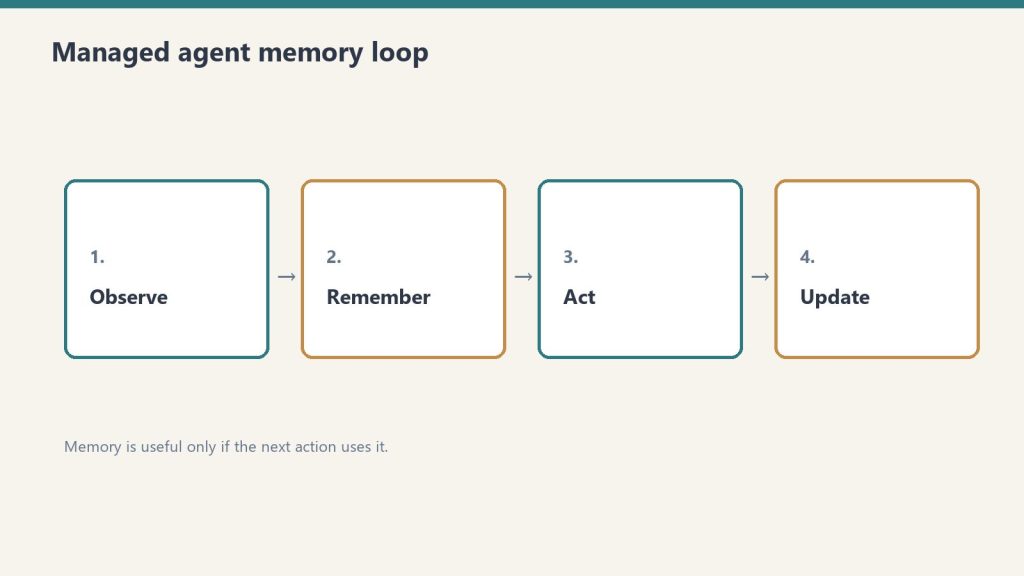
    Four-step loop: observe, remember, act, update for managed agents
    What each agents product is.

    Claude Managed Agents

    Anthropic’s hosted runtime for long-running Claude agent work. You define an agent (model, system prompt, tools, guardrails), configure a cloud environment, and launch sessions. Anthropic handles sandboxing, state management, checkpointing, tool orchestration, and error recovery. Launched April 8, 2026 in public beta.

    OpenAI Agents API

    OpenAI’s hosted agent infrastructure layer, launched earlier in 2026. Provides similar capabilities: hosted execution, tool integration, multi-agent coordination. Supports multiple OpenAI models (GPT-4o, o1, o3, etc.).

    Model Flexibility

    Three cards: coding depth, latency first, agent reliability
    Model flexibility compared.

    Managed Agents: Claude models only. Sonnet 4.6 and Opus 4.6 are the primary options for agent work. No multi-model mixing within the managed infrastructure.

    OpenAI Agents API: OpenAI models only, but a wider current model lineup (GPT-4o, o1, o3-mini depending on task). Also Claude-only within its own ecosystem — not multi-model in the cross-provider sense.

    The practical implication: If your evaluation is “I want the best model for this specific task regardless of provider,” neither hosted solution gives you that. Both lock you to their provider’s models. The multi-model comparison matters for self-hosted frameworks (LangChain, etc.), not for managed hosted solutions.

    Pricing Structure

    Claude Managed Agents: Standard Claude token rates + $0.08/session-hour of active runtime. Idle time doesn’t bill. Code execution containers included in session runtime — not separately billed.

    OpenAI Agents API: Standard OpenAI token rates + usage-based tooling costs. Pricing structure varies by tool and model tier. Verify current rates at OpenAI’s pricing page — rates have changed multiple times as their agent products have evolved.

    Direct comparison difficulty: Without modeling the same specific workload against both providers’ current rates, headline comparisons mislead. Token rates differ by model, model capabilities differ, and “session runtime” isn’t a category OpenAI uses. Model the workload, not the headline number.

    Infrastructure and Lock-In

    Both solutions create meaningful lock-in. This isn’t a criticism — it’s an honest description of the trade-off you’re making:

    Claude Managed Agents lock-in: Your agents run on Anthropic’s infrastructure with their tools, session format, sandboxing model, and checkpointing. Migrating to OpenAI’s Agents API or self-hosted infrastructure requires rearchitecting session management, tool integrations, and guardrail logic. One developer’s reaction at launch: “Once your agents run on their infra, switching cost goes through the roof.”

    OpenAI Agents API lock-in: Symmetric. Same dynamic in reverse. OpenAI’s session format, tool integration patterns, and infrastructure assumptions create equivalent switching costs to move to Anthropic’s platform.

    The honest framing: You’re not choosing “open” vs. “locked.” You’re choosing which provider’s lock-in you’re more comfortable with, given your existing infrastructure, model preferences, and vendor relationship.

    Data Sovereignty

    Five security domains: identity, data, code governance, audit, agents
    Data sovereignty differences.

    Both solutions run your data on provider-managed infrastructure. Neither currently offers native on-premise or multi-cloud deployment for the managed hosted layer. For companies with strict data sovereignty requirements, this is a parallel constraint on both platforms — not a differentiator.

    Production Track Record

    Claude Managed Agents: Launched April 8, 2026. Production users at launch: Notion, Asana, Rakuten (5 agents in one week), Sentry, Vibecode, Allianz. Anthropic’s agent developer segment run-rate exceeds $2.5 billion.

    OpenAI Agents API: Earlier launch gives more time in production, but the product has been revised significantly since initial release. Longer production history, but also more legacy architectural assumptions baked in.

    When to Choose Claude Managed Agents

    • Your stack is already Claude-native (you’re using Sonnet or Opus for most model calls)
    • You want to reach production without building orchestration infrastructure
    • Your tasks are long-running and asynchronous — the session-hour model fits naturally
    • The Notion, Asana, or Sentry integrations are relevant to your workflow
    • You want Anthropic’s specific safety and reliability guarantees

    When to Consider OpenAI’s Agents API Instead

    • Your stack is already heavily OpenAI-integrated (GPT-4o for primary model work, existing tool integrations)
    • You need access to reasoning models (o1, o3) for specific task types — Anthropic’s equivalent is Claude’s extended thinking, which has different characteristics
    • The specific tool integrations in OpenAI’s ecosystem are better matched to your stack
    • You want more production time at scale before committing to a platform

    When to Use Neither (Self-Hosted Frameworks)

    LangChain, LlamaIndex, and similar self-hosted frameworks remain viable — and better — when you genuinely need multi-model flexibility, on-premise execution, or tighter loop control than either hosted solution provides. The trade-off is engineering effort: months of infrastructure work that Managed Agents or OpenAI’s API eliminates.

    Complete pricing breakdown: Claude Managed Agents Pricing Reference. All Managed Agents questions: FAQ Hub. Enterprise deployment example: Rakuten: 5 Agents in One Week.

  • How Claude Managed Agents Handles Idle Time (And Why It Matters for Your Bill)

    How Claude Managed Agents Handles Idle Time (And Why It Matters for Your Bill)

    Tygart Media Strategy
    Volume Ⅰ · Issue 04Quarterly Position
    By Will Tygart Long-form Position Practitioner-grade

    The most counterintuitive thing about Claude Managed Agents pricing is what you don’t pay for. Most people, when they hear “$0.08 per session-hour,” mentally model a virtual machine running continuously. That’s the wrong mental model. Here’s the right one, and why it matters for your bill.

    The Core Distinction: Active vs. Idle

    Three stacked layers: chat UI, tools, agent runtime
    The core distinction — active vs idle.

    Managed Agents session runtime only accrues while your session’s status is running. The session can exist — open, initialized, capable of continuing — without accumulating runtime charges when it’s not actively executing.

    The specific states that do not count toward your $0.08/hr charge:

    • Time spent waiting for your next message
    • Time waiting for a tool confirmation
    • Time waiting on an external API response your tool is calling
    • Rescheduling delays
    • Terminated session time

    This is a meaningful architectural decision by Anthropic. They’re billing on what actually taxes their compute — active execution — not on session existence or wall-clock time.

    Why This Is Different From How You Might Expect Billing to Work

    Compare three billing models:

    Virtual machine billing (what this is not): You pay for every hour the instance exists, whether it’s idle or saturated. A VM running 24/7 with 10% actual utilization still costs 24 hours/day.

    Lambda/function billing (closer analogy): AWS Lambda bills on execution duration and invocation count — you pay when code actually runs, not when a function is “available.” Idle Lambda functions cost nothing.

    Managed Agents billing (what this actually is): Closer to Lambda than VM. You pay $0.08 per hour of active execution. A session that runs for 2 hours of wall-clock time but has 90 minutes of waiting costs $0.08 × 1.5 hours = $0.12, not $0.08 × 2 hours = $0.16.

    A Real Scenario: The Human-in-the-Loop Agent

    Diagram comparing a long context window bar with a shorter output limit bar
    A real scenario — the human-in-the-loop agent.

    Consider an agent that processes your inbox for action items and waits for your approval before sending replies. Wall-clock time: 4 hours open during your workday. Actual active execution: 20 minutes of processing across that 4-hour window, with the rest spent waiting for your review decisions.

    • VM billing equivalent: 4 hours × rate = significant charge
    • Managed Agents billing: 20 minutes × $0.08/hr = $0.027

    The difference is real. For interaction-heavy agents where the agent frequently waits for human decisions, the idle-time exclusion significantly reduces costs versus a naive per-hour model.

    A Real Scenario: The Autonomous Batch Agent

    Now consider an agent running a fully autonomous content pipeline — no human checkpoints, just continuous execution through a queue. Wall-clock time and active execution time are nearly identical because the agent never waits.

    • A 2-hour autonomous batch: 2 hours × $0.08 = $0.16

    Here, the idle-time model provides no benefit — the agent has no idle time. The billing is effectively equivalent to per-hour pricing because execution is continuous.

    Code Execution Containers Are Included

    One more billing nuance worth knowing: when your agent runs code, the execution happens in sandboxed Linux containers. These containers are not separately billed on top of session runtime. The $0.08/hr covers both the session runtime and the container execution. This is explicitly documented by Anthropic and represents meaningful savings if your agent is doing significant code execution work — you’re not paying twice.

    What This Means for Workload Design

    Desk with laptop, checklist notebook, and billing card ready before creating an Anthropic API key
    What this means for workload design.

    If you’re designing agent workflows and have the choice between architectures, the billing model creates a useful signal:

    • Agents that wait on humans: Metered billing is favorable — you only pay for the actual reasoning and execution time, not the human decision time
    • Fully autonomous agents: Billing approaches equivalent to per-hour rates — optimize these on token efficiency, not idle reduction
    • Scheduled batch agents: Natural fit — run when needed, terminate when done, no idle accumulation

    The 24/7 Agent Math

    For anyone doing the 24/7 always-on calculation: the maximum theoretical runtime exposure is 24 hrs × $0.08 × 30 days = $57.60/month in session fees. But a 24/7 agent with zero idle time is rare in practice. Agents that sleep between triggers, wait on external data, or hold for human decisions have meaningful idle windows that reduce the actual charge below the theoretical ceiling.

    Full monthly cost analysis: The Real Monthly Cost of Running Claude Managed Agents 24/7. Pricing reference: Complete Pricing Guide. All questions: FAQ Hub.

    Related on Tygart Media: rate limits · managed agents review · Claude pricing.

  • Claude Managed Agents Rate Limits — What 60 Requests Per Minute Means in Practice

    Claude Managed Agents Rate Limits — What 60 Requests Per Minute Means in Practice

    The Lab · Tygart Media
    Experiment Nº 561 · Methodology Notes
    METHODS · OBSERVATIONS · RESULTS

    You’re planning to run Claude Managed Agents at scale. You’ve modeled the token costs, the session-hour charge, the workload cadence. Then you hit the actual constraint: rate limits. Here’s what 60 requests per minute actually means in practice, and whether it’s going to be your ceiling.

    The Two Limits You Need to Know

    Three stacked layers: chat UI, tools, agent runtime
    The two limits you need to know.

    Managed Agents has two endpoint-specific rate limits, separate from your standard Claude API limits:

    • Create endpoints: 60 requests per minute
    • Read endpoints: 600 requests per minute

    Your organization-level API limits apply on top of these. If your org is on a tier with a lower requests-per-minute ceiling, that’s the actual binding constraint.

    What “60 Create Requests Per Minute” Actually Means

    A create request, in Managed Agents context, is typically a session creation call — starting a new agent session. 60/minute means you can start 60 sessions per minute maximum. For almost all real workloads, this is not the binding constraint. Here’s why:

    Think about what generates create requests. If you’re running a batch pipeline that starts one new agent session per content item, processing 60 items per minute would saturate the limit. But a 60-item-per-minute content pipeline is running 3,600 items per hour — a genuinely high-volume operation. Most production agent workloads don’t look like this. They look like one session that runs for minutes or hours, processes multiple tasks within that session, and terminates when done.

    The create limit matters most for architectures where you’re spinning up a new session per task rather than running tasks within a persistent session. If that’s your pattern, 60/minute is a hard ceiling you’ll need to design around.

    What “600 Read Requests Per Minute” Actually Means

    Read requests include polling session status, reading agent output, checking checkpoints, and retrieving session state. 600/minute is a relatively generous limit — that’s 10 reads per second. For a monitoring dashboard polling 10 active sessions every second, you’d hit this. For most production monitoring patterns (checking status every 5-30 seconds per session), you’re well under the ceiling.

    The read limit becomes relevant in high-concurrency architectures where many sessions are running in parallel and all being polled aggressively. If you’re running 50 concurrent agents and checking each one every 2 seconds, that’s 25 reads/second — still within the 10 reads/second limit per second, but compressing toward it.

    The Limit That’s More Likely to Actually Stop You

    For most agent workloads, token throughput limits hit before request rate limits do. The reasoning: a long-running agent session processing significant context generates a lot of tokens. If you’re running many such sessions in parallel, you’ll hit your organization’s token-per-minute limit before you hit 60 sessions created per minute.

    Token limits depend on your API tier. Higher tiers have higher token throughput limits. Rate limit increases and custom limits for high-volume enterprise customers are negotiated with Anthropic’s sales team.

    Designing Around the 60 Create Limit

    Diagram comparing a long context window bar with a shorter output limit bar
    Designing around the 60 create limit.

    If your architecture genuinely needs more than 60 new sessions per minute, the primary design pattern is batching more work within each session rather than creating more sessions. A single Managed Agents session can handle sequential tasks — you don’t need a new session per task if your tasks can be queued and processed within one session’s lifecycle.

    The tradeoff: longer-running sessions accumulate more runtime charge ($0.08/hr active). For most workloads, the efficiency gains from batching outweigh the marginal runtime cost.

    The Agent Teams Implication

    Agent Teams — Managed Agents’ multi-agent coordination feature — coordinate multiple Claude instances with independent contexts. Each instance in an Agent Team is a separate entity from a context standpoint. How Agent Team member sessions count against the create rate limit is worth verifying against current documentation if you’re architecting a high-concurrency Agent Teams deployment.

    For Enterprise Workloads

    Desk with laptop, checklist notebook, and billing card ready before creating an Anthropic API key
    For enterprise workloads.

    If you’re evaluating Managed Agents for enterprise-scale deployment and the published limits don’t fit your volume requirements, contact Anthropic’s enterprise sales team. Rate limit increases for high-volume applications are a documented option — they’re negotiated, not self-serve.

    Contact: [email protected] or through the Claude Console.

    Related on Tygart Media: idle-time billing · managed agents review · Claude pricing.

    Frequently Asked Questions

    Does the 60 requests/minute limit apply to all API calls or just session creation?

    The 60/minute limit applies to create endpoints — session creation being the primary one. Read operations have a separate 600/minute limit. Standard Messages API calls are governed by your organization’s standard tier limits, not these Managed Agents-specific limits.

    Do subagents count against the create rate limit separately from the parent session?

    Subagents operate within the parent session’s context and report results upward — they’re architecturally different from new sessions. Verify current documentation for precise billing treatment of subagent creation calls vs. Agent Team session creation.

    What happens when I hit the rate limit?

    Standard API rate limit behavior applies — requests over the limit receive a 429 response. Implement exponential backoff in your session creation logic for any high-volume pattern that approaches the 60/minute ceiling.

    How does this compare to OpenAI’s Agents API limits?

    Rate limit structures differ by product and tier. Direct comparison requires checking both providers’ current documentation for your specific tier. The full comparison: Claude Managed Agents vs. OpenAI Agents API.

    Full pricing context including rate limits: Claude Managed Agents Complete Pricing Reference. All questions: Claude Managed Agents FAQ.