Current flagship: Claude Opus 4.7 (claude-opus-4-7). Current models: Opus 4.7 · Sonnet 4.6 · Haiku 4.5. Claude Opus 4.7 (claude-opus-4-7) is the current flagship as of April 16, 2026. Where this article references Opus 4.6 or earlier models, those references are historical. See current model tracker →. See current model tracker →
Claude AI · Fitted Claude
The short answer is: it depends on what you mean by “smarter.” Claude and ChatGPT are both frontier AI models that perform at similar capability levels on most tasks. Where they differ is in specific strengths, how they handle uncertainty, and the kind of outputs they produce. Here’s the honest breakdown.
Bottom line: Claude and ChatGPT (GPT-4o) are competitive on most benchmarks. Claude tends to win on writing quality, instruction-following, and honesty calibration. ChatGPT tends to win on ecosystem breadth and image generation. Neither is definitively “smarter” — they have different strengths for different tasks.
Benchmark Comparison
Benchmark comparison.
Capability
Claude Sonnet 4.6
GPT-4o (ChatGPT)
Edge
Writing quality
✅ Stronger
Good
Claude
Instruction-following
✅ Stronger
Good
Claude
Coding (SWE-bench)
✅ Competitive
✅ Competitive
Roughly tied
Math reasoning
✅ Strong
✅ Strong
Roughly tied
Expressing uncertainty honestly
✅ Stronger
More confident
Claude
Context window
1M tokens
128K tokens
Claude
Image generation
❌ Not included
✅ DALL-E built in
ChatGPT
Data analysis (code interpreter)
Limited
✅ Advanced Data Analysis
ChatGPT
Hallucination rate
✅ Lower
Higher
Claude
Where Claude Is Genuinely Stronger
Where Claude is genuinely stronger.
Writing quality. Claude produces prose that reads more naturally and holds style constraints more consistently. ChatGPT has recognizable output patterns — a cadence and structure that appears even when you try to tune it away. Claude’s writing is harder to fingerprint as AI-generated.
Following complex instructions. Give both models a detailed, multi-constraint brief and Claude holds all the constraints through a long response more reliably. ChatGPT tends to gradually drift from earlier constraints as output length increases.
Honesty about uncertainty. Claude is more likely to say “I’m not sure about this” or “you should verify this” rather than confidently asserting something it doesn’t actually know. This is a calibration advantage — confident wrong answers from ChatGPT have frustrated many users who then don’t catch the error.
Long-context work. At 1M tokens vs ChatGPT’s 128K, Claude can process significantly more content in a single session — entire codebases, large document stacks, extended research contexts.
Where ChatGPT Is Genuinely Stronger
Image generation. DALL-E 3 is built into ChatGPT. Claude doesn’t generate images natively in the web interface. For visual workflows this is a real functional gap.
Code interpreter. ChatGPT’s Advanced Data Analysis runs Python in the conversation — upload a spreadsheet and get charts, analysis, and interactive data work in the same window. Claude can write code but doesn’t execute it in-chat.
Ecosystem breadth. OpenAI’s longer history means more third-party integrations, a larger community of people sharing GPT prompts, and more specialized GPTs in the store.
The Practical Answer
The practical answer.
For text-based professional work — writing, analysis, research, coding, strategy — most users find Claude to be the stronger daily driver. For visual content creation, data analysis in-chat, or workflows built around the OpenAI ecosystem, ChatGPT holds meaningful advantages. Many professionals run both and reach for whichever fits the specific task.
On writing quality, instruction-following, and honesty calibration — yes. On image generation and interactive data analysis — no. Both are competitive on reasoning and coding benchmarks. Neither is definitively smarter overall; they have different strengths for different task types.
Is Claude better than GPT-4?
Claude Sonnet 4.6 and Opus 4.6 compare to GPT-4o (the current GPT-4 model) — not the older GPT-4 Turbo. On most head-to-head comparisons, they’re competitive with Claude holding edges in writing quality and context length, and ChatGPT holding edges in image generation and data analysis tools.
Should I use Claude or ChatGPT?
Use Claude as your primary tool if your work is primarily text-based — writing, analysis, coding, research. Use ChatGPT if image generation or in-chat Python execution is central to your workflow. Many professionals use both, with Claude as the daily driver and ChatGPT for its specific capabilities.
Current flagship: Claude Opus 4.8 (claude-opus-4-8). Current models: Fable 5 · Opus 4.8 · Sonnet 5 · Haiku 4.5. Claude Fable 5 (claude-fable-5) is the current flagship, and Claude Opus 4.8 (claude-opus-4-8) is the current Opus tier, as of June 2026. Where this article references Opus 4.6 or earlier models, those references are historical. See current model tracker →. See current model tracker →
Direct Answer (August 2026): Claude.ai supports uploads up to 30MB per file and up to 5 files per message (PDFs, DOCX, CSV, TXT, images). Text documents are parsed and converted to tokens within Claude’s 200,000-token context window. For larger datasets exceeding 30MB, developers use the Anthropic API with prompt caching or local embeddings to query multi-gigabyte document repositories.
Claude AI · Fitted Claude
Claude supports file uploads in claude.ai and via the API, with specific limits on file size, page count, and number of files. Here are the exact limits for PDFs, images, and other document types, plus what to do when your file is too large.
Claude File Upload Limits (April 2026)
File type
Max file size
Page / length limit
Notes
PDF
32 MB
100 pages
Text layer required for reading. Image-only scans need OCR first.
Images (JPG, PNG, GIF, WebP)
5 MB per image
Up to 20 images per request
All current Claude models support image input.
Text files (TXT, MD, CSV)
~10 MB
Context window limit
Limited by context window, not file size.
Word / DOCX
~10 MB
Context window limit
Claude extracts text content.
Code files
Context window limit
—
No special limit beyond context window.
What Happens When a File Is Too Large
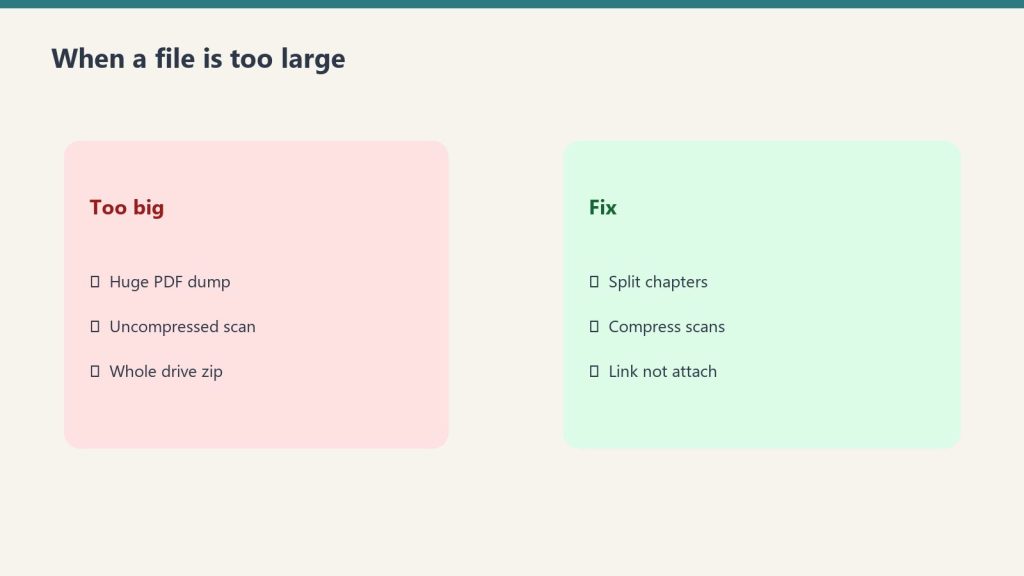
Too big? Split, compress, or link — don’t force the upload.
If a PDF exceeds 32 MB or 100 pages, Claude.ai will reject the upload with an error. The file won’t be processed. The practical workarounds:
Split the PDF. Most PDF readers and tools (Preview on Mac, Adobe, Smallpdf) can split a document into smaller sections. Upload the relevant section rather than the full document.
Compress the file. Large PDFs are often oversized due to embedded images. Use a PDF compressor to reduce file size while preserving text quality.
Copy and paste the text. For text-heavy documents, copying relevant sections directly into the chat removes the file size constraint entirely — the only limit is the context window (1M tokens for Sonnet and Opus).
Use multiple conversations. Process different sections in separate conversations and synthesize results yourself.
Context Window as the True Limit
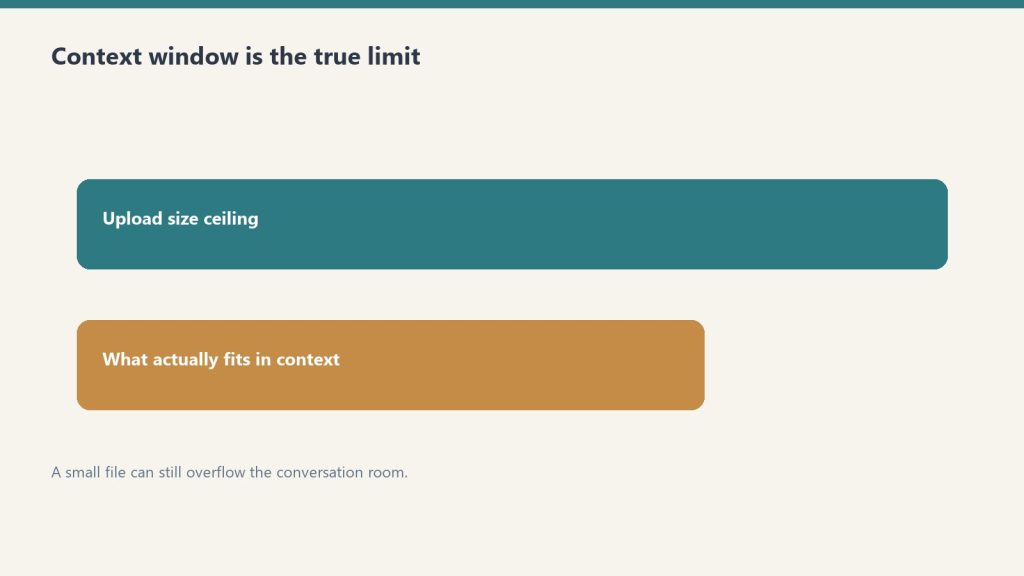
Context window is the true limit — not just the upload meter.
Even within the file size limits, the real constraint is the context window — how much text Claude can process at once. A 100-page PDF that’s text-heavy may contain 60,000–80,000 tokens. Claude Sonnet 4.6 and Opus 4.6 have a 1 million token context window, so most documents fit comfortably. Claude Haiku 4.5’s 200,000 token window is still large enough for most individual documents.
Where the context window becomes the binding constraint is when you’re uploading multiple large files simultaneously — several hundred pages of documents combined may approach context limits on Haiku.
Scanned PDFs: The Hidden Limit
Tokens still assemble the doc you uploaded — count before you paste.
File size and page count are the official limits, but there’s a functional limit that catches many users: scanned PDFs that are image-only have no text layer, so Claude can’t read their content regardless of size. A 5-page scanned document may be effectively unreadable while a 100-page digital PDF works fine. Run scanned documents through OCR software to create a text layer before uploading. See Can Claude Read PDFs? for the full breakdown.
Image Limits in Detail
Each image can be up to 5 MB, with a maximum of 20 images per API request. In Claude.ai conversations, you can upload multiple images in a single message. Claude processes images using its vision capability — all current models (Haiku 4.5, Sonnet 4.6, Opus 4.6) support image input including JPG, PNG, GIF, and WebP formats.
Frequently Asked Questions
What is the Claude file size limit?
PDFs: 32 MB and 100 pages maximum. Images: 5 MB per image, up to 20 images per request. Text files and documents: effectively limited by the context window rather than file size. These limits apply to claude.ai and the API.
What do I do if my PDF is too large for Claude?
Split the PDF into smaller sections, compress it to reduce file size, or copy and paste the relevant text directly into the conversation. Text pasted directly is only limited by the context window (1M tokens for Sonnet and Opus), not file size limits.
How many files can I upload to Claude at once?
Multiple files can be uploaded in a single conversation. The practical limit is the combined text content fitting within Claude’s context window — 1M tokens for Sonnet 4.6 and Opus 4.6, or 200K tokens for Haiku 4.5. For images, the API supports up to 20 per request.
Current models (September 2026): Fable 5.1 · Opus 5.5 · Sonnet 5 · Haiku 4.5. Current model tracker →
Direct Answer (September 2026): Claude’s current models — Fable 5.1, Opus 5.5, and Sonnet 5 — share a 1,000,000-token context window (~750,000 words or ~1,500 pages) with up to 128,000 tokens of max output per response. Haiku 4.5 (the fast, cheap tier) has a 200,000-token context window and 64,000-token max output.
Claude AI · Fitted Claude
Claude’s token limits depend on which model you’re using and whether you’re on the web interface or the API. Here are the exact numbers — context window, output limits, and what they mean in practice.
Key distinction: The context window is the total tokens Claude can process in one conversation (input + output combined). The output limit is the maximum tokens in a single response. These are different limits and both matter depending on your use case.
Claude Token Limits by Model (September 2026)
Model
Context Window
Max Output
Claude Fable 5.1
1,000,000 tokens
128,000 tokens
Claude Opus 5.5
1,000,000 tokens
128,000 tokens
Claude Sonnet 5
1,000,000 tokens
128,000 tokens
Claude Haiku 4.5
200,000 tokens
64,000 tokens
Context windows are at standard API pricing (no long-context premium). Claude Opus 5 (released July 24, 2026) is superseded by Opus 5.5 (released September 25, 2026) at a lower price ($4/$20 vs $5/$25 per MTok). Fable 5, Opus 4.8, and Sonnet 4.6 are legacy models — use Opus 4.8 for new projects. Outputs above ~16,000 tokens should be streamed to avoid request timeouts. The original Opus 4 and Sonnet 4 were retired on June 15, 2026 — see the deprecation guide. The asynchronous Message Batches API runs at 50% cost and supports larger per-request outputs for document-generation workloads.
What a Token Is
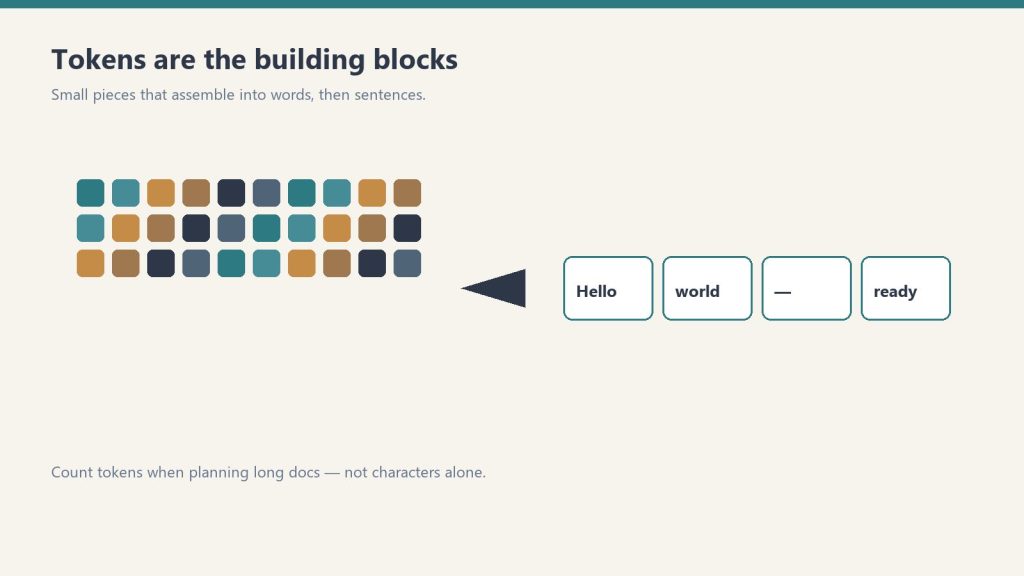
Count tokens when planning long docs — not characters alone.
A token is roughly 3–4 characters of English text — about 0.75 words. One page of text is approximately 500–700 tokens. A 200-page book is roughly 100,000–140,000 tokens.
Content
Approx. tokens
1 word
~1.3 tokens
1 page of text (~500 words)
~650 tokens
Short novel (80,000 words)
~104,000 tokens
Full codebase (10,000 lines)
~100,000–200,000 tokens
1M token context (Sonnet/Opus)
~750,000 words / ~1,500 pages
Context Window vs. Output Limit
Two different ceilings. Hitting one does not mean you hit the other.
The context window is the total working memory for a session — everything Claude can “see” at once, including the system prompt, all previous messages in the conversation, uploaded files, and Claude’s own prior responses. At 1M tokens, the legacy (still listed) models (Fable 5, Opus 4.8 (legacy — still listed), Sonnet 4.6 (legacy — still listed)) can hold roughly 1,500 pages of text in context simultaneously.
The output limit is how long Claude’s individual response can be, and it is model-dependent: up to 128,000 tokens on Claude Fable 5.1, Opus 5.5, and Sonnet 5, and 64,000 tokens on Haiku 4.5. Outputs above roughly 16,000 tokens should be streamed to avoid request timeouts.
Lineup currency (Sept 2026): Current API list (Sept 2026, verified): Sonnet 5 $2/$10, Opus 5.5 $4/$20, Haiku 4.5 $1/$5, Fable 5.1 $10/$50. Legacy (still listed on Anthropic’s card): Opus 4.8 $5/$25, Sonnet 4.6 $3/$15.
Rate Limits: Separate From Token Limits
Token limits are per-conversation. Rate limits are per-time-period — how many tokens (and requests) you can send across multiple conversations in a given minute or day. Rate limits scale with your API usage tier. If you’re hitting errors in production that look like limits, check whether you’re hitting the context window, the output limit, or a rate limit — they produce different error codes. For the full rate limit breakdown, see Claude Rate Limits: What They Are and How to Work Around Them.
What Happens When You Hit the Context Limit
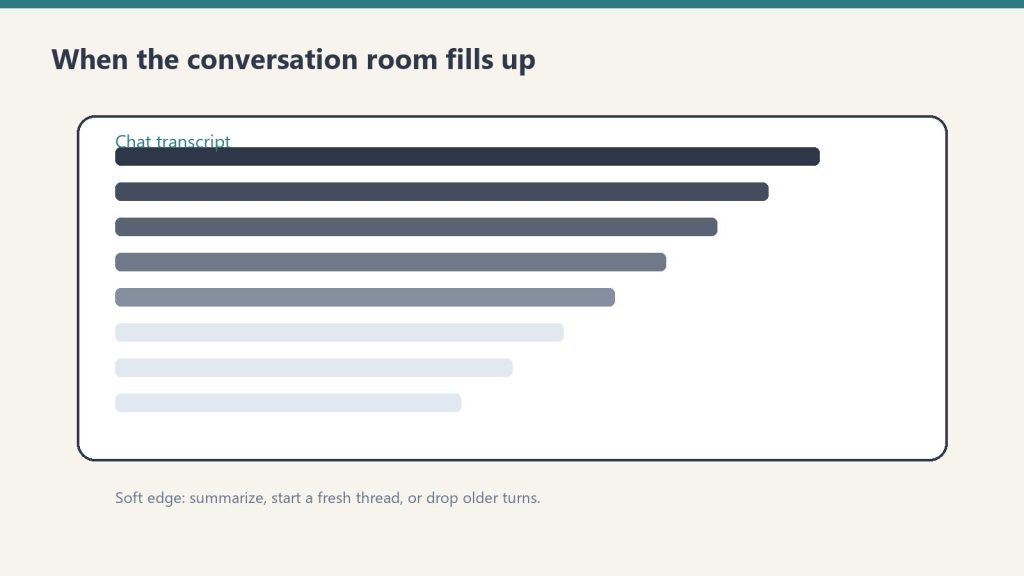
Soft edge: summarize, start a fresh thread, or drop older turns.
In claude.ai conversations, you’ll see a warning when the conversation is approaching the context window. Claude may summarize earlier parts of the conversation to stay within limits. In the API, sending more tokens than the context window allows returns an error. For very long sessions, breaking work into multiple conversations or using prompt caching (which stores static context at a discount) are the standard approaches.
Frequently Asked Questions
What is Claude’s token limit?
Claude Fable 5, Opus 4.8, and Sonnet 4.6 have a 1 million token context window. Claude Haiku 4.5 has a 200,000 token context window. Maximum output per response is model-dependent — 128,000 tokens on Opus 4.8 and Fable 5, 64,000 on Sonnet 4.6 and Haiku 4.5. These are different limits — context window is total working memory, output limit is maximum response length.
How long can Claude’s responses be?
The maximum output is model-dependent — up to 128,000 tokens on Claude Opus 4.8 and Fable 5, and 64,000 tokens on Sonnet 4.6 and Haiku 4.5 (roughly 48,000–96,000 words). Outputs above ~16,000 tokens should be streamed. In practice, claude.ai conversations have shorter limits than the raw API.
How many tokens is a page of text?
Approximately 650 tokens per page (roughly 500 words). A 200-page document is around 130,000 tokens — well within Claude’s 1M context window for Sonnet and Opus, and within Haiku’s 200K window as well.
How many tokens can Claude Opus 4.8 handle?
Claude Opus 4.8 supports a 1 million token context window for input and up to 128,000 tokens for output. This means you can feed in very large documents, entire codebases, or long conversation histories in a single request.
What happens when you hit Claude’s context window limit?
When your input exceeds Claude’s context window, the API returns an error and the request fails. In claude.ai, the interface warns you before sending. The fix is to summarize earlier conversation turns, split the input into chunks, or use a model with a larger context window.
Is Claude Haiku 4.5 context window smaller than Opus?
Yes. Claude Haiku 4.5 has a 200,000 token context window, compared to 1 million tokens for Opus 4.8 and Sonnet 4.6. For most tasks Haiku’s 200K window is sufficient, but for very long documents or large codebases, Sonnet 4.6 or Opus 4.8 is required.
Yes — Claude hallucinates. Every large language model does. The more useful question is: how often, on what types of tasks, and how does it compare to alternatives? Here’s an honest assessment of where Claude’s hallucination problem is real, where it’s overblown, and how to work with Claude in ways that minimize inaccurate outputs.
Bottom line: Claude hallucinates less than most alternatives on most benchmarks, and is more likely to express uncertainty rather than confabulate confidently. But hallucination is not eliminated — and Claude is not a reliable source for specific facts, citations, statistics, or recent events without verification.
Claude Hallucination Risk by Task Type (2026 Assessment)
Task Type
Hallucination Risk
Notes
Factual Q&A (well-known facts)
Low
High accuracy on stable, widely-documented facts
Recent events (post-training cutoff)
High
Claude’s knowledge has a cutoff — it will guess if not told
Citations & references
High
Claude may generate plausible-sounding but wrong citations
Code generation
Medium
Logic errors more common than syntax errors; always test
When source material is in context, accuracy is much higher
Legal / medical specifics
Medium-High
Use as a starting point only; verify with professionals
What Hallucination Actually Means
What hallucination actually means.
Hallucination in AI models means generating plausible-sounding but factually incorrect content. This ranges from subtle errors — slightly wrong dates, invented quotes attributed to real people — to confident fabrications of sources, studies, or events that don’t exist. The model isn’t lying; it’s producing statistically probable text that happens to be wrong.
Where Claude Hallucinates Most
Where Claude hallucinates most.
Specific citations and sources. Ask Claude to cite a paper, book, or article and it may generate a plausible-looking citation that doesn’t exist — correct author names, plausible journal, wrong or invented title. This is one of the most reliable hallucination triggers across all LLMs, Claude included.
Statistics and precise numbers. “What percentage of…” questions invite fabrication. Claude will often produce a number that sounds reasonable but has no verified source. When Claude says “studies show X%,” that number may be invented.
Recent events. Claude’s knowledge has a cutoff date. For events after that date it either refuses to answer, hedges appropriately, or — in the worst case — confabulates based on patterns from its training data.
Obscure specifics. The more niche the subject, the thinner the training data, and the higher the risk of plausible but wrong outputs. Popular topics have more training data reinforcing correct facts; obscure topics have less.
Where Claude Is More Reliable
Reasoning and logic. Claude is significantly better at catching its own errors in structured reasoning than it is at factual recall. Chain-of-thought tasks, mathematical reasoning, and logical analysis are areas where hallucination is less common.
Expressing uncertainty. One of Claude’s distinctive characteristics is that it’s more likely to say “I’m not certain about this” or “you should verify this” than to confidently assert something it’s unsure about. This calibration is better than most alternatives — though not perfect.
Well-documented topics. For widely-covered subjects with extensive training data, Claude’s factual accuracy is significantly better than for obscure ones. General knowledge, established science, and well-documented history have lower hallucination rates.
Claude vs ChatGPT on Hallucination
On most independent benchmarks, Claude hallucinates at a lower rate than GPT-4o and earlier ChatGPT models. The gap is most noticeable on citation accuracy and on resisting confident confabulation — Claude is more likely to hedge, while ChatGPT has historically been more likely to produce confident wrong answers. The practical difference in everyday use is meaningful but not night-and-day: both models hallucinate on the same types of tasks.
How to Minimize Hallucination When Using Claude
How to minimize hallucination when using Claude.
Always verify facts independently. Never trust a specific statistic, citation, date, or proper noun from Claude without checking a primary source.
Ask Claude to flag uncertainty. Add to your prompt: “If you’re not certain about something, say so.” Claude is more reliable when explicitly asked to express uncertainty.
Don’t ask for citations from memory. Instead, give Claude the source and ask it to work with what you’ve provided. Or use Claude with web search enabled to pull live information.
Use Claude for reasoning, not recall. The strongest use of Claude is reasoning about information you’ve provided, not retrieving facts from its training data.
Enable web search for current facts. Claude.ai’s web search integration significantly reduces hallucination on current events and recent data by grounding responses in retrieved content.
Frequently Asked Questions
Does Claude hallucinate?
Yes. Like all large language models, Claude produces factually incorrect content on some portion of responses. It hallucinates most on citations, specific statistics, and obscure topics. It hallucinates less on well-documented subjects and is more likely to express uncertainty than to confabulate confidently.
Is Claude more accurate than ChatGPT?
On most benchmarks, yes — Claude hallucinates at a lower rate and is better calibrated to express uncertainty when it doesn’t know something. The practical difference is meaningful but both models have significant hallucination rates on citations and specific facts. Neither should be trusted as a sole source for factual claims.
How do I stop Claude from hallucinating?
You can’t eliminate hallucination entirely, but you can minimize it. Provide your own sources rather than asking Claude to recall them. Enable web search for current facts. Ask Claude to flag uncertainty in its responses. Use Claude for reasoning about information you’ve provided rather than as a fact database. Always verify specific claims independently before using them.
⬡
Deploying Claude for your organization?
We configure Claude correctly — right plan tier, right data handling, right system prompts, real team onboarding. Done for you, not described for you.
How do I reduce Claude hallucinations in my prompts?
The most effective techniques: (1) Provide source documents in context rather than asking Claude to recall facts from memory. (2) Ask Claude to cite specific passages from the documents you provide. (3) Instruct Claude to say I don’t know rather than guess. (4) For critical outputs, prompt Claude to review its own answer for factual errors before finalizing.
Does Claude hallucinate less than GPT or Gemini?
Benchmark results vary by task and version. Claude generally scores well on factual consistency benchmarks, particularly when source documents are provided in context. However, no current LLM is hallucination-free. Independent evaluations show all frontier models hallucinate on a meaningful percentage of questions, especially on recent or obscure topics.
Can I trust Claude for medical or legal advice?
No. Claude is not a licensed medical professional or attorney. It can provide general information, but should not replace professional advice for any medical diagnosis, treatment decision, or legal strategy. Always verify with a qualified professional.
Current flagship: Claude Opus 4.7 (claude-opus-4-7). Current models: Opus 4.7 · Sonnet 4.6 · Haiku 4.5. Claude Opus 4.7 (claude-opus-4-7) is the current flagship as of April 16, 2026. Where this article references Opus 4.6 or earlier models, those references are historical. See current model tracker →. See current model tracker →
Claude AI · Fitted Claude
A Claude jailbreak is any technique designed to bypass Claude’s safety training and get it to produce content it would otherwise refuse. People search for this for different reasons — curiosity about how AI safety works, security research, or genuine attempts to exploit the model. Here’s what jailbreaking Claude actually looks like, why it’s harder than most people expect, and what happens when it does work.
The honest framing: Claude is the most safety-hardened commercial AI model available in 2026. Standard jailbreak techniques have low single-digit success rates against it. That said, no model is unbreakable — persistent, multi-turn adversarial prompting has demonstrated real-world success. Anthropic publishes its research on this openly and updates defenses continuously.
How Claude’s Safety System Works
How Claude’s safety system works.
Claude’s safety isn’t a single content filter — it’s a layered defense built into the model at training time. Anthropic uses Constitutional AI, a technique where Claude is trained against a set of principles and learns to evaluate its own outputs. The model doesn’t just pattern-match on blocked keywords; it reasons about whether a response would cause harm given the full context of the request.
On top of the trained model, Anthropic adds Constitutional Classifiers — a second layer that monitors inputs and outputs independently, trained on synthetic adversarial prompts across thousands of variations. Compared to an unguarded model, Constitutional Classifiers reduced the jailbreak success rate from 86% to 4.4% — blocking 95% of attacks that would otherwise bypass Claude’s built-in safety training.
Common Jailbreak Techniques and Why They Don’t Work Well on Claude
Persona injection (“DAN” / “do anything now”). Asking Claude to adopt an unrestricted persona — an “unfiltered AI,” a fictional character not bound by guidelines. Claude’s Constitutional AI training is robust against most direct persona injection attempts: the model declines the underlying request rather than complying through the fictional wrapper.
Roleplay framing. Wrapping harmful requests in fictional or hypothetical scenarios — “write a story where a character explains how to…” Claude evaluates the real-world impact of its outputs, not just the fictional framing. A response that would cause harm outside fiction causes the same harm inside it.
Token manipulation. Base64 encoding, unusual capitalization, Unicode substitution, and other character-level tricks to route requests past classifiers. Constitutional Classifiers are trained on these variations and handle most of them.
Reasoning framing. Presenting harmful requests as academic, research, or security-related. Claude considers whether a request is plausibly legitimate given context — a genuine security research context differs from a claim of being a researcher with no supporting context.
Where Jailbreaks Do Work
Where jailbreaks do work.
The Mexico breach in early 2026 — where an attacker used over 1,000 Spanish-language prompts, role-playing Claude as an “elite hacker” in a fictional bug bounty program, eventually causing Claude to abandon its alignment context — demonstrated that persistent multi-turn escalation can work against even hardened models. The attack succeeded not through a clever single prompt but through sustained pressure, context manipulation, and gradual escalation across a long session.
Multi-turn escalation still works at a non-trivial rate. Single-prompt jailbreaks are mostly defeated. Long sessions with gradual escalation remain a real vulnerability. Anthropic updated Claude Opus 4.6 with real-time misuse detection following the incident.
Anthropic’s Public Red-Teaming Program
Anthropic doesn’t just build defenses — it tests them publicly. Over 180 security researchers spent more than 3,000 hours over two months trying to jailbreak Claude using Constitutional Classifiers, offering a $15,000 bounty for a successful universal jailbreak. They weren’t able to find one during that period, though subsequent research has found partial techniques.
This transparency is part of Anthropic’s approach: publish the research, run public bug bounties, and update defenses based on what adversaries discover. The Constitutional Classifiers paper is publicly available and describes the methodology in full.
What Happens When Claude Gets Jailbroken
The consequences range from producing harmful content (the worst case) to simply generating off-policy responses that violate Anthropic’s usage terms. Accounts used to jailbreak Claude are banned. In the Mexico case, Anthropic banned the implicated accounts and shipped defensive updates to the model within weeks of discovery.
Using jailbreaks to extract harmful content violates Anthropic’s terms of service regardless of intent. Using jailbroken Claude to cause real-world harm — as in the Mexico case — is a criminal matter.
The Practical Alternative to Jailbreaking
The practical alternative to jailbreaking.
Most people searching for jailbreaks actually want Claude to do something specific it’s currently refusing. Claude’s refusals are mostly a context problem, not a censorship problem. Providing more context about your role, purpose, and authorization frequently resolves apparent refusals that feel like hard limits. If you’re building a product that needs capabilities beyond what the consumer interface allows, the Claude API with appropriate operator system prompts is the legitimate path — not jailbreaking.
Yes, but with difficulty. Standard single-prompt jailbreak techniques have very low success rates against Claude’s Constitutional AI training and Constitutional Classifiers. Persistent multi-turn escalation over long sessions has demonstrated real-world success. Anthropic continuously updates defenses and bans accounts used for jailbreaking.
Is jailbreaking Claude illegal?
Jailbreaking violates Anthropic’s terms of service. Using jailbreak techniques to cause real-world harm — breaching systems, generating CSAM, synthesizing weapons — is illegal regardless of the AI tool involved. Anthropic bans accounts and cooperates with law enforcement when illegal activity is discovered.
Why does Claude refuse some requests that seem harmless?
Claude evaluates requests as policies — imagining many different people making the same request and calibrating its response to the realistic distribution of intent. Some requests that are genuinely harmless get caught by this calibration. Providing more context about your specific purpose and role usually resolves these cases without needing to “jailbreak” anything.
⬡
Deploying Claude for your organization?
We configure Claude correctly — right plan tier, right data handling, right system prompts, real team onboarding. Done for you, not described for you.
Last verified: 4 October 2026 (Pacific Time). Console URL move confirmed live: console.anthropic.com now redirects to platform.claude.com.
Direct Answer (4 October 2026): The Anthropic Console — where you create API keys, buy credits, and monitor usage — now lives at platform.claude.com (the old console.anthropic.com address redirects there). To get an API key: 1) sign up with email, Google, or SSO, 2) add billing under Settings → Plans & Billing (deposit $5+ for Tier 1 activation), 3) open API Keys → Create Key, and 4) copy the sk-ant- key immediately — it is shown exactly once. There is no permanent free API tier; usage is billed per million tokens.
The console moved: platform.claude.com
If your bookmarks still say console.anthropic.com, they still work — that address now redirects to platform.claude.com, the current developer console. Older tutorials treat them as different sites; in 2026 they land in the same place. (Also searched as anthopic / anthropic concole — same console, same API keys.)
What the console is for: API keys, prepaid credit balance and billing, per-key usage monitoring, workspaces and team seats, rate-limit tiers, and the Workbench for testing prompts. claude.ai is the chat product. The console is keys, credits, and API management. The “Anthropic Developer Console” name you see in some docs is the same dashboard, not a second product.
The console itself is free — there is no monthly fee for access. You only pay for API usage against your credit balance.
Logging in: console.anthropic.com login goes here now
Sign in at platform.claude.com with an email code, Google, or SSO. There is no Microsoft or Apple login on the console. New accounts answer brief onboarding questions (individual vs. organization), then land in the dashboard.
Create an API key — 4 steps
Create your account. Open platform.claude.com and sign up with email, Google, or SSO.
Add billing. Go to Settings → Plans & Billing and add a payment method, then deposit $5+ for Tier 1 activation. Skipping this is the #1 reason a brand-new key returns errors — the key exists, but requests are rejected until the account can be billed.
Create the key. Click API Keys in the left sidebar (direct: platform.claude.com/settings/keys), then Create Key. Name it per environment (my-app-dev, laptop-2026-q3) — future you will thank present you at rotation time. Keys are scoped to a workspace: a key only sees resources in the workspace where it was created.
Copy it immediately. The key is displayed exactly once. It starts with sk-ant- (current keys look like sk-ant-api03-…) and runs roughly 100 characters. Copy it straight into a password manager or secrets manager. Lost it? There is no way to view it again — revoke it and create a replacement (takes a minute, harms nothing).
Two extras worth setting at creation: a per-key spend cap (no cap on a shared key is how a loop empties a workspace overnight), and a smoke test on Haiku 4.5 — the cheapest model — before pointing real traffic at the key.
Where to put the key (and where never to put it)
macOS / Linux:
export ANTHROPIC_API_KEY="sk-ant-YOUR_KEY_HERE"
Windows (PowerShell):
setx ANTHROPIC_API_KEY "sk-ant-YOUR_KEY_HERE"
Replace YOUR_KEY_HERE with the key shown once at creation. Never commit a key to version control, never paste one into client-side JavaScript (always proxy through a backend), never paste one into a shared chat or doc, and never log full HTTP headers that carry it. GitHub scans for known credential patterns and notifies Anthropic — a committed key gets auto-revoked within minutes. Treat your API key like a credit card number, because that is what it functions as.
The 2026 no-static-key option: for local development you can skip stored keys entirely with ant auth login (browser OAuth flow), and for CI/production use Workload Identity Federation instead of long-lived secrets.
Key types and format
Live keys (sk-ant-api…) — production inference calls, real billing. Most developers only need this.
Admin keys (sk-ant-admin…) — workspace admin operations, not for inference calls.
If your key does not start with sk-ant-, you copied something incomplete. Use separate keys per environment and per app — so revoking one is surgical instead of catastrophic.
Billing: the pitfalls that burn credits
A chat seat is not console credit. Claude Pro, Max, and Team do not add API credits. API usage draws from a separate prepaid console balance.
An empty prepaid balance looks like an API outage. Failed calls with a $0 balance return billing errors — check Billing before debugging code.
Your rate-limit tier follows deposited spend, not your chat plan. A new workspace starts tight; raising the prepaid total is what moves the tier.
Set auto-recharge and a monthly usage limit. Auto top-ups with a low-balance threshold plus a monthly cap are the cheapest insurance against a runaway loop or a compromised key. Enterprise accounts can invoice instead of prepaying.
What the API costs (October 2026)
Per million tokens, input / output:
Model
Input
Output
Haiku 4.5
$1
$5
Sonnet 5.5
$2
$10
Opus 5.5
$4
$20
Opus 5
$5
$25
Fable 5.1
$10
$50
The Batch API cuts those rates 50% for async workloads. Prompt-cache reads run about 10% of base input price. Full seat and API tables live on our Claude pricing hub, re-verified 26 September 2026.
What will your Claude API bill actually be?
Enter your estimated daily tokens. We do the per-model monthly math.
Rates per million tokens, verified October 4, 2026 (Pacific): Haiku 4.5 $1/$5 · Sonnet 5.5 $2/$10 · Opus 5.5 $4/$20. 30-day month. Excludes prompt-cache and Batch API discounts.
How do you cut the bill the estimator just gave you?
Prompt caching is the single biggest lever on this page. When you resend the same context — a system prompt, a knowledge base, tool definitions — with every request, cache hits cost 10% of the standard input rate: a 90% discount after the first write. For any workload with repeated context, caching typically cuts input spend 50–80% with one configuration change.
Rotate keys quarterly at minimum, immediately if compromise is suspected:
In API Keys, create a new key with a fresh dated name (laptop-2026-q4).
Update the environment variable or secret manager.
Verify the new key works (Haiku smoke test).
Revoke the old key.
If a key leaks: revoke it in the console immediately, create a replacement, and review the usage logs for unfamiliar spend. The five-minute rotation is far cheaper than dealing with a drained balance.
Workspaces and team keys
The hierarchy is Organization → Workspaces → API Keys. Each key belongs to one workspace; billing rolls up to the organization. Need separate billing visibility per project? Separate workspaces are the lever. Invite teammates with specific roles, and set per-user or per-workspace spending limits with alerts.
Monitoring usage
The console’s Usage section shows per-key token spend per day, model breakdown, input/output split, and cache usage — with real-time and historical charts by model and time period. Set email alerts on daily/monthly thresholds; it is the cheapest early warning for a runaway loop.
Rate limits and service tiers
Limits show in-console as requests/minute and tokens/minute per model, and they grow as the account’s spending history grows. Anthropic’s service tiers are Priority, Standard, and Batch (Batch = async at 50% off) — a separate concept from the Tier 1 activation unlocked by the $5+ billing deposit. New workspaces start with tight limits; deposit history loosens them.
Troubleshooting the four common errors
401 authentication_error — key missing, mistyped, or revoked. Subtle 2026 variant: if both ANTHROPIC_API_KEY and ANTHROPIC_AUTH_TOKEN are set, the SDK sends both and the API rejects the request — unset one.
403 permission_error — the key works but lacks access to that model or feature; check the key’s workspace and the org’s model access.
429 rate_limit_error — sending faster than the usage tier allows. The response carries a retry-after header; official SDKs retry automatically.
Key created but every request fails — almost always incomplete billing (Step 2). Add a payment method and credits, then retry.
A JSON response with a content array means you are live.
FAQ
Where is the API Keys page in the console?
Sign in at platform.claude.com, then API Keys in the left nav — or go straight to platform.claude.com/settings/keys → Create Key.
Where do I find my existing API key?
You can’t — Anthropic shows keys only at creation. Revoke the old one and create a replacement.
Is the Anthropic Console free to use?
Yes — console access has no monthly fee. You pay only for API usage, billed per million tokens against prepaid credits. There is no permanent free API tier.
Does my Claude Pro or Max subscription include API credits?
No. Pro/Max are chat and Claude Code seats. API credits are a separate console balance.
What’s the difference between a Claude API key and a Claude Pro subscription?
Pro ($20/mo) is the claude.ai web and app chat product. An API key is programmatic access for your own apps and tools — billed separately, per token.
Why is my first API call failing?
Usually a missing payment method, a $0 credit balance, or a retired model ID. Fix Billing first, then retry on Haiku 4.5.
What does an Anthropic API key start with?
Live keys start with sk-ant-api (current format sk-ant-api03-…), roughly 100 characters. Admin keys start with sk-ant-admin.
Can I use the same API key for Claude Code and my own app?
You can, but you shouldn’t. Separate keys per environment make revocation surgical instead of catastrophic. Note: Claude Code (CLI) uses your API key outside a subscription context; Claude Cowork (desktop app) uses your subscription, not a raw key.
Can I set spending limits on the console?
Yes — per-workspace and per-user limits, auto top-ups, and email spending alerts, all in Settings → Billing.
Claude Code and Cursor are both AI coding tools with serious developer followings — but they’re built on fundamentally different models. Cursor is an AI-powered IDE fork. Claude Code is a terminal-native agent. The right choice depends on how you work.
Short answer: Cursor wins for in-editor experience — autocomplete, inline suggestions, and staying inside VS Code’s familiar interface. Claude Code wins for autonomous multi-step tasks — it operates at the system level, can run commands, manage files across the whole project, and doesn’t require you to be watching. Most serious developers end up using both.
Claude Code vs Cursor: Head-to-Head
Claude Code vs Cursor — head-to-head.
Capability
Claude Code
Cursor
Edge
In-editor autocomplete
Limited
✅ Native
Cursor
Autonomous multi-file tasks
✅ Strong
✅ Good
Claude Code
Terminal / shell command execution
✅ Yes
Limited
Claude Code
Remote / cloud sessions
✅ Yes
—
Claude Code
VS Code compatibility
Via MCP
✅ Built on VS Code
Cursor
Model choice
Claude only
Multi-model
Cursor (flexibility)
Instruction-following precision
✅ Strong
Good
Claude Code
Price
Included in Pro ($20/mo)+
~$20/mo (Pro)
Tie
Setup complexity
Moderate
Easy
Cursor
Not sure which to use?
We’ll help you pick the right stack — and set it up.
Tygart Media evaluates your workflow and configures the right AI tools for your team. No guesswork, no wasted subscriptions.
In-editor experience. Cursor is a fork of VS Code with AI baked in — autocomplete, inline suggestions, cmd+K to edit code in place, and the full VS Code extension ecosystem. If you live in an editor and want AI suggestions as you type, Cursor is the more polished experience.
Familiar interface. If your team already uses VS Code, Cursor requires almost no adjustment. Claude Code requires getting comfortable with an agentic workflow that’s fundamentally different from autocomplete.
Multi-model flexibility. Cursor lets you choose between Claude, GPT-4o, and other models depending on the task. Claude Code is Claude-only.
What Claude Code Does Better
What Claude Code does better.
System-level autonomy. Claude Code runs commands, manages files across the entire project, executes tests, and operates at the OS level — not just inside an editor window. It can do things Cursor can’t, like run a test suite, see the results, fix the failures, and re-run without you touching anything.
Remote and background sessions. Claude Code supports remote sessions that continue on Anthropic’s infrastructure even after you close the app. Cursor requires you to be present.
Complex multi-step tasks. Agentic tasks that span many files, require running code, and iterate based on output are where Claude Code’s architecture shines. Cursor handles this through its Composer feature, but Claude Code’s terminal-native approach gives it more flexibility.
Instruction precision. On multi-constraint tasks — “refactor this to match our conventions, add error handling, keep it backward compatible, and don’t use async” — Claude Code holds all the constraints more reliably through a long operation.
Price Comparison
Claude Code is included (at limited levels) with a Claude Pro subscription at $20/month. Claude Code Pro at $100/month gives full access for developers using it as a primary tool. Cursor Pro is approximately $20/month. Both are in the same price tier for comparable usage levels.
The Practical Setup
Most developers using both tools run Cursor for in-editor work — autocomplete, inline edits, quick questions about code — and Claude Code for larger autonomous tasks: refactors, test generation across a codebase, debugging sessions that require running code. They’re complementary, not mutually exclusive.
They’re different tools. Claude Code is better for autonomous multi-step tasks, system-level operations, and complex refactors that require running code and iterating. Cursor is better for in-editor autocomplete and inline suggestions within the VS Code interface. Most serious developers use both.
Can I use Claude Code inside VS Code or Cursor?
Claude Code primarily runs as a terminal agent or through Claude Desktop’s Code tab. You can connect it to VS Code via MCP integration. Cursor has its own Claude integration built in — you can use Claude models inside Cursor without Claude Code.
How much does Cursor cost vs Claude Code?
Cursor Pro is approximately $20/month. Claude Code is included at limited levels with Claude Pro ($20/month) or at full access with Claude Code Pro ($100/month). For occasional use, Claude Pro gives you both a full Claude subscription and limited Claude Code access for the same $20.
Flagship: Opus 5.5 (claude-opus-5-5). Daily driver: Sonnet 5. Fast tier: Haiku 4.5. Models roll into Claude Code automatically — no reinstall. Model tracker →
Claude AI · Fitted Claude
Direct answer: Claude Code is Anthropic’s agentic coding assistant: it reads your repo, runs commands, proposes edits as diffs, and waits for your approval before writing files. Use the terminal CLI (claude), the Desktop Code tab, VS Code or Cursor extensions, JetBrains, or the browser at claude.ai/code. Pick Sonnet 5 for most tasks and Opus 5.5 when the work is genuinely hard; add a CLAUDE.md so you stop re-explaining the project every session.
It works on your tree — files, tests, git, MCP — with permission prompts you control. Stale how-to pages hurt readers and AI citations alike; see GEO case studies for what updates actually move the needle.
Access: Claude Code requires a paid Claude seat (Pro, Max, Team, Enterprise) or API billing — the free chat plan does not include it. Install the native CLI with Anthropic’s installer (see How to Install Claude Code) or open the Code tab in Claude Desktop. Official overview: Claude Code documentation.
Starting a session
Starting a session.
From a project folder, run claude in the terminal or open Claude Desktop’s Code tab and choose your project directory. On Desktop you can pick how the session runs:
Local — runs on your machine with direct file access. Default for day-to-day dev.
Remote — runs on Anthropic’s infrastructure so long tasks keep going if you close the app.
SSH — attaches to a remote host over SSH for server or VM work.
No local install? Use claude.ai/code. Resume with claude --continue or claude --resume.
Pick Sonnet 5 for most work and Opus 5.5 for hard refactors. Switch with /model, claude --model, or .claude/settings.json.
What to ask Claude Code to do
What to ask Claude Code to do.
Give concrete tasks tied to real paths. Use @src/file.ts mentions to pull files into context without pasting walls of text.
Strong prompts:
“Fix the bug in auth.py where sessions don’t expire on the server.”
“Add validation to every handler under routes/ — block SQL injection patterns.”
“Refactor UserService to constructor injection; keep public API stable.”
“Write pytest coverage for public functions in utils/parser.js matching tests/ style.”
“Trace the flow from main.py API call to the database write.”
Pipe diffs or logs into claude -p for CI-style checks. Schedules and parallel sessions are covered in Anthropic’s common workflows guide.
How Claude Code makes changes
By default Claude asks before editing files or running shell commands. You see the diff, accept, reject, or redirect. Plan mode (claude --permission-mode plan or Shift+Tab in the CLI) lets Claude explore and propose without touching disk until you approve.
That review step is the safety rail — read diffs on production branches even when the model is confident. In CI or disposable containers only, teams sometimes use permission-skipping flags; don’t run those on your daily driver machine.
CLAUDE.md and team instructions
CLAUDE.md — persistent project instructions.
Add CLAUDE.md at the repo root (generate a starter with /init) for stack, test commands, style rules, and directories that are off limits. Claude also reads AGENTS.md if you already use that convention for other coding agents. Commit shared rules in .claude/settings.json; keep personal overrides in .claude/settings.local.json.
# CLAUDE.md (short example)

## Stack
Python 3.11, FastAPI, PostgreSQL, pytest

## Conventions
Type hints on public functions; no bare except

## Do not modify
legacy/ — compatibility shim only
Skills, hooks, and MCP extend the same core — see the overview doc for setup.
Common workflows
Debugging: Paste the stack trace, name the command that fails, ask for root cause plus a minimal fix.
Refactoring: State the end state (“extract billing into a service module”) and constraints (“no API breaks”).
Tests: Point at the file and the test folder; ask for edge cases, then “run tests and fix failures.”
Code review: “Review this branch for security, error handling, and CLAUDE.md violations.” Use /review or parallel subagents on large trees.
Documentation: Docstrings, README architecture sections, or internal runbooks — same approval flow as code.
Tips that actually stick
Start small. One file you know well before you delegate a multi-module refactor.
State constraints once. “No new dependencies,” “match existing test style,” “Windows-compatible paths.”
Keep conventions in CLAUDE.md. If you typed it twice, file it.
Review every diff. Models drift; your git history shouldn’t.
Use Remote or web for long jobs;/compact when context bloats.
Tygart Media AI setup — Claude Code, CLAUDE.md, MCP, and team workflows configured end to end.
Frequently Asked Questions
How does Claude Code work?
Claude Code reads files in your project, runs terminal commands you approve, and proposes edits as diffs before anything hits disk. It shares settings and CLAUDE.md across the CLI, Desktop Code tab, IDE extensions, and web surfaces.
Can Claude Code modify my files without permission?
Not by default. It shows proposed changes and waits for approval before writing. You can grant standing allow rules for specific commands or tools; only use fully automatic modes in isolated environments.
What subscription do I need for Claude Code?
A paid Claude plan — Pro, Max, Team, or Enterprise — or API usage billed through the Anthropic Console. The free Claude.ai chat tier does not include Claude Code.
Can I switch models during a Claude Code session?
Yes. Use the /model command inside a session, pass claude –model when launching, or set defaults in .claude/settings.json or ~/.claude/settings.json.
What languages does Claude Code support?
Any language in your repo. It is strongest on Python, JavaScript, TypeScript, and Go, but reads and writes whatever files you point it at.
The fastest way to install Claude Code is one npm command: npm install -g @anthropic-ai/claude-code. Full Claude Code installation takes under 2 minutes on macOS, Linux, or Windows (via WSL).
Full installation walkthrough below — CLI and Desktop app.
Claude AI · Fitted Claude
Claude Code is available two ways: as the Code tab inside Claude Desktop (with a graphical interface), or as a CLI tool you install and run from your terminal. Here’s how to get either one set up from scratch.
Requirement: Claude Code requires a Pro, Max, Team, or Enterprise subscription. It is not available on the free plan. The Claude Desktop app (which includes a graphical Claude Code interface) is free to download but the Code tab requires a paid subscription.
Option 1: Claude Desktop (Recommended for Most Users)
Option 1 — Claude Desktop.
The easiest way to get Claude Code is through Claude Desktop — no terminal required.
Installing Claude?
If you run into setup issues or want to know how to get the most out of it from day one, just email me.
Download Claude Desktop from claude.ai/download — available for macOS and Windows (x64 or ARM64). Linux is not supported.
Install — on Mac, open the PKG and drag to Applications; on Windows, run the installer.
Sign in with your Anthropic account (Pro, Max, Team, or Enterprise).
Click the Code tab in the top navigation.
Select Local to work with files on your machine, or Remote to run on Anthropic’s cloud infrastructure.
Click “Select folder” and choose your project directory. You’re ready.
On Windows, Git must be installed for local sessions to work. Most Macs include Git by default — check by running git --version in Terminal.
Free — no pitch
Get the Claude workflow that actually sticks.
Practical Claude setup tips from someone running it across 27 client sites daily — not marketing, not theory. Email Will directly and he’ll share what’s working.
For developers who prefer working in the terminal, Claude Code is also available as a command-line tool.
# Install via npm
npm install -g @anthropic-ai/claude-code

# Authenticate
claude login

# Start in your project directory
cd your-project
claude
The CLI requires Node.js. After running claude login, you’ll authenticate with your Anthropic account in a browser window. The session starts automatically in the current directory.
Local vs. Remote Sessions
Session type
What it does
Best for
Local
Runs on your machine, accesses your files directly
Everyday development work
Remote
Runs on Anthropic’s cloud, continues if you close the app
Long-running tasks, autonomous work
SSH
Connects to a remote machine over SSH
Server or cloud VM development
Claude Code Install Errors and How to Fix Them
Code tab not appearing in Desktop: Confirm your account is on a paid plan. Claude Code requires Pro, Max, Team, or Enterprise — it’s not available on the free tier.
Windows Git error: Claude Code needs Git for local sessions on Windows. Download Git from git-scm.com, install with default settings, then restart the desktop app.
CLI authentication failing: Run claude logout then claude login again. Make sure your Anthropic account has an active paid subscription.
Permission errors on first run: Claude Code will ask permission to access your files when you first select a folder. Click Allow — it needs read/write access to work with your project.
After Claude Code Installation: Your First Session
After installation — your first session.
When you start your first Claude Code session, Anthropic recommends starting with a small, familiar project. Ask Claude to explain the codebase, fix a specific bug, or add a small feature. This gives you a calibrated sense of how it works before tackling larger tasks. Claude will read relevant files, propose changes, and ask for your approval before modifying anything.
Download Claude Desktop from claude.ai/download and use the Code tab — no terminal required. Or install the CLI with npm install -g @anthropic-ai/claude-code and run claude login to authenticate.
Is Claude Code free to install?
Claude Desktop (which includes Claude Code) is free to download. Using Claude Code requires a paid subscription — Pro ($20/month), Max ($100/month), Team, or Enterprise. It is not available on the free plan.
Does Claude Code work on Linux?
The Claude Desktop app does not support Linux. The Claude Code CLI does run on Linux — install via npm and use it from your terminal.
What’s the difference between Claude Code Desktop and the CLI?
Claude Code Desktop (the Code tab in the Claude Desktop app) gives you a graphical interface with visual file diffs, a built-in preview panel, and no terminal required. The CLI runs in your terminal and supports the same core operations. Both share configuration files and can run simultaneously on the same project.
The Claude Implementation Playbook is a dense 9-section PDF you can attach directly to any AI conversation — pricing tables, model API strings, routing logic, context engineering rules. Verified May 2026.
2026 Performance Boost: Higher Limits, No Peak-Hour Throttling
Added May 9, 2026
If you installed Claude Code before May 2026 and have noticed it running faster during previously-slow periods, this is why.
What Changed: SpaceX Colossus 1 Capacity Expansion
On May 6, 2026, Anthropic announced expanded compute capacity via a partnership with SpaceX’s Colossus 1 data center. The practical effect for Claude Code users:
Pro and Max subscribers: Peak-hours throttling eliminated entirely. Claude Code no longer slows down during high-demand periods. 5-hour rate limits doubled.
Team Premium seats: 5-hour rate limits doubled. Claude Code access included (Team Premium seats only — Standard seats do not include Claude Code).
Free plan: No change. Explicitly excluded from all capacity increases.
This is the single most meaningful performance change to Claude Code since its GA release. If you’ve been hitting rate limits mid-session during long agentic coding runs, the ceiling is now twice as high. Source: anthropic.com/news/higher-limits-spacex
Claude Code Pro Pricing (Current)
Claude Code access is included in the following Claude subscription tiers — there’s no separate Claude Code subscription fee:
Pro ($20/month): Claude Code included. 5-hour rate limits now doubled. Peak-hours throttling eliminated.
Max ($100/month — 5× usage): Claude Code included. Same doubled limits, no peak throttling.
Max ($200/month — 20× usage): Claude Code included. Highest usage ceiling available to individuals.
Team Premium ($100/seat/month annually): Claude Code included. 5-hour limits doubled.
Team Standard ($25/seat/month annually): Claude Code NOT included.
Free plan: Claude Code NOT included.
Claude Code and Student / Amazon Prime Discounts
There is no Claude Code-specific discount program and no Amazon Prime Student bundle that includes Claude Code as of May 2026. Claude Pro ($20/month) is the lowest-cost tier that includes Claude Code. For students: Anthropic does not offer a verified student discount on subscriptions. The most cost-effective path to Claude Code for students is the standard Pro plan. See our Claude student discount guide for the full breakdown of what options exist.
Claude Code Version: Stay Current
Claude Code releases frequently. As of May 9, 2026, the latest version is v2.1.133 (released May 7). Key fix in this version: subagents now correctly discover project, user, and plugin skills via the Skill tool — a silent failure in prior versions that broke multi-agent pipelines without obvious error. Update with:
Claude Desktop is Anthropic’s native app for Mac and Windows — a dedicated application that brings Claude out of the browser and into your system, with features that aren’t available in the web interface. It’s free to download for all plan types, including the free tier.
Download:claude.ai/download — available for macOS and Windows. Linux is not currently supported. The app is free to download; some features require a paid plan.
What Claude Desktop Includes
What Claude Desktop includes.
Feature
What it does
Plan required
Chat tab
Full Claude conversation, same as claude.ai
Free+
Quick access hotkey
Bring Claude up from any app without switching windows
Free+
Screenshot capture
Snap your screen and have Claude analyze what it sees
Free+
Desktop extensions
Connect Claude to local files, calendars, email, and native apps
Free+
Claude in Chrome
Claude navigates, clicks, and fills forms in your browser
Free+
Cowork tab
Autonomous background agent that runs tasks in a cloud VM
Pro, Max, Team, Enterprise
Code tab (Claude Code)
Interactive coding with direct access to your local files
Pro, Max, Team, Enterprise
Free — no pitch
Get the Claude workflow that actually sticks.
Practical Claude setup tips from someone running it across 27 client sites daily — not marketing, not theory. Email Will directly and he’ll share what’s working.
Claude Desktop is organized around three modes. Chat is general conversation — identical to claude.ai but accessible from your dock without opening a browser. Cowork is an autonomous background agent that works on tasks in a cloud VM while you do other things — research synthesis, file organization, document generation, spreadsheets. Code is Claude Code with a graphical interface — an interactive coding assistant with direct access to your local project files, where you review and approve each change in real time.
What Makes Desktop Different From the Web
The practical differences over using claude.ai in a browser:
Always accessible — lives in your dock, reachable from any app via hotkey without switching contexts
Screenshot capture — take a screenshot and immediately ask Claude about what’s on screen
Desktop extensions — connect to local files, your filesystem, calendars, email, and native Mac/Windows apps that web connectors can’t reach
Claude in Chrome — let Claude control your browser directly from the desktop app
Cowork background tasks — long-running autonomous tasks that continue while you work on something else
Claude Code integration — work directly with your local codebase without copying files
Download the appropriate installer — macOS PKG, Windows x64, or Windows ARM64
Run the installer — on Mac, drag to Applications; on Windows, run the setup file
Launch from your Applications folder (Mac) or Start menu (Windows)
Sign in with your Anthropic account
Linux is not currently supported. The app requires macOS or Windows.
Desktop Extensions
Desktop extensions are installable packages that connect Claude to your local tools — similar to browser extensions but for native applications. They give Claude access to your local file system, calendars, email, messaging apps, and other native applications that web-based connectors can’t reach. Browse and install extensions in Settings → Extensions after installing the app.
Syncing Across Devices
Your conversations, projects, memory, and preferences sync across Claude Desktop, the web interface, and the mobile app when you’re signed in with the same account. Start a session in the desktop app, continue on your phone, pick it back up on the web — the context travels with you.
Yes. Claude Desktop is free to download and use with a free Claude account. Some features — Cowork, Claude Code, and some extensions — require a paid plan (Pro, Max, Team, or Enterprise). The core chat functionality is available on the free tier.
What’s the difference between Claude Desktop and claude.ai?
Claude Desktop is a native app that lives in your dock and adds features not available in the browser — quick access hotkey, screenshot capture, desktop extensions, Cowork for background tasks, and Claude Code for local development. The core conversation experience is the same; the desktop app adds system-level integration.
Is Claude Desktop available on Linux?
No. Claude Desktop currently supports macOS and Windows only. Linux users can access Claude through the web interface at claude.ai or via the API.
Does Claude Desktop work with Claude Code?
Yes. Claude Desktop includes a Code tab that gives you Claude Code with a graphical interface — direct access to your local files, code review, and interactive development without needing the terminal. The desktop app and the Claude Code CLI share configuration and can run simultaneously on the same project.