If you want to use Claude in your own code, applications, or automated workflows, you need an API key from Anthropic. Here’s exactly how to get one, what it costs, and what to watch out for.
Quick answer: Go to console.anthropic.com, create an account, navigate to API Keys, and generate a key. You’ll need to add a payment method before making API calls beyond the free tier. The key is a long string starting with sk-ant- — treat it like a password.
Step-by-Step: Getting Your Claude API Key
Step-by-step — getting your Claude API key.
Step 1 — Create an Anthropic account
Go to console.anthropic.com and sign up with your email or Google account. This is separate from your claude.ai account — the Console is the developer-facing dashboard.
Step 2 — Navigate to API Keys
From the Console dashboard, click your account name in the top right, then select API Keys from the left sidebar. You’ll see any existing keys and a button to create a new one.
Step 3 — Create a new key
Click Create Key, give it a descriptive name (e.g., “production-app” or “local-dev”), and copy the key immediately. Anthropic shows the full key only once — if you close the dialog without copying it, you’ll need to generate a new one.
Step 4 — Add billing (required for production use)
New accounts start on the free tier with very low rate limits. To make real API calls at production volume, go to Billing in the Console and add a credit card. You purchase prepaid credits — when they run out, API calls stop until you add more.
Free API Tier vs Paid: What’s the Difference
Feature
Free Tier
Paid (Credits)
Rate limits
Very low (testing only)
Standard tier limits
Model access
All models
All models
Production use
❌ Not suitable
✅
Billing
No card required
Prepaid credits
Usage dashboard
✅
✅ Full detail
API Pricing: What You’ll Actually Pay
API pricing — what you’ll actually pay.
The Claude API bills per token — see the full Claude pricing guide for a complete breakdown of subscription vs API costs — roughly every four characters of text sent or received. Pricing varies by model. Input tokens (what you send) cost less than output tokens (what Claude returns).
Model
Input / M tokens
Output / M tokens
Use case
Haiku
~$1.00
~$4.00
Classification, tagging, simple tasks
Sonnet
~$3.00
~$15.00
Most production workloads
Opus
~$15.00
~$75.00
Complex reasoning, quality-critical
The Batch API cuts these rates by roughly half for workloads that don’t need real-time responses — ideal for content pipelines, data processing, or any job you can queue and run overnight.
Using Your API Key: A Quick Code Example
Once you have a key, calling Claude from Python takes about ten lines:
import anthropic

client = anthropic.Anthropic(api_key="sk-ant-your-key-here")

message = client.messages.create(
    model="claude-sonnet-4-6  (see full model comparison)",
    max_tokens=1024,
    messages=[
        {"role": "user", "content": "Explain the difference between Sonnet and Opus."}
    ]
)

print(message.content[0].text)
Install the SDK with pip install anthropic. Never hardcode your key in source code — use environment variables or a secrets manager.
API Key Security: What Not to Do
API key security — what not to do.
Never commit your key to git. Add it to .gitignore or use environment variables.
Never paste it in a shared document or Slack channel. Anyone with the key can use your billing credits.
Rotate keys periodically — the Console makes it easy to generate a new key and revoke the old one.
Use separate keys per project. Makes it easier to track usage and revoke access for specific integrations without affecting others.
Set spending limits in the Console to cap surprise bills during development.
The Anthropic Console: What Else Is There
The Console (console.anthropic.com) is where all developer activity lives. Beyond API key management it gives you:
Usage dashboard — token consumption by model, day, and API key
Billing and credits — add funds, see transaction history
Workbench — a playground to test prompts and compare model outputs without writing code
Prompt library — Anthropic’s curated examples for common use cases
Settings — organization management, team member access, trust and safety controls
Tygart Media
Getting Claude set up is one thing. Getting it working for your team is another.
We configure Claude Code, system prompts, integrations, and team workflows end-to-end. You get a working setup — not more documentation to read.
Go to console.anthropic.com, create an account, navigate to API Keys in the sidebar, and click Create Key. Copy the key immediately — it’s only shown once. Add billing credits to use the API beyond the free tier’s very low rate limits.
Is the Claude API key free?
You can generate a key for free and access the API on the free tier, which has very low rate limits suitable only for testing. Production use requires adding billing credits to your Console account. There’s no monthly fee — you pay per token used.
Where do I find my Anthropic API key?
In the Anthropic Console at console.anthropic.com. Click your account name → API Keys. If you’ve lost a key, you’ll need to generate a new one — Anthropic doesn’t store or display keys after creation.
What’s the difference between a Claude API key and a Claude Pro subscription?
Claude Pro ($20/mo) gives you access to the claude.ai web and app interface with higher usage limits. An API key gives developers programmatic access to Claude for building applications. They’re separate products — you can have both, either, or neither.
How much do Claude API credits cost?
Credits are bought in advance through the Console. Pricing is per token: Haiku runs ~$1.00 per million input tokens, Sonnet ~$3.00, Opus ~$15.00. Output tokens cost more than input tokens. The Batch API gives roughly 50% off for non-real-time workloads.
Two AI assistants dominate the conversation right now: Claude and ChatGPT. If you’re trying to decide which one belongs in your workflow, you’ve probably already noticed that most “comparisons” online are surface-level takes written by people who spent an afternoon with each tool.
This isn’t that. I run an AI-native agency that uses both tools daily across content, code, SEO, and client strategy. Here’s what actually separates them in 2026 — and when each one wins.
Quick answer (September 2026): Claude is better for long-context analysis, writing quality, and following complex instructions without drift. ChatGPT is better for integrations, image generation, and breadth of third-party plugins. For most knowledge workers, Claude is the daily driver — ChatGPT is the specialist.
The Fast Verdict: Category by Category
The fast verdict — category by category.
Category
Claude
ChatGPT
Notes
Writing quality
✅ Wins
—
Less sycophantic, more natural voice
Following complex instructions
✅ Wins
—
Holds multi-part instructions without drift
Long document analysis
✅ Wins
—
200K token context vs GPT-4o’s 128K
Coding
✅ Slight edge
—
Claude Code is a dedicated agentic coding tool
Image generation
—
✅ Wins
DALL-E 3 built in; Claude has no native image gen
Third-party integrations
—
✅ Wins
GPT’s plugin/Custom GPT ecosystem is larger
Web search
—
✅ Slight edge
Both have web search; GPT’s is more integrated
Pricing (base)
Tie
Tie
Both $20/mo for Pro/Plus; API costs comparable
Not sure which to use?
We’ll help you pick the right stack — and set it up.
Tygart Media evaluates your workflow and configures the right AI tools for your team. No guesswork, no wasted subscriptions.
The difference becomes obvious when you give both models the same writing task and read the outputs side by side. ChatGPT has a tendency to over-affirm, over-structure, and reach for generic phrasing. Ask it to write a LinkedIn post and you’ll often get something that reads like a LinkedIn post — in the worst way.
Claude’s outputs read closer to how a thoughtful human actually writes. Sentences vary. Paragraphs breathe. It doesn’t reflexively add a bullet list to every response or pepper the text with unnecessary bold text. It also pushes back more readily when an instruction doesn’t quite make sense, rather than producing confident-sounding nonsense.
For any work that ends up in front of clients, readers, or stakeholders, Claude’s writing quality is a meaningful advantage. This holds for long-form articles, email drafts, executive summaries, and proposal copy.
Context Window: The Practical Difference
Claude’s context window — the amount of text it can hold and reason over in a single conversation — is substantially larger than ChatGPT’s standard offering. Claude Sonnet 5 and Opus 5.5 both support up to 200,000 tokens. GPT-4o tops out at 128,000 tokens.
In practice, this matters for:
Analyzing long contracts, reports, or research documents in one pass
Working with large codebases without losing track of what’s already been discussed
Multi-document analysis where you need to synthesize across sources
Long agentic sessions where conversation history is critical
If you regularly work with documents over 50–80 pages or run long agentic workflows, Claude’s context advantage is a functional one, not just a spec sheet number.
Instruction Following: Where Claude Consistently Outperforms
Give Claude a complex, multi-part instruction with specific constraints — “write this in third person, under 400 words, no bullet points, mention X and Y but not Z, match this tone” — and it tends to hold all of those requirements across the full response. ChatGPT frequently drifts, especially on longer outputs.
This matters most for:
Prompt-heavy workflows where precision is required
Batch content generation with strict brand voice rules
Agentic tasks where Claude is executing multi-step operations
Any scenario where you’ve spent time engineering a precise prompt
Anthropic built Claude with a focus on being genuinely helpful without being sycophantic — meaning it’s designed to give you the accurate answer, not the agreeable one. In practice, Claude is more likely to flag when something in your request is unclear or contradictory rather than guessing and producing something confidently wrong.
Coding: Claude Code vs ChatGPT
For general coding questions — syntax, debugging, explaining code — both models perform well. The meaningful differentiation is at the agentic level.
Anthropic’s Claude Code is a dedicated command-line coding agent that can work autonomously on a codebase: reading files, writing code, running tests, and iterating. It’s a different category of tool than ChatGPT’s code interpreter, which executes code in a sandboxed environment but doesn’t have the same level of agentic control over a real development environment.
For developers running AI-assisted workflows on actual projects, Claude Code is the more serious tool in 2026. For casual code help or one-off scripts, the gap is smaller.
Where ChatGPT Wins: Image Generation and Ecosystem
ChatGPT has a clear advantage in two areas that matter to a lot of users.
Image generation: DALL-E 3 is built directly into ChatGPT Plus. You can go from text to image in one conversation. Claude has no native image generation capability — you’d need to use a separate tool like Midjourney, Adobe Firefly, or Imagen on Google Cloud.
Third-party integrations: OpenAI’s plugin ecosystem and Custom GPTs have more breadth than Claude’s integrations. If you rely on specific third-party tools (Zapier, specific APIs, custom workflows), there’s more infrastructure already built around ChatGPT.
If image creation is a daily part of your workflow, or you’re heavily invested in a ChatGPT-centric tool stack, these advantages are real.
Claude vs ChatGPT for Coding Specifically
When coding is the primary use case, the comparison shifts toward Claude — but it’s worth being precise about why.
For writing clean, well-commented code from scratch, Claude tends to produce cleaner output with better reasoning explanations. It’s less likely to hallucinate function signatures or library methods. For debugging, Claude’s ability to hold large code files in context without losing track is a functional advantage.
ChatGPT’s code interpreter (now called Advanced Data Analysis) is strong for data science workflows — running actual Python in a sandbox, generating visualizations, processing files. If your coding work is primarily data analysis and you want execution in the same tool, ChatGPT has the edge there.
Claude vs ChatGPT for Writing Specifically
For any writing that requires a genuine human voice — op-eds, thought leadership, nuanced argument — Claude is the better instrument. Its outputs require less editing to remove the robotic, list-heavy, over-hedged quality that plagues a lot of AI-generated content.
For template-heavy writing — product descriptions, SEO-optimized articles at scale, standardized reports — the gap is smaller and comes down to your specific prompting setup.
What Reddit Actually Says
The Claude vs ChatGPT debate on Reddit (r/ChatGPT, r/ClaudeAI, r/artificial) consistently surfaces a few recurring themes:
Writers and researchers prefer Claude — repeatedly cited for better prose and genuine analysis
Developers are more split — Claude Code has built a dedicated following, but the ChatGPT ecosystem is more familiar
ChatGPT wins on integrations — the plugin/Custom GPT ecosystem still has more breadth
Claude is less annoying — specific complaints about ChatGPT’s sycophancy appear frequently (“it agrees with everything”, “it always says ‘great question’”)
Both have gotten better fast — direct comparisons from 2023–2024 often don’t hold in 2026
Pricing: What You Actually Pay
The base subscription pricing is identical: $20/month for Claude Pro and $20/month for ChatGPT Plus — see the full Claude pricing breakdown for everything beyond the base tier. If you’re wondering what the free tier actually includes before committing, see what Claude’s free tier gets you in 2026. Both include web search, file uploads, and access to advanced models.
Where it diverges:
Claude Max ($100/mo) — for power users who need 5x the usage of Pro
ChatGPT doesn’t have a direct equivalent tier between Plus and Enterprise
API pricing — comparable but varies by model; Anthropic’s pricing is token-based and published transparently
Claude Code — has its own pricing structure for the agentic coding tool
For most individual users, the $20/mo tier is the right starting point for either tool.
Which One Is Actually Better in 2026?
Which one is actually better in 2026?
The honest answer: Claude is better for the work that benefits most from language quality, reasoning depth, and instruction precision. ChatGPT is better for the work that benefits from breadth of integrations and built-in image generation.
For a solo operator, consultant, or knowledge worker whose primary outputs are written analysis, content, and strategy: Claude is the better daily driver. The writing is cleaner, the reasoning is more reliable, and the context window is more practical for serious document work.
For a team already embedded in the OpenAI ecosystem — with Custom GPTs, plugins, and Zapier workflows built around ChatGPT — switching has real friction that may not be worth it unless writing quality is a high-priority problem.
The most pragmatic setup for serious users — check the Claude model comparison to understand which tier makes sense for your work, and the Claude prompt library to get the most out of whichever you choose. The most pragmatic setup for serious users: Claude for thinking and writing, access to ChatGPT for when you need DALL-E or a specific integration it covers. At $20/month each, running both is a reasonable choice if the work justifies it.
Frequently Asked Questions
Is Claude better than ChatGPT?
For writing quality, complex instruction following, and long-document analysis, Claude outperforms ChatGPT in most head-to-head tests. ChatGPT has the advantage in image generation and third-party integrations. The right answer depends on your primary use case.
Can I use both Claude and ChatGPT?
Yes, and many power users do. Both have $20/month Pro tiers. Running both gives you Claude’s writing and reasoning strength alongside ChatGPT’s DALL-E image generation and broader plugin ecosystem.
Which is better for coding — Claude or ChatGPT?
Claude has a slight edge for writing clean code and agentic coding workflows via Claude Code. ChatGPT’s Advanced Data Analysis (code interpreter) is better for data science work where you need code execution in a sandboxed environment. For general coding help, both are strong.
Which AI is better for writing?
Claude consistently produces better writing — less generic, less sycophantic, and closer to a natural human voice. Writers, editors, and content strategists repeatedly report that Claude’s outputs require less editing and drift less from the intended tone.
Is Claude free to use?
Claude has a free tier with limited daily usage. Claude Pro is $20/month and provides significantly more capacity. Claude Max at $100/month is for heavy users. API access is billed separately by token usage.
Updated October 28, 2026: Made infographic diagrams clickable to open full-size images.
Last refreshed: October 28, 2026 (Pacific)
May 2026 Update — Dreaming Feature + Beta Status
Anthropic introduced Dreaming at Code w/ Claude (May 6, 2026) — a new Managed Agents capability where agents review their own session history overnight to improve future performance. Harvey (legal AI) reported a roughly 6× task completion rate increase after implementing it. Dreaming is developer-access preview only. Multiagent Orchestration and Outcomes are now in public beta. See the new Dreaming section below.
What Is Claude Managed Agents? (Current Status, May 2026)
What Claude Managed Agents is right now.
Claude Managed Agents is Anthropic’s framework for long-running, stateful AI agents — agents that can maintain context across sessions, hand off between sub-agents, and now, improve themselves by reviewing their own work history. Here’s the current status of each component:
Component
Status
Who Has Access
Multiagent Orchestration
Public Beta
All API developers
Outcomes
Public Beta
All API developers
Dreaming
Developer Preview
Selected developers only
Dreaming: The Feature the Press Mostly Missed
Dreaming — the feature the press mostly missed.
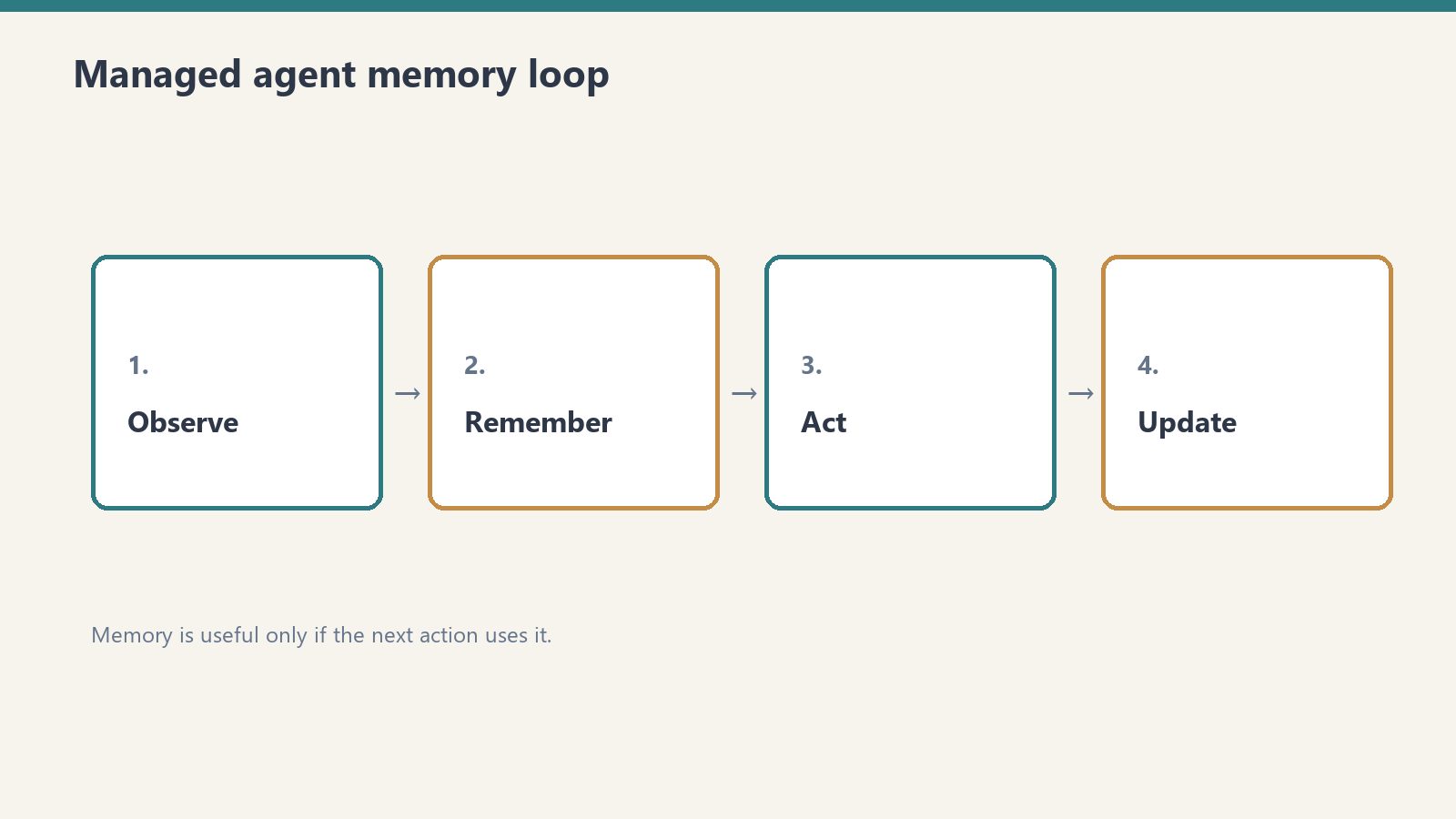
Announced at Code w/ Claude on May 6, 2026, Dreaming is a Managed Agents capability that lets agents review and reorganize their own memory between sessions. The mechanism:
After a session ends, the agent reads its existing memory store alongside the session transcripts
It produces a new, reorganized memory store: duplicates merged, stale entries replaced, new patterns surfaced
The next session starts with a higher-quality knowledge base — capturing insights no single session could hold
This is meaningfully different from simply persisting conversation history. The agent isn’t just remembering what happened — it’s synthesizing what it learned. Think of it as the difference between taking notes and actually reviewing and reorganizing your notes the next morning.
The Harvey Result
Harvey, the legal AI company, reported approximately a 6× task completion rate increase after implementing Dreaming in their Managed Agents workflow. Harvey’s use case — complex legal research that spans multiple sessions with evolving context — is exactly the kind of work Dreaming was designed for. Sessions build on each other rather than starting fresh each time.
Dreaming is not available to end users — it’s a developer-layer capability requiring implementation
It’s not persistent memory in the claude.ai chat interface
It’s not available to free or standard Pro subscribers through any interface
It’s a developer preview, not GA — expect it to evolve before full release
Our Take: Why This Architecture Matters
We run Managed Agents in our own Cowork workflows. The Dreaming announcement is the first time Anthropic has shipped something that resembles how expert human knowledge actually compounds over time — not by accumulating raw notes, but by periodically synthesizing and reorganizing what’s been learned into a cleaner structure.
The Harvey 6× result is a real-world data point from a production legal AI workflow. That’s not a benchmark number — it’s a deployed system showing measurable improvement from session-to-session memory refinement. Whether that 6× figure holds across different use cases is unknown, but the direction of the effect is the signal: agents that learn from their own history outperform agents that don’t.
For non-developer users watching this space: Dreaming is the preview of what agentic AI will look like when it becomes mainstream. The groundwork being laid now in developer preview will eventually surface in subscription-tier products.
Model Accuracy Note — Updated May 2026
Lineup currency (Oct 2026, verified): Sonnet 5.5 ($2/$10), Opus 5.5 ($4/$20), Haiku 4.5 ($1/$5), Fable 5.1 ($10/$50). Legacy (still listed): Opus 4.8 ($5/$25), Sonnet 4.6 ($3/$15). Prior note (superseded): Prior flagship claim: Claude Opus 4.7 (claude-opus-4-7). Prior models claim: Opus 4.7 · Sonnet 4.6 · Haiku 4.5. Claude Opus 4.7 (claude-opus-4-7) was claimed current as of April 16, 2026. Where this article references Opus 4.6 or earlier models, those references are historical. See current model tracker →. See current model tracker →
Tygart Media Strategy
Volume Ⅰ · Issue 04Quarterly Position
By Will Tygart • Long-form Position • Practitioner-grade
You opened this tab because you need a number you can actually use. Not a vibe, not “it depends.” A real pricing breakdown you can put in a spreadsheet, a budget request, or a Slack message to your CTO.
This is that page. Every pricing variable for Claude Managed Agents in one place, verified against Anthropic’s current documentation as of October 5, 2026. Bookmark it. The beta will update; so will this.
Quick Reference: The Formula
Total Cost = Token Costs + Session Runtime ($0.08/hr) + Optional Tools
Session runtime only accrues while status = running. Idle time is free.
The Two Cost Dimensions
Two cost dimensions — stale-proof framing.
Claude Managed Agents bills on exactly two dimensions: tokens and session runtime. Every pricing question you have collapses into one of these two buckets.
Dimension 1: Token Costs
These are identical to standard Claude API pricing. You pay the same rates you’d pay calling the Messages API directly. No Managed Agents markup on tokens. Current rates for the models most commonly used in agent work:
Claude Sonnet 5.5: $2/million input tokens, $10/million output tokens (legacy Sonnet 4.6, still listed: $3/$15)
Prompt caching: same multipliers as standard API — cache reads from $0.20/MTok (up to 95% off input rates) dramatically reduce input token costs on long sessions with stable system prompts
The implication: a token-heavy agent with a large system prompt that runs the same context repeatedly benefits significantly from prompt caching, and that benefit carries over unchanged into Managed Agents.
Dimension 2: Session Runtime — $0.08/Session-Hour
This is the Managed Agents-specific charge. You pay $0.08 per hour of active session runtime, metered to the millisecond.
The critical word is active. Runtime only accrues while your session’s status is running. The following do not count toward your bill:
Time spent waiting for your next message
Time waiting for a tool confirmation
Idle time between tasks
Rescheduling delays
Terminated session time
This is not how you’d bill a virtual machine. It’s closer to how AWS Lambda bills — you pay for execution, not reservation. An agent that “runs” for 8 hours but spends 6 of those hours waiting on human input has a very different bill than one running continuous autonomous loops.
Optional Tool Costs
Web Search: $10 per 1,000 Searches
If your agent uses web search, each search costs $10/1,000 — that’s $0.01 per search. For most agents, this is negligible. For a research agent running hundreds of searches per session, it becomes a line item worth modeling separately.
Code Execution: Included in Session Runtime
Code execution containers are included in your $0.08/session-hour charge. You’re not separately billed for container hours on top of session runtime. This is explicitly stated in Anthropic’s docs and represents meaningful savings versus provisioning your own compute.
Worked Cost Examples
Example 1: Daily Research Agent
Runs once per day. 30 minutes of active execution. Processes 10 documents, outputs a summary report. Moderate token volume.
In practice, no agent has zero idle time — real cost will be lower
Token costs at this scale become the dominant factor by a wide margin
Anthropic’s Official Example (from their docs)
Anthropic’s docs price this example on Claude Opus 5 ($5/$25): $0.705 all-in, or $0.525 with 40,000 cache reads. Recomputed at current Opus 5.5 rates: a one-hour coding session consuming 50,000 input tokens and 15,000 output tokens: session runtime = $0.08. With prompt caching active and 40,000 of those tokens as cache reads ($0.20/MTok), the token math is: 10,000 uncached input × $4/M = $0.04, plus 40,000 cache reads × $0.20/M = $0.008, plus 15,000 output × $20/M = $0.30 — about $0.35 in tokens. The runtime charge stays flat at $0.08 regardless of caching, for roughly $0.43 all-in.
What’s Not Billed in Managed Agents
A few things that might seem like costs but aren’t:
Infrastructure provisioning: Anthropic handles hosting, scaling, and monitoring at no additional charge
Container hours: Explicitly not separately billed on top of session runtime
State management and checkpointing: Included in the session runtime charge
Error recovery and retry logic: Anthropic’s infrastructure problem, not yours
Rate Limits
Managed Agents has specific rate limits separate from standard API limits:
Create endpoints: 300 requests/minute
Read endpoints: 1,200 requests/minute
Organization-level limits still apply
For higher limits, contact Anthropic enterprise sales
How to Access Managed Agents Pricing
Managed Agents is available to all Anthropic API accounts in public beta. No separate signup, no premium tier gate. You need the managed-agents-2026-04-01 beta header in your API requests — the Claude SDK adds this automatically.
For high-volume agent applications, Anthropic’s enterprise sales team negotiates custom pricing arrangements. Contact them at sales@anthropic.com or through the Claude Console.
The Pricing Signals Worth Noting
Anthropic recently ended Claude subscription access (Pro/Max) for third-party agent frameworks, requiring those users to switch to pay-as-you-go API pricing. This signals a deliberate strategy: consumer subscriptions are for human-paced interactions; agent workloads route through the API. The $0.08/session-hour rate exists in that context — it’s infrastructure pricing for compute that runs beyond human attention spans.
The session-hour model also signals something about Anthropic’s infrastructure cost structure. They’re pricing on active execution time because that’s what actually taxes their systems. Idle sessions don’t cost them much; active agents do. The billing model follows the actual resource consumption pattern.
Frequently Asked Questions
Is the $0.08/session-hour charge in addition to token costs, or does it replace them?
In addition to. You pay both: standard token rates for all input and output tokens, plus $0.08 per hour of active session runtime. They’re separate line items.
Does prompt caching work in Managed Agents sessions?
Yes. Prompt caching multipliers apply identically to Managed Agents sessions as they do to standard API calls. If your agent has a large, stable system prompt, caching it can significantly reduce input token costs.
What happens if my session crashes? Am I billed for the crashed time?
Runtime accrues only while status is running. Terminated sessions stop accruing. Anthropic’s infrastructure handles checkpointing and crash recovery — the session state is preserved even if the session terminates unexpectedly.
Can I use Managed Agents on the free API tier?
Managed Agents is available to all Anthropic API accounts in public beta, but standard tier access and rate limits apply. Free API tier users receive a small credit for testing.
How does this compare to running agents on my own infrastructure?