The Content Engine - Tygart Media

Category: The Content Engine

Way 4 — Content Strategy & SEO. The methodology behind content that compounds.

  • Complete Restoration Operating System (Notion + AI)

    Complete Restoration Operating System (Notion + AI)

    $597

    Delivered by email after checkout.

    Buy Now →

    Secure checkout via Square — all major cards accepted

    You can copy this method and do it yourself. Build the six Notion databases. Write the 17 SOPs. Hang the 12 KPIs. Talk your own Claude through intake, equipment, claims, and Friday numbers. Buy Now is the packaged flagship: the Notion workspace you duplicate, plus the 8-skill plugin zip, so you are not wiring the system of record and the AI from a blank page.

    This is the Notion + AI operating system for a restoration shop. Notion is the system of record. The plugin is the expert you talk to. Outputs from each skill are formatted to paste into the matching Notion tool.

    What it is

    Two halves that are meant to run together.

    Notion half. Six plug-and-play tools plus an IICRC protocol lookup. Job tracking, equipment, claims, SOPs, KPIs, crew onboarding. Duplicate them into one workspace page named something like Operations. One sidebar section, whole business.

    AI half. An 8-skill Claude plugin. A setup skill runs a five-minute interview, writes a company-profile.md, and every other skill reads it. SOPs, KPI targets, claims drafts, and onboarding plans come out in your voice.

    You need a free Notion account and any Claude that supports Skills / Plugins. If you can chat with Claude and run a /command, you are good.

    The six Notion tools

    1. Restoration Job Tracker Pro. Every job from first notice of loss to final invoice, with live margin. This is the hub. Everything else hangs off jobs.
    2. Equipment Inventory & Deployment Tracker. Where every air mover and dehu is, and what each one is earning. Asset IDs, daily rates, current deployments.
    3. Insurance Claims Command Center. Claims, adjusters, documentation, supplements, and aging balances in one place.
    4. Restoration Company SOP Library (17 SOPs). The core procedures, written down. Status starts as Template. Flip to Adopted when you approve each one.
    5. Restoration Business KPI Dashboard. The 12 numbers that move profit. Friday 15 to update. One summary row on the first business day of the month.
    6. Crew Onboarding & Training Tracker. Roster, certifications with expiration dates, equipment sign-offs. Next hire, duplicate the checklist set.

    Plus IICRC Protocol Lookup. Ask “what does S500 say about Category 3 water?” and get a plain-English pointer plus PPE. It is a lookup assistant, not a substitute for the published standard. Defer to current IICRC text, local codes, and your certified judgment.

    The 17 SOPs to write (or adopt)

    If you are building this yourself, start a table with SOP #, title, category, owner role, linked standard, and status (Draft / In Review / Active / Needs Update). The kit’s 17 are:

    1. SOP-01 Water Damage: Initial Inspection & Scoping
    2. SOP-02 Water Extraction & Category Determination
    3. SOP-03 Structural Drying & Daily Monitoring / Psychrometry
    4. SOP-04 Antimicrobial Application
    5. SOP-05 Mold Remediation: Containment Setup
    6. SOP-06 Mold Remediation: Removal & Clearance
    7. SOP-07 Fire & Smoke: Soot Assessment & Cleaning
    8. SOP-08 Contents Pack-Out & Inventory
    9. SOP-09 Equipment Setup, Tracking & Retrieval
    10. SOP-10 PPE & Job-Site Safety
    11. SOP-11 Customer Communication & Daily Updates
    12. SOP-12 Photo Documentation & Moisture Logging
    13. SOP-13 Estimate Writing & Xactimate Scoping
    14. SOP-14 Insurance Adjuster Coordination & Supplements
    15. SOP-15 Job Completion, Walkthrough & Certificate of Satisfaction
    16. SOP-16 Invoicing & Collections
    17. SOP-17 New Job Intake / FNOL Handling

    Do not customize all 17 today. Adopt the water set first. The rest within the month. Swap in your company name, your equipment, your local disposal rules.

    The 12 KPIs

    Build a dashboard with KPI, category, definition, frequency, owner, target, this month, last month, trend. The kit tracks these twelve:

    • Revenue (Financial, monthly)
    • Gross Margin % (Financial, monthly, target ≥ 45%)
    • Net Profit % (Financial, monthly, target ≥ 12%)
    • Days Sales Outstanding / AR Aging (Financial, monthly, target ≤ 45 days)
    • Average Job Size (Financial, monthly)
    • Lead-to-Job Conversion % (Sales, weekly, target ≥ 35%)
    • Jobs Sold (Sales, weekly)
    • Average Days to Dry (Production, weekly, target ≤ 3.5 days)
    • Labor Efficiency % (Operations, weekly, target ≥ 70%)
    • Equipment Utilization % (Operations, weekly, target ≥ 60%)
    • Rework / Callback % (Customer, monthly, target ≤ 3%)
    • Customer Satisfaction / NPS (Customer, monthly, target ≥ 70)

    Those targets are the kit’s starting case file, not gospel. Mix of mitigation vs reconstruction will shift them. The habit is the product: fifteen minutes every Friday updating statuses.

    How to hang it yourself

    Set them up in this order. Each one feeds the next.

    1. Job Tracker (30-45 min). Add 2-3 active jobs. Real jobs, not test data. Log today’s moisture readings.
    2. Equipment Tracker (30-45 min). Every dehu, air mover, scrubber, and meter, with asset IDs. Set actual daily rates. Log where everything is deployed right now.
    3. Claims Command Center (20-30 min). Add adjusters first. Then a claim record for every active claim. Log outstanding supplements and unpaid balances.
    4. SOP Library (20 min now, ongoing after). Read, customize, flip Status to Adopted as you approve.
    5. Crew Tracker (20 min). Roster, certs, equipment sign-offs.
    6. KPI Dashboard (15 min, then 15 min every Friday). Enter this month’s jobs and leads, including the ones you lost.
    7. IICRC skill (5 min). Install, then ask something real: “Cat 2 toilet overflow into a carpeted hallway. What’s the protocol?”

    If a template ships with rows marked (Sample), keep them while you learn. Delete them once your real data is flowing.

    How the system runs day to day
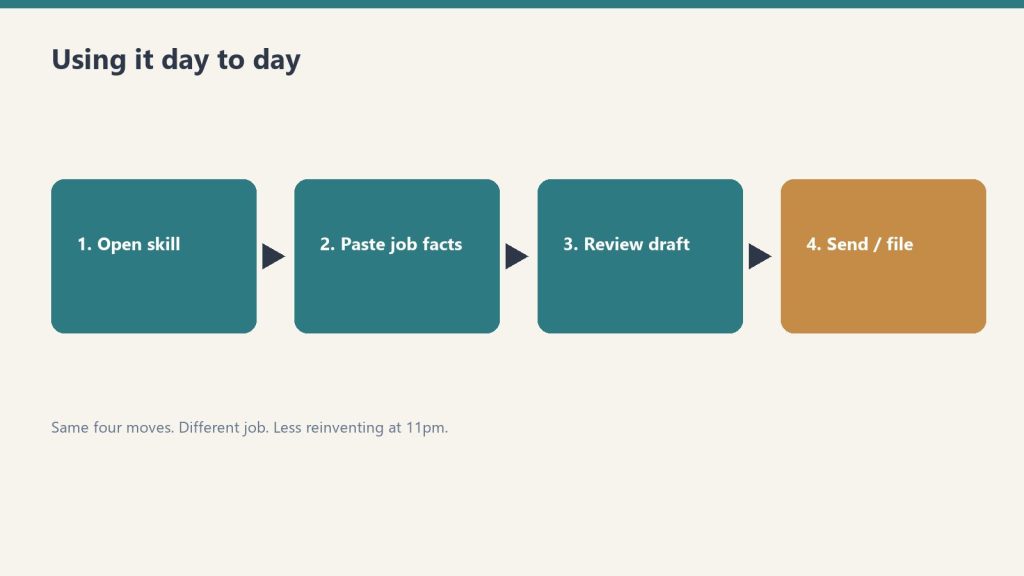
    • Morning: Job Tracker board. What’s active, what needs a monitoring visit.
    • On every truck roll: equipment deployments updated; moisture readings logged to the job.
    • When the adjuster calls: Claims Command Center open. Every supplement, authorization, and dollar in front of you.
    • New hire starts: Crew Tracker checklist; SOP reading list; sign-offs gate the equipment.
    • Friday: the Friday 15 in the KPI ledger.
    • Month end: one KPI summary row. Review utilization before buying equipment.

    This does not replace JobNimbus, Encircle, or Xactimate. Those are job management, documenting, and estimating. This is the ops layer most shops never finish.

    The 8 AI skills
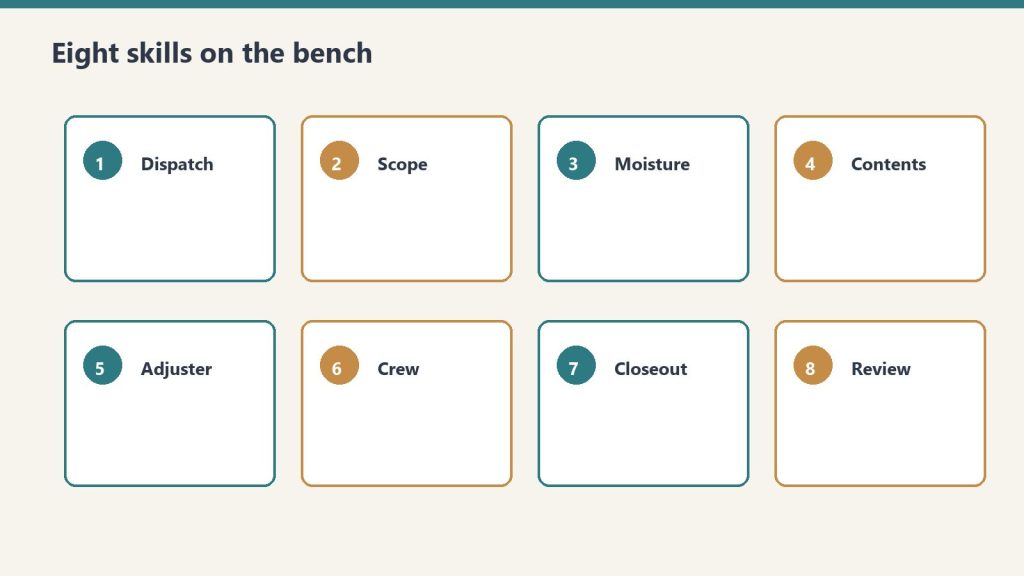
    1. restoration-setup. “Set up the kit.” Guided interview. First run. The concierge.
    2. job-intake-assistant. “We just got a water call.” New-loss intake, water Cat/Class, scope plus safety, a paste-ready job summary.
    3. equipment-advisor. “How many air movers for this room?” Sizing, placement, monitoring plan.
    4. sop-generator. “Write an SOP for mold containment.” Any of the 17, or a new one, in your voice.
    5. claims-assistant. “Draft a follow-up to the adjuster.” Emails, supplement justifications, aging-claims chase.
    6. kpi-coach. “Here are my numbers this month.” The 12 KPIs computed and trended. Biggest leak named, with fixes.
    7. crew-onboarding-builder. “Onboard a new tech.” Week-1 / 30 / 60 / 90 plus an IICRC certification roadmap.
    8. iicrc-protocol-lookup. “What does S500 say about Cat 3 water?” Plain-English pointer plus PPE.

    Install the plugin yourself

    Option A (recommended). Save the restoration-kit folder. In Claude run:

    /plugin marketplace add /path/to/restoration-kit
    /plugin install restoration-kit@profit-detective
    /restoration-kit:restoration-setup

    Option B. Copy each folder inside skills/ into ~/.claude/skills/. On Windows that is C:\Users\<you>\.claude\skills\. Then say “run restoration setup.”

    Keep company-profile.md in the folder you work in. Every skill reads it.

    If you want the packaged system

    You can rebuild this from the outline above. Buy Now is the flagship delivered by email after checkout: Notion duplicate links for the six tools plus IICRC lookup, the plugin zip (eight skills and the README), and the setup sequence so you drop it in and run. Same Square button at the top of this page.

    This is an operational system only. Not legal, insurance, or licensing advice.

  • Accountability Conversation Planner

    Accountability Conversation Planner

    $39

    Delivered by email after checkout.

    Buy Now →

    Secure checkout via Square — all major cards accepted

    You can copy this method and do it yourself. Plan a hard conversation before you have it, so it stays about the work, not the person. Buy Now is the packaged Notion planner you duplicate for each talk, so you are not rebuilding the six prompts from a blank doc.

    Tool #4 of the Restoration Leadership Toolkit. Use this when an employee, manager, or family member in the business keeps missing the mark and you have been avoiding the talk. Ten minutes of prep keeps the conversation calm, specific, and fixable.

    Most restoration owners handle performance problems the same way. They tolerate underperformance for too long. They address it once, informally, in a conversation that does not result in change. They tolerate it some more. Then they either fire the person abruptly, often in response to a specific incident rather than the pattern, or they keep tolerating it because replacing people is painful. Neither outcome serves the business. The people who are performing well watch this and conclude that performance does not matter here.

    How to use it

    1. Duplicate a page so the blank stays clean for next time.
    2. Work through prompts 1 through 6 in order. Be specific. Vague prep makes for an emotional conversation.
    3. Draft your opening line and close from the script outline, then set a follow-up date.
    4. Keep your notes factual. This is a planning doc, not a personnel record. Log formal actions where your policies require.

    Fill the situation first: who this conversation is with; their role / relationship to the business; the date you plan to have it; where (private, not on the job site, not by text).

    You cannot hold someone accountable for expectations you have not communicated clearly. If the standard was never spelled out, that is on you to own in the room, and to fix going forward. Accountability without support is just pressure.

    The six prompts

    1. What is the actual issue?

    One or two sentences. The pattern, not a single bad day. Name the business impact: missed deadline, blown margin, safety, crew morale, a client complaint. Strip out the frustration and the personality read.

    Accountability is forward-looking: what went wrong, what is the standard, how do we close the gap? Blame is backward-looking and personal. Stay on the first one.

    2. What specific behavior needs to change?

    An observable action someone could see on a camera. “Calls in after the crew is already on site,” not “doesn’t care.” If you cannot point to the behavior, you are not ready to have the talk yet.

    “Do good work” is not an expectation. “Complete moisture documentation within 2 hours of equipment placement, using the standard form, with readings at all points on the moisture map” is an expectation. The more specific the expectation, the more possible accountability becomes.

    3. What have I already allowed or tolerated?

    Be honest. Where did I let this slide, stay quiet, or fix it myself instead of addressing it? Naming your part keeps the conversation fair and stops it from sounding like an ambush.

    The most powerful signal in any shop is what the leader does, not what the leader says. If you have been the one quietly finishing their job file, they learned the standard was optional.

    4. What expectation needs to be clarified?

    State the standard plainly, the way you would want it repeated back. “On site by 7:00, truck stocked the night before.” If this was never spelled out, own that in the room.

    For each role you eventually need written performance standards: output (what they produce), behavior (how they show up), and development (what they are working to improve). Share them at hire and review them at every performance discussion. The planner is the prep for one talk. The standards are what make the next talk shorter.

    5. What consequence or support is needed?

    Both sides. What changes if the behavior continues (the consequence) AND what you will provide to help them succeed (training, a checklist, a ride-along, clearer priorities).

    If doing good work and doing poor work produce the same outcome, the same pay, the same treatment, the same opportunities, there is no accountability mechanism. Consequences must exist and must be applied consistently. That cuts both ways: recognition for excellent work, and a real next step when the standard is missed.

    6. What does success look like in 30 days?

    Concrete and measurable, so you both know if it worked. “Zero late starts for four weeks.” “Job files closed within 48 hours.” This becomes the check-in agenda on the follow-up date.

    The longer the gap between a performance miss and the feedback, the weaker the feedback becomes. Address it in the moment or as soon as you can. Then put the 30-day target on a calendar so the talk is not a one-off.

    Conversation script outline

    Five beats. Keep it calm and short. Say your piece, then listen. Fill the blanks from your answers above.

    • Open (set the tone): “I want to talk through [issue] because I think you can do this well and I have not been clear. This is not about [personality].”
    • Name the issue + behavior (1 and 2): “What I am seeing is [behavior]. The impact on the business is [impact].”
    • Own my part (3): “I have let this go without saying anything, and that is on me. Clarifying now.”
    • State the expectation + support (4 and 5): “Going forward the standard is [standard]. To help, I will [support]. If it keeps happening, [consequence].”
    • Confirm the 30-day target + listen (6): “In 30 days, success looks like [target]. What is your take. What would help, and is any of this off?”

    Write their response under the script. Do not argue it in the room. Listen, then come back to the standard and the 30-day target.

    Follow-up

    • Follow-up check-in date
    • What I will look at on that date (from Prompt 6)
    • Outcome: On track / Needs another conversation / Resolved

    This planner is Weeks 9-10 of the 90-Day Doer-to-Leader Transition Plan: hold one real accountability conversation this phase, and have your developing manager run the huddle at least once while you sit in. A weekly 15-minute huddle with a fixed agenda (numbers, jobs at risk, who needs what) is the rhythm that makes the hard talk less of a surprise.

    A prompt you can give your own Claude if you want it walked: walk me through these six prompts for this specific situation and hand back a finished script and 30-day follow-up, in our company’s voice.

    If you want the packaged planner

    You can run the six prompts on a legal pad. Buy Now is the Notion page delivered by email after checkout. Duplicate it (··· → Duplicate) for each conversation so the master stays clean. The situation block, the six prompts, the script outline, and the follow-up are already laid out. Same Square button at the top of this page.

    Pairs with the Leadership Readiness Checklist (does accountability live below you, or are you the only enforcer) and the 90-Day plan. Matching Claude skill: accountability-planner. Coaching and operational tool only. Not legal or HR advice. This is a planning doc, not a personnel record.

    Related: Restoration Leadership Toolkit — Claude Edition. Also 1-3-1 Delegation Worksheet.

  • 90-Day Doer-to-Leader Transition Plan

    90-Day Doer-to-Leader Transition Plan

    $199

    Delivered by email after checkout.

    Buy Now →

    Secure checkout via Square — all major cards accepted

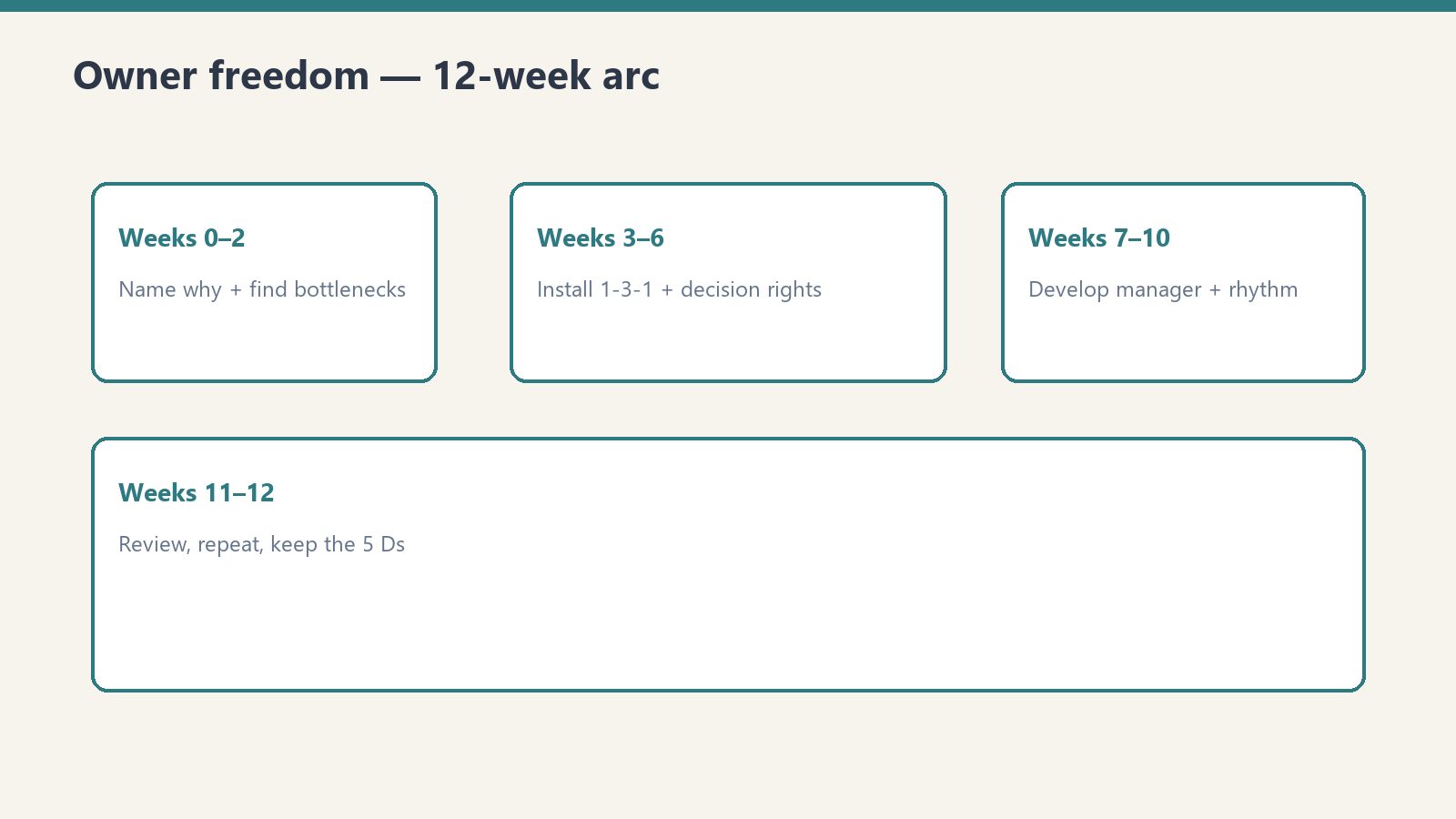
    You can copy this method and do it yourself. Run six two-week phases. By Week 12 the business runs a notch less on you and a notch more on your people. Buy Now is the packaged Notion plan you duplicate and date, so you are not assembling the 12-week spine from blank pages.

    The capstone of the Restoration Leadership Toolkit. This turns the doer-to-leader message into a plan you actually run. Work it top to bottom. Do not skip ahead. Each phase sets up the next. You cannot clarify decision rights (Weeks 5-6) until you know your bottlenecks (Weeks 1-2).

    How to use this plan

    • Duplicate a page and rename it “90-Day Plan – {start date}.”
    • Block 30-45 minutes every Friday to work the current phase and check boxes.
    • Start by running the Owner Bottleneck Self-Assessment and the Owner Dependency Audit. Their results feed Weeks 1-2 directly.
    • Fill the three setup lines before Week 1.

    Write these three lines now:

    • My #1 reason to step back (what I would do with the time)
    • The one person I am betting on as my first real manager
    • Start date / target Week-12 date

    Weeks 1-2. Identify your bottlenecks

    Goal: get brutally honest about where the company still runs through you. You cannot delegate what you have not named.

    1. Run the Owner Bottleneck Self-Assessment and write down your top 3 bottleneck areas.
    2. Run the Owner Dependency Audit. List every decision or task that only you can do today.
    3. For one full week, log every time someone interrupts you for a decision. A tally on your phone is fine.
    4. Sort that list into three buckets: Delegate now / Delegate after training / Keep (truly owner-only).
    5. Circle the top 3 bottlenecks that cost you the most time or money. These are your 90-day targets.
    6. Tell your team what you are doing and why: “I am working a 90-day plan to push decisions down. Expect me to hand more back to you.”

    Phase 1 done when you have a written top-3 bottleneck list and your team knows the shift is coming. The audit rates Low / Med / High across nine areas (sales, production, finance, customer-issue resolution, hiring, vendor relationships, estimating / project management, emergency response, decision rights). Low = 1, Med = 2, High = 3. Total is 9-27.

    Weeks 3-4. Install 1-3-1 conversations

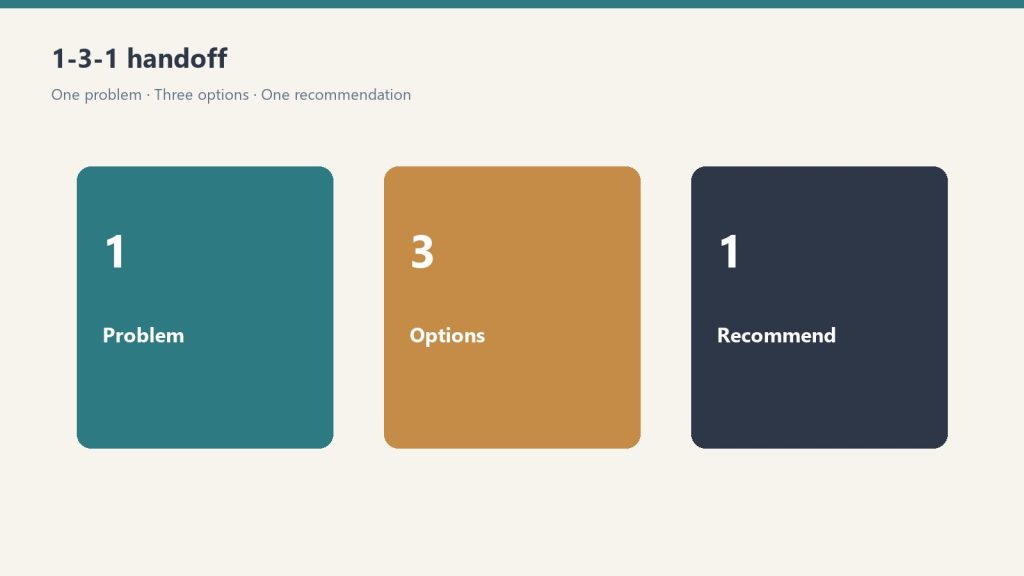
    Goal: stop being the answer key. Train the team to bring one issue, three options, and one recommendation, so you coach instead of solve.

    1. Explain the 1-3-1 rule to the team: bring 1 issue, 3 options, 1 recommendation. Not just the problem.
    2. Print or pin the 1-3-1 format where decisions get made (truck, office, group chat).
    3. When someone brings you a raw problem, ask: “What are your three options, and which do you recommend?” Then wait.
    4. Run at least 5 real 1-3-1 conversations this phase and approve their recommendation whenever it is reasonable.
    5. Resist solving it yourself, even when you are faster. Let them carry it. This is the hard part.
    6. Note who takes to it quickly. That is a signal for your future-manager pick in Weeks 7-8.

    Phase 2 done when at least one person is bringing you 1-3-1s without being reminded. One issue, three real options (pros, cons, rough cost), one recommendation, and a default if they do not hear back by a deadline.

    Weeks 5-6. Clarify decision rights

    Goal: write down who decides what, and up to what dollar amount, so people stop defaulting to you out of habit.

    1. List the 10-15 recurring decisions your team faces (refunds, equipment, scheduling, scope changes, hiring, pricing exceptions).
    2. For each, write a dollar or scope threshold people can decide under without asking you.
    3. For each, name who owns it when you are not in the room.
    4. Capture it in one simple Decision Rights list (a shared doc or a section on the plan page).
    5. Walk the team through it and tell them: “Under this line, you do not need me. Decide and tell me after.”
    6. Pick one decision you currently own and hand it off completely this phase. Do not take it back.

    Phase 3 done when there is a written decision-rights list and at least one decision has fully left your plate. Starter rows live on the Owner Dependency Audit if you need them.

    Weeks 7-8. Develop one manager

    Goal: go deep on ONE person. A single real manager beats five people you are “keeping an eye on.”

    1. Choose one person to invest in as your first real manager. Use the Middle Manager Evaluation Scorecard if you are torn.
    2. Have a direct conversation: “I want to grow you into running X. Here is what that looks like.”
    3. Hand them one area to own end-to-end (a crew, a job type, scheduling, QC). Outcome, not task.
    4. Set a weekly 30-minute 1-on-1 with them and protect it like a paying job.
    5. Name the 1-2 skills they most need to build and how you will help (ride-along, training, a stretch job).
    6. Let them make a real decision this phase and coach the outcome instead of grading it.

    Open a bench list while you do this. One row per key function: role, current owner, candidate, backup depth, skill gaps, one observable 90-day action, delegation plan, check-in rhythm, status. A blank candidate is itself a finding. Phase 4 done when one person owns one area end-to-end and has a standing 1-on-1 with you.

    Weeks 9-10. Create an accountability rhythm

    Goal: replace you-chasing-everyone with a repeatable cadence that surfaces problems early, without you in the middle of every thread.

    1. Stand up a weekly 15-minute team huddle with a fixed agenda: numbers, jobs at risk, who needs what.
    2. Pick the 3-5 numbers the team reviews every week (jobs in WIP, days-to-dry, AR, callbacks, leads).
    3. Decide who owns each number and reports it. Not you.
    4. Use the Accountability Conversation Planner to prep any hard conversation so it stays about the work, not the person.
    5. Hold one real accountability conversation this phase using that structure.
    6. Have your Week 7-8 manager run the huddle at least once while you sit in and observe.

    Phase 5 done when the weekly huddle runs on schedule and someone other than you can run it. About the work, not the person.

    Weeks 11-12. Review, adjust, and repeat

    Goal: measure what changed, lock in the wins, and set the next 90 days. This is not the end. It is the first turn of the flywheel.

    1. Re-run the Owner Bottleneck Self-Assessment and compare to your Week 1 score.
    2. Take a planned half-day fully off and note what broke or escalated to you. That is your next bottleneck.
    3. List what got delegated successfully vs what bounced back to you, and why it bounced.
    4. Give your developing manager direct feedback on the quarter and agree on next-quarter goals.
    5. Update your Decision Rights list and raise one threshold now that the team has proven itself.
    6. Pick next quarter’s top bottleneck and start a fresh 90-day cycle (duplicate the page again).

    Phase 6 done when you have re-scored, taken real time off, and named the next quarter’s target.

    Success looks like

    By the end of 90 days, a healthy transition looks like:

    • You can take a full day off without the business stalling or your phone melting.
    • Your team brings you 1-3-1 recommendations, not raw problems to solve.
    • There is a written decision-rights list, and people decide under the line without asking.
    • One person owns one area end-to-end and has a standing 1-on-1 with you.
    • A weekly huddle runs on cadence, and someone other than you can run it.
    • Your re-scored bottleneck number is lower than it was in Week 1.
    • You have already named next quarter’s target, because doer-to-leader is a flywheel, not a finish line.

    Not every box will be checked, and that is fine. Progress on the top-3 bottlenecks matters more than a perfect scorecard. Run it, adjust, repeat.

    While you are in it, run the 5 Ds as a what-if-tomorrow check. Pick the three blank boxes that would hurt most if the D hit tomorrow.

    If you want the packaged plan

    You can run the six phases from the outline above. Buy Now is the Notion page delivered by email after checkout. Duplicate it (··· → Duplicate) and rename it with the start date so the master stays clean. The setup lines, the phase checkboxes, and the success list are already laid out. Same Square button at the top of this page.

    The other four tools in the Owner Freedom Kit feed this spine: Owner Dependency Audit, Restoration Leadership Bench Builder, 5 Ds Succession Risk Checklist, 1-3-1 Delegation Worksheet. Matching Claude skill: doer-to-leader-90-day. Coaching and operational tool only. Not legal or HR advice.

    Related: Restoration Leadership Toolkit — Claude Edition. Also Owner Bottleneck Self-Assessment.

  • 5 Ds Succession Risk Checklist

    5 Ds Succession Risk Checklist

    $29

    Delivered by email after checkout.

    Buy Now →

    Secure checkout via Square — all major cards accepted

    You can copy this method and do it yourself. Stress-test the company against Death, Divorce, Disease, Drugs/dependency, and Departure/Disaster. Check a box only if it is true and current today. Buy Now is the packaged Notion checklist with the scored sheet and mitigation notes, so you are not rebuilding the 5 Ds from a blank doc.

    Succession is not a retirement problem. It is a what-if-tomorrow problem. The blank boxes are your exposure. Honesty rule: a box you want to be true is still a blank box. Half-true protections fail exactly when the D hits.

    How to run it

    1. Walk each of the 5 Ds. Check a box only if it is true and current today. Not “mostly.” Not “we talked about it once.”
    2. Read the mitigation note under each D. That is the concrete fix for the boxes you left blank.
    3. Count the blanks. Find your band. Pick your top 3 shore-ups. Name an owner and a date.
    4. Re-run it every year, and immediately after any life or business change: a new partner, a marriage or divorce, a major new account, an acquisition, or a health scare.

    1. Death. If you died tomorrow

    If you were gone permanently, could the business survive the week, pay people, and not get sold for scraps?

    • There is a current, signed will and the business is named in it.
    • There is a buy-sell agreement (if there are partners) defining who buys your share, at what price, and how it is funded.
    • Key-person life insurance exists on you, payable to the company, sized to cover payroll plus obligations while it stabilizes.
    • At least one other person can sign checks (signatory on file at the bank, not just “knows the login”).
    • Someone other than you can legally bind the company (contracts, AOBs, subcontracts). Documented authority, not assumed.
    • Your spouse / heirs know who to call and where the documents live.
    • Passwords, accounts, and licenses are in a recoverable place a trusted person can reach.
    • A named person can run production and keep jobs moving for 30+ days without you.

    Mitigation. Get a buy-sell drafted by an attorney and fund it with life insurance. An unfunded buy-sell is a wish, not a plan. Add a second check-signer and a documented officer who can bind the company. Put credentials in a password manager with an emergency-access contact. Write a one-page “if I am gone” sheet. Tell your spouse where it is.

    2. Divorce. If your marriage ended

    A divorce can put your ownership stake, your cash, and your focus in play. A contested split can starve a cash-hungry shop.

    • You know whether the business is separate vs marital/community property in your state. Confirmed, not guessed.
    • There is a prenup, postnup, or buy-sell provision that addresses ownership in a divorce.
    • The business is not commingled with personal finances (clean books, separate accounts, documented owner pay).
    • A current, defensible valuation (or a method to set one) exists.
    • Your spouse’s role and any claim (employee, owner-on-paper, guarantor) is documented.
    • Operating cash and credit lines are structured so a personal dispute cannot freeze payroll.

    Mitigation. Talk to a business attorney about a postnuptial or a buy-sell clause that fixes ownership treatment now, while things are calm. Clean up commingling. Establish a valuation method in writing. Calm is the only time you can do it.

    3. Disease. If you were medically out for 30-90 days

    Not death. A heart attack, a serious diagnosis, a bad accident. You are alive but out. Does the company idle or run?

    • Someone can run daily production and dispatch without you for 30, 60, 90 days. Named, and they have actually done it (vacation test).
    • Estimates still get written and approved if you are the estimator. A backup exists.
    • Payroll, AP, and AR keep running without your hands on them.
    • Carrier / TPA relationships will not collapse if you are unreachable. Someone else has the relationships and portal access.
    • You carry disability income insurance so household income does not depend on you working.
    • Business overhead expense (BOE) insurance or a cash reserve can cover fixed costs while you recover.
    • A simple interim chain-of-command is written down, with dollar/decision thresholds.

    Mitigation. Run a real “two weeks off” test this quarter and watch what breaks. Cross-train a backup estimator. Look at disability and Business Overhead Expense coverage. Write a one-page interim chain-of-command with decision thresholds.

    4. Drugs / dependency. If you (or a key person) became unreliable

    The uncomfortable one. Substance issues, gambling, burnout, a mental-health crisis. Yours or a key person’s. The risk is a slow decline, not a clean exit.

    • No single person (including you) is a single point of failure whose impairment would quietly sink the company.
    • Financial controls exist (dual approval over a threshold, reconciliations, a second set of eyes on the books).
    • A trusted advisor or peer would tell you the truth if your performance was slipping, and has standing to.
    • Key roles have documented duties and cross-coverage.
    • There is an employee assistance path / clear policy for getting a valued person help without an instant, messy termination.
    • If a key person had to be removed fast, you could. Access and knowledge are not locked solely in their head.

    Mitigation. Dual approval over a dollar threshold, monthly reconciliations, a second set of eyes on the books. Document and cross-train so no one person can sink a function. Put a real advisor in your corner who is allowed to tell you the truth. Have a humane path to help and the access to act fast if you must.

    5. Departure / disaster. If a key person walked, or the building burned

    Two faces of the same risk: a critical person quits, or a fire/flood/storm/cyber event takes out your office, fleet, data, or a major account overnight.

    • Production runs if your best PM or lead tech quits Friday. Their knowledge is documented, not tribal.
    • Key customer and carrier relationships are not owned by one person who could walk and take the book with them.
    • A non-solicit / non-compete / confidentiality agreement is in place where appropriate and enforceable in your state.
    • Critical SOPs, pricing, and account knowledge are written down. Losing one person does not erase how the work gets done.
    • Data is backed up off-site (estimating files, photos, accounting, contacts) and you have actually tested a restore.
    • You have a business continuity / disaster plan for your own office or fleet. You restore others. Are you covered?
    • Business-interruption insurance would replace income if you could not operate for weeks.
    • A backup vendor/equipment plan exists so one lost truck, warehouse, or sub does not stall live jobs.

    Mitigation. Document tribal knowledge. Spread customer and carrier relationships across more than one person. Put reasonable non-solicit/confidentiality agreements in place (attorney confirms enforceability in your state). For disaster: off-site backups you have test-restored, a written continuity plan for your own shop, business-interruption coverage, and a backup equipment/vendor list.

    Overall exposure rating

    Count your blank boxes across all 5 Ds. The packaged checklist scores 45 boxes. Find your band:

    • 0-6 Low / Resilient. The business could survive a major shock to you. Maintain it. Review annually and after any big change.
    • 7-15 Moderate. You would survive a short absence but a permanent loss would hurt. Close the highest-stakes gaps (Death + Disease) first.
    • 16-27 High. A 30-day absence would seriously disrupt the company. A permanent loss could end it. Treat this as a current-quarter priority.
    • 28+ Critical / You are the company. If something happened to you tomorrow, the business likely does not survive intact. Start the top-3 shore-ups this week.

    Write three lines: blank-box total, exposure band, and which D scored worst.

    Top 3 shore-ups

    Pick the three blank boxes that would hurt most if the D hit tomorrow. Be specific. Name an owner. Set a date.

    Most shore-ups need one of these professionals: a business / estate attorney (buy-sell, will, non-competes, postnup); an insurance agent (key-person life, disability, BOE, business-interruption); a CPA / financial advisor (valuation, financial controls, continuity reserve).

    This is an awareness and planning tool, not legal, financial, or insurance advice. Use it to find your gaps and to walk into the attorney, agent, and CPA prepared.

    If you want the packaged checklist

    You can run the five lists on a legal pad. Buy Now is the Notion page delivered by email after checkout. Duplicate it (··· → Duplicate) so the master stays clean. The boxes, the mitigation notes, the score table, and the top-3 shore-ups are already laid out. Same Square button at the top of this page.

    Pairs with the Owner Dependency Audit (what breaks if you vanish 30 days) and the Restoration Leadership Bench Builder (who can run production when a D hits). Matching Claude skill: succession-5ds-checklist.

    Related: Restoration Leadership Toolkit — Claude Edition. Also 90-Day Doer-to-Leader Transition Plan.

  • 1-3-1 Delegation Worksheet

    1-3-1 Delegation Worksheet

    $19

    Delivered by email after checkout.

    Buy Now →

    Secure checkout via Square — all major cards accepted

    You can copy this method and do it yourself. Teach the team to bring one issue, three options, and one recommendation instead of a raw problem. Buy Now is the packaged Notion worksheet you duplicate for every decision they hand up, so you are not rebuilding the form from a blank doc.

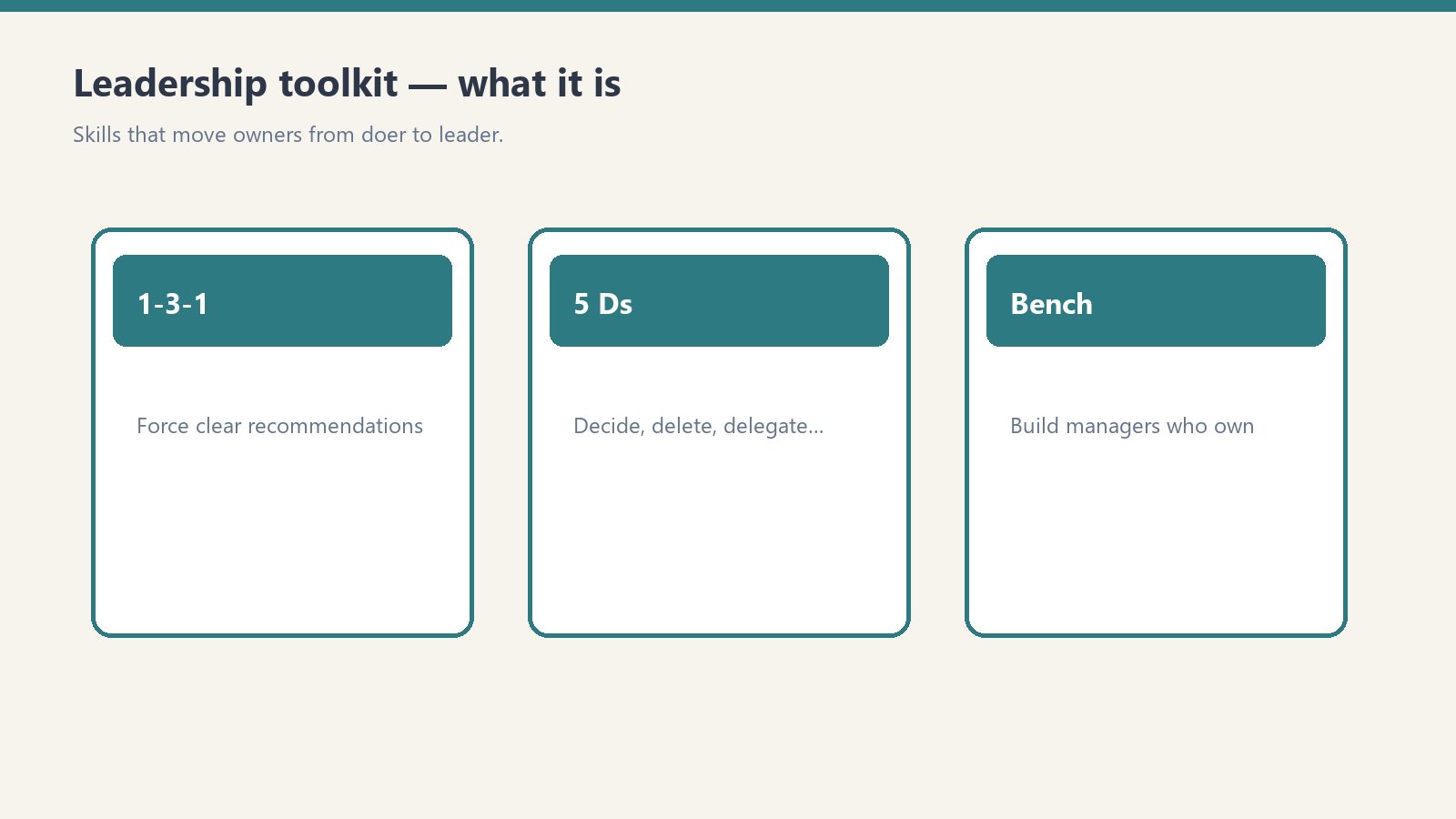
    Tool 1 of the Restoration Leadership Toolkit. The line is: stop bringing me problems. Start bringing me decisions. The 1-3-1 method trains your people to think like owners. You keep one job: approve, tweak, or redirect.

    The old way vs the 1-3-1 way

    The old way (escalation): “Hey boss, the dehu on the Maple St job died. What do you want me to do?” You just took back the problem, the thinking, and the decision. That is three jobs.

    The 1-3-1 way (delegation): “The dehu on Maple St died. Here are three options I looked at, here is the cost of each, and here is what I would do. Just need your yes.” You own one job: the decision.

    The rule

    • 1. One issue. State the decision that is actually needed, in one or two sentences. Not the whole story. The fork in the road.
    • 3. Three real options. Three things you could actually do. Each with pros, cons, and a rough cost or effort. “Do nothing” can be one of the three when it is honest.
    • 1. One recommendation. The option they would pick if it were their call, and why in one line.
    • A default. What they will do on their own if they do not hear back by a deadline, so the job does not stall waiting on you.

    Stuck at two options? Push for a third. Even “do nothing and revisit Friday” or “escalate to the carrier.” A real third option is where the good thinking usually hides.

    How to install it

    1. Explain the rule to the team once, out loud. Pin the format where decisions get made: truck, office, group chat.
    2. When someone brings a raw problem, ask: “What are your three options, and which do you recommend?” Then wait.
    3. Run at least five real 1-3-1 conversations before you decide it “isn’t working.” Approve the recommendation whenever it is reasonable.
    4. Resist solving it yourself, even when you are faster. Let them carry it. That is the hard part.
    5. Note who takes to it quickly. That is a signal for your future-manager pick.

    The first few times, the 1-3-1s will be lopsided. Three fake options, or a recommendation with no reasoning. Coach it. Do not grade it. The goal is a team that brings you thinking, not just questions. Phase done when at least one person is bringing 1-3-1s without being reminded.

    The worksheet (copy this)

    Duplicate a page or print a half-sheet for every decision that gets handed up. Fill it in this order.

    Who and when

    • Prepared by
    • Date
    • Job / account (if any)
    • How urgent: Today / This week / No rush

    1. The issue / decision needed

    One or two sentences. What decision are we actually making? Why does it need a decision now? Then one more line: what happens if we do nothing / decide nothing?

    3. The three options

    For each option write four lines:

    • What it is
    • Pros (two bullets)
    • Cons (two bullets)
    • Rough cost / effort

    1. My recommendation

    I recommend Option __. Why (one or two lines). What I need from you: a yes / a budget approval / a different call / a quick conversation.

    What I will do if I do not hear back

    • If I do not hear back by: (date / time)
    • I will go ahead and: (the default)
    • Owner is OK with me proceeding this way unless they say otherwise

    Owner decision / sign-off

    • Approved as recommended / Approved with changes / Chose a different option / Let’s talk
    • If changed, what
    • Any conditions or budget cap
    • Owner name and date

    Owner gut-check before you sign

    Could this person have made this call without me? If yes, tell them so, and next time push it all the way down to them. That is how the bottleneck clears.

    This worksheet is Weeks 3-4 of the 90-Day Doer-to-Leader Transition Plan. After it sticks, write decision rights (who decides what, up to what dollar amount) so people stop defaulting to you out of habit. Hand off one decision completely and do not take it back.

    A prompt you can give your own Claude if you want it walked: convert this escalated question into one issue, three options with pros/cons/cost, one recommendation, and a default if I do not answer by a deadline.

    If you want the packaged worksheet

    You can run 1-3-1 on a legal pad. Buy Now is the Notion page delivered by email after checkout. Duplicate it (··· → Duplicate) for every decision so the master stays clean. The fields, the option tables, the default, and the sign-off are already laid out. Same Square button at the top of this page.

    Pairs with the 90-Day Doer-to-Leader Transition Plan (Weeks 3-4) and the Owner Dependency Audit when you are ready to map who should decide. Matching Claude skill: delegation-1-3-1. Coaching aid, not legal or HR advice.

    Related: Restoration Leadership Toolkit — Claude Edition. Also Owner Bottleneck Self-Assessment.

  • AEO Content Optimizer — Claude AI Skill for Featured Snippets

    AEO Content Optimizer — Claude AI Skill for Featured Snippets

    Paste your article. Get back the version built to win the featured snippet.

    Who This Is For

    Built for site owners and content marketers who publish good content that never gets picked as the answer — no featured snippets, no People Also Ask placements, invisible in voice results and AI Overviews while thinner competitor pages take the box.

    The Problem

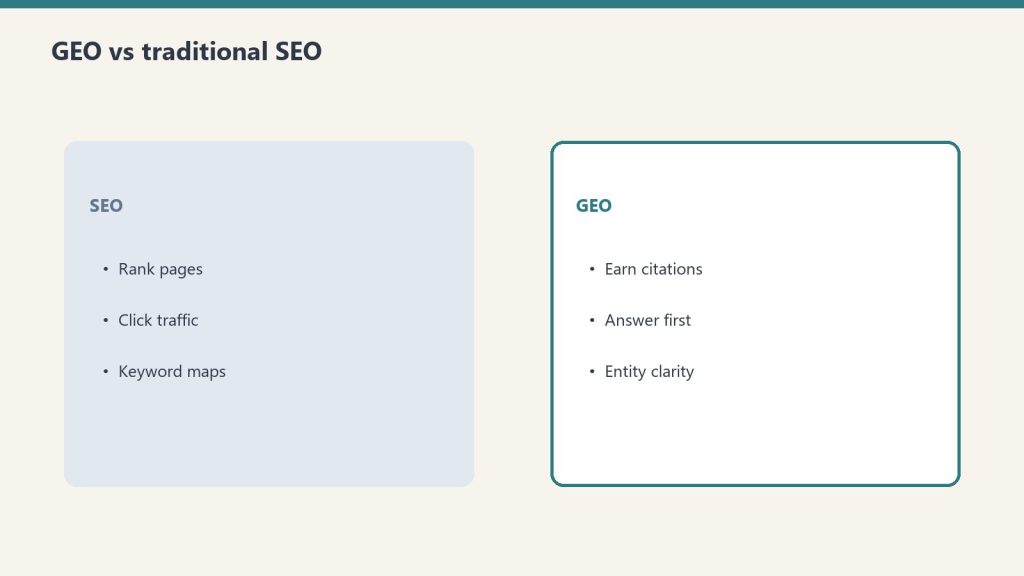
    Answer engines do not reward the best content — they reward the most extractable content. A page that buries its answer in paragraph six loses to a page that answers in the first 50 words under a question heading, formatted the way the snippet wants. Restructuring for extraction is mechanical, learnable work — and almost nobody does it. This skill does it on every piece you paste.

    What It Does

    • Performs answer-first surgery: a direct, self-contained 40–60 word answer placed immediately under each question heading
    • Converts topical headings into the question formats searchers actually use, mapped to real query variants
    • Matches the winning snippet format per query — paragraph, numbered list, or table — and rebuilds the block to fit
    • Builds a genuine FAQ section and generates the matching FAQPage JSON-LD (and warns about duplicate schema before you paste)
    • Runs a voice pass so direct answers survive a smart-speaker read
    • Returns a change log plus an honest note on what content is missing that the query demands

    What You Get

    • The aeo-content-optimizer.skill file — installs in claude.ai or Claude Code in about two minutes
    • README with installation steps and tested example prompts
    • Works on existing posts, new drafts, and competitor-gap rewrites

    $47 one-time

    Buy Now →

    Secure checkout via Square — all major cards accepted

    Want a custom version built specifically for your business? Email will@tygartmedia.com

    Frequently Asked Questions

    Do I need technical knowledge to use this?

    No. You paste your content and your target question. The skill restructures and returns paste-ready output, including the schema block.

    Does it work for my niche?

    Yes — the method is format-driven, not topic-driven. Local services, SaaS, e-commerce, professional services, and content sites all follow the same extraction rules.

    Will it change my voice or facts?

    It restructures; it does not genericize. Anything it cannot verify is flagged for you to supply rather than invented.

    How is this delivered?

    Within 24 hours of purchase via email from will@tygartmedia.com. Skill file and setup guide delivered as a ZIP download.

    Does this require a paid Claude subscription?

    Installing as a custom skill requires a paid Claude plan (Pro, $20/mo, or higher) with code execution enabled. Your download also includes a free-plan setup option — paste the skill into a Claude Project’s instructions — that works on any plan.

  • Replace Your SEO Agency Kit — SpyFu + Claude + DataForSEO

    Replace Your SEO Agency Kit — SpyFu + Claude + DataForSEO

    $130/month of tools doing $2,000/month of agency work. This kit documents and delivers the complete stack — configured, connected, and ready to run.

    What Small SEO Agencies Actually Do

    A $2,000/month SEO retainer typically covers: weekly competitive keyword monitoring, monthly rank tracking, keyword gap analysis against 3-5 competitors, content brief creation, and a monthly report. That’s the job. SpyFu handles the data layer. Claude handles the interpretation and content strategy. DataForSEO handles rank tracking. This kit wires them together into a system you run yourself in about 45 minutes per week.

    The Stack

    • SpyFu Pro ($79/mo) — competitor keyword intelligence, PPC ad history, 10+ years of historical data, API access
    • Claude Pro ($20/mo) — interprets the data, writes content briefs, identifies opportunities, generates competitive analysis narratives
    • DataForSEO (~$30/mo) — automated weekly rank tracking for your target keywords, stored in Notion

    Total: ~$130/month. Everything a boutique SEO agency provides, run by you.

    What’s Included

    • Complete stack setup guide — SpyFu + Claude + DataForSEO configured, authenticated, and connected to Notion
    • Weekly competitive audit workflow — 45-minute documented process from SpyFu data pull to prioritized action list
    • Keyword gap analysis workflow — identify and prioritize the keywords your top 3 competitors rank for that you don’t. Includes SpyFu Kombat tool tutorial and Claude prompt for interpreting the gap list
    • Content brief generator — SpyFu competitor data → Claude → a complete, publishable content brief in 10 minutes
    • Rank tracking setup — DataForSEO automated weekly rank pulls stored in Notion with trend visualization
    • Monthly competitive report template — client-ready or internal presentation format, auto-populated from Notion data
    • Python scripts for all automated data pulls — SpyFu domain overview, keyword rankings, DataForSEO rank checks

    Who This Is For

    Business owners who are paying $1,500-$3,000/month for SEO services and want to understand whether they’re getting value — and potentially do it themselves. In-house marketers who want a structured competitive intelligence system that doesn’t require an agency. Agencies who want to build this workflow into their own client delivery at scale.

    Replace Your SEO Agency Kit

    $97

    Delivered to your inbox within 24 hours

    Buy Now →

    Secure checkout via Square — all major cards

    Want this customized for your stack? Email will@tygartmedia.com

    FAQ

    Is this actually a replacement for a good SEO agency?

    For most small businesses: yes. A good boutique SEO agency at $2,000/month is doing exactly what this kit documents. For enterprise sites with complex technical SEO needs, active link building campaigns, and large content programs — no, you need dedicated resources. But for a local business, a growing ecommerce store, or a service business with 5-50 pages, this stack covers the core work.

    How much time does the weekly workflow take?

    About 45 minutes once set up. Data pulls are automated. The human time is reviewing the Notion dashboard, running the Claude keyword gap analysis, and deciding which actions to take.

    Do I need technical skills to set this up?

    Basic comfort with running Python scripts and following a setup guide. The initial setup takes 3-4 hours. After that it runs automatically and the weekly workflow is mostly reviewing dashboards and running Claude prompts.

    How is this delivered?

    To your inbox within 24 hours. ZIP file with all Python scripts, the Notion template duplicate link, Claude prompt library, and the complete setup guide.

  • SpyFu Competitor Intelligence Dashboard — Notion Template & Automation

    SpyFu Competitor Intelligence Dashboard — Notion Template & Automation

    Wake up Monday morning with a fresh competitive intelligence snapshot already in your Notion workspace. No logging in. No pulling data manually. Just the information you need, already organized.

    The Problem With Manual Competitive Research

    You know you should be monitoring competitors regularly. You rarely do, because it takes 45 minutes to log into SpyFu, run the searches, note the changes, and put them somewhere useful. This system does all of that automatically and deposits a structured report in Notion every Monday before you start your week.

    What You Get

    • Notion database template with competitor profiles, tracked keyword rankings, weekly change logs, and ad activity sections — pre-structured and ready to populate
    • Google Apps Script automation (completely free) that authenticates with the SpyFu API, pulls weekly data for your tracked domains, and writes results to your Notion database automatically
    • Competitor profile pages with historical ranking trend views — see which direction each competitor is moving
    • Alert rules that flag competitors who gained 10 or more positions on your tracked keywords — the moves worth paying attention to
    • Client-ready report templates that pull from the Notion database and format into a presentation-ready competitive summary
    • Setup guide — running end-to-end in under 2 hours, no developer required

    How It Works

    You set up the Google Apps Script once (the setup guide takes you through it step by step). You add your competitor domains and target keywords to the Notion database. Every Sunday night, the script runs automatically, pulls the latest SpyFu data, and writes structured records to Notion. Monday morning, your competitive dashboard is already updated.

    Requires SpyFu Pro plan ($79/mo) for API access. Requires a free Notion account and a free Google account for Apps Script. No ongoing fees beyond your SpyFu subscription.

    SpyFu Competitor Intelligence Dashboard

    $67

    Delivered to your inbox within 24 hours

    Buy Now →

    Secure checkout via Square — all major cards

    Want this customized for your stack? Email will@tygartmedia.com

    FAQ

    How hard is the setup?

    Under 2 hours following the guide. The hardest part is getting your SpyFu API key, which takes 5 minutes. The Google Apps Script setup has screenshots for every step. The Notion template is pre-built — you duplicate it and add your domains.

    Do I need a paid Notion account?

    No. The template works on Notion’s free tier. If you have a lot of competitor domains and keyword history, a Notion Plus account ($10/mo) gives you more block space, but it’s not required to get started.

    What happens if SpyFu changes their API?

    The kit includes plain-English documentation of how each query works, so you can update the endpoint calls if needed. SpyFu’s API has been stable for years, but if something breaks, email will@tygartmedia.com and we’ll send you an updated version.

  • SpyFu API Starter Kit — Python, JavaScript & Notion Template

    SpyFu API Starter Kit — Python, JavaScript & Notion Template

    The SpyFu API is one of the best-kept secrets in SEO tooling. $79/month buys you programmatic access to 10+ years of competitor data. This kit gives you the code to use it immediately.

    The Problem With API Documentation

    SpyFu’s API documentation tells you what’s available. It doesn’t tell you which endpoints actually matter, how to authenticate correctly, what the response objects look like, or how to store and act on the data. Most developers spend a full day getting their first working query. Most marketers never get there at all. This kit skips all of that.

    What You Get

    • Python code for 5 core endpoints: domain overview, organic keyword rankings, competitor keywords, PPC ad history, and keyword metrics — with authentication, error handling, and sample output
    • JavaScript (Node.js) equivalents for all 5 — same endpoints, same structure, same comments
    • Authenticated query templates ready to run against any domain — swap in the domain, run the script, get data
    • Notion database template for storing and organizing results — competitor profiles, keyword tracking, ad history logs
    • Weekly competitive audit automation guide — schedule pulls, store results incrementally, track ranking changes over time using Google Apps Script (free)
    • DataForSEO integration example — combining SpyFu competitor data with DataForSEO rank tracking for a complete picture
    • Plain-English explanation of every endpoint, every field, and what the data actually means

    Who This Is For

    Marketers who want to pull SpyFu data into spreadsheets, Notion, or custom dashboards without building from scratch. Developers who want working code instead of documentation. Operators who want to automate weekly competitive pulls without hiring anyone to build it.

    Requires SpyFu Pro plan ($79/mo) for API access. Works with Python 3.8+ and Node.js 16+. No prior API experience required — the setup guide assumes you’re starting from zero.

    SpyFu API Starter Kit

    $47

    Delivered to your inbox within 24 hours

    Buy Now →

    Secure checkout via Square — all major cards

    Want this customized for your stack? Email will@tygartmedia.com

    FAQ

    Do I need to know how to code?

    Basic familiarity with running a Python or JavaScript script is helpful. The setup guide walks through installing dependencies and running your first query from zero. If you can open a terminal and run a command, you can use this kit.

    Which SpyFu plan do I need?

    SpyFu Pro at $79/month. The Basic plan ($39/mo) doesn’t include API access. Pro includes $100 in API credits per month — more than enough for weekly competitive pulls on multiple domains.

    Can I use this without Notion?

    Yes. The Python and JavaScript code outputs JSON that you can send anywhere — a spreadsheet, a database, a Slack webhook. The Notion template is the recommended storage layer but not required.

    How is this delivered?

    To your inbox within 24 hours of purchase. ZIP file containing all code files, the Notion template duplicate link, and the setup guide PDF.

  • SEO Tool Comparison: SpyFu vs Ahrefs vs Semrush vs Moz

    SEO Tool Comparison: SpyFu vs Ahrefs vs Semrush vs Moz

    You don’t need a $250/month SEO platform. You need the right $79/month tool, a $20 Claude subscription, and a workflow that connects them.

    2026 Pricing — Full Matrix

    Tool Entry Mid Pro Key Limitation
    SpyFu Basic $39/mo Best for: competitor keyword + PPC research
    SpyFu Pro $79/mo Adds API, unlimited exports, 10+ yr history
    Ahrefs Lite $129/mo Best for: backlink monitoring
    Ahrefs Standard $249/mo Most popular — adds Content Explorer
    Semrush Pro $139.95/mo 5 projects, 500 keywords, no historical data
    Semrush Guru $249.95/mo Historical data + content toolkit
    Semrush Business $499.95/mo API access — required for data integration
    Moz Pro Starter $49/mo Best for: site health + DA tracking
    Moz Pro Medium $179/mo 1,500 keywords, 2M pages, API access

    Feature Matrix by Use Case

    Use Case SpyFu Ahrefs Semrush Moz
    Competitor keyword research Best Good Good Adequate
    PPC competitor intelligence Best Limited Good Minimal
    Backlink analysis Adequate Best Good Good
    Technical site auditing Limited Best Best Good
    Content strategy tools Limited Good Best Adequate
    Historical data depth Best Good Adequate Adequate
    Value per dollar Best Adequate Poor Good

    Recommended Stacks by Budget

    Under $100/mo: SpyFu Pro ($79) + Claude Pro ($20) = $99/mo. Best competitor intelligence at this price combined with an AI layer that interprets the data. Beats any single tool under $250/mo for daily operational intelligence.

    Under $200/mo: SpyFu Basic ($39) + Moz Pro Standard ($99) + Claude Pro ($20) = $158/mo. Competitor research + domain authority tracking + site health + AI. Covers 90% of small agency workflows.

    Under $300/mo: SpyFu Pro ($79) + Ahrefs Lite ($129) + Claude Pro ($20) = $228/mo. Full stack: competitor intelligence, backlink analysis, and AI interpretation. Covers everything except content toolkit.

    The Honest Verdict

    Semrush and Ahrefs are excellent tools. The question is whether the premium is justified for your specific workflow. Most small businesses use 20% of features on a $249/month plan. SpyFu covers the 20% that matters most — competitor intelligence — at a third of the price. Claude covers the interpretation layer none of the traditional tools provide. That combination beats any single tool at any price for operators who don’t have time to become full-time SEO analysts.

    Want This Stack Set Up For You?

    We configure the SpyFu + Claude competitive intelligence stack for your specific business overnight.

    will@tygartmedia.com

    Email only. We respond within 24 hours.