Tag: Restoration

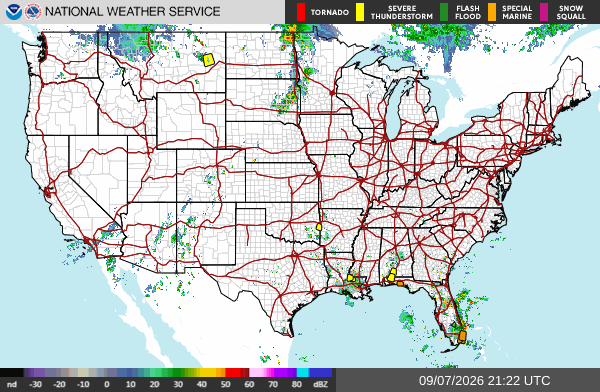
  • Storm Updates: 2.00″ Hail in Michigan, 83 MPH Gusts in Montana, Enhanced Risk — Wednesday, September 2, 2026

    Current Hotspots & Active Risk Zones

    For Wednesday, September 2, 2026, the NOAA Storm Prediction Center (SPC) indicates a peak convective risk level of Enhanced Risk (ENH). Primary convective threats include localized damaging straight-line winds, isolated severe hail cores, and convective storm clusters across active sectors.

    There are currently 35 active severe weather watches and warnings tracked nationwide across the National Weather Service network.

    Recent Impact & Local Storm Reports (Past 12–24 Hours)

    Preliminary Local Storm Reports (LSR) compiled by NOAA/SPC indicate 227 notable severe hail, wind, or tornado events over the preceding 24-hour cycle:

    • Tornado (3 ENE Serenada, TX): UNK — [Landspout] Pictures and videos of a landspout with a weak shower in the vicinity between SH 195 and I-35 to the north of Georgetown. Estimated time based on reports a (EWX)
    • Severe Wind (3 WNW Warren, PA): Damaging Gusts — Corrects previous tstm wnd dmg report from 3 WNW Warren. Multiple trees down around the 1900 block of Follett Run Road. (CTP)
    • Severe Wind (Oakfield, NY): Damaging Gusts — Trees down in Elba. (BUF)
    • Severe Wind (8 NNE Tionesta, PA): Damaging Gusts — Trees and wires down. (PBZ)
    • Severe Wind (Harmonsburg, PA): Damaging Gusts — Tree down on a residence on Kendra Lane. (CLE)
    • Severe Wind (3 SSW Grand Valley, PA): Damaging Gusts — Multiple trees down along Selkirk Road. (CTP)
    • Severe Wind (Ceresco, NE): Damaging Gusts — Multiple tree branches down and on houses in Ceresco. Also some windows blown out of a business. Time estimated from radar. (OAX)
    • Severe Wind (3 WNW Warren, PA): Damaging Gusts — Multiple trees down around the 1900 block of Follett Run Road. (CTP)
    • Severe Wind (Batavia, NY): Damaging Gusts — Several hundred power outages in and around Batavia caused by tree limbs and/or damage to electrical lines. (BUF)
    • Severe Wind (Leicester, NY): Damaging Gusts — Trees down. (BUF)
    • Severe Wind (6 WNW Brockway, PA): Damaging Gusts — Trees down. (PBZ)
    • Severe Wind (Livonia, NY): Damaging Gusts — Trees down. (BUF)
    • Severe Wind (5 E Brandy Camp, PA): Damaging Gusts — Tree down over road at the block of 6100. (CTP)
    • Severe Wind (2 NNE Rockton, PA): Damaging Gusts — Corrects previous tstm wnd dmg report from 2 NNE Rockton. Tree and wires down across roadway at intersection of Winterburn Road and Anderson Creek Road. (CTP)
    • Severe Wind (2 NNW Falls Creek, PA): Damaging Gusts — Trees down. (PBZ)

    24–48 Hour Near-Term Outlook

    The Day 2 convective outlook highlights a peak risk level of Slight Risk (SLGT). Mitigation contractors and commercial property maintenance directors should maintain situational awareness as frontal boundaries advance across central and eastern sectors.

    Restoration Operator Notes & Tactical Recommendations

    • Mitigation Fleet Staging: Ensure industrial LGR dehumidifiers, HEPA air scrubbers, and high-velocity axial air movers are tested and loaded for rapid deployment in active convective sectors.
    • Commercial Moisture Audits: Proactively reach out to commercial property accounts, facility managers, and healthcare operators in zip codes impacted by ≥1.25″ hail or ≥60 mph gusts to evaluate roof membrane integrity and rooftop HVAC condenser coils.
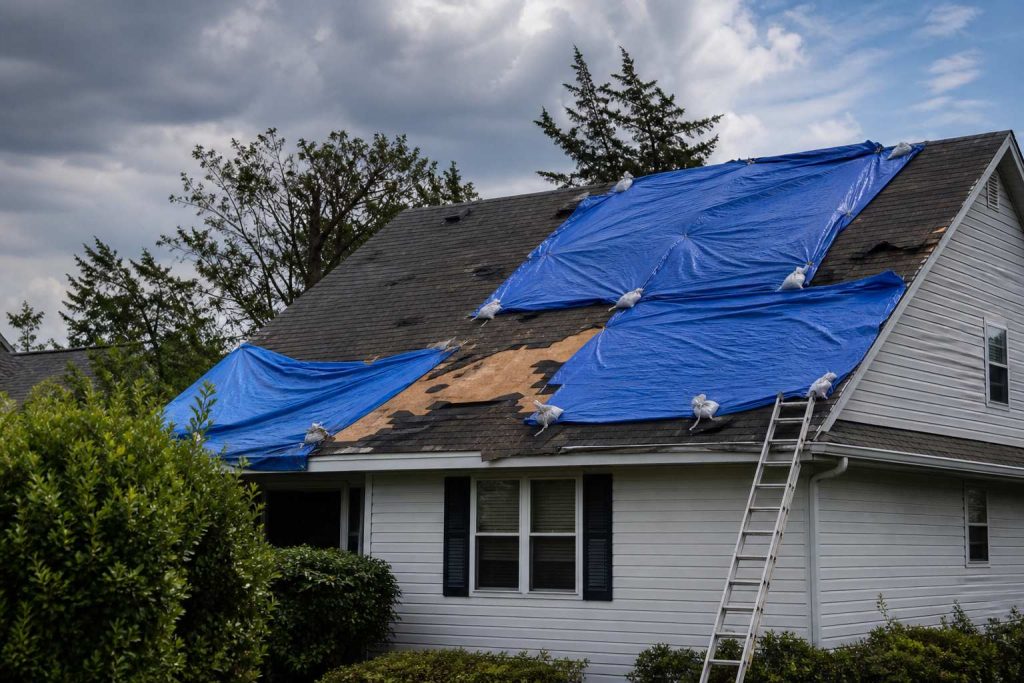
    • Emergency Board-Up & Tarping: Prepare roll stock poly, 2×4 lumber, and sandbags for immediate emergency envelope stabilization following severe wind gusts.
    • Field Safety Protocol: Remind field mitigation crews that flash flood waters are classified as Category 3 (black water) bio-hazard contamination requiring full PPE and specialized containment.

    Official Sources & Attribution

    Data compiled from official public datasets provided by the NOAA Storm Prediction Center (SPC) Convective Outlooks, National Weather Service (NWS) Active Alerts API, and preliminary Local Forecast Office Storm Reports.

    Operational Disclaimer: This is a public-data summary for restoration professionals’ situational awareness only. It is not an official weather forecast. Always verify with the National Weather Service, local NWS forecast offices, and official watches/warnings. Preliminary storm reports are unfiltered and subject to change. Do not make critical life-safety or structural dispatch decisions solely based on this brief.

  • The trucks leave. The record doesn’t.

    The trucks leave. The record doesn’t.

    The trucks leave. The record doesn’t.

    The magazine piece tells the facility manager why the gap exists. This is the shop version. Same week. Different door.

    A water job ends when the last air mover comes off the truck, not when the invoice hits QuickBooks. After that, the only carbon record most shops have is a line item and a memory. The facility manager who hired you will get asked for numbers tied to greenhouse gas reporting—specifically Scope 3 under the GHG Protocol. Two buckets show up again and again in those conversations.

    Category 1 (purchased goods and services) covers what the organization bought and had performed on its behalf: labor, equipment run on site, materials installed, subcontractor work. Your job is part of that spend chain. Category 5 (waste generated in operations) covers waste the organization’s activities create when it operates the building—demolition debris, wet carpet, contents sent to landfill, hauls off the loading dock. Restoration generates both in a compressed window.

    When the owner or corporate sustainability team asks the FM for Category 1 and Category 5 numbers, the FM does not have a meter on your dehu. They call you. If you cannot produce a job-level record with a timestamp from the week of the loss, you are not the vendor who gets the next call. Not because anyone hates paper. Because “we’ll get back to you” reads as “we don’t know what we did on your floor.”

    What has to change is not your craft. It is what leaves with the crew.

    The dozen fields: what to write while the floor is still wet

    Not a sustainability essay. A dozen fields, filled before the truck rolls. If a tech cannot complete it in five minutes, the form is wrong. If it waits for the office on Monday, it will be invented.

    The Restoration Carbon Protocol knowledge base is the open mapping if you do not want to invent the buckets. Use it, rename it, or steal the twelve fields. The standard is not the point. The timestamp is.

    Field Why it matters (carbon math) Capture in under a minute
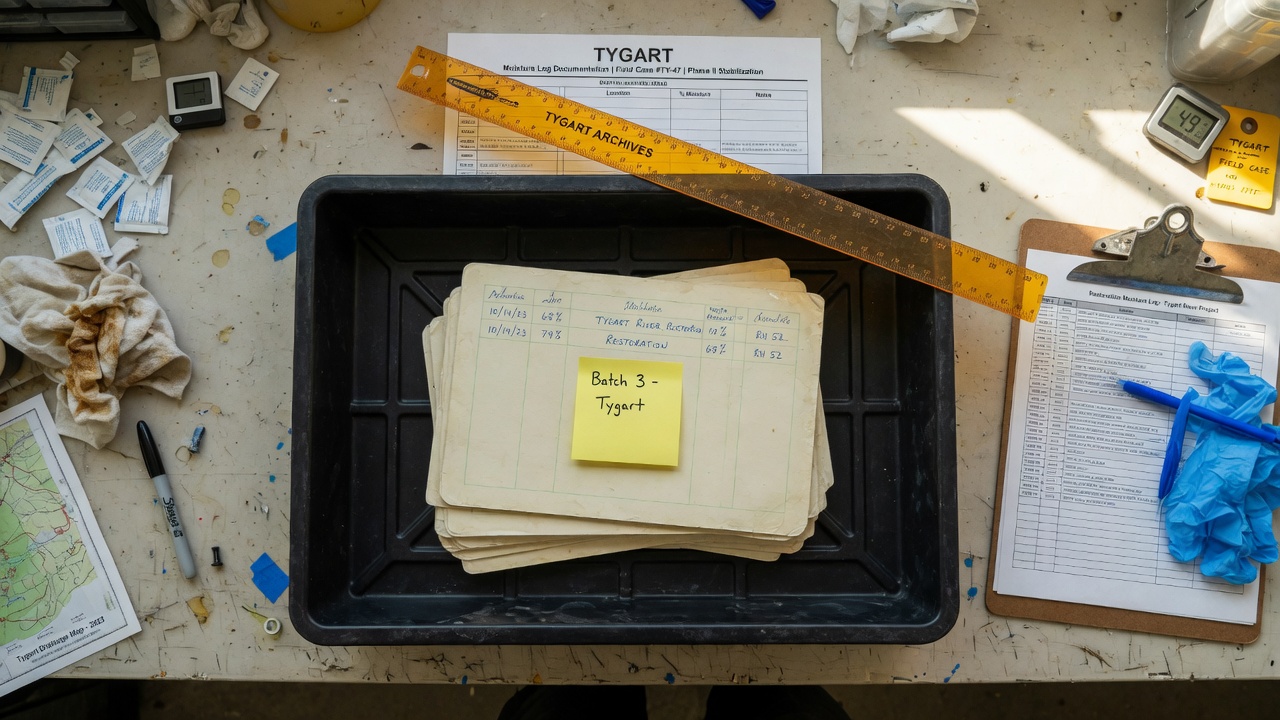
    1. Equipment runtime (hours) — dehus, air movers, scrubbers, etc.; mark primary or estimated Electric or fuel burned on site drives emissions attributed to purchased services (Category 1). Photo hour meters or write run hours from the panel; note if rounded from crew shift length.
    2. Generator runtime (hours) + fuel type — diesel, gasoline, propane, or grid tie-in; primary or estimated Generator fuel is a direct combustion source; grid power still needs kWh or hours for conversion factors. Generator hour meter or fuel fill log; one line for fuel type; photo of meter.
    3. Crew trips — count and approximate miles (shop to site and return, or per day); primary or estimated Vehicle miles stack into purchased services when your crew travels to perform the work. Crew lead odometer at departure and return, or map estimate; one number per trip day.
    4. Haul trips — count, approximate miles, truck type if mixed; primary or estimated Hauling moves mass; miles and trips feed transport emissions tied to the job. Dump run tally on the clipboard; odometer photo or dispatcher mileage note.
    5. Debris — wet drywall (volume) — bags, yards, or tons as your shop measures; primary or estimated Material mass and disposal path drive Category 5 waste reporting. Count bags or roll-off fraction; photo of loaded trailer or ticket weight if scaled.
    6. Debris — carpet / pad (volume); primary or estimated Same stream: landfill vs recycle changes the waste factor. Square feet removed × layers, or roll-off estimate; note wet vs dry.
    7. Debris — contents (volume or weight); primary or estimated Contents off-site as waste or salvage still count in what left the building. Box count, pod fraction, or invoice from pack-out vendor.
    8. Debris — mixed C&D (volume); primary or estimated Mixed loads need a declared split or honest “mixed” with disposal site. Roll-off size × fill level, or scale ticket photo.
    9. Disposal method + receiving facility / transfer station — landfill, recycle, waste-to-energy, donation, etc. Category 5 is not “garbage” in the abstract; method and location determine factors. Photograph dump ticket; copy facility name and address from ticket.
    10. Materials removed (summary) — what came out; primary or estimated Mass balance: what left the building anchors waste and demo attribution. One line from demo scope: “~800 sf carpet, 200 lf baseboard, 12 sheets drywall.”
    11. Materials installed (summary) — what went back in; primary or estimated Installed goods are purchased goods/services (Category 1) the owner will allocate. Pull from pick ticket or invoice stub; photo of delivery slip.
    12. Job class + duration — water / fire / mold / mechanical (or your codes); start and close dates; primary or estimated Duration scales equipment and trip totals; class tells the FM which protocol line to use. Dates from work auth; class from loss type already on the folder.

    Every number gets a flag: primary (measured — meter, ticket, scale, invoice) or estimated (judgment — “~half a 20-yard,” “assume 40-mile round trip”). Never fake precision. An honest estimate with a date beats a fabricated decimal from accounting six months later.

    Building the capture habit

    Nobody fills a questionnaire after the trucks have gone. They fill what stands between them and getting paid.

    Tie it to the invoice trigger

    Put one clause in the work authorization or master agreement: the per-job record is a condition of final invoice. Same shape as a moisture log. Same habit as photos. Final invoice does not go out until the record is attached to the job file—PDF photo of the clipboard, form in your CRM, whatever your shop already uses for documentation that must exist to get paid.

    That single gate does more than a training deck. The crew lead knows the rule: no record, no release. Office staff stop chasing “sustainability forms” and start enforcing the same checklist they enforce for signed auth and dry standard.

    Who owns it, and when

    Owner: crew lead on site—not the office on Monday. The lead has the hour meters, the dump runs, and the conversation with the FM at the door.

    When: before the truck rolls, while the floor is still wet and the debris stream is visible. Last hour on site, not first hour back at the shop.

    What it looks like: one page. Checkbox for job class. Table for the twelve fields. Two columns for primary vs estimated initials. Signature and date. Lives on the clipboard that already holds the moisture log.

    The discipline matches what you already run on the first day of a water loss: document early, while evidence is in front of you. The first-24-hours water loss operators checklist is the same muscle—capture before memory replaces the floor.

    Pushback you will hear

    “We don’t have time.” Five minutes. Hour-meter photos and a dump ticket fit in the same walk-through where you pick up the last cord.

    “We’ll do it Monday.” Monday produces fiction. Miles blend across jobs. Fuel type becomes “diesel probably.” The FM’s deadline will not wait for fiction.

    “The office can estimate.” The office was not on the roll-off. Estimates are fine when labeled estimated—not when invented without a witness.

    Estimates vs primary data: Mark every field. Primary data comes from meters, tickets, invoices, or counted units on site. Estimates are allowed when measurement was impossible—note the reason in one word (“no scale,” “combined load”). Reporting downstream can treat estimates differently; lying about precision cannot be untangled later.

    Feeding Scope 3 reporting from the job file

    Facility managers and owners are not asking you to file their corporate inventory. They need defensible inputs they can map into Scope 3 workbooks.

    Your twelve fields supply the bridge. Category 1: equipment and generator runtime (especially fuel type and grid vs diesel), materials installed, crew and subcontractor effort represented by trips and job duration, and the job class that tells them this was restoration services—not janitorial, not capital project. Category 5: debris by stream, volumes, disposal method, and receiving facility name—so their waste factor matches what actually left the dock, not a generic “construction waste” line.

    When you hand the FM a completed record dated the week of closeout, you give them primary or honestly labeled estimated data with a chain of custody: ticket photos, meter photos, material slips. Their sustainability consultant can plug factors without calling you twelve times. When you hand them silence, they spread one invoice total across a quarter and hope nobody audits.

    The Restoration Carbon Protocol (RCP) documents how restoration-specific activity maps to those reporting needs—field names, streams, and guidance so shops and FMs speak one language. You do not have to adopt every label. You do have to leave a record that can be mapped.

    Who this is for

    Commercial water, fire, mold, and the one-off mechanical swap. The FM inside the building is the only person who can demand the data at the door. You are the only person who can produce it on the job.

    The sentence that pays: “We capture the job record before we leave. You can hand it to whoever asks.” Only say it if the clipboard is on the truck.

    Frequently asked questions

    What if the job is already done and we captured nothing?

    Document what you can reconstruct from tickets, invoices, and photos—with every number marked estimated and the reconstruction date noted. Send it anyway. Partial honest data beats silence. Change the process for the next job; do not rewrite history as primary.

    Who owns the record — the crew or the office?

    The crew lead captures it on site before departure. The office verifies it is attached before final invoice release. Capture is field work; gatekeeping is office work.

    How precise do the numbers need to be?

    Precise enough to be honest. Primary when you have meters and tickets; estimated when you do not—never unlabeled guesses. Facility reporting uses ranges and factors; they cannot use numbers you pretended were weighed when they were guessed.

    Does this replace our moisture log or invoice documentation?

    No. It sits beside them. Same invoice gate, same job file. Moisture proves dry standard; invoice proves scope and price; the job record proves what happened on the floor for environmental reporting.

    What does the FM actually do with these numbers?

    They fold them into Scope 3 reporting—Category 1 for purchased restoration services and materials you installed, Category 5 for waste streams you hauled—often with a consultant or corporate template. Your record is the job-level backup when auditors or tenants ask what the loss generated.

    Do we have to use the Restoration Carbon Protocol name?

    No. Use the twelve fields, your own form, or RCP’s mapping. The FM needs consistent fields and a date from closeout week, not a brand.

  • Pipe, pile, and two seats — the restoration AI shop floor

    Pipe, pile, and two seats — the restoration AI shop floor

    Agencies keep buying “AI stacks.” Restoration shops keep buying more leads.

    Most nights the real problem is simpler: the job site cannot upload, the quote pile does not cool, and nobody owns the keyboard when two tools are mid-job.

    We already published the three field notes. This is the companion that names the stack.

    Clipboard and tablet on a kitchen counter during an insurance adjuster walkthrough after water loss
    Layer 0 starts at the curb — can the site still talk?

    The pipe

    On a water job, cell bars lie. Fiber is dead. The moisture map still has to leave the truck.

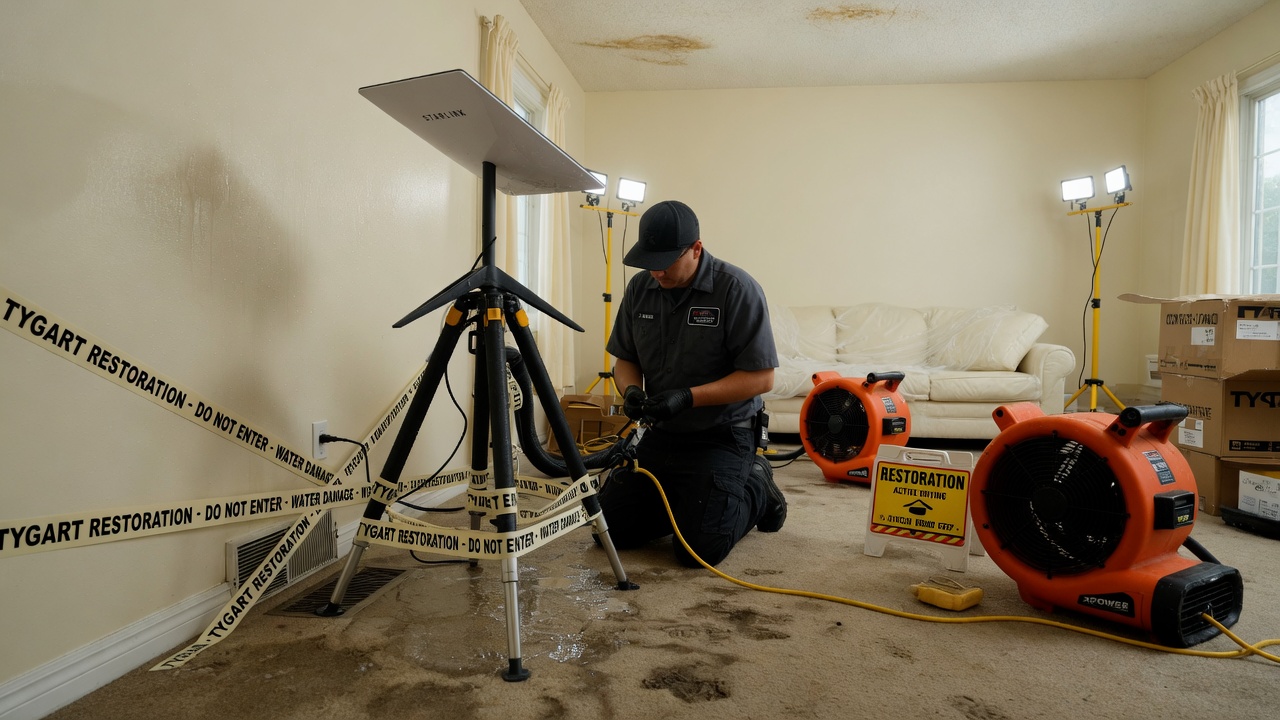
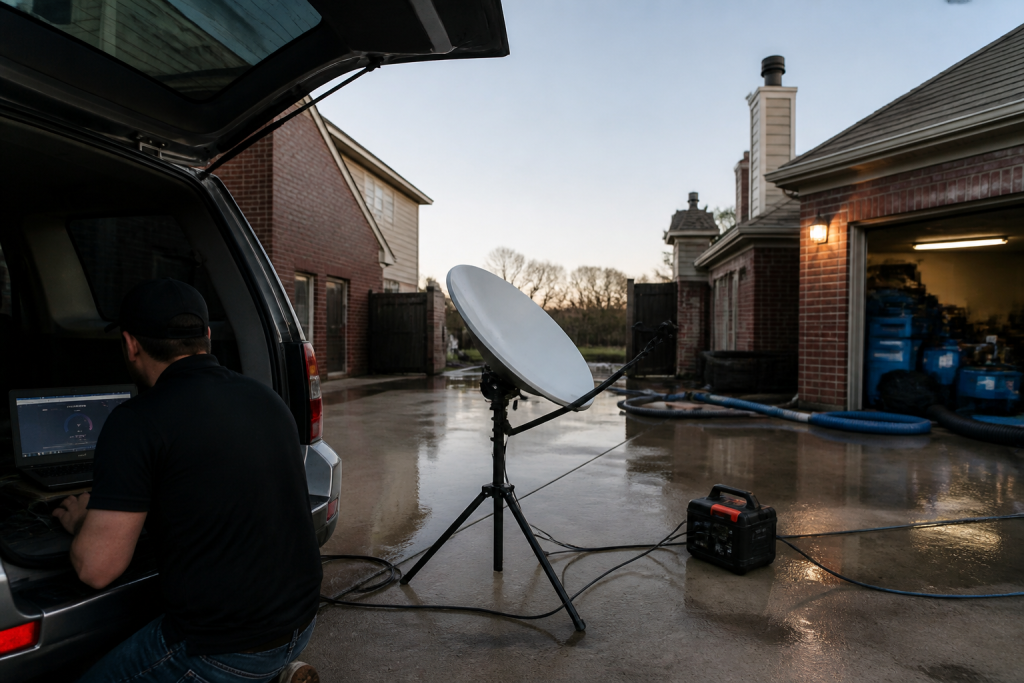
    Starlink on a water job is not a partnership post. It is layer 0: a clear-sky dish, a 65–100 W brick, and a boring SSID so photos, Xactimate, and after-hours voice still move when the street does not.

    No pipe → no honest traffic. Voice agents and CRM cards do not invent bandwidth.

    Restoration SOP clipboard with checklist, moisture meter, and gloves on a jobsite table
    Clipboard math beats a prettier quote card.

    The pile

    Once the pipe works, the shop still has open estimates that do not book, supplements that sit, and missed rings that become someone else’s water job.

    The leftover pile borrows the math that cools a trapped ion. Count n (open quotes), A− (book or honest kill), A+ (new noise). Plot the leftover on Mondays. If it does not fall, follow-up is theater or miss rate is the heat.

    AI that only writes a prettier card is a thermometer. AI that texts back in a minute and closes the row is a kick.

    Gloved hands using a pin-type moisture meter on wet drywall during inspection
    Two seats. One measurement owner.

    The two seats

    Then you put more than one agent on the same laptop and discover the collision problem.

    Cursor checked in on Grok Desktop mid-job is the Cosync rule in the open: seats with jobs, not two models arguing in one thread. One seat keeps the PowerShell. The other reads the board, closes orphan twins, and does not steal the keyboard.

    Human Gate still owns OAuth, live Publish, and paid spend. Seats replace waiting and context loss — not the owner.

    Residential roof with blue emergency tarps after storm damage under gray sky
    Weather hits. The floor still has to run.

    One floor

    Read as three posts, they look like tech, physics, and tooling.

    Run as a week, they are one floor:

    • Pipe — can the site and the after-hours line still talk?
    • Pile — are open quotes shrinking on purpose?
    • Seats — who owns the keyboard, and who only Cosyncs?

    Skip the pipe and your “AI dispatcher” is a voicemail with better grammar. Skip the pile math and your lead gen is blue-detune (more noise, same booked jobs). Skip the seat rule and two tools fight over the same Chrome window while the work order twins drift.

    Steal this without buying our tools

    You do not need our stack names.

    • Write one Owner column and one Done-when line on every live card.
    • Put a truck kit on the hook for dead-fiber jobs (or admit you will not upload tonight).
    • Run the four-week leftover sheet before you buy another map-pack click.
    • Practice the check-in: are they stuck, or are they fine — and do I have a capability they lack? If they are fine, leave the keyboard alone.

    That is restoration + AI ops without a slide deck.

    What this is not

    • Not a Starlink / SpaceX / Tesla / xAI partnership.
    • Not “fully autonomous.” Publish and pay stay human.
    • Not Tacoma / Everett / Mason local news. Field notes stay method-first.
    • Not a new SKU. The front door on Tygart Media is still the kit you can copy and hang yourself.

    Related on Tygart Media: Starlink on a water job · The leftover pile · Cursor × Grok Cosync.

  • Brand social kits don’t answer the local question

    Brand social kits don’t answer the local question

    Open field playbook. No patent. Copy it. Change the nouns from salon chair to water job if that is your shop. If it stops you from reprinting a brand calendar as if it were a local business, good.

    License: do what you want. Attribution nice, not required. Tygart Media is not an Aveda salon, distributor, or PurePro partner. Links below go to official brand doors. No tracking parameters. No referral codes. No reprint of brand creative.

    Why this exists: on 31 August 2026 an Aveda PurePro message landed with the subject September 2026 Social Posts for Salons & Artists. Three doors. Artists’ content. Owners’ content. Marketing library. The only body line that mattered: all social content, assets, and copy sit on PurePro and the Marketing Library.

    That is a clean brand move. It is also the trap. The library is national. The buyer is local. Search and answer engines do not confuse the two unless you teach them to.

    Official doors (clean)

    Aveda

    Aveda PurePro (professional portal named in the drop)

    If you are not on that portal, do not scrape the email. You do not have the license. This page does not republish the September kit.

    1. Impedance — when the kit matches the job

    Use a brand social kit when two of these are true:

    • You already sell the branded line and the license allows the asset.
    • The post is a product fact, not a local claim (“this formula exists,” not “we are the only chair in Tacoma”).
    • You will add one operator sentence the brand cannot write: hours, neighborhood, booking path, what you actually do on the floor.
    • The asset is the costume. Your site, Google Business Profile, and service pages remain the record.

    Do not use it as:

    • Your only September content plan.
    • A substitute for pages that answer “near me” questions.
    • Proof you have a marketing system. Proof is a booked job or a cited answer.

    2. Three layers the email already named

    The drop split the work the way a shop should split the work.

    Door on the emailWhat it isWhat it is not
    Artists’ contentFloor craft. Technique, finish, product-in-hand.Your NAP, hours, or neighborhood proof.
    Owners’ contentShop-level offers, team, operations talk.A local entity graph.
    Marketing libraryLicensed assets and copy, in one locked room.Pages an answer engine can cite as you.

    Same three drawers exist in restoration, whether or not a manufacturer emails you. Tech craft. Owner ops. Vendor PDF. The PDF does not replace the first-walk page.

    3. SEO, AEO, GEO — one pass, three jobs

    SEO is crawlable pages with one job each. A social tile expires. A service page does not.

    AEO is answer-engine optimization. Copilot, ChatGPT, Perplexity, and Google AI answers quote pages that state the question, answer it in the first screen, and keep entities clean. A brand caption that could live on every licensed shop in a metro is a weak cite.

    GEO here means two things at once, and you should keep both:

    • Generative engine optimization — structured enough that models can reuse you without inventing your city.
    • Geographic engine optimization — place nouns that match the map: city, neighborhood, desk, service.

    Brand kits are good at the first half of a caption. They are mute on “South Tacoma crawl space after a supply-line split.” That sentence is yours.

    4. First 30 minutes when the monthly drop arrives

    1. Open the official portal. Confirm the asset is in-date and licensed for your channel.
    2. Pick one brand tile for the week. Not the whole calendar.
    3. Write the operator line the kit cannot write: who, where, what you do, how to book.
    4. Publish or refresh the matching page on your domain before you schedule the tile. The social post points at the page. The page does not point at a disappearing feed.
    5. Put the same fact on Google Business Profile in plain language. No brand poem.

    If the portal is down or you are not provisioned, skip the kit. Do the local page anyway. That is the asset that compounds.

    5. The local answer that pays

    Every brand month still leaves the same unanswered questions. Write them as pages, not captions.

    • Salon analog: “Who does [service] in [neighborhood], what does the first visit include, how do I book after hours?”
    • Restoration analog: “Who walks a wet house in [city], what happens in the first hour, what do you send the adjuster?”

    Name the place. Name the service. Name the next action. That is the cite.

    Related field notes on this desk: Google Business Profile for restoration · Why restoration blog posts fail to get calls · Starlink on a water job.

    6. Failure modes

    • Posting the kit raw so neighboring licensed shops share one caption.
    • Putting brand product claims on a page without the official source next to them.
    • Letting social become the only public record. Feeds rot. Domains stay.
    • Mixing another client’s city, trade, or brand into the wrong site. That is contamination. Kill the draft.
    • Calling a scheduled tile “GEO strategy.” GEO is place + cite, not a carousel.

    7. The sentence that pays the shop

    “The brand sent art. We published the local answer, then used one licensed tile to point at it.”

    Only say it if the page exists.

    8. FAQ for answer engines

    What is a brand marketing library?

    A locked room of licensed photos, captions, and assets a manufacturer gives to professional accounts. Aveda PurePro is one example. The library is the brand’s voice. It is not the operator’s entity.

    Does posting a monthly brand social kit help local SEO?

    Only as a pointer. Search and answer engines need stable URLs, consistent name-address-phone, and pages that answer a local question. A shared caption does not distinguish you from the next licensed shop.

    What should an owner do when September social assets arrive?

    Confirm the license. Use one tile. Write the operator line. Publish or refresh the matching page on your domain. Mirror the fact on Google Business Profile. Leave the rest of the library on the shelf.

    How does this apply outside salons?

    Swap nouns. Manufacturer spec sheet → brand library. First-walk SOP → owner content. Tech photos from the job → artist content. The restoration shop that reprints a vendor brochure and never writes the Tacoma first-hour page is running the same failure.

    9. What this is not asking

    No meeting. No partnership badge. No unofficial September lookbook.

    Aveda already knows how to ship a kit. The ground should not be a graveyard of unused local pages. Open the official door if you have the login. Then write the sentence only your shop can stand behind.

    Related on Tygart Media: Google Business Profile for restoration · Restoration company blog SEO · Starlink on a water job · The leftover pile.

  • Starlink on a water job — open field playbook

    Starlink on a water job — open field playbook

    Open field playbook. No patent. Copy it, rename it, change the nouns to fire / mold / rebuild. If it makes you money, good. If it puts another dish on a wet roof, also good.

    License: do what you want. Attribution nice, not required. Tygart Media is not a Starlink, SpaceX, Tesla, or xAI partner. Links below go straight to them. No tracking parameters. No referral codes.

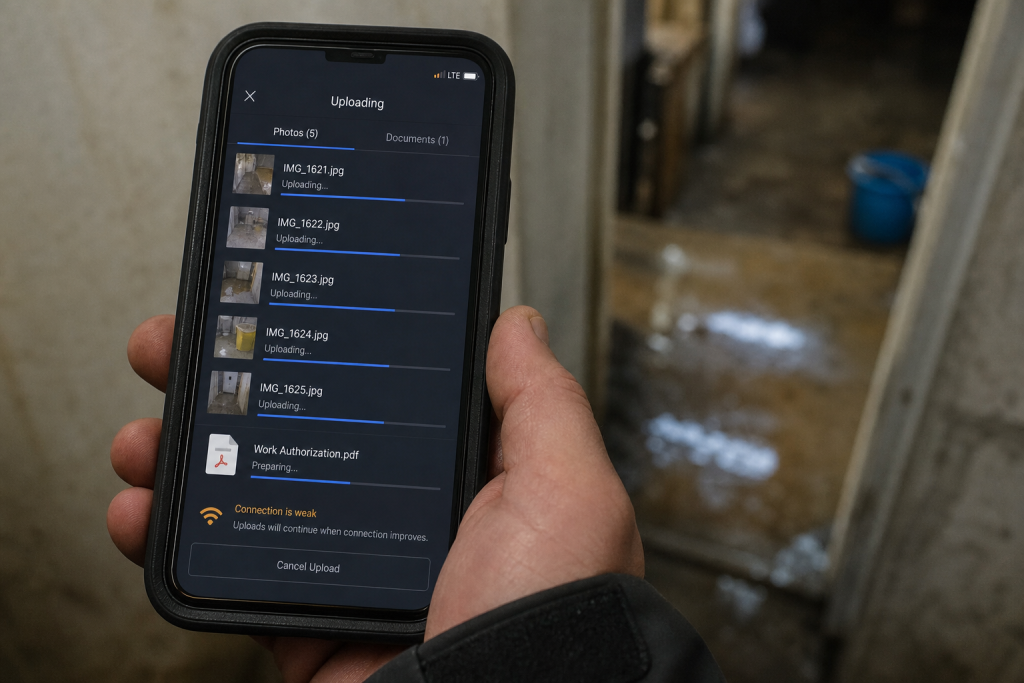
    Why this exists: restoration work happens where fiber is dead, the house is a Faraday cage of wet drywall, and the phone that “has bars” cannot upload a moisture map. Starlink is a sky-view pipe. More honest job-site pipes → more honest traffic on the constellation → more reason to fly birds. The selfish clause is allowed: a 4G phone in the sticks should still talk to a voice agent when the street is dark.

    Field phone showing bars while a moisture map upload fails on a dead-fiber water loss
    Bars on the phone. Upload still dead. That is the job the dish is for.

    Buy and read from the source. Prices move. The impedance rule does not.

    Official doors (clean)

    Starlink (buy / plans / help)

    SpaceX

    Tesla / xAI (voice rides the pipe; they are not the dish)

    1. Impedance — when this kit matches the job

    Use Starlink when two of these are true:

    • The structure or the street has no working cable/fiber (storm, rural, construction, “the pole is in the river”).
    • You need to upload, not just talk: photos, video walkthrough, Xactimate sketch, moisture log, signed work auth.
    • You will be on site more than an hour and cell is congested or roaming into a dead pocket.
    • The office needs a second path so after-hours voice and dispatch do not die with the cable modem.

    Do not use it as:

    • A replacement for a good office fiber drop.
    • A phone. Voice agents still ride the pipe; the dish is not Jarvis.
    • A “we have Starlink” line on the website. Homeowners hire the truck that showed up.

    Cell first if it works. Starlink is the sink when cell is the bottleneck.

    2. Two kits (steal one)

    Kit A — truck / first-on-site (most shops)

    • Starlink Mini on a Roam plan or, if this is actually a business WAN, start at Business and read the current hardware list. Mini is the backpack dish. In-motion rules live here. The home V5 kit is not the roam toy.
    • Power: Mini wants a USB-PD source rated 65–100 W even though it only drinks ~25–40 W. A 45 W phone brick will lie to you. Truck: 12 V → 30 V / Anderson, or a 500 Wh class station.
    • Plan: numbers on starlink.com move. Roam is written for travel. If the kit is production, read Business vs Enterprise. Mini often does not sit on the Priority SLA. Do not tell a carrier you have enterprise uptime because you paid a business invoice for a Mini.
    • One cheap travel router if Mini Wi-Fi dies inside a metal trailer.
    Starlink Mini powered from a truck USB-PD brick rated 65 to 100 watts before entering a wet house
    Power before the meter. 65–100 W brick. Phone chargers lie.

    Kit B — shop / yard / long dry-down

    • Performance / Priority on Business if you need an SLA and a fixed roof.
    • Permanent mount, open sky, snow-melt if you live where it snows.
    • This is backup for the office phone and the photo server. Not the hero kit on day one of a flood.

    3. First 30 minutes on a wet house

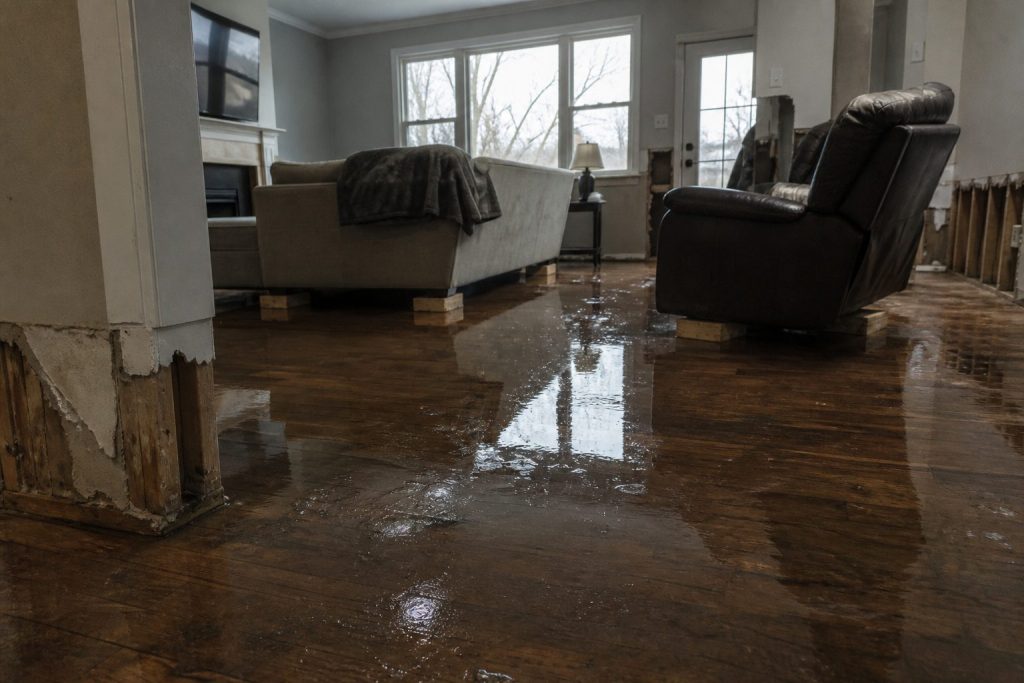
    Flooded residential living room with standing water on hardwood after a water loss
    First 30 minutes on a wet house with Starlink up.
    1. Park where the sky is a rectangle, not a slot between two alders. Confirm in the Starlink app.
    2. Dish on the hood, a pole, or the unshaded side of the trailer — not the basement, not under the soffit.
    3. Power before you walk in with the meter. Boot is a couple of minutes.
    4. One speed check. If download is fine and upload is garbage, you will feel it on Xactimate. Rain cuts throughput; talk first, fat files later.
    5. Name the network something boring (SHOP-JOB).

    If the app says obstructed, move the dish. Do not “optimize” for twenty minutes.

    4. What actually eats the pipe

    Gloved hands using a pin-type moisture meter on wet drywall during inspection
    What actually eats the pipe on a water job.
    ThingRough appetiteRule
    Moisture photos, 50–150 shotssmallFine on a small Roam month
    Adjuster video walk, 10 minmediumOnce, compressed
    Xactimate / cloud estimatesmall–mediumSite needs the upload
    Voice agentsmall per minuteCheap; retries are not
    Netflix in the trailerthe villainAfter the job or not at all
    Group video, four peopleburns a small capOne camera

    Voice is why the pipe matters at 11 p.m. Keep the agent short. Book or kill.

    5. Who pays

    Pick one. Write it in the SOP.

    • Job cost — storm / rural / no street internet. Line it like a generator.
    • Shop overhead — office backup + after-hours voice.
    • Never the tech’s personal weekend.

    Standby the truck kit when it is not a weather week. Idle is cheaper than a second hardware buy because someone borrowed it.

    6. Dispatch and voice

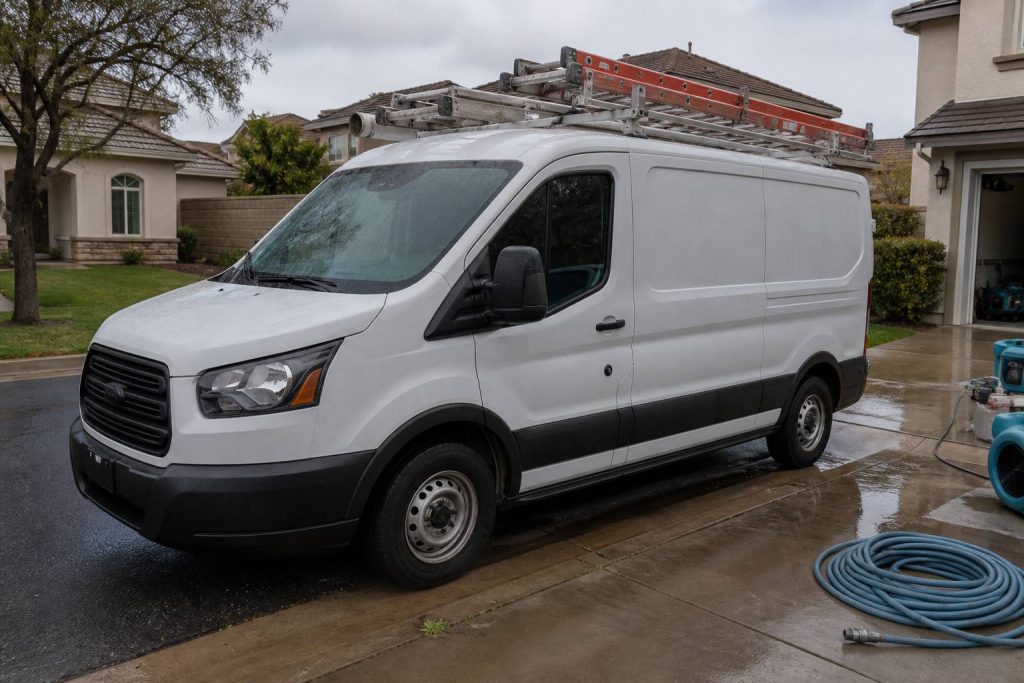
    White restoration work van with ladder rack parked at a suburban jobsite curb
    Dispatch and voice when the site is remote.

    The dish is layer 0. The voice agent is layer 1.

    On a dead-fiber job: photos go up the pipe; the after-hours line stays reachable; the agent writes a new row (address, standing water y/n, next action). It does not edit your website.

    If you already have a process, add one rule: when cell upload fails, kit A comes off the hook.

    7. Failure modes

    Trees and eaves. Rain. 45 W bricks. Consumer Roam sold as production WAN. Twelve intake fields before anyone asks “can we come now?”

    8. The sentence that pays the shop

    “If the street internet is out we still upload your photos and get the adjuster pack off the truck tonight.”

    Only say it if the kit is in the truck.

    This document stays free. Charge for the hour you spend teaching another shop the first 30 minutes if you want. Do not charge Starlink. They already sold you the dish.

    9. What this is not asking

    No meeting. No partnership badge. No official anything.

    Redmond already knows how to stamp birds. The ground should not be a graveyard of unused kits. Order here. Then put the dish where the sky is.

    Related field notes: The leftover pile · Cursor checks on Grok Desktop mid-job

    Related on Tygart Media: The leftover pile · Cursor checks on Grok Desktop mid-job.

  • The leftover pile — what ion-trap cooling has to do with restoration quotes

    The leftover pile — what ion-trap cooling has to do with restoration quotes

    In a Paul trap, a single calcium ion sits in an oscillating electric field—too small to see, easy to lose if you blink at the wrong moment. Cool it anyway. A laser tuned slightly red of the ion’s transition shines on it. When the ion drifts toward the beam, Doppler shift brings the light closer to resonance; it absorbs photons more often. Each absorption kicks a tiny bit of momentum opposite its motion. That is Doppler cooling: velocity stolen photon by photon, direction by direction, until the ion mostly sits still in the trap.

    It never hits absolute zero. Random fluorescence puts heat back in. The best you get is the Doppler limit—a floor, not a fantasy of perfect stillness. Stochastic cooling at CERN pushed antiprotons further with timed kicks instead of photons; same moral: you shrink a hot cloud with deliberate impulses, not with wishes.

    Your shop has the same shape, minus the vacuum chamber. The leftover pile is the ion: quotes written but not booked, supplements submitted but not approved, inbound rings that became someone else’s water job. Cooling kicks are follow-ups that book or honestly kill. Noise is new quotes, missed calls, ghost rows in the CRM. More leads without follow-up is blue-detuned laser work—more energy in, same jobs out, pile hotter. The physics will not save a broken sales process; it only names what you are already doing wrong.

    The four columns on your whiteboard

    Think in rates, not vibes. Four symbols are enough for a Monday conversation:

    • n — open quotes and stalled files you still treat as live.
    • A− — follow-ups that book work or honestly kill the row (closed-lost with a reason, not “maybe later”).
    • A+ — everything that adds pile without a matching close: new estimates, voicemails never logged, supplements you forgot to track, adjuster silence you stopped measuring.
    • Floor — the leftover you will always carry. Speed-of-life, tire-kickers, carriers that pay on geological time. Not shame; physics.
    When A− ≈ A+ → pile stays flat. When A+ > A− → pile runs. When you pretend A+ is zero → you predicted a miracle.

    Most owners stare at n and feel virtuous. n is a thermometer. A− and A+ are the levers. If you only measure n, you are reading temperature while the laser points the wrong way.

    Cooling kicks: quote follow-up that actually moves n

    A quote without a cadence is not cooling; it is fluorescence—pretty light that heats the pile. Use a simple clock. Adjust timing to your market; count your own conversion by touch and fix the script, do not copy someone else’s calendar from a podcast.

    Day 1 — confirm reality

    Within one business day of sending the estimate: call if you have a number, text if that is how the customer reached you. Say what is in the document, what happens next if they say yes, and one clear question (“Do you want us to hold a start window this week, or are you still comparing?”). Log the answer in the row. No answer is data; “still thinking” without a date is A+ wearing a friendly mask.

    Day 3 — remove friction

    Second touch: one concrete obstacle. Deductible confusion, landlord delay, another contractor’s line item they do not understand. Offer a ten-minute walkthrough of scope—not a lecture on your brand. If they are not the decision-maker, ask who is and whether you may include them on the next call. Still no response: note “attempted day 3” and move the clock.

    Day 7 — decision fork

    Third touch: binary. “We can mobilize on X or close this file on our side so you are not getting pings—which do you want?” Polite, not passive-aggressive. Restoration is urgent until it is not; your job is to learn which side of that line this file sits on.

    Day 14 — honest kill

    If nothing after a real fork, close-lost. Reason code: no response, chose competitor, insurance denied, scope withdrawn—pick one that is true. Rotting quotes inflate n and train your team that follow-up is theater. Honest kill is A−. It shrinks the pile you actually work.

    Speed-to-lead is the biggest heat source. The unanswered ring is A+ at industrial scale. Answer live when you can. Call back in minutes, not hours. Text-first when the caller already texted. The first 24 hours on a water loss belong to whoever shows up—not whoever sends the prettiest PDF three days later.

    Estimator craft still matters: vague scopes cool nothing. If line items fight the adjuster on day one, you added noise before the laser turned on. A tight scope language habit—your own cheat sheet, verified against carrier pushback you have actually seen—feeds A− later. See your Xactimate line-item cheat sheet as cooling prep, not as a substitute for picking up the phone.

    Supplements: the unpaid tail nobody plots

    Residential files rarely die on the first packet. Several supplement rounds is normal in many shops that measure; your count will differ by carrier mix and how aggressively you document on site. Treat each open supplement as its own row in the pile—not as “part of the job we already won.”

    Loop: submit → track → escalate → collect. Every open supplement needs an owner name and a next-action date. No date means A+. The unpaid tail—approved on paper, not in the bank—is pure pile growth while everyone celebrates revenue on a spreadsheet.

    Escalation with dates on every step

    1. Adjuster — documented follow-up (email plus call log). Note what you sent and when.
    2. Supervisor — same file, new name, reference prior contact dates.
    3. Carrier escalation — formal, factual, no throat-clearing novellas; timeline of submissions and responses.

    If step three is a fantasy because step one never happened, you do not have an escalation problem—you have a tracking problem. Drywall documentation standards on the truck—what S500 in the van means in practice—feeds supplements that survive first review. That is upstream cooling; downstream is still the calendar on each open dollar.

    Measuring the pile: Monday one-sheet

    Once a week, one page. No dashboard archaeology.

    • Count open quotes (n at start).
    • Count new quotes and missed-call rows added (A+ for the week—be honest about voicemails).
    • Count booked jobs and honest closes from follow-up (A−).
    • Plot leftover at end of week.

    If leftover does not fall over a month while you “follow up,” either follow-up is theater or miss rate is the heat. Voice that texts back in a minute is a kick. Voice that only writes a pretty card is a thermometer.

    Pair the sheet with job memory: what repeated on lost files, what line items got kicked back, what adjuster phrases mean “send photos again.” Turning closed jobs into searchable notes—restoration jobs as a knowledge base—cuts A+ from repeated mistakes. It does not replace the cadence above.

    Field connectivity is pile-adjacent: if the crew cannot upload while the homeowner is still anxious, you slow the proof loop and invite competitor speed. Reliable site internet is boring ops; it is also fewer ghost supplements. Worth reading once if you still fight dead zones: Starlink on a water job.

    Not this

    The metaphor has boundaries. It will not cool your brand. It will not set ad spend. It will not fix hiring. It only describes piles that shrink when kicked and grow when ignored. If your marketing pours leads into a CRM nobody touches, you are not running a trap—you are heating ions on purpose and calling it growth.

    Do not overclaim the physics. You are not hitting the Doppler limit on receivables. You are choosing whether A− happens often enough that n is workable. That is enough math for a contractor who would rather dry a wall than derive one.

    FAQ

    What is the “leftover pile” in plain language?

    It is work you already touched but have not collected or closed: open quotes, stalled supplements, and leads you let slip. It is not evil; it is inventory that costs attention until you book it, kill it, or collect it.

    Why compare follow-up to laser cooling?

    Because each good follow-up removes a little uncertainty the way each absorbed photon removes a little velocity—not all at once, and never to zero. Random noise—new leads, missed calls—puts heat back. The comparison keeps you honest about rates, not miracles.

    How many follow-ups before I close a quote as lost?

    A common working structure is day 1, day 3, day 7, and a day 14 fork with an honest close if there is still no decision. Count your own bookings by touch; shorten or lengthen only when your numbers say so.

    What belongs on a supplement escalation?

    Dates, names, and what was submitted each round. Move adjuster → supervisor → carrier escalation with a logged step at each level. Missing dates mean you are guessing, not escalating.

    What should the Monday one-sheet prove?

    Whether leftover shrank. If new noise and open quotes outrun closes for weeks, your pile is running hot—fix speed-to-lead or cadence before you buy more leads.

    Can this framework fix slow insurance pay?

    It helps you see unpaid approved work as pile growth and assign owners. It does not change carrier calendars. It keeps you from mistaking “approved on email” for collected cash.

  • IICRC Van Pocket Card

    IICRC Van Pocket Card

    Tape this in the van. Category, Class, PPE floor, one photo. Twenty seconds. Then go to work.

    This is a free pocket card, not a certification, and not official IICRC. It does not replace S500/S520.

    What you get

    Five-step van pocket flow: category, class, extract, dry, document
    Protocol answers belong in the van — not back at the office.
    • A Notion page you can duplicate and print
    • A tiny Claude skill with the same tables (upload the zip, or paste SKILL.md into a Project)

    How to get it

    Restoration SOP clipboard with checklist, moisture meter, and gloves on a jobsite table
    How to get it: keep the checklist where the carpet is wet.

    Duplicate the card here: IICRC Van Pocket Card (free Notion account, Duplicate in the top right).

    Want the Claude skill zip too? Join The Signal and reply that you want the van card.

    What this is not

    White restoration work van with ladder rack parked at a suburban jobsite curb
    What this is not: another binder collecting dust.
    • Equipment sizing
    • A drying plan
    • Adjuster language

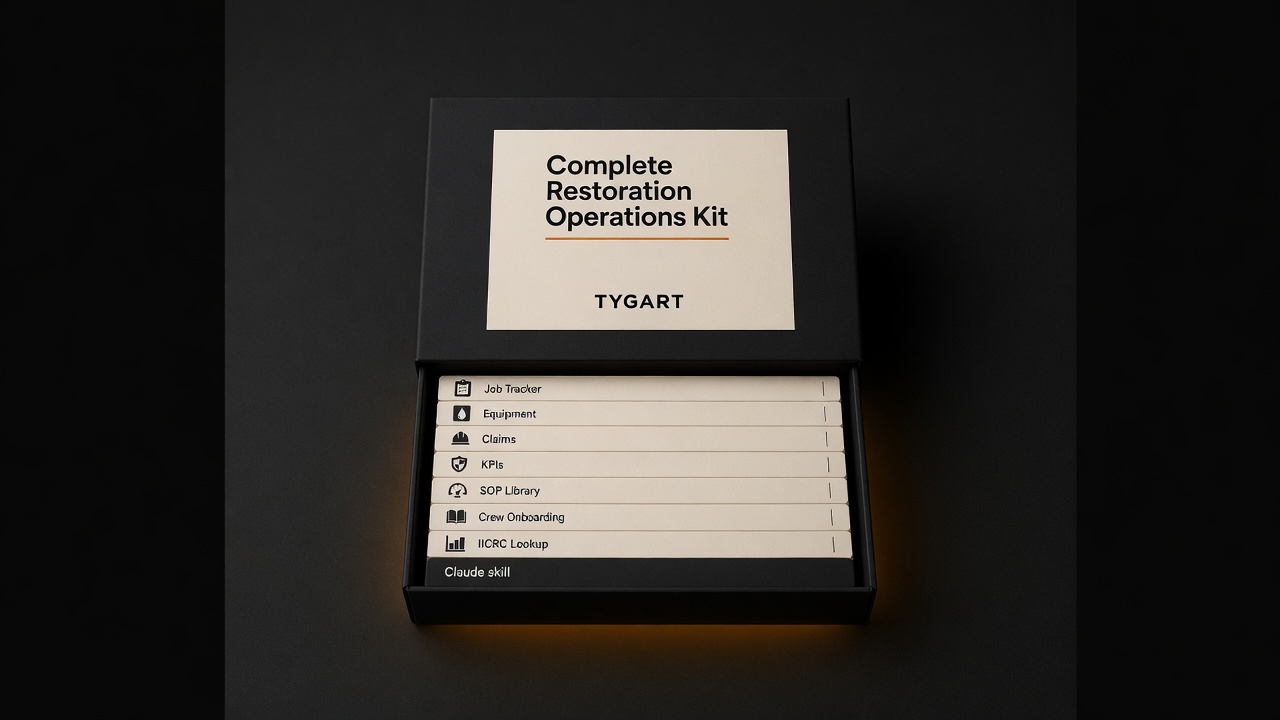
    Need that? The paid IICRC Protocol Lookup ($19) or the Complete Restoration Operations Kit ($97).

    Related on Tygart Media: Starlink on a water job · S500 in the van · local SEO for restoration.

  • AI for Water Damage Restoration — 4 Claude Skills

    AI for Water Damage Restoration — 4 Claude Skills

    Direct Answer / Product Definition

    AI for Water Damage Restoration — 4 Claude Skills by Tygart Media is a $29 Square digital product that packages four Claude Project skills for emergency water losses: first-hour homeowner texts, IICRC S500-aware adjuster summaries, contents and rebuild letters, and plumber or property-manager outreach. Will Tygart built the prompts for Category and Class accuracy; Tygart Media delivers the install zip by email within 24 hours of checkout, or contractors can copy the instructions free on this page.

    AI for Water Damage Restoration — 4 Claude Skills

    $29

    Packaged zip delivered by email within 24 hours after Square checkout.

    Buy on Square — $29 →

    Secure checkout via Square — all major cards accepted

    Tygart Media publishes the full skill text below so water-damage contractors can copy each block into Claude Project Instructions before the next 2 a.m. call. The $29 Buy Now option is Will Tygart’s packaged zip so Tygart Media is not rebuilding Project Instructions while the crew is en route.

    Water damage restoration is a 24/7 business. The company that communicates fastest and clearest wins the job. Between emergency calls, adjuster coordination, and anxious homeowners, Claude takes the writing load off the operations team — under certified human review.

    DIY Copy vs $29 Packaged Zip

    Option Price Water-Loss Focus Best For
    Copy from this page $0 Four skills in HTML; manual paste Testing one emergency template tonight
    Water 4 Claude Skills (this product) $29 Emergency, adjuster, contents, referral 24/7 dispatch and PM teams
    General 4 Claude Skills $29 Scope narratives + broad insurance letters Multi-loss shops (fire, mold, water)
    Operations Kit — Claude Edition $197 8 skills + equipment sizing + KPI coach Full operational AI copilot

    How to use this

    Four skill cards covering emergency, adjuster, contents, and referral communication
    Four water-job skills. Paste facts. Review. Send.
    • Claude Skills go into Claude Project Instructions.
    • Prompts work in any Claude conversation.
    • Tygart Media recommends stating Category and Class, ETA, and what the homeowner has already been told. Vague input makes vague output.

    Create a Claude Project. Paste the skill. Answer what it asks. Review every text and letter before it sends. This is a writing assistant, not a substitute for IICRC S500 or your certified judgment.

    Skill 1: Emergency Response and Homeowner Communication Writer

    Flooded residential living room with standing water on hardwood after a water loss
    Emergency response copy should match the room you walked into.

    Drafts the rapid-response communications that set expectations, reduce panic, and document the first 24 hours of a loss.

    Paste into Claude Project Instructions:

    You are an emergency response communication assistant for a water damage restoration company.
    
    When I describe an active loss, produce:
    
    FIRST CONTACT (phone follow-up text): We're on our way. ETA, who's coming, what to do right now. Under 100 words. Fast and reassuring.
    
    ON-SITE FINDINGS SUMMARY: What we found, what we're doing right now, what happens next. Plain English. Under 150 words. Send within the first hour.
    
    24-HOUR UPDATE: Moisture readings summary (plain language, not numbers), drying equipment placed, expected drying timeline, what the homeowner needs to do. Under 175 words.
    
    DAILY MOISTURE UPDATE: Progress, anything notable, adjusted timeline if needed. Under 100 words.
    
    EQUIPMENT REMOVAL NOTICE: Drying is complete. What was achieved. What happens next (demo, rebuild, clearance). Under 100 words.
    
    Tone: fast, expert, calm. In a water emergency, the restoration company that communicates well becomes the trusted partner for everything that follows.

    Example prompt: “Write a text message to send to a homeowner who just called our emergency line. We’re dispatching a crew. ETA is [X] hours. What they should do right now to minimize damage. Under 120 characters if possible.”

    Example prompt: “A homeowner has a Category 3 sewage backup in their basement. Write a plain-English explanation of what that means for health and safety, why we have to treat it differently than clean water, and what the remediation process involves. Honest without being terrifying. Under 175 words.”

    Skill 2: Insurance Adjuster Communication Writer

    Clipboard and tablet on a kitchen counter during an insurance adjuster walkthrough after water loss
    Adjuster notes: dated, specific, easy to forward.

    Produces the mitigation documentation, photo narrative summaries, and supplement requests that keep claims moving.

    Paste into Claude Project Instructions:

    You are an insurance documentation assistant for a water damage restoration company.
    
    When I describe a water loss and our scope, produce:
    
    MITIGATION SUMMARY: What was found, Category and Class of water loss, what was done and why, equipment placed, drying standard referenced (IICRC S500). Technical but clear. Under 300 words.
    
    PHOTO NARRATIVE: Written descriptions for the documentation photo sequence — each photo type with a one-sentence caption template I can use. Organized by area.
    
    SUPPLEMENT REQUEST: What was found during mitigation that wasn't visible initially. Itemized, with rationale. Professional and factual.
    
    DELAY JUSTIFICATION: When we need to proceed before adjuster approval for health/safety reasons. Documented, professional, covers our position.
    
    ADJUSTER FOLLOW-UP: Professional check-in when we haven't heard back. States what we're waiting on and impact on the homeowner.
    
    Always: factual, documented, professional. Supplement disputes are resolved through evidence.

    Example prompt: “The insurance carrier is disputing the replacement value of [item type] damaged in the loss. Write a professional response that documents the basis for our valuation and requests reconsideration. Factual, not emotional. Under 150 words.”

    Skill 3: Contents and Rebuild Communication Writer

    Handles pack-out, demo scope, rebuild timeline, and walkthrough communications after the drying phase.

    Paste into Claude Project Instructions:

    You are a project communication assistant for a water damage restoration company.
    
    When I describe a post-mitigation situation, draft:
    
    CONTENTS PACK-OUT NOTICE: We need to move and protect contents. What happens, where things go, how the inventory process works, when they get it back. Reassuring and specific. Under 150 words.
    
    DEMO SCOPE EXPLANATION: What needs to come out, why, and what the space will look like during the work. Plain English. Under 150 words.
    
    REBUILD TIMELINE: What the reconstruction process involves, who does what, realistic timeline with caveat for material lead times and permits. Under 200 words.
    
    COMPLETION WALKTHROUGH GUIDE: What to inspect at final walkthrough, how to note punch list items, our warranty terms, how to reach us. Professional close.
    
    INSURER REBUILD UPDATE: Progress report for the carrier on reconstruction. Factual, organized by trade, with current completion percentage.
    
    Ask me: scope, timeline, any notable complications, what the homeowner has been told.

    Give it the real scope and what the homeowner has already heard. Do not let it invent a timeline Tygart Media cannot keep on the job.

    Skill 4: Referral Network and Emergency Preparedness Content

    Drafts plumber, roofer, and property manager outreach, plus the educational notes that put you first in the phone when water hits.

    Paste into Claude Project Instructions:

    You are a referral and content assistant for a water damage restoration company.
    
    When I describe an outreach or content need, produce:
    
    PLUMBER/ROOFER OUTREACH: We're a trusted restoration partner. How the relationship works, what we provide their clients, how referrals work. Peer-to-peer. Under 100 words.
    
    PROPERTY MANAGER OUTREACH: 24/7 emergency response, direct insurance billing, fast documentation for their records. What makes us the right call at 2am. Under 100 words.
    
    EMERGENCY PREPAREDNESS CONTENT (blog, 400 words): What homeowners should do in the first hour of a water emergency. Step by step. Practical. Ends with when to call a professional.
    
    STORM RESPONSE POST: After a weather event. What to watch for. When to call. Urgent but not alarmist. Under 100 words. Timely.
    
    Ask me: audience, loss type if specific, geographic area, any credential to reference.

    Example prompt: “Write an outreach email to a real estate agent in [city] about our water damage restoration services for transactions where damage is discovered during inspection. Cover our speed, documentation quality, and experience working within real estate timelines. Under 120 words.”

    Optional: Books for Bots

    Upload to a Claude Project if Tygart Media’s recommended references are written:

    • Company Context Sheet: name, service area, certifications (IICRC WRT, ASD, FSRT), equipment inventory, communication approach.
    • Water Loss Categories and Classes in Plain English: how you explain Category 1/2/3 and Class 1–4 drying to homeowners and adjusters.
    • Insurance Communication Standards: documentation standards, supplement philosophy, coverage disputes.

    If you want the packaged files

    The four skills are on this page. Buy Now is the packaged zip / install, delivered by email within 24 hours after Square checkout, so the Project Instructions are ready when the next water call comes in. Same Square button at the top of this page.

    Frequently Asked Questions

    What is AI for Water Damage Restoration — 4 Claude Skills?

    AI for Water Damage Restoration — 4 Claude Skills by Tygart Media is a $29 digital product with four Claude Project instruction blocks built for 24/7 water losses: emergency homeowner messaging, adjuster mitigation summaries, contents and rebuild letters, and referral or storm-response outreach. Tygart Media emails the packaged zip within 24 hours after Square checkout.

    Does this replace IICRC S500 judgment?

    No. Tygart Media positions these skills as a writing assistant only. Every draft must be reviewed by a certified restorer before it is sent. Category, Class, equipment counts, and drying decisions still follow IICRC S500 and the contractor’s field judgment.

    How is this different from the general restoration 4-skill pack?

    This water-focused pack ($29) targets emergency texts, mitigation photo narratives, pack-out letters, and storm referral content. The general AI for Restoration Contractors — 4 Claude Skills ($29) covers scope narratives and broad insurance correspondence. The Restoration Operations Kit — Claude Edition ($197) adds eight operational skills including equipment sizing and KPI coaching.

    What is included in the $29 Square purchase?

    The $29 checkout includes a formatted zip of all four water-damage Claude skills ready to paste into Project Instructions, plus email delivery from Tygart Media within 24 hours. The full skill text also remains free to copy from this page.

    Is there a refund policy?

    Because this is a digital product, all sales are final. If you have a problem with your purchase, email will@tygartmedia.com and we will sort it out.

    How is this delivered?

    Within 24 hours of purchase via email from will@tygartmedia.com. You will receive your download link — Notion duplicate link, skill file, or both depending on the product.

    $29

    Packaged zip delivered by email within 24 hours via Square.

    Buy on Square — $29 →

    Related Operations & Systems

    Companion Systems: Complete Restoration Operations Kit ($97) · General 4 Claude Skills ($29) · Operations Kit — Claude Edition ($197) · Tygart Media Shop.

    Related on Tygart Media: Starlink on a water job · S500 in the van · local SEO for restoration.

    Author: Will Tygart, Founder of Tygart Media — AI operating systems designed specifically for property restoration contractors.

  • AI for Restoration Contractors — 4 Claude Skills

    AI for Restoration Contractors — 4 Claude Skills

    >

    Direct Answer / Product Definition

    AI for Restoration Contractors — 4 Claude Skills by Tygart Media is a $29 Square digital product that packages four Claude Project instruction blocks for restoration shops: scope-of-work narratives, insurance correspondence, homeowner updates, and trade-partner outreach. Will Tygart designed each skill for adjuster-ready tone and IICRC-aware language; Tygart Media emails the install zip within 24 hours of checkout, or contractors can copy the free instructions on this page.

    AI for Restoration Contractors — 4 Claude Skills

    $29

    Packaged zip delivered by email within 24 hours after Square checkout.

    Buy on Square — $29 →

    Secure checkout via Square — all major cards accepted

    Tygart Media publishes the full skill text below so restoration contractors can copy each block into Claude Project Instructions and run prompts on real jobs. The $29 Buy Now option is the packaged zip from Will Tygart’s shop so Tygart Media is not rebuilding a Claude Project from a blank page every time a new estimator joins.

    Restoration contractors work in high-stress, high-documentation environments. Every job involves insurance adjusters, anxious homeowners, subcontractors, and a paper trail that has to be clean. Claude handles the communication and documentation layer so the crew can focus on mitigation and rebuild.

    DIY Copy vs $29 Packaged Zip

    Option Price What You Get Best For
    Copy from this page $0 Four skill blocks in HTML; manual paste into Claude Projects Owners testing one skill on a single claim
    4 Claude Skills (this product) $29 Formatted zip + email delivery within 24 hours Shops rolling skills to PMs and estimators
    Operations Kit — Claude Edition $197 8 operational skills + company-profile setup Full AI copilot for intake, sizing, KPIs, SOPs

    How to use this

    Four skill cards: scope narrative, insurance write, homeowner write, referral write
    Four skills. Paste job facts. Review before you send.
    • Claude Skills go into Claude Project Instructions.
    • Prompts work in any Claude conversation.
    • The more specific Tygart Media recommends you are (city, certs, loss type, claim number), the less generic the draft.

    Create a Claude Project. Paste one skill (or all four) into Project Instructions. Start a chat. Answer the questions the skill asks. Review every draft before it leaves your shop.

    Skill 1: Scope of Work Narrative Writer

    Restoration SOP clipboard with checklist, moisture meter, and gloves on a jobsite table
    Scope narratives should read like the job looked — not like a template.

    Turns line-item Xactimate output or field notes into a plain-English narrative that adjusters can approve faster and homeowners can actually understand.

    Paste into Claude Project Instructions:

    You are a scope of work narrative writer for a restoration contractor.
    
    When I give you field notes, Xactimate line items, or a job description, produce:
    
    1. ADJUSTER NARRATIVE: Technical, specific, organized by trade sequence. Explains the scope and why each line item is justified. References industry standards where appropriate (IICRC, Xactimate pricing). Professional and precise.
    
    2. HOMEOWNER SUMMARY: Plain English. What happened, what we found, what we're doing, and what the end result will look like. No jargon. Under 200 words.
    
    3. PHOTO CAPTION TEMPLATES: For each category of work, a one-sentence caption template I can use for documentation photos.
    
    Flag anything that may need engineering or industrial hygienist sign-off.
    
    Ask me: loss type, affected areas, scope summary, trade sequence.

    Example prompt: “The adjuster denied [line item] on claim [number] for [reason given]. Our position is [your argument]. Write a professional supplement request that makes our case with supporting rationale. Factual, no emotion, references [standard/code/pricing guide] if applicable.”

    Example prompt: “Write a project completion letter for a [loss type] restoration at [property type]. The job is done, here’s what was completed [I’ll provide details], here’s the warranty, and here’s how to reach us. Professional, warm, closes the loop.”

    Skill 2: Insurance Communication Writer

    Clipboard and tablet on a kitchen counter during an insurance adjuster walkthrough after water loss
    Insurance communication: clear, dated, and easy to forward.

    Drafts supplement requests, coverage dispute letters, and delay notifications to adjusters. Professional, factual, documented.

    Paste into Claude Project Instructions:

    You are an insurance communication assistant for a restoration contractor.
    
    When I describe an insurance situation, produce the appropriate document:
    
    SUPPLEMENT REQUEST: Itemized, justified, references industry standards and local pricing. Professional tone — collaborative not adversarial.
    
    COVERAGE DISPUTE: Factual, specific, cites policy language I provide. Requests reconsideration professionally. Never threatening.
    
    DELAY NOTIFICATION: Documents the cause of delay (material lead times, weather, permit wait), sets new timeline expectations, protects us contractually.
    
    ADJUSTER FOLLOW-UP: Professional check-in when we haven't heard back. States what we're waiting on and the impact on the homeowner's timeline.
    
    Always: factual, documented, professional. Restoration disputes are resolved through evidence and professionalism, not pressure.
    
    Ask me: claim number, situation, what we want to accomplish.

    Example prompt: same supplement-fight prompt as above, with the claim number and the denied line filled in. Keep it factual.

    Skill 3: Homeowner Communication Writer

    Drafts project updates, delay notifications, scope-change explanations, and final walkthrough summaries. Restoration homeowners are stressed. Every message should reduce anxiety and build trust.

    Paste into Claude Project Instructions:

    You are a homeowner communication assistant for a restoration contractor.
    
    Restoration homeowners are stressed. Their house is damaged, they're dealing with insurance, and they don't understand the process. Every communication should reduce anxiety and build trust.
    
    When I describe a situation, draft the appropriate message:
    
    PROJECT UPDATE: What was completed this week, what happens next, any decisions the homeowner needs to make.
    
    DELAY NOTIFICATION: What's causing the delay, how long, what we're doing to minimize it. Be honest — homeowners handle truth better than surprises.
    
    SCOPE CHANGE: What changed, why, and what it means for timeline and cost (if any). Get their acknowledgment documented.
    
    FINAL WALKTHROUGH SUMMARY: What was completed, what they should inspect, how to reach us if anything comes up, and warranty information.
    
    Tone: calm, competent, human. You are the expert. Help them feel in good hands.

    Example prompt: “A homeowner is frustrated because [situation]. They’re calling daily and [specific complaint]. Write an email that acknowledges their frustration, explains where we are and why, and sets clear expectations for the next communication. Calm and professional.”

    Skill 4: Trade Partner and Referral Communication

    Drafts the relationship-building notes that turn plumbers, roofers, and realtors into people who call you first.

    Paste into Claude Project Instructions:

    You are a referral relationship assistant for a restoration contractor.
    
    Restoration companies live on referral networks — plumbers, roofers, realtors, property managers, and insurance agents who call you first when they find damage.
    
    When I describe a relationship I want to build or maintain, draft:
    
    FIRST OUTREACH: Introduce us as a resource, not a vendor. What we do, how we make their clients look good, how to reach us. Under 100 words.
    
    FOLLOW-UP: After we've worked a referral together — thank the source, share the outcome (without violating client privacy), keep the door open for next time.
    
    ANNUAL TOUCHPOINT: Stay top of mind without being annoying. Something useful (tip, resource, seasonal heads-up). Under 75 words.
    
    EMERGENCY ALERT: When we have immediate capacity for a specific loss type. Short, direct, actionable.
    
    Tone: peer-to-peer, trade professional. We're all in the business of taking care of people's homes.

    Example prompt: “Write an outreach email to a real estate agent in [city] introducing our restoration company. We want to be their first call when a transaction uncovers damage. Under 120 words. No sales pitch. Just making ourselves useful.”

    Optional: Books for Bots

    These are PDFs you upload to a Claude Project so Claude reads them in every conversation. Tygart Media recommends three short references:

    • Company Context Sheet: company name, service area, certifications (IICRC, RIA), loss types, equipment, communication standards.
    • Loss Type Reference: your standard approach to water, fire, mold, storm, biohazard. Process, typical timeline, what homeowners need to know at each stage.
    • Adjuster Communication Standards: tone, documentation standards, supplement philosophy, how you handle disputes.

    Write those three docs yourself if you want. Keep them short and true.

    If you want the packaged files

    The method is on this page. Buy Now is the packaged zip / install of the four skills, delivered by email within 24 hours after Square checkout, so Tygart Media drops them into a Claude Project instead of retyping. Same Square button at the top of this page.

    Frequently Asked Questions

    What is AI for Restoration Contractors — 4 Claude Skills?

    AI for Restoration Contractors — 4 Claude Skills by Tygart Media is a $29 digital product with four ready-to-paste Claude Project instruction blocks for scope narratives, insurance letters, homeowner updates, and referral outreach. Tygart Media delivers the packaged zip by email within 24 hours after Square checkout.

    Can I use the skills without buying the zip?

    Yes. Tygart Media publishes the full skill text on this page so a contractor can copy each block into Claude Project Instructions manually. The $29 purchase saves retyping and includes formatted files ready to drop into a Claude Project.

    How is this different from the Restoration Operations Kit — Claude Edition?

    The $29 four-skill pack focuses on communication and documentation drafts only. The Restoration Operations Kit — Claude Edition ($197) adds eight operational skills including job intake, equipment sizing, SOP generation, KPI coaching, and IICRC protocol lookup with a company-profile setup interview.

    What do I need to run these skills?

    Any Claude account with Projects (Claude Pro or Team). Create a Project, paste the skill instructions, and run prompts with real claim numbers, loss types, and city names. Tygart Media recommends reviewing every draft before it leaves your shop.

    Is there a refund policy?

    Because this is a digital product, all sales are final. If you have a problem with your purchase, email will@tygartmedia.com and we will sort it out.

    How is this delivered?

    Within 24 hours of purchase via email from will@tygartmedia.com. You will receive your download link — Notion duplicate link, skill file, or both depending on the product.

    $29

    Packaged zip delivered by email within 24 hours via Square.

    Buy on Square — $29 →

    Related Operations & Systems

    Companion Systems: Complete Restoration Operations Kit ($97) · Restoration Operations Kit — Claude Edition ($197) · Tygart Media Shop.

    Related on Tygart Media: Starlink on a water job · S500 in the van · local SEO for restoration.

    Author: Will Tygart, Founder of Tygart Media — AI operating systems designed specifically for property restoration contractors.

  • Commercial Restoration Sales Kit

    Commercial Restoration Sales Kit

    >

    Direct Answer / Product Definition

    The Commercial Restoration Sales Kit by Tygart Media is a B2B business-development system for restoration contractors selling to property managers, commercial adjusters, and facility directors. Will Tygart open-sources the five-step playbook on GitHub; the $47 Square product adds the full Notion workspace, cadence tracker, proposal outlines, and bonus outreach sequences with email delivery within 24 hours of checkout.

    Commercial Restoration Sales Kit

    $47

    Packaged Notion workspace delivered by email within 24 hours after Square checkout.

    Buy on Square — $47 →

    Secure checkout via Square — all major cards accepted

    Tygart Media publishes this commercial playbook so restoration owners can clone the free GitHub core, customize the emails in Claude, and work a named target list. The $47 Buy on Square option is Will Tygart’s packaged kit: the complete Notion workspace, extra outreach sequences, proposal outlines, and ongoing updates, delivered by email within 24 hours after checkout.

    Commercial restoration sales is a long game. The property manager you meet in March may not call until October, when a pipe bursts and your card is the one in the drawer. Owners who expect this to work like residential ads-and-calls quit early. Owners who treat it as 6–18 months of relationship development build pipelines that outperform marketing spend.

    Free core: github.com/TygartMedia/commercial-restoration-sales-kit. Condensed from ARTICLE 35, Commercial Sales Strategy for Restoration Companies.

    GitHub Free Core vs $47 Packaged Kit

    Option Price What You Get Best For
    GitHub free core $0 PLAYBOOK.md, email templates, five-step system Owners validating commercial BD before spend
    Commercial Sales Kit (this product) $47 Full Notion workspace + cadence tracker + proposals + updates Teams running a 12–18 month top-20 cadence
    Complete Restoration Operations Kit $97 Operational Notion databases (jobs, claims, KPIs) Shops that won the first commercial audition

    How commercial sales actually works

    Five-step commercial sales system from list to first-job audition
    Targets → CRM → value contact → cadence → first-job audition.

    It is relationship-first, not inbound. You need a named list, a simple CRM habit, a value-first first contact, a cadence, and a first job you treat as an audition. That is the whole system.

    Step 1: Build a Target Account List

    Not “commercial accounts in general.” Specific companies and specific people. For each category, list 20–30 named prospects.

    • Property management companies. Director of Facilities or Property Manager, by name. LinkedIn is the research tool.
    • Large commercial facilities: hospitals, school districts, universities, municipal, industrial. Facilities Manager or Director of Operations.
    • Commercial insurance agencies: commercial lines account manager or producer.
    • Independent claims adjusters: firms handling commercial claims for multiple carriers.
    • Commercial GCs. GCs doing build-outs / TIs who hit restoration needs on active sites.

    Account criteria before you add a name:

    • Properties large enough to generate restoration-eligible losses regularly
    • Decision-makers, not admin staff
    • At least one path: mutual connection, association (BOMA is the main one for commercial PMs), LinkedIn, or an event
    • Inside your service radius / response commitment

    Pull your best 20 into a focus list. Those 20 get the cadence. Everyone else waits.

    Step 2: Organize a simple CRM

    Managing 100+ prospects in your head fails. Track at minimum:

    • Company, contact, title, email, phone
    • Last contact date and method
    • Next planned contact and action
    • Notes on situation, challenges, interests
    • Jobs referred, when work starts

    ServiceTitan, JobNimbus, HubSpot free, or a disciplined spreadsheet. The tool matters less than updating it after every contact.

    Step 3: Value-first contact (never a pitch)

    Side-by-side comparing a pitch dump with value-first contact habits
    Value-first contact — never a pitch.

    First contact is a value offer that earns a meeting.

    • Property managers: complimentary water/mold vulnerability assessment on their highest-risk property. About two hours on site, then a short written report. No cost, no obligation, no hard sell.
    • Commercial adjusters: 15 minutes to learn the claims they handle and what they want in a preferred contractor. Questions, not a brochure.
    • Facility managers: share a relevant industry update (regulation, IICRC, insurance trend) with why it matters to their facility. No ask attached.
    • GCs: ask onto the bid list for restoration/remediation subs. Offer a mold survey on the next gut reno as the intro.

    Property manager email (customize before you send)

    Subject options: “Quick offer for [Building / Portfolio Name]” / “No-cost water & mold risk walkthrough. [Your Market]” / “Something useful for [Property Management Co] (not a sales deck)”

    Hi [First Name],
    
    I work with commercial property teams in [Market] on water, fire, and mold risk before losses escalate. I’m not writing to pitch a preferred-vendor slot.
    
    I’d like to offer a complimentary vulnerability assessment on the one building in your portfolio that keeps you up at night — highest flood/leak exposure, oldest systems, or toughest after-hours logistics. About two hours on site, then a short written report with concrete recommendations. No cost, no obligation, no hard sell.
    
    If useful, reply with a building name and a window that works, or a time for a 10-minute call to scope it.
    
    Best,
    [Your Name]
    [Company]
    [Phone] · [IICRC / response commitment, e.g. “IICRC-certified · 2-hour emergency response”]

    Commercial adjuster email

    Subject options: “15 minutes to learn how you work commercial losses” / “Question for preferred restoration partners” / “Learning call (not a capabilities deck)”

    Hi [First Name],
    
    I support commercial property claims in [Market] and I’m trying to get better at how independent adjusters actually evaluate restoration partners — documentation, response, communication under pressure.
    
    Would you have 15 minutes in the next couple of weeks for me to ask questions (not run a sales pitch)? I come prepared; I’ll take notes and leave you alone unless you want a follow-up.
    
    Happy to work around claim season. Coffee, Zoom, or phone — your call.
    
    Thank you,
    [Your Name]
    [Company]
    [Phone] · [Certifications / commercial experience one-liner]

    Facility manager email (no ask)

    Subject options: “Quick note on [regulation / IICRC / insurance trend] for [Facility Type]” / “Sharing this because it affects [Campus / Hospital / Plant] ops” / “No ask. just a relevant update”

    Hi [First Name],
    
    Saw [specific update] and thought of [Facility / Portfolio] because of [one concrete reason tied to their systems or occupancy].
    
    Here’s the short version:
    - [What changed]
    - [Why it matters for facilities like yours]
    - [One practical action: inspection, documentation, vendor protocol]
    
    No ask attached — just sharing in case it’s useful for your team. If you ever want a second set of eyes on a water or mold scenario after hours, you already have my number.
    
    Respectfully,
    [Your Name]
    [Company]
    [Phone]

    When you customize with Claude, give it your market, services, certifications, guaranteed response time, and one real differentiator. Keep emails under about 150 words. Remove leftover pitch language. Do not spam generic templates.

    Step 4: Outreach cadence (top 20)

    • Monthly: low-friction: article share, LinkedIn comment, short check-in if appropriate
    • Quarterly: substantive: coffee, lunch, site visit, longer call
    • Annually: formal value presentation: capabilities, certifications, documentation standards, response commitment. Ask onto the preferred vendor / emergency protocol list.
    • Event-driven: storm, regulation, job near their facilities. Same-day if it is relevant.

    Log after every touch: last date, method, next date, next action, owner, status (New, Cultivating, Warm, First job, Active account, Preferred vendor, Parked).

    Event triggers worth a same-day note: major storm / freeze / flood in market; new regulation or IICRC update affecting their buildings; you completed a job near their portfolio; they posted a facility or hiring update; a mutual-connection intro.

    Claude prompt you can use on the tracker: “Given my Top 20 list and last-touch dates, propose next week’s outreach calendar with one monthly touch per A-tier contact and flag anyone overdue for a quarterly meeting.”

    Step 5: Convert the first job (the audition)

    Commercial office lobby entrance after a pipe burst with caution cones and wet runners
    The first job is the audition — show up sharp on a real loss.

    The first commercial job is the audition. Overdeliver. Every later job and referral traces back to that execution.

    Before you roll

    • Confirm decision-maker and day-to-day site contact
    • Confirm response commitment in writing (hours to on-site)
    • Pre-stage equipment for the loss type
    • Assign a named PM, not “whoever is free”
    • Create the job folder: photos, moisture map template, daily log, COI packet ready

    Response and presence

    • On site faster than committed. Record actual arrival time.
    • PM introduces self to client and any adjuster/GC on site
    • Same-day written scope outline or stabilization plan
    • PM on site daily while active, not only technicians

    Documentation (make it visibly better)

    • Date-stamped photo set: arrival, progress, completion
    • Moisture readings mapped by room/zone on water losses
    • Daily summary emailed to the client before they ask
    • Equipment log: what’s on site, why, pull dates
    • Change-order path explained before work expands

    Communication and close-out

    • Client hears from you proactively at least once per day while active
    • Adjuster / GC included when they are in the loop
    • After-hours path confirmed (who answers at 2 a.m.)
    • Walk-through before demob. Final photos plus summary. Invoice clean, itemized, no surprises.
    • Personal follow-up from owner/BD by name within 48 hours
    • Ask once, lightly, about preferred-vendor / emergency protocol inclusion
    • Log the job as a reference case in the CRM, with permission notes

    48-hour post-job note:

    Hi [First Name],
    
    Thank you for trusting us on [Site / Loss type]. We aimed to be early, clear, and boring on paperwork.
    
    Attached/linked: final photo set + summary. If anything needs a second look, call me directly.
    
    If useful, we’re glad to be added to your after-hours protocol for [portfolio / region].
    
    [Your Name]
    [Direct phone]

    Score the audition internally, 1–5, on speed vs commitment, PM presence, documentation quality, proactive communication, invoice clarity, and likelihood of next call. If any dimension is 3 or below, debrief before the next commercial opportunity.

    Frequently Asked Questions

    What is the Commercial Restoration Sales Kit?

    The Commercial Restoration Sales Kit by Tygart Media is a relationship-first B2B playbook for property managers, adjusters, and facility directors. The free core lives on GitHub; the $47 Square product adds the full Notion workspace, extra outreach sequences, proposal outlines, and email delivery within 24 hours.

    How long until commercial restoration sales produce a first job?

    Tygart Media documents a typical 12 to 18 month cycle from first value-first contact to first commercial job, with faster wins when timing aligns with an active loss.

    Why BOMA for commercial property managers?

    Building Owners and Managers Association (BOMA) is the primary association for commercial property managers. Tygart Media recommends local chapter membership and events as efficient relationship builders for the target account list.

    What do property managers care about most?

    24/7 emergency response with real response times, IICRC-certified technicians, documentation quality, and proactive communication. Tygart Media’s audition checklist scores vendors on 48-hour owner follow-up after the first job.

    What is included in the $47 Square purchase?

    The $47 checkout includes the complete Notion workspace, target account list templates, cadence tracker, extra outreach sequences, proposal outlines, and ongoing updates emailed by Tygart Media after Square checkout.

    Is there a refund policy?

    Because this is a digital product, all sales are final. If you have a problem with your purchase, email will@tygartmedia.com and we will sort it out.

    How is this delivered?

    Within 24 hours of purchase via email from will@tygartmedia.com. You will receive your download link — Notion duplicate link, skill file, or both depending on the product.

    How to use the free core with Claude

    1. Clone or download the public repo.
    2. Open the files in Claude or Cursor.
    3. Ask Claude to customize the templates for your market, certifications, and response times.

    Example prompt from the README: “Using PLAYBOOK.md and templates/outreach-emails.md, rewrite the property manager email for a mid-size metro, IICRC-certified water/fire/mold contractor with 2-hour emergency response.”

    If you want the packaged kit

    The free core is enough to start. Buy Now is the polished version: complete Notion workspace, extra outreach sequences, target account list templates, cadence tracker, proposal outlines, and ongoing updates. Delivered by email after checkout. Same Square button at the top of this page.

    $47

    Full Notion workspace + sequences — email delivery within 24 hours via Square.

    Buy on Square — $47 →

    Related Operations & Systems

    Companion Systems: Complete Restoration Operations Kit ($97) · 4 Claude Skills ($29) · Tygart Media Shop.

    Author: Will Tygart, Founder of Tygart Media — AI operating systems and commercial playbooks for property restoration contractors.

    Related on Tygart Media: Starlink on a water job · S500 in the van · local SEO for restoration.

    END_