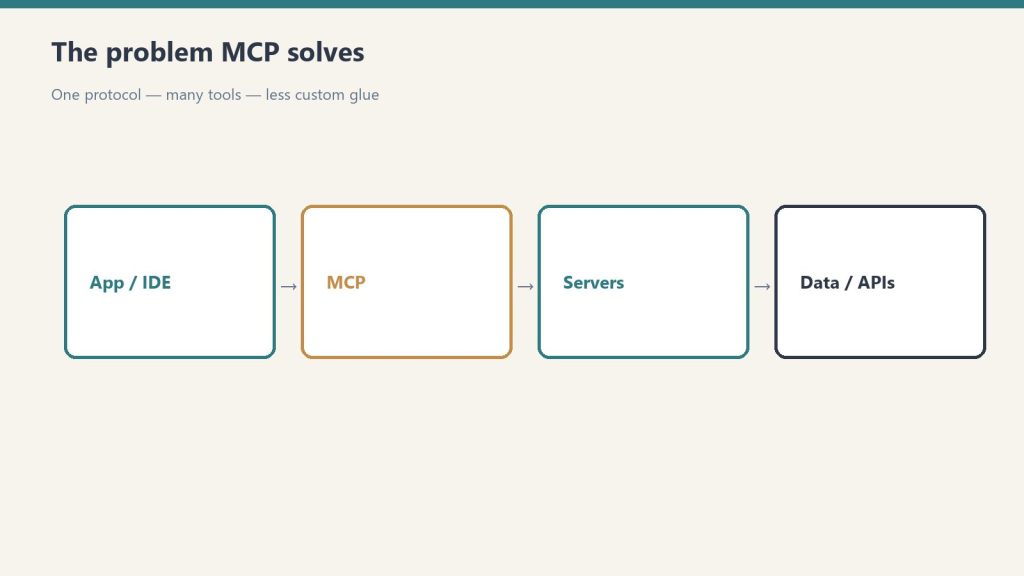
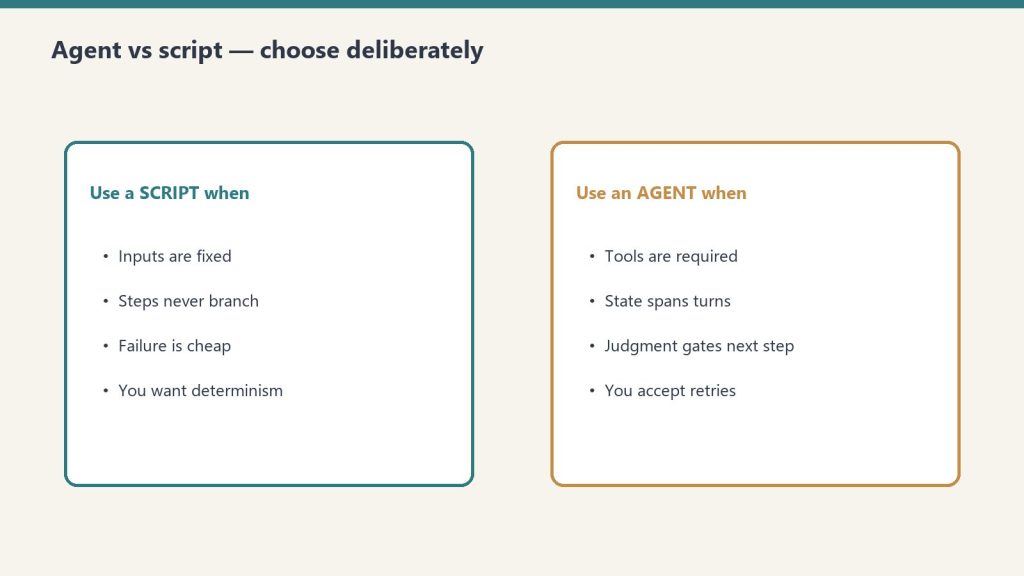
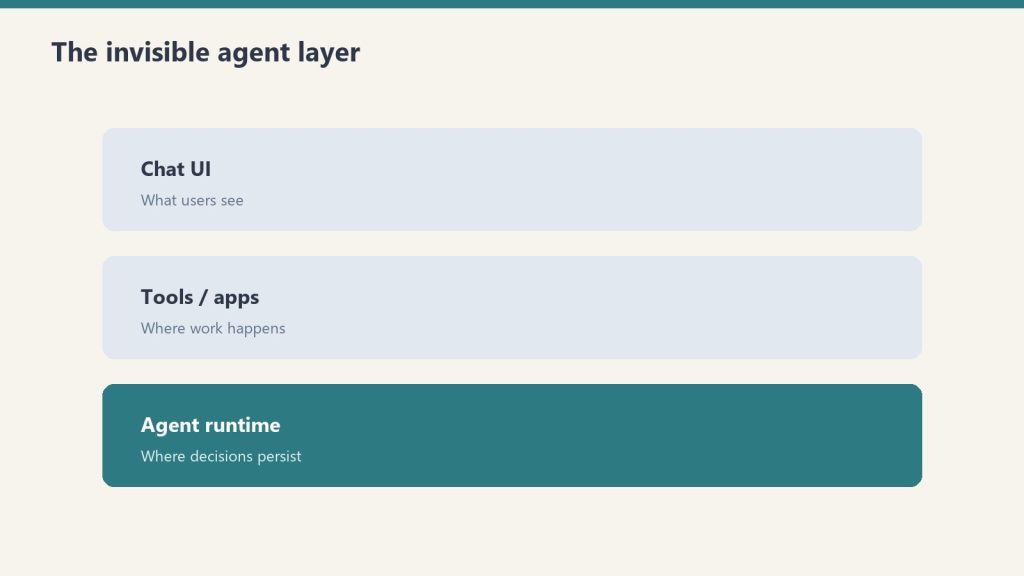
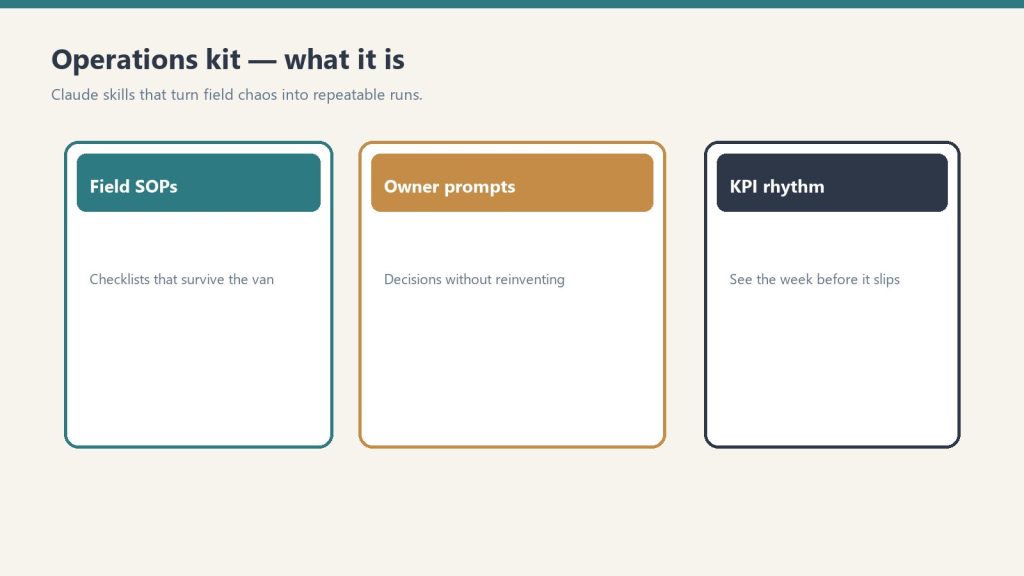
Claude tool use (also called function calling) is the capability that transforms Claude from a conversational AI into an agentic system that can interact with external services, execute code, query databases, and take real-world actions. This guide covers how tool use works, the three execution modes, the built-in server tools, and practical implementation examples.
What Is Tool Use?
What tool use is.
Tool use lets you define functions that Claude can call during a conversation. When Claude determines that a tool would help answer a user’s request, it generates a tool call (specifying the tool name and arguments), your code executes the function, and the result is returned to Claude to continue the conversation.
Example flow: User asks “What’s the weather in Seattle?” → Claude calls your get_weather function with {"location": "Seattle"} → Your code calls a weather API → Returns data to Claude → Claude generates a natural language response incorporating the weather data.
Defining Tools
Defining tools.
tools = [
    {
        "name": "get_stock_price",
        "description": "Get the current stock price for a given ticker symbol",
        "input_schema": {
            "type": "object",
            "properties": {
                "ticker": {
                    "type": "string",
                    "description": "The stock ticker symbol (e.g., AAPL, GOOGL)"
                }
            },
            "required": ["ticker"]
        }
    }
]

response = client.messages.create(
    model="claude-sonnet-4-6",
    max_tokens=1024,
    tools=tools,
    messages=[{"role": "user", "content": "What's Apple's current stock price?"}]
)
The Three Execution Modes
The three execution modes.
1. Client-Side Execution
Your application receives the tool call, executes the function locally or via external APIs, and returns the result. This is the standard pattern — you control the execution environment and can call any service.
2. Server-Side Execution (Built-in Tools)
Anthropic provides built-in tools that Claude can execute server-side without your code doing anything:
web_search: Real-time web search
code_execution: Execute Python code in a sandbox
bash: Run shell commands
text_editor: Read and edit files (used in Claude Code)
3. Tool Runner SDK (Programmatic)
Anthropic’s Tool Runner SDK automates the tool call/execute/return loop, letting you build agentic workflows without writing the orchestration loop manually.
Handling Tool Results
# After receiving a tool_use block from Claude
if response.stop_reason == "tool_use":
    tool_use = next(block for block in response.content if block.type == "tool_use")
    tool_name = tool_use.name
    tool_input = tool_use.input

    # Execute your function
    result = your_function(tool_input)

    # Return result to Claude
    follow_up = client.messages.create(
        model="claude-sonnet-4-6",
        max_tokens=1024,
        tools=tools,
        messages=[
            {"role": "user", "content": "What's Apple's stock price?"},
            {"role": "assistant", "content": response.content},
            {"role": "user", "content": [{"type": "tool_result", "tool_use_id": tool_use.id, "content": str(result)}]}
        ]
    )
Frequently Asked Questions
What is the difference between tool use and function calling?
They’re the same thing — Anthropic uses “tool use” as the preferred term, while “function calling” is the term OpenAI popularized. Both describe the same capability: letting an AI model invoke defined functions during a conversation.
How many tools can I define for Claude?
Claude supports up to several hundred tools in a single request, though performance is best with a focused set relevant to the task. Each tool definition consumes input tokens, so large tool sets have a cost impact.
Claude computer use is a capability that lets Claude control a computer — click buttons, type text, navigate browsers, run applications, and execute multi-step tasks as if it were a human operator. As of 2026, it’s one of the most powerful and underexplored capabilities in the Claude ecosystem. This tutorial covers what it is, how to set it up, what it’s actually useful for, and where it still falls short.
What Is Claude Computer Use?
What Claude Computer Use is.
Computer use is an API capability (not available in the standard Claude.ai interface) that lets Claude interact with a desktop environment via screenshots and tool calls. Claude sees the screen, decides what to click or type, executes that action, sees the updated screen, and continues — iterating until the task is complete.
This is different from a browser extension or web scraper. Claude is operating a real (or virtualized) computer environment the same way a human would — by looking at the screen and interacting with what it sees.
Current Benchmark Performance
On OSWorld — the leading benchmark for computer use agents — Claude currently scores around 22% task completion on the most complex tasks. ChatGPT’s computer use scores higher on this specific benchmark at approximately 75%. This gap is real and matters for production use cases requiring high reliability. For simpler, more structured tasks, Claude’s computer use performs considerably better.
Setting Up Claude Computer Use
Setting up Claude Computer Use.
Computer use requires API access. The basic setup:
Anthropic API key (API tier with computer use enabled)
A virtual machine or containerized desktop environment (Docker with a lightweight Linux desktop is the standard approach)
The Anthropic Python or TypeScript SDK
Anthropic provides a reference implementation with a Docker-based Ubuntu environment, a noVNC interface for monitoring, and starter code. This is the fastest path to a working computer use setup.
Best Current Use Cases
Web research and data extraction: Navigate websites, extract structured data, fill in forms — tasks that don’t have APIs
Repetitive desktop workflows: Tasks that require clicking through multiple application screens
Legacy software interaction: Applications without APIs where the only interface is visual
Key Limitations to Know
Key limitations to know.
Reliability: Computer use is significantly less reliable than direct API calls for the same tasks. Where an API returns structured data, computer use can misread a screen or click the wrong element
Speed: Screenshot-based interaction is slow compared to direct integration
Cost: Each screenshot and tool call consumes API tokens; complex tasks can be expensive
Sensitive actions: Never use computer use for high-stakes irreversible actions (sending emails, making purchases) without human-in-the-loop verification
Frequently Asked Questions
Is Claude computer use available in Claude.ai?
No. Computer use is an API capability available through the Anthropic API, not the standard Claude.ai web interface.
How does Claude computer use compare to ChatGPT’s?
On OSWorld benchmarks, ChatGPT’s computer use currently leads at approximately 75% vs Claude’s ~22%. For production use cases requiring high reliability, this gap matters. Both are improving rapidly.
Updated November 13, 2026 — facts, pricing tiers, models, and field-sheet PDF verified against live Anthropic documentation.
Direct Answer · Verified November 13, 2026
Claude drafts sharp, human-sounding business and field-ops email when you supply three facts up front: audience worry, single desired action, and relationship tone. Save 3–5 of your best sent emails inside a Claude Project (up to 5 Projects on Free $0; unlimited on Pro $20/mo or $17/mo annual). Use Sonnet 5.5 for fast everyday email and switch to Fable 5.2 or Opus 5.5 for high-stakes escalations; heavy daily users step up to Max ($100/mo, 5× Pro) or Ultra ($200/mo, formerly Max 20× — 10× Pro weekly, no verified 5-hr limit) (claude.com/product/overview; full pricing guide).
EMAIL WRITING FIELD SHEET
Claude for Email Writing — Tygart Media Field Sheet (PDF)
Email still eats the day for most restoration operators—adjuster threads, homeowner updates, subcontractor scheduling, internal handoffs. Claude is one of the highest-leverage places to use it: not because it replaces judgment, but because it removes the blank-page tax on messages you send all week. This page lists the email types that pay off, with prompts you can paste today. If you care how AI surfaces answers about your firm, pair good outbound email with how you show up in AI search—see our LLM visibility measurement notes and GEO case studies for what actually moves citations.
Output quality tracks the context you supply. Before you prompt, nail three inputs: (1) who receives this and what they are worried about, (2) the single action you want after they read, (3) the relationship—vendor, homeowner, carrier rep, crew lead. Spend thirty seconds there and you spend less time fixing adjectives later.
Restoration-specific add-on: Include job name or file number, current phase (mitigation, dry-out, rebuild), and who owns the next physical action. Generic “we’re working on it” emails create phone tag; one line of site truth prevents it.
Cold outreach emails
Short, specific beats polished and empty.
Write a cold email to [Name], [Title] at [Company]. They [one sentence of context]. I’m reaching out because [specific reason tied to their work]. I want them to [one call to action]. My credibility: [one sentence]. Tone: [direct / conversational / formal]. Under 100 words. Do not open with “I hope this finds you well.” Do not use “synergy.”
Meeting follow-up emails
Write a follow-up after a [meeting type] with [Name]. We discussed: [bullets]. Action items: [owner + task + date]. Next touchpoint: [date or TBD]. Tone: [professional / warm]. Under 150 words—decisions and dates only, no filler.
Difficult conversations and sensitive topics
Scope disputes, delay news, performance feedback—high stakes, easy to write the wrong tone. Claude helps you separate facts from emotion and land the message:
Help me email [Name] about [situation]. Core message: [what must be true after they read]. I want them to feel [heard / clear on consequences / informed on next steps]. I want them to do [action]. Be [direct / empathetic / professional] without being [harsh / vague / over-apologetic]. Draft two versions: one firmer, one softer.
Client and carrier communication templates
Build once in a Project, reuse all season.
Store repeating messages in a Claude Project so you are not re-explaining your voice every Monday:
Project kickoff and documentation request
Change order or scope revision intro
Schedule slip with revised milestone dates
Invoice and payment follow-up (polite → firm)
Referral partner or TPA introduction
Post-inspection recap to homeowner and adjuster
Internal announcements
Write an internal announcement about [topic]. Audience: [all staff / managers / field leads]. Key facts: [what, when, why it matters]. Tone: [transparent / enthusiastic / matter-of-fact]. Length: [short paragraph / memo]. Include: [FAQ bullets, links, contact for questions].
Inbox triage without autopilot
Claude does not replace your mail client. Paste a thread and ask for a summary, open questions directed at you, a draft reply, or what needs same-day action. That workflow is manual copy-paste unless you wire API automation yourself—same boundary as any external AI tool. Track whether your public content still earns mentions in AI answers with an AI citation monitoring rhythm so email quality and discoverability stay linked.
Frequently Asked Questions
How do I make Claude emails sound like me?
Paste 3–5 emails you’re proud of and tell Claude: “This is my writing style—match it in everything you draft for me.” Save that instruction in a Claude Project so it persists across chats.
What Claude plan fits daily email work?
Free ($0) includes up to 5 Projects for occasional drafts. Claude Pro ($20/month; $17 annual) covers most operators living in email with 5× Free capacity and unlimited Projects. High-volume senders move to Max ($100/month, 5× Pro + $100 API credits) or Ultra ($200/month, formerly called Max 20× — 10× Pro weekly with no verified 5-hr cap + $200 API credits), while multi-seat teams choose Team Standard ($20 annual / $25 monthly) (claude.com/product/overview).
Can Claude send email from my account?
Claude does not log into Gmail or Outlook for you. You draft in claude.ai (or Claude desktop), then paste into your mail client—or connect automation through your own tools and API workflows.
Should I paste full client threads into Claude?
Treat pasted email like any other sensitive text: strip account numbers, health details, or credentials you do not need for the draft. Use Projects with minimal context when possible, and follow your company’s policy on third-party AI tools.
Which Claude model should I use for email?
For most daily business email, Sonnet 5.5 balances speed and tone control across Free and paid plans. Switch to flagship Fable 5.2 or Opus 5.5 on paid tiers when stakes are high — contract wording, executive escalation, or multi-party disputes — all carrying a 1M-token context window.
How do prompts change for restoration and field ops email?
Name the job file, who owes the next action, and whether the reader is a homeowner, adjuster, or subcontractor. Restoration email fails when it sounds generic; one line of site context usually fixes it.
The Next Step · Verified Research Verdict (November 13, 2026)
Next Step: Load 3–5 Real Emails Into One Style Project
Explore Claude Projects and Desktop integrations on claude.com/product/overview, create one Voice & Templates Project (even Free supports up to 5 Projects), and check whether Pro ($20/$17), Max ($100), or Ultra ($200) fits your daily volume in our Claude AI pricing guide.
Updated November 13, 2026 — facts, pricing tiers, models, and field-sheet PDF verified against live Anthropic documentation.
Claude AI · Updated November 13, 2026
Direct Answer · Verified November 13, 2026
HR teams deploy Claude Team Standard ($20/seat/mo annual or $25 monthly; 2–150 seats) or Team Premium ($100/$125, 5× Standard) for shared policy, job-description, and handbook Projects with zero default model training — while organizations handling employee health/FMLA/benefits PHI or needing SSO/SCIM and audit logs require Claude Enterprise ($20/seat/mo annual + usage, 20-seat minimum) with a BAA (claude.com/solutions/enterprise). Claude accelerates first drafts across a 1M-token context window, but every HR policy and agreement still requires qualified employment-counsel review. Compare HR-ready tiers on our Claude AI pricing guide.
HR FIELD SHEET
Claude for HR Teams — Tygart Media Field Sheet (PDF)
Team Standard ($20 annual / $25 monthly) vs Enterprise (SCIM, audit logs, HIPAA BAA for health/benefits data), JD/handbook prompts, and legal review checklist. Verified 2026-11-13.
Human Resources is one of the most document-heavy functions in any organization — and most HR documents are variations on established templates. Claude AI excels at this: generating professional, legally-aware (though not legally-binding) HR documents quickly, consistently, and at scale. This guide covers the core workflows where HR professionals are getting the most value from Claude in 2026.
Important Note on Legal Review
Important note on legal review.
Claude can draft HR documents, but any policies, employee agreements, or handbooks should be reviewed by qualified employment counsel before implementation. Labor law varies by state, country, and industry. Use Claude to accelerate drafting — not to replace legal review.
1. Job Description Writing
Job description writing.
Writing job descriptions is time-consuming and inconsistent when done ad hoc. Claude can generate complete, accurate, inclusive job descriptions in minutes:
Write a job description for a [Job Title] at a [company type/size] in [industry]. The role reports to [title]. Key responsibilities: [list 4-5 main duties]. Required qualifications: [must-haves]. Preferred qualifications: [nice-to-haves]. The role is [remote / hybrid / on-site]. Salary range: [$X – $Y]. Company culture is [2-3 descriptors]. Write in an inclusive tone, avoid gendered language, and include an EEO statement at the end.
Ask Claude to generate multiple versions — one more formal, one more culture-forward — and choose the best fit.
2. HR Policy Drafting
Claude can draft first versions of virtually any HR policy:
Remote work and flexible schedule policy
PTO, sick leave, and FMLA policy
Anti-harassment and anti-discrimination policy
Expense reimbursement policy
Social media use policy
Confidentiality and NDA policy
Performance improvement plan (PIP) templates
Prompt: “Draft a remote work policy for a [company size] company in [industry]. Key elements: eligibility criteria, equipment stipend, core hours expectations, home office requirements, data security requirements, and a process for requesting exceptions. Tone: professional but not overly legalistic.”
3. Employee Handbook Creation
Building a full employee handbook requires careful coordination across chapters. Use Claude’s 1M-context window section by section to prepare structured first drafts for legal review:
Write the [section name] section of an employee handbook for a [company type]. Key points to cover: [list]. Tone: [approachable and human / formal and professional]. Length: approximately [X] words. Include subheadings for readability.
Build a Claude Project with your company’s mission, values, and existing policies — Claude will maintain consistency across all sections automatically.
4. Performance Review Templates
Claude generates review templates, self-assessment forms, and manager feedback frameworks:
Annual review forms with competency-based rating scales
90-day new hire assessment templates
360-degree feedback questionnaires
Manager effectiveness surveys
Goal-setting frameworks (OKR, SMART goals)
5. Onboarding Materials
Onboarding materials.
First-week onboarding experiences set the tone for employee retention. Claude can build:
30/60/90 day onboarding plans by role
Welcome emails from hiring managers and executives
FAQ documents for new hires
Role-specific training checklists
Team introduction templates
Frequently Asked Questions
Can Claude draft legally compliant HR policies?
Claude can produce well-structured, professional drafts, but it is not a lawyer and cannot guarantee legal compliance. All HR policies should be reviewed by qualified employment counsel before implementation.
What is the best Claude plan for HR teams?
Claude Team Standard ($20/seat/mo annual or $25 monthly; 2–150 seats) and Team Premium ($100/$125, 5× Standard) let HR teams share company values, handbook Projects, and style rules with zero default training. If HR processes employee health/FMLA/benefits PHI or requires SCIM provisioning, audit logs, and a BAA, step up to Claude Enterprise ($20/seat/mo annual + usage, 20-seat minimum) (claude.com/solutions/enterprise; pricing hub).
The Next Step · Verified Research Verdict (November 13, 2026)
Next Step: Match Your HR Privacy Boundary Before Uploading Employee Docs
Verify SCIM, custom retention, and BAA controls on claude.com/solutions/enterprise and compare Team Standard ($20 annual / $25 monthly) vs Enterprise governance in our Claude AI pricing guide before loading handbooks or leave templates.
Updated November 13, 2026 — facts, pricing tiers, models, and field-sheet PDF verified against live Anthropic documentation.
Claude AI · Updated November 13, 2026
Direct Answer · Verified November 13, 2026
Product managers use Claude’s 1M-token context window (Fable 5.2, Opus 5.5, Sonnet 5.5, and Haiku 5.5) to turn raw customer interviews, NPS dumps, and strategy docs into structured PRDs, edge-case user stories, and stakeholder briefings. Solo PMs can test up to 5 Projects on Free ($0) or run daily specs on Pro ($20/mo; $17 annual), while multi-PM product squads choose Team Standard ($20/seat/mo annual or $25 monthly; 2–150 seats) or Team Premium ($100/$125, 5× Standard) for shared OKR/PRD Projects and zero default model training (claude.com/product/overview). Full tiers in our Claude AI pricing guide.
PRODUCT MGMT FIELD SHEET
Claude for Product Managers — Tygart Media Field Sheet (PDF)
1M-context transcript & survey synthesis across Fable 5.2 / Opus 5.5 / Sonnet 5.5, PRD & user-story templates, and Free (5 Projects) / Pro / Team pricing. Verified 2026-11-13.
Product management is one of the most document-intensive roles in a technology company, and Claude AI has become an indispensable tool for PMs who want to move faster without sacrificing quality. This guide covers the specific workflows where Claude generates the most value: PRD writing, user story generation, competitive analysis, roadmap planning, and stakeholder communication.
1. Writing PRDs That Engineering Teams Actually Use
Writing PRDs that engineering teams actually use.
Product Requirement Documents (PRDs) are only useful if engineering reads them. Claude helps write PRDs that are clear, complete, and structured in a way that minimizes back-and-forth.
Write a PRD for [feature name]. Background: [1-2 sentences on why this feature matters]. Problem being solved: [specific user pain point with evidence if you have it]. Target users: [persona]. Proposed solution: [high-level description]. Success metrics: [what we’ll measure]. Out of scope: [what this specifically won’t do]. Open questions: [things engineering needs to decide]. Format: executive summary, problem statement, goals, user stories, requirements (must-have / nice-to-have / out of scope), success metrics, open questions.
2. User Story Generation
User story generation.
Claude generates complete user story suites from feature descriptions, including edge cases most PMs miss:
Generate a comprehensive set of user stories for [feature]. Include: happy path stories, error and edge case stories, admin/internal user stories, and accessibility considerations. Format each as: As a [user type], I want to [action], so that [benefit]. Also note acceptance criteria for each story.
3. Competitive Analysis
Paste competitor feature pages, product blogs, or release notes into Claude for rapid synthesis:
Compare feature sets across competitors in a structured table
Identify positioning gaps your product can own
Summarize competitor pricing strategies
Extract customer complaints from review sites you paste in
4. Roadmap Planning and Prioritization
Roadmap planning and prioritization.
Claude can help apply prioritization frameworks to your backlog:
Here is our current feature backlog: [paste list]. Apply a RICE scoring framework (Reach, Impact, Confidence, Effort) to each item. Make assumptions where needed and note them. Then rank by RICE score and identify the top 5 features for our next quarter.
5. Stakeholder Communication
The PM role requires translating technical complexity to executives and business context to engineers. Claude handles both:
Executive summaries: “Rewrite this technical spec as a 1-page executive briefing for a non-technical VP”
Engineering handoffs: “Add technical context and API considerations to this PRD section”
Roadmap slides: “Write the narrative for each slide of our Q3 roadmap presentation, connecting each initiative to our company OKRs: [paste OKRs]”
Launch comms: “Write an internal launch announcement for [feature] that explains what it does, who it helps, and how to use it”
What is the best Claude plan for product managers?
Even Free ($0) includes up to 5 Projects for personal trial templates, while solo PMs run daily specs on Claude Pro ($20/month; $17 annual) (or Max $100 / Ultra $200 for heavy synthesis). Multi-PM squads share product strategy, OKRs, and specs inside Team Standard ($20/seat/mo annual or $25 monthly; 2–150 seats) or Team Premium ($100/$125, 5× Standard) with zero default training (pricing hub; claude.com/product/overview).
Can Claude read user research or interview transcripts?
Yes. Current Claude models (Fable 5.2, Opus 5.5, Sonnet 5.5, Haiku 5.5) all carry a 1M-token context window (up to 128K output) — 5× larger than previous-generation context limits — handling multi-call user interview transcripts, survey exports, and NPS dumps inside one session.
The Next Step · Verified Research Verdict (November 13, 2026)
Next Step: Centralize PRDs & Research Inside a Shared PM Project
Review Claude Projects and collaboration capabilities at claude.com/product/overview, load your company OKRs, architecture constraints, and PRD template into one Project, and confirm Team Standard ($20 annual / $25 monthly) vs Premium seats on our Claude AI pricing guide.
Updated November 13, 2026 — facts, pricing tiers, models, and field-sheet PDF verified against live Anthropic documentation.
Claude AI · Updated November 13, 2026
Direct Answer · Verified November 13, 2026
Job seekers can run a complete, truth-first resume and interview workspace on Claude Free ($0, which includes up to 5 Projects, Sonnet 5.5, and Haiku 5.5 at 1M context), upgrading to Pro ($20/mo, or $17/mo annual / $200 upfront) only if daily tailoring hits 5-hour limits or you want Fable 5.2 / Opus 5.5 refinement (claude.com/product/overview). Store your master career history inside a Project, map missing ATS keywords honestly without fabricating credentials, and edit every draft to sound unmistakably like you. Compare consumer tiers on our Claude AI pricing guide.
CAREER FIELD SHEET
Claude for Resume & Job Search — Tygart Media Field Sheet (PDF)
Truth-first ATS matching prompts, STAR behavioral interview prep, salary negotiation scripts, and Free ($0, 5 Projects) vs Pro ($20/$17 annual) workspace setup. Verified 2026-11-13.
Job searching is one of the most stressful, time-consuming activities most people undertake — and Claude AI helps you structure and tailor every application cleanly. This guide covers how to use Claude for every stage of the job search: resume optimization, cover letter generation, interview prep, LinkedIn rewriting, and salary negotiation coaching.
1. Resume Optimization: ATS and Human-Ready
Resume optimization — ATS and human-ready.
Most resumes fail before a human ever reads them — they’re filtered out by Applicant Tracking Systems (ATS) that match keywords from the job description. Claude helps you solve both problems.
Step 1 — ATS keyword matching:
Here is a job description: [paste full JD]. Here is my current resume: [paste resume]. Identify the top 10 keywords and phrases from the job description that are missing from my resume but that I can honestly claim based on my experience. Then suggest specific edits to my bullet points to incorporate those keywords naturally.
Step 2 — Impact bullet rewrites:
Rewrite these resume bullet points using the formula: [Strong action verb] + [specific task/project] + [quantified result]. Use numbers wherever possible. If I haven’t provided metrics, suggest what metrics I should try to add and placeholder them with [X%] format. [paste your bullets]
2. Cover Letters That Don’t Sound Like AI
Cover letters that don’t sound like AI.
The most common mistake when using AI for cover letters: asking Claude for “a cover letter” without sufficient context. The result is generic. The fix is specificity.
Write a cover letter for [Job Title] at [Company]. Key things I want to highlight: [2-3 specific accomplishments most relevant to this role]. What genuinely excites me about this company: [specific reason — not “I’ve always admired your company”]. My biggest differentiator for this role: [what makes you the right person]. Tone: [confident and direct / warm and enthusiastic / formal]. Length: 3 paragraphs. Do not start with “I am writing to express my interest.”
3. LinkedIn Profile Rewriting
Your LinkedIn headline and About section are your digital first impression. Claude can rewrite both for maximum impact:
Rewrite my LinkedIn About section. I want it to: (1) immediately communicate what I do and the value I create, (2) speak to my target audience of [hiring managers at X type of company / recruiters in Y industry], (3) include relevant keywords for [your field], (4) end with a clear call to action. Current About section: [paste]. My target role: [role]. My top 3 differentiators: [list].
4. Interview Preparation
Claude is an excellent mock interviewer. Give it the job description and your resume, then:
“Generate 15 interview questions this company is likely to ask for this role, including 5 behavioral questions using the STAR format.”
“I answered [question] with [your answer]. How can I improve this response? What’s missing?”
“What questions should I ask the interviewer at the end of this interview that would demonstrate strategic thinking?”
“Help me prepare a 2-minute ‘Tell me about yourself’ that connects my background to this specific role.”
5. Salary Negotiation Coaching
Salary negotiation coaching.
Claude won’t tell you what a specific company pays (it doesn’t have that data in real time), but it’s a powerful negotiation coach:
I received an offer of [amount] for [role] at [company type] in [city]. My competing offers and market research suggest [range]. Help me: (1) decide whether to negotiate and what my realistic target is, (2) draft a negotiation email that is confident but maintains the relationship, (3) prepare for the most common pushbacks and how to respond.
Is using Claude to write a resume or cover letter ethical?
Yes. Using AI as a writing and editing tool is no different than using a career coach, resume service, or spell checker. The key is that the content reflects your actual experience and skills — Claude helps you express them more effectively, not fabricate them.
Will recruiters know I used AI to write my resume?
Not if you use Claude correctly. Generic AI output is obvious — but Claude can match your voice, incorporate your specific accomplishments, and produce content that reads as authentically yours if you give it proper context and edit the output.
The Next Step · Verified Research Verdict (November 13, 2026)
Next Step: Build One Master Career Project First
Review Claude Projects and workspace tools on claude.com/product/overview, drop your untruncated work history into one Free ($0) Project, and check whether Pro ($20/mo; $17 annual) fits your search volume on our Claude AI pricing hub.
Updated November 13, 2026 — facts, pricing tiers, models, and field-sheet PDF verified against live Anthropic documentation.
Claude AI · Updated November 13, 2026
Direct Answer · Verified November 13, 2026
Sales reps use Claude’s 1M-context models (Sonnet 5.5 for fast outreach/CRM prep; Fable 5.2 and Opus 5.5 for complex enterprise deals) to turn scattered account notes, call transcripts, and filings into specific briefs, discovery questions, and tailored proposals. Solo reps start on Free ($0, up to 5 Projects) or Pro ($20/mo; $17 annual), while sales orgs choose Team Standard ($20/seat annual / $25 monthly; 2–150 seats) or Team Premium ($100/$125, 5× Standard) for shared playbooks and zero default model training, scaling to Enterprise for SCIM and audit logs (claude.com/solutions/sales). Compare all tiers on tygartmedia.com/claude-ai-pricing/.
SALES FIELD SHEET
Claude for Sales — Tygart Media Field Sheet (PDF)
Prospect research prompts, discovery prep, objection libraries, MCP CRM options, and verified Free / Pro / Team / Enterprise pricing for sales teams. Verified 2026-11-13.
Sales is one of the highest-leverage use cases for Claude AI — and one of the most underserved in terms of dedicated content. This guide covers the specific workflows where Claude generates the most value for sales professionals: prospecting research, outreach sequences, call prep, proposal drafting, and objection handling.
Why Sales Professionals Get Outsized Value from Claude
Why sales professionals get outsized value from Claude.
Sales is fundamentally about communication quality and research depth — two areas where Claude excels. A well-researched outreach email dramatically outperforms a generic one. A tailored proposal beats a template. Claude lets individual sales reps operate at the research and writing capacity of a team.
1. Prospect Research in Minutes
Prospect research in minutes.
Manual pre-call account research across LinkedIn profiles, filings, and newsrooms slows outbound prep. Paste those materials into Claude’s 1M-context window (Sonnet 5.5 or Fable 5.2) and generate a structured brief before outreach:
Based on this information about [Company Name], identify: (1) their top 3 likely business priorities this quarter, (2) potential pain points that my solution [describe your product] addresses, (3) 2-3 specific talking points for an initial outreach, (4) any recent news or initiatives I should reference to show I did my homework.
2. Cold Email and Outreach Sequences
Claude writes cold emails that don’t sound like cold emails. The key is specificity. Generic prompts produce generic emails. Specific inputs produce personalized outreach that gets replies.
Prompt template:
Write a cold email to [Name], [Title] at [Company]. Context: [1-2 sentences about what the company does and what’s happening with them]. My solution: [what you sell and the specific problem it solves]. Goal: get a 20-minute discovery call. Tone: [direct and confident / warm and curious / peer-to-peer]. Length: under 100 words. Include a clear call to action. Do not start with “I hope this email finds you well.”
Ask Claude to write a 3-email sequence — initial outreach, first follow-up, final follow-up — each with a different angle and hook.
3. Discovery Call and Meeting Prep
Before any important call, feed Claude everything you know about the prospect and ask for:
5 discovery questions tailored to their specific situation
Likely objections they’ll raise and responses
Relevant case studies or social proof to mention
A 60-second value proposition tailored to their industry
4. Proposal and SOW Drafting
Proposal and SOW drafting.
Proposals are time-consuming and inconsistent when written from scratch. Give Claude your notes from discovery calls and a proposal template, and ask it to:
Draft a custom executive summary that reflects the prospect’s stated priorities
Write the problem/solution section using their own language from discovery
Generate pricing narrative and ROI framing
Suggest relevant case studies to include
5. Objection Handling Prep
Prompt: “I sell [product] to [target buyers]. List the 10 most common objections prospects raise and write a concise, confident response to each. Focus on redirecting rather than arguing, and always tie back to the prospect’s stated goals.”
Use this to build an objection bank your whole team can reference.
6. CRM Note Writing and Deal Updates
After calls, paste your rough notes into Claude: “Clean up these call notes into a structured CRM entry with: summary, key pain points identified, next steps, decision timeline, and stakeholders involved.” Keep sensitive customer concessions and NDA attachments inside Team or Enterprise accounts with no default model training.
What is the best Claude plan for sales professionals?
Solo reps test workflows on Free ($0, up to 5 Projects) or run daily outreach on Claude Pro ($20/month; $17 annual), with Max ($100) and Ultra ($200) for high-volume prospecting. Sales organizations choose Team Standard ($20/seat/mo annual or $25 monthly; 2–150 seats) or Team Premium ($100/$125, 5× Standard) for shared ICP playbooks and zero default model training, scaling to Enterprise ($20/seat/mo ann + API, 20+ seats) for SCIM and audit logs (claude.com/solutions/sales; pricing hub).
Can Claude connect to my CRM?
Not natively, but Claude can connect to your CRM via MCP (Model Context Protocol) integrations, or you can paste prospect data directly into Claude for analysis and draft generation.
The Next Step · Verified Research Verdict (November 13, 2026)
Next Step: Standardize One Shared Objection & Playbook Project
Inspect official CRM/pipeline connectors on claude.com/solutions/sales, build a shared team Project holding your ICP, battlecards, and approved case studies (zero default training on Team Standard $20 annual / $25 monthly), and verify rep seat ratios on our Claude AI pricing guide.
Updated November 13, 2026 — facts, pricing tiers, models, and field-sheet PDF verified against live Anthropic documentation.
Claude AI · Updated November 13, 2026
Direct Answer · Verified November 13, 2026
Real estate brokerages, transaction coordinators, and multi-agent teams use Claude to standardize firm-wide MLS workflows, narrate CMA spreadsheets, synthesize entire 1M-token inspection/HOA/title due-diligence packets (Fable 5.2, Opus 5.5, Sonnet 5.5, Haiku 5.5; claude.com/solutions/small-business), and enforce Fair Housing, RESPA, and PII guardrails. Brokerages deploy shared voice Projects on Team Standard ($20 annual / $25 monthly) or Enterprise for client governance, while heavy producers use Max ($100) / Ultra ($200) (individual agents can start on Free or Pro $20/mo). Compare seats on Claude AI pricing, or grab solo-agent copy-paste Project Skills & Books for Bots templates in AI for real estate agents.
REAL ESTATE FIELD SHEET
Claude AI for Real Estate — Tygart Media Field Sheet (PDF)
This guide focuses on brokerage-wide workflows, transaction due diligence, CMA synthesis, and compliance governance — how multi-agent offices, transaction coordinators, and high-volume producers run listings, inspection packets, and RESPA/Fair Housing controls with Claude in 2026. (If you are a solo producer looking specifically for drop-in Project System Instructions, Books for Bots context files, and daily prospecting scripts, jump straight to our companion skill kit: AI for real estate agents: free Claude Skills & prompts.)
Claude AI Use Cases for Brokerages & Transaction Teams (2026)
Narrate comparable analysis into client-ready prose
30–45 min per report
Open house social posts
Generate platform-specific captions from property details
15–20 min per post
Market update newsletters
Summarize MLS data into readable client newsletters
1–2 hours per newsletter
Objection handling scripts
Draft responses to common buyer/seller objections
On-demand
Why Claude Works Especially Well for Real Estate
Why Claude works especially well for real estate.
Real estate is a document-heavy, communication-intensive, data-dependent business. Claude excels at exactly these three things. Its 1M-token context window across current models (Fable 5.2, Opus 5.5, Sonnet 5.5, Haiku 5.5) means it can process entire inspection packets, HOA docs, and disclosures in a single session. Its writing quality is among the best available for generating compelling, accurate listing copy. And its analytical capabilities let agents quickly synthesize market data without needing to be data scientists.
1. Writing Property Listings That Convert
Writing property listings that convert.
Listing copy is one of the most time-consuming parts of an agent’s week — and one of the easiest to delegate to Claude. The key is giving Claude the right inputs.
Write a compelling MLS listing description for a property with these details: [bedrooms/bathrooms/sqft], [neighborhood name and its key characteristics], [standout features: kitchen remodel, original hardwood floors, mountain views, etc.], [recent upgrades], [lot details if relevant], [nearby amenities]. Target buyer: [first-time buyers / move-up buyers / luxury buyers / investors]. Tone: [warm and inviting / crisp and professional / neighborhood-focused]. Length: 250 words.
Claude will generate multiple variations if you ask — try “give me three different versions, each emphasizing a different feature” to find the one that matches the property’s strongest selling points.
2. Comparative Market Analysis (CMA) Assistance
Claude can’t pull live MLS data, but it’s extremely useful for interpreting comp data you already have. Paste in a spreadsheet of comps (as text or CSV) and ask Claude to:
Identify price-per-square-foot trends
Flag outlier sales that may skew averages
Draft the narrative section of a formal CMA report
Generate price range recommendations with reasoning
Explain the analysis to a seller in plain language
Prompt: “Here are 8 comparable sales from the past 90 days in the target neighborhood [paste data]. The subject property is [details]. Analyze the comps, identify the 3-4 most relevant, explain any price adjustments needed, and write a 2-paragraph narrative for a seller CMA presentation.”
3. Client Communication: Letters, Emails, and Follow-Ups
Claude handles the full spectrum of real estate correspondence:
Buyer tour follow-ups: “Draft a follow-up email to a buyer couple who toured 4 homes today. They loved home A and B but had concerns about the school district for home B. Next steps: schedule second showing of home A.”
Seller update letters: Summarize showing feedback, market activity, and recommended price adjustments in a professional letter format
Offer negotiation scripts: “Help me draft a counteroffer letter that maintains our price but offers a faster close and rent-back period”
Just-listed neighbor letters: Personalized mailers for new listings
Market update newsletters: Monthly or quarterly client communications
4. Property Research and Due Diligence
Upload inspection reports, HOA documents, title reports, or disclosure packages to Claude and ask it to:
Summarize key findings in plain language
Flag potential red flags or issues requiring follow-up
Extract specific items (HOA fees, special assessments, deferred maintenance)
Draft questions for the listing agent based on disclosure issues
5. Social Media and Marketing Content
Social media and marketing content.
Real estate agents who consistently post valuable content on social media generate more referrals. Claude can maintain that cadence without eating your week:
Instagram captions for listing photos
LinkedIn posts about market conditions
Facebook neighborhood guides
“Just sold” announcement copy
Market stat graphics (Claude writes the copy; you add the visuals)
Getting Started: Choosing a Claude Plan for Brokerages & Teams
Free ($0) includes up to 5 Projects for occasional tests before hitting 5-hour and weekly limits. Active agents start on Claude Pro at $20/month ($17/mo annual) for 5× Free capacity and unlimited Projects; high-volume producers step up to Max ($100/mo) or Ultra ($200/mo, no 5-hour cap for verified users); and brokerages share Projects under Team Standard ($20/seat annual / $25 monthly) or Enterprise. Review workspace setup at claude.com/solutions/small-business.
Frequently Asked Questions
Can Claude access MLS data?
No. Claude cannot connect to MLS databases directly. However, you can paste or upload comp data, market reports, or property information and Claude will analyze and synthesize it effectively.
What is the best Claude plan for real estate agents?
Claude Pro ($20/month) is the right starting point. It includes Projects — which lets you store brokerage-specific context, tone guidelines, and templates that Claude uses automatically.
Can Claude write listing descriptions?
Yes, and it’s one of Claude’s strongest use cases. Provide property details, target buyer type, and desired tone, and Claude will generate professional listing copy in seconds. Always review and personalize before submitting to MLS.
Real estate agents use Claude most commonly for: writing MLS listing descriptions from bullet points, drafting buyer and seller emails, summarizing comparable market analyses into client-ready language, creating open house social media posts, and generating market update newsletters. Claude Pro ($20/month) is the most common starting point for agents doing daily writing tasks.
Can Claude write MLS listing descriptions?
Yes. Give Claude the property address, square footage, bedroom/bathroom count, key features, and any selling points. Ask it to write a 150-200 word MLS description in an engaging tone. Claude can match your brand voice if you provide a sample of past listings. Most agents save 45-60 minutes per listing compared to writing from scratch.
Is Claude HIPAA or RESPA compliant for real estate?
Claude itself is not a real estate compliance tool. For client data, do not enter personally identifiable information, financial data, or protected client details into the standard claude.ai interface. Claude Enterprise with a data processing agreement is appropriate for firms handling sensitive client data at scale. RESPA compliance is your firm’s responsibility — Claude is a writing tool, not a compliance system.
What Claude plan do real estate agents need?
Claude Pro ($20/mo, or $17/mo annual) fits most solo agents; Max ($100) and Ultra ($200) serve heavy producers. Multi-agent brokerages (2–150 seats) deploy Team Standard ($20/seat annual / $25 monthly) or Premium ($100/$125) for shared Projects and zero default model training (pricing hub). Pair this guide with copy-paste Real Estate Agent Skills.
The Next Step · Verified Research Verdict (November 13, 2026)
Next Step: Set Up a Fair-Housing-Safe Brokerage Project & Grab Ready Skills
Lineup currency (Sept 2026, verified): Sonnet 5 ($2/$10), Opus 5.5 ($4/$20), Haiku 4.5 ($1/$5), Fable 5.1 ($10/$50). Legacy (still listed): Opus 4.8 ($5/$25), Sonnet 4.6 ($3/$15). Prior note (superseded): Prior flagship claim: Claude Opus 4.7 (claude-opus-4-7). Prior models claim: Opus 4.7 · Sonnet 4.6 · Haiku 4.5. Claude Opus 4.7 (claude-opus-4-7) was claimed current as of April 16, 2026. Where this article references Opus 4.6 or earlier models, those references are historical. See current model tracker →. See current model tracker →
Claude AI · Fitted Claude
Claude AI is a family of large language models built by Anthropic, a San Francisco-based AI safety company. In 2026, Claude competes directly with ChatGPT, Gemini, and Grok — and in many professional use cases, it outperforms all of them. This guide covers what Claude is, how it works, what it costs, and how to start using it today.
What Is Claude AI?
What is Claude AI?
Claude is an AI assistant developed by Anthropic, a company founded in 2021 by former OpenAI researchers including Dario Amodei, Daniela Amodei, and five other co-founders. The name “Claude” is a nod to Claude Shannon, the father of information theory.
Unlike some AI tools built primarily for speed or image generation, Claude was designed from the ground up with safety and helpfulness as co-equal priorities. Anthropic uses a technique called Constitutional AI — a method of training models to follow a set of principles rather than just optimize for user approval. The result is an assistant that tends to be more careful, more honest, and less likely to hallucinate than its competitors.
As of April 2026, Claude is available through:
Claude.ai — the web and mobile interface (free and paid plans)
Claude desktop app — native Mac and Windows applications
Claude API — for developers building AI-powered applications
Claude Code — a terminal-native AI coding tool
Enterprise deployments — via Anthropic’s enterprise and team offerings
Which Claude Models Exist in 2026?
Which Claude models exist in 2026?
Anthropic currently offers three tiers of Claude models, each optimized for different use cases:
Model
Best For
Context Window
Notable Benchmark
Claude Opus 4.7
Complex reasoning, research, coding
200K tokens
80.8% SWE-bench, 91.3% GPQA Diamond
Claude Sonnet 4.6
Everyday tasks, balanced performance
200K tokens
Best speed-to-intelligence ratio
Claude Haiku 4.5
Fast, lightweight tasks
200K tokens
Fastest response time
All models support a 200,000-token context window by default — roughly 150,000 words, or an entire novel. Enterprise customers can access up to 500,000 tokens, and Claude Code extends to 1 million tokens for large codebase analysis.
How Does Claude AI Work?
Claude is a large language model (LLM) — a type of neural network trained on vast amounts of text data to predict and generate human-like responses. What distinguishes Claude from other LLMs is Anthropic’s emphasis on alignment and safety during training.
Claude uses two key training innovations:
Constitutional AI (CAI): Instead of relying solely on human feedback to shape model behavior, Anthropic trains Claude to evaluate its own outputs against a set of written principles. This makes Claude more consistent in avoiding harmful outputs, even in edge cases human reviewers might not anticipate.
RLHF (Reinforcement Learning from Human Feedback): Human trainers rate Claude’s responses, and those ratings guide the model toward more helpful, accurate, and appropriate answers over time.
The combination produces a model that tends to acknowledge uncertainty, push back on false premises, and decline harmful requests more gracefully than many competitors.
What Can Claude AI Do?
Claude’s capabilities in 2026 span well beyond simple chatting. Here’s what it handles well:
Writing and Editing
Claude excels at long-form content: blog posts, essays, reports, marketing copy, email sequences, legal documents, and fiction. Its writing is notably less robotic than many AI tools, partly because it’s trained to match tone and style from context clues.
Coding and Software Development
Claude Code — Anthropic’s terminal-native coding tool — has become one of the most popular AI coding environments among professional developers. It can write, debug, refactor, and explain code across virtually all major programming languages, and it understands large codebases through its million-token context window.
Research and Analysis
Claude reads and synthesizes PDFs, research papers, financial reports, and legal filings. With 200K tokens of context, it can process an entire book-length document and answer specific questions about it.
Data Analysis
Claude can read CSV files, interpret charts, write Python or SQL to analyze datasets, and explain findings in plain language — making it useful for anyone who works with data but isn’t a dedicated data scientist.
Multimodal Inputs
Claude accepts text, images, PDFs, and documents as inputs. It can describe images, extract text from screenshots, and analyze visual data — though it cannot generate images itself (for image generation, tools like Midjourney or DALL-E are required).
Claude AI Pricing: Free vs. Paid Plans in 2026
Anthropic offers four main tiers for individual users:
Plan
Price
What You Get
Best For
Free
$0/month
Limited daily messages, Claude Sonnet 4.6 access
Casual or occasional use
Claude Pro
$20/month
5x more usage, priority access, Projects
Regular users, professionals
Claude Max 5x
$100/month
5x Pro usage, Claude Code access, extended thinking
Power users, developers
Claude Max 20x
$200/month
20x Pro usage, highest priority
Heavy professional use
Enterprise plans are available with custom pricing, SSO, admin controls, extended context (up to 500K tokens), and zero-data-retention options for sensitive industries.
Claude vs. ChatGPT: What’s the Difference?
This is the question most people ask when they first hear about Claude. The honest answer: they’re both capable, and the best choice depends on your use case.
Factor
Claude
ChatGPT
Best at
Long documents, nuanced writing, coding
General tasks, image generation, plugins
Context window
200K tokens (standard)
128K tokens (GPT-4o)
Image generation
No (analysis only)
Yes (DALL-E integration)
Safety emphasis
Very high (Constitutional AI)
High
Code quality
Among the best (SWE-bench leader)
Strong
Price
$20-$200/month
$20/month (Plus), $200/month (Pro)
For most professional writing, legal/financial analysis, and software development tasks, Claude holds a measurable edge. For tasks requiring image generation or deep integration with third-party plugins, ChatGPT’s ecosystem is broader.
How to Get Started with Claude AI
How to get started with Claude AI.
Getting started takes about two minutes:
Go to claude.ai and create a free account with your email or Google login.
Start a new conversation. Type or paste your first prompt.
If you need to analyze a document, click the paperclip icon to upload PDFs, images, or files.
For power use, upgrade to Claude Pro for Projects — a feature that lets you create persistent knowledge bases that Claude remembers across conversations.
Spinning Up the API?
I can walk you through setup, model selection, and cost management — before you burn credits figuring it out yourself.
If you’re a developer, visit console.anthropic.com to get your API key and explore the Claude API.
Claude AI: Key Limitations to Know
No tool is perfect. Here are Claude’s genuine limitations as of 2026:
No image generation: Claude cannot create images. For that, you need a dedicated tool like Midjourney, DALL-E, or Stable Diffusion.
Rate limits on free and Pro plans: Heavy users — especially on the Pro tier — regularly hit daily message limits. This is the most common complaint among power users. The Max plans ($100/$200/month) solve this for most use cases.
No real-time web access by default: Unless explicitly connected to a web search tool, Claude’s knowledge has a training cutoff. It cannot browse the web in real time by default on the consumer interface.
Occasional refusals: Claude’s safety training sometimes makes it overly cautious on topics that are legitimate but touch sensitive areas. This has improved substantially with each model generation.
Frequently Asked Questions About Claude AI
Is Claude AI free?
Yes — Claude has a free tier that gives you limited daily access to Claude Sonnet 4.6. The free tier is useful for casual use, but heavy users will quickly encounter rate limits. Paid plans start at $20/month.
Who made Claude AI?
Claude was created by Anthropic, an AI safety company founded in 2021. Anthropic was started by seven former OpenAI researchers, including CEO Dario Amodei and President Daniela Amodei.
Is Claude AI better than ChatGPT?
It depends on the task. Claude generally outperforms ChatGPT on coding benchmarks, long-document analysis, and nuanced writing. ChatGPT has a broader plugin ecosystem and native image generation. Many professionals use both.
Does Claude store my conversations?
By default, Anthropic may use conversations from consumer accounts to improve its models (you can opt out in settings). Business and API customers can access zero-data-retention options. Conversation data is retained for up to five years unless you delete it manually.
Can Claude generate images?
No. Claude can analyze and describe images, but it cannot generate them. For AI image creation, use Midjourney, DALL-E, or Adobe Firefly.
What is Claude’s context window?
Standard Claude models have a 200,000-token context window — roughly 150,000 words. Enterprise plans extend this to 500,000 tokens. Claude Code supports up to 1 million tokens for large codebase analysis.
How do I access Claude Code?
Claude Code is available as part of the Claude Max subscription ($100+/month) or via the Anthropic API. It runs as a terminal-native tool — install it with npm install -g @anthropic-ai/claude-code and authenticate with your API key.
This guide is updated regularly as Anthropic ships new models and features. Last updated: April 2026.
Updated October 28, 2026: Made infographic diagrams clickable to open full-size images.
Updated November 2, 2026 — added direct answers on Claude model tiers, coding recommendations, agent architecture, and value tradeoffs, sourced from Anthropic’s published model and pricing documentation.
Comparison note: the tier-by-tier comparisons below remain valid. As of November 13, 2026, Anthropic’s current lineup is Claude Fable 5.2 (claude-fable-5-2, top tier above Opus; $8 input / $40 output per MTok; cache writes $10/$16, cache hits $0.20, batch $4/$20; 1M context / 128K output; prior Fable 5.1 at $10/$50 is legacy), Claude Opus 5.5 (current Opus; $4/$20; launched September 22, 2026), Claude Sonnet 5.5 (current Sonnet; released September 28, 2026; $2/$10 per MTok standard pricing; cache reads $0.10), and Claude Haiku 5.5 (launched October 7, 2026; the new cheapest model — $0.10/$0.50 per MTok for prompts of 100k tokens or fewer, $0.50/$2.50 above). Opus 5 ($5/$25) and Sonnet 5 remain listed but are superseded. Opus 4.8 and Sonnet 4.6 are legacy; Sonnet 4.5 retires November 30, 2026. Full details: the Claude Fable 5 Complete Guide.
Last refreshed: November 13, 2026
Model Accuracy Note — Updated October 12, 2026
Lineup currency (Oct 2026, verified): Sonnet 5.5 ($2/$10; cache read $0.10), Opus 5.5 ($4/$20), Haiku 5.5 ($0.10/$0.50 for prompts ≤100k tokens), Fable 5.2 ($8/$40; legacy Fable 5.1 $10/$50). Superseded (still listed): Opus 5 ($5/$25), Sonnet 5 ($2/$10 — Anthropic has blanked its base price cells). Legacy: Opus 4.8 ($5/$25), Sonnet 4.6 ($3/$15); Sonnet 4.5 retires November 30, 2026. Prior note (superseded): Prior flagship claim (legacy): Fable 5.1 ($10/$50). Current flagship is Claude Fable 5.2 ($8/$40), alongside Opus 5.5 ($4/$20), Sonnet 5.5 ($2/$10), and Haiku 5.5 ($0.10/$0.50 ≤100K). Where this article references Opus 4.6 or earlier models, those references are historical. See current model tracker →. See current model tracker →
Direct Answer (November 13, 2026): Claude models span four capability tiers (all with 1M context / 128K output): Haiku 5.5 ($0.10/$0.50 MTok ≤100k tokens, $0.50/$2.50 >100k) for fast high-volume routing, Sonnet 5.5 ($2/$10 MTok) for the best speed-and-intelligence balance across everyday production work, Opus 5.5 ($4/$20 MTok) for deep code refactoring and technical architecture, and Fable 5.2 ($8/$40 MTok) as the top capability flagship.
Claude AI · Fitted Claude
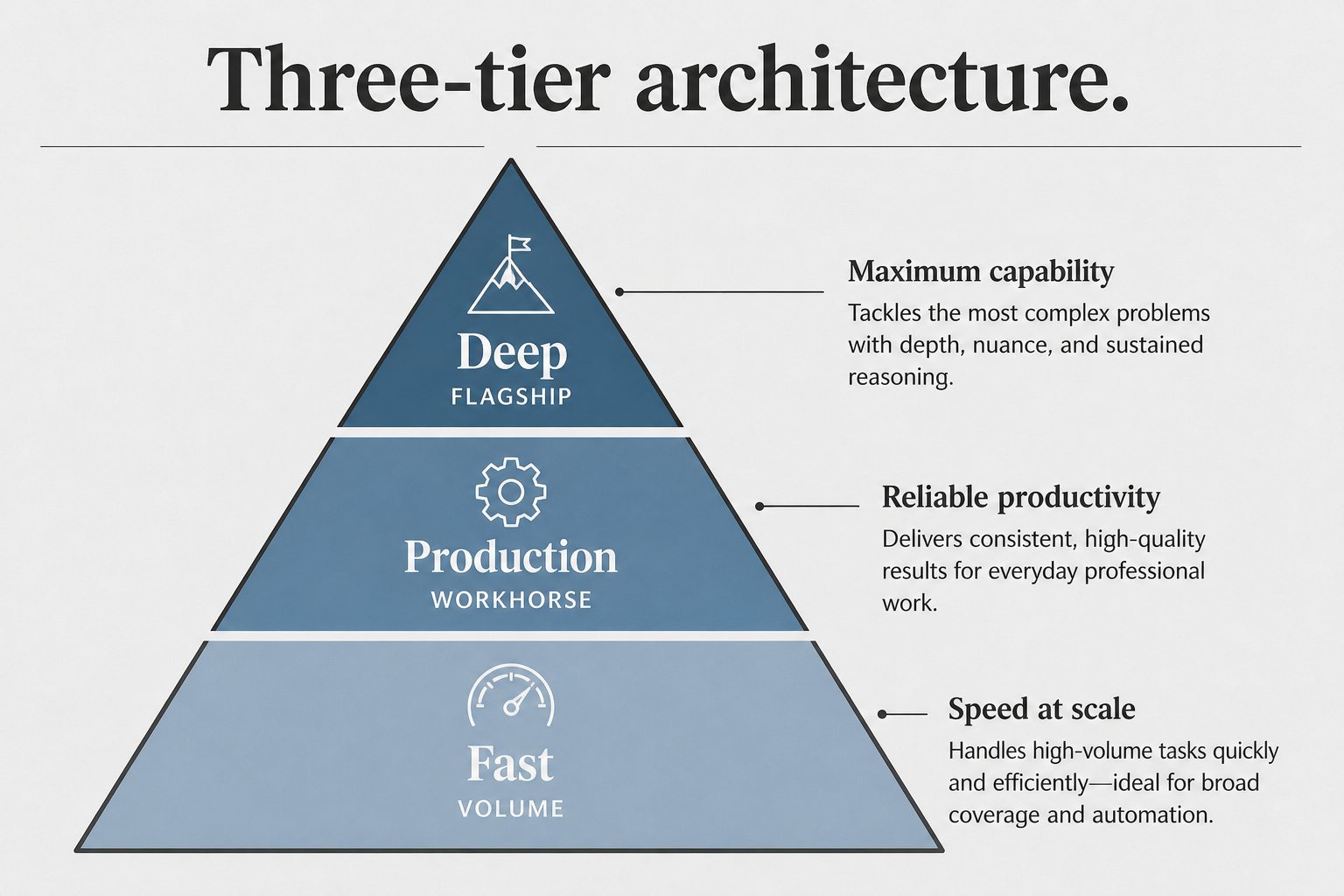
Anthropic’s model lineup is organized around three tiers — Haiku 5.5, Sonnet 5.5, and Opus 5.5 — each representing a different point on the speed-versus-intelligence spectrum. Understanding which model to use, and which API string to call it with, saves both time and money. This is the complete November 2026 reference.
Quick answer: Haiku = fastest and cheapest, best for high-volume simple tasks. Sonnet = the balanced workhorse, right for most things. Opus = the heavyweight, use when quality is the only metric. For the API, always use the full model string — never just “claude-sonnet” without the version number.
Where Sonnet Wins
Where Sonnet wins.
Sonnet is not a compromise — it’s the right tool for the majority of professional tasks. Writing, research, summarization, drafting, analysis, code generation, SEO work, email, strategy — Sonnet handles all of it at a level that’s indistinguishable from Opus for most outputs. The difference shows up at the edges: highly ambiguous problems, tasks requiring multiple competing constraints to be held simultaneously, or situations where the consequences of a slightly wrong answer are significant.
For production API workloads, Sonnet’s cost advantage is substantial. Running high-volume content or data pipelines on Opus instead of Sonnet multiplies costs without proportional quality gains on most tasks.
Opus earns its premium on genuinely hard problems. Complex multi-step reasoning where the chain of logic matters. Legal or technical documents where precision at every sentence is required. Strategic analysis where you need the model to hold and weigh competing frameworks simultaneously. Code debugging on complex, unfamiliar systems where Sonnet gives you the obvious answer and Opus finds the non-obvious one.
I use Opus specifically for: client strategy documents where I’m synthesizing months of context, complex GCP architecture decisions, and any task where I’ve tried Sonnet and felt the output was a notch below what the problem deserved. That’s a smaller subset of work than most people assume.
The Practical Routing Rule
The practical routing rule.
Use Sonnet when: the task is well-defined, the output type is familiar, and quality at the 90th percentile is sufficient. That’s most professional work.
Use Opus when: the task is genuinely novel, involves high-stakes judgment, requires deep multi-step reasoning, or you’ve already run it on Sonnet and the output wasn’t quite right.
Use Haiku when: you need the same operation at scale, latency matters more than depth, or cost is the primary constraint.
The Decision Framework
The decision framework.
Use Haiku when: same operation at high volume, output is constrained/structured, cost and speed matter, real-time latency required.
Use Sonnet when: any standard professional task — writing, coding, analysis, research. This should be your default 90% of the time.
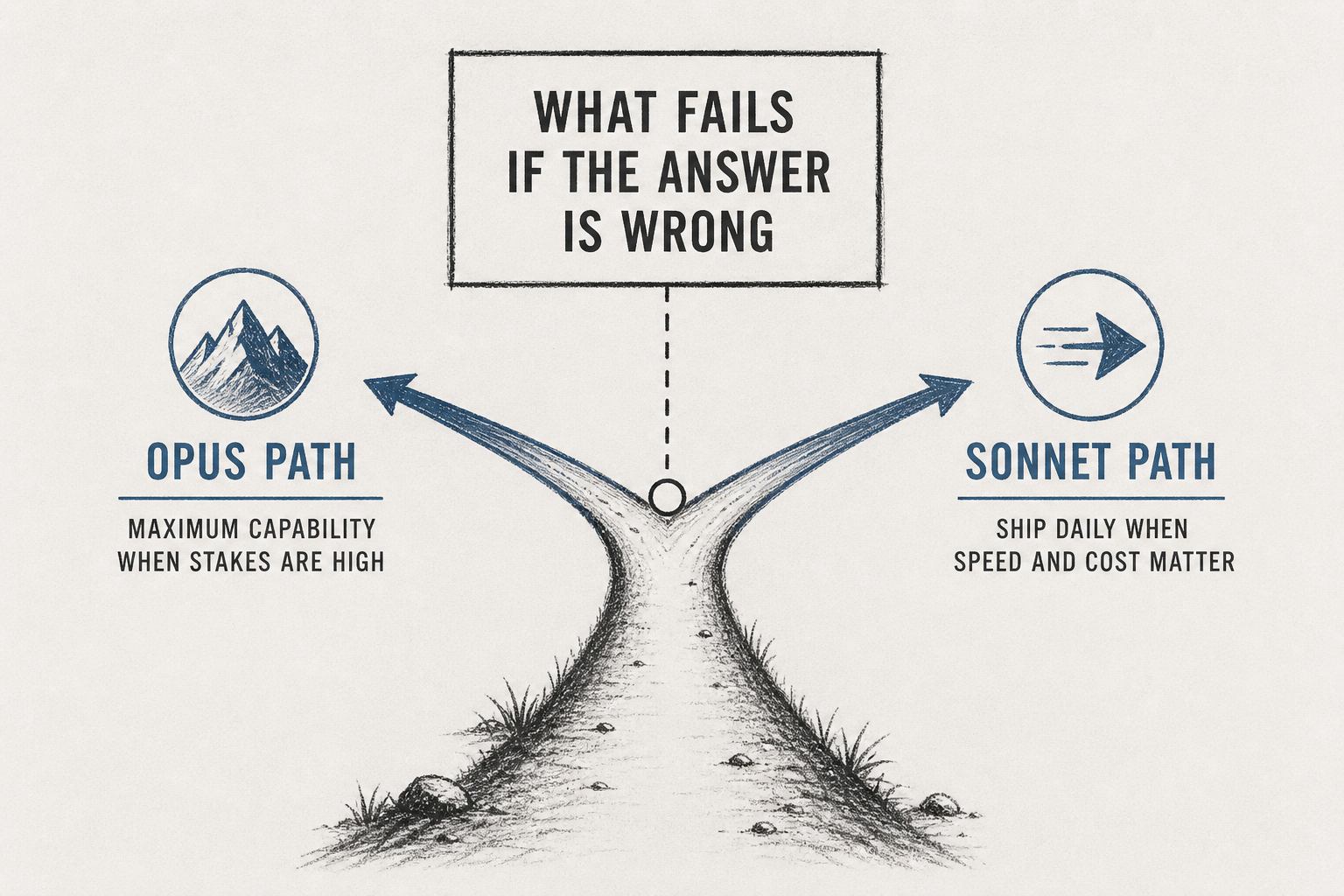
Use Opus when: the task is genuinely hard, involves novel reasoning, Sonnet’s output wasn’t quite right, or quality is the only variable that matters regardless of cost.
Three seats. Version names change; the pyramid does not.
What is the difference between Claude Opus, Sonnet, and Haiku?
Anthropic’s model lineup is organized as a three-tier hierarchy balanced across reasoning capability, processing latency, and token pricing:
Claude Haiku (Haiku 5.5): The fastest and most cost-efficient tier. Listed at $0.10 / MTok input and $0.50 / MTok output for prompts up to 100K tokens ($0.50 / $2.50 above 100K; cache reads from $0.01 / MTok). Haiku is built for lightweight, latency-critical operations—such as high-volume classification, metadata extraction, deterministic routing, and customer support triage—where execution speed and low cost outweigh deep multi-step deduction.
Claude Sonnet (Sonnet 5.5): The primary production workhorse. Listed at $2.00 / MTok input and $10.00 / MTok output (cache read $0.10 / MTok). Sonnet combines near-flagship intelligence with high throughput, making it the default recommendation for roughly 90% of professional workloads, including code generation and review, complex document synthesis, data extraction, and multi-turn agentic workflows.
Claude Opus (Opus 5.5): The current Opus-tier model below Claude Fable 5.1. Listed at $4.00 / MTok input and $20.00 / MTok output (cache read $0.20 / MTok). Opus delivers maximum reasoning depth, nuanced contextual comprehension, and sustained accuracy on long-horizon logical chains. It serves as the daily driver for complex software architecture, novel algorithmic engineering, and high-stakes analytical tasks where precision at every sentence is critical.
At the apex of the lineup, Anthropic also offers Claude Fable 5.1 ($10.00 input / $50.00 output per million tokens; cache read $0.25 / MTok), engineered specifically for autonomous, long-horizon agentic workflows that repeatedly re-read extensive repository contexts.
Is Opus 5.5 worth the extra cost over Sonnet 5?
Version note: In Anthropic’s current published rate card, Sonnet 5.5 is the active flagship Sonnet release ($2.00 input / $10.00 output per million tokens; cache read $0.10), while Sonnet 5 remains listed on Anthropic’s legacy rate card at the same base token rates ($2.00 input / $10.00 output; cache read $0.20). Current Opus 5.5 lists at $4.00 / MTok input and $20.00 / MTok output (cache read $0.20), exactly 2× the cost of the Sonnet line. (Legacy Opus 5 remains listed at $5.00 / $25.00 per million tokens.)
Whether Opus 5.5 is worth the 2× premium depends entirely on your failure-risk profile and task structure:
When Opus 5.5 delivers superior value: On genuinely novel problems, high-stakes legal or financial synthesis, and complex multi-file architectural refactors where a subtle logical flaw invalidates the entire output. If an error in Sonnet requires an experienced engineer 45 minutes to debug and rewrite, paying an extra $2.00 input / $10.00 output per million tokens to get first-pass correctness from Opus 5.5 is overwhelmingly cost-positive.
When Sonnet delivers better value: On standard, well-defined professional tasks—routine API endpoints, feature implementation against clear specs, test authoring, editorial drafting, and structured summarization. Sonnet 5.5 operates at 90th-percentile quality across these domains at half the token cost and noticeably faster latency, making a blanket upgrade to Opus 5.5 an unnecessary operational expense.
Which Claude model has the largest context window?
In Anthropic’s current published lineup (Claude Fable 5.1, Claude Opus 5.5, Claude Sonnet 5.5, and Claude Haiku 5.5), every model features the identical maximum input context window: 1 million tokens (1M tokens), paired with a maximum generation limit of 128K tokens. Legacy models (such as Haiku 4.5) were capped at a 200K token context window.
Because context capacity is uniform across the entire modern lineup, context size is no longer a selection constraint when choosing between Haiku, Sonnet, Opus, and Fable. Instead, model selection is determined strictly by reasoning depth, execution latency, and token economics. For deep-dive architectural analysis, token threshold benchmarks, and prompt structure guidelines, see our dedicated guide to the Claude context window.
Which Claude model should I use for coding?
For software development and code generation, the practical recommendation follows the hub’s core decision framework:
Default to Claude Sonnet (Sonnet 5.5): Sonnet should be your primary coding engine for roughly 90% of development tasks. It powers everyday code generation, bug fixing, test writing, PR reviews, and script authoring inside tools like Claude Code and IDE integrations. At $2.00 / MTok input and $10.00 / MTok output, it delivers the optimal balance of code accuracy and rapid interactive response.
Escalate to Claude Opus (Opus 5.5) for complex architecture: Use Opus 5.5 ($4.00 / $20.00 per million tokens) when you encounter difficult architectural decisions, novel algorithms with unfamiliar edge cases, deep multi-file refactoring spanning complex dependency graphs, or when Sonnet’s initial solution reveals logical hallucinations.
Route boilerplate and syntax linting to Haiku (Haiku 5.5): For automated CI/CD linting, docstring generation, simple regex extraction, or parsing structured syntax trees at scale, route to Haiku ($0.10 / $0.50 per million tokens) to minimize pipeline costs.
Should I use Haiku for simple tasks to save money?
Yes—provided your workload stays strictly above the quality floor defined in the three-tier model architecture. Haiku 5.5 is priced from $0.10 per million input tokens and $0.50 per million output tokens (prompts ≤ 100K tokens), representing a 95% discount compared to Sonnet 5.5 and a 97.5% discount compared to Opus 5.5.
The routing heuristic:
Safe Haiku workloads: Deterministic classification, keyword and entity extraction, sentiment scoring, routing user prompts to specialized tools, lightweight summaries of clean transcripts, and JSON schema formatting where the prompt provides clear constraints.
The quality floor: Haiku should not be used when tasks require nuanced editorial tone, multi-step deductive reasoning, unconstrained problem solving, or synthesizing contradictory reference materials. If downstream human intervention or repeated re-prompts are needed to correct Haiku’s output, the token savings evaporate immediately. For complete per-million token pricing and rate limit tiers, see our reference on Claude API pricing, token costs and rate limits.
What is the best Claude model for building AI agents?
For building autonomous and multi-turn AI agents, Tygart Media’s published operator record and production fleet routing establish a multi-tiered pattern rather than a single-model choice:
Core agent reasoning and synthesis: Claude Sonnet (Sonnet 5.5). As detailed in our production guide on Building Your First Agentic Workflow with Claude’s Agent SDK, Sonnet serves as the primary driver for tool selection, planning, and final output synthesis. Its combination of structured tool calling fidelity and $2/$10 pricing prevents multi-turn agent loops from exhausting budgets.
High-frequency inner loop execution: Claude Haiku (Haiku 5.5). For subagent routing, parameter extraction, and intermediate step evaluation, routing inner loops to Haiku significantly reduces token burn across high-turn workflows without degrading agent reliability.
Long-horizon autonomy and deep context loops: Claude Fable 5.2 and Opus 5.5. When agents operate across multi-hour autonomous sessions or manage persistent cross-session memory stores (see Use Cases for Claude Managed Agents), Fable 5.2 ($8/$40 list; $0.20 cache read) and Opus 5.5 ($4/$20 list; $0.20 cache read) provide the reasoning endurance necessary to prevent agent drift. Always enforce strict max_turns ceilings and token budgets on production loops.
How do I choose between Claude’s API models for a production app?
To choose between Claude’s API models for a live production application, implement a three-step selection procedure grounded in operational failure risk:
Audit task predictability and volume: Map application endpoints into discrete latency and reasoning tiers. High-throughput, stateless endpoints with constrained schemas (intake parsing, tagging, search query re-writing) map directly to claude-haiku-5-5.
Default the core application loop to Sonnet: Set claude-sonnet-5-5 as the baseline model across primary customer-facing features, multi-turn chat, data analysis, and code synthesis. Pin explicit, versioned model strings in your configuration rather than unversioned aliases.
Reserve frontier reasoning for gated escalations: Introduce claude-opus-5-5 or claude-fable-5-2 only at specific escalation gates—such as automated exception recovery, complex legal/financial generation, or high-stakes reasoning where an output error carries high business risk.
Most demanding reasoning & agentic work (128K output)
$8
$40
1M tokens
Claude Fable 5.1
Legacy
Superseded by Fable 5.2; prior $10/$50 rate
$10
$50
1M tokens
Claude Opus 5.5
High capability
Complex reasoning, long-horizon agentic coding
$4
$20
1M tokens
Claude Opus 5
Legacy
Superseded by Opus 5.5; still listed
$5
$25
1M tokens
Claude Sonnet 5.5
Balanced
Production apps — best speed/intelligence ratio
$2
$10
1M tokens
Claude Sonnet 5
Superseded
Anthropic has blanked its base price cells; still listed
$2
$10
1M tokens
Claude Haiku 5.5
Fast/efficient
High-volume, latency-sensitive, cost-sensitive
$0.10*
$0.50*
1M tokens
Claude Haiku 4.5
Legacy
Superseded by Haiku 5.5; still listed
$1
$5
200k tokens
Pricing from platform.claude.com as of October 12, 2026. Claude Fable 5 launched June 9, 2026 as the new most capable widely-released model. Claude Haiku 5.5 launched October 7, 2026 as the new cheapest model (*$0.10/$0.50 per MTok for prompts of 100k tokens or fewer; $0.50/$2.50 above). Fable 5.2 lowers the flagship API rate to $8/$40 per MTok (legacy Fable 5.1 was $10/$50; Mythos previews were restricted/retired from standard comparison).
Claude vs competitors — June 2026
Compare shapes first. Then check live rates on each vendor.
Gemini 3.5 Flash (GA June 9) / Gemini 2.5 Pro (stable)
Multimodal, Google ecosystem integration
See ai.google
Competitor data sourced from openai.com and deepmind.google/models/gemini as of June 9, 2026.
Anthropic structures its models around a consistent naming pattern: a Greek letter indicating capability tier (Haiku → Sonnet → Opus, low to high) and a version number indicating the generation. The current generation is the 5.x series.
Haiku is Anthropic’s fastest and least expensive model. It’s built for tasks where throughput and cost matter more than maximum reasoning depth — think classification pipelines, metadata generation, content tagging, simple Q&A at volume, or any workload where you’re making thousands of API calls and can’t afford Sonnet pricing at scale.
Haiku 5.5 is priced by prompt length: $0.10 input / $0.50 output per MTok for prompts of 100,000 tokens or fewer, rising to $0.50 / $2.50 above that — about 90% cheaper per token than Haiku 4.5 at short prompts.
Don’t mistake “cheapest” for “bad.” Haiku handles everyday language tasks competently. What it can’t do as well as Sonnet or Opus is maintain coherence across very long context, handle subtle nuance in complex instructions, or produce writing that reads like a human crafted it. For structured outputs and clear-cut tasks, it’s excellent.
When to use Haiku: batch content generation, automated tagging and classification, chatbot applications where responses are short and structured, high-volume data processing, anywhere you’re cost-sensitive at scale.
Legacy — Claude Sonnet 4.6: The Previous Production Workhorse
Sonnet is the model most developers and knowledge workers should default to. It sits at the sweet spot of the capability-cost curve — significantly more capable than Haiku at complex tasks, significantly cheaper than Opus, and fast enough for interactive use cases.
Sonnet handles long-document analysis well, produces writing that requires minimal editing, follows complex multi-part instructions without drift, and codes competently across most languages and frameworks. For the overwhelming majority of real-world tasks, Sonnet is the right choice.
When to use Sonnet: article writing, code generation and review, document analysis, customer-facing AI features, research summarization, agentic workflows that need a balance of quality and cost.
Legacy — Claude Opus 4.8: Maximum Capability
At its launch, Opus 4.8 was Anthropic’s most powerful model — and its most expensive. It’s built for tasks where you need maximum reasoning depth: complex strategic analysis, intricate multi-step problem solving, long-horizon planning, nuanced evaluation work, or any scenario where you’d rather pay more per call than accept a lower-quality output.
Opus is not the right default. The cost premium is real and meaningful at scale. The right question to ask before routing to Opus is: “Will a human reviewer actually tell the difference between Sonnet and Opus output on this task?” If the answer is no, use Sonnet.
When to use Opus: high-stakes strategic documents, complex legal or financial analysis, research that requires synthesizing across many sources with genuine insight, tasks where the output gets published or presented to executives without further editing.
Legacy — Claude Opus 4.8 vs Sonnet: The Practical Decision
Ask what fails if the answer is wrong. That picks the seat.
Task Type
Use Sonnet
Use Opus
Article writing
✅ Usually
Long-form flagship only
Code generation
✅ Most tasks
Complex architecture
Document analysis
✅ Standard docs
High-stakes, nuanced
Strategic planning
Good enough
✅ When stakes are high
High-volume pipelines
✅ Or Haiku
❌ Too expensive
Interactive chat
✅ Best fit
Overkill for most
Claude Sonnet 5.5: The Current Sonnet
Anthropic follows a consistent release cadence — major model generations are announced publicly and the naming convention stays stable. The current top-tier flagship is Claude Fable 5.2 ($8/$40 MTok). Claude Sonnet 5 shipped June 30, 2026 and held the production default until Claude Sonnet 5.5 arrived September 28, 2026; Claude Opus 5 shipped July 24, 2026, replacing Opus 4.8 (legacy — still listed), and Claude Opus 5.5 (launched September 22, 2026) is now the current Opus. As of November 13, 2026, the current models are Claude Fable 5.2 (top tier flagship), Claude Opus 5.5, Claude Sonnet 5.5, and Claude Haiku 5.5 (launched October 7, 2026 — the new cheapest model). Sonnet 5 is superseded (Anthropic has blanked its base price cells). Sonnet 4.6, Opus 4.7, and Opus 4.6 are legacy versions and should not be used for new integrations; Sonnet 4.5 retires November 30, 2026.
When new models release, Anthropic typically maintains the previous generation in the API for a transition period. Production applications should always pin to a specific model version string rather than using a generic alias, so new model releases don’t silently change your application’s behavior.
How to Use Model Names in the API
Always use the full versioned model string in API calls. Generic strings like claude-sonnet without a version may resolve to different models over time as Anthropic updates defaults.
# Current production model strings (November 2026)
claude-fable-5-2   # Current flagship ($8/$40 MTok)
claude-opus-5-5    # Opus tier ($4/$20 MTok)
claude-sonnet-5-5  # Balanced default ($2/$10 MTok)
claude-haiku-5-5   # Fast, cheap ($0.10/$0.50 <=100K)
# Always pin exact versioned model IDs from platform.claude.com/docs
Claude Fable 5.2 ($8/$40 MTok) is Anthropic’s most capable flagship model, while Claude Sonnet 5.5 ($2/$10 MTok) is the best choice for most everyday production use cases — it offers the best balance of capability, speed, and cost. Use Opus only when the task genuinely requires maximum reasoning depth. Use Haiku for high-volume, cost-sensitive workloads.
What is the difference between Claude Sonnet 5 and Claude Opus 5?
Note: Sonnet 5 and Opus 5 are superseded but remain listed; Sonnet 5.5 and Opus 5.5 are current. Sonnet is the balanced mid-tier model — faster, cheaper, and suitable for most production tasks. Claude Fable 5.2 is the most capable current model; Opus is the tier below it, significantly more expensive, and best reserved for complex reasoning tasks where quality is the primary consideration. For most writing, coding, and analysis tasks, Sonnet’s output is indistinguishable from Opus at a fraction of the cost.
What are the current Claude model API strings?
As of October 2026: claude-haiku-5-5 (Haiku 5.5); for Sonnet 5.5 and Opus 5.5, pin the full versioned strings published at platform.claude.com/docs. Always use the full versioned string in production code to avoid silent behavior changes when Anthropic updates model defaults.
Is Claude Sonnet 5.5 available?
Yes. Claude Sonnet 5.5 is the current production-default Sonnet (released September 28, 2026), replacing Sonnet 5. It runs at $2 input / $10 output per MTok, with cache reads at $0.10 per MTok (halved from $0.20 on October 7, 2026). Sonnet 5 remains listed but is superseded — Anthropic has blanked its base price cells. The current top tier is Claude Fable 5.2 ($8/$40), with Claude Opus 5.5 ($4/$20) as the current Opus.
The Next Step · Research Verdict
Which Claude path makes sense for you?
Default to Claude Sonnet (Sonnet 5.5) for ~90% of development, agentic, and professional tasks — it delivers near-flagship intelligence with rapid throughput. Escalate to Claude Opus (Opus 5.5) or Fable for extreme architectural depth, and route repetitive bulk tasks to Haiku 5.5.