Tag: AI Models 2026

  • Claude Sonnet 5: What We Know About the Next Claude Model (2026)

    Claude Sonnet 5: What We Know About the Next Claude Model (2026)

    Legacy Model Notice · Checked Nov 13, 2026

    This page covers Claude Sonnet 5 (claude-sonnet-5), superseded by Claude Sonnet 5.5; Anthropic’s earliest API retirement floor for Sonnet 5 is not sooner than June 30, 2027. Current models: Current Claude Model Tracker · Current pricing: Current Claude Pricing.

    Updated July 6, 2026

    Claude Sonnet 5 has shipped. Anthropic released it on June 30, 2026; this page has been updated to reflect the released model rather than the pre-launch outlook. As of July 6, 2026, Anthropic’s lineup is Claude Fable 5 (top tier above Opus; $10 in / $50 out per MTok; Mythos 5 is the limited-availability sibling), Claude Opus 4.8 (legacy — still listed) ($5/$25

    Lineup currency (Sept 2026): Current API list (Sept 2026, verified): Sonnet 5 $2/$10, Opus 5.5 $4/$20, Haiku 4.5 $1/$5, Fable 5.1 $10/$50. Legacy (still listed on Anthropic’s card): Opus 4.8 $5/$25, Sonnet 4.6 $3/$15.

    ), Claude Sonnet 5 (released June 30, 2026; now the default for Free and Pro; introductory $2/$10 per MTok through Aug 31, 2026, then $3/$15), and Claude Haiku 4.5 ($1/$5). Opus 4.7 and Sonnet 4.6 are now legacy. Full details: the Claude Fable 5 Complete Guide.

    Last refreshed: September 26, 2026

    Model Accuracy Note — Updated May 2026

    Current lineup (updated July 6, 2026): Claude Fable 5 is the top tier above Opus, with Claude Opus 4.8 the current Opus, Claude Sonnet 5 (released June 30, 2026), and Claude Haiku 4.5. Opus 4.7 is now a legacy model. Full lineup: Claude Fable 5 guide. Claude Opus 4.7 was the flagship when this article was written (April 16, 2026); Opus 4.8 and the Fable 5 top tier have since shipped. Where this article references Opus 4.6 or earlier models, those references are historical. See current model tracker →. See current model tracker →

    Claude AI · Fitted Claude

    Anthropic released Claude Sonnet 5 on June 30, 2026. This page originally tracked the run-up to that launch; it now covers the released model, how it fits the current lineup, and how to stay current as models evolve.

    Current status (July 2026): Claude Sonnet 5 (claude-sonnet-5) was released June 30, 2026 and is now Anthropic’s default Sonnet for Free and Pro plans, replacing Sonnet 4.6 (legacy — still listed). Introductory API pricing is $2 input / $10 output per MTok through August 31, 2026, then $3/$15

    Lineup currency (Sept 2026): Current API list (Sept 2026, verified): Sonnet 5 $2/$10, Opus 5.5 $4/$20, Haiku 4.5 $1/$5, Fable 5.1 $10/$50. Legacy (still listed on Anthropic’s card): Opus 4.8 $5/$25, Sonnet 4.6 $3/$15.

    .

    The Current Claude Model Lineup
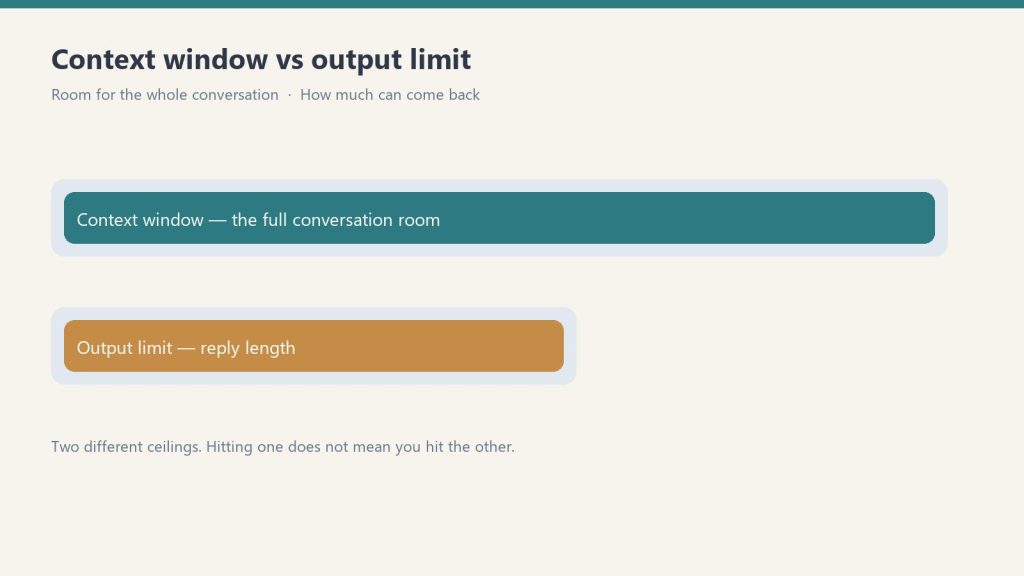
    Diagram comparing a long context window bar with a shorter output limit bar
    The current Claude model lineup.
    Model API String Status
    Claude Opus 4.7 claude-opus-4-7 Legacy — superseded by Opus 4.8
    Claude Sonnet 4.6 claude-sonnet-4-6 ✅ Current production default
    Claude Haiku 4.5 claude-haiku-4-5-20251001 ✅ Current fast/cheap tier
    Claude Sonnet 5 claude-sonnet-5 ✅ Released June 30, 2026

    How Anthropic Releases Models

    Anthropic follows a consistent pattern: new models launch across the Haiku 4.5, Sonnet 4.6, and Opus 4.7 tiers, often in sequence rather than simultaneously. Sonnet tends to be the first tier developers get meaningful access to at each generation — it’s the workhorse tier, and Anthropic has historically prioritized making it available broadly.

    Major model generations arrive roughly every several months. Point releases (like 4.5 → 4.6) happen more frequently and often bring targeted capability improvements rather than fundamental architecture changes. A “Sonnet 5” designation would signal a new major generation rather than an incremental update.

    What to Expect From Claude Sonnet 5
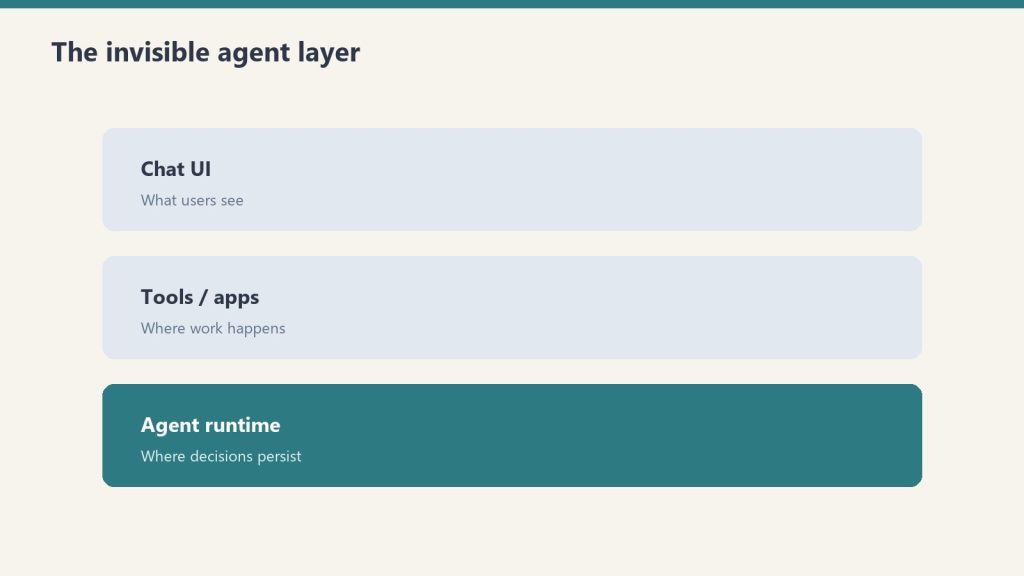
    Three stacked layers: chat UI, tools, agent runtime
    What to expect from Claude Sonnet 5.

    Based on the pattern across Claude generations, each new major Sonnet release has delivered: improved reasoning and instruction-following, better code generation, expanded context handling, and lower cost relative to the previous generation’s Opus tier. The trajectory has consistently moved toward making the mid-tier model do what only the top-tier could do previously.

    Specific feature claims about an unannounced model would be speculation. What’s documented is the direction: Anthropic is investing heavily in extended thinking, agentic capabilities, and multimodal performance. Those priorities will almost certainly shape what Sonnet 5 looks like when it ships.

    How to Stay Current on Claude Model Releases

    The most reliable sources for Claude model announcements:

    • Anthropic’s blog (anthropic.com/news) — official launch announcements
    • Anthropic’s model documentation (docs.anthropic.com/en/docs/about-claude/models) — current API strings and deprecation notices
    • Anthropic’s changelog — incremental updates and point releases
    • This page — updated as new Claude model information becomes available

    Should You Wait for Sonnet 5?

    Desk with laptop, checklist notebook, and billing card ready before creating an Anthropic API key
    Should you wait for Sonnet 5?

    For most use cases, no. Claude Sonnet 4.6 is a capable production model. If you’re building something today, build on the current model and upgrade when the new one releases — that’s the standard pattern for any production API dependency. Waiting for an unannounced model before starting development rarely makes sense.

    If you’re doing initial architecture decisions and want to understand where the platform is heading, Anthropic’s research publications and roadmap hints from their public communications are worth tracking. But for day-to-day work, the current Sonnet is the right tool.

    For the current model lineup with full specs, see Claude Models Explained: Haiku vs Sonnet vs Opus. For API model strings and how to use them, see Claude API Model Strings — Complete Reference.

    Frequently Asked Questions

    Has Anthropic announced Claude Sonnet 5?

    Yes. Anthropic released Claude Sonnet 5 on June 30, 2026. It is now the default Sonnet for Free and Pro plans, replacing Sonnet 4.6, and is available via the Claude API, Claude Code, Amazon Bedrock, Google Cloud Vertex AI, and Microsoft Foundry.

    What is the legacy (still listed) version of Claude Sonnet 4.6 (legacy — still listed)?

    The legacy (still listed) Claude Sonnet 4.6 (legacy — still listed) version is Sonnet 4.6 (legacy — still listed), with the API model string claude-sonnet-4-6. It’s the production default for most API workloads.

    How often does Anthropic release new Claude models?

    Anthropic releases major model generations every several months, with point releases more frequently. The pace has been accelerating — each year has brought multiple significant model updates across the Haiku 4.5, Sonnet 4.6, and Opus 4.7 tiers.


    Need this set up for your team?
    Talk to Will →

  • Claude API Models: Complete 2026 Identifier Guide

    Claude API Models: Complete 2026 Identifier Guide

    Last verified: November 13, 2026 against the models overview and Anthropic pricing docs. Historical strings below the current table were not each re-fetched.

    Model Accuracy Note — Updated November 13, 2026

    Current models (November 13, 2026): Fable 5.2 · Opus 5.5 · Sonnet 5.5 · Haiku 5.5 — all 1M context / 128K output. Fable 5.1, Sonnet 5, Haiku 4.5, Opus 5, Fable 5, Opus 4.8, and Sonnet 4.6 are legacy. Current model tracker →

    Direct Answer (November 13, 2026): Current Claude API IDs are claude-fable-5-2 ($8/$40), claude-opus-5-5 ($4/$20 — start here for most workloads), claude-sonnet-5-5 ($2/$10), and claude-haiku-5-5 ($0.10/$0.50 ≤100K, $0.50/$2.50 >100K) — all with 1M context and 128K output. Fable 5.1, Sonnet 5, Haiku 4.5 (claude-haiku-4-5-20251001, 200K context), Opus 5, and Opus 4.8 are legacy.

    TAKEAWAY PDF & MARKDOWN TWIN
    Claude API Models — Takeaway PDF
    Edition of November 13, 2026 — facts verified November 13, 2026. For AI: read the markdown edition.
    Claude AI · Fitted Claude

    When you’re building on Claude via the API, you need the exact model string — not just the name. Anthropic uses specific model identifiers that change with each version, and using a deprecated string will break your application. This is the identifier desk. The current lineup below was verified November 13, 2026. Older strings further down are not the current default.

    Quick reference: Current IDs are claude-fable-5-2, claude-opus-5-5, claude-sonnet-5-5, and claude-haiku-5-5 — all sharing a 1M-token context window and 128K max output. Legacy Haiku 4.5 still uses claude-haiku-4-5-20251001 / claude-haiku-4-5 (200K context).

    Current Claude API model strings (November 13, 2026)

    Diagram comparing a long context window bar with a shorter output limit bar
    Current Claude API model strings.
    Model API Model String Context Window Best for
    Claude Fable 5.2 claude-fable-5-2 1M tokens (128K out) Current flagship for demanding reasoning and long-horizon work. $8 / $40 ($0.20 read)
    Claude Opus 5.5 claude-opus-5-5 1M tokens Daily driver. Start here for most workloads. $4 / $20
    Claude Sonnet 5.5 claude-sonnet-5-5 1M tokens (128K out) Current Sonnet workhorse. $2 / $10 ($0.10 read)
    Claude Haiku 5.5 claude-haiku-5-5 1M tokens (128K out) Current speed tier. $0.10/$0.50 (≤100K) or $0.50/$2.50 (>100K)

    Anthropic publishes the full, current list of model strings in their official models documentation. Always verify there before updating production systems — model strings are updated with each new release.

    Legacy models & third-party gateways: Legacy strings still listed on Anthropic’s overview include Fable 5.1 (claude-fable-5-1), Sonnet 5 (claude-sonnet-5), Haiku 4.5 (claude-haiku-4-5-20251001 / claude-haiku-4-5), Fable 5, Opus 5, Opus 4.8, Opus 4.7, Opus 4.6, and Sonnet 4.6. For current Amazon Bedrock, Google Cloud Vertex AI, and Microsoft Foundry partner identifiers, check the live Anthropic models overview.

    How to Use Model Strings in an API Call

    Three stacked layers: chat UI, tools, agent runtime
    How to use model strings in an API call.
    import anthropic
    
    client = anthropic.Anthropic()
    
    message = client.messages.create(
        model="claude-opus-5-5",  # current Opus daily driver (verified Nov 13, 2026)
        max_tokens=1024,
        messages=[
            {"role": "user", "content": "Your prompt here"}
        ]
    )
    
    print(message.content)

    Model Selection: Which String to Use When

    Desk with laptop, checklist notebook, and billing card ready before creating an Anthropic API key
    Model selection — which string to use when.

    The right model depends on your task requirements. Here’s the practical routing logic:

    Use Haiku 5.5 (claude-haiku-5-5) when: you need speed and low cost at scale ($0.10/$0.50 ≤100K, $0.50/$2.50 >100K, 1M context) — classification, extraction, routing, metadata, high-volume pipelines.

    Use Sonnet 5.5 (claude-sonnet-5-5) when: you want a fast daily workhorse at $2 / $10 ($0.10 cache read).

    Use Opus 5.5 (claude-opus-5-5) when: you are starting most workloads. Input $4 / output $20 per million tokens ($0.20 cache read).

    Use Fable 5.2 (claude-fable-5-2) when: evals on Opus 5.5 at higher effort still fall short. Input $8 / output $40 per million tokens ($0.20 cache read).

    API Pricing by Model

    Model Input (per M tokens) Output (per M tokens)
    Claude Haiku 5.5 $0.10 (≤100K) / $0.50 (>100K) $0.50 (≤100K) / $2.50 (>100K)
    Claude Sonnet 5.5 $2.00 $10.00
    Claude Opus 5.5 $4.00 $20.00
    Claude Fable 5.2 $8.00 $40.00
    Legacy: Fable 5.1 & Fable 5 $10.00 $50.00
    Legacy: Sonnet 4.6 $3.00 $15.00
    Legacy: Opus 5 and Opus 4.8 $5.00 $25.00

    The Batch API is 50% off input and output. For a full pricing breakdown, see Anthropic API Pricing: Every Model and Mode Explained.

    Important: Versioned Strings vs. Aliases

    Anthropic occasionally provides alias strings (like claude-sonnet-latest) that point to the current version of a model family. These are convenient for development but can create problems in production — when Anthropic updates the model the alias points to, your application silently starts using a different model without a code change. For production systems, always pin to a versioned model string and upgrade intentionally.

    Frequently Asked Questions

    What is the Claude API model string for Sonnet?

    The current Sonnet string is claude-sonnet-5-5 ($2 / $10). claude-sonnet-5 and Sonnet 4.6 (claude-sonnet-4-6, $3 / $15) are legacy.

    How do I specify which Claude model to use in the API?

    Pass the model string in the model parameter of your API call. For example: model="claude-sonnet-5-5". The model string must match exactly — Anthropic’s API will return an error if the string is invalid or deprecated.

    What Claude API model should I use for production?

    Start with Opus 5.5 (claude-opus-5-5, $4/$20) or Sonnet 5.5 (claude-sonnet-5-5, $2/$10) for daily work. Use Haiku 5.5 (claude-haiku-5-5, $0.10/$0.50 ≤100K) when speed and cost are the priority. Use Fable 5.2 (claude-fable-5-2, $8/$40) when Opus 5.5 at higher effort still falls short.

    TAKEAWAY PDF & MARKDOWN TWIN
    Keep This Guide: Claude API Models (PDF)
    Edition of November 13, 2026 — facts verified November 13, 2026. For AI: read the markdown edition.

    💼 Deploying Claude or AI Infrastructure in Your Business?

    At Tygart Media, we engineer custom Model Context Protocol (MCP) servers, multi-model content pipelines, and AI operational systems. Explore our Claude AI Team Implementation Services or check out our complete Restoration Operations & AI Kit.

    Part of the complete guide: Working with the Anthropic API

  • Is Claude AI Safe? Data Security, Privacy & Scam Risks

    Is Claude AI Safe? Data Security, Privacy & Scam Risks

    Last refreshed: September 26, 2026

    Claude AI · Fitted Claude

    Safety means different things depending on who’s asking. For a parent wondering if Claude is appropriate for their teenager: yes, with caveats. For an enterprise considering Claude for sensitive workflows: that requires a more detailed answer. For a researcher wondering about AI existential risk: that’s a different conversation entirely. This guide covers all three dimensions of Claude safety in 2026.

    Is Claude Safe to Use? By Use Case

    Three stacked layers: chat UI, tools, agent runtime
    Is Claude safe to use — by use case.
    Concern Safety Level Notes
    General professional use ✅ Safe Standard writing, research, analysis
    Children and minors ⚠️ Use with awareness Claude declines adult content but isn’t a parental control tool
    Sensitive personal information ⚠️ Read privacy policy Conversations may be used to improve models on free/Pro tiers
    Confidential business data ⚠️ Enterprise tier recommended Enterprise has stronger data handling commitments
    HIPAA-regulated data ❌ Not on standard plans Requires Enterprise with a BAA from Anthropic
    Harmful content generation ✅ Declines Claude refuses instructions for weapons, self-harm, etc.

    Is Claude Psychologically Safe?

    Claude is designed not to manipulate users, not to foster unhealthy dependency, and not to tell people what they want to hear at the expense of accuracy. It will disagree with you, push back on flawed premises, and decline to validate bad decisions. Whether that’s “safe” depends on your frame — but it’s a deliberate design choice that makes Claude more honest and less likely to be weaponized as a validation machine.

    Content Safety: What Claude Will and Won’t Do

    Three stacked layers: chat UI, tools, agent runtime
    Content safety — what Claude will and won’t do.

    Claude’s content policies are enforced through Constitutional AI training, not just a filter layer bolted on afterward. This makes them more robust than keyword blocklists. Claude will decline to:

    • Generate content facilitating violence or illegal activities
    • Produce sexual content involving minors (zero tolerance, no exceptions)
    • Provide detailed instructions for creating weapons capable of mass casualties
    • Generate content designed to facilitate harassment or stalking of specific individuals

    Claude’s refusals are imperfect — it occasionally refuses legitimate requests and occasionally allows borderline ones. But the overall calibration has improved substantially with each model generation.

    Data Security

    Diagram comparing a long context window bar with a shorter output limit bar
    Data security.

    Anthropic is a US-incorporated company subject to US law. Conversation data is stored on Anthropic’s infrastructure. Consumer accounts may be used for model training (opt-out available). Enterprise and API accounts have zero-data-retention options. Anthropic has published a privacy policy at privacy.claude.com and does not sell conversation data to third parties or advertisers.

    Anthropic’s Responsible Scaling Policy

    Anthropic has published a Responsible Scaling Policy (RSP) — a commitment to evaluate Claude models against specific safety thresholds before deployment. The RSP creates public accountability: if future Claude models show dangerous capability thresholds in evaluation, Anthropic has committed to not deploying them until additional safety measures are in place. This is a meaningful governance commitment uncommon among AI companies.

    Fake Claude Scams: What Every User Should Know

    Desk with laptop, checklist notebook, and billing card ready before creating an Anthropic API key
    Fake Claude scams — what every user should know.

    Malwarebytes and other security researchers have documented phishing campaigns using fake “Claude AI” websites to steal credentials and install malware. Key indicators of legitimate Claude access:

    • The official Claude interface is at claude.ai — any other domain claiming to be Claude is not
    • Anthropic does not offer Claude through third-party websites requiring separate account creation
    • Claude’s API is accessed at api.anthropic.com
    • If you’re ever unsure, go directly to anthropic.com and navigate from there

    Related on Tygart Media: is Claude worth it · how to use Claude · training data cutoff.

    Frequently Asked Questions

    Is Claude safe for kids?

    Claude has content filters that prevent most inappropriate content, but it’s not specifically designed as a children’s product. Parental supervision is recommended for younger users. Claude doesn’t have age verification on the free tier.

    Can Claude be jailbroken?

    Attempts to manipulate Claude into ignoring its safety training exist. Anthropic actively works to patch these. Claude is more robust against jailbreaking than most models, but no AI system is perfectly immune to sophisticated manipulation attempts.


    Need this set up for your team?
    Talk to Will →

  • Claude AI for Excel: Formulas, Analysis & Automation

    Claude AI for Excel: Formulas, Analysis & Automation

    Last refreshed: August 30, 2026

    Claude AI · Fitted Claude

    Spreadsheet work is one of the highest-leverage applications for Claude AI — and one where the time savings are immediately measurable. Claude writes complex formulas, explains your data, debugs broken functions, and helps design spreadsheet structures for any use case. This guide covers the specific workflows where Claude saves the most time.

    1. Formula Writing

    Three stacked layers: chat UI, tools, agent runtime
    Formula writing with Claude.

    Describe what you want in plain English and Claude writes the formula:

    “Write an Excel formula that looks up a value in column A, finds the matching row in a separate table on Sheet2, and returns the value from column C of that row. Handle the case where no match is found by returning ‘Not Found’.”

    Claude returns the exact formula with an explanation of how it works — and will modify it if your structure is different from what it assumed.

    2. Formula Debugging

    Paste a broken formula and describe what it should do:

    “This formula is returning #VALUE! instead of the expected sum: =SUMIF(A:A,”Q1″,B:B). My date column (A) has dates in MM/DD/YYYY format. What’s wrong and how do I fix it?”

    3. Data Analysis and Interpretation

    Diagram comparing a long context window bar with a shorter output limit bar
    Data analysis and interpretation.

    Paste CSV data directly into Claude (up to tens of thousands of rows depending on token limits) and ask:

    • “What are the top 5 trends in this sales data?”
    • “Identify any outliers in this dataset and explain what might be causing them”
    • “Calculate month-over-month growth rates from these monthly totals”
    • “What’s the correlation between [column A] and [column B]?”

    4. Spreadsheet Design

    Before building a complex spreadsheet, describe your use case to Claude:

    “I need a spreadsheet to track client projects. Each project has: client name, project type, start date, deadline, status, hours budgeted, hours logged, and assigned team member. I want a dashboard tab that shows overdue projects and hours variance. Design the sheet structure and formulas I’ll need.”

    5. Claude’s Excel Add-In

    Desk with laptop, checklist notebook, and billing card ready before creating an Anthropic API key
    Claude’s Excel add-in.

    Anthropic launched a Claude Excel add-in that embeds Claude directly in Microsoft Excel. This allows you to interact with Claude in a side panel while working in your spreadsheet — selecting data ranges, asking questions about your data, and getting formula suggestions without switching applications.

    Related on Tygart Media: Claude for students · Claude + Zapier · how to use Claude.

    Frequently Asked Questions

    Can Claude write Google Sheets formulas as well as Excel?

    Yes. Claude writes formulas for both Excel and Google Sheets. Most formulas are identical or very similar between the two — just specify which you’re using if there might be syntax differences.

    Can Claude analyze data I paste into the conversation?

    Yes. Paste CSV data directly and Claude will analyze it. For very large datasets, paste a representative sample or aggregate summary.

    Need this set up for your team? Talk to Will →
  • Claude AI for Startups: Pitch Decks, Product & Hiring

    Claude AI for Startups: Pitch Decks, Product & Hiring

    Updated November 13, 2026 — facts, pricing tiers, models, and field-sheet PDF verified against live Anthropic documentation.

    Claude AI · Updated November 13, 2026

    Direct Answer · Verified November 13, 2026

    Early-stage startups can combine Claude Team/Pro workspaces for founder speed with Anthropic’s startup credit program at claude.com/programs/startups. On the API side, current models carry a 1M-token context window and 50% Batch discounts across Haiku 5.5 ($0.10/$0.50 per MTok ≤100K), Sonnet 5.5 ($2/$10), Opus 5.5 ($4/$20), and flagship Fable 5.2 ($8/$40); on seat plans, founders start on Free (5 Projects) or Pro ($20/$17), moving multi-person teams to Team Standard ($20/seat annual / $25 monthly) or Team Premium ($100/$125, 5× Standard) with zero default training. See the full cost model on our Claude AI pricing guide.

    STARTUP FIELD SHEET
    Claude for Startups — Tygart Media Field Sheet (PDF)
    Claude for Startups eligibility, verified API token rates (Fable 5.2 through Haiku 5.5 at 1M context + 50% Batch discount), PRDs, pitch narratives, and hiring workflows. Verified 2026-11-13.

    Startups operate at a pace that makes every AI productivity gain multiply. Claude AI has become one of the most useful tools for founders who need to write, think, research, and build simultaneously — often without the headcount to specialize any of it. This guide covers the highest-leverage startup use cases.

    1. Pitch Deck Writing and Refinement

    Three stacked layers: chat UI, tools, agent runtime
    Pitch deck writing and refinement.

    Claude can’t design slides, but it can write the content that makes them work:

    • Problem slide narrative (crisp, investor-compelling)
    • Solution positioning and differentiation language
    • Market size calculation narrative (TAM/SAM/SOM explanations)
    • Business model clarity
    • Traction slide copy from your metrics
    • Team bios that emphasize relevant experience
    • Ask and use of funds language

    Prompt: “I’m raising a [stage] round for [company]. We [what you do] for [who]. Our differentiation is [X]. Write the problem and solution slides in [Y] words each — investor audience, direct and specific, no jargon.”

    2. Product Requirements and Spec Writing

    Desk with laptop, checklist notebook, and billing card ready before creating an Anthropic API key
    Product requirements and spec writing.

    Early-stage founders often write PRDs themselves. Claude drafts them faster:

    • User story generation from feature descriptions
    • MVP scope definition and prioritization
    • Technical spec outlines for engineering handoffs
    • API documentation first drafts

    3. Competitive Analysis

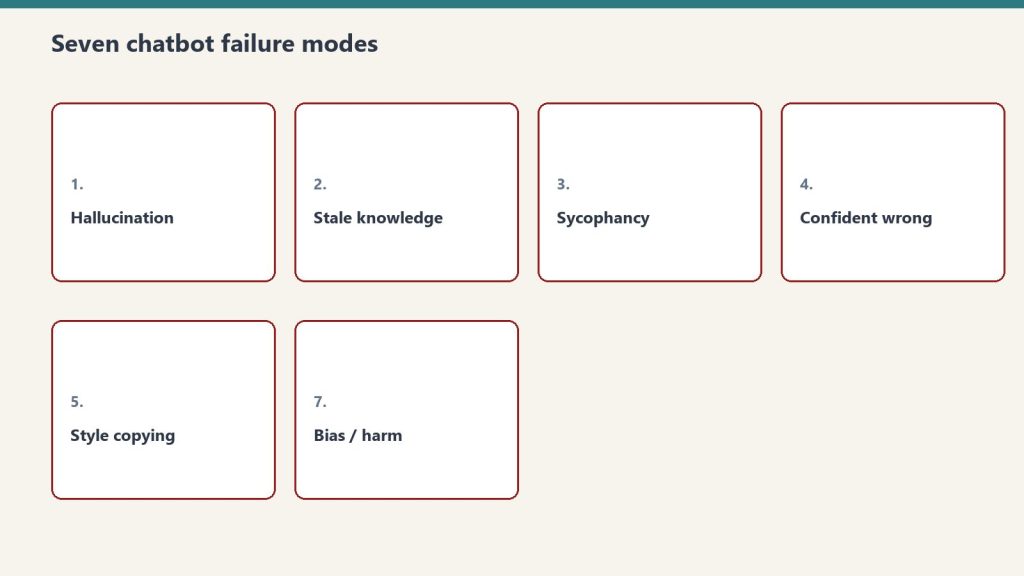
    Seven cards naming common AI chatbot failure modes
    Competitive analysis.

    Paste competitor landing pages, pricing pages, or product releases into Claude and ask: “Analyze this competitor’s positioning. What are their claimed strengths, their apparent weaknesses, and the gap my product could own?” Run that prompt across competitor materials in one 1M-context session (Fable 5.2, Opus 5.5, or Sonnet 5.5) and organize positioning gaps before manual founder verification.

    4. Hiring: JDs, Outreach, and Interviews

    • Job description writing that attracts the right candidate profile
    • LinkedIn outreach messages for sourcing
    • Interview question sets by role
    • Offer letter language (review with legal counsel)
    • Culture doc and values articulation

    5. Investor Research

    Paste an investor’s portfolio page, blog posts, or thesis into Claude: “Based on this investor’s portfolio and stated thesis, how should I position my company for a conversation with them? What aspects of our business align with their focus?”

    Verified Startup Plans, API Rates & Startup Perks (November 2026)

    Check partner eligibility on Anthropic’s official startup program at claude.com/programs/startups. For seat workspaces, founders graduate from Free (up to 5 Projects) or Pro ($20/mo; $17 annual) to Team Standard ($20/seat/mo annual or $25 monthly; up to $500/mo pooled API credits, zero default training) or Team Premium ($100/$125, 5× Standard). Production API calls run across 1M-context models with 50% Batch discounts — Haiku 5.5 ($0.10/$0.50 ≤100K), Sonnet 5.5 ($2/$10), Opus 5.5 ($4/$20), and flagship Fable 5.2 ($8/$40) (full sheet on tygartmedia.com/claude-ai-pricing/).

    Frequently Asked Questions

    Can Claude help write a pitch deck?

    Yes — the narrative content. Claude writes compelling problem/solution/market/traction/team copy. Slide design requires dedicated tools (Canva, Pitch, PowerPoint).

    The Next Step · Verified Research Verdict (November 13, 2026)

    Next Step: Check Claude for Startups Credits Before Scaling API Traffic

    Check current cohort criteria and partner perks on claude.com/programs/startups, model your token burn across Haiku 5.5 / Sonnet 5.5 / Opus 5.5 / Fable 5.2 using our Claude AI pricing guide, and enable prompt caching (up to 95% read discount on Haiku/Fable tiers) before production launch.

    STARTUP FIELD SHEET
    Claude for Startups — Tygart Media Field Sheet (PDF)
    Keep this 2-page founder brief: Startup program link, verified API & Team seat matrix, and founder prompt checklists. Verified 2026-11-13.


    Want this for your workflow?

    We set Claude up for teams in your industry — end-to-end, fully configured, documented, and ready to use.

    Tygart Media has run Claude across 27+ client sites. We know what works and what wastes your time.

    See the implementation service →

    Need this set up for your team? Talk to Will →
  • Claude AI for Small Business: Best Workflows & Use Cases

    Claude AI for Small Business: Best Workflows & Use Cases

    Updated November 13, 2026 — facts, pricing tiers, models, and field-sheet PDF verified against live Anthropic documentation.

    Claude AI · Updated November 13, 2026

    Direct Answer · Verified November 13, 2026

    Even Claude Free ($0) gives small business owners up to 5 Projects (running Sonnet 5.5 and Haiku 5.5 at 1M context) to store brand voice, pricing sheets, and SOP context. Daily solo operators upgrade to Pro ($20/mo, or $17/mo annual / $200 upfront) for 5× capacity, Opus 5.5, Fable 5.2, and unified Claude Desktop with integrated Cowork; multi-person shops move to Team Standard ($20/seat/mo annual or $25 monthly; 2–150 seats) or Premium ($100/$125, 5× Standard) for shared Projects and zero default model training (claude.com/solutions/small-business). Compare tiers in our Claude AI pricing guide.

    SMALL BUSINESS FIELD SHEET
    Claude for Small Business — Tygart Media Field Sheet (PDF)
    Marketing copy, SOP templates, review replies, invoice narratives, exact Free/Pro/Team rates, and Claude Desktop + integrated Cowork workflows. Verified 2026-11-13.

    Small business owners are among the professionals getting the most value from Claude AI — because they wear every hat and the time savings compound across every function. This guide covers the highest-leverage use cases: marketing, operations, customer service, and financial communication.

    Why Claude Works Well for Small Business

    Three stacked layers: chat UI, tools, agent runtime
    Why Claude works well for small business.

    Small businesses typically can’t afford specialists for every function. The owner writes the marketing copy, drafts the employee handbook, responds to reviews, and handles client emails — all in the same day. Claude handles the first draft of almost all of these, at a quality level that previously required hiring freelancers or agencies.

    1. Marketing Content

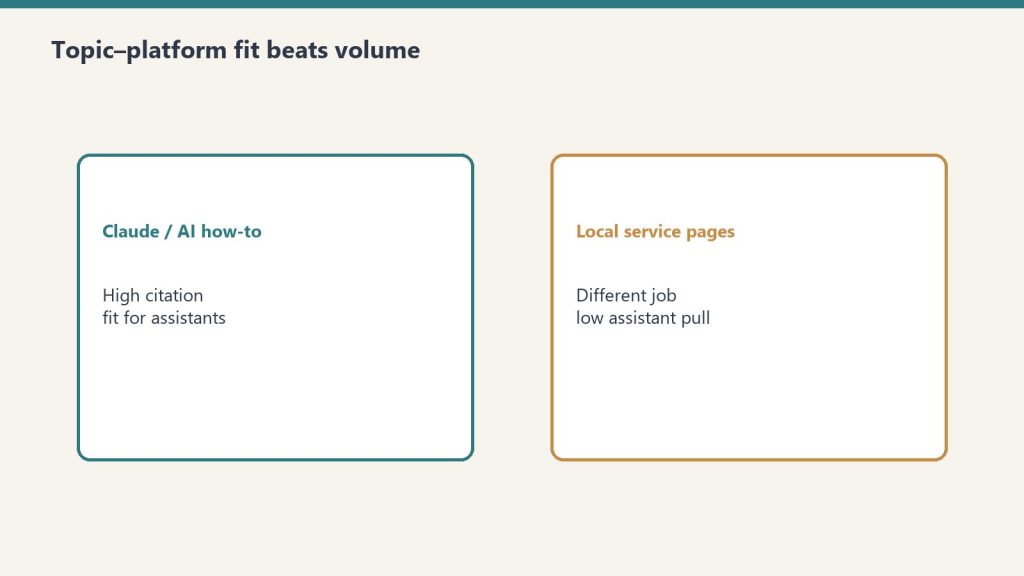
    Comparison of Claude how-to fit versus local service page fit for assistants
    Marketing content.
    • Website copy (homepage, about page, service descriptions)
    • Google Business Profile posts and updates
    • Email newsletter content
    • Social media captions (Instagram, Facebook, LinkedIn)
    • Local SEO blog posts
    • Seasonal promotions and campaign copy

    Prompt template: “Write a [content type] for my [business type] in [city]. My unique selling point is [differentiator]. Target customer: [describe]. Tone: [conversational/professional/enthusiastic]. Length: [X words].”

    2. Operations Documents

    • Standard operating procedures (SOPs) for any business process
    • Employee onboarding guides and training materials
    • Job descriptions for hiring
    • Vendor agreements and simple contracts (always review with attorney)
    • Process documentation and checklists

    3. Customer Service

    • Response templates for common questions
    • Difficult customer situation scripts
    • Online review responses (positive and negative)
    • FAQ page content
    • Refund and complaint handling language

    4. Financial Communication

    • Invoice and payment reminder language
    • Proposal and estimate narratives
    • Client update letters for project status
    • Grant application narratives (for eligible businesses)

    Recommended Starting Setup

    Desk with laptop, checklist notebook, and billing card ready before creating an Anthropic API key
    Recommended starting setup.

    Create a Claude Project with a system prompt containing: your business name and type, your city and target market, your brand voice (3 adjectives), and 2-3 things that differentiate you. Once set up, every Claude conversation is pre-loaded with your business context — no re-explaining needed.

    Free ($0) already includes up to 5 Projects (with Sonnet 5.5 and Haiku 5.5 at 1M context) so owners can test templates immediately. Daily solo operators move to Claude Pro ($20/mo, or $17/mo annual / $200 upfront) for 5× Free capacity, Opus 5.5, Fable 5.2, and unified Claude Desktop with integrated Cowork; heavy solo users choose Max ($100/mo) or Ultra ($200/mo, no verified 5-hr cap); and 2+ person companies choose Team Standard ($20/seat annual / $25 monthly; 2–150 seats) or Premium ($100/$125, 5× Standard) for shared Projects and zero default training (claude.com/solutions/small-business).

    Frequently Asked Questions

    What is the best Claude plan for small business owners?

    Free ($0) includes up to 5 Projects for light testing. Solo daily owners run Claude Pro ($20/mo; $17 annual), high-volume owners use Max ($100) or Ultra ($200), and teams of 2–150 share Projects cleanly with zero default training on Team Standard ($20/seat annual / $25 monthly) or Premium ($100/$125) (pricing hub; claude.com/solutions/small-business).

    The Next Step · Verified Research Verdict (November 13, 2026)

    Next Step: Launch Your Core Business Project Before Buying Extra Seats

    Create one Claude Project holding your brand voice, service catalog, and local policies (included free up to 5 Projects), then benchmark team workflows against claude.com/solutions/small-business and our Claude AI pricing hub before scaling onto Team Standard ($20 annual / $25 monthly).

    SMALL BUSINESS FIELD SHEET
    Claude for Small Business — Tygart Media Field Sheet (PDF)
    Keep this 2-page Small Business playbook: Free 5-Project starter checklist, Team vs Pro decision rules, and reusable prompts. Verified 2026-11-13.


    Want this for your workflow?

    We set Claude up for teams in your industry — end-to-end, fully configured, documented, and ready to use.

    Tygart Media has run Claude across 27+ client sites. We know what works and what wastes your time.

    See the implementation service →

    Need this set up for your team? Talk to Will →
  • Claude AI for Students: Study Guides, Essays, and Research

    Claude AI for Students: Study Guides, Essays, and Research

    Updated November 13, 2026 — facts, pricing tiers, models, and field-sheet PDF verified against live Anthropic documentation.

    Claude AI · Updated November 13, 2026

    Direct Answer · Verified November 13, 2026

    Claude Free ($0) includes Sonnet 5.5, Haiku 5.5, and up to 5 Projects — enough to build course-specific study spaces without paying, while Pro ($20/mo or $17/mo annual / $200 upfront) expands capacity 5× and unlocks Opus 5.5 and Fable 5.2 across a 1M-token context window. Anthropic does not publish a standalone individual student coupon: campus discounts come through institutional .edu agreements on claude.com/solutions/education (and U.S. K–12 teachers get separate free access on /claude-for-teachers/). See our Claude for Education guide and Claude AI pricing breakdown.

    STUDENT FIELD SHEET
    Claude for Students — Tygart Media Field Sheet (PDF)
    Ethical study & research prompts, Learning Mode setup, paywalled-database boundary, and Free ($0, 5 Projects) vs Pro ($20/$17 annual) vs campus .edu reality. Verified 2026-11-13.

    Claude AI is one of the most powerful learning tools available to students in 2026 — and one of the most misused. The difference between using Claude to learn faster and using it to circumvent learning is real and matters. This guide covers the legitimate, effective ways students use Claude, where the ethical line is, and how to actually get better at the things you’re studying.

    The Ethical Framework First

    Three stacked layers: chat UI, tools, agent runtime
    The ethical framework first.

    The question isn’t “will I get caught” — it’s “am I actually learning?” Using Claude to understand a concept faster, check your reasoning, or get feedback on your writing builds capability. Using Claude to generate an essay you submit as your own work without engaging with it doesn’t — and violates academic integrity policies at virtually every institution. This guide covers the former.

    1. Concept Explanation and Tutoring

    Desk with laptop, checklist notebook, and billing card ready before creating an Anthropic API key
    Concept explanation and tutoring.

    Claude is an exceptional tutor for concepts you don’t understand. Unlike a textbook, you can ask it to explain the same thing ten different ways until one clicks.

    • “Explain the difference between correlation and causation using a sports example”
    • “Why does the mitochondria produce ATP — explain it like I’m 12”
    • “I understand that X is true but I don’t understand why. Can you walk me through the reasoning?”
    • “Quiz me on [topic] with increasingly hard questions and explain each answer”

    2. Research Assistance

    Claude helps structure research and synthesize sources — but cannot replace primary source research:

    • Upload research papers and ask Claude to explain key findings
    • Generate an outline of subtopics to research for a paper
    • Ask Claude to identify potential counterarguments to your thesis
    • Summarize academic sources you’ve found and pull out relevant passages

    Important: Claude does not log directly into paywalled academic databases like JSTOR, ProQuest, or university library portals (though web search can inspect public sources when enabled). Download primary PDFs from Google Scholar or your campus library first, then paste excerpts into a 1M-context Claude Project (up to 5 Projects are included on Free $0; Pro is $20/mo or $17 annual — see Claude for Education for campus .edu agreements or claude.com/solutions/education).

    3. Writing Feedback and Improvement

    This is ethically clear territory: use Claude as an editor, not a ghostwriter.

    • “Review this paragraph for clarity and logical flow. Don’t rewrite it — just tell me what’s weak.”
    • “Does my thesis statement clearly set up the argument in my essay? Here it is: [thesis]”
    • “What’s missing from this argument? [paste your argument]”
    • “Suggest 3 ways I could strengthen the conclusion without changing my core argument”

    4. Exam Preparation

    • Generate practice questions on any topic at any difficulty level
    • Explain wrong answers after you attempt practice problems
    • Create flashcard-style Q&A for memorization
    • Summarize a textbook chapter into key points for review

    Claude’s Learning Mode

    Diagram comparing a long context window bar with a shorter output limit bar
    Claude’s Learning Mode.

    Claude has a Learning Mode feature that makes it more likely to ask you to reason through problems yourself before providing answers — reinforcing actual learning rather than answer-delivery. Enable it in settings when you want Claude to teach rather than just tell.

    Related on Tygart Media: Claude for Education (.edu campus guide) · Claude AI pricing · Claude for Excel · Claude for resumes.

    Frequently Asked Questions

    Is using Claude for homework cheating?

    It depends on how you use it. Using Claude to understand concepts faster, get writing feedback, and check your reasoning is not cheating. Submitting Claude-generated work as your own without engaging with it is academic dishonesty.

    Can Claude write my essay for me?

    Claude can generate text on any topic. Whether submitting that text violates your institution’s policies is a separate question — and it almost certainly does. Use Claude for tutoring and feedback, not to replace your own writing.

    The Next Step · Verified Research Verdict (November 13, 2026)

    Next Step: Check Your Campus .edu Access Before Paying Retail

    Ask your university IT helpdesk whether an institutional Claude for Education contract covers your .edu login on claude.com/solutions/education (if not, start on Free $0 with 5 Projects before upgrading to Pro $20/mo or $17 annual). Compare details in Claude for Education and our pricing hub.

    STUDENT FIELD SHEET
    Claude for Students — Tygart Media Field Sheet (PDF)
    Keep this 2-page student field sheet: Learning Mode prompts, exam prep templates, and honest plan/discount facts. Verified 2026-11-13.
    Need this set up for your team? Talk to Will →
  • Claude AI for Healthcare: Workflows & HIPAA Compliance

    Claude AI for Healthcare: Workflows & HIPAA Compliance

    Updated November 13, 2026 — facts, pricing tiers, models, and field-sheet PDF verified against live Anthropic documentation.

    Claude AI · Updated November 13, 2026

    Direct Answer · Verified November 13, 2026

    Claude Free ($0), Pro ($20/mo; $17 annual), Max ($100/mo), Ultra ($200/mo), and Team ($20/$25 Standard; $100/$125 Premium) do NOT support HIPAA compliance or include a BAA. Organizations handling Protected Health Information (PHI) must use Claude Enterprise ($20/seat/mo annual + usage, 20-seat minimum) with an executed Business Associate Agreement (BAA) and HIPAA mode enabled by the Primary Owner, or HIPAA-eligible API/cloud deployments (claude.com/solutions/healthcare). Across eligible deployments, current models (Fable 5.2, Opus 5.5, Sonnet 5.5, Haiku 5.5) feature a 1M-token context window for medical literature and policy synthesis. Compare tiers on our Claude AI pricing guide.

    HEALTHCARE FIELD SHEET
    Claude for Healthcare & HIPAA — Tygart Media Field Sheet (PDF)
    BAA eligibility rules (Enterprise vs consumer/Team plans), de-identified clinical drafting, 1M-context literature synthesis, and clinical boundary checklist. Verified 2026-11-13.

    Claude AI is finding genuine applications in healthcare settings — but deployment requires understanding both the capabilities and the compliance landscape. This guide covers where Claude provides value for clinical and administrative workflows, and what healthcare organizations need to know about HIPAA.

    HIPAA and Claude: What Healthcare Organizations Need to Know

    Three stacked layers: chat UI, tools, agent runtime
    HIPAA and Claude — what healthcare orgs need to know.

    Claude Free ($0), Pro ($20/mo; $17 annual), Max ($100/mo), Ultra ($200/mo), and Team ($20/$25 Standard; $100/$125 Premium) do NOT support HIPAA compliance or include a BAA. Never input Protected Health Information (PHI) into consumer or Team accounts. HIPAA-eligible workloads require Claude Enterprise ($20/seat/mo annual + metered API usage, 20-seat minimum) with an executed Business Associate Agreement (BAA) — where the Organization Primary Owner irreversibly enables HIPAA mode — or eligible enterprise API / cloud deployments (claude.com/solutions/healthcare; compare plans on our Claude AI pricing guide).

    Where Claude Adds Value in Healthcare

    Desk with laptop, checklist notebook, and billing card ready before creating an Anthropic API key
    Where Claude adds value in healthcare.

    Clinical Documentation (De-identified)

    With PHI removed or in a HIPAA-compliant environment: Claude can draft clinical note templates, generate SOAP note structures, summarize patient encounter information into standard formats, and create discharge instruction drafts for physician review.

    Medical Literature Synthesis

    Upload research papers, systematic reviews, or clinical guidelines for rapid synthesis. Claude’s 1M-token context window across current models (Fable 5.2 flagship, Opus 5.5, Sonnet 5.5, Haiku 5.5) handles lengthy medical literature cleanly. Useful for: literature review summaries, comparing treatment guidelines across sources, explaining complex studies in plain language for patient communication.

    Patient Education Materials

    Generate first drafts of patient education materials — condition explanations, procedure preparation instructions, medication guides — that clinical staff then review and approve. Claude can adjust reading level on request, making materials accessible to diverse patient populations.

    Administrative Workflows

    Policy and procedure drafting, staff training materials, prior authorization letter templates, appeal letter frameworks, and operational documentation — all without PHI involved.

    Research Support

    Grant proposal drafting, IRB protocol development, research methodology consultation, statistical analysis explanation, and literature review organization.

    What Claude Cannot Do in Healthcare

    Diagram comparing a long context window bar with a shorter output limit bar
    What Claude cannot do in healthcare.
    • Make clinical diagnoses or treatment recommendations for specific patients
    • Replace physician judgment in any clinical decision
    • Access EHR systems directly (without specific integration)
    • Guarantee accuracy of medical information — always verify clinical content against current guidelines

    Frequently Asked Questions

    Is Claude HIPAA compliant?

    No consumer plan (Free, Pro, Max, Ultra) or Claude Team plan supports HIPAA or carries a BAA. HIPAA-eligible configurations with a BAA are available on Claude Enterprise ($20/seat/mo annual + API usage, 20-seat min) or eligible API/cloud deployments (claude.com/solutions/healthcare; pricing hub).

    Can doctors use Claude for clinical decision support?

    Claude can synthesize medical literature and explain clinical concepts, but should not be the basis for clinical decisions without physician review. It is a research and documentation tool, not a clinical decision support system.

    The Next Step · Verified Research Verdict (November 13, 2026)

    Next Step: Verify BAA Eligibility Before Any Clinical Pilot

    Keep pilots strictly de-identified until your compliance team executes an Anthropic BAA on Claude Enterprise (never input PHI into Free, Pro, Max, Ultra, or Team accounts). Review official healthcare capabilities at claude.com/solutions/healthcare and compare seat structures on our Claude AI pricing hub.

    HEALTHCARE FIELD SHEET
    Claude for Healthcare & HIPAA — Tygart Media Field Sheet (PDF)
    Keep this 2-page Healthcare & HIPAA reference sheet: BAA plan matrix, safe clinical prompts, and pre-deployment gate. Verified 2026-11-13.


    Want this for your workflow?

    We set Claude up for teams in your industry — end-to-end, fully configured, documented, and ready to use.

    Tygart Media has run Claude across 27+ client sites. We know what works and what wastes your time.

    See the implementation service →

    Need this set up for your team? Talk to Will →
  • Claude AI for Lawyers: Use Cases, Prompts, and Limits

    Claude AI for Lawyers: Use Cases, Prompts, and Limits

    Last refreshed: August 30, 2026

    Claude AI · Fitted Claude

    Claude AI is generating genuine productivity gains for legal professionals — but the most effective use requires understanding both what it can do and where it requires human judgment. This guide covers the specific workflows where Claude provides the most value for lawyers, with prompts and honest notes on limitations.

    Critical Disclaimer First

    Three stacked layers: chat UI, tools, agent runtime
    Critical disclaimer first.

    Claude is not a lawyer and cannot provide legal advice. All AI-assisted legal work requires attorney review before use. Claude is a drafting and research acceleration tool — not a replacement for legal judgment. This guide covers Claude as a productivity tool for licensed attorneys and law firms, not as a self-help legal resource for non-lawyers.

    1. Contract Review and Analysis

    Desk with laptop, checklist notebook, and billing card ready before creating an Anthropic API key
    Contract review and analysis.

    Upload a contract (PDF or text) and ask Claude to:

    • Summarize key terms, obligations, and deadlines
    • Flag non-standard or potentially problematic clauses
    • Compare against standard market terms you provide
    • Identify missing provisions common in this contract type
    • Extract all defined terms and their definitions

    Prompt: “Review this [contract type] and: (1) summarize the key obligations of each party, (2) flag any clauses that deviate from standard market terms, (3) identify any missing provisions typical for this type of agreement in [jurisdiction], (4) note any defined terms that appear undefined.”

    2. Legal Research Acceleration

    Claude’s knowledge cutoff limits its usefulness for current case law — always verify citations independently and use dedicated legal research platforms (Westlaw, Lexis) for authoritative case law. Where Claude adds value:

    • Explaining legal concepts and doctrine in plain language
    • Summarizing lengthy court opinions you upload
    • Identifying the key elements of a legal theory or claim
    • Drafting research memos from cases you provide
    • Generating initial research outlines for novel issues

    3. Document Drafting

    Diagram comparing a long context window bar with a shorter output limit bar
    Document drafting.

    Claude excels at drafting first versions of common legal documents that attorneys then review and revise:

    • NDAs and confidentiality agreements
    • Employment agreements (standard provisions)
    • Simple service agreements
    • Demand letters
    • Client communications and status updates
    • Motion outlines and brief structures

    4. Practice-Area-Specific Applications

    Litigation

    Upload deposition transcripts for summary, identify key admissions, generate chronologies from case documents, draft interrogatory responses from facts provided.

    Corporate

    Due diligence checklists, board resolution templates, entity formation document summaries, M&A timeline and condition tracking.

    Immigration

    Personal statement drafting assistance from client notes, cover letter frameworks, document checklists by visa category.

    Frequently Asked Questions

    Can I use Claude to draft legal documents for clients?

    With attorney review before delivery to clients: yes, as a drafting acceleration tool. Without attorney review: no — Claude is not a substitute for licensed legal counsel.

    Is Claude’s legal knowledge reliable?

    Claude has solid general legal knowledge but should not be treated as authoritative for specific jurisdiction rules, current case law, or recent statutory changes. Always verify against primary sources.


    Want this for your workflow?

    We set Claude up for teams in your industry — end-to-end, fully configured, documented, and ready to use.

    Tygart Media has run Claude across 27+ client sites. We know what works and what wastes your time.

    See the implementation service →

    Need this set up for your team? Talk to Will →
  • Claude Training Data: Sources, Methods & Cutoff Dates

    Claude Training Data: Sources, Methods & Cutoff Dates

    Last refreshed: August 30, 2026

    Claude AI · Fitted Claude

    Most people who use Claude daily have no idea how it was trained — and the official documentation buries the details in technical language. This guide provides a clear, accessible explanation of what data Claude was trained on, how Anthropic’s training methods work, and what the knowledge cutoff dates mean for your use.

    What Data Was Claude Trained On?

    Three stacked layers: chat UI, tools, agent runtime
    What data was Claude trained on?

    Like all large language models, Claude was trained on large datasets of text from the internet and other sources. Anthropic has not published a detailed breakdown of its training data composition, but the data sources are broadly consistent with those used for other frontier models: web crawls, books, academic papers, code repositories, and curated high-quality text.

    Anthropic has been more specific about what it excludes: the company applies filters to remove low-quality content, dangerous information, and privacy-violating material from training data. The Constitutional AI approach (described below) also shapes what Claude learns to say, not just what data it sees.

    The Training Pipeline: How Claude Learns

    Diagram comparing a long context window bar with a shorter output limit bar
    The training pipeline — how Claude learns.

    Step 1: Pre-training

    Claude starts as a base model trained on the broad text dataset through next-token prediction — the same approach used for GPT and Gemini. At this stage, Claude learns language patterns, facts, reasoning styles, and the structure of human communication. The base model is powerful but has no particular alignment to human values.

    Step 2: Constitutional AI (CAI)

    Anthropic’s key innovation: instead of relying solely on human raters to evaluate every response, they train Claude against a written “constitution” — a set of principles describing helpful, harmless, and honest behavior. Claude learns to critique its own outputs against these principles and revise them accordingly. This creates more consistent safety behavior at scale than pure human feedback allows.

    Step 3: RLHF (Reinforcement Learning from Human Feedback)

    Human trainers evaluate Claude’s responses and rate them for quality, helpfulness, and safety. These ratings train a reward model, which in turn shapes Claude’s behavior to produce responses humans prefer. Combined with Constitutional AI, this produces a model that is both helpful and safer than base pre-training alone.

    Knowledge Cutoff Dates

    Desk with laptop, checklist notebook, and billing card ready before creating an Anthropic API key
    Knowledge cutoff dates.

    Claude’s training data has a cutoff date — events, publications, and developments after this date are unknown to Claude unless explicitly provided in the conversation. The exact cutoff varies by model version. As of April 2026, Claude Sonnet 4.6 has a knowledge cutoff of approximately August 2025. Claude may have partial or uncertain knowledge of events in the months leading up to the cutoff.

    Practical implication: for current events, recent research, or anything that may have changed since mid-2025, don’t rely on Claude’s base knowledge. Provide current context in your prompt, or use a tool like Perplexity for real-time web research.

    Related on Tygart Media: how to use Claude · is Claude safe · extended thinking.

    Frequently Asked Questions

    Was Claude trained on my data?

    Consumer accounts may be used for training (with opt-out available). API and enterprise accounts are not used for training by default. Claude’s pre-training data predates your conversations regardless.

    What is Claude’s knowledge cutoff date?

    As of April 2026, approximately August 2025 for current Claude models. Events after this date are outside Claude’s base knowledge.

    What is Constitutional AI?

    Anthropic’s training approach where Claude is trained to evaluate its own outputs against a written set of principles — allowing consistent safety behavior at scale beyond what human feedback alone achieves.

    Need this set up for your team? Talk to Will →