Anthropic - Tygart Media

Category: Anthropic

News, analysis, and profiles covering Anthropic the company and its team.

  • Claude Enterprise Compliance: SOC 2, HIPAA & Security

    Claude Enterprise Compliance: SOC 2, HIPAA & Security

    Last verified: June 13, 2026

    Anthropic publishes a defined compliance posture for Claude: it holds SOC 2 Type I and Type II, ISO 27001:2022, and ISO/IEC 42001:2023 credentials; it will sign a Business Associate Agreement (BAA) covering HIPAA-ready services such as the first-party API and Enterprise plans; by default it does not train models on data sent under its commercial terms; and it offers a zero-data-retention (ZDR) arrangement on the Messages and Token Counting APIs. The hard part for buyers is the per-surface boundary — what the BAA covers, which features are blocked under ZDR or HIPAA, how long data is kept, and where it can be processed. Every figure below is drawn from Anthropic’s own trust, privacy, and developer documentation, with sources at the bottom. Eligibility, feature lists, and durations change; treat your signed contract and the live Trust Center as the controlling sources.

    Certifications and attestations

    Five security domains: identity, data, code governance, audit, agents
    Certifications and attestations overview.

    Anthropic’s help center lists the following compliance credentials for its commercial products (Claude for Work and the Anthropic API). It directs customers to the Trust Portal at trust.anthropic.com to request copies of the underlying reports and certificates.

    CredentialStatus as described by AnthropicScope
    SOC 2 Type I & Type IIListed as heldCommercial products (Claude for Work, Anthropic API)
    ISO 27001:2022CertifiedInformation Security Management
    ISO/IEC 42001:2023Certified (issued by Schellman Compliance, LLC, accredited by the ANSI National Accreditation Board)AI Management Systems
    HIPAA“HIPAA-ready configuration (BAA available)”See BAA section

    Anthropic describes itself as “one of the first frontier AI labs” to achieve ISO/IEC 42001:2023 certification, in an announcement dated January 13, 2025. The help-center certifications list does not mention ISO 27017, ISO 27018, FedRAMP, or CSA STAR; those are left out here rather than asserted. GDPR and CCPA are handled through Anthropic’s privacy program and customer agreements rather than as line-item “certifications” (see GDPR section).

    HIPAA and the BAA: covered by product surface

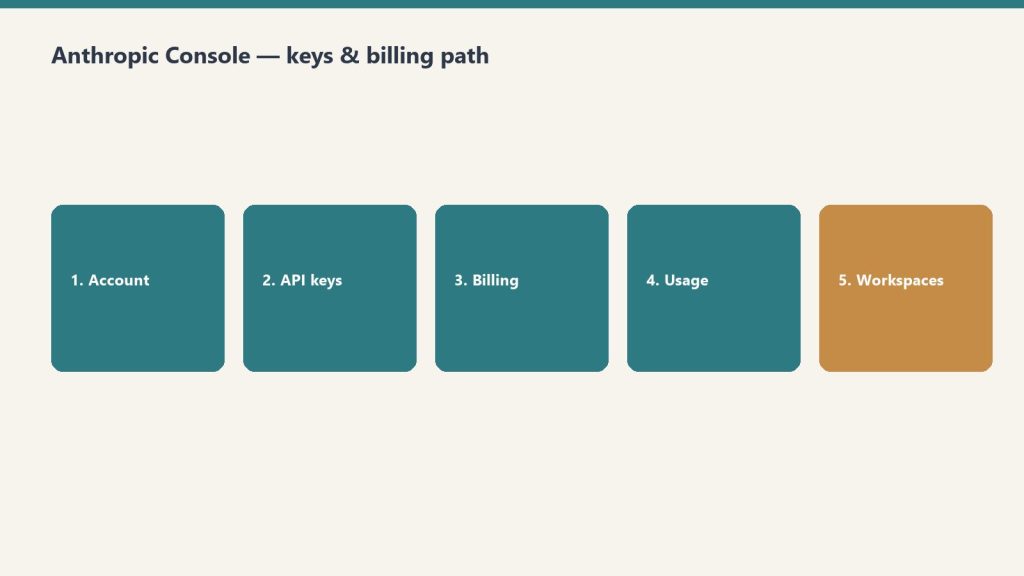
    Five-step path: account, API keys, billing, usage, workspaces
    HIPAA and the BAA by product surface.

    Anthropic states it “provides a Business Associate Agreement (BAA) covering our HIPAA-ready services, such as use of our first-party API or Enterprise plans.” HIPAA readiness is enforced at the organization level: Anthropic provisions a dedicated HIPAA-enabled organization that automatically blocks non-eligible features. To process protected health information (PHI) on the API, an administrator must sign the BAA and contact sales to enable it; for Enterprise, an admin activates HIPAA compliance in the Claude Enterprise admin settings under “Data & Privacy” and signs the BAA there.

    SurfaceBAA / HIPAA-ready coverage
    First-party Claude API (Messages API)Covered as an Eligible Service (admin signs BAA, then contact sales)
    Claude EnterpriseCovered once an admin activates HIPAA compliance and signs the BAA
    Workbench and ConsoleNot covered
    Claude Free, Pro, Max, TeamNot covered
    CoworkNot covered
    Claude CodeNot covered under HIPAA readiness
    Amazon Bedrock / Vertex AINot covered (cloud provider is the data processor; see those platforms)
    Claude Platform on AWS / Microsoft FoundryHIPAA readiness not available
    Beta features (e.g., Claude in Office, Claude Design)Generally not covered unless explicitly listed as eligible

    Within the API, only a subset of features is HIPAA-eligible. Anthropic enforces this in code: a HIPAA-enabled organization that sends a non-eligible feature gets a 400 invalid_request_error naming the blocked feature. Anthropic states your signed BAA is the official source of truth for what is covered.

    API featureHIPAA-eligible
    Messages API (/v1/messages)Yes
    Token countingYes
    Web searchYes (dynamic filtering not eligible)
    Prompt caching, structured outputs, extended/adaptive thinking, citations, 1M context, PDF (inline), data residency, effort, fast mode, bash & text-editor tools, memory toolYes
    Web fetch, computer use, advisor tool, context management (compaction / editing), tool search, cache diagnosticsNo
    Code execution, programmatic tool callingNo
    Batch API, Files API, Agent Skills, MCP connector, Claude Managed Agents, MCP tunnelsNo

    PHI must appear only in message content, attached files, or related file names/metadata — never in JSON schema definitions (property names, enum/const values, or pattern regexes), because compiled schemas are cached separately and do not receive the same PHI protections. Anthropic notes workspace names, user contact details, billing data, and support tickets are not expected to contain PHI under the BAA.

    Data retention (commercial default)

    Under Anthropic’s commercial data retention policy, conversation content is not retained by default for the API, and API inputs and outputs are automatically deleted on the backend within 30 days of receipt or generation. For interface products such as Claude for Work, data persists until you delete it, after which it is removed from backend storage within 30 days. Two exceptions extend retention regardless of arrangement.

    Data type / eventRetention
    API inputs and outputs (default)Auto-deleted within 30 days
    Deleted conversation content (Claude for Work)Removed from backend within 30 days
    Inputs/outputs for a chat flagged as a Usage Policy violationUp to 2 years
    Trust & safety classification scores (flagged chat)Up to 7 years
    Data tied to feedback you submit (thumbs up/down, bug report)5 years

    Zero data retention (ZDR)

    Desk with laptop, checklist notebook, and billing card ready before creating an Anthropic API key
    Zero data retention (ZDR).

    With a ZDR arrangement, customer data is not stored at rest after the API response is returned, except where needed to comply with law or combat misuse. ZDR is requested through Anthropic sales and enabled per organization — it does not carry over automatically to new organizations under the same account. Even under ZDR, Anthropic retains User Safety classifier results, and may retain inputs and outputs for up to 2 years if a chat or session is flagged for a Usage Policy violation. CORS is not supported for ZDR organizations, so browser apps must call through a backend proxy.

    SurfaceZDR coverage
    Claude Messages API & Token Counting APIEligible
    Claude Code (Commercial org API keys, or via Claude Enterprise with ZDR enabled)Eligible
    Console and WorkbenchNot eligible
    Claude Teams & Claude Enterprise interfacesNot eligible (except Claude Code via Enterprise with ZDR on)
    Claude Free, Pro, MaxNot eligible
    Claude Managed AgentsNot eligible (stateful; delete transcripts manually)
    Batch API, Files API, code execution, Agent Skills, MCP connectorNot eligible
    Third-party integrationsNot eligible

    A handful of ZDR-eligible features are marked “Yes (qualified)” — structured outputs and cache diagnostics — meaning Anthropic retains a narrow, documented set of technical data (for example, a cached JSON schema for up to 24 hours since last use) rather than your prompts or Claude’s outputs.

    Model-training policy and Covered Models

    Anthropic’s Privacy Policy states it does not apply to content processed on behalf of business customers; that data is governed by the customer agreement. For the API specifically, Anthropic states retained data is never used for model training without your express permission. Anthropic’s consumer-terms update confirms the data-use changes “do not apply to services under our Commercial Terms,” including Claude for Work, Claude for Government, Claude for Education, and API use (including via Amazon Bedrock and Google Cloud’s Vertex AI). Training on commercial data happens only if a customer explicitly opts in (for example, the Development Partner Program).

    One model-specific exception affects retention, not training: Claude Fable 5 and Claude Mythos 5 are designated Covered Models and require 30-day data retention. ZDR is not available for these two models; a request to either from an organization whose retention configuration doesn’t meet the requirement returns a 400 invalid_request_error. Organizations with ZDR can turn on 30-day retention for a single workspace (Console > Settings > Workspaces > Privacy controls) to use those models there while keeping ZDR elsewhere. On Bedrock, Vertex AI, and Microsoft Foundry, retention requirements for these models are set by each platform.

    GDPR, data residency, and international transfers

    For users in the EEA, UK, or Switzerland, the data controller is Anthropic Ireland, Limited; elsewhere it is Anthropic PBC. Where the EU or UK GDPR applies, Anthropic responds to verifiable data-subject requests within one calendar month. For transfers to countries without an adequacy decision, Anthropic relies on standard contractual clauses, and publishes its subprocessors at anthropic.com/subprocessors.

    On data residency, the Claude API exposes two independent controls. inference_geo sets where inference runs per request — values are "global" (default) or "us" — and is supported on Claude Opus 4.6, Sonnet 4.6, and later (older models return a 400). Workspace geo controls where data is stored at rest and where endpoint processing happens; it is set at workspace creation and cannot be changed afterward. Per Anthropic’s documentation, "us" is currently the only available workspace geo, and only "us" and "global" inference geos are available — so there is currently no EU-resident storage option at the workspace level. US-only inference is priced at 1.1x the standard rate on supported models. Data residency is available on the Claude API (first-party) and Claude Platform on AWS; on Bedrock and Vertex AI the region is set by the endpoint or inference profile.

    Does Anthropic train its models on my API or commercial data?

    No, not by default. Anthropic’s Privacy Policy excludes business-customer content (governed by your customer agreement), and for the API it states retained data is never used for training without your express permission. The consumer data-use changes explicitly do not apply to Commercial Terms services. Training on commercial data requires an explicit opt-in.

    Will Anthropic sign a BAA, and for what?

    Yes. Anthropic signs a BAA covering HIPAA-ready services such as the first-party API and Enterprise plans. The Messages API is covered as an Eligible Service. It does not cover Workbench/Console, Free/Pro/Max/Team, Cowork, Claude Code, or beta features unless explicitly listed. An admin must sign the BAA and enable HIPAA readiness; the organization then auto-blocks non-eligible features.

    What’s the difference between ZDR and HIPAA readiness?

    Per Anthropic, ZDR prevents customer data from being stored at rest after the API response. HIPAA readiness is a broader set of safeguards (encryption, access controls, audit logging) that protect PHI throughout its lifecycle and lets data be retained with safeguards rather than deleted immediately. Anthropic states you do not also need ZDR if you have HIPAA readiness.

    How long does Anthropic keep my data?

    By default, API inputs and outputs are auto-deleted within 30 days. If a chat is flagged as a Usage Policy violation, inputs/outputs may be retained up to 2 years and trust & safety classification scores up to 7 years. Data tied to feedback you submit is kept 5 years. ZDR removes the default at-rest storage but does not remove the law/misuse exceptions.

    Can I keep Claude inference and data in the EU?

    Not at rest currently. The API’s inference_geo can pin inference to "us" or run "global", but Anthropic’s documentation lists "us" as the only available workspace geo (storage region). EU/UK data-subject rights and standard contractual clauses apply regardless, but an EU storage-residency option is not currently offered at the workspace level per the docs verified here.

    Related on Tygart Media: is Claude safe · Anthropic safety.

  • Claude Agent SDK Migration: Package Renames an (2026)

    Claude Agent SDK Migration: Package Renames an (2026)

    Last verified: June 13, 2026

    The Claude Code SDK has been renamed to the Claude Agent SDK. Migrating is three mechanical edits plus two behavioral changes you have to opt back into: rename the package, rename the imports, rename ClaudeCodeOptions to ClaudeAgentOptions, then decide whether you want the old Claude Code system prompt and filesystem settings back. The breaking changes landed in v0.1.0. Everything below is taken from Anthropic’s official Agent SDK migration guide and the live package registries, verified June 13, 2026.

    The renames at a glance

    Side-by-side when to use a script versus an agent
    The Agent SDK renames at a glance.

    Two packages and one Python type changed names. The documentation also moved out of the Claude Code docs into the API Guide’s Agent SDK section.

    AspectOldNew
    Package (TS/JS)@anthropic-ai/claude-code@anthropic-ai/claude-agent-sdk
    Package (Python)claude-code-sdkclaude-agent-sdk
    Python importclaude_code_sdkclaude_agent_sdk
    Python options typeClaudeCodeOptionsClaudeAgentOptions
    Docs locationClaude Code docsAPI Guide → Agent SDK

    Current published versions

    These are the latest versions on the public registries as fetched on June 13, 2026. The migration guide itself uses ^0.0.42 as the example old TypeScript version and ^0.2.0 as the example new one; pin to whatever is current when you install.

    RegistryPackageLatest version
    npm@anthropic-ai/claude-agent-sdk0.3.177
    PyPIclaude-agent-sdk0.2.101

    TypeScript migration

    Side-by-side cards defining what Claude Code is and is not
    TypeScript migration path.

    Swap the package, then update every import. The exported names (query, tool, createSdkMcpServer) are unchanged — only the module specifier moves.

    npm uninstall @anthropic-ai/claude-code
    npm install @anthropic-ai/claude-agent-sdk
    // Before
    import { query, tool, createSdkMcpServer } from "@anthropic-ai/claude-code";
    
    // After
    import { query, tool, createSdkMcpServer } from "@anthropic-ai/claude-agent-sdk";

    Update package.json as well, replacing the dependency key from @anthropic-ai/claude-code to @anthropic-ai/claude-agent-sdk.

    Python migration

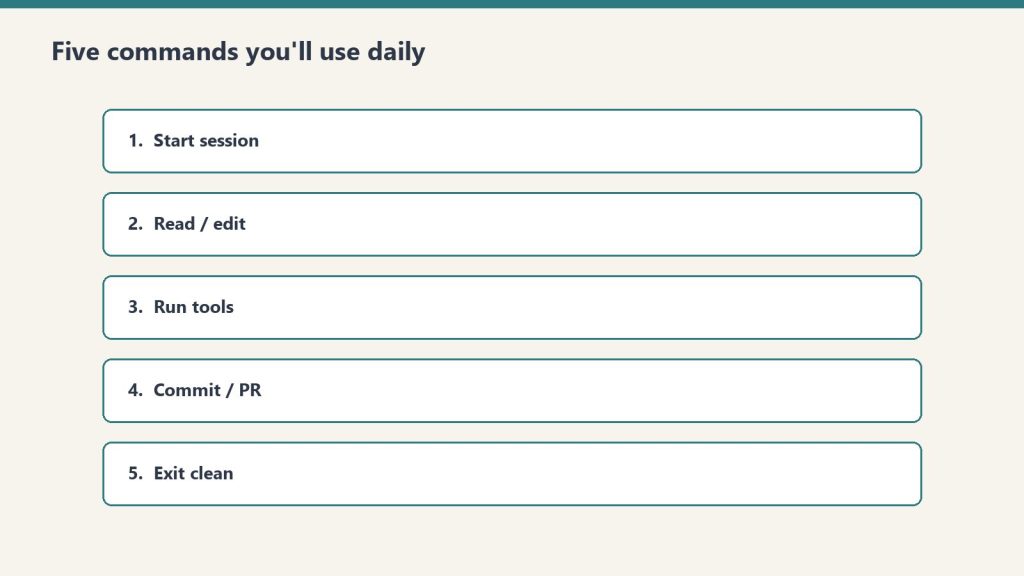
    Five stacked panels of daily Claude Code command habits
    Python migration path.

    Swap the package, update the import path, and rename the options type. The import name changes from underscore-claude_code_sdk to underscore-claude_agent_sdk.

    pip uninstall claude-code-sdk
    pip install claude-agent-sdk
    # Before (claude-code-sdk)
    from claude_code_sdk import query, ClaudeCodeOptions
    
    options = ClaudeCodeOptions(model="claude-opus-4-7", permission_mode="acceptEdits")
    
    # After (claude-agent-sdk)
    from claude_agent_sdk import query, ClaudeAgentOptions
    
    options = ClaudeAgentOptions(model="claude-opus-4-7", permission_mode="acceptEdits")

    The rename is the only change to the type — its fields and constructor signature are otherwise the same. Per Anthropic, the new name matches the “Claude Agent SDK” branding.

    Breaking change: the system prompt is no longer default

    This is the change most likely to silently alter your agent’s behavior. In v0.0.x, the SDK used Claude Code’s system prompt by default. As of v0.1.0, query() uses a minimal system prompt instead. To get the old behavior, explicitly request the claude_code preset.

    GoalsystemPrompt value
    Restore Claude Code’s prompt{ type: "preset", preset: "claude_code" }
    Use your own instructionsa plain string
    Minimal prompt (new default)omit the option
    // TypeScript — restore the old default
    const result = query({
      prompt: "Hello",
      options: {
        systemPrompt: { type: "preset", preset: "claude_code" }
      }
    });
    
    // Or a custom system prompt:
    const custom = query({
      prompt: "Hello",
      options: { systemPrompt: "You are a helpful coding assistant" }
    });
    # Python — restore the old default
    from claude_agent_sdk import query, ClaudeAgentOptions
    
    async for message in query(
        prompt="Hello",
        options=ClaudeAgentOptions(
            system_prompt={"type": "preset", "preset": "claude_code"}
        ),
    ):
        print(message)
    
    # Or a custom system prompt:
    async for message in query(
        prompt="Hello",
        options=ClaudeAgentOptions(system_prompt="You are a helpful coding assistant"),
    ):
        print(message)

    settingSources: changed, then reverted

    This one is widely mis-reported, so read it carefully. v0.1.0 briefly defaulted to loading no filesystem settings — and that default was reverted in subsequent releases. Anthropic’s current guidance is that no migration action is needed for setting sources.

    Current behavior: omitting settingSources on query() loads user, project, and local filesystem settings, matching the CLI — equivalent to ["user", "project", "local"]. That includes ~/.claude/settings.json, .claude/settings.json, .claude/settings.local.json, CLAUDE.md files, and custom commands. The accepted values are below.

    SourceLoads from
    "user"~/.claude/ — user CLAUDE.md, rules, skills, settings
    "project"<cwd>/.claude/ — project CLAUDE.md, rules, skills, hooks, settings.json
    "local"CLAUDE.local.md and .claude/settings.local.json

    To run isolated from filesystem settings, pass an empty array. This matters for CI/CD, deployed apps, test environments, and multi-tenant systems where local customizations should not leak in.

    // TypeScript — no filesystem settings
    const isolated = query({
      prompt: "Hello",
      options: { settingSources: [] }
    });
    
    // Only project settings
    const projectOnly = query({
      prompt: "Hello",
      options: { settingSources: ["project"] }
    });
    # Python — no filesystem settings
    from claude_agent_sdk import query, ClaudeAgentOptions
    
    async for message in query(
        prompt="Hello",
        options=ClaudeAgentOptions(setting_sources=[]),
    ):
        print(message)

    Two caveats Anthropic documents explicitly. First, Python SDK 0.1.59 and earlier treated an empty list the same as omitting the option — upgrade before relying on setting_sources=[]. Second, some inputs are read regardless of settingSources: managed policy settings, the global ~/.claude.json config, auto-memory, and claude.ai MCP connectors. For true multi-tenant isolation, the docs recommend running each tenant in its own filesystem and setting settingSources: [] plus CLAUDE_CODE_DISABLE_AUTO_MEMORY=1.

    The full checklist

    Work top to bottom; the first three are required, the last two are behavioral decisions.

    StepAction
    1Uninstall old package, install @anthropic-ai/claude-agent-sdk / claude-agent-sdk
    2Update all imports to the new module / package name
    3Python only: rename ClaudeCodeOptions → ClaudeAgentOptions
    4If you relied on Claude Code’s prompt, set systemPrompt to the claude_code preset
    5Decide on settingSources: omit for CLI parity, or [] to isolate

    Do I have to change settingSources when I migrate?

    No. Anthropic states no migration action is needed for setting sources. The v0.1.0 change to “load nothing by default” was reverted; omitting settingSources again loads user, project, and local settings, matching the CLI.

    What is the new default system prompt?

    A minimal system prompt. Before v0.1.0 the SDK inherited Claude Code’s full system prompt by default. To restore it, pass systemPrompt as { type: "preset", preset: "claude_code" } (TypeScript) or system_prompt={"type": "preset", "preset": "claude_code"} (Python).

    Did the exported function names change in TypeScript?

    No. query, tool, and createSdkMcpServer are unchanged. Only the import path moves from @anthropic-ai/claude-code to @anthropic-ai/claude-agent-sdk.

    Which version introduced the breaking changes?

    Claude Agent SDK v0.1.0, introduced “to improve isolation and explicit configuration,” per the official guide. The latest published versions as of June 13, 2026 are 0.3.177 on npm and 0.2.101 on PyPI.

    Does settingSources: [] fully isolate my agent?

    Not by itself. Managed policy settings, the global ~/.claude.json config, auto-memory, and claude.ai MCP connectors are read regardless. For multi-tenant isolation, also run each tenant in its own filesystem and set CLAUDE_CODE_DISABLE_AUTO_MEMORY=1.

    Related on Tygart Media: Claude Code getting started · Cowork vs Code vs Agent SDK · model migration.

  • Claude vs GPT-5 vs Gemini: 2026 Coding Benchmarks

    Claude vs GPT-5 vs Gemini: 2026 Coding Benchmarks

    Last verified: June 13, 2026

    As of June 13, 2026, the four models most often compared for coding work are Claude Fable 5 and Claude Opus 4.8 from Anthropic, GPT-5.5 from OpenAI, and Gemini 3.1 Pro from Google. This page is a leaderboard built on one rule: every score below is taken from a vendor’s own page or the benchmark’s official model card that we fetched on the verification date, or it is marked as not published. Several vendors publish their benchmark tables as images rather than machine-readable text; where we could not read an official figure directly, we list the metric as not machine-verifiable and link to the source document instead of estimating. The result is a smaller table than most roundups, but every number in it is one you can click through and check.

    Models and pricing (verified specs)

    Three cards: coding depth, latency first, agent reliability
    Models compared — verified specs without sticky dollars.

    These columns are confirmed from each vendor’s official model documentation. Claude prices, context windows, and cutoffs come from Anthropic’s models overview and the AWS Bedrock model card; GPT-5.5 from OpenAI’s developer docs; Gemini 3.1 Pro from Google’s DeepMind model card and the Gemini API pricing page.

    ModelAPI IDInput / Output (per Mtok)ContextMax outputKnowledge cutoff
    Claude Fable 5claude-fable-5$10 / $501M128KNot stated on overview*
    Claude Opus 4.8claude-opus-4-8$5 / $251M128KJan 2026
    GPT-5.5gpt-5.5$5 / $301,050,000128KDec 1, 2025
    Gemini 3.1 Progemini-3.1-pro-preview$2 / $12 (≤200K)**1M64KNot stated on model card

    *Anthropic’s models overview lists Fable 5’s specs and price but does not publish a knowledge-cutoff date for it in the table we fetched. **Gemini 3.1 Pro uses tiered pricing: $2 / $12 per Mtok for prompts up to 200K tokens, rising to $4 / $18 for prompts above 200K tokens (Google AI pricing page). GPT-5.5 pricing rises to 2x input / 1.5x output above 272K input tokens (OpenAI developer docs). Claude Opus 4.8 offers an optional fast mode at $10 / $50 per Mtok (Anthropic).

    Coding benchmark scores (primary-source only)

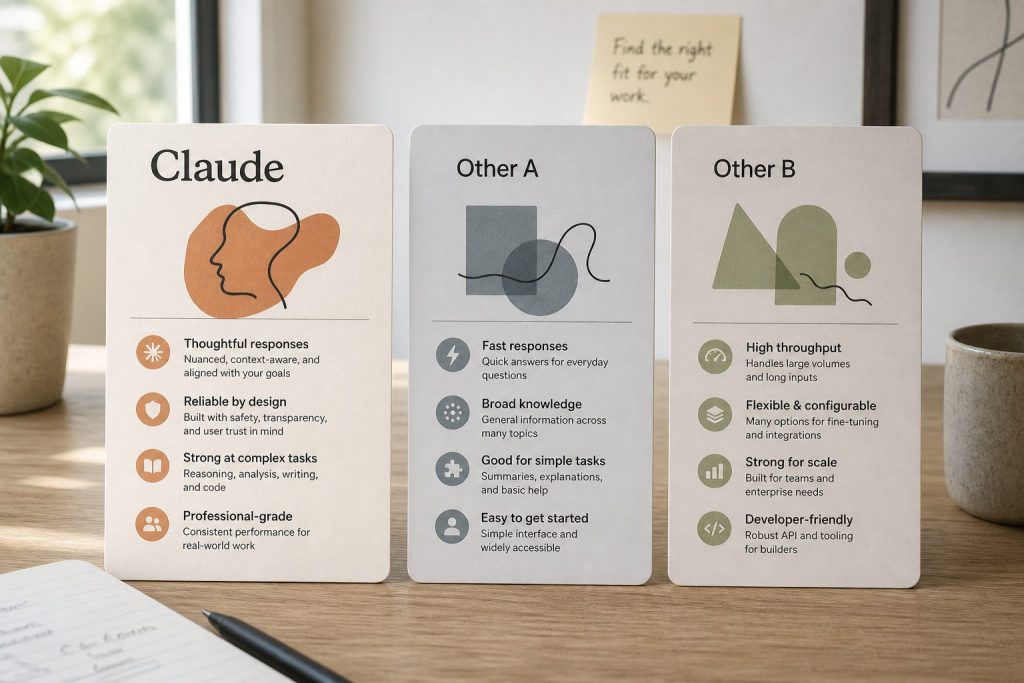
    Three abstract product cards on a desk comparing Claude with other chat API offerings
    Coding benchmark scores — primary-source only.

    Each cell is either a figure we read directly from a primary source on June 13, 2026, or marked “not machine-verifiable” with the source you should consult. A blank-equivalent entry never means zero — it means the official figure was not available in readable form during verification. Note the harness and version differences called out in the footnotes: they make cross-vendor cells not strictly comparable.

    BenchmarkClaude Fable 5Claude Opus 4.8GPT-5.5Gemini 3.1 Pro
    SWE-bench VerifiedNot machine-verifiable (see system card)Not machine-verifiable (see system card)Not published in retrievable primary source80.6%
    SWE-bench Pro (Public)Not machine-verifiable (see system card)Not machine-verifiable (see system card)Not published in retrievable primary source54.2%
    Terminal-BenchNot machine-verifiable (see system card)Not machine-verifiable (see system card)83.4% (v2.1, Codex CLI harness)†68.5% (v2.0, Terminus-2 harness)
    LiveCodeBench ProNot published in retrievable primary sourceNot published in retrievable primary sourceNot published in retrievable primary source2887 Elo

    †GPT-5.5’s Terminal-Bench 2.1 figure of 83.4% is the score Anthropic attributes to GPT-5.5 “with the Codex CLI harness” in a footnote on its Claude Opus 4.8 announcement page. It is a competitor-reported comparison, not a number we read from OpenAI directly. Google reports Gemini 3.1 Pro on Terminal-Bench 2.0 under the Terminus-2 harness (68.5%); because the version and harness differ, the Gemini and GPT-5.5 Terminal-Bench cells are not directly comparable. Gemini’s SWE-bench Verified (80.6%), SWE-bench Pro Public (54.2%), and LiveCodeBench Pro (2887 Elo) are single-attempt figures from Google’s official Gemini 3.1 Pro model card.

    What we could not verify from a primary source

    Anthropic publishes its coding comparison tables for Claude Opus 4.8 and Claude Fable 5 as images inside its announcement pages, and the full Claude Opus 4.8 System Card PDF exceeded our fetch size limit, so we could not machine-read those percentages on the verification date. OpenAI’s GPT-5.5 announcement page returned an access error to our fetcher, and its developer-docs model page lists specs and pricing but no benchmark scores. We have therefore left Claude’s and GPT-5.5’s SWE-bench figures out of the table rather than reproduce numbers we could not confirm at the source. For those figures, consult the primary documents linked in our source list: the Claude Opus 4.8 System Card, the Claude Fable 5 and Mythos 5 announcement, and OpenAI’s GPT-5.5 page. If you are choosing a model today, the verified spec table above (price, context, output, cutoff) is the part you can rely on without caveat.

    How to read a coding leaderboard

    Three cards for fast volume, daily workhorse, and deep flagship Claude seats
    How to read a coding leaderboard.

    Three cautions apply to any 2026 coding comparison. First, harness matters: the same model scores differently on Terminal-Bench depending on whether it runs under Terminus-2, a Codex CLI scaffold, or a vendor’s internal agent, which is why we annotate every Terminal-Bench cell. Second, version matters: “Terminal-Bench 2.0” and “Terminal-Bench 2.1” are different test sets, and “SWE-bench Pro” public and full splits differ — a single percentage with no version is close to meaningless. Third, a headline score is one slice of behavior; long-horizon agentic coding, tool-call reliability, and context handling over a long session often decide real-world usefulness more than a single pass rate. Treat the verified cells here as a starting point, then test the shortlist on your own repository.

    Which model has the highest published coding benchmark score in June 2026?

    We cannot crown a single winner from primary sources alone, because Anthropic and OpenAI publish their coding scores in formats we could not machine-verify on June 13, 2026. From figures we could read directly, Google’s Gemini 3.1 Pro model card reports 80.6% on SWE-bench Verified and 54.2% on SWE-bench Pro (Public). Anthropic’s and OpenAI’s comparable figures are in their system cards and announcement pages, which we link in the sources; we did not reproduce them here because they were not readable at the source during verification.

    What does Claude Fable 5 cost, and how is it different from Opus 4.8?

    Claude Fable 5 (claude-fable-5) is priced at $10 per million input tokens and $50 per million output tokens, with a 1M-token context window and up to 128K output tokens (Anthropic models overview). Claude Opus 4.8 (claude-opus-4-8) is the Opus-tier flagship at $5 / $25 per Mtok, also 1M context and 128K output, with a January 2026 knowledge cutoff. Fable 5 is Anthropic’s most capable widely released model; Opus 4.8 is the lower-priced model most teams will use for everyday agentic coding.

    Why are some benchmark cells marked “not machine-verifiable” instead of showing a number?

    Because this page only prints scores we could confirm from a primary source on the verification date. Several vendors render their benchmark tables as images, and one large system-card PDF exceeded our fetch limit, so the underlying percentages were not readable to us. Rather than copy figures from third-party trackers, we mark the cell and point you to the official document. It keeps the leaderboard honest at the cost of being shorter.

    How do the context windows compare?

    Claude Fable 5, Claude Opus 4.8, and Gemini 3.1 Pro each offer a 1M-token context window; GPT-5.5 offers 1,050,000 tokens. Maximum output is 128K tokens for Claude Fable 5, Claude Opus 4.8, and GPT-5.5, and 64K tokens for Gemini 3.1 Pro. Note that Claude Opus 4.8’s context window is 200K on Microsoft Foundry specifically, per Anthropic’s documentation.

    Is Terminal-Bench comparable across these models?

    Not cell-for-cell. Google reports Gemini 3.1 Pro on Terminal-Bench 2.0 under the Terminus-2 harness (68.5%), while the GPT-5.5 figure we show (83.4%) is Terminal-Bench 2.1 under a Codex CLI harness, as attributed by Anthropic. Different versions and different harnesses mean the two numbers should not be read as a head-to-head result.

    Related on Tygart Media: Claude Code vs Cursor · Claude Code vs Codex.

  • Claude Skills vs MCP vs Connectors vs Plugins (2026)

    Claude Skills vs MCP vs Connectors vs Plugins (2026)

    Last verified: June 13, 2026

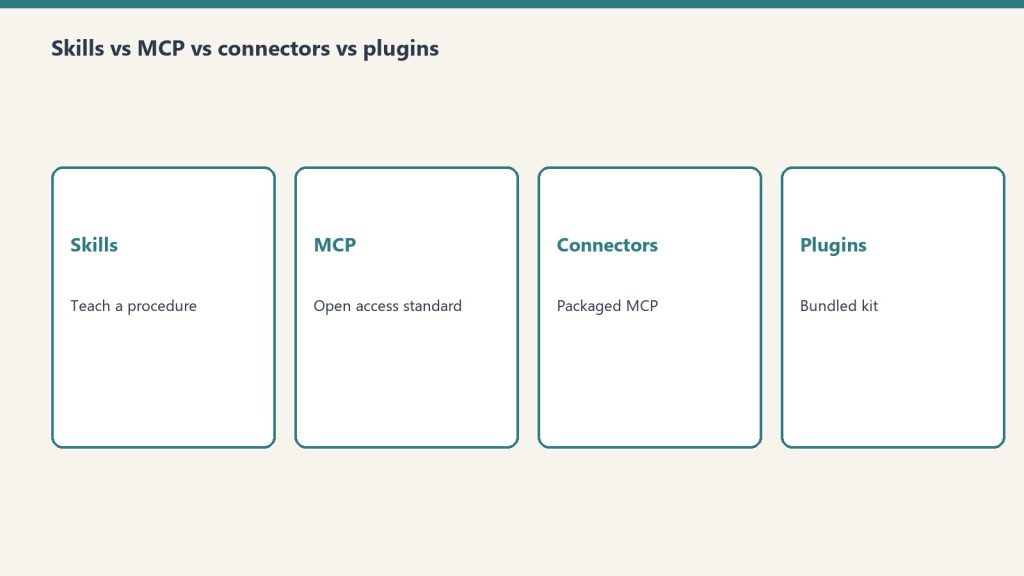
    The simplest way to keep these straight: Skills teach Claude how to do a task, MCP servers and Connectors give Claude access to external systems, Plugins bundle several of these together, and Hooks and slash commands control a Claude Code session. A Skill is a folder of instructions Claude reads when relevant. MCP (the Model Context Protocol) is an open standard that connects Claude to your tools and data. A Connector is Anthropic’s packaging of a remote MCP server inside the Claude apps. A Plugin packages any combination of commands, agents, MCP servers, hooks, and skills for Claude Code. Every definition below is taken verbatim from Anthropic’s official documentation, fetched on the verification date.

    The one-glance comparison

    Four comparison cards for Claude skills, MCP, connectors, and plugins
    One-glance comparison of the four extension surfaces.

    This is the liftable summary. Each row is one mechanism; the third column is the distinction people most often get wrong — whether the thing teaches Claude how to do something or gives Claude access to something.

    TypeWhat it isTeaches-HOW or gives-ACCESSWhere it runsHow you install / enable it
    Skill A modular capability that packages instructions, metadata, and optional resources (scripts, templates) in a SKILL.md file that Claude uses automatically when relevant. Teaches HOW. Provides domain-specific expertise: workflows, context, and best practices (procedural knowledge). In Claude’s code execution environment / VM, where Claude has filesystem access, bash, and code execution. claude.ai: upload a zip under Settings > Features. API: upload via the Skills API (/v1/skills) with the required beta headers (code-execution-2025-08-25, skills-2025-10-02, files-api-2025-04-14). Claude Code: a SKILL.md directory under ~/.claude/skills/ or .claude/skills/.
    MCP server An implementation of the Model Context Protocol — “an open-source standard for connecting AI applications to external systems.” Described as “a USB-C port for AI applications.” Gives ACCESS. Connects Claude to data sources, tools, and workflows so it can access information and perform tasks. Local (stdio) servers run as processes on your machine; remote servers run over HTTP (recommended) or SSE (deprecated). In Claude Code: claude mcp add, at local, project, or user scope. Also configurable in .mcp.json or imported from Claude Desktop / claude.ai.
    Connector A feature that “let[s] Claude access your apps and services, retrieve your data, and take actions within connected services.” Custom connectors use remote MCP. Gives ACCESS. Same access role as MCP — a Connector is the in-app packaging of a remote MCP server. Custom connectors are reached from Anthropic’s cloud infrastructure, not from your local machine. In the Claude apps under Customize > Connectors (or the in-chat “+” menu). Add a directory connector, or “Add custom connector” by URL.
    Plugin “A lightweight way to package and share any combination of” Claude Code customizations. Both — it’s a container. Bundles things that teach HOW (commands, skills) and things that give ACCESS (MCP servers), plus hooks and subagents. In Claude Code — “they’ll work across your terminal and VS Code.” The /plugin command (public beta). For a marketplace: /plugin marketplace add user-or-org/repo-name, then install from the /plugin menu.
    Hook “User-defined shell commands, HTTP endpoints, or LLM prompts that execute automatically at specific points in Claude Code’s lifecycle.” Controls behavior. Provides deterministic control rather than relying on the LLM to decide. In Claude Code, firing at lifecycle events (e.g. PreToolUse, PostToolUse, UserPromptSubmit, SessionStart, Stop). Configured in JSON settings files such as ~/.claude/settings.json or .claude/settings.json, or bundled in a plugin.
    Slash command A command starting with / that controls a Claude Code session. Includes built-ins (e.g. /help, /compact) and custom commands. Teaches HOW (custom) / controls session (built-in). Custom commands have been merged into Skills. In the Claude Code session (terminal or VS Code). Built-ins ship with Claude Code. Custom: a Markdown file under .claude/commands/ (project) or ~/.claude/commands/ (personal); a .claude/skills/<name>/SKILL.md does the same.

    Skills: teaching Claude a procedure

    Side-by-side cards defining what Claude Code is and is not
    Skills: teaching Claude a procedure.

    An Agent Skill is “a directory containing a SKILL.md file” with YAML frontmatter plus instructions, and optionally additional markdown files, executable scripts, and reference resources. The point is procedural knowledge — it turns “general-purpose agents into specialists” by giving Claude the workflows and best practices for a task, the way you’d write an onboarding guide for a new teammate. Anthropic ships pre-built Skills for PowerPoint, Excel, Word, and PDF, and you can author your own.

    What makes Skills cheap to install in bulk is progressive disclosure: Claude loads information in stages instead of all at once. The numbers below come straight from Anthropic’s Skills overview.

    Loading levelWhen loadedToken cost (per Anthropic docs)Content
    Level 1: MetadataAlways, at startup~100 tokens per Skillname and description from the YAML frontmatter
    Level 2: InstructionsWhen the Skill is triggeredUnder 5k tokensThe SKILL.md body — workflows and guidance
    Level 3+: ResourcesAs neededEffectively unlimitedBundled files read or executed via bash without loading their contents into context

    The name field is capped at 64 characters (lowercase letters, numbers, hyphens; it cannot contain the reserved words “anthropic” or “claude”), and the description is capped at 1,024 characters. One important constraint: custom Skills do not sync across surfaces — a Skill uploaded to claude.ai is not automatically available via the API, and Claude Code Skills are filesystem-based and separate from both.

    MCP: the open standard for access

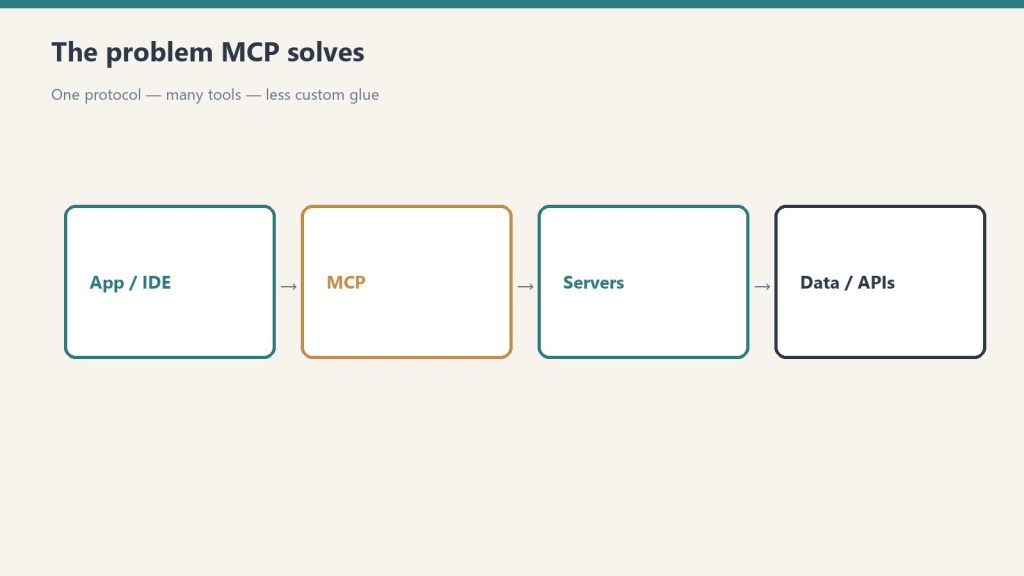
    Flow from app/IDE through MCP to servers and data APIs
    MCP: the open standard for access.

    The Model Context Protocol is, in Anthropic’s words, “an open-source standard for connecting AI applications to external systems.” The canonical analogy: “Think of MCP like a USB-C port for AI applications. Just as USB-C provides a standardized way to connect electronic devices, MCP provides a standardized way to connect AI applications to external systems.” Using MCP, “AI applications like Claude or ChatGPT can connect to data sources (e.g. local files, databases), tools (e.g. search engines, calculators) and workflows (e.g. specialized prompts).”

    An MCP server can expose three kinds of building block — tools, resources, and prompts. In Claude Code, resources are referenced with @server:protocol://resource/path and prompts surface as commands in the form /mcp__servername__promptname. You connect a server with claude mcp add, choosing a transport and a scope:

    ScopeLoads inShared with teamStored in
    Local (default)Current project onlyNo~/.claude.json
    ProjectCurrent project onlyYes, via version control.mcp.json in project root
    UserAll your projectsNo~/.claude.json

    For transports, HTTP is “the recommended option for connecting to remote MCP servers,” local stdio servers “run as local processes on your machine,” and SSE is explicitly marked deprecated in favor of HTTP.

    Connectors: MCP, packaged for the apps

    A Connector is how the Claude apps surface MCP. Per Anthropic’s help center, “Connectors let Claude access your apps and services, retrieve your data, and take actions within connected services,” and “Custom connectors using remote MCP are available on Claude, Cowork, and Claude Desktop.” So a Connector is not a different technology from MCP — a custom connector is a remote MCP server wired into the Claude UI.

    The most consequential detail is where the connection originates: “Custom connectors (remote MCP servers) are reached from Anthropic’s cloud infrastructure, not from your local machine.” That means a custom-connector MCP server must be reachable over the public internet — one hosted only on a private network, behind a VPN, or blocked by a firewall will not connect even if you can reach it yourself.

    AspectDirectory (pre-built) connectorCustom connector
    SourcePre-built integrations in the Connectors DirectoryAdded by you via a remote MCP server URL
    Plan availabilityAvailable across Claude plansFree, Pro, Max, Team, and Enterprise
    Free-plan limitPer directory“Free users are limited to one custom connector.”
    Where to add itCustomize > Connectors, or the in-chat “+” > Connectors > Manage connectors

    Plugins: a bundle, not a single thing

    A Plugin is “a lightweight way to package and share any combination of” Claude Code customizations. The official announcement lists four bundle components, and the Claude Code documentation adds skills as a fifth thing a plugin can carry:

    ComponentWhat it adds
    Slash commandsCustom shortcuts for frequently-used operations
    SubagentsPurpose-built agents for specialized development tasks
    MCP serversConnections to tools and data sources through MCP
    HooksCustomizations of Claude Code’s behavior at key workflow points
    SkillsPer the Claude Code docs, a plugin can include a skills/ directory; plugin skills use a plugin-name:skill-name namespace

    You install a plugin “directly within Claude Code using the /plugin command.” To pull from a marketplace — “curated collections where other developers can discover and install plugins” — you run /plugin marketplace add user-or-org/repo-name and then install from the /plugin menu. Plugins “work across your terminal and VS Code.” Plugins were announced on October 9, 2025, as a public beta for all Claude Code users.

    Hooks and slash commands: controlling the session

    The last two mechanisms aren’t about adding capability — they’re about controlling a Claude Code session. Hooks are “user-defined shell commands, HTTP endpoints, or LLM prompts that execute automatically at specific points in Claude Code’s lifecycle.” Their defining property is determinism: they provide deterministic control rather than relying on the LLM to make decisions. A PreToolUse hook can, for example, block a destructive rm -rf command regardless of what Claude intended. Hooks are configured in JSON settings files (such as ~/.claude/settings.json or a project’s .claude/settings.json) and fire at events including SessionStart, UserPromptSubmit, PreToolUse, PostToolUse, and Stop.

    Slash commands start with / and control the session. Built-in commands like /help and /compact ship with Claude Code. Custom commands are Markdown files — a project command lives at .claude/commands/<name>.md and a personal one at ~/.claude/commands/<name>.md, with the file name becoming the command. As of the 2026 Claude Code docs, custom commands have been merged into Skills: a file at .claude/commands/deploy.md and a skill at .claude/skills/deploy/SKILL.md “both create /deploy and work the same way,” and existing .claude/commands/ files keep working.

    Is a Connector the same as an MCP server?

    Effectively yes, for custom connectors. Anthropic states “Custom connectors using remote MCP are available on Claude, Cowork, and Claude Desktop,” and that they “are reached from Anthropic’s cloud infrastructure.” A Connector is the Claude-app packaging of a remote MCP server; MCP is the underlying open standard.

    What’s the difference between a Skill and an MCP server?

    A Skill teaches Claude how to do a task — it “provide[s] Claude with domain-specific expertise: workflows, context, and best practices.” An MCP server gives Claude access to external systems — it connects Claude “to data sources, tools and workflows.” One is procedural knowledge; the other is a connection.

    Do Skills cost a lot of context tokens?

    Not until used. Per Anthropic’s docs, Level 1 metadata costs about 100 tokens per Skill and is always loaded; the full SKILL.md body (under 5k tokens) only loads when the Skill is triggered; and bundled resources are read on demand with effectively no upfront cost. This is the “progressive disclosure” design.

    What can a Claude Code plugin contain?

    “Any combination of” slash commands, subagents, MCP servers, and hooks, per the announcement; the Claude Code documentation adds that a plugin can also bundle a skills/ directory. You install one with the /plugin command, optionally from a marketplace added via /plugin marketplace add.

    Are custom slash commands still a thing?

    They still work, but they’ve been folded into Skills. The Claude Code docs state custom commands “have been merged into skills,” that existing .claude/commands/ files keep working, and that a command file and an equivalent SKILL.md both produce the same / command. Skills add optional extras like supporting files and automatic invocation.

    Related on Tygart Media: what is MCP · Claude MCP guide.

  • Migrating Off Retired Claude Models: The Breaking-Chang (2026)

    Migrating Off Retired Claude Models: The Breaking-Chang (2026)

    Last verified: June 13, 2026

    Claude Opus 4 (claude-opus-4-20250514) and Claude Sonnet 4 (claude-sonnet-4-20250514) are deprecated and retire on June 15, 2026, after which requests to them return a 404. The official replacements are claude-opus-4-8 and claude-sonnet-4-6. But swapping the model string alone will break a working integration: depending on which target you choose, several request parameters that were valid on the May 2025 models now return a 400 error, and two changes alter behavior silently. This page maps each removed or changed parameter to the exact failure and the fix.

    One distinction governs the whole migration. The Opus path (to claude-opus-4-8) is the strict one: it removes temperature/top_p/top_k and manual thinking budgets entirely. The Sonnet path (to claude-sonnet-4-6) is gentler: it keeps sampling parameters (with the older “one of temperature or top_p, not both” rule) and still accepts budget_tokens as deprecated-but-functional. The one rule both paths share: assistant-turn prefills now return 400.

    The breaking-change matrix

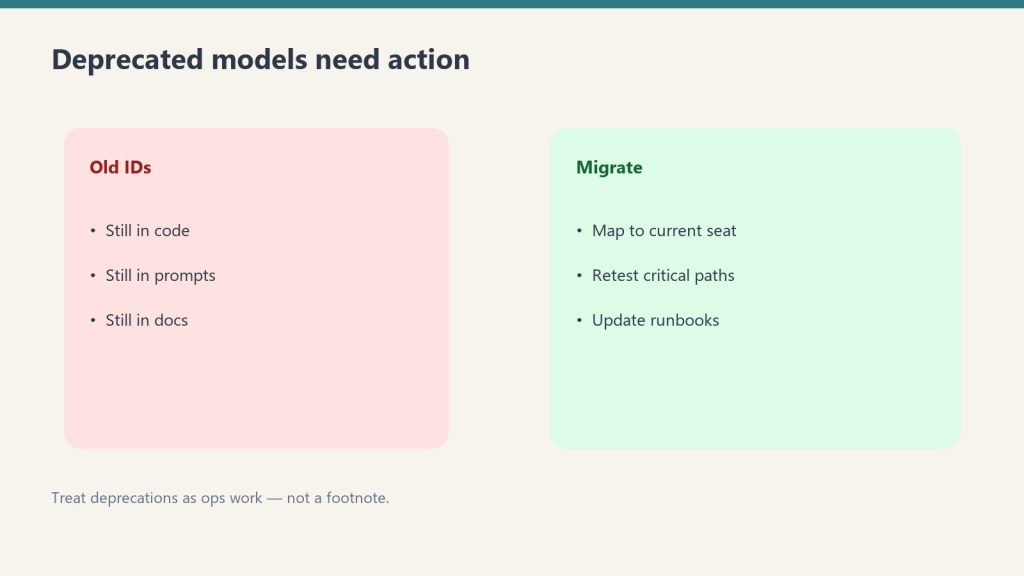
    Side-by-side panels contrasting old model IDs still in code with a migrate checklist
    The breaking-change matrix.

    Each row is a change that breaks on at least one migration target. “Error” means the API rejects the request server-side (HTTP 400) even though the SDK request type still type-checks. “Silent” means no error — the behavior simply differs.

    ChangeOn Opus 4.8On Sonnet 4.6SymptomFix
    thinking: {type:"enabled", budget_tokens:N}400 error (removed)Deprecated, still works400 on Opus; cost/latency drift on Sonnetthinking: {type:"adaptive"} + output_config.effort
    temperature / top_p / top_k400 error (removed)Keep only one of temperature or top_p400 on Opus if any set; 400 on Sonnet if both setRemove on Opus; steer via prompt. Keep one on Sonnet
    Assistant-turn prefill (last message role:"assistant")400 error400 errorRequest rejected on bothoutput_config.format (structured outputs) or system-prompt instruction
    thinking.display defaultDefaults to "omitted"Returns summarized textReasoning text empty on Opus (silent)Set display: "summarized" on Opus
    TokenizerNew tokenizer (more tokens)Unchanged tokenizerSame text counts higher on Opus; max_tokens too tightRe-baseline with count_tokens; add headroom
    output_format (top-level)Deprecated API-wideDeprecated API-wideWorks, but slated for removalMove to output_config: {format: {...}}

    Model ID swaps and retirement dates

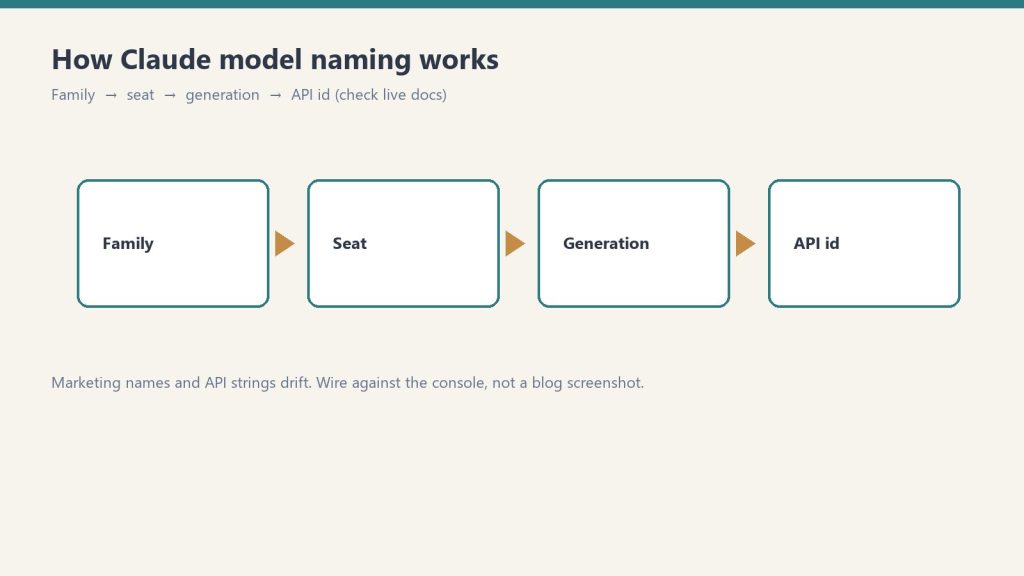
    Flow from Family to Seat to Generation to API id
    Model ID swaps and retirement dates.
    Retiring modelModel IDRetiresReplacement
    Claude Opus 4claude-opus-4-20250514 (alias claude-opus-4-0)June 15, 2026claude-opus-4-8
    Claude Sonnet 4claude-sonnet-4-20250514 (alias claude-sonnet-4-0)June 15, 2026claude-sonnet-4-6

    These are the original May 2025 models, not the later Opus 4.6 or Sonnet 4.5 releases. Use the exact replacement strings above — do not append a date suffix to claude-opus-4-8 or claude-sonnet-4-6 (they are dateless pinned snapshots).

    budget_tokens to adaptive thinking

    The Opus path removes the fixed thinking budget. thinking: {type:"enabled", budget_tokens:N} returns a 400 on claude-opus-4-8. The replacement is adaptive thinking — the model decides how much to think per request — with overall depth controlled by the effort parameter (low | medium | high | xhigh | max). There is no direct token-count equivalent; effort is an output-level control, not a thinking budget.

    # Before (Claude Opus 4 / Sonnet 4)
    client.messages.create(
        model="claude-opus-4-20250514",
        max_tokens=16000,
        thinking={"type": "enabled", "budget_tokens": 10000},
        messages=[{"role": "user", "content": "..."}],
    )
    
    # After (Claude Opus 4.8)
    client.messages.create(
        model="claude-opus-4-8",
        max_tokens=16000,
        thinking={"type": "adaptive"},
        output_config={"effort": "high"},  # or "max", "xhigh", "medium", "low"
        messages=[{"role": "user", "content": "..."}],
    )

    On the Sonnet path, budget_tokens is deprecated but still functional on claude-sonnet-4-6, so it will not 400 — but you should still migrate to adaptive thinking. Note also that Sonnet 4.6 defaults to effort: "high" where Sonnet 4 had no effort parameter at all; if you do not set it explicitly you may see higher latency and token use after the swap.

    Sampling parameters: removed vs. restricted

    Desk with laptop, checklist notebook, and billing card ready before creating an Anthropic API key
    Sampling parameters — removed vs restricted.

    This is where the two paths diverge most. On claude-opus-4-8, setting temperature, top_p, or top_k to any non-default value returns a 400. Remove them entirely and steer behavior through prompting instead. (If you used temperature=0 for determinism, note it never guaranteed identical outputs on prior models either.)

    # Opus path — sampling params 400 on claude-opus-4-8
    # Before
    client.messages.create(
        model="claude-opus-4-20250514",
        temperature=0.7,
        top_p=0.9,
        messages=[...],
    )
    
    # After — remove them
    client.messages.create(
        model="claude-opus-4-8",
        messages=[...],
    )

    On claude-sonnet-4-6 the older Claude 4.x rule still applies: you may pass one of temperature or top_p, but passing both returns a 400. So a Sonnet 4 to Sonnet 4.6 move only requires dropping one of the two if you were setting both.

    Assistant-turn prefills to structured outputs

    Prefilling the final assistant turn — ending your messages array with a role: "assistant" message to force a response shape — returns a 400 on both claude-opus-4-8 and claude-sonnet-4-6. This is the one breaking change you cannot dodge by choosing the gentler target. The replacement depends on what the prefill was doing.

    Prefill was used forReplacement
    Forcing JSON / YAML / schema outputoutput_config.format with a json_schema
    Forcing a classification labelA tool with an enum field, or structured outputs
    Skipping preambles (“Here is…”)System-prompt instruction: respond directly, no preamble
    Continuing an interrupted responseMove continuation into the user turn
    Steering around bad refusalsUsually unnecessary now — plain user-turn prompting suffices
    # Before (fails on both targets) — prefill forcing JSON shape
    messages=[
        {"role": "user", "content": "Extract the name."},
        {"role": "assistant", "content": "{\"name\": \""},
    ]
    
    # After — structured outputs replace the prefill
    client.messages.create(
        model="claude-opus-4-8",
        max_tokens=1024,
        output_config={"format": {"type": "json_schema", "schema": SCHEMA}},
        messages=[{"role": "user", "content": "Extract the name."}],
    )

    Thinking display: the silent one

    On claude-opus-4-8, thinking blocks still stream, but their thinking text field is empty unless you opt in — the default is display: "omitted". There is no error; if your UI rendered the summarized reasoning, it now shows a long pause before output. Restore it by setting the display mode:

    thinking = {
        "type": "adaptive",
        "display": "summarized",  # default is "omitted" on Opus 4.8/4.7
    }

    The block-field name is unchanged — it is still block.thinking on a thinking-type block. The fix is the request parameter, not the response-handling code. (Sonnet 4.6 is not affected by this default change.)

    The new tokenizer: re-baseline max_tokens

    This change is Opus-only and easy to miss because it produces no error. claude-opus-4-8 uses the tokenizer introduced with Opus 4.7, under which the same text tokenizes to roughly 1x–1.35x as many tokens — up to about 35% more, around 30% on typical content, varying by workload. Three consequences:

    What to checkWhy
    max_tokens ceilings and compaction triggersThe same output now consumes more tokens; tight limits truncate mid-thought
    Client-side token estimators (e.g. fixed char-to-token ratios)Calibrated against the old tokenizer; now undercount
    Cost and rate-limit dashboardscount_tokens returns higher numbers; re-baseline before reacting

    Re-run client.messages.count_tokens(model="claude-opus-4-8", ...) on a representative sample of your prompts. Do not apply a blanket multiplier. Sonnet 4.6 keeps the older tokenizer, so a Sonnet 4 to Sonnet 4.6 move has no tokenizer re-baseline to do.

    The full checklist

    StepOpus 4 to 4.8Sonnet 4 to 4.6
    Update model ID stringRequiredRequired
    Replace budget_tokens with adaptive thinkingRequired (400)Recommended (deprecated)
    Sampling paramsRemove all (400)Keep only one (both 400)
    Remove assistant-turn prefillsRequired (400)Required (400)
    Set display: "summarized" if showing reasoningRequired for visible thinkingNot applicable
    Re-baseline max_tokens for new tokenizerRequiredNot applicable
    Set effort explicitlyDefaults to highDefaults to high
    Move output_format to output_config.formatRecommendedRecommended
    Verify tool inputs parsed with a JSON parserRecommendedRecommended
    Spot-check one request, then roll outRequiredRequired

    If you run Claude Code, /claude-api migrate applies the model swap, breaking-parameter changes, prefill replacement, and effort calibration across a codebase, then produces a verify-it-yourself checklist. It asks you to confirm scope before editing any files.

    Is migrating off Claude Opus 4 really not just a model-string change?

    No. Moving to claude-opus-4-8 also requires removing temperature/top_p/top_k and any budget_tokens (all now return 400), removing assistant-turn prefills (400), opting back into summarized thinking if your UI shows it, and re-baselining max_tokens for the new tokenizer. Only the Sonnet 4 to Sonnet 4.6 move is close to a drop-in — and even that requires removing prefills.

    When exactly do Claude Opus 4 and Sonnet 4 stop working?

    June 15, 2026. After that date, requests to claude-opus-4-20250514 and claude-sonnet-4-20250514 return a 404. These are the original May 2025 models, not Opus 4.6 or Sonnet 4.5.

    What replaces budget_tokens now that it errors on Opus?

    Adaptive thinking (thinking: {type:"adaptive"}) plus the effort parameter inside output_config. There is no exact token-count equivalent: the model decides how much to think per request, and effort (low through max) tunes overall depth and spend. On Sonnet 4.6, budget_tokens still works but is deprecated.

    Why does the same prompt cost more tokens on Opus 4.8?

    Opus 4.8 uses the tokenizer introduced with Opus 4.7, under which the same text produces roughly 1x–1.35x as many tokens (about 30% more on typical content, up to ~35%). Re-run the count_tokens endpoint against claude-opus-4-8 and give max_tokens and compaction triggers extra headroom. Sonnet 4.6 keeps the older tokenizer, so it is unaffected.

    My thinking summaries disappeared after migrating to Opus — is that a bug?

    No. On Opus 4.8 (and 4.7), thinking.display defaults to "omitted", so thinking blocks stream with an empty text field. Set display: "summarized" in your thinking config to restore visible reasoning. The field name is unchanged; only the default flipped.

    Related on Tygart Media: Claude Fable 5 guide · API quickstart.

  • Claude Code Billing & Monthly Credit Pools (2026)

    Claude Code Billing & Monthly Credit Pools (2026)

    Last verified: June 13, 2026

    Claude Code has two billing models, and which one applies depends on how you run it, not just which plan you hold. When you use Claude Code interactively in the terminal or IDE on a Pro or Max plan, it draws from the same subscription usage limits as your Claude.ai chats. But starting June 15, 2026, Anthropic separates out programmatic usage: the Claude Agent SDK, the claude -p headless command, the Claude Code GitHub Actions integration, and third-party apps that authenticate through the Agent SDK will no longer count against your interactive subscription pool. Instead they draw from a new, separate monthly Agent SDK credit, billed at standard API rates. This page documents both models, the exact credit amounts per plan, and the SDK package rename you may also need to handle.

    The two billing models at a glance

    Workshop fuel gauge and metal tokens pouring into an API hopper, metaphor for pay-per-token pricing
    Two billing models at a glance — no sticky dollar stickers.

    The dividing line is interactive vs. programmatic. One number to remember: setting an ANTHROPIC_API_KEY environment variable overrides your subscription entirely — Claude Code then authenticates with that key and bills as pay-as-you-go API usage, regardless of plan.

    Usage typeHow it runsBilled against
    Interactive Claude CodeTerminal or IDE, human at the keyboardPro/Max subscription usage limits
    Claude.ai chatWeb, desktop, mobilePro/Max subscription usage limits
    Agent SDK (Python/TypeScript)Your own programmatic projectsSeparate Agent SDK credit (from June 15, 2026)
    claude -p (non-interactive)Headless / scripted Claude CodeSeparate Agent SDK credit (from June 15, 2026)
    Claude Code GitHub ActionsCI/CD automationSeparate Agent SDK credit (from June 15, 2026)
    Any usage with ANTHROPIC_API_KEY setAPI-key auth instead of subscriptionStandard API rates (pay-as-you-go)

    What changes on June 15, 2026

    Per Anthropic’s support documentation: “Starting June 15, 2026, Claude Agent SDK and claude -p usage no longer counts toward your Claude plan’s usage limits.” Each subscription tier instead receives a fixed monthly Agent SDK credit. When that credit runs out, additional Agent SDK usage flows to usage credits at standard API rates — but only if you have enabled usage credits. If you have not, “Agent SDK requests stop until your credit refreshes.” Unused credits do not roll over to the next billing cycle, and there is no automatic fallback to the interactive pool.

    PlanMonthly Agent SDK credit
    Pro$20
    Max 5x$100
    Max 20x$200
    Team (Standard seats)$20
    Team (Premium seats)$100
    Enterprise (seat-based Premium)$200

    What stays on the interactive subscription pool, unchanged: Claude conversations on web, desktop, and mobile; and interactive Claude Code in the terminal or IDE. The change is scoped strictly to programmatic execution.

    How each pool is metered and priced

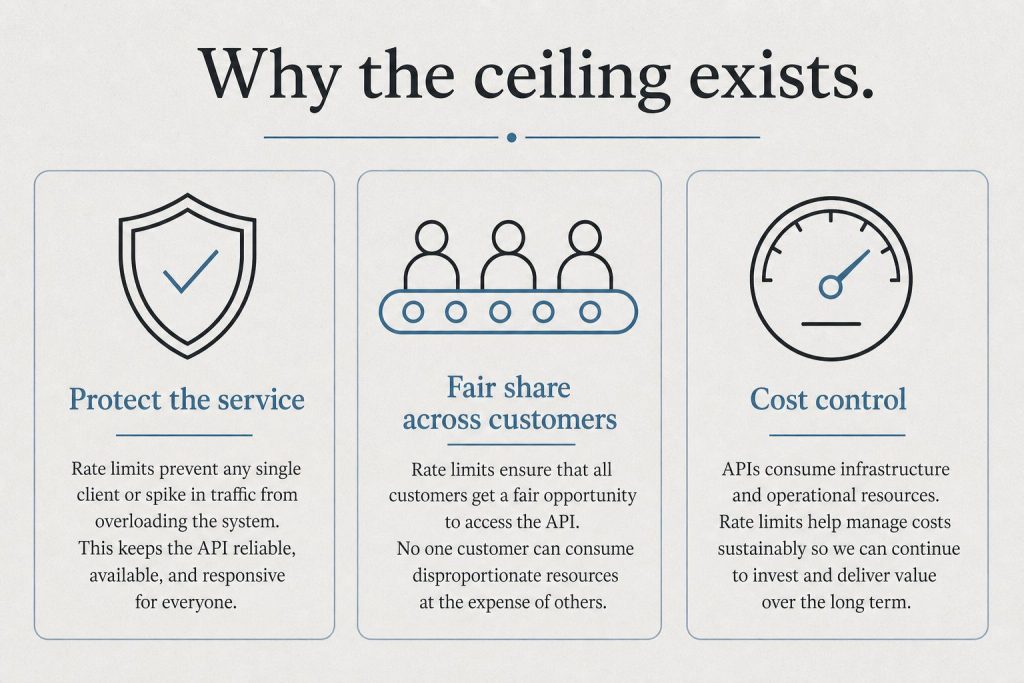
    Infographic with three panels: protect the service, fair share, and cost control explaining rate limits
    How each pool is metered.

    Claude Code “charges by API token consumption” — the underlying meter is input/output tokens, including thinking tokens billed as output. On a subscription, that token consumption is what counts against your plan limits (interactive) or your Agent SDK credit (programmatic). The Agent SDK credit and any overflow are billed at standard API list rates; the per-model API token prices below are the verified current rates.

    PoolMeterPrice basis
    Interactive (Pro/Max)Tokens, against plan usage limitsIncluded in subscription
    Agent SDK creditTokens, against monthly creditStandard API rates
    Overflow past the creditTokens, usage creditsStandard API rates (only if usage credits enabled)
    API key (ANTHROPIC_API_KEY)Tokens, pay-as-you-goStandard API rates

    Verified current API token prices (per million tokens) for models commonly used in Claude Code:

    ModelModel IDInput $/MtokOutput $/Mtok
    Claude Opus 4.8claude-opus-4-8$5.00$25.00
    Claude Sonnet 4.6claude-sonnet-4-6$3.00$15.00
    Claude Haiku 4.5claude-haiku-4-5$1.00$5.00

    Subscription plan prices

    These are the published Claude plan prices the Agent SDK credits attach to. The Max 5x plan starts at $100/month; the $200 figure for Max 20x is documented as the matching Agent SDK credit amount for that tier.

    PlanPrice
    Free$0
    Pro$20/month, or $17/month billed annually ($200 up front)
    Max 5xFrom $100/month
    Team (Standard seat)$25/seat/month, or $20/seat/month billed annually

    The SDK rename: claude-code-sdk to claude-agent-sdk

    Separate from billing, the SDK itself was renamed. Anthropic’s migration guide states: “The Claude Code SDK has been renamed to the Claude Agent SDK.” If you have code on the old package, you must update the package name, imports, and one Python type. The headless CLI command name is unchanged — it is still claude -p.

    AspectOldNew
    npm package (TS/JS)@anthropic-ai/claude-code@anthropic-ai/claude-agent-sdk
    Python packageclaude-code-sdkclaude-agent-sdk
    Python options typeClaudeCodeOptionsClaudeAgentOptions
    Default system promptClaude Code’s presetMinimal (opt back in via preset: "claude_code")
    # TypeScript
    npm uninstall @anthropic-ai/claude-code
    npm install @anthropic-ai/claude-agent-sdk
    
    # Python
    pip uninstall claude-code-sdk
    pip install claude-agent-sdk

    Decision: which billing path applies to your work

    Three cards for fast volume, daily workhorse, and deep flagship Claude seats
    Which billing path applies to your work.
    If you are…Billing path
    A developer coding interactively in the terminalSubscription usage limits (unchanged)
    Running claude -p in a script or cron jobAgent SDK credit (from June 15, 2026)
    Running Claude Code in GitHub ActionsAgent SDK credit (from June 15, 2026)
    Building an app on the Agent SDK with subscription authAgent SDK credit (from June 15, 2026)
    A team or service account wanting budgets + usage reportsSet ANTHROPIC_API_KEY → standard API billing

    Does interactive Claude Code billing change on June 15, 2026?

    No. Anthropic’s documentation confirms interactive Claude Code in the terminal or IDE, and Claude conversations on web, desktop, and mobile, continue using subscription usage limits as before. Only programmatic usage — the Agent SDK, claude -p, GitHub Actions, and third-party Agent SDK apps — moves to the separate Agent SDK credit.

    How much is the separate Agent SDK credit?

    $20/month on Pro, $100 on Max 5x, $200 on Max 20x, $20 on Team Standard seats, $100 on Team Premium seats, and $200 on Enterprise seat-based Premium. The credit is billed at standard API rates, does not roll over, and refreshes monthly.

    What happens when the Agent SDK credit runs out?

    Additional Agent SDK usage flows to usage credits at standard API rates — but only if you have enabled usage credits. If you have not enabled them, Agent SDK requests stop until your credit refreshes. There is no automatic fallback to your interactive subscription pool.

    How do I avoid the credit pool entirely?

    Set an ANTHROPIC_API_KEY environment variable. Claude Code and the Agent SDK then authenticate with that key and bill as standard pay-as-you-go API usage, separate from any subscription. This is Anthropic’s recommended path for apps, CI jobs, service accounts, and team-owned projects that need budgets and usage reporting.

    Was the Claude Code SDK renamed?

    Yes. It is now the Claude Agent SDK. The npm package @anthropic-ai/claude-code became @anthropic-ai/claude-agent-sdk, the Python package claude-code-sdk became claude-agent-sdk, and the Python type ClaudeCodeOptions became ClaudeAgentOptions. The claude -p CLI command name is unchanged.

    Related on Tygart Media: Claude Code getting started · Claude pricing · Pro vs Max.

  • How to Get an Anthropic API Key (2026 Quick Guide)

    How to Get an Anthropic API Key (2026 Quick Guide)

    Last verified: August 26, 2026 (Pacific Time)

    Direct Answer (August 2026): To obtain an Anthropic API key: 1) Register at console.anthropic.com, 2) Navigate to Settings > Plans & Billing and deposit $5+ for Tier 1 activation, 3) Go to ‘API Keys’, click ‘Create Key’, and copy your secure sk-ant-api03-... key token.

    An Anthropic API key is the secret token that authenticates your requests to Claude models over the API. It starts with sk-ant-, is created in the Anthropic Console at console.anthropic.com under API Keys → Create Key, and is displayed exactly once — requests only succeed after you add a payment method.

    Official links: Create a key (console) · API docs · API rates · Help center

    Quick answer: sign in at console.anthropic.com (it now redirects to the same developer console as platform.claude.com), add a payment method under Settings → Billing, click API Keys → Create Key, name it, and copy it immediately – Anthropic shows the key exactly once. Keys start with sk-ant-. The whole process takes about five minutes.

    Below is the full walkthrough, where to put the key so it doesn’t leak, the newer no-static-key option most tutorials haven’t caught up with, and the errors that account for nearly every failed first request. For the full reference – pricing tiers, key rotation, security, and workspace and organization keys – see our Anthropic API key reference and management guide.

    What you need before you start

    Desk with laptop, checklist notebook, and billing card ready before creating an Anthropic API key
    Account, billing, and a place to store the secret — before you click Create.
    • An email address (or Google / SSO login)
    • A payment method – your key will not work until billing is set up, even though you can create one
    • Five minutes

    One distinction that confuses almost everyone: a Claude.ai subscription is not API access. Claude Pro, Max, and Team plans cover the Claude apps (web, desktop, mobile). The API is billed separately, by usage, through the developer console. You can have either one without the other – see our complete Claude pricing guide for how the two systems differ.

    Step 1: Create your account

    Open the Anthropic console ?

    Go to console.anthropic.com – Anthropic’s developer console. (Both console.anthropic.com and platform.claude.com land in the same place in 2026; older tutorials treat them as different sites.) Sign up with email, Google, or SSO, and answer the brief onboarding questions about whether you’re an individual or an organization. For a tour of everything inside the console, see our Anthropic Console guide.

    Step 2: Add billing

    Open billing settings ?

    In the console, open Settings → Billing and add a credit card (self-serve accounts typically purchase prepaid usage credits). Skipping this step is the #1 reason a brand-new key returns errors – the key exists, but requests are rejected until the account can be billed.

    Step 3: Create the key

    Create the key in the console ?

    Click API Keys in the left sidebar (direct link: platform.claude.com/settings/keys), then Create Key. Give it a descriptive name like my-app-dev – future you will thank present you when it’s time to rotate or revoke. If your organization uses multiple workspaces, note that keys are scoped to a workspace: the key only sees resources in the workspace it was created in.

    Step 4: Copy it immediately

    Developer copying a new API key into a password vault; secret string not readable
    Copy once. Close the dialog. If you lose it, rotate — do not paste it into chat.

    The key is displayed exactly once. It starts with sk-ant- followed by a long string. Copy it straight into a password manager, a .env file, or your secrets manager. If you lose it, there is no way to view it again – you revoke it and create a new one (takes a minute, harms nothing).

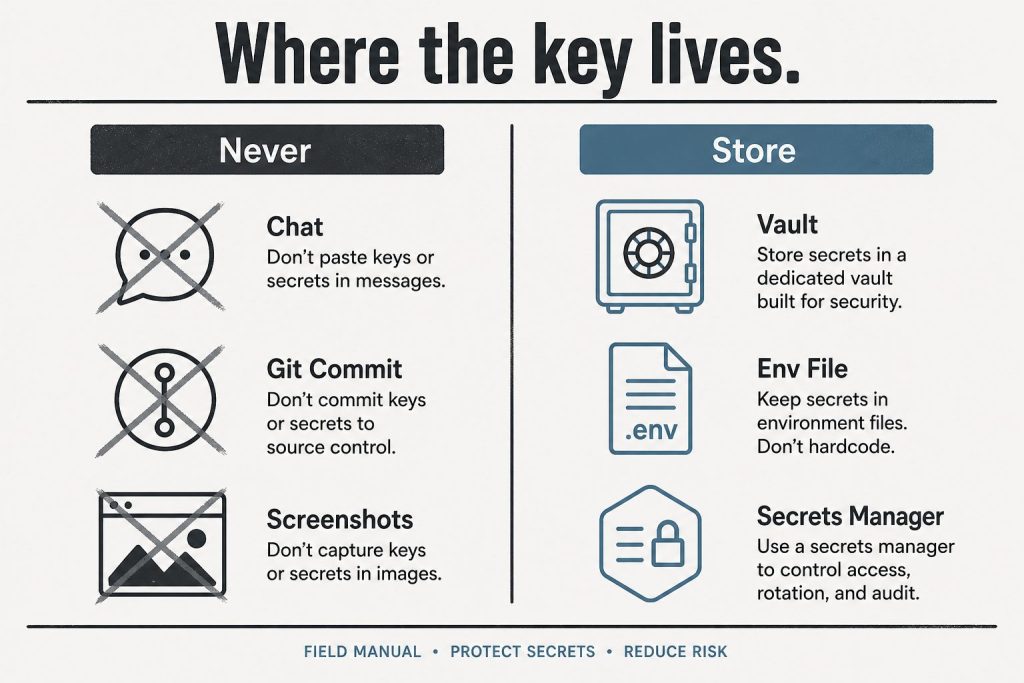
    Where to put the key (and where never to put it)

    Diagram contrasting never places for API keys versus vault, env file, and secrets manager
    Vault / env / secrets manager. Never chat, git, or a screenshot thread.

    Set it as an environment variable named ANTHROPIC_API_KEY – every official Anthropic SDK reads that variable automatically, so your code never contains the key:

    • macOS / Linux: export ANTHROPIC_API_KEY=sk-ant-...
    • Windows (PowerShell): setx ANTHROPIC_API_KEY "sk-ant-..."
    • Python: client = anthropic.Anthropic() – no key argument needed
    • TypeScript: const client = new Anthropic() – same

    Never hardcode the key in source files, never commit it to a repository, and never paste it into a system prompt or chat message. Leaked Anthropic keys get scraped and drained like any other credential.

    The 2026 no-key option: OAuth login

    Newer than most guides: Anthropic’s CLI can authenticate without any static key. Run ant auth login and a browser window authorizes a short-lived OAuth profile on your machine – the SDKs and Claude Code pick it up automatically, and there is no permanent secret to leak or rotate. For CI servers and production workloads, Workload Identity Federation serves the same purpose. If you’re setting up a personal development machine in 2026, this is arguably the better default; create a static key when you need one for a deployed service.

    Test your key

    One request confirms everything works (Haiku keeps the test nearly free):

    curl https://api.anthropic.com/v1/messages \
      -H "x-api-key: $ANTHROPIC_API_KEY" \
      -H "anthropic-version: 2023-06-01" \
      -H "content-type: application/json" \
      -d '{"model": "claude-haiku-4-5", "max_tokens": 32, "messages": [{"role": "user", "content": "Say hello"}]}'

    A JSON response with a content array means you’re live.

    Troubleshooting the four common errors

    • 401 authentication_error – the key is missing, mistyped, or revoked. Subtle 2026 variant: if both ANTHROPIC_API_KEY and ANTHROPIC_AUTH_TOKEN are set, the SDK sends both and the API rejects the request – unset one.
    • 403 permission_error – the key works but lacks access to that model or feature; check your key’s workspace and your organization’s model access.
    • 429 rate_limit_error – you’re sending faster than your usage tier allows. The response includes a retry-after header; official SDKs retry automatically. For tier details and fixes, see our Claude rate limits guide.
    • Key created but every request fails – almost always billing not completed (Step 2).

    FAQ

    Is the Anthropic API free? No – it’s usage-priced per million tokens with no permanent free tier (current rates in our Claude pricing guide, including the June 2026 lineup with Fable 5).

    Where do I find my existing API key? You can’t – Anthropic shows keys only at creation. Revoke the old one and create a replacement.

    Does my Claude Pro or Max subscription include an API key? No. App subscriptions and API billing are separate systems; an API account starts at $0 and bills per token used.

    What models can a new key use? The current lineup as of June 2026 – including Claude Fable 5, Opus 4.8, Sonnet 4.6, and Haiku 4.5; see everything that changed in June 2026.

    Get alerted when Claude pricing or limits change

    We track Anthropic’s models, pricing, and limits daily and send a short note when something changes that affects what you pay or build. Occasional, no spam.

    Subscription Form

    Sources

    💼 Deploying Claude or AI Infrastructure in Your Business?

    At Tygart Media, we engineer custom Model Context Protocol (MCP) servers, multi-model content pipelines, and AI operational systems. Explore our Claude AI Team Implementation Services or check out our complete Restoration Operations & AI Kit.

  • Claude AI Updates (June 2026): Fable 5 & Features

    Claude AI Updates (June 2026): Fable 5 & Features

    Last verified: August 26, 2026 (Pacific Time)May 2026 edition covered the Opus 4.8 launch, the SpaceX compute deal, and Managed Agents memory features.

    Direct Answer (August 2026 Update): Major mid-2026 Anthropic releases introduced Claude Fable 5, native Model Context Protocol (MCP) tool integration in Claude Desktop, extended 1M context beta on Vertex AI/AWS Bedrock, and decoupled Enterprise seat pricing.

    June 2026 is one of the biggest months for Anthropic since the Claude 4 launch: a new top-tier model is generally available, two workhorse models retire in four days, and Managed Agents can now run inside infrastructure you control. Here is everything that changed, with dates and migration paths.

    Claude Fable 5 — the Mythos-class model goes public (June 9, 2026)

    Abstract milestone timeline from early Claude eras through today without version numbers
    Fable 5 launch — keep the timeline abstract.

    Anthropic released Claude Fable 5 on June 9, 2026 — the public version of what had been known as its Mythos-class model tier. It is positioned as a new tier above Opus, and it is Anthropic’s most capable generally available model. According to CNBC’s launch coverage, Fable 5 scored more than 10% higher than Claude Opus 4.8 on some benchmarks, with exceptional performance across software engineering and knowledge work. Anthropic credits new safeguards that block responses in specific high-risk areas for making a broad release possible.

    The practical details developers need:

    • Model ID: claude-fable-5
    • Availability: enterprise customers and paid subscribers
    • Context window: 1 million tokens; maximum output 128K tokens
    • API pricing: $10 per million input tokens / $50 per million output tokens
    • API surface: adaptive thinking only — temperature, top_p, top_k, and budget_tokens are not accepted, and unlike Opus 4.8, an explicit thinking: {type: "disabled"} returns a 400 error. Omit the thinking parameter entirely if you do not want it.

    For where Fable 5 sits against every other Claude model on price, see our continuously updated Claude AI pricing guide, and our complete Fable 5 guide for capabilities and use cases.

    June 15 deadline: Claude Opus 4 and Sonnet 4 retire in four days

    If you are still calling claude-opus-4-20250514 or claude-sonnet-4-20250514, those models retire from the Claude API on June 15, 2026. Requests after retirement return 404 errors. The drop-in replacements:

    • claude-opus-4-20250514claude-opus-4-8
    • claude-sonnet-4-20250514claude-sonnet-4-6

    Note that both replacements use adaptive thinking rather than manual thinking budgets, and the 4.6+ models reject assistant-turn prefills — so this is a small migration, not just a string swap. Anthropic also deprecated Claude Opus 4.1 this month, with API retirement scheduled for August 5, 2026 — worth adding to your migration calendar now.

    Current Claude model lineup and API pricing (June 2026)

    Three cards for fast volume, daily workhorse, and deep flagship Claude seats
    Current lineup by job — no sticky version stickers on art.
    ModelModel IDContextMax outputInput $/1MOutput $/1M
    Claude Fable 5claude-fable-51M128K$10.00$50.00
    Claude Opus 4.8claude-opus-4-81M128K$5.00$25.00
    Claude Sonnet 4.6claude-sonnet-4-61M64K$3.00$15.00
    Claude Haiku 4.5claude-haiku-4-5200K64K$1.00$5.00

    Opus 4.7, 4.6, 4.5, and 4.1 and Sonnet 4.5 remain active for pinned workloads. We track which model is current at any moment in our current Claude model version reference.

    Managed Agents: self-hosted sandboxes and private MCP servers

    Three stacked layers: chat UI, tools, agent runtime
    Managed Agents and private MCP servers.

    Claude Managed Agents — Anthropic’s server-managed agent platform — can now execute tools inside a sandbox you control. The agent loop still runs on Anthropic’s orchestration layer, but bash commands, file operations, and code execution happen in your own container, behind your own firewall, with your own egress rules. Your worker long-polls Anthropic’s work queue over outbound-only connections; Anthropic never dials into your network. Managed Agents can also now connect to private MCP servers, which matters for any organization whose internal tools are not on the public internet.

    For regulated industries — healthcare, finance, legal — this is the missing piece that lets you adopt hosted agents while keeping data residency: files and tool output never leave infrastructure you own.

    Claude Code: nested sub-agents and plugin search

    Claude Code shipped a steady stream of updates in June: nested sub-agents (agents can now spawn their own sub-agents for deeper task decomposition), smarter model and region handling, a new plugin search, and improved Chrome, VS Code, and terminal workflows.

    Legal expansion: 20+ MCP connectors and 12 practice-area plugins

    Anthropic released more than 20 new legal MCP connectors and 12 practice-area plugins, covering research, contracts, discovery, matter management, and legal aid. The pattern to note: Anthropic is increasingly shipping vertical integration bundles rather than leaving connector-building entirely to the ecosystem.

    Claude Corps: $150M for nonprofit AI adoption

    Anthropic announced Claude Corps, a $150 million fellowship program that will embed roughly 1,000 trained fellows inside nonprofit organizations for a year to help them use AI effectively. Applications and program details are rolling out through Anthropic’s newsroom.

    Apple Foundation Models integration

    Claude support is coming to Apple’s Foundation Models framework on iOS 27, iPadOS 27, macOS 27, and visionOS 27 — meaning third-party Apple developers will be able to call Claude through Apple’s native AI framework rather than integrating the API directly.

    What to watch for in July

    • August 5, 2026: Claude Opus 4.1 retires from the API — migrate to claude-opus-4-8 before then.
    • Fable 5 ecosystem: expect Claude Code, Cowork, and Managed Agents to expose Fable 5 more broadly through July as capacity scales.
    • Apple rollout: developer betas of the iOS 27 family will show what Claude-via-Foundation-Models actually looks like in practice.

    Sources

    💼 Deploying Claude or AI Infrastructure in Your Business?

    At Tygart Media, we engineer custom Model Context Protocol (MCP) servers, multi-model content pipelines, and AI operational systems. Explore our Claude AI Team Implementation Services or check out our complete Restoration Operations & AI Kit.

  • Claude Context Window — Every Question Answered (Complete FAQ 2026)

    Claude Context Window — Every Question Answered (Complete FAQ 2026)

    Last refreshed: May 15, 2026

    Tygart Media · Claude Context Window Reference

    Updated May 9, 2026 · Sizes verified from Anthropic’s official models page · Based on production use

    Context window questions answered from someone who actually uses the 1M token window in production — not from a spec sheet alone.

    Covers window sizes by model, what 1M tokens holds, the memory vs context distinction, performance at long context, and API-specific details. Full explainer: Claude Context Window Size 2026

    Size Questions

    Long paper tape measure unrolling across a desk beside a laptop, metaphor for context window length
    Size questions.

    What is Claude’s context window size in 2026?

    ModelAPI StringContext WindowMax Output
    Claude Fable 5claude-fable-51,000,000 tokens128,000 tokens
    Claude Opus 4.8claude-opus-4-81,000,000 tokens128,000 tokens
    Claude Sonnet 4.6claude-sonnet-4-61,000,000 tokens64,000 tokens
    Claude Haiku 4.5claude-haiku-4-5-20251001200,000 tokens64,000 tokens

    Source: Anthropic’s official models page, verified May 9, 2026.

    What does 1 million tokens actually hold?

    • ~750,000 words of English text — roughly 10 full-length novels, or 1,500 average blog posts
    • A full mid-size codebase — a 50,000-line Python project with comments
    • ~60–100 research PDFs at 20–30 pages each, all simultaneously
    • Hours of meeting transcripts — a full workday of recorded calls, transcribed
    • Our full WordPress site audit — 200+ posts worth of content loaded in one session for comprehensive SEO analysis

    The shift from 200K to 1M wasn’t just “more room.” It changed what we could ask Claude to do in a single session — whole-codebase reasoning, multi-document synthesis, full-history context.

    How many pages can Claude read at once?

    A typical 20-page PDF is roughly 10,000–15,000 tokens, so at 1M tokens you could load 60–100 such documents simultaneously. A 300-page book runs roughly 150,000–200,000 tokens — Claude can hold 5–6 full books in context at once. In practice, the constraint is usually time to upload and your session structure, not the window ceiling.

    What’s the difference between context window and memory?

    Three distinct things that get conflated:

    • Context window: Everything Claude can see right now in this session. Temporary — disappears when the session ends.
    • claude.ai memory: Facts extracted from past conversations and injected as a summary into new sessions. Persistent but compressed — a small snippet in the context, not the full history.
    • Managed Agents memory stores / Dreaming: Developer-layer knowledge graphs that agents build and refine between sessions. More structured than consumer memory, requires API implementation.

    The 1M context window is your working memory for one session. Memory systems are what carry information across sessions — they work by injecting a summary into the new session’s context, not by giving Claude access to the full prior history.


    Performance Questions

    Diagram comparing a long context window bar with a shorter output limit bar
    Performance questions.

    Does performance degrade at very long context lengths?

    The honest answer: yes, somewhat, and it depends on the task. The “lost in the middle” pattern is real — models tend to weight the beginning and end of very long contexts more heavily than the middle. For tasks that require pinpointing specific information buried deep in a 500-page document, performance is lower than for shorter contexts. For tasks that benefit from broad synthesis across a large body of material — architectural review, theme identification, cross-document comparison — long context is a net positive. Structure important information at natural reference points rather than burying it in the middle of a large document.

    How does Opus 4.8’s context window differ from Sonnet 4.6?

    Same 1M input context window. The difference is max output: Opus 4.8 can generate up to 128,000 tokens in a single response; Sonnet 4.6 caps at 64,000. For most tasks this doesn’t matter. It matters for generating very long documents, large codebases in a single pass, or batch outputs that need to be very long. If you’re not generating 64K+ token outputs, choose between models on capability and cost, not on output ceiling.

    What happens when I hit the context window limit?

    Earlier messages begin dropping out of the active context. Claude can no longer reference information from those dropped messages — it effectively forgets that part of the conversation. In the claude.ai interface, you’ll see a notification as you approach the limit. In API usage, the context window limit is enforced hard — requests exceeding it return an error.


    API and Technical Questions

    Desk with laptop, checklist notebook, and billing card ready before creating an Anthropic API key
    API and technical questions.

    Is the 1M context window available on the free plan?

    The model available to free plan users supports the 1M window technically, but free plan rate limits mean sustained heavy long-context use hits limits quickly. The window is available; using it intensively for extended periods is more practical on paid tiers.

    What’s the extended output option on the Batch API?

    On the Message Batches API, Fable 5, Opus 4.8, and Sonnet 4.6 support up to 300,000 output tokens using the output-300k-2026-03-24 beta header. This applies only to batch processing — not to synchronous API calls. Useful for large documentation generation, book-length content, or large codebase outputs in batch.

    Can I query context window limits programmatically?

    Yes. The Models API returns max_input_tokens, max_tokens, and a capabilities object for every available model. If you’re building systems that need to programmatically enforce context limits or route by capability, this is the right way to get current values rather than hardcoding from documentation.

    Does context window size affect API cost?

    Only indirectly — you pay for tokens consumed, not for context window capacity. A 1M token window doesn’t cost more than a 200K window. You pay for the tokens you actually send and receive. Loading a 500K-token document into context costs the same per token regardless of whether the model has a 200K or 1M window. The window size determines whether the request is possible at all — not what it costs per token.

    Related on Tygart Media: extended thinking · how to use Claude · tokens to words.

  • Claude AI Pricing FAQ: Complete 2026 Answers

    Claude AI Pricing FAQ: Complete 2026 Answers

    Last refreshed: June 20, 2026

    Tygart Media · Claude Pricing Reference

    Updated May 9, 2026 · All prices verified from Anthropic’s official pricing page · Model strings current

    Subscription vs. API. Free vs. Pro vs. Max. Managed Agents on top. What actually changed in May 2026. The answers without the marketing layer.

    Covers subscription plans, API token rates, Managed Agents pricing, Claude Security, and the May 2026 rate limit changes. Full pricing page: Claude AI Pricing — All Plans

    Plan Pricing

    At-a-glance board comparing Free, Pro, Max, and Team Claude tiers by chat, limits, priority, and admin controls
    Plan pricing questions.

    What does each Claude plan cost?

    PlanPriceClaude CodeBest For
    Free$0Casual / evaluation use
    Pro$20/moIndividual daily power use
    Max 5×$100/moHeavy individual use, no peak throttle
    Max 20×$200/moHighest individual ceiling available
    Team Standard$25/seat/mo (annual) · $30 monthlyShared team access, no coding
    Team Premium$100/seat/mo (annual) · $125 monthlyShared team access + coding
    Enterprise$20/seat + usage at API ratesLarge orgs, custom limits, SSO

    All subscription prices are per-user per-month. Annual billing locks in the lower rate.

    What’s the difference between Pro and Max?

    Same models, same Claude Code access. Max gives you more usage within the 5-hour rolling window — 5× or 20× Pro’s limit depending on tier — and eliminates peak-hours throttling. If you regularly hit Pro’s limits mid-session, Max is the upgrade. If you haven’t hit limits on Pro, you don’t need Max.

    Did the May 2026 SpaceX deal change subscription pricing?

    May 6, 2026Prices unchanged. Limits doubled. Peak-hours throttling eliminated for Pro and Max. Free plan unchanged.

    The SpaceX Colossus 1 compute expansion doubled the 5-hour rate limit ceiling for Pro, Max, Team, and Enterprise — at no price increase. If you’ve been hitting limits and considering upgrading to Max, check first whether the doubled Pro ceiling now fits your workflow.


    API Pricing

    Workshop fuel gauge and metal tokens pouring into an API hopper, metaphor for pay-per-token pricing
    API pricing questions.

    How does API pricing work?

    API pricing is pay-per-token — you pay for what you use, no subscription required. Rates as of May 2026 (verified from Anthropic’s official models page):

    ModelAPI StringInput / MTokOutput / MTok
    Claude Fable 5claude-fable-5$10$50
    Claude Opus 4.8claude-opus-4-8$5$25
    Claude Sonnet 4.6claude-sonnet-4-6$3$15
    Claude Haiku 4.5claude-haiku-4-5-20251001$1$5

    Batch API discounts, prompt caching rates, and extended thinking costs apply on top — see Anthropic’s full pricing page for those specifics.

    Is subscription or API cheaper for my use case?

    Subscription wins for consistent daily use (claude.ai interface, Claude Code). API wins for variable-volume programmatic use and batch workloads. The breakeven point: if you’re using Claude heavily enough to hit Pro’s limits even weekly, you’re likely consuming more than $20/month in equivalent API tokens. For batch processing at scale, the Batch API with its discount rate is almost always the most cost-efficient path.

    What’s the real cost of Opus 4.8 vs Sonnet 4.6?

    List price: Opus 4.8 is $5/$25 per MTok input/output vs Sonnet 4.6’s $3/$15 — roughly 1.67× more expensive at list. However, Opus 4.8’s tokenizer produces approximately 1.46× more tokens per task than Sonnet 4.6 on typical workloads, meaning real-world Opus 4.8 costs can run meaningfully higher than the list price ratio implies. For most production API workloads, Sonnet 4.6 is the right default. Use Opus 4.8 when the task genuinely requires maximum reasoning and cost is secondary.


    Managed Agents Pricing

    Four gates: max turns, tool allowlist, token budget, kill switch
    Managed agents pricing questions.

    What does Claude Managed Agents cost?

    Two charges: standard API token rates for whatever model you use, plus $0.08 per session-hour of active runtime. That’s the complete formula — no other managed infrastructure fee on top.

    A session-hour is one hour of active session status. Billing is metered to the millisecond. Idle time, time waiting for your input, and time waiting for tool confirmations do not accrue charges.

    Maximum theoretical monthly runtime cost (24/7 agent): 24 hrs × $0.08 × 30 days = $57.60/month. In practice, token costs become the dominant cost driver well before you approach this ceiling.

    Full breakdown: Claude Managed Agents Complete Pricing Reference

    What does web search cost inside a Managed Agents session?

    $10 per 1,000 searches ($0.01 per search), billed separately from session runtime and token costs. Same rate as web search via the standard API.

    What does Dreaming cost?

    Dreaming uses an advisor/executor billing model. The advisor generates a short plan (typically 400–700 tokens) at the advisor model’s rate; the executor handles the full memory reorganization at its rate. Combined cost stays well below running the advisor model end-to-end. Use max_uses to cap advisor calls per request. Dreaming is developer preview — invitation-only access as of May 2026. Docs: platform.claude.com/docs/en/managed-agents/dreams


    Specialty Model Pricing

    What does Claude Mythos Preview cost?

    $25 per million input tokens, $125 per million output tokens. Invitation-only through Project Glasswing — no self-serve access. Contact Anthropic at anthropic.com/glasswing. Claude Mythos is not available through any subscription tier or standard API access.

    Is Claude Security Beta included in my plan?

    Claude Security Beta is available to all Enterprise customers during the beta period — included as part of Enterprise, no separate per-scan fee. Underlying model is Opus 4.8 ($5/$25 per MTok at API rates). For Enterprise pricing including Claude Security, contact Anthropic sales. Standard API users do not have access during beta.

    Related on Tygart Media: how to use Claude · Anthropic API key.