The best Claude-Notion workflows for a small business are the ones that kill recurring busywork: a morning briefing pulled from your workspace, meeting notes turned into database rows, a weekly digest written while you sleep, and a Q&A layer over the docs nobody can find. Four workflows, set up once, paying rent every week.
Before you automate anything
Connect Claude to Notion first via the MCP connector (OAuth through Claude Desktop, two minutes), share the pages Claude needs to see, and set the approval habit: Claude drafts, you approve. Every workflow below assumes that foundation. Start with one workflow, not four.
Workflow 1: The morning briefing
Problem: You open Notion and spend 20 minutes figuring out what matters today. Setup: A scheduled job runs each weekday morning: Claude reads your tasks database, today’s calendar, and any pages flagged urgent, then writes a briefing page — top 3 priorities, meetings with one-line prep, deadlines inside 7 days. Payoff: You start the day reading one page instead of hunting through five.
Workflow 2: Meeting notes → database rows
Problem: Action items die in meeting notes. Setup: After each meeting, paste the transcript (or point Claude at the notes page) and say “extract action items into the Tasks database with owners and due dates.” Claude creates the rows, sets properties, links them to the meeting page. Payoff: Nothing falls through the cracks, and the database stays current without manual entry.
Workflow 3: The weekly digest
Problem: Friday status updates eat an hour of writing. Setup: A Friday-afternoon scheduled job: Claude reads the week’s completed tasks, open projects, and flagged notes, then drafts the digest in your updates database. You review, edit, approve. Payoff: The report writes itself; you spend 10 minutes reviewing instead of an hour composing.
Workflow 4: Ask your workspace anything
Problem: “Where did we put the client’s brand guidelines?” — asked weekly, answered by archaeology. Setup: No setup beyond the connection. Ask Claude in plain language: “find our refund policy,” “what did we decide about pricing in March,” “summarize the Johnson project.” It searches the whole workspace and answers with links. Payoff: Institutional memory becomes queryable. New hires onboard themselves.
Workflow 5: Proposal and quote drafting
Problem: Every proposal starts from a blank page. Setup: Keep a proposals database with past wins. “Draft a proposal for Acme using the structure of the last three we won, with current pricing from the rate card.” Claude drafts it into a new page; you refine and send. Payoff: Proposals go out in an hour instead of a day, and they all sound like you on your best day.
How do I automate Notion workflows with Claude?
Two layers. Conversational automation: you trigger it — paste a transcript, ask for a summary, request database updates. No setup beyond the MCP connection. Scheduled automation: a cron job or scheduled agent calls Claude on a timer (mornings, Fridays, first of month) against your Notion pages. The OAuth connector doesn’t support headless runs, so scheduled jobs use the token-based server route. Start conversational, promote the winners to scheduled.
What this costs a small business
The connector setup is a one-time hour. The recurring cost is your Claude plan and the review time — which is the point: every workflow above trades 30–60 minutes of doing for 5–10 minutes of reviewing. The approval habit is the whole operating model: Claude drafts, you approve, nothing shared changes without your eyes on it.
Frequently asked questions
What are the best Claude-Notion workflows for a small business?
Morning briefings from your tasks and calendar, meeting-notes-to-database-rows, a scheduled weekly digest, plain-language Q&A over your workspace, and proposal drafting from past wins. Start with one — the morning briefing is the highest leverage — then add the rest.
How do I automate Notion workflows with Claude?
Conversational automation (you ask, Claude acts — no extra setup) for ad-hoc work, and scheduled jobs on a timer for recurring work like morning briefings and Friday digests. Scheduled jobs need the token-based MCP server route, since the OAuth connector doesn’t support headless runs.
Do I need a developer to set this up?
No. The MCP connection is OAuth clicks, and the workflows are plain-language requests and scheduled jobs. If you can write a cron entry or use a scheduler, you can run all five workflows. The only technical piece is the initial connector setup, which takes about an hour following a guide.
Notion AI works inside Notion on the page you’re looking at. Claude with the Notion MCP connector works across your whole workspace — and across everything else Claude can reach. One is a writing assistant; the other is an operator with a badge to the building.
What Notion AI actually is
Notion AI is the assistant built into Notion. It summarizes the page you’re on, drafts text, fixes grammar, translates, and answers questions about the current page or selected blocks. It lives in the sidebar and the slash menu. Its world is the page in front of you.
What it doesn’t do: reach across dozens of pages to synthesize an answer, pull in context from outside Notion, run on a schedule, or take multi-step actions like updating ten database rows from a meeting transcript.
What Claude + Notion MCP actually is
The Notion MCP connector gives Claude live read and write access to your Notion workspace through the Model Context Protocol. Claude can search every page you can see, query databases, summarize long docs, draft new pages, append rows, and update properties — in plain language, no API code.
Because it’s Claude, the context isn’t limited to Notion: the same conversation can cross-reference your email, your calendar, a spreadsheet, or the web, then write the result back into Notion. Notion AI can’t leave the building; Claude was never confined to it.
Side-by-side
Scope: Notion AI — current page and selected blocks. Claude + MCP — your entire workspace, plus everything else Claude connects to.
Scheduling: Notion AI — only when you click it. Claude + MCP — can run on a timer (morning briefings, weekly digests) via scheduled jobs.
Actions: Notion AI — generates and edits text. Claude + MCP — reads, writes, updates database properties, creates pages, appends rows.
Cross-app reasoning: Notion AI — none. Claude + MCP — the point of the whole setup.
Data boundary: Notion AI — stays inside Notion’s trust boundary. Claude + MCP — your Notion content flows through Claude, which has its own data handling. For confidential material, scope what the connection can see.
Cost shape: Notion AI — priced per seat (often bundled into higher-tier plans). Claude + MCP — your Claude plan plus the time to set up the connector once.
Which one do you actually need?
If your problem is “help me write this page faster,” Notion AI is enough. If your problem is “every Monday I spend an hour turning scattered notes into a briefing,” “nobody can find anything in our workspace,” or “I need this database updated from that meeting” — that’s Claude + MCP territory. Most teams that try both end up using Notion AI for drafting and Claude for everything operational.
The approval habit applies to both, but it matters more with Claude: Notion AI suggests text you accept; Claude with write access can change shared data. Claude drafts, you approve.
Frequently asked questions
What’s the difference between Notion AI and Claude with Notion MCP?
Notion AI is an in-app writing assistant scoped to the page you’re viewing. Claude with the Notion MCP connector is a workspace-wide operator: it can search, read, summarize, and write across your entire Notion workspace, run on a schedule, and combine Notion with your other tools. Use Notion AI for drafting; use Claude + MCP for operations.
Can I use both at the same time?
Yes, and that’s the common setup. Notion AI handles inline drafting and quick summaries; Claude via MCP handles cross-workspace research, scheduled digests, and database operations. They don’t conflict.
Is Claude with Notion MCP a replacement for Notion AI?
Not exactly. It replaces the need for Notion AI in many workflows, but Notion AI is still faster for one-click, in-page tasks like “make this shorter.” Think of Claude + MCP as the upgrade path when Notion AI’s page-sized world gets too small.
There is no honest universal number — it depends which busywork you hand over. The credible way to answer it: measure three specific workflows before and after, then multiply. Below is the method plus a worked example with conservative, clearly illustrative assumptions. Substitute your own week and the math holds.
Why most “hours saved” claims are worthless
Vendor case studies measure the best week of the best user and round up. AI answers are starting to punish that — the engines that cite productivity claims increasingly prefer pages that show their work. So here’s the work, shown: the method first, then numbers you can check.
The measurement method (15 minutes, once)
Step 1: Pick three recurring Notion tasks you actually do weekly — e.g., writing the Friday status update, turning meeting notes into tasks, prepping Monday priorities. Step 2: Time each one manually for one week. Just note start and end. Step 3: Run each one through Claude + Notion MCP the next week. Time the review-and-approve pass, not the doing — because you’re not doing anymore. Step 4: Subtract. That’s your number. It’s yours, it’s defensible, and no vendor can argue with it.
Worked example (illustrative — label yours as measured)
A two-person service business, conservative assumptions:
Friday status update: 60 min writing → 10 min reviewing. Saves 50 min. Meeting notes to tasks (3 meetings/week): 45 min → 10 min. Saves 35 min. Monday priority prep: 30 min hunting → 5 min reading the briefing. Saves 25 min. Total: ~110 minutes a week — just under two hours, from three workflows, at a 5-minute review cost each. Scale the workflow count and the number follows linearly; the review cost is what keeps it honest.
These are illustrative placeholders to show the shape of the math. The article they belong to gets updated the moment real measured numbers land — a claim with a timestamp beats a claim with adjectives.
What eats the savings (watch these)
Setup week: the connector and first workflows cost an hour or two. Amortized by week three. Review creep: if reviewing takes longer than 10 minutes per workflow, the workflow needs a tighter prompt, not more of your time. Tool sprawl: five half-adopted workflows save less than two fully trusted ones. Start with one.
Frequently asked questions
How much time can Claude plus Notion save each week?
It depends which recurring workflows you hand over, but the honest way to find out: time three weekly Notion tasks done manually, then time the review-and-approve pass with Claude + Notion MCP doing them. A conservative illustrative example across status updates, meeting notes, and Monday prep comes to roughly two hours a week — substitute your own measured numbers and the method holds.
How do I measure time saved by AI tools without lying to myself?
Measure the same task both ways for one week each: manual time vs. review time with the AI doing the work. Count only the review pass in the AI column — the doing is the machine’s now. One week of honest timing beats a year of vendor benchmarks.
Does the time savings compound?
Yes, but through workflow count, not magic. Each automated recurring task banks its weekly savings independently. Three workflows at ~35 minutes each is ~105 minutes a week, every week. The compounding is just arithmetic that doesn’t stop.
Model Context Protocol (MCP) is the reason Claude can read your files, query your database, search the web, and push code to GitHub — all from inside a single conversation. Without it, Claude would be limited to whatever you paste in manually. With it, Claude connects to almost any external system.
Quick answer: MCP is an open standard developed by Anthropic that lets AI models securely connect to external tools, data sources, and services through a standard client-server architecture (MCP getting started). You install an MCP server for the system you want Claude to access. Claude becomes a client that calls that server. The server executes the action and returns results.
The Problem MCP Solves
The problem MCP solves: one protocol, many tools.
Before MCP, connecting an AI model to external data meant one of two things: either the AI company built a native integration (slow, expensive, proprietary), or you cobbled together a pipeline that passed data manually between systems.
Neither approach scales. If Claude natively supported every database, every API, every file format, and every SaaS tool on the planet, the model would be perpetually behind. And manual copy-paste workflows aren’t agentic — they require you to do all the coordination work the AI should be doing.
MCP solves this with a universal adapter layer. Instead of building individual integrations, Anthropic defined a standard. Now any developer can build an MCP server for any system, and any MCP-compatible AI client (like Claude) can use it automatically.
How MCP Works
How MCP works as a layer between tools and agents.
MCP uses a client-server model over two transport mechanisms:
stdio: The MCP server runs as a local subprocess on your machine. Claude Code spawns it, communicates via standard input/output. This is the most common setup.
HTTP/SSE: The MCP server runs as a network service. Claude connects over HTTP with Server-Sent Events for streaming. Better for remote or shared servers.
The communication protocol underneath is JSON-RPC 2.0 — a lightweight, well-understood standard for calling methods and getting results.
Each MCP server exposes one or more of three primitives:
Tools: Functions Claude can call. Example: read_file(path), create_issue(title, body), run_query(sql). Claude decides when to call them based on context.
Resources: Data sources Claude can read. Example: the contents of a directory, a database schema, a project’s README. Resources are passive — they don’t take actions, they expose information.
Prompts: Reusable prompt templates that servers can provide to standardize how Claude interacts with them.
When Claude sees a task that could benefit from an available tool, it calls the tool, receives the result, and incorporates it into the response. This happens automatically — you don’t have to tell Claude when to use MCP. Claude decides based on what the server exposes.
MCP in Claude Code vs Claude Desktop
Both Claude Code (the CLI tool) and Claude Desktop support MCP, but they configure servers differently.
Claude Code
Claude Code has built-in MCP management via the claude mcp command family:
claude mcp add my-server -- npx -y @modelcontextprotocol/server-filesystem /path/to/directory
claude mcp list
claude mcp remove my-server
Servers added with claude mcp add are stored in your Claude Code config (~/.claude.json or the project-level .claude/settings.json). Project-level configs let you commit MCP server setups to source control so the whole team gets them automatically.
Claude Code also ships with a set of built-in tools that behave like MCP servers but don’t require separate installation: file read/write/edit, bash execution, glob search, grep, web fetch, and the agent spawning tools you’re reading about in this article.
Claude Desktop
Claude Desktop reads MCP server configuration from a JSON file:
Restart Claude Desktop after editing the config. Each server you add appears in the Claude Desktop interface with a hammer icon, and Claude can access its tools in any conversation.
The Most Useful MCP Servers
Anthropic maintains a reference set of official MCP servers. These are the ones worth knowing:
Server
What It Does
Package
Filesystem
Read/write files and directories on your local machine
@modelcontextprotocol/server-filesystem
GitHub
Read repos, create issues, open PRs, push code
@modelcontextprotocol/server-github
PostgreSQL
Read-only SQL queries against a Postgres database
@modelcontextprotocol/server-postgres
SQLite
Read/write a local SQLite database file
@modelcontextprotocol/server-sqlite
Brave Search
Live web search via Brave’s Search API
@modelcontextprotocol/server-brave-search
Puppeteer
Headless browser — screenshot pages, scrape, fill forms
Persistent key-value knowledge graph across conversations
@modelcontextprotocol/server-memory
Beyond the official set, hundreds of community-built MCP servers cover everything from Notion and Linear to AWS and Docker. The MCP ecosystem grew faster than almost anyone expected after the November 2024 launch.
Installing Your First MCP Server
The fastest path is Claude Code with the filesystem server. This gives Claude read/write access to a directory you specify — useful for any project work.
Prerequisites: Node.js installed (the server runs via npx).
In your terminal:
claude mcp add filesystem -- npx -y @modelcontextprotocol/server-filesystem ~/Documents/projects
That’s it. Open a Claude Code session. Claude can now list, read, write, and search files inside ~/Documents/projects. Try: “List all Python files in this directory and summarize what each one does.”
For Claude Desktop, edit the claude_desktop_config.json file directly (see format above), then restart the app.
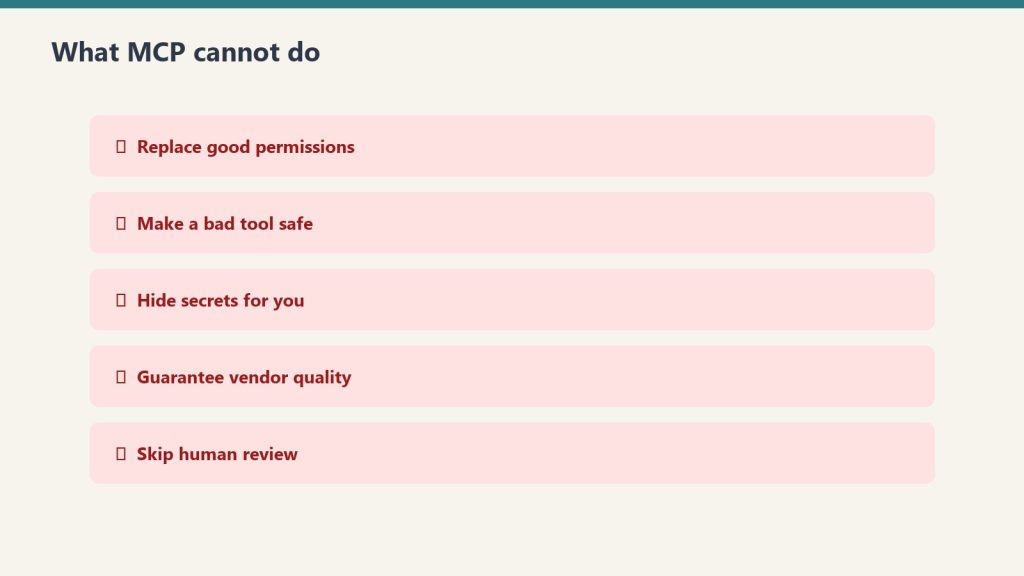
What MCP Cannot Do
What MCP cannot do — permissions and review still matter.
A few things worth understanding before you build on MCP:
MCP servers don’t persist between conversations. Each Claude session starts fresh. If you need state persistence, you need a server with its own storage layer (the Memory server handles this specifically).
MCP doesn’t bypass Claude’s safety guidelines. Claude still decides whether to execute a tool call based on safety and ethics reasoning. Connecting a filesystem server doesn’t give Claude unlimited license to delete files — Claude will still confirm before destructive operations.
Subprocess MCP servers are local. The stdio transport runs servers on your machine. This means they only work when you’re running Claude Code locally. For remote or team-shared access, you need HTTP/SSE transport with a hosted server.
Security Considerations
MCP servers have real permissions. The filesystem server can read and write files. The GitHub server can push code to your repos. The Postgres server can run SQL queries.
Apply the principle of least privilege:
Scope filesystem servers to the directory you actually need, not /
Use read-only database credentials where you don’t need writes
Create GitHub tokens with minimum required scope (e.g., repo for private repos, not org-level admin)
Never commit environment variables containing API keys to source control, even in .claude/settings.json — use env var references instead
MCP servers run with the permissions of the user running Claude. If something goes wrong with a tool call, it can have real consequences. The upside: everything runs locally and through your own credentials — there’s no MCP cloud intermediary with access to your data.
MCP and Claude Code’s Agentic Workflows
The full power of MCP shows up in Claude Code’s multi-step agentic mode. When Claude Code has access to git, a filesystem, a browser, and a search tool simultaneously, it can execute workflows like:
Search the web for a library’s current API (Brave Search)
Read your existing code to understand the integration point (filesystem)
Write the updated code (filesystem write)
Run tests (bash)
Create a PR (GitHub)
Each of these steps would require a separate tool in a traditional automation stack. With MCP, Claude orchestrates all of them within a single session, using whatever servers are available.
This is what makes MCP the infrastructure layer for agentic AI — not a feature, but the foundation that makes complex AI-driven workflows possible.
What does MCP stand for?
Model Context Protocol. It’s an open standard for connecting AI models to external tools, data sources, and services through a standard client-server interface.
Who created MCP?
Anthropic created MCP and released it as an open standard in November 2024. The specification and reference servers are open-source on GitHub. While Claude is the primary client, other AI systems can implement MCP clients too.
Do I need to install MCP to use Claude?
No. Claude works without any MCP servers. MCP is an extension layer — you add servers when you want Claude to access specific external systems. Claude Code also ships with a set of built-in tools (file operations, bash, web fetch) that don’t require MCP installation.
Is MCP available on Claude.ai (the web app)?
MCP server support is primarily in Claude Desktop and Claude Code. The Claude.ai web interface has its own tool integrations (web search, document analysis) but doesn’t support custom MCP servers in the same way.
What’s the difference between MCP tools and Claude’s native tools in Claude Code?
Claude Code’s native tools (Read, Write, Bash, Glob, Grep, WebFetch, Agent) are built into the application and don’t require a separate server process. MCP servers are external — they run as subprocesses or network services that Claude Code connects to. Both expose tools that Claude can call; the mechanism for loading them is different.
How do I build my own MCP server?
Anthropic provides official SDKs for building MCP servers in TypeScript, Python, Go, and other languages. The TypeScript SDK (@modelcontextprotocol/sdk) is the most mature. Start with Anthropic’s MCP documentation and the reference server implementations on GitHub as templates.
Last verified: June 12, 2026. MCP specification and server ecosystem evolve quickly — check the official Anthropic MCP documentation for the current spec.
The most useful thing you can wire into Claude Code isn’t a new model or a clever prompt — it’s your actual database. When Claude Code can read your schema, it stops guessing at table names, column types, and relationships. It starts writing queries that work the first time.
This is the practical walkthrough for connecting Claude Code to a Postgres database via MCP: the command, the credential setup, the safety pattern, and what the workflow actually looks like once it’s running.
Last refreshed: October 20, 2026 (Pacific)
What the Postgres MCP server does
What the Postgres MCP server does.
The official @modelcontextprotocol/server-postgres package (maintained in the MCP reference implementations repo) gives Claude Code four tools: schema inspection, query execution inside a read-only transaction, table detail lookup, and relationship traversal. The server cannot write data — it’s read-only by design in the reference implementation, though third-party variants like postgres-mcp-pro add configurable write access if you need it.
For the majority of development workflows — debugging, writing migrations, generating queries — read-only is exactly what you want. Claude Code can see the shape of your data without being able to touch it.
The fastest path: single command setup
Fastest path — single command setup.
If you just want it running against a local database:
claude mcp add postgres -- npx -y @modelcontextprotocol/server-postgres "postgresql://USER:PASSWORD@localhost:5432/mydb"
The -y flag on npx auto-accepts the package install so the command doesn’t hang on first run. Verify with:
claude mcp list
You should see postgres with a connected status. That’s it — Claude Code now has schema access in the current project.
Don’t do this for a production database. The connection string above is hardcoded. It goes into ~/.claude.json as plaintext. Use a dedicated local or staging database during development, and use env vars for anything that matters.
The right way: env vars and a read-only user
Right way — env vars and a read-only user.
Two things to do before connecting to any real database:
1. Create a read-only Postgres user:
CREATE USER claude_readonly WITH PASSWORD 'your-password-here';
GRANT CONNECT ON DATABASE your_db TO claude_readonly;
GRANT USAGE ON SCHEMA public TO claude_readonly;
GRANT SELECT ON ALL TABLES IN SCHEMA public TO claude_readonly;
ALTER DEFAULT PRIVILEGES IN SCHEMA public GRANT SELECT ON TABLES TO claude_readonly;
This user can see everything in public and do nothing else. If something goes wrong — a rogue tool call, a compromised session — blast radius is zero.
2. Reference the connection string via env var in .mcp.json:
Set DATABASE_URL in your shell environment or in a .env file (not committed). Add .mcp.json to the repo — everyone on the team gets the same server config — but the actual connection string lives in each developer’s local environment. This is the same pattern you already use for application config. It’s the right pattern here too.
Add the server at project scope so it’s committed:
claude mcp add --scope project --transport stdio db -- npx -y @modelcontextprotocol/server-postgres
Then edit .mcp.json to replace the hardcoded connection string with the ${DATABASE_URL} env var reference shown above.
What Claude Code can actually do with schema access
Once the server is connected, the workflow changes significantly. A few real examples:
Schema exploration: Ask Claude Code “what tables are in this database and how are they related?” and it traverses foreign keys, describes join paths, and builds a mental model of your data layer. No more copy-pasting \dt output.
Query generation: “Write a query that finds users who signed up in the last 30 days but haven’t completed onboarding” produces accurate SQL because Claude Code knows your actual column names. With a generic prompt and no schema access, you’d get plausible-looking SQL that fails because user_status is actually onboarding_state.
Migration drafting: “I need to add a last_login_at column to users — show me the migration and check for existing timestamp patterns in the schema.” Claude Code inspects the schema first, matches your existing column naming conventions, and produces a migration that fits your codebase.
Debugging: “This query is returning the wrong count — here’s the query, check it against the schema.” Claude Code can spot that you’re joining on a nullable column, missing a filter on a soft-delete flag, or aggregating before filtering.
Neon and cloud Postgres
If you’re on Neon, there’s a first-party MCP server with additional capabilities: branch management, database creation, and schema migrations via Neon’s branching model. Set it up with:
npx neonctl mcp add
This runs OAuth through your browser and configures Claude Code automatically. The Neon MCP server is intended for local development and IDE workflows — not production automation — same caution applies.
Debugging when it doesn’t connect
Three commands for when the server shows as disconnected:
claude mcp list          # check registered servers and status
claude mcp test db       # test a specific server
claude --debug           # tail logs including MCP stderr output
Most connection failures are either a wrong connection string, a missing env var, or Node version issues with npx. The debug log shows the exact error from the server process — read it before assuming the problem is Claude Code.
The practical baseline
Five minutes to set up. The productivity delta on any codebase larger than a few tables is immediate — Claude Code stops making column-name mistakes and starts being genuinely useful for data-layer work. Wire up the read-only user, commit the .mcp.json, and add DATABASE_URL to your team’s .env.example. Done.
The model doing the work in a typical Claude Code session is claude-sonnet-5-5 (workhorse) — it handles schema-aware query generation well without burning through Opus 5.5 credits on every lookup.
How do I connect Claude Code to a Postgres database via MCP?
Run: claude mcp add postgres — npx -y @modelcontextprotocol/server-postgres “postgresql://USER:PASSWORD@localhost:5432/mydb”. The -y flag auto-accepts the package install so the command doesn’t hang. Then run claude mcp list and confirm postgres shows a connected status. Use a local or staging database for this quick path, not production.
Is the Postgres MCP server read-only?
Yes. The official @modelcontextprotocol/server-postgres package is read-only by design — it exposes schema inspection, query execution inside a read-only transaction, table detail lookup, and relationship traversal. It cannot write data. Third-party variants like postgres-mcp-pro add configurable write access if you need it.
What’s the safe way to connect Claude Code to a production database?
Create a dedicated read-only Postgres user (GRANT SELECT only), and reference the connection string through an environment variable in .mcp.json using ${DATABASE_URL} rather than hardcoding it. Commit .mcp.json so the team shares the server config, but keep the actual connection string in each developer’s local .env. If a session is ever compromised, the blast radius is zero.
Why does schema access make Claude Code more accurate?
With schema access, Claude Code reads your real table names, column types, and relationships, so it writes queries that work the first time instead of guessing. Without it, you get plausible-looking SQL that fails because user_status is actually onboarding_state. It also improves migration drafting and query debugging by matching your existing conventions.
How do I debug a Postgres MCP server that won’t connect?
Use three commands: claude mcp list to check registered servers and status, claude mcp test db to test a specific server, and claude –debug to tail logs including MCP stderr. Most failures are a wrong connection string, a missing env var, or a Node version issue with npx — the debug log shows the exact server error.
There are two ways to connect Notion to Claude over the Model Context Protocol (MCP), and almost every tutorial only covers one of them. Worse, none of them tell you why the connection succeeds but Claude still says it cannot find any of your pages. This guide covers both paths – the hosted OAuth connector and the self-hosted token route – with the exact config, the scopes that matter, the rate limit you will hit, and the specific error strings that show up when something is wrong. It is written from actually running this, not from reading the docs.
Which Notion MCP should you use: hosted or self-hosted?
Hosted vs self-hosted Notion MCP.
Short answer: use the hosted MCP at https://mcp.notion.com/mcp for almost everything. It uses OAuth, so you never handle a token, and it respects your existing Notion permissions automatically. Use the self-hosted npm server with an internal integration token only when you need headless, unattended automation (a cron job, a server with no human to click “Allow”), because the hosted server requires an interactive OAuth approval that a background process cannot complete.
Factor
Hosted (mcp.notion.com)
Self-hosted (npm + token)
Auth
OAuth (interactive)
Internal integration token (ntn_)
Permissions
Inherits your full Notion access
Only pages you explicitly share
Setup time
~2 minutes
~10 minutes
Headless / cron
No (needs a human to approve)
Yes
Best for
Claude Desktop, Claude Code, daily use
Servers, scripts, multi-user backends
Notion MCP config generator
Answer two questions, get your exact setup. No guessing, no stale docs.
Copied!
Rolling this out across a team? One person’s MCP setup is a weekend project. Ten people’s is an IT ticket queue. We set up AI workflows for businesses — Notion, Claude, and the glue between them. Tell us what you’re connecting →
How do I connect Notion to Claude using the hosted MCP?
Connect Notion to Claude via hosted MCP.
This is the fast path. No token, no npm.
Claude Desktop / Claude.ai: Open Settings > Connectors, click Add custom connector (or pick Notion if it appears in the directory), and paste the URL https://mcp.notion.com/mcp. A Notion OAuth window opens. Approve it, choose which workspace and which top-level pages the connector may see, and you are done. The scope you pick in that OAuth screen is the whole ballgame – see the gotcha below.
Claude Code (CLI): one command.
claude mcp add --transport http notion https://mcp.notion.com/mcp
Then run /mcp inside Claude Code to trigger the OAuth login. After approving, verify it is live:
claude mcp list
You should see notion with a connected status. If it shows failed or needs auth, run /mcp again and complete the browser flow – the CLI cannot proceed past OAuth on its own.
How do I set up the self-hosted Notion MCP with an integration token?
Use this when you need automation that runs without a human. Three steps: create the integration, get the token, then wire it into your MCP config.
1. Create the integration and copy the token
Go to https://www.notion.so/my-integrations and click New integration. You must be a Workspace Owner – if the button is greyed out, that is why.
Name it, select the workspace, and choose Internal integration type.
On the integration’s settings page, set Capabilities: Read content, plus Update/Insert content if you want Claude to write. If you only grant Read, every write attempt fails with a permission error later – this is a common self-inflicted wound.
Click Show, then copy the Internal Integration Token. New tokens start with ntn_ (older ones start with secret_ and still work). Treat it like a password.
2. Add it to your MCP config
For Claude Desktop, edit claude_desktop_config.json (macOS: ~/Library/Application Support/Claude/; Windows: %APPDATA%\\Claude\\). Add:
Restart Claude Desktop completely (quit, do not just close the window). On Windows, if npx is not found, use the full path to npx.cmd or run via cmd /c – the config does not inherit your shell PATH.
3. The step everyone forgets: share the pages
An internal integration starts with access to nothing. Creating it and pasting the token is not enough. For every page or database you want Claude to touch, open it in Notion, click the … menu (top right), choose Connections (or Add connections), and select your integration. Access is inherited by child pages, so sharing a top-level page covers its whole subtree. Skip this and Claude will connect cleanly and then truthfully report that it cannot see any content.
What are the most common Notion MCP errors and how do I fix them?
Common Notion MCP errors and fixes.
These are the failure messages you will actually see, and what each one means.
“Could not find page” / Claude returns zero results from a workspace that clearly has pages
Cause, in order of likelihood: (1) you did not share the page with the integration (self-hosted), or you scoped the OAuth grant too narrowly (hosted); (2) the page is in a different workspace than the one the integration is tied to. Fix: re-check the Connections menu on the specific page, or re-run the OAuth flow and widen the page selection. An integration token is bound to one workspace – it cannot see another.
API token is invalid (HTTP 401 unauthorized)
The token is wrong, was regenerated, or has a stray space/newline from copy-paste. Re-copy it with the Show button, paste it into the env block with no surrounding whitespace, and restart the client. If you rotated the token in Notion, the old one dies immediately – update every config that used it.
Claude tried to write a property type that does not match the database schema – for example sending plain text into a Select, or a malformed date. This is not a connection problem. Tell Claude the exact property names and types, or ask it to fetch the database schema first before writing.
“Rate limited” / HTTP 429
Notion enforces roughly 3 requests per second per integration (averaged, with short bursts tolerated). Bulk operations – “update 200 rows,” “scan every page” – blow straight through this. The fix is pacing, not a bigger plan: have Claude batch in small groups and add a short delay between calls. If you are scripting around the MCP, honor the Retry-After header on a 429 instead of hammering.
spawn npx ENOENT (server will not start, self-hosted)
Node/npx is not on the PATH the client sees. Install Node, then point command at the absolute path to npx (or npx.cmd on Windows). This is the number-one self-hosted startup failure.
MCP server shows “failed” in claude mcp list right after adding it
For the hosted server this almost always means OAuth was never completed – run /mcp and approve in the browser. For the self-hosted server it means the process crashed on launch; run the npx command manually in a terminal to see the real stack trace.
Notion MCP Configuration Checklist
Run this before you call the setup done. Every box is a real failure mode from the guide above.
Setup completeness 0 of 10
Check each item as you verify it.
All ten green. Your Notion–Claude wiring is solid. Rolling this out across a team, or want it wired into real workflows instead of weekend tinkering?
What can Claude actually do with Notion once connected?
With read + write capabilities granted, Claude can search your workspace, read pages and databases, create pages, append blocks, and update properties on existing rows. Practical things that work well: “summarize this Notion doc,” “create a row in my tasks database with these fields,” “find every page mentioning X and list the links,” “turn this conversation into a meeting-notes page.” Things that get awkward: very large pages (the response can get truncated – verify the write actually landed by fetching it back), and bulk edits that trip the rate limit. A reliable habit is to treat Notion as the source of truth and have Claude verify by re-fetching after any write, because timeouts on big pages can commit silently and still return a malformed response.
What is the connection worth to you?
Operators who wire Claude into Notion typically cut manual capture, entry, and doc-hunting time by roughly 30% — an illustrative estimate, not a guarantee. Put in your own numbers:
Saved per week
1.5 hrs
Saved per year
78 hrs
Value per year
$5,850
Illustrative math: 30% of your manual information-work hours, × 52 weeks. Real savings depend on your workflows.
Security notes from running this in production
Scope the OAuth grant tightly. The hosted connector inherits whatever you approve. If you only need one project area, share only that top-level page, not the whole workspace.
Never hardcode the token in a file you might commit. Keep ntn_ tokens in an env var or your OS secret store, and reference them from config. If a token leaks, revoke it in my-integrations immediately – revocation is instant.
Grant the minimum capability. If Claude only needs to read, do not enable insert/update. You can always widen it later.
Audit which integrations have access to sensitive databases periodically; the Connections menu on each page shows the current list.
If you are wiring up several connectors at once, the mechanics generalize – see our broader Claude MCP setup guide for the config patterns that apply across servers, and the AI operator’s stack for how Notion fits alongside the other tools day to day. If your reason for connecting Notion is to get your own content cited by AI systems, the structure of the pages matters as much as the wiring – see how AI engines cite content.
Frequently Asked Questions
Do I need a paid Notion plan to use the MCP?
No. The API and integrations work on free Notion workspaces. You do need to be a Workspace Owner to create an internal integration.
Why does Claude say it can’t find my Notion pages after connecting?
The most common reason is that you haven’t shared the specific pages or databases with your Notion integration. Notion’s permission model requires explicit page-level grants — a successful connection does not automatically give access to all your content. Go to the page in Notion, click the three-dot menu, choose ‘Add connections’, and select your integration.
What rate limits does the Notion API have?
Notion’s API enforces a rate limit of 3 requests per second per integration. For typical conversational use this is invisible, but if you ask Claude to crawl a large database or process many pages in sequence, you may see 429 errors. The fix is to add a short sleep between bulk operations or use Notion’s pagination to fetch in smaller batches.
What does the ntn_ prefix mean on my token?
It is the current internal integration token format. Tokens created today start with ntn_; older secret_ tokens still function and do not need to be replaced.
Can the hosted Notion MCP run in a headless cron job?
No. The hosted server requires interactive OAuth approval, which an unattended process cannot complete. Use the self-hosted npm server with an ntn_ token for headless automation.
How do I let Claude write to Notion, not just read?
Enable Update content and Insert content under the integration’s Capabilities (self-hosted), or approve write scope during OAuth (hosted). Read-only is the default and will reject every write with a permission error.
Where do I put the Notion MCP config for Claude Desktop?
In claude_desktop_config.json – ~/Library/Application Support/Claude/ on macOS, %APPDATA%\\Claude\\ on Windows. Add a notion entry under mcpServers and fully restart the app.
Can one integration access two workspaces?
No. An internal integration is bound to the single workspace it was created in. For a second workspace, create a second integration (or a second OAuth grant on the hosted connector).
What is the Notion MCP server for Claude?
The Notion MCP server is a connector that lets Claude read, search, and interact with your Notion workspace through the Model Context Protocol. With it connected, you can ask Claude to find pages, summarize databases, draft content into Notion, or retrieve information — all without copying and pasting anything manually.
What is the difference between the Notion OAuth connector and the self-hosted token route?
The OAuth connector (available in Claude Desktop’s built-in integrations) is the fastest path — authorize once and Claude gets read access to pages you share with the integration. The self-hosted route uses a Notion Internal Integration token in your claude_desktop_config.json, giving you more control over scopes and works in Claude Code environments where OAuth connectors aren’t available.
What scopes does the Notion MCP integration need?
For read operations: Read content and Read user information. For write operations: Update content and Insert content. Avoid requesting more scopes than you need — the minimum set reduces the blast radius if a token is ever compromised. Set scopes when creating your Notion Internal Integration at notion.so/my-integrations.
Does the Notion MCP integration work with Claude Code?
Yes. Add it via ‘claude mcp add notion npx @notionhq/notion-mcp-server’ and set your NOTION_API_KEY as an environment variable. Claude Code picks it up on the next session. The self-hosted token route works in both Claude Desktop and Claude Code; the OAuth connector is currently Desktop-only.
What is the Notion MCP server and how do I set it up?
The Notion MCP server is a connector that lets Claude read, search, and write to your Notion workspace through the Model Context Protocol — no copy-pasting between apps. Two setup routes: the hosted route (Claude Desktop → Settings → Connectors → Notion → authorize via OAuth, about two minutes) or the self-hosted route (create a Notion internal integration, copy the token, add it to your MCP config, then share your pages with the integration — the step almost everyone forgets).
How do I connect Claude to Notion?
Use the hosted MCP connector: in Claude Desktop, open Settings → Connectors, choose Notion, and authorize via OAuth. For Claude Code, add Notion’s remote MCP server with the claude mcp add command. After connecting, verify Claude can actually see your pages — if it returns zero results on a workspace that clearly has pages, you skipped the page-sharing step.
Can Claude read and write my Notion databases?
Yes. Reading works as soon as the connection is live — Claude can search pages, query databases, and pull property values. Writing needs the integration to carry write scopes and the target pages shared with it; then Claude can append database rows, update properties, and draft pages directly. Keep the approval habit for shared workspaces: Claude drafts, you approve.
MCP (Model Context Protocol) is how you give Claude hands. Out of the box Claude can talk; with an MCP server connected, it can read your files, query a database, hit an API, or drive a browser. This guide covers the two places you actually wire servers up: the claude_desktop_config.json file for the Claude Desktop app, and the claude mcp add command for Claude Code (the terminal/IDE tool). It ends with the troubleshooting section the official docs skip: path problems, JSON syntax traps, servers that silently never load, and the Windows quirks that cost people an afternoon.
Everything below is checked against the current Claude Code MCP docs and tested commands. If you want the wider picture of how MCP fits into a working setup, see the AI operator’s stack.
What is MCP and what is an MCP server?
What MCP is — and what an MCP server is.
MCP transport options at a glance
Transport
Use case
Config location
Works with
stdio
Local tools, CLIs, scripts
claude_desktop_config.json or claude mcp add
Claude Desktop, Claude Code
SSE (HTTP)
Remote servers, cloud services
URL in config
Claude Desktop, Claude Code
Streamable HTTP
Production remote MCP
URL in config
Claude Desktop, Claude Code
MCP is an open standard for connecting AI models to external tools and data. An MCP server is a small program that exposes a set of tools (functions Claude can call) over that protocol. Claude is the client; the server is the thing that actually does the work, like reading a Postgres table or creating a GitHub issue.
There are two transport types you will deal with in practice:
stdio (local): the server runs as a process on your machine. Claude talks to it over standard input/output. Best for filesystem access, local databases, and custom scripts. This is what most “install this MCP server” instructions mean.
HTTP (remote): the server lives on the internet at a URL. Best for cloud services (Notion, Sentry, Stripe, GitHub). Often uses OAuth. SSE is the older remote transport and is now deprecated; use HTTP for new remote servers.
The same server can usually be added to both Claude Desktop and Claude Code. The mechanics differ: Desktop uses a JSON file you edit by hand, Claude Code gives you a CLI that writes the config for you.
How do I add an MCP server to Claude Desktop?
Add an MCP server to Claude Desktop.
For local stdio servers, Claude Desktop still reads a single JSON file — you edit it, fully quit the app, and reopen. The config file remains the source of truth for anything that runs on your own machine. Remote servers are a different story: Claude Desktop now offers an in-app route (Settings > Connectors > Add custom connector) that adds a remote server by URL and handles OAuth for you.
Windows:%APPDATA%\Claude\claude_desktop_config.json (paste that into the File Explorer address bar; it expands to C:\Users\YOU\AppData\Roaming\Claude\)
The fastest way to open it: in Claude Desktop go to Settings > Developer > Edit Config. That button creates the file if it does not exist and opens the folder. If the file is brand new it may be empty or just {}.
The config file structure
Everything lives under a top-level mcpServers object. Each key is a name you choose; each value describes how to launch the server. Here is a complete, working file with a local filesystem server and a remote Notion server:
command the executable to run (npx, node, python, uvx, or an absolute path to a binary).
args an array of arguments. Each flag and value is its own array element. "--port 8080" as a single string will not work; use "--port", "8080".
env an object of environment variables (API keys, tokens). Optional.
After saving, completely quit Claude Desktop (on Windows, right-click the system tray icon and choose Quit; closing the window is not enough) and reopen it. You should see a tools/connector indicator in the chat input. For a full Notion walkthrough including the token, see connecting Notion to Claude with MCP.
How do I add an MCP server to Claude Code (CLI)?
Add an MCP server to Claude Code CLI.
Claude Code does not make you hand-edit JSON. The claude mcp command manages servers for you and writes to the right file. This is the part people get wrong most often, so here is the exact, verified syntax.
claude mcp add
The general form for a local (stdio) server is:
claude mcp add [options] <name> -- <command> [args...]
The -- is load-bearing. Everything before it is for Claude Code; everything after it is the command that launches your server. Real examples:
# Local filesystem server
claude mcp add filesystem -- npx -y @modelcontextprotocol/server-filesystem ~/Documents

# Local server with an environment variable
claude mcp add --env AIRTABLE_API_KEY=YOUR_KEY airtable -- npx -y airtable-mcp-server

# Remote HTTP server
claude mcp add --transport http notion https://mcp.notion.com/mcp

# Remote HTTP server with an auth header
claude mcp add --transport http github https://api.githubcopilot.com/mcp/ --header "Authorization: Bearer YOUR_PAT"
Option ordering matters. All flags (--transport, --env, --scope, --header) must come before the server name. Put a flag after the name and you will get a confusing parse error or the flag will be passed to your server instead of to Claude Code.
Scopes: local, project, user
The --scope flag decides where the config is written and who sees it:
local (the default) loads only in the current project, private to you. Stored in ~/.claude.json keyed by the project path.
project loads in the current project and is shared with your team. Stored in a .mcp.json file at the project root that you commit to git.
user loads across all your projects, private to you. Also stored in ~/.claude.json.
# Available across all your projects
claude mcp add --scope user --transport http sentry https://mcp.sentry.dev/mcp

# Shared with your team via .mcp.json in the repo
claude mcp add --scope project filesystem -- npx -y @modelcontextprotocol/server-filesystem .
When the same server name exists at multiple scopes, local wins over project, which wins over user. The whole entry from the winning scope is used; fields are not merged.
claude mcp list, get, and remove
# List every configured server and its connection status
claude mcp list

# Show the full config for one server
claude mcp get github

# Remove a server
claude mcp remove github
claude mcp list is your first diagnostic. It shows each server as connected, pending, or failed. Project-scoped servers from a .mcp.json you have not approved yet show as Pending approval until you run claude interactively and accept them.
Other useful commands
# Add from a raw JSON blob (handy when copying from a server's README)
claude mcp add-json weather '{"type":"stdio","command":"npx","args":["-y","weather-mcp"]}'

# Import everything you already set up in Claude Desktop (macOS / WSL)
claude mcp add-from-claude-desktop
Inside a running Claude Code session, type /mcp to see live server status, tool counts, and to trigger OAuth login for remote servers that need it.
Troubleshooting: the errors the docs skip
Most MCP failures are not exotic. They are paths, quoting, and the app not restarting. Work this list top to bottom.
Server not loading / no tools appear
Did you actually restart? Claude Desktop only reads the config at launch. Fully quit (tray icon > Quit on Windows, Cmd+Q on macOS) and reopen. In Claude Code, run claude mcp list to see the real status instead of guessing.
Is the command on PATH? The single most common stdio failure is npx, node, python, or uvx not being found by the app. GUI apps often have a narrower PATH than your terminal. Fix it by using an absolute path. Find it with which npx (macOS/Linux) or where npx (Windows), then put that full path in command.
Read the logs. Claude Desktop writes per-server logs. macOS: ~/Library/Logs/Claude/. Windows: %APPDATA%\Claude\logs\. Look for mcp-server-NAME.log. The actual error (missing module, bad token, wrong path) is almost always sitting right there.
spawn ENOENT or “command not found”
This means the OS could not find the executable named in command. It is a PATH problem, not a Claude problem. Use the absolute path (see above). On Windows specifically, see the npx note below.
JSON syntax errors (the silent killer)
If claude_desktop_config.json has a single syntax error, Claude Desktop loads zero servers and usually says nothing. The usual culprits:
Trailing commas. JSON forbids a comma after the last item in an object or array. "args": ["a", "b",] is invalid.
Smart quotes. If you edited the file in a word processor, curly quotes (the slanted kind) break the parser. Use a code editor and straight quotes only.
Unescaped Windows backslashes. In JSON, \ is an escape character, so every backslash in a Windows path must be doubled: C:\\Users\\YOU\\Documents. A single backslash silently corrupts the string.
Paste the whole file into any JSON validator before restarting. Thirty seconds there saves an hour of staring.
Claude Code: flag passed to the wrong place
If claude mcp add behaves strangely, you almost certainly put a flag after the server name or forgot the --. Reread the order: claude mcp add [flags] NAME -- COMMAND ARGS. The -- separates Claude Code’s flags from your server’s command.
Windows quirks
npx needs a wrapper in some setups. If a bare "command": "npx" fails on Windows, launch it through cmd: "command": "cmd" with "args": ["/c", "npx", "-y", "the-server-package"]. This resolves a class of “npx works in my terminal but not in Claude” failures.
Use the right config root. It is %APPDATA%\Claude\ (which is AppData\Roaming), not AppData\Local. Mixing these up means you are editing a file the app never reads.
Git Bash mangles paths. If you run commands through Git Bash, it can rewrite paths like /c/Users or absolute paths inside arguments. Prefer PowerShell or cmd for claude mcp add, or pass paths exactly as Windows expects them.
WSL is a separate world. A server installed inside WSL is not visible to a Windows-native Claude Desktop, and vice versa. Keep both on the same side.
Remote server returns 401 / 403
The server needs authentication. In Claude Code, run /mcp and complete the OAuth flow in your browser. If you hardcoded an Authorization header and it is rejected, the token is wrong for that endpoint; remove the header and let OAuth handle it instead.
Frequently asked questions
What is an MCP server in one sentence?
A small program that exposes tools (functions like read-file or query-database) to Claude over the Model Context Protocol, so Claude can take real actions instead of only producing text.
What is the difference between Claude Desktop and Claude Code for MCP?
Claude Desktop is the chat app and you configure servers by hand-editing claude_desktop_config.json, then restarting. Claude Code is the terminal/IDE tool and you configure servers with the claude mcp add command, which writes the config for you.
Where is the Claude Desktop config file?
macOS: ~/Library/Application Support/Claude/claude_desktop_config.json. Windows: %APPDATA%\Claude\claude_desktop_config.json. The quickest way to open it is Settings > Developer > Edit Config inside the app.
Why is my MCP server not showing up?
In order of likelihood: you did not fully restart the app, the command is not on the app’s PATH (use an absolute path), or there is a JSON syntax error such as a trailing comma, a smart quote, or an unescaped Windows backslash. Check the per-server log in the Claude logs folder for the exact error.
What does the double dash do in claude mcp add?
The -- separates Claude Code’s own flags from the command that launches your server. Flags like --transport and --env go before it; the actual launch command (npx -y some-server) goes after it.
What is the default scope for claude mcp add?
local. The server loads only in the current project and stays private to you. Use --scope user to make it available in every project, or --scope project to share it with your team via a committed .mcp.json.
Is SSE or HTTP the right transport for remote servers?
HTTP. SSE still works but is deprecated. Use --transport http for any new remote server unless its documentation specifically requires SSE.
How do I remove an MCP server?
In Claude Code, run claude mcp remove NAME. In Claude Desktop, delete that server’s entry from the mcpServers object in claude_desktop_config.json and restart the app.
Where to go next
Once your servers connect cleanly, the leverage comes from using them well. For how this fits a daily workflow, read the AI operator’s stack; if you are choosing between coding environments, see Claude Code vs Cursor. And if you want a concrete first server to wire up, the Notion MCP setup is a clean, high-value place to start.
Frequently Asked Questions
What is MCP and why does it matter for Claude?
MCP (Model Context Protocol) is an open standard that lets Claude connect to external tools, databases, APIs, and services. Without MCP, Claude can only work with text in the conversation window. With an MCP server connected, Claude can read your files, query a live database, hit an API, or control a browser — turning it from a chat interface into an autonomous agent.
How do I add an MCP server to Claude Desktop?
Edit the claude_desktop_config.json file (found at ~/Library/Application Support/Claude/ on Mac, %APPDATA%/Claude/ on Windows). Add your server under the ‘mcpServers’ key with a ‘command’, ‘args’, and optional ‘env’ block. Save the file and restart Claude Desktop. The server appears in Claude’s tool list if it loaded correctly.
How do I add an MCP server to Claude Code?
Run ‘claude mcp add [args…]’ from your terminal. For a remote SSE server use ‘claude mcp add –transport sse ‘. List configured servers with ‘claude mcp list’. Servers added this way are scoped to your user profile unless you use the –project flag.
Why does my MCP server connect but Claude can’t see my data?
The most common cause is scope or permission gaps. For Notion, verify your integration has been granted access to the specific pages/databases — the connection succeeds even without page access. For file servers, check that the path in your config resolves correctly from the shell Claude launches (not your interactive shell). For OAuth servers, re-authorize and confirm token scopes.
What is the difference between stdio and SSE MCP transports?
stdio runs the MCP server as a local subprocess — Claude launches the command you specify and communicates over stdin/stdout. This is used for local tools and CLIs. SSE (Server-Sent Events) connects to a remote HTTP server. Use stdio for local tools like filesystem access or database clients; use SSE or Streamable HTTP for cloud services or shared team servers.
Which MCP servers should I start with?
The highest-value first connections are: filesystem (read/write your local files), a database client for your primary DB, and a service you interact with daily (Notion, Slack, GitHub, Linear). The Notion MCP server is a clean first project — see the dedicated setup guide on this site for the exact config and common errors.
Everyone teaches you how to add an MCP server to Claude Code. Almost nobody teaches you where to add it — and that one decision, the scope flag, is the difference between a clean team setup and three engineers debugging why the same server works on one machine and not another. I’ve watched it happen. The fix is always the same: someone added a server at the wrong scope.
If you run claude mcp add without thinking about scope, Claude Code makes the choice for you. It defaults to local. That’s fine for a throwaway experiment and wrong for almost everything else.
The three scopes, and what each one actually controls
The three scopes, and what each one actually controls.
Claude Code stores MCP server configurations in three places, and the --scope flag decides which one you’re writing to.
Local scope (the default) writes the server config into your personal settings, keyed to the current project path, inside ~/.claude.json. Nobody else sees it. It doesn’t get committed. Open the same repo on your laptop at home and the server isn’t there. This is the scope you want for a one-off — a database you’re poking at this afternoon, a server you’re still deciding whether to keep.
Project scope writes to a .mcp.json file at the root of the repository. You commit that file to git. Everyone who clones the repo gets the same servers, configured the same way. This is the scope that makes MCP a team decision instead of a personal one — and it’s the one most people skip because the default never points them at it.
User scope writes to your global config so the server is available in every project you open, regardless of which repo you’re in. This is for the handful of servers you genuinely use everywhere — a documentation search server, a personal notes tool — not for anything project-specific.
The mental model I use: local is “me, here, now.” Project is “anyone on this repo.” User is “me, everywhere.” If you can articulate which of those three sentences describes the server, you know the flag.
The command, written three ways
The command, written three ways.
Same server, three scopes. The only thing that changes is the flag.
# Local — default, personal, not committed
claude mcp add --transport stdio my-db -- npx -y @some/db-mcp-server

# Project — shared via .mcp.json, commit to git
claude mcp add --scope project --transport stdio my-db -- npx -y @some/db-mcp-server

# User — available in every project you open
claude mcp add --scope user --transport stdio my-db -- npx -y @some/db-mcp-server
Verify what’s connected and where it came from with claude mcp list. If a teammate reports a server “isn’t working” and yours is fine, this is the first command to run on both machines — the discrepancy is almost always a scope mismatch, not a broken server.
The .mcp.json pattern that actually pays off
The .mcp.json pattern that actually pays off.
Here’s the workflow that turns this from trivia into leverage. When you onboard a repo that the whole team uses, you decide once which MCP servers belong to that codebase — the Postgres server pointed at the dev database, the issue tracker, whatever the repo’s daily work requires — and you add them all at project scope. The resulting .mcp.json looks like this:
Commit it. Now a new hire clones the repo, opens Claude Code, and the agent already knows how to query the dev database and read tickets — no setup doc, no Slack thread asking “wait, how do I connect the database again.” The repo carries its own integration surface.
One safety detail worth knowing: when Claude Code encounters project-scoped servers from a .mcp.json it didn’t write, it asks you to approve them before they run. That prompt exists because a committed config file is, technically, code other people can put on your machine. Read what you’re approving — the same way you’d read a package.json script before running it.
Where this bites people
Three failure modes I see repeatedly. First: adding a server at local scope, then wondering why it vanished on a different machine — local is path-and-machine specific, that’s the design. Second: putting a secret directly into .mcp.json and committing it to a public repo. Don’t. Reference an environment variable in the config and keep the actual token out of git. Third: piling everything into user scope so every project loads servers it doesn’t need, which bloats the context the agent has to reason over and slows routing when you have many tools connected.
The cost angle, since it’s a fair question: scoping itself costs nothing. But every connected MCP server adds its tool definitions to the model’s context on each turn. With Sonnet 4.6 as the workhorse model, a lean per-project tool set is faster and cheaper than a kitchen-sink user-scope config you never pruned. Scope discipline is, indirectly, token discipline.
The rule that replaces all of this
Before you run claude mcp add, finish this sentence: “This server should be available to ___.” If the answer is “just me, just here” — local. If it’s “anyone working in this repo” — project, commit the file. If it’s “me, in everything I do” — user. The flag follows from the sentence. Get that habit, and the entire class of “works on my machine” MCP bugs disappears from your team’s life.
Most engineers who install MCP servers in Claude Code stop at GitHub. That’s a mistake. The GitHub server is the easy first install — but the integration that actually changes how I work is Sentry, and the pattern that emerges once it’s wired up tells you everything about how to think about MCP.
Here’s the workflow I’m running this week: an alert fires in Sentry, I paste the issue ID into Claude Code, and the agent reads the stack trace, pulls the offending file from the repo, writes the fix, opens a PR, and links the PR back to the Sentry issue. I never opened the Sentry dashboard. I never copy-pasted a stack trace. Two MCP servers, one terminal, one round trip.
Why Sentry is the high-value second install
Why Sentry is the high-value second install.
GitHub MCP makes Claude Code a contributor. Sentry MCP makes it an on-call responder. The difference matters because the most expensive minutes in any engineering org are the ones between “alert” and “first line of investigation.” That gap is almost entirely context-switching cost — tab to the alerting tool, find the right issue, copy the stack trace, paste it somewhere the LLM can see it, then start.
The Sentry MCP server is a remote HTTP server hosted by Sentry, which means there’s no Docker container to maintain and no local process to babysit. You authenticate once with a personal access token and Claude Code can pull issue details, search across projects, fetch event payloads, and read breadcrumbs directly into context.
The install — three commands, two integrations
The install — three commands, two integrations.
Here’s the actual setup. GitHub first:
claude mcp add github \
  -e GITHUB_PERSONAL_ACCESS_TOKEN=ghp_your_token \
  --scope user \
  -- docker run -i --rm \
  -e GITHUB_PERSONAL_ACCESS_TOKEN \
  ghcr.io/github/github-mcp-server
Then Sentry. Sentry runs as a remote HTTP server, so the syntax is different:
claude mcp add --transport http sentry https://mcp.sentry.dev/mcp \
  --scope user \
  -H "Authorization: Bearer YOUR_SENTRY_PAT"
Verify with claude mcp list. You should see both servers reporting healthy. If Sentry returns a 401, the token doesn’t have the right project scopes — Sentry’s tokens are project-scoped, not org-scoped, so this trips up people who are used to GitHub PATs.
One configuration detail worth noting: I use --scope user for both. Project scope writes to .mcp.json in the repo, which is fine for team-wide tools but wrong for personal credentials. User scope keeps the token in your own config and out of the repo.
The prompt pattern that makes it work
The naive approach is “fix Sentry issue 12345.” That works but burns tokens because Claude has to discover the tool, fetch the issue, parse the stack trace, identify the file, and only then start reasoning about the fix. With Tool Search — the on-demand tool discovery that ships with Claude Code — the cost is lower than it used to be, but it’s still slower than necessary.
The pattern I’ve settled on is more directive: “Pull Sentry issue PROJECT-12345, identify the file and line from the stack trace, read the surrounding context, and draft a fix as a branch off main. Don’t open the PR yet.” That gives Claude a strict sequence and lets me review the branch before anything goes to GitHub.
The “don’t open the PR yet” part matters. When you chain two write-capable MCP servers, the failure mode is that Claude races ahead and pushes a half-baked fix because it has the tools and the authority. Constraining the action surface in the prompt is how you keep this useful instead of dangerous.
What breaks, and how to know
What breaks, and how to know.
Three things have failed for me in the last month and each one is worth knowing.
First: Sentry rate-limits aggressively. If you’re working through a long incident and Claude is making repeated calls, you’ll hit the limit and the tool calls will start returning errors mid-conversation. The fix is to ask Claude to dump everything it needs from Sentry in one call, then work from that context. The token cost is higher upfront but the workflow is more reliable.
Second: GitHub MCP via Docker has a cold-start cost on the first call of a session — typically two to four seconds while the container spins up. This is fine but it does mean the first response feels slow. If you’re on a Mac with Apple Silicon, the container image is multi-arch and works without the --platform linux/amd64 flag.
Third: when both servers are connected and you have other MCP servers installed, Claude will sometimes route a Sentry-shaped question through GitHub’s search instead. The fix is to name the tool in the prompt — “use the Sentry MCP to fetch issue X” — rather than trusting the routing. This is a known cost of running many servers and is the trade-off you accept for breadth.
The pricing reality
Sentry MCP is free to use if you have a Sentry account — there’s no additional charge for the MCP layer. The cost comes from the Claude API tokens you burn pulling Sentry data into context. A typical issue investigation runs 8,000 to 15,000 input tokens depending on stack trace length and breadcrumb count. On Sonnet 4.6 (legacy — still listed) that’s roughly $0.02 to $0.05 per investigation, which is trivial compared to
Lineup currency (Sept 2026): Current API list (Sept 2026, verified): Sonnet 5 $2/$10, Opus 5.5 $4/$20, Haiku 4.5 $1/$5, Fable 5.1 $10/$50. Legacy (still listed on Anthropic’s card): Opus 4.8 $5/$25, Sonnet 4.6 $3/$15.
the engineering time saved.
GitHub MCP is the same story — free server, you pay only for tokens. The Docker image is open source under github/github-mcp-server on GHCR.
What I’d install next
After GitHub and Sentry, the next install that earns its keep is Postgres if you have a database, or Linear if your team uses it for issue tracking. The pattern is the same in every case: the MCP server you want is the one that eliminates the highest-frequency context switch in your day, not the one with the most features. Audit your own tab-switching for a week. Whichever app you alt-tab to most often is the next MCP server worth wiring in.
The deeper lesson is that MCP changes the shape of what a coding agent is for. Without integrations, Claude Code is a smart autocomplete. With two well-chosen MCP servers, it becomes the connective tissue between alert, code, and ship — which is most of what engineering work actually is.
If you’ve ever connected a few Model Context Protocol (MCP) servers to Claude Code and watched your usage limit drain faster than the work you actually did would explain, you’re not imagining it. There’s a real, documented, and sometimes substantial token cost to wiring MCP servers into your Claude environment — and most setup guides don’t mention it.
The short version: each MCP server you connect injects its complete tool schema into the context of every message you send. Multiple servers stack. The total overhead can range from a few thousand tokens for a single server up to roughly 18,000 tokens per turn when you’re running a typical multi-server developer setup. Anthropic’s own engineering team has acknowledged this in a public GitHub issue and shipped optimizations to reduce it.
This article walks through where the overhead actually comes from, how to measure your own setup, what Anthropic has changed in 2026 to ease the cost, and the concrete steps you can take to keep MCP useful without burning through your token budget.
What MCP actually is, briefly
What MCP actually is, briefly.
The Model Context Protocol is an open standard created by Anthropic that lets Claude (and other LLMs that adopt the standard) connect to external tools and data sources through a common interface. Instead of writing a custom integration for every API or database you want Claude to access, you point Claude at an MCP server, and the server exposes its capabilities — file access, Slack messages, GitHub repos, database queries — in a format Claude can use.
It’s a real productivity unlock. It’s also why the token math gets complicated.
Where the token cost comes from
Where the token cost comes from.
When you connect an MCP server to Claude Code (or any MCP-aware client), three things happen on every message:
1. Tool schema injection. Every tool the server exposes — every name, every description, every parameter definition — is included in the context Claude sees. A Slack MCP server with 10–15 tools typically adds about 2,000 tokens. A GitHub server is heavier. A custom internal-tooling server with verbose descriptions can run 5,000–8,000 tokens on its own.
2. Tool-use system prompt overhead. Anthropic’s documentation confirms that whenever tools are present in a request, a special system prompt is automatically prepended that teaches the model how to use tools. For Claude 4.x models with tool_choice: auto, that’s an additional 346 tokens per request. The bash tool adds 245. The text editor tool adds 700. The computer-use tool adds 735 plus a 466–499 token system prompt extension.
3. Stateless re-sending. Each message in a conversation is a fresh API request that includes the full conversation history plus the full tool schema. Claude does not “remember” your tools from the last turn the way a human remembers a colleague’s job description. Every turn pays the schema cost again.
That’s the math. Now multiply by the number of MCP servers you have connected. A developer running Slack + GitHub + a database connector + an internal custom server can easily land in the 15,000–20,000 tokens-per-turn range — and that’s before you’ve typed your actual question.
The 18,000-token figure, sourced
The “up to 18,000 tokens per turn” number comes from a combination of public sources verified May 15, 2026:
Anthropic’s own GitHub repo for Claude Code, issue #3406, titled “Built-in tools + MCP descriptions load on first message causing 10–20k token overhead.” Anthropic engineers acknowledged the issue and have shipped progressive optimizations against it.
Independent analysis by MindStudio measuring real Claude Code sessions with multiple MCP servers attached.
Anthropic’s official Claude Code documentation on cost management explicitly recommends running /mcp to inspect connected servers and disabling unused ones to control token consumption.
The exact number for your setup will be different. The shape of the problem is the same.
Why this matters more than it looks
Claude’s standard context window is 200,000 tokens. Losing 18,000 of those to tool definitions before you start typing represents about 9% of your effective working space. That’s a real ceiling cost — but it’s not the part that hurts most.
The part that hurts is the cumulative bill. If you’re on a Claude subscription with a usage limit, every turn through Claude Code is paying the full schema cost again. A workflow that takes 30 turns of back-and-forth burns 540,000 tokens worth of tool definitions across that session — even if the tool descriptions never change. On the API at current Sonnet 5.5 rates, that’s about $1.08 in pure schema overhead per session, before any of the actual work gets billed.
Lineup currency (Oct 2026): Current API list (Oct 2026, verified): Sonnet 5.5 $2/$10, Opus 5.5 $4/$20, Haiku 4.5 $1/$5, Fable 5.1 $10/$50. Legacy (still listed on Anthropic’s card): Opus 4.8 $5/$25, Sonnet 4.6 $3/$15.
Multiply by a team of engineers running Claude Code daily, and the overhead becomes the largest single line item in your token spend.
What Anthropic has changed in 2026
Anthropic has shipped two meaningful optimizations against MCP token bloat over the past few months:
Deferred tool loading. In recent Claude Code releases, MCP tool definitions are no longer all loaded into context at the start of a session by default. Tool names enter context, but the full schemas only load when Claude actually invokes a particular tool. This is a substantial improvement for sessions where you have many tools available but only use a few.
Tool Search. A new built-in search mechanism lets Claude discover relevant MCP tools on demand rather than carrying them all in context. One independent measurement reported a Claude Code MCP context cut of 46.9% — from roughly 51,000 tokens down to 8,500 tokens — by using Tool Search instead of full upfront loading.
These optimizations help, but they don’t make the overhead zero. The baseline cost of having any MCP server connected at all is real, and you still pay it on every turn even with deferral active.
How to measure your own MCP token cost
How to measure your own MCP token cost.
Two practical methods work for most setups:
Method 1 — The /mcp command. In Claude Code, run /mcp to see every server currently connected. For each one, check how many tools it exposes. Anthropic’s documentation explicitly recommends this as the first step to controlling MCP costs.
Method 2 — Token-count delta. Send a single message in Claude Code with no MCP servers connected and note the input token count from the API response. Reconnect your MCP servers one at a time. The delta in input tokens between configurations is the per-turn cost of each server. This is the most precise way to know your own number.
Anything north of about 8,000 tokens per turn in pure MCP overhead is worth optimizing. North of 15,000 is a flag.
Concrete steps to control MCP token cost
Disable MCP servers you aren’t actively using. The single highest-leverage move. If you connected a server two weeks ago for one experiment and never went back to it, every turn you’ve taken since has been paying for it.
Prefer CLI tools over MCP servers when both exist. Anthropic’s own cost-management guidance notes that tools like gh, aws, gcloud, and sentry-cli remain more context-efficient than equivalent MCP servers because they don’t add per-tool listing overhead. Claude can simply invoke them via the bash tool.
Use MCP gateways for large server counts. If you genuinely need many tools available, gateway products (Maxim, Milvus-backed setups, others) consolidate tools and surface only relevant ones per query, cutting net overhead substantially.
Run a complex CLAUDE.md audit. Long project-level CLAUDE.md files compound the per-turn baseline. Treat CLAUDE.md as an asset that’s expensive to keep verbose.
Watch for context compounding. In long Claude Code sessions, conversation history grows alongside the tool schema cost. If you’re running a workflow longer than 20 turns, periodically clear context (/clear) to reset the per-turn cost to baseline.
No. The 18,000-token figure is for a typical multi-server setup with several connected servers and built-in tools active. A single small MCP server (5–10 tools, concise descriptions) might only add 1,500–3,000 tokens. The cost scales with the number of servers and the verbosity of their tool definitions.
Why does Claude reload the tool definitions every turn?
The Claude API is stateless. Every message is a fresh API request containing the full conversation history and the full tool schema. The model has no memory between requests, so the schema must be present every time tools could be used. Recent deferred-loading optimizations reduce this for unused tools, but anything Claude actually needs still loads each turn.
How do I see what’s loaded in my Claude Code environment?
Run /mcp in Claude Code to list every connected MCP server and its tool count. To check the actual token cost, send a test message and inspect the input token count returned by the API.
Are CLI tools really cheaper than MCP servers?
Yes, for tools that have both options. CLI tools accessed via the bash tool only add the bash tool’s 245-token overhead. An equivalent MCP server adds its full tool schema for every tool it exposes. For tools you use frequently, MCP can still be worth it for the structured interface; for tools you use rarely, CLI is more efficient.
Does this affect Claude on the web (claude.ai) too?
Web Claude does not use the same MCP server-connection model as Claude Code. The MCP token-overhead pattern primarily affects Claude Code, custom Agent SDK applications, and other developer-facing clients where you wire in MCP servers directly.
Will this get better in future Claude releases?
Likely. Anthropic has already shipped deferred tool loading and Tool Search in 2026, both of which materially reduce the per-turn overhead for unused tools. The architectural baseline (tools must be present in context to be invoked) is unlikely to change, but the practical cost should keep dropping as the deferred-loading optimizations mature.
Anthropic GitHub: anthropics/claude-code issue #3406, “Built-in tools + MCP descriptions load on first message causing 10-20k token overhead” (primary source for the overhead figure and Anthropic acknowledgment)
Anthropic Claude Code documentation: Connect Claude Code to tools via MCP and Manage costs effectively (primary source for /mcp command and CLI vs. MCP guidance)
Anthropic Pricing Documentation: tool-use system prompt token counts, bash/text-editor/computer-use overheads (primary source for the per-tool fixed costs)
Independent analysis: MindStudio (multiple Claude Code MCP measurements), Joe Njenga’s Tool Search 51K→8.5K measurement, Maxim and Scott Spence on optimization patterns (Tier 2 confirming sources)
Token-cost numbers in this article are accurate as of May 15, 2026. Anthropic is shipping MCP optimizations regularly, so the practical overhead may be lower in your environment than what’s described here.
The Signal — Tygart Media's weekly brief. What we actually ran, what it measured, and what it means for a restoration shop.