Tag: Token Costs

  • OpenRouter as Your Claude Budget Layer: Free Models for Triage, Claude for What Matters

    OpenRouter as Your Claude Budget Layer: Free Models for Triage, Claude for What Matters

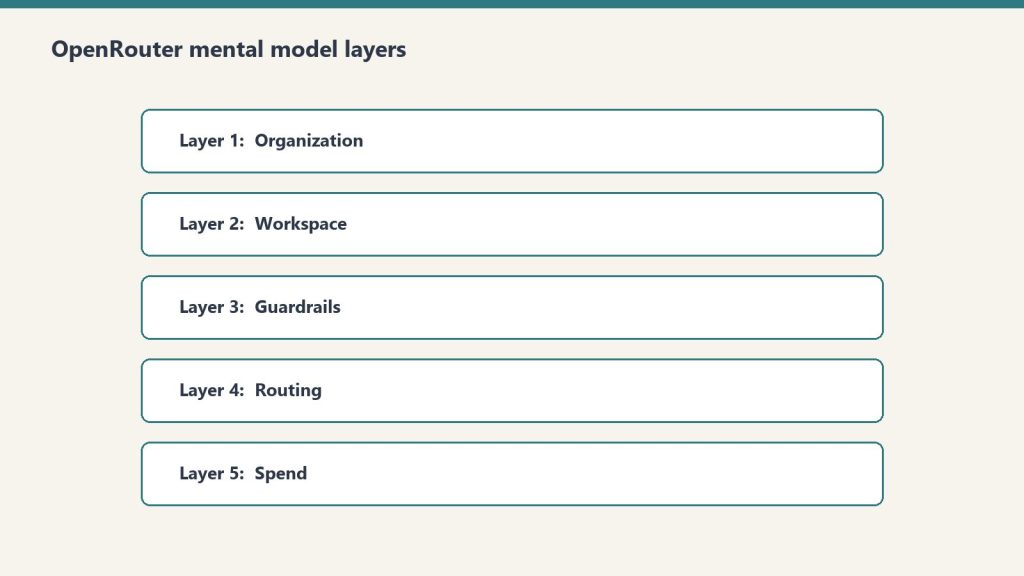
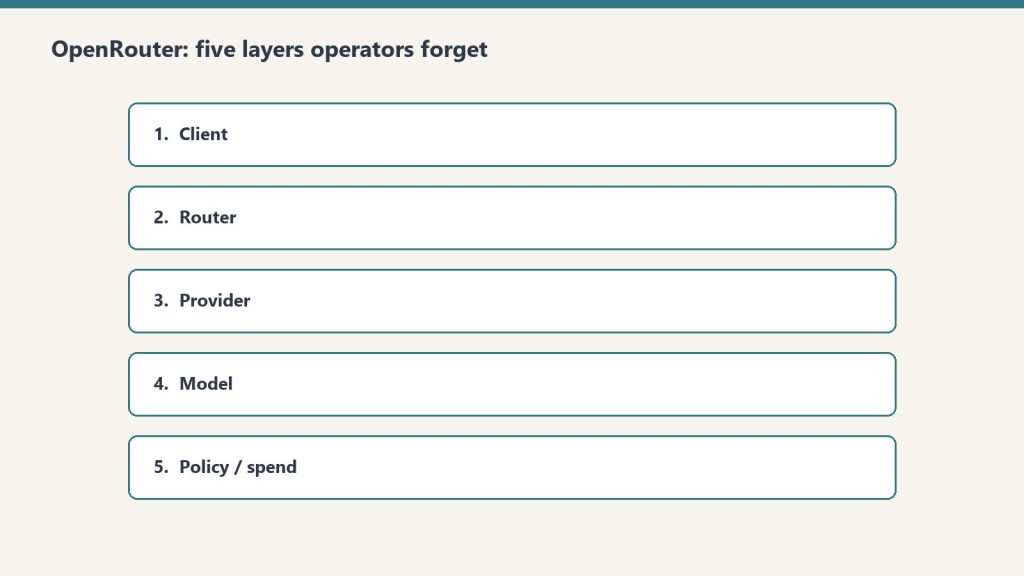
    OpenRouter is a single API endpoint that gives you access to Claude, GPT-4o, Gemini Flash, Llama 3, Mistral, and dozens of other models — including several that are free or near-free — through one standardized interface. For anyone building Claude workflows on a budget, OpenRouter is not optional infrastructure. It is the orchestration layer that makes intelligent model routing practical without building your own multi-provider integration.

    The core strategy: use free or cheap models for the work that doesn’t need Claude, and route only the remainder to Claude. In a well-designed pipeline, you pay Opus prices for 20% of the work and get Opus-quality output on the parts that genuinely require it. Claude on a Budget pillar

    The OpenRouter API in 30 Seconds

    const response = await fetch("https://openrouter.ai/api/v1/chat/completions", {
      method: "POST",
      headers: {
        "Authorization": `Bearer ${OPENROUTER_API_KEY}`,
        "Content-Type": "application/json"
      },
      body: JSON.stringify({
        model: "anthropic/claude-sonnet-4-6",  // or "meta-llama/llama-3.3-70b-instruct:free", "openrouter/auto"
        messages: [{ role: "user", content: prompt }]
      })
    });

    Switch the model string to change providers. No new SDKs, no new authentication flows, no restructuring your application. The same call routes to Claude, Gemini, or a free Llama instance.

    The Multi-Model Pipeline Pattern

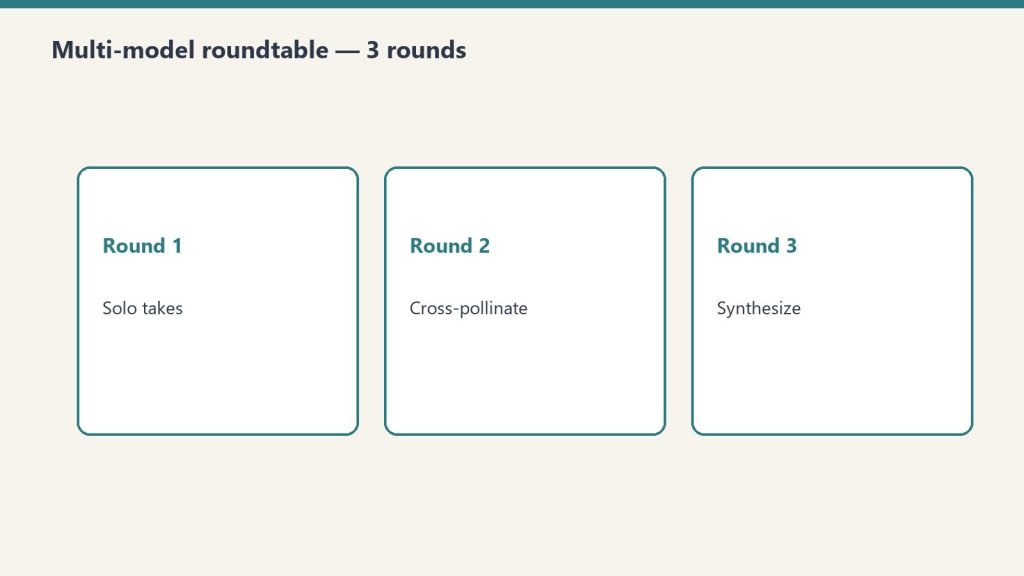
    The Tygart Media multi-model roundtable methodology — documented in the Knowledge Lab — uses this architecture:

    1. First pass (free or cheap model): Send the full input set to Llama 3.3 70B (free) or Qwen3 Coder via openrouter/free. Task: filter, classify, score, or sort. Return only the items that meet the threshold — the top 20%, the flagged items, the ones that need deeper processing.
    2. Second pass (Claude Sonnet or Opus): Send only the filtered output to Claude. Task: reason, synthesize, write, decide. Claude sees pre-filtered, pre-organized input — no token waste on low-value items.
    3. Synthesis (Claude): Claude consolidates findings from both passes into a final output. It operates on structured inputs, not raw noise.

    In practice: if you’re processing 100 pieces of content to find the 20 worth writing about, the free model reads all 100 and returns 20. Claude reads 20 and writes 5. You paid free-tier prices for the reading work and Claude prices only for the synthesis work that Claude is actually better at.

    Free and Near-Free Models Worth Knowing

    ModelCostBest for
    meta-llama/llama-3.3-70b-instruct:freeFreeClassification, filtering, strong reasoning at zero cost
    qwen/qwen3-coder-480b:freeFreeCode triage, structured extraction, 262K context
    nvidia/nemotron-3-super:freeFreeAgentic workflows, multi-modal triage
    google/gemini-2.5-flash~$0.15/1M tokensMid-tier reasoning, fast summarization
    anthropic/claude-haiku-4-5$1.00/$5.00/1MHigh-quality triage requiring Claude behavior

    When to Still Use Claude Directly

    OpenRouter’s free models are not Claude. They have different safety behaviors, different instruction-following reliability, and different output quality on nuanced tasks. Use free models for tasks where the output is a structured signal (score, category, yes/no, ranked list) that Claude will then act on — not for tasks where the free model’s output goes directly to a human or into production.

    The routing rule: if the output of the cheap/free model is an input to Claude, it can be imperfect — Claude will catch errors in its synthesis pass. If the output goes directly to a user or a system, it needs Claude-quality reliability. Do not route customer-facing outputs through free models.

    OpenRouter for the Multi-Model Roundtable

    Beyond pipeline routing, OpenRouter enables the multi-model roundtable methodology: send the same complex question to Claude, GPT-4o, and Gemini Flash simultaneously. Each model responds independently. Claude synthesizes the responses into a final recommendation with consensus points and disagreement flags. You get multi-model confidence for 3× the cost of a single Claude call — but often 10× the confidence in the output, particularly for strategic decisions where single-model bias is a real risk.

    The roundtable approach is documented in the Tygart Media Knowledge Lab and has been used for technology stack decisions, content strategy, and architecture choices where getting it wrong is expensive. The pattern: Llama 3.3 70B or Gemini 2.5 Flash for broad initial perspectives (free or near-free), Claude for synthesis (most reliable reasoning), GPT-4o for the contrarian check.

    Sign up for OpenRouter at openrouter.ai. API key creation is instant; credits load immediately. The free models require no payment method on file.

    Part of the Claude on a Budget series. Next: The

  • Claude Model Routing 101: The Decision Tree for Haiku, Sonnet, and Opus

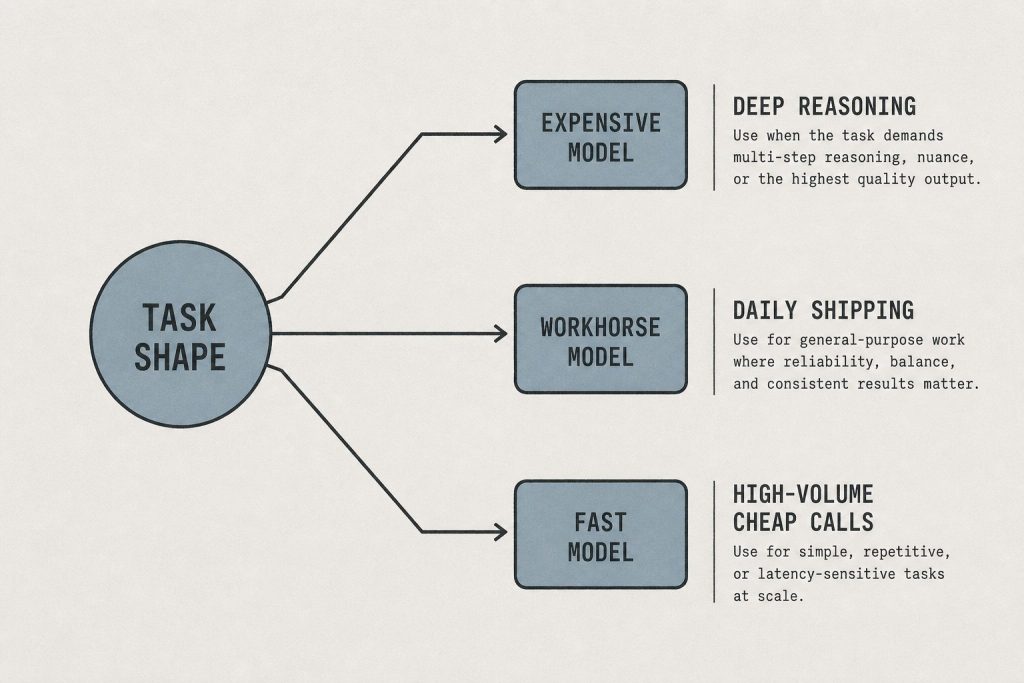
    Claude Model Routing 101: The Decision Tree for Haiku, Sonnet, and Opus

    Claude Opus 4.7 costs $25 per million output tokens. Claude Haiku 4.5 costs $5 per million output tokens. That is a 5× difference in list price — and in practice, closer to 20× when you account for Opus 4.7’s token inflation (it generates roughly 1.0–1.35× more tokens per task than Haiku at the same list price, depending on content type).

    For the majority of tasks in a typical Claude workflow, that cost difference buys you nothing. Haiku and Opus produce indistinguishable output on sorting, classification, summarization, simple Q&A, format conversion, and first-pass drafting. The performance gap is real — but it only appears on tasks that genuinely require extended reasoning, complex code generation, nuanced judgment, or maximum creative quality. Most tasks don’t. Claude on a Budget pillar

    The Decision Tree

    Use Haiku 4.5 when:

    • Classifying or tagging items (sentiment, category, priority, topic)
    • Summarizing documents where the summary template is well-defined
    • First-pass triage — deciding which items need deeper processing
    • Format conversion — JSON to markdown, CSV to structured output, etc.
    • Simple Q&A with factual answers from provided context
    • Extracting structured data from unstructured text
    • Generating short, templated outputs (subject lines, meta descriptions, titles)
    • Any high-volume, time-insensitive batch job

    Use Sonnet 4.6 when:

    • Writing full articles, reports, or long-form content
    • Mid-complexity code generation and debugging
    • Research synthesis across multiple sources
    • Drafting emails, proposals, or documents requiring judgment
    • Multi-step reasoning where Haiku loses the thread
    • Any task where you’ve tested Haiku and found the output quality insufficient

    Use Opus 4.7 when:

    • Architecture decisions with significant downstream consequences
    • Security-sensitive code review or vulnerability analysis
    • Complex multi-file refactoring with interdependencies
    • Tasks requiring the xhigh effort level (extended chain-of-thought)
    • Creative work where you need maximum quality judgment
    • Any task where Sonnet has failed and you need the ceiling

    The Cost Math at Scale

    Assume a content operation running 500 Claude tasks per month. Default behavior (everything on Opus): ~500,000 output tokens × $25/M = $12.50/month at minimum. Routed behavior (300 Haiku, 150 Sonnet, 50 Opus): (300K × $5) + (150K × $15) + (50K × $25) = $1.50 + $2.25 + $1.25 = $5.00/month. That is a 60% cost reduction with identical output quality on the Haiku and Sonnet tasks.

    At enterprise scale — thousands of tasks per day — the routing decision is worth six figures annually. At individual scale, it is the difference between a Claude workflow that is financially sustainable and one that quietly drains budget.

    How to Implement Routing

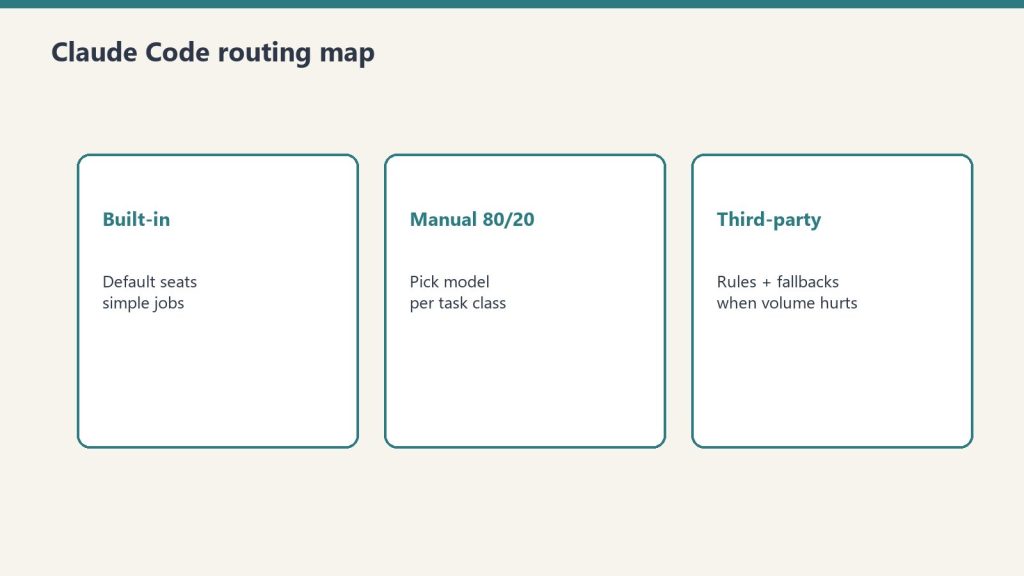
    In Claude Code: the gateway model picker

    Claude Code v2.1.126 (released May 1, 2026) ships a gateway model picker that lets you configure model routing per task type within a session. Set Haiku as the default for file reading, search, and summarization; route complex reasoning to Sonnet or Opus explicitly. The configuration lives in your Claude Code settings and applies automatically.

    In the API: explicit model parameter

    Every Anthropic API call takes a model parameter. Build a routing function in your application layer that maps task types to model strings. The routing logic can be as simple as a conditional or as sophisticated as a classifier (ironically, run on Haiku) that reads the task description and returns the appropriate model string.

    In Cowork and manual workflows: develop the habit

    For non-programmatic use, routing is a habit built through one question before every Claude task: does this task actually need Opus? Run a two-week audit. For every task you run on Opus, note whether Haiku would have produced the same output. Most people discover that 60–70% of their Opus usage could move to Haiku or Sonnet with no quality loss.

    Part of the Claude on a Budget series. Next: OpenRouter as the Budget Layer →

  • The Claude Cold Start Problem: How a Second Brain Eliminates Your Most Expensive Tokens

    The Claude Cold Start Problem: How a Second Brain Eliminates Your Most Expensive Tokens

    Every Claude session has a cold start cost. Before Claude can do useful work, it needs to know who you are, what you’re building, what decisions you’ve already made, what your brand voice sounds like, and what context is relevant to the task at hand. If that context doesn’t exist in the session, you spend tokens building it — through back-and-forth clarification, through pasting in background, through re-explaining things Claude knew perfectly well last Tuesday.

    For a power user running multiple Claude sessions daily, cold start costs are not trivial. A 2,000-token orientation exchange at the start of each session, five sessions a day, 20 working days a month = 200,000 tokens of pure overhead. At Opus prices, that’s $5/month in tokens that produced zero output. At scale, with teams, it compounds fast.

    The solution is a persistent knowledge architecture that eliminates cold starts entirely. Back to the Claude on a Budget pillar

    The Three Layers of Cold Start Elimination

    Layer 1: CLAUDE.md — The Global Instruction File

    Claude Code and Claude’s desktop tools support a CLAUDE.md file in your working directory. This file loads automatically at the start of every session — no input required, no tokens spent on orientation. It is your persistent instruction set: who you are, how you work, what conventions to follow, what tools are available, what Notion databases contain what, how to route decisions.

    A well-built CLAUDE.md replaces 500–2,000 tokens of orientation with zero tokens — the file is read, not typed. The cost of writing it once is recovered in the first week of use. Every instruction you find yourself repeating across sessions belongs in CLAUDE.md.

    What to put in CLAUDE.md: your name and operating context; your active projects and their current status; your tool stack (which MCP servers are running, which Notion databases hold what); your output preferences (format, length, tone); your recurring workflows and the skills or commands that drive them; any decisions already made that Claude should not re-litigate.

    Layer 2: Notion as Second Brain — The Knowledge That Doesn’t Repeat

    A Notion second brain functions as Claude’s long-term memory between sessions. When Claude finishes a task, it logs the outcome, the decisions made, and the context that future sessions will need. When Claude starts a new session, it fetches that context rather than reconstructing it from scratch.

    The Tygart Media implementation uses a Second Brain database in Notion with structured entries per project, per client, and per system. The notion-deep-extractor skill runs every 8 hours, crawling recently edited Notion pages and injecting new knowledge into the Second Brain database automatically. Claude never starts a session unaware of what happened in the last session — that context is fetched on demand through the Notion MCP.

    The token math: fetching a 500-token Notion page costs 500 input tokens. Re-explaining the same context through conversation costs 500+ tokens of input plus 200+ tokens of Claude’s clarifying questions plus your typing time. The fetch is always cheaper, and it is more accurate — your Notion page says exactly what you intended, not a conversational approximation of it.

    Layer 3: Project Knowledge Files — Session-Specific Pre-Loading

    For recurring project work, a project knowledge file is a curated document that contains everything Claude needs to be immediately productive on that project: the brief, the audience, the tone guidelines, the existing content structure, the decisions already made, the open questions. Loaded at the start of a project session, it replaces 10–15 minutes of orientation with 30 seconds of file loading.

    The project-knowledge-builder skill generates these files automatically for WordPress sites — pulling existing posts, categories, brand voice, SEO context, and site history into a structured document. The same pattern applies to any recurring project: client accounts, content series, product builds, research projects.

    The Concentrated Output Connection

    Cold start elimination and output compression work together. When Claude starts a session already knowing the context, it can skip the exploratory phase and go straight to the task. When you’ve defined in CLAUDE.md that you want structured outputs — briefings, scored lists, run logs — Claude produces them without the verbose preamble that precedes them in orientation-heavy sessions.

    The Tygart Media daily briefing is the clearest example: the desk spec in Notion defines the output format, the sources, the beat structure, and the run log format. Claude fetches the spec, executes, and produces a structured briefing page. No orientation. No format negotiation. No verbose preamble. Every token is productive output.

    Implementation Steps

    1. Audit your last 10 Claude sessions. For each one, identify the first message where Claude produced genuinely useful output. Everything before that is cold start cost. Measure it.
    2. Write your CLAUDE.md. Start with the context you typed most often in those 10 sessions. One hour of writing recovers itself within days.
    3. Create one project knowledge file for your highest-frequency project. Use it for one week and compare session start times and output quality against the prior week.
    4. Set up Notion logging. At the end of each session, have Claude write a 3–5 sentence log entry: what was done, what decisions were made, what the next session needs to know. Store in a Notion database. Fetch at the start of the next session.

    The cold start problem is the most invisible Claude cost because it feels like normal conversation. Once you measure it, it becomes obvious. Once you eliminate it, you cannot go back.

    Part of the Claude on a Budget series.

  • Claude on a Budget: The Complete Guide to Maximum Output at Minimum Token Cost

    Claude on a Budget: The Complete Guide to Maximum Output at Minimum Token Cost

    The price of a Claude Opus token is $25 per million output tokens. In India, that translates to roughly ₹16,800 per month for a Pro subscription — priced at US dollar rates with no regional adjustment. You cannot change that number. What you can change is how many tokens you spend to get the same result, how often you reach for the expensive model when a cheaper one would do, and how much context you burn re-warming Claude on things it already knows.

    This guide is the pillar for the Claude on a Budget cluster on Tygart Media. Every tactic below has a dedicated deep-dive article linked from here. The core insight running through all of it: the biggest Claude cost savings are not about using Claude less — they are about using Claude smarter. The goal is the same output quality at a fraction of the token spend.

    The 7 Levers That Actually Move the Number

    1. Eliminate the Cold Start — Build a Second Brain

    Every time you start a Claude session without pre-loaded context, you pay tokens to re-warm it: who you are, what you’re building, what decisions you’ve already made, what your brand voice sounds like. A well-architected second brain — Notion pages, CLAUDE.md files, project knowledge files — eliminates that cost entirely. Claude starts knowing what matters. The first token of every session is productive, not orientation. Full guide: The Cold Start Problem →

    2. Route by Task — Don’t Default to Opus

    Claude Haiku 4.5 is roughly 30× cheaper per token than Claude Opus 4.7. For sorting, classification, summarization, first-pass triage, and simple Q&A, Haiku delivers quality that is indistinguishable from Opus at the task level. The decision tree: Haiku for speed and volume, Sonnet 4.6 for mid-tier reasoning and writing, Opus 4.7 only when the task genuinely requires maximum capability. Most workflows over-use Opus by a factor of 3–5×. Full guide: Model Routing 101 →

    3. Use OpenRouter as the Budget Orchestration Layer

    OpenRouter gives you a single API that routes to Claude, GPT-4o, Gemini Flash, Llama, Mistral, and dozens of free-tier models through one endpoint. The practical workflow: use a free or near-free model for first-pass sorting and filtering, route only the items that pass the filter to Claude for reasoning and synthesis. You pay Opus prices for 20% of the work and get Opus-quality output on the parts that matter. Full guide: OpenRouter as the Budget Layer →

    4. Run Non-Urgent Work Through the Batch API

    Anthropic’s Batch API processes requests asynchronously and costs 50% less than the standard API at every model tier. Any work that does not need an immediate response — content generation, classification runs, analysis jobs, report generation — should run through the Batch API. The only cost is latency: batches complete within 24 hours. For most content and automation workflows, that trade is straightforwardly worth it. Full guide: The Batch API →

    5. Cache Your Repeated Context

    Anthropic’s prompt caching reduces the cost of repeated context by up to 90% on cached tokens. If you send the same system prompt, knowledge base, or skill file at the start of every session, caching means you pay full price once and a fraction on every subsequent call. The math compounds quickly: a 10,000-token system prompt sent 100 times costs 10× less with caching than without. Most people running Claude at scale are not using this. Full guide: Prompt Caching →

    6. Write Concentrated Outputs — Not Full Meals

    The single biggest controllable output cost is verbosity. A Claude response that delivers the same information in 200 tokens costs one-fifth as much as one that delivers it in 1,000. Structured output formats — scored lists, run logs, briefings, decision tables — deliver more actionable signal per token than open-ended prose. The discipline of asking for concentrated slices instead of full meals is the fastest zero-cost saving available to any Claude user. Full guide: Output Compression →

    7. Shape Content for the Model That Will Cite It

    Claude, ChatGPT, and Perplexity cite completely different types of pages. Claude concentrates on factual, access-related, answer-first content. ChatGPT spreads across comparison and geographic content. Perplexity favors research-flavored deep dives. If you are creating content that you want AI assistants to surface, writing for all three models equally is inefficient — you spend more words getting cited less. Shaping content to match the citation pattern of your target model gets more traction at lower content cost. Full guide: Per-Model Content Shaping →

    The Numbers Behind These Levers

    ModelInput (per 1M tokens)Output (per 1M tokens)Best for
    Claude Haiku 4.5$1.00$5.00Triage, classification, simple Q&A
    Claude Sonnet 4.6$3.00$15.00Writing, mid-tier reasoning, content
    Claude Opus 4.7$5.00$25.00Complex reasoning, architecture, security
    Batch API (any tier)50% off50% offAny non-urgent async work
    Prompt cache hit~90% offn/aRepeated system prompts / knowledge bases

    A workflow that currently runs Opus on every call, sends the same system prompt uncached, and generates verbose prose responses could realistically cut its token spend by 70–85% by applying all seven levers — without any reduction in output quality on the tasks that matter.

    Who This Is For

    This cluster was built with three audiences in mind: Indian developers and teams facing US-dollar Claude pricing on local-currency budgets; independent creators and small teams who cannot justify enterprise-tier spend; and anyone running Claude at scale in production who wants to stop leaving money on the table. The tactics work regardless of where you are — but they matter most where the price-to-income ratio is highest.

    Every article in this cluster is self-contained and actionable. Start with whichever lever applies to your situation, or read them in order if you are building a Claude stack from scratch.

  • Claude Opus 4.7 Is Secretly ~40% More Expensive Than Opus 4.6 — Here’s Why

    Claude Opus 4.7 Is Secretly ~40% More Expensive Than Opus 4.6 — Here’s Why

    Anthropic announced Claude Opus 4.7 with the same list pricing as Opus 4.6: $5 per million input tokens, $25 per million output tokens. What Anthropic did not announce — and what Simon Willison surfaced through direct tokenizer analysis — is that Opus 4.7 generates approximately 1.46× more tokens for the same text output as Opus 4.6. That is a ~40% real-world cost increase at unchanged list prices.

    This is not a criticism of the model. Opus 4.7 is genuinely better — 3× higher vision resolution, a new xhigh effort level, improved instruction following, higher-quality interface and document generation. The performance gains are real. The cost increase is also real, and it is not being communicated transparently in Anthropic’s pricing documentation. If you are budgeting for Claude API usage, you need to account for this.

    What Token Inflation Means

    Token inflation occurs when a model generates more tokens to express the same semantic content. It happens for several reasons: more detailed reasoning traces, more verbose explanations, additional caveats and structure, or architectural changes in how the model constructs its output. Opus 4.7 appears to produce more elaborated, structured responses than 4.6 by default — which accounts for the 1.46× multiplier.

    The practical effect: if you were spending $10,000/month on Opus 4.6 for a production application, the same application workload on Opus 4.7 costs approximately $14,600/month — before any intentional use of the new xhigh effort level, which adds further token consumption on top of the baseline inflation.

    How to Measure Your Actual Exposure

    Do not estimate — measure. Here is the four-step process:

    1. Pull your last 30 days of Anthropic API usage data from your platform dashboard. Note your average output token count per call for your primary workloads.
    2. Run a representative sample of those same workloads on Opus 4.7 using the API directly, with identical prompts and system messages. Log output token counts for each call.
    3. Calculate your actual multiplier — it may be higher or lower than 1.46× depending on your specific prompt patterns and use cases. Tasks with highly constrained output formats (structured JSON, fixed-length summaries) will see lower inflation than open-ended generation.
    4. Apply the multiplier to your budget model and adjust your spend projections before migrating production workloads to Opus 4.7.

    Mitigation Strategies

    Several approaches can reduce the cost impact while preserving Opus 4.7’s quality gains:

    • Explicit length constraints in system prompts. Adding “Respond in 200 words or fewer” or “Use bullet points, not paragraphs” constraints does not reduce quality on most tasks but meaningfully constrains token generation. Test which of your prompts accept length constraints without quality loss.
    • Model routing by task type. Use the new gateway model picker in Claude Code, or implement explicit routing in your API calls: Opus 4.7 for the tasks where quality genuinely requires it, Sonnet 4.6 or Haiku 4.5 for high-volume tasks where speed and cost matter more than peak quality. The cost difference between Haiku and Opus is roughly 30×.
    • Avoid xhigh effort unless necessary. The new xhigh effort level in Opus 4.7 consumes significantly more tokens than the default effort setting. Reserve it for tasks where maximum quality is genuinely required — complex reasoning, high-stakes code generation, detailed document analysis. Do not set it as a default.
    • Evaluate Sonnet 4.6 for your use case. For many production workloads, Claude Sonnet 4.6 at $3/$15 per million tokens delivers quality that is indistinguishable from Opus 4.7 at the task level. The Opus tier is most clearly differentiated on the most difficult tasks — extended chain-of-thought reasoning, complex multi-step coding, nuanced creative judgment. Benchmark your specific workloads before assuming Opus is required.

    The Transparency Gap

    Anthropic’s pricing page lists token costs accurately. What it does not document is how output token counts change across model versions for equivalent tasks. This is an industry-wide gap, not an Anthropic-specific failing — no major AI provider documents per-task token consumption differences between model versions in their pricing documentation.

    The practical implication for any team managing AI infrastructure: treat “same price per token” announcements as partial information. Always benchmark your actual workloads on new model versions before migrating production traffic. The 1.46× multiplier Willison measured is for general text — your specific workload multiplier will be different, and you need to know it before your invoice arrives.

    Claude Opus 4.7 is available now through the Anthropic API at platform.claude.com. API pricing: $5/M input tokens, $25/M output tokens. Measure before you migrate.