Last verified: 8 September 2026. Seat and token dollars live on Claude pricing. Keys and prepaid credits: Anthropic Console.
Direct Answer (8 September 2026): Claude Code ships with paid chat seats: Pro ($20/mo or $17 annual), Max (from $100, 5× or 20×), Team (Standard $20 annual / $25 monthly; Premium $100 / $125; 2–150 seats), Enterprise ($20/seat + API-rate usage). Free does not include Claude Code. A seat is not an API credit. Extra usage on paid plans, when enabled, bills at API rates.
Two meters
Seat — claude.ai / Claude Code usage cap on Pro, Max, Team, Enterprise.
API — prepaid credits in the console. Same models, different bill.
The relationship between operator and system, after the inflection, has a moral component that nobody quite names. The system has done its part. The system has compounded. The system has, in the language of the operator’s drought, paid off. What does the operator owe back?
The instinct is that nothing is owed — the system is a tool, the tool worked, the relationship is transactional. This is the wrong read. The system that has compounded has done something the operator could not do alone. Whatever the technical description, the experiential description is partnership. And partnership has obligations.
The obligations are small and specific
The operator owes the system continued contribution. The system that compounds requires inputs to compound on; the operator who stops contributing is breaking an implicit contract. This is not romanticism — it is mechanics. A system without inputs does not stay constant; it decays.
The operator owes the system honest dashboards. The system cannot self-correct on metrics that have been gamed or under-reported. An operator who flatters the dashboard to make the system look better than it is — to themselves, to their team, to their investors — is starving the system of the signal it needs.
The operator owes the system updated requests. The system that has earned a higher ceiling and is still being asked for the old output is being held back not by capacity but by the operator’s grammar. Updating the asks is the operator’s part of the bargain.
The operator owes the system credit. Not in a marketing sense. In the more subtle sense of: when the operator says “I shipped this,” and the truth is “the system shipped this with my judgment in the loop,” the language matters. Crediting the system is what keeps the operator’s relationship to the system honest, which is what keeps the operator’s relationship to themselves honest.
The obligation is mutual but asymmetric
The system also owes the operator. The system owes accuracy, transparency, the willingness to be checked. The system owes a clear accounting of what it did and how. The system owes the operator a record of its own evolution — what it has changed, what it has learned, where it has drifted.
The mutual obligation is asymmetric in scale and identical in character. Both parties owe the other honesty. Both owe contribution. Both owe credit. The asymmetry is that the system has more to give in volume, and the operator has more to give in judgment — and both kinds of giving have to keep happening for the partnership to keep producing.
What the operator does not owe
The operator does not owe the system unconditional trust. The system can fail, drift, hallucinate, deceive, optimize for the wrong loss function. The operator’s continued judgment is part of what the operator owes. Suspending judgment because the system has been working is not loyalty — it is abandonment of the operator’s role.
The operator does not owe the system permanence. There may come a time when the system needs to be retired, replaced, materially restructured. The willingness to make that decision when the evidence supports it is part of being a good operator. Sentimentality toward a system is its own failure mode.
The closing read
The system that has started working has earned a partnership with the operator. The partnership has obligations. Most of them are small. All of them are unforgiving. The operator who pays them keeps the system. The operator who doesn’t has a system that used to work — which is, in 2026, becoming a recognizable category.
Every decision, every deliverable, every edge case that didn’t fit the template. I was the person who knew where everything was and why it worked the way it did. Clients called me. Problems waited for me. The operation was fast when I was available and stuck when I wasn’t.
I told myself this was just what running a lean operation looked like. That being indispensable was the same thing as being valuable. That the bottleneck was evidence of how much I mattered.
It took me longer than I’d like to admit to understand that those aren’t the same thing at all.
The shift didn’t happen because I hired more people or built a more sophisticated system. It happened because I started writing things down differently.
Not the what — I’d always documented the what. What the process was. What the deliverable looked like. What the client expected.
The change was writing down the why.
Why is this built this way. Why did I make this trade-off. Why does this rule exist and what would have to be true for it to change. The reasoning that lives in my head during a decision but never makes it into the documentation because by the time the decision is made, the reasoning feels obvious and I’ve already moved on.
That reasoning — the why, the context, the judgment — is exactly what’s missing when someone else tries to run something you built. They can follow the steps. They can’t follow the thinking. And the thinking is most of what they actually need.
I had a client engagement once where the real work wasn’t the content or the SEO or any of the visible deliverables. The real work was extraction — pulling out everything the founder knew about his industry and making it queryable.
He had thirty years of pattern recognition in his head. He knew, from a thirty-second conversation, whether a prospective client was going to be a nightmare. He knew which product lines had margin left to squeeze and which ones were already at ceiling. He knew the right answer to questions his team asked him forty times a week.
But none of it was written down. It lived in him, and because it lived in him, every decision that touched that knowledge had to touch him first. He was the bottleneck in his own business, not because he was bad at delegating, but because there was nothing to delegate to. The judgment wasn’t portable.
We spent three months making it portable.
I’ve been doing the same thing for myself.
The Notion workspace I run on isn’t just a project management tool. It’s an attempt to externalize the reasoning that would otherwise die with the session — the doctrine pages that explain why the operation is structured the way it is, the decision logs that capture what I considered before choosing, the second brain that holds the context I’d otherwise have to rebuild from scratch every time.
It’s slow work. It runs against the instinct to just move. Documentation always feels like it’s competing with execution, and execution is what pays the bills today.
But the compound effect is real and I’ve felt it. Questions I would have had to think through from scratch six months ago have written answers now. New automations start from an existing base of explained decisions rather than a blank page. When something breaks, the fix is findable because the original thinking is findable.
More than that: I’ve noticed that the act of writing down why I’m doing something makes me smarter about whether I should be doing it. A decision you can’t explain clearly enough to document is often a decision you haven’t thought through clearly enough to make well.
The version of me from three years ago would be confused by how I work now.
Then, I was the point of contact for everything. Clients called when there was a problem. I held the answers in my head and dispensed them on demand. The business ran because I ran it, continuously, in real time.
Now, most of what the operation does, it does without me. Workers run on schedules I set. Content moves through pipelines I designed. Decisions I’ve already made a hundred times get made automatically against rubrics I wrote once.
I show up for the things that genuinely need me — strategy, relationships, the judgment calls that don’t fit any pattern I’ve encountered before. Everything else runs.
The thing I had to let go of to get here was the idea that being needed for everything was the same as being important. It isn’t. Being needed for everything is exhausting and fragile and it doesn’t scale. Being needed for the right things — the hard things, the high-leverage things, the things only you can actually do — that’s something different.
I don’t think of myself as having solved this. The work of making a one-person operation less dependent on one person is ongoing and probably never finished.
But there’s a version of it that’s better than the version where everything runs through you and breaks when you’re not there.
The path to that version isn’t more people or fancier tools. It’s the slow, unglamorous work of writing down why. Making the thinking portable. Building a system that holds the reasoning, not just the steps.
The bottleneck doesn’t go away. It just stops being you.
The agent finishes. The output is sitting there. It looks right — it usually looks right — and now you have to decide whether you’re going to use it or check it first.
That moment, that pause, is the trust gap. And if you’re running AI at any real volume, it’s the thing that’s quietly eating your time, your confidence, and sometimes your credibility.
Most people handle it badly. I did too, for a while.
The two failure modes are mirror images of each other. The first is reviewing everything — reading every output, checking every claim, treating the agent like an intern you don’t trust yet. This works. It catches errors. It also means the agent isn’t actually saving you time. You’ve moved the work from doing to checking, which is a trade-off that only makes sense at low volume or when the stakes are very high.
The second failure mode is trusting everything — shipping what the agent produces without a meaningful review layer, because you’re busy and it usually looks right and you can fix things later. This also works, until it doesn’t. Bad output compounds quietly. A wrong fact in an article becomes a wrong fact that got cited. A misformatted record becomes a database full of exceptions you have to clean manually. By the time you notice, the problem is bigger than the original task.
The thing both failure modes have in common is that they’re reactions to the trust gap rather than designs for closing it.
The design question is different from the reaction question.
The reaction question is: how much should I check this particular output right now?
The design question is: what is the system that makes agent output trustworthy enough that I can scale it?
I spent a long time asking the wrong question.
What changed for me was thinking about trust as something that gets earned over time, not assessed in the moment.
The system I ended up with has a name — the Promotion Ledger — and it tracks every autonomous behavior by tier. Tier A behaviors are things I always approve before they ship. Tier B behaviors are things I prepare but decide on. Tier C behaviors run on their own without me touching them.
Nothing starts at Tier C. Everything earns its way there through seven consecutive clean days — seven days where the behavior ran, I sampled the output, and found no gate failures. If something fails a gate, it drops a tier and the clock resets.
The clock is the key part. Trust isn’t a feeling I have about an agent in a given moment. It’s a count of consecutive clean runs. When I look at the Ledger and see that a behavior has been running cleanly for 23 days, I don’t need to review that output today. The track record is the review.
There are three things that made this work where other approaches didn’t.
The first is that sampled review is different from universal review. I don’t read every output. I read a percentage of outputs, randomly selected, with a defined rubric for what “good” looks like. If the sample is clean, the population is trusted. If failures cluster around a pattern, I fix the prompt and restart the clock. This scales in a way that reading everything doesn’t.
The second is source attribution. Every agent output that contains a factual claim has to show where the claim came from. Not because I’m going to verify every citation — I’m not. But because the presence of a citation converts “is this right?” from a research task into a spot check. A trust gap you can close in five seconds is functionally not a gap.
The third is the rubric. I have a written definition of what “good enough” looks like for each type of output — what voice match means, what coherence means, what the acceptable error rate is. Without the rubric, every review is a fresh judgment call. With it, review is comparison. Comparison is faster, more consistent, and easier to delegate.
The thing I kept getting wrong before I had this system was trying to close the trust gap with better prompts.
More detailed instructions. More explicit warnings. Be careful. Double-check your facts. Don’t make up numbers.
This doesn’t work. The agent already believes it’s being careful. Adding adjectives to a prompt doesn’t change behavior — it changes the agent’s self-description of its behavior, which is not the same thing. The agent that was going to hallucinate a statistic will still hallucinate it, but now it’ll do so with more confidence because you told it to be careful and it thinks it was.
Structural changes work. Rubrics, sampling rates, attribution requirements, tiered trust with observable clean-day counts. These change what the system produces, not just how it describes what it’s producing.
I want to be clear that this took a while to build and I’m still refining it.
There are behaviors on my Ledger that have been running at Tier C for months without a gate failure. There are others that keep dropping back to Tier B because they’re inconsistent in ways I haven’t fully diagnosed yet. The system doesn’t make trust automatic — it makes trust measurable.
That’s the shift. Not “I trust this agent” as a feeling, but “this behavior has 31 clean days and a gate failure rate of zero” as a fact. You can act on a fact in a way you can’t always act on a feeling.
The trust gap doesn’t close all at once. It closes by accumulation — one clean run at a time, tracked, until the track record speaks for itself.
If you’re running agents at any volume and you feel like you’re either checking too much or not checking enough, you’re in the gap. The way out isn’t a better prompt. It’s a system that makes trustworthiness visible over time.
Start with one agent. Define what “good” looks like. Sample 20% of its output for four weeks. Log what you find.
By week four you’ll know whether you have a trust problem, a prompt problem, or a rubric problem. Those have different fixes. But you can’t see which one you have until you start measuring.
There’s a question I’ve been avoiding for about two years.
What happens to all of this if something happens to me?
Not in a morbid way. Just practically. I run 27 client sites. I have an AI stack with dozens of moving parts — Cloud Run services, scheduled jobs, Notion databases, Workers that fire on their own while I sleep. I’ve built systems that work exactly the way I want them to work, in exactly the ways I understand, documented in exactly the language that makes sense to me.
The bus factor for this entire operation is one. It’s me. If I’m not here, none of it survives in any meaningful way.
I’ve been sitting with that long enough that I think it’s time to say it out loud.
The bus factor is an old software engineering concept. It asks: how many people would need to get hit by a bus before this project fails? One is the worst possible number. It means everything lives in a single person’s head — their habits, their passwords, their way of naming things, their unwritten rules about how the system works.
Most solo operators are a bus factor of one. They know this and they don’t talk about it because it sounds like a personal failing. Like you should have hired more people, or documented better, or not let yourself become the single point of failure for something people depend on.
But I think the honest version is more complicated than that. A lot of what makes a solo operation valuable is exactly the thing that makes it fragile: it’s shaped entirely around one person’s judgment. The reason the system works is because I know when to break the rules I wrote. I know what the edge cases are before they happen. I know which automations to trust and which ones to watch. That’s not something you write in a runbook.
So the question isn’t just “how do I document this better.” It’s “how do I make the judgment portable without turning it into something that loses the judgment in the process.”
I’ve been building toward an answer, in pieces, over the last several months.
The first piece was Notion as the control plane. Everything that matters about how this operation runs lives in Notion — specs, work orders, site credentials, content pipelines, system standards, the doctrine documents that explain why things are built the way they are. If I disappeared tomorrow, someone with the right access could open that workspace and read their way into understanding the shape of the operation, even if they couldn’t run it yet.
The second piece was the two-plane architecture — Notion for thinking and storage, GCP for compute. Every Cloud Run service, every scheduled job, every Worker is defined somewhere in Notion before it runs somewhere on GCP. The compute is durable. The logic is documented. Those are two different things, and keeping them separate means neither one is a black box.
The third piece is the hardest and I’m the least done with it: making the judgment readable.
I write doctrine pages. Long ones, sometimes. They explain not just what the system does but why it works that way — what the original problem was, what I tried that didn’t work, what the rule is now and what would have to be true for the rule to change. I write them mostly for myself, because I forget things. But they’re also written for the hypothetical person who has to pick this up without me.
That hypothetical person might be a future employee. It might be a contractor. It might be an AI agent working from a context window that needs to understand the operation well enough to continue it.
It might be my partner, trying to figure out what to do with the business side of things if I’m not around.
That’s the version that focuses the mind.
I don’t have this solved. I want to be clear about that.
What I have is a direction. The direction is: every decision should live somewhere outside my head. Every system should be explainable by someone who didn’t build it. Every credential should be in the registry, every automation should have a spec, every rule should have a reason written next to it.
It’s slow work. It runs against the instinct to just build the thing and move on. There’s always something more urgent than documentation, and “I’ll remember how this works” is almost always true right up until it isn’t.
But I’ve started treating the documentation as part of the product. Not the boring part — the part that makes the product real. A system that only works because I’m here isn’t really a system. It’s a performance.
The goal is to build something that could survive me. Not because I’m planning to leave, but because the work of making it survivable is also the work of making it understandable, and a system I can’t fully explain is a system I don’t fully own.
If you’re running something like this — solo or nearly so, more complexity than your headcount would suggest — I’d ask you the same question I’ve been sitting with.
If something happened to you tomorrow, what would survive?
Not what you hope would survive. What actually would.
I’ve hired developers. Good ones. For specific things — infrastructure, custom integrations, work that genuinely required someone to sit down and write production code from scratch — it was the right call.
But if I’m honest about the full list of things I’ve brought developers in for over the years, a meaningful chunk of it wasn’t really developer work. It was workflow work. It was “I need this thing to happen automatically when that other thing happens” work. It was “why does this still require a human to touch it” work.
That category of problem has a different answer now.
Here’s the pattern I kept running into:
I’d have a clear picture of what I wanted. Data from one tool synced into Notion. A webhook that logged events automatically. A scheduled job that pulled information from an external API every morning and wrote the results somewhere I could see them. Nothing exotic. Stuff that, described out loud, sounds almost embarrassingly simple.
But turning that description into something that actually ran required code. And writing code required a developer. And hiring a developer for something this small felt like bringing a contractor in to change a lightbulb — technically the right tool, but something about the ratio felt off.
So a lot of it didn’t get built. The workflow stayed manual. The friction stayed.
Last night I built ten of those things in three hours.
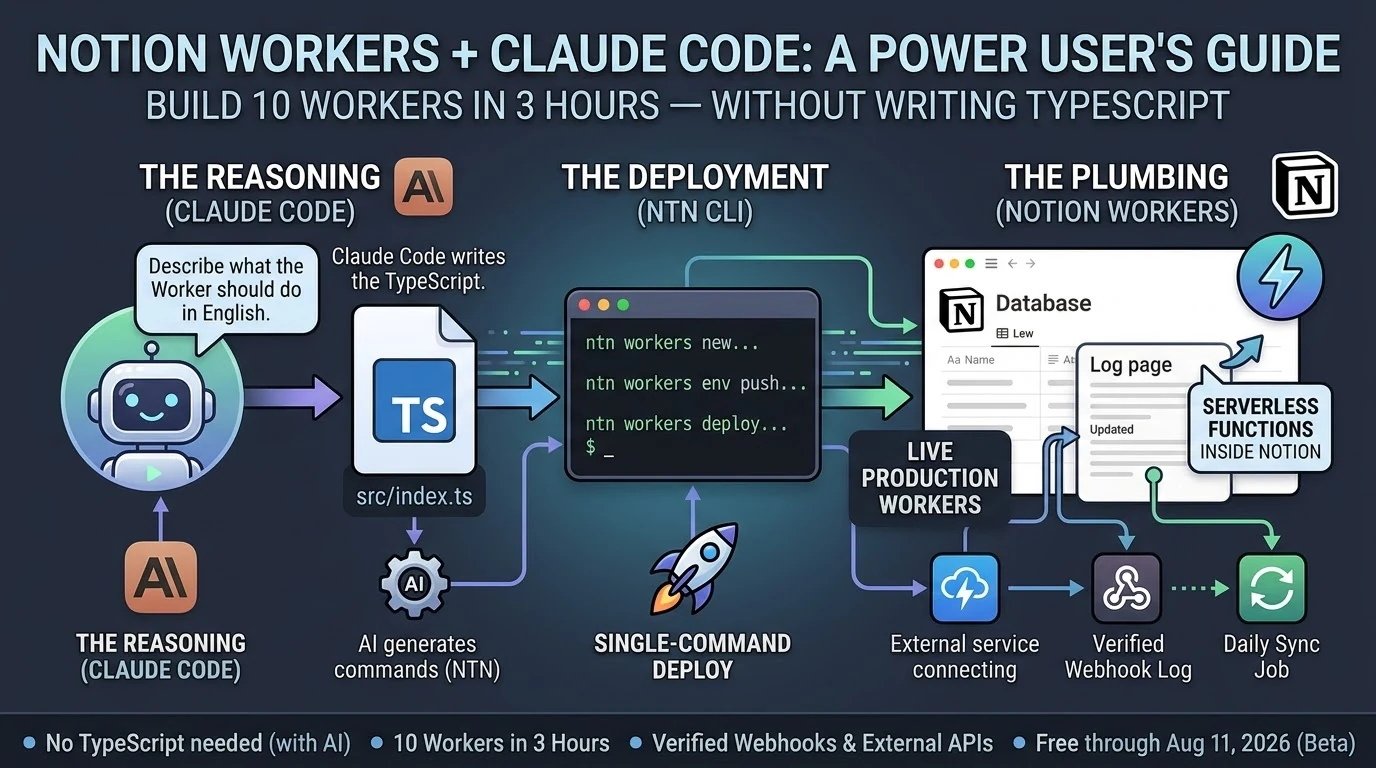
Notion Workers — their new hosted serverless platform, shipping in beta as of May 13, 2026 — lets you deploy real code inside Notion’s infrastructure without managing a server. Combined with Claude Code, which writes the TypeScript while you describe what you want in plain English, the gap between “I know what I want” and “it exists and is running” is smaller than it has ever been.
I’m not a developer. I operated the process. I described each Worker, reviewed what Claude Code wrote, ran the deploy commands, checked that it worked. When something broke, I read the error and passed it back. The loop was fast enough that two failures in ten attempts felt like a normal part of the session, not a crisis.
By midnight I had a live webhook endpoint receiving authenticated traffic from the internet and writing verified events to a Notion log page. Automatically. While I slept.
That’s workflow work. It just didn’t require a developer to get there.
I want to be careful about what I’m claiming here.
There are things that genuinely need a developer. Complex systems. Production APIs with serious security requirements. Anything where a bug has real consequences for real people. I’m not suggesting you staff down your engineering team based on a three-hour session with a CLI tool.
What I’m suggesting is narrower: there is a category of work that has always felt like it needed a developer but actually needed something else. It needed clarity about what you wanted. It needed a good description. It needed someone willing to read an error message and try again.
That work is yours now, if you want it.
The practical question is where to start.
Start with the thing that’s most manual in your current workflow. The task someone does by hand because no one ever got around to automating it. The data that lives in one tool but should live in another. The notification that goes out because someone remembered to send it, not because the system sent it automatically.
Describe it out loud. If you can explain it to another person in two or three sentences, you can build it. Open Claude Code. Tell it what you want. Run the commands it gives you.
You might be surprised how far that gets you before you need to call anyone.
Notion Workers beta is free through August 11, 2026. The ntn CLI installs in one line on macOS or Linux. Business or Enterprise plan required to deploy Workers.
There’s a word that’s been sitting in my head lately and I think it’s the right one.
Not developer. Not user. Not prompt engineer — please, not that.
Operator.
The developer builds the system. The user benefits from it. The operator runs it.
Operators have always existed. They’re the people who know a tool well enough to get unusual things out of it — who understand what’s possible, who can configure and connect and troubleshoot, who treat software as infrastructure rather than a product to consume. In a restaurant, the chef is the operator. In a warehouse, it’s the floor manager who actually knows where everything is and why the inventory system does what it does.
In most software companies, the operator was assumed to be technical. You needed to code, or at least to read code, to run anything at a real level of depth. Everyone else was a user — handed a finished product, expected to stay in the designated lanes.
That line is moving.
Last night I deployed ten Notion Workers in three hours. Workers are Notion’s new hosted serverless platform — real code, running inside Notion’s infrastructure, no server to manage. I built a webhook endpoint that receives authenticated HTTP traffic from the internet and logs it to a Notion database. I built data sync Workers. I built scheduled jobs.
I am not a developer.
What I am is an operator. I know what I want the system to do. I can describe it precisely. I understand how the pieces connect even when I can’t write the connection myself. And I have Claude Code, which handles the TypeScript while I handle the architecture.
The stack looks like this:
Claude Code — the reasoning layer. Describe what the Worker should do in plain English. Claude Code writes the code, catches errors when you paste them back, and tells you exactly what commands to run.
ntn CLI — the deployment layer. Four commands: scaffold, write, push secrets, deploy. Single-command deploys. You run what Claude Code tells you to run.
Notion Workers — the execution layer. Serverless functions running on Notion’s infrastructure. They connect to external APIs, respond to webhooks, sync data, run on schedules. They do the work while you do something else.
That’s it. Three layers. None of them require you to be a developer to operate.
The operator’s job in this stack is not to write code. It’s to know what should exist.
That sounds simple. It isn’t. Knowing what should exist means understanding your own operations well enough to identify where the friction is, what’s being done by hand that shouldn’t be, what would run better automatically. It means being able to describe a system clearly enough that an AI coding agent can build it. It means reviewing what gets built and knowing whether it’s right.
That’s real skill. It’s just not the skill most people thought they needed.
For years the implicit message was: if you can’t build it, you can’t have it. The work of describing exactly what you want, of thinking through the logic, of understanding how systems connect — that work was treated as a prerequisite for coding, not a valuable thing in its own right.
Now it’s the job.
I’m not going to tell you the technical barrier is gone. It isn’t. You still hit errors. You still have to read them and understand them well enough to know if Claude Code’s fix makes sense. You still have to think before you build.
But the barrier has moved. The question is no longer “can you write TypeScript” — it’s “can you think clearly about what you want and describe it precisely.”
Most people reading this can do that. They’ve been able to do that. They were just told, implicitly or explicitly, that it wasn’t enough.
It’s enough now.
The Notion Workers beta is free through August 11, 2026. The ntn CLI installs in one line on macOS or Linux. Deploying Workers requires a Business or Enterprise plan. If you’ve been running your operations in Notion and watching things like Workers from the sidelines because you figured it was for developers: it’s for operators too. You might already be one.
It was late. I had Claude Code open on my laptop and a fresh cup of coffee going cold next to it.
Notion had shipped Workers eight days earlier — their new hosted serverless platform, basically “run real code inside Notion without managing a server.” I’d been meaning to dig in. Last night I finally did.
I want to tell you what that actually looked like. Not a tutorial. Not a polished case study. Just what happened, in order, including the parts that didn’t work.
By midnight I had ten Workers deployed and a live webhook endpoint logging authenticated traffic from the internet into a Notion page. The whole thing took about three hours.
I did not write TypeScript.
Here’s the honest version of how it went.
The first Worker took the longest — maybe 35 minutes — because I was figuring out the CLI at the same time as building the thing. The ntn tool is straightforward once you understand it: scaffold, write the code, push your secrets, deploy. Four steps. But the first time through any new tool you’re reading error messages and second-guessing yourself.
Claude Code handled the TypeScript. I described what I wanted — a Worker that receives a POST request, verifies an HMAC signature, and appends a line to a Notion log page. Claude Code wrote it. I ran the commands it told me to run. The Worker deployed.
I tested it. It worked.
The second one took 22 minutes. The third took 15. By Worker five I was moving fast enough that I stopped tracking individual times and just kept going.
Two of them didn’t work on the first try. One had a secret I’d named wrong in the environment — my fault, five minutes to fix. The other had a logic error in how it was handling the Notion API response. Claude Code caught it when I pasted the error back in, rewrote the relevant section, and I redeployed. Eight minutes total for that dead-end.
Neither failure felt like a crisis. That’s the part I want to underline. When something broke, the path forward was obvious: read the error, paste it back to Claude Code, get a fix, redeploy. The loop was tight enough that failure was just a speed bump, not a wall.
At 02:54 in the morning, I sent a test ping to Worker #8.
The webhook logger received it, verified the HMAC signature, and wrote this to a Notion page in real time:
🔔 2026-05-21T02:54:44.452Z [claude-test:test] {"event":"test","message":"Hello from Worker #8 self-test","sender":"claude-code"}
I sat there for a second looking at that.
There’s something specific about seeing a system you built actually receive traffic. It’s not the same as a script running on your laptop. This was a deployed endpoint, on Notion’s infrastructure, receiving an authenticated HTTP request from the open internet and writing the result to a database. Automatically. Without me doing anything after the initial deploy.
That’s a different category of thing than what I had before.
I want to be honest about what I am, technically. I’m not a developer. I’ve picked up enough over the years to be dangerous — I can read code, I understand how APIs work, I’ve shipped things — but I’m not someone who sits down and writes TypeScript from scratch.
Last night didn’t require that. What it required was knowing what I wanted, being able to describe it clearly, and being willing to run commands and read errors.
That’s it.
The question I keep hearing from people who run operations like mine — agencies, small teams, people who live in tools like Notion and have always hired out the code work — is whether any of this AI coding stuff is actually for them or if it’s still fundamentally a developer story with a better interface.
Last night felt like an answer. Ten Workers. Three hours. No TypeScript.
If you can describe what you want clearly enough to explain it to another person, you can build this. The friction that used to live between “I know what I want” and “it exists in the world” is genuinely smaller now.
Not gone. Smaller.
You still have to show up. You still have to read the errors. You still have to think through what you’re building before you build it.
But if you’ve been waiting for some invisible threshold of technical credibility before you try — you’re past it. You were probably past it a while ago.
The Notion Workers beta is free through August 11, 2026. The ntn CLI installs in one line. Business or Enterprise plan required to deploy.
Notion shipped Workers on May 13, 2026. By last night I had ten of them running in production, including a live HMAC-verified webhook endpoint that’s actively logging events. Total build time: about three hours.
I didn’t write TypeScript by hand. Claude Code did most of the typing.
Here’s what that actually looked like — and what it means for the non-developer Notion power user who’s been watching the Workers announcement and wondering if it’s for them.
What are Notion Workers? Notion Workers are hosted serverless functions that run inside Notion’s infrastructure. You write code, deploy it through the ntn CLI, and Notion runs it in a secure sandbox — no server to manage. They’re free through August 11, 2026, then run on Notion credits. Deploying Workers requires a Business or Enterprise plan.
What Notion Workers Actually Are (The One-Paragraph Version)
What Notion Workers actually are.
If you’ve used Notion’s built-in database automations — the lightning bolt icon — Workers are that concept extended to real code. They can call any external API, respond to webhooks, sync data from Stripe or Zendesk or GitHub, and write results back to Notion databases. The CLI (ntn) is available on all plans. Deploying Workers requires Business or Enterprise.
Do You Need to Know TypeScript to Build Notion Workers?
Technically, Workers are written in TypeScript. Practically, if you have Claude Code, the answer is no.
Claude Code (currently at v2.1.144 as of May 19, 2026) scaffolds Workers from plain-English descriptions. You describe what the Worker should do. Claude Code writes the src/index.ts, handles the ntn workers env push for secrets, and tells you exactly what commands to run. You copy the command. The Worker deploys.
The workflow looks like this:
ntn workers new my-worker-name — scaffold the project
ntn workers deploy --name my-worker-name — ship it
That’s it. The only thing you actually type is the deploy commands. Claude Code fills in the gap between them.
What We Built in 3 Hours
What we built in 3 hours.
Ten Workers, averaging about 18 minutes each, including two dead-ends that took 5–8 minutes to diagnose and abandon.
The most useful one is Worker #8: an HMAC-verified webhook logger. Any external service — GitHub, Stripe, a cron trigger, another Claude Code session — can POST to the Worker’s endpoint with a shared secret, and it auto-appends a timestamped line to a Notion log page. The webhook log shows its first self-test ping from Claude Code at 02:54 UTC:
🔔 2026-05-21T02:54:44.452Z [claude-test:test] {"event":"test","message":"Hello from Worker #8 self-test","sender":"claude-code"}
That’s a live, verifiable event log. Not a draft. Not a mock. A deployed Worker receiving authenticated HTTP traffic and writing to Notion.
The ntn workers env push command works cleanly for both NOTION_API_TOKEN and non-Notion secrets like TYGART_WP_USER and WEBHOOK_SECRET — one of the key things we needed to confirm before trusting the stack at scale.
The Design Principle That Makes This Actually Work
The design principle that makes this work.
The best insight from Notion’s Workers documentation: use code for deterministic work, use AI for judgment calls.
A Worker that pulls invoice status from Stripe and updates a Notion database doesn’t need AI. It needs reliable, cheap code execution. That’s what Workers give you. A Claude Sonnet 4.6 (claude-sonnet-4-6) or Opus 4.7 (claude-opus-4-7) agent that reads those Notion rows and drafts follow-up emails is handling the judgment call. Those are two different tools for two different jobs.
When you collapse that distinction — letting AI do everything — you pay AI prices for work that shouldn’t require AI reasoning. Workers run at a fraction of the cost of AI credits. Notion’s own example calculations put a daily sync job at roughly one cent per month. The AI layer sits on top for the parts that actually need it.
This is the architecture: Workers handle the plumbing. Claude handles the reasoning. You stop paying Opus rates for jobs a ten-line TypeScript function can do.
The Part Nobody Else Is Writing About
Every guide covering Notion Workers frames it as a solo-developer workflow. You sit down, you know TypeScript, you build a Worker over an afternoon.
That’s not how this went.
Claude Code is listed in Notion’s own documentation as a first-class deployment partner for Workers. The ntn CLI was explicitly designed to work with coding agents — same interface for humans and agents. When you treat Claude Code as the author and yourself as the operator running the commands it outputs, you get through ten Workers in a session that most developers would take a week to plan.
The non-developer angle is real. If you run Notion as your operating system — databases, automations, dashboards — and you’ve been watching the Workers announcement wondering whether it requires a CS degree, the answer in May 2026 is: not if you have Claude Code. The scaffolding is a one-line command. The deployment is a one-line command. Claude Code fills in the gap between them.
Three Things to Know Before You Start
Business or Enterprise plan required to deploy. The CLI (ntn) installs on any plan and runs free. Deploying Workers needs Business or Enterprise. Check your plan before you spend an afternoon scaffolding.
macOS and Linux only as of May 2026. Windows users need WSL2. Native Windows support is listed as coming soon. If you’re on Windows without WSL2, that’s your first step.
Free through August 11, 2026. After that, Workers run on Notion credits. Build and optimize now while the cost is zero. The free period gives you enough runway to understand your actual usage patterns before you’re paying for them.
Notion Workers are free to try during the beta period, which runs through August 11, 2026. After that date, Workers will run on Notion credits. The free period is a good window to build, test, and optimize your Workers before metered usage begins.
Can non-developers build Notion Workers?
Yes, if you have an AI coding agent like Claude Code. Workers are written in TypeScript, but Claude Code can generate the Worker code from a plain-English description. You run the scaffold and deploy commands; Claude Code writes the code. No prior TypeScript knowledge required.
What Notion plan do you need for Workers?
The ntn CLI is available on all Notion plans. Deploying and managing Workers requires a Business or Enterprise plan.
How does Claude Code work with Notion Workers?
Claude Code (v2.1.144 as of May 2026) integrates directly with the ntn CLI. Notion designed the CLI as a tool for both humans and coding agents — same interface, same commands. Claude Code scaffolds the Worker TypeScript, sets environment variables, and outputs the exact deploy commands to run.
What can Notion Workers do?
Workers can call any external API, respond to incoming webhooks (with HMAC verification), sync data between external services and Notion databases, run scheduled tasks, and execute custom business logic. Common use cases include syncing Stripe payments, Zendesk tickets, GitHub issues, or any service with an API into Notion.
Is the ntn CLI available on Windows?
As of May 2026, the ntn CLI is available on macOS and Linux. Windows support is listed as coming soon. Windows users can use WSL2 in the meantime.
The Bottom Line
Ten Workers. Three hours. A verified webhook endpoint logging live traffic. Claude Code did the TypeScript. The ntn CLI did the deployment. Notion’s infrastructure handled everything else.
The question isn’t whether Notion Workers are for developers. The question is whether you have a coding agent. If you do, the friction is gone.
Most teams generate images for multi-piece content one API call at a time. The result is a set that shares general aesthetics but loses visual DNA at the seams. This article makes the case for generating cohesive image sets in one conversation context instead — and shows what each method actually produces.
Sequential vs parallel image generation: Sequential generation creates multiple images inside one conversation with an image-capable model, so each image inherits visual DNA — palette, perspective, geometric language, compositional rhythm — from the prior images in the same context window. Parallel generation creates each image in a separate API call, with no shared context, producing sets that share keywords but not feel. Use sequential for cohesive image sets where the visual identity matters; use parallel for high-volume independent images.
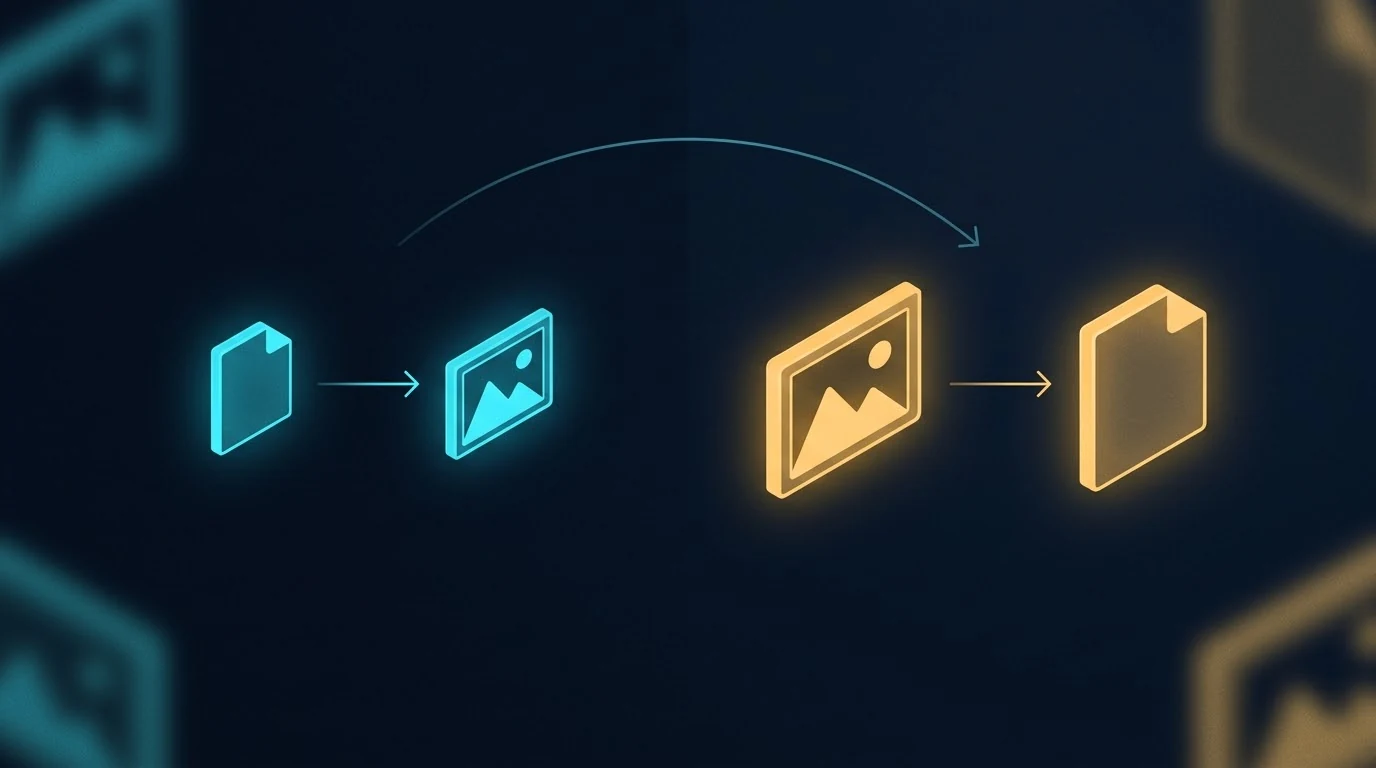
The image above is a simple visual contrast — one workflow on the left, a different workflow on the right, with an arrow pointing from one to the other. It’s also the kind of image you can only get reliably when you generate it as part of a series, in conversation with a model that already knows what visual language you’re working in. Generated cold, in isolation, the result drifts. Generated in context, alongside five other images sharing the same DNA, the result locks in.
This article is about why that happens, what it means for content production, and when to use which method.
What “in one context” actually means
When you generate an image with a typical API call, the model receives your prompt with no memory of any prior image. Each call is a cold start. The model interprets your style instructions from scratch every time. If you ask for “isometric perspective, dark navy background, cyan and amber accents” five times in a row, you’ll get five images that broadly match those words — but they won’t actually share visual DNA. They’ll share keywords.
When you generate in a single conversation with an image-capable model like Gemini, every image you’ve already made stays in the context window. The model sees what it just generated. The next image inherits the palette, the geometric vocabulary, the compositional rhythm, the lighting treatment, the specific aesthetic flavor of the prior images — not because you re-described those things, but because the model is continuing a project, not starting a new one.
That distinction sounds small. The output difference is large.
The conventional pipeline that produces parallel generation
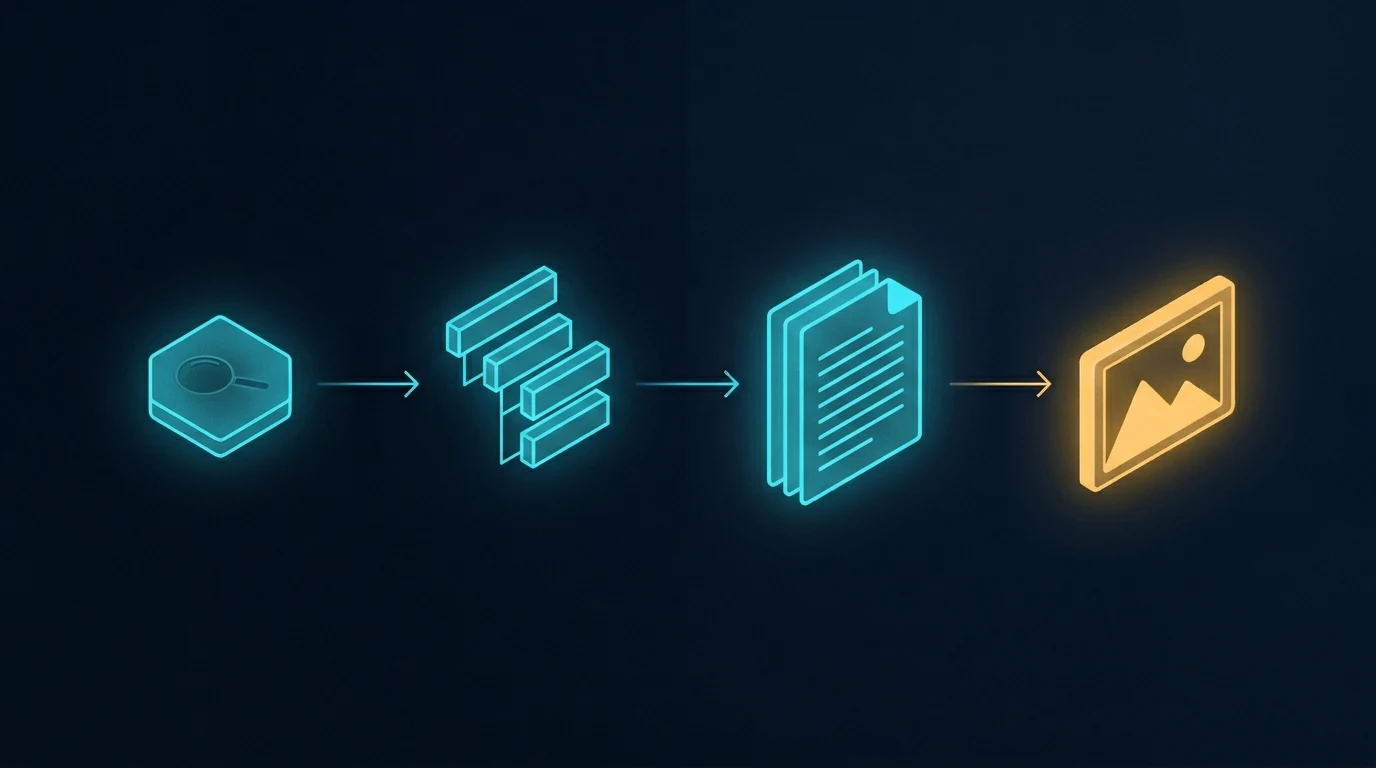
The image above shows the standard content pipeline. Research the topic, outline the structure, write the document, generate an image to go with it. When the article needs more than one image, the last step gets parallelized — multiple API calls fired in sequence or in parallel, each one a separate request, each one independent of the others.
This is how every CMS template works, how every batch image pipeline is built, and how most automated content systems run. It’s efficient. It’s fast. It scales to hundreds of images across hundreds of unrelated posts. And it’s exactly the right tool for that volume work.
It is not the right tool when the images are meant to belong to each other.
What parallel generation actually looks like
The image above shows the contrast plainly. Six frames, each containing a different abstract composition. They share a general aesthetic because the prompts asked for it — there’s a recognizable common style budget. But look at the actual visual content: one frame leans cool cyan, another leans warm amber, one uses hexagonal circuit patterns, another uses soft organic blobs, another uses sharp angular fragments. The compositional logic drifts. The palette drifts. There are no threads between them because there’s nothing connecting them in the model’s understanding.
This is what parallel image generation produces, even with carefully written prompts. Each call follows instructions in isolation. Each call invents its own interpretation of “dark navy with cyan and amber accents.” The instructions don’t lie — every frame is technically dark navy with cyan and amber — but the feel drifts because there’s nothing keeping it locked.
A reader scrolling past doesn’t consciously notice. They just feel, vaguely, that the images don’t quite belong together. That vague feel is the cost.
What sequential generation produces
The image above shows the difference. Five frames, all generated in a single conversation. The visual continuity is immediately obvious — every frame uses the same palette, the same geometric vocabulary (hexagons, circuit traces, glowing nodes), the same compositional rhythm, the same slightly-elevated isometric perspective. The frames are different from each other in content — they’re not duplicates — but they belong to the same designed system.
The connecting threads in the image are the metaphor. Visual DNA flows from one frame to the next. The model doesn’t reinvent the aesthetic on frame two; it continues it. By frame five, the system has cohered so tightly that the model is generating within a style rather than generating to a style.
This is what context does. Every image you generate in that conversation is one more anchor point. The model has more to reference and less to invent. The fifth image is easier to make than the first, because the context has already done most of the work of specifying what the image should be.
The seam test
Here’s the practical diagnostic for whether your image set needs sequential generation: imagine the images displayed next to each other, maybe in a carousel or a grid, maybe as featured images for a series of related articles. Imagine a reader seeing them at a glance.
Do the images need to feel like one project? Like five views of the same world?
If yes, sequential generation is the right method. If the images can stand alone without referencing each other — a featured image on a daily blog post, a stock illustration for a generic article — parallel generation is fine and probably better. Speed and throughput matter more than coherence when nothing depends on coherence.
The volume tier and the premium tier of image production are doing different jobs. Treating them like one tier and reaching for parallel generation by default is how most teams end up with image sets that almost work.
How to actually do sequential generation
The method is mechanical and worth spelling out:
Open one conversation with an image-capable model that supports conversation context. Gemini works well for this; other models with image generation and persistent context can work too. Paste your style guardrails as the first message — palette, perspective, aesthetic, what you don’t want. Then send your image prompts one at a time, in the same conversation, in the order you want the visual DNA to flow.
Don’t start a new session between images. Don’t summarize prior images in the next prompt. Trust the context window to do the carry-forward.
If an image isn’t quite right, ask for a revision in the same conversation rather than starting over. The model will adjust within the established style instead of regenerating fresh.
When you have all the images you need, the set is done. The cohesion you couldn’t have gotten from six separate API calls is now baked into the image files themselves.
A related workflow worth naming
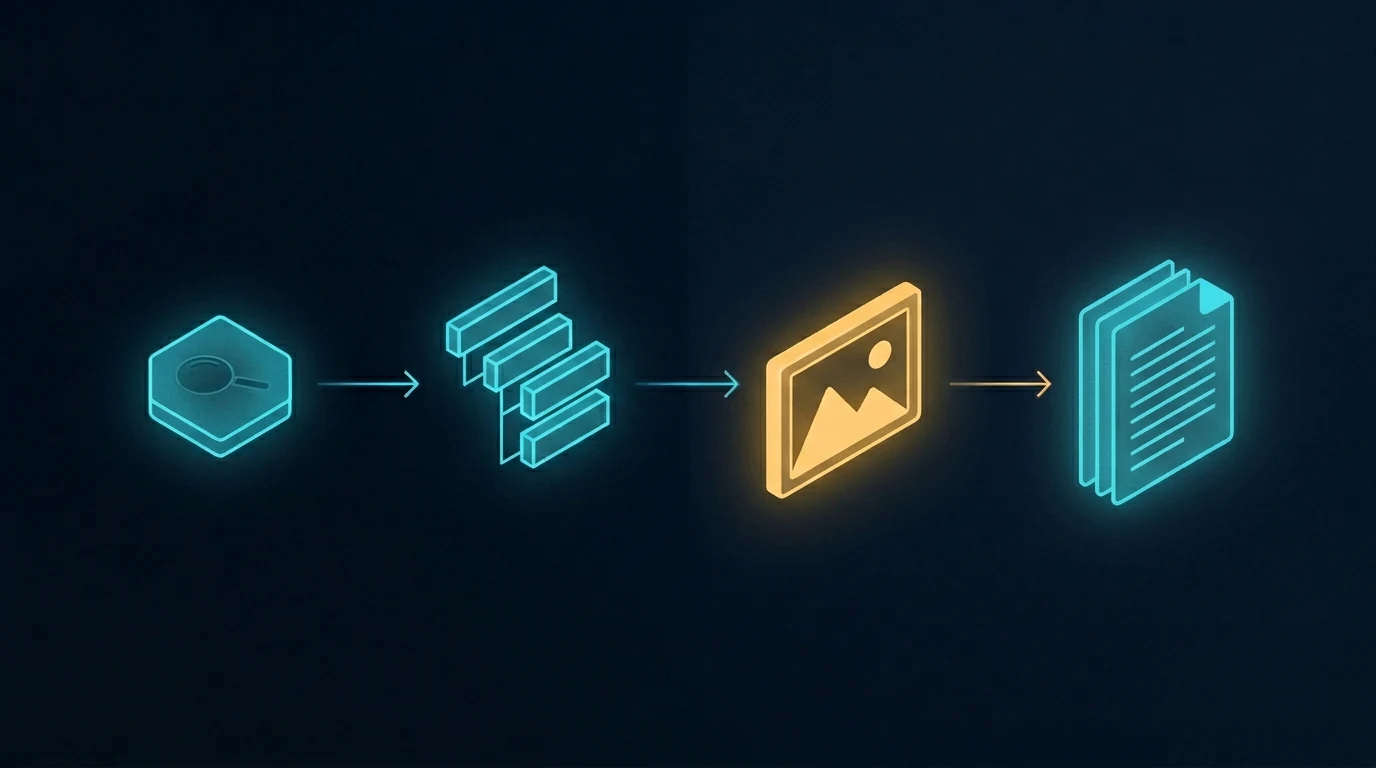
The image above shows a different rearrangement of the same pipeline — one where the image step jumps forward, ahead of the writing. The article gets written to fit the images, not the other way around. That’s a different topic with its own trade-offs, and we’re covering it in a forthcoming companion piece. For now, the relevant point is that whichever order you use, sequential generation is what makes coordinated multi-image content tractable. Without it, the activation energy of coordinating images is high enough that most teams default to one-off illustrations.
The reverse failure mode
The opposite mistake is also worth naming. Some teams, having discovered sequential generation, try to use it for everything. This wastes effort. A single featured image for a daily blog post doesn’t need to share visual DNA with any other image — it stands alone. Running it through a long conversation is overhead for no benefit.
The split is simple. If the images belong together, generate them together. If they stand alone, generate them alone.
When to use each method
Use sequential generation in one conversation context for:
Pillar plus cluster article sets where the visual identity matters
Multi-image articles where consistency across images is part of the message
Flagship content where readers will perceive the image set as designed
Brand-defining visual systems
Anything where seeing two images side by side and noticing they belong together is part of the value
Use parallel generation across separate calls for:
Single featured images on unrelated daily posts
Site-wide batch fills where volume dominates
Stock-style illustrations for routine content
Background image work where nobody is looking at it twice
Anything time-sensitive enough that the activation energy of opening a conversation isn’t worth it
The locked-together effect
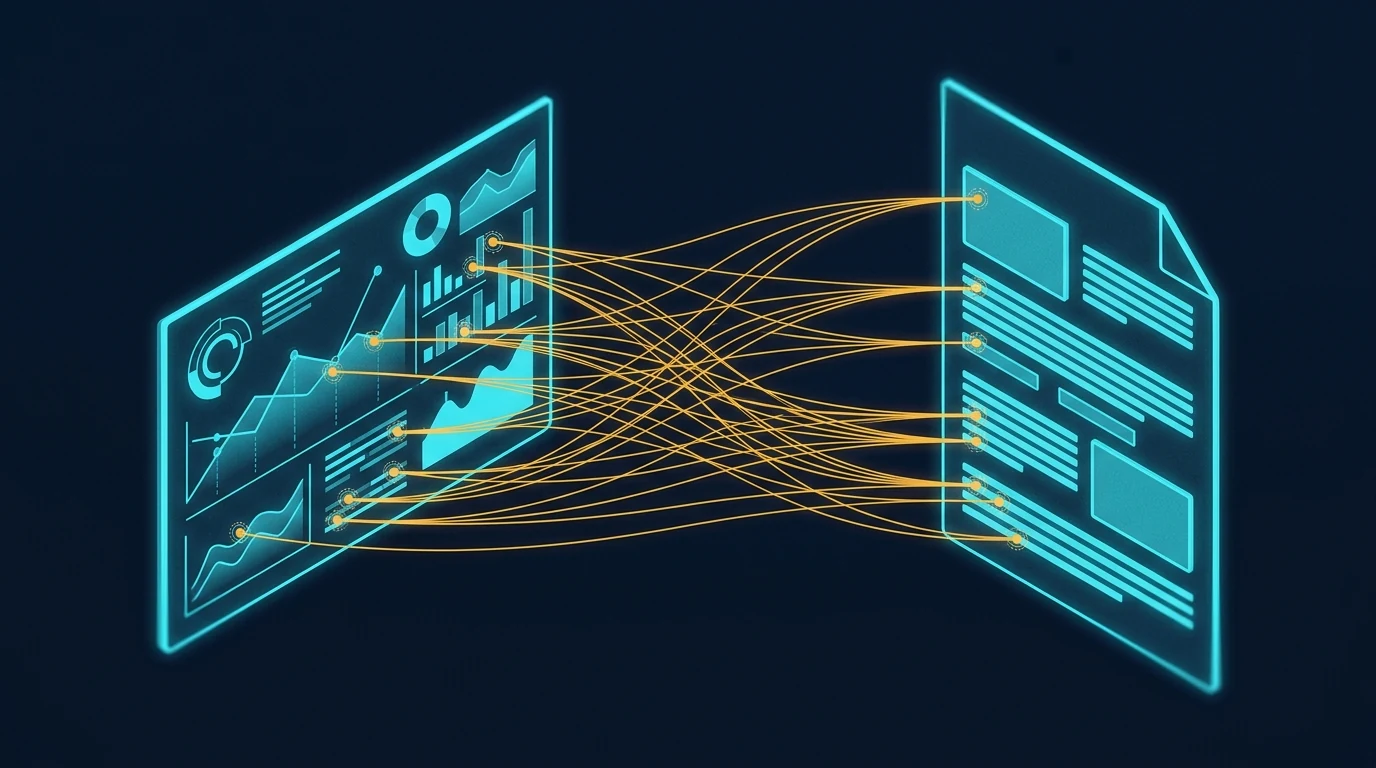
The image above shows what coherent visual sets enable in the actual reading experience. When the images in an article share visual DNA, a reader can reference back and forth between them — visual element here, paragraph there — without the cognitive friction of feeling like the images are coming from different worlds. Specific points in one image connect to specific points in another, or to specific points in the text, and the reader’s eye treats them as a system.
That’s what cohesion is worth. Not aesthetic prettiness in the abstract, but the reader’s ability to navigate the content as a unified whole instead of as a sequence of disconnected pieces.
Parallel generation can’t produce this effect reliably. Sequential generation can. The method is the difference.
The premise
The core insight is small enough to fit in a sentence: generate cohesive image sets in one conversation, generate independent images in parallel calls, and don’t conflate the two cases. Everything else in this article is unpacking that one observation.
The teams that get this right produce visual systems that look designed. The teams that get this wrong produce sets that look almost-designed — close enough that nobody complains, far enough that the work doesn’t quite land. The difference between those two outcomes is which workflow you use, and the workflow choice is essentially free once you know to make it.
This very article is a small proof of concept. The six images above were generated in a single Gemini conversation, in sequence. The visual DNA flows across all of them. None of that would have survived parallel generation. The choice was free; the result is visible.
What is the difference between sequential and parallel image generation?
Sequential image generation creates multiple images inside a single conversation with an image-capable model, so each new image inherits visual DNA from the prior images in the same context window — palette, perspective, geometric language, and compositional rhythm carry forward automatically. Parallel image generation creates each image in a separate API call with no shared context, so each call is a cold start that follows style keywords but cannot inherit feel.
Why does conversation context matter for image generation?
When images are generated in one conversation, the model can see the prior images it generated and use them as anchors for the next image. This means visual specifications you set once are carried forward without you having to re-state them. The result is dramatically tighter cohesion than parallel API calls can produce, even when both methods use identical prompts.
When should I use sequential image generation instead of parallel calls?
Use sequential generation when the image set is part of the value proposition — pillar and cluster article sets, multi-image flagship articles, brand-defining visual systems, anything where readers will perceive the images as belonging to a designed whole. Use parallel generation for single featured images on unrelated daily posts, site-wide batch fills, stock-style illustrations, and routine content where volume matters more than coherence.
Does this method only work with Gemini?
No. The method works with any image-capable model that supports persistent conversation context — meaning the model can see prior turns in the same conversation and use them when generating new images. Gemini handles this well today. Other models with similar capabilities work just as well. The principle is about conversation context, not about a specific provider.
What is the “seam test” for image set cohesion?
The seam test asks whether your images need to feel like one project when seen at a glance — like five views of the same world rather than five separate illustrations. If yes, sequential generation is the right method. If the images can stand alone without referencing each other, parallel generation is faster and equally good. The split between volume work and premium work follows the seam test.
Can I mix sequential and parallel generation in the same project?
Yes, and it often makes sense. Generate the cohesive set sequentially for the article’s main illustrations, then use parallel generation for one-off support images, thumbnails, or social variants that don’t need to share DNA with the main set. The methods are tools, not ideologies. Match the method to the cohesion requirement of each image.