Blog

  • Restoration Pricing & Profit Margins: Operator’s Guide

    Restoration Pricing & Profit Margins: Operator’s Guide

    Restoration pricing is the most misunderstood part of running a restoration company. Owners argue about Xactimate rates, complain about insurance carriers, and chase competitor pricing — while quietly losing money on jobs they think are profitable. The problem isn’t usually the rates. It’s that most restoration companies don’t actually know what their work costs them.

    This guide walks through how restoration pricing actually works in 2026: Xactimate fundamentals, when to use time and material versus fixed bids, where margin leaks happen, what healthy profit margins look like, and the financial math that separates the operators who scale from the ones who stay stuck.

    The two pricing systems restoration uses

    Gloved hands using a pin-type moisture meter on wet drywall during inspection
    The two pricing systems restoration actually uses.

    Almost all restoration work is priced one of two ways. Xactimate pricing dominates insurance work — line items at published unit rates, with regional pricing that updates quarterly, plus overhead and profit added on top. Time and material (T&M) is used for non-insurance work, certain commercial losses, and emergency mitigation where scope is unknown — billed by labor hour and materials at marked-up cost.

    Most restoration companies use both depending on the job. Residential insurance mitigation and reconstruction is almost always Xactimate. Commercial losses with sophisticated buyers often allow T&M or hybrid pricing. Out-of-pocket residential work (mold remediation that isn’t covered, biohazard cleanup, certain reconstruction) is typically T&M or fixed-bid.

    How Xactimate pricing actually works

    Xactimate is a software platform owned by Verisk that contains a database of construction line items priced by region. Each line item has a labor component, a material component, and an equipment component. Pricing updates quarterly and is based on regional cost surveys. The pricing the carrier sees and the pricing you see should be identical — Xactimate is “single price database” for both sides.

    The actual price of a job is the sum of all line items, plus overhead and profit (O&P), typically 10% and 10% (for 21% combined when multiplied), added on top when the job involves three or more trades or specific complexity criteria carriers recognize. Whether O&P is approved is one of the most contested issues in restoration pricing — many carriers and TPAs push back hard, and operators need to know the documentation to defend it.

    Time and material pricing

    T&M pricing bills labor at an hourly rate and materials at a marked-up cost. Healthy restoration T&M rates in 2026 run $75-$110/hour for technicians, $95-$140/hour for lead technicians, and $135-$195/hour for project managers, depending on market and certification level. Material markup typically runs 25-50% over cost. Equipment rental (dehumidifiers, air movers, HEPA filtration) is billed by day at established rates.

    The advantage of T&M is no price disputes — you bill what it actually took. The disadvantage is the customer needs to trust your hours, and you need rigorous time tracking. Without disciplined timekeeping, T&M jobs become arguments about “what could it have possibly taken that long for?”

    The two big places margin gets lost
    Four ascending service-line bars for mitigation, rebuild, contents, specialty
    Where margin gets lost — without sticky dollar stickers.

    Restoration companies don’t lose margin on the rates — they lose it in two specific places. First, missed scope. The job estimate doesn’t capture all the affected materials. The carrier pays the original estimate. The actual work takes longer and uses more material than estimated. Loss.

    Second, weak supplements. When additional damage is discovered (almost always the case in restoration), supplements need to be written, documented, and submitted. Companies with weak estimating and slow supplement processes leave 5-15% of revenue on the table on every insurance job. Companies with disciplined supplement processes capture every dollar of legitimate scope.

    Healthy profit margin benchmarks

    Industry-healthy gross margins by service line: water mitigation 45-60%, reconstruction 25-40%, mold remediation 50-65%, fire and smoke restoration 35-50%, contents cleaning and pack-out 40-55%, commercial large loss highly variable but generally 20-35%. Net margin (after overhead) for a healthy restoration company runs 8-15% of revenue. Companies under 5% net are usually one bad month away from cash crisis. Companies above 18% are either very small, very specialized, or under-investing in growth.

    The job costing discipline most restorers skip
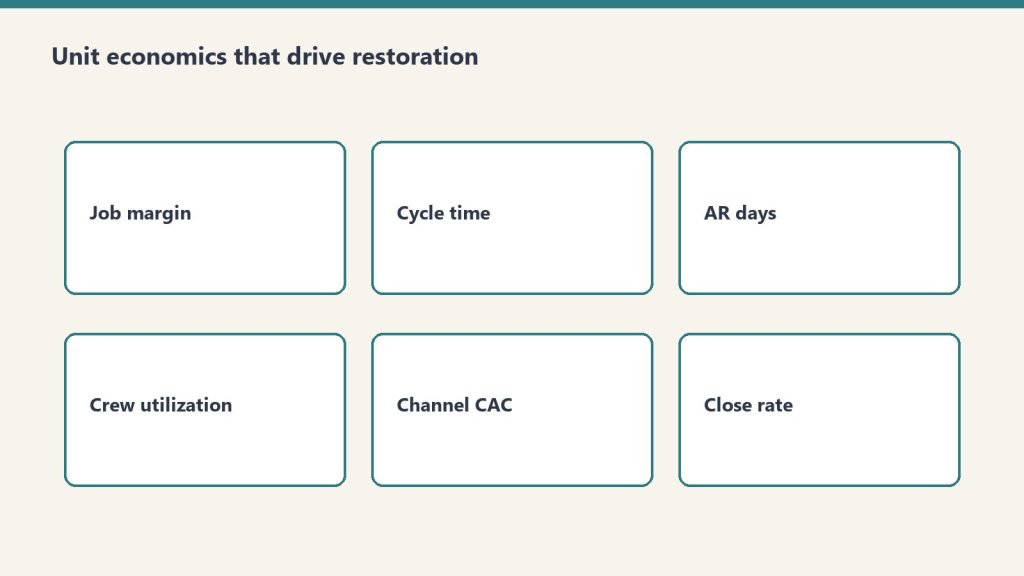
    Six cards covering job margin, cycle time, AR days, utilization, CAC, close rate
    Job costing discipline most restorers skip.

    You cannot manage profit margins you can’t measure. Real job costing means tracking, per job: estimated revenue, actual revenue (including supplements), labor hours and dollars actually spent, material costs actually incurred, equipment days and rental cost, subcontractor cost, and overhead allocation. The output is a per-job gross margin number. Pulling this report monthly and identifying jobs that lost money — and why — is how operators improve pricing over time.

    Most restoration companies skip this because the data is messy and the spreadsheets are painful. The companies that automate it (with restoration-specific software like Restoration Manager, Xactimate, Encircle, or DASH) have a structural advantage that compounds.

    How to handle the “your competitor charges less” objection

    This objection appears constantly. The honest answer: most price differences in restoration are scope differences, not rate differences. Xactimate rates are the same across all contractors in a region — your competitor isn’t using a cheaper Xactimate. They’re either writing less scope, missing items that you’d catch, or planning to supplement aggressively later. Walk the customer through the scope comparison line by line. Often the price gap closes or reverses.

    Pricing strategy by service line

    Water mitigation is almost always Xactimate. The leverage is in writing complete drying chamber configurations, accurate equipment days, and complete demolition scope. Reconstruction is Xactimate with discipline around overhead and profit, change orders, and supplements. Mold remediation can be Xactimate when insurance covers it, T&M or fixed bid when it doesn’t — pricing requires careful scope documentation due to liability. Fire and smoke is Xactimate, with significant supplement opportunity around contents, deodorization, and structural cleaning. Biohazard and trauma cleanup is typically T&M or fixed bid with hazard premiums.

    Related on Tygart Media: Starlink on a water job · S500 in the van · local SEO for restoration.

    Frequently Asked Questions

    How much does water damage restoration cost?

    The national average for residential water damage restoration in 2026 ranges from $1,500 for a small Category 1 (clean water) loss to $40,000+ for a large Category 3 (sewage) loss requiring extensive demolition and reconstruction. Most insurance-covered water mitigation jobs fall in the $3,000-$8,000 range. Pricing is calculated using Xactimate line items based on affected square footage, equipment days, demolition scope, and reconstruction needs.

    What profit margin should a restoration company make?

    Healthy gross margin benchmarks: water mitigation 45-60%, reconstruction 25-40%, mold remediation 50-65%, fire restoration 35-50%, commercial large loss 20-35%. Net margin (after overhead) for a profitable restoration company typically runs 8-15% of revenue. Companies below 5% net margin are at financial risk; companies above 18% are usually small, specialized, or under-investing in growth.

    What is overhead and profit in restoration?

    Overhead and profit (O&P) is typically a 10% + 10% addition on top of the line-item subtotal in Xactimate, applied when a job involves three or more trades or meets carrier complexity criteria. The 10% overhead covers indirect costs like supervision, office, and equipment depreciation; the 10% profit is the contractor’s profit margin. Whether O&P is approved is frequently disputed by carriers and TPAs, and proper documentation is required to defend it.

    Should restoration jobs be priced T&M or Xactimate?

    Insurance work is almost always Xactimate because that’s what carriers will adjust to. Out-of-pocket residential work, certain commercial losses, and unscoped emergency mitigation are often better priced as time and material. The dividing line is typically whether a third-party payer (insurance carrier or TPA) is involved.

    What is the labor rate for restoration technicians?

    Healthy 2026 T&M billing rates: technicians $75-$110/hour, lead technicians $95-$140/hour, project managers $135-$195/hour. These vary by region and certification level. Insurance work uses Xactimate’s regional labor rates rather than billed hourly rates, with the labor component embedded in each line item.

    How do restoration companies make more money on jobs?

    The two highest-leverage activities are complete initial scoping (capturing every affected material in the original estimate) and disciplined supplementing (writing and submitting supplements promptly when additional damage is discovered). Companies with rigorous estimating and supplement processes capture 5-15% more revenue per insurance job than companies that don’t.
  • Restoration Sales Playbook: Commercial & Residential

    Restoration Sales Playbook: Commercial & Residential

    Most restoration companies don’t have a sales process. They have an owner who answers the phone, gives a verbal estimate, and hopes the customer says yes. That works until it doesn’t — usually around the $1.5M revenue line, when the owner can no longer touch every job and the company plateaus.

    This is the complete restoration sales playbook for both commercial and residential. The processes, the scripts, the objections, the comp plans, the metrics, and the org structure that turn restoration sales from “the owner’s gut” into a scalable engine.

    Why restoration sales is different from other home services

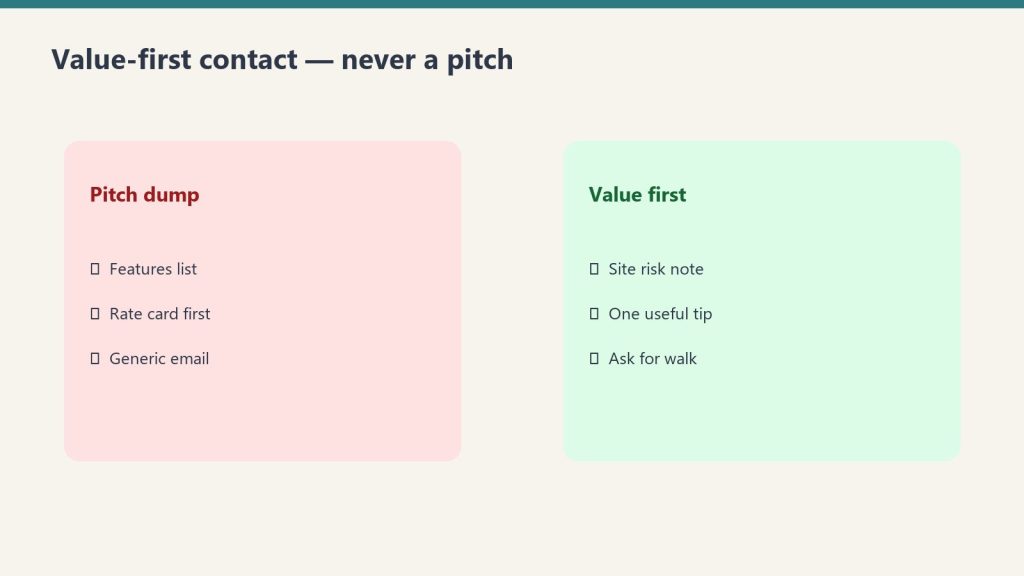
    Side-by-side comparing a pitch dump with value-first contact habits
    Why restoration sales is different from other home services.

    Three things make restoration sales unique. First, most customers don’t want to be there — water on the floor, fire damage, mold smell — and the buying experience is emotional, not transactional. Second, insurance is usually the third party in the room, which means the sale has both a customer-facing dimension and a carrier-facing scope-and-pricing dimension. Third, the urgency window is short — a homeowner with three inches of water in the basement is making a decision in the next sixty minutes, not the next sixty days. A sales process built for HVAC replacement or kitchen remodels doesn’t work in this environment.

    The residential restoration sales process

    The clean residential process has six steps. First, the inbound call or arrival — set the customer at ease, gather the basics, dispatch the truck. Second, the on-site walk and assessment — physically inspect the loss, document with photos and a moisture map, identify scope. Third, the trust-building conversation — explain what’s happening, what the company will do, what the timeline looks like, what the insurance process will involve. Fourth, the work authorization — get the signature on the work authorization form and the AOB (assignment of benefits) where used, with clear scope language. Fifth, the daily progress update — text or call the customer every day with what was done and what’s next. Sixth, the close-out and review request — final walkthrough, signed completion certificate, immediate ask for the Google review.

    The commercial restoration sales process

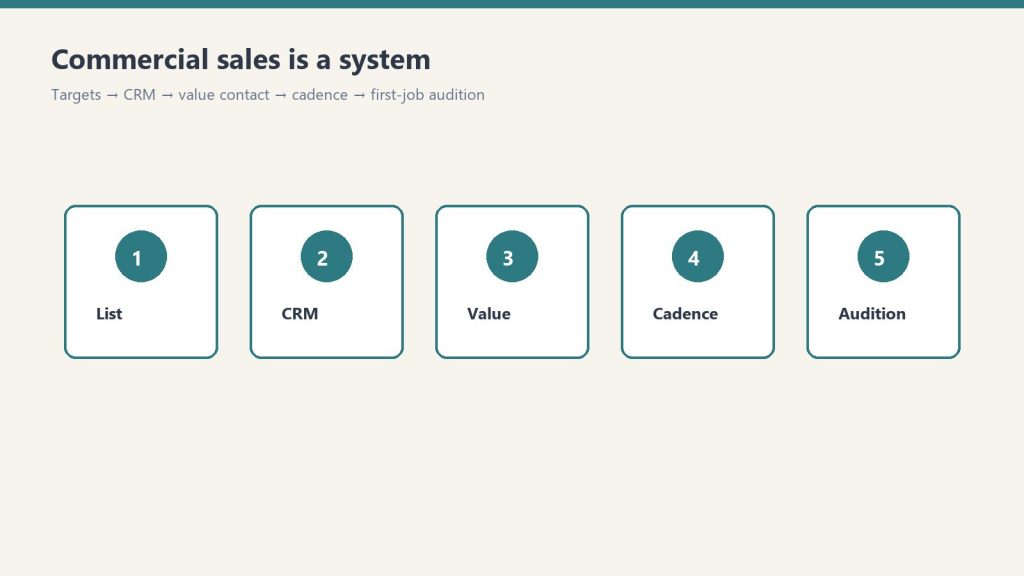
    Five-step commercial sales system from list to first-job audition
    The commercial restoration sales process.

    Commercial is fundamentally different — longer sales cycle, multiple stakeholders, RFP and master service agreement structures. The commercial process has eight steps. First, identify and qualify the target (property managers, facility directors, REIT operations teams, healthcare facility managers, hotel chains). Second, cold outreach via email, phone, LinkedIn, or in-person drop-bys. Third, discovery meeting to understand current vendor situation, pain points, and decision criteria. Fourth, capabilities presentation — branded deck, case studies, references, certifications. Fifth, RFP response or vendor application — formal pricing schedules, COI, W-9, MSA negotiation. Sixth, onboarding and first job — usually a small loss to prove the relationship works. Seventh, account management — quarterly business reviews, scorecard tracking, expansion within the account. Eighth, renewal and reference development — turn happy commercial accounts into case studies and references for the next prospect.

    The five most common restoration sales objections (and how to handle them)

    “I need to call my insurance company first.” This is the most common objection on residential. The honest answer: yes, they should call insurance, but they don’t need to wait for insurance to authorize emergency mitigation. Mitigation is a duty owed by the homeowner under almost every policy, and delaying mitigation usually causes more damage and more denials, not fewer. Explain this calmly, point them to their policy language, and offer to be on the call when they reach the carrier.

    “How much is this going to cost?” The wrong answer is a number. The right answer is “it depends on what we find when we open up the affected areas, but I can walk you through how Xactimate pricing works, what your policy typically covers, and what your out-of-pocket exposure is likely to be.” Rebuild trust with transparency, not with an unreliable estimate that you’ll have to retract later.

    “My uncle/cousin/neighbor does this kind of work.” Don’t fight it. Acknowledge it, then differentiate: “If they’re certified IICRC and carry the right insurance, that’s great — we’re happy to be the second opinion. If you’d prefer to use them, we still recommend you start mitigation in the next few hours either way.” Sometimes you’ll lose the job. Often the customer will quietly reconsider when they realize what’s actually involved.

    “Your competitor quoted me less.” The hidden answer to this objection is almost always scope, not rate. Walk through the scope item by item with the customer. Identify what’s missing in the competitor’s proposal. Explain what gets denied or supplemented later when the carrier reviews. Most price objections in restoration are scope-comparison failures, not pricing failures.

    “I want to think about it.” Time is not a luxury in restoration. The honest, professional response: “I understand. The challenge is that every hour we wait, the loss usually gets worse and the carrier may push back on damage that could have been prevented. Can we start emergency mitigation now and you finalize the rest of the scope tomorrow?”

    Sales rep compensation: the models that work

    Three compensation structures dominate in restoration. Salary plus bonus works for inside sales reps and commercial business development, where the sales cycle is long and the rep needs predictable income. Typical structure: $60K-$90K base plus 1-3% of revenue from accounts they bring in, capped or uncapped depending on territory size. Commission-only works for outside residential sales reps in markets with high enough volume to support it. Typical structure: 5-10% of gross revenue or 10-15% of gross profit, with a draw against commission for the first 90 days. Salary plus team bonus works for production-side sales (project managers who upsell during jobs). Typical structure: production manager salary plus a small percentage of completed job revenue tied to customer satisfaction scores.

    The metrics that predict restoration sales performance

    Three panels showing one problem, three options, one recommendation
    The metrics that predict restoration sales performance.

    Forget revenue as the primary metric — it’s a lagging indicator. The leading indicators that predict next quarter’s revenue are activity volume (calls made, meetings held, proposals sent), pipeline value (sum of qualified opportunities × probability), conversion rates by stage (lead to qualified, qualified to proposal, proposal to close), average deal size by source, and sales cycle length by deal type. A weekly pipeline review using these five metrics will tell you what’s coming three months out.

    When to hire your first sales rep

    Most restoration owners hire too late. The right trigger is when you can confidently answer two questions: “do I have a documented sales process I can hand to someone else?” and “do I have enough lead flow to keep a sales rep at 70%+ capacity?” If both are yes and you’re at $1.5M+ in revenue, it’s time. The first sales hire should usually be a residential closer or commercial business development rep, depending on which side of the business has the bigger growth ceiling.

    Related on Tygart Media: sales training · commercial sales · CRM pipeline.

    Frequently Asked Questions

    What does a restoration sales rep actually do?

    Residential sales reps respond to inbound emergency calls, conduct on-site walks, write scopes, present pricing, secure work authorizations, and manage the customer relationship through completion. Commercial sales reps prospect property managers and facility directors, conduct discovery meetings, deliver capabilities presentations, respond to RFPs, negotiate MSAs, and manage assigned accounts long-term.

    How much does a restoration sales rep make?

    Residential outside sales reps in restoration typically earn $60K-$120K total compensation, depending on market, lead flow, and commission structure. Commercial business development reps with established books of business often earn $90K-$200K. New hires in their first year usually fall into the $50K-$80K range while building pipeline.

    How do you sell commercial restoration services?

    Commercial restoration sales is relationship-based business development, not transactional sales. The process: identify target accounts (property managers, facility directors, REITs, healthcare, hospitality), build relationships through outreach and industry events, present capabilities through branded decks and case studies, win small jobs first to prove competence, then expand to MSA-level relationships and preferred vendor status.

    What is the close rate for restoration sales?

    Healthy close rates by segment: residential emergency leads 40-60% from lead to job; residential planned/estimated work 25-40%; commercial RFPs 15-30%; commercial referral-based opportunities 35-55%. Companies significantly below these ranges usually have a process or speed problem, not a market problem.

    Should I hire a restoration sales coach or consultant?

    Restoration sales coaching has matured into a real category — there are several specialists who focus exclusively on this industry. Coaching tends to deliver the best ROI for owners who already have lead flow but are struggling with conversion, or for sales reps in their first 12-24 months who need scaffolding on process and objection handling. It’s less useful for foundational issues like lead generation or operational capacity.

    How do you train a restoration sales rep?

    Effective restoration sales training has four pillars: technical knowledge (water categories, drying science, restoration process, IICRC standards), insurance literacy (policy language, claims process, Xactimate basics, supplements), sales process and scripts (call handling, on-site discovery, scope presentation, objection handling, close), and ride-alongs with the owner or senior rep for the first 60-90 days before independent calls.

  • Restoration Lead Generation: The Complete 2026 Guide

    Restoration Lead Generation: The Complete 2026 Guide

    Every restoration owner in America is looking for the same thing: more qualified water, fire, and mold leads at a cost that lets them stay profitable. The market is flooded with promises — buy these exclusive leads, run these ads, sign up for this network — and most of them don’t survive contact with reality.

    This is the complete operator’s guide to restoration lead generation: the honest economics of every channel, what cost per acquired job looks like in real markets, and the framework for building a lead engine that compounds instead of one that has to be re-fed every Monday morning.

    The five categories of restoration leads

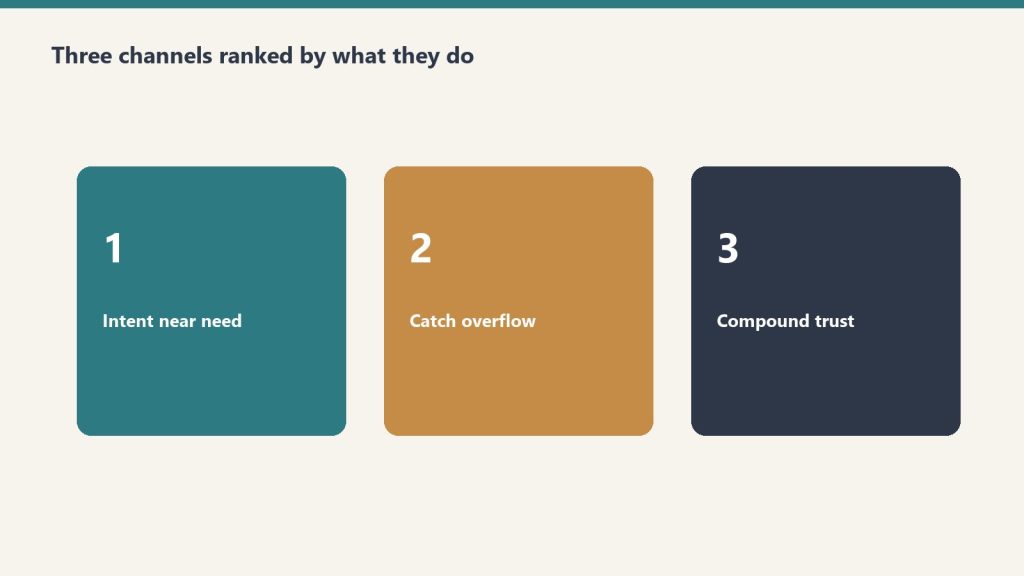
    Three ranked panels: intent near need, catch overflow, compound trust
    Five categories of restoration leads.

    Every restoration lead, no matter how it’s marketed, falls into one of five categories. Understanding which category a lead source belongs to is the first step to evaluating whether it deserves your money.

    The five categories are direct organic (someone Googles you and calls), paid search and LSAs (you pay Google for a click or a lead), third-party lead aggregators (Networx, HomeAdvisor, Thumbtack, restoration-specific platforms), preferred vendor programs and TPAs (insurance carriers and third-party administrators send you work), and referrals (plumbers, agents, adjusters, past customers). Each has a different economic profile, conversion rate, and durability.

    Organic and direct leads: the gold standard

    A direct call from someone who Googled your name or got referred by a neighbor is the most valuable lead in restoration. There’s no middleman cost, the trust signal is high, and the conversion rate from call to job typically runs 50-70%. The catch: building enough brand and SEO presence to generate this volume reliably takes years. Restoration companies that are 5+ years old in their market with strong reviews and SEO often see 30-50% of their leads come direct.

    Local Service Ads (LSAs)

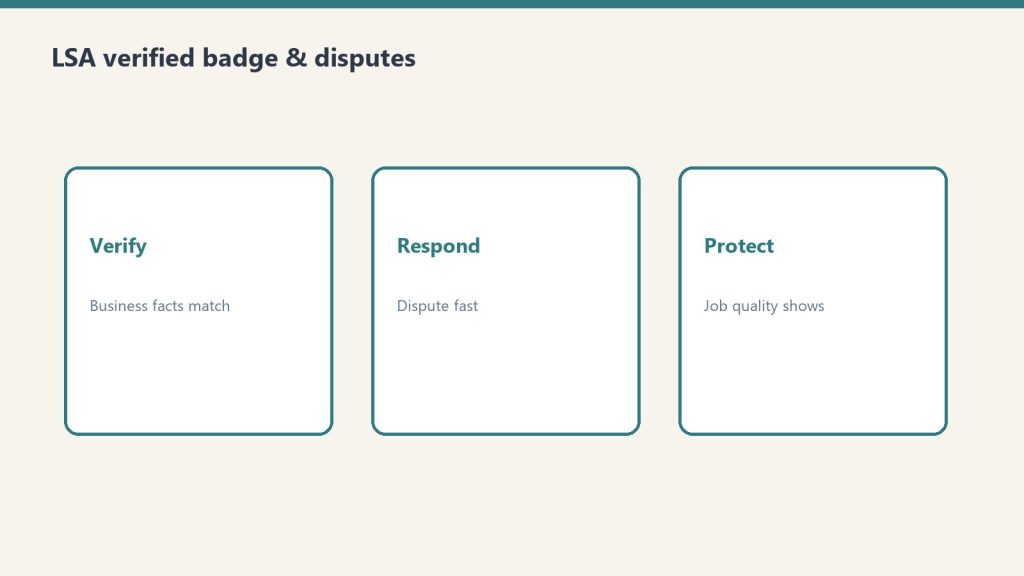
    Three cards: verify business facts, respond to disputes fast, protect with job quality
    Local Service Ads — overflow and intent.

    LSAs are Google’s pay-per-lead product that sits above the map pack on emergency searches. For restoration, this is typically the highest-ROI paid channel available. Cost per lead in most US markets ranges $35-$85, with conversion rates from lead to job running 40-60%. Acquiring a $5,000 water mitigation job for a $150-200 marketing cost is normal here. Setup requires Google Guarantee verification, ongoing review generation, and active dispute management for unqualified leads.

    Google Ads (paid search)

    Red checklist of five reasons restoration Google Ads waste budget
    Google Ads bleed money without structure.

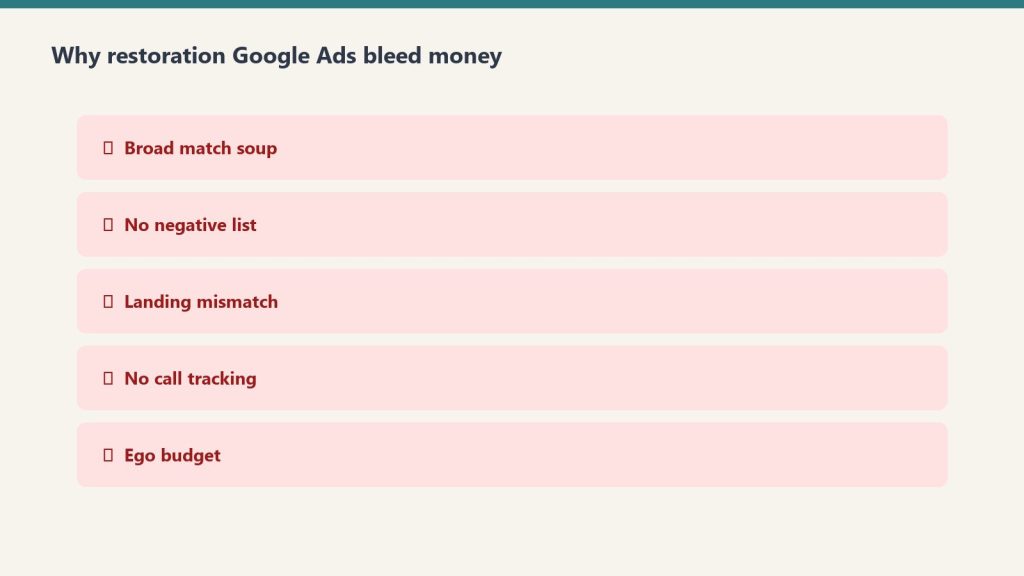
    Standard PPC on terms like “water damage restoration [city],” “mold remediation near me,” and “fire damage cleanup” still works, but only with disciplined campaign management. Cost per click in competitive metros runs $20-$80 for top emergency terms. Without aggressive negative keywords, location targeting, and call-only or call-extension setups, Google will happily incinerate the budget on irrelevant traffic.

    Lead aggregators and lead-buying platforms

    HomeAdvisor, Networx, Angi, Thumbtack, and restoration-specific platforms (33 Mile Radius, Lead PPC, Restoration Marketing Pros lead programs, etc.) sell leads on a per-lead or per-month basis. The economics here vary wildly. Shared leads (sold to 3-5 contractors) typically run $35-$90 with conversion rates of 5-15%, making real cost per acquired job $300-$1,500. Exclusive leads (sold only to you) run $150-$500 with higher conversion rates. Most restoration operators who buy leads either love them or hate them — the dividing line is usually how disciplined the company is about speed-to-call (under 2 minutes is the bar) and qualification scripting.

    TPA and carrier preferred vendor programs

    Contractor Connection, Code Blue Restoration, Sedgwick CCMSI, Crawford & Company, Allstate, State Farm Premier Service, USAA, and the dozens of regional TPAs all run vendor networks that send work to qualified contractors. The economics are different — you’re not paying per lead, you’re paying in margin compression (typically 10-20% off retail Xactimate pricing), program audit overhead, and required SLAs (24-hour response, daily updates, photo documentation, etc.). A well-run TPA program can fill 30-60% of a residential mitigation truck’s calendar; a poorly managed one will burn margin and goodwill simultaneously.

    Plumber and trade referral programs

    The classic restoration lead source. Plumbers see water damage first — when they pull a P-trap and find a slow leak that’s been running for months, the homeowner needs a restorer. A formal plumber referral program (with co-branded marketing, fast-response promises, lead tracking, and quarterly thank-yous — gift cards, dinners, branded swag) routinely produces 100-300 leads per year per major plumbing partner. Three to five strong plumber partners can fill a substantial portion of a small operator’s calendar.

    Insurance agent and adjuster referrals

    Local independent insurance agents who write homeowners policies are referral gold. They want a contractor they can trust to handle their insureds’ losses well so policies don’t churn. Independent adjusters working catastrophe and daily claims also refer. Building these relationships takes time — agent breakfast meetings, monthly tips emails, claim co-presentation, and consistent customer satisfaction reports back to the agent.

    What “exclusive restoration leads” actually means

    “Exclusive” is the most abused word in the lead generation industry. Some platforms genuinely sell each lead to only one contractor; many “exclusive” programs are actually just shared leads with extra steps. Before paying for any exclusive lead program, get the answers in writing: how is exclusivity defined geographically (ZIP, city, county)? How is it defined temporally (exclusive for one hour, one day, forever)? What happens if the customer also fills out a form on a competing platform? How are disputes handled?

    The lead generation economics framework

    To compare any two lead sources fairly, you need four numbers per channel: cost per lead, lead-to-job conversion rate, average job revenue, and gross margin on jobs from that source. The math: cost per lead divided by conversion rate equals cost per acquired job. Cost per acquired job divided by average job revenue equals customer acquisition cost as percent of revenue. A healthy restoration program runs CAC in the 5-15% of revenue range for residential and 2-8% for commercial.

    The 30-day lead generation diagnostic

    If your phone isn’t ringing enough, here’s the 30-day diagnostic. Pull every lead from the last 90 days. Tag each by source. Calculate cost per acquired job by source. Identify the bottom two sources by ROI and cut them. Take that budget and split it: 50% goes to doubling down on your best performing channel, 50% goes to testing one new channel. Run for 90 days. Repeat the diagnostic. This is how high-performing restoration companies build channel discipline over time.

    Related on Tygart Media: Starlink on a water job · S500 in the van · local SEO for restoration.

    Frequently Asked Questions

    What is the best source of restoration leads?

    For emergency residential work, Local Service Ads typically deliver the best ROI in most US markets. For commercial work, structured business development to property managers and facilities directors outperforms any paid lead source. For sustained organic volume, Google Business Profile optimization and review velocity drive direct calls that compound over time.

    How much do restoration leads cost?

    Costs vary widely by source: Local Service Ads run $35-$85 per lead in most markets; Google Ads CPCs for emergency restoration terms range $20-$80; shared leads from aggregators cost $35-$90; exclusive leads from third-party platforms run $150-$500; preferred vendor programs charge no per-lead cost but compress margin 10-20%.

    Are restoration lead-buying platforms worth it?

    It depends on the platform and your operational discipline. Companies that answer leads in under two minutes, run a tight qualification script, and track ROI by source can profitably buy leads. Companies that let leads sit for hours or skip qualification will lose money on almost any lead-buying platform.

    How do I get more commercial restoration leads?

    Commercial leads come from relationships, not digital channels. The proven plays are direct outreach to property managers and facility directors, attending IFMA and BOMA chapter events, joining commercial insurance broker referral networks, and building case studies that prove you can handle large losses. Digital marketing supports these activities but rarely originates commercial leads on its own.

    What is a good lead-to-job conversion rate for restoration?

    Healthy benchmarks: residential emergency leads from LSAs and Google Ads should convert at 40-60%; shared leads from aggregators 5-15%; exclusive leads 30-50%; referral leads 60-80%; commercial RFP leads 15-30%. Companies under these benchmarks usually have a speed-to-call problem or a script problem, not a lead quality problem.

    How fast do I need to respond to restoration leads?

    Under two minutes is the modern bar for emergency restoration leads. Conversion rates drop sharply after five minutes and collapse after thirty. The best operators have a 24/7 trained answering service or in-house call center, not a voicemail and a callback system.

  • Restoration Marketing: The Complete 2026 Strategy Guide

    Restoration Marketing: The Complete 2026 Strategy Guide

    Restoration marketing is not home services marketing. The buying cycle is broken — most homeowners don’t shop until water is on the floor, and most commercial accounts don’t buy a restorer until they need one at 2 a.m. Generic marketing playbooks designed for HVAC, roofing, or landscaping fall apart when applied to a category where 80% of demand is reactive emergency work and the other 20% is relationship-driven preferred-vendor placement.

    This guide is the complete restoration marketing playbook for 2026: every channel that matters, the math behind each one, and the prioritization framework that separates restoration companies that grow from the ones stuck at the same revenue line for five years running.

    What restoration marketing actually has to accomplish

    Three cards for LSA, search ads, and SEO/AI authority channels
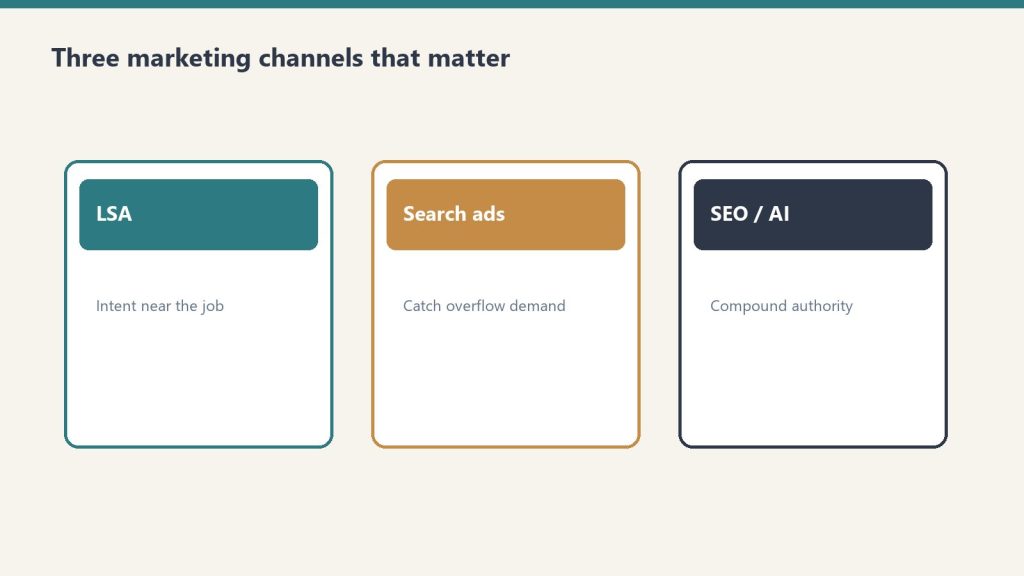
    What restoration marketing has to accomplish.

    Most marketing strategies aim for one job: generate leads. Restoration marketing has to do four things simultaneously, and most companies only get one or two right.

    The four jobs are capture emergency demand (be the first call when a pipe bursts), build commercial preferred-vendor pipeline (get on lists at facilities, property management firms, and TPAs), maintain referral momentum (stay top of mind with plumbers, agents, adjusters, and past customers), and build the brand asset (so when an insurance carrier or commercial buyer Googles you, what they find sells the relationship). A program that generates emergency leads but ignores commercial pipeline gets stuck at residential ceiling. A program that builds a great brand but ignores Local Service Ads loses the late-night calls that pay the rent.

    The restoration marketing channel stack

    Three ranked panels: intent near need, catch overflow, compound trust
    The restoration marketing channel stack.

    Here is the complete channel inventory for a modern restoration company, ranked by typical contribution to revenue for an established multi-truck operation.

    1. Local Service Ads (LSAs)

    LSAs are pay-per-lead Google products that appear above the map pack on local emergency searches. For restoration, this is the single most ROI-positive channel that exists. A “water damage near me” lead from LSAs typically costs between $35 and $85 in most US markets, and converted jobs run $3,000 to $15,000+ in revenue. Setup requires Google Guarantee verification, license uploads, insurance documentation, and review velocity. Most restoration companies underinvest in LSAs because the dashboard is unfamiliar — that’s the opportunity.

    2. Local SEO and Google Business Profile

    The map pack is where emergency restoration searches convert. Optimizing your Google Business Profile, building genuine review velocity (target 4.7+ stars with 100+ reviews per location), publishing service-area landing pages with city-level intent, and earning local citations is the second pillar. Local SEO compounds — a company that builds it for two years has a moat competitors can’t buy.

    3. Google Ads (paid search)

    Outside LSAs, paid search on terms like “water damage restoration [city],” “mold remediation,” and “fire damage cleanup” remains a workhorse. Tight match-type discipline, location targeting at the ZIP level, call extensions, and aggressive negative keyword lists are non-negotiable. Without those, Google will happily spend $200 a day on irrelevant queries.

    4. Content marketing and SEO

    Long-form content does two things at once: it captures top-of-funnel research traffic (“what to do after water damage,” “how to dry out a wet basement”) and it builds the authority signals that move your map pack rankings. The mistake most restorers make is publishing thin 400-word service pages and calling it SEO. Real content marketing means 1,500+ word answers, expert-reviewed posts, original photos, and a publishing cadence the operator can actually sustain.

    5. Commercial business development

    Commercial restoration is a relationship business that masquerades as a marketing problem. The “marketing” here is structured outreach to property managers, facility directors, REITs, healthcare facilities, and commercial insurance brokers — combined with branded sales collateral, capabilities decks, and a website that looks like a commercial vendor rather than a residential carpet cleaner.

    6. Referral programs (plumbers, agents, adjusters)

    The classic restoration referral playbook is alive and well. Structured plumber programs (with co-branded marketing, fast response promises, and clear referral tracking), insurance agent breakfast meetings, and independent adjuster relationships still produce 20-40% of revenue at most established restoration shops.

    7. TPA and carrier preferred vendor programs

    Joining programs like Contractor Connection, Code Blue, Sedgwick, Crawford, and Allstate’s preferred vendor lists is its own marketing channel — applications, audits, performance metrics, and ongoing scorecard management. The work is high-volume but margin-compressed, so this channel needs to be planned, not stumbled into.

    8. Social media and brand content

    Social is mostly a brand and recruiting channel for restoration, not a direct lead channel. LinkedIn for commercial business development, Facebook for community presence and reviews, and Instagram for technician recruiting and culture content. Don’t expect TikTok to fill your truck.

    9. Email marketing

    Often ignored, email is the cheapest way to stay top of mind with referral partners and past customers. Quarterly newsletter to plumber partners, monthly tips to agents, and seasonal reminders to past customers keep the referral engine warm.

    How to allocate the marketing budget

    For a restoration company doing $1M to $5M in annual revenue, the typical healthy budget allocation looks like: 35-45% LSAs and Google Ads, 15-20% local SEO and content, 15-20% commercial business development (sales rep cost, collateral, events), 10-15% referral program maintenance, and the rest to brand and recruiting. Companies under $1M should weight more heavily into LSAs and direct response — brand spending before you have the operational base to handle volume is wasted budget.

    The KPIs that actually matter

    Five zone panels: estimating, job costing, cash/AR, sales, leadership
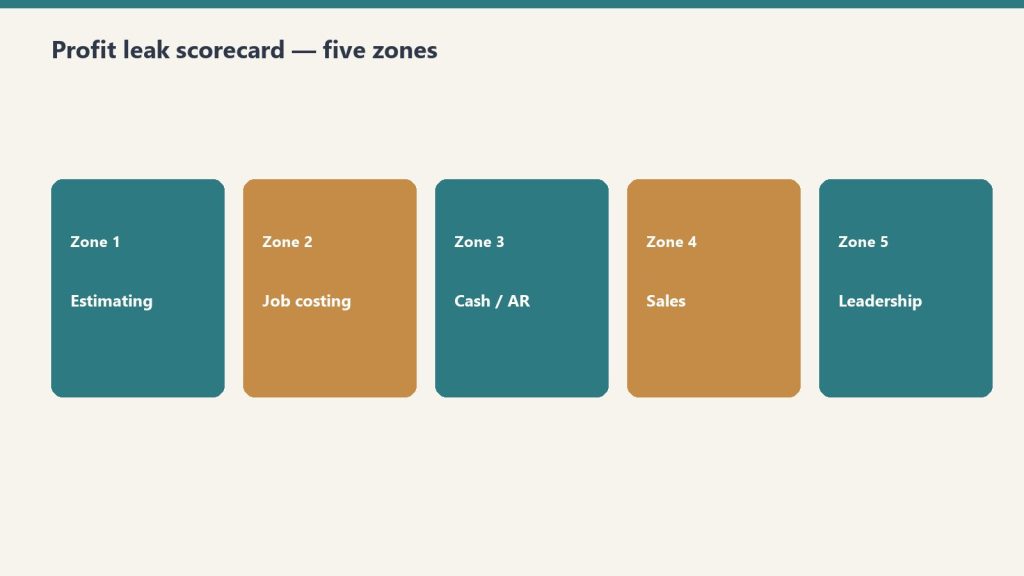
    KPIs that actually matter.

    Most restoration marketing dashboards track vanity metrics. The numbers that predict whether a marketing program is working are cost per qualified lead (not raw lead — qualified means the customer answered the call and the job has insurance or out-of-pocket budget), lead-to-job conversion rate (industry healthy range is 35-55% for residential, 15-30% for commercial), average ticket by source (LSAs and Google Ads jobs typically run smaller than referral or commercial jobs), and marketing ROI by channel (revenue divided by marketing spend, calculated quarterly).

    The 90-day restoration marketing audit

    If you inherited a restoration marketing program or you’re not sure where you stand, here’s the audit framework. Pull your last 90 days of leads. Tag each by source. Calculate cost per qualified lead by channel. Calculate revenue produced by channel. Identify the single best-performing channel and the single worst. Cut the worst, double down on the best, and pick one new channel to test for the next quarter. That’s the entire program.

    Related on Tygart Media: Starlink on a water job · S500 in the van · local SEO for restoration.

    Frequently Asked Questions

    How much should a restoration company spend on marketing?

    Healthy restoration marketing spend ranges from 6% to 12% of revenue, depending on growth stage and market competitiveness. Companies in startup or rapid-growth mode often spend 10-15%; mature operators with strong referral pipelines may run as low as 4-6% because referral and TPA channels carry more of the load.

    What is the best marketing channel for restoration companies?

    For emergency residential work, Local Service Ads typically deliver the best cost per acquired job. For commercial restoration, structured business development to property managers and facility directors outperforms any digital channel. The right answer depends on which side of the business you’re trying to grow.

    How long does restoration SEO take to work?

    Local SEO and Google Business Profile optimization can move map pack rankings within 60-120 days for less competitive markets. Organic blog content takes 6-12 months to mature and produce consistent traffic. Companies expecting immediate organic results will be disappointed; companies that commit to a 12-month horizon usually see meaningful results.

    Are Local Service Ads worth it for restoration?

    Yes, in most markets. LSAs typically deliver the lowest cost per acquired customer of any digital channel for emergency restoration services. The exceptions are extremely competitive metros where lead pricing has been bid up significantly, or service areas where Google Guarantee verification is delayed.

    Should I hire a restoration marketing agency or do it in-house?

    Companies under $2M in revenue typically benefit from a specialized restoration marketing agency that already knows the channels and pitfalls. Companies above $5M often hire an in-house marketing director and use agencies tactically for SEO, paid media, or content. The middle range is the hardest — that’s where most restoration marketing money gets wasted.

    What does a restoration marketing plan look like?

    A real plan has four components: a channel mix and budget allocation, a 12-month content and publishing calendar, a quarterly business development plan for commercial pipeline, and a measurement framework that tracks cost per qualified lead and revenue per channel. Anything less is a wish list.

  • Restoration Software 2026: Choosing ERPs, CRMs & Tools

    Restoration Software 2026: Choosing ERPs, CRMs & Tools

    The restoration software landscape in 2026 has consolidated into four recognizable categories. The wrong choice will cost a restoration operator three to five years of integration debt. The right one will quietly compound margin and visibility for the same period.

    This is a buyer’s framework, not a vendor ranking. Vendor names move quickly in this market through acquisition and rebranding. The categories below are stable, and the selection criteria are durable.

    The Four Categories of Restoration Software in 2026

    Three cards for field SOPs, owner prompts, and KPI rhythm in an operations kit
    The four categories of restoration software in 2026.

    When operators talk about “restoration ERP” or “restoration sales software,” they are usually referring to one of four distinct categories that solve different problems:

    • End-to-end restoration ERPs — single platforms covering CRM, job management, scheduling, estimating, photo documentation, accounting integration, and reporting. The dominant choice for shops above roughly $5M revenue that want one system of record.
    • Sales-focused CRMs — platforms purpose-built for the commercial cultivation cycle, account mapping, and sales-pipeline management. Often paired with a separate job-management tool.
    • Job-management platforms — systems focused on the production side: dispatch, technician documentation, customer signatures, estimating, photo capture. The dominant choice for shops where production discipline drives the business.
    • Best-of-breed point tools — moisture mapping, photo documentation, equipment tracking, communication, scheduling — each from a separate vendor, integrated through APIs or middleware.

    The first selection question is which category fits the shop, not which vendor. Most software regret in the restoration industry comes from buying a vendor in the wrong category for the operating model.

    How to Choose the Right Category

    The right category is a function of revenue scale, operating model, and growth direction. A working framework:

    • Under $2M revenue, residential-led: a job-management platform plus a basic CRM is usually sufficient. Full ERP is overhead the shop cannot absorb.
    • $2M to $5M revenue, mixed residential and commercial: a job-management platform with a strong sales module, or an ERP with a clear sales workflow. The decision tilts on commercial growth ambition.
    • Above $5M revenue, multi-location or commercial-led: end-to-end ERP becomes the practical choice. The cost of stitching point tools together exceeds the cost of the ERP.
    • Heavy commercial sales motion: a dedicated sales CRM is often added regardless of the production platform, because commercial cultivation requires functionality production-led platforms do not prioritize.

    The Six Selection Criteria That Actually Matter

    Three panels showing one problem, three options, one recommendation
    The six selection criteria that actually matter.

    Vendor demos make every platform look comparable. The differentiators show up in production. The six criteria that separate platforms operators stay on from platforms operators leave within 24 months:

    1. Documentation discipline. Does the platform enforce the documentation standard your insurance work requires, or does it allow technicians to skip critical fields? The IICRC S500 2026 documentation expectations make this non-negotiable.
    2. Estimating integration. Does the platform connect to the estimating tool your shop uses (Xactimate, Symbility, or alternatives) without a manual re-key? A re-key step is where margin leaks.
    3. Accounting integration. Does the platform write clean records into QuickBooks, Sage, or NetSuite? Without this, your controller is rebuilding the books every month.
    4. Mobile reliability. Does the technician-facing app work on a job site with intermittent connectivity? Field-side reliability is the most common reason adoption stalls.
    5. Sales pipeline depth. If you have a commercial sales motion, does the platform support named accounts, multi-contact account mapping, and stage-based cultivation? Most production-led platforms do not.
    6. Reporting and forecasting. Can ownership see revenue forecast, gross margin by job type, and sales pipeline in one view, or are these stitched together in spreadsheets?

    The Hidden Cost: Implementation

    The license fee is rarely the largest cost of restoration software. Implementation, data migration, and the productivity dip during the cutover typically run 1.5x to 3x the first-year subscription cost. Operators who underestimate this number end up on the platform without ever fully implementing it, which produces the worst possible outcome — paying for software no one trusts.

    The mitigations are well known: dedicate an internal champion who owns the rollout, plan for a 90-day cutover with parallel operation, and stage the implementation by department rather than going live everywhere at once.

    The AI Question

    Three stacked layers: chat UI, tools, agent runtime
    The AI question.

    Every restoration software vendor in 2026 is shipping AI features — automated photo tagging, voice-to-documentation, sketch generation from job photos, and project estimation assistance. The honest assessment is that the AI features that hold up in production are the ones that automate documentation entry, not the ones that promise to “do estimating for you.” Operators evaluating platforms in 2026 should weight the AI features by their effect on technician documentation discipline, not by demo polish.

    Switching Costs Are Real

    The cost of switching restoration platforms after 18 months on one is high — historical job data, customer records, and team training all get disrupted. This argues for thorough selection, not for paralysis. Most operators who report regretting their software choice cite either rushing the decision or buying for a future state of the business that never arrived. A platform that fits the next 18 months and is extensible into the next 36 is a better choice than the perfect platform for a future that may not happen.

    Related on Tygart Media: Xactimate integrations · Xactimate pricing · marketing stack.

    Frequently Asked Questions

    What is the difference between a restoration ERP and a job-management platform?

    An ERP covers the full operating system of the business — CRM, sales, job management, accounting integration, reporting — in one platform. A job-management platform focuses on the production side — dispatch, technician documentation, estimating, photo capture — and typically pairs with a separate CRM and accounting system.

    When should a restoration company invest in a dedicated sales CRM?

    When the commercial sales motion requires named-account cultivation, multi-contact account mapping, and stage-based pipeline management at a depth that production-led platforms do not support. Shops with serious commercial growth ambition typically run a dedicated sales CRM regardless of their production platform.

    How much should I budget for restoration software in 2026?

    License fees vary widely, but a working budget for a mid-sized restoration operation is 1% to 3% of revenue for software, with implementation and training adding 1.5x to 3x the first-year subscription cost in year one. The total software stack typically replaces a measurable amount of administrative labor, so the net cost is usually lower than the gross spend.

    Should I integrate AI tools into my restoration software stack?

    The AI features that hold up in production in 2026 are the ones that automate documentation entry — photo tagging, voice-to-documentation, sketch generation. AI features that promise to replace estimating or scoping judgment are not yet reliable enough to depend on. Evaluate AI by its effect on technician discipline, not demo polish.

    How long does a restoration software implementation take?

    A realistic implementation runs 90 days for a mid-sized restoration operation, with parallel operation against the legacy system for the first 30 to 60 days. Compressing the timeline below 60 days typically produces an incomplete implementation that erodes platform trust within the first year.

    For more on the technology layer of running a restoration business, see Restoration Tech Playbooks.

  • Worker Smoke Test 2: Verifying System Functionality

    Worker Smoke Test 2: Verifying System Functionality

    Second attempt

  • Xactimate X1 Platform Guide for Restoration Operators

    Xactimate X1 Platform Guide for Restoration Operators

    Xactimate X1 is Verisk’s unified estimating platform for property claims work. It runs across desktop, online, and mobile with cloud-synced data, which means a field tech can start a sketch on a tablet at a loss site and a project manager can finish the estimate on a desktop in the office without re-keying anything. For restoration operators, that field-to-office continuity is the single biggest workflow advantage X1 brings to the business.

    This guide assumes you already understand how Xactimate fits into a restoration company’s pricing workflow. If not, start with our restoration pricing and estimating master guide for the full context.

    What Makes X1 Different

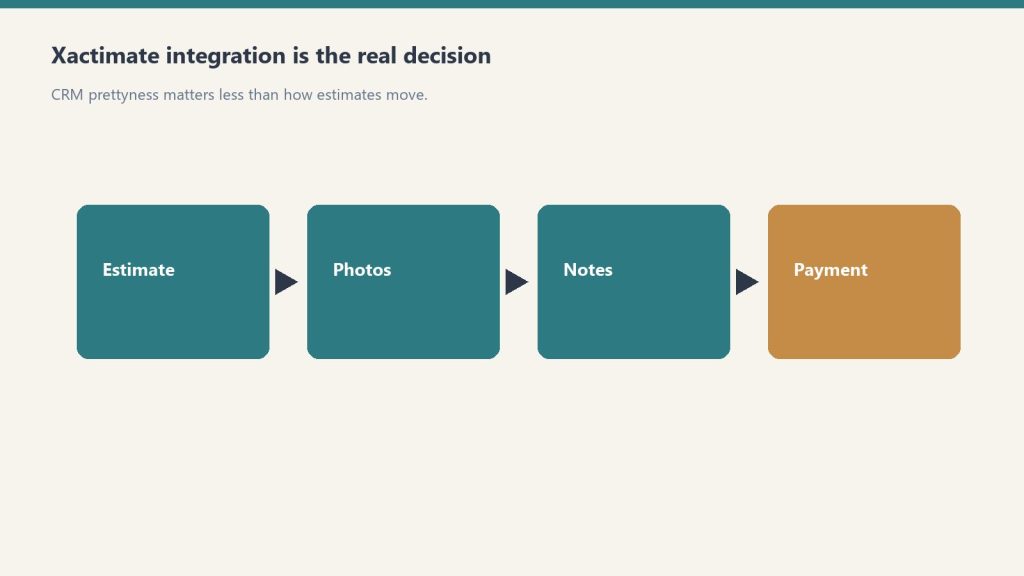
    Flow from estimate to photos to notes to payment emphasizing integration
    What makes Xactimate X1 different.

    X1 is the modern Xactimate experience Verisk has been moving the platform toward over the last several years. The defining capabilities are cross-device sync (desktop, online, mobile share the same estimate state), Sketch AR for mobile measurement, customizable rules that enforce estimating practices in real time, and the Line Item Advisor that suggests appropriate codes from the roughly 17,000-item Xactimate library.

    The practical impact is that X1 reduces the amount of post-claim review time required to catch missed line items, mismatched scopes, and inconsistent estimating practices across a team. For multi-rep restoration companies, this is where the platform pays for itself.

    The Field-to-Office Workflow

    Gloved hands using a pin-type moisture meter on wet drywall during inspection
    Field-to-office workflow on X1.

    The intended X1 workflow for a restoration job looks like this: field tech arrives on site, opens the mobile app, runs a Sketch AR measurement of the affected rooms, captures damage photos tied to specific rooms, adds preliminary line items, and syncs to the cloud before leaving the site. Back at the office, the estimator opens the same estimate on desktop, adds the rest of the scope (equipment, labor, content manipulation), runs the rules check, and prepares the estimate for submission.

    Companies that adopt this workflow consistently report 30 to 50 percent reductions in time from loss to estimate submission, which directly improves cash flow and TPA scoring.

    Customizable Rules: The Quiet Margin Lever

    X1’s customizable rules feature is one of the most under-used capabilities on the platform. Rules let you encode your estimating practices (always include this line item with that one, always default to this dehumidifier class on Cat 2 jobs, always flag estimates above a certain dollar amount for senior review) directly into the platform.

    The rules then enforce themselves in real time as the estimator builds the estimate. This is the difference between a company whose estimates are inconsistent across reps and a company whose estimates look like they all came from the same hand. For TPA programs and audit defensibility, that consistency is worth real money.

    Line Item Advisor and the 17,000-Item Library

    Xactimate’s line item library has roughly 17,000 items, which is more than any human estimator can hold in memory. The Line Item Advisor in X1 suggests appropriate codes based on the context of the estimate, which speeds up estimate construction and reduces the chance of using the wrong code for a specific scope item.

    For new estimators, this feature shortens the learning curve significantly. For experienced estimators, it surfaces line items they might otherwise default away from out of habit.

    X1 vs Legacy Xactimate

    If your team is still working primarily on the legacy Xactimate experience, the migration to X1 is worth planning intentionally. The cloud-sync model, the mobile capabilities, and the rules system all require a workflow shift, not just a software update. Plan two to three months of dual-running before retiring legacy workflows entirely.

    Getting Your Team on X1

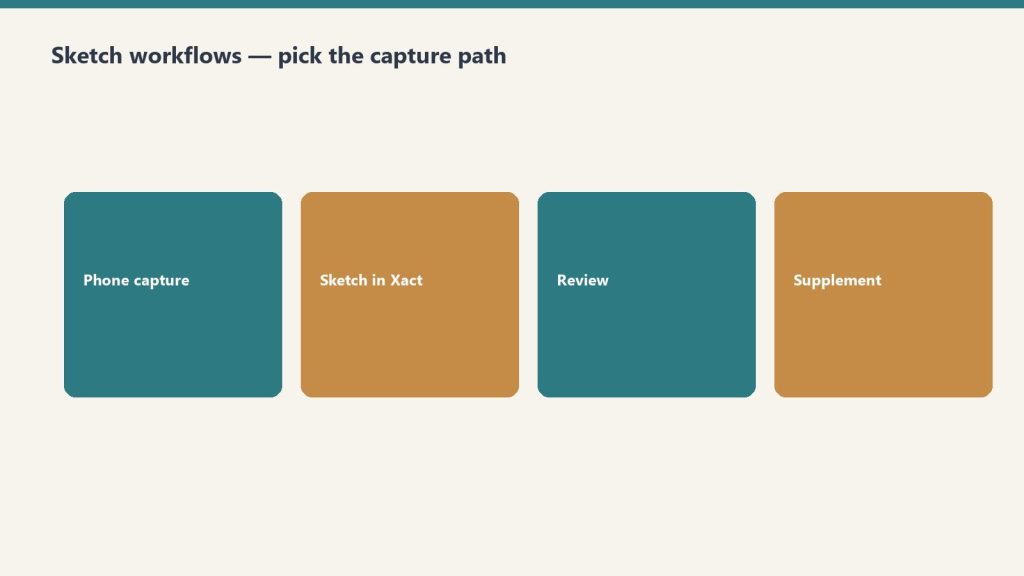
    Four steps: phone capture, sketch in Xactimate, review, supplement
    Getting your team onto X1.

    Verisk offers an X1 training course covering the full platform, including importing and creating estimates, claim information setup, interior and roof Sketch diagrams, line item entry with localized pricing, and reporting. Third-party providers also offer X1-specific training. Whichever path you choose, formal training shortens onboarding time substantially compared to self-teaching.

    Related on Tygart Media: Starlink on a water job · S500 in the van · local SEO for restoration.

    Frequently Asked Questions

    What is the difference between Xactimate X1 and the legacy Xactimate experience?

    X1 is the unified, cloud-synced version of Xactimate that runs identically across desktop, online, and mobile. The legacy experience was device-specific with manual sync. X1 also adds Sketch AR for mobile measurement, customizable rules, and the Line Item Advisor. Functionality is broadly similar, but the workflow and collaboration model are substantially different.

    Do I need separate Xactimate licenses for desktop, mobile, and online?

    No. An X1 license covers desktop, online, and mobile use under the same account. A user can move between devices on the same estimate without re-licensing. License pricing depends on the seat type and contract; verify current pricing directly with Verisk.

    How accurate is Xactimate Sketch AR for restoration measurement?

    Sketch AR is accurate enough for most residential interior measurements when the device camera and lighting allow for clean tracking. For jobs requiring high-precision measurement (insurance disputes, large commercial losses), traditional measurement methods are still recommended as a verification step.

    Can I use Xactimate X1 offline?

    Yes, the mobile app supports offline work for sketching and basic line item entry. Estimates sync to the cloud when connectivity returns. For full pricing data and the complete line item library, an internet connection is required.

    Should restoration owners learn X1 themselves or hire an Xactimate professional?

    Both. Owners benefit from understanding the platform well enough to review estimates intelligently and spot scope gaps. For high-volume estimate production, hiring or contracting a dedicated Xactimate professional almost always pays for itself in faster estimate turnaround and fewer scope misses.

  • Xactimate Estimating Mistakes: 10 Forgotten Line Items

    Xactimate Estimating Mistakes: 10 Forgotten Line Items

    Xactimate is precise enough that small estimating mistakes show up clearly when the invoice closes out. The platform has roughly 17,000 line items, and the difference between the operators who consistently get paid in full and the operators who absorb chronic reductions is usually a small number of repeating mistakes. This article catalogs the mistakes that show up most often in restoration estimate audits and how to fix each one.

    This article assumes you are familiar with the broader Xactimate workflow. For that context, see our restoration pricing and estimating master guide.

    Mistake 1: Picking the Wrong Code from a Similar-Looking Group

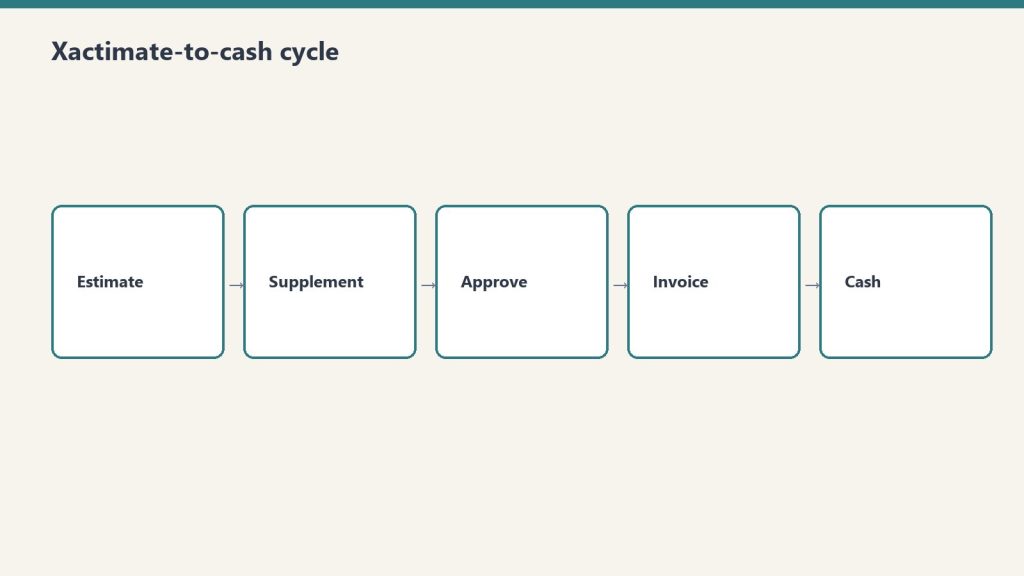
    Five-step flow from estimate to supplement, approve, invoice, cash
    Mistake 1 — picking the wrong code from a similar-looking group.

    Xactimate often has multiple line items that look similar but apply to different scopes. Drywall repair, drywall replacement, and drywall hang/finish are three different items with three different prices. The Line Item Advisor in X1 helps surface the right code, but estimators who default to the first match they see consistently choose codes that under-bill the actual work.

    The fix is discipline: read the line item description before adding it, and use the Advisor’s suggestions when working on unfamiliar scope.

    Mistake 2: Under-Counting Equipment Days

    Gloved hands using a pin-type moisture meter on wet drywall during inspection
    Mistake 2 — under-counting equipment days.

    Equipment days are the most common source of audit reductions on water damage jobs. The pattern: the estimator counts contract days from project start to project close, but the audit counts only the days the equipment was physically on site per the daily monitoring log. Missing log entries mean missing days.

    The fix is operational: daily monitoring logs must be completed daily, with equipment counts and moisture readings, and equipment placement and removal must be photographed for documentation.

    Mistake 3: Missing Antimicrobial on Cat 1 Losses

    Antimicrobial application on Cat 1 water losses is sometimes treated as optional, but the IICRC S500 standard supports its use in many Cat 1 scenarios — especially when there is any risk of category escalation, when affected materials cannot be fully dried, or when the response time means microbial growth is a real risk.

    Skipping antimicrobial on Cat 1 losses out of a vague sense that “it might get cut” leaves real billable scope off the estimate. The fix is to document the reasoning for the antimicrobial line in the estimate notes.

    Mistake 4: Single Air Scrubber for Multi-Room Jobs

    The pricing matrix supports multiple air scrubbers when the affected area justifies them. Single-scrubber estimates on multi-room losses are routine, and they routinely under-bill the equipment scope. The fix is to scrubber-count by room and document placement on the equipment log.

    Mistake 5: Skipping Containment on Fire Cleanup

    Mold remediation containment zipper door with plastic sheeting and negative-air hose in a hallway
    Mistake 5 — skipping containment on fire cleanup.

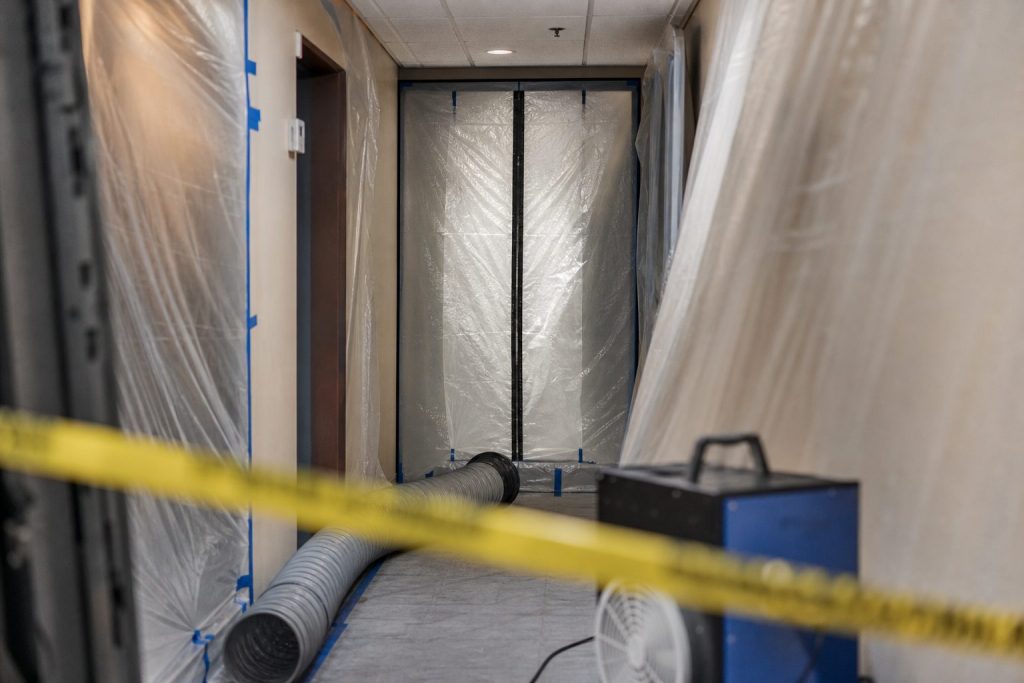
    Containment line items are routinely skipped on fire cleanup estimates because the estimator focuses on visible cleaning work. But proper fire cleanup requires HEPA negative air containment to prevent soot redistribution into adjacent unaffected areas. Skipping containment in the estimate produces work that either gets done un-billed or causes secondary contamination claims.

    Mistake 6: Missing the Second Floor When Water Migrated

    Water rarely stays on one floor. Estimates that scope only the floor where water originated routinely miss legitimate scope on the floor below (where ceiling damage is common) or above (where water can wick up baseboards). The fix is a complete walkthrough of the entire structure on intake, not just the affected room.

    Mistake 7: Outdated Local Price List

    Xactimate pricing updates monthly. Estimating templates that have not been refreshed against the current price list are systematically under-billing on items where prices have moved. The fix is a monthly refresh ritual: when the new price list drops, refresh the templates.

    Mistake 8: Generic Notes That Cannot Defend the Scope

    Estimate notes that say “per IICRC standards” without referencing the specific standard, scope item, or category provide no defense in audit. Notes that say “Cat 2 water loss per S500, antimicrobial applied per protocol due to documented contamination evidence (photos attached)” defend almost any scope item.

    Mistake 9: Wrong Labor Efficiency Model

    Now that Xactimate has three labor efficiency models as of February 2026, choosing the wrong one mis-prices the labor by 10 to 25 percent. The new Large Restoration/Remodel tier should be used for mid-sized multi-trade work that previously got force-fit into one of the two prior models.

    Mistake 10: Lump-Sum Estimates for Cash Jobs

    Lump-sum cash estimates feel simple but consistently under-price the work because the estimator forgets line items that would have been included in an itemized scope. The fix is to always build cash estimates itemized in Xactimate, then optionally summarize for the customer if a lump-sum presentation is preferred.

    Related on Tygart Media: Starlink on a water job · S500 in the van · local SEO for restoration.

    Frequently Asked Questions

    What is the most common Xactimate mistake on water damage jobs?

    Under-counting equipment days. The pattern is estimating contract days while the audit counts only documented on-site days from the daily monitoring log. The fix is rigorous daily logging with equipment counts and moisture readings, plus photo documentation of placement and removal.

    How many line items does Xactimate have?

    Approximately 17,000 line items in the standard library. The Line Item Advisor in X1 surfaces appropriate codes based on context, which reduces the cognitive load of finding the right code without defaulting to the first plausible match.

    How often should I update my Xactimate estimating templates?

    Monthly, in line with the Verisk price list update cycle. Templates frozen at older pricing produce estimates that get reduced on submission because they do not reflect the current published research.

    What kind of estimate notes hold up to TPA audit?

    Notes that reference specific standards (IICRC S500, S520, S700), specific category and class documentation, specific scope decisions and the evidence supporting them, and photo references where applicable. Generic “per industry standard” notes provide no defense.

    Does the new 2026 labor efficiency model affect my older estimates?

    No. The Large Restoration/Remodel option applies to estimates built going forward. Estimates already submitted under the prior two-model architecture are not retroactively affected. New estimates should evaluate which of the three models best fits each job.

  • Xactimate Sketch AR: Mobile-First Restoration Workflow

    Xactimate Sketch AR: Mobile-First Restoration Workflow

    Field measurement has historically been the slowest step in restoration estimating. A tech walks the loss with a tape measure or laser, jots down dimensions, returns to the office, and re-keys everything into Xactimate before the estimate can begin. Xactimate Sketch AR collapses that workflow by moving the measurement and initial sketch into the field, on a mobile device, with cloud sync to the office.

    For broader context on how Xactimate fits restoration operations, see our restoration pricing and estimating master guide.

    What Sketch AR Does

    Gloved hands using a pin-type moisture meter on wet drywall during inspection
    What Sketch AR does.

    Sketch AR uses the camera and motion sensors on a tablet or phone to take measurements as the user walks through the loss site. The output is a 2D sketch with dimensions captured directly from the field, plus optional 3D cutaway views that help visualize the interior layout. The data syncs to the cloud and is available on the desktop estimate immediately.

    The headline benefit is time. Field measurement that previously took 30 to 60 minutes per loss can be completed in 10 to 20 minutes with Sketch AR, and the office no longer needs a separate sketching step before the line item work begins.

    The Mobile-First Restoration Workflow

    Restoration SOP clipboard with checklist, moisture meter, and gloves on a jobsite table
    The mobile-first restoration workflow.

    The mobile-first workflow Sketch AR enables looks like this on a typical water loss:

    • Arrival — tech opens the X1 mobile app and creates the estimate shell
    • Walkthrough — tech runs Sketch AR through each affected room, capturing dimensions and damage photos tied to specific rooms
    • Initial line items — tech adds preliminary line items for obvious scope (extraction, demo, equipment placement)
    • Sync — estimate uploads to the cloud before the tech leaves the site
    • Office completion — estimator opens the same estimate on desktop, refines line items, runs rules check, prepares for submission

    Companies that adopt this workflow consistently report 30 to 50 percent compression in time from loss to estimate submission. That speed flows directly into faster cash flow and improved TPA scoring.

    When Sketch AR Is the Right Tool

    Sketch AR is well-suited for typical residential interiors with reasonable lighting, distinguishable wall edges, and accessible spaces. It is the right default for most water loss, mold, and partial fire jobs in homes and small commercial spaces.

    It is less well-suited for: heavily damaged spaces where wall edges are obscured, dark or smoke-filled environments where the camera cannot track, very large open spaces with limited reference features, or any job requiring precision measurement for dispute defense (where traditional measurement should still be used as a verification step).

    Training and Adoption

    Restoration technicians training in a shop bay with equipment demo and whiteboard
    Training and adoption.

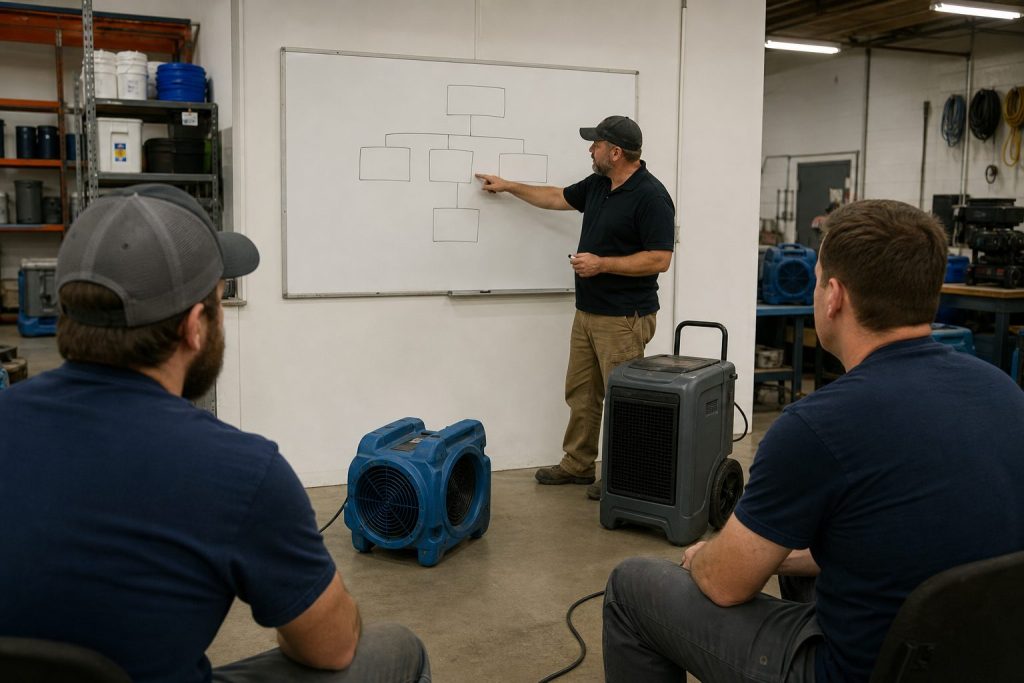
    The technical learning curve on Sketch AR is short — most field techs are productive within a single training session. The harder change is workflow: moving the team from “measure on site, sketch at the office” to “sketch on site, refine at the office” requires deliberate process change.

    The most common adoption failure is leaving the workflow optional. Teams that allow some techs to sketch on site and others to defer to office sketching never realize the speed benefits. Standardizing on the mobile-first workflow as the company default is the difference between marginal improvement and dramatic cycle-time compression.

    Equipment and Device Considerations

    Sketch AR works best on modern tablets with strong motion sensors and good cameras. iPads with LiDAR sensors produce particularly clean tracking. Spec out devices for the field team based on actual job conditions — a $400 tablet that struggles in low light produces worse measurements than a $900 tablet that handles real conditions.

    Where Sketch AR Fits in the Larger X1 Workflow

    Sketch AR is one of several X1 capabilities that together produce the field-to-office continuity that defines the modern Xactimate workflow. It pairs naturally with cloud-synced estimates, the Line Item Advisor for quick line item suggestions, and customizable rules that catch missed scope items at the point of entry. None of these features stand alone — they reinforce each other.

    Related on Tygart Media: pricing methodology · scope drafter skill · software guide.

    Frequently Asked Questions

    What is Xactimate Sketch AR?

    Sketch AR is the augmented-reality measurement and sketching feature in the Xactimate mobile app. It uses the device camera and motion sensors to capture room dimensions and produce a 2D sketch in the field, with optional 3D cutaway views. The output syncs to the cloud and is available on the desktop estimate immediately.

    How accurate is Sketch AR?

    Sketch AR is accurate enough for most residential interior measurements when conditions allow for clean camera tracking. For high-precision requirements (insurance disputes, large commercial losses), traditional measurement is still recommended as a verification step. Devices with LiDAR sensors typically produce cleaner results than camera-only devices.

    What kind of device do I need for Sketch AR?

    A modern tablet or phone with a good camera and motion sensors. iPads with LiDAR are particularly well-suited because the dedicated depth sensor improves tracking. Field teams should standardize on capable hardware rather than mixing devices that produce inconsistent results.

    Can Sketch AR replace traditional measurement entirely?

    For typical residential interior work in good conditions, Sketch AR can serve as the primary measurement method. For high-stakes jobs, large commercial spaces, dark or heavily damaged environments, or any situation that may end up in dispute, traditional measurement should still be used as either the primary method or a verification step.

    How long does it take to train field techs on Sketch AR?

    The technical training is short — most techs are productive within a single training session. The harder change is operational: standardizing the team on a mobile-first workflow rather than leaving it optional. Allow two to four weeks for the new workflow to become muscle memory across the team.

  • Xactimate Certification Levels: What Your Team Needs

    Xactimate Certification Levels: What Your Team Needs

    Xactimate offers three certification levels that progressively cover the platform’s depth. For restoration operators staffing an estimating function, knowing which level each role actually needs is the difference between an over-trained team that costs too much and an under-trained team that produces inconsistent estimates. This guide breaks down what each level covers, what it costs, and how to think about certification across roles.

    For broader context on how Xactimate fits into restoration operations, see our restoration pricing and estimating master guide.

    Level 1 — Fundamentals

    Level 1 covers foundational use of Xactimate: navigation, project setup, creating estimates, adding line items, and basic sketching. For restoration teams, Level 1 is the right baseline for anyone who touches an estimate — field techs, project managers who review estimates, and ownership who needs to read estimates intelligently.

    Level 2 — Proficiency / Power User

    Level 2 goes deeper into complex sketching, custom price lists, advanced reporting, and platform-level configuration. For most restoration companies, Level 2 should be the standard for senior estimators, project managers responsible for estimate sign-off, and anyone who configures price lists or custom rules.

    Level 3 — Mastery

    Level 3 is reserved for the most complex scopes — appropriate for veteran insurance adjusters with years of field experience. For most restoration companies, Level 3 is overkill except for large-loss commercial work, TPA program subcontractors with audit responsibilities, or third-party estimating services.

    What the Exams Look Like

    Each level requires passing a Verisk exam with a 70 percent passing score. A current Xactimate license is required. Certification is valid for two years before renewal.

    What Certification Costs

    Third-party providers commonly offer combined Level 1 and Level 2 training around $650, with regional variation. Verisk also offers training and exam options directly. Group rates and restoration-specific customization often beat ad hoc individual training.

    Recommended Certification Map

    • Field techs and admin — Level 1 baseline, refreshed every two years
    • Senior estimators and PMs — Level 2 standard, refreshed every two years
    • Lead estimator / estimating manager — Level 2 minimum, Level 3 if handling large-loss commercial
    • Owner / executive — Level 1 understanding to read and review estimates

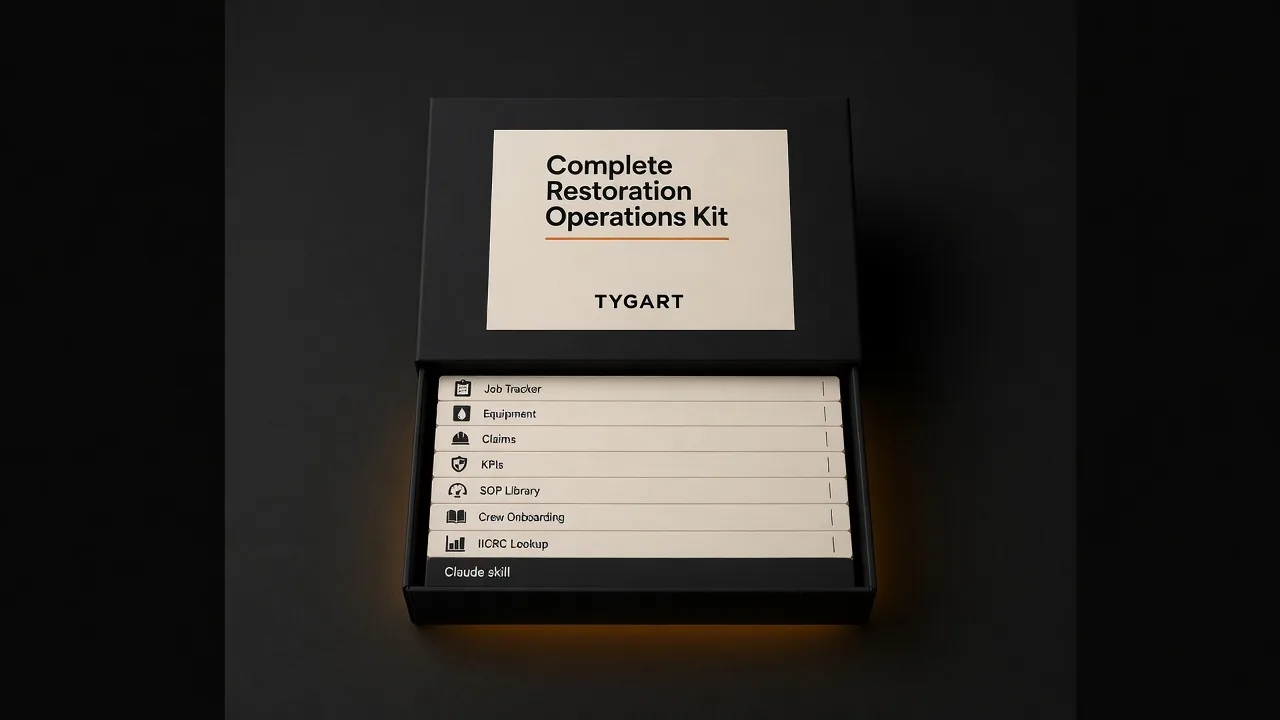
    Related: The Restoration hub · Complete Restoration Operations Kit · Water damage pricing.