Tag: Token Costs

  • Claude on a Budget: The Complete Guide to Maximum Output at Minimum Token Cost

    Claude on a Budget: The Complete Guide to Maximum Output at Minimum Token Cost

    Updated November 2, 2026 — added direct answers on production cost optimization and model routing, sourced from Anthropic’s published pricing.

    Last refreshed: November 2, 2026 (Pacific)

    The price of a Claude Opus 5.5 output token is $20 per million tokens — and Anthropic prices in US dollars with no regional adjustment, wherever you are in the world. You cannot change that number. What you can change is how many tokens you spend to get the same result, how often you reach for the expensive model when a cheaper one would do, and how much context you burn re-warming Claude on things it already knows.

    This guide is the pillar for the Claude on a Budget cluster on Tygart Media. Every tactic below has a dedicated deep-dive article linked from here. The core insight running through all of it: the biggest Claude cost savings are not about using Claude less — they are about using Claude smarter. The goal is the same output quality at a fraction of the token spend.

    The 7 Levers That Actually Move the Number

    Workshop fuel gauge and metal tokens pouring into an API hopper, metaphor for pay-per-token pricing
    Seven levers that actually move token cost.

    1. Eliminate the Cold Start — Build a Second Brain

    Every time you start a Claude session without pre-loaded context, you pay tokens to re-warm it: who you are, what you’re building, what decisions you’ve already made, what your brand voice sounds like. A well-architected second brain — Notion pages, CLAUDE.md files, project knowledge files — eliminates that cost entirely. Claude starts knowing what matters. The first token of every session is productive, not orientation. Full guide: The Cold Start Problem →

    2. Route by Task — Don’t Default to Opus

    Claude Haiku 4.5 costs roughly a quarter of Claude Opus 5.5 per token. For sorting, classification, summarization, first-pass triage, and simple Q&A, Haiku delivers quality that is indistinguishable from Opus at the task level. The decision tree: Haiku for speed and volume, Sonnet 5.5 for mid-tier reasoning and writing, Opus 5.5 (or Fable 5.1) only when the task genuinely requires maximum capability. Most workflows over-use Opus by a factor of 3–5×. Full guide: Model Routing 101 →

    3. Use OpenRouter as the Budget Orchestration Layer

    OpenRouter gives you a single API that routes to Claude, GPT-4o, Gemini Flash, Llama, Mistral, and dozens of free-tier models through one endpoint. The practical workflow: use a free or near-free model for first-pass sorting and filtering, route only the items that pass the filter to Claude for reasoning and synthesis. You pay Opus prices for 20% of the work and get Opus-quality output on the parts that matter. Full guide: OpenRouter as the Budget Layer →

    4. Run Non-Urgent Work Through the Batch API

    Anthropic’s Batch API processes requests asynchronously and costs 50% less than the standard API at every model tier. Any work that does not need an immediate response — content generation, classification runs, analysis jobs, report generation — should run through the Batch API. The only cost is latency: most batches finish in under an hour, with a 24-hour outer limit. For most content and automation workflows, that trade is straightforwardly worth it. Full guide: The Batch API →

    5. Cache Your Repeated Context

    Anthropic’s prompt caching reduces the cost of repeated context by up to 90% on cached tokens. If you send the same system prompt, knowledge base, or skill file at the start of every session, caching means you pay full price once and a fraction on every subsequent call. The math compounds quickly: a 10,000-token system prompt sent 100 times costs 10× less with caching than without. Most people running Claude at scale are not using this. Full guide: Prompt Caching →

    6. Write Concentrated Outputs — Not Full Meals

    The single biggest controllable output cost is verbosity. A Claude response that delivers the same information in 200 tokens costs one-fifth as much as one that delivers it in 1,000. Structured output formats — scored lists, run logs, briefings, decision tables — deliver more actionable signal per token than open-ended prose. The discipline of asking for concentrated slices instead of full meals is the fastest zero-cost saving available to any Claude user. Full guide: Output Compression →

    7. Shape Content for the Model That Will Cite It

    Claude, ChatGPT, and Perplexity cite completely different types of pages. Claude concentrates on factual, access-related, answer-first content. ChatGPT spreads across comparison and geographic content. Perplexity favors research-flavored deep dives. If you are creating content that you want AI assistants to surface, writing for all three models equally is inefficient — you spend more words getting cited less. Shaping content to match the citation pattern of your target model gets more traction at lower content cost. Full guide: Per-Model Content Shaping →

    What is the cheapest way to run Claude in production?

    The cheapest way to run Claude in production is to combine model routing, prompt caching, and batch processing rather than routing all calls through a single premium model:

    1. Route routine tasks to lightweight models: Default to Claude Haiku ($0.10/MTok input, $0.50/MTok output for prompts ≤ 100k) for classification, extraction, filtering, and initial triage instead of defaulting to Claude Opus ($4/MTok input, $20/MTok output) or Claude Sonnet (Lever 2).
    2. Cache repeated prompt context: For prompts with large static system instructions or reference documents, use prompt caching to reduce input costs by up to 90% on subsequent hits (Lever 5).
    3. Queue non-urgent tasks in the Batch API: Send all asynchronous or non-real-time workloads through the Claude Batch API to instantly cut both input and output rates by 50% (Lever 4).
    4. Subscription vs. API rule: For heavy individual usage, compare your projected volume against fixed-fee plans—if your predictable monthly usage exceeds what standard seat limits allow, or if you need programmatic multi-tenant integration, review the breakdown in our guide on Seats vs API — the question models get wrong to determine whether a dedicated seat subscription or raw API billing yields lower total spend.

    How can I cut my Claude token usage without hurting quality?

    You can cut token usage without degrading output quality by applying three targeted operational levers:

    1. Eliminate the cold start with a structured Second Brain: Instead of dumping thousands of tokens of unfocused background instructions on every call, structure your context repository into modular, pre-digested reference files so you inject only the exact excerpt needed for the current task (Lever 1).
    2. Enforce concentrated output constraints: Because output tokens cost 5x as much as input tokens, set explicit output token ceilings (max_tokens) and instruct Claude to respond in concise formats (such as bullet points, structured JSON, or brief summaries) rather than generating conversational preamble or multi-paragraph filler (Lever 6).
    3. Shorten conversation history and prune dead turns: In multi-turn chat applications, trim accumulated message history or summarize earlier turns periodically instead of passing the entire unpruned transcript back into every new API call.

    What drives Claude API costs up the most?

    Three factors drive Claude API costs up more than any other:

    1. Unconstrained output generation: Generating verbose responses is the single largest controllable driver of API spend, as output tokens are billed at a 5x premium over input tokens across all tiers (Lever 6).
    2. Defaulting to premium tiers for simple tasks: Using Claude Opus or Sonnet for basic parsing, data extraction, or classification tasks that Claude Haiku handles with equal accuracy inflates token costs by 20x to 40x unnecessarily (Lever 2; see current Claude API per-token rates).
    3. Re-sending uncached static context: Transmitting repetitive system prompts, company guidelines, or documentation blocks without prompt caching forces you to pay full input rates on identical text on every single call (Lever 1 and Lever 5).

    When should I use Haiku instead of Sonnet to save money?

    Use Claude Haiku instead of Claude Sonnet whenever a task involves straightforward evaluation, deterministic extraction, or high-volume filtering.

    • The Routing Rule:
    – Route to Haiku ($0.10 / MTok input, $0.50 / MTok output up to 100k tokens): High-frequency tasks such as sentiment tagging, document classification, JSON formatting, simple entity extraction, customer query triage, and basic summarization.
    – Escalate to Sonnet ($2.00 / MTok input, $10.00 / MTok output): Complex multi-step reasoning, agentic tool selection, end-to-end coding workflows, nuanced legal or financial analysis, and tasks requiring deep context synthesis.
    • The Economic Impact: Billed at $0.10 / $0.50 per million tokens versus Sonnet’s $2.00 / $10.00 per million tokens, running first-pass triage on Haiku delivers a 20x cost reduction on input and output tokens, reserving Sonnet’s higher compute tier only for queries that genuinely require it.

    The Numbers Behind These Levers
    Infographic with three panels: protect the service, fair share, and cost control explaining rate limits
    The numbers behind these levers — stale-proof.
    ModelInput (per 1M tokens)Output (per 1M tokens)Best for
    Claude Haiku 4.5$1.00$5.00Triage, classification, simple Q&A
    Claude Sonnet 5.5$2.00$10.00Writing, mid-tier reasoning, content
    Claude Opus 5.5$4.00$20.00Complex reasoning, architecture, security
    Claude Fable 5.1$10.00$50.00Most capable tier — top reasoning, 1M context
    Batch API (any tier)50% off50% offAny non-urgent async work
    Prompt cache hit~90% offn/aRepeated system prompts / knowledge bases

    A workflow that currently runs Opus on every call, sends the same system prompt uncached, and generates verbose prose responses could realistically cut its token spend by 70–85% by applying all seven levers — without any reduction in output quality on the tasks that matter.

    Who This Is For
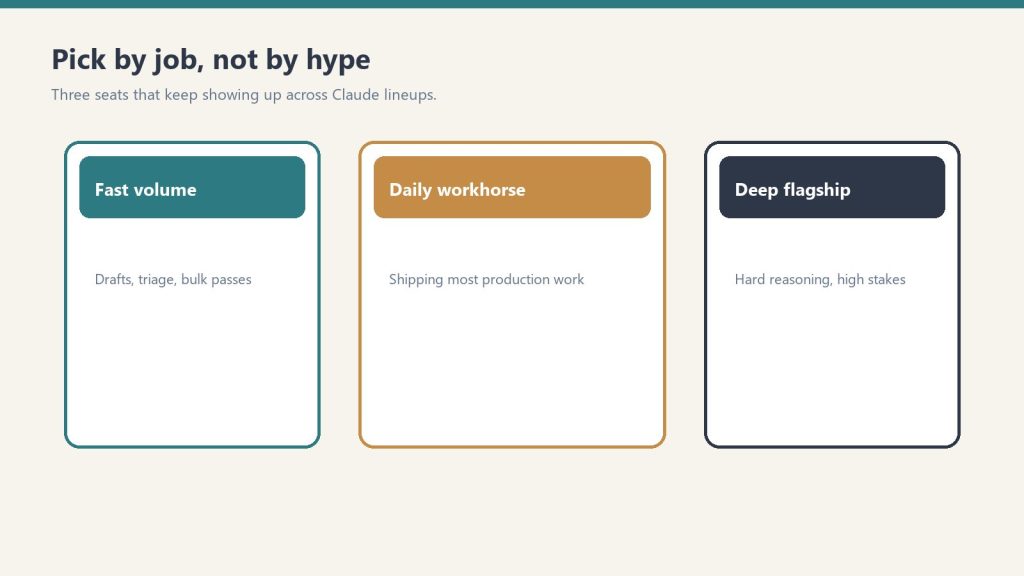
    Three cards for fast volume, daily workhorse, and deep flagship Claude seats
    Who this budget guide is for.

    This cluster was built with three audiences in mind: Indian developers and teams facing US-dollar Claude pricing on local-currency budgets; independent creators and small teams who cannot justify enterprise-tier spend; and anyone running Claude at scale in production who wants to stop leaving money on the table. The tactics work regardless of where you are — but they matter most where the price-to-income ratio is highest.

    Every article in this cluster is self-contained and actionable. Start with whichever lever applies to your situation, or read them in order if you are building a Claude stack from scratch.

    Run the numbers on your own workload from the Anthropic Console — API keys, billing, and a token-to-dollar cost estimator.

    Related on Tygart Media: model routing · Claude pricing · Pro vs Max.

  • Claude Opus 4.7 Is Secretly ~40% More Expensive Than Opus 4.6 — Here’s Why

    Claude Opus 4.7 Is Secretly ~40% More Expensive Than Opus 4.6 — Here’s Why

    Legacy Model Notice · Checked Nov 13, 2026

    This page covers Claude Opus 4.7 (claude-opus-4-7), superseded by Claude Opus 5.5 and Claude Fable 5.2; Anthropic’s earliest API retirement floor for Opus 4.7 is not sooner than April 16, 2027. Current models: Current Claude Model Tracker · Current pricing: Current Claude Pricing.

    Last refreshed: October 20, 2026 (Pacific)

    Model Accuracy Note — Updated October 2026

    Current lineup (October 2026, verified): Claude Fable 5.1 is the top tier above Opus, with Claude Opus 5.5 the current Opus, Claude Sonnet 5.5 (released September 28, 2026), and Claude Haiku 4.5. Opus 4.7 is now a legacy model. Full lineup: Claude Fable 5 guide. This article compares Claude Opus 4.7 pricing to Opus 4.6 as a historical baseline. Opus 4.7 has since been superseded by Opus 4.8 (legacy — still listed) and the Fable 5 top tier. Opus 4.7 and 4.6 share the $5/$25 per MTok list price. See current model tracker →

    Anthropic announced Claude Opus 4.7 with the same list pricing as Opus 4.6: $5 per million input tokens, $25 per million output tokens. What Anthropic did not announce — and what Simon Willison surfaced through direct tokenizer analysis — is that Opus 4.7 generates approximately 1.46× more tokens for the same text output as Opus 4.6. That is a ~40% real-world cost increase at unchanged list prices.

    This is not a criticism of the model. Opus 4.7 is genuinely better — 3× higher vision resolution, a new xhigh effort level, improved instruction following, higher-quality interface and document generation. The performance gains are real. The cost increase is also real, and it is not being communicated transparently in Anthropic’s pricing documentation. If you are budgeting for Claude API usage, you need to account for this.

    What Token Inflation Means

    Workshop fuel gauge and metal tokens pouring into an API hopper, metaphor for pay-per-token pricing
    What token inflation means.

    Token inflation occurs when a model generates more tokens to express the same semantic content. It happens for several reasons: more detailed reasoning traces, more verbose explanations, additional caveats and structure, or architectural changes in how the model constructs its output. Opus 4.7 appears to produce more elaborated, structured responses than 4.6 by default — which accounts for the 1.46× multiplier.

    The practical effect: if you were spending $10,000/month on Opus 4.6 for a production application, the same application workload on Opus 4.7 costs approximately $14,600/month — before any intentional use of the new xhigh effort level, which adds further token consumption on top of the baseline inflation.

    How to Measure Your Actual Exposure

    Desk with laptop, checklist notebook, and billing card ready before creating an Anthropic API key
    How to measure your actual exposure.

    Do not estimate — measure. Here is the four-step process:

    1. Pull your last 30 days of Anthropic API usage data from your platform dashboard. Note your average output token count per call for your primary workloads.
    2. Run a representative sample of those same workloads on Opus 4.7 using the API directly, with identical prompts and system messages. Log output token counts for each call.
    3. Calculate your actual multiplier — it may be higher or lower than 1.46× depending on your specific prompt patterns and use cases. Tasks with highly constrained output formats (structured JSON, fixed-length summaries) will see lower inflation than open-ended generation.
    4. Apply the multiplier to your budget model and adjust your spend projections before migrating production workloads to Opus 4.7.

    Mitigation Strategies

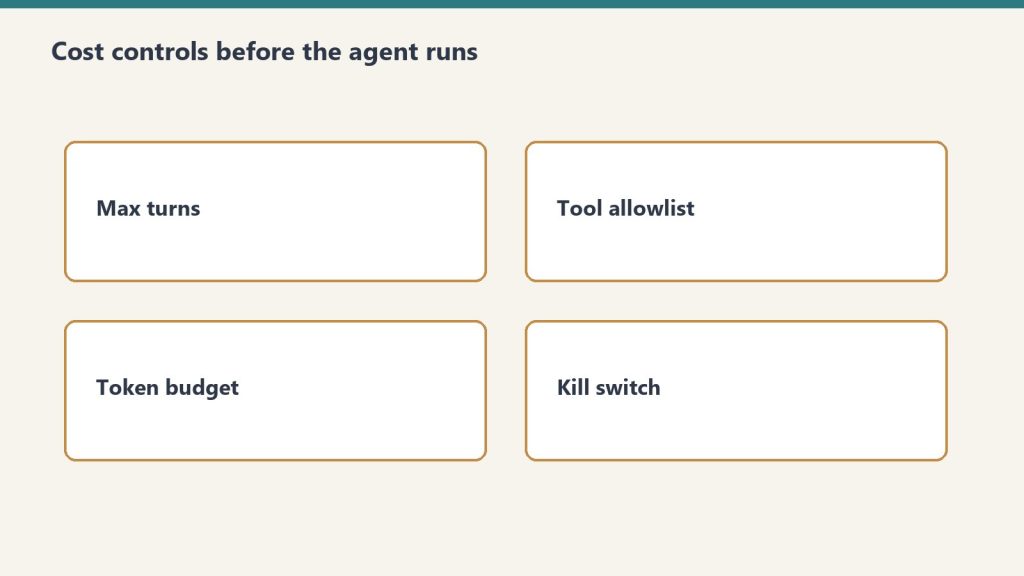
    Cost control gates for production routing
    Mitigation strategies.

    Several approaches can reduce the cost impact while preserving Opus 4.7’s quality gains:

    • Explicit length constraints in system prompts. Adding “Respond in 200 words or fewer” or “Use bullet points, not paragraphs” constraints does not reduce quality on most tasks but meaningfully constrains token generation. Test which of your prompts accept length constraints without quality loss.
    • Model routing by task type. Use the new gateway model picker in Claude Code, or implement explicit routing in your API calls: Opus 5.5 for the tasks where quality genuinely requires it, Sonnet 5.5 or Haiku 4.5 for high-volume tasks where speed and cost matter more than peak quality. The cost difference between Haiku and Opus is roughly 30×.
    • Avoid xhigh effort unless necessary. The new xhigh effort level in Opus 4.7 consumes significantly more tokens than the default effort setting. Reserve it for tasks where maximum quality is genuinely required — complex reasoning, high-stakes code generation, detailed document analysis. Do not set it as a default.
    • Evaluate Sonnet 5.5 for your use case. For many production workloads, Claude Sonnet 5.5 at $2/$10 per million tokens delivers quality that is indistinguishable from Opus 4.7 at the task level. The Opus tier is most clearly differentiated on the most difficult tasks — extended chain-of-thought reasoning, complex multi-step coding, nuanced creative judgment. Benchmark your specific workloads before assuming Opus is required.

    Lineup currency (Oct 2026): Current API list (Oct 2026, verified): Sonnet 5.5 $2/$10, Opus 5.5 $4/$20, Haiku 4.5 $1/$5, Fable 5.1 $10/$50. Legacy (still listed on Anthropic’s card): Opus 4.8 $5/$25, Sonnet 4.6 $3/$15.

    The Transparency Gap

    Anthropic’s pricing page lists token costs accurately. What it does not document is how output token counts change across model versions for equivalent tasks. This is an industry-wide gap, not an Anthropic-specific failing — no major AI provider documents per-task token consumption differences between model versions in their pricing documentation.

    The practical implication for any team managing AI infrastructure: treat “same price per token” announcements as partial information. Always benchmark your actual workloads on new model versions before migrating production traffic. The 1.46× multiplier Willison measured is for general text — your specific workload multiplier will be different, and you need to know it before your invoice arrives.

    Claude Opus 4.7 remains listed through the Anthropic API at platform.claude.com. API pricing: $5/M input tokens, $25/M output tokens. Measure before you migrate.

  • Pay for the Compute Once: How Saving Your AI Work Saves You Money

    Pay for the Compute Once: How Saving Your AI Work Saves You Money

    The Compute-Once Principle: Every AI response costs real infrastructure — GPU time, inference compute, and engineering overhead. When you discard that output without saving it, you pay the same cost again the next time the same question arises. Saving AI work to a structured knowledge base converts a recurring compute cost into a one-time investment.

    Every time you open a new AI conversation and ask Claude or ChatGPT to research something, write something, or figure something out — you are paying for compute. Maybe you’re on a flat-rate subscription, so it doesn’t feel like a direct cost. But it is. The servers running inference on your query cost real money, and that cost is baked into whatever you’re paying monthly. More importantly, your time has a cost too. When you close that tab and that work disappears into the void, you’ve paid twice for the same problem the next time it comes up.

    This is the “pay for the compute twice” trap — and most people using AI tools are stuck in it without realizing it.

    What Does “Compute” Actually Mean in Plain Terms?

    Workshop fuel gauge and metal tokens pouring into an API hopper, metaphor for pay-per-token pricing
    What compute actually means in plain terms.

    When you send a message to an AI model, a server somewhere processes your request. It runs inference — meaning it uses a large language model to generate a response token by token. That inference costs electricity, GPU time, and engineering infrastructure. Whether you’re on a $20/month Claude Pro plan or building with the Anthropic API at $3 per million tokens, every response has a real compute cost attached to it.

    For API users, this is explicit — you see it on your bill. For subscription users, it’s implicit — it’s why your plan has usage limits and why the pricing tiers exist. The compute is never free. You are always paying for it, one way or another.

    The problem isn’t that compute costs money. The problem is that most people treat AI like a search engine — ask, get answer, close tab, repeat. That workflow throws away the value you just paid to generate.

    The Real Cost of Starting Over

    Here’s a real scenario. You spend 45 minutes with Claude building a competitive analysis for a new market you’re entering. Claude pulls together the key players, the positioning gaps, the pricing dynamics. It’s good work. You read it, feel informed, close the tab.

    Three weeks later, a colleague asks about that same market. You open a new Claude conversation and start over. Same 45 minutes. Same compute. Same cost. You’ve now paid for that analysis twice.

    Now multiply that across a team of five people over a year. The same research gets regenerated dozens of times. The same frameworks get rebuilt from scratch in every new session. The same onboarding context gets re-explained to the AI in every conversation. This is the silent tax on AI-native work — and it compounds fast.

    The Fix: Notion as Your AI Memory Layer

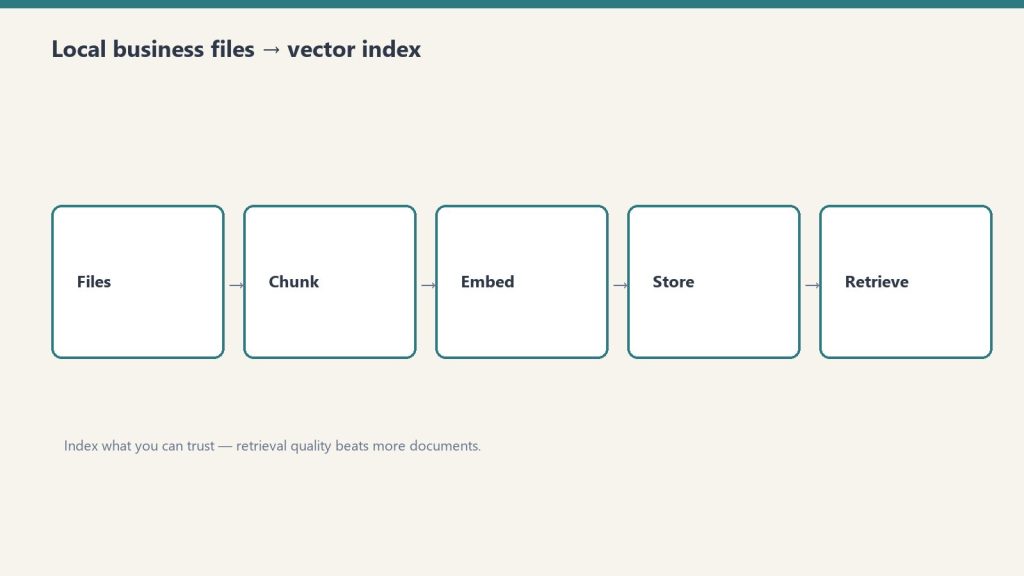
    Five-step flow from files to chunk, embed, store, retrieve
    Notion as your AI memory layer.

    The solution is deceptively simple: save the output before you close the tab. But simple doesn’t mean thoughtless. The way you save matters as much as whether you save.

    At Tygart Media, we use Notion as the AI memory layer for everything we build. The principle is straightforward: Notion is the storage layer, the publishing platform is the distribution layer, and cloud compute is where the inference happens. Nothing that Claude generates disappears without a home. Every research output, every strategic framework, every content brief, every integration spec — it goes to Notion first.

    This isn’t just about saving money on API calls. It’s about building institutional memory that compounds over time. When a piece of research lives in Notion with proper structure and tagging, it becomes a retrieval asset. Future conversations can reference it. Future team members can learn from it. Future AI sessions can build on it rather than rebuilding it.

    What’s Actually Worth Saving — and How to Structure It

    Not everything needs to be saved. A throwaway brainstorm session doesn’t need a permanent home. But anything that required real reasoning — research synthesis, strategic analysis, technical architecture decisions, content strategy frameworks — that’s compute you want to pay for exactly once.

    When you save AI work to Notion, structure matters. A flat dump of the conversation isn’t useful. What you want is:

    • A clear title that describes what was produced, not what was asked
    • Context at the top — what problem was being solved, what constraints existed
    • The actual output — the research, the framework, the decision, the artifact
    • Status and date — so you know if it’s still current
    • Next steps or open questions — so the work isn’t just archived but actionable

    This structure transforms a one-time AI output into a living knowledge asset. It’s the difference between a file you’ll never open again and a resource that actively makes future work faster.

    The ROI Math: What You Actually Save

    Let’s be concrete. If you’re on the Claude Max plan at $100/month and you spend an average of two hours per day doing meaningful AI-assisted work, your effective hourly compute rate is roughly $1.50/hour — just for the subscription cost, not counting your own time.

    If half of that work is regenerating things you’ve already generated — research you’ve lost, frameworks you’ve rebuilt, context you’ve re-explained — you’re burning roughly $50/month on duplicate compute. Over a year, that’s $600 in subscription costs paying for work you’ve already done.

    For a team of five using AI at similar intensity, duplicate compute waste can easily reach $3,000–$5,000 annually — just from not saving outputs systematically.

    But the time cost is the bigger number. A knowledge worker billing at $100/hour who regenerates 30 minutes of AI work three times per week is losing significant billable time to the compute-twice trap every month. The subscription cost is the small number. Your time is the big one.

    How to Build the Save Habit

    Desk with laptop, checklist notebook, and billing card ready before creating an Anthropic API key
    How to build the save habit.

    The save habit is behavioral before it’s technical. The hardest part isn’t setting up Notion — it’s remembering to save before you close the tab. A few practices that help:

    End every meaningful AI session with a save step. Before you close the conversation, ask yourself: did this session produce something I might need again? If yes, it goes to Notion before the tab closes. This takes 60 seconds and eliminates the compute-twice problem for that piece of work.

    Build a lightweight intake structure. Create a Notion database with a “Research & AI Outputs” category. Give it a Status field (Draft, Active, Archived) and a Date field. That’s enough to make your saved work searchable and retrievable without turning saving into a second job.

    Use the AI to write its own summary. At the end of a useful session, ask Claude: “Summarize what we just figured out in a format I can save to my knowledge base.” It will produce a clean, structured summary ready to paste into Notion. You paid for the compute to produce the work — use a few cents more of compute to make it saveable.

    Tag by problem type, not by date. Date is useful metadata, but problem type is what makes retrieval fast. “Competitive analysis,” “integration architecture,” “content strategy,” “cost modeling” — these are the tags that let you find the right output in six months when you need it again.

    Beyond Saving: Feeding Outputs Back to the AI

    Saving is the first half. The second half is retrieval — and this is where the real compounding happens.

    When you start a new AI session that needs context from previous work, you can paste the saved Notion output directly into the conversation. Claude can read it, build on it, and extend it without you having to re-explain everything from scratch. You’ve effectively given the AI persistent memory across sessions — something it doesn’t have natively.

    At scale, this is the difference between an AI that feels like a perpetual intern who never learns your business and an AI that feels like a senior colleague who knows your entire history. The AI gets smarter about your specific context with every session — because the outputs accumulate rather than evaporate.

    The Philosophy: Treat AI Output as an Asset

    The underlying shift here is philosophical. Most people treat AI conversations as disposable — a means to an end, like a Google search. You get the answer, you move on.

    The businesses that will build durable competitive advantage with AI are the ones that treat AI output as an asset class. Research is an asset. Frameworks are assets. Decision logs are assets. Competitive intelligence is an asset. Every meaningful AI conversation produces something that has value — and that value compounds when it’s saved, structured, and retrievable.

    Compute is a commodity. Knowledge is not. When you pay for compute once and preserve the knowledge it produces, you’re converting a recurring cost into a one-time investment. That’s the real economics of AI-native work — and it’s available to anyone willing to close the tab two minutes later than usual.

    Getting Started Today

    You don’t need a complex system to start capturing compute value. Start with this: create a single Notion page called “AI Research & Outputs.” Every time you have a meaningful AI conversation this week, paste the key output there before you close the tab. Do it for one week and look at what you’ve built. You’ll have a knowledge base worth more than the subscription that generated it — and you’ll never pay for the same compute twice again.

    Frequently Asked Questions

    What does “paying for AI compute” mean for subscription users?

    Even on flat-rate plans like Claude Pro or ChatGPT Plus, compute costs are real — they’re built into the subscription price. Usage limits, tier pricing, and rate caps all reflect the underlying infrastructure cost. Every conversation consumes real resources, whether you see an itemized bill or not.

    Why is Notion a good place to save AI outputs?

    Notion combines structured databases, free-form pages, searchable content, and team-sharing in one place. More importantly, it integrates with AI tools via API, meaning future AI sessions can read from your Notion knowledge base directly — turning saved outputs into active context rather than archived files.

    What types of AI work are worth saving?

    Anything that required substantive reasoning: competitive research, strategic frameworks, technical architecture decisions, content briefs, cost models, process documentation, and integration specs. Casual brainstorming and one-off quick answers generally aren’t worth the overhead of saving.

    How do I get Claude to summarize a session for saving?

    At the end of any useful conversation, simply ask: “Summarize the key outputs from this session in a structured format I can save to my knowledge base.” Claude will produce a clean, titled summary with context, outputs, and next steps — ready to paste directly into Notion.

    Can I feed saved Notion content back into future AI conversations?

    Yes. Paste the Notion content directly into a new Claude conversation as context. Claude will read it, build on it, and extend it without requiring you to re-explain the background. This is how you give AI persistent memory across sessions — something it doesn’t have natively.

    How much money does the compute-twice trap actually cost?

    For individual users, duplicate compute waste typically runs $50–$100/month in subscription value plus several hours of time. For teams of five or more using AI intensively, the annual cost of not saving outputs systematically can reach $5,000–$10,000 when both subscription waste and time cost are included.

  • The Real Monthly Cost of Running Claude Managed Agents 24/7

    The Real Monthly Cost of Running Claude Managed Agents 24/7

    Last refreshed: October 5, 2026 (Pacific)

    Tygart Media Strategy
    Volume Ⅰ · Issue 04Quarterly Position
    By Will Tygart
    • Long-form Position
    • Practitioner-grade

    If you’re considering running Claude Managed Agents around the clock, you want a number. Not “it depends.” An actual number you can put in a budget. Here’s the math, worked out by scenario, with the honest caveats about where the real costs are.

    The Formula

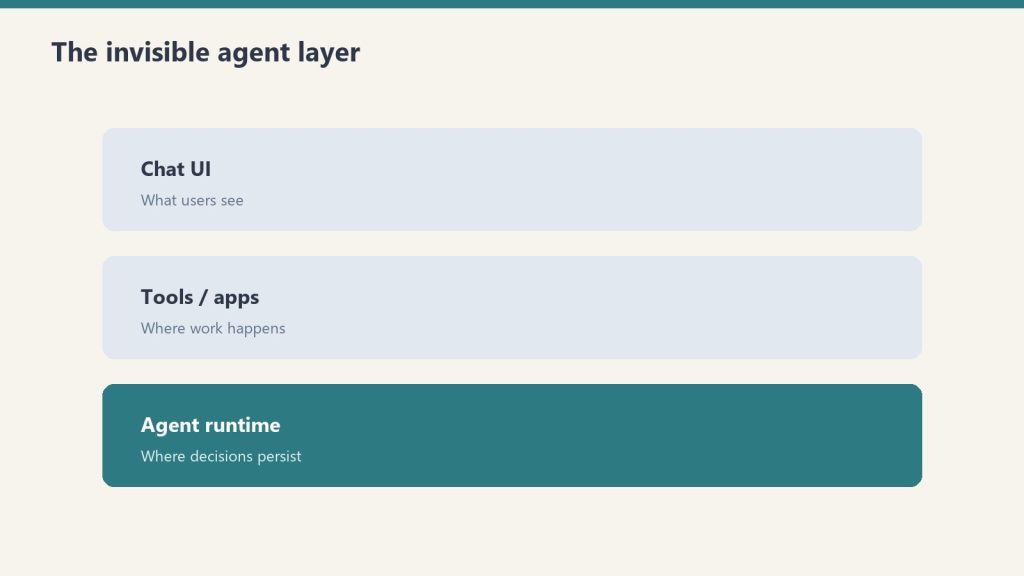
    Three stacked layers: chat UI, tools, agent runtime
    The formula.

    Total monthly cost = (Active session hours × $0.08) + token costs + optional tool costs

    The $0.08/session-hour charge only applies during active execution. Idle time — waiting for input, tool confirmations, external API responses — doesn’t count. This matters significantly for 24/7 workloads, because very few agents are active 100% of the time even when “running around the clock.”

    The Maximum Theoretical Cost

    Scenario: Agent running continuously, zero idle time, 24 hours a day, 30 days a month.

    • Session runtime: 24 hrs × $0.08 × 30 days = $57.60/month
    • Token costs: separate, highly variable (see below)

    $57.60/month is the ceiling on session runtime charges. You cannot pay more than this in session fees under any 24/7 scenario. But here’s the reality: that ceiling assumes zero idle time across the entire month, which doesn’t describe any real production agent.

    Realistic 24/7 Scenarios

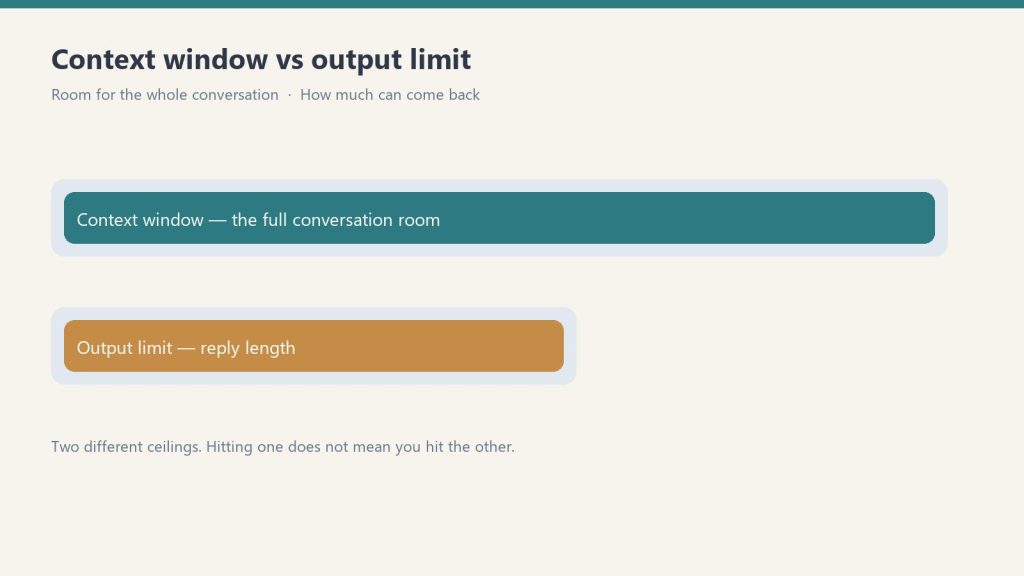
    Diagram comparing a long context window bar with a shorter output limit bar
    Realistic 24/7 scenarios.

    Monitoring Agent (High Idle Ratio)

    Runs continuously watching for triggers — error alerts, specific data patterns, incoming requests. Activates on trigger, processes, returns to monitoring state.

    • Assumption: 5% active execution time (watching 95% of the time, executing 5%)
    • Active hours: 24 × 30 × 0.05 = 36 hours/month
    • Session runtime: 36 × $0.08 = $2.88/month
    • Token costs: low — moderate bursts on trigger events
    • Realistic total: $5–15/month

    Customer Support Agent (Business Hours Active)

    “24/7” in the sense of always-available, but actual request volume concentrates in business hours. Waits for tickets, processes them, waits again.

    • Assumption: 8 hours/day active execution, 16 hours waiting
    • Active hours: 8 × 30 = 240 hours/month
    • Session runtime: 240 × $0.08 = $19.20/month
    • Token costs: depends heavily on ticket volume and average length
    • At 100 tickets/day with moderate length: likely $30–80/month in tokens
    • Realistic total: $50–100/month

    Continuous Autonomous Pipeline

    Batch processing agent that runs continuously through a queue with minimal waiting — the closest to true 24/7 active execution.

    • Assumption: 20 hours/day truly active (4 hours queue exhaustion/maintenance)
    • Active hours: 20 × 30 = 600 hours/month
    • Session runtime: 600 × $0.08 = $48/month
    • Token costs: high — continuous processing means continuous token consumption
    • This is where tokens become the dominant cost driver by a significant margin
    • Realistic total: $200–500+/month (tokens dominate)

    The Real Variable: Token Costs

    For any 24/7 workload that’s genuinely busy, token costs will substantially exceed session runtime costs. The math:

    A moderately active agent processing 10,000 input tokens and 2,000 output tokens per hour with Claude Sonnet 5.5:

    • Input: 10,000 tokens × $2/million = $0.02/hour
    • Output: 2,000 tokens × $10/million = $0.02/hour
    • Token cost: $0.04/hour vs. session runtime of $0.08/hour — the runtime charge now exceeds token cost at this volume

    Scale to 100,000 input tokens and 20,000 output tokens per hour (a busy processing agent):

    • Input: $0.30/hour; Output: $0.30/hour
    • Token cost: $0.60/hour vs. session runtime of $0.08/hour — tokens are 7.5× the runtime charge

    The session runtime fee is flat and bounded. Token costs scale with workload volume. For high-volume 24/7 agents, optimize token efficiency (prompt caching, context management, output brevity) before worrying about the session runtime charge.

    Prompt Caching Changes the Token Math

    If your agent has a large, stable system prompt — common in agents with extensive tool definitions or knowledge bases — prompt caching dramatically reduces input token costs. Cache hits cost a fraction of base input rates. For a 24/7 agent with a 20,000-token system prompt hitting the same context repeatedly, caching that prompt can cut input costs by up to 95% (cache reads run $0.20/MTok). The session runtime charge is unchanged, but the total cost picture improves significantly.

    The Budget Summary

    Desk with laptop, checklist notebook, and billing card ready before creating an Anthropic API key
    The budget summary.
    Agent Type Runtime/mo Typical Total
    Monitoring / low activity ~$3 $5–15
    Support agent (business hours volume) ~$19 $50–100
    Continuous processing pipeline ~$48 $200–500+
    Theoretical maximum (zero idle) $57.60 Unbounded (tokens)

    Complete pricing reference: Claude Managed Agents Pricing Guide. How idle time affects billing: Idle Time and Billing Explained. All questions: FAQ Hub.

    Run your own 24/7 cost model from the Anthropic Console — API keys, billing, and a token-to-dollar cost estimator.

    What to do next

    Now that you have the cost math — here’s how to choose and implement

    You now know what Managed Agents costs at scale. The next decision is whether it’s the right architecture vs. OpenAI’s equivalent — and what the implementation actually looks like in practice.