Tag: Restoration

  • Restoration Company Documentation: Your Financial Foundation

    Restoration Company Documentation: Your Financial Foundation

    What is the financial foundation of a restoration company? The financial foundation of a restoration company is not its P&L, its pricing, or its banking relationship — it is the documentation layer that captures what is actually happening across mitigation, reconstruction, billing, sales, and vendor coordination in one place every team can see. Without that layer, every downstream financial number is a guess.


    Most restoration owners who ask me why they aren’t making more money want to talk about pricing, about Xactimate compression, about carriers paying slow, about labor cost going up. Those are real. They are almost never the actual problem.

    The actual problem is that they do not have a documented, centrally-tracked operating standard for how the company does things. Everything else is downstream of that.

    This is the one piece of financial advice for restoration owners that almost no one wants to hear, because it sounds operational instead of financial. It isn’t. A restoration company that cannot see its own work in a single place cannot price it, cannot invoice it on time, cannot hand it off cleanly between departments, cannot learn from it, and cannot defend it when a carrier pushes back. The documentation gap is the financial gap. Every other leak is a symptom.

    Without Documentation, You Don’t Know What Is Happening
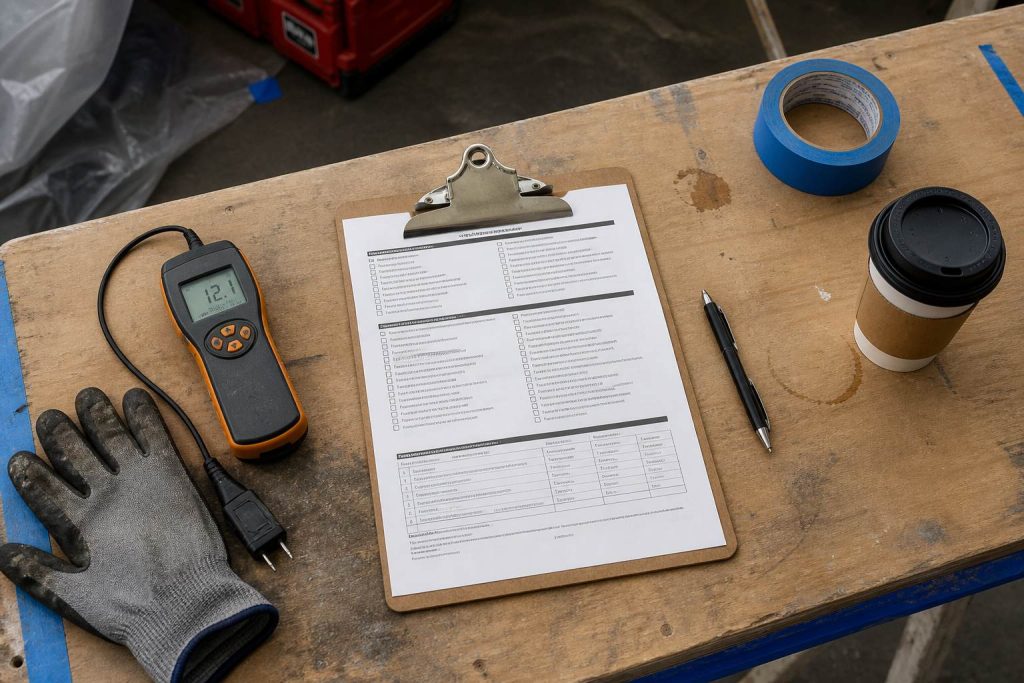
    Restoration SOP clipboard with checklist, moisture meter, and gloves on a jobsite table
    Without documentation you do not know what is happening.

    The first failure mode is simple: if nothing is written down, nothing is visible. And if nothing is visible, nobody is operating from the same picture of the job.

    A restoration business is at minimum five distinct functions — ops, sales, content and communications, billing, vendors — and usually more. Most mid-market restoration companies run those functions in five different tools, in five different inboxes, in five different heads. The tech on the job site knows one thing. The PM knows another. The estimator knows a third. The billing clerk is waiting on a signed change order that was verbally approved two weeks ago and never captured.

    When the mitigation crew does not communicate cleanly with the reconstruction team — even when reconstruction is inside the same company — the job leaks money. Content damage that should have been itemized on day one does not make it onto the scope. A cabinet lead time that should have been placed the day of loss is placed three weeks later. A homeowner is told one thing by mitigation and something different by the rebuild PM, and the relationship that was going to produce the referral is already damaged.

    None of those failures show up as a line item on a P&L. They show up as a gross margin three points lower than last quarter, and nobody can tell you exactly why.

    Documentation Is a Visibility System, Not a Filing Cabinet

    When restoration owners hear “documentation,” most of them picture a shared drive full of PDFs nobody reads. That is not the system we are describing.

    The documentation layer is the live, shared operating picture of the business. It is the place where the ops team, the sales team, the billing team, the content team, and the vendors can all see what is happening on every active job and on every SOP that governs how those jobs get run. It is not a filing cabinet. It is a scoreboard.

    A working documentation layer has three properties that a filing cabinet does not:

    It is central, meaning one system of record rather than email threads, text chains, whiteboards, and one-off spreadsheets. Everyone is looking at the same version of the truth.

    It is live, meaning it is updated as the job moves, not after the fact. Documentation that is only written up after a job closes is archival. Documentation that is updated in real time is operational.

    It is recursive, meaning the documentation generates feedback that adjusts the SOPs. Every job teaches the next job. The system gets sharper every week because the information captured this week shapes next week’s standard.

    Filing cabinet documentation does not change behavior. A live, central, recursive documentation layer is what turns a restoration company into a compounding business instead of a busy one.

    The Mitigation-to-Reconstruction Proof

    Gloved hands using a pin-type moisture meter on wet drywall during inspection
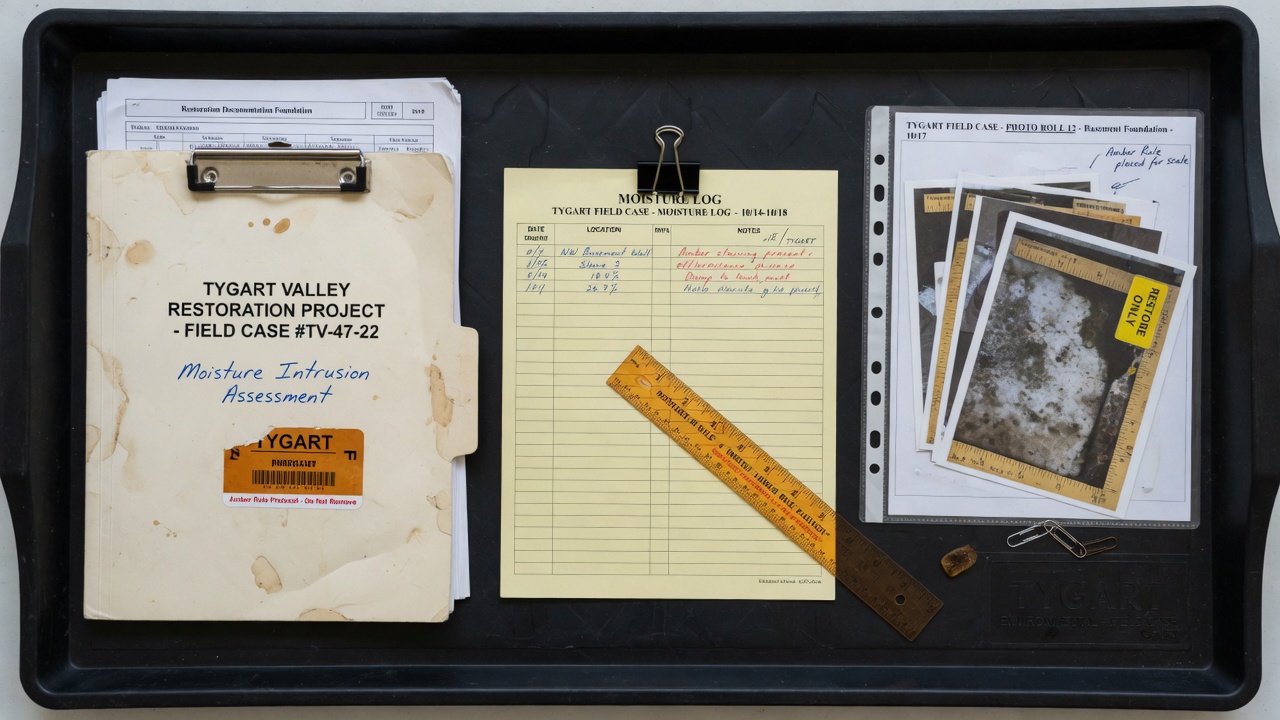
    Mitigation-to-reconstruction proof trail.

    The fastest way to see whether a restoration company has a working documentation layer is to look at the handoff between mitigation and reconstruction.

    If mitigation wraps, the dry-out certificate is signed, and the reconstruction PM has to re-interview the homeowner to find out what happened — the documentation layer does not exist. If the reconstruction team has to re-photograph the damage because the mitigation photos were never shared in a usable form — the documentation layer does not exist. If the rebuild scope gets written from scratch without visibility into what mitigation did, what carrier questions came up, or what the homeowner actually wants — the documentation layer does not exist.

    The money leak is obvious once you name it: every one of those gaps is time, labor, or margin that you are paying for twice. And the fix is not more software. The fix is a standard that says a mitigation job is not closed until specific artifacts are in a specific place, in a specific format, ready for the rebuild team to operate from on day one. Write that down, train to it, enforce it, and every dollar of margin the handoff currently costs you comes back.

    That is a companion article to this one: the documented mitigation prep standard and the mitigation-to-reconstruction handoff margin cover that specific SOP. It is one of many. But it is the one most owners can feel in their bank account within a quarter of fixing it.

    Tiered Approval Authority: The SOP Most Owners Skip

    One of the most financially consequential SOPs a restoration company can build is a tiered approval structure — and most owners do not have one.

    The mistake is thinking about approvals as a thing you need for a $500,000 commercial loss. You do need one there. You also need one for a $2,500 emergency services call that comes in on a Sunday afternoon during a football game. The operator on call needs to know, without calling you, what dollar authority they have to commit the company to show up and start work. Without a documented tier, one of two things happens: the work does not get committed fast enough and the customer calls the next name on the carrier’s list, or it gets committed without any financial discipline and you find out what happened on Monday.

    A documented approval matrix — amount, job type, conditions, who can authorize — is a piece of paper that makes you money. It turns speed-of-response from a chaotic strength into a repeatable system. It protects margin on large jobs by forcing scope discipline before the commitment. It protects responsiveness on small jobs by putting authority at the right level.

    A full treatment of the approval tier SOP is in a companion article; what matters here is that the approval matrix only exists because the documentation layer exists. Without a central operating picture, the matrix is just a memo nobody follows.

    The WIP Board: Where Documentation Becomes Recursive
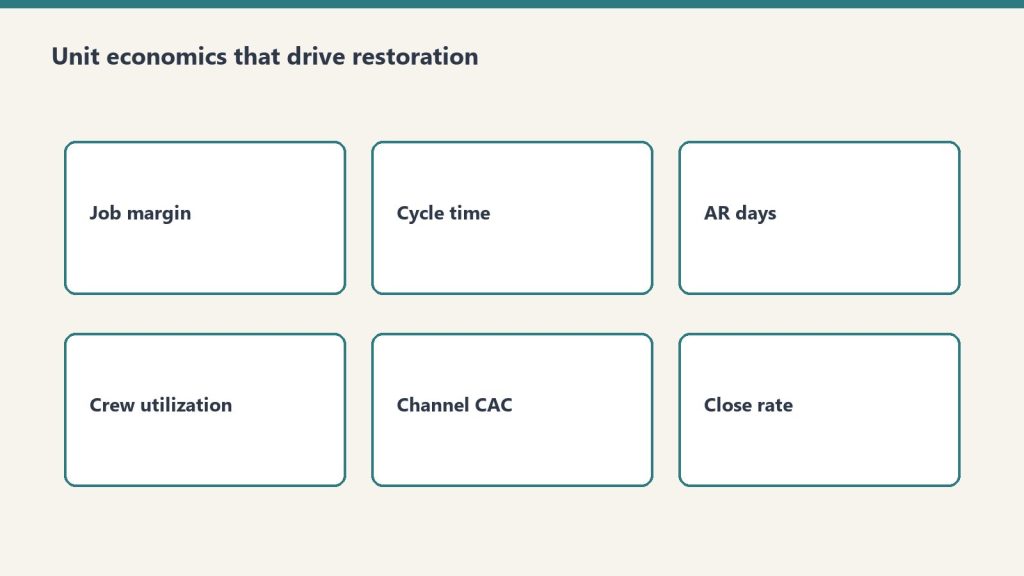
    Six cards covering job margin, cycle time, AR days, utilization, CAC, close rate
    WIP board — where documentation becomes recursive.

    The reason documentation is a financial system rather than an administrative chore is the feedback loop.

    The highest-leverage operating practice I recommend to restoration owners is the cross-functional job review — the WIP Board meeting (Work In Progress), call it whatever your team will actually attend — where representatives from ops, sales, PM leadership, estimating, and billing sit together and walk through the jobs that moved this week. Not just the bad jobs. Every job. A tech. A PM. An ops manager. A billing representative. Whoever on your team can speak for each part of the business without having to go look it up.

    The job review is where estimates get compared to actuals. Where scope creep gets caught before the invoice goes out. Where the subcontractor who missed a deadline gets flagged before the same thing happens on the next job. Where the carrier question that tripped up the PM becomes a new line in the scoping SOP. Where pricing on a category of work gets adjusted because three jobs in a row came in under target margin.

    The WIP Board is the recursive loop. It only works if the documentation layer is there to feed it. If nothing is captured, there is nothing to review. If the captures are in five different systems, the meeting spends its time reconciling data instead of drawing conclusions. A working documentation layer makes the WIP Board a thirty-minute margin clinic. A broken one makes it a two-hour status update that produces nothing.

    The related practice — calling the client after the job, recording the conversation, and capturing the honest feedback — is part of the same system. It is another input into the loop. A full breakdown is in the every-job post-mortem companion piece.

    Why This Is the Financial Foundation, Not the Operations Foundation

    Restoration owners resist calling documentation a financial practice because it does not look like money. It is not a credit facility. It is not a pricing move. It is not an insurance relationship. It is an operating discipline.

    Here is the reframe: the financial outcome of a restoration company — margin, cash conversion, customer lifetime value, enterprise value at exit — is produced by the same five or ten operating behaviors happening on every job. You do not improve the financial outcome by improving the P&L. You improve it by improving the behavior. And behavior is improved by capturing it, documenting the standard, reviewing it against actuals, and adjusting the standard when you find something better.

    That is the financial foundation. Everything else sits on top of it.

    A restoration company with a working documentation layer can raise prices without losing customers because its scope discipline is visible and defensible. It can extend lines of credit at better rates because its DSO and collections practice is documented. It can sell for a higher multiple because the business runs without the owner having to be in every decision. It can pass a carrier program audit without losing a week of billable time. It can train a new PM in ninety days instead of eighteen months. None of those are financial moves. All of them produce financial outcomes.

    Where Owners Start

    If you do not have a documentation layer today, do not try to install one across every function at once. Pick one handoff that bleeds. For most restoration companies that is mitigation-to-rebuild. For some it is estimate-to-invoice. For others it is new-job-intake-to-dispatch.

    Document that one handoff as a written SOP with specific artifacts, formats, and deadlines. Put those artifacts in one central system. Train the people on both sides of the handoff to operate from that standard. Run your WIP Board against it for ninety days. Watch what happens to margin on that job type.

    Then do the next handoff. You are not building a manual. You are building a live scoreboard that the entire company operates from. The financial results follow — they do not lead.

    The restoration companies that compound over a decade have a documentation layer. The ones that plateau at $3 million or $8 million or $15 million and never break through do not. It is very close to that simple. The cost of building one is mostly discipline and a few weeks of focused design. The cost of not building one is everything the company could have been.


    Frequently Asked Questions

    What is the documentation layer in a restoration company? The documentation layer is the central, live, recursive system of record for how a restoration company operates — covering SOPs, job-level artifacts, handoffs, approvals, and the feedback loop between functions. It is the shared operating picture every team works from, not a filing cabinet of static documents.

    Why is documentation a financial practice, not an operational one? Because every financial outcome — margin, cash conversion, customer retention, valuation at exit — is produced by the behaviors a documentation layer governs. Improve the behavior, the financials follow. Without the documentation layer, the behaviors drift and the financials drift with them.

    What is the first SOP a restoration owner should document? Usually the handoff that is costing the most money. For most restoration companies that is mitigation-to-reconstruction. Document that one end-to-end with specific artifacts, formats, and deadlines, put it in a central system, and train to it before moving to the next SOP.

    What is a tiered approval matrix in restoration? A documented approval structure that defines, by dollar amount and job type, who on the team can commit the company to start work, sign a change order, or approve a scope change. It gives operators the authority to respond fast on small jobs and protects margin discipline on large ones.

    What is a WIP Board meeting? A cross-functional job review where representatives from ops, sales, estimating, PM leadership, and billing walk through every job that moved during the week, compare estimates to actuals, catch scope issues, and adjust SOPs based on what the week revealed. It is the recursive loop that turns documentation into a compounding financial practice.

    Do I need restoration-specific software to build a documentation layer? No. The documentation layer is a discipline, not a product. It works in dedicated restoration platforms, general job management tools, or well-structured shared workspaces. What matters is that it is central, live, and recursive — not which vendor’s logo is on the login screen.


    Tygart Media on restoration — an analyst-operator body of work on the systems that separate compounding restoration companies from busy ones. No client names. No brand placements. Just the operating standard.
  • Claude Cowork Restoration Training for Every Team Role

    Claude Cowork Restoration Training for Every Team Role

    Last refreshed: October 22, 2026

    Your estimator just scoped a fire damage job at $47,000. Your PM disagrees. Your admin is chasing the adjuster. Your technician already started demo. Your sales manager is quoting the next job before the first one is closed out. Sound familiar?

    Restoration companies run on controlled chaos. Every job is a mini-project with overlapping roles, shifting timelines, and constant dependencies — and the people filling those roles were rarely trained in structured project thinking. They learned by doing. That is fine until the volume outpaces what tribal knowledge can hold.

    The short answer: Claude Cowork visibly decomposes complex tasks into sequenced, dependency-aware subtasks delegated to sub-agents — the same cognitive skill every role in a restoration company needs but rarely gets formal training on. Running Cowork on a real restoration scenario and watching how it plans is a training exercise for estimators, PMs, admins, technicians, and sales managers alike.
    Email Me This Article

    Why Restoration Teams Need This More Than Most

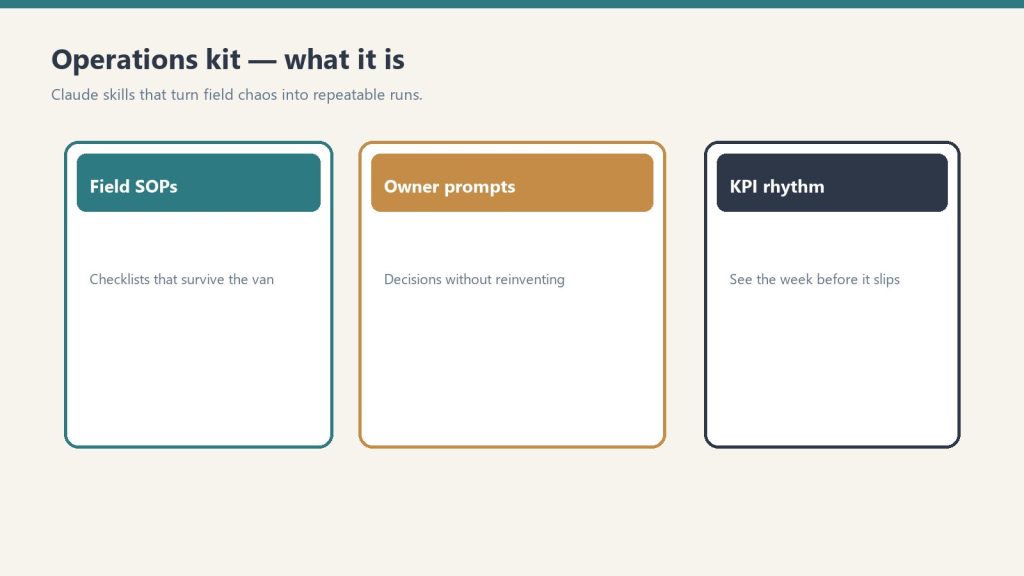
    Three cards for field SOPs, owner prompts, and KPI rhythm in an operations kit
    Why restoration teams need this more than most.

    A restoration job is not a single task. It is a cascade: initial assessment, scope documentation, insurance communication, material ordering, crew scheduling, demo, mitigation, rebuild coordination, final walkthrough, invoicing. Every step depends on something upstream, several steps can run in parallel, and new information lands constantly — the adjuster changes the scope, the homeowner adds a room, the subcontractor pushes back a date.

    This is exactly the kind of work that Claude Cowork was built to handle. And watching how Cowork handles it teaches your team how to think about it.

    What Each Role Learns From Watching Cowork

    The Estimator

    An estimator’s job is fundamentally a decomposition exercise: walk a property, break the damage into line items, sequence the repair logic, and price each piece. When you run a Cowork task like “build a comprehensive scope for a Category 2 water loss in a 2,400 sq ft ranch with finished basement,” you can watch the lead agent break that into sub-tasks — structural assessment, contents inventory, moisture mapping zones, material takeoffs, labor estimates. The estimator sees their own mental process made visible, and more importantly, they see what steps they might be skipping.

    The Project Manager

    This is the role Cowork maps to most directly. A restoration PM juggles the timeline, the crew, the adjuster, and the homeowner simultaneously. Cowork’s lead agent does the same thing — it holds the master plan, delegates to sub-agents, manages dependencies, and absorbs mid-flight changes without losing the thread. When a PM watches Cowork queue a new requirement that came in during execution and slot it into the plan at the right moment, that is a live lesson in change order management.

    The Admin and Job Coordinator

    Admin staff are the connective tissue. They are tracking certificates of completion, chasing supplement approvals, scheduling inspections, and making sure nothing falls through the cracks. Cowork shows how a lead agent maintains awareness of all parallel workstreams and flags when one is blocking another. For an admin learning to manage a board of active jobs, watching Cowork’s progress view is a masterclass in status tracking.

    The Technician

    Technicians often focus on execution — set the equipment, run the demo, do the work. But the best techs think upstream and downstream: what do I need before I start, and what does my work unlock for the next person? Cowork makes these dependencies visible. When a sub-agent finishes a task and the lead immediately kicks off the next dependent task, a technician can see how their piece connects to the whole.

    The Sales Manager

    Sales in restoration is about managing the pipeline while jobs are still in flight. A sales manager watching Cowork tackle a complex multi-step task sees how a good orchestrator never loses sight of the big picture even while individual pieces are being executed. It is the same skill needed to track leads, follow up on referrals, and manage relationships while active jobs demand attention.

    A Training Exercise You Can Run Tomorrow

    Desk with laptop, checklist notebook, and billing card ready before creating an Anthropic API key
    A training exercise you can run tomorrow.

    Pick a real scenario your team handled last month — a complex water loss, a fire damage job with contents, a mold remediation with an access issue. Strip the confidential details and feed it to Cowork as a planning task: “Break down the full project plan for a Category 3 water loss in a two-story commercial building with active tenant occupancy.”

    Then sit with your team and watch it work. Pause at each stage. Ask: did Cowork sequence this the way we would? Did it catch a dependency we might have missed? Did it run things in parallel that we run sequentially? Did it handle the mid-task change the way our PM would?

    The conversation that follows is worth more than most training seminars.

    The Conductor Metaphor Hits Different in Restoration

    In our original article on Cowork as a training tool, we compared Cowork’s lead agent to an orchestra conductor — one agent directing the whole ensemble without playing any instrument itself. In restoration, the metaphor becomes concrete: the PM is the conductor, the estimator is first chair, the admin is keeping score, the technician is the section player, and the sales manager is booking the next gig before the curtain call.

    When everyone on the team can see the conductor’s score — which is exactly what Cowork’s plan view gives you — the whole operation tightens up.

    More in This Series

    Frequently Asked Questions

    Can Claude Cowork handle restoration-specific scenarios?

    Yes. Cowork decomposes any complex, multi-step task you describe to it. You can input a restoration scenario like a water loss scope, a fire damage project plan, or a mold remediation coordination task and watch it break the work into sequenced, dependency-aware subtasks. The output is a structured plan, not industry-specific software, but the planning logic transfers directly.

    Which restoration roles benefit most from Cowork training?

    Project managers benefit most directly because Cowork’s lead agent mirrors their core function — holding the master plan and managing dependencies. But estimators learn scope decomposition, admins learn status tracking across parallel workstreams, technicians see how their work connects to the full project chain, and sales managers learn pipeline orchestration.

    Does this replace restoration project management software?

    No. Cowork is not a replacement for tools like Xactimate, DASH, or jobber platforms. It is a training and planning tool that helps your people think in structured, decomposed, dependency-aware ways. Better thinking produces better use of whatever PM software you already run.

    How do I run a Cowork training session with my restoration team?

    Pick a real job your team completed recently, strip confidential details, and input it as a Cowork task. Watch together as Cowork decomposes the plan. Pause and discuss at each stage — compare Cowork’s sequencing to how your team actually handled it. Focus on dependencies, parallel workstreams, and how mid-task changes were absorbed.

    Is Claude Cowork available for restoration companies?

    Cowork is available through the Claude desktop app on Pro, Max, Team, and Enterprise plans. It is not industry-specific — any team that handles complex, multi-step work can use it. Restoration companies are a natural fit because every job is essentially a project with overlapping roles and shifting dependencies.

  • Restoration Team Training: PM Skills via Claude Cowork

    Restoration Team Training: PM Skills via Claude Cowork

    Last refreshed: October 21, 2026

    Every restoration company has the same problem: the estimator thinks one way, the technician works another way, the PM juggles both, and the office admin is the only person who sees the whole picture.

    Claude Cowork — Anthropic’s agentic desktop AI — might be the most unlikely training tool the restoration industry has ever stumbled into. Not because it does restoration work, but because it shows every person on your team exactly how a well-run job should be decomposed, delegated, and managed.

    The short answer: Claude Cowork visibly breaks complex tasks into sub-tasks and delegates them to specialized sub-agents in real time. That process — plan, decompose, delegate, track, adjust — is the exact workflow a restoration project manager needs to master. Watching Cowork do it live is like watching a senior PM narrate their thought process.
    Email Me This Article

    Why Restoration Teams Struggle With Task Decomposition

    Three cards for field SOPs, owner prompts, and KPI rhythm in an operations kit
    Why restoration teams struggle with task decomposition.

    A water damage job is not one job. It is an inspection, a moisture reading, a scope of work, an insurance estimate, a mitigation plan, a materials order, a labor schedule, a documentation trail, a customer communication cadence, and a final walkthrough — all running on overlapping timelines with interdependencies that change when the adjuster moves a number or the homeowner changes their mind.

    Most restoration employees learn this by doing it wrong a few times. The estimator forgets to document something the technician needs. The PM double-books a crew. The admin discovers at invoicing that the scope changed three times and nobody updated the file. The learning curve is expensive — in rework, in customer trust, and in insurance relationships.

    What if there was a way to show every person on the team what good decomposition looks like before they have to learn it through failure?

    How Cowork Maps to Every Role on a Restoration Team

    The Estimator

    Give Cowork a prompt like: “A homeowner reports water damage in their finished basement after a sump pump failure. The basement has carpet, drywall, and a home office with electronics. Build me a complete inspection and documentation plan.”

    Watch what happens. Cowork does not respond with a single block of text. It builds a plan: identify affected areas, document moisture readings at specific points, photograph damage progression, catalog affected materials, note potential secondary damage indicators, create the scope of work outline, flag items that need adjuster attention. Each task has a sequence. Each task feeds the next one.

    An estimator watching this process sees — visually, in real time — how a thorough inspection plan is structured. Not as a checklist someone hands them, but as a plan that emerges from thinking about what the downstream consumers of that inspection need.

    The Office Admin

    Admins are often the most underserved role in restoration training. They handle intake calls, schedule crews, manage documentation, track certificate of completions, follow up on invoicing, and keep the CRM updated — and most of their training is “watch Sarah do it for a week.”

    Give Cowork a task like: “A new water damage claim just came in. The homeowner called, insurance info is confirmed, and the estimator is heading out tomorrow. Build me the complete administrative workflow from intake through final invoice.”

    Cowork will decompose this into a multi-track plan: the documentation track (claim number, photos, moisture logs), the communication track (homeowner updates, adjuster correspondence, crew scheduling), the financial track (estimate submission, supplement tracking, invoice preparation), and the compliance track (certificates of completion, lien waivers if applicable). The admin watches these tracks unfold in parallel and sees how their daily tasks connect to the larger job lifecycle.

    The Project Manager

    This is where Cowork shines brightest for restoration. The PM is the lead agent on every job. They are the conductor. And most PMs in restoration were promoted from technician or estimator roles — they know the technical work but were never formally trained in project orchestration.

    Give Cowork a complex scenario: “We have three active water damage jobs, a fire damage mitigation starting Monday, and two reconstruction projects in progress. One of the water jobs just had a scope change from the adjuster. Build me a weekly coordination plan.”

    Cowork will show the PM what a senior operations manager would do: prioritize by urgency and revenue, identify resource conflicts, flag the scope change as a dependency that blocks downstream work, and sequence the week’s actions across all jobs. The PM sees how to think about multiple concurrent projects — not just react to whichever phone rings loudest.

    The Technician

    Technicians often see their work as task execution — set up equipment, monitor readings, tear out materials. What they rarely see is how their documentation feeds the estimator’s supplement, how their moisture readings affect the PM’s timeline, and how their work quality determines whether the final walkthrough results in a sign-off or a callback.

    Give Cowork a mitigation task: “Day 3 of a category 2 water loss in a two-story home. Drying equipment is in place. Build me the technician’s complete daily workflow including documentation, monitoring, communication, and decision points.”

    The technician watches Cowork build out not just the physical tasks but the information tasks — the readings that need to be recorded and where they go, the photos that need to be taken and what they prove, the communication checkpoints with the PM. It connects the dots between doing the work and documenting the work in a way that a training manual never does.

    The Sales Manager

    Restoration sales — whether it is commercial accounts, TPA relationships, or plumber referral networks — involves pipeline management that most salespeople in the industry handle with a spreadsheet and memory. Give Cowork a business development task: “We want to build relationships with property management companies that manage fifty or more residential units within thirty miles. Build me a ninety-day outreach plan.”

    Cowork breaks this into research, qualification, outreach sequences, follow-up cadences, and tracking — the same structured approach a sales operations manager would build. The sales manager sees that prospecting is not just “make calls” but a planned, multi-stage process with measurable milestones.

    The Training Unlock Nobody Expected

    Desk with laptop, checklist notebook, and billing card ready before creating an Anthropic API key
    The training unlock nobody expected.

    Here is what makes this genuinely different from handing someone a training manual or a process document: Cowork shows the thinking, not just the result.

    A process document tells you what steps to follow. Cowork shows you why those steps exist, what depends on what, and how a change in one area cascades through the rest. It shows the conductor at work — not just the sheet music.

    For a restoration company that struggles with inconsistent job quality, scope creep, communication breakdowns between field and office, or PMs who are technically skilled but operationally reactive — Cowork is a training layer that works alongside the people, not instead of them.

    Your technician does not become a project manager by watching Cowork. But they start thinking like one. And that shift in perspective — from task executor to system thinker — is the hardest training outcome to achieve and the most valuable one a restoration company can develop.

    Related on Tygart Media: Cowork for agencies · S500 in the van.

    Frequently Asked Questions

    Can Claude Cowork actually help train restoration employees?

    Yes. Cowork visibly decomposes tasks into sub-tasks, delegates them to sub-agents, and shows progress in real time. That decomposition mirrors exactly how a restoration project manager should plan and track a job. Watching Cowork work through a restoration scenario teaches the planning skill, not just the technical steps.

    Which restoration roles benefit most from watching Cowork?

    Project managers benefit most because Cowork’s lead-agent pattern directly mirrors the PM role. But estimators learn thorough documentation planning, admins see how their workflows connect to the full job lifecycle, technicians understand how their documentation feeds downstream processes, and sales managers see structured pipeline management.

    Does Cowork replace restoration project management software?

    No. Cowork is not a project management tool and does not replace platforms like DASH, Xactimate, or your PSA. It is a thinking tool that shows people how to plan and decompose work. Use it to train the thinking, then apply that thinking inside your existing systems.

    How would a restoration company actually use Cowork for training?

    Run a real restoration scenario through Cowork during a team meeting. Let the team watch it decompose the job, then discuss what it got right, what it missed, and how each person’s role connects to the plan. The plan Cowork generates becomes a discussion artifact — a living training aid rather than a static document.

    Is Claude Cowork available for restoration businesses?

    Claude Cowork is available on Pro, Max, Team, and Enterprise plans — through the Claude desktop app, and since July 2026 on mobile and web as well. In September 2026, Anthropic began merging Cowork and chat into a single Claude experience. Any restoration company with a subscription can start using it immediately.

    ]+>’,’ ‘,sys.stdin.read()); print(len(text.split()))”

    The Work Order Desk — $450/$750

    Training shows a team what good work looks like; the Work Order Desk is where you hand over one real job and watch it run. Four fixed-price jobs at $450 or $750, each with a written definition of done and a proof sheet when it ships.

    See the Work Order Desk
  • Job Closeout Package Builder — Claude AI Skill for Restoration

    Job Closeout Package Builder — Claude AI Skill for Restoration

    Close every job with complete documentation — without spending an hour assembling it.

    Who This Is For

    Three cards for field SOPs, owner prompts, and KPI rhythm in an operations kit
    Who the job closeout package builder is for.

    Built for restoration project managers who know closeout documentation matters for billing and disputes but routinely send final invoices without complete file documentation because assembling it takes too long.

    The Problem

    Gloved hands using a pin-type moisture meter on wet drywall during inspection
    The closeout documentation problem.

    Job closeout is the last impression you make on both the homeowner and the adjuster. A complete, professional closeout package — customer summary, adjuster narrative, equipment retrieval confirmation, certificate of completion — signals a professional operation. Most restoration companies skip parts of it because it takes time they do not have at the end of a job. This skill assembles it in under ten minutes.

    What It Does

    Three panels showing one problem, three options, one recommendation
    What the closeout skill does.
    • Customer summary letter: plain-language explanation of what was done, why, and what the outcome was — written for a homeowner, not an adjuster
    • Adjuster closeout narrative: technical documentation of scope, process, and measurable outcomes in the language adjusters expect
    • Internal closeout checklist: confirms every documentation item is in the file before the final invoice goes out
    • Equipment retrieval confirmation log: documentation that all equipment was retrieved and in what condition
    • Certificate of completion draft: ready to sign and include in the file

    What You Get

    The complete skill file in Claude-compatible format, a prompt library specific to the use case, and a setup guide that gets you running in under five minutes. After purchase, everything downloads instantly.

    Job Closeout Package Builder — Claude AI Skill for Restoration

    $47

    Delivered to your inbox within 24 hours — skill file, prompt library, and setup guide

    Buy Now →

    Secure checkout via Square — all major cards accepted

    Want a custom version built specifically for your business? Email will@tygartmedia.com

    Related on Tygart Media: moisture map skill · supplement writer · jobs as knowledge base.

    Frequently Asked Questions

    Can I customize the closeout package for different job types?

    Yes — the skill generates output based on the job type and details you provide. Water jobs produce different documentation than fire or mold jobs.

    Does this integrate with my job management software?

    No integration required. You provide the job details and the skill generates the documents. You then place them in whatever system you use.

    What if the job had complications or supplements?

    You can include that context in the job details you provide. The closeout narrative will reflect the full job history including any supplemented scope.

    How is this delivered?

    Within 24 hours of purchase via email from will@tygartmedia.com. Skill file, prompt library, and setup guide delivered as a ZIP download.

    Does this require a paid Claude subscription?

    Installing as a custom skill requires a paid Claude plan (Pro, $20/mo, or higher) with code execution enabled. Your download also includes a free-plan setup option — paste the skill into a Claude Project’s instructions — which works on any plan.

    Can I get a custom version built for my specific business?

    Yes. Email will@tygartmedia.com with a description of your business and workflows. Custom skill builds are available as part of The Fitting service.

  • Moisture Map & Drying Log Generator — Claude AI Skill for Restoration

    Moisture Map & Drying Log Generator — Claude AI Skill for Restoration

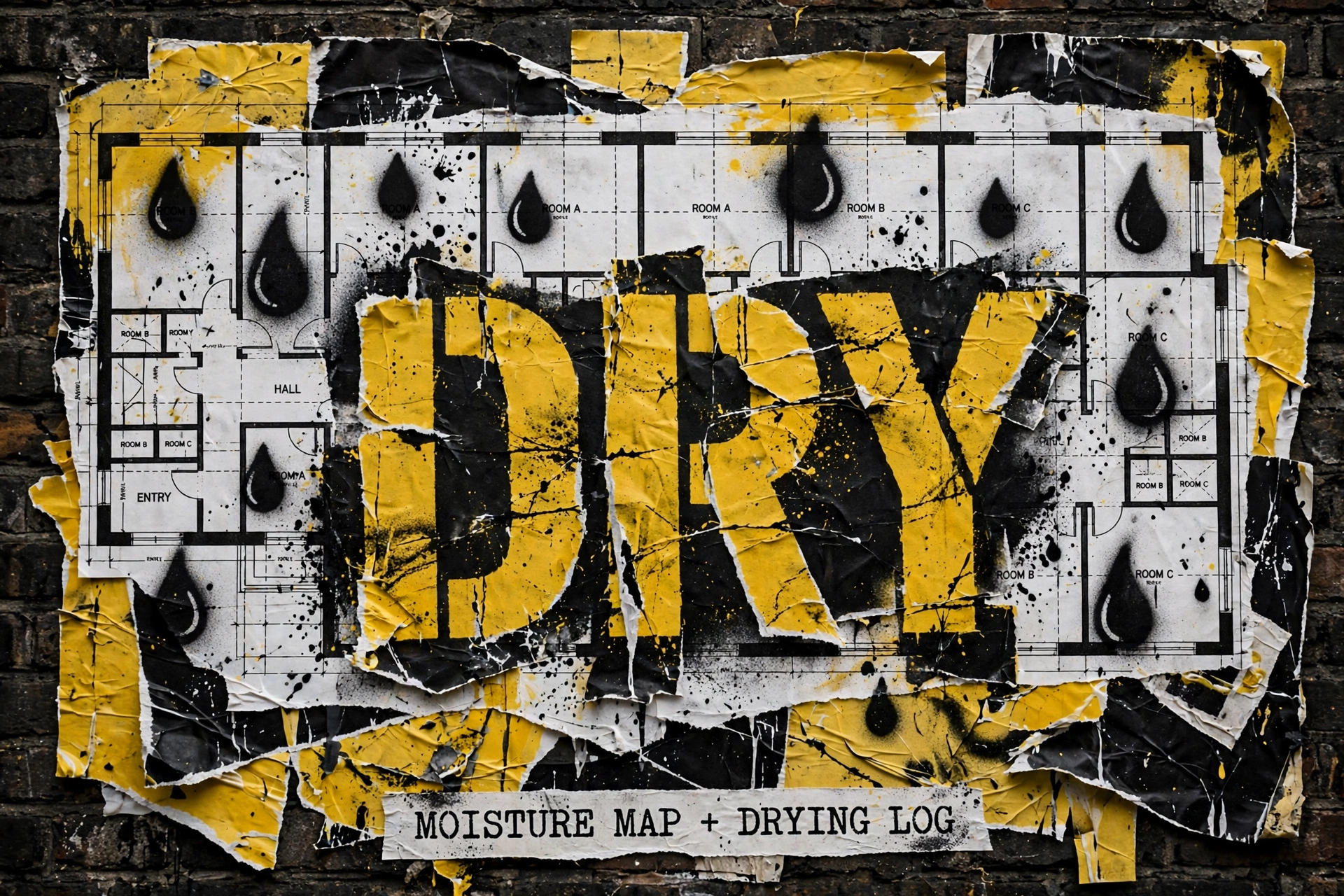
    Daily readings in. Adjuster-ready drying documentation out.

    Who This Is For

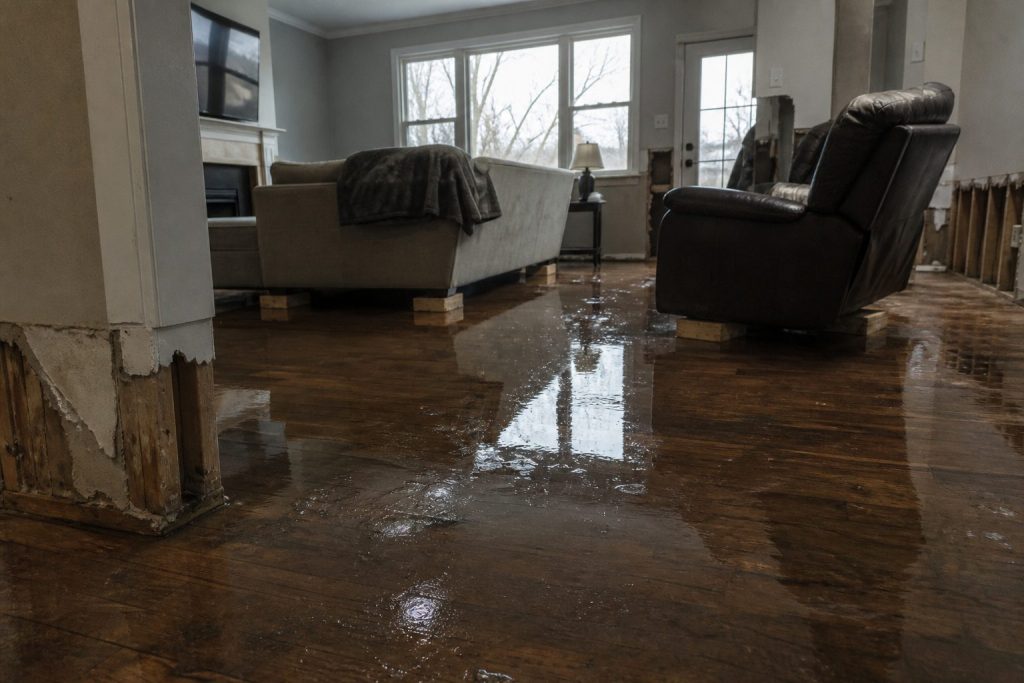
    Flooded residential living room with standing water on hardwood after a water loss
    Who the moisture map / drying log skill is for.

    Built for restoration technicians and project managers who take daily moisture readings but spend too much time formatting that data into documentation adjuster-reviewable reports.

    The Problem

    Gloved hands using a pin-type moisture meter on wet drywall during inspection
    The moisture documentation problem.

    Daily moisture documentation is both critical and tedious. The readings take minutes. The documentation — formatting them into zone-by-zone progress reports, calculating GPP changes, noting equipment performance, flagging stalled areas — takes much longer and often gets done poorly under job pressure. Adjuster-ready drying documentation that demonstrates a professional drying protocol is one of the most important defenses against disputed claims.

    What It Does

    Three panels showing one problem, three options, one recommendation
    What the drying-log skill does.
    • Formats daily readings into structured progress reports by zone — readable, professional, adjuster-ready
    • Calculates daily GPP change per zone and flags areas that are stalling or trending wrong
    • Generates a drying narrative for each day that explains what the readings mean in plain language
    • Tracks equipment placement and output against moisture readings to demonstrate protocol compliance
    • Outputs a complete drying log summary for file closure — one document that tells the whole drying story

    What You Get

    The complete skill file in Claude-compatible format, a prompt library specific to the use case, and a setup guide that gets you running in under five minutes. After purchase, everything downloads instantly.

    Moisture Map & Drying Log Generator — Claude AI Skill for Restoration

    $47

    Delivered to your inbox within 24 hours — skill file, prompt library, and setup guide

    Buy Now →

    Secure checkout via Square — all major cards accepted

    Want a custom version built specifically for your business? Email will@tygartmedia.com

    Related on Tygart Media: S500 in the van · closeout package · scope drafter.

    Frequently Asked Questions

    What reading format do I need to input?

    The skill accepts readings in any format — you can paste from a spreadsheet, dictate from the field, or type them in whatever order you collected them. It organizes and formats from there.

    Does it generate actual moisture maps or just the data documentation?

    Text-based documentation organized by zone and material. It does not generate graphical maps but produces the same data in a structured, readable format.

    Does this replace dedicated moisture tracking software?

    No — it is a complement to whatever tracking system you use. If you have readings in Encircle or a spreadsheet, you paste them in and get formatted reports out. It handles the documentation layer.

    How is this delivered?

    Within 24 hours of purchase via email from will@tygartmedia.com. Skill file, prompt library, and setup guide delivered as a ZIP download.

    Does this require a paid Claude subscription?

    Installing as a custom skill requires a paid Claude plan (Pro, $20/mo, or higher) with code execution enabled. Your download also includes a free-plan setup option — paste the skill into a Claude Project’s instructions — which works on any plan.

    Can I get a custom version built for my specific business?

    Yes. Email will@tygartmedia.com with a description of your business and workflows. Custom skill builds are available as part of The Fitting service.

  • Restoration Supplement Writer — Claude AI Skill

    Restoration Supplement Writer — Claude AI Skill

    The supplement money you are leaving on the table is a Claude prompt away.

    Who This Is For

    Side-by-side comparing a pitch dump with value-first contact habits
    Who the restoration supplement writer is for.

    Built for restoration contractors who are closing jobs without submitting supplements, or submitting supplements that get denied because the justification language wasn’t strong enough.

    The Problem

    Seven cards naming common AI chatbot failure modes
    The supplement writing problem.

    Industry research consistently shows that restoration companies leave significant money on the table per job in unsupported or unpursued supplements. The line items are legitimate. The documentation exists. The problem is the writing — getting from job notes and moisture logs to a professionally written, line-by-line supplement request that adjusters are trained to approve. This skill does exactly that, on every job, in under ten minutes.

    What It Does

    Three panels showing one problem, three options, one recommendation
    What the supplement skill does.
    • Reads your job notes, moisture logs, scope data, and existing estimate
    • Identifies supplementable items by damage category — items that were done but not included in the original scope
    • Writes each supplement line with specific IICRC-referenced justification language
    • Formats the complete request as a professional submission letter ready to send
    • Flags items that need additional documentation before submission so nothing gets denied on a technicality
    • Supplement phrase library by damage type included — water, fire, mold, structural, contents

    What You Get

    The complete skill file in Claude-compatible format, a prompt library specific to the use case, and a setup guide that gets you running in under five minutes. After purchase, everything downloads instantly.

    Restoration Supplement Writer — Claude AI Skill

    $97

    Delivered to your inbox within 24 hours — skill file, prompt library, and setup guide

    Buy Now →

    Secure checkout via Square — all major cards accepted

    Want a custom version built specifically for your business? Email will@tygartmedia.com

    Related on Tygart Media: scope drafter · closeout package builder · adjuster communication.

    Frequently Asked Questions

    How is this different from the Adjuster Communication Kit?

    The Adjuster Communication Kit handles all adjuster communications — supplement requests, disputes, follow-ups, and denials. This skill is specifically and deeply focused on supplement writing, with a complete phrase library and more output examples. If you primarily need supplement writing help, this is the right product. If you need the full communication toolkit, consider the kit.

    How much supplement revenue should I expect to recover?

    That varies significantly by job type, carrier, and how thorough your existing documentation is. We do not make specific dollar projections. What we can say is that professionally written supplements with standards-based justification language have a materially higher approval rate than informal submissions.

    Does it require a specific format or documentation input?

    No — the skill works with whatever job documentation you have. The more complete your input, the more complete the supplement. It asks clarifying questions when information is missing.

    How is this delivered?

    Within 24 hours of purchase via email from will@tygartmedia.com. Skill file, prompt library, and setup guide delivered as a ZIP download.

    Does this require a paid Claude subscription?

    Installing as a custom skill requires a paid Claude plan (Pro, $20/mo, or higher) with code execution enabled. Your download also includes a free-plan setup option — paste the skill into a Claude Project’s instructions — which works on any plan.

    Can I get a custom version built for my specific business?

    Yes. Email will@tygartmedia.com with a description of your business and workflows. Custom skill builds are available as part of The Fitting service.

  • Restoration Adjuster Communication Kit — Claude AI Skill

    Restoration Adjuster Communication Kit — Claude AI Skill

    Stop losing money because the supplement letter wasn’t professional enough.

    Who This Is For

    Side-by-side comparing a pitch dump with value-first contact habits
    Who the adjuster communication skill is for.

    Built for restoration contractors and project managers who communicate with adjusters daily and know their documentation should be stronger but don’t have time to write every letter from scratch.

    The Problem

    Gloved hands using a pin-type moisture meter on wet drywall during inspection
    The adjuster communication problem.

    Adjuster communication is where restoration money is made and lost. A well-written supplement request that cites IICRC standards and provides specific line-item justification gets approved. A generic one gets ignored or denied. Most restoration companies write these communications under time pressure with whatever language comes to mind. This skill replaces that with professional, specific, hard-to-dismiss language every time.

    What It Does

    Three panels showing one problem, three options, one recommendation
    What the adjuster-comms skill does.
    • Supplement request letters with line-by-line justification language — specific, documented, professionally framed
    • Depreciation dispute letters citing industry standards and comparable market data
    • Authorization follow-up sequences that create a documented paper trail
    • Denial response letters with structured appeal framing
    • Scope justification narratives for challenged line items
    • 25 communication templates organized by scenario type

    What You Get

    The complete skill file in Claude-compatible format, a prompt library specific to the use case, and a setup guide that gets you running in under five minutes. After purchase, everything downloads instantly.

    Restoration Adjuster Communication Kit — Claude AI Skill

    $47

    Delivered to your inbox within 24 hours — skill file, prompt library, and setup guide

    Buy Now →

    Secure checkout via Square — all major cards accepted

    Want a custom version built specifically for your business? Email will@tygartmedia.com

    Related on Tygart Media: scope drafter · supplement writer · adjuster relationships.

    Frequently Asked Questions

    Can I customize the letters with my company name and specific job details?

    Yes — the skill generates letters based on the job details you provide. Every output is specific to your job, your line items, and your adjuster.

    Does this work for all insurance carriers?

    The communication language is designed to be carrier-agnostic. The skill focuses on standards-based justification language that works across carriers.

    What if my supplement gets denied anyway?

    The skill also generates denial response and appeal letters. It is built for the full adjuster communication lifecycle, not just the first submission.

    How is this delivered?

    Within 24 hours of purchase via email from will@tygartmedia.com. Skill file, prompt library, and setup guide delivered as a ZIP download.

    Does this require a paid Claude subscription?

    Installing as a custom skill requires a paid Claude plan (Pro, $20/mo, or higher) with code execution enabled. Your download also includes a free-plan setup option — paste the skill into a Claude Project’s instructions — which works on any plan.

    Can I get a custom version built for my specific business?

    Yes. Email will@tygartmedia.com with a description of your business and workflows. Custom skill builds are available as part of The Fitting service.

  • Xactimate Scope Drafter — Claude AI Skill for Restoration

    Xactimate Scope Drafter — Claude AI Skill for Restoration

    Input the damage. Get an Xactimate-ready scope draft. Stop staring at a blank line item screen.

    Who This Is For

    Three cards for field SOPs, owner prompts, and KPI rhythm in an operations kit
    Who the Xactimate scope drafter is for.

    Built for restoration estimators and project managers who spend hours building scope documents from scratch when the job notes are already in their hands.

    The Problem

    Five-step flow from estimate to supplement, approve, invoice, cash
    The scope drafting problem.

    Xactimate scoping is one of the most time-consuming parts of a restoration job — not because it is complex, but because it is tedious. Every estimator knows what the scope should include. Getting it from field notes into a structured, complete document takes time that could be spent on the next job. This skill does the translation.

    What It Does

    Three panels showing one problem, three options, one recommendation
    What the Xactimate scope skill does.
    • Translates your field observations into organized Xactimate line item categories — demo, dry-out, structural, contents, and more
    • Prompts you for missing information rather than guessing — if dimensions or materials are unclear, it asks
    • Applies correct damage class and category framing based on damage type
    • Flags items commonly missed for each damage type: O&P, general conditions, equipment, and category-specific line items
    • Outputs in a structured format ready to transfer into Xactimate
    • 20 scope prompts by damage type included — water, fire, mold, contents, biohazard

    What You Get

    The complete skill file in Claude-compatible format, a prompt library specific to the use case, and a setup guide that gets you running in under five minutes. After purchase, everything downloads instantly.

    Xactimate Scope Drafter — Claude AI Skill for Restoration

    $47

    Delivered to your inbox within 24 hours — skill file, prompt library, and setup guide

    Buy Now →

    Secure checkout via Square — all major cards accepted

    Want a custom version built specifically for your business? Email will@tygartmedia.com

    Related on Tygart Media: adjuster communication skill · supplement writer skill.

    Frequently Asked Questions

    Does this write a finished Xactimate estimate?

    No — it produces a complete structured scope draft that you then enter into Xactimate. The skill handles the thinking and organization. You handle the entry and pricing.

    What damage types does it cover?

    Water damage by category and class, fire and smoke, mold remediation, contents, biohazard, and structural damage. The scope prompts library includes templates for each.

    Does it need to be connected to Xactimate?

    No. This is a standalone Claude skill. The output is a structured document you read and transfer. No integration required.

    How is this delivered?

    Within 24 hours of purchase via email from will@tygartmedia.com. Skill file, prompt library, and setup guide delivered as a ZIP download.

    Does this require a paid Claude subscription?

    Installing as a custom skill requires a paid Claude plan (Pro, $20/mo, or higher) with code execution enabled. Your download also includes a free-plan setup option — paste the skill into a Claude Project’s instructions — which works on any plan.

    Can I get a custom version built for my specific business?

    Yes. Email will@tygartmedia.com with a description of your business and workflows. Custom skill builds are available as part of The Fitting service.

    Is there a refund policy?

    Because this is a digital product, all sales are final. If you have a problem with your purchase, email will@tygartmedia.com and we will sort it out.

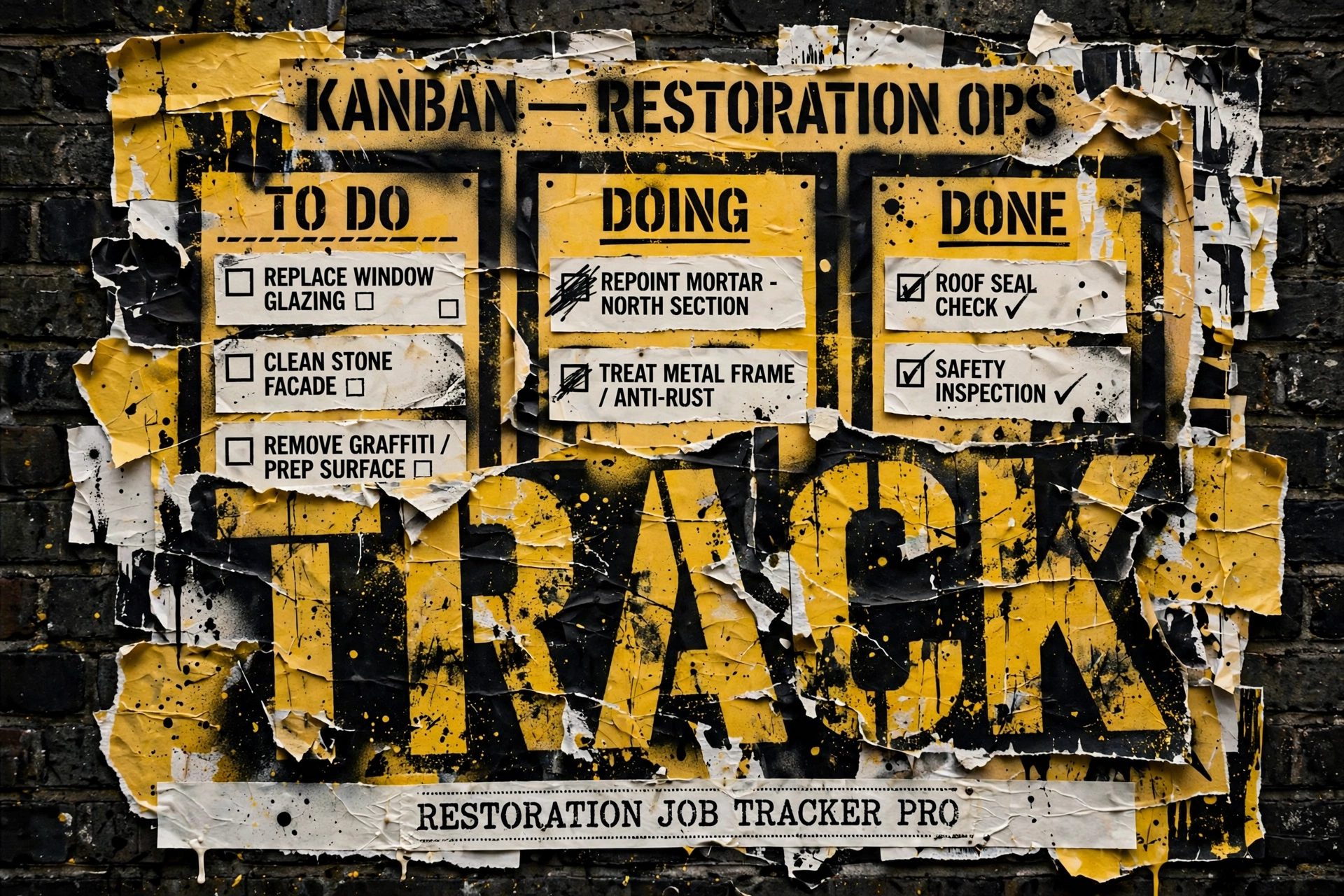
  • Restoration Job Tracker Pro — Notion Template for Restoration Contractors

    Restoration Job Tracker Pro — Notion Template for Restoration Contractors

    Stop tracking jobs in spreadsheets and text threads.

    Who This Is For

    Three cards for field SOPs, owner prompts, and KPI rhythm in an operations kit
    Who the job tracker Pro is for.

    Built for restoration contractors managing multiple active jobs who lose track of moisture readings, miss documentation steps, and spend time hunting for information that should be in one place.

    The Problem

    Side-by-side comparing a pitch dump with value-first contact habits
    The job tracking problem.

    A restoration job has more moving parts than almost any other service business. Multiple crews, daily moisture readings, equipment on site, adjuster communications, photo documentation, authorization tracking — all happening simultaneously across multiple jobs. The contractor who manages all of this from memory, texts, and spreadsheets is one bad job from a serious documentation problem. This template is the system that prevents that.

    What You Get

    Three panels showing one problem, three options, one recommendation
    What you get with Job Tracker Pro.
    • Jobs database: every job from first notice of loss to final invoice, with status tracking at every stage
    • Moisture readings log: daily readings linked to each job, with trend visibility
    • Equipment deployment: what is on which job, when it was placed, when it was retrieved
    • Photo documentation log: record of documentation by phase, linked to job
    • Communications log: every adjuster, homeowner, and crew communication tracked by job
    • Tasks and phases: IICRC-informed phase checklists so nothing gets skipped
    • Sample data included so you can see exactly how it works before you start entering your own
    • Built-in IICRC S500/S520 reference guides, plus pre-built views for active jobs, equipment on site, and open tasks
    • Setup guide included

    Restoration Job Tracker Pro — Notion Template for Restoration Contractors

    $29

    Delivered to your inbox within 24 hours — no shipping, no waiting

    Buy Now →

    Secure checkout via Square — all major cards accepted

    Frequently Asked Questions

    How is this delivered?

    Within 24 hours of purchase, your Notion duplicate link arrives by email from will@tygartmedia.com. Click it, duplicate the template into your own Notion workspace, and you are running — sample data included so you can see how everything connects before you enter your own jobs.

    Do I need any special software?

    A free Notion account is required for the template products. The Claude skill requires a Claude account (free tier works for most uses).

    Can I customize this for my company?

    Yes — everything is built to be edited. Add your company name, your specific workflows, your equipment rates. It is a starting point, not a locked system.

    Is there a refund policy?

    Because this is a digital product, all sales are final. If you have a problem with your purchase, email will@tygartmedia.com and we will sort it out.

    Related: This is one piece of the Complete Restoration Operations Kit ($97). Also Insurance Claims Command Center and The Restoration.

  • Restoration Equipment Inventory & Deployment Tracker — Notion Template

    Restoration Equipment Inventory & Deployment Tracker — Notion Template

    Know exactly where every dehumidifier, air mover, and sensor is — at all times.

    Who This Is For

    Three cards for field SOPs, owner prompts, and KPI rhythm in an operations kit
    Who the equipment tracker is for.

    Built for restoration contractors who run multiple jobs simultaneously and have equipment scattered across sites with no reliable way to track what is where, what daily rate to charge, or what needs servicing.

    The Problem

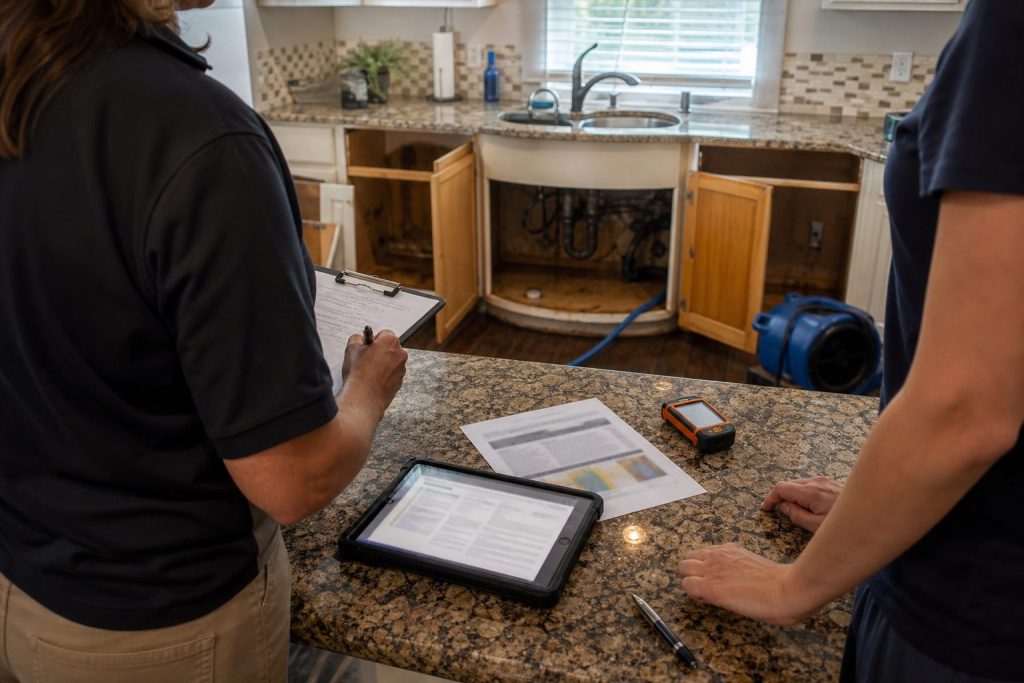
    Clipboard and tablet on a kitchen counter during an insurance adjuster walkthrough after water loss
    The equipment tracking problem.

    Equipment is one of the largest cost centers in restoration. Lost equipment, unbilled deployment days, units out for service at the wrong time, daily rates that nobody can remember — these are real losses that add up fast. Most restoration companies track their equipment fleet the same way they track everything else: imperfectly, and after the fact. This template makes equipment management deliberate.

    What You Get

    Three panels showing one problem, three options, one recommendation
    What you get with the equipment tracker.
    • Equipment Fleet database: every asset with asset ID, serial number, purchase price, daily rate, condition status, and service schedule
    • Deployment Log: checkout and return linked to jobs, automatic daily charge calculation, condition on return
    • Maintenance Log: preventive service records, repairs, calibrations, parts costs, service provider
    • 7 sample equipment items pre-loaded so you can see the system in action
    • Industry rate reference tables built in for air movers, dehumidifiers, negative air machines, and more
    • Service interval guides for common restoration equipment types

    Restoration Equipment Inventory & Deployment Tracker — Notion Template

    $29

    Delivered to your inbox within 24 hours — no shipping, no waiting

    Buy Now →

    Secure checkout via Square — all major cards accepted

    Frequently Asked Questions

    How is this delivered?

    Within 24 hours of purchase via email from will@tygartmedia.com. You will receive your download link immediately — Notion duplicate link, skill file, or both depending on the product.

    Do I need any special software?

    A free Notion account is required for the template products. The Claude skill requires a Claude account (free tier works for most uses).

    Can I customize this for my company?

    Yes — everything is built to be edited. Add your company name, your specific workflows, your equipment rates. It is a starting point, not a locked system.

    Is there a refund policy?

    Because this is a digital product, all sales are final. If you have a problem with your purchase, email will@tygartmedia.com and we will sort it out.

    Related: This is one piece of the Complete Restoration Operations Kit ($97). Also Restoration Job Tracker Pro and The Restoration.

    Related: This is one piece of the Complete Restoration Operations Kit ($97). Stack: The Restoration.