Stop losing money because the supplement letter wasn’t professional enough.
Who This Is For
Who the adjuster communication skill is for.
Built for restoration contractors and project managers who communicate with adjusters daily and know their documentation should be stronger but don’t have time to write every letter from scratch.
The Problem
The adjuster communication problem.
Adjuster communication is where restoration money is made and lost. A well-written supplement request that cites IICRC standards and provides specific line-item justification gets approved. A generic one gets ignored or denied. Most restoration companies write these communications under time pressure with whatever language comes to mind. This skill replaces that with professional, specific, hard-to-dismiss language every time.
What It Does
What the adjuster-comms skill does.
Supplement request letters with line-by-line justification language — specific, documented, professionally framed
Depreciation dispute letters citing industry standards and comparable market data
Authorization follow-up sequences that create a documented paper trail
Denial response letters with structured appeal framing
Scope justification narratives for challenged line items
25 communication templates organized by scenario type
What You Get
The complete skill file in Claude-compatible format, a prompt library specific to the use case, and a setup guide that gets you running in under five minutes. After purchase, everything downloads instantly.
Restoration Adjuster Communication Kit — Claude AI Skill
$47
Delivered to your inbox within 24 hours — skill file, prompt library, and setup guide
Can I customize the letters with my company name and specific job details?
Yes — the skill generates letters based on the job details you provide. Every output is specific to your job, your line items, and your adjuster.
Does this work for all insurance carriers?
The communication language is designed to be carrier-agnostic. The skill focuses on standards-based justification language that works across carriers.
What if my supplement gets denied anyway?
The skill also generates denial response and appeal letters. It is built for the full adjuster communication lifecycle, not just the first submission.
How is this delivered?
Within 24 hours of purchase via email from will@tygartmedia.com. Skill file, prompt library, and setup guide delivered as a ZIP download.
Does this require a paid Claude subscription?
Installing as a custom skill requires a paid Claude plan (Pro, $20/mo, or higher) with code execution enabled. Your download also includes a free-plan setup option — paste the skill into a Claude Project’s instructions — which works on any plan.
Can I get a custom version built for my specific business?
Yes. Email will@tygartmedia.com with a description of your business and workflows. Custom skill builds are available as part of The Fitting service.
Input the damage. Get an Xactimate-ready scope draft. Stop staring at a blank line item screen.
Who This Is For
Who the Xactimate scope drafter is for.
Built for restoration estimators and project managers who spend hours building scope documents from scratch when the job notes are already in their hands.
The Problem
The scope drafting problem.
Xactimate scoping is one of the most time-consuming parts of a restoration job — not because it is complex, but because it is tedious. Every estimator knows what the scope should include. Getting it from field notes into a structured, complete document takes time that could be spent on the next job. This skill does the translation.
What It Does
What the Xactimate scope skill does.
Translates your field observations into organized Xactimate line item categories — demo, dry-out, structural, contents, and more
Prompts you for missing information rather than guessing — if dimensions or materials are unclear, it asks
Applies correct damage class and category framing based on damage type
Flags items commonly missed for each damage type: O&P, general conditions, equipment, and category-specific line items
Outputs in a structured format ready to transfer into Xactimate
20 scope prompts by damage type included — water, fire, mold, contents, biohazard
What You Get
The complete skill file in Claude-compatible format, a prompt library specific to the use case, and a setup guide that gets you running in under five minutes. After purchase, everything downloads instantly.
Xactimate Scope Drafter — Claude AI Skill for Restoration
$47
Delivered to your inbox within 24 hours — skill file, prompt library, and setup guide
No — it produces a complete structured scope draft that you then enter into Xactimate. The skill handles the thinking and organization. You handle the entry and pricing.
What damage types does it cover?
Water damage by category and class, fire and smoke, mold remediation, contents, biohazard, and structural damage. The scope prompts library includes templates for each.
Does it need to be connected to Xactimate?
No. This is a standalone Claude skill. The output is a structured document you read and transfer. No integration required.
How is this delivered?
Within 24 hours of purchase via email from will@tygartmedia.com. Skill file, prompt library, and setup guide delivered as a ZIP download.
Does this require a paid Claude subscription?
Installing as a custom skill requires a paid Claude plan (Pro, $20/mo, or higher) with code execution enabled. Your download also includes a free-plan setup option — paste the skill into a Claude Project’s instructions — which works on any plan.
Can I get a custom version built for my specific business?
Yes. Email will@tygartmedia.com with a description of your business and workflows. Custom skill builds are available as part of The Fitting service.
Is there a refund policy?
Because this is a digital product, all sales are final. If you have a problem with your purchase, email will@tygartmedia.com and we will sort it out.
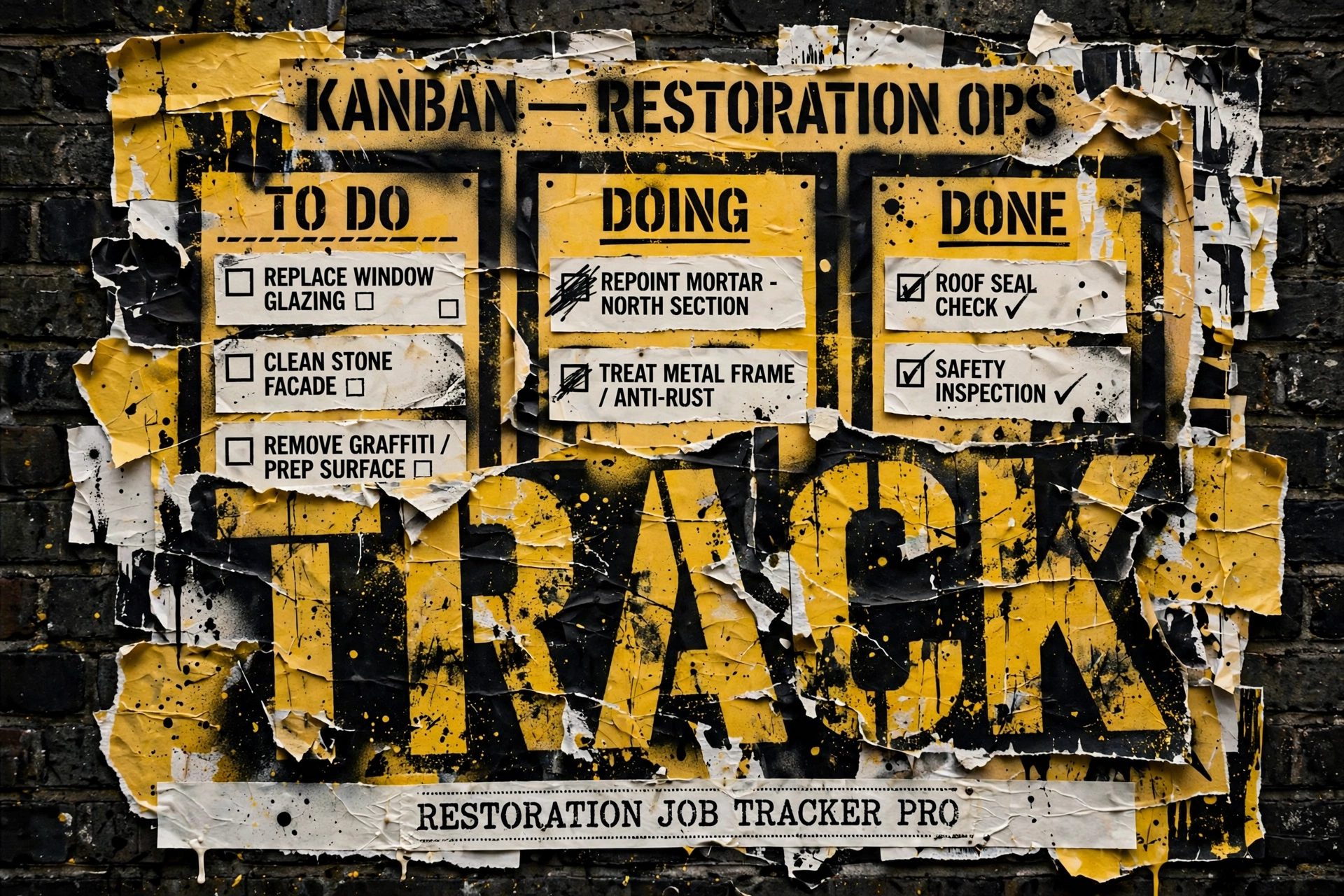
Stop tracking jobs in spreadsheets and text threads.
Who This Is For
Who the job tracker Pro is for.
Built for restoration contractors managing multiple active jobs who lose track of moisture readings, miss documentation steps, and spend time hunting for information that should be in one place.
The Problem
The job tracking problem.
A restoration job has more moving parts than almost any other service business. Multiple crews, daily moisture readings, equipment on site, adjuster communications, photo documentation, authorization tracking — all happening simultaneously across multiple jobs. The contractor who manages all of this from memory, texts, and spreadsheets is one bad job from a serious documentation problem. This template is the system that prevents that.
What You Get
What you get with Job Tracker Pro.
Jobs database: every job from first notice of loss to final invoice, with status tracking at every stage
Moisture readings log: daily readings linked to each job, with trend visibility
Equipment deployment: what is on which job, when it was placed, when it was retrieved
Photo documentation log: record of documentation by phase, linked to job
Communications log: every adjuster, homeowner, and crew communication tracked by job
Tasks and phases: IICRC-informed phase checklists so nothing gets skipped
Sample data included so you can see exactly how it works before you start entering your own
Built-in IICRC S500/S520 reference guides, plus pre-built views for active jobs, equipment on site, and open tasks
Setup guide included
Restoration Job Tracker Pro — Notion Template for Restoration Contractors
$29
Delivered to your inbox within 24 hours — no shipping, no waiting
Secure checkout via Square — all major cards accepted
Frequently Asked Questions
How is this delivered?
Within 24 hours of purchase, your Notion duplicate link arrives by email from will@tygartmedia.com. Click it, duplicate the template into your own Notion workspace, and you are running — sample data included so you can see how everything connects before you enter your own jobs.
Do I need any special software?
A free Notion account is required for the template products. The Claude skill requires a Claude account (free tier works for most uses).
Can I customize this for my company?
Yes — everything is built to be edited. Add your company name, your specific workflows, your equipment rates. It is a starting point, not a locked system.
Is there a refund policy?
Because this is a digital product, all sales are final. If you have a problem with your purchase, email will@tygartmedia.com and we will sort it out.
Know exactly where every dehumidifier, air mover, and sensor is — at all times.
Who This Is For
Who the equipment tracker is for.
Built for restoration contractors who run multiple jobs simultaneously and have equipment scattered across sites with no reliable way to track what is where, what daily rate to charge, or what needs servicing.
The Problem
The equipment tracking problem.
Equipment is one of the largest cost centers in restoration. Lost equipment, unbilled deployment days, units out for service at the wrong time, daily rates that nobody can remember — these are real losses that add up fast. Most restoration companies track their equipment fleet the same way they track everything else: imperfectly, and after the fact. This template makes equipment management deliberate.
What You Get
What you get with the equipment tracker.
Equipment Fleet database: every asset with asset ID, serial number, purchase price, daily rate, condition status, and service schedule
Deployment Log: checkout and return linked to jobs, automatic daily charge calculation, condition on return
Maintenance Log: preventive service records, repairs, calibrations, parts costs, service provider
7 sample equipment items pre-loaded so you can see the system in action
Industry rate reference tables built in for air movers, dehumidifiers, negative air machines, and more
Service interval guides for common restoration equipment types
Secure checkout via Square — all major cards accepted
Frequently Asked Questions
How is this delivered?
Within 24 hours of purchase via email from will@tygartmedia.com. You will receive your download link immediately — Notion duplicate link, skill file, or both depending on the product.
Do I need any special software?
A free Notion account is required for the template products. The Claude skill requires a Claude account (free tier works for most uses).
Can I customize this for my company?
Yes — everything is built to be edited. Add your company name, your specific workflows, your equipment rates. It is a starting point, not a locked system.
Is there a refund policy?
Because this is a digital product, all sales are final. If you have a problem with your purchase, email will@tygartmedia.com and we will sort it out.
Ask Claude any restoration question. Get an answer grounded in IICRC S500/S520 standards.
Who This Is For
Who the IICRC protocol lookup skill is for.
Built for restoration technicians and project managers who need quick, accurate answers to technical drying questions in the field — without carrying a manual or waiting to call a trainer.
The Problem
The protocol lookup problem.
IICRC standards are the backbone of defensible restoration work. But S500 and S520 are dense documents, and the answers to specific field questions — what drying class applies here, how do I size equipment for this structure, what does this GPP reading mean, how do I document this for the adjuster — are not always easy to find quickly under job pressure. This Claude skill turns your AI assistant into a protocol reference that speaks restoration.
What You Get
What you get with the IICRC skill.
Answers technical drying questions with IICRC S500/S520 backing — water damage categories, drying classes 1 through 4, equipment sizing formulas
Explains psychrometrics and GPP calculations in plain language your crew can act on
Covers mold remediation protocols from S520: containment, clearance, documentation
Helps structure drying progress documentation for adjuster review
Works even better when you attach your own IICRC PDF to the conversation
Delivered as a ready-to-install skill package (ZIP): the skill file, plugin manifest, and a setup guide with example field questions
Two install paths in the setup guide: skill upload on paid Claude plans, or a copy-paste Project setup that works on any plan — most people are asking questions within five minutes
IICRC Protocol Lookup — Claude AI Skill for Restoration Contractors
$19
Delivered to your inbox within 24 hours — no shipping, no waiting
Secure checkout via Square — all major cards accepted
Frequently Asked Questions
How is this delivered?
Within 24 hours of purchase, the skill package arrives by email from will@tygartmedia.com — a ZIP with the IICRC Protocol Lookup skill file, its plugin manifest, and the setup guide. Upload the ZIP to Claude as-is (do not unzip it first), or follow the guide’s Project setup.
Do I need any special software?
A Claude account is all you need. Uploading the skill as a custom skill takes a paid Claude plan with code execution turned on; the setup guide’s Project option works on any plan, including free. No Notion account needed for this one.
Can I customize this for my company?
Yes — everything is built to be edited. Add your company name, your specific workflows, your equipment rates. It is a starting point, not a locked system.
Is there a refund policy?
Because this is a digital product, all sales are final. If you have a problem with your purchase, email will@tygartmedia.com and we will sort it out.
Give every new tech a structured path from day one — and never lose track of who is certified.
Who This Is For
Who the crew onboarding tracker is for.
Built for restoration owners who are growing their crew but onboarding is chaotic, certifications are tracked in someone’s head, and no one is sure who is cleared to run what equipment.
The Problem
The crew onboarding problem.
Restoration technician turnover is real. When you hire someone new, the first 90 days determine whether they stay. Chaotic onboarding — no clear expectations, no structured training, no visibility into their progress — accelerates the exit. Meanwhile, certification lapses create liability. Knowing who holds WRT, who is overdue for renewal, and who is cleared to operate specific equipment should not require asking around.
What You Get
What you get with the crew onboarding tracker.
New hire checklist: day 1, week 1, and month 1 milestones with owner sign-off
Certification tracker: WRT, ASD, FSRT, AMRT, CCT, and any custom certs you add
IICRC course progress log: completion dates and renewal reminders built in
Training module library: add your own procedures, videos, and field guides
Equipment sign-off tracker: who is cleared to operate what, with sign-off date
Performance notes log for structured 30/60/90 day reviews
Restoration Crew Onboarding & Training Tracker
$19
Delivered to your inbox within 24 hours — no shipping, no waiting
Secure checkout via Square — all major cards accepted
Frequently Asked Questions
How is this delivered?
Within 24 hours of purchase via email from will@tygartmedia.com. You will receive a download link for the ZIP file and/or Notion duplicate link immediately.
Do I need any special software?
A free Notion account is required. No other software needed.
Can I customize this for my specific business?
Yes — that is the point. Everything is built to be edited. Swap in your company name, add your specific workflows, remove anything that does not apply. It is a starting point, not a locked template.
Is there a refund policy?
Because this is a digital product, all sales are final. If you have a problem with your purchase, email will@tygartmedia.com and we will sort it out.
Know your numbers. Run your business on data instead of gut feel.
Who This Is For
Who the restoration KPI dashboard is for.
Built for restoration owners who are making decisions from memory and instinct because they have no clean view of what is actually happening in their business.
The Problem
The KPI visibility problem.
Most restoration owners can tell you roughly how many jobs they have going. They cannot tell you their average job cycle time, their close rate by lead source, which equipment categories are underutilized, or whether this month is actually better than last year. Running a business without this data is not a strategy — it is luck management. The owners who grow intentionally know their numbers.
What You Get
What you get with the KPI dashboard.
Revenue tracker: monthly totals by job type and lead source
Job count and average job value trending over time
Cycle time tracking: from FNOL to final invoice, average and by job type
Lead source attribution: where are your best jobs actually coming from
Equipment utilization rate by asset category
Crew productivity metrics
Weekly and monthly summary views — one glance, full picture
Restoration Business KPI Dashboard
$29
Delivered to your inbox within 24 hours — no shipping, no waiting
Secure checkout via Square — all major cards accepted
Frequently Asked Questions
How is this delivered?
Within 24 hours of purchase via email from will@tygartmedia.com. You will receive a download link for the ZIP file and/or Notion duplicate link immediately.
Do I need any special software?
A free Notion account is required. No other software needed.
Can I customize this for my specific business?
Yes — that is the point. Everything is built to be edited. Swap in your company name, add your specific workflows, remove anything that does not apply. It is a starting point, not a locked template.
Is there a refund policy?
Because this is a digital product, all sales are final. If you have a problem with your purchase, email will@tygartmedia.com and we will sort it out.
Every procedure your crew needs, documented and accessible — not a PDF that lives in a drawer.
Who This Is For
Who the SOP library is for.
Built for restoration owners who know their company needs documented procedures but have never had time to build them.
The Problem
The SOP coverage problem.
Most restoration companies run on institutional knowledge — what the senior tech knows, what the owner remembers, what got passed down verbally on the first job. That works until the senior tech leaves, or a new hire does something wrong, or an adjuster asks for your remediation protocol documentation. Every serious restoration company needs written procedures. Almost none of them have them.
Secure checkout via Square — all major cards accepted
Frequently Asked Questions
How is this delivered?
Within 24 hours of purchase via email from will@tygartmedia.com. You will receive a download link for the ZIP file and/or Notion duplicate link immediately.
Do I need any special software?
A free Notion account is required. No other software needed.
Can I customize this for my specific business?
Yes — that is the point. Everything is built to be edited. Swap in your company name, add your specific workflows, remove anything that does not apply. It is a starting point, not a locked template.
Is there a refund policy?
Because this is a digital product, all sales are final. If you have a problem with your purchase, email will@tygartmedia.com and we will sort it out.
Track every claim, supplement, authorization, and payment — nothing falls through the cracks.
Who This Is For
Who the insurance claims command center is for.
Built for restoration contractors who spend hours chasing adjusters, re-sending supplement requests, and discovering unpaid claims at month end.
The Problem
The claims coordination problem.
Insurance work is where restoration companies make their money — and lose it. A missed supplement, a forgotten authorization, an unanswered depreciation dispute. These are not small errors. Most restoration contractors are managing claims across spreadsheets, sticky notes, and email threads, hoping nothing slips. Something always slips.
What You Get
What you get with the claims command center.
Claims database: every active and closed claim with full status from FNOL to final payment
Supplement log: every request, every response, every pending item tracked
Authorization tracker: what has been approved, what is pending, what was denied and needs appeal
Payment reconciliation: expected vs. received, outstanding balance visible at a glance
Adjuster directory: contacts linked directly to their claims
Communication templates: pre-written supplement requests and depreciation dispute language
Restoration Insurance Claims Command Center
$29
Delivered to your inbox within 24 hours — no shipping, no waiting
Secure checkout via Square — all major cards accepted
Frequently Asked Questions
How is this delivered?
Within 24 hours of purchase, your Notion duplicate link arrives by email from will@tygartmedia.com. Click it, duplicate the workspace into your own free Notion account, and start tracking claims — nothing to install.
Do I need any special software?
A free Notion account is required. No other software needed.
Can I customize this for my specific business?
Yes — that is the point. Everything is built to be edited. Swap in your company name, add your specific workflows, remove anything that does not apply. It is a starting point, not a locked template.
Is there a refund policy?
Because this is a digital product, all sales are final. If you have a problem with your purchase, email will@tygartmedia.com and we will sort it out.
This is the first article in the Restoration Financial Operations cluster under The Restoration Operator’s Playbook. The previous clusters describe the operational disciplines that produce excellent restoration work. This cluster is about whether those disciplines are actually producing the financial results the owner needs — and how to see the answer clearly.
The financial visibility gap is the most common operational blind spot in restoration
Most restoration owners can answer a simple set of financial questions at any given time. What was last month’s revenue. What was last quarter’s gross margin, approximately. How much cash is in the account today. Whether the company is profitable this year, roughly. These are the numbers most owners track, and tracking them feels like financial management.
It is not financial management. It is financial reporting, delivered at a cadence and a level of detail that tells the owner what happened in the past but not what is happening now. The gap between what the owner can see and what the owner needs to see is the financial visibility gap, and it is the most common operational blind spot in the restoration industry.
The visibility gap is not about accounting. Most restoration companies have competent accountants who produce accurate financials on a reasonable cadence. The gap is about operational financial visibility — the ability to see, in something approaching real time, what each active job is doing to the company’s financial health, where margin is being gained or lost, which decisions are producing which financial consequences, and whether the trajectory of the active book of work is heading toward a profitable quarter or a disappointing one.
Most owners cannot answer these questions with any specificity until weeks or months after the relevant period has closed. By then, the opportunity to change the outcome has passed. The owners who can answer these questions in real time are the ones making different decisions, producing different outcomes, and building different companies across years.
This article is about what the financial visibility gap actually looks like, why it persists even in companies that are otherwise operationally serious, and what closing it requires.
What the gap actually looks like
What the gap actually looks like.
To see the gap clearly, consider the specific financial questions that matter most for a restoration company’s operating decisions and how long each question takes to answer under the typical setup versus the ideal setup.
The first question is: what is the current margin on each active job? In the typical setup, this question cannot be answered with confidence until the job is closed and the final costs have been tallied. During the life of the job, the project manager may have a rough sense of whether the job is running profitably, but the rough sense is usually based on intuition rather than on live cost data. In the ideal setup, this question can be answered at any moment, for any active job, because the costs incurred to date are tracked against the approved scope in a system that the project manager and the operations leader can access.
The second question is: across all active jobs, what is the aggregate margin trajectory? In the typical setup, this question cannot be answered at all during the period. It can be reconstructed after the quarter closes by the accountant. In the ideal setup, this question can be answered at any time, because the job-level margin data feeds into a portfolio-level view that shows the aggregate picture.
The third question is: where is margin being lost? In the typical setup, this question can be answered only in retrospect and only with significant detective work. The accountant can identify that margin was lower than expected across the quarter, but tracing the underperformance to specific decisions on specific jobs requires pulling files, talking to project managers, and reconstructing what happened. In the ideal setup, this question can be answered in real time, because margin variances are flagged as they occur and attributed to specific causes.
The fourth question is: what is the company’s cash position going to look like in thirty, sixty, and ninety days? In the typical setup, this question is answered through the owner’s informal mental model of what is coming in and what is going out, supplemented by whatever the accountant can project. In the ideal setup, this question is answered by a cash flow projection that draws on the active job data, the expected payment timing, and the known obligations across the coming months.
The fifth question is: are the operational investments we are making — in documentation, in AI, in training, in the operating system as a whole — producing measurable financial returns? In the typical setup, this question cannot be answered at all because the financial data is not granular enough to connect operational investments to financial outcomes. In the ideal setup, this question can be answered, at least approximately, because the financial data is organized in a way that allows the comparison.
Each of these questions matters for operational decision-making. Each of them is unanswerable in the typical setup and answerable in the ideal setup. The gap between the two setups is the financial visibility gap.
Why the gap persists
The financial visibility gap persists even in companies that are otherwise operationally serious for several specific reasons.
The first reason is that the accounting function and the operations function are usually separate and operate on different cadences. The accountant works on a monthly or quarterly cycle, producing financials that are accurate but that reflect the past. The operations team works on a daily cycle, making decisions that affect the financial future. The two cycles are not connected in real time, which means the operations team is making financial decisions without current financial data.
The second reason is that job-level cost tracking is hard. Tracking the cost of every line item on every job as it is incurred, in a way that can be compared against the approved scope in real time, requires operational discipline and software integration that most restoration companies have not invested in. The alternative — waiting until the job closes to calculate the margin — is dramatically simpler and has been the industry default for decades.
The third reason is that most restoration owners came up through operations, not finance. The operational instincts that make a great PM or a great GM are not the same instincts that make a great financial operator. The owner who is operationally brilliant may be financially competent but not financially disciplined in the way that closing the visibility gap requires. The gap persists because the owner’s natural attention goes to the operational work rather than to the financial visibility that would make the operational decisions better.
The fourth reason is that the software tools available to restoration companies have historically been poor at operational financial visibility. Most restoration operations software is designed around job management, not financial management. The financial features that exist are typically bolt-ons rather than core capabilities, and they often require manual data entry that the operations team does not consistently perform. Better tools are emerging but are not yet universally adopted.
The fifth reason is that closing the gap requires behavior change across the team, not just a software purchase. The project manager has to enter cost data as it is incurred. The supervisor has to track labor hours against job budgets. The estimator has to maintain the scope-versus-cost comparison throughout the life of the job. Each of these behaviors is additional work for people who are already busy. Without owner commitment to the behavior change and sustained enforcement, the gap persists regardless of what software is in place.
What closing the gap requires
Closing the financial visibility gap requires investment across three dimensions simultaneously. Software alone is not sufficient. Behavior change alone is not sufficient. Process redesign alone is not sufficient. All three together produce the visibility.
The first dimension is the system. The company needs a system — whether operations software, a financial overlay, or a purpose-built reporting capability — that can track job-level costs in real time, compare them against approved scope, and surface variances as they occur. The system does not need to be expensive. It does need to be designed for operational use rather than for accounting use, which means it needs to be fast to update, easy to query, and integrated into the tools the operations team already uses.
The second dimension is the process. The company needs a defined process for how financial data gets into the system. Who enters labor hours. When material costs are recorded. How sub invoices are matched to jobs. How scope changes are reflected in the financial model. Each of these process questions has to be answered specifically and the answers have to become part of how the company operates. The process is what makes the system usable.
The third dimension is the behavior. The team has to actually follow the process. This requires owner commitment, sustained enforcement, and cultural reinforcement that the financial visibility matters. The first few months of any financial visibility initiative are the hardest, because the behaviors are new and the team is uncertain about whether the effort is worth it. The companies that push through the initial resistance and establish the behaviors as normal produce the visibility. The companies that let the initiative fade produce a partly-populated system that no one trusts.
The owner’s role in closing the gap is to commission the system, design the process, and sustain the behavior. The owner does not need to do the data entry. The owner does need to visibly use the data the system produces, in daily and weekly decisions, so that the team understands the data matters. Owners who commission the system but do not use the data produce teams that enter the data grudgingly and eventually stop.
What visibility produces when it exists
Companies that have closed the financial visibility gap describe a consistent set of effects.
The first effect is better in-flight decision-making on active jobs. Project managers who can see the margin position of their active jobs in real time make different decisions than project managers who are guessing. They intervene earlier when a job is trending toward margin erosion. They prioritize differently when multiple jobs are competing for attention. They negotiate scope changes with more confidence because they know what the financial stakes are.
The second effect is earlier identification of systemic margin problems. When the aggregate portfolio view shows a pattern of margin compression across a category of jobs — a specific type of work, a specific carrier, a specific geography — the operations leader can investigate the cause while it is still actionable. Without the aggregate view, the same pattern continues for months or quarters before it becomes visible in the accounting reports, by which time significant margin has been lost.
The third effect is better operational investment decisions. When the company can connect operational investments to financial outcomes — the documentation improvement that reduced estimator rework, the training investment that improved first-pass quality, the AI deployment that accelerated scope review — the owner can make rational decisions about where to invest next. Without the connection, operational investments are made on instinct and defended on faith.
The fourth effect is better conversations with stakeholders. Owners who can speak to the financial performance of their companies in real time have better conversations with bankers, investors, carriers, and anyone else who cares about the company’s financial health. The conversations are more credible, more detailed, and more productive.
The fifth effect is reduced financial stress. Owners who can see what is happening financially in real time experience less anxiety than owners who are guessing until the quarterly reports arrive. The psychological benefit of financial visibility is real and affects the owner’s decision quality across every other dimension of the business.
Each of these effects is meaningful. Together they produce a company that operates with a financial sophistication that the typical restoration company does not have. The sophistication does not require the owner to become a financial expert. It requires the owner to invest in the system, process, and behavior that produce the visibility and to use the visibility in their decisions.
Where to start
Where to start.
If you run a restoration company and you recognize the financial visibility gap in your own operations, the starting point is smaller than the full ideal described above.
The first step is to implement job-level margin tracking on the next ten jobs the company opens. Not the full book. Ten jobs. The goal is to learn what the tracking process needs to look like, what data needs to be captured, and what the barriers to consistent capture are. The ten-job pilot produces lessons that inform the broader rollout.
The second step is to build the aggregate portfolio view from the pilot data. What does the margin picture look like across the ten jobs? Where is margin being gained or lost? What patterns emerge? The aggregate view, even on a small sample, demonstrates the value of the visibility and generates the organizational energy to expand the pilot.
The third step is to expand the tracking to the full book of active work, with the process and behavior refinements that the pilot surfaced. The expansion takes sustained owner attention across several months. By the end of the expansion period, the company has financial visibility that the typical competitor does not, and the decisions that flow from the visibility start producing measurable financial benefits.
The financial visibility gap is the most common operational blind spot in restoration. Closing it is not technically difficult. It requires sustained investment in system, process, and behavior. The companies that close it operate with a financial sophistication that their competitors cannot see and cannot easily replicate. The companies that do not are making their most important decisions in the dark.