Tag: Context Window

Large language model context window architectures, token limits, and long-context processing.

  • Claude Models Roadmap May 2026: Opus 4.7, Knowledge Cutoffs, the 1M Context Window, and What’s Real About Claude 5

    Claude Models Roadmap May 2026: Opus 4.7, Knowledge Cutoffs, the 1M Context Window, and What’s Real About Claude 5

    Updated July 6, 2026

    Roadmap update: the May 2026 roadmap below has played out — Opus 4.8, Claude Fable 5, and Claude Sonnet 5 have all shipped. As of July 6, 2026, Anthropic’s lineup is Claude Fable 5 (top tier above Opus; $10 in / $50 out per MTok; Mythos 5 is the limited-availability sibling), Claude Opus 4.8 (legacy — still listed) ($5/$25

    Lineup currency (Sept 2026): Current API list (Sept 2026, verified): Sonnet 5 $2/$10, Opus 5.5 $4/$20, Haiku 4.5 $1/$5, Fable 5.1 $10/$50. Legacy (still listed on Anthropic’s card): Opus 4.8 $5/$25, Sonnet 4.6 $3/$15.

    ), Claude Sonnet 5 (released June 30, 2026; now the default for Free and Pro; introductory $2/$10 per MTok through Aug 31, 2026, then $3/$15), and Claude Haiku 4.5 ($1/$5). Opus 4.7 and Sonnet 4.6 are now legacy. Full details: the Claude Fable 5 Complete Guide.

    Last refreshed: October 20, 2026

    The pace of new Claude releases in 2026 has been fast enough that the canonical question — “what’s the latest Claude model and what’s it actually good for?” — has a different answer almost every quarter. This article is the current map, dated and sourced, of what Anthropic has shipped in 2026, what’s confirmed about each model’s specs and knowledge cutoffs, and what’s been claimed (but not officially confirmed by Anthropic) about what’s coming next.

    Two ground rules first, because the model-roadmap space is full of speculation:

    • Specs and release dates marked as verified come from Anthropic’s own documentation, news posts, or help center pages. We list the specific source.
    • Anything marked as reported or claimed comes from third-party reporting (TechCrunch, secondary news sites, analyst commentary) that we could not independently confirm against an Anthropic-published source as of May 15, 2026.

    If you’re making product decisions on this information, treat verified facts as actionable and reported facts as directional.

    The May 15, 2026 generally-available Claude models (historical snapshot)
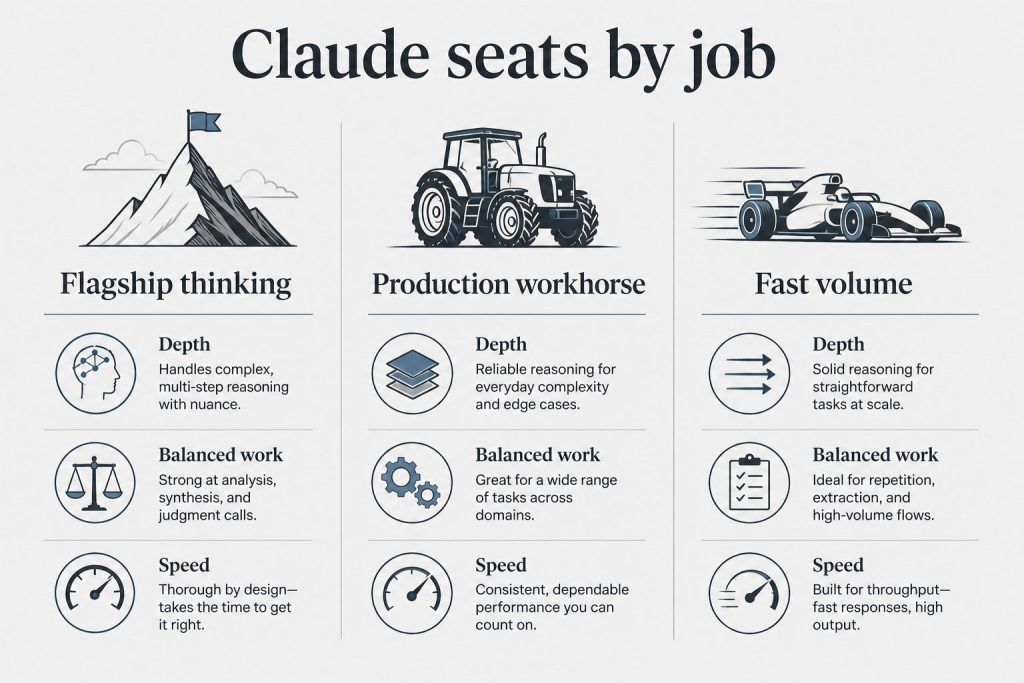
    Three-column board mapping Claude model seats to flagship thinking, production workhorse, and fast volume jobs
    May 2026 GA Claude models — historical snapshot framing.

    Lineup currency (Sept 2026, verified): Sonnet 5 ($2/$10), Opus 5.5 ($4/$20), Haiku 4.5 ($1/$5), Fable 5.1 ($10/$50). Legacy (still listed): Opus 4.8 ($5/$25), Sonnet 4.6 ($3/$15). Prior note (superseded): This was the production Claude prior lineup claim as of May 15, 2026. For the current lineup see the June 10 roadmap update above: Fable 5 ($10/$50), Opus 4.8 ($5/$25), Sonnet 4.6 ($3/$15), and Haiku 4.5 ($1/$5).

    Claude Opus 4.7 — claude-opus-4-7

    • Status: Legacy — superseded. The current most capable Claude model is Claude Fable 5; the legacy (still listed) Opus-tier model is Claude Opus 4.8 (legacy — still listed).
    • Context window: 1 million tokens at standard pricing (no long-context premium)
    • Max output: 128,000 tokens
    • Knowledge cutoff: January 2026 (per Anthropic Help Center, verified May 15, 2026)
    • Pricing: $5/MTok input, $25/MTok output (base rates)
    • Notable changes from 4.6: New tokenizer (uses up to ~35% more tokens for the same text), high-resolution image support up to 2576px / 3.75MP, new xhigh effort level, task budgets beta. Extended thinking budgets and sampling parameters (temperature, top_p, top_k) are removed.

    Claude Opus 4.6 — Still generally available, $5/MTok input, $25/MTok output. Released February 2026.

    Claude Sonnet 4.6 (legacy — still listed) — $3/MTok input, $15/MTok output. Includes the 1M token context window at standard pricing.

    Claude Haiku 4.5 — Cheapest model in the active lineup at $1/MTok input, $5/MTok output.

    Earlier models still active or in deprecation: Opus 4.5, Opus 4.1, Sonnet 4.5, and Haiku 3.5 (retired except on Bedrock and Vertex AI). Opus 4 and Sonnet 4 are listed as deprecated.

    Knowledge cutoff dates that actually matter

    Per Anthropic’s Help Center article on training-data recency (verified May 15, 2026), the most recent generally-available models have January 2026 knowledge cutoffs. That means:

    • Anything that happened after January 2026 is outside the model’s training data
    • For current events, recent product launches, recent legal or regulatory changes, or very recent technical documentation, the model needs to be given the information directly (in the prompt, via web search, or through tool use) — it can’t be relied on to know it
    • The model still has tools available (web search, code execution, file access) that can access post-cutoff information when explicitly invoked

    The practical version: don’t ask Claude what happened last week and expect it to know. Hand it the source material and ask it to analyze, summarize, or work with what you’ve given it.

    The 1M token context window — what it actually unlocks
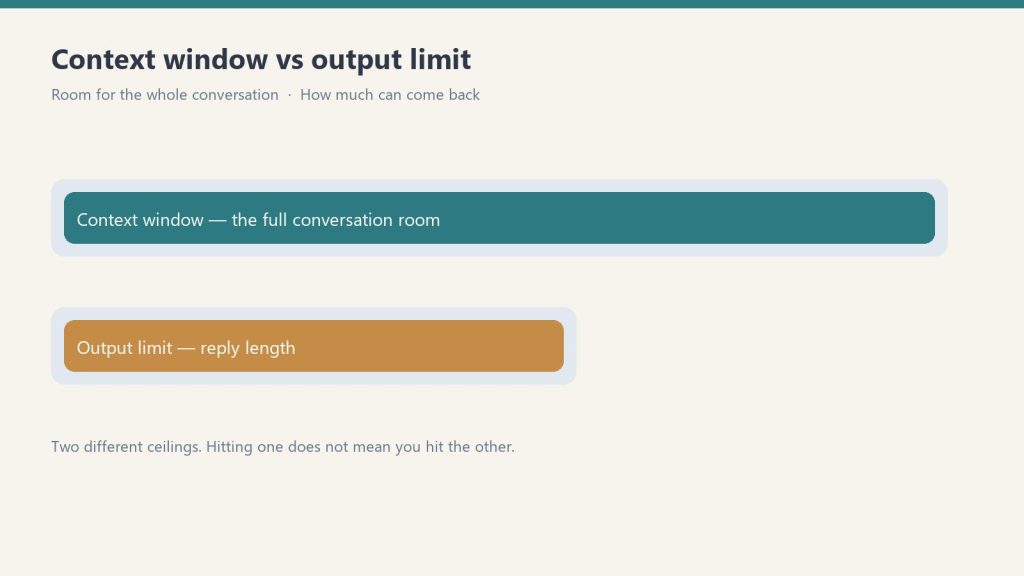
    Diagram comparing a long context window bar with a shorter output limit bar
    1M token context — what it unlocks.

    Per Anthropic’s official pricing documentation (verified May 15, 2026), Opus 4.7, Opus 4.6, and Sonnet 4.6 all include the full 1 million token context window at standard pricing. There’s no long-context premium — a 900,000-token request is billed at the same per-token rate as a 9,000-token request.

    That’s an enormous practical change from earlier Claude generations. A 1M context window is roughly:

    • ~750,000 words of English text
    • Most full books or technical specifications in a single context
    • ~8 hours of meeting transcripts at typical density
    • An entire mid-sized codebase, including most or all source files

    Prompt caching and batch processing discounts both apply at standard rates across the full 1M window. For workloads that involve sending the same large document repeatedly with different questions, prompt caching against a 1M context is one of the highest-leverage cost optimizations available in the current Claude lineup.

    What’s reported about Claude 5 (and what we cannot independently verify)
    Abstract milestone timeline from early Claude eras through today without version numbers
    What’s reported about Claude 5 — verify carefully.

    Multiple third-party sources reported in early 2026 that Anthropic CEO Dario Amodei confirmed a Q2 2026 launch window for Claude 5 in a TechCrunch interview published February 1, 2026. The same sources cited an internal-roadmap leak suggesting an April 28 target date.

    What we can verify as of May 15, 2026:

    • When this roadmap was written, Anthropic’s documentation listed Opus 4.7 as the latest production model. That has since advanced: Opus 4.8 and the Fable 5 / Mythos 5 top tier shipped in June 2026, and Claude Sonnet 5 was released June 30, 2026 — so the “5” generation is now real by name, arriving as Sonnet 5 plus the Fable / Mythos tier rather than a single “Claude 5” release.
    • The third-party reporting on Claude 5 specifications (500K context window, 20-25% benchmark improvements, ~90%+ on SWE-bench Verified) is widely repeated but, as far as we could verify, is not sourced to an Anthropic-published document.

    The honest read: Q2 2026 ends June 30, so if the reported timeline is accurate, an official Claude 5 announcement could plausibly land in the next several weeks. If you’re planning a project that depends on a specific Claude 5 capability, build against the legacy (still listed) lineup — Claude Opus 4.8 (legacy — still listed) or Fable 5 for maximum capability, or Claude Sonnet 5 (released June 30, 2026) for near-Opus performance at lower cost.

    Claude Sonnet 5 — separate question

    Update, July 6, 2026: Claude Sonnet 5 shipped on June 30, 2026 — the early 2026 third-party reporting on a “Sonnet 5” codename turned out to be premature, but a real Sonnet 5 model has since been officially released. It carries the model ID claude-sonnet-5, is priced at $3/$15 per million tokens standard ($2/$10 introductory through August 31, 2026), and is now the default Sonnet-tier model for Free and Pro users.

    Claude Sonnet 5 — separate question

    Update, July 6, 2026: Claude Sonnet 5 shipped on June 30, 2026 — the early 2026 third-party reporting on a “Sonnet 5” codename turned out to be premature, but a real Sonnet 5 model has since been officially released. It carries the model ID claude-sonnet-5, is priced at $3/$15 per million tokens standard ($2/$10 introductory through August 31, 2026), and is now the default Sonnet-tier model for Free and Pro users.

    If you’re tracking model identifiers for production use, the currently valid published model IDs are claude-fable-5, claude-opus-4-8, claude-sonnet-5, and claude-haiku-4-5-20251001.

    How to actually keep up with Claude releases

    The signal-to-noise ratio in the model-release coverage space is not great. Two practical sources are reliable enough to bookmark:

    • Anthropic’s news page at anthropic.com/news — first-party launch announcements with full model details
    • Claude API release notes at the Help Center release-notes page — concise, dated, version-specific

    For breaking changes that affect production code, the Anthropic platform documentation publishes per-version “What’s new” pages (Opus 4.7’s, for example, lists every API breaking change at launch). Those are the canonical reference for migration work.

    For everything else — analyst commentary, predictions, leak coverage — treat it as commentary, not as fact.

    What this means for your work today

    Based on what is verifiable on May 15, 2026:

    • If you need the most capable Claude model available, use Opus 4.7. It has the largest context window, the highest knowledge cutoff (January 2026), and the strongest reported coding/agentic performance.
    • If you need cost-efficient production work, use Sonnet 4.6. Same 1M context, much lower per-token rates than Opus.
    • If you need cheap, fast, simple-task workloads, use Haiku 4.5.
    • If you’re planning around Claude 5, treat the timing as unconfirmed and build resilience into your code (don’t hard-code model IDs that don’t exist yet).
    • For knowledge cutoff-sensitive use cases (current events, recent regulatory data, post-January 2026 news), always provide the information directly or use tool calls — don’t rely on training data alone.

    Related on Tygart Media: how to use Claude · Anthropic API key.

    Frequently Asked Questions

    What is the knowledge cutoff for Claude Opus 4.7?

    January 2026, per Anthropic’s Help Center documentation verified May 15, 2026. Information about events, products, or developments after that date is not in the model’s training data and must be provided directly.

    What is the largest Claude context window currently available?

    1 million tokens, available on Claude Fable 5, Claude Opus 4.8, and Claude Sonnet 4.6 at standard pricing with no long-context premium. Claude Haiku 4.5 has a 200K context window.

    Has Anthropic officially announced Claude 5?

    Update, July 6, 2026: Rather than a single “Claude 5,” Anthropic shipped three distinct successor models: Claude Fable 5 (the new top tier above Opus), Claude Opus 4.8, and Claude Sonnet 5 (released June 30, 2026). Early 2026 reporting anticipated a unified “Claude 5” release, but the actual rollout split the generation across these three named models instead.

    Is Claude Sonnet 5 a real model I can use?

    Update, July 6, 2026: Yes — Claude Sonnet 5 shipped on June 30, 2026 (model ID claude-sonnet-5) and is now the current default Sonnet-tier model, priced at $3/$15 per million tokens standard ($2/$10 introductory through August 31, 2026).

    Why does Opus 4.7 use more tokens than Opus 4.6 for the same text?

    Opus 4.7 ships with a new tokenizer that contributes to its improved performance but uses approximately 1x to 1.35x as many tokens for the same input text compared to previous models. Anthropic recommends increasing max_tokens headroom and adjusting compaction triggers accordingly.

    Are sampling parameters (temperature, top_p, top_k) still supported on Opus 4.7?

    No. Setting temperature, top_p, or top_k to any non-default value on Opus 4.7 returns a 400 error. Migration guidance: omit these parameters and use prompting to guide the model’s behavior.

    Related Reading

    How we sourced this

    Sources reviewed May 15, 2026:

    • Anthropic Pricing Documentation: docs.claude.com/en/docs/about-claude/pricing (primary source for model lineup, per-token rates, context window pricing)
    • Anthropic Platform Documentation: What’s new in Claude Opus 4.7 (primary source for Opus 4.7 features, breaking changes, tokenizer, image support, task budgets)
    • Anthropic Help Center: How up-to-date is Claude’s training data? (primary source for knowledge cutoff dates)
    • Anthropic news page (primary source check for Claude 5 announcement — none located as of May 15, 2026)
    • Third-party reporting on Claude 5 / Sonnet 5 (TechCrunch interview reports, Claude5.com, Fello AI, WaveSpeed Blog) — cited as reported but not independently confirmed against primary sources

    This article applies the verified vs. reported distinction throughout. If any of the unverified third-party claims are confirmed by Anthropic in the weeks after this article’s date stamp, the relevant sections should be updated to reflect the new primary-source documentation.


  • Claude Context Window — Every Question Answered (Complete FAQ 2026)

    Claude Context Window — Every Question Answered (Complete FAQ 2026)

    Last refreshed: October 20, 2026

    Tygart Media · Claude Context Window Reference

    Updated May 9, 2026 · Sizes verified from Anthropic’s official models page · Based on production use

    Context window questions answered from someone who actually uses the 1M token window in production — not from a spec sheet alone.

    Covers window sizes by model, what 1M tokens holds, the memory vs context distinction, performance at long context, and API-specific details. Full explainer: Claude Context Window Size 2026

    Size Questions

    Long paper tape measure unrolling across a desk beside a laptop, metaphor for context window length
    Size questions.

    What is Claude’s context window size in 2026?

    Lineup currency (Sept 2026): Current API list (Sept 2026, verified): Sonnet 5 $2/$10, Opus 5.5 $4/$20, Haiku 4.5 $1/$5, Fable 5.1 $10/$50. Legacy (still listed on Anthropic’s card): Opus 4.8 $5/$25, Sonnet 4.6 $3/$15. Rows below that still name Opus 4.8 / Sonnet 4.6 / Fable 5 are legacy-or-prior availability figures — confirm live Anthropic limits before quoting TPM/RPM/context.

    ModelAPI StringContext WindowMax Output
    Claude Fable 5claude-fable-51,000,000 tokens128,000 tokens
    Claude Opus 4.8claude-opus-4-81,000,000 tokens128,000 tokens
    Claude Sonnet 4.6claude-sonnet-4-61,000,000 tokens64,000 tokens
    Claude Haiku 4.5claude-haiku-4-5-20251001200,000 tokens64,000 tokens

    Source: Anthropic’s official models page, verified May 9, 2026.

    What does 1 million tokens actually hold?

    • ~750,000 words of English text — roughly 10 full-length novels, or 1,500 average blog posts
    • A full mid-size codebase — a 50,000-line Python project with comments
    • ~60–100 research PDFs at 20–30 pages each, all simultaneously
    • Hours of meeting transcripts — a full workday of recorded calls, transcribed
    • Our full WordPress site audit — 200+ posts worth of content loaded in one session for comprehensive SEO analysis

    The shift from 200K to 1M wasn’t just “more room.” It changed what we could ask Claude to do in a single session — whole-codebase reasoning, multi-document synthesis, full-history context.

    How many pages can Claude read at once?

    A typical 20-page PDF is roughly 10,000–15,000 tokens, so at 1M tokens you could load 60–100 such documents simultaneously. A 300-page book runs roughly 150,000–200,000 tokens — Claude can hold 5–6 full books in context at once. In practice, the constraint is usually time to upload and your session structure, not the window ceiling.

    What’s the difference between context window and memory?

    Three distinct things that get conflated:

    • Context window: Everything Claude can see right now in this session. Temporary — disappears when the session ends.
    • claude.ai memory: Facts extracted from past conversations and injected as a summary into new sessions. Persistent but compressed — a small snippet in the context, not the full history.
    • Managed Agents memory stores / Dreaming: Developer-layer knowledge graphs that agents build and refine between sessions. More structured than consumer memory, requires API implementation.

    The 1M context window is your working memory for one session. Memory systems are what carry information across sessions — they work by injecting a summary into the new session’s context, not by giving Claude access to the full prior history.


    Performance Questions

    Diagram comparing a long context window bar with a shorter output limit bar
    Performance questions.

    Does performance degrade at very long context lengths?

    The honest answer: yes, somewhat, and it depends on the task. The “lost in the middle” pattern is real — models tend to weight the beginning and end of very long contexts more heavily than the middle. For tasks that require pinpointing specific information buried deep in a 500-page document, performance is lower than for shorter contexts. For tasks that benefit from broad synthesis across a large body of material — architectural review, theme identification, cross-document comparison — long context is a net positive. Structure important information at natural reference points rather than burying it in the middle of a large document.

    How does Opus 4.8’s context window differ from Sonnet 4.6?

    Same 1M input context window. The difference is max output: Opus 4.8 can generate up to 128,000 tokens in a single response; Sonnet 4.6 caps at 64,000. For most tasks this doesn’t matter. It matters for generating very long documents, large codebases in a single pass, or batch outputs that need to be very long. If you’re not generating 64K+ token outputs, choose between models on capability and cost, not on output ceiling.

    What happens when I hit the context window limit?

    Earlier messages begin dropping out of the active context. Claude can no longer reference information from those dropped messages — it effectively forgets that part of the conversation. In the claude.ai interface, you’ll see a notification as you approach the limit. In API usage, the context window limit is enforced hard — requests exceeding it return an error.


    API and Technical Questions

    Desk with laptop, checklist notebook, and billing card ready before creating an Anthropic API key
    API and technical questions.

    Is the 1M context window available on the free plan?

    The model available to free plan users supports the 1M window technically, but free plan rate limits mean sustained heavy long-context use hits limits quickly. The window is available; using it intensively for extended periods is more practical on paid tiers.

    What’s the extended output option on the Batch API?

    On the Message Batches API, Fable 5, Opus 4.8, and Sonnet 4.6 support up to 300,000 output tokens using the output-300k-2026-03-24 beta header. This applies only to batch processing — not to synchronous API calls. Useful for large documentation generation, book-length content, or large codebase outputs in batch.

    Can I query context window limits programmatically?

    Yes. The Models API returns max_input_tokens, max_tokens, and a capabilities object for every available model. If you’re building systems that need to programmatically enforce context limits or route by capability, this is the right way to get current values rather than hardcoding from documentation.

    Does context window size affect API cost?

    Only indirectly — you pay for tokens consumed, not for context window capacity. A 1M token window doesn’t cost more than a 200K window. You pay for the tokens you actually send and receive. Loading a 500K-token document into context costs the same per token regardless of whether the model has a 200K or 1M window. The window size determines whether the request is possible at all — not what it costs per token.

    Related on Tygart Media: extended thinking · how to use Claude · tokens to words.

  • Claude AI Context Window: Token Limits & Capacity

    Claude AI Context Window: Token Limits & Capacity

    Last refreshed: October 20, 2026

    Direct Answer (September 2026): Claude’s flagship models — Opus 5.5, Sonnet 5, and Fable 5.1 — each feature a 1,000,000-token context window (roughly 750,000 words), capable of ingesting entire codebases, financial filings, or multi-hundred-page document sets in a single prompt. Haiku 4.5 carries a 200,000-token window for lighter workloads.

    Looking for quick answers? The FAQ version covers every common question directly.

    → Context Window FAQ

    Claude’s context window is one of those specs that sounds simple until you actually need to use it. “1 million tokens” means almost nothing without a frame of reference. This is the guide we wish existed when we started building on Claude — written from our own experience running it in production, with numbers pulled directly from Anthropic’s official documentation.

    Quick Definition

    The context window is Claude’s working memory for a conversation. It holds everything Claude can see and reason about at once: your messages, Claude’s responses, any documents you’ve shared, and system prompts. When the window fills up, earlier content drops out.

    Current Context Window Sizes by Model (September 2026)

    Long paper tape measure unrolling across a desk beside a laptop, metaphor for context window length
    Current context window sizes by model.

    These numbers come directly from Anthropic’s official models page, (last checked May 9, 2026; model names updated September 26, 2026). Model strings are exact API identifiers:

    Model API String Context Window Max Output
    Claude Fable 5.1 claude-fable-5-1 1,000,000 tokens 128,000 tokens
    Claude Opus 5.5 claude-opus-5-5 1,000,000 tokens 128,000 tokens
    Claude Sonnet 5 claude-sonnet-5 1,000,000 tokens 64,000 tokens
    Claude Haiku 4.5 claude-haiku-4-5-20251001 200,000 tokens 64,000 tokens

    Fable 5.1, Opus 5.5, and Sonnet 5 all have the full 1M token context window. Haiku 4.5 is 200K. The key difference between Opus 5.5 and Sonnet 5 in this table is the max output — Opus 5.5 can write up to 128K tokens in a single response, Sonnet 5 caps at 64K.

    What Does 1 Million Tokens Actually Hold?

    Token counts are an abstraction. Here’s what 1 million tokens translates to in practical terms:

    • About 750,000 words of English text — roughly 10 full-length novels, or 1,500 average blog posts
    • A full mid-size codebase — a 50,000-line Python project with comments fits comfortably
    • Hours of meeting transcripts — a full workday of recorded calls, transcribed, fits in one context window
    • Multiple large documents simultaneously — 10 research PDFs at 30 pages each, all in the same conversation
    • Long conversation histories — hundreds of back-and-forth exchanges before anything starts dropping off

    We’ve loaded entire Notion exports, full project histories, and multi-document research packs into a single Claude session. At 1M tokens, you’re unlikely to hit the ceiling in a normal working session. You hit it when you’re doing things like: loading your entire codebase plus documentation plus conversation history and then asking Claude to do a full architectural review.

    Context Window vs. Memory: What’s the Difference?

    Diagram comparing a long context window bar with a shorter output limit bar
    Context window vs memory — what’s the difference?

    This is where a lot of people get confused. The context window and memory are not the same thing:

    • Context window: What Claude can see right now, in this session. Once a session ends, it’s gone.
    • Memory (in claude.ai): A separate system that extracts and stores key information from past sessions. It surfaces relevant facts into future conversations as a snippet in the context.
    • Managed Agents memory stores: A developer-layer construct where agents maintain and update knowledge bases across sessions — distinct from both the context window and the consumer memory feature.

    The 1M token context window is your working memory for one session. It doesn’t persist. Memory systems are what carry information across sessions — but they work by injecting a summary into the context window of the new session, not by giving Claude access to the full history.

    Does a Bigger Context Window Mean Better Performance?

    Mostly yes, with one important nuance. More context means Claude has more information to reason about, which generally produces better outputs for tasks that benefit from full context — code reviews, document synthesis, long-form writing, multi-document comparison.

    The nuance: performance can degrade on tasks involving specific information buried deep in a very long context. This is sometimes called the “lost in the middle” problem — models tend to pay more attention to the beginning and end of a long context than the middle. Anthropic has worked on this with Claude’s architecture, and it performs well on long-context tasks, but it’s worth structuring important information at natural reference points rather than burying it in the middle of a 500-page document.

    How We Actually Use the 1M Token Window

    Desk with laptop, checklist notebook, and billing card ready before creating an Anthropic API key
    How we actually use the 1M token window.

    We run Claude in production for content operations, site management, and agentic coding workflows. Here’s where the 1M context window makes a concrete difference in our work:

    • Full site audits: Loading every post from a WordPress site (200+ posts worth of content) into one session for comprehensive SEO analysis — without having to chunk and re-prompt
    • Cross-session context: Pasting in long Notion briefings, prior session transcripts, and the current task in one go. The window is large enough that we don’t have to decide what to leave out.
    • Codebase-wide reasoning: In Claude Code, having the full project context means Claude can make changes that account for how files interact rather than reasoning only about the current file
    • Multi-document synthesis: Research projects where we load 10-15 source documents and ask Claude to synthesize across them — something that was impossible at 100K context windows

    The practical shift from 200K to 1M tokens wasn’t just “more room.” It changed what we could ask Claude to do in a single session.

    Context Window on the API: Batch Output Extension

    For API users: on the Message Batches API, Fable 5.1, Opus 5.5, and Sonnet 5 support up to 300K output tokens using the output-300k-2026-03-24 beta header. This is relevant for batch generation tasks where you need very long outputs — documentation generation, large codebases, book-length content.

    Frequently Asked Questions

    What is Claude’s context window in 2026?

    Claude Fable 5.1, Claude Opus 5.5, and Claude Sonnet 5 all have 1,000,000 token (1M token) context windows as of September 2026. Claude Haiku 4.5 has a 200,000 token context window. These are the current generally available models.

    How many pages can Claude read at once?

    At 1M tokens, Claude can hold roughly 750,000 words of English text — equivalent to approximately 3,000 average pages. In practice, a typical 20-page PDF is roughly 10,000-15,000 tokens, so you could load 60-100 such documents in a single session before approaching the limit.

    Does the context window reset between messages?

    No — the context window accumulates across an entire conversation session. Every message you send and every response Claude gives adds to the total. The window doesn’t reset between individual messages; it resets when you start a new conversation.

    What happens when Claude hits the context window limit?

    When a conversation reaches the context window limit, earlier messages begin to drop out of the active context. Claude can no longer reference information from those earlier messages — it effectively forgets that part of the conversation. In the claude.ai interface, you’ll see a notification when you’re approaching the limit.

    Is the 1M context window available on the free plan?

    The model available to free plan users has access to the 1M context window. However, free plan usage limits mean long-context sessions hit rate limits faster than paid plans. The window is technically available, but sustained heavy use of it is more practical on paid tiers.

    What’s the difference between Claude Opus 5.5 and Sonnet 5 context windows?

    Both have the same 1M token input context window. The difference is max output: Opus 5.5 can generate up to 128,000 tokens in a single response; Sonnet 5 caps at 64,000 tokens. For most tasks this distinction doesn’t matter, but for very long document generation or large code outputs, Opus 5.5 has the higher output ceiling.

    💼 Deploying Claude or AI Infrastructure in Your Business?

    At Tygart Media, we engineer custom Model Context Protocol (MCP) servers, multi-model content pipelines, and AI operational systems. Explore our Claude AI Team Implementation Services or check out our complete Restoration Operations & AI Kit.

  • Claude Context Window & Memory: Does It Remember You?

    Claude Context Window & Memory: Does It Remember You?

    Last refreshed: September 25, 2026

    Model Accuracy Note — Updated May 2026

    Lineup currency (Sept 2026, verified): Sonnet 5 ($2/$10), Opus 5.5 ($4/$20), Haiku 4.5 ($1/$5), Fable 5.1 ($10/$50). Legacy (still listed): Opus 4.8 ($5/$25), Sonnet 4.6 ($3/$15). Prior note (superseded): Prior flagship claim: Claude Opus 4.7 (claude-opus-4-7). Prior models claim: Opus 4.7 · Sonnet 4.6 · Haiku 4.5. Claude Opus 4.7 (claude-opus-4-7) was claimed current as of April 16, 2026. Where this article references Opus 4.6 or earlier models, those references are historical. See current model tracker →. See current model tracker →

    Claude AI · Tygart Media · Updated April 2026
    Current context window (April 2026): All Claude 4.6 models support 200,000 tokens (~150,000 words). Claude Opus 4.6 and Sonnet 4.6 support 1,000,000 tokens (1M) in beta. Claude does not remember between separate conversations by default.

    Two of the most searched Claude questions are really asking the same underlying thing: how much can Claude hold in one conversation, and does it remember you between sessions? They have different answers, and understanding the difference changes how you use Claude effectively.

    The Context Window: What It Is

    Long paper tape measure unrolling across a desk beside a laptop, metaphor for context window length
    The context window — what it is.

    The context window is everything Claude can “see” in a single conversation at once — your messages, its responses, any documents you’ve shared, and any tool outputs. It’s measured in tokens (roughly 0.75 words per token for English text). A 200,000-token context window means Claude can work with approximately 150,000 words or about 500 pages of text in a single session before older content starts to fall out.

    In practical terms: you can share an entire book, a large codebase, a year of meeting notes, or dozens of documents — and Claude can reason across all of it simultaneously in one conversation.

    Context Window by Model (April 2026)

    Diagram comparing a long context window bar with a shorter output limit bar
    Context window by model.
    Model Context Window Notes
    Claude Opus 4.6 200K tokens (1M in beta) Flagship capability model
    Claude Sonnet 4.6 200K tokens (1M in beta) Production default
    Claude Haiku 4.5 200K tokens Speed and cost tier

    The 1M token context window for Opus 4.6 and Sonnet 4.6 is currently in beta. When generally available, it will support approximately 750,000 words or roughly 2,500 pages of text in a single session.

    Memory Between Conversations: What Actually Persists

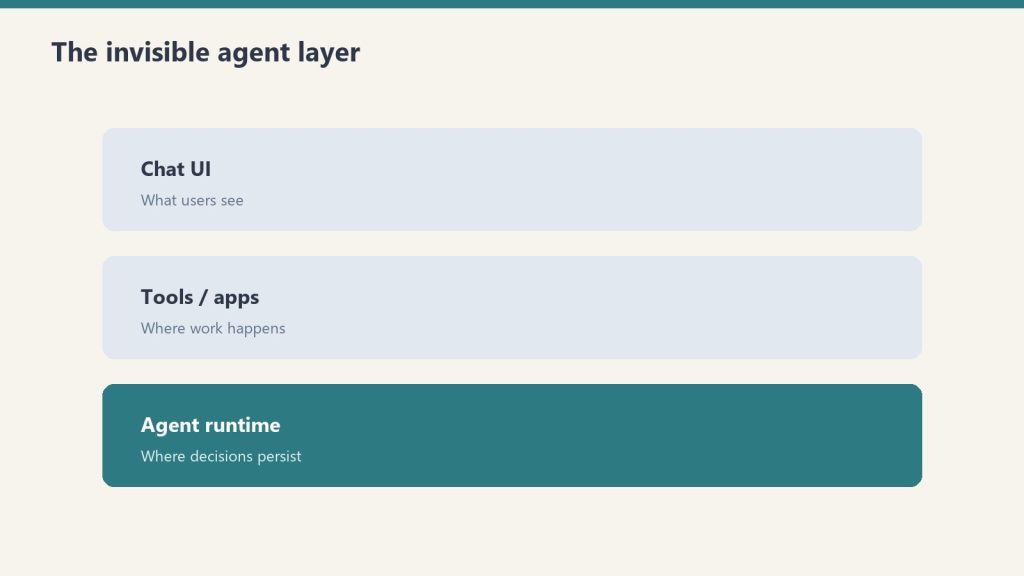
    Three stacked layers: chat UI, tools, agent runtime
    Memory between conversations — what actually persists.

    This is where most users get confused. The context window governs one conversation. Claude has no automatic memory that carries forward to the next conversation — when you start a new chat, Claude starts completely fresh with no recollection of prior sessions.

    There are three ways Claude can appear to “remember” across sessions, all of which are deliberate features rather than automatic memory:

    Memory settings (claude.ai): Claude.ai has an opt-in memory feature that extracts key facts from your conversations and surfaces them in future sessions. This is generated from conversation history and displayed to you in settings. It’s explicit and controllable, not passive memory.

    Projects: Claude’s Projects feature lets you attach persistent context — documents, instructions, background — that applies to every conversation within that project. The context doesn’t change between sessions; you control what’s in it.

    System prompts (API): For API users, a system prompt injected at the start of every session effectively gives Claude a persistent briefing. This is how most enterprise Claude deployments simulate consistent behavior across sessions.

    Practical Implications

    For one-time tasks — editing a document, analyzing data, writing an article — the 200K context window is more than enough for nearly any real-world use case. For ongoing work where you want Claude to remember context across sessions — a long project, client history, evolving instructions — you need one of the three persistence mechanisms above. The context window doesn’t do that on its own.

    The most reliable pattern for power users: maintain a “Claude briefing” document in Notion or a Project that you update over time, and attach it to conversations where continuity matters. This is faster and more reliable than relying on the memory feature for complex operational context.

    Does Claude remember our previous conversations?

    Not automatically. Each new conversation starts fresh. You can enable the memory feature in claude.ai settings to have Claude extract and surface key facts from past conversations, or use Projects to attach persistent context to a conversation thread.

    What is Claude’s context window in 2026?

    All Claude 4.6 models support 200,000 tokens (about 150,000 words or 500 pages). Claude Opus 4.6 and Sonnet 4.6 support 1 million tokens in beta.

    How many words can Claude handle at once?

    Approximately 150,000 words (about 500 pages of text) on the standard 200K token context window. With the 1M token beta on Opus 4.6 and Sonnet 4.6, that extends to roughly 750,000 words.


  • Claude File Upload Size Limits & Context Window (2026)

    Claude File Upload Size Limits & Context Window (2026)

    Last refreshed: September 26, 2026

    Official links: Upload limits help · Try Claude (claude.ai) · Plans & pricing

    Model Accuracy Note — Updated May 2026

    Current flagship: Claude Opus 4.8 (claude-opus-4-8). Current models: Fable 5 · Opus 4.8 · Sonnet 5 · Haiku 4.5. Claude Fable 5 (claude-fable-5) is the current flagship, and Claude Opus 4.8 (claude-opus-4-8) is the current Opus tier, as of June 2026. Where this article references Opus 4.6 or earlier models, those references are historical. See current model tracker →. See current model tracker →

    Direct Answer (August 2026): Claude.ai supports uploads up to 30MB per file and up to 5 files per message (PDFs, DOCX, CSV, TXT, images). Text documents are parsed and converted to tokens within Claude’s 200,000-token context window. For larger datasets exceeding 30MB, developers use the Anthropic API with prompt caching or local embeddings to query multi-gigabyte document repositories.

    Claude AI · Fitted Claude

    Claude supports file uploads in claude.ai and via the API, with specific limits on file size, page count, and number of files. Here are the exact limits for PDFs, images, and other document types, plus what to do when your file is too large.

    Claude File Upload Limits (April 2026)

    File type Max file size Page / length limit Notes
    PDF 32 MB 100 pages Text layer required for reading. Image-only scans need OCR first.
    Images (JPG, PNG, GIF, WebP) 5 MB per image Up to 20 images per request All current Claude models support image input.
    Text files (TXT, MD, CSV) ~10 MB Context window limit Limited by context window, not file size.
    Word / DOCX ~10 MB Context window limit Claude extracts text content.
    Code files Context window limit — No special limit beyond context window.

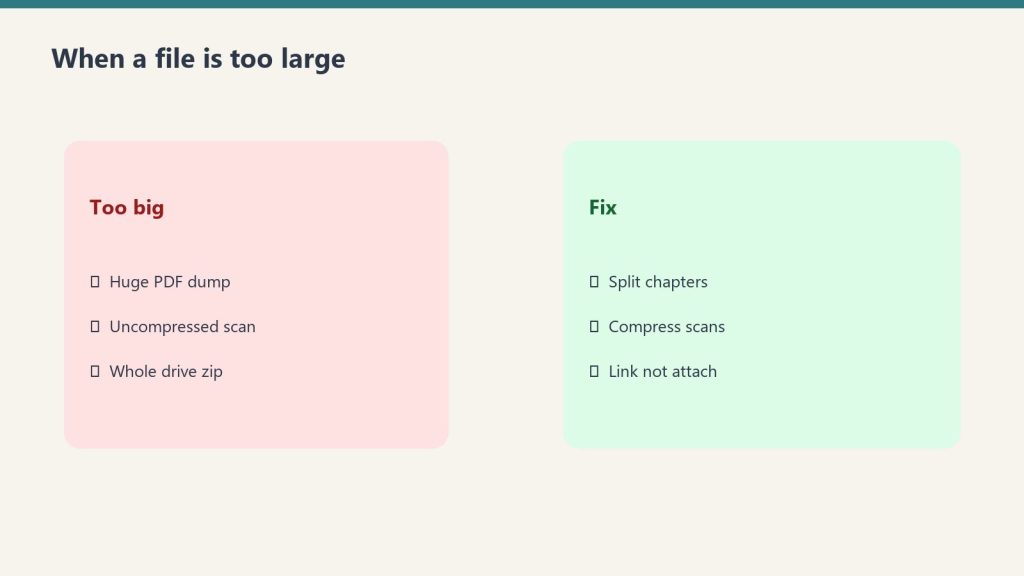
    What Happens When a File Is Too Large

    Side-by-side of oversized uploads versus split compress link fixes
    Too big? Split, compress, or link — don’t force the upload.

    If a PDF exceeds 32 MB or 100 pages, Claude.ai will reject the upload with an error. The file won’t be processed. The practical workarounds:

    • Split the PDF. Most PDF readers and tools (Preview on Mac, Adobe, Smallpdf) can split a document into smaller sections. Upload the relevant section rather than the full document.
    • Compress the file. Large PDFs are often oversized due to embedded images. Use a PDF compressor to reduce file size while preserving text quality.
    • Copy and paste the text. For text-heavy documents, copying relevant sections directly into the chat removes the file size constraint entirely — the only limit is the context window (1M tokens for Sonnet and Opus).
    • Use multiple conversations. Process different sections in separate conversations and synthesize results yourself.

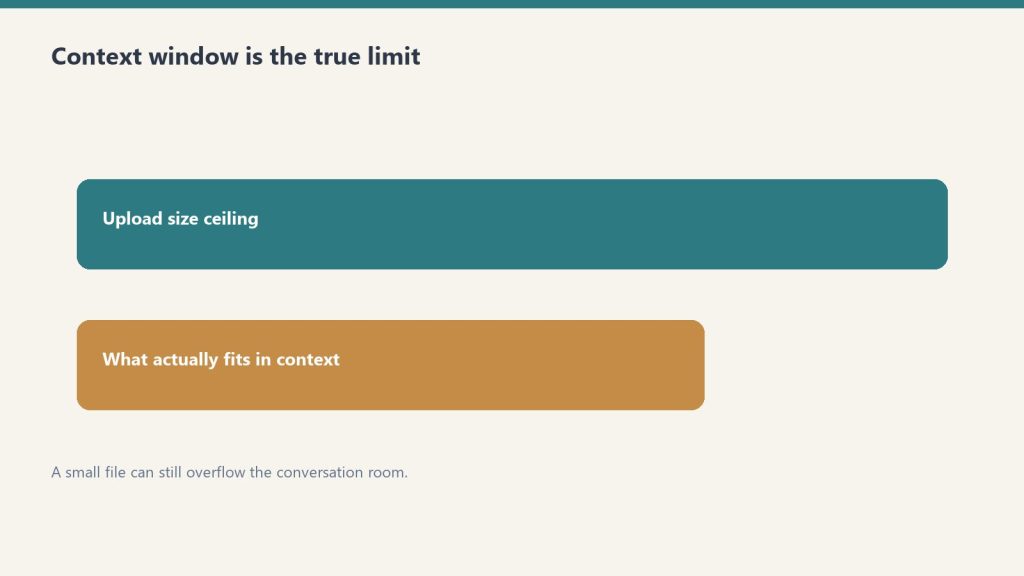
    Context Window as the True Limit

    Two bars showing upload ceiling versus what actually fits in context
    Context window is the true limit — not just the upload meter.

    Even within the file size limits, the real constraint is the context window — how much text Claude can process at once. A 100-page PDF that’s text-heavy may contain 60,000–80,000 tokens. Claude Sonnet 4.6 and Opus 4.6 have a 1 million token context window, so most documents fit comfortably. Claude Haiku 4.5’s 200,000 token window is still large enough for most individual documents.

    Where the context window becomes the binding constraint is when you’re uploading multiple large files simultaneously — several hundred pages of documents combined may approach context limits on Haiku.

    Scanned PDFs: The Hidden Limit

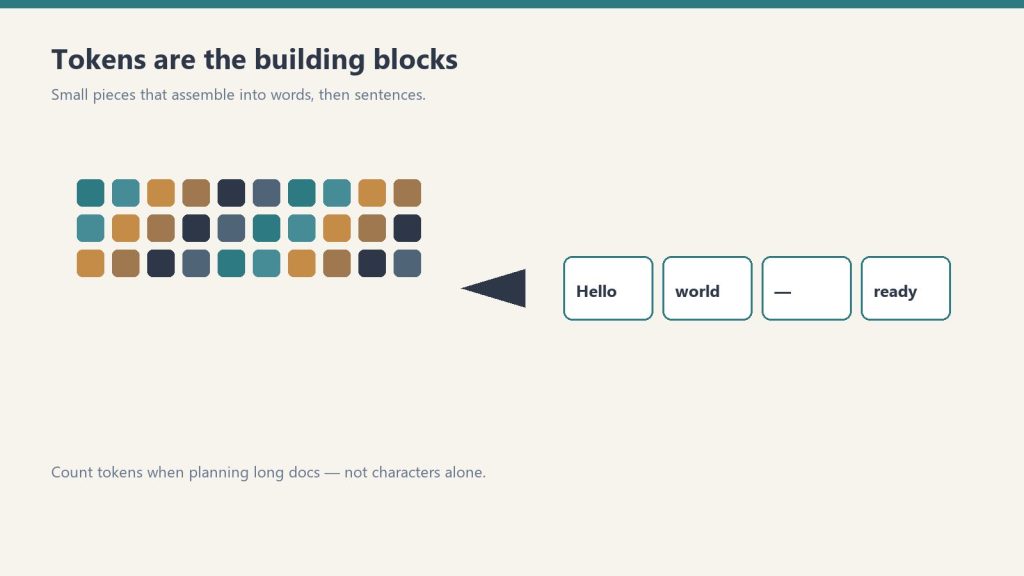
    Small token cubes assembling into short phrase cards on a desk
    Tokens still assemble the doc you uploaded — count before you paste.

    File size and page count are the official limits, but there’s a functional limit that catches many users: scanned PDFs that are image-only have no text layer, so Claude can’t read their content regardless of size. A 5-page scanned document may be effectively unreadable while a 100-page digital PDF works fine. Run scanned documents through OCR software to create a text layer before uploading. See Can Claude Read PDFs? for the full breakdown.

    Image Limits in Detail

    Each image can be up to 5 MB, with a maximum of 20 images per API request. In Claude.ai conversations, you can upload multiple images in a single message. Claude processes images using its vision capability — all current models (Haiku 4.5, Sonnet 4.6, Opus 4.6) support image input including JPG, PNG, GIF, and WebP formats.

    Frequently Asked Questions

    What is the Claude file size limit?

    PDFs: 32 MB and 100 pages maximum. Images: 5 MB per image, up to 20 images per request. Text files and documents: effectively limited by the context window rather than file size. These limits apply to claude.ai and the API.

    What do I do if my PDF is too large for Claude?

    Split the PDF into smaller sections, compress it to reduce file size, or copy and paste the relevant text directly into the conversation. Text pasted directly is only limited by the context window (1M tokens for Sonnet and Opus), not file size limits.

    How many files can I upload to Claude at once?

    Multiple files can be uploaded in a single conversation. The practical limit is the combined text content fitting within Claude’s context window — 1M tokens for Sonnet 4.6 and Opus 4.6, or 200K tokens for Haiku 4.5. For images, the API supports up to 20 per request.

    Need this set up for your team?
    Talk to Will →

    💼 Deploying Claude or AI Infrastructure in Your Business?

    At Tygart Media, we engineer custom Model Context Protocol (MCP) servers, multi-model content pipelines, and AI operational systems. Explore our Claude AI Team Implementation Services or check out our complete Restoration Operations & AI Kit.

  • Claude Context Window: 1M Tokens for Opus 5.5, Sonnet 5.5 & Fable 5.1 (2026)

    Claude Context Window: 1M Tokens for Opus 5.5, Sonnet 5.5 & Fable 5.1 (2026)

    Last refreshed: October 5, 2026 (Pacific)

    Model Accuracy Note — Updated June 9, 2026

    Top tier: Claude Fable 5.1 (claude-fable-5-1). Current Opus tier: Claude Opus 5.5 (claude-opus-5-5). Current models: Opus 5.5 · Sonnet 5.5 · Haiku 4.5. Claude Fable 5.1 (claude-fable-5-1) is the current flagship (most capable) model; Claude Opus 5.5 (claude-opus-5-5) is the current Opus tier. Where this article references Opus 4.6 or earlier models, those references are historical. See current model tracker →. See current model tracker →

    Claude AI · Fitted Claude

    Claude’s context window determines how much information it can hold and process in a single conversation. Claude Sonnet 5.5 and Opus 5.5 support 1 million tokens; Haiku 4.5 supports 200,000 tokens — one of the largest in the industry. Here’s what that means in practice, what you can actually fit inside it, and how context window size affects your work.

    200K tokens in plain terms: Roughly 150,000 words, or about 500 pages of text. That’s enough for an entire novel, a full codebase, or months of conversation history — all in a single session without truncation.

    Claude Context Window by Model (October 2026)

    Long paper tape measure unrolling across a desk beside a laptop, metaphor for context window length
    Claude context window by model.
    Model Context Window ~Words ~Pages
    Claude Opus 5.5 1,000,000 tokens ~750,000 ~3,000
    Claude Sonnet 5.5 1,000,000 tokens ~750,000 ~3,000
    Claude Fable 5.1 1,000,000 tokens ~750,000 ~3,000
    Claude Haiku 4.5 200,000 tokens ~150,000 ~500

    What Fits in 200K Tokens

    Three stacked layers: chat UI, tools, agent runtime
    What fits in 200K tokens.
    Content type Approximate fit
    News articles ~200+ articles
    Research papers ~30–50 papers depending on length
    A full novel Yes — most novels fit with room to spare
    Python codebase Medium-sized codebases (10k–50k lines)
    Legal contracts Hundreds of pages of contracts
    Conversation history Very long sessions before truncation

    Context Window vs. Output Length

    The context window covers everything Claude processes — both input and output combined. If your prompt is 50,000 tokens (a long document), Claude has 150,000 tokens remaining for its response and any further back-and-forth. The window is shared between what you send and what Claude generates.

    Maximum output length is a separate constraint — Claude won’t generate an infinitely long response even within a large context window. For very long outputs (full books, extensive reports), you typically work in sections rather than expecting Claude to produce everything in one pass.

    Why Context Window Size Matters

    Desk with laptop, checklist notebook, and billing card ready before creating an Anthropic API key
    Why context window size matters.

    Context window size is the practical limit on how much work you can give Claude at once without losing information. Before large context windows, working with long documents required chunking — splitting the document into pieces, analyzing each separately, and manually synthesizing the results. With 200K tokens, Claude can hold the entire document and answer questions about any part of it with full awareness of everything else.

    This matters most for: document analysis and legal review, code understanding across large files, research synthesis across many sources, and long multi-step conversations where earlier context affects later decisions.

    How Claude Performs at the Edges of Its Context Window

    Research on large language models has found that performance can degrade somewhat for information buried in the middle of a very long context — sometimes called the “lost in the middle” problem. Claude performs well across its context window, but for maximum reliability on information from a very long document, referencing specific sections explicitly (“in the section about pricing on page 12…”) helps ensure Claude focuses on the right part.

    For the full model spec breakdown, see Claude API Model Strings and Specs and Claude Models Explained: Haiku vs Sonnet vs Opus.

    Frequently Asked Questions

    What is Claude’s context window size?

    Claude Fable 5.1, Opus 5.5, and Sonnet 5.5 support a 1 million token context window at standard pricing. Claude Haiku 4.5 supports 200,000 tokens. That’s approximately 150,000 words or about 500 pages of text in a single conversation.

    How many tokens is 200K context?

    200,000 tokens is approximately 150,000 words of English text. One token is roughly four characters or three-quarters of a word. A typical 800-word article is about 1,000 tokens; a full novel is typically 80,000–120,000 tokens.

    Can I upload a full PDF to Claude?

    Yes, as long as the PDF’s text content fits within the 200K token context window. Most documents, reports, contracts, and research papers fit easily. Very large documents (multiple volumes, extensive legal filings) may need to be split.

    What is Claude’s context window in 2026?

    Claude Opus 5.5 and Claude Sonnet 5.5 both have a 1 million token context window — roughly 750,000 words. Claude Haiku 4.5 has a 200,000 token context window. The 1M context window is now generally available (not beta) across all API tiers. Anthropic eliminated long-context surcharges in March 2026.

    How many pages can Claude read in one context window?

    At 1 million tokens, Claude Opus 5.5 can process approximately 750,000 words — roughly 3,000 pages of standard text, 10 full novels, or a large software codebase. This makes it practical for full repository analysis, entire book summarization, and extended agent sessions without needing to chunk input.

    Does Claude charge extra for large context windows?

    No. Anthropic eliminated long-context surcharges in March 2026. A 900,000-token API call is billed at the same per-token rate as a 9,000-token call. All tokens in the context window — input and output — are billed at the standard rates for whichever model you are using.

    Need this set up for your team?
    Talk to Will →

    Check current windows any time from the Anthropic Console — API keys, billing, and a token-to-dollar cost estimator.